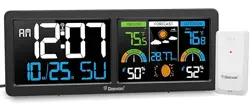
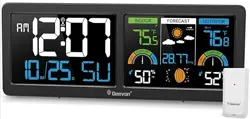
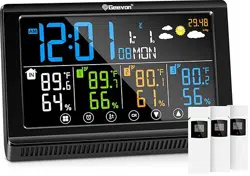
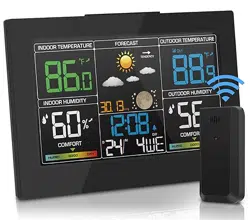
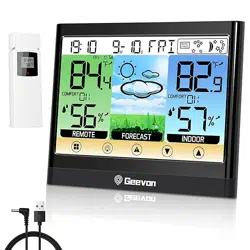
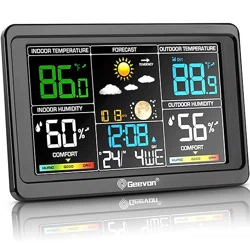
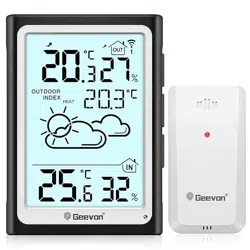
Geevon Weather Stations Wireless Indoor Outdoor Thermometer with Atomic Clock, HD Color Display Digital Temperature Humidity

Product's Documents

Below are documents related to this product, you can read online or download:
Geevon Weather Stations Wireless Indoor Outdo

1. Overview

The Geevon Weather Station is a multi-functional device designed to monitor indoor and outdoor environmental conditions. It features a large HD color display and receives an atomic time signal for precise timekeeping.

Geevon Weather Stations Wireless Indoor Outdoor Thermometer with Atomic Clock, HD Color Display

The main unit displays time, date, indoor/outdoor temperature and humidity, barometric pressure, weather forecast, moon phases, and comfort level. It supports connection to up to three remote outdoor sensors (one included).

2. Package Contents

  • 1 x Atomic Weather Station Clock (Main Unit)
  • 1 x Remote Outdoor Sensor
  • 1 x AC Power Adapter
  • User Instructions (this manual)

Note: AAA batteries for the main unit and outdoor sensor are not included.

3. Product Features

3.1 Display and Information

  • Dual 5.9-inch HD Color Display: Shows large digits for time, date, and day of the week.
  • Indoor/Outdoor Temperature and Humidity: Monitors conditions with Max/Min records and trend arrows.
  • Air Comfort Level Indicator: Displays a visual comfort assessment.
  • Weather Forecast: Provides a forecast for the next 12-24 hours.
  • Barometric Pressure: Shows current atmospheric pressure.
  • Moon Phases: Displays the current moon phase.

3.2 Atomic Clock and Alarm

  • WWVB Atomic Time Signal: Automatically receives the signal to maintain precise time and date.
  • 7 Time Zones: AST(-4), EST(-5), CST(-6), MST(-7), PST(-8), AKST(-9), HST(-10).
  • Daylight Saving Time (DST): Can be turned on or off.
  • Alarm Clock with Snooze: Includes an alarm function with a 5-minute snooze.
Note: The backlight will automatically turn off temporarily when the unit is receiving the atomic time signal (RCC signal).

3.3 Sensor and Monitoring

  • 3-Channel Support: The main unit can connect to up to 3 remote outdoor sensors (one sensor is included).
  • Wireless Transmission Range: Up to 200 feet (60 meters) in open space.
  • High/Low Temperature Alert: Customizable alerts for temperature thresholds.
  • 24-Hour Max/Min Records: Tracks the highest and lowest readings over the past day.

3.4 Power and Backlight

  • Two Power Modes: Can be powered by the included AC adapter or by 3 AAA batteries (not included).
  • 3-Level Adjustable Brightness: Available when powered by the AC adapter.
  • Backlight Timer: When operating on battery power only, the backlight turns off after 15 seconds to conserve power.
  • Low Battery Indicator: Alerts you when batteries need to be replaced.
Note: To keep the backlight on continuously, the unit must be plugged in with the AC power cord.

3.5 Physical Design

  • Placement Options: Features a built-in stand for desk use and two hanging holes for wall mounting.
  • Dimensions: Approximately 11.2" W x 4.2" H x 1" D.
  • Color: Black.

4. Use Guide

4.1 Initial Setup

  1. Choose a Location: Place the main unit indoors in a location with clear reception for the atomic time signal. Avoid placing it near large metal objects or electronic devices that may cause interference.
  2. Install Power:
    • For best performance and continuous backlight, plug in the AC power adapter.
    • Alternatively, install 3 AAA batteries into the battery compartment on the back of the main unit.
  3. Set Up the Outdoor Sensor:
    • Install 2 AA batteries (not included) into the remote sensor.
    • Place the sensor outdoors in a shaded, well-ventilated location, within 200 feet of the main unit.
    • Avoid direct sunlight and rain. The sensor is wireless but is not specified as waterproof in the provided information.
  4. Pair the Sensor: The main unit should automatically search for and connect to the outdoor sensor. Allow a few minutes for the initial connection.

4.2 Configuring the Atomic Clock

  1. Ensure the unit is powered and has a clear path for signal reception (near a window is often best).
  2. Set your correct time zone using the buttons on the back or side of the unit (refer to the physical button labels).
  3. Turn Daylight Saving Time (DST) ON or OFF as required.
  4. Leave the clock powered on overnight. It will automatically search for and sync with the WWVB atomic time signal.

The time and date will be set automatically once the signal is received.

4.3 Using the Alarm

Use the unit's buttons to:

  • Set the alarm time.
  • Turn the alarm ON or OFF.
  • Activate the snooze function (5 minutes) when the alarm sounds by pressing the designated button.

4.4 Setting Temperature Alerts

Use the interface buttons to navigate to the alert setting menu. You can set custom high and low temperature thresholds. The unit will provide a visual or audible alert when these thresholds are crossed.

4.5 Reading the Display

Familiarize yourself with the on-screen icons:

  • Trend Arrows: Next to temperature/humidity readings, indicate if values are rising, falling, or steady.
  • Comfort Icon: A face or symbol indicating the comfort level based on temperature and humidity.
  • Weather Forecast Icons: Symbols such as sun, clouds, or rain for the next 12-hour outlook.
  • Sensor Connection Indicator: Shows the signal strength or connection status for the outdoor sensor.
  • Low Battery Icon: Appears when batteries in the main unit or remote sensor are low.
Multi-Functional Atomic Clock Weather Station display close-up

5. Specifications

  • Brand: Geevon
  • Model Style: Modern
  • Color: Black
  • Display Type: HD Color LCD
  • Display Size: Dual 5.9-inch
  • Power Source: AC Power Adapter (included) & 3 x AAA Batteries (not included)
  • Outdoor Sensor Power: 2 x AA Batteries (not included)
  • Wireless Transmission Range: Up to 200 ft / 60 m (open space)
  • Max Supported Sensors: 3 channels (1 sensor included)
  • Temperature Accuracy: ±1°C / ±1.8°F
  • Time Signal: WWVB Atomic Clock Receiver
  • Time Zones: 7 (AST, EST, CST, MST, PST, AKST, HST)
  • Dimensions (Main Unit): 11.2" W x 4.2" H x 1" D
  • Weight: 16 ounces
  • Materials: ABS Plastic, Metal

6. Troubleshooting

  • No Display:
    • Check that the AC adapter is securely plugged in or that batteries are correctly installed.
    • Ensure the battery compartment door is closed properly.
  • Outdoor Sensor Not Connecting:
    • Ensure the sensor is within 200 feet of the main unit without major obstructions.
    • Replace the batteries in the outdoor sensor.
    • Bring the sensor closer to the main unit to re-establish connection, then return it to the desired location.
  • Atomic Time Not Syncing:
    • Ensure the correct time zone is set.
    • Place the unit near a window overnight for better signal reception.
    • Manual time setting is available if automatic sync fails consistently.
  • Inaccurate Temperature/Humidity Readings:
    • For the outdoor sensor, ensure it is placed in a shaded, ventilated area, away from direct heat sources.
    • For the indoor reading, ensure the main unit is not placed near vents, windows, or electronic devices that generate heat.
  • Backlight Not Staying On:
    • The backlight will turn off after 15 seconds when operating on battery power only to save energy.
    • To keep the backlight on, connect the AC power adapter.

7. Warranty and Support

The manufacturer offers:

  • 30-Day Money-Back Guarantee
  • 12-Month Warranty
  • Lifetime Consulting Services

For support, contact the seller through your Amazon purchase history or visit the Geevon Store on Amazon.

Additional Sensors: Additional remote sensors can be purchased separately (ASIN: B0BMTNC9DR, B0C3VSXW7F, B0963DKBQP).

8. Safety and Care

  • Use only the provided AC power adapter.
  • Do not expose the main unit or outdoor sensor to direct, prolonged rainfall or immerse in water.
  • Clean with a soft, dry cloth. Do not use abrasive cleaners or solvents.
  • Keep away from extreme heat and open flames.
  • Insert batteries with the correct polarity (+/-). Remove batteries if the device will not be used for an extended period.

Disclaimer: Weather forecasts generated by the device are for reference only and may be inaccurate for some regions.

Reference file: Geevon Weather Stations Wireless Indoor Outdoor Thermometer with Atomic Clock, HD Color Display Digital Temperature Humidity

Specifications

Geevon Questions and Answers

See other models: 230342 86291 281A 24281 22151