Overview
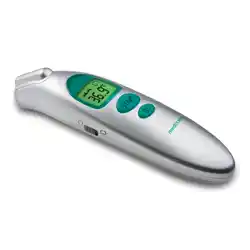
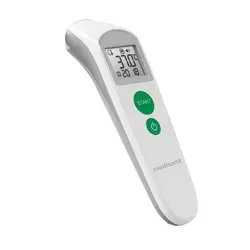
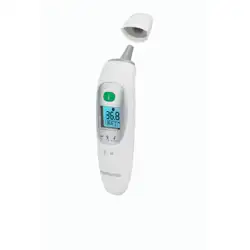
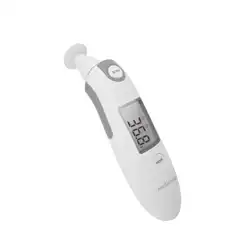
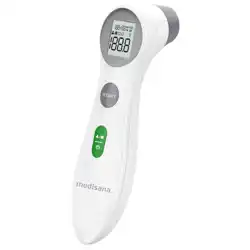
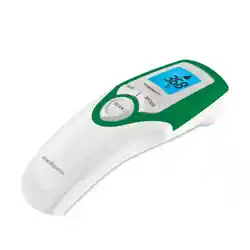
The AILE MDI231 is a 3-in-1 digital infrared thermometer designed for measuring temperature from the ear, forehead, and objects. It features a large backlit display, fever alarm, mute function, and stores up to 32 readings.

What's in the Box
- AILE MDI231 Thermometer
- Carrying Case
- User Manual
- 1 Page Quick Start Guide
Features and Specifications
Key Features
- 3-in-1 Measurement: Ear, forehead, and object modes.
- Fast Reading: Displays results within 1 second.
- Large Backlit Display: High-definition screen with white characters on a black background for easy reading.
- Fever Alarm: 3-color display indicator for temperature status.
- Memory Function: Stores up to 32 temperature readings.
- Mute Mode: Ability to disable beep sound.
- Unit Switch: Easily switch between Celsius (°C) and Fahrenheit (°F).
- Auto Power Off: Powers down after approximately 60 seconds of inactivity to conserve battery.
Technical Specifications
- Model: MDI231 (White Temperature Monitor)
- Brand: AILE
- Measurement Range: Body and object temperature (Upper limit: 104°F / 40°C for body).
- Accuracy: High precision with advanced sensor technology.
- Resolution: 0.1°
- Power Source: 2 x AAA batteries (included).
- Approvals: CE, EMC, FDA, ISO 13485, RoHS.
- Outer Material: Shock-resistant plastic.

Device Overview
The device has a four-button interface for controlling all functions.
- Power / Measure Button: Large button under the screen. Press to turn on and to trigger a measurement.
- Mode Button: Cycles between Ear, Forehead, and Object measurement modes.
- M/S Button: Toggles the mute (silent) function on and off.
- Memory Button: Recalls the last 32 stored temperature readings.
The display shows the temperature value, current mode icon (Ear, Forehead, Object), unit (°C or °F), mute icon, and memory indicator.
Use Guide
Initial Setup
- Open the battery compartment on the back of the thermometer.
- Insert 2 AAA batteries, observing the correct polarity (+/-).
- Close the battery compartment.
- The device is ready for use.
Taking a Forehead Temperature
- Press the Power / Measure Button to turn on the device.
- Press the Mode Button until the forehead icon appears on the display.
- Hold the thermometer 1-3 cm away from the center of the forehead, ensuring no hair or sweat is in the way.
- Press the Power / Measure Button again. A beep will sound (if not muted) and the temperature will be displayed within 1 second.
- The backlight will illuminate in green (normal), yellow (elevated), or red (fever) based on the reading.

Taking an Ear Temperature
- Press the Power / Measure Button to turn on the device.
- Press the Mode Button until the ear icon appears on the display.
- Gently pull the ear back to straighten the ear canal for an adult. For a child, pull the ear back and down.
- Gently insert the probe tip into the ear canal, aiming at the eardrum.
- Press the Power / Measure Button. A beep will sound and the temperature will be displayed.

Measuring Object Temperature
- Press the Power / Measure Button to turn on the device.
- Press the Mode Button until the object icon appears on the display.
- Aim the probe at the surface of the object (e.g., baby bottle, food, room surface). Maintain the recommended distance as per the quick start guide.
- Press the Power / Measure Button to get the temperature reading.

Using Additional Functions
Switching Between °C and °F
While the device is turned off, press and hold the M/S Button, then press the Power / Measure Button to turn it on. Continue holding the M/S button until the unit on the display changes.
Enabling/Disabling the Beep (Mute)
Press the M/S Button to toggle the audible beep on or off. A mute icon will appear on the display when silent mode is active.

Viewing Memory
Press the Memory Button to scroll through the last 32 recorded temperature readings. The display will show the reading number and the temperature value.
Care and Maintenance
- Cleaning: Wipe the probe tip and body of the thermometer with a soft cloth lightly dampened with medical alcohol (70% isopropyl). Do not immerse the device in water or other liquids.
- Storage: Store the thermometer in the provided carrying case in a cool, dry place away from direct sunlight.
- Battery: Replace the batteries when the low battery icon appears on the display. Use two new AAA batteries.
- Do Not: Drop or subject the thermometer to strong impacts. Do not use abrasive cleaners.
Troubleshooting
- No Display: Check battery installation and polarity. Replace with new batteries if necessary.
- Inconsistent Readings: Ensure the lens is clean. For body temperature, ensure the measurement site is clean, dry, and accessible. Allow 15 minutes after eating, drinking, or bathing before taking a measurement.
- Device Does Not Turn On: Confirm batteries are correctly installed and not depleted.
- "Err" or "Lo" on Display: The measurement is outside the permissible range. Check the mode and ensure you are measuring the correct type of surface/body part at the proper distance.
Safety Information
- This device is for household use only.
- It is not a substitute for professional medical diagnosis. Consult a healthcare professional if you suspect illness.
- Do not use the thermometer on damaged skin.
- Keep batteries away from children. Dispose of used batteries according to local regulations.
- Do not point the infrared sensor directly at the sun or other strong light sources.