Overview
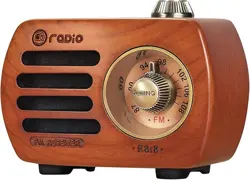
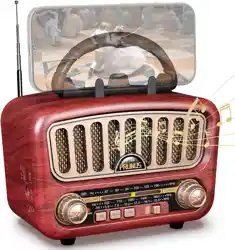
The PRUNUS J-999 is a portable, retro-style wireless speaker. It supports audio playback via Bluetooth 5.0, TF card, USB drive, and AUX input. It also includes an FM radio function. The speaker features a vintage design with a PU carry handle.

Features
Audio Playback & Connectivity
- Bluetooth 5.0: For wireless connection to smartphones, tablets, and other Bluetooth-enabled devices.
- TF Card Slot: Play music files directly from a microSD (TF) card.
- USB Port: Play music files from a USB flash drive.
- AUX Input: Connect audio devices using a 3.5mm audio cable (included). This cable also acts as the antenna for FM radio.
- FM Radio: Tune into FM stations (87-108MHz). Requires the AUX cable to be connected to function as an antenna.
Design & Controls
- Retro Design: Vintage-style cabinet with a large, numbered volume knob (scale 1-100).
- Portable: Compact size (2.2"W x 3.9"D x 2.7"H) with an integrated PU leather handle.
- Control Buttons: Includes buttons for power, mode selection, play/pause, track navigation, and hands-free call answering.
Sound & Power
- 3W Output: Powered speaker with a bass diaphragm.
- Rechargeable Battery: Provides up to 7 hours of playback at 50% volume on a single charge.
- Hands-Free Calling: Built-in microphone for answering calls via the speaker.
What's in the Box
- PRUNUS J-999 Retro Speaker
- Owner's Manual
- AUX Cable (also functions as FM antenna)
- Charging Cable (USB to Micro-USB)
Use Guide
Charging the Speaker
- Connect the provided Micro-USB charging cable to the charging port on the speaker.
- Connect the other end of the cable to a USB power adapter (not included) or a computer USB port.
- The speaker can be used while charging.
- A full charge takes approximately 3 hours.
Powering On/Off
Press and hold the Power button for 2-3 seconds to turn the speaker on or off.
Bluetooth Mode
- Turn on the speaker. It will enter Bluetooth pairing mode automatically, indicated by a blinking light or audio prompt.
- On your Bluetooth device (e.g., phone), enable Bluetooth and search for available devices.
- Select "J-999" from the list to pair. A confirmation sound indicates a successful connection.
- Use the Play/Pause and Track (Next/Previous) buttons on the speaker to control playback.
TF Card / USB Mode
- Insert a TF card (microSD) loaded with MP3 files into the TF card slot, or insert a USB drive with MP3 files into the USB port.
- Press the Mode button until the speaker switches to the corresponding source (TF or USB).
- Playback will start automatically. Use the speaker's buttons to control playback.
AUX Mode
- Connect one end of the included AUX cable to the speaker's AUX input port.
- Connect the other end to the headphone jack of your audio device (e.g., MP3 player, laptop).
- Press the Mode button to select AUX input.
- Control playback and volume from your connected audio device.
FM Radio Mode
- Important: Connect the included AUX cable to the speaker's AUX input port. The cable acts as the FM antenna and must be connected for the radio to function.
- Press the Mode button to select FM radio mode.
- Press the Next/Previous buttons to automatically search for and save available FM stations.
- Press and hold the Next/Previous buttons for manual tuning.
Answering Calls
When a call comes in while the speaker is connected via Bluetooth:
- Press the Play/Pause button once to answer the call.
- Press the Play/Pause button again to end the call.
Specifications
- Model: J-999
- Brand: PRUNUS
- Output Power: 3W
- Frequency Response: 50Hz
- Bluetooth Version: 5.0
- Battery Life: Up to 7 hours (at 50% volume)
- Charging Time: ~3 hours
- FM Range: 87MHz - 108MHz
- Dimensions: 2.2" W x 3.9" D x 2.7" H
- Weight: 0.44 lbs (7.04 oz)
- Color Options: Black, Blue, Green, Pink, Purple, Red, Yellow
- Water Resistance: Not waterproof.
Troubleshooting
- No Power: Ensure the battery is charged. Connect to a power source using the charging cable.
- Bluetooth Won't Connect: Ensure the speaker is in pairing mode (blinking light). Turn Bluetooth off and on on your device. Move devices closer together.
- No Sound from AUX/TF/USB: Check that the correct mode is selected. Ensure the AUX cable is fully inserted, or the TF/USB drive contains compatible MP3 files and is properly inserted.
- FM Radio Has Poor Reception/No Sound: Ensure the AUX cable is fully connected to the AUX port, as it is required as the antenna. Fully extend the cable and reposition the speaker.
- Short Battery Life: Battery performance decreases over time. Ensure you are using the provided or a certified charging cable.