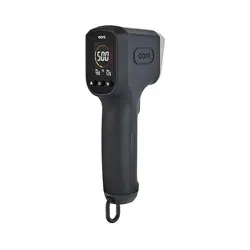
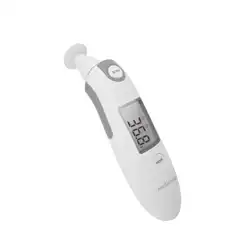
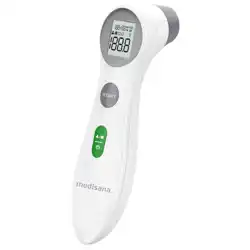
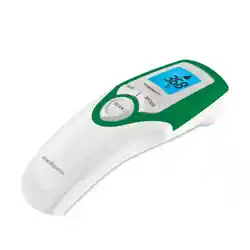
Ooni DIGITAL INFRARED THERMOMETER Gun Instand Read Digital Thermometer with LCD Display, for Indoor and Outdoor Cooking, Barbecue Laser Thermometer

Product's Documents

Below are documents related to this product, you can read online or download:
DIGITAL INFRARED THERMOMETER photo

Overview

Ooni Digital Infrared Thermometer Gun - Instand Read Digital Thermometer with LCD Display

The Ooni Digital Infrared Thermometer is a laser-guided, high-precision tool designed to measure surface temperatures without contact. It is primarily calibrated for the cordierite baking stones used in Ooni pizza ovens but can be adjusted for other materials. The device provides fast, accurate readings on a backlit digital display, making it suitable for indoor and outdoor cooking applications such as grilling, baking, and barbecuing.

Key attributes include a high-resolution LCD, a fast reading system, and an adjustable emissivity setting.

What's in the Box

Contents of the Ooni Infrared Thermometer package
  • 1 x Ooni Digital Infrared Thermometer
  • 2 x AAA Duracell Batteries
  • 1 x User Manual
  • 1 x Removable Aluminum Hang Loop

Features and Specifications

Physical Design

  • Color: Black
  • Outer Material: Plastic
  • Item Length: 8 Inches
  • Item Weight: 0.2 Kilograms
  • Included Components: 2 AAA Duracell batteries and an aluminum hang loop.
  • Product Care: Wipe clean. The device is not oven safe; it is for measuring oven surfaces.

Technical Specifications

  • Display Type: High-resolution, full-color, backlit digital LCD.
  • Connectivity Technology: Infrared.
  • Power Source: 2 x AAA batteries (included).
  • Temperature Range: -30°C to 550°C (-22°F to 1022°F). Upper limit is 999°F as listed.
  • Accuracy: Within the larger of 2% or 2°C.
  • Resolution: 0.1°F or 0.1°C.
  • Response Time: Less than 300 milliseconds.
  • Emissivity: Adjustable setting.
  • Measurement Modes: Spot measurement and Temperature Scan Mode (for min, max, and average temperatures).
  • Display Units: Celsius (°C) and Fahrenheit (°F).
  • Special Features: Backlit display, fast reading system, high accuracy, laser pointer.

Device Interface

The front of the device houses the LCD display, a laser emission port, and likely control buttons (specific button layout is inferred from features described). The rear includes a battery compartment and attachment point for the hang loop.

  • LCD Display: Shows temperature readings, unit of measurement, laser activation icon, battery status, and mode indicators.
  • Laser Guide: A red dot used to aim the thermometer at the specific spot you wish to measure.
  • Control Buttons: Buttons are expected for power, unit selection (°C/°F), mode switching (spot vs. scan), and emissivity adjustment.

Use Guide

Initial Setup

  1. Open the battery compartment on the back of the thermometer.
  2. Insert the two included AAA Duracell batteries, observing the correct polarity (+/-).
  3. Close the battery compartment securely.
  4. Attach the aluminum hang loop to the designated slot if desired for storage.

Basic Operation

  1. Power On: Press and hold the power button to turn on the device. The display will illuminate.
  2. Aim: Point the thermometer at the surface you want to measure. Use the laser guide to pinpoint the exact spot for spot measurements. For area scans, sweep across the surface.
  3. Measure: Press and hold the measurement button. The temperature will appear on the display in less than 300ms.
  4. Read Display: The temperature is shown numerically. The display may also use color-coding (e.g., red for high heat, blue for low) based on the selected interface.
  5. Power Off: The device likely features an auto-off function to conserve battery life. You can also manually turn it off by pressing the power button.

Measurement Modes

  • Spot Measurement: Measures the temperature of the specific point indicated by the laser. Ideal for checking the center of a pizza stone.
  • Temperature Scan Mode: As you sweep the thermometer across an area, it calculates and displays the minimum, maximum, and average surface temperatures. Useful for ensuring even heat distribution on a grill or griddle.

Switch between modes using the mode button (if present) as described in the product features.

Adjusting Emissivity

The thermometer is pre-calibrated for cordierite (Ooni baking stones). For other materials like polished steel, cast iron, or ceramic, you may need to adjust the emissivity setting for an accurate reading. Consult the emissivity table in the full manual (not provided in source HTML) and use the device's buttons to set the correct value.

For Ooni Pizza Ovens

Aiming the thermometer at the center of a pizza stone in an Ooni oven
  1. Turn on your Ooni oven and allow it to preheat.
  2. Aim the laser guide at the center of the cordierite baking stone.
  3. Take a measurement. For optimal pizza cooking, aim for a stone temperature around 752°F (400°C).
  4. Use the thermometer during heat-up and between bakes to maintain consistent stone temperature.

Changing Temperature Units

Press the unit button (often labeled °C/°F) to toggle between Celsius and Fahrenheit on the display.

Care and Maintenance

  • Cleaning: Wipe the exterior with a soft, slightly damp cloth. Do not submerge the thermometer in water or use abrasive cleaners.
  • Lens Care: Gently clean the infrared sensor lens with a soft, dry cloth to ensure accurate readings.
  • Battery Replacement: Replace the batteries when the low battery icon appears on the display. Use 2 x AAA batteries.
  • Storage: Store in a cool, dry place. Use the included hang loop if desired. Avoid extreme temperatures when the device is not in use.
  • Do Not: Point the laser at eyes or reflective surfaces directly. Do not use the thermometer to measure the temperature of flames or objects beyond its specified range.

Troubleshooting

  • No Display: Check that batteries are correctly installed and not depleted. Ensure the battery compartment is closed securely.
  • Inaccurate Reading: Ensure the lens is clean. Verify the emissivity setting is correct for the material being measured. Move closer to the target (within the device's specified distance-to-spot ratio).
  • Laser Not Working: The laser is a aiming guide only. The temperature reading uses infrared, so the device may still function. However, check battery power.
  • Device Does Not Turn Off: The auto-off feature may be disabled or delayed. Press and hold the power button to force shutdown.
  • Erratic Readings: Avoid measuring through steam, smoke, or glass, as these can interfere with the infrared sensor.

Product Information

  • Brand: Ooni
  • Model Name/Number: 2023 (UU-P25B00)
  • GTIN: 05060967391301
  • ASIN: B0CBV8YS6Q
  • Manufacturer: Ooni
  • Age Range: Adult
  • Reusability: Reusable
  • Indoor/Outdoor Usage: Outdoor (suitable for both)

Reference file: Ooni DIGITAL INFRARED THERMOMETER Gun Instand Read Digital Thermometer with LCD Display, for Indoor and Outdoor Cooking, Barbecue Laser Thermometer

Specifications

Indexed Terms: Laser

Ooni DIGITAL INFRARED THERMOMETER Questions and Answers

See other models: UUP0AB00