Model: WH207A | Color: Rose Gold
Overview
The Glynzak Wireless Bluetooth Headphones are over-ear headphones designed for wireless audio streaming, hands-free calling, and extended listening sessions. They feature a foldable, lightweight construction, a built-in microphone, and support for multiple EQ modes.

What's in the Box
- Glynzak Wireless Bluetooth Headphones (WH207A)
- Charging cable (USB-A to USB-C, detachable)
- 3.5 mm audio cable (detachable, for wired mode)
- User manual
Product Features
Design & Comfort
- Over-ear fit: Ear cups are made of PU artificial leather, waterproof and resistant to deformation.
- Soft ear cushions: Cushions wrap around the ear to reduce pressure and prevent resonance at high volumes.
- Adjustable headband: Stretchable and adjustable to fit various head shapes.
- Foldable: Ear cups fold inward for compact storage and travel.

Audio Performance
- Driver: 40 mm dynamic driver for HiFi stereo sound.
- Frequency response: 20 Hz – 20,000 Hz.
- Impedance: 32 Ohms.
- 6 EQ Modes: Switch between preset equalizer settings to match music genres or personal preference.

Battery & Charging
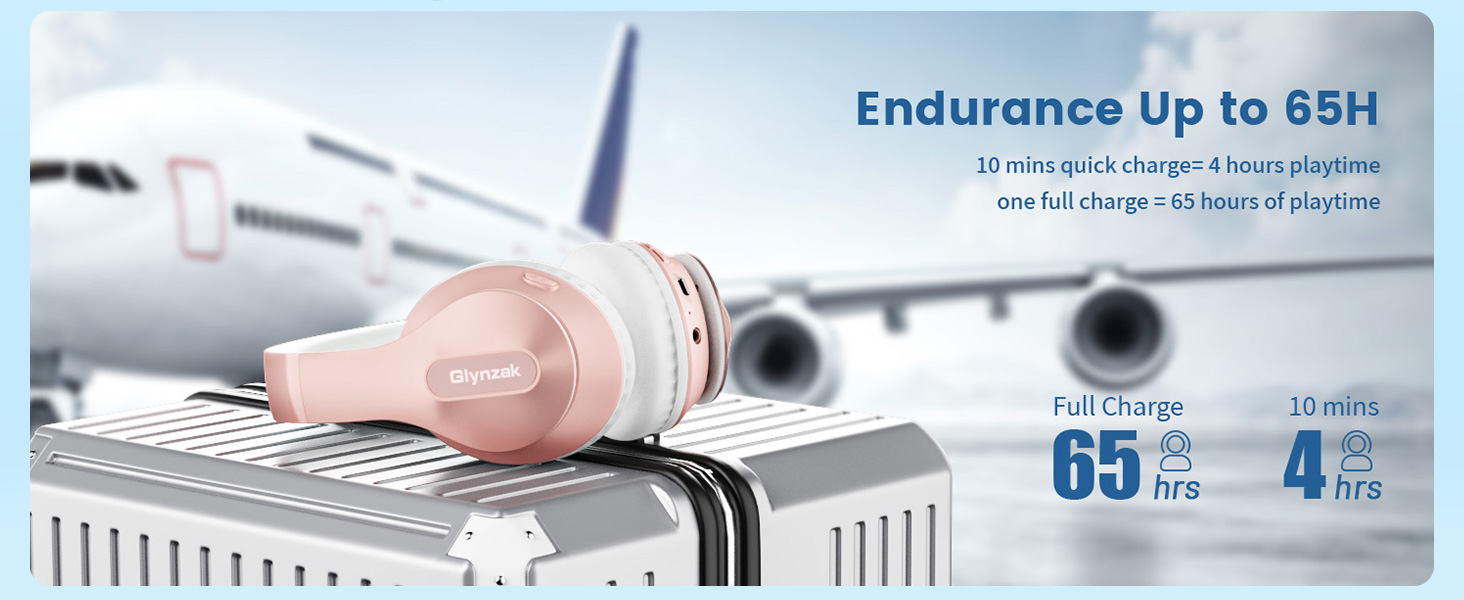
- Playtime: Up to 65 hours on a full charge (at moderate volume).
- Quick charge: 10 minutes of charging provides approximately 4 hours of playback.
- Full charge time: Approximately 2.5 hours.
Bluetooth & Connectivity
- Bluetooth version: 5.3 (compatible with Bluetooth V6.0 advertised).
- Wireless range: Up to 10 meters (33 feet).
- Multi-point connection: Connect to two Bluetooth devices simultaneously; switch seamlessly between calls, video, and music.
- Wired mode: Use the included 3.5 mm audio cable for a stable, battery-free connection.

Controls & Microphone
- Button controls: Power, volume +/-, play/pause, track skip, and EQ mode selector.
- Built-in microphone: For hands-free calling and voice assistant access.
- LED indicator: Shows power and pairing status (blue/red).

Getting Started
Charging the Headphones
- Connect the included USB charging cable to the charging port on the right ear cup.
- Connect the other end to a USB power source (computer, wall adapter, etc.).
- The LED indicator will turn red during charging and turn off (or change to blue) when fully charged.
- A full charge takes approximately 2.5 hours.
Power On / Off
- Power on: Press and hold the power button for 2 seconds. The LED will flash blue.
- Power off: Press and hold the power button for 2 seconds. The LED will turn off.
Pairing with a Bluetooth Device
- Ensure the headphones are powered off.
- Press and hold the power button for 2 seconds. The LED will flash blue and red alternately, indicating pairing mode.
- On your device (smartphone, computer, etc.), enable Bluetooth and search for available devices.
- Select "WH2037A" (or "WH207A") from the list.
- If prompted, enter the PIN 0000 or confirm the pairing request.
- Once connected, the LED will flash blue slowly.
Multi-Point Connection (Two Devices)
- Pair the headphones with the first device as described above.
- Disconnect Bluetooth from the first device (or turn off Bluetooth on that device).
- Put the headphones into pairing mode again (press and hold power button).
- Pair with the second device.
- Re-enable Bluetooth on the first device; the headphones will automatically reconnect to both.
Using the Headphones
Music Playback Controls
- Play / Pause: Press the multi-function button (center button) once.
- Next track: Press the volume + button and hold for 1 second.
- Previous track: Press the volume – button and hold for 1 second.
- Volume up / down: Press the volume + or – button briefly.
Hands-Free Calling
- Answer a call: Press the multi-function button once.
- End a call: Press the multi-function button once.
- Reject a call: Press and hold the multi-function button for 2 seconds.
- Redial last number: Double-press the multi-function button when not on a call.
Switching EQ Modes
- Press the EQ button (if available) to cycle through the 6 preset equalizer modes.
- Each mode adjusts the sound profile (e.g., bass boost, vocal clarity, balanced).
- The LED may flash briefly to indicate mode change.
Using Wired Mode
- Connect the included 3.5 mm audio cable to the headphone jack on the left ear cup.
- Connect the other end to your audio source (phone, computer, etc.).
- The headphones will automatically switch to wired mode; Bluetooth is disabled.
- No battery power is required for wired operation.
Indicator Lights
| LED Status | Meaning |
|---|---|
| Flashing blue and red alternately | Pairing mode |
| Flashing blue slowly | Connected to a device |
| Solid red (while charging) | Battery charging |
| LED off (while charging) | Fully charged |
| Flashing red | Low battery |
Specifications
| Item | Specification |
|---|---|
| Model | WH207A |
| Bluetooth Version | 5.3 |
| Wireless Range | 10 meters (33 feet) |
| Driver Size | 40 mm |
| Frequency Response | 20 Hz – 20,000 Hz |
| Impedance | 32 Ohms |
| Battery Life | Up to 65 hours |
| Charge Time | Approx. 2.5 hours |
| Quick Charge | 10 min = 4 hours playback |
| Weight | 10.6 ounces (300 g) |
| Microphone | Built-in |
| Audio Jack | 3.5 mm (detachable cable) |
| Water Resistance | Moisture resistant (sweat-proof) |
Troubleshooting
- Headphones not turning on: Charge the battery for at least 30 minutes, then try again.
- Cannot pair with device: Ensure the headphones are in pairing mode (LED flashing blue/red). Delete the device from your phone's Bluetooth list and try again.
- Audio cuts out or is distorted: Move closer to the source device (within 10 meters). Avoid obstacles like walls or metal objects.
- Microphone not working: Ensure the headphones are selected as the audio input device on your computer/phone.
- No sound in wired mode: Check that the cable is fully inserted into both the headphone and the audio source.
Warranty and Support
The Glynzak WH207A headphones come with a 12-month warranty and lifetime technical support.
For support, contact Glynzak through the Amazon store or the contact information provided in the product packaging.
