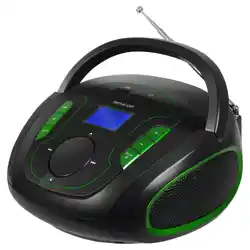
Yewrich YR-R18 AM FM Radio with Best Reception, Portable Battery Operated Transistor Radios

Product's Documents

Below are documents related to this product, you can read online or download:
YR-R18 photo

1. Overview

The Yewrich AM/FM Radio is a portable, battery-operated transistor radio designed for easy operation and clear reception. It features a classic design with simple controls, making it suitable for home use, outdoor activities, and as a gift for seniors.

Yewrich AM FM Radio with Best Reception, Portable Battery Operated Transistor Radios, Headphone Jack, AC Powered, Suit for Senior and Home, Black

Model: YR-R18

2. Features & Specifications

2.1 Key Features

  • Dual Band Reception: Receives AM (520-1710 KHz) and FM (87.5-108 MHz) radio stations.
  • Enhanced Reception: Equipped with a 22.42-inch retractable antenna and an advanced DSP chip for stable signal locking.
  • Dual Power Options: Can be powered by AC wall outlet (110V) or 2 x D Cell batteries (not included).
  • Audio Output: Built-in 2W speaker and a 3.5mm headphone jack for private listening.
  • Portable Design: Compact and lightweight (1.7 lbs, 8.11"L x 2.87"W x 5.11"H) with a carrying handle.
  • Simple Controls: Large, easy-to-read dial and knobs for tuning and volume control.

2.2 Technical Specifications

  • Tuner Technology: AM, FM
  • Power Source: AC 110V / DC 3V (2 x D batteries)
  • Speaker Output: 2 Watts
  • Connectivity: 3.5mm Audio Jack (Auxiliary)
  • Antenna: Retractable rod antenna
  • Included Components: Owner's Manual, AC power cable.
  • Water Resistance: Not water resistant.

3. Package Contents

  • Yewrich AM/FM Radio
  • AC Power Cable
  • Owner's Manual (this document)

4. Use Guide

4.1 Powering the Radio

Using AC Power (Indoors):

  1. Ensure the radio's power switch is in the OFF position.
  2. Plug the included AC power cable into the DC input port on the back or side of the radio.
  3. Plug the other end into a standard 110V wall outlet.
  4. Switch the radio ON.
  5. Warning: Remove batteries if installed when using AC power.

Using Battery Power (Outdoors):

  1. Open the battery compartment cover on the back of the radio.
  2. Insert 2 new D Cell batteries, observing the correct polarity (+/-) markings inside the compartment.
  3. Close the battery compartment cover securely.
  4. Switch the radio ON.

4.2 Basic Operation

Turning On/Off:

  • Locate the power switch/volume knob. Rotating it clockwise from the "OFF" position will turn the radio on and increase the volume.

Tuning to a Station:

  1. Ensure the Band Selector switch is set to either "AM" or "FM".
  2. Fully extend the retractable antenna for best FM reception. For AM, the antenna position has less effect.
  3. Slowly rotate the large Tuning Knob. The needle on the dial will move to indicate the frequency.
  4. Stop tuning when the station is clear and free of static.
  5. For precise tuning, make small adjustments to the knob.

Adjusting Volume:

  • Rotate the Volume Knob (often integrated with the power switch) clockwise to increase volume and counter-clockwise to decrease it.

Using Headphones:

  • Plug a standard 3.5mm audio plug from your headphones into the headphone jack on the radio. This will mute the internal speaker.

4.3 Getting the Best Reception

  • For FM: Fully extend the metal rod antenna. Adjust its angle and position for the clearest sound. Higher locations typically yield better reception.
  • For AM: The radio uses an internal ferrite bar antenna. Try rotating the entire radio to find the position with the least static and clearest signal.
  • Avoid placing the radio near large metal objects, computers, or other electronics that can cause interference.

5. Safety & Maintenance

  • Power Safety: Use only the provided AC power cable. The radio is designed for 110V outlets.
  • Battery Safety: Insert batteries with the correct polarity. Remove batteries if the radio will not be used for an extended period or when using AC power. Do not mix old and new batteries.
  • Weather Warning: This radio is not waterproof. Do not use it in rain or high-moisture environments. Unplug the AC power and do not use the radio during a thunderstorm.
  • Cleaning: Wipe the exterior with a soft, dry cloth. Do not use liquid or aerosol cleaners.
  • Servicing: There are no user-serviceable parts inside. Do not attempt to disassemble the radio.

6. Troubleshooting

  • No Power (AC): Check that the power cable is firmly connected to both the radio and the wall outlet. Ensure the outlet is working.
  • No Power (Battery): Check that batteries are correctly installed and not depleted. Try new batteries.
  • Poor or No Reception: Extend the antenna fully (FM). Move the radio to a different location, preferably near a window. Check that the Band Selector is set correctly.
  • Distorted Sound: Reduce the volume. The station signal may be weak; try fine-tuning or repositioning the radio/antenna.
  • Headphone Jack Not Working: Ensure headphones are fully plugged in. Try a different pair of headphones to isolate the issue.

Reference file: Yewrich YR-R18 AM FM Radio with Best Reception, Portable Battery Operated Transistor Radios

Specifications

Yewrich YR-R18 Questions and Answers

See other models: LT-BT2105