Overview
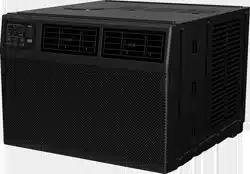
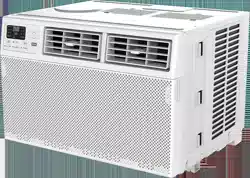
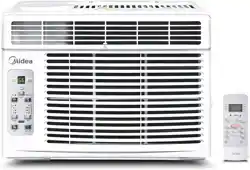
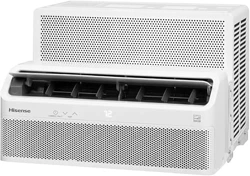
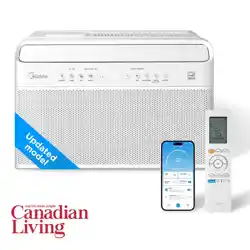
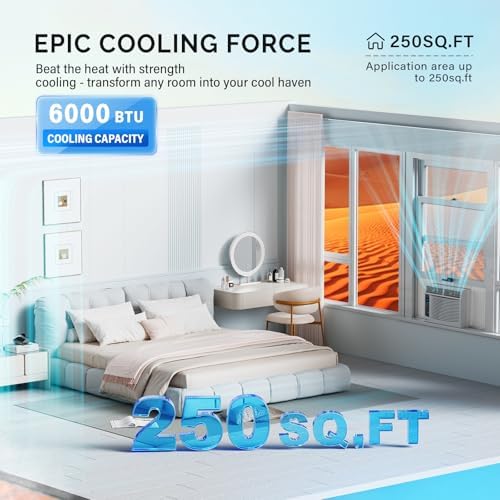
This manual provides instructions for the safe installation, operation, and maintenance of the ROVSUN Smart 6000 BTU Window Air Conditioner. This unit is designed for cooling rooms up to 250 square feet.

Features and Specifications
Key Features
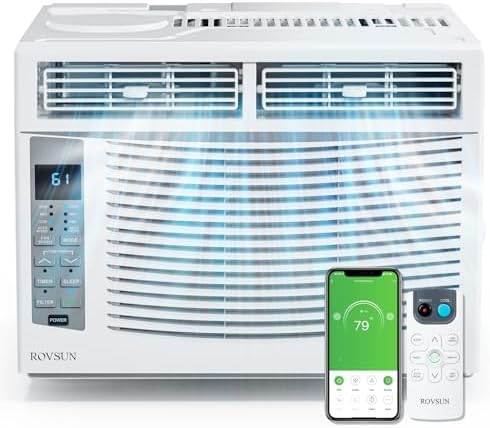
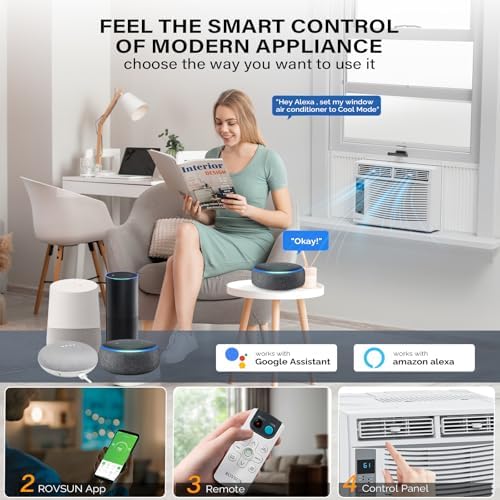
- Smart Connectivity: Control via Wi-Fi using a smartphone app, remote control, or voice commands.
- Multiple Control Methods: Front panel LED display, included remote control, and mobile app.
- Operational Modes: Cool, Fan, Dry (Dehumidify), Auto, and Eco mode.
- Programmable Timer: 24-hour on/off timer function.
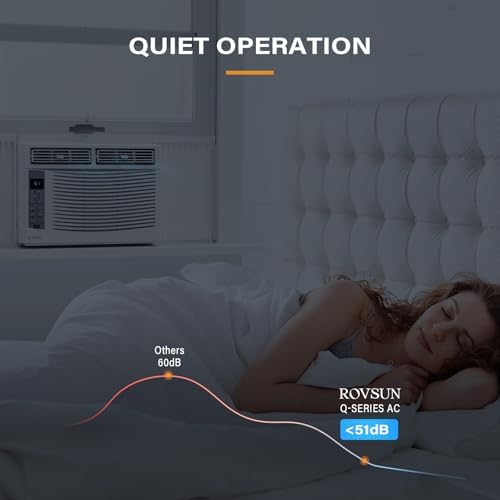
- Sleep Mode: Adjusts temperature and fan speed for quiet nighttime operation.
- Adjustable Fan Speeds: Auto, Low, Medium, and High.
- Washable Air Filter: For easy maintenance and improved air quality.
- Included Installation Kit: Side panels and foam strips for secure window mounting.

Technical Specifications
- Cooling Capacity: 6000 BTU/h
- Recommended Room Size: Up to 250 sq. ft.
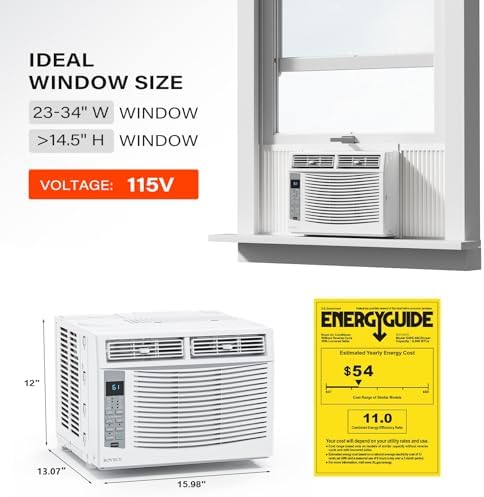
- Voltage/Frequency: 115V / 60Hz
- Power Consumption: 700 Watts
- SEER Rating: 14
- Noise Level: 51 - 55 dB(A)
- Temperature Range: 61°F to 88°F (16°C to 31°C)
- Refrigerant: R-32
- Product Dimensions (L x W x H): 15.98" x 13.07" x 12"
- Weight: 41.2 lbs
- Window Opening Requirements: Width: 23" - 34", Height: 14.5" minimum.
Installation Guide
Warning: Installation involves heavy lifting and electrical components. It is recommended to have two people for the installation and to consult a qualified electrician if you are unsure.
- Check Window Compatibility: Ensure your window opening is between 23 and 34 inches wide and at least 14.5 inches high.
- Unpack and Inspect: Remove all packaging materials. Confirm all parts are present: Air Conditioner, Remote Control, Installation Window Kit (side panels, brackets, foam strips), and screws.
- Prepare the Window: Clean the window sill and ensure it is sturdy. If necessary, install any included support brackets according to the manual.
- Install Side Panels: Attach the adjustable side panels to the main unit. Extend them to fit your window width and secure them.
- Place the Unit: With assistance, carefully lift the air conditioner and place it centrally in the window opening. The unit must tilt slightly (approx. 1/4 inch) to the outside for proper condensation drainage.
- Secure the Unit: Close the window sash down onto the top of the unit. Use the provided locking brackets or screws to secure the window sash and prevent the window from being opened.
- Seal Gaps: Use the included foam weather strips to seal any gaps between the unit, side panels, and the window frame to prevent air and insect leaks.
- Electrical Connection: Plug the power cord into a dedicated 115V, 60Hz grounded electrical outlet. Do not use an extension cord.
Use Guide
Control Panel Overview
The front panel features an LED display and tactile buttons or touch controls for basic operation.
- Power Button: Turns the unit on and off.
- Mode Button: Cycles through Cool, Fan, Dry, Auto, and Eco modes.
- Temperature Buttons (▲/▼): Adjusts the set temperature.
- Fan Speed Button: Cycles through Auto, Low, Medium, and High fan speeds.
- Timer Button: Sets the 24-hour automatic turn-on or turn-off timer.
- Sleep Button: Activates Sleep mode.
- LED Display: Shows set temperature, mode, fan speed, and timer settings.
Remote Control Operation
The included remote control duplicates all front panel functions and allows operation from a distance. Point the remote at the unit's signal receiver (usually on the front panel).
Smart App & Wi-Fi Setup
- Download the official companion app (e.g., "Smart Life" or "Tuya Smart") from your device's app store.
- Create an account and log in.
- Press and hold the Wi-Fi button on the remote control or unit for several seconds until the Wi-Fi indicator light on the unit blinks.
- Follow the in-app instructions to connect the air conditioner to your 2.4GHz Wi-Fi network.
- Once connected, you can control all functions (power, mode, temperature, fan speed, timer, sleep mode) from your smartphone from anywhere with an internet connection.
- The unit may also be compatible with voice assistants like Amazon Alexa or Google Assistant via the app.
Operating Modes
- Cool Mode: Cools the room to your set temperature.
- Fan Mode: Circulates air without cooling. Use for ventilation.
- Dry Mode: Reduces humidity in the room with minimal cooling.
- Auto Mode: The unit automatically selects between Cool and Fan modes to maintain the set temperature.
- Eco Mode: Optimizes compressor operation for energy savings.
- Sleep Mode: Gradually adjusts the temperature upward (by 1-2°F) over several hours and operates at the lowest fan speed for quiet, comfortable sleep.
Maintenance and Care
Cleaning the Air Filter
A clean filter ensures efficient operation and good air quality. Clean the filter every two weeks of operation or more often in dusty environments.
- Unplug the unit from the electrical outlet.
- Open the front grille by pulling it from the bottom or releasing the tabs on the sides.
- Remove the air filter.
- Use a vacuum cleaner to remove loose dust. Wash the filter gently with lukewarm water and a mild detergent. Do not use harsh chemicals or scrub vigorously.
- Rinse thoroughly and let the filter air dry completely before reinstalling.
- Reinstall the filter and close the front grille securely.
Seasonal Storage
- Unplug the unit.
- Run the unit in Fan mode for a few hours on a dry day to dry the internal components.
- Clean the air filter and the unit's exterior.
- Remove the unit from the window following the installation steps in reverse. This is highly recommended to prevent weather damage and improve window security.
- Store the unit and all accessories in a dry, covered location. Cover the unit to protect it from dust.
Troubleshooting
- Unit does not start: Check if the power cord is plugged in securely. Ensure the electrical outlet is working. Check your home's circuit breaker or fuse.
- Poor cooling performance: Ensure the air filter is clean. Make sure all windows and doors in the room are closed. Check that the side panels are fully extended and sealed. Verify the set temperature is lower than the room temperature.
- Water is leaking inside the room: Ensure the unit is tilted slightly (about 1/4 inch) to the outside. Check that the drain holes on the exterior are not blocked.
- Unit is noisy: Ensure the unit is installed securely and is not vibrating against the window frame. Some operational noise from the compressor and fan is normal.
- Wi-Fi/App will not connect: Ensure you are using a 2.4GHz Wi-Fi network (not 5GHz). Move the router closer to the unit during setup. Reset the unit's Wi-Fi module and repeat the setup process.
- Remote control not working: Replace the remote control batteries. Ensure you are pointing the remote at the unit's signal receiver without obstruction.
Warranty and Support
This product is covered by a 1-year limited warranty from the date of purchase. The warranty covers defects in materials and workmanship.
For warranty service or technical support, contact the seller or ROVSUN customer service through the Amazon store where the product was purchased.
Safety Document: Instructions for Use (IFU) (PDF)