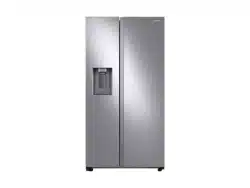
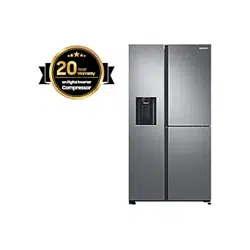
User Manual Samsung RS27T5200SR/AA 27.4 Cu. Ft. Large Capacity Side-by-side Refrigerator In Stainless Steel
Installation
Follow these instructions carefully to ensure a proper installation of this refrigerator and to prevent accidents before using it.
 WARNING
- Use the refrigerator only for its intended purpose as described in this manual.
- Any servicing must be performed by a qualified technician.
- Dispose of the product packaging material in compliance with the local regulations.
- To prevent electric shock, unplug the power plug before servicing or replacing parts.
Refrigerator at a glance
The actual refrigerator and provided parts of your refrigerator may differ from the illustrations in this manual, depending on the model and the country.
Type A

Type B

NOTE
• The design of the egg container may differ with the model.
CAUTION
For normal models, do not change the position of the freezer shelves. Freezer shelves have different lengths, and if you change the position, you may damage the product when closing the door.
Step-by-step installation
STEP 1 Select a site
Select a site that:
- Site requirements:
- Solid, level surface without carpeting or flooring that may obstruct ventilation
- Away from direct sunlight
- Adequate room for opening and closing the door
- Away from a heat source
- Room for maintenance and servicing
- Temperature range: between 50 °F (10 °C) and 109 °F (43 °C)


 NOTE
NOTE
The measurements in the above table may differ, depending on the measuring method.
STEP 2 Flooring
If the refrigerator cannot pass through the entrance due to its size, see STEP 3 Door removal for entrance.

 NOTE
NOTE
To prevent floor damage, make sure the front leveling legs are in the upright position.
- The surface you install the refrigerator on must support a fully loaded refrigerator.
- To protect the floor, put a large piece of cardboard along the path to the refrigerator's final installation location.
- Once the refrigerator is in its final position, do not move it unless necessary to protect the floor. If you have to move the refrigerator, place thick paper or cloth such as old carpets along the path of movement.
STEP 3 Door removal for entrance
If the refrigerator cannot pass through the entrance due to its size, follow these instructions:
Tools required (not provided)
These tools are used for removing the doors.

Disconnect the water line (Dispenser models only)

1. From the bottom rear side of the refrigerator, pull out the water line to the front.
 NOTE
NOTEThe refrigerator’s water line is a water circulation line that connects between the water pipe from the water source and the hoses from the water filtering system of the refrigerator.

2. To disconnect the hoses, press and hold the transparent coupler (A) and detach the water hose (B).
 CAUTION
Do not apply excessive force to the coupler. It may break.
Detach the doors
 CAUTION
The door may fall off or over and damage itself during any of these steps. To prevent an accident, use extreme caution when performing these steps.

1. Use a Phillips screwdriver to unscrew the hinge covers (A) on the top of each door.
2. Open the doors to loosen the hinges and remove the hinge covers. Once the covers are removed, close the doors.

3. Disconnect the electrical harness.

4. Gently lift the clamp.
 NOTE
NOTETo prevent damage to the clamp or injuries, do not lift the clamp forcefully.

5. Pull the clamp to remove.

6. Open the door by 90 degrees. While holding the door, remove the hinge.
 CAUTION
- If you remove the hinge without holding the door, the door may fall and cause injury.
Reconnect the water hoses (Dispenser models only)
Once the refrigerator has passed through the entrance, reconnect the water hoses.

 CAUTION
- Make sure the water hoses are connected with matching colours.
- To prevent water leaks, each water hose must be inserted fully to the centre of the transparent coupler.
- After reconnecting the water hoses, push them under the cabinet and arrange them on the hook.
Reattach the doors
 CAUTION
- Before reattaching the doors, make sure all the electrical connectors are properly connected.
- The freezer door must be reattached before the fridge door.

1. Hold the freezer door and hook to the hinge at the bottom of the refrigerator.

2. Put the hinge into its position, and then insert it into the hole on the door.

3. Insert the clamp in the arrow direction.

4. Press the clamp as shown.

5. Connect the electrical harness.

6. Insert the hinge covers with the front sides first, and then tighten the screws. Use a Phillips screwdriver for this step.
STEP 4 Adjust the leveling feet
 CAUTION
- The refrigerator must be leveled on a flat, solid floor. Failing to do so can cause damage to the refrigerator or physical injury.
- Leveling must be performed with an empty refrigerator. Make sure no food items remain inside the refrigerator.
- For safety reasons, adjust the front side a little higher than the rear side.
The refrigerator can be leveled using the front legs that have a special screw (leveler) for leveling purposes. Use a flat-head screwdriver for leveling.
To adjust the height of the freezer side:

Insert a flat-head screwdriver into the leveler of the freezer-side front leg. Turn the leveler clockwise to raise, or turn it counter clockwise to lower.
To adjust the height of the fridge side:

Insert a flat-head screwdriver into the leveler of the fridge-side front leg. Turn the leveler clockwise to raise, or turn it counter clockwise to lower.
STEP 5 Adjust the door height
The height of a fridge door can be adjusted using the clamp nut and the height nut on the front bottom of each door.

1. Open the door to adjust, and locate the two nuts (A) and (B) on the front bottom of the door.

2. With a 19 mm spanner, turn the clamp nut (A) clockwise to loosen. Then, open the door, and do the following inside the door.
- To raise the door, turn the height nut (B) counter clockwise.
- To lower the door, turn the height nut (B) clockwise.

3. When complete, tighten the clamp nut (A) by turning it counter clockwise.
STEP 6 Connect the water dispenser line (applicable models only)
A water dispenser with a filter is one of the helpful features on your new refrigerator. To help promote better health, the water filter removes unwanted particles from your water. However, it does not sterilize or destroy microorganisms. You may need to purchase a water purifying system to do that. The water line also connects to the ice maker. For the ice maker to operate properly, water pressure of 30 to 120 psi (206 to 827 kPa) psi is required. If the refrigerator is installed in an area with low water pressure (below 30 psi / 206 kPa), you can install a booster pump to compensate for the low pressure. After you have connected the water line, make sure the water storage tank inside the refrigerator is properly filled. To do this, press the water dispenser lever until water runs from the water outlet.
NOTE
- Water line installation kits are available at extra cost from your retailer. We recommend using a water line installation kit that contains copper tubing and a 1/4" (6 mm) compression nut.
1. Shut off the main water source.
2. Insert the pipe clamp (B) and the shutoff valve (C) into the cold water line (A).

3. Connect the water line installation kit (A) to the shutoff valve (B).

Connect the water supply line to the refrigerator
There are several items you must purchase to complete this connection. You may find these items sold as a kit at your local hardware store.


A. Refrigerator
B. Household water supply line
C. Water Line: must be kept straight.
- Compression Nut (1/4") (Assembled)
- Ferrule (Not supplied)
- Copper tubing (Not supplied)
- Plastic Tubing (Assembled)
- Compression Fitting (Assembled)
- Molded end (Bulb)
- Compression nut (1/4") (Not supplied)
- Plastic Tubing (Not supplied)
NOTE
If you have to relocate the refrigerator after connecting the water line (C), make sure the joined section of the water line is straight.

CAUTION
Do not mount the water filter on any part of the refrigerator. This may damage the refrigerator.

1. Connect the household water line to the assembled compression fitting.
- If you are using copper tubing, slip the compression nut (07) (not supplied) and ferrule (not supplied) on the copper tubing (not supplied) as shown.
- If you are using plastic tubing (08), insert the molded end (Bulb) of the plastic tubing into the compression fitting.
CAUTION
- If you use plastic tubing (08), do not use it without the molded end (Bulb).
- Leaving the water line disconnected may cause the water valve to produce a buzzing sound over time. If this is the case, make sure that the ice making function is turned "OFF” and do not attempt to use the water dispenser.
2. Tighten the compression nut (07) onto the compression fitting. Do not over-tighten the compression nut (07).
3. Turn the water on and check for any leakage. If you find water drops or leakage in the connection areas, turn off the main water supply. Check the connections and, if necessary, tighten.
4. Flush 1 gallon of water through the filter before drinking or using the water from the refrigerator. (Flush approximately 6 minutes.) To flush, press a large glass or cup against the water dispenser lever. Fill the glass, empty it, and then repeat.
5. After you turn on the refrigerator, let the ice maker make ice for 1 to 2 days. Over that period of time, throw out the first 1 or 2 buckets of ice the ice maker makes to ensure all impurities have been removed from the water line.
NOTE
Only connect the water line to a potable water source.
- If you have to repair or disassemble the water line, cut off 1/4“ of the plastic tubing to make sure you get a snug, leak-free connection.
- You can test the water line quickly using a paper cup. Under normal conditions, the water dispenser can fill a 5 3/4 oz. (170 cc) cup in about 10 seconds.
STEP 7 Initial settings
By completing the following steps, the refrigerator should be fully functioning.
1. Plug the power cord into the wall socket to turn the refrigerator on.
2. Open the door, and check if the interior light lights up.
3. Set the temperature to the coldest setting, and wait for about an hour. Then, the freezer will be slightly chilled, and the motor should be running smoothly.
4. Wait until the refrigerator reaches the set temperature. Now the refrigerator is ready for use.
STEP 8 Final check
When installation is complete, confirm that:
- The refrigerator is plugged into an electrical outlet and grounded properly.
- The refrigerator is installed on a flat, level surface with a reasonable clearance from walls and cabinets.
- The refrigerator is level and is sitting firmly on the floor.
- The door opens and closes freely, and the interior light turns on automatically when you open the door.
Operations
Main panel

 NOTE
NOTE
- When you change the temperature on the panel, the panel displays the actual temperature inside the refrigerator until the temperature matches the temperature you set. Then, the panel displays the new set temperature. Note that it will take time for the refrigerator to reach the new temperature. This is normal. During this time, you do not need to set the temperature again.
- To ensure optimal performance, we recommend setting the temperature to 0 °F (-18 °C) for the freezer, and 37 °F (3 °C) for the fridge.
- The temperature in the refrigerator may rise if you open the door frequently or put a large amount of food into the refrigerator. If this happens, the temperature display blinks until the refrigerator returns to the specified temperature settings.
- If a communication error occurs between the temperature display and the main controller, this blinking continues for an extended time. Contact a local Samsung service center for technical assistance.
- The display of the main panel turns on only if the door is opened and turns off if the door is closed.
- If you set Control Lock on the main panel, the main panel locks automatically 1 minute after inactivity.
01. Fridge / Autofill Pitcher (3 sec)
Fridge
You can use the Fridge button to set the fridge temperature or to activate Power Cool.
- Press Fridge repeatedly to select a desired temperature between 34 °F (1 °C) and 44 °F (7 °C).
- The temperature indicator displays the currently set or selected temperature.
F ⇔ °C
You can also use the Fridge button to switch the temperature scale between Celsius and Fahrenheit. To switch the temperature scale, press and hold Fridge for 3 seconds to change the current temperature scale.
02. Power Cool (3 sec)
Power Cool speeds up the cooling process at maximum fan speed. This is useful to quickly cool food that spoils quickly, or after the door is left open for some time. The fridge keeps running at full speed for several hours and then returns to the previous temperature. Press and hold Power Cool for 3 seconds.
03. Freezer / Power Freeze (3 sec)
Freezer
You can use the Freezer button to set the freezer temperature.
- Press Freezer repeatedly to select a desired temperature between 5 °F (-15 °C) and -8 °F (-23 °C).
- The temperature indicator displays the currently set or selected temperature.
Power Freeze
Power Freeze speeds up the freezing process at maximum fan speed. The freezer keeps running at full speed for 50 hours and then returns to the previous temperature.
- To activate Power Freeze, press and hold Freezer for 3 seconds.
- The corresponding indicator (
 ) lights up, and the refrigerator will speed up the freezing process for you.
- To deactivate, press and hold Freezer for 3 seconds again. The freezer returns to the previous temperature setting.
- To freeze large amounts of food, activate Power Freeze for at least 20 hours before putting food in the freezer.
 NOTE
NOTEUsing Power Freeze increases power consumption. Make sure you turn it off and return to the previous temperature if you do not intend to use it.
04. Ice Maker / Filter Reset (3 sec)
Ice Maker
Press Ice Maker to turn the ice maker on or off. The ice maker has 2 indicators (Ice Maker On / Ice Maker Off ) to indicate its operating status.
When the ice maker operates, the corresponding indicator (Ice Maker On) turns on.
When the ice maker is turned off, the corresponding indicator (Ice Maker Off ) turns on. In this case, ice making is disabled even if you press the Cubed Ice or Crushed Ice buttons on the dispenser panel. To enable ice making, you must turn the ice maker on.
NOTE
If the fridge part ice maker is turned off, it will turn on if you press and hold the ice lever for more than 5 seconds.
Filter Reset
After about 6 months (and typically, about 300 gallons (1200 L) of water), the Filter indicator blinks red for several seconds when you open the door, reminding you that the filter needs to be replaced. When this happens, replace the filter, and then press and hold Filter Reset for 3 seconds. The filter lifecycle will be reset and the Filter indicator turns off.
 NOTE
NOTE
- Some regions have relatively large amounts of lime in their water. This can reduce the lifecycle of the filter. In these areas, you will have to replace the water filter more often than specified above.
- If water is not dispensing properly, the water filter is most likely clogged. Replace the water filter.
05. Door Alarm
If the door is left open for more than 2 minutes, an alarm will sound and the alarm indicator will blink. You can toggle the alarm on and off by pressing Door Alarm. The alarm is enabled by factory default. If the door is left open for 5 minutes, internal light (in the fridge, freezer) will blink for 5 minutes and turn off. This is for alerting the hearing-impaired person, and it is normal.
06. Lock (3 sec)
To prevent accidental setting changes, press and hold Lock for 3 seconds. The main panel will be disabled and the Lock indicator ( ) will turn on.
When Lock is on, the indicator blinks if any button on the main panel is pressed. If you press and hold the button again for more than 3 seconds, Lock will be deactivated.
However, Lock will be reactivated if no button is pressed within 1 minute.
 NOTE
NOTE
Lock on the main panel does not affect the dispenser. The dispenser operates independently and so does the dispenser lever. To lock the dispenser and the dispenser lever, use the Lock function on the dispenser.
07. Sabbath Mode
The Sabbath mode stays active for 85 hours once it is activated. After that, it will be deactivated automatically.
- To activate, press and hold Door Alarm and Lock simultaneously for 5 seconds to enter Sabbath mode. Then the refrigerator operates in Sabbath mode where the buttons, the display, and the room lamps are all under control.
- To deactivate, press and hold the buttons again for 5 seconds to exit Sabbath mode.
 NOTE
NOTEEven after the refrigerator powers off and restarts, the Sabbath mode remains active. To exit, you must deactivate it first.
08. Cooling Off
Cooling Off mode (also called Shop mode) is designed for use by retailers when they are displaying refrigerators on a retail floor.
In Cooling Off mode, the refrigerator’s fan motor and lights operate normally, but the compressors do not run so that neither the refrigerator nor the freezer run the cooling process.
To enter or exit the Cooling Off mode, press and hold Fridge and Power Cool simultaneously for 6 seconds. Then, when the display blinks, press Lock.
When the Cooling Off mode is on, the refrigerator chime sounds, and the refrigerator shows “0” on the fridge temperature display and “FF” on the freezer temperature display.
Dispenser panel

01. Water / Lock (3 sec)
Water
To dispense chilled water, press Water. The corresponding indicator turns on.
Lock
(Dispenser panel / Dispenser lever)
To prevent the use of the dispenser panel buttons and the dispenser lever, press and hold Water for more than 3 seconds. If you press and hold the button again for more than 3 seconds, the dispenser lock will be deactivated. When dispenser lock is on, the indicator blinks if any button on the dispenser panel is pressed or the dispenser lever is pressed.
NOTE
The Lock on the dispenser panel does not affect the controls on the main panel. To lock the main panel, use the Control Lock function on the main panel.
02. Cubed Ice
Cubed Ice
Press Cubed Ice to dispense cubed ice. The corresponding indicator turns on.
03. Crushed Ice
Crushed Ice
Press Crushed Ice to dispense crushed ice. The corresponding indicator turns on.
Special features
Water/Ice dispenser (applicable models only)
Using the dispenser, you can dispense water with or without ice. The water dispenser offers 3 options: chilled water, cubed ice, and crushed ice. To dispense chilled water, press Water on the dispenser panel. Put a water glass under the dispenser, and then push the dispenser lever.
To dispense water with ice

1. With the Ice Maker enabled, press Cube Ice or Crushed Ice to select the ice type.
2. Put a water glass under the dispenser, and then push the dispenser lever with the glass. Ice will be dispensed from the dispenser.
3. Press Water to select water.
4. Push the dispenser lever with the glass. Water will be dispensed from the dispenser.
 NOTE
NOTE
- The dispenser will stop dispensing if you keep pushing the dispenser lever for about 1 minute. To dispense more water, release and push the lever again.
- Make sure the glass is in line with the dispenser to prevent the dispensed water from spilling out.
- If you do not use the water dispenser for 2-3 days, the dispensed water may have an abnormal smell or taste. This is not a system failure. Discard the first 1-2 glasses of water.
Auto ice maker (applicable models only)
The refrigerator has a built-in ice maker that automatically dispenses ice so that you can enjoy filtered water with cubed or crushed ice.
Ice making
After you have installed your refrigerator and plugged it in, follow these instructions to ensure proper ice making and to keep the ice bucket full of ice:
1. Let the refrigerator operate for at least 24 hours to ensure optimal performance.
2. Dispense the first 4 to 6 ice cubes into a glass.
3. Wait another 8 hours and dispense another 4 to 6 ice cubes.
4. Then, wait another 16 hours and dispense the first glass-full of ice.
NOTE
- If you consume all the ice at once, you must wait 8 hours before dispensing the first 4 to 6 cubes. This ensures that the ice bucket is filled with ice properly.
- Ice cubes generated rapidly may look white, which is normal.
Diagnosis

If ice does not dispense, first check the ice maker.
1. Press Test on the bottom of the ice maker. You will hear a chime (ding-dong) when you press the button.
2. You will hear another chime if the ice maker is operating properly.
 CAUTION
- If the ice making chime rings repeatedly, contact your waterline installer or a local Samsung service center.
- Do not press Test repeatedly after the ice tray is filled with ice or water. Water may overflow or ice may jam.
- Do not put food in the ice bucket. The frozen food may damage the ice maker, especially when you open or close the door.
- When the refrigerator recovers power after a power failure, the ice bucket may contain a mix of melted and jammed ice cubes, which can prevent the ice maker from working properly. To prevent this, make sure to empty the ice bucket so the ice bucket can refill with fresh, loose ice cubes.
- Do not put fingers or any objects into the dispenser outlet or the ice maker. This can cause physical injury or property damage.
- When reinserting the ice maker tray, make sure that the tray is properly centered at the entrance. Otherwise, the tray can get stuck.
If You Turn the Ice Maker Off
If you press Ice Maker to turn the ice maker off, make sure to remove all ice cubes from the ice bucket. Remaining ice cubes may clump together, making it difficult to remove them. To remove the ice bucket, see the Icemaker bucket (applicable models only) section on page 39.
 NOTE
NOTERemoval of the ice bucket does not affect the thermal and mechanical performance of the refrigerator.
Water clouding
Water supplied to the refrigerator flows through a core alkaline filter. During this filtering process, the water pressure of the water increases and the water becomes saturated with oxygen and nitrogen. This causes the water to look misty or cloudy temporarily when dispensed. This is normal and the water will look clear after a few seconds.
Twist ice maker (applicable models only)

1. Open the freezer door, and slide open the ice tray.
2. Fill the tray with water up to the maximum level (A) marked on the inner rear of the tray.
3. Slide the tray back into position.
 NOTE
NOTEThe ice making time depends on your temperature settings.

 NOTE
NOTE
- Make sure the ice cube storage bin is in place under the ice tray.
- To dispense the ice cubes, turn the handle of the bin to the right to empty half of the ice cubes into the bin. Then, turn it to the left to empty the other half.
- Take out the bin by slightly twisting and pulling to the front.
To secure more storage space (applicable models only)

If you do not use the ice maker and need more storage space, remove the icemaker bucket (A). Then, insert the Freezer guide (Optional) (B) into the icemaker bucket’s place.
 CAUTION
If the ice bucket has been removed, you must turn the ice maker off.
To secure more space, remove the upper drawer (C), lower drawer (D), and lower drawer cover (E). Then, insert the provided bottom shelf (F).

 NOTE
NOTE
- Removing the drawers does not affect the temperature or usage of the freezer.
- The declared freezer volume is measured with the bottom shelf, after removing the upper drawer, lower drawer, and lower drawer cover.
Maintenance
Handle and care
Icemaker bucket (applicable models only)
If you do not dispense ice for an extended period, ice may form clumps inside the bucket. If this happens, remove and empty the icemaker bucket.

1. To remove the icemaker bucket, gently lift it up and pull out slowly while holding the handgrips with both hands.
2. Remove and empty the icemaker bucket.

3. When done, turn the gear handle on the rear of the bucket by 90°, and then put the bucket back into position. Make sure the bucket is inserted properly until you hear a clicking sound.
4. Press and hold Ice Maker for 3 seconds to reset the ice maker.

 CAUTION
- Do not apply excessive force to the bucket cover. The cover may break.
- Do not close the door hard. Water may spill over the ice maker.
- To prevent injury, make sure to clean up any ice or water that has fallen on the floor.
- To prevent accidents or injury, do not let children play with the water dispenser or the ice maker.
- Do not put your hand or an object into the ice chute. This may cause physical injury or product damage.
 NOTE
NOTE
- Any sound from the ice maker is normal, which outputs during the ice making process.
- While the door is open, neither the ice maker nor the water dispenser operates.
Shelves (fridge/freezer)
Pull the shelf out as far as it goes. Then lift it up and remove it.

Door bins

To remove a door bins, hold the front sides of the bin and gently lift up to remove.
Drawers

To remove, pull the drawers out as far as they go, and then lift up slightly and pull.

Drawer cover

While pushing the left and right hooks underneath the drawer cover, pull the drawer cover to remove.
Cleaning
Interior and exterior
 WARNING
- Do not use benzene, thinner, or home/car detergent such as CloroxTM for cleaning purposes. They may damage the surface of the refrigerator and cause a fire.
- Do not spray water onto the refrigerator. This may cause electric shock.
Regularly use a dry cloth to remove all foreign substances such as dust or water from the power plug terminals and contact points.
1. Unplug the power cord.
2. Use a moistened, soft, lint-free cloth or paper towel to clean the refrigerator’s interior and exterior.
3. When done, use a dry cloth or paper towel to dry well.
4. Plug in the power cord.
Ice / Water dispenser (applicable models only)
 CAUTION
When crushed ice is selected, some residual ice chips may collect in the ice chute. To prevent this, remove the residual ice from the chute using a soft, clean cloth.
Rubber seals
If the rubber seals of a door become dirty, the door may not close properly and reducing refrigerator performance and efficiency. Use a mild detergent and damp cloth to clean the rubber seals. Then, dry well with a cloth.
Rear panel

To keep cords and exposed parts of the rear panel free of dirt, vacuum the panel once or twice a year.
 CAUTION
Do not remove the rear panel cover. Electric shock may occur.
Replacement
Water filter (applicable models only)
 WARNING
- Do not use third-party water filters. Use only Samsung-provided or -approved filters.
- Unapproved filters may leak and damage the refrigerator, causing electric shock. Samsung is not responsible for any damage that may occur from use of third-party water filters.
The Filter Reset indicator (Filter) turns red to let you know it is time to replace the water filter. Before replacing the filter, make sure the water supply line is shut off.

1. Shut off the water supply line.
2. Turn the knob of the filter cartridge degrees counterclockwise (1/4 turn). The filter cartridge unlocks.
3. Pull out to remove the cartridge.
- If the water filter is severely contaminated, the cartridge may not be easy to remove. If that is the case, use force to remove the cartridge.
- To prevent water leaks from the filter opening, pull the cartridge straight out while removing it.

4. Insert a new filter cartridge. Use only Samsung-provided or approved filters.
5. Turn the cartridge knob clockwise to lock into place.
6. Press and hold Ice Maker on the main panel for 3 seconds to reset the life cycle detector. The Filter Reset indicator turns off.
7. When you are done replacing the filter, open the water valve and run water through the dispenser for about 7 minutes. This is to remove impurities and air from the water line.
 NOTE
NOTE
- A newly installed filter may cause the water dispenser to spurt water briefly. This is because air has entered the waterline.
- The replacement process may cause the water dispenser to drip for a short period of time. If it drips, simply wipe up any water on the floor with a dry towel.
Reverse osmosis water filtration system
The water pressure of the water supply system to a reverse osmosis water filtration system must be between 30 to 120 psi (206 to 827 kPa).
The water pressure of the reverse osmosis water filtration system to the refrigerator’s cold water line must be at least 40 psi (276 kPa). If the water pressure is below these specifications:
- Check if the sediment filter in the reverse osmosis system is blocked. Replace the filter if necessary.
- Refill the water tank in the reverse osmosis system with water.
- If your refrigerator has a water filter, it may further reduce the water pressure when used in conjunction with a reverse osmosis system. Remove the water filter.
For more information or servicing, contact a licensed plumbing professional.
Ordering a new filter
To purchase a new water filter, contact a local Samsung service center.
LED Lamps
To replace the lamps of the refrigerator, contact a local Samsung service center.
 WARNING
- The lamps are not user-serviceable. Do not attempt to replace a lamp yourself. This can cause electric shock.
Troubleshooting
Before calling for service, review the symptoms and recommended solutions below. If none of the suggested solutions resolve your problem, please visit our website at www. samsung.com or call Samsung Customer Care at 1-800-SAMSUNG (726-7864). Note that you will be charged for any service visits in which no defects were found.
General
1. Temperature
Fridge/freezer does not operate. Fridge/freezer temperature is warm.
Power cord is not plugged in properly.
- Properly plug in the power cord.
Temperature control is not set correctly.
- Set the temperature lower.
Refrigerator is located near a heat source or direct sunlight.
- Keep the refrigerator away from direct sunlight or a heat source.
Not enough clearance between refrigerator and nearby walls or cabinets.
- Make sure there is a gap of at least 2.5 inches (5 cm) between the refrigerator back and sides and any nearby walls or cabinets.
The refrigerator is overloaded. Food is blocking the refrigerator vents.
- Do not overload the refrigerator. Do not allow food to block vents.
Fridge/freezer is over-cooling.
Temperature control is not set correctly.
- Set the temperature higher.
Interior wall is hot.
Refrigerator has heat-proof piping in the interior wall.
- To prevent condensation from forming, the refrigerator has heat-proof piping in the front corners. If the ambient temperature rises, this equipment may not work effectively. This is not a system failure.
2. Odors
Refrigerator has odors.
Spoiled food.
- Clean the refrigerator and remove any spoiled food.
Food with strong odors.
- Make sure strong smelling food is wrapped airtight.
3. Frost
Frost around the vents.
Food is blocking the vents.
- Make sure no food blocks the refrigerator vents.
Frost on interior walls.
Door is not closed properly.
- Make sure food does not block the door. Clean the door gasket.
4. Condensation
Condensation forms on the interior walls.
If door is left open, moisture enters the refrigerator.
- Remove the moisture and do not leave a door open for extended periods of time.
Food with high moisture content.
- Make sure food is wrapped airtight.
5. Water/ice (dispenser models only)
Water flow is weaker than normal.
Water pressure is too low.
- Make sure the water pressure is between 30 to 120 psi to 827 kPa).
Ice maker makes a buzzing sound.
The Ice Maker function is activated, but the water supply to the refrigerator has not been connected.
Ice maker does not make ice.
Ice maker has just been installed.
- You must wait for 12 hours for the refrigerator to make ice.
Freezer temperature is too high.
- Set the freezer temperature below 0 °F (-18 °C) or -4 °F (C) in warm ambient air.
Dispenser panel Lock is activated.
- Deactivate dispenser panel Lock.
Ice maker is off.
Ice does not dispense.
Ice may jam if the ice dispenser is not used for a long time (approx. 3 weeks).
- If you won't be using the refrigerator for a long time, empty the ice bucket and turn off the ice maker.
Ice bucket is not properly inserted.
- Make sure the ice bucket is properly inserted.
Water line is not connected properly or water supply is not on.
- Check if the water line is installed correctly. Check if the water line stop cock is closed.
Water does not dispense.
Water line is not connected properly or water supply is not on.
- Check if the water line is installed correctly. Check if the water line stop cock is closed.
Dispenser panel Lock is activated.
- Deactivate dispenser panel Lock.
A third-party water filter was installed.
- Use only Samsung-provided or approved filters.
- Unapproved filters may leak and damage the refrigerator.
Water filter indicator turns on or blinks.
- Replace the water filter. After replacing, reset the filter indicator sensor.
Do you hear abnormal sounds from the refrigerator?
Before calling for service, review the information below. If you still have questions about sounds your refrigerator is making, please call Samsung Customer Care at 1-800-SAMSUNG . Note that you will be charged for any service visits related to normal operating sounds in which no defects were found.
These sounds are normal.
- When starting or ending an operation, the refrigerator may make sounds similar to a car engine ignition. As the operation stabilizes, the sounds will decrease.

- While the fan is operating, these sounds may occur. When the refrigerator reaches the set temperature, the fan sound will stop.

- During a defrost cycle, water may drip on the defrost heater, causing sizzling sounds.

- As the refrigerator cools or freezes, refrigerant gas moves through sealed pipes, causing bubbling sounds.

- As the refrigerator temperature increases or decreases, plastic parts contract and expand, creating knocking noises. These noises occur during the defrosting cycle or when electronic parts are working.

- For ice maker models: When the water valve opens to fill the ice maker, you may hear a buzzing sound.
- Due to pressure equalizing when you open and close the refrigerator door, you may hear a whooshing sound.
SmartThings
Could not find "SmartThings” in the app market.
- The SmartThings app is designed for Android 6.0 Marshmallow) or later, iOS 10.0 or later, iPhone 6 or later, and is optimized for Samsung smartphones (Galaxy S and Galaxy Note series).
The SmartThings app fails to operate.
- The SmartThings app is available for applicable models only.
- The old Samsung Smart Refrigerator app cannot connect with Samsung Smart Home models.
The SmartThings app is installed but is not connected to my refrigerator.
- You must log into your Samsung account to use the app.
- Make sure that your router is operating normally.
- If you have not connected your refrigerator to the SmartThings App after the app was installed, you must make the connection using the device registration function of the app.
Could not log into the app.
- You must log into your Samsung account to use the app.
- If you don’t have a Samsung account, follow the app’s onscreen instructions to create one.
An error message appears when I try to register my refrigerator.
- Easy Connection may fail due to the distance from your access point (AP) or electrical interference from the surrounding environment. Wait a moment and try again.
The SmartThings app is successfully connected to my refrigerator but does not run.
- Exit and restart the SmartThings app or disconnect and reconnect the router.
- Unplug the power cord of the refrigerator, and then plug it in again after 1 minute.
Smart Grid (applicable models only)
What Do I Need to use the Energy Management and Smart Grid functions?
To use the Smart Grid (Demand Response) and Energy Management functions on your refrigerator, you need the following:
Devices
- A wireless access point (router)
- A Samsung Energy Management-supported refrigerator
- A smartphone
Registration
- Connect your refrigerator to your home Wi-Fi network.
- Register for the EMS service with your electric company. Your electric company must have an EMS (Energy Management System) supporting SEP (Smart Energy profile).
App
- Download the SmartThings app from the Google Play Store, Apple App Store, or Samsung Galaxy Apps.
- Install and run the SmartThings app on your smartphone.
Why isn’t the Energy Management function working normally?
- Make sure that your home router is operating normally with proper Internet service and connection.
- Make sure that the refrigerator is connected to the AP router).
Checkpoints
- Connect your smartphone to the router (AP, Access Point), and then check if you can browse the Internet on the smartphone.
Why isn’t the Delay Defrost Capability working normally?
- Make sure that your home router is operating normally with proper Internet service and connection.
LIMITED WARRANTY (U.S.A.)
SAMSUNG REFRIGERATOR
LIMITED WARRANTY TO ORIGINAL CONSUMER PURCHASER WITH PROOF OF PURCHASE
This SAMSUNG brand product, as supplied and distributed by Samsung Electronics America, Inc. (SAMSUNG) and delivered new, in the original carton to the original consumer purchaser, is warranted by SAMSUNG against manufacturing defects in materials or workmanship for the limited warranty period of:
One (1) year parts and labor
Five (5) years parts and labor on Sealed Refrigeration System Only (Compressor,
Evaporator, Condenser, Drier, and Connecting Tubing)
Ten (10) years part and Five (5) years labor on Digital Inverter Compressor Only
This limited warranty is valid only on products purchased and used in the United States that have been installed, operated, and maintained according to the instructions attached to or furnished with the product. To receive warranty service, the purchaser must contact
SAMSUNG at the address or phone number provided below for problem determination and service procedures. Warranty service can only be performed by a SAMSUNG authorized service center. The original dated bill of sale must be presented upon request as proof of purchase to SAMSUNG or SAMSUNG’s authorized service center to receive warranty service.
SAMSUNG will provide in-home service within the contiguous United States during the warranty period at no charge, subject to availability of SAMSUNG authorized servicers within the customer’s geographic area. If in-home service is not available, SAMSUNG may elect, at its option, to provide transportation of the product to and from an authorized service center. If the product is located in an area where service by a SAMSUNG authorized servicer is not available, you may be responsible for a trip charge or required to bring the product to a SAMSUNG authorized service center for service.
To receive in-home service, product must be unobstructed and accessible to the service agent.
During the applicable warranty period, a product will be repaired, replaced, or the purchase price refunded, at the sole option of SAMSUNG. SAMSUNG may use new or reconditioned parts in repairing a product, or replace the product with a new or reconditioned product. Replacement parts and products are warranted for the remaining portion of the original product’s warranty or ninety (90) days, whichever is longer. All replaced parts and products are the property of SAMSUNG and you must return them to SAMSUNG.
LIMITED WARRANTY (U.S.A.)
This limited warranty covers manufacturing defects in materials or workmanship encountered in normal household, noncommercial use of this product and shall not cover the following: damage that occurs in shipment, delivery, installation, and uses for which this product was not intended; damage caused by unauthorized modification or alteration of the product; product where the original factory serial numbers have been removed, defaced, changed in any way, or cannot be readily determined; cosmetic damage including scratches, dents, chips, and other damage to the product’s finishes; damage caused by abuse, misuse, pest infestations, accident, fire, floods, or other acts of nature or God; damage caused by use of equipment, utilities, services, parts, supplies, accessories, applications, installations, repairs, external wiring or connectors not supplied or authorized by SAMSUNG; damage caused by incorrect electrical line current, voltage, fluctuations and surges; damage caused by failure to operate and maintain the product according to instructions; in-home instruction on how to use your product; and service to correct installation not in accordance with electrical or plumbing codes or correction of household electrical or plumbing (i.e., house wiring, fuses, or water inlet hoses). The cost of repair or replacement under these excluded circumstances shall be the customer’s responsibility.
Visits by an authorized servicer to explain product functions, maintenance or installation are not covered by this limited warranty. Please contact SAMSUNG at the number below for assistance with any of these issues.
EXCLUSION OF IMPLIED WARRANTIES
IMPLIED WARRANTIES, INCLUDING THE IMPLIED WARRANTIES OF MERCHANTABILITY OR FITNESS FOR A PARTICULAR PURPOSE, ARE LIMITED TO ONE YEAR OR THE SHORTEST PERIOD ALLOWED BY LAW. Some states do not allow limitations on how long an implied warranty lasts, so the above limitations or exclusions may not apply to you. This warranty gives you specific rights, and you may also have other rights, which vary from state to state.
LIMITATION OF REMEDIES
YOUR SOLE AND EXCLUSIVE REMEDY IS PRODUCT REPAIR, PRODUCT REPLACEMENT, OR REFUND OF THE PURCHASE PRICE AT SAMSUNG’S OPTION, AS PROVIDED IN THIS LIMITED WARRANTY. SAMSUNG SHALL NOT BE LIABLE FOR SPECIAL, INCIDENTAL OR CONSEQUENTIAL DAMAGES, INCLUDING BUT NOT LIMITED TO TIME AWAY FROM WORK, HOTELS AND/OR RESTAURANT MEALS, REMODELING EXPENSES, LOSS OF REVENUE OR PROFITS, FAILURE TO REALIZE SAVINGS OR OTHER BENEFITS REGARDLESS OF THE LEGAL THEORY ON WHICH THE CLAIM IS BASED, AND EVEN IF SAMSUNG HAS BEEN ADVISED OF THE POSSIBILITY OF SUCH DAMAGES. Some states do not allow exclusion or limitation of incidental or consequential damages, so the above limitations or exclusions may not apply to you. This warranty gives you specific rights, and you may also have other rights, which vary from state to state.
SAMSUNG does not warrant uninterrupted or error-free operation of the product. No warranty or guarantee given by any other person, firm, or corporation with respect to this product shall be binding on SAMSUNG.
If your refrigerator needs service
Do not hesitate to call any Samsung Authorized Service Center nearby giving them your name, address and telephone number if your product is not functioning properly.
Limited Warranty for Original Purchaser
This Samsung product is warranted by Samsung Electronics Canada Inc. (hereafter referred to as SECA) against manufacturing defects in material or workmanship for the following periods:
Labor : 1 year (in-home)
Parts : 1 year
Inverter Compressor : 10 years (Part only)
SECA further warrants that if this product fails to operate properly within the specified warranty period and the failure is due to improper workmanship or defective material, SECA will repair or replace the product at its option. In-home service is not available in all areas. Contact us to find out if in-home service is currently available in your area by using the contact information at the back of this warranty.
All warranty repairs or part replacements must be performed by a SECA Authorized Service Center.
Obligation to the Original Owner
The original dated sales receipt must be retained by the customer and is the only acceptable proof of purchase. It must be presented to a SECA Authorized Service Center at the time service is requested before warranty services are rendered. On all carry-in models, transportation to and from the Authorized Service Center is the responsibility of the customer.
Exclusions of the Warranty
This warranty does not cover damage due to accident, fire, flood, and/or other Acts of God, misuse, incorrect line voltage, improper installation, improper or unauthorized repairs, commercial use, or damage that occurs during shipping. Customer adjustments which are explained in this owners manual are not covered under the terms of this warranty. This warranty will automatically be voided for any unit found with a missing or altered serial number. This warranty is valid only on products purchased and used in Canada.