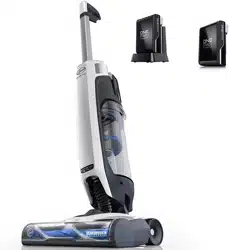
Getting started with your LithiumLife™ or LithiumLife™ Extended Runtime battery
It’s ready when you are.
You can leave your battery on the charger– even after it’s charged. Reference the chart on page 12 to find the charge time for your battery and charger model.
It cleans powerfully at any charge level.
Whether it’s 25% charged or 100% full, get fade-free power until the end of the charge.
It’s versatile.
This battery and charger are compatible with the rest of our LithiumLife™ family.
Runtime.
Runtime will vary based on the particular combination of LithiumLife battery model and
FloorMate ® or Air™ Cordless cleaner products.
If using a LithiumLife™ battery model different than the battery that came with your AirTM Cordless product, runtime differences will occur.
Charging the battery
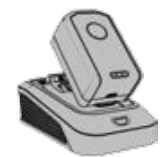
To bring the battery to full life, place the battery onto the charger. LithiumLife™ battery does not come fully charged
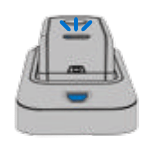
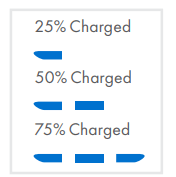
When charging, the charger light will turn solid blue and the blue LEDs on the battery will light up to inidcate charging progress.
To check the charge level of your battery, press the Charge Level Check Button.
Removing the battery
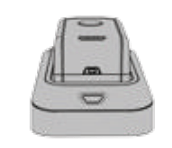
The charger light will turn off when fully charged. If the charger LED flashes red, an error has occurred. Remove and replace
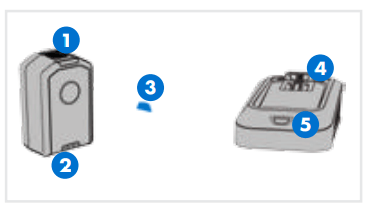
To remove the battery, press the blue release button and lift the battery while holding down on the charger base.
Battery
Blue Release Button
LED Charge Level Indicator
Charge Level Check Button Charger
Battery Cavity
LED Indicator
NOTE: All LithiumLife™ batteries are compatible with the entire FloorMate ® or Air™ Cordless family of products
*Images may differ from actual product
What does it mean when charger light is...
Solid Blue
Battery Charging Progress: 1-3 LEDs
Off
Fully Charged
Flashing Blue
Leave Battery on Charger. It's too hot or cold to charge.
Flashing Red
Call us at 1-888-679-2121
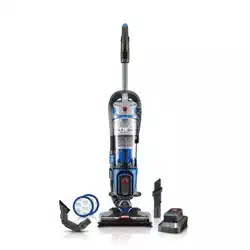
Getting started with your Air™
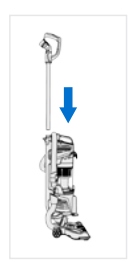
Insert wand until it clicks
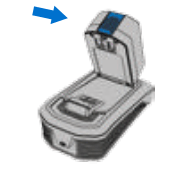
Battery does not come fully charged. Place the battery on the charger if full runtime is needed
Set battery as shown and pivot into place.
Using your Air™ Cordless Lift as an upright
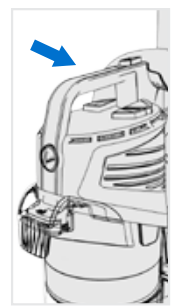
It’s easiest to lift and carry by the handle.
Push here to turn 1on and off.
Push here to activate Boost Mode for improved suction. Using Boost Mode will shorten battery runtime.
Step here and pull the handle back to activate brush roll and begin vacuuming.
For optimal cleaning keep the brush roll rotating for all surfaces. For delicate or highly polished floors push here to switch off brush roll.
Set the handle upright to use the hose or to remove the canister. Brush roll will not spin in upright position.
NOTE: Boost Mode automatically 6 switches off when power is turned off
Using your Air™ Cordless Lift as a canister
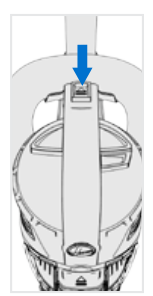
Grasp carry handle and press the button to release canister.
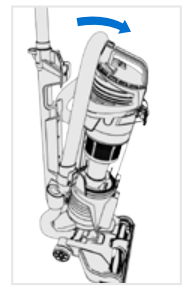
Pivot canister forward and lift off.
The canister is designed to be held by the carry handle or stand on its own.
Use Power & Boost buttons as described on pg. 6. The brushroll button does not function in canister mode.
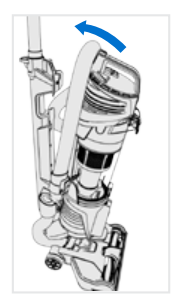
Holding carry handle, align bottom of canister with docking tab on upright base and pivot until canister clicks into place.
Using your Air™ Cordless Lift hose, wand and accessories
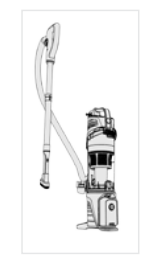
To use the hose in upright or canister mode, press hose release button and pull out.
Remove the wand by pressing the wand release lever down and pulling the wand out.
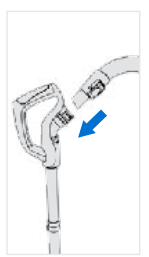
Insert the hose end into the wand handle until it clicks.
Attach tools to clean stairs, upholstery and more.
Reinsert wand when you're done. Replace hose to its original position.
WARNING Always turn off this appliance before connecting or disconnecting wand or tools.
Keep your Air™ Cordless Lift running properly: dirt cup
Empty the dirt cup when it reaches the max fill line.
Press dirt cup release button then pivot the dirt cup out.
Press the dirt cup empty button to release dirt. Snap the dirt cup closed.
Place the dirt cup back in, bottom first until it clicks into place.
WARNING To reduce the risk of personal injury, remove battery before cleaning or servicing. Do not use vacuum without dirt cup or filters in place. Very fine materials, such as face powder or cornstarch may seal the filter and cause a reduction in performance. When using the vacuum for this type of dust, empty the cup and clean the filters often. Do not lift dirt cup by filter housing handle.
Keep your Air™ Cordless Lift running properly: filters & core
The Air™ Cordless Lift is equipped with one filter. Clean this filter every 4-6 uses.
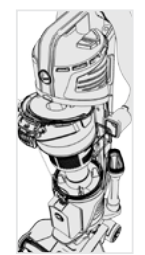
Remove the dirt cup as shown on page 9. Lift out filter assembly by the handle.
Pull the mesh tab to remove filter.
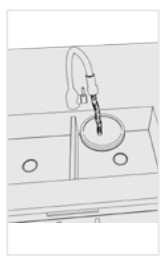
Rinse for 2 minutes in clear warm water; dry for 24 hours.
Slide the core out of the dirt cup.
WARNING To reduce the risk of personal injury, remove battery before cleaning or servicing.
Use 2-in-1 tool to brush any dirt or debris from core. Do not turn vacuum on.
Insert the core into the dirt cup so the tabs align
Replace the dry filter with the mesh tab facing out.
Insert filter assembly back into the core by aligning the tabs.
Keep your Air™ Cordless Lift running properly: brush roll
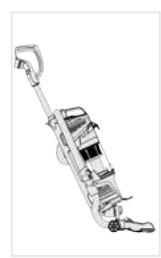
Remove battery & lower the handle.
Flip vacuum over.
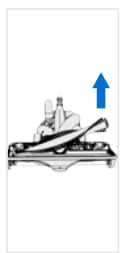
Pull tabs towards the brush roll and lift up.
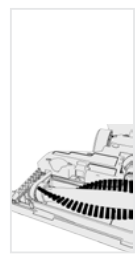
Pull the brush roll out from this end and remove debris
Replace clean brush roll into belt and seat both ends.
WARNING To reduce the risk of personal injury, remove battery before cleaning or servicing.
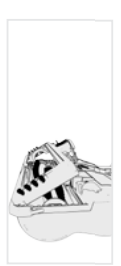
Reinsert the plate as shown then snap back into place.
WARNING Risk of personal injury: brush roll may suddenly restart if battery is in place. Turn power switch off and remove battery before cleaning or servicing.
LUBRICATION NOT REQUIRED The motor and brush roll are equipped with bearings which contain sufficient lubrication for their lifetime. The addition of lubricant could cause damage. Do not add lubricate to motor or brush roll.
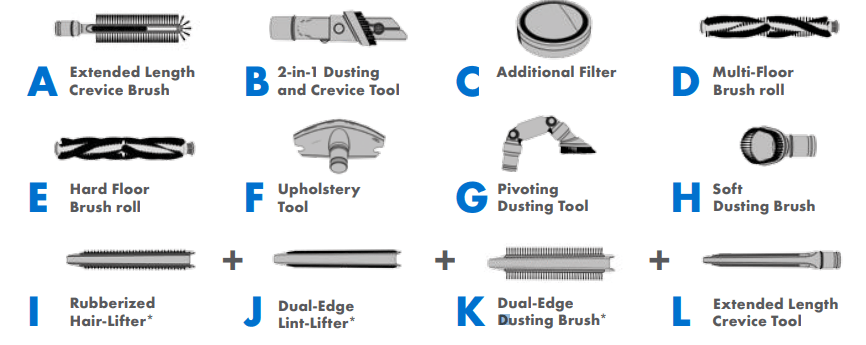
Available Accessories
Included with select models.
WARNING To reduce the risk of personal injury, remove battery before cleaning or servicing.
Need Help?
WARNING To reduce the risk of personal injury, remove battery before cleaning or servicing.
My AirTM Cordless Lift won't turn on.
Your battery may not be charged. Check the Charge Level Indicator and charge the battery if it’s low. Reference the chart below to find the charge time for your model.* The LithiumLife™ battery does not come fully charged.
Battery
LithiumLife™ Battery
Model
Charge Time
BH03100
LithiumLife™
BH03220
9 hours
BH03120
LithiumLife™ Extended Runtime
18 hours
BH03100
LithiumLife™
BH03200
1.5 hours
BH03120
LithiumLife™ Extended Runtime
3 hours
My AirTM Cordless Lift isn’t picking up well.
You may have a clogged filter. Your filter should be rinsed every 4-6 uses. Push the dirt cup release button and remove the filter. Rinse with clear warm water for two minutes. Let it dry for 24 hours before reinstalling it.
If your filter was dirty…
You may also have a clog in the system. Remove canister and check hose for a clog. Lay the upright flat and check hose for a clog. If found, remove the clog.
My AirTM Cordless Lift picks up well on hard floors, but not on carpet.
When you’re vacuuming, look to see if the brush roll is spinning. You should hear it. If you don’t, roll the power switch forward past ON to turn on the brush roll.
If your brush roll is not turning on…
The Motor Protection Sensor may have been activated by an obstruction. Remove the battery, then find and remove the obstruction. Wait a few minutes (usually about 2-5, but can take up to 30) for the unit to reset itself, replace the battery and turn on.
Any other servicing should be done by an authorized service representative. If appliance is not working as it should, has been dropped, damaged, left outdoors, or dropped into water, take it to a service center prior to continuing use.
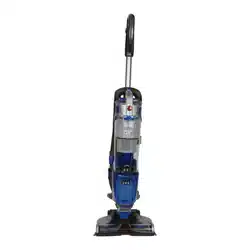
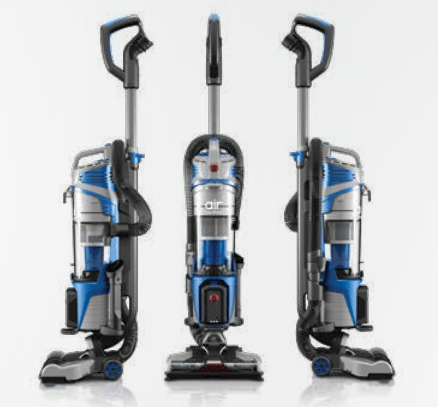
 Insert wand until it clicks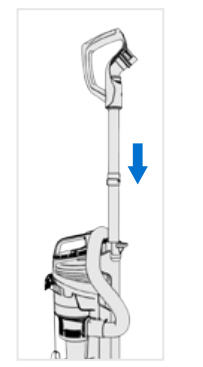
 Battery does not come fully charged. Place the battery on the charger if full runtime is needed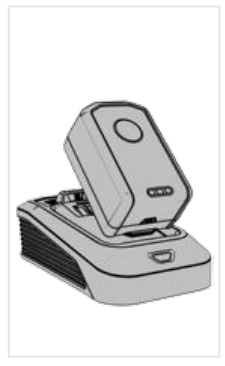
 Set battery as shown and pivot into place.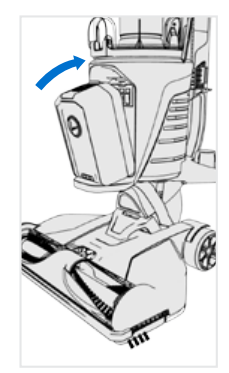


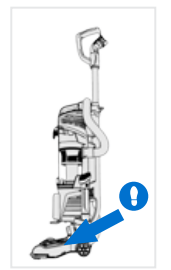
 For optimal cleaning keep the brush roll rotating for all surfaces. For delicate or highly polished floors push here to switch off brush roll.
 Set the handle upright to use the hose or to remove the canister. Brush roll will not spin in upright position.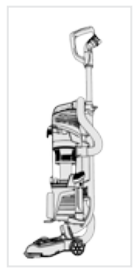











 Use 2-in-1 tool to brush any dirt or debris from core. Do not turn vacuum on.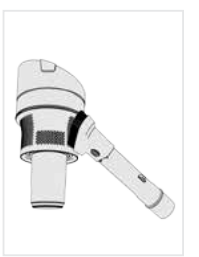
 Insert the core into the dirt cup so the tabs align
 Replace the dry filter with the mesh tab facing out.
 Insert filter assembly back into the core by aligning the tabs.