RQTX1150-L
GN
Operating Instructions
Portable Stereo CD System
Model No. RX-D45
Dear Customer
Thank you for purchasing this product.
For optimum performance and safety, please read these instructions
thoroughly before connecting, operating or adjusting this product.
Please keep this manual for future reference.
Operations in these instructions are described mainly using the remote control, but you can perform the operations on the main unit if the controls
are the same.
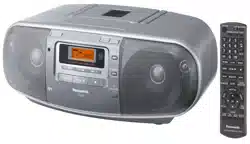
Your unit may not look exactly the same as illustrated.
Supplied accessories
Please check and identify the supplied accessories.
1 x AC mains lead
RQTX1150-L_gb.indd 1RQTX1150-L_gb.indd 1 4/6/2010 11:11:30 AM4/6/2010 11:11:30 AM
2
ENGLISHESPAÑOL
RQTX1150
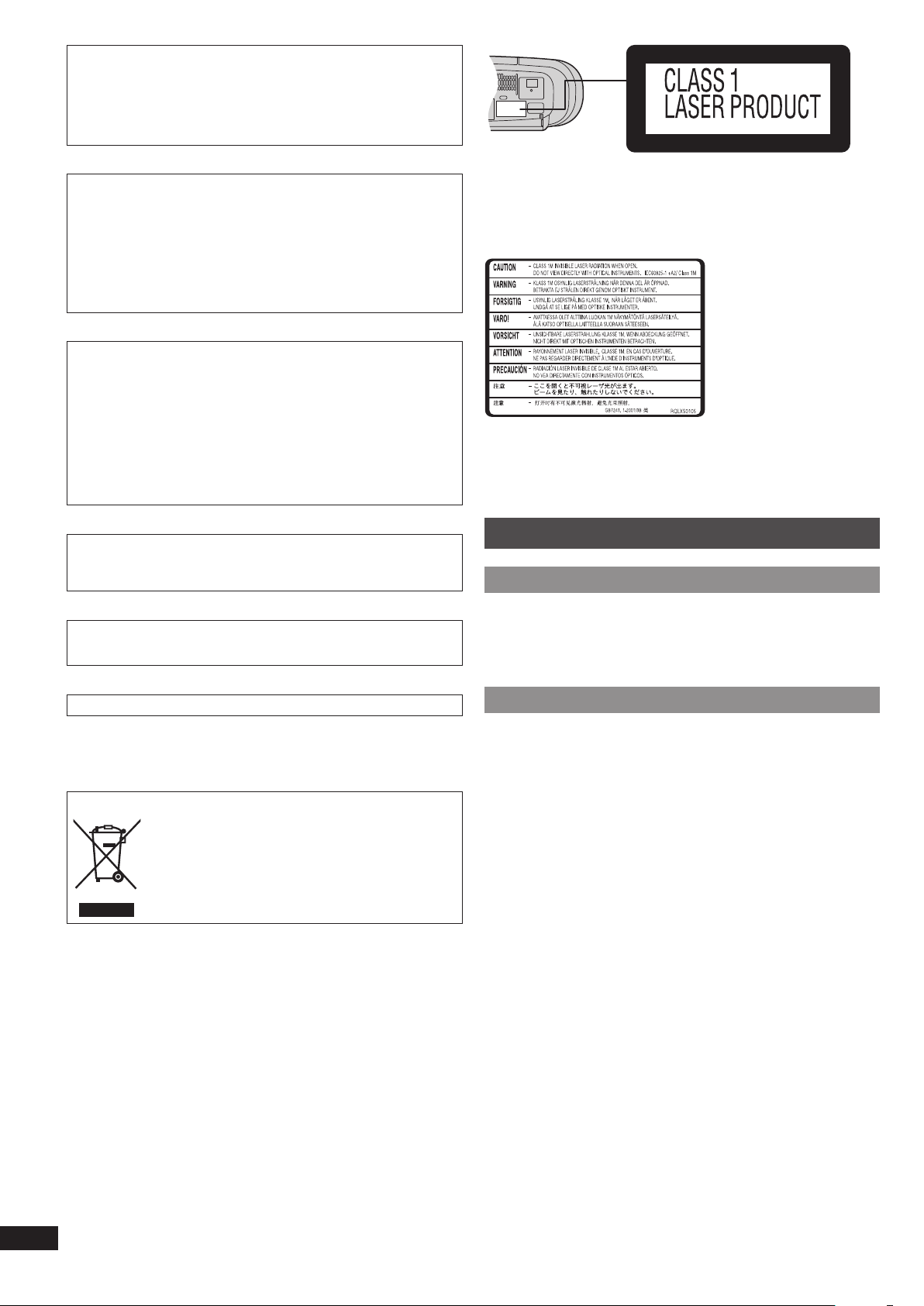
Inside of product
CAUTION!
THIS PRODUCT UTILIZES A LASER.
USE OF CONTROLS OR ADJUSTMENTS OR PERFORMANCE OF
PROCEDURES OTHER THAN THOSE SPECIFIED HEREIN MAY RESULT IN
HAZARDOUS RADIATION EXPOSURE.
DO NOT OPEN COVERS AND DO NOT REPAIR YOURSELF. REFER
SERVICING TO QUALIFIED PERSONNEL.
WARNING:
TO REDUCE THE RISK OF FIRE, ELECTRIC SHOCK OR PRODUCT
DAMAGE,
• DO NOT EXPOSE THIS APPARATUS TO RAIN, MOISTURE, DRIPPING
OR SPLASHING AND THAT NO OBJECTS FILLED WITH LIQUIDS, SUCH
AS VASES, SHALL BE PLACED ON THE APPARATUS.
• USE ONLY THE RECOMMENDED ACCESSORIES.
• DO NOT REMOVE THE COVER (OR BACK); THERE ARE NO USER
SERVICEABLE PARTS INSIDE. REFER SERVICING TO QUALIFIED
SERVICE PERSONNEL.
CAUTION!
• DO NOT INSTALL OR PLACE THIS UNIT IN A BOOKCASE, BUILT-IN
CABINET OR IN ANOTHER CONFINED SPACE. ENSURE THE UNIT IS
WELL VENTILATED. TO PREVENT RISK OF ELECTRIC SHOCK OR FIRE
HAZARD DUE TO OVERHEATING, ENSURE THAT CURTAINS AND ANY
OTHER MATERIALS DO NOT OBSTRUCT THE VENTILATION VENTS.
• DO NOT OBSTRUCT THE UNIT’S VENTILATION OPENINGS WITH
NEWSPAPERS, TABLECLOTHS, CURTAINS, AND SIMILAR ITEMS.
• DO NOT PLACE SOURCES OF NAKED FLAMES, SUCH AS LIGHTED
CANDLES, ON THE UNIT.
• DISPOSE OF BATTERIES IN AN ENVIRONMENTALLY FRIENDLY
MANNER.
The socket outlet shall be installed near the equipment and easily accessible.
The mains plug of the power supply cord shall remain readily operable.
To completely disconnect this apparatus from the AC Mains, disconnect the
power supply cord plug from AC receptacle.
This product may receive radio interference caused by mobile telephones
during use. If such interference is apparent, please increase separation
between the product and the mobile telephone.
THIS UNIT IS INTENDED FOR USE IN MODERATE CLIMATES.
–If you see this symbol–
Information on Disposal in other Countries outside the European Union
This symbol is only valid in the European Union.
If you wish to discard this product, please contact your
local authorities or dealer and ask for the correct method of
disposal.
Maintenance
If the surfaces are dirtyIf the surfaces are dirty
To clean this unit, wipe with a soft, dry cloth.
If the surfaces are extremely dirty, use a soft cloth dipped in a soap-and water
solution or a weak detergent solution.
• Never use alcohol, paint thinner or benzine to clean this unit.
• Before using chemically treated cloth, read the instructions that came with the
cloth carefully.
Care of tape deck’s headsCare of tape deck’s heads
Clean the heads regularly to ensure good quality playback and recording. Use a
cleaning tape (not included).
RQTX1150-L_gb.indd 2RQTX1150-L_gb.indd 2 4/6/2010 11:11:30 AM4/6/2010 11:11:30 AM
3
ENGLISHESPAÑOL
RQTX1150
Safety precautions
• Avoid using or placing this unit near sources of heat. Do not leave it in an
automobile exposed to direct sunlight for a long time with the doors and
windows closed as this may deform the cabinet.
• Avoid cuts, scratches, or poor connections in the AC mains lead, as they may
result in possible fi re or electric shock hazard. Also, excessive bending, pulling
or splicing of the lead should be avoided.
• Do not unplug the AC mains lead by pulling on the lead. To do so may cause
premature failure or shock hazard.
• Do not operate this unit in a bathroom, as a potential shock hazard may result.
• When not in use, disconnect the AC mains lead from the household mains
socket.
Table of contents
Maintenance ................................................................... 2
Safety precautions ........................................................ 3
Use of batteries .............................................................. 3
Power sources ............................................................... 3
Overview of controls ..................................................... 4
Discs ............................................................................... 4
Using the FM/AM radio .................................................. 5
Cassette tape – Play and record .................................. 5
Using the clock and timers ........................................... 6
Using sound effects ...................................................... 6
Troubleshooting guide .................................................. 6
Specifi cations ................................................................ 7
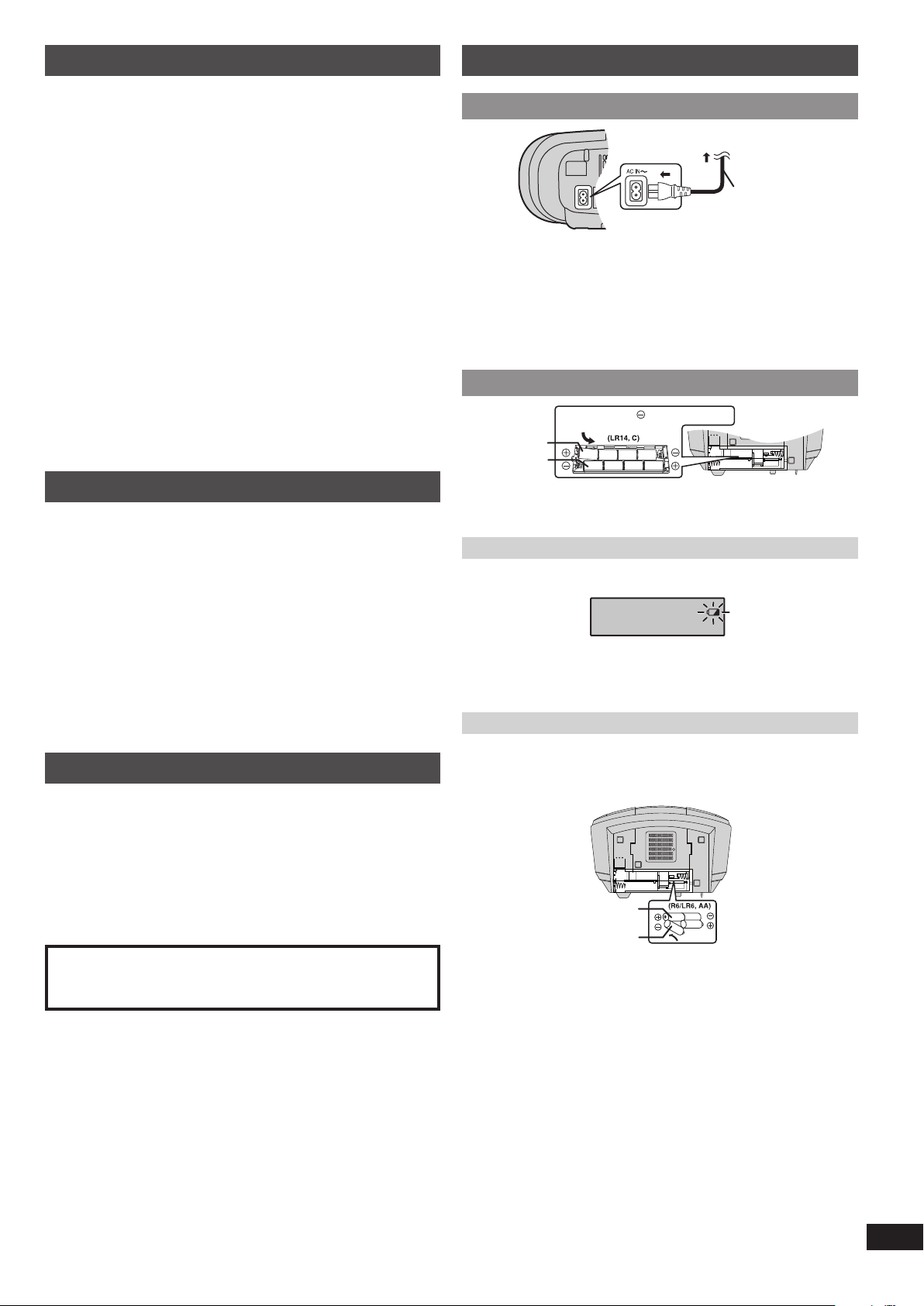
Power sources
Using the household mains socketUsing the household mains socket
AC mains lead
(included)
To household
mains socket
Connect the AC mains lead fi rmly to the unit and the household mains socket.
✒
Note
• The included AC mains lead is for use with this unit only. Do not use it with
other equipment.
• The unit is in the standby condition when the AC power supply cord is
connected. The primary circuit is always “live” as long as the power cord is
connected to an electrical outlet.
Using batteries (not included)Using batteries (not included)
567
8
1
2
43
Inner row
Outer row
Press towards while inserting
the battery.
• The unit cannot be powered by batteries if the AC mains lead is connected.
Disconnect the AC mains lead from the unit to operate on battery power.
• Use only alkaline batteries.
When to change the batteries
When the battery indicator begins fl ashing, replace all 8 of the batteries. It is
also a good idea to replace all the batteries before recording.
✒
Note
Before any function starts, the battery indicator may fl ash although the batteries
are not drained. The indicator will display its current status when the unit is
powered from the household mains socket by using the AC mains lead.
Memory back-up
When the power supply is interrupted, the current time, timer settings and radio
stations you have set are saved if you have inserted back-up batteries (not
included).
These batteries do not power the unit.
21
3
4
Inner row
Outer row
When to change the batteries
The batteries last about a year.
Connect the unit to AC power before replacing the batteries.
Before connecting or disconnecting the AC mains lead, press
[8/x, STOP/EJECT] to stop the tape and press [TAPE/OFF] to turn the unit off.
The back-up batteries ware out faster if the cord is disconnected with the power
still on.
✒
Note
Use either alkaline or manganese batteries.
Use of batteries
• If this unit is not used for a long period of time or is used only from an
AC power source, remove all the batteries to prevent potential damage
due to possible battery leakage.
• Do not mix old and new batteries.
• Do not use different types of batteries at the same time.
• Do not take apart or short circuit the batteries.
• Do not attempt to recharge alkaline or manganese batteries.
• Do not use batteries if the covering has been peeled off.
• Do not heat or expose to fl ame.
• Do not leave the battery(ies) in an automobile exposed to direct sunlight for a
long period of time with doors and windows closed.
• Mishandling of batteries can cause electrolyte leakage, which may cause a fi re.
CAUTION
Danger of explosion if battery is incorrectly replaced. Replace only with the
same or equivalent type recommended by the manufacturer. Dispose of
used batteries according to the manufacturer’s instructions.
RQTX1150-L_gb.indd 3RQTX1150-L_gb.indd 3 4/6/2010 11:11:30 AM4/6/2010 11:11:30 AM
4
ENGLISHESPAÑOL
RQTX1150
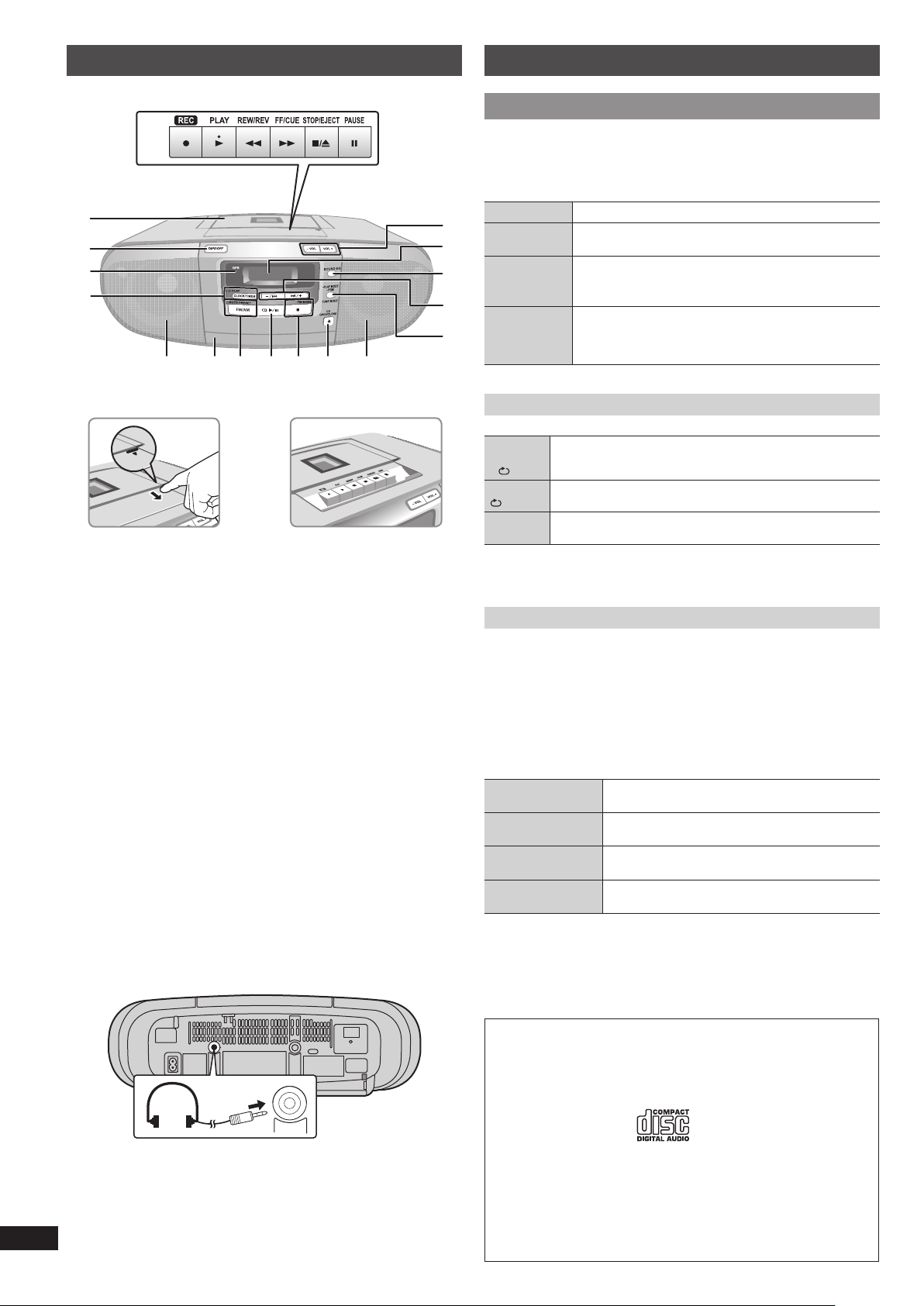
Overview of controls
A
M
N
B
IDF
C
GH
L
J
K
P
DE
O
A Tape mode/standby switch
Unit will be in standby mode.
B OPR (operation) indicator
The indicator lights up when the unit is turned on.
C Clock or timer setting, play timer setting
D Speakers
These speakers do not have magnetic shielding. Do not place them near
televisions, personal computers or other devices easily infl uenced by
magnetism.
E Disc tray
F Tuner (FM/AM) selection, auto preset selection
G Disc play or pause
H Stop disc playback, MONO selection for FM mode
I Disc tray open or close
J Play mode function, program function, tuning mode selection
K Track skip or search, check program content, preset channel selection,
tuning function, time adjustment
L Sound equalizer (EQ) selection
M Display panel
N Volume control
O Cassette play operations
P Cassette deck
Headphone jack (PHONES)
Plug type: Ø 3.5 mm stereo (not included)
• Avoid listening for prolonged periods of time to prevent hearing damage.
• Excessive sound pressure from earphones and headphones can cause
hearing loss.
PHONES
Discs
Basic playBasic play
1 Press [x, CD OPEN/CLOSE] to open the disc tray and then load the
disc with the label facing up.
2 Press [x, CD OPEN/CLOSE] again to close.
3 Press [4/9, CD] to start play.
Stop playback
Press [8] (stop) during play.
Pause play
Press [4/9, CD] during play.
Press again to resume play.
Skip tracks
Press [–/2] or [6/+].
During RANDOM play, you cannot skip to tracks that have
been played.
Search
through
tracks
Press and hold [–/2] or [6/+] during play or pause.
• During program play (Z see below), or random play
(Z see below, “Play Mode function”), you can search
only within the track.
Play Mode function
Press [·PLAY MODE] repeatedly to select the desired mode.
1-TRACK
REPEAT
1-
Play one selected track repeatedly on the disc.
Press [–/2] or [6/+] to select the track.
REPEAT
Repeat play a disc or programmed tracks (Z see below).
RANDOM
RND
Play a disc randomly.
✒
Note
During “Program play”, “Play Mode function” cannot be activated.
Program play
This function allows you to program up to 24 tracks.
1 Press [4/9, CD] and then [8] (stop).
2 Press and hold [–PGM].
“PGM” is displayed.
3 Press [–/2] or [6/+] to select your desired track.
4 Press [–PGM].
Repeat steps 3 and 4 to program other tracks.
5 Press [4/9, CD] to start play.
Cancel program
mode
Press and hold [–PGM] in the stop mode.
Replay the program
Press and hold [–PGM] then [4/9, CD] in the stop
mode.
Check program
contents
Press [–/2] or [6/+] when “PGM” is displayed in
the stop mode.
Clear all
programmed tracks
Press and hold [8] (stop) in the stop mode.
“CLEAR” is displayed.
✒
Note
• When you try to program more than 24 tracks, “FULL” appears.
• You will not be able to add more tracks to the existing program. The existing
program has to be cleared.
• The program memory is cleared when you open the disc tray.
✒
NOTE about using a DualDisc
The digital audio content side of a DualDisc does not meet the technical
specifi cations of the Compact Disc Digital Audio (CD-DA) format so playback
may not be possible.
✒
NOTE on CDs
Choose discs with this mark:
• This unit can access up to 99 tracks.
• This unit can play CD-DA format audio CD-R/RW that have been fi nalised.
• It may not be able to play some CD-R/RW due to the condition of the
recording.
• Do not use irregularly shaped disc.
• Do not use disc with labels and stickers that are coming off or with adhesive
exuding from under labels and stickers.
• Do not attach extra labels or stickers on the disc.
• Do not write anything on the disc.
RQTX1150-L_gb.indd 4RQTX1150-L_gb.indd 4 4/6/2010 11:11:31 AM4/6/2010 11:11:31 AM

5
ENGLISHESPAÑOL
RQTX1150
Using the FM/AM radio
Manual tuningManual tuning
1 Press [FM/AM] to select “FM” or “AM”.
2 If “PGM” is displayed, press [TUNE MODE] to clear it.
3 Press [–/2] or [6/+] to select the frequency of the required station.
To tune automatically
Press and hold [–/2] or [6/+] until the frequency starts changing
rapidly. The unit begins auto tuning, stopping when it fi nds a station.
• Auto tuning may not function when there is excessive interference.
• To cancel auto tuning, press [–/2] or [6/+] once again.
To improve reception
FM: Extend the whip antenna and adjust its direction.
AM: Adjust the position of the unit.
To improve FM sound quality
When “FM” is selected
Press [FM MODE] to display “MONO”.
To cancel
Press [FM MODE] again.
• MONO is also cancelled if the frequency is changed.
• Turn off “MONO” for normal listening.
Memory presetMemory preset
Up to 16 stations each can be set in the FM and AM bands.
✒
Preparation
Press [FM/AM] to select “FM” or “AM”.
Automatic presetting
Press and hold [–AUTO PRESET] to start presetting.
The tuner presets all the stations it can receive into the channels in ascending
order. When fi nished, the last station memorised is tuned in.
Manual presetting
1 If “PGM” is displayed, press [TUNE MODE] to clear it.
2 Press [–/2] or [6/+] to select the frequency of the required station.
3 Press and hold [–PGM].
“PGM” and the selected frequency blinks.
4 Within 10 seconds or so
Press [–PGM] followed by [–/2] or [6/+] to select the desired
channel.
5 Press [–PGM].
The station occupying a channel is erased if another station is preset to that
channel.
6 Repeat steps 2 to 5 to preset more stations.
Selecting a preset station
1 Press [TUNE MODE].
“PGM” is displayed.
2 Press [–/2] or [6/+] to select the
channel.
Preset channel
AM allocation settingAM allocation setting
This system can also receive AM broadcasts allocated in 10 kHz steps.
To change the step from 9 kHz to 10 kHz
1 Press and hold [8] (stop).
After a few seconds the display changes to a fl ashing display of the current
minimum frequency.
2 Continue to hold down [8] (stop).
• When the minimum frequency changes, release the button. To return to the
original step, repeat the above steps.
• After the setting is changed, any previously preset frequency will be
cleared.
Cassette tape – Play and record
Basic playBasic play
Use normal position tapes.
High position and metal position tapes can be played, but the unit will not be
able to identify the characteristics of these tapes.
1 Press [TAPE/OFF].
2 Open the cassette operation buttons’ lid.
3 Press [8/x, STOP/EJECT] and insert the cassette.
Insert with the side to be played facing up and the exposed tape facing
towards you. Close the deck by hand.
4 Press [4, PLAY] to start play.
Stop tape
playback
Press [8/x, STOP/EJECT].
Pause play
Press [9, PAUSE].
Press again to resume play.
Fast-forward
and rewind
Press [3, REW/REV] or [5, FF/CUE] in the stop
mode.
Search for a
specifi c point
Press [3, REW/REV] (to search backward) or
[5, FF/CUE] (to search forward) during playback.
Play is resumed when the button is released.
RecordingRecording
Use normal position tapes.
High position and metal position tapes can be used, but the unit will not be able
to record or erase them correctly.
✒
Preparation
Wind up the source tape so recording can begin immediately.
1 Press [0, STOP/EJECT] and insert the cassette to be recorded.
Insert with the side to be recorded facing up and the exposed tape facing
towards you.
2 Select the source to be recorded.
Radio
Tune in the station (Z see left).
Disc
1. Insert the disc you want to record.
Press [4/9, CD] and then [8] (stop).
2. Prepare the desired disc recording mode.
Record programmed tracks
Program the tracks you want (Z page 4).
Record specifi c tracks
Press [·PLAY MODE] to select the desired mode
(Z page 4).
3 Press [
V
] to start recording.
Stop recording
Press [8/x, STOP/EJECT].
Record on the other
side of the tape
Turn the cassette over and press [
V
].
Erase a recorded
sound
1. Press [TAPE/OFF].
2. Insert the recorded cassette.
3. Press [
V
].
✒
Note
Changes to volume and sound quality do not affect recording.
Erasure prevention
The illustration shows how to remove the tabs to prevent recording. To record on
the tape again, cover as shown.
Side A
Tab for Side ATab for Side B
To prevent recording
Adhesive tape
To re-record
✒
Note
• Tapes exceeding 100 minutes are thin and can break or get caught in the
mechanism.
• Tape slack can get caught up in the mechanism and should be wound up
before the tape is played.
• Endless tapes can get caught up in the deck’s moving parts if used incorrectly.
RQTX1150-L_gb.indd 5RQTX1150-L_gb.indd 5 4/6/2010 11:11:31 AM4/6/2010 11:11:31 AM
6
ENGLISHESPAÑOL
RQTX1150
Using the clock and timers
Setting the clockSetting the clock
This is a 24-hour clock.
1 Press [CLOCK/TIMER].
Each time you press the button:
#
PLAY ON SLEEP
CLOCK
Original display
2 Within 5 seconds or so
Press [–/2] or [6/+] to set the time.
Holding down the button will speed up the time selection.
3 Press [CLOCK/TIMER] to fi nish setting the time.
Displaying the clock
Press [CLOCK/TIMER] to display the clock for few seconds.
✒
Note
• Reset the clock regularly to maintain accuracy.
• When the unit is in standby mode and it is powered by batteries, clock will not
be displayed.
Using the play timerUsing the play timer
You can set the timer to come on at a certain time to wake you up.
✒
Preparation
• Turn the unit on and set the clock.
• Prepare the music source you want to listen to; disc or radio source, and set
the volume.
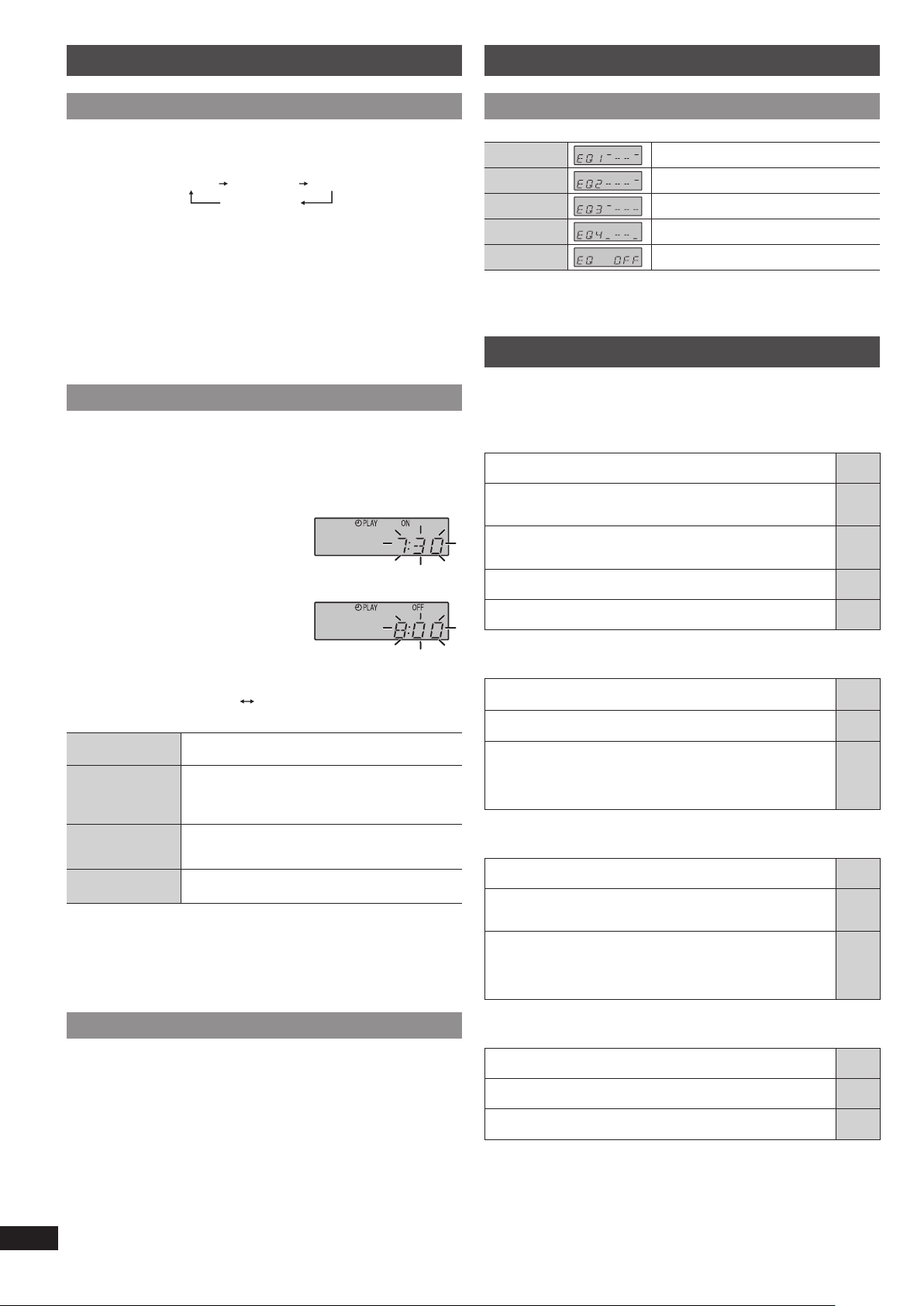
1 Press [CLOCK/TIMER] repeatedly to select the play timer.
2 Within 5 seconds or so
Press [–/2] or [6/+] to set the
starting time.
3 Press [CLOCK/TIMER] to confi rm.
4 Repeat steps 2 and 3 to set the fi nishing
time.
To activate the timer
5 Press and hold [–# PLAY] to turn on the timer.
# PLAY
No display (off)
6 Press [TAPE/OFF] to turn off the unit.
Change the
settings
Repeat steps 1 to 4 and 6 (Z see above).
Change the source
or volume
1. Press and hold [– # PLAY] to clear the timer
indicator from the display.
2. Make changes to the source or volume.
3. Perform steps 5 and 6 (Z see above).
Check the settings
(when the unit is on
or in standby mode)
Press [CLOCK/TIMER] repeatedly to select # PLAY.
Cancel
Press and hold [–# PLAY] to clear the timer indicator
from the display.
✒
Note
• The play timer will start at the preset time, with the volume increasing
gradually to the preset level.
• The timer comes on at the set time every day if the timer is on.
• The unit must be in the standby mode for the timer to function.
• If you turn the unit off and on again while a timer is functioning, the fi nish time
setting will not be activated.
Using the sleep timerUsing the sleep timer
This function enables you to turn off the unit automatically after the set time
except in tape mode.
1 Press [CLOCK/TIMER] repeatedly to select “SLEEP”.
2 Press [–/2] or [6/+] to select your desired time (in minutes).
To cancel
Press [CLOCK/TIMER] repeatedly to show the remaining time, and press
[–/2] or [6/+] to select “OFF”.
Changing the remaining time
Press [CLOCK/TIMER] repeatedly to show the remaining time, and press
[–/2] or [6/+] to select your desired time.
✒
Note
• The play and sleep timer can be used together.
• The sleep timer always has priority. Be sure not to overlap timer settings.
Using sound effects
Changing the sound quality: Sound EQChanging the sound quality: Sound EQ
Press [SOUND EQ] repeatedly to select your desired setting.
EQ1 (HEAVY)
Adds punch to rock
EQ2 (CLEAR)
Clarifi es higher frequencies
EQ3 (SOFT)
For background music
EQ4 (VOCAL)
Adds gloss to vocal
EQ OFF
Cancels the EQ selection
Troubleshooting guide
Before requesting service, make the following checks. If you are in doubt about
some of the check points, or if the solutions indicated in the chart do not solve
the problem, consult your dealer for instructions.
■
Common problems Page
Distorted sound or no sound.
• Turn the volume up.
—
A “humming” sound can be heard during play.
• An AC mains lead or fl uorescent light is near the unit. Keep other
appliances and cords away from the unit.
—
Clock display is not shown when the unit is powered by
batteries and is in standby mode.
• Connect to the household AC power in order to view the display.
3
“UO1” is displayed.
• Replace the batteries or use household AC power.
—
“F76” is displayed.
• There is a power supply problem. Consult the dealer.
—
■
Discs
“ERROR”
• Incorrect operation performed. Read the instructions and try again.
—
“NOPLAY”
• Incorrect disc format. Insert the correct disc.
—
Incorrect display or play will not start.
• You have not inserted the disc correctly; insert it correctly.
• Disc may be dirty. Wipe it clean.
• Replace the disc if it is scratched, warped, or non-standard.
• Condensation has formed: Wait 1 to 2 hours for it to evaporate.
—
—
—
—
■
Cassette tape
Poor sound quality.
• Clean the heads.
2
Recording cannot be performed.
• If the erasure prevention tabs have been removed, cover the holes
with adhesive tape.
5
The cassette cannot be ejected or the deck cannot be closed
when loading a cassette.
• The batteries are fl at. Replace the batteries or connect to
household AC power.
• Press [4, PLAY] then [8/x, STOP/EJECT].
—
—
■
Radio
Distorted sound or noise is heard.
• Use an outdoor antenna.
—
A beat sound is heard.
• Turn the television off or move it away from the unit.
—
A low hum is heard during AM broadcast.
• Separate the antenna from other cables and cords.
—
RQTX1150-L_gb.indd 6RQTX1150-L_gb.indd 6 4/6/2010 11:11:32 AM4/6/2010 11:11:32 AM
7
ENGLISHESPAÑOL
RQTX1150
Specifi cations
AMPLIFIER SECTIONAMPLIFIER SECTION
Output power 2.5 W x 2 (RMS MAX / DC)
PMPO output power 60 W
FM/AM TUNER, TERMINALS SECTIONFM/AM TUNER, TERMINALS SECTION
Frequency Modulation (FM)
Frequency range 87.50 MHz to 108.00 MHz (50 kHz step)
Amplitude Modulation (AM)
Frequency range 522 kHz to 1629 kHz (9 kHz step)
520 kHz to 1630 kHz (10 kHz step)
Headphone jack
Terminal Stereo, 3.5 mm jack (32 )
DISC SECTIONDISC SECTION
Disc played (8 cm or 12 cm) CD-Audio (CD-DA), CD-R/W (CD-DA)
Sampling frequency 44.1 kHz
Decoding 16 bit linear
Beam source Semiconductor laser {wavelength 795 nm (CD)}
Frequency response 40 Hz to 20 kHz
Number of channels 2 channel, stereo
Wow and fl utter Less than possible measurement data
CASSETTE DECK SECTIONCASSETTE DECK SECTION
Track system 4 track, 2 channel, stereo
Monitor system Variable sound monitor
Recording system AC bias 84 kHz
Erase system Multi Pole magnet
Overall frequency response
NORMAL 50 Hz to 12 kHz
SPEAKER SECTIONSPEAKER SECTION
Speakers Impedance 8
Full range 2 x 8 cm
GENERALGENERAL
Power supply
AC 230 V to 240 V, 50 Hz
Battery 12 V (8 x LR14, C)
Memory back-up 6 V (4 x R6/LR6, AA)
Power consumption 13 W
Battery life (use only alkaline batteries)
Radio broadcast 10 hours
Radio recording 10 hours
CD playback 7 hours
CD recording 9 hours
Tape playback 9 hours
Dimensions (WxHxD) 408 mm x 148 mm x 271 mm
Mass 3.2 kg without batteries (3.8 kg with batteries)
Operating temperature range 0°C to +40°C
Operating humidity range 35% to 80% (no condensation)
Power consumption in standby mode: 2 W (approximate)
✒
Note
1. Specifi cations are subject to change without notice.
Mass and dimensions are approximate.
2. Total harmonic distortion is measured by the digital spectrum analyzer.
RQTX1150-L_gb.indd 7RQTX1150-L_gb.indd 7 4/6/2010 11:11:32 AM4/6/2010 11:11:32 AM

Panasonic Corporation
Web Site: http://panasonic.net
En
RQTX1150-L
L0410LL0
RQTX1150-L_gb.indd 8RQTX1150-L_gb.indd 8 4/6/2010 11:11:32 AM4/6/2010 11:11:32 AM