This air conditioner contains no user-serviceable parts. Always call an authorized Electrolux servicer for repairs.
Do not insert or place fingers or objects into the air discharge area in the front of the unit.
Do not start or stop the air conditioner by unplugging the power cord or turning off the power at the electrical box.
Do not cut or damage the power cord.
If the power cord is damaged, it should only be replaced by an authorized Electrolux servicer.
In the event of a malfunction (sparks, burning smell, etc.), immediately stop the operation, disconnect the power cord, and call an authorized Electrolux servicer.
Do not operate the air conditioner with wet hands.
Do not pull on the power cord.
Do not drink any water that is drained from the air conditioner
CAUTION! Avoid Injury or damage to the unit or other property
Provide ventilation per installation instructions.
Do not direct airflow at fireplaces or other heat related sources as this could cause flare ups or make units run excessively.
Do not climb on or place objects on outdoor part of the unit. Do not hang objects off the unit.
Do not place containers with liquids on the unit.
Turn off the air conditioner at the power source when it will not be used for an extended period of time.
Periodically check the condition of the unit’s installation accessories for any damage.
Do not apply heavy pressure to the radiator fins of the unit.
Operate the unit with air filter in place.
Do not block or cover the intake grille, discharge area and outlet ports.
Ensure that any electrical/electronic equipment is one yard away from the unit. Do not use or store flammable gases near the unit.
Do not touch the metal parts of the unit when removing the filter. Injuries can occur when handling sharp metal edges.
Do not use water to clean inside the air conditioner. Exposure to water can destroy the insulation, leading to possible electric shock.
When cleaning the unit, first make sure that the power and circuit breaker are turned off.
FCC Statement
FCC Interference Statement
This equipment has been tested and found to comply with the limits for a Class B digital device, pursuant to part 15 of the FCC Rules. These limits are designed to provide reasonable protection against harmful interference in a residential environment. This equipment generates, uses, and can radiate radio frequency energy and, if not installed and used in accordance with the instructions, may cause harmful interference to radio communications. However, there is no guarantee that interference will not occur in a particular installation. If this equipment does cause harmful interference to radio or television reception, which can be determined by tuning the device off and on, the user is encouraged to try to correct the interference by one or more of the following measures:
Reorient or relocate the receiving antenna.
Increase the separation between the device and receiver.
Connect the equipment into an outlet other than the one used for the receiver.
Consult the dealer or an experienced radio/TV technician for assistance.
This device complies with Part 15 of the FCC Rules. Operation is subject to the following two conditions: (1) This device may not cause harmful interference, and (2) This device must accept any interference received, including interference that may cause undesired operation.
FCC CAUTION: Any changes or modifications not expressly approved by the party responsible for compliance could void the user’s authority to operate the equipment.
Host device Labeling
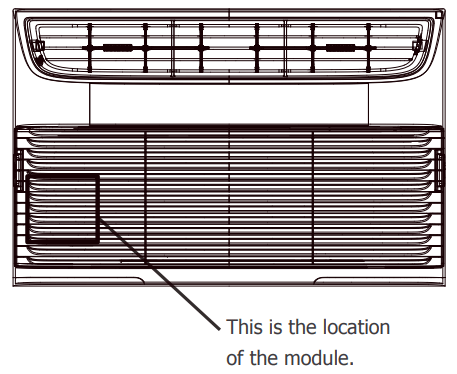
This device includes the following module
Contains FCC ID: 2AIBX-NIU5L
RF exposure statement
This equipment complies with FCC radiation exposure limits set forth for an uncontrolled environment. This equipment should be installed and operated with minimum 20 cm between the radiator and your body. This transmitter must not be collocated or operating in conjunction with any other antenna or transmitter unless authorized to do so by the FCC.
INDUSTRY CANADA (IC) STATEMENT
This Class B digital apparatus complies with Canadian ICES-003. This device complies with Industry Canada license-exempt RSS standard(s). Operation is subject to the following two conditions: (1) this device may not cause interference, and (2) this device must accept any interference, including interference that may cause undesired operation of the device.
RF Exposure
The antenna (or antennas) must be installed so as to maintain at all times a distance minimum of at least 20 cm between the radiation source (antenna) and any individual. This device may not be installed or used in conjunction with any other antenna or transmitter.
Host device Labeling
This device includes the following module.
Contains IC: 21700-NIU5L
Product Registration, Packaging & Normal Sounds
Product Registration
Record Your Model and Serial Numbers
Record in the space provided below the model and serial numbers. On all models, the serial plate is located on the outside of the cabinet.
Model No.
Serial No.
Register Your Product
The self-addressed PRODUCT REGISTRATION CARD should be filled in completely, signed and returned to the Frigidaire Company.
Packaging
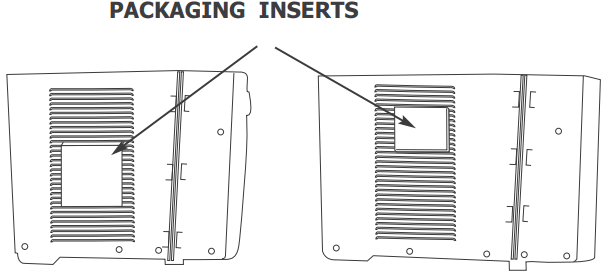
Remove all packaging from inside the carton, along with any inserts placed into the side louvers.
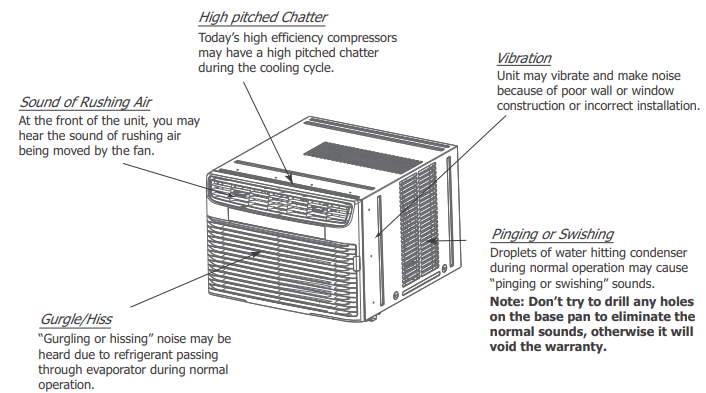
Normal Sounds
Air Conditioner Features & Operating Instructions
Air Conditioner Features
ELECTRONIC CONTROL
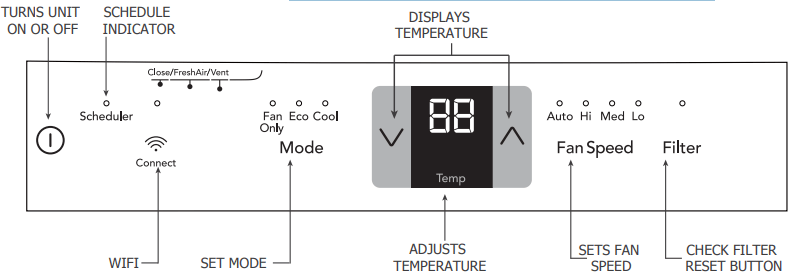
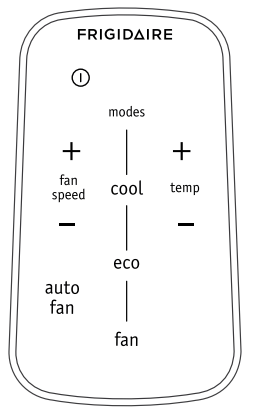
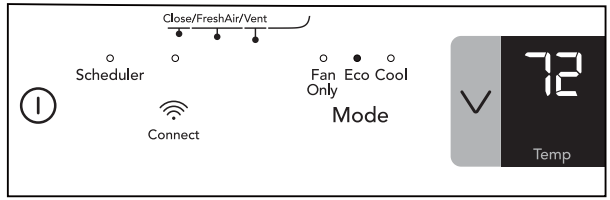
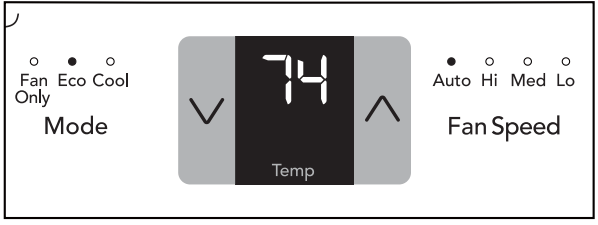
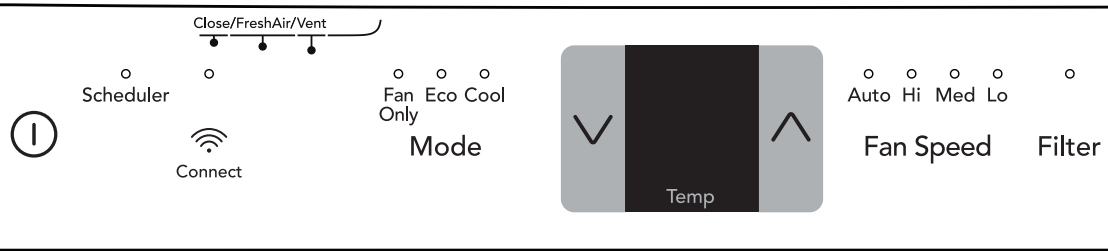
Before you begin, thoroughly familiarize yourself with the control panel and remote control and all its functions (as shown below). The unit can be controlled by the touch pad alone, with the remote control, or with the Frigidaire app*.
*Refer to the Quick Start Guide that came with your Smart Air Conditioner for detailed instructions on setting up your air conditioner for connected operation from your smart phone or tablet.
REMOTE CONTROL
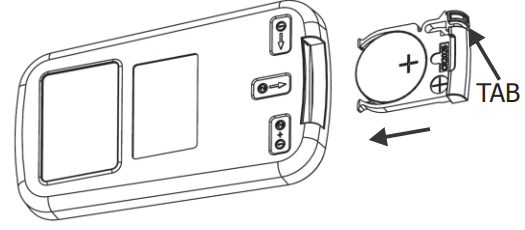
TO REPLACE BATTERY
Battery Size: CR2025
Turn Remote Control upside down. Squeeze tab and pull to remove battery tray. Place battery in tray with POSITIVE(“+”) side facing UP, according to diagram. Re-insert battery tray.
Operating Instructions
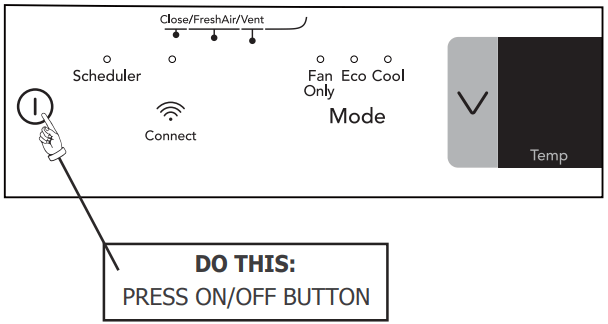
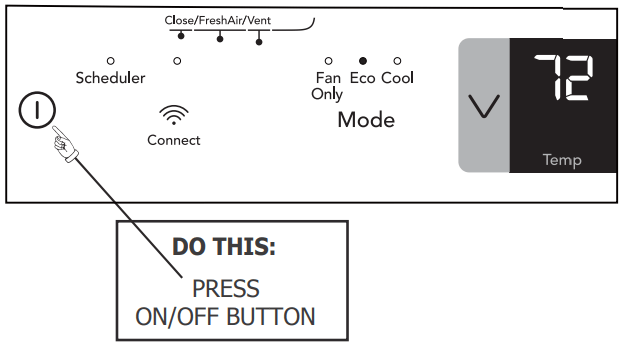
TO TURN UNIT ON:
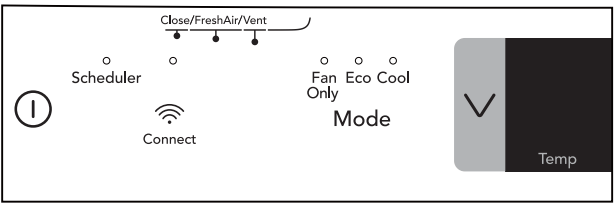
YOU WILL SEE:
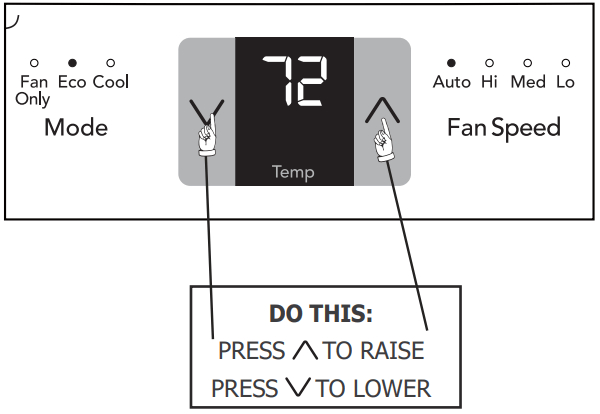
TO CHANGE TEMPERATURE SETTlNG:
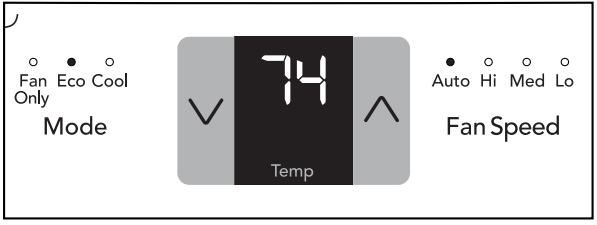
YOU WILL SEE:
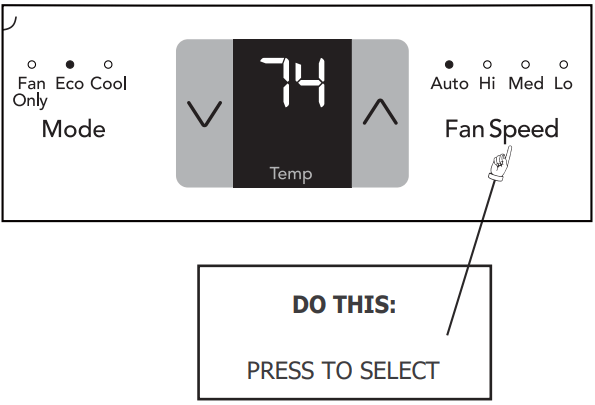
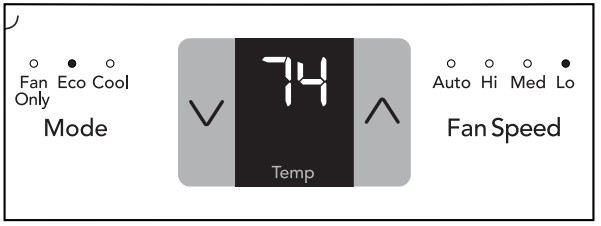
TO ADJUST FAN SPEEDS:
YOU WILL SEE:
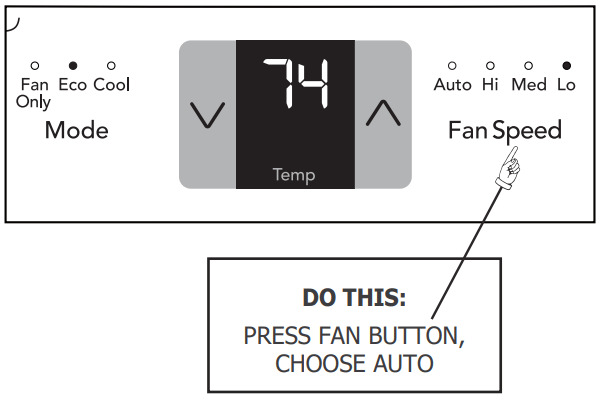
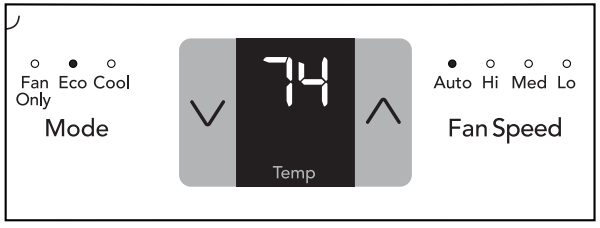
TO USE AUTO FAN FEATURE:
YOU WILL SEE:
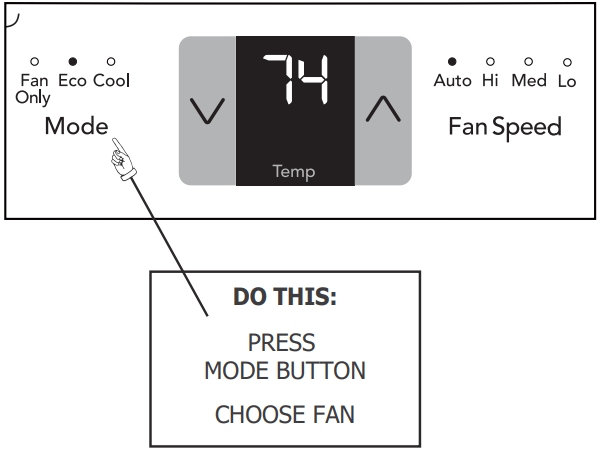
TO OPERATE ON FAN:
YOU WILL SEE:
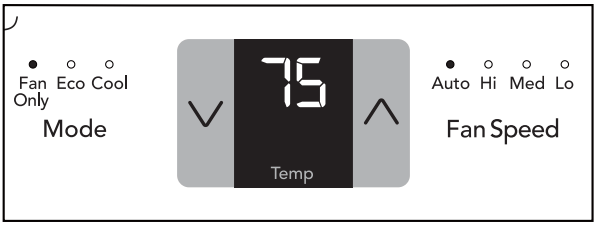
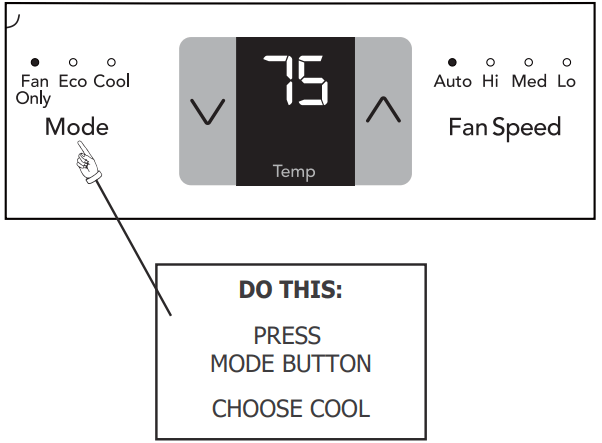
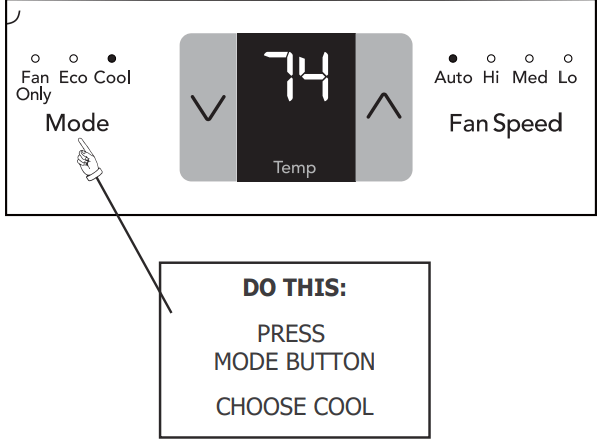
COOL FEATURE:
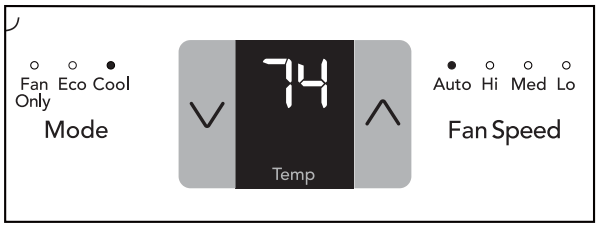
YOU WILL SEE:
ECO (ENERGY SAVER) MODE:
The unit is factory set to run in eco (energy saver) mode. We recommend leaving the unit in eco mode to help save energy and money. However, if you would like to switch out of eco mode, touch the button until another mode is selected. In eco mode, the fan will continue to run for 3 minute after the compressor shuts off. The fan then cycles on for 90 seconds at 10 minute intervals until the room temperature is above the set temperature, at which time the compressor turns back on.
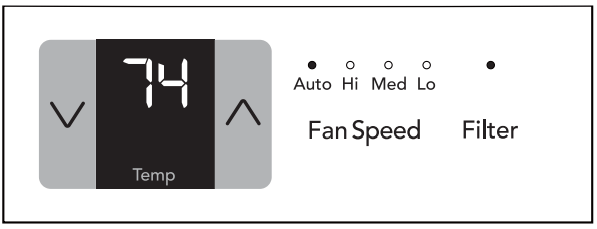
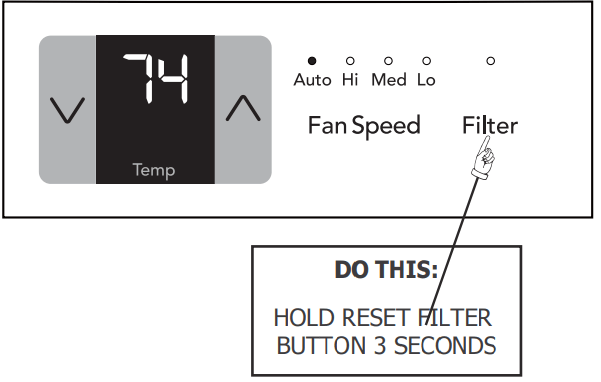
CHECK FILTER FEATURE, YOU WILL SEE:
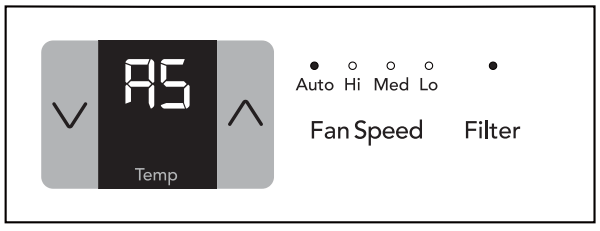
FAULT CODES:
If the display reads "AS" , a sensor has failed. Contact your Authorized Frigidaire Service Center.
FAULT CODES:
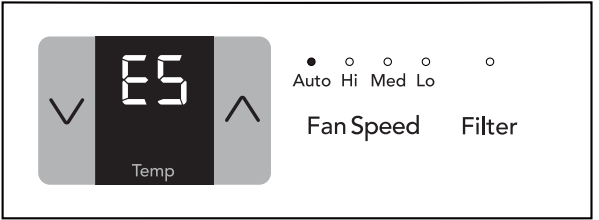
If the display reads "ES" , a sensor has failed. Contact your Authorized Frigidaire Service Center.
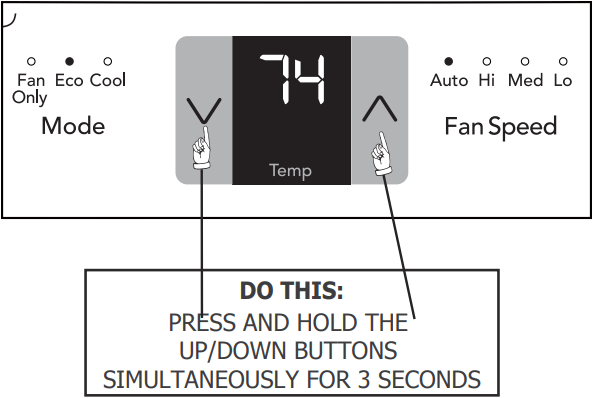
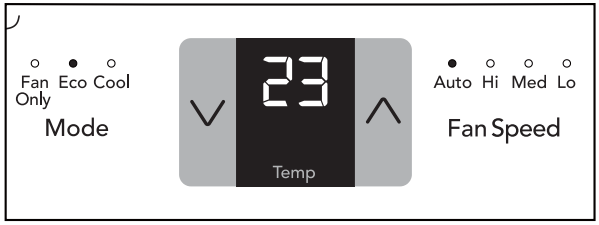
TO CHANGE TEMPERATURE DISPLAY:
YOU WILL SEE:
DIMMING DISPLAY:
After 60 seconds of control inactivity the display and indicator lights will turn off. Press any button on the control panel or remote control and the display will resume. Please note that if the unit is in eco mode and the set temperature has been reached the unit may appear off. However, the unit is on and will continue to sample the air every 10 minutes. To confirm, press any button on the control panel or remote control to illuminate the display to show unit in eco mode.
TO TURN UNIT OFF:
YOU WILL SEE:
ADDITIONAL THINGS YOU SHOULD KNOW
Now that you have mastered the operating procedure, here are more features in your control that you should become familiar with.
The "Cool" circuit has an automatic 3 minute time delayed start if the unit is turned off and on quickly. This prevents overheating of the compressor and possible circuit breaker tripping. The fan will continue to run during this time.
There is a 2-Second delay for the compressor shutting down when selecting FAN ONLY. This is to cover the possibility of having to roll through to select another mode
The control will maintain the set temperature within 2 degrees Fahrenheit, between 60°F and 90°F degrees
After a power outage, the unit will memorize the last setting and return the unit to the same setting once power is restored.
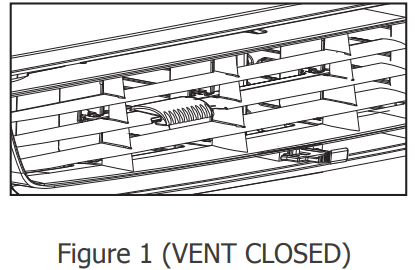
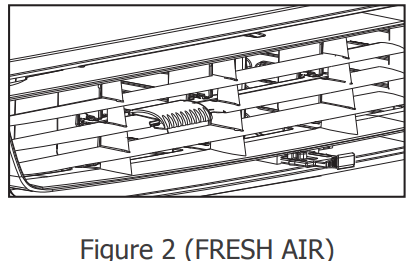
Fresh Air Vent Control (on some models)
The Fresh Air Vent allows the air conditioner to:
1. Recirculate inside air - Vent Closed (see Fig. 1)
2. Draw fresh air into the room - Fresh Air (see Fig. 2)
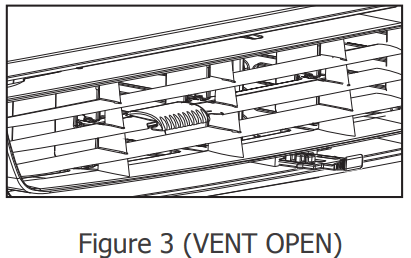
3. Exchange air from the room - Vent Open (see Fig. 3)
Air Directional Louvers
Air directional louvers control air flow direction. Your air conditioner has the louver type described below.
Slider Type
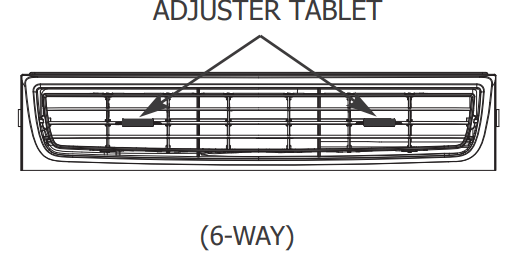
The louvers will allow you to direct the air flow Up or Down and Left or Right throughout the room as needed. Drag the adjuster tablet until the desired Left/Right direction is obtained. Pivot horizontal louvers until the desired Up/Down direction is obtained.
Care and Cleaning
Air Filter Cleaning
The air filter should be checked at least once a month to see if cleaning is necessary. Trapped particles in the filter can build up and cause an accumulation of frost on the cooling coils.
Push the vent handle to the Vent Closed position(where applicable).
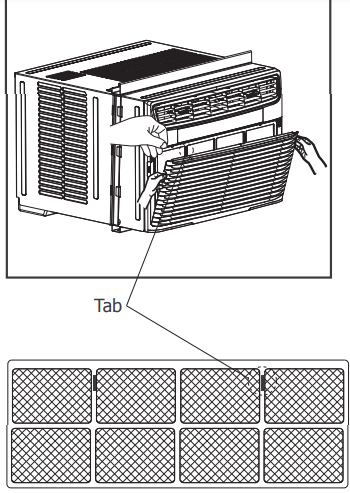
Open the front panel.
Grasp the filter by the center and pull up and out.
Wash the filter using liquid dishwashing detergent and warm water. Rinse filter thoroughly. Gently shake excess water from the filter. Be sure filter is thoroughly dry before replacing
Or instead of washing, you may vacuum the filter clean
Cabinet Cleaning
Be sure to unplug the air conditioner to prevent shock or fire hazard. The cabinet and front may be dusted with an oil-free cloth or washed with a cloth dampened in a solution of warm water and mild liquid dishwashing detergent. Rinse thoroughly and wipe dry.
Never use harsh cleaners, wax or polish on the cabinet front.
Be sure to wring excess water from the cloth before wiping around the controls. Excess water in or around the controls may cause damage to the air conditioner.
Plug in air conditioner.
Winter Storage
If you plan to store the air conditioner during the winter, remove it carefully from the window according to the installation instructions. Cover it with plastic or return it to the original carton.
Energy Saving Ideas
Do not block air flow inside with blinds, curtains or furniture; or outside with shrubs, enclosures, or other buildings.
The capacity of the room air conditioner must fit the room size for efficient and satisfactory operation.
Install the room air conditioner on the shady side of your home. A window that faces north is best because it is shaded most of the day.
Close the fireplace damper, floor and wall registers so cool air does not escape up the chimney and into the duct work.
Keep blinds and drapes in other windows closed during the sunniest part of the day.
Clean the air filter as recommended in the section “Care and Cleaning”.
Proper insulation and weather stripping in your home will help keep warm air out and cool air in.
External house shading with trees, plants or awnings will help reduce the air conditioner’s work load.
Operate heat producing appliances such as ranges, washers, dryers and dishwashers during the coolest part of the day
Before You Call
OCCURRENCE
SOLUTION
Air conditioner will not operate.
Wall plug disconnected. Push plug firmly into wall outle
Plug Current Device Tripped. Press the RESET button
House fuse blown or circuit breaker tripped. Replace fuse with time delay type or reset circuit breaker
Control is OFF. Turn Control ON and set to desired setting
Air from unit does not feel cold enough.
Room temperature below 60°F (16°C). Cooling may not occur until room temperature rises above 60°F (16°C).
Temperature sensing element touching cold coil, located behind air filter. Straighten away from coil
Reset to a lower temperature.
Compressor shut-off by changing modes. Wait approximately 3 minutes and listen for compressor to restart when set in the COOL mode.
Air conditioner cooling, but room is too warm - ice forming on cooling coil behind decorative front
Outdoor temperature below 60 F (16 C). To defrost the coil, set FAN ONLY mode.
Air filter may be dirty. Clean filter. Refer to Care and Cleaning section. To defrost, set to FAN ONLY mode
Temperature is set too low for night-time cooling. To defrost the coil, set to FAN ONLY mode. Then, set temperature to a higher setting.
Air conditioner cooling, but room is too warm - NO ice forming on cooling coil behind decorative fron
Dirty air filter - air restricted. Clean air filter. Refer to Care and Cleaning section.
Temperature is set too high. Set temperature to a lower setting.
Air directional louvers positioned improperly. Position louvers for better air distribution.
Front of unit is blocked by drapes, blinds, furniture, etc. - restricts air distribution. Clear blockage in front of unit.
Doors, windows, registers, etc. open - cool air escapes. Close doors, windows, registers, etc.
Unit recently turned on in hot room. Allow additional time to remove “stored heat” from walls, ceiling, floor and furniture.
Air conditioner turns on and off rapidly.
Dirty air filter - air restricted. Clean air filter
Outside temperature extremely hot. Set FAN speed to a faster setting to bring air through cooling coils more frequently
Noise when unit is cooling.
Air movement sound. This is normal. If too loud, set to lower FAN setting.
Window vibration - poor installation. Refer to installation instructions or check with installer.
Water dripping INSIDE when unit is cooling.
Improper installation. Tilt air conditioner slightly to the outside to allow water drainage. Refer to installation instructions or check with installer.
Water dripping OUTSIDE when unit is cooling.
Unit removing large quantity of moisture from humid room. This is normal during excessively humid days.