Digital Kitchen
Scale
Questions or Concerns?
Please contact us: (855) 686-3835
support@etekcity.com
Model No.: EK6211-S


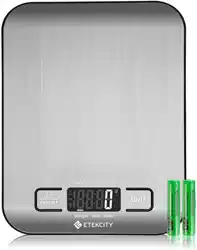
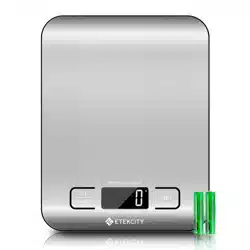
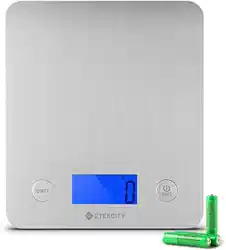
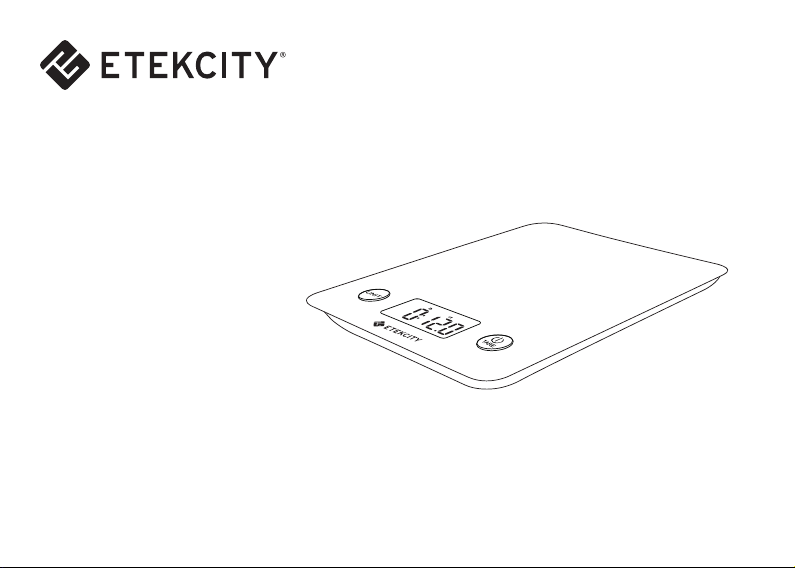
Thank you for purchasing the Digital Kitchen Scale (EK6211-S) by Etekcity. Easily measure your
garnishes and ingredients by grams, milliliters, pounds and ounces with the quick unit conversion
button. The digital scale features a handy auto-tare function so you can easily measure ingredients
in a dish without having to do any math, so you can cut down on prep time to enjoy your meal. The
scale is designed with a smooth stainless steel platform for easy cleaning and maintenance.
It’s the perfect ingredient for better living.
We’re constantly working at building better living with the products and services we create. Should
you ever experience any issues with your new product, feel free to contact our helpful customer
service team toll-free at (855) 686-3835 or by e-mail at support@etekcity.com.
Thank You.

Table of Contents
Safety Information
Main Functions
Function Diagram
LCD Display
Set-Up
Operation
Zero / Tare Function
Unit Conversion
Automatic Power Off
Manual Power Off
Battery Replacement
Specifications, Package Contents
Troubleshooting
Customer Support
Warranty Information
1
2
3
4
5
6
7
7
7
8
9
10
11
12

1
IMPORTANT: Please read, understand, and
comply with all of the instructions provided in
this manual before using the device. Failure
to comply with the instructions given in this
manual and/or using the device in ways other
than the ones mentioned in this manual may
result in serious injury and/or damage to the
product.
• Always place the scale on a hard, dry and
flat surface before measurement in order to
ensure accuracy.
• DO NOT exceed the 11 lb (5kg) weight
capacity. An overload indicator will appear
on the LCD display if the limit is exceeded.
• DO NOT immerse the scale in water or
corrosive liquids. If a liquid is spilled on the
scale platform, immediately wipe the scale
clean with a soft cloth in order to avoid
potential damage to the scale.
• When replacing batteries, make sure to
insert them under the correct polarity as
indicated within the battery compartment.
• Replace the batteries if the low-battery
indicator is displayed in order to ensure the
highest accuracy.
• DO NOT mix new and used batteries to
power the device.
• This scale is not intended for commercial or
heavy-duty use.
• When not in use, store the scale in a cool,
dry environment.
• To clean, wipe the platform surface with a
damp soft cloth.
• If the scale fails to turn on, check whether
the batteries are installed correctly. Replace
the batteries if necessary.
• If the scale is not in use for an extended
period of time, take out the batteries to
extend the scale service lifetime.
Safety Information
2
Main Functions
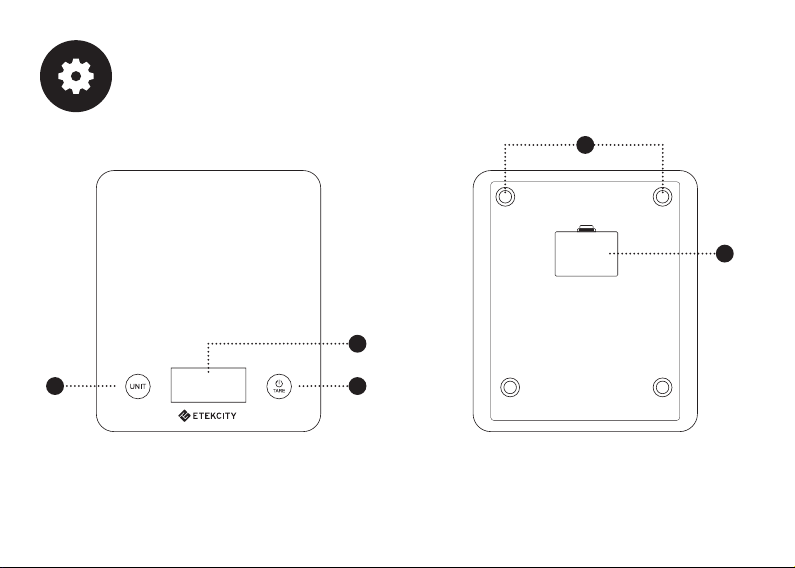
Function Diagram
1. LCD Display
2. Power / Tare
3. Unit Selection
4. Battery Compartment
5. Anti-skid Padding
1
5
2
4
3
3
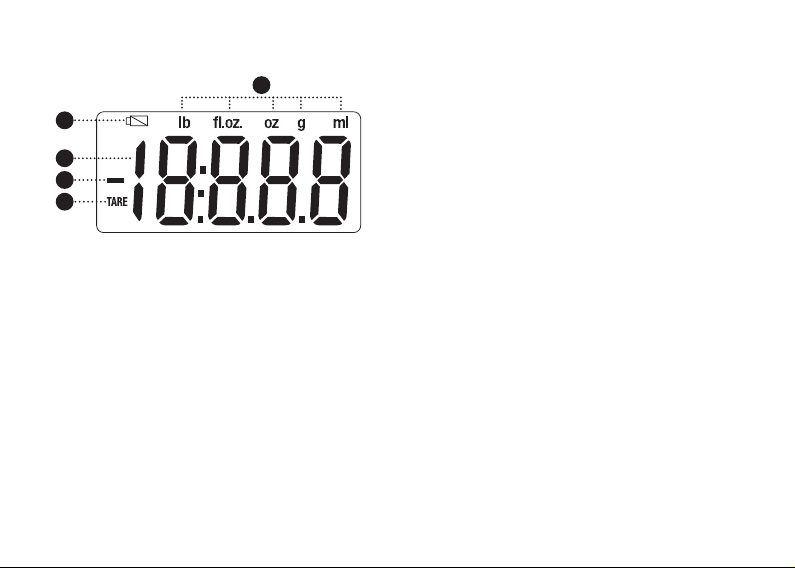
1. Weight value
2. Weight unit
3. Low battery
4. Negative weight value
5. Tare mode
LCD Display
1
4
3
2
5
4
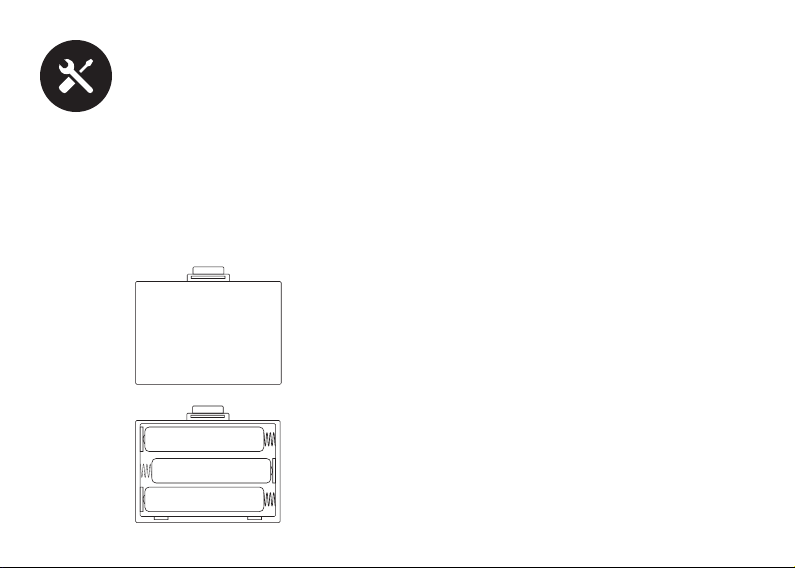
Set-Up
The included AAA batteries are preinstalled
in the scale. Open the battery compartment
cover located on the backside of the scale
and remove the plastic strip from the battery
compartment to allow the batteries to power
the device. Reapply the battery compartment
cover.
5
Operation
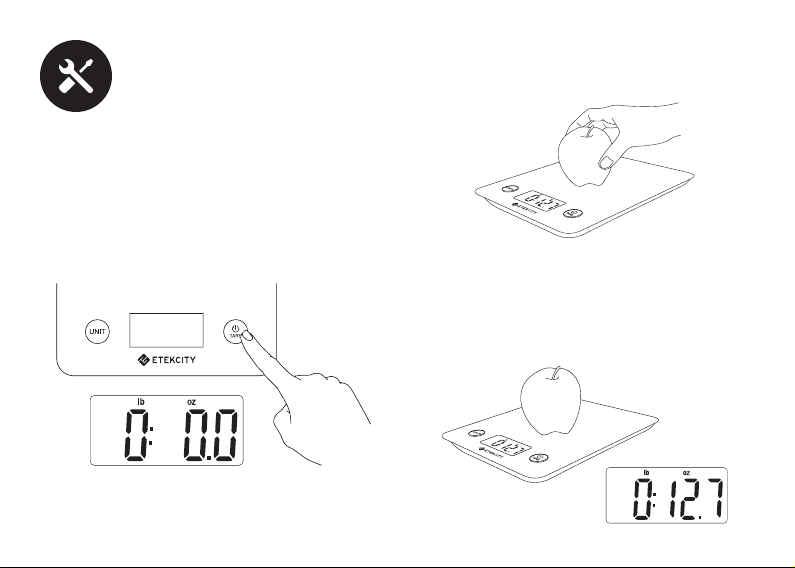
1. Place the scale on a flat and level hard
surface for measurement.
2. Press the power button to turn on the scale.
Wait until the screen displays zero before
measuring.
3. Place the object of measurement in the
center of the weighing platform.
4. Allow the scale to adjust to the weight
of the object for a few seconds before it
displays the final measured reading on the
LCD screen.
6
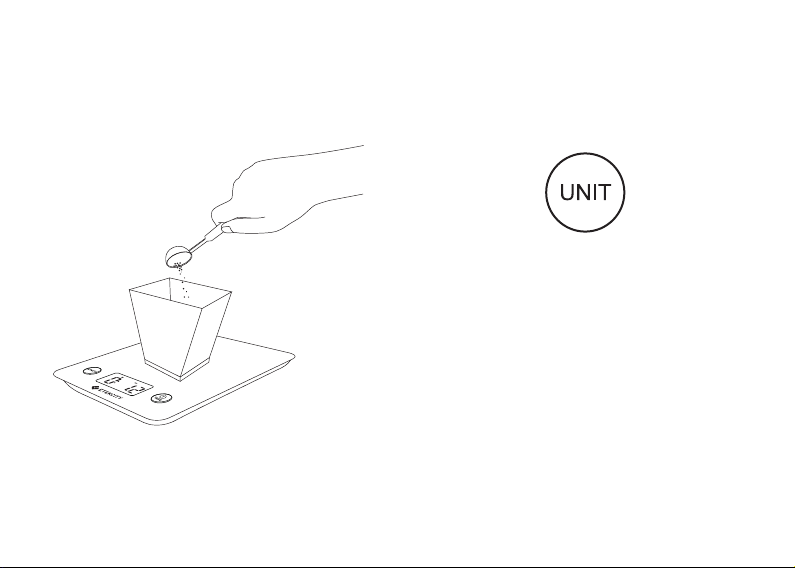
Zero / Tare Function
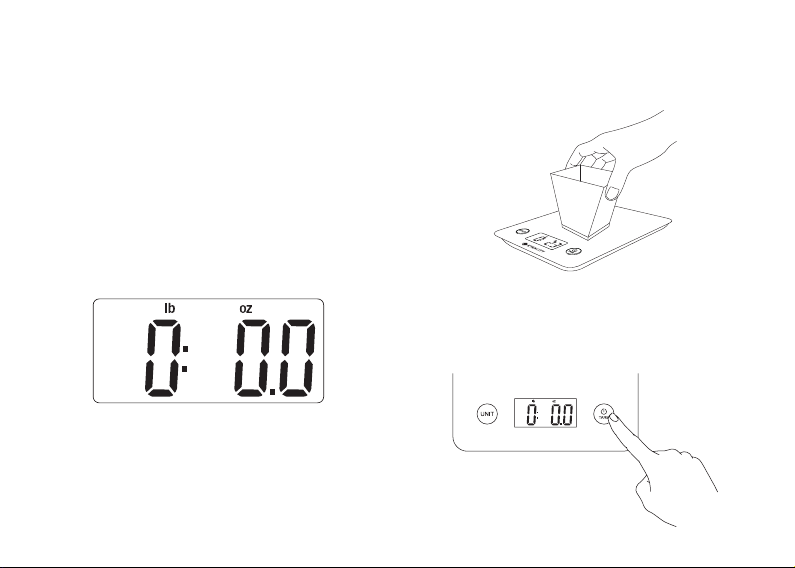
The tare function allows the user to deduct
the weight of a container from the total weight
in order to determine the net weight of the
contents excluding the weight of the container
which holds them.
1. Turn on the scale and wait for the screen to
display zero. If the screen does not display
zero automatically, press the ‘TARE’ button
to auto-adjust to zero.
3. Press the ‘TARE’ button to tare the current
weight of the object. The screen should now
display zero.
2. Place the desired object which is to be
excluded, in the center of the measuring
platform.
7
Unit Conversion
To change the unit of measurement, press the
‘UNIT’ button until the LCD display indicates
the desired unit of measurement.
Automatic Power Off
For battery power conservation, the scale will
automatically power off after 2 minutes of
inactivity.
Manual Power Off
Press and hold the power button to manually
turn off the digital scale at any time.
4. Place the desired item(s) to be weighed in
the center of the measuring platform or
within the tared container to calculate the
net weight of the desired item(s).
NOTE: To reset, remove all weight from the
platform and press the ‘TARE’ button.
NOTE: Do not use the volume measurement
modes for weight measurement.
8
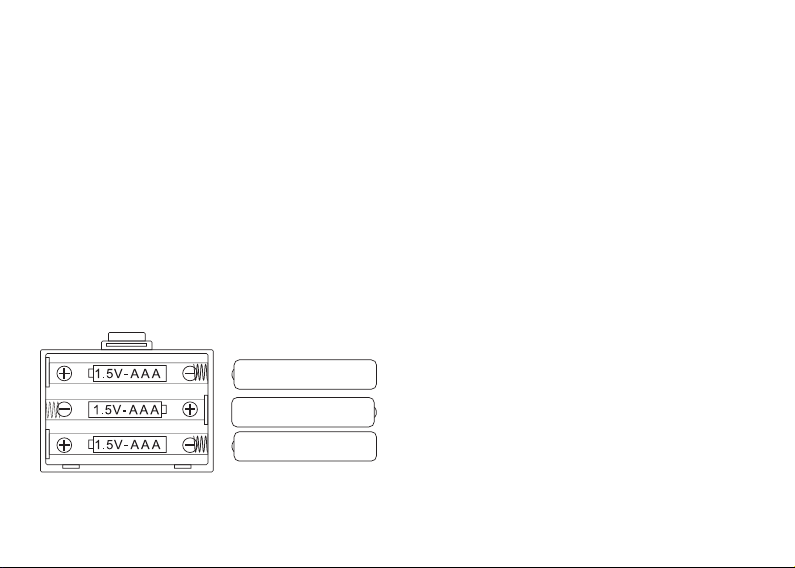
Battery Replacement
1. Open the battery compartment cover on the
backside of the scale.
2. Take out the used batteries and dispose
them properly.
3. Install new AAA 1.5V batteries, taking note
of the correct polarity displayed in the
battery compartment.
4. Reseal the battery compartment.

9
Package Contents
• Weight Capacity: 11 lb / 5kg
• Units: lb’oz / fl’oz / g / ml
• Division Value: 0.1 oz / 1g
• Auto-Off: 120 seconds
• Power: 3 x AAA 1.5V batteries
• Dimensions: 217mm x 187mm x 18mm
1 x Digital Kitchen Scale
1 x User Manual
3 x AAA 1.5V batteries (pre-installed)
Specifications
10
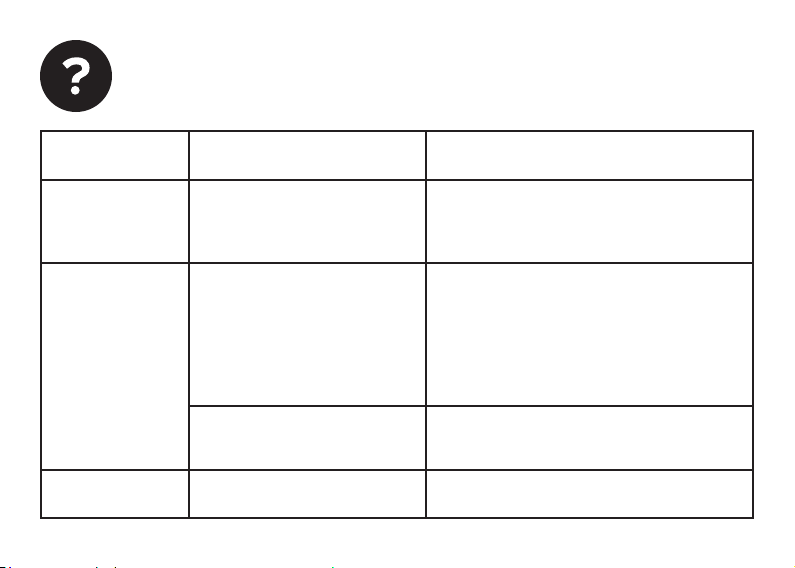
Troubleshooting
Error Message Reason Solution
“Err” Scale overload.
Maximum weight capacity:
11 lb (5kg).
Remove the object from the scale to
avoid damage.
“UnSr” Too much movement while
measuring weight.
Unstable surface.
Remove the weight from the scale
platform and turn off the scale. Turn on
the scale and wait for the LCD screen to
display ‘0.0’, then retry measurement.
Make sure not to move the scale during
measurement.
Move the scale to a flat, level and dry
surface.
Battery power is low. Install new batteries.
“Lo”

11
Customer Support
Should you encounter any issues or have any
questions regarding your new product, feel
free to contact our helpful Customer Support
Team. Your satisfaction is ours!
Etekcity Corporation
1202 N Miller Street, Suite A
Anaheim, CA 92806
Toll-Free: (855) 686-3835
Fax: (657) 202-1693
Local: (657) 500-1872
Email: support@etekcity.com
Live Chat: www.etekcity.com
Support Hours
Monday - Friday: 9:00am - 5:00pm PST
*Please have your order ID number ready
before contacting customer support.

12
Terms & Policy
Etekcity warrants all products to be of the highest quality in
material, craftsmanship and service for a minimum of 1 year,
effective from the date of purchase. Warranty lengths may
vary between product categories. For specific warranty terms,
please refer to your product listing page or product operation
manual.
Under the limited warranty, Etekcity will replace or refund any
parts found to be defective due to manufacturer flaws. This
warranty extends only to personal use and does not extend
to any product that has been used for commercial use, rental
use, or any other use in which the product is not intended for.
There are no warranties other than that expressly set forth
with each product.
This warranty is non-transferrable. Etekcity is not responsible
in any way for any damages, losses or inconveniences caused
by equipment failure or by user negligence, abuse, or use
noncompliant with the user manual or any additional safety,
use, or warnings included in the product packaging and
manual.
Etekcity and its subsidiaries assume no liability for damage
caused by the use of the product other than for its intended
use or as instructed above and within the user manual. Some
Warranty Information
states do not allow this exclusion or limitation of incidental
or consequential losses so the foregoing disclaimer may not
apply to you. This warranty gives you specific legal rights and
you may also have other rights which may vary from state to
state.
ALL EXPRESS AND IMPLIED WARRANTIES, INCLUDING THE
WARRANTY OF MERCHANTABILITY, ARE LIMITED TO THE
PERIOD OF THE LIMITED WARRANTY.
If your ETEKCITY product should require service:
Should your product prove defective within the specified
warranty period, please return the defective unit in its
original packaging with (1) an original copy of invoice, (2) your
warranty ID number, and (3) your order ID number.
Exceptions & Exclusions
• Damage due to abuse, accident, alteration, misuse,
tampering or vandalism.
• Improper or inadequate maintenance.
• Damage in return transit.
• Unsupervised use by children under 18 years of age.

13
Date of Purchase: ____________________
Place of Purchase: ____________________
Warranty ID: ____________________
Order ID: ____________________
To register your warranty or to make a claim,
please contact our helpful customer support
team at (855) 686-3835 or email support@
etekcity.com
Please keep this page for your records.
To receive a valid warranty ID number, sign
into your Etekcity customer account at www.
etekcity.com. At the top of the warranty page,
type in your order ID number located in your
order invoice to retrieve your warranty ID
number. Your warranty ID number will then be
sent to your email for your records. If deemed
defective, your product will be replaced or
refunded at no charge to you.

Scan here and join the community!
http://www.etekcity.com