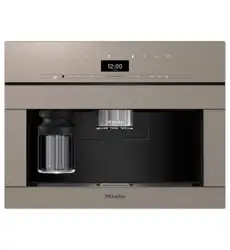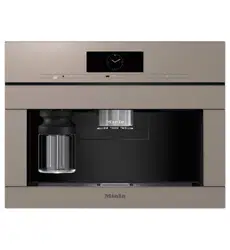
Operating and Installation Instructions
Built-in Coffee System
To prevent accidents and machine damage, you absolutely must read
these instructions before installation or use.
en – US, CA M.-Nr. 10 214 560

Contents
2
IMPORTANT SAFETY INSTRUCTIONS ................................................................ 5
Preparing your appliance for an extended vacation.............................................. 14
SAVE THESE INSTRUCTIONS .............................................................................. 14
Guide to the appliance ....................................................................................... 15
Front view .............................................................................................................. 15
Accessories ......................................................................................................... 17
Operation.............................................................................................................. 18
Touch display ........................................................................................................ 18
Operating actions.................................................................................................. 19
Symbols in the display .......................................................................................... 22
Before using for the first time ............................................................................ 23
Before using for the first time................................................................................ 23
Turning on for the first time ................................................................................... 23
Water hardness ..................................................................................................... 24
Filling the water tank........................................................................................... 26
Filling the coffee bean container ....................................................................... 27
Turning the machine On and Off ........................................................................ 28
Dispenser adjustment......................................................................................... 29
Preparing beverages ........................................................................................... 30
Making a coffee drink............................................................................................ 30
Double portion....................................................................................................... 31
Canceling preparation ........................................................................................... 31
Coffee pot: Preparing several cups of coffee one after the other ......................... 31
Making coffee drinks from ground coffee ............................................................. 32
Drinks with milk ..................................................................................................... 33
Preparing hot water ............................................................................................... 35
Preparing user profile drinks ................................................................................. 35
After a drink has been prepared............................................................................ 36
Coffee the way you like it ................................................................................... 37
Grinder setting....................................................................................................... 37
Changing the parameters of a drink...................................................................... 38
Amount of coffee................................................................................................... 38
Brewing temperature ............................................................................................. 39
Pre-brewing ground coffee.................................................................................... 39
Portion size .......................................................................................................... 40

Contents
3
Resetting drinks .................................................................................................. 41
User profiles......................................................................................................... 42
Accessing a user profile ........................................................................................ 42
Creating a profile ................................................................................................... 42
Selecting a user profile.......................................................................................... 42
Changing the name ............................................................................................... 42
Deleting a user profile............................................................................................ 42
Changing a user profile ......................................................................................... 43
User profiles: Creating and editing your own drinks ....................................... 44
Creating a drink..................................................................................................... 44
Changing drinks: Changing portion sizes, parameters and names ...................... 44
Deleting a drink ..................................................................................................... 44
MyMiele ................................................................................................................ 45
Settings ................................................................................................................ 46
Accessing the "Settings" menu............................................................................. 46
Changing and saving settings ............................................................................... 46
Setting options ...................................................................................................... 47
Language............................................................................................................... 49
Time of day............................................................................................................ 49
Date ....................................................................................................................... 49
Timer ..................................................................................................................... 50
Eco mode .............................................................................................................. 52
Lighting.................................................................................................................. 52
Start screen ........................................................................................................... 53
Info (displaying information) .................................................................................. 53
Locking the coffee system (System lock) ......................................................... 53
Water hardness ..................................................................................................... 54
Display brightness................................................................................................. 54
Volume................................................................................................................... 54
Dispenser adjustment ........................................................................................... 54
Factory default setting........................................................................................... 54
Showroom program (Demo mode)........................................................................ 54
Cleaning and care ............................................................................................... 56
Overview................................................................................................................ 56
Clean by hand or in dishwasher............................................................................ 57
Drip tray................................................................................................................. 59
Drip tray cover....................................................................................................... 60
Water tank ............................................................................................................. 60
Waste unit.............................................................................................................. 61

Contents
4
Main dispenser...................................................................................................... 61
Sensor cover ......................................................................................................... 64
Maintenance of the milk valve............................................................................... 64
Milk flask with lid ................................................................................................... 65
Bean container ...................................................................................................... 66
Interior and machine front ..................................................................................... 67
Main dispenser connector..................................................................................... 67
Brew unit ............................................................................................................... 68
Remove the brew unit and wash by hand........................................................ 68
Care programs....................................................................................................... 69
Accessing the "Maintenance" menu ................................................................ 69
Rinsing the coffee system ..................................................................................... 70
Rinsing the milk pipework ..................................................................................... 70
Cleaning the milk pipework ................................................................................... 71
Degreasing the brew unit ...................................................................................... 72
Descaling the machine ....................................................................................... 74
Frequently Asked Questions .............................................................................. 77
Messages in the display........................................................................................ 77
Unusual performance of the coffee system .......................................................... 80
Unsatisfactory results............................................................................................ 85
Problems when preparing milk.............................................................................. 87
Exchanging the elbow connector.......................................................................... 88
Technical Service................................................................................................. 90
Saving energy ...................................................................................................... 91
Packaging material / Disposal of old machine ................................................ 92
Electrical connection .......................................................................................... 93
Installation............................................................................................................ 94
Installation and combination options .................................................................... 94
Ventilation.............................................................................................................. 96
Installing the coffee system................................................................................... 97
Adjusting the door hinges ..................................................................................... 98
Copyright and licenses ....................................................................................... 99
IMPORTANT SAFETY INSTRUCTIONS
5
Please read these instructions carefully to prevent accidents and
machine damage.
This appliance complies with current safety requirements. Im-
proper use of the appliance can cause personal injury and material
damage. Read this safety information carefully before operating
the appliance.
They contain important information on the safe installation, opera-
tion, and care of your coffee system. To avoid the risk of personal
injury or damage to the coffee system, it is important that you
carefully read the instructions. Miele cannot be held liable for dam-
age caused by non-compliance with these IMPORTANT SAFETY
INSTRUCTIONS.
Keep these instructions in a safe place and pass the on to any fu-
ture user.

IMPORTANT SAFETY INSTRUCTIONS
6
Intended use
Use this coffee system only in standard household environments
for making coffee beverages such as espresso, cappuccino, latte
macchiato, etc. Any other type of use is not permitted.
The coffee system is not suitable for outdoor use.
The machine is intended only for the preparation of coffee-based
drinks such as espresso, cappuccino, latte macchiato etc. Any other
usage is not supported.
Persons which lack physical, sensory or mental abilities or experi-
ence with the machine should not use it without supervision or in-
struction by a responsible person.
IMPORTANT SAFETY INSTRUCTIONS
7
Safety with children
Caution! Danger of burning and scalding on the dispensing
dispensers.
Children's skin is far more sensitive to high temperatures than that
of adults.
Ensure children do not touch hot surfaces of the coffee system or
place parts of their body under the dispensing dispensers.
Keep the coffee system out of reach of children.
Children must be kept away from the machine unless they are
constantly supervised.
Children should be supervised when they are near the coffee sys-
tem. Do not allow them to play with it or to use the controls.
Children must not be allowed to clean the coffee system unsuper-
vised.
Remember that coffee and espresso are not suitable drinks for
children.
Danger of suffocation!
Keep children away from any packing material.

IMPORTANT SAFETY INSTRUCTIONS
8
Technical safety
Installation and repairs may only be carried out by a Miele-autho-
rized service technician. Installation, repairs and other work by un-
qualified persons can cause considerable danger to users.
A damaged coffee system could be dangerous. Before building in
the machine, check it for any externally visible damage. Do not use a
damaged machine.
Before connecting the coffee system, check the voltage and fre-
quency indicated on the data plate against the voltage and fre-
quency of the household electrical supply.
This data must correspond in order to prevent damage to the coffee
system. If in doubt, consult a qualified electrician.
Be certain your appliance is properly installed and grounded by a
qualified technician. To guarantee the electrical safety of this appli-
ance, continuity must exist between the appliance and an effective
grounding system. It is imperative that this basic safety requirement
be met. If there is any doubt, have the electrical system of the house
checked by a qualified electrician.
Reliable and safe operation of the coffee system can only be guar-
anteed if it is connected to the electrical supply.
Do not connect the machine to the electrical supply using an ex-
tension cord or power bar.
The coffee system may not be used in mobile installations such as
ships.
For safety reasons, this machine may only be used when it has
been built in.
If the coffee system is to be built in above another appliance,
there must be a full-width, closed shelf between them.
Only use the coffee system in rooms where the ambient tempera-
ture is between +50°F (10°C) and +100°F (38°C).

IMPORTANT SAFETY INSTRUCTIONS
9
Do not cover or block the aeration and ventilation cross-sections.
Condensation water can damage the coffee system or surrounding
cabinets.
Ensure that there is sufficient ventilation around the coffee sys-
tem.
The ventilation gaps in the housing unit and the gap between the top
of the housing unit and the ceiling must be at least 78 3/4" (200cm
2
).
Otherwise condensation can build up and damage the machine or
the housing unit.
If the coffee system is installed behind a cabinet door, it may only
be used with the door open. This will prevent the formation of heat
and humidity and subsequent damage to the appliance and/or hous-
ing unit. Do not close the cabinet door while the coffee system is in
use. Ensure the coffee system has cooled down completely before
closing the door.
Repair work should only be performed by a Miele-authorized ser-
vice technician. Repairs by unqualified persons can cause consider-
able danger to users.
For repairs, the coffee system must be disconnected from the
electrical power supply.
The coffee system is only disconnected from the power supply if
– the circuit breaker has been tripped, or
– the fuse is removed, or
– the power cord is disconnected from the power supply.
Pull the plug, not the cord, to disconnect the appliance from the
power supply.
Repairs must only be performed by a trained technician in accor-
dance with national and local safety regulations. Repairs and other
work by unauthorized persons could be dangerous and may void the
warranty.

IMPORTANT SAFETY INSTRUCTIONS
10
Defective components should be replaced by Miele original parts
only. Only with original Miele parts can the manufacturer guarantee
the safety of the appliance.
Never open the outer casing of the machine. Tampering with elec-
trical connections or components and mechanical parts is highly
dangerous to the user and can cause operational faults or electric
shock.
Use only genuine original Miele parts. If parts or accessories from
other manufacturers are used, the warranty may become void.
The use of accessory attachements not recommended by Miele may
result in fire, electric shock or injury to persons.
IMPORTANT SAFETY INSTRUCTIONS
11
Proper use
Danger of burning and scalding from the dispensers.
The liquids and steam dispensed are very hot.
Please note:
– Keep away from the area underneath the dispensers when hot liq-
uids and steam are being dispensed.
– Do not touch hot components.
– Hot liquid or steam could spatter from the dispensers. Ensure that
the main dispenser is clean and fitted correctly.
– Water in the drip tray can also be very hot. Take care when emp-
tying it.
Never look directly at the lighting or use optical instruments to
look at it.
Please note the following regarding water:
– Fill the water tank only with fresh, cold tap water. Hot or warm
water or other liquids could damage the coffee system.
– Change the water every day to prevent a build-up of bacteria.
– Do not use mineral water. Mineral water will cause lime scale de-
posits to build up in your machine and damage it.
– Do not use water from a reverse osmosis unit in this machine.
This would damage it.
Only fill the bean container with roasted espresso or coffee beans.
Do not fill the bean container with coffee beans that have been
treated or with ground coffee.
Do not fill liquids in the bean container.

IMPORTANT SAFETY INSTRUCTIONS
12
Do not use green (unroasted) coffee beans or mixtures of coffee
beans which contain green coffee beans. Green coffee beans are
very hard and still contain a certain amount of residual moisture.
These can damage the coffee system grinder as soon as grinding
begins.
Do not use coffee beans that have been treated with caramel,
sugar or other substances. Sugar will damage the coffee system.
Only add ground coffee or cleaning tablets to the ground coffee
chute.
Do not use any caramelized ground coffee. The sugar in the cof-
fee will stick to and block the brew unit of the coffee system. The
cleaning tablets for degreasing the brew unit will not remove this
type of deposit.
Only use plain milk. Most sugary additives can clog the milk lines.
and damage the machine.
If using dairy milk make sure that it has been pasteurized.
Do not place any alcohol mixtures which are alight underneath the
main dispenser. The flames could ignite plastic components and
cause them to melt.
Do not swing from or hang anything on the machine front when it
is open as this could damage the hinges of the machine.
The main dispenser connector cap is lubricated with silicone
grease. Take care not to get this on your clothes when removing or
replacing the containers or other components.
Do not use the coffee system to clean objects.

IMPORTANT SAFETY INSTRUCTIONS
13
Cleaning and care
The coffee system must be disconnected from the electrical sup-
ply before cleaning or maintenance.
Clean the coffee system and the milk flask thoroughly before us-
ing for the first time (see "Cleaning and care").
All parts of the milk system need to be cleaned thoroughly and
regularly.
Do not use a steam cleaner to clean this machine. Steam could
reach electrical components and cause a short circuit.
Descale the coffee system regularly depending on the water hard-
ness level in your area. Descale the machine more frequently in areas
with very hard water. Miele cannot be held liable for damage arising
from insufficient descaling, the use of incorrect descaling agent or
the use of descaling agent that is not of the appropriate concentra-
tion.
Degrease the brew unit regularly with Miele cleaning tablets. De-
pending on the natural oil content of the coffee used, the brew unit
can become blocked quite quickly.
Rinsing coffee grounds down the drain can cause the sink to clog.
Instead, dispose of your coffee grounds appropriately as biodegrad-
able waste (where facilities exist) or by composting.

IMPORTANT SAFETY INSTRUCTIONS
14
For machines with stainless steel surfaces:
Do not use sticky notes, transparent adhesive tape, masking tape
or other types of adhesive on stainless steel surfaces. These dam-
age the surface, causing it to lose its dirt repellent protective coating.
The finish on stainless steel surfaces is susceptible to scratching.
Even magnets can cause scratching.
Preparing your appliance for an extended vacation
If you elect to turn off the water to your home for an extended pe-
riod of time, please note that this may not be enough to reduce the
risk of a leak. To be completely safe, you must turn off the water
supply to each individual appliance. This means under the sink for a
dishwasher, at the laundry bib for your washer, etc.
SAVE THESE INSTRUCTIONS
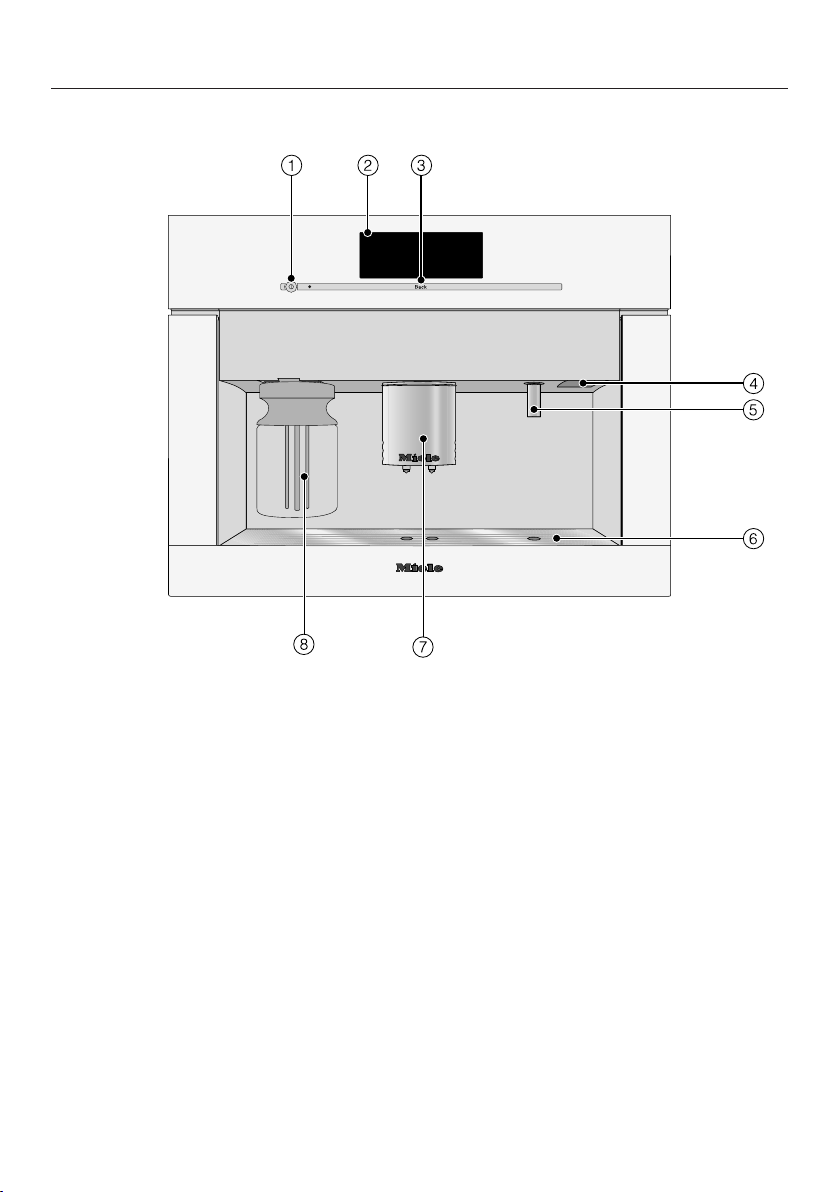
Guide to the appliance
15
Front view
a
On / Off button
b
Touch display
c
Back sensor button
d
Door handle
e
Hot water dispenser
f
Drip tray cover
g
Main dispenser, with automatic height-adjustment and lighting
h
Milk flask with lid
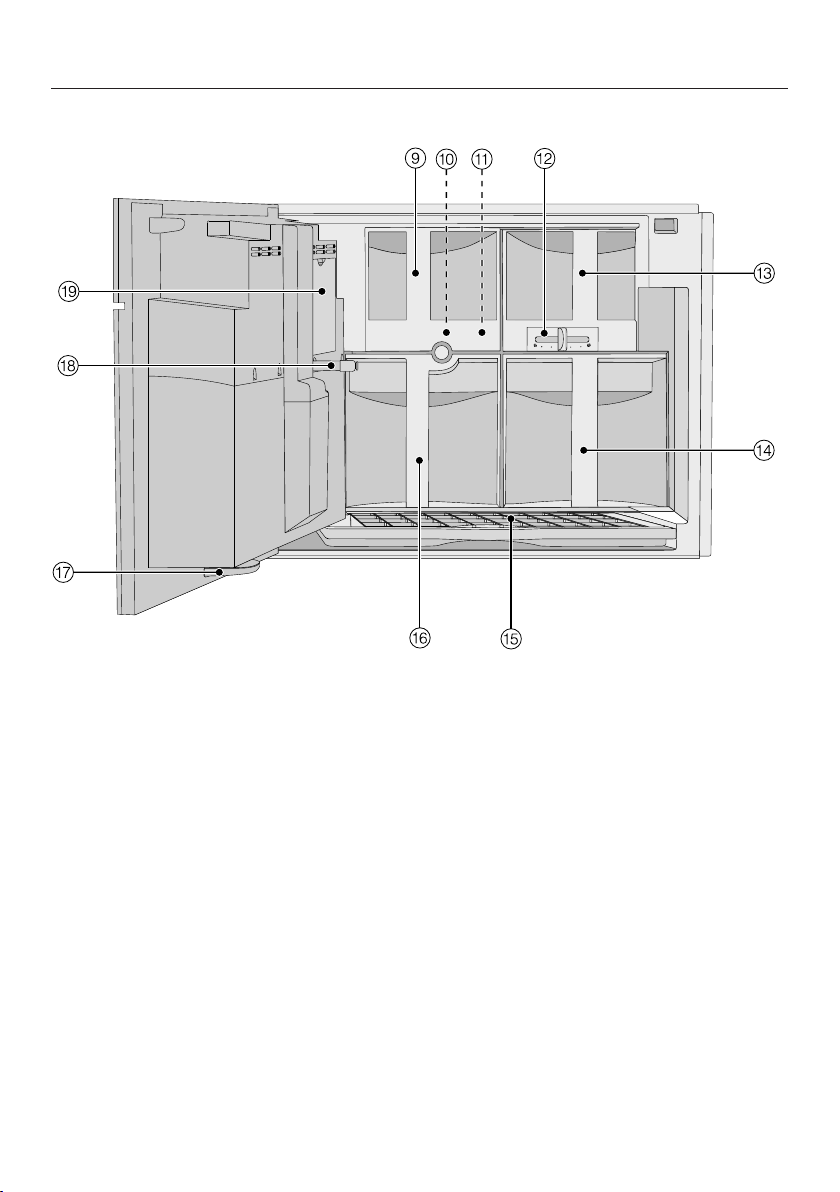
Guide to the appliance
16
Interior view
i
Ground coffee chute cover
j
Brew unit
k
Ground coffee chute
l
Grind control lever
m
Coffee bean container
n
Water tank
o
Drip tray with no-spill grid
p
Waste unit
q
Drip catcher
r
Main dispenser connector
s
Service cover

Accessories
17
Additional accessories are available.
Contact Miele or visit the Miele website
for more information. These products
and other useful accessories can be or-
dered via the Miele website.
Miele online shop:
mielestore.com
Included accessories
– Measuring scoop
For ground coffee
– Milk flask with lid
For storing milk and preparing drinks
with milk
– Compact lid
For storing the milk flask in the refrig-
erator
– Cleaning agent for milk pipework
For cleaning the milk system (starter
set)
– 2 cleaning containers (large and
small)
For cleaning and maintenance of the
machine
– Descaling tablets
For descaling the water pipework
(starter set)
– Cleaning tablets
For degreasing the brew unit
(starter set)
– Test strips
For determining the water hardness
level
– Silicone grease
For lubricating the seal on the main
dispenser connector
– Cleaning brush
For cleaning the milk pipework
– Main dispenser connector cap
Spare part
– Milk pipework elbow connector
Spare part
Optional accessories
Miele also offers a range of optional ac-
cessories, as well as cleaning and con-
ditioning products for your coffee sys-
tem.
– Milk flask with lid
For storing milk and preparing drinks
with milk
– Cleaning agent for milk pipework
for cleaning the milk system
– Descaling tablets
for descaling the water pipework
– Cleaning tablets
for degreasing the brew unit
– Silicone grease
For lubricating the seal on the main
dispenser connector
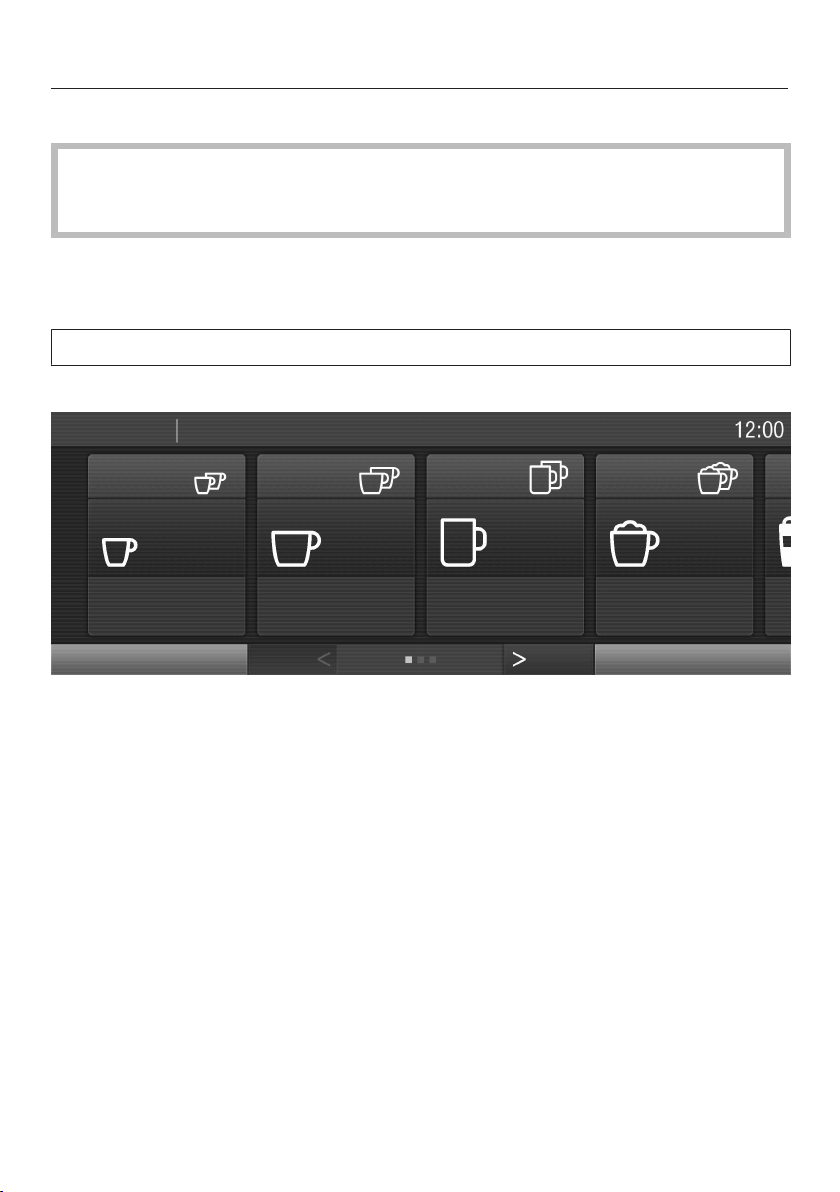
Operation
18
Touch display
The touch display can be scratched by pointed or sharp objects, e.g. pens and
pencils.
Only touch the touch display with your fingers.
Touching the display with your finger emits a small electrical charge which in turn
triggers an electrical pulse that is detected by the surface of the touch display. The
touch display does not react when you touch it with objects.
If your fingers are cold, the touch display may not react.
The touch display is divided into three areas.
Espresso
Coffee
Lungo Coffee
Cappuccino
Latte Macchiato
Edit Profiles
DrinksMain Menu
The top row shows you where you are, with the menu you are in highlighted in
white. You can call the respective menu by tapping the desired menu name. The
time of day is shown at the right.
The middle section shows the current menu and menu items. You can scroll to the
right or left by swiping your finger across the display.
The and arrows at the bottom of the screen are used for scrolling to the left or
right.
The number of small squares between the arrows indicates the number of pages
available and your position within the current menu.
Operation
19
Operating actions
Each time you tap a possible option, the relevant field will light up orange.
To select or open a menu
Tap the desired field to select it.
Scrolling
You can scroll to the right or the left. Some menu options allow you to scroll up
and down too.
Swipe the screen, i.e. place your finger on the touch display and swipe it in the
direction you want.
Or:
Tap the or arrows to scroll to the left or to the right in the display.
Exiting a menu ("Back" sensor button)
Tap Back to go to the previous screen.
All selected entries which have not been confirmed with OK will not be saved.
Tapping Back three times in succession will take you to the drinks menu.
In the Profiles menu, tap Back to return to the beginning step by step.
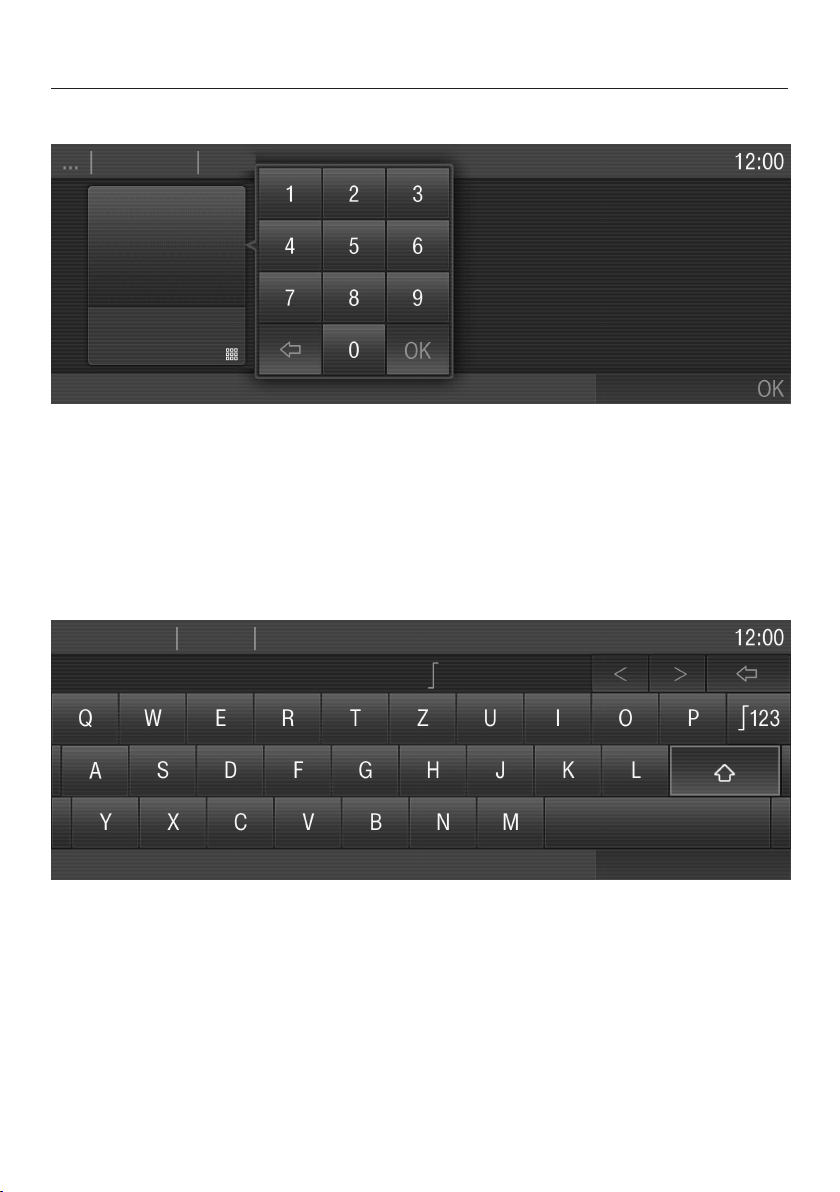
Entering numbers
You can enter numbers by swiping and touching the roller or via the numerical key-
pad.
Wait until the roller goes gray again. The entered setting will not be saved until it
goes gray.
Tap "Settings" .
Operation
20
The numerical keypad will appear.
Tap the desired numbers.
Once you have entered an accepted value, OK will light up green.
Tap OK.
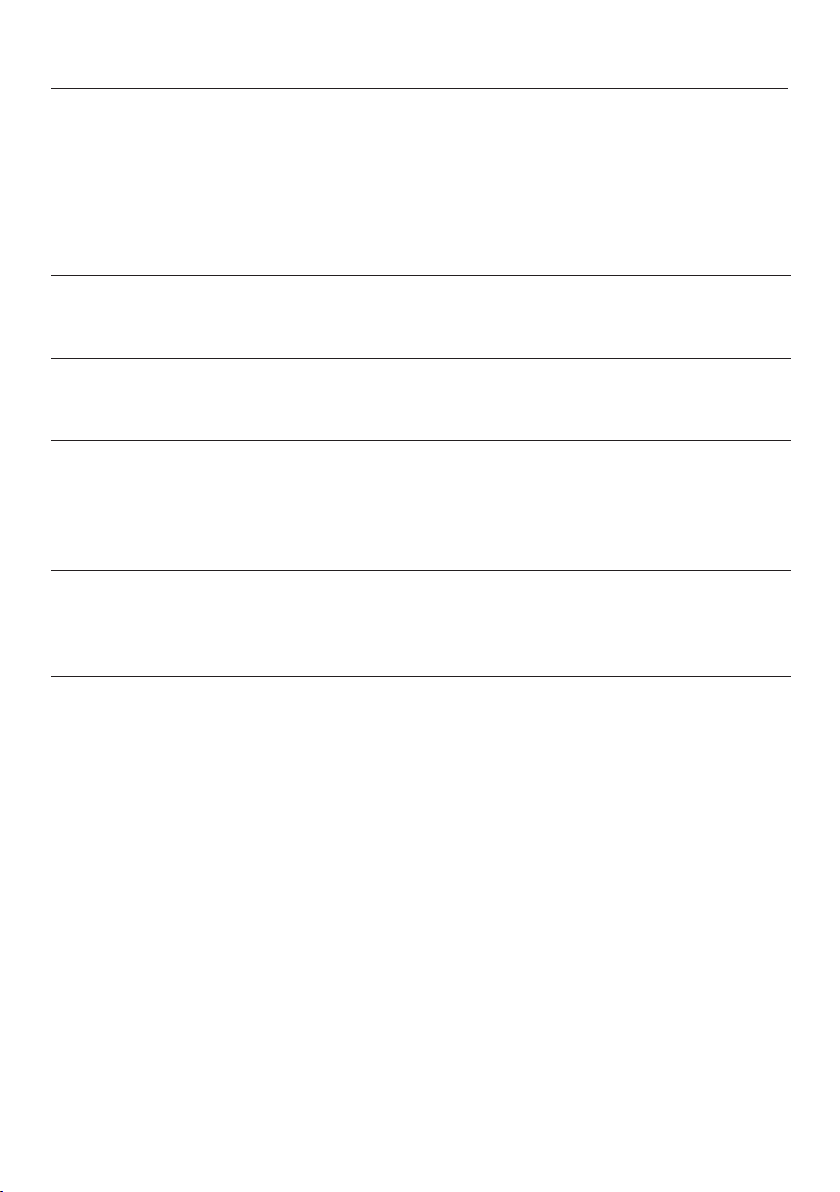
Entering letters
Profile names or the names for your own drinks are entered using a keyboard. It is
best to select short names.
Select the required letters or characters.
Tap Save.

Operation
21
Help
When maintenance programs are selected, a context help appears in the bottom
line Help.
To display the information with images and text,
tap Help.
To return to the maintenance program,
tap Close.
Operation
22
Symbols in the display
The following symbols can appear in addition to the text and the drinks symbols:
Symbol Description
Settings, e.g., the brightness of the display or the volume of
the buzzer and keypad tones, are selected via a bar chart.
This indicates information and instructions about operating
the coffee system.
Confirm the messages with OK.
The system lock is active (see "Settings – Locking the coffee
system (System lock ): The coffee system cannot be oper-
ated.
The timer Turn on at is activated (see "Settings – Timer"). The
symbol and desired switching-on time will appear in the dis-
play 23:59 hours before the coffee system is due to switch
on as long as On or Night Dimming is selected for the time
display.
This appears while Clean the milk pipework is visible in the dis-
play.
(The symbol can also be found on the water tank: fill up to
this mark.)
This appears while Descaling is visible in the display.
(The symbol can also be found on the water tank: fill up to
this mark.)
Before using for the first time
23
Before using the coffee system for
the first time, please read these in-
structions and make yourself familiar
with the appliance and its controls.
Before using for the first time
Install the coffee system and connect
it to the electrical supply (see "Electri-
cal connection" and "Installation").
Remove any protective coverings
from the front of the machine.
Clean the appliance thoroughly be-
fore filling it with water and coffee
beans (see "Cleaning and care").
Turning on for the first time
When the coffee system is switched on
for the first time, you will be asked to
set the following settings:
– Language and country
– Date
– Time of day
– Display (time of day)
Tap the On / Off button .
Miele - Willkommen appears briefly in the
display.
Setting the language
Select the language and then tapOK.
Select the country and then tapOK.
The setting is now saved.
Setting the date
Enter the current date and tap OK.
The setting is now saved.
Setting the time of day
Enter the current time of day and tap
OK.
The setting is now saved.
Display
You can choose from the following op-
tions:
– On: The time and date are always vis-
ible in the display when the appliance
is turned off.
– Off: The display is dark when the ap-
pliance is turned off.
– Night Dimming: The date and time of
day is displayed from 5:00 am to
11:00 pm.
Tap the desired time display and
thenOK.
The coffee system will use more en-
ergy depending on the option you
choose for the display. Information
about this will appear in the display.
Before using for the first time
24
The coffee system is now successfully
set up for use.
Fill the water reservoir with cold, fresh
tap water.
Water hardness
The water hardness level indicates how
much calcium is dissolved in the water.
The higher the calcium content, the
harder the water, and the harder the
water, the more often the coffee system
will need to be descaled.
The coffee system measures the
amount of water used and steam made.
Depending on the level of water hard-
ness set, more or fewer drinks can be
dispensed before the appliance needs
to be descaled.
Program the coffee system to the water
hardness level of your area so that it
functions correctly and does not get
damaged. At the correct time a prompt
will then appear in the display to
descale the appliance.
You can program four hardness levels
on the appliance:
Water hardness Water
hardness
level in
your area
Setting
(water hard-
ness level)
0 - 8.7 gr/gal
(0 - 8.4°dH)
Soft Soft 1
8.7 - 14.6 gr/gal
(8.4 - 14°dH)
Medium Medium 2
14.6 - 21.9 gr/gal
(14 - 21°dH)
Hard Hard 3
> 21.9 gr/gal
(21°dH)
Hard Very hard 4
The appliance is programmed ex-works
to hardness level 3.
Before using for the first time
25
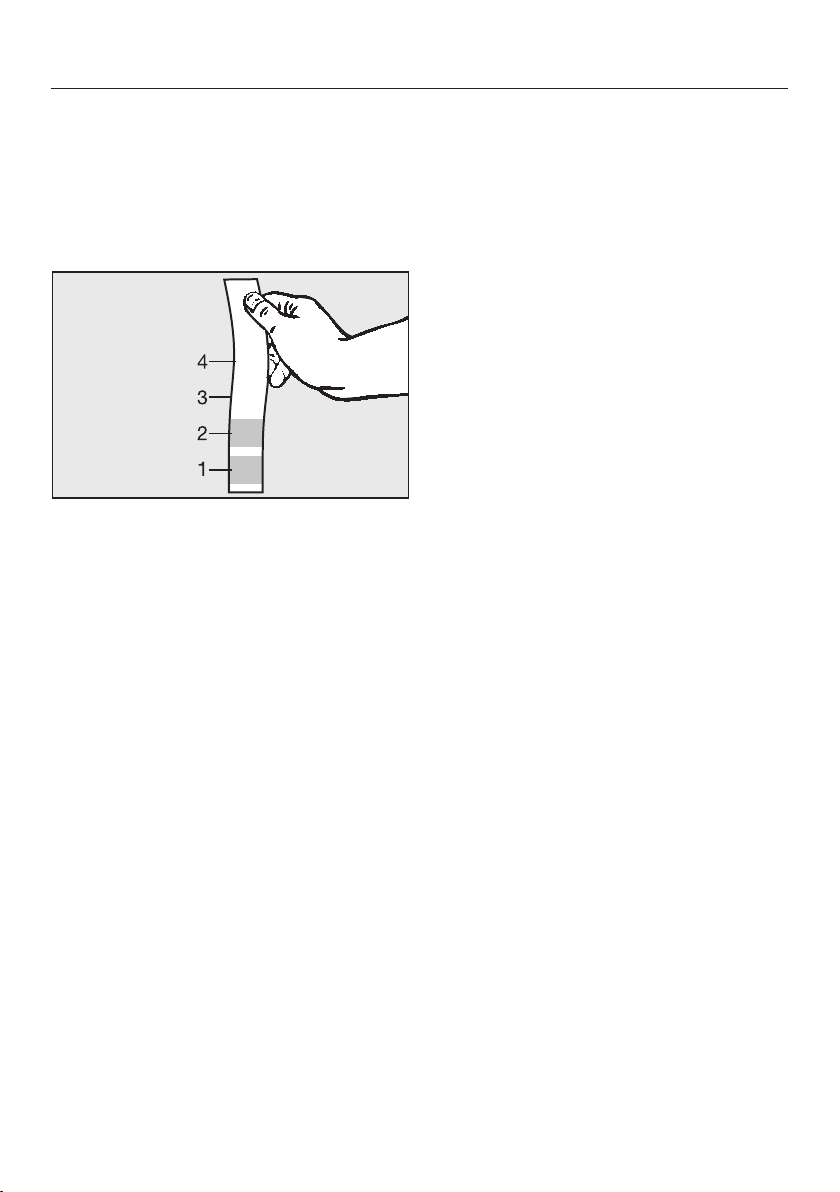
Determining the water hardness
You can measure the water hardness
yourself using the enclosed test strip.
Alternatively, your local water authority
will be able to tell you the hardness of
water in your area.
Dip the test strip in your drinking wa-
ter for approximatelyonesecond,
then shake off any excess water. The
result will be evident after about
aminute.
Setting the water hardness level
Tap Settings.
Swipe across the screen until Water
Hardness appears and tap the menu
option.
Select the desired hardness level and
then tapOK.
The setting is now saved.
Filling the water tank
26
Change the water every day to
prevent a build-up of bacteria.
Only use cold, fresh tap water to fill
the water tank.
Hot or warm water or other liquids
can damage the coffee system.
Do not use mineral water. Mineral
water will cause serious limescale
deposits to build up in your machine
and damage it.
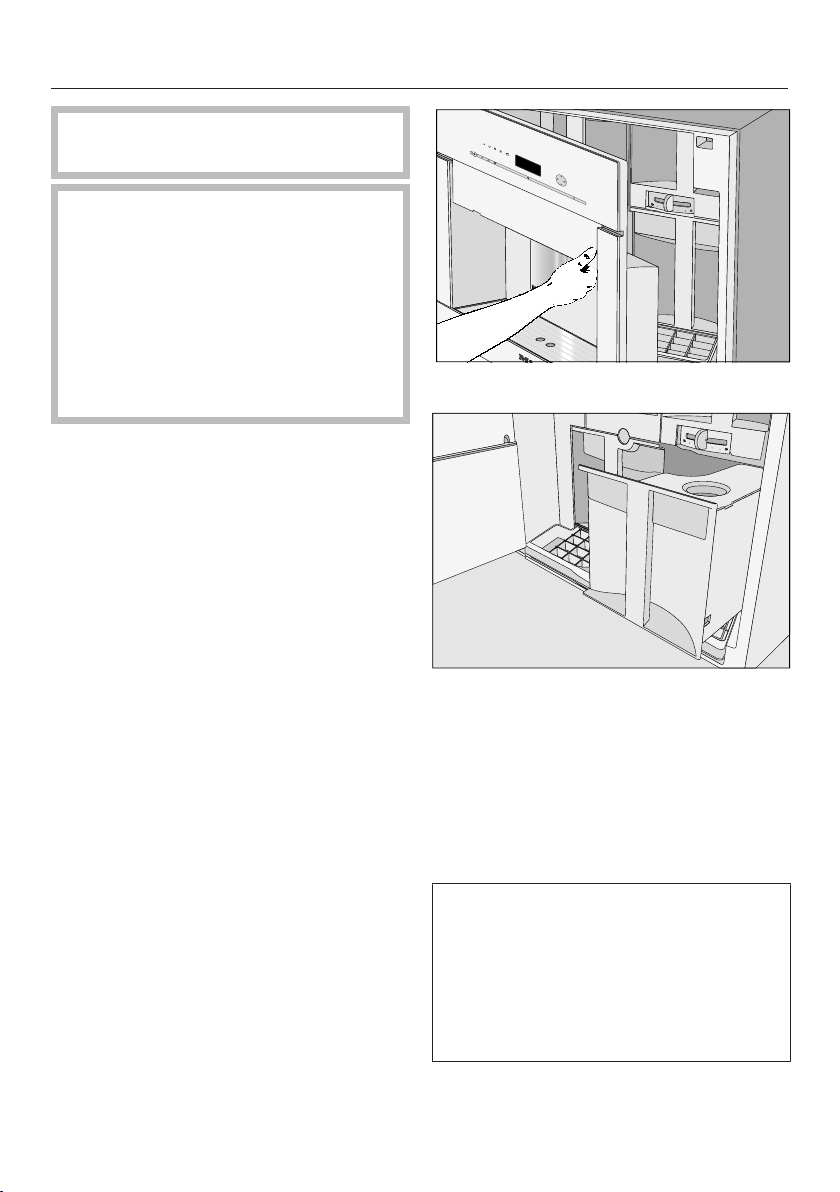
Open the appliance door.
Pull the water tank forwards to re-
move it.
Take off the lid and fill the water tank
with fresh, cold tap water up to the
"max." mark.
Push the water tank back in the ma-
chine until it clicks into place.
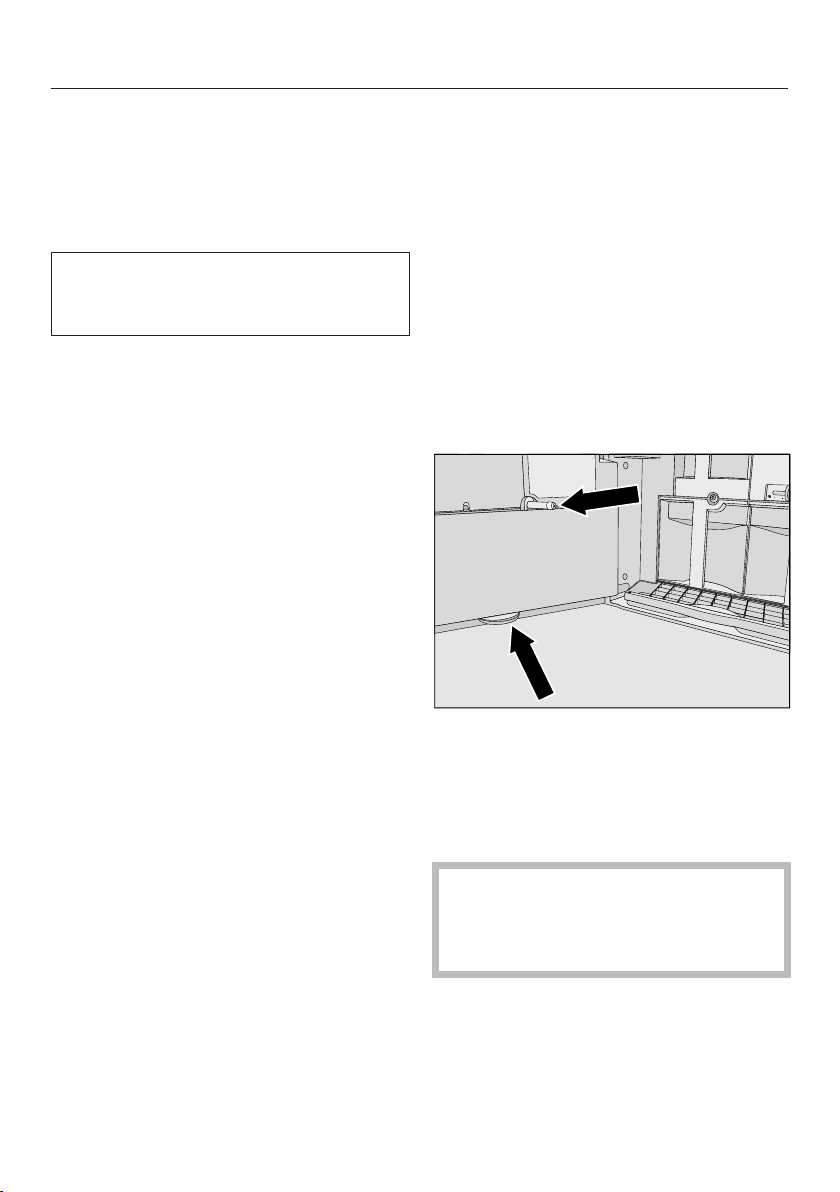
If the water tank protrudes slightly or
is a little high, check whether the sur-
face that the water tank sits on is dirty.
If the water tank is not positioned cor-
rectly, the outlet valve will not connect
properly and could leak. Clean the
surface, if necessary.
Filling the coffee bean container
27
Fill the coffee bean container with
roasted coffee or espresso beans if you
want to use freshly ground coffee beans
for each cup of espresso or coffee.
Alternatively, you can make coffee or
espresso with ground coffee (see "Mak-
ing coffee drinks from ground coffee").
Important! Risk of damage to the
grinder.
Only put roasted coffee or espresso
beans in the container. Anything
else, including ground coffee, will
damage the grinder.
Do not pour liquids in the bean con-
tainer.
Important! Sugar damages the coffee
system.
Do not use coffee beans that have
been treated with sugar, caramel, or
other substances containing sugar in
the coffee bean container.
Do not use green (unroasted) coffee
beans or mixtures of coffee beans
which contain green coffee beans.
Green coffee beans are very hard
and still contain a certain amount of
residual moisture. These can dam-
age the coffee system grinder as
soon as grinding begins.
Tip: You can use a nut or seed grinder
to grind green coffee beans. These
types of grinder generally have a rotat-
ing stainless steel blade. You can then
add the ground green coffee portion by
portion to the ground coffee chute and
make the desired coffee drink (see
"Making coffee drinks from ground cof-
fee").
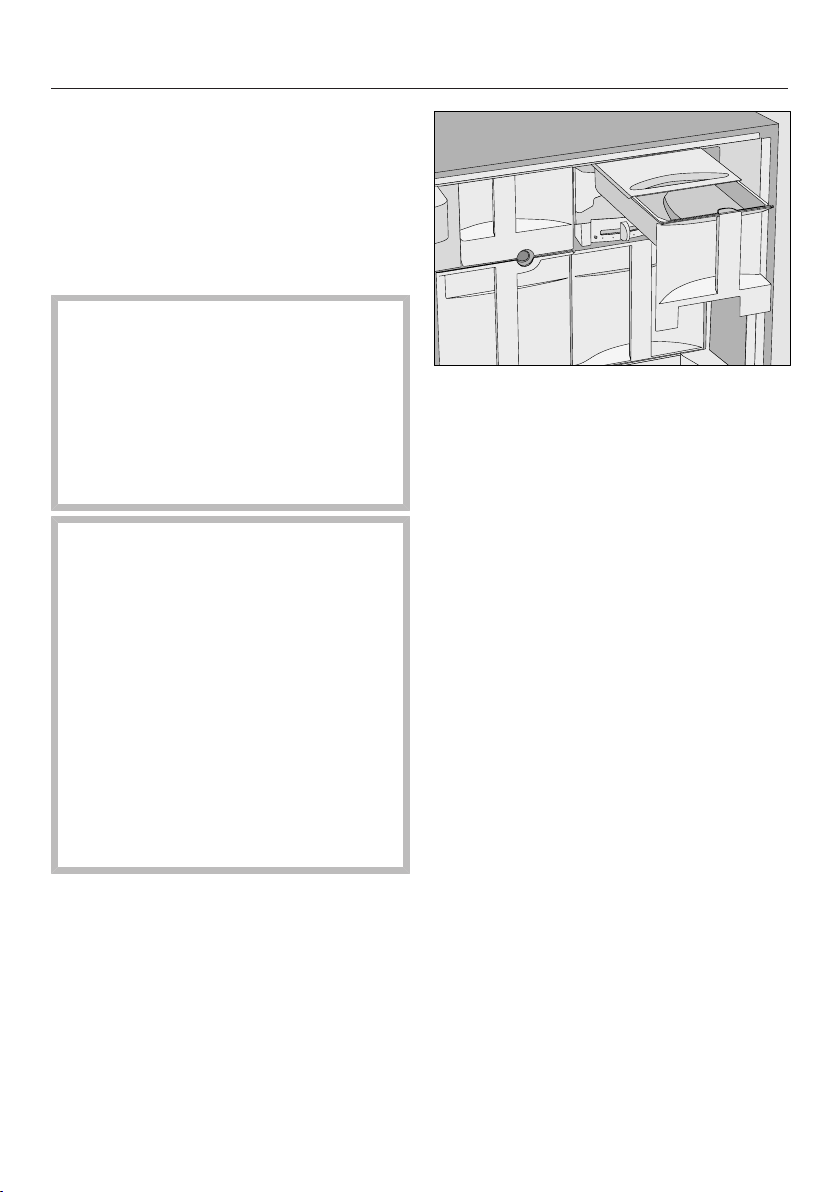
Pull out the coffee bean container.
Push back the lid and fill the con-
tainer with roasted coffee beans.
Slide the lid back into place.
Push the coffee bean container fully
back into the coffee system. Close
the front.
Turning the machine On and Off
28
Turning on
When the coffee system is switched on,
it heats up and rinses the pipework.
This not only cleans the pipework, but
also warms it before coffee is prepared.
If the coffee system still has an operat-
ing temperature higher than 140°F
(60°C), rinsing will not take place.
Tap the On / Off button .
The appliance will begin rinsing after
the heating-up phase. Hot water will
come out of the main dispenser.
You can now prepare drinks.
Tip: If you do not want the water from
the rinsing process to flow into the drip
tray, place a suitable container (e.g., the
small cleaning container) underneath
the main dispenser before preparing the
first coffee of the day.
Turning off
Tap the On / Off button .
After a coffee has been dispensed, the
machine pipework is rinsed before the
machine switches off.
Turning off for longer periods
of time
If the coffee system is not going to be
used for a longer period of time:
Empty the drip tray, the waste unit
and the water tank.
Clean all components thoroughly, in-
cluding the brew unit, the main dis-
penser connector and the small drip
tray located inside the door.
Turn off the appliance.
If you leave the door open for an ex-
tended period of time, unplug or dis-
connect it from the power supply to
save energy.
Dispenser adjustment
29
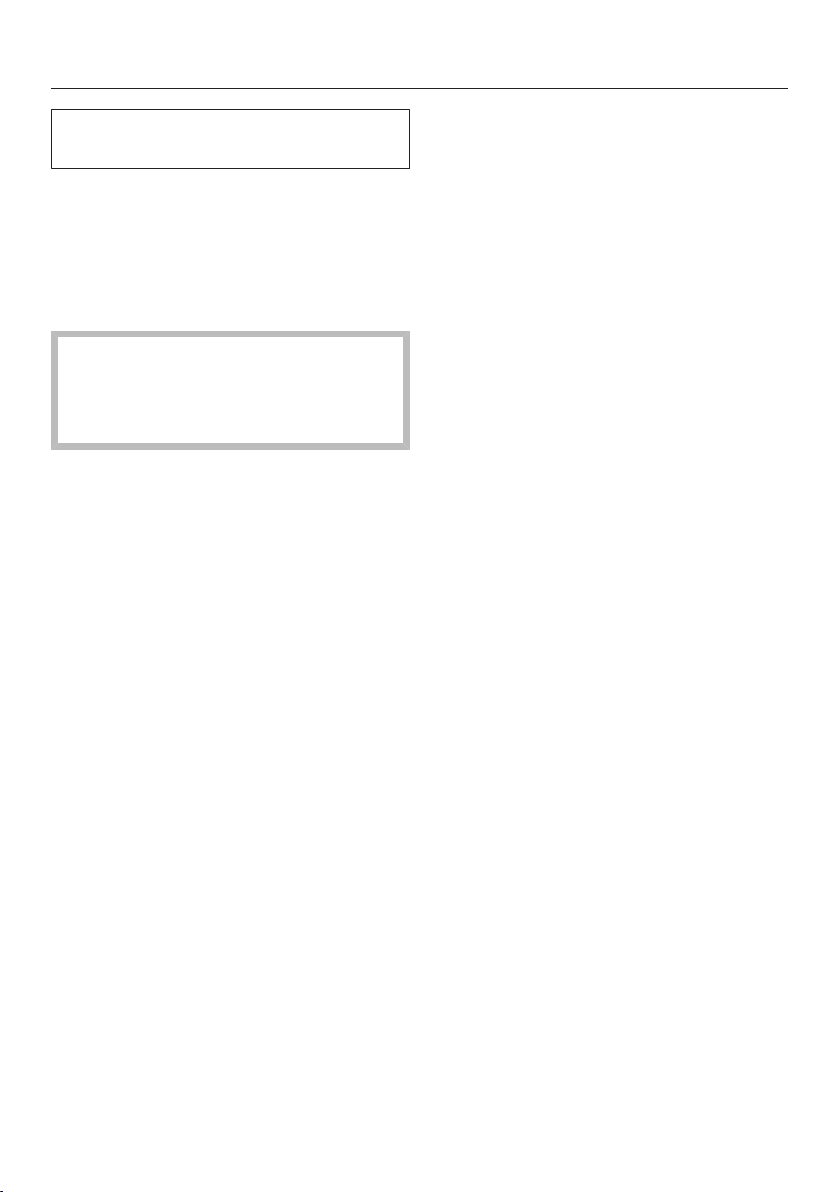
The height of the main dispenser can-
not be manually adjusted.
The coffee system automatically de-
tects the height of the cup or glass un-
derneath the main dispenser. When a
drink is requested, the main dispenser
moves into the correct position before
the drink is prepared.
Make sure that you do not leave a
spoon or other utensil in the cup
as the height of the cup will be incor-
rectly determined.
Height adjustment can be turned off. If
it is switched off, the main dispenser
will remain in the highest position as
long as the coffee system is turned on.
When maintenance programs are being
carried out, the main dispenser moves
to a maintenance position or changes
position according to the height of the
vessel being used.
When the coffee system is turned off,
the main dispenser is located at a
medium height.
Turning the dispenser adjust-
ment on and off
TheDrinks menu is displayed.
Tap Main Menu or Back.
Tap Settings.
Swipe across the screen and select
Dispenser adjustment.
Tap the required setting to turn dis-
penser adjustment on or off.
Tap OK.
The setting is now saved.
Preparing beverages
30
Danger of burning and scalding
from the dispensers.
The liquids and steam dispensed are
very hot.
Keep away from the area underneath
the dispensers when hot liquids and
steam are being dispensed.
Do not touch hot components.
You can choose from a variety of spe-
cialty coffees:
– Espresso is a strong, aromatic
coffee with a thick hazelnut-brown
cream layer – the crema – on top.
Use espresso-roasted coffee beans
for preparing espresso.
– Coffee differs from espresso by
the increased amount of water and
the roast of the beans.
Use coffee beans of the correct roast
to make coffee.
– Lungo coffee is a coffee with sig-
nificantly more water.
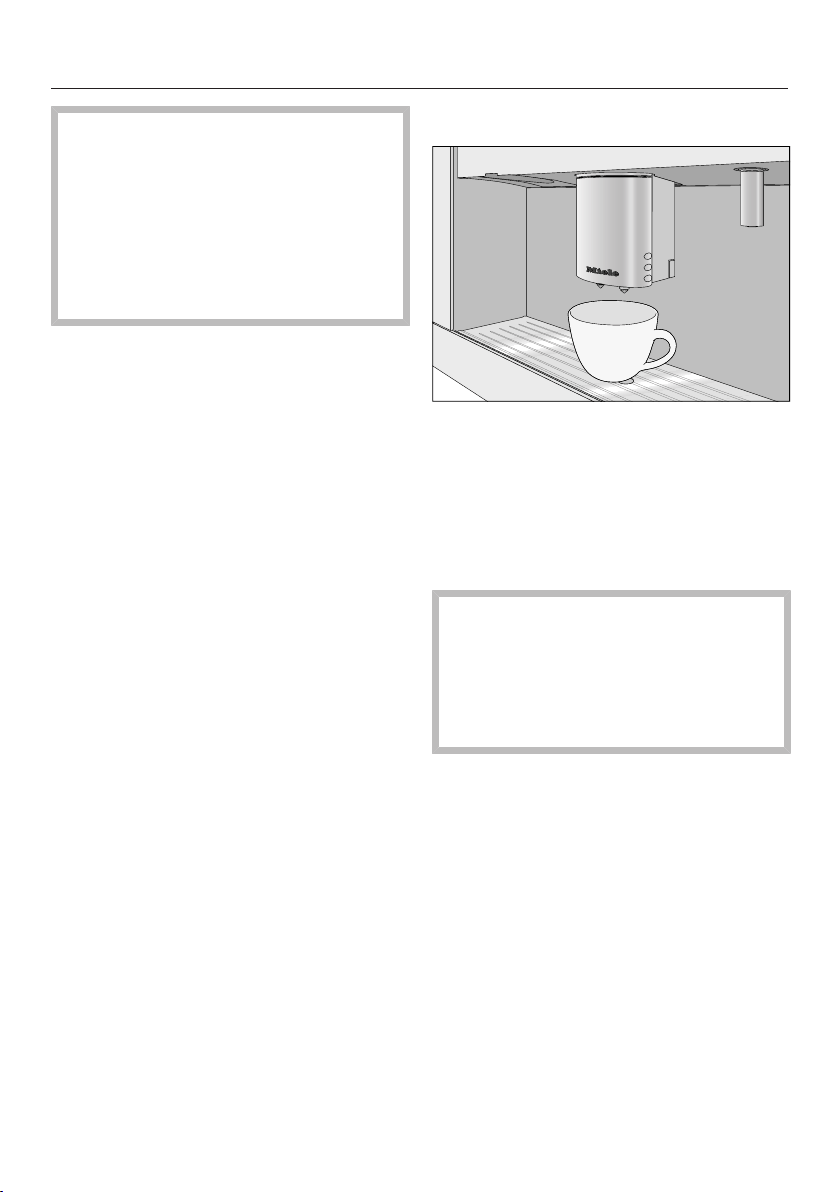
Making a coffee drink
Place a cup under the main dis-
penser.
Select a coffee drink.
Preparation starts and the coffee drink
is dispensed from the main dispenser
into the cup.
To ensure that any residues from the
factory testing process are removed
from the brewing system, please dis-
card the first two cups of coffee
when using the machine for the first
time.
Preparing beverages
31
Double portion
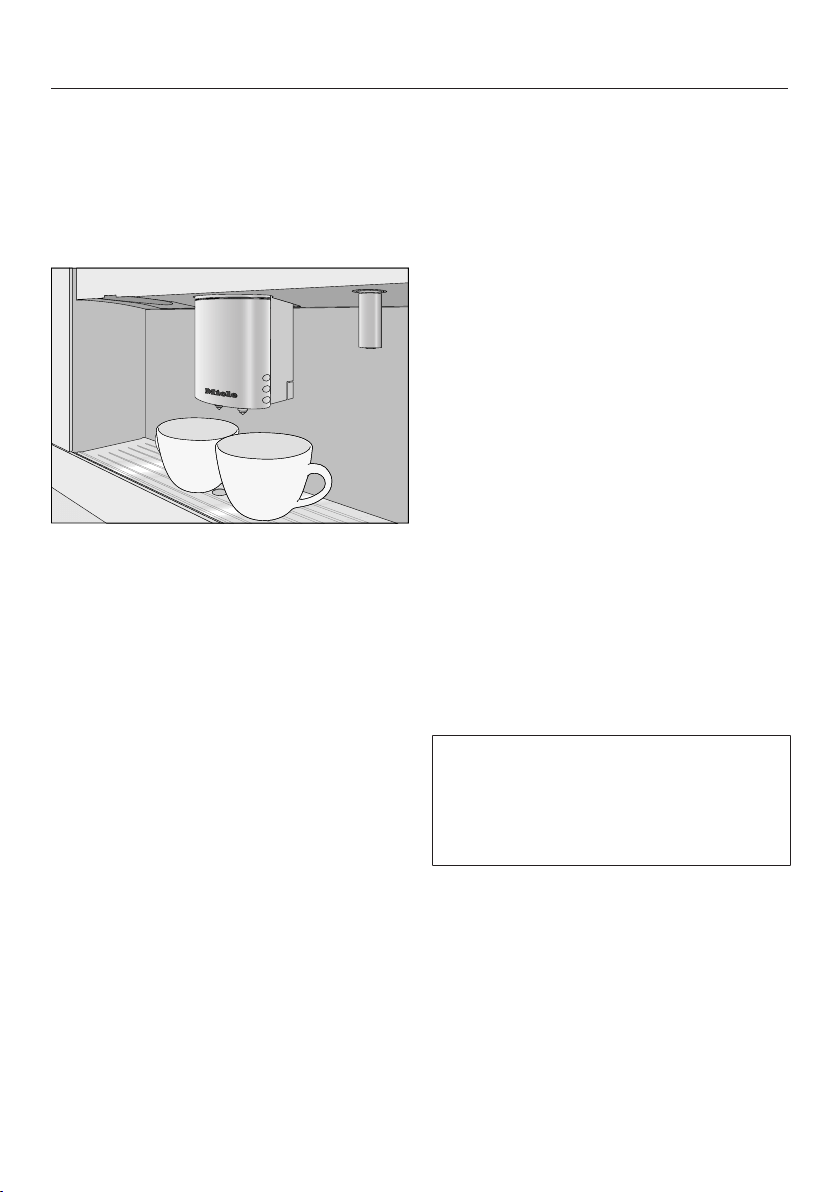
You can request two portions of
espresso or coffee at once in one cup
or in two separate cups simultaneously.
To fill two cups at the same time:
Place one cup under each of the cof-
fee dispensers.
Tap the double symbol for the desired
drink.
Two portions of the desired drink will be
dispensed from the main dispenser.
Canceling preparation
Tap Stop orCancel.
Coffee pot: Preparing several
cups of coffee one after the
other
You can automatically prepare several
cups of coffee one after the other
(max.1l) using the Coffee Pot func-
tion. Up to eight cups can be prepared
at the one time.
TheDrinks menu is displayed.
Place a sufficiently large container
under the main dispenser.
Select Coffee Pot.
Select the number of portions you
want to dispense (3-8).
Follow the instructions in the display.
Each portion will be ground, brewed
and dispensed individually. The display
will inform you about the progress.
You can cancel the procedure at any
time:
Tap Cancel orStop.
You can use the Coffee Pot function
twice in a row. After that, a longer
cooling down time of one hour is nec-
essary so that the coffee system does
not become damaged.
Preparing beverages
32
Making coffee drinks from
ground coffee
To make espresso or coffee using
ground coffee, add a portion of ground
coffee to the ground coffee chute.
This gives you the option of preparing a
cup of decaffeinated coffee, for exam-
ple, even though the coffee bean con-
tainer is filled with roasted coffee
beans.
The coffee system will automatically
recognize that ground coffee has been
placed in the chute.
Only one portion of coffee or espresso
can be prepared at a time when using
ground coffee.
Adding ground coffee
Do not add more than one level
scoop of ground coffee to the coffee
chute. If too much is added, the
brew unit will not be able to process
the coffee.
The coffee system will use all the
ground coffee that has been added to
the chute to make the next coffee.
Use the scoop supplied with the ma-
chine to ensure the correct amount of
ground coffee is used.
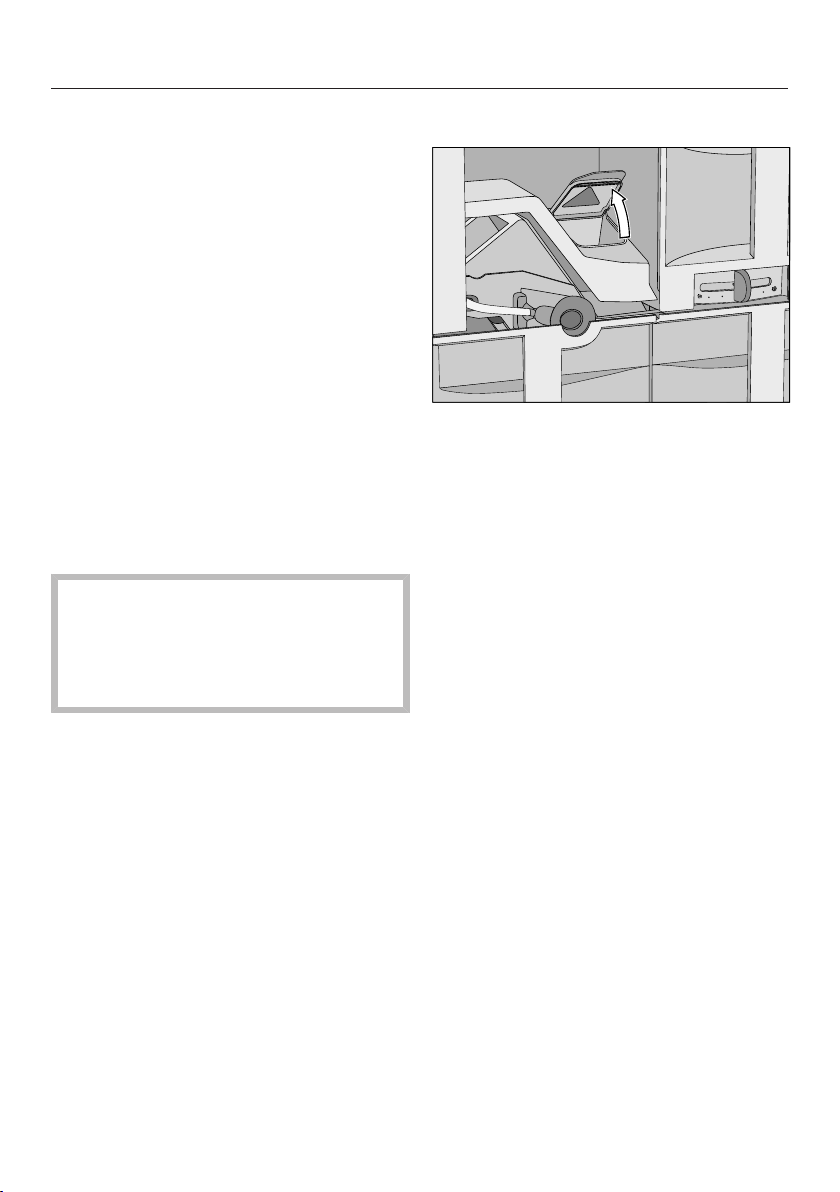
Open the appliance door.
Remove the coffee chute cover and
open the lid of the coffee chute.
Add one level scoop of ground coffee
to the chute.
Close the lid, replace the coffee chute
cover and close the appliance door.
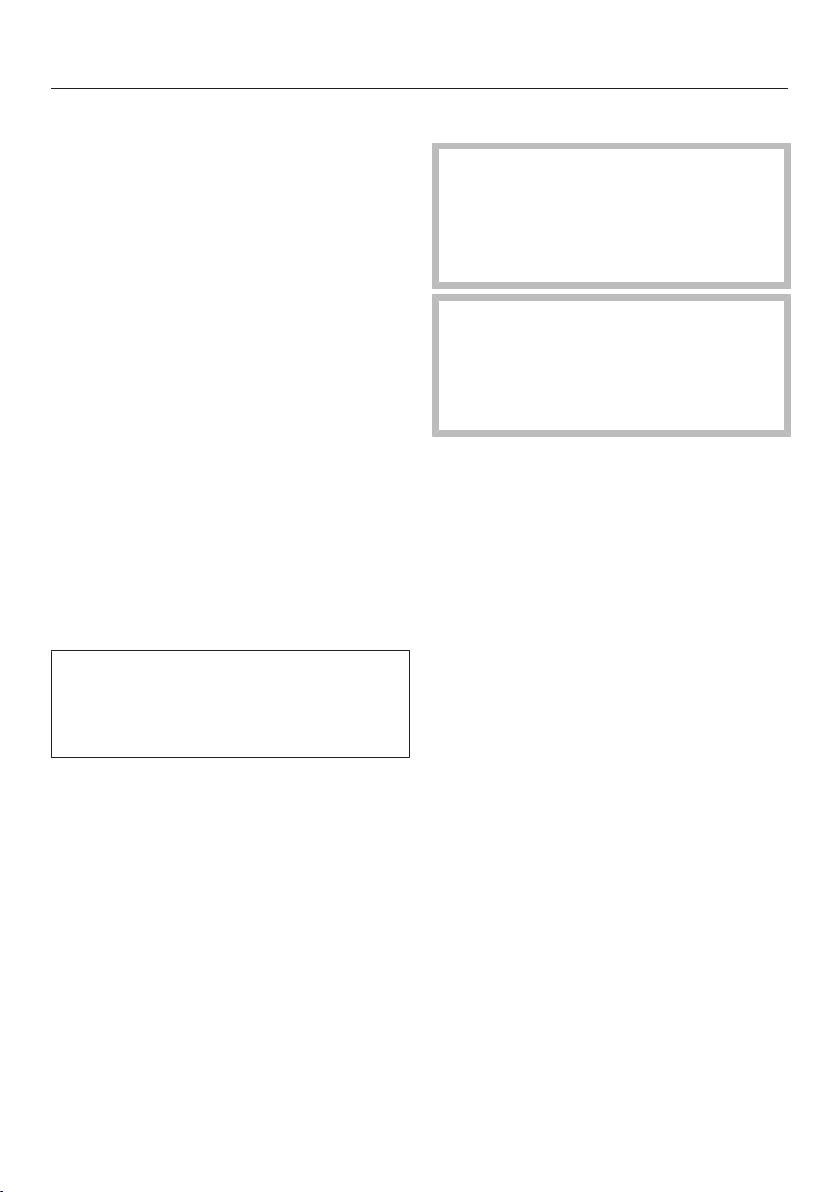
Use ground coffee? appears on the dis-
play.
Preparing beverages
33
Making coffee drinks from ground
coffee
If you want to make a drink with ground
coffee:
Tap Yes.
You can now select which type of drink
you would like to make with ground cof-
fee.
Place a cup under the main dis-
penser.
Select a drink.
The coffee system will now prepare the
desired drink.
If you do not want to made a drink with
ground coffee.
Tap No.
The ground coffee will be directed into
the waste unit.
If you do not tap a drink button within
approx.15 seconds, the ground coffee
will also be directed into the waste
unit.
Drinks with milk
Danger of burning and scalding
from hot steam coming out of the
main dispenser!
The liquids and steam dispensed are
very hot.
Only use plain milk. Most sugary ad-
ditives can clog the milk lines. and
damage the machine.
If using dairy milk make sure that it
has been pasteurized.
The following drinks with milk can be
made:
– Cappuccino consists of approx.
2/3 milk froth and 1/3 espresso.
– Latte macchiato consists of 1/3
each of hot milk, milk froth and
espresso.
– Caffè latte consists of hot milk
and espresso.
Hot milk and milk froth can also be
made.
Preparing beverages
34
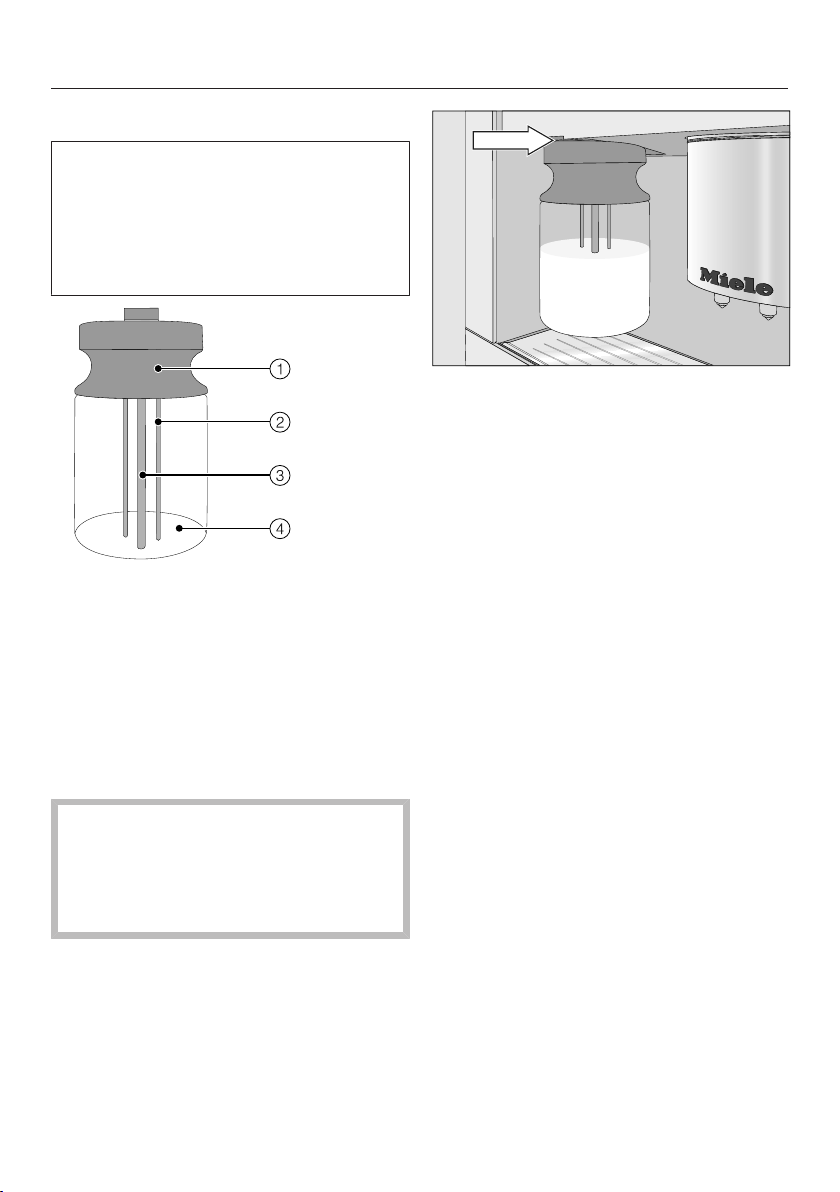
Notes on the milk flask
Milk is not cooled in the milk flask.
Therefore, place the milk flask in the
refrigerator if you are not going to use
milk for a while. Good milk froth can
only be achieved when cold milk (be-
low 50°F / 10°C) is used.
a
Lid
b
Sensor rod
c
Milk intake tube
d
Glass container
Fill the milk flask up to max.
3/4" (2cm) below the rim with milk.
Seal the milk flask with the lid.
It is important to keep the opening
and neck of the milk flask clean
(while filling it and carrying it). Any
soiling can lead to a malfunction of
the container in the machine.
Push the milk flask into the coffee
system.
Preparing drinks with milk
TheDrinks menu is displayed.
Place a suitable container under the
main dispenser.
Select the desired drink.
The coffee system will now prepare the
selected drink.

Preparing beverages
35
Preparing hot water
Caution! Danger of burning and
scalding. The water dispensed is
very hot.
TheDrinks menu is displayed.
Place a suitable container under the
hot water dispenser.
Select Hot Water.
Hot water is dispensed into the con-
tainer under the spout.
To cancel preparation:
Tap Stop orCancel.
Preparing user profile drinks
If you have already created a user pro-
file (see "User profiles"), you can select
it before preparing a drink.
Tap Profiles and select the user profile
you want.
The name of the user profile and the
created drinks will appear in the display.
You can now make the drink you want.
Preparing beverages
36
After a drink has been pre-
pared
Start rinse cycle appears in the display a
few minutes after a drink with milk has
been prepared.
Tap OK.
The milk pipework will now be rinsed.
Even if you do not confirm the mes-
sage with OK, the milk pipework will
automatically be rinsed after some
time.
Tip: Remove the milk flask, rinse the
cover under running water, and close
the milk flask using the compact cap.
Cool the milk until the next time you use
it.
Milk froth can be made only using cold
milk (<50°F / 10°C).
Coffee the way you like it
37
In order to customize the coffee system
to the type of coffee being used, you
can
– Change the grinder setting
– Change the amount of coffee
– Set the brewing temperature
– Pre-brew the coffee powder
Grinder setting
When the beans are ground correctly,
the coffee or espresso will flow evenly
into the cup with a good crema.
The crema should have an even nut-
brown colour.
The grinder setting you select will be
used for all coffee drinks.
There are various ways to tell whether
the coffee grinder is set correctly.
The coffee is ground too coarse, if
– espresso or coffee flows into the cup
too quickly.
– the crema is very pale and uneven.
Set a finer grinder setting.
The coffee is ground too fine, if
– espresso or coffee flows into the cup
very slowly.
– the crema is dark brown.
Set a coarser grinder setting.
To avoid damaging the grinder,
please note the following:
Only adjust the grinder one setting at
a time.
Grind the coffee beans again if you
want to adjust the grinder to the next
setting.
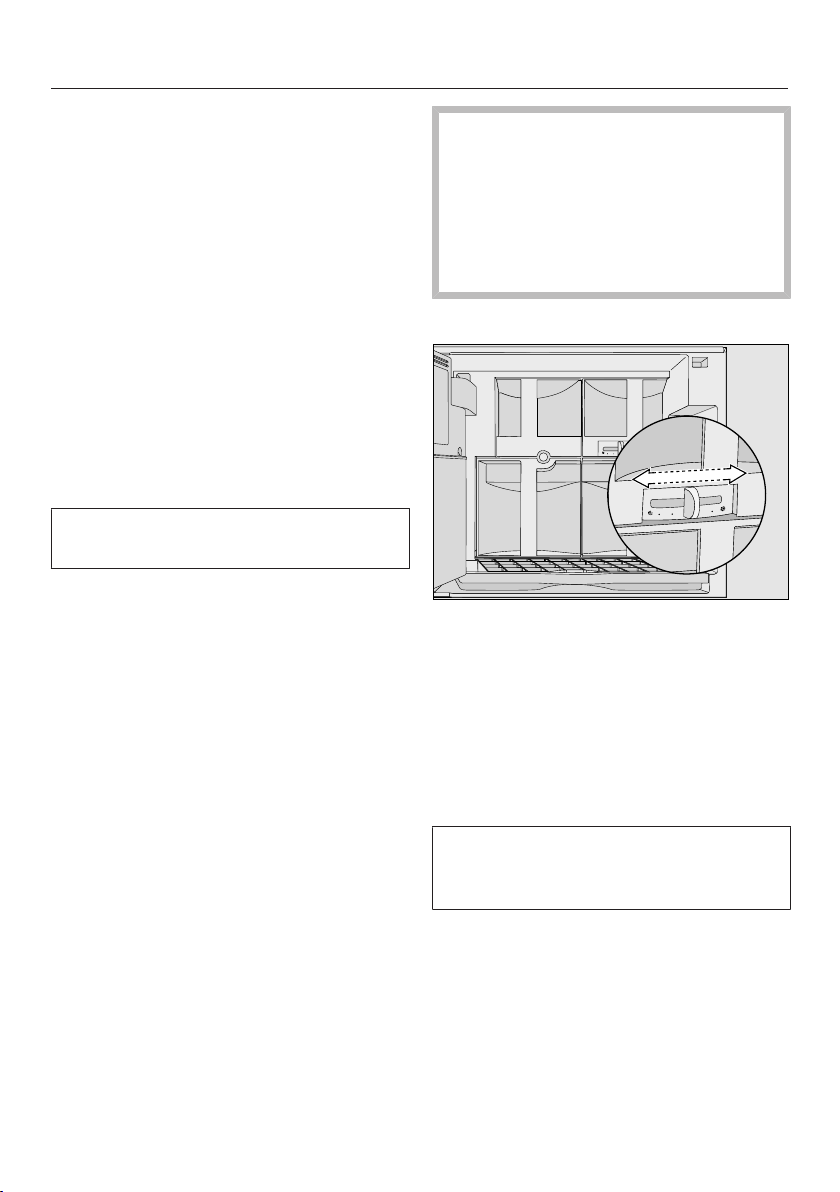
Open the appliance door.
Push the slide control one setting to
the left (for finer grinding) or one set-
ting to the right (for coarser grinding).
Close the machine door.
Prepare a coffee drink.
After that, you can adjust the grinder
setting again.
The altered grinder setting not consid-
erably noticeable until after the second
coffee has been dispensed.

Coffee the way you like it
38
Changing the parameters of a
drink
You can change the amount of coffee,
pre-brewing and the brewing tempera-
ture for each drink.
TheDrinks menu is displayed.
Tap Edit or select Make drinks.
Tap Change drink.
Select a drink.
Tap Drinks parameters.
For this coffee drink, you can do the fol-
lowing:
– Change the amount to be ground
– Set the brewing temperature
– Turn on the "Pre-brewing" option
Amount of coffee
The coffee system can grind and brew
6-14 g of coffee beans per cup. The
greater the quantity, the stronger the
coffee.
There are various ways to tell whether
the amount of coffee is set correctly.
The amount of coffee is too low, if
– espresso or coffee flows into the cup
too quickly.
– the crema is very pale and uneven.
– the espresso or coffee lacks body.
Increase the amount of coffee so that
more ground coffee is brewed.
The amount of coffee is too high, if
– espresso or coffee flows into the cup
very slowly.
– the crema is dark brown.
– the espresso or coffee tastes bitter.
Decrease the amount of coffee so that
less ground coffee is brewed.
Tap Amount of coffee.
Using the bar chart, select the de-
sired amount to be ground and then
tapOK.
The setting is now saved.
Tip: If the coffee is too strong for you or
it tastes bitter, try a different type of
bean.

Coffee the way you like it
39
Brewing temperature
The ideal brewing temperature will de-
pend on:
– the type of coffee,
– whether an espresso or a coffee is
being prepared, and
– the altitude of the region.
If the coffee system is located at more
than 6562 ft. (2000 meters) above sea
level, the brewing temperature needs to
be set lower due to the change in pres-
sure. This is because the boiling point
for water at a high altitude above sea
level is lower than the boiling point for
water at sea level.
Tip: Not all types of coffee can with-
stand high temperatures. Certain types
are too delicate - the crema on top
would not be as good and the taste
would be impaired.
The coffee system has five brewing
temperatures.
Swipe across the display in the Brew
temperature field until the required set-
ting appears.
Tap OK.
The setting is now saved.
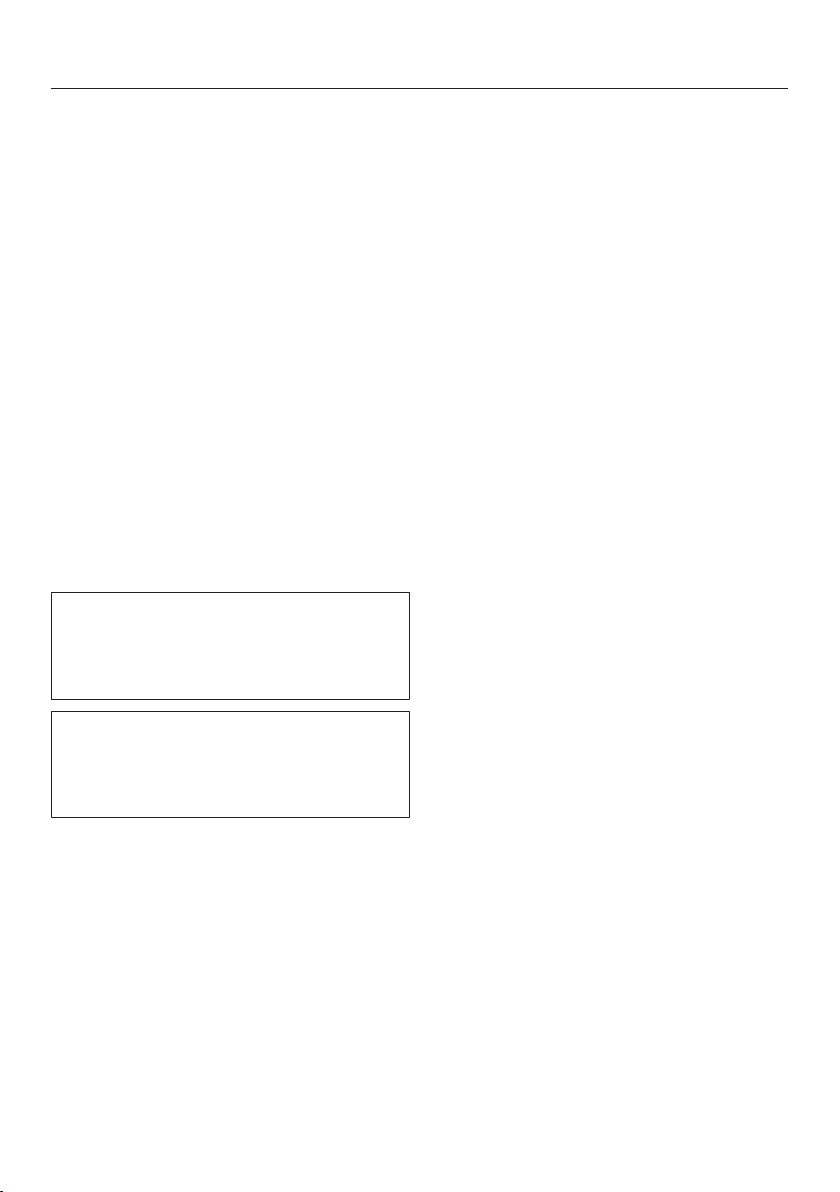
Pre-brewing ground coffee
When the pre-brewing function is
turned on, the freshly ground coffee is
first moistened with a little hot water.
Then the remaining water is forced
through the moistened coffee at high
pressure. This helps release the flavor
of the coffee.
You can set pre-brewing for a normal
length of time or an extra long length of
time. Alternatively, you can turn off the
"Pre-brewing" function.
The machine is supplied with the "Pre-
brewing" function turned off.
Swipe across the display in the Pre-
Brewing field until the required setting
appears.
Tap OK.
The setting is now saved.
Portion size
40
The flavor of the coffee produced de-
pends not just on the type of coffee
used, but also on the amount of water
used.
You can program the amount of water
to suit the size of your cups and the
type of coffee you are using.
For coffee drinks that use milk you can
also set the amount of milk or milk froth
to be dispensed with these drinks. Ad-
ditionally, you can set the portion sizes
for hot milk and milk froth alone.
Each type of drink has a maximum por-
tion size that can be programmed into
the machine. The coffee system halts
preparation of the coffee once this por-
tion size has been reached. The maxi-
mum possible portion size for this type
of drink is then saved in the machine.
The changed portion size is always
saved in the current User profile. The
name of the current profile appears in
the top left-hand side of the display.
If the water tank becomes empty while
making a drink, the machine will stop
programming the portion size. The
portion size will not be saved.
TheDrinks menu is displayed.
Place the desired cup under the main
dispenser.
Tap Edit and then Change drink.
Select a drink.
Tap Change the portion size.
The desired drink is prepared and Save
appears in the display.
When the cup is filled up to the de-
sired level, tap Save.
If you want to change the the drink por-
tions for coffee specialties with milk, the
ingredients are the drink are saved one
after the other during preparation.
When the quantity for each ingredient
reaches the desired level, tap Save.
The programmed mix of ingredients and
portion sizes will now be dispensed ev-
ery time that particular drink is selected.

Resetting drinks
41
You can reset drink portions and pa-
rameters for all drinks to the factory de-
fault.
TheDrinks menu is displayed.
Tap Edit and then Reset drinks.
Reset all drinks to default? appears on the
display.
Tap Yes.

User profiles
42
If the coffee system is used by several
people with different coffee prefer-
ences, you can create individual user
profiles in addition to the Miele profile.
In each user profile, you can make set-
tings for individual drinks (portion size,
amount of ground coffee, brewing tem-
perature and pre-brewing).
The name of the current user profile is
shown at the top left of the display.
Accessing a user profile
Tap Profiles in Main Menu or in
theDrinks menu.
You can now create a user profile.
If you have allocated a user profile in
addition to the Miele standard user pro-
file, you have the following options:
– Select profile from the user profiles
that have already been allocated.
– Change name if the name of a user
profile needs to be changed.
– Delete profile if you want to delete a
user profile.
– Change profile to set whether the
coffee system automatically always
reverts to the Miele standard user
profile or retains the last selected
user profile.
Creating a profile
Tap Create Profile.
The editor will open in the display.
Select the name you want using the
keyboard and tap OK.
Selecting a user profile
Select the user profile you want.
The name of the current user profile is
shown at the top left of the display.
Changing the name
Select Edit and then Change name.
Select the desired profile and then
tap OK.
Select the name you want using the
keyboard and then tap OK.
Deleting a user profile
Select Edit and then Delete profile.
Select the desired user profile and
then tap OK.

User profiles
43
Changing a user profile
You can set up the coffee system so
that after each use it automatically re-
verts back to the Miele standard user
profile, or it retains the last selected
user profile.
Select Edit and then Change profile.
You now have the following options:
– Manually: The selected user profile
will be retained until you select an-
other user profile manually.
– After each use: The machine will
change back to the Miele standard
user profile automatically after a drink
is dispensed.
– When turned on: Each time the ma-
chine is turned on it will automatically
select the Miele standard user profile
regardless of which user profile was
set before the machine was last
turned off.
Select the desired option and then
tapOK.

User profiles: Creating and editing your own drinks
44
You can create your own drinks for
each user profile and, for each drink,
you can adjust the portion size and
other parameters, e.g., amount of cof-
fee, temperature.
You can also change the names of your
drinks and delete any unwanted drinks
from your user profile. A maximum of
nine drinks can be saved under one
user profile.
First call the desired user profile:
In Main Menu, select Profiles or tap
Profiles in the Drinks menu.
Select the user profile.
The name of the current user profile is
shown at the top left of the display.
Creating a drink
You can create new drinks while using
the drinks already available as a basis.
A maximum of nine drinks can be saved
under one user profile.
Tap Edit.
Tap Create Drink.
Make a selection from the standard
drinks available:
Select a drink.
Change the drink parameters and
portion size for this drink according to
your preferences (see "Coffee the
way you like it" and "Changing the
portion size").
Drink preparation will be begin and you
can save the portions of each compo-
nent as desired.
Enter a name for the new drink (maxi-
mum 8 characters) and tap Save.
The new drink will appear in the current
user profile.
Changing drinks: Changing
portion sizes, parameters and
names
Tap Edit.
Select Change drink.
Select a drink.
Now you can adjust the portion sizes,
change the parameters, or change the
names.
Deleting a drink
Tap Edit.
Select Delete drink.
Select the drink you want and tap OK.

MyMiele
45
You can display drinks you make fre-
quently, drinks from profiles, and pre-
ferred maintenance programs in the
MyMiele screen.
The MyMiele screen can be set to ap-
pear as the start screen (see "Settings -
Start screen"). The MyMiele screen will
then appear when the coffee system is
turned on.
Calling MyMiele
In Main Menu, tap MyMiele.
You can now set up MyMiele.
If you have already created some en-
tries, you can perform the following un-
der Edit:
– Sorting entries
– Deleting entries
Adding entries
Tap Add entry.
You can add entries from the following
categories:
– Drinks
– User profiles
– Maintenance
Select the entry and then tapOK.
A box will appear next to the selected
option together with the menu it comes
from.
Deleting entries
Tap Edit.
Select Delete entry.
Select the entry and then tapOK.
The entry will be deleted.
Sorting entries
If you have added more than four en-
tries, you can sort them.
Tap Edit.
Select Sort entry.
Now select the entry you want to
move and the desired position.
Confirm the new position with OK.
Settings
46
You can use the "Settings" menu to
customize the coffee system to suit
your individual requirements.
Accessing the "Settings" menu
TheDrinks menu is displayed.
Tap Main Menu or Back.
Select Settings.
Now you can check or change the set-
tings.
You can recognize currently selected
settings by the color frame.
Tapping Back takes you back to the
previous menu.
Changing and saving settings
Tap Main Menu or Back.
Select Settings.
Select the option you want to
change.
Change the setting and tap OK.
The setting is now saved.

Settings
47
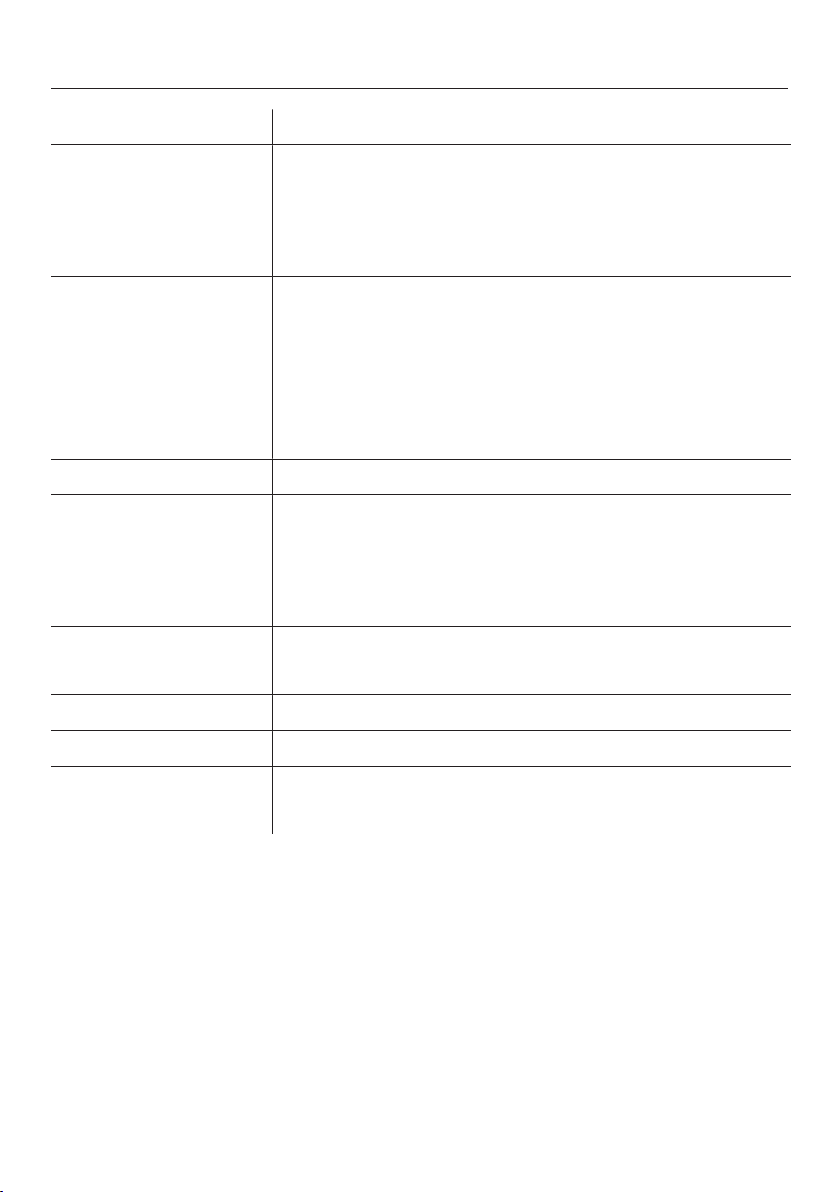
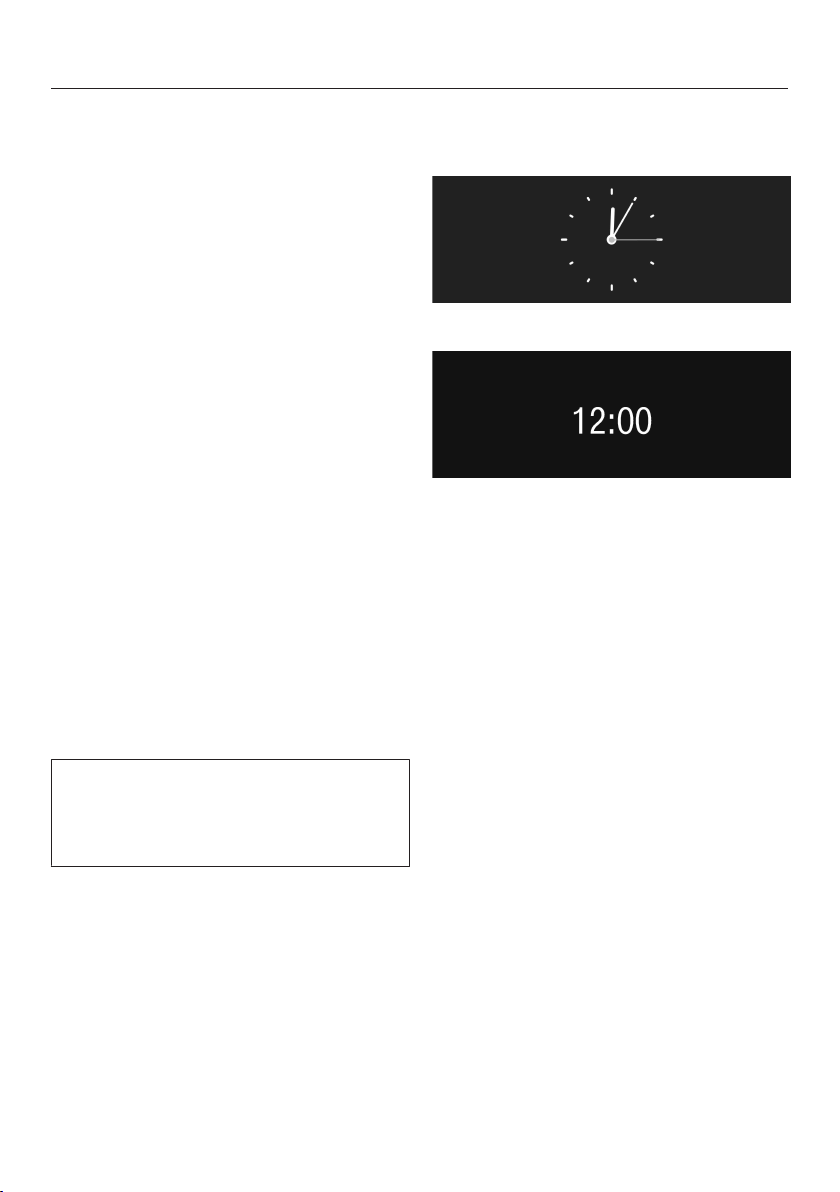
Setting options
The factory default for each option is indicated by *.
Menu item Available settings
Select language deutsch and other languages
Country
Time Display
– Off* / On / Night Dimming
Clock Type
– Analog / Digital*
Clock Format
– 12 h (am/pm) / 24 h*
Set
Date Set
Timer Timer 1
– Set : Turn on at / Turn off after (12:30)* / Turn off at
– Days of the week: Monday / Tuesday / Wednesday /
Thursday / Friday / Saturday / Sunday
– Activate : Turn on at (Yes / No*) / Turn off at (Yes / No*)
Timer 2
– Set : Turn on at / Turn off at
– Days of the week: Monday / Tuesday / Wednesday /
Thursday / Friday / Saturday / Sunday
– Activate : Turn on at (Yes / No*) / Turn off at (Yes / No*)
Eco Mode On* / Off
Lighting Brightness
Turn off after
Settings
48
Menu item Available settings
Start Screen Main Menu
Drinks
Profiles
MyMiele
Info Number of drinks
– Total coffee drinks / Espresso / Coffee / Lungo Coffee /
Cappuccino / Latte Macchiato / Caffè Latte / Milk Froth /
Hot Milk / Hot Water
No. of uses until
Descale Appliance / Degrease the brew unit
System Lock On / Off*
Water hardness Soft 1
Medium 2
Hard 3*
Very hard 4
Volume Buzzer tones
Keypad tone
Dispenser adjustment On / Off*
Showroom Program Demo Mode (On / Off*)
Factory default Settings
MyMiele
Settings
49
Language
You can select the language (and coun-
try variant of that language) for all dis-
play text.
Tip: If you select the wrong language
by mistake, you can find the "Lan-
guage" option by following the flag
symbol .
Time of day
You can set the clock type, time dis-
play, clock format, and time of day.
Display (time of day)
You can choose from the following op-
tions:
– On: The time and date are always vis-
ible in the display when the appliance
is turned off.
– Off: The time and date are not dis-
played when the appliance is turned
off.
– Night Dimming: The date and time are
displayed from 5:00 am to 11:00 pm.
Depending on the setting selected, the
coffee system may use more energy. A
message will appear in the display to
inform you of this.
Clock type
You can display the time of day in an
analog or
digital manner.
Clock format
Available options are:
– 24-hour display (24 h)
– 12-hour display (12 h (am/pm))
Setting
Set the hours and the minutes.
Date
You set the day, month and year.
Settings
50
Timer
There are two timers with the following
functions:
The coffee system:
– switches on at a particular time, e.g.
in the morning for breakfast (Turn on
at)
– switches off at a particular time (Turn
off at)
– switches off after a particular length
of time if none of the buttons have
been touched or no drink has been
made (Turn off after, only for timer 1).
You can allocate timer functions to indi-
vidual days of the week.
For Turn on at and Turn off at to be set,
the timer must be activated and at
least one day of the week must be al-
located.
Selecting a timer
Available options are:
– Timer 1: Turn on at, Turn off at, Turn off
after
– Timer 2: Turn on at, Turn off at
Turn on at:
The coffee system will not turn on at
the required time if you have activated
the system lock.
The timer settings are deactivated.
If the coffee system has turned itself on
three times via the Turn on at timer
function and no drinks have been dis-
pensed, the machine will not switch it-
self on again automatically. This pre-
vents the coffee system from switching
itself on unnecessarily, for example,
while you are away on vacation.
The programmed times will, however,
remain in memory and will be reacti-
vated after manually switching the ma-
chine on again.
Turn off at
In the event of a longer absence the
programmed times will remain in mem-
ory and will be reactivated after manu-
ally switching the machine on again
(see "Turn on at").
Settings
51
Turn off after
The Turn off after timer function is only
available in Timer 1.
If none of the keys have been pressed
or no drink has been prepared, the cof-
fee system will turn itself off after 30
minutes to save energy.
You can change this to another time of
between 15 minutes and 9 hours.
Selecting days of the week (day allo-
cation)
Select the day of the week you want.
The selected day of the week will be
marked with a .
When all days of the week required are
marked:
TapOK.
Activating and deactivating the timer
For the time display, you have selected
On or Night Dimming:
If the timer for Turn on at has been acti-
vated, the symbol and the desired
switch-on time appear in the display
23:59 hours ahead of time.
When the system lock is activated, the
Turn on at option for the timer cannot
be selected.
Select the required timer function. The
timer function selected will be marked
by .
Tap OK.

Settings
52
Eco mode
Eco mode is an energy-saving mode.
The steam system does not heat up un-
til a coffee drink or steam for hot milk /
milk froth is requested.
If Eco mode is switched off, milk froth
and hot milk, as well as coffee and
espresso, can be made one after an-
other. The steam system remains
heated up and much more energy is
used.
The coffee system will indicate that the
energy consumption has been altered.
Lighting
You have the following options:
– You can set the brightness when the
machine is switched on.
– You can set the brightness when the
machine is switched off.
– You can specify when the lighting
should switch off (Lighting: Turn off af-
ter).
Setting the brightness
First select:
– Appliance switched on
– Appliance switched off
Setting the time the lighting switches
off (Switch off after)
You can adjust the length of time that
the coffee system remains lit up after
switching off.
When the coffee system is switched on
it remains lit up for 10 minutes after the
last action. This time cannot be ad-
justed.
Settings
53
Start screen
You can choose which screen appears
when the coffee system is switched on.
– Main Menu
– Drinks
– Profiles
– MyMiele
Info (displaying information)
Under the Info menu option, you can
choose to display the number of pre-
pared portions for each type of drink.
You can also see whether more than
50portions can be dispensed before
the machine needs to be descaled or
before the brew unit needs to be de-
greased (No. of uses until).
To return to the previous display:
Tap OK.
Locking the coffee system
(System lock)
You can lock the coffee system to pre-
vent it being used without your knowl-
edge, by children, for example.
Activating and deactivating the sys-
tem lock
When the system lock is activated, the
timer settings for Turn on at are deacti-
vated. The coffee system will not turn
on at the time set.
Temporarily overriding the system
lock
While the message Press for seconds to
unlock appliance is in the display,
Tap "Lock" .
As soon as the coffee system is
turned off, the system is locked again.

Settings
54
Water hardness
See "Before using for the first time" for
information about water hardness.
Display brightness
You can set the display brightness in
the bar chart.
Volume
You can set the volume of the buzzer
and keypad tones in the bar chart.
Dispenser adjustment
Please see "Dispenser adjustment" for
details of this feature.
Factory default setting
You can reset the settings to the set-
tings at delivery (factory default set-
tings).
In the process, the settings for lan-
guage and time of day are not deleted.
The number of drinks and the appliance
status (number of drinks until descal-
ing / brew unit degreasing) are also not
reset.
Please refer to the "Setting options"
chart for the factory settings that are
shown in bold.
The following settings can be reset sep-
arately:
– MyMiele
– User profiles and their drinks: See
"User profiles" and "User profiles:
Creating and editing your own
drinks."
– Drink portions and parameters of the
Miele user profile (standard): see "Re-
setting drinks."
Showroom program (Demo
mode)
Do not activate this setting for domes-
tic use.
The coffee system can be presented in
Miele Showrooms of retail stores with
the Showroom Program function. The

Settings
55
lighting will come on, but drinks cannot
be dispensed and other actions cannot
be carried out.
If you activate the Demo mode, you
cannot turn the appliance off with the
On / Off button .
Cleaning and care
56
The coffee system must be cleaned regularly to prevent a build-up of bacte-
ria.
Overview
Recommended frequency What do I have to clean / maintain?
Daily
(at the end of the day)
Milk flask and lid
Water tank
Waste unit
Drip tray and drip tray cover
Once a week
(more often if heavily soiled)
Main dispenser
Sensor cover
Clean the milk valve with the cleaning brush
Interior
Small drip tray inside the machine door
Brew unit
Front of the machine (especially immediately after descaling)
Once a month Lubricate the cap on the main dispenser connector
Coffee bean container
When prompted Milk pipework (with the original Miele cleaning agent for milk
pipework)
Brew unit (degrease with the cleaning tablets)
Descaling the machine
Cleaning and care
57
Clean by hand or in dish-
washer
The following must be cleaned by hand
only:
– Main dispenser cover
– Brew unit
– Coffee bean container and the coffee
bean container lid
– Service cover
Some components of the coffee sys-
tem are dishwasher-safe. However,
cleaning these in the dishwasher fre-
quently can cause them to become
discolored due to regular contact
with food residues (e.g. tomatoes) in
the dishwasher. The surface of these
components can also become dam-
aged.
The following parts are dishwasher-
safe:
– Drip tray with grid
– Drip tray cover
– Water container
– Waste unit
– Central spout (without stainless steel
cover)
– Sensor cover
– Milk flask with lid
– Drip catcher
Danger of burning and scalding
on hot components or by hot liquids.
Always allow the coffee system to
cool down before cleaning it.
Caution: Water in the drip tray can be
very hot.
Do not use a steam cleaner to clean
this machine. Steam could reach the
electrical components and cause a
short circuit.
It is important to clean the machine reg-
ularly to prevent a build-up of bacteria
and clogging of the milk pipework.
The cap of the main dispenser con-
nector is lubricated with silicone
grease.
Take care not to get it on your
clothes when removing or replacing
the containers or other components.

Cleaning and care
58
All external surfaces are susceptible
to scratching. Scratches on glass
surfaces could even cause a break-
age. Contact with unsuitable clean-
ing agents can discolor the external
surfaces. Wipe up any spillages or
splashes of descaling agent immedi-
ately.
To better maintain your appliance
avoid the following:
– Cleaning products containing soda,
ammonia, acid, or chloride
– Cleaners containing solvents
– Lime removers
– Stainless steel cleaners
– dishwasher detergent,
– Oven cleaners
– Abrasive cleaning agents, e.g. pow-
der cleaners and cream cleaners
– Scouring pads, such as pot scrub-
bers and brushes, or used sponges
that still contain abrasive cleanser
residue
– Eraser sponges
– Metal scrapers
Glass cleaners may be used to clean
the exterior. However do not allow
them to sit or "puddle", this can cause
damage to the surface.
Remove the cleaner promptly.
Cleaning and care
59
Drip tray
Burn hazard!
If the rinsing process has just fin-
ished, wait a few minutes before re-
moving the drip tray as the water
used for rinsing will run out of the
coffee dispensers.
Clean the drip tray every day to pre-
vent unpleasant odors and mildew.
A prompt will appear in the display
when the drip tray is full and needs to
be emptied. Remove the tray and
empty it at the latest when this prompt
appears.
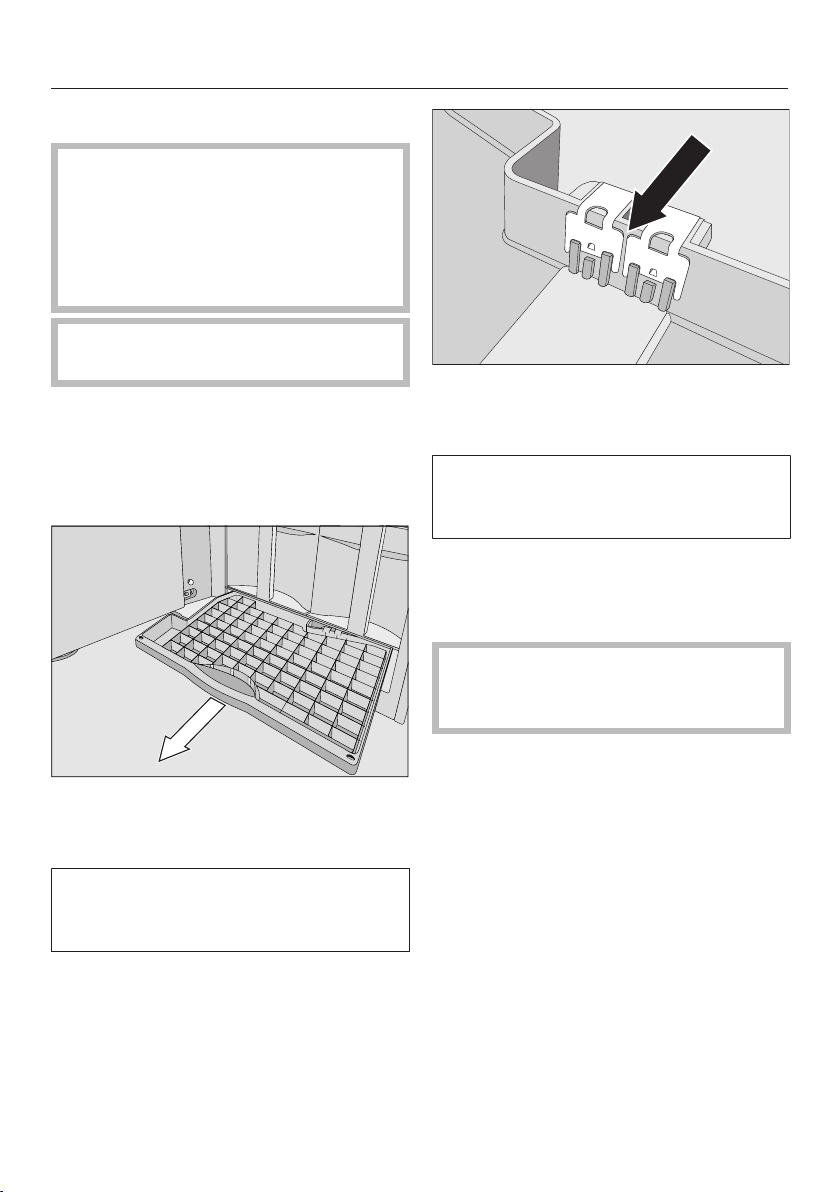
Open the machine front and carefully
remove the drip tray from the ma-
chine.
The grid in the drip tray prevents the
water from spilling out of the tray
when it is being carried.
Clean the drip tray and the grid with
hot water and liquid dish soap or in
the dishwasher and dry with a cloth.
Clean the contacts (metal plates) and
the space between them carefully
and dry them thoroughly.
Only clean and dry contacts can
sense whether the drip tray is full.
Check this area once a week.
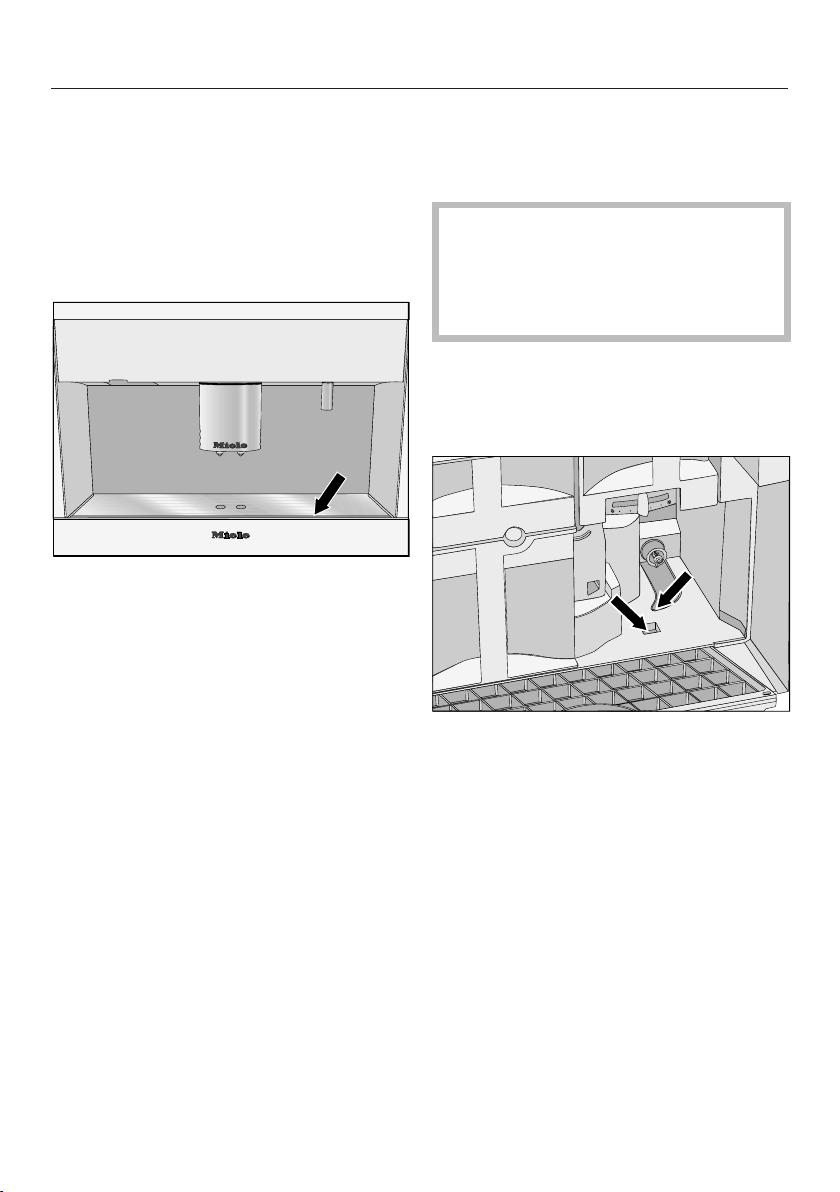
Clean the space under the drip tray.
Push the drip tray back into the cof-
fee system.
Make sure the drip tray has been
pushed into its niche as far as it will
go.
Cleaning and care
60
Drip tray cover
Remove the drip tray cover.
The drip tray cover can be cleaned in
the dishwasher or by hand using
warm water and liquid dish soap.
Dry the drip tray cover thoroughly.
Refit the cover on the drip tray mak-
ing sure it sits flush at the front.
Water tank
Change the water every day to prevent
a build-up of bacteria.
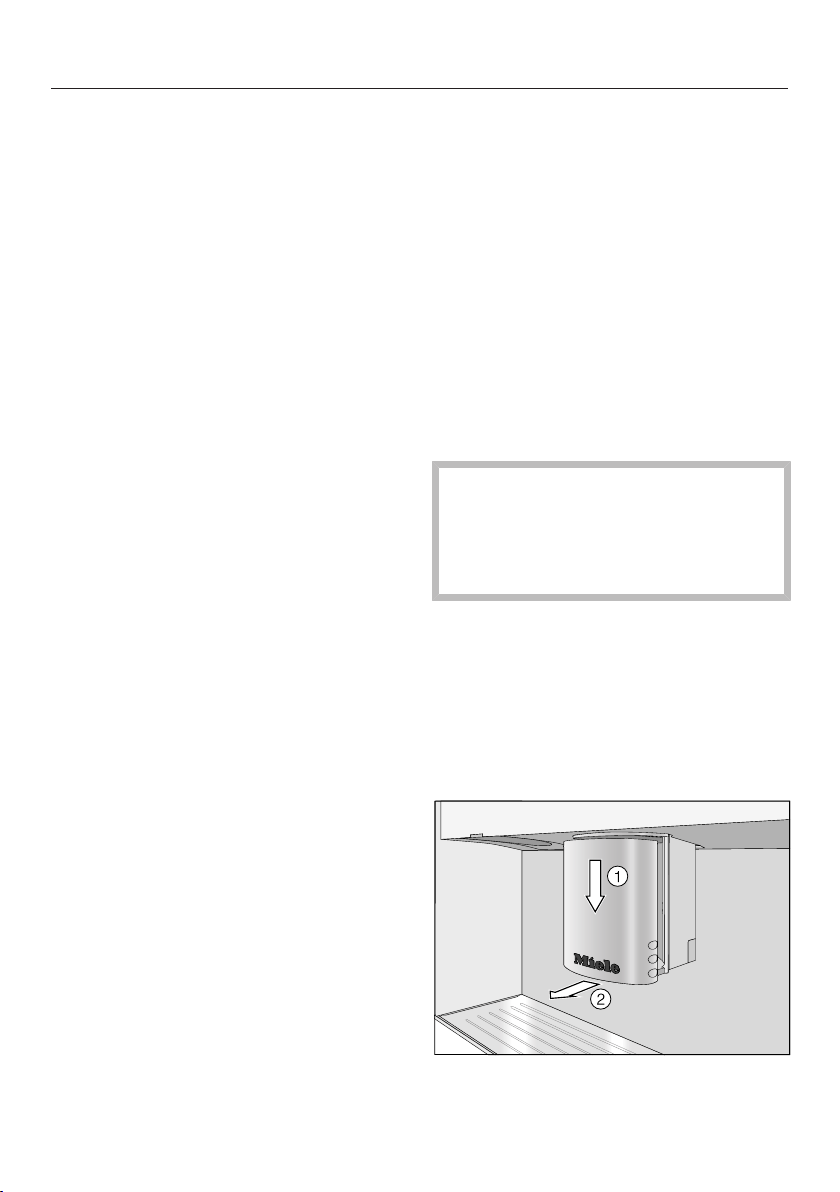
Make sure that the valve, the under-
side of the water tank and the sur-
face the water tank sits on are clean.
Otherwise the water tank will not sit
correctly.
The water tank can be cleaned in the
dishwasher or by hand using warm
water and liquid dish soap. After
cleaning, dry the water tank.
Clean the surface the water tank sits
on, particularly the slots, carefully.
Cleaning and care
61
Waste unit
After a certain period of time a reminder
to empty the waste unit will appear in
the display. The waste unit must be
cleaned when this message appears.
However, it is better to clean the waste
unit every day to prevent a build-up of
bacteria.. There will probably also be
water in the waste unit left over from the
rinsing process. Clean the waste unit
daily.
The waste unit usually also contains
residual water from the rinsing proce-
dure.
The waste unit can be cleaned in the
dishwasher or by hand using warm
water and liquid dish soap. After
cleaning, dry the waste unit.
Also thoroughly clean the now acces-
sible area in the machine where the
waste unit sits.
Main dispenser
Clean all parts of the main dispenser
except for the stainless steel cover in
the dishwasher at least once a week.
This is the best way to remove coffee
deposits effectively.
Clean the main dispenser cover by
hand only using warm water and liquid
dish soap.
The main dispenser must be in the
maintenance position for cleaning. Oth-
erwise you will not be able to remove
the parts.
If there is a cup or container under-
neath the main dispenser, make sure
that you remove this as it would pre-
vent the main dispenser from moving
into the maintenance position.
Tap Main Menu or Back.
Select Maintenance and then Clean
the main dispenser.
Follow the instructions in the display.
The main dispenser will move into the
maintenance position .
Lift the cover forward and off .

Cleaning and care
62
Press the catch upwards , grasp
the dispensing unit by the handle,
and pull it forwards and off .
Hold the dispenser at the sides and
pull it forwards to release it.
Turn upper connecting piece and
pull it upwards to remove it. Remove
lower connecting piece in the
same way.
Pull off the dispenser nozzles .
The Y-piece connector should not be
removed.
Clean all parts thoroughly.
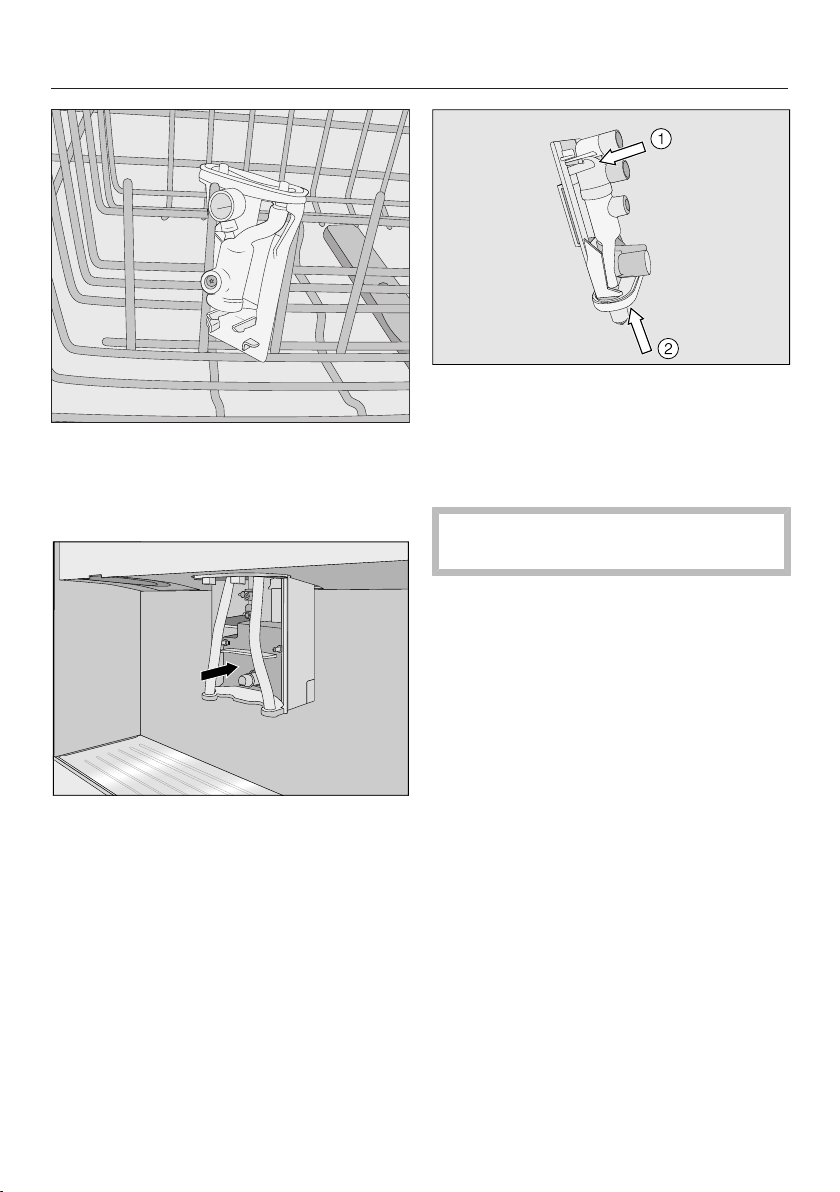
Cleaning and care
63
Tip: Place the dispenser upright in the
top basket of the dishwasher. Lay the
adapters and dispenser nozzles in the
cutlery tray.
Clean the surfaces of the main dis-
penser with a damp cloth.
Reassemble the dispensing unit in
the reverse order. Make sure that up-
per adapter clicks into position.
Press the dispenser nozzles firmly
onto the dispensing unit.
Make sure that all parts are tightly
connected to one another.
Refit the dispensing unit in the main
dispenser and tapOK.
Put the cover back into place and
tapOK.
The main dispenser will now be rinsed
through.
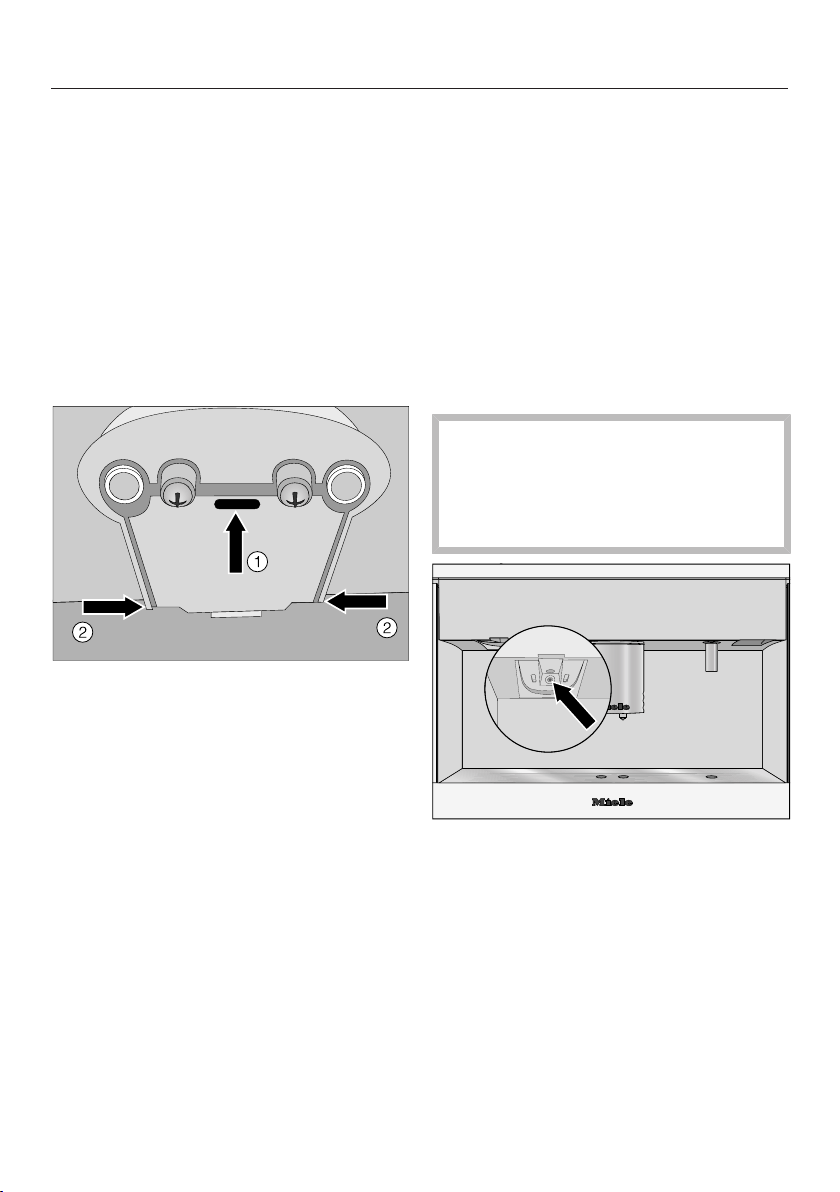
Cleaning and care
64
Sensor cover
The sensor cover for the cup protection
cut-out is located under the main dis-
penser. If the automatic dispenser ad-
justment sensors do not clearly recog-
nize a container, this sensor will stop
the main dispenser.
If required, the sensor cover can be
cleaned once a week in the dishwasher
or by hand using hot water and liquid
dish soap.
To remove, press and hold the sensor
cover between the dispenser nozzles
. Then press the main dispenser in
from the sides .
This will release the sensor cover.
Refitting:
Insert both hooks at the back and
press the sensor cover upwards.
Maintenance of the milk valve
The milk valve should be cleaned once
a week to ensure good quality milk froth
without spraying.
TheDrinks menu is displayed.
Tap Main Menu or Back.
Select Maintenance and then Clean
the main dispenser.
The main dispenser and the milk valve
will move into the maintenance position.
Important! Before confirming the
message in the display with OK, you
must remove the cleaning brush.
Otherwise the coffee system will be
damaged.
Insert the brush in the milk valve and
move it back and forth.
Tap OK.
The milk valve will move into the correct
position and the milk pipework will be
rinsed through.
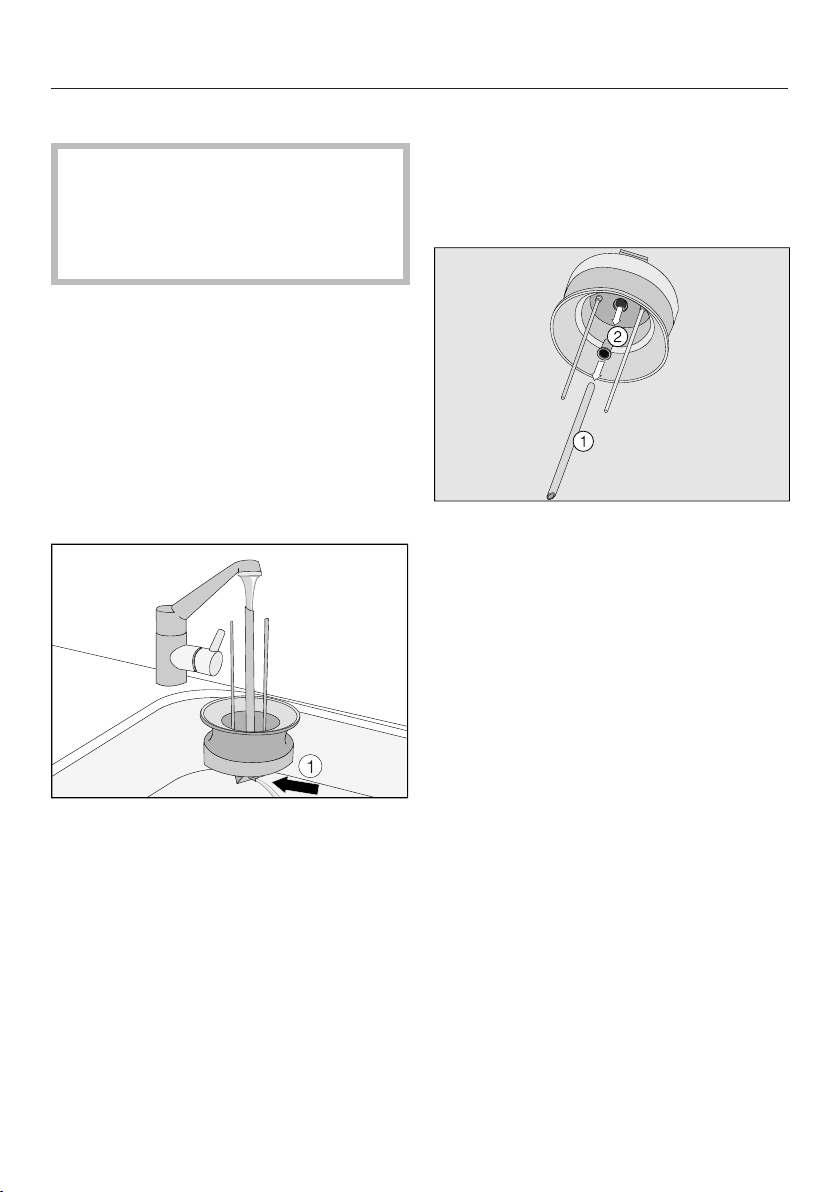
Cleaning and care
65
Milk flask with lid
Soiling can lead to machine malfunc-
tions.
It is important to keep the neck and
flange of the milk flask clean (while
filling it and carrying it).
Clean the milk flask holder on the
coffee system with a damp cloth.
The milk flask (glass) can be cleaned
in the dishwasher or by hand using
warm water and liquid dish soap. Dry
the milk flask with a soft cloth after
cleaning.
Before you lay the milk flask lid in the
dishwasher:
Rinse the milk pipework in the lid un-
der running water.
If, when doing this, no water runs out of
the milk pipework ,
take apart the milk flask lid and clean
it with the cleaning brush provided.
Taking apart the milk flask lid and
cleaning it with the cleaning brush
Milk fat can deposit in the milk flask lid.
When this happens, milk will spray
when milk froth is made.
Pull the milk intake tube from the
milk flask lid. Make sure that you re-
move the seal , as well.
Clean both under running water.
Insert the cleaning brush supplied
into the stainless steel tube and move
it back and forth until all milk deposits
have been removed.
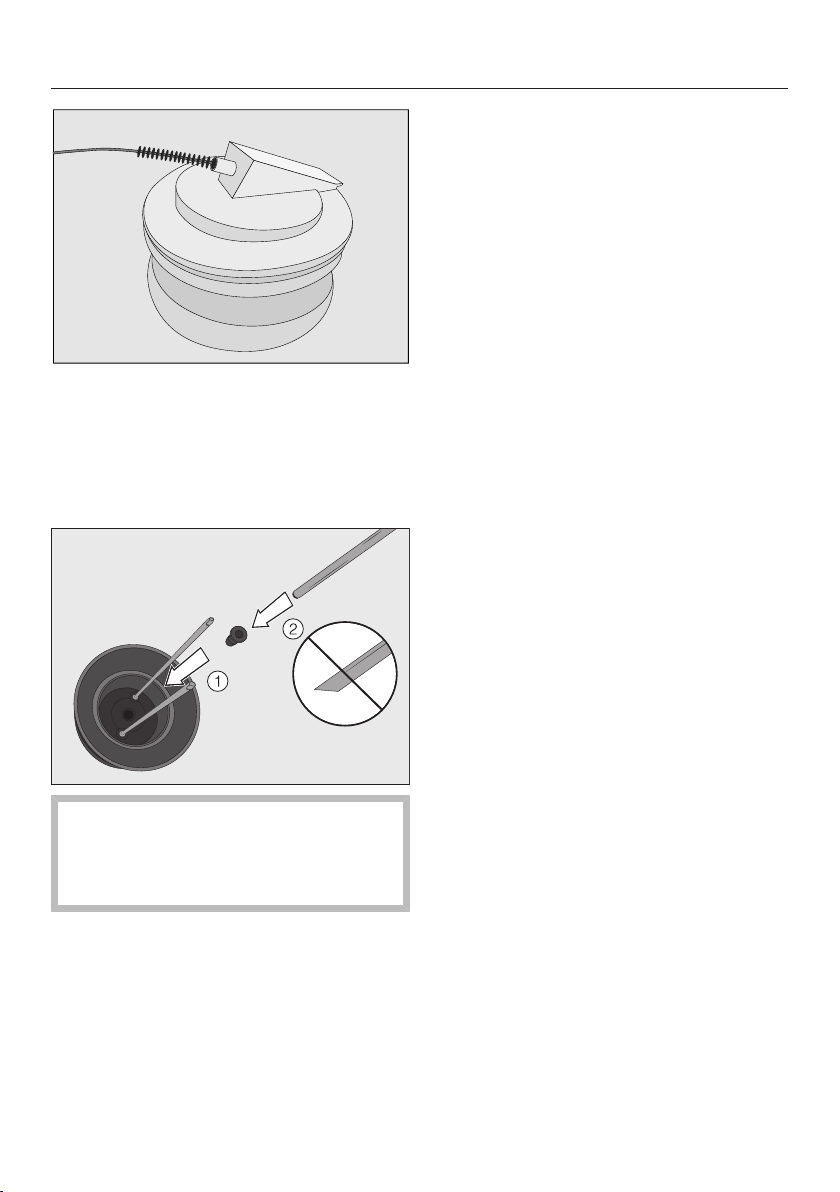
Cleaning and care
66
Also use the cleaning brush to clean
the milk pipework in the lid from the
top and bottom.
To reassemble the lid:
First insert the seal into the lid.
Make sure that you do not insert the
slanted end of the stainless steel
tube into the seal. This will damage
the seal.
Insert the milk intake tube into the
seal.
Bean container
Pull the bean container out of the ap-
pliance and pull the lid toward the
back and off.
Clean the bean container and its lid
by hand using warm water and liquid
dish soap. Dry both components.
Slide the lid back on, then slide the
bean container back into the appli-
ance.
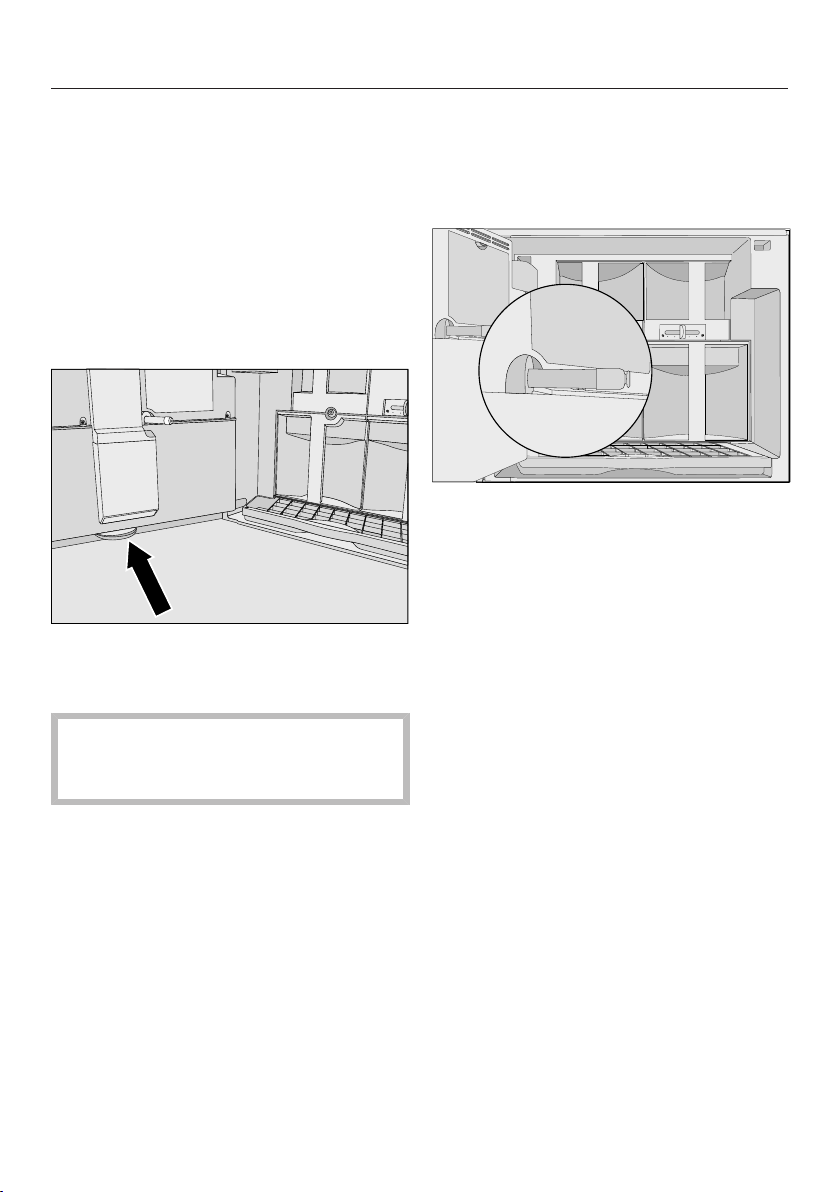
Cleaning and care
67
Interior and machine front
First take out all removable parts and
then clean the interior and the ma-
chine front with a mild solution of hot
water and liquid dish soap.
Tip: Use your vacuum cleaner to re-
move dry coffee grounds.
A small drip catcher is located inside
the front of the machine at the bottom.
Remove the drip catcher and clean it
in the dishwasher or by hand using
warm water and liquid dish soap.
After cleaning, remember to place
the drip tray in the coffee system
again.
Main dispenser connector
The part which connects the brew unit
and the main dispenser is located on
the inside of the machine front.
Clean this connection regularly with a
damp cloth, taking care not to wipe
the grease off the cap.
Lubricate the cap at least once a
month with the silicone grease sup-
plied.
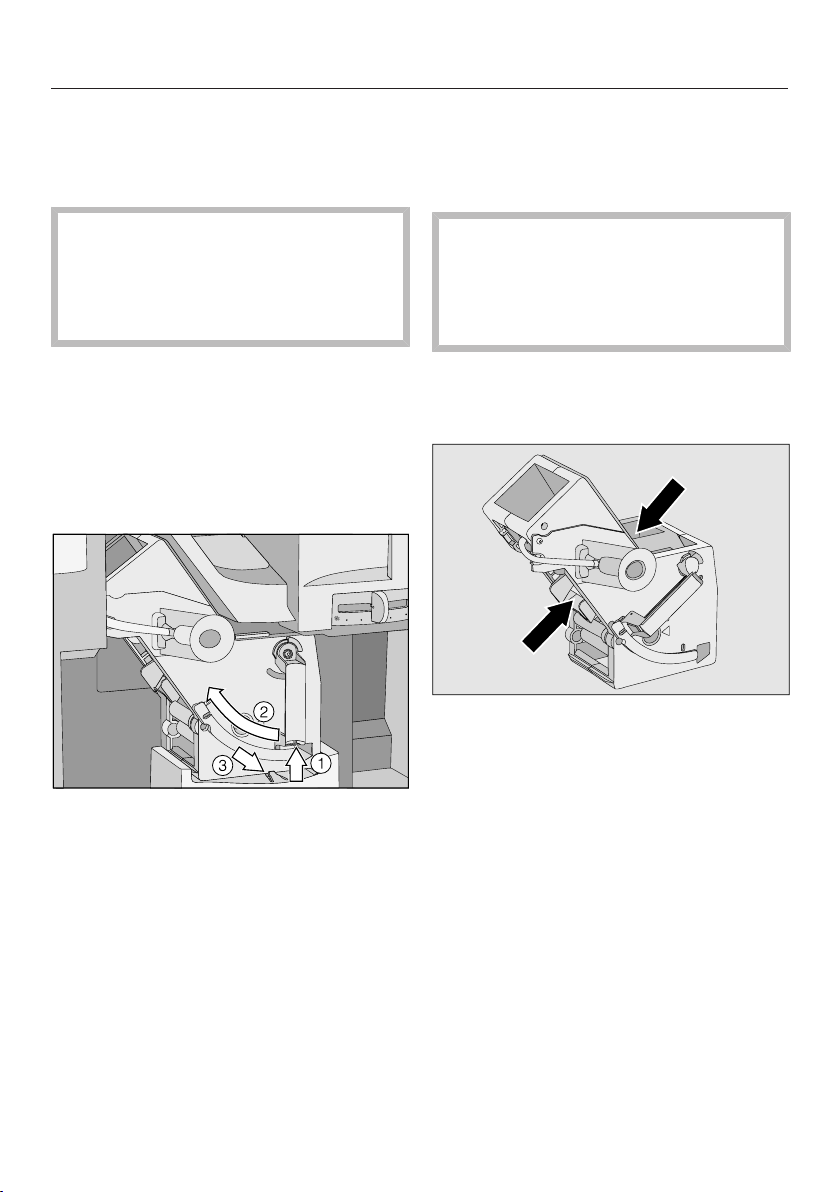
Cleaning and care
68
Brew unit
Remove the brew unit and wash by
hand
Clean the brew unit by hand only us-
ing warm water. Do not use liquid
dish soap.The moving parts of the
brew unit are lubricated. Liquid dish
soap will damage the brew unit.
You can remove the brew unit for clean-
ing.
Clean it once a week.
Open the appliance door.
Remove the water tank, waste unit
and the coffee chute cover.
Press the button on the end of the
handle of the brew unit and while
doing so turn the handle counter-
clockwise .
Press the catch in front of the brew
unit downwards, and pull the brew
unit out carefully.
Carefully pull the brew unit out of the
coffee system.
If you cannot remove the brew unit or
can only do so with difficulty, the brew
unit is not in the correct position (See
"Frequently asked questions").
When the brew unit has been pulled
out, do not alter the position of the
brew unit handle.This would displace
the brew unit and it would not fit
back into the coffee system.
Clean the brew unit by hand under
hot running water without using de-
tergent or liquid dish soap.
Wipe any remaining coffee off the two
filters. One filter is located in the fun-
nel and the other to the left of the
funnel.
Dry the funnel to prevent ground cof-
fee sticking to it the next time a cof-
fee is prepared.
Clean the inside of the coffee system.
Use your vacuum cleaner to remove
dry coffee grounds.
To put the brew unit into place again:
Proceed in reverse order: push the
brew unit into the coffee system,
making sure it is straight.
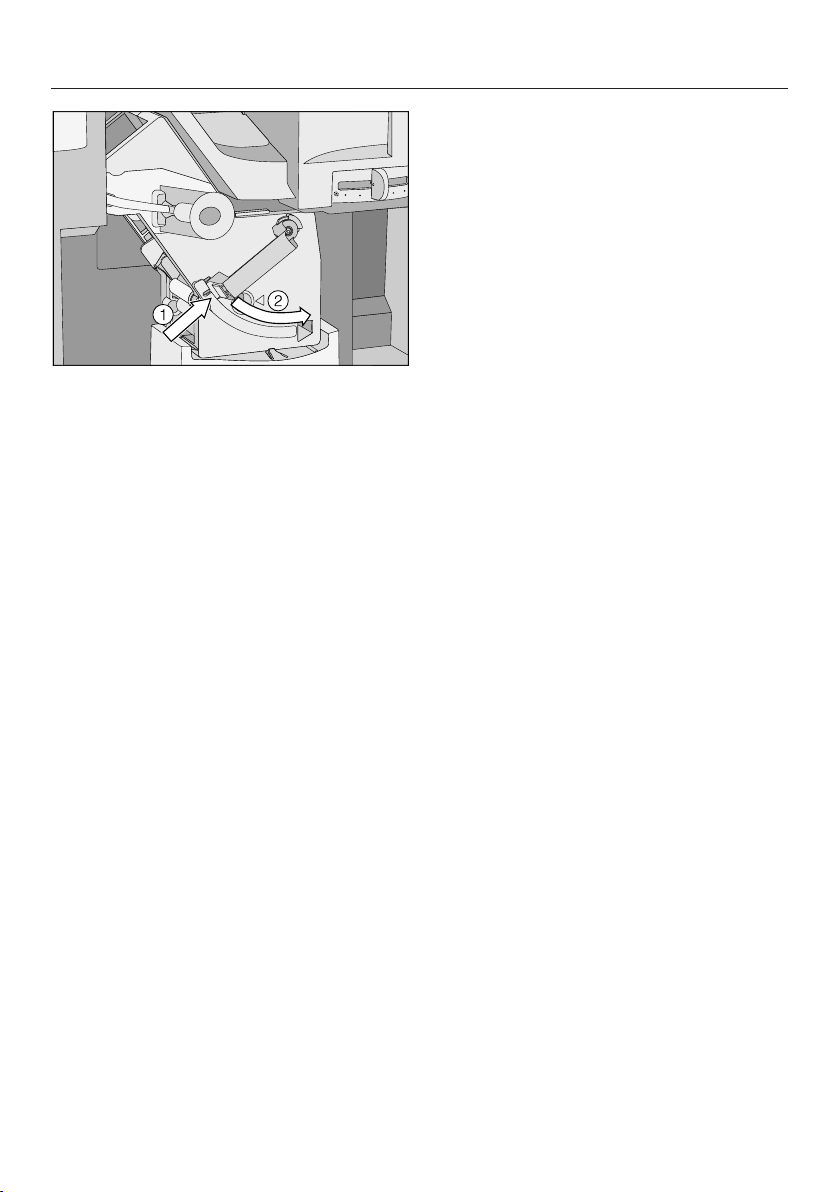
Cleaning and care
69
Press the button on the end of the
handle of the brew unit and while
doing so turn the handle clockwise
.
Close the machine door.
Care programs
The following maintenance programs
are available:
– Rinsing the coffee system
– Rinsing the milk pipework
– Cleaning the milk pipework
– Degreasing the brew unit
– Descaling the machine
Perform the respective maintenance
program when prompted to do so in the
display. You will find more information in
the following pages.
Accessing the "Maintenance" menu
TheDrinks menu is displayed.
Tap Main Menu or Back.
Select Maintenance.
Now you can select a maintenance pro-
gram.

Cleaning and care
70
Rinsing the coffee system
After a coffee has been dispensed, the
machine pipework is rinsed before it
turns off. This removes any residual cof-
fee grounds.
TheDrinks menu is displayed.
Tap Main Menu or Back.
Select Maintenance and then Rinse
the Appliance.
The pipework will now be rinsed
through. The water used for rinsing
process will run out of the main dis-
penser.
Rinsing the milk pipework
Milk residue can clog up the milk
pipework. If you have made a drink with
milk, the coffee system will rinse the
milk pipework automatically after a few
minutes.
TheDrinks menu is displayed.
Tap Main Menu or Back.
Select Maintenance and then Rinse
the milk pipework.
The milk pipework will now be rinsed.

Cleaning and care
71
Cleaning the milk pipework
Make sure that the milk pipework is
cleaned regularly and thoroughly.
Milk contains natural bacteria that
will multiply if the pipework is not
sufficiently clean. Contamination in
the coffee system can be a health
hazard.
The milk pipework must be cleaned ap-
proximately once a week.
The coffee system will remind you to do
this. Three days before the milk
pipework must be cleaned, Clean the
milk pipework in days appears in the dis-
play. The coffee system shows the
number of days remaining until the milk
pipework must be cleaned.
Confirm the message with OK.
When the number of days remaining
reaches 0, Clean the milk pipework will ap-
pear in the display. You cannot make
drinks with milk until cleaning has been
carried out.
You can now only dispense espresso,
coffee, lungo coffee and hot water. You
will only be able to make drinks with
milk once the milk pipework has been
cleaned.
Confirm the message with OK.
Perform "Clean milk pipework"
The cleaning process cannot be can-
celled once it has started. The
process has to be completed
through to the end.
The maintenance program Clean the milk
pipework lasts about 13minutes.
TheDrinks menu is displayed.
Tap Main Menu or Back.
Select Maintenance and then Clean
the milk pipework.
The process will start and various mes-
sages will appear in the display.
Follow the instructions in the display.
When Fill water container with lukewarm
water and cleaning agent up to the sym-
bol and replace it appears in the display,
proceed as follows.
Making a cleaning solution
We recommend using the Miele milk
pipework cleaning agent for cleaning
the milk pipework.
This has been specially developed for
use with Miele coffee systems and pre-
vents subsequent damage.
It is available from Miele dealers, Miele
or the Miele website.
Add one package of the milk
pipework cleaning agent to the water
tank.
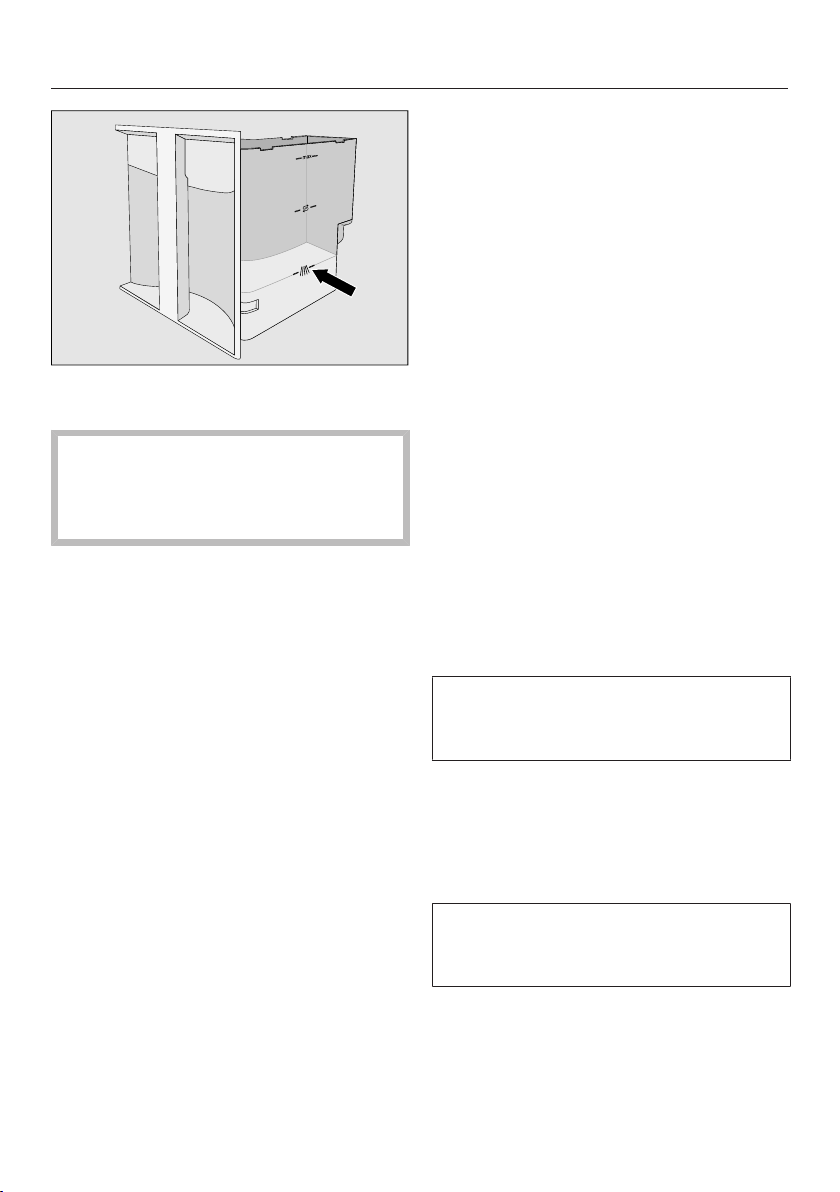
Cleaning and care
72
Fill the water tank to the mark with
lukewarm water and stir the solution.
Please adhere to the mixing ratio. It
is important that you do not fill the
water tank with too little water, other-
wise cleaning will be incomplete.
Replace the water tank in the coffee
system and close the front.
Follow the instructions in the display.
If prompted to do so on the display:
Remove the water tank and rinse it
carefully with clean water. Make sure
that no cleaning agent is left in the
water tank. Fill the water tank with
fresh tap water and replace it in the
machine.
The cleaning process is finished when
Program Finished appears in the display.
Degreasing the brew unit
Depending on the natural oil content of
the coffee used, the brew unit can be-
come blocked quite quickly. It must be
degreased regularly in order to ensure
aromatic coffee and trouble-free opera-
tion of the coffee system.
We recommend using Miele cleaning
tablets to clean the brew unit. These
have been specially developed for use
with Miele coffee systems and prevent
subsequent damage.
Miele cleaning tablets can be ordered
from a Miele dealer or from the Miele
website.
The "Degrease brew unit" maintenance
program lasts about 11minutes.
After 200 portions have been dis-
pensed, Degrease the brew unit will ap-
pear in the display.
Confirm the message with OK.
This message will be displayed until
the cleaning program has been carried
out.
Performing "Degrease brew unit"
Turn the coffee system off with the
On / Off button.
Tap Main Menu or Back.
The cleaning process cannot be can-
celled once it has started. The process
has to be carried through to the end.
Select Maintenance and then De-
grease the brew unit.
Follow the instructions in the display.
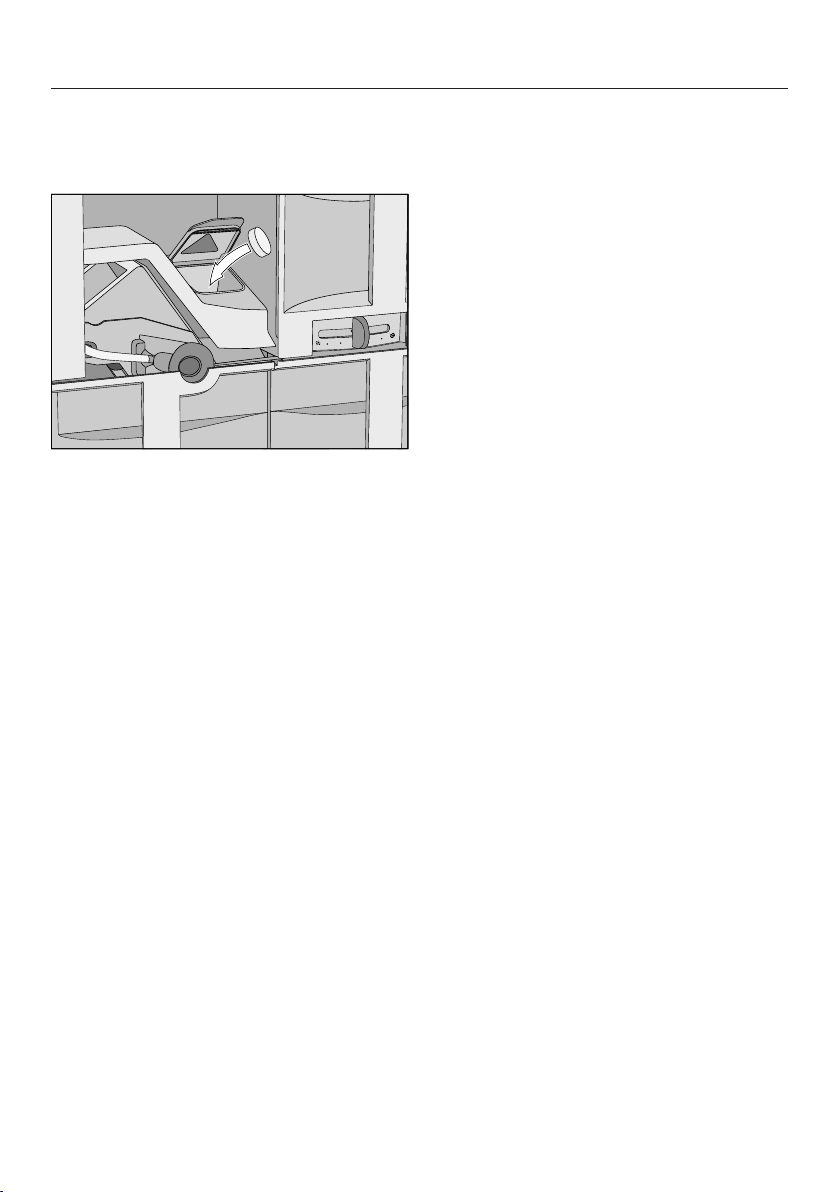
Cleaning and care
73
When Place a cleaning tablet in the ground
coffee chute and close the chute appears
in the display:
Remove the coffee chute cover and
open the lid of the coffee chute.
Drop a cleaning tablet into the ground
coffee chute.
Close the lid, replace the coffee chute
cover and close the machine front.
Follow the instructions given in the
display.
If Program Finished appears in the dis-
play:
Tap OK.
The brew unit has now been cleaned.

Descaling the machine
74
Important! When descaling the appli-
ance, cover delicate surfaces and
natural flooring to prevent damage
from splashes of descaling solution.
Ensure that any splashes of descal-
ing solution are wiped up immedi-
ately.
Lime scale builds up in the coffee sys-
tem through use. How often the appli-
ance needs to be descaled will depend
on the water hardness level in your
area. It should be descaled regularly to
ensure that it functions correctly.
The appliance will guide you through
the descaling process. Various mes-
sages will appear in the display, e.g.
you will be prompted to empty the drip
tray or fill the water reservoir.
The descaling process is required and
takes approx.20minutes.
The coffee system prompts you when it
needs to be descaled. "No. of portions
until appliance needs descaling: No. of
uses until appliance needs descaling: 50
appears in the display. Each time a
drink is prepared, the coffee system
displays the number of portions remain-
ing until descaling must be carried out.
Confirm the message with OK.
When the number of remaining portions
reaches 0, the appliance will lock out.
Then Descale will appear in the display.
You can turn off the coffee system if
you do not want to descale it at this
time. However, you will be not be able
to make any more drinks until descaling
has been carried out.
Descaling following display re-
minder
Descale appears in the display.
The descaling process cannot be can-
celled once you have tapped "OK."
The process has to be completed
through to the end.
Tap OK.
The process will start.
Follow the instructions in the display.
When Fill water container with lukewarm
water and descaling solution up to the
symbol and replace it appears in the dis-
play, proceed as follows.
Preparing the descaling solution
We recommend using Miele descaling
tablets for optimum results.
These have been specially developed
for use with Miele coffee machines and
prevent subsequent damage.
Only use the Miele descaling tablets.
Other types of descaling agents can
damage the appliance and affect the
taste.
Miele descaling tablets are available to
order from Miele or the Miele website.
You will need two descaling tablets.

Descaling the machine
75
Fill the water tank to the mark with
lukewarm water.
Drop two descaling tablets in the wa-
ter.
Follow the instructions for the mixing
ratio carefully. It is important that you
do not fill the water tank with too
much or too little water. Otherwise
the descaling process will be can-
celled prematurely.
Performing a descale
Replace the water tank in the coffee
system and close the front.
Follow the instructions given in the
display.
When Fill the water container with fresh tap
water up to the descaling symbol ap-
pears in the display:
Carefully rinse the water tank with
clean water. Ensure that no descaling
solution residue remains in the water
tank. Fill the water tank to the
mark with fresh tap water.
The descaling program is finished at the
end of the rinsing cycle and drinks can
be made again.
To protect the machine and sur-
rounding surfaces from damage,
make sure you wipe up any spillages
or splashes of descaling agent im-
mediately.

Descaling the machine
76
Descaling when not prompted
by a message
Tap Main Menu or Back.
Select Maintenance.
The descaling process cannot be can-
celled once you have tapped "OK."
The process has to be completed
through to the end.
Select Descale.
The descaling process will begin.
Frequently Asked Questions
77
Most problems that occur during daily use can be easily corrected. With the help
of the following guide, you will be able to find the causes of problems and rectify
them. However, please note:
Important! Never open the casing of the appliance.
Repairs and other work by unqualified persons could be dangerous. The manu-
facturer cannot be held responsible for unauthorized work.
Repairs to electrical appliances should only be carried out by a suitably quali-
fied person in accordance with local and national safety regulations.
If you cannot remedy the problem yourself, please contact Miele.
Messages in the display
Fault messages must be confirmed with OK, otherwise the message can reap-
pear in the display even though the problem has been remedied.
To address the fault, follow the instructions on the display.
If the fault message appears in the display again, contact Miele.
Message Possible cause and solution
F1, F2, F3, F4,
F80, F81, F82, F83
There is an internal fault.
Turn the machine off with the On / Off button.
Wait for 1 hour before turning it back on again.
F74, F77
F225, F226
F235, F236
There is an internal fault.
Turn the machine off with the On / Off button.
Wait for 2 minutes before turning it back on again.
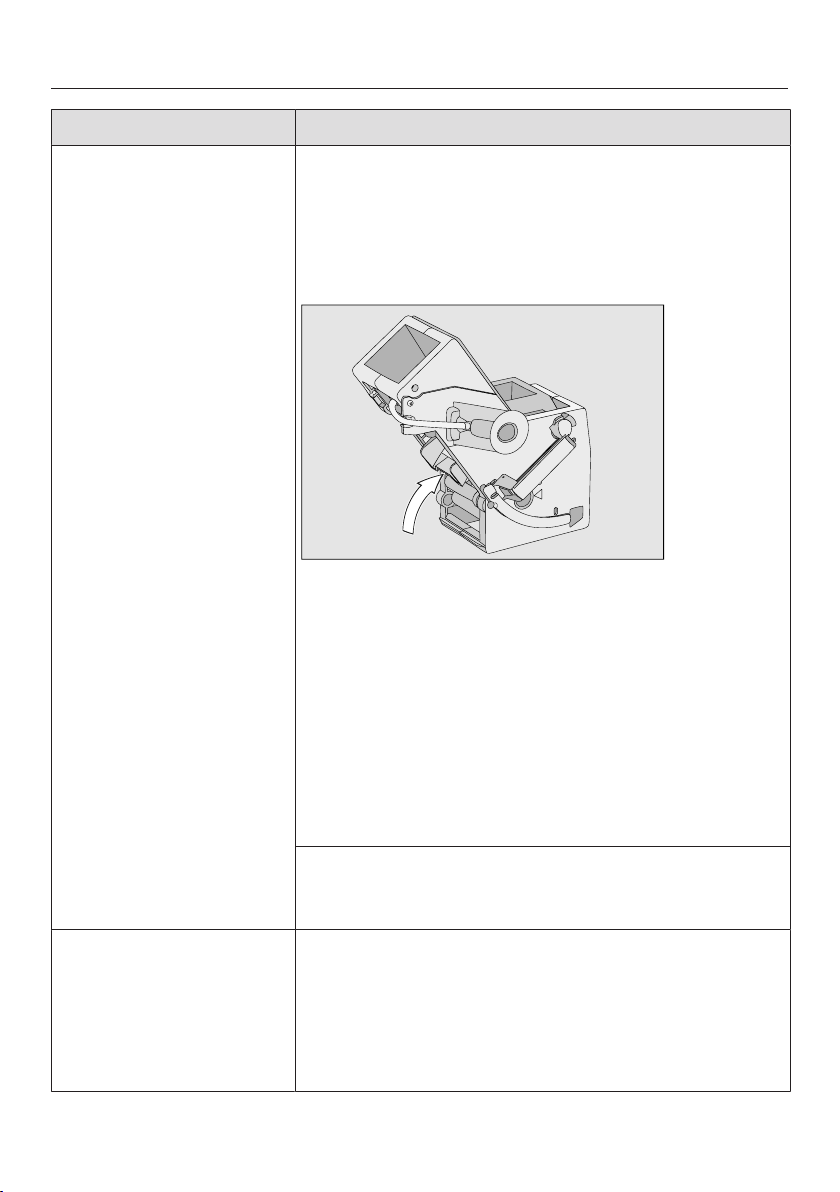
Frequently Asked Questions
78
Message Possible cause and solution
F73 or
Check the brew unit
The brew unit cannot be positioned correctly, or it is
dirty and the coffee cannot be processed.
Check whether you can remove the brew unit (see
"Cleaning and care - Brew unit").
If you can remove the brew unit, clean it (see
"Cleaning and care – Brew unit").
Push the coffee ejector of the brew unit into the
correct position (see image).
Push the waste unit and the water tank back in the
machine. Do not insert the brew unit. Close the
door and switch the machine on with the On / Off
button.
This will initialize the brew unit motor and put in back
into the start position.
When Insert the brew unit appears in the display,
open the door and put all the parts back in the
machine. Then close the door.
If the brew unit cannot be removed:
Turn the machine off with the On / Off button.
Wait for 2 minutes before turning it back on again.
F227, F228, F229, F230
F233
There is a fault with the automatic dispenser adjust-
ment.
Confirm the message with OK.
Automatic dispenser adjustment during drink prepara-
tion is deactivated as long as the appliance remains
switched on. You can continue to prepare drinks.
Frequently Asked Questions
79
Message Possible cause and solution
F234 Cup protection switch-off has been activated three
times since switching on the coffee system. The cups
or glasses being used are not recognized by the auto-
matic dispenser adjustment.
Use only cups or glasses that can be recognized
by the automatic dispenser adjustment.
There is a fault with the automatic dispenser adjust-
ment.
Turn the machine off with the On / Off button.
Wait for 2 minutes before turning it back on again.
Too much ground coffee There is too much ground coffee in the coffee chute.
If more than one level scoop of ground coffee is
added to the coffee chute, the brew unit cannot
process the coffee. The ground coffee will be directed
into the waste unit and the fault message will appear
in the display.
Turn the machine off with the On / Off button.
Remove and clean the brew unit (see "Cleaning
and care – Brew unit").
Remove the ground coffee inside the coffee sys-
tem, e.g. with a vacuum cleaner.
Use the coffee scoop supplied to add ground cof-
fee to the ground coffee chute. Add only one por-
tion of ground coffee to the chute.
Push the water container in
until it engages
The water tank is not sitting properly in the appliance.
Remove the water tank and replace it.
This fault message also appears if the water tank was
not correctly filled and fitted for descaling.
Fill the water tank to the descaling marking and
restart the descaling program.

Frequently Asked Questions
80
Unusual performance of the coffee system
Problem Possible cause and solution
The display remains
dark when the coffee
system is turned on us-
ing the On / Off but-
ton.
The On / Off button was not touched for long
enough.
Tap the On / Off button and keep it pressed for
at least 3 seconds.
The plug is not properly plugged into the electrical
outlet.
Insert the plug into the electrical outlet.
The fuse has tripped because the coffee system, volt-
age or another appliance is defective.
Reinsert the plug..
Contact a qualified electrician or Miele Service for
assistance.
The lighting remains off
after the coffee system
has been turned on.
The lighting has been turned off.
Turn the lighting on (see "Settings - Lighting").
The lamp is defective.
Contact Miele Service.
The coffee system turns
off suddenly.
The switch-off time programmed using the timer has
been reached.
If required, you can select a new switch-off time
(see "Settings - Timer").
The plug is not properly plugged into the electrical
outlet.
Insert the plug into the electrical outlet.
The coffee system is
turned on. The lighting
turns off suddenly.
This is not a fault. The lighting turns off approximately
10 minutes after the coffee system was last used.
The sensors do not re-
act to touch.
The appliance cannot
be operated.
There is an internal fault.
Open the appliance door.
The process currently running will be stopped.
Disconnect the electrical supply by switching off at
the wall outlet and unplugging, or tripping the
breaker.
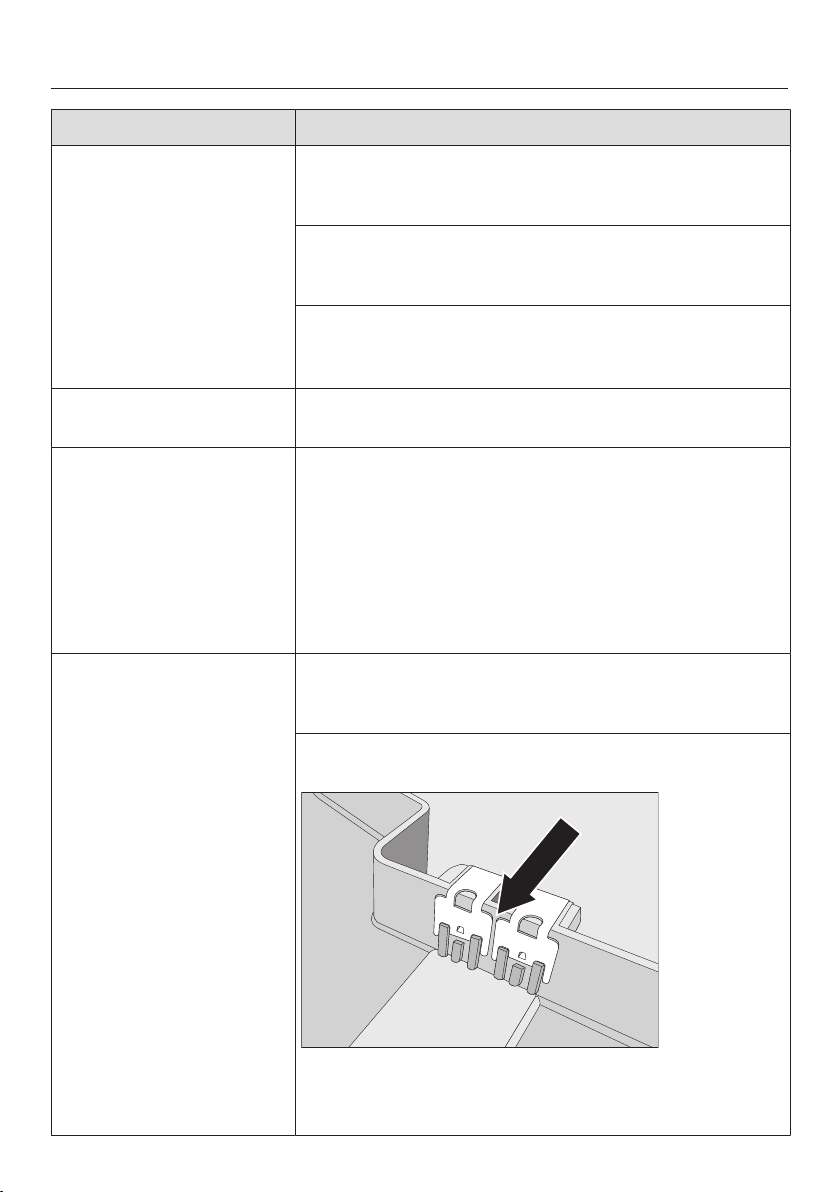
Frequently Asked Questions
81
Problem Possible cause and solution
The coffee system does
not switch itself on, al-
though the timer setting
Turn on at has been acti-
vated.
The system lock feature has been activated.
You need to deactivate the system lock (see "Set-
tings - System lock").
A day of the week has not been selected.
Check the timer settings and change them if re-
quired (see "Settings - Timer").
The machine was not used after being switched on
automatically three times in succession.
Switch the machine on and dispense a drink.
The display is hard to
see or not legible.
The display brightness has been set too low.
Change this setting (see "Settings").
Fill and replace the water
container appears after
switching on even
though the container is
filled and fitted in the
machine. The appliance
does not rinse.
The coffee system needs to be descaled.
Turn the coffee system off with the On / Off but-
ton. Wait approx. 1 hour.
Switch on the machine again. As soon as Preheat-
ing appears, tap Maintenance at the bottom right
and then select Descale.
Descale the coffee system. You may need to re-
peat the descaling process.
Empty the drip tray ap-
pears in the display,
even though the drip
tray is empty.
The drip tray is not positioned correctly in the ma-
chine.
Push the drip tray in as far as it will go.
The drip tray sensing mechanism is not working. The
contacts are soiled.
Clean the contacts and the space between them,
and dry them thoroughly (see "Cleaning and care -
Drip tray").
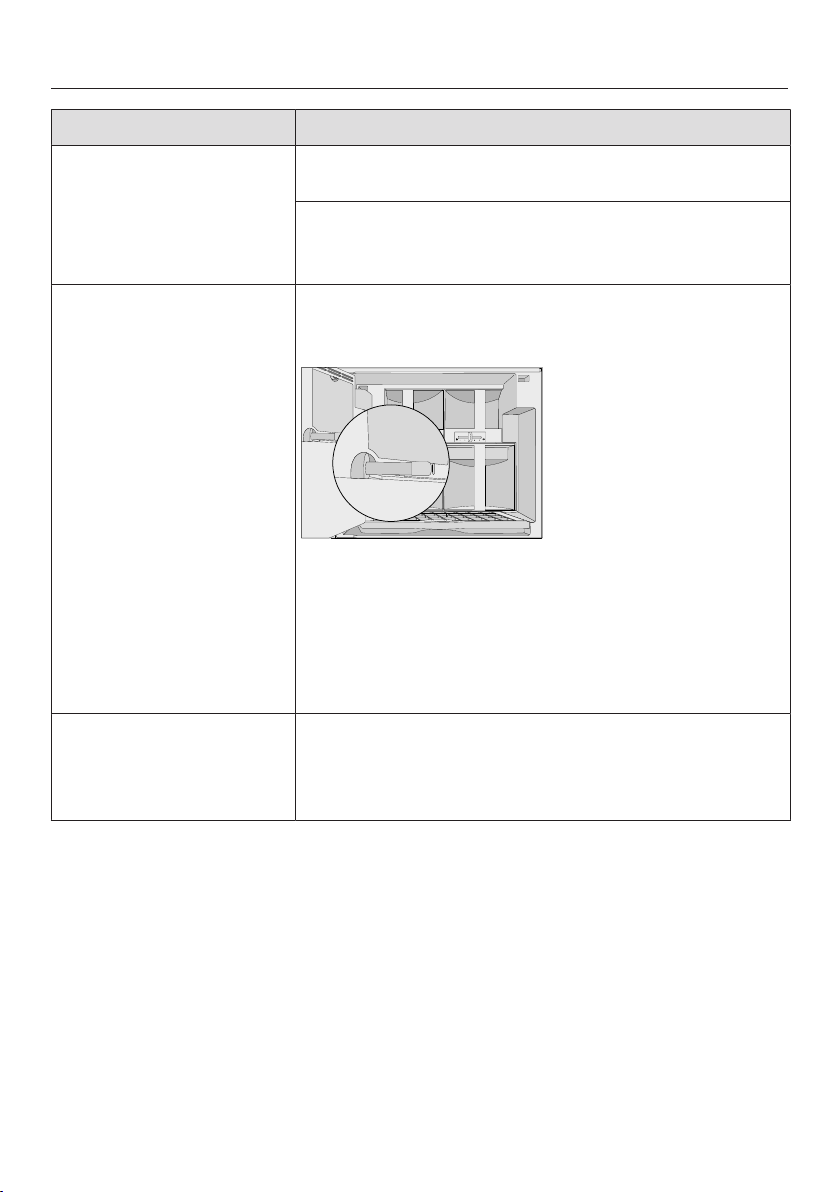
Frequently Asked Questions
82
Problem Possible cause and solution
The machine door will
not close.
The containers are not pushed all the way in.
Check the containers.
The door hinges are not correctly aligned.
Adjust the door hinges (see "Installation - Adjust-
ing the door hinges").
The door is difficult to
open and close.
The cap of the main dispenser connector is not suffi-
ciently greased. The silicone cap gets jammed in the
brew unit.
Check the silicone cap for damage. Repalce the
cap with the provided spare part if necessary.
Lubricate the cap with the included silicone
grease.
Grease the cap of the main dispenser connector reg-
ularly, at least once a month.
The coffee system does
not rinse itself when
turned on.
This is not a fault.
If the coffee system still has an operating tempera-
ture higher than 140°F (60°C), rinsing will not take
place.
Frequently Asked Questions
83
Problem Possible cause and solution
During rinsing, no or
considerably less rins-
ing water than usual
comes out of the main
dispenser.
No or considerably less
coffee than usual
comes out of the main
dispenser. The displays
and preparation noises
are unchanged.
The waste unit contains
considerably more "cof-
fee water."
The main dispenser is not correctly mounted.
Make sure the main dispenser has been assem-
bled as described (see "Cleaning and care – Main
dispenser").
The cap is no longer sitting firmly on the main dis-
penser connector (see "Guide to the appliance").
Check the cap of the main dispenser connector.
Grease the cap with the included silicone grease.
The cap of the main dispenser connector is damaged
or missing.
Replace the cap with the provided spare part.
Lubricate the cap with the included silicone
grease.
The descaling program
was started uninten-
tionally.
The descaling program cannot be stopped once the
OK button has been tapped.
Descaling must be continued through to completion.
This is a safety precaution to make sure the machine
is descaled correctly. This is important for the
longevity and functional efficiency of your coffee sys-
tem.
Descale the coffee system (see "Descaling").
Loud noises are heard
during the descaling
program.
This is not a fault.
These noises occur when water is flushed through
the machine at a high pressure.
The display lights up
but the coffee system
does not heat up and no
drinks are made.
The Demo mode of the coffee system has been acti-
vated.
Deactivate the Demo mode (see "Settings - Demo
mode").
Frequently Asked Questions
84
Problem Possible cause and solution
The drinking vessel be-
ing used is repeatedly
not recognized by the
automatic dispenser
adjustment.
The main dispenser
lowers until it touches
the top of the cup or
glass and cup protec-
tion switch-off is acti-
vated.
The cup or glass is not suited for the sensing mecha-
nism.
Use cups or glasses that are suitable for automatic
dispenser adjustment.
There is a fault with the automatic dispenser adjust-
ment.
Turn the machine off with the On / Off button.
Wait for 2 minutes before turning it back on again.
Use another drinking vessel and prepare a drink.
If cup protection switch-off is activated again or
the main dispenser lowers until it touches the top
of the cup or glass again, please contact Miele.
Cup protection switch-
off does not work. The
main dispenser lowers
until it touches the top
of the vessel and the
cleaning container or
another vessel gets
caught between the
main dispenser and the
drip tray.
If the cleaning container is sitting too close to the
panel behind the main dispenser, or even touches it,
the rim of the container will not be properly recog-
nized by the automatic dispenser adjustment.
Move the cleaning container forwards a little.
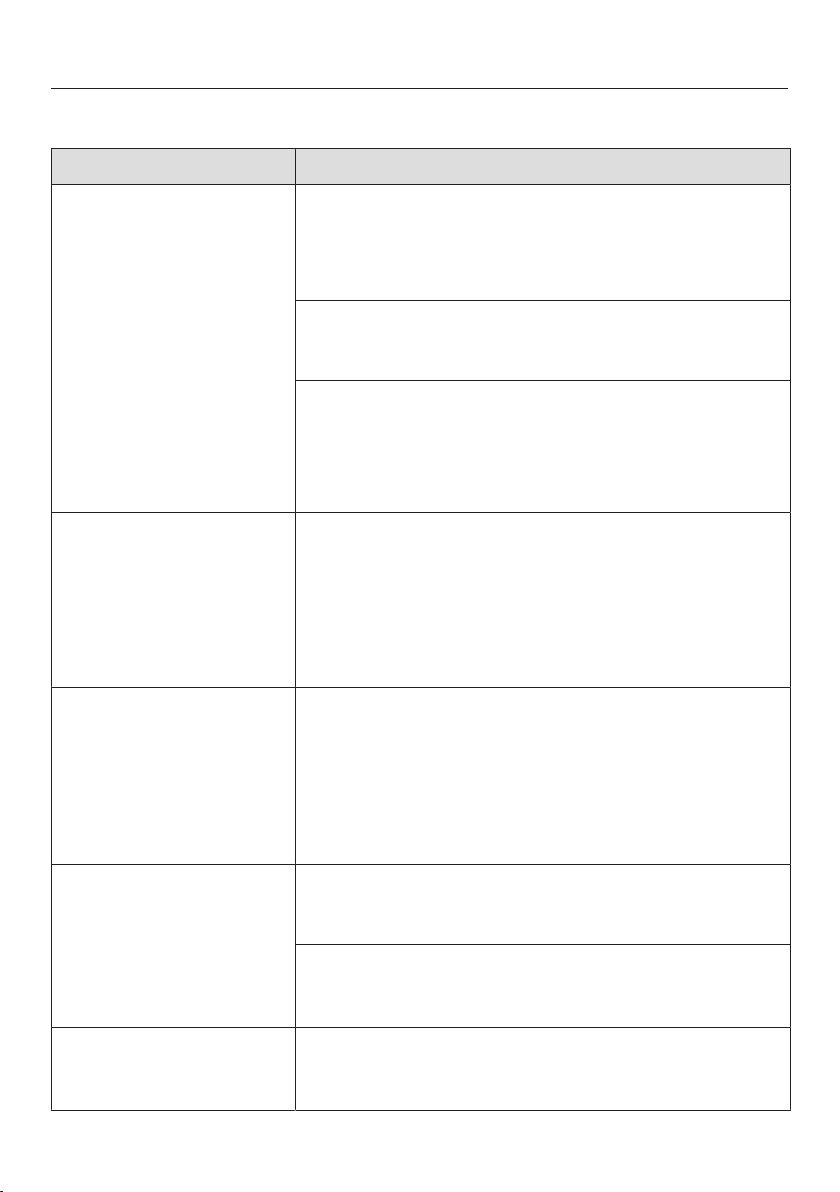
Frequently Asked Questions
85
Unsatisfactory results
Problem Possible cause and solution
The coffee is not hot
enough.
The cup has not been pre-heated.
The smaller the cup and the thicker its walls, the more
important it is to pre-heat it.
Pre-heat the cup, for example, with hot water.
The brewing temperature is set too low.
Set a higher brewing temperature (see "Brewing
temperature").
The brew unit filters are blocked.
Remove and clean the brew unit (see "Cleaning
and care – Brew unit").
Degrease the brew unit (see "Cleaning and care -
Brew unit").
The heating-up time is
getting longer, the
amount of water being
dispensed is incorrect
and the coffee system
is not performing prop-
erly.
The coffee system needs to be descaled.
Descale the coffee system.
Coffee does not flow
evenly from both dis-
pensers. Milk sprays
occasionally during
preparation.
Coffee deposits in the main dispenser prevent the
dispensing of the drinks.
Disassemble the main dispenser and clean the
parts – with the exception of the stainless steel
cover – in the dishwasher (see "Cleaning and care
– Main dispenser").
This cleaning should be performed once a week.
The coffee grinder
makes a louder noise
than usual.
The coffee bean container has become empty during
the grinding process.
Fill the coffee bean container with fresh beans.
There may be stones in among the coffee beans.
Turn the coffee system off immediately. Contact
Miele.
The coffee flows too
quickly into the cup.
The grind level is too coarse.
Set the grinder to a finer setting (see "Setting the
coffee grinder").
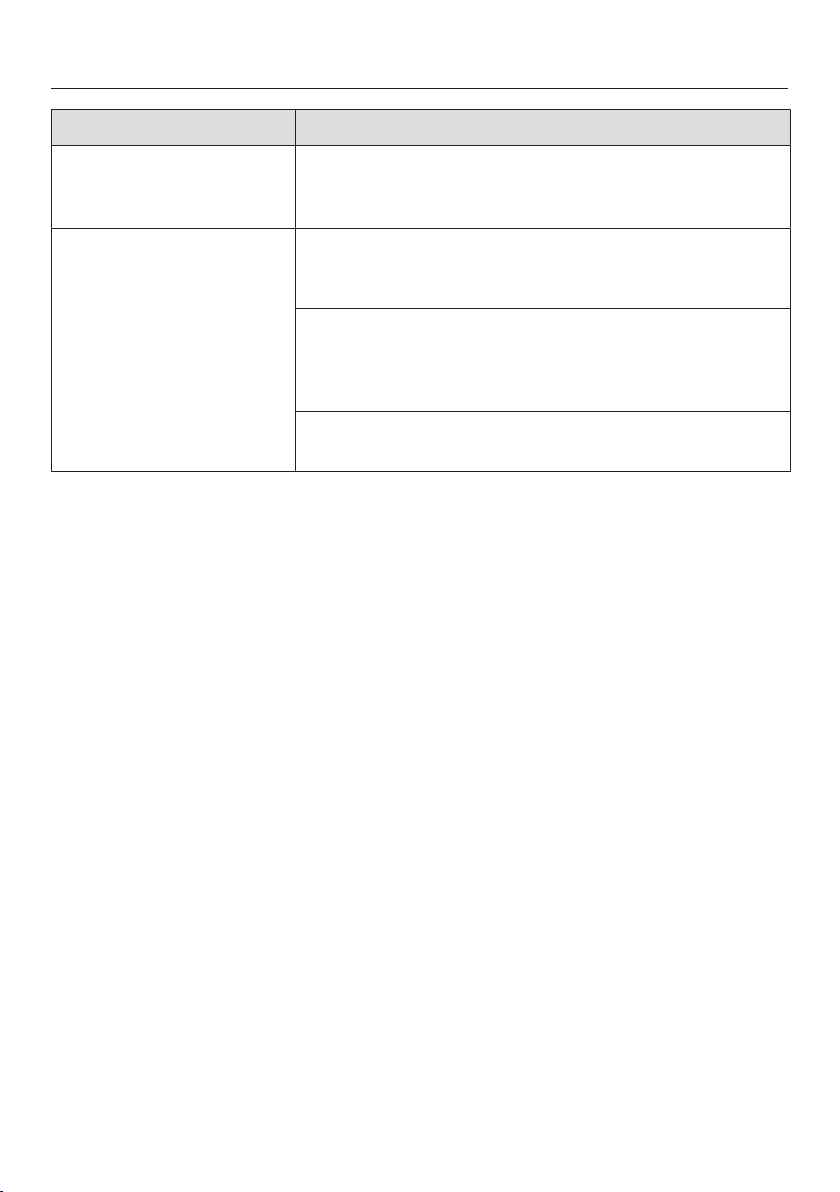
Frequently Asked Questions
86
Problem Possible cause and solution
The coffee trickles too
slowly into the cup.
The grind level is too fine.
Set the grinder to a coarser setting (see "Grinder
setting").
The crema on the cof-
fee or espresso is "not
right".
The grinder setting is not correct.
Set the grinder to a finer or coarser setting (see
"Grinder setting").
The brew temperature is too high for the type of cof-
fee being used.
Set a lower brewing temperature (see "Brewing
temperature").
The coffee beans are no longer fresh.
Add fresh beans to the coffee bean container.
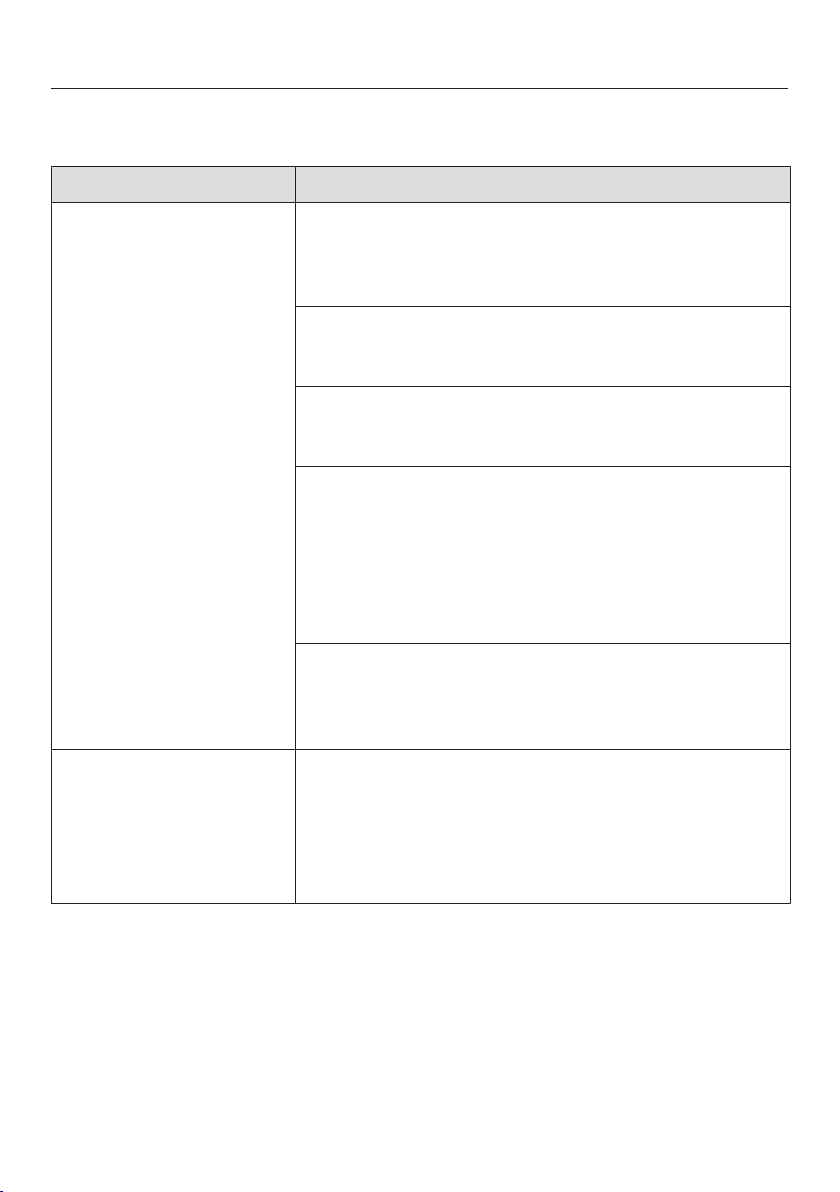
Frequently Asked Questions
87
Problems when preparing milk
Problem Possible cause and solution
The milk sprays during
dispensing and hissing
noises can be heard.
Even though milk froth
should be prepared,
only hot milk emerges
from the main dis-
penser.
The milk temperature is too high. Good milk froth can
only be achieved when cold milk (below 50°F/10°C) is
used.
Check the temperature in the milk flask.
The milk flask has not be inserted properly so that not
only milk, but also air is suctioned in.
Push in the milk flask to the limit stop.
The main dispenser is not correctly mounted.
Check whether the main dispenser is correctly as-
sembled.
The milk pipework in the milk flask lid is dirty.
Taking apart the milk flask lid and cleaning it with
the cleaning brush (See "Cleaning and care – Milk
flask").
Clean the main dispenser and the milk valve with
the cleaning brush (see "Main dispenser" and
"Maintaining the milk valve").
The elbow connector is blocked and must be ex-
changed.
Exchange the elbow connector (see "Exchanging
the elbow connector").
Fill and insert milk container
appears in the display
even though the milk
flask has been filled and
inserted in the machine.
The milk flask lid could be dirty. Therefore, the sens-
ing mechanism does not function correctly.
Clean the cover and the milk flask thoroughly. Dis-
assemble the cover and clean it with the included
cleaning brush (see "Cleaning and care – Milk flask
with cover").
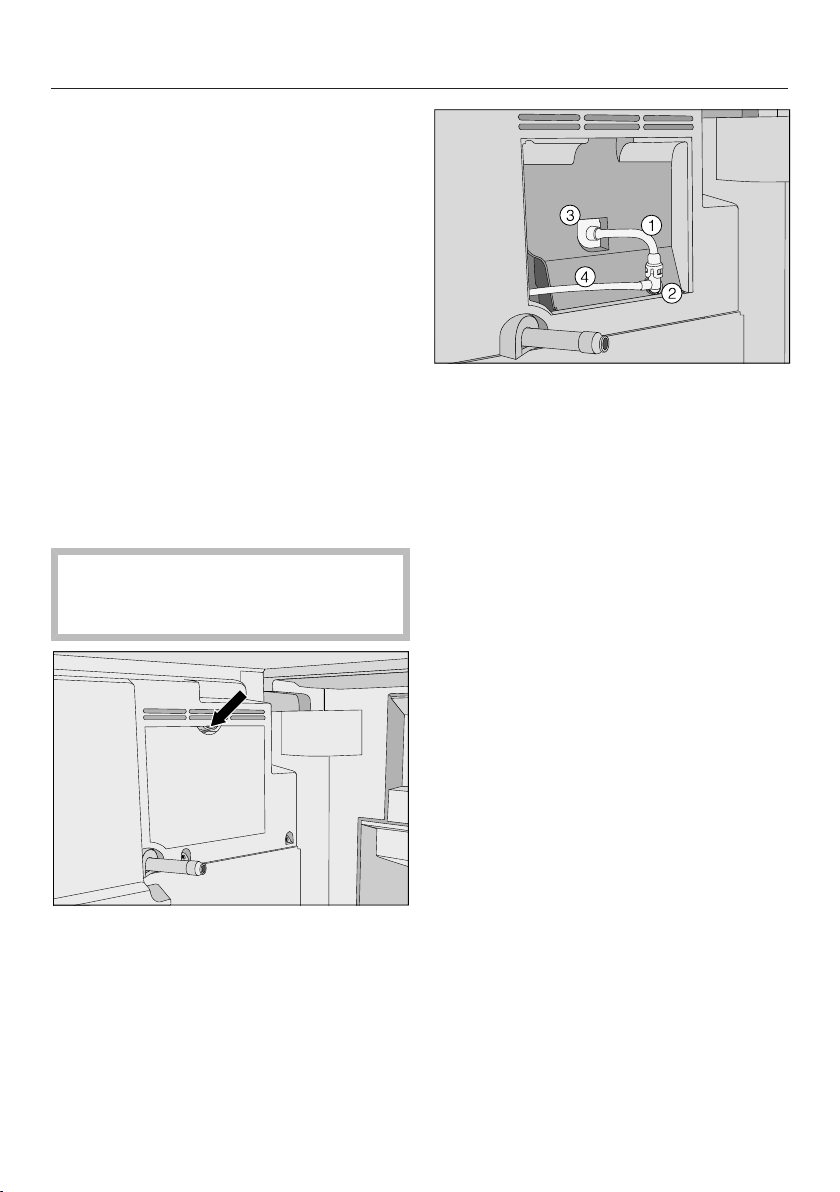
Frequently Asked Questions
88
Exchanging the elbow connec-
tor
If you can prepare only hot milk instead
of milk froth, check the following first:
– Is the milk in the milk flask cold
(<50°F / 10°C)?
– Have the main dispenser and milk
flask lid been cleaned carefully?
– Is the main dispenser correctly
mounted?
If you still cannot prepare milk froth, fol-
low the steps described to exchange
the elbow connector.
You need the elbow connector that was
provided as a spare part.
Do not use a needle or similar imple-
ment. This would damage the com-
ponents.
Open the service cover on the back
of the appliance door.
First release air intake tube from
the opening Then pull off the el-
bow connector .
Pull both tubes out of the elbow con-
nector.
Use the cleaning brush supplied to
clean air intake tube under running
water. "Blowing through" can help to
dislodge blockages.
Insert the brush in milk tube . Move
the brush back and forth as far as
possible until all milk deposits have
been removed.
Now take the new elbow connector
(you can throw away the old elbow
connector in the household trash).
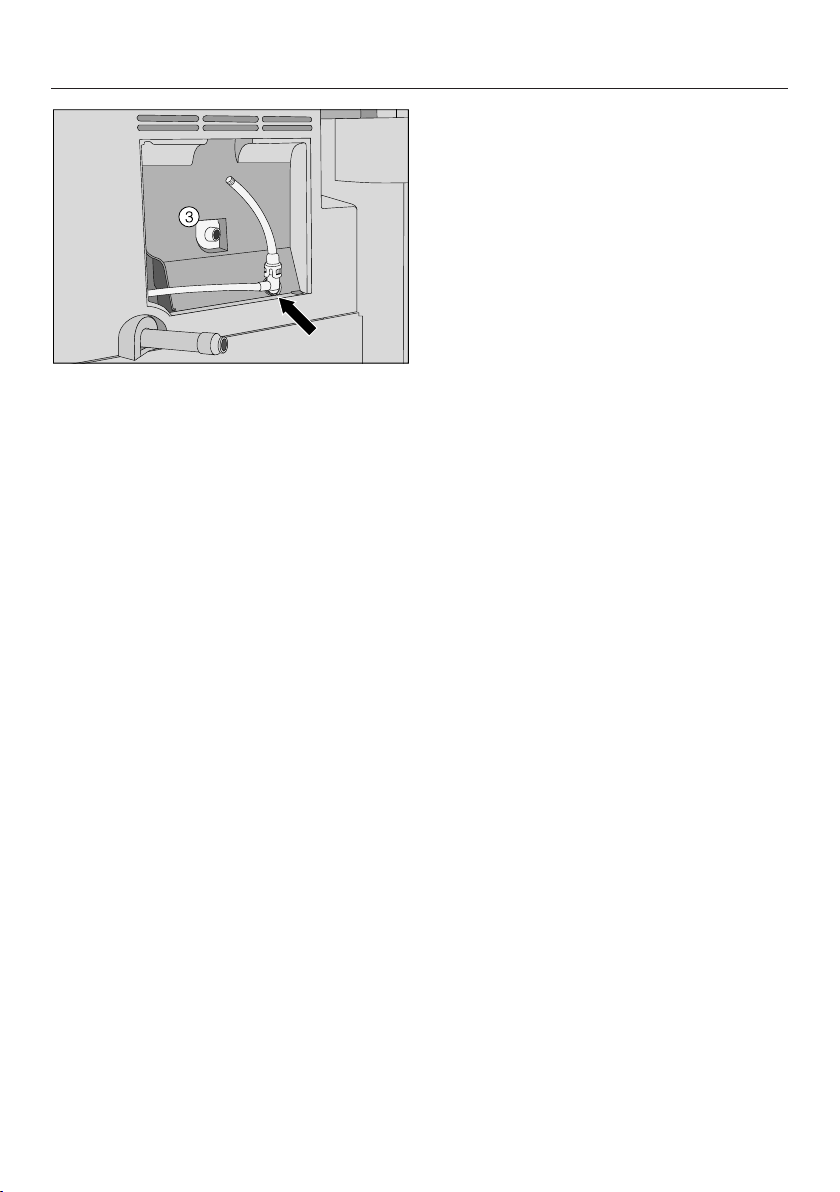
Frequently Asked Questions
89
Push the tubes back into the elbow
connector and replace this in the ma-
chine. Make sure that the land on the
elbow connector is pointing down-
wards.
Re-insert the air intake tube into the
opening .
Replace the service cap and close
the door.

Technical Service
90
After sales service
In the event of a fault that you cannot
correct yourself, please contact
– Your Miele dealer
or
– Miele Technical Service
The telephone number for Miele is
listed at the back of these instructions.
When contacting Miele, please quote
the model and machine number of
your coffee system.
This information is given on the data
plate inside your appliance.
Warranty
For more information, please refer to the
included warranty.
MieleCare (USA only)
MieleCare, our Extended Service Con-
tract program, gives you the assurance
of knowing that your appliance invest-
ment is covered by 5 years of worry free
ownership.
MieleCare is the only Extended Service
Contract in the industry that guarantees
repairs by a Miele Authorized Service
Provider using genuine Miele parts.
Only genuine Miele parts installed by
factory trained professionals can guar-
antee the safety, reliability, and
longevity of your Miele appliance.
Please note that unless expressly ap-
proved in writing by Miele’s Service de-
partment, Extended Service Contracts
offered by other providers for Miele
products will not be recognized by
Miele. Our goal is to prevent unautho-
rized (and untrained) service personnel
from working on your Miele products,
possibly doing further damage to them,
you and/or your home.
To learn more about MieleCare Ex-
tended Service Contracts, please con-
tact your appliance dealer or visit us
online at:
http://mieleusa.com

Saving energy
91
If the settings of the following functions
are altered from the factory default, en-
ergy consumption will increase:
– Eco mode
– Lighting
– Time display
– Timer

Packaging material / Disposal of old machine
92
Disposal of packaging material
The cardboard box and packing materi-
als protect the appliance during ship-
ping. They have been designed to be
biodegradable and recyclable.
Ensure that any plastic wrappings,
bags, etc. are disposed of safely and
kept out of the reach of children. Return
the packaging to your dealer.
Disposal of your old appliance
Old electrical and electronic appliances
often still contain valuable materials.
However, they also contain harmful
substances that were essential for the
proper functioning and safe use of the
equipment. Handling these materials
improperly or disposing of them in your
household waste can be harmful to your
health and the environment. Therefore,
please do not dispose of your old appli-
ance with regular household waste.
Old appliances may contain materials
that can be recycled. Please contact
your local recycling authority about the
possibility of recycling these materials.
Ensure the appliance presents no dan-
ger to children while being stored for
disposal.

Electrical connection
93
Make sure that the power to the ma-
chine is OFF before installing or per-
forming maintenance or repairs. All
electrical work should be performed by
a qualified electrician in strict accor-
dance with national and local safety
regulations. Installation, repairs and
other work by unqualified persons
could be dangerous.
Verify that the voltage, load and circuit
rating information found on the data
plate match the household electrical
supply. This data must match to pre-
vent damage to the coffee system. If in
doubt, consult a licensed electrician.
The necessary connection information
is given on the data plate inside your
appliance.
The coffee system comes equipped
with a 6ft (1.8m) power cord with a
NEMA 5-15P molded plug for connec-
tion to a 120V, 15A, 60Hz power sup-
ply.
Do not connect the appliance to a
power inverter or directly to power pro-
duced outside of the normal electrical
grid (i.e. direct solar or wind power
source).
Direct connection to such power
sources can cause power surges and
tripped breakers when the appliance is
turned on, and could damage the appli-
ance.
Do not connect the appliance to energy
saving plugs or outlets. The reduction
of power to the appliance caused by
these devices will cause the appliance
to run hot and may damage it and/or
shorten its usable life.
If there is any question concerning the
electrical connection of this appliance
to your power supply, please consult a
licensed electrician or contact Miele’s
Technical Service Department. See
back page for contact information.
WARNING:
THIS APPLIANCE MUST BE
GROUNDED
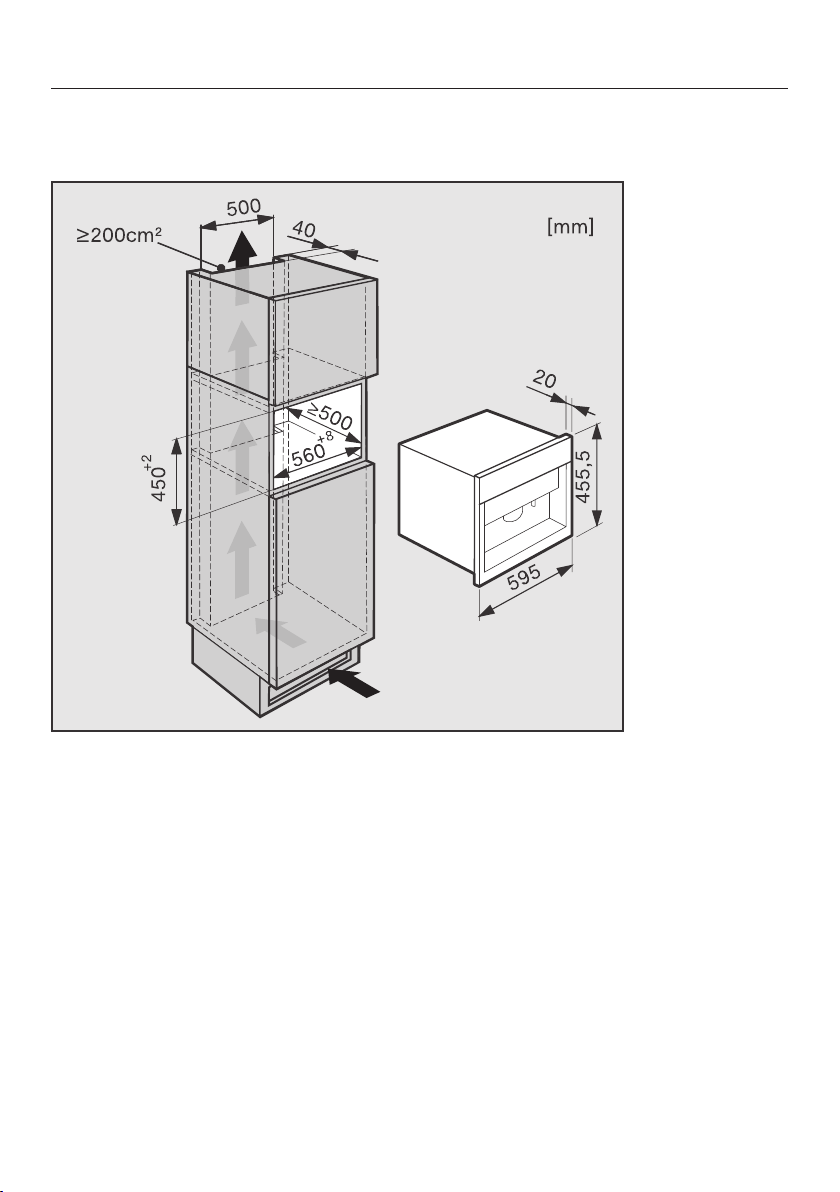
Installation
94
Installation and combination options
The appliance is designed to be built into a tall unit.
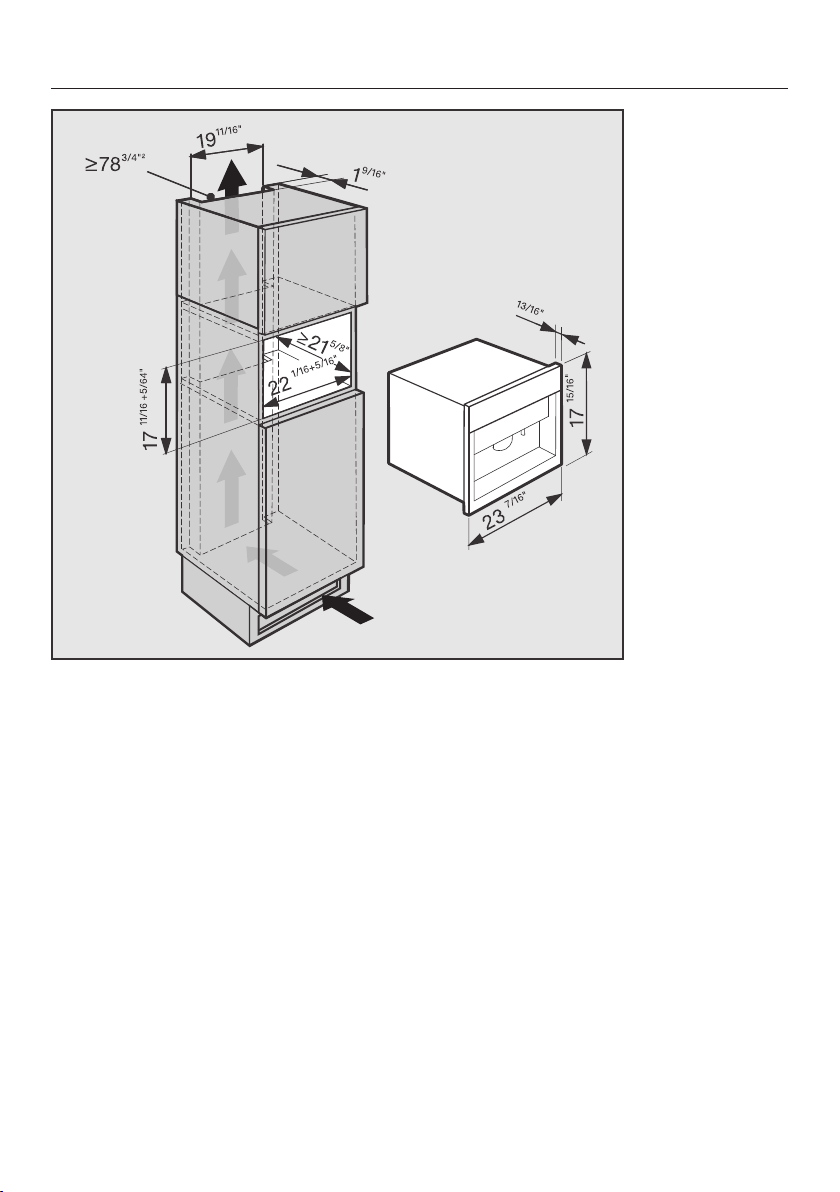
Installation
95
It can also be combined with other Miele built-in appliances. If the coffee system is
to be built in above another appliance, there must be a full-width, closed shelf be-
tween them.
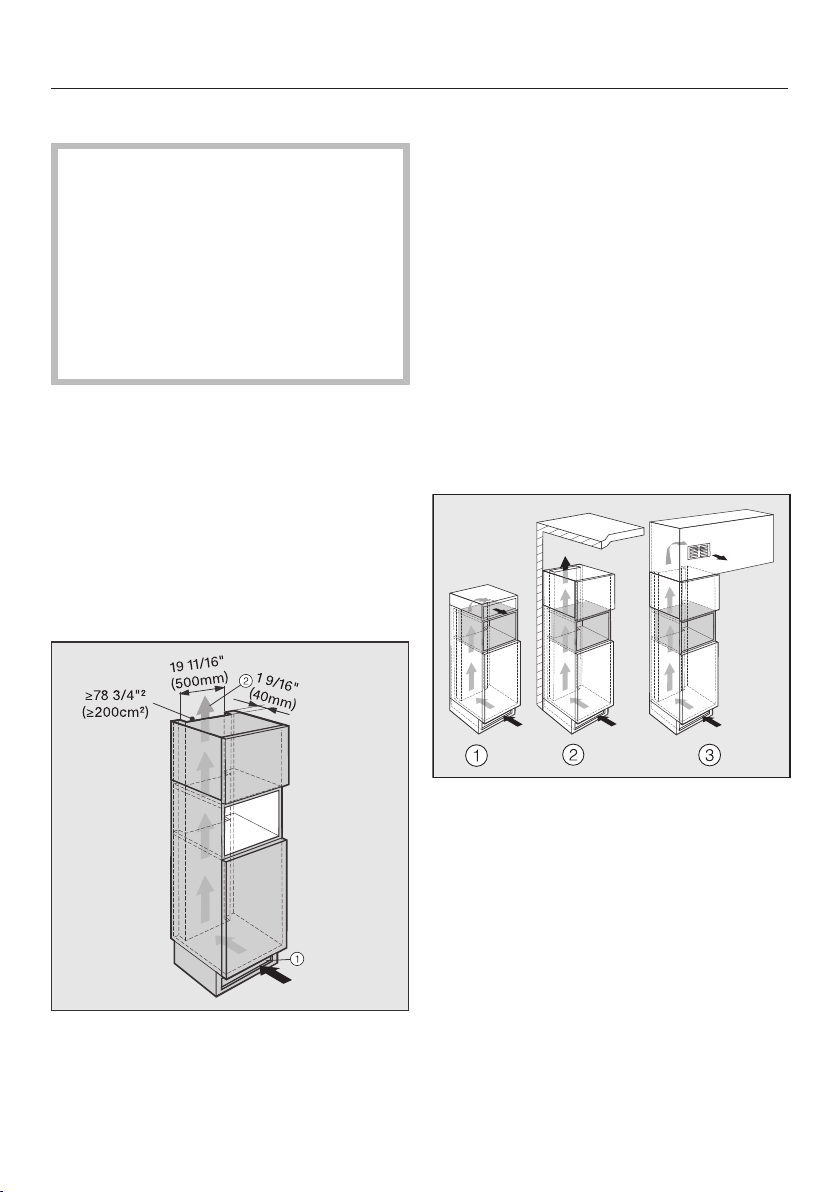
Installation
96
Ventilation
Condensation water can damage the
coffee system or surrounding cabi-
nets.
The specified ventilation cross-sec-
tions absolutely must be observed.
Do not cover or block the ventilation
cross-sections.
Clean the ventilation cross-sections
on a regular basis.
Due to the heating of water, water
steam can condense inside the coffee
system and inside the door.
During installation, ensure there is suffi-
cient ventilation at the rear of the appli-
ance so that steam and warm air are
able to escape without hindrance.
The surrounding cabinets should be de-
signed as follows:
– Air intake occurs via the plinth at
the bottom of the appliance and the
air escapes at the top at the rear
of the surrounding cabinets.
– A ventilation gap of at least 1
5/8" (40mm) depth must be provided
behind the appliance for air to circu-
late.
– The ventilation cross-sections in the
plinth, surrounding cabinets and
above the appliance must amount to
at least 783/4 square inches
(200cm
2
) to ensure that air can circu-
late without obstruction.
Top ventilation cross-section
The ventilation cross section at the top
of the appliance can be constructed in
different ways:
a
directly above the coffee system
with a ventilation grille (free airflow of
at least 78 3/4 square inches /
200cm
2
)
b
between the surrounding cabinets
and the ceiling
c
through a suspended ceiling
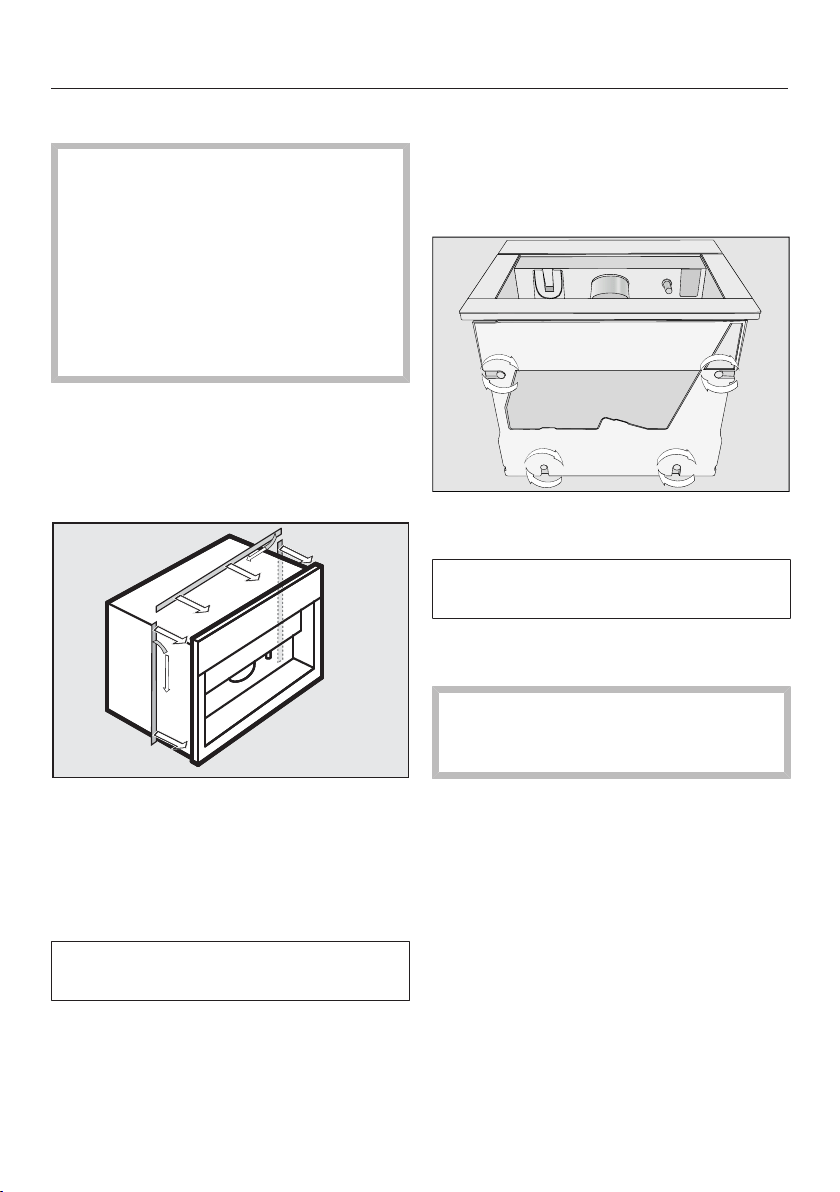
Installation
97
Installing the coffee system
Make sure that there is no power to
the machine during installation. This
also applies when uninstalling.
The machine may only be operated
when installed and in an ambient
temperature range between +50°F
(10°C) to +100°F (38°C).
For installation, you will require two
socket wrenches in sizes 3 and 5.
To ensure the appliance door is flush
with the cabinetry front, a seal around
the building-in niche is needed or a
sealing strip must be adhered to the
coffee system.
If there is not a seal at the front of the
building-in niche, adhere the Miele
sealing strips from the back (see pic-
ture) before installing the coffee sys-
tem.The sealing strips can be pur-
chased from Miele.
Sealing strips are available from your
Miele dealer or from Miele.
Tip: We recommend providing a place
to sit the coffee system which is the
same height as the building-in niche.
This will make it easier to connect the
machine to the electrical supply.
Using the large allen key, unscrew all
four feet out by about 3/4" (2 mm).
.The feet can be unscrewed by up to
approx. 4" (10 mm).
Connect the appliance to the electri-
cal supply.
Ensure the power cord does not get
damaged when pushing the appli-
ance into the niche.
Push the coffee system all the way
into the building-in niche.
Make sure the coffee system is cen-
tered and straight in the building-in
niche. If this is not the case, align the
machine using the four bases.
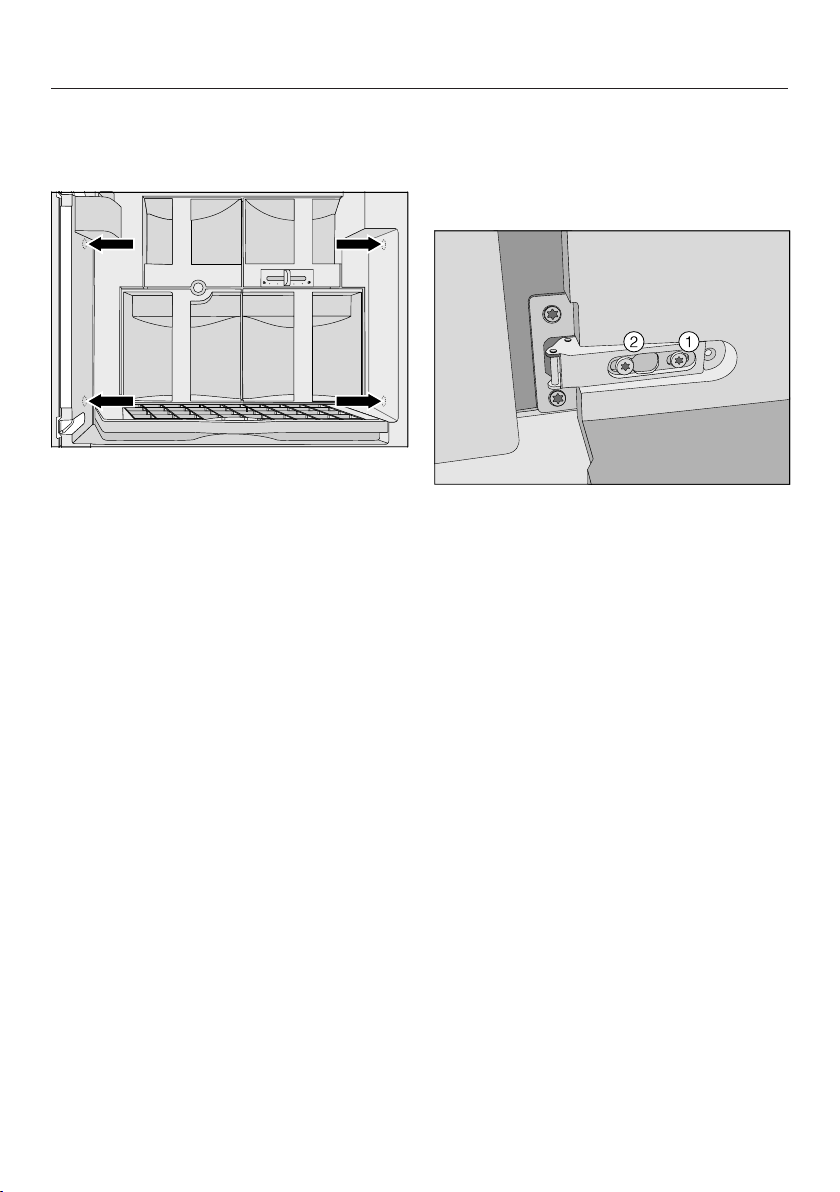
Installation
98
The appliance comes with four M5
socket screws to help you align and se-
cure it in the building-in niche.
Open the appliance door, and par-
tially tighten the side socket screws.
Carefully turn the lower socket
screws to center the machine in the
niche.
Tighten both upper socket screws by
hand to secure the machine in the
unit. Do not over-tighten them.
Adjusting the door hinges
If the machine door becomes difficult to
open or close after installation, you can
adjust the hinges to realign it (TX 20):
Tighten the screw to align it flush
with the cabinet front.
Tighten the screw to align the door
horizontally and vertically.

Copyright and licenses
99
Miele uses software to operate and control the appliance.
The copyright authorization from Miele and other relevant software suppliers (e.g.
Adobe) must be respected.
Miele and its suppliers reserve the rights to the software components.
In particular the following are prohibited:
– copying and distribution,
– modifications and derivations,
– decompilation, reverse engineering, disassembling and other such reductions of
software.
This product contains Adobe® Flash® Player Software under license from Adobe
Systems Incorporated, Adobe Macromedia Software LLC. Adobe and Flash are
registered trademarks of Adobe Systems Incorporated.
Components which fall under GNU General Public Licence and further Open
Source licenses are integrated into the software.
An overview of the integrated Open Source components and a copy of the current
license can be obtained at http://www.miele.com/device-software-licenses. You will
need to enter the specific product name.
Miele will provide the source code for all components of software licensed under
the GNU General Public License and comparable Open Source licenses.
For source code requests, please e-mail [email protected].




9 Independence Way
Princeton, NJ 08540
Phone:
Fax:
www.mieleusa.com
U.S.A.
Miele, Inc.
National Headquarters
Please have the model and serial number
of your appliance available before
contacting Technical Service.
Canada
Importer
Miele Limited
Headquarters and Miele Centre
800-843-7231
609-419-4298
Technical Service & Support
Nationwide
Phone:
Fax:
161 Four Valley Drive
Vaughan, ON L4K 4V8
www.miele.ca
800-999-1360
888-586-8056
Customer Care Centre
Phone:
800-565-6435
905-532-2272
International Headquarters
Miele & Cie. KG
Carl-Miele-Straße 29
33332 Gütersloh
Germany

M.-Nr. 10 214 560 / 05
en – US, CA
CVA 6800