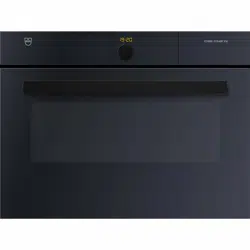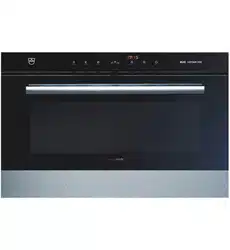
Oven
Hotair HSE
Operating instructions
V-ZUG Ltd

2
Thank you for choosing to buy one of our products. Your appliance is made
to high standards and is easy to use. Nevertheless, please take the time to
read these operating instructions in order to familiarize yourself with the
appliance and get the best use out of it.
Please follow the safety precautions.
Modifications
Text, diagrams and data correspond to the technical standard of the appli-
ance at the time these operating instructions went to press. The right to make
technical modifications for the purpose of the further development of the
appliance is reserved.
Validity
The model number corresponds to the first 3 digits on the identification plate.
These operating instructions apply to the models:
Variations depending on the model are noted in the text.
© V-ZUG Ltd, CH-6301 Zug, 2012
Type Model no. Size system
BHHSE 27A 55-381
BHHSE60 28A 60-381

3
Contents
1 Safety precautions 5
1.1 Symbols used . . . . . . . . . . . . . . . . . . . . . . . . . . . . . . . . . . . . . . . . . . . . . . 5
1.2 General safety precautions . . . . . . . . . . . . . . . . . . . . . . . . . . . . . . . . . . . . 6
1.3 Appliance-specific safety precautions . . . . . . . . . . . . . . . . . . . . . . . . . . . . 7
1.4 Instructions for use . . . . . . . . . . . . . . . . . . . . . . . . . . . . . . . . . . . . . . . . . . 9
2Disposal 12
3 Appliance description 13
3.1 Construction . . . . . . . . . . . . . . . . . . . . . . . . . . . . . . . . . . . . . . . . . . . . . . 13
3.2 Operating and display elements . . . . . . . . . . . . . . . . . . . . . . . . . . . . . . . 14
3.3 Cooking space . . . . . . . . . . . . . . . . . . . . . . . . . . . . . . . . . . . . . . . . . . . . 15
3.4 Accessories . . . . . . . . . . . . . . . . . . . . . . . . . . . . . . . . . . . . . . . . . . . . . . 16
4 Operating the appliance 17
4.1 Using for the first time . . . . . . . . . . . . . . . . . . . . . . . . . . . . . . . . . . . . . . 18
4.2 Selecting the operating mode . . . . . . . . . . . . . . . . . . . . . . . . . . . . . . . . 19
4.3 Selecting the cooking space temperature . . . . . . . . . . . . . . . . . . . . . . . 19
4.4 Checking and changing the cooking space temperature . . . . . . . . . . . . 20
4.5 Changing the operating mode . . . . . . . . . . . . . . . . . . . . . . . . . . . . . . . . 20
4.6 Switching off . . . . . . . . . . . . . . . . . . . . . . . . . . . . . . . . . . . . . . . . . . . . . . 20
5 User settings 21
5.1 Childproof lock . . . . . . . . . . . . . . . . . . . . . . . . . . . . . . . . . . . . . . . . . . . . 23
5.2 Time display . . . . . . . . . . . . . . . . . . . . . . . . . . . . . . . . . . . . . . . . . . . . . . 23
5.3 Acoustic signal . . . . . . . . . . . . . . . . . . . . . . . . . . . . . . . . . . . . . . . . . . . . 24
5.4 Temperature unit . . . . . . . . . . . . . . . . . . . . . . . . . . . . . . . . . . . . . . . . . . 24
5.5 Time format . . . . . . . . . . . . . . . . . . . . . . . . . . . . . . . . . . . . . . . . . . . . . . 24
5.6 Mains synchronisation . . . . . . . . . . . . . . . . . . . . . . . . . . . . . . . . . . . . . . 24
5.7 Factory settings . . . . . . . . . . . . . . . . . . . . . . . . . . . . . . . . . . . . . . . . . . . 24
6 Time functions 25
6.1 Setting and changing the time . . . . . . . . . . . . . . . . . . . . . . . . . . . . . . . . 25
6.2 Timer . . . . . . . . . . . . . . . . . . . . . . . . . . . . . . . . . . . . . . . . . . . . . . . . . . . 26
6.3 Operating time . . . . . . . . . . . . . . . . . . . . . . . . . . . . . . . . . . . . . . . . . . . . 27
6.4 Delayed start . . . . . . . . . . . . . . . . . . . . . . . . . . . . . . . . . . . . . . . . . . . . . 29

4
7 Operating modes 32
7.1 Hot air . . . . . . . . . . . . . . . . . . . . . . . . . . . . . . . . . . . . . . . . . . . . . . . . . . 32
7.2 Hot air humid . . . . . . . . . . . . . . . . . . . . . . . . . . . . . . . . . . . . . . . . . . . . . 33
7.3 Grill . . . . . . . . . . . . . . . . . . . . . . . . . . . . . . . . . . . . . . . . . . . . . . . . . . . . 33
7.4 Grill-forced convection . . . . . . . . . . . . . . . . . . . . . . . . . . . . . . . . . . . . . . 34
8 Tips and tricks 35
8.1 Baking and roasting . . . . . . . . . . . . . . . . . . . . . . . . . . . . . . . . . . . . . . . . 35
8.2 Cakes . . . . . . . . . . . . . . . . . . . . . . . . . . . . . . . . . . . . . . . . . . . . . . . . . . 35
8.3 Saving energy . . . . . . . . . . . . . . . . . . . . . . . . . . . . . . . . . . . . . . . . . . . . 36
9 Care and maintenance 37
9.1 Cleaning the exterior . . . . . . . . . . . . . . . . . . . . . . . . . . . . . . . . . . . . . . . 37
9.2 Cleaning the door seal . . . . . . . . . . . . . . . . . . . . . . . . . . . . . . . . . . . . . . 37
9.3 Cleaning the appliance door . . . . . . . . . . . . . . . . . . . . . . . . . . . . . . . . . 38
9.4 Cleaning the accessories and shelf guides . . . . . . . . . . . . . . . . . . . . . . 39
9.5 Cleaning the cooking space . . . . . . . . . . . . . . . . . . . . . . . . . . . . . . . . . 39
9.6 Replacing the halogen light bulb . . . . . . . . . . . . . . . . . . . . . . . . . . . . . . 40
10 Trouble-shooting 41
10.1 What to do if … . . . . . . . . . . . . . . . . . . . . . . . . . . . . . . . . . . . . . . . . . . . . 41
10.2 After a power failure . . . . . . . . . . . . . . . . . . . . . . . . . . . . . . . . . . . . . . . . 44
11 Accessories and spare parts 45
12 Technical data 46
13 Notes 47
14 Index 49
15 Repair service 51
5
1 Safety precautions
1.1 Symbols used
Denotes important safety precautions. Failure to observe said
precautions can result in injury or in damage to the appliance or
fittings!
Information and precautions that should be observed.
Information on disposal.
Information about the Operating Instructions.
➤ Indicates step-by-step instructions.
– Describes how the appliance reacts to the steps taken.
• Indicates a list.

1 Safety precautions
6
1.2 General safety precautions
• Read the operating instructions before using
the appliance for the first time!
• This appliance is not intended for use by
persons (including children) with reduced
physical, sensory or mental capabilities, or
lack of experience and/or knowledge, unless
they are supervised or have been given
instruction concerning use of the appliance by
a person responsible for their safety.
• Children should be supervised to ensure that
they do not play with the appliance.
• If the mains cable of this appliance is
damaged, it must be replaced by the
manufacturer or its Customer Services or a
similarly qualified person in order to avoid
hazard.

1 Safety precautions
7
1.3 Appliance-specific safety precautions
• WARNING: The appliance and its accessible
parts get hot during use. Be careful not to
touch the heating elements.
• Children under 8 years of age must be kept
away unless constantly supervised.
• This appliance can be used by children
aged 8 and above and by persons with
reduced physical, sensory or mental capabil-
ities, or lack of experience and/or knowledge,
provided they are supervised or have been
instructed on the safe use of the appliance
and have understood the hazards involved.
Children shall not play with the appliance.
Cleaning and user maintenance shall not be
undertaken by children without supervision.
• WARNING: Accessible parts can get hot
during use. Keep small children away.
• Do not use aggressive or abrasive cleaning
agents or sharp metal scrapers for cleaning
the glass in the oven door as they could
scratch the surface. This can destroy the
glass.

1 Safety precautions
8
• A warming drawer and its contents get hot.
• For appliances with pyrolytic self-cleaning,
excessive soiling and accessories must be
removed before carrying out pyrolytic self-
cleaning.
• Only use the food probe recommended for
this oven.
• Under no circumstances use a steam cleaner.
• WARNING: Before replacing the light, ensure
the appliance is switched off and discon-
nected from the mains power supply to avoid
possible electric shock.
• WARNING: It can be dangerous to leave the
hob unattended when cooking with fat or oil
as this can lead to fires. NEVER attempt to
extinguish a fire with water. Instead, switch the
appliance off and then carefully smother the
flames with, for example, a lid or a fire blanket.
• WARNING: Never store objects on the hob
due to the risk of fire.

1 Safety precautions
9
1.4 Instructions for use
Before using for the first time
• The appliance must be installed and connected to the mains supply in
accordance with the separate installation instructions. Have a qualified
fitter/electrician carry out the necessary work.
Correct use
• The appliance is designed for use in the home for preparing food. Under
no circumstances flambé or cook food using a lot of fat in the cooking
space! No liability is assumed for any damage caused by improper use or
incorrect handling.
• Never use the appliance to dry animals, textiles or paper!
• Do not use the appliance as a room heater.
• The appliance should only be installed and operated at an ambient temper-
ature of 5 °C to 35 °C. If there is a risk of frost, residual water left in the
pumps can freeze and cause damage to them.
• Repairs, modifications or manipulations to the appliance, especially any
electrically live parts, may only be carried out by the manufacturer, its
Customer Services or a similarly qualified person. Repairs if carried out
incorrectly may cause serious injury, damage to the appliance and fittings,
as well as affect the functioning of the appliance. If the appliance is not
working properly or in case of a repair order, follow the instructions given
in the Repair service section. If necessary, please contact our Customer
Services.
• Use original spare parts only.
• Retain these operating instructions for future reference.
• The appliance corresponds to recognized technology standards and the
relevant safety regulations. Proper use of the appliance is essential to avoid
damage and accidents. Please observe the precautions given in these
operating instructions.

1 Safety precautions
10
Note on use
• Use the childproof locking facility.
• If the appliance is visibly damaged, do not use it. Contact our Customer
Services.
• If the appliance is not operating property, disconnect it from the mains
power supply immediately.
• Ensure there are no foreign bodies or pets in the cooking space before
closing the appliance door.
• Do not store objects that could pose a danger if the appliance were
accidentally switched on in the cooking space or the warming drawer. Do
not store food or temperature-sensitive or inflammable materials, e.g.
cleaning agents, oven sprays, in the cooking space.
• For appliances with a grill, keep the appliance door closed while grilling.
The heat could otherwise damage the operating and display elements or
the fitted unit above.
Caution: Risk of burns!
• The appliance gets very hot when in use. The appliance door also heats up.
• Steam may escape from the cooking space when the appliance door is
opened.
• The heated appliance remains hot for some time after being switched off
and cools down only slowly to room temperature. Allow sufficient time for
the appliance to cool down before, for example, cleaning it.
• Overheated fat and oil can easily catch fire. Heating oil in the cooking
space to sear meat is dangerous and should not be done. Never attempt
to extinguish burning oil or fat with water. Danger of explosion! Smother the
flames with a fire blanket. Keep doors and windows closed.
• Do not pour spirits (e.g. brandy, whisky, schnapps) over heated food.
Danger of explosion!
• Do not leave the appliance unsupervised when drying herbs, bread,
mushrooms, etc. If the foodstuff dries out too much, this can pose a fire
hazard.
• If you notice smoke possibly coming from a fire in the appliance or inside
the cooking space, keep the appliance door closed and disconnect the
appliance from the mains power supply.
• Accessories get hot in the cooking space. Use protective gloves or oven
cloths.

1 Safety precautions
11
Caution: Risk of injury!
• Be careful not to put fingers in the door hinges. There is otherwise a risk
of injury if the appliance door is moved. Particular care should be taken
when children are around.
• Only leave the appliance door open in the at-rest position. An open
appliance door poses a danger of tripping or injury! Do not sit or rest on
the appliance door or use it as a storage surface.
• For hobs, a hob guard can be fitted to protect small children. These are
available from specialized retailers.
Caution: Risk to life!
• Packaging materials, e.g. plastic and polystyrene, can be dangerous for
children. Danger of suffocation! Keep packaging materials away from
children.
How to avoid damaging the appliance
• Close the appliance door carefully.
• Do not place any objects directly on the bottom heating element.
• Do not use protective aluminium inserts with appliances with no visible
bottom heating element.
• Do not use objects that can rust in the cooking space.
• Using knives or cutting wheels on the original baking tray will visibly
damage the surface.
• To prevent corrosion, leave the appliance door open in the at-rest position
until the cooking space has cooled down.
• When cleaning the appliance make sure no water can get into the inside
of the appliance. Use a moderately damp cloth. Under no circumstances
spray the inside or outside of the appliance with water. If water gets inside
the appliance, it will cause damage.
• Do not leave the hotplates switched on at a high power level for any length
of time without any cookware as this can damage them.

12
2Disposal
Packaging
• All packaging materials (cardboard, plastic film (PE) and polystyrene
(EPS)) are marked and should, if possible, be collected for recycling and
disposed of in an environmentally friendly way.
Disconnection
• Disconnect the appliance from the mains power supply. With a fixed
appliance, this is to be carried out by a qualified electrician!
Safety
• Disable the appliance to prevent accidents caused by improper use,
especially through children playing.
• Pull the plug out of the mains socket or have the appliance disconnected
from the mains by an electrician. Then cut the mains cable off flush with
the appliance.
Disposal
• The old appliance should not be discarded as worthless rubbish. If
disposed of correctly, the raw materials can be recovered for recycling.
• The symbol on the identification plate warns that the appliance may
not be disposed of in normal household waste.
• The appliance must be disposed of in accordance with local regulations
on waste disposal. For more information on the handling, disposal and
recycling of the product, please contact the local authorities, the local
recycling facilities for household waste or the retailer from whom you
purchased the appliance.
13
3 Appliance description
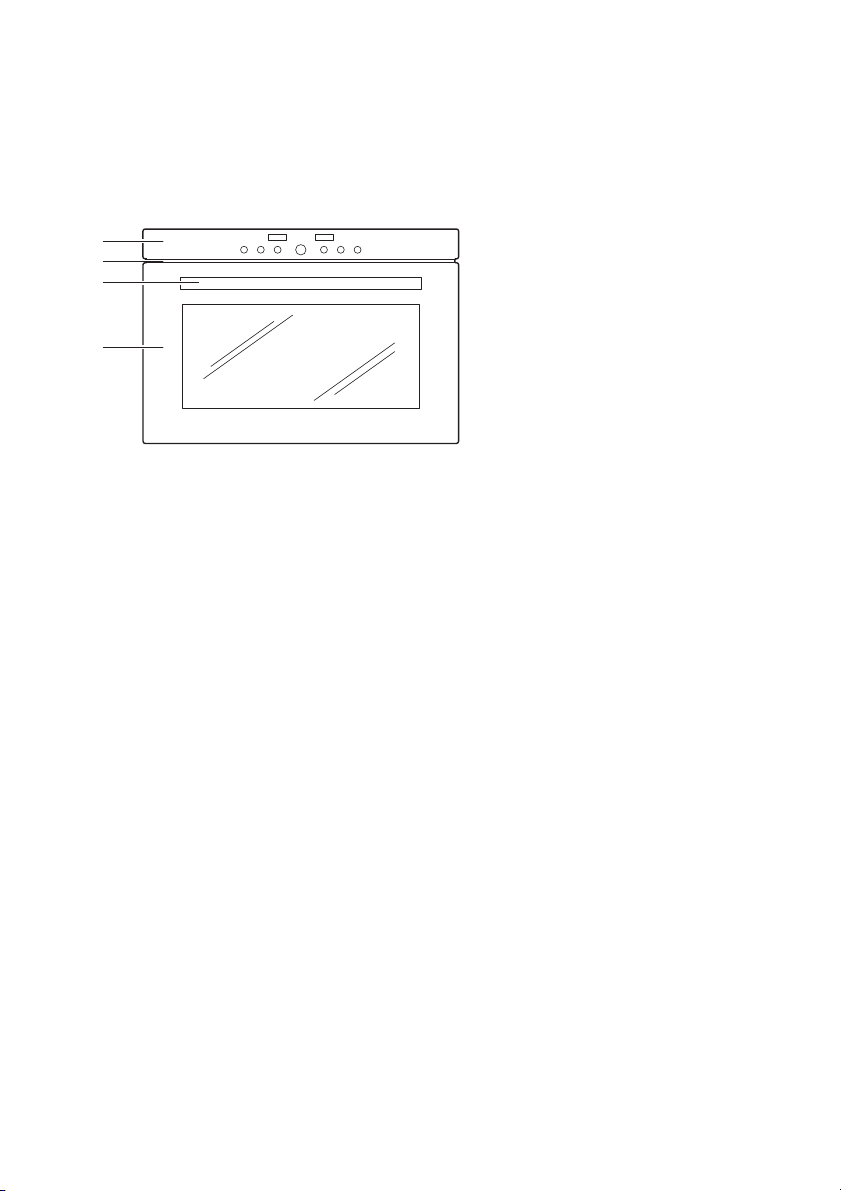
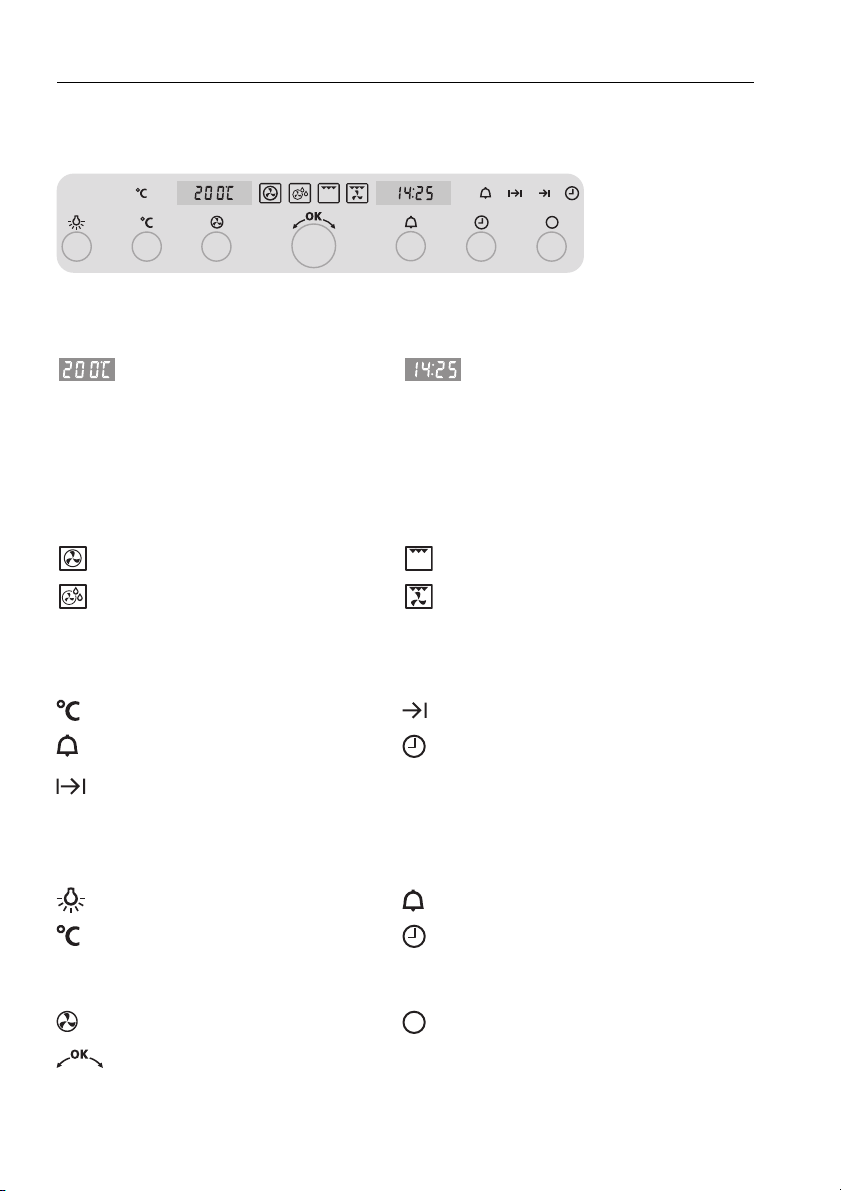
3.1 Construction
1 Operating and display elements
2 Ventilation opening
3 Door handle
4 Appliance door
1
2
3
4
3 Appliance description
14
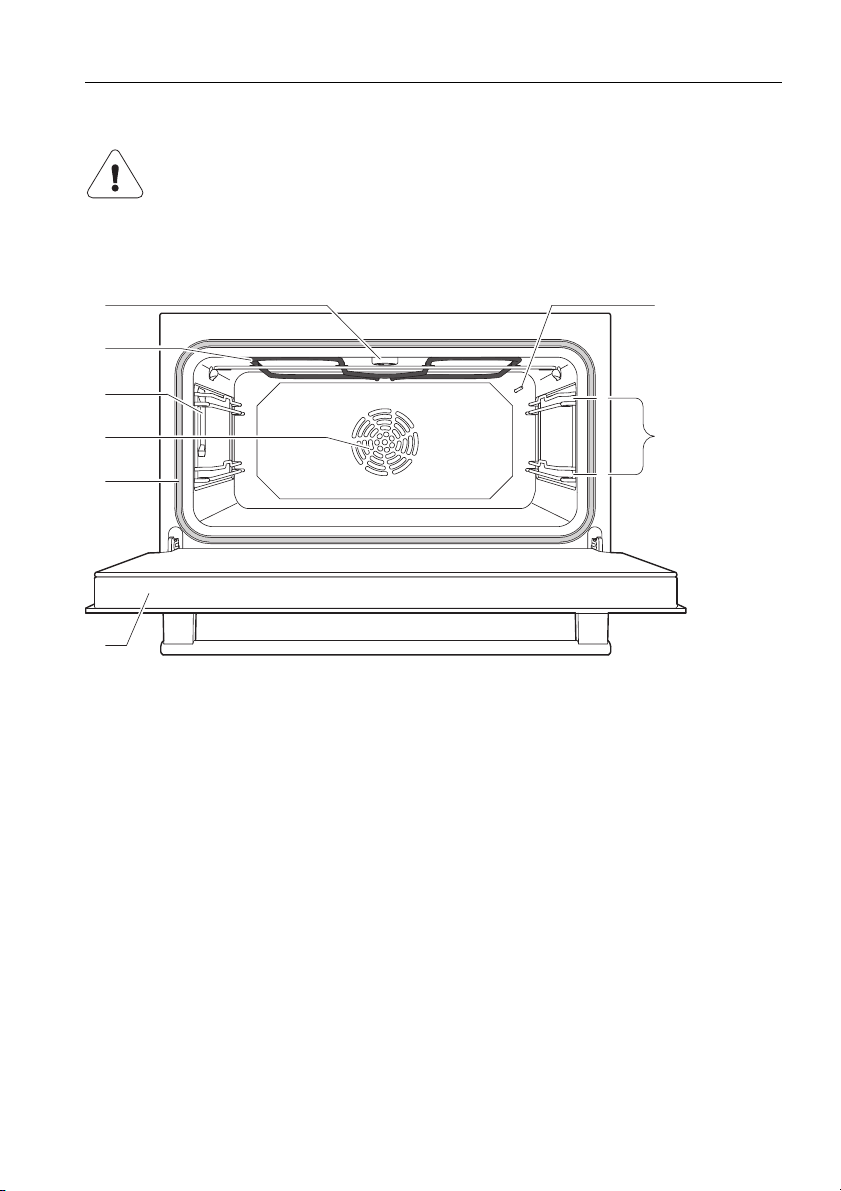
3.2 Operating and display elements
Digital displays
Operating mode symbols
Symbols
Buttons
Temperature Time
Operating time
Switch-off time
Timer
Hot air Grill
Hot air humid Grill-forced convection
Cooking space temperature Switch-off time
Timer Time
Operating time
Illumination Timer
Cooking space temperature Time
Operating time
Switch-off time
Operating mode Off
Adjusting knob
3 Appliance description
15
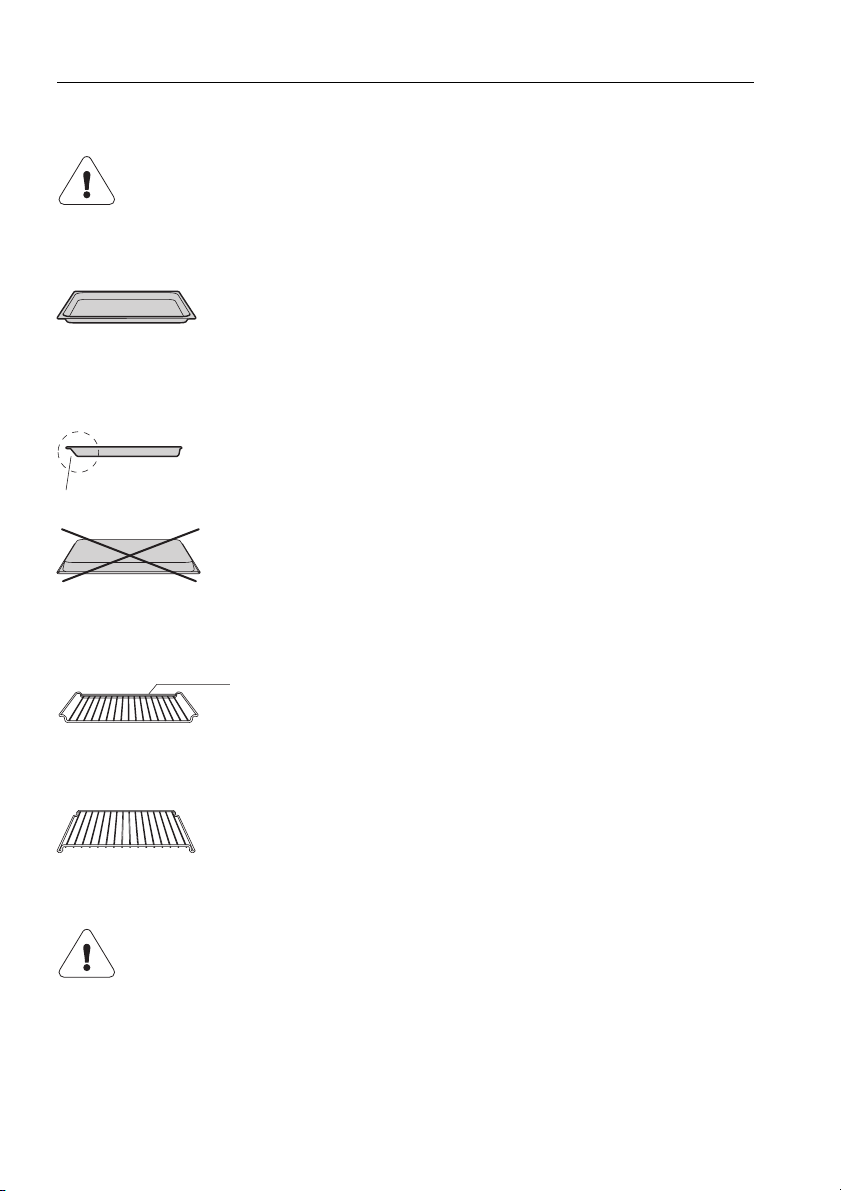
3.3 Cooking space
Using protective inserts or aluminium foil can damage the
appliance.
Do not place any protective insert or aluminium foil on the cooking
space floor.
1 Appliance door 5 Grill/Top heat
2 Door seal 6 Cooking space ventilation
3 Hot air fan 7 Cooking space temperature sensor
4 Illumination 8 Levels (labelled)
7
8
1
2
1
2
3
4
5
6
3 Appliance description
16
3.4 Accessories
Original TopClean baking tray
Wire shelf
Special accessories
Incorrect handling can cause damage!
Do not use knives or cutting wheels to cut food in the accessories.
• Baking tin for flans and biscuits
• Use together with the wire shelf as a drip tray
• If not fully covered by the baking, its shape can
become distorted during baking. This is normal. It
will go back to its original form as it cools down.
➤ Push the original baking tray into the cooking space
with the «sloped» side 1 to the back.
➤ Only use the normal way round – not upside down.
• For standing roasting and baking tins on
• For standing meat, frozen pizza, etc. on
• Push the bar 1 to the back of the cooking space. It
enables the food to be removed safely from the
cooking space.
• Serves as a cooling rack.
Place any accessories not included in the scope of delivery on the
wire shelf.
• Special accessories can be found at:
www.vzug.com
1
1

17
4 Operating the appliance
The operating mode, the cooking space temperature, the operating time, the
switch-off time and various other functions can be selected – with the
appliance switched off – by pressing the appropriate button once or more.
• The symbol for the function selected illuminates or flashes.
• A suggestion flashes in the display.
• Turn the adjusting knob to change the setting.
• Press the adjusting knob to confirm the setting or it will be taken over
automatically after 10 seconds.
• Other settings or changes can be made at any time.
• Press the buttonto switch off the appliance.
4 Operating the appliance
18
4.1 Using for the first time
Before operating the newly installed appliance for the first time, the following
steps should be taken:
➤ Remove packaging and transport materials from the cooking space.
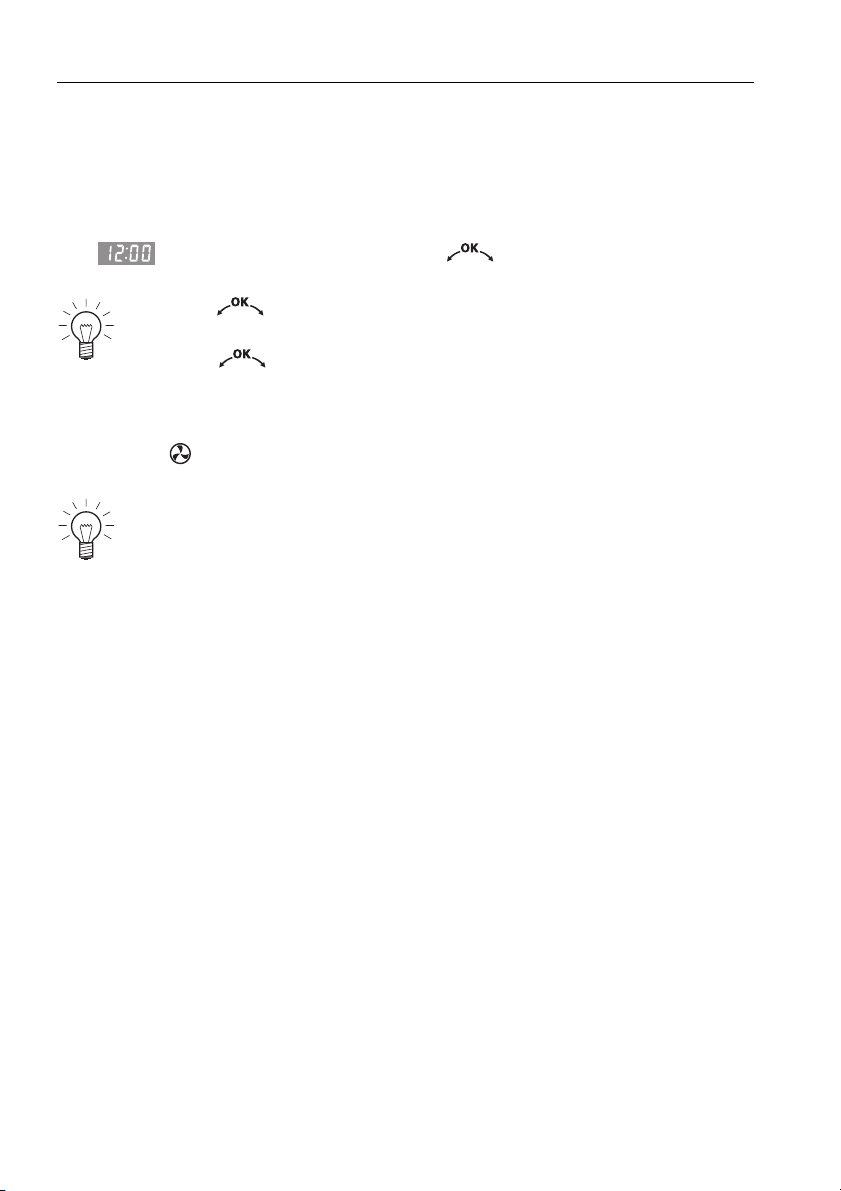
➤ If flashes in the display, turn the adjusting knob to set the
time.
➤ Clean the cooking space and the accessories.
➤ Heat the empty cooking space (without wire shelves, baking trays, etc.)
using the operating mode at the maximum cooking space temperature
for about 1 hour.
Press the adjusting knob to toggle between hours and minutes.
Turn it to set hours and minutes.
Press the adjusting knob to confirm the setting.
There is likely to be some smoke and odour given off, we therefore
recommend ventilating the room well during this phase.
4 Operating the appliance
19
4.2 Selecting the operating mode
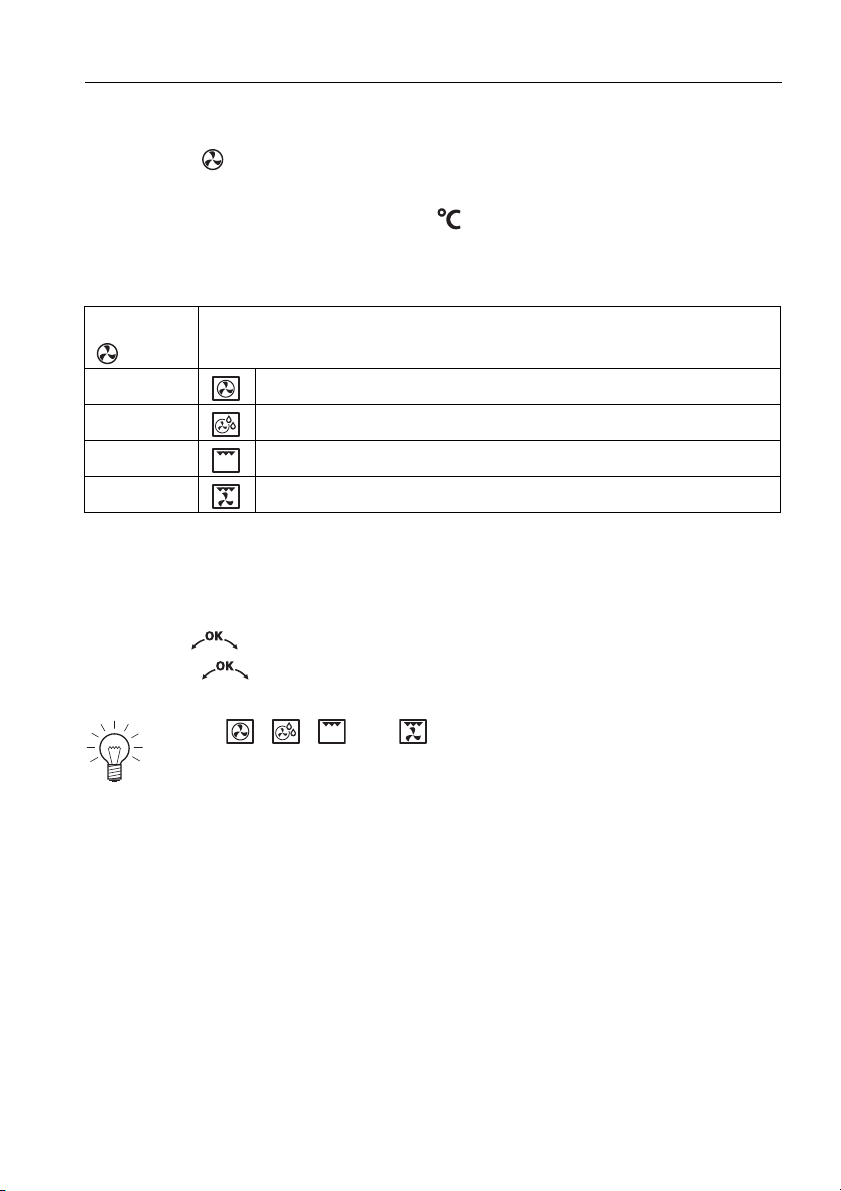
➤ Press the button repeatedly until the desired operating mode flashes.
– The recommended temperature flashes in the display.
– The operating mode symbol and flash.
Operating modes
4.3 Selecting the cooking space temperature
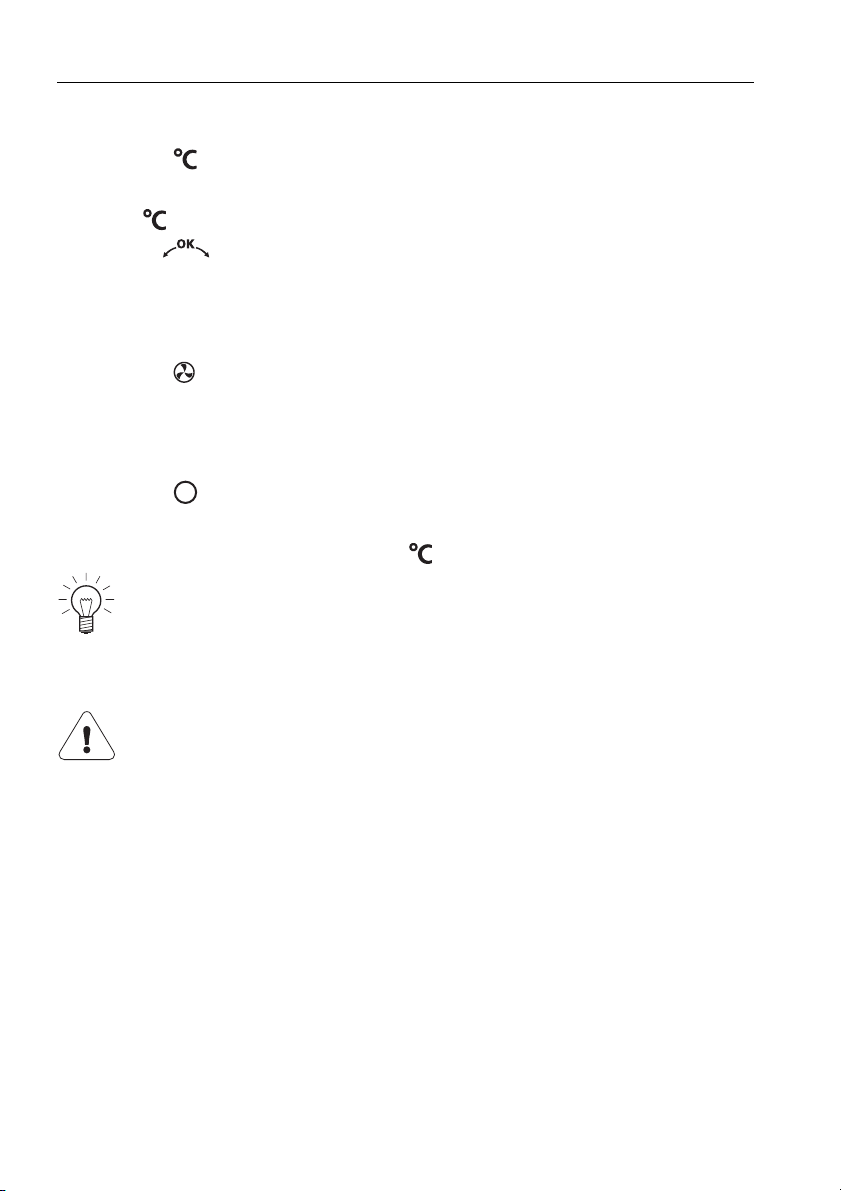
➤ Turn the adjusting knob to set the desired temperature.
➤ Press the adjusting knob to confirm.
– The appliance starts.
Press the
button
Operating mode
1× Hot air
2× Hot air humid
3× Grill
4× Grill-forced convection
For the , , and operating modes, a single acoustic
signal is emitted when the cooking space temperature set is reached.
4 Operating the appliance
20
4.4 Checking and changing the cooking space temperature
➤ Press the button.
– The cooking space temperature set flashes in the display.
– The symbol flashes.
➤ Turn the adjusting knob to change the cooking space temperature.
4.5 Changing the operating mode
A Press the button repeatedly until the desired operating mode appears.
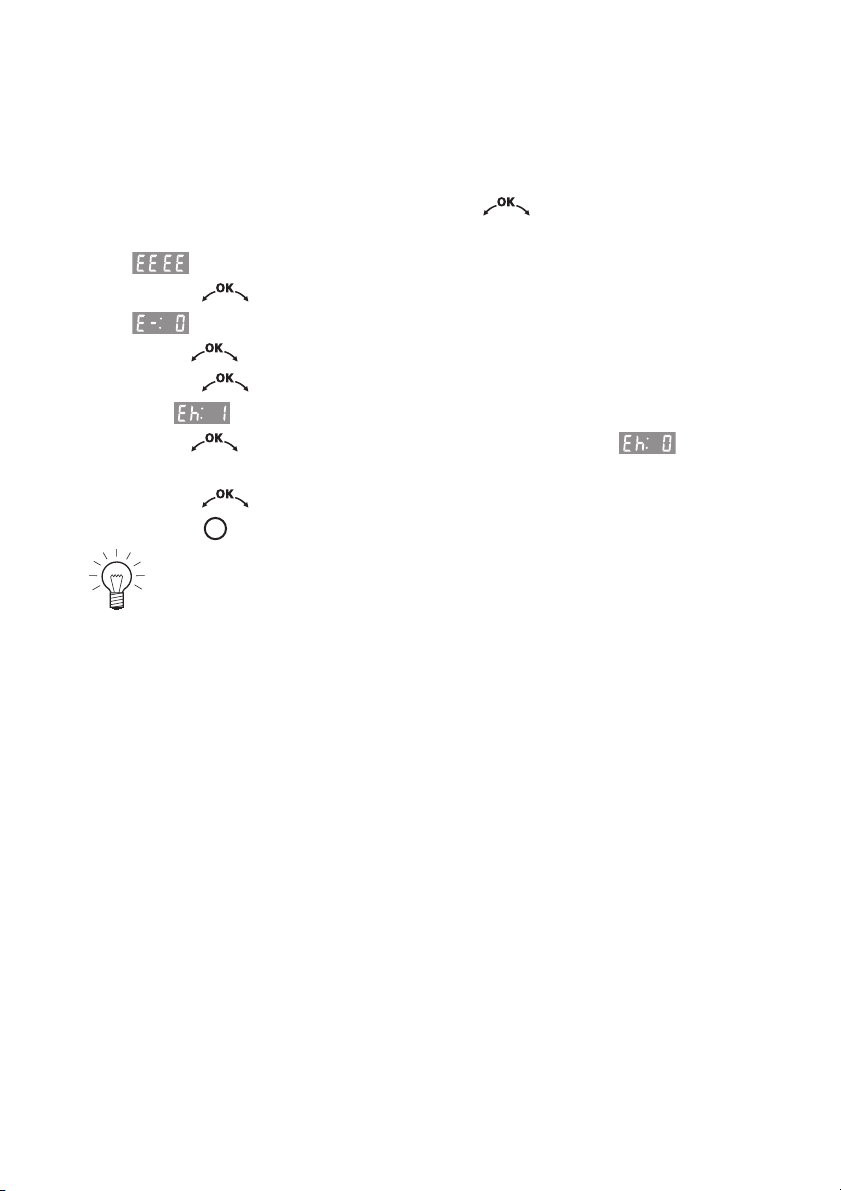
4.6 Switching off
➤ Press the button.
– A short acoustic signal is emitted.
– The operating mode symbol and go out.
Removing the cooked food from the cooking space
➤ Take the food out of the cooking space when done.
➤ Put baking on the wire shelf to cool.
➤ To prevent corrosion, leave the appliance door open in the at-rest position
until the cooking space has cooled down.
When the symbols are no longer illuminated, the appliance is off.
The cooling fan can continue to run.
Risk of burns!
Hot air may escape from the cooking space when the appliance
door is opened.
The accessories will be hot. Use protective gloves or oven cloths.
21
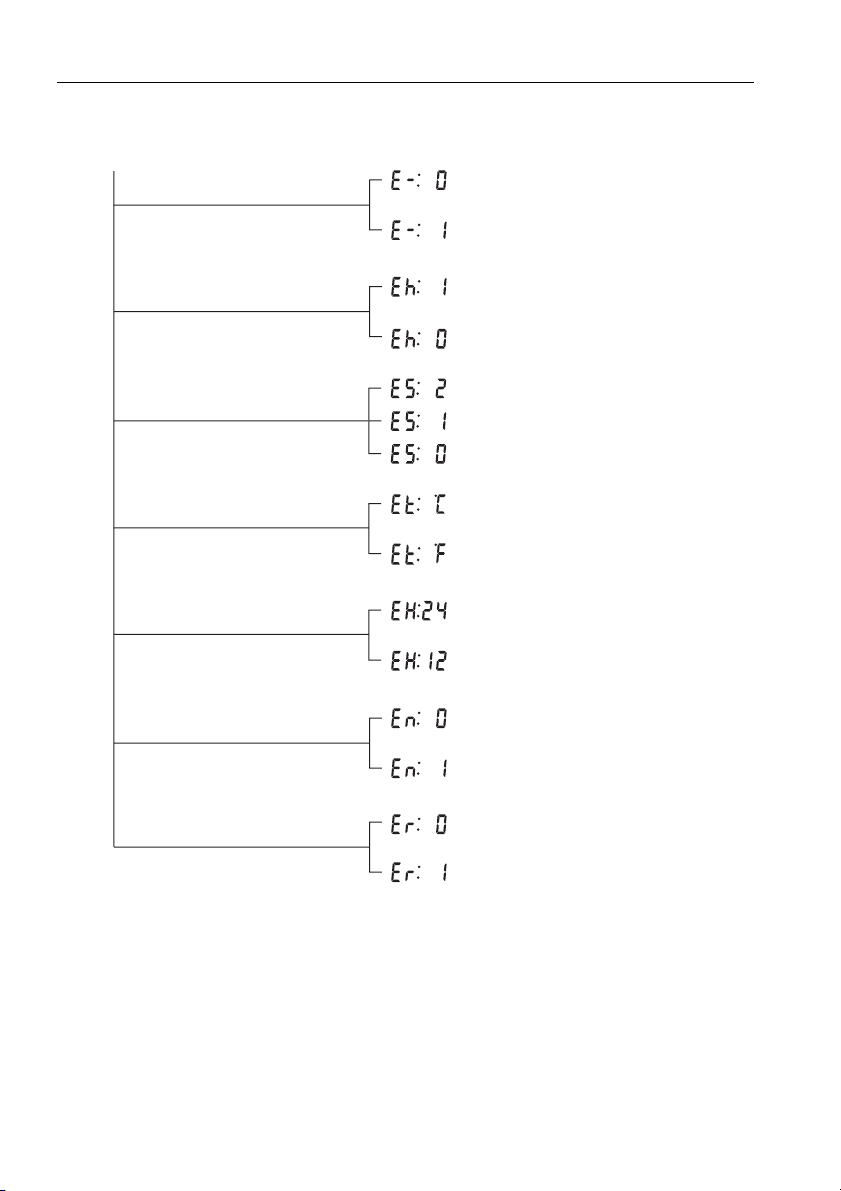
5 User settings
You can adjust the settings.
➤ With the appliance switched off, hold the adjusting knob depressed
until
– appears in the display.
➤ Press the adjusting knob to confirm.
– appears in the display for «Childproof lock off».
➤ Turn the adjusting knob to select setting.
➤ Press the adjusting knob to confirm.
– E.g. flashes in the display for «Time display visible».
➤ Turn the adjusting knob to change the display to for «Time
display invisible».
➤ Press the adjusting knob to confirm the setting.
➤ Press the button to end the setting.
The settings are retained in the event of a power failure.
5 User settings
22
Possible settings
off *
on
visible *
invisible
high *
low
off
12 h
24 h *
˚C *
˚F
no change
restore
* Factory setting
Temperature unit
Acoustic signal
Time display
Time format
Childproof lock
Factory settings
off
on *
Mains synchronisation
5 User settings
23
5.1 Childproof lock
The childproof lock is to prevent the appliance being inadvertently switched
on.
If the button is pressed when the childproof lock is activated,
– a double acoustic signal is emitted,
– nothing happens when the button is pressed.
Operating the appliance when the childproof lock is activated
➤ Hold the button depressed and press the button.
– The childproof lock is overridden.
– The appliance can now be operated as normal.
– 10The childproof lock is automatically reactivated 10 minutes after the
appliance has been switched off.
5.2 Time display
If the «invisible» setting is selected, the displays are not illuminated when the
appliance is off. The time is visible when the appliance is on.
The , and buttons can be used irrespective of whether the
childproof lock is activated or not.
To reduce power consumption to a minimum, select , «Time
display invisible», in the user settings. Despite automatic energy-
saving stand-by, all safety functions are active.
5 User settings
24
5.3 Acoustic signal
The acoustic signal can be set at one of two levels of loudness or can be
switched off.
5.4 Temperature unit
For temperature unit, select between «°C» and «°F».
5.5 Time format
Select the «24 h» setting to activate the European time format and the «12 h»
setting for the US time format (a.m./p.m.).
5.6 Mains synchronisation
Mains synchronisation synchronises the appliance clock with the mains
frequency. Irregular mains frequency can cause the clock to not run correctly.
A pulse generator inside the appliance is used when mains synchronisation
is switched off.
5.7 Factory settings
If one or more user settings have been changed, these can be reset to the
factory settings.
• high maximum loudness
• low reduced loudness
• off Acoustic signal is switched off
Even if the acoustic signal setting is set to «off», an acoustic signal is
emitted in the event of a malfunction.
Even if the acoustic signal setting is set to «off», a short acoustic
signal is emitted when the appliance is switched off (safety function).
• °C Degrees Celsius
• °F Degrees Fahrenheit
25
6Time functions
The following time functions are available:
•Time
•Timer
• Operating time – time-controlled switch-off of the appliance
• Delayed start – time-controlled switch-on and switch-off of the appliance
6.1 Setting and changing the time
➤ Press the button.
– The hour flashes in the display.
– The symbol flashes.
➤ Turn the adjusting knob to set the hour.
➤ Press the button or the adjusting knob.
– The minutes flash in the display.
– The symbol flashes.
➤ Turn the adjusting knob to set the minutes.
➤ Press the adjusting knob to confirm the settings.
When the appliance is switched off, the time display is dimmed
between 24:00 and 6:00.
If the time format has been selected, the display is not
dimmed.
The time cannot be changed if the appliance is in operation or if a
delayed start has been set.
6 Time functions
26
6.2 Timer
The timer functions like an egg timer. It can be used at any time and
independently of all other functions.
Setting
➤ Press the button.
– flashes in the display.
– The symbol flashes.
➤ Turn the adjusting knob to set the duration.
The timer can be set for:
• up to 10 minutes in 10-second intervals, e.g. = 9 mins. and
50 secs.
• over 10 minutes in 1-minute intervals, e.g. = 1 hr and 12 mins.
The maximum timer duration that can be set is 9 hrs. and 59 mins.
Starting
➤ Press the adjusting knob to start the timer.
– The countdown to the time remaining is visible in the display.
– The symbol illuminates.
Set duration finished
When the set duration is up
– a sequence of 5 short acoustic signals is repeated for 1 minute
– the symbol flashes.
➤ Press the button to switch off the appliance.
Press the button 1× to reset the timer duration to .
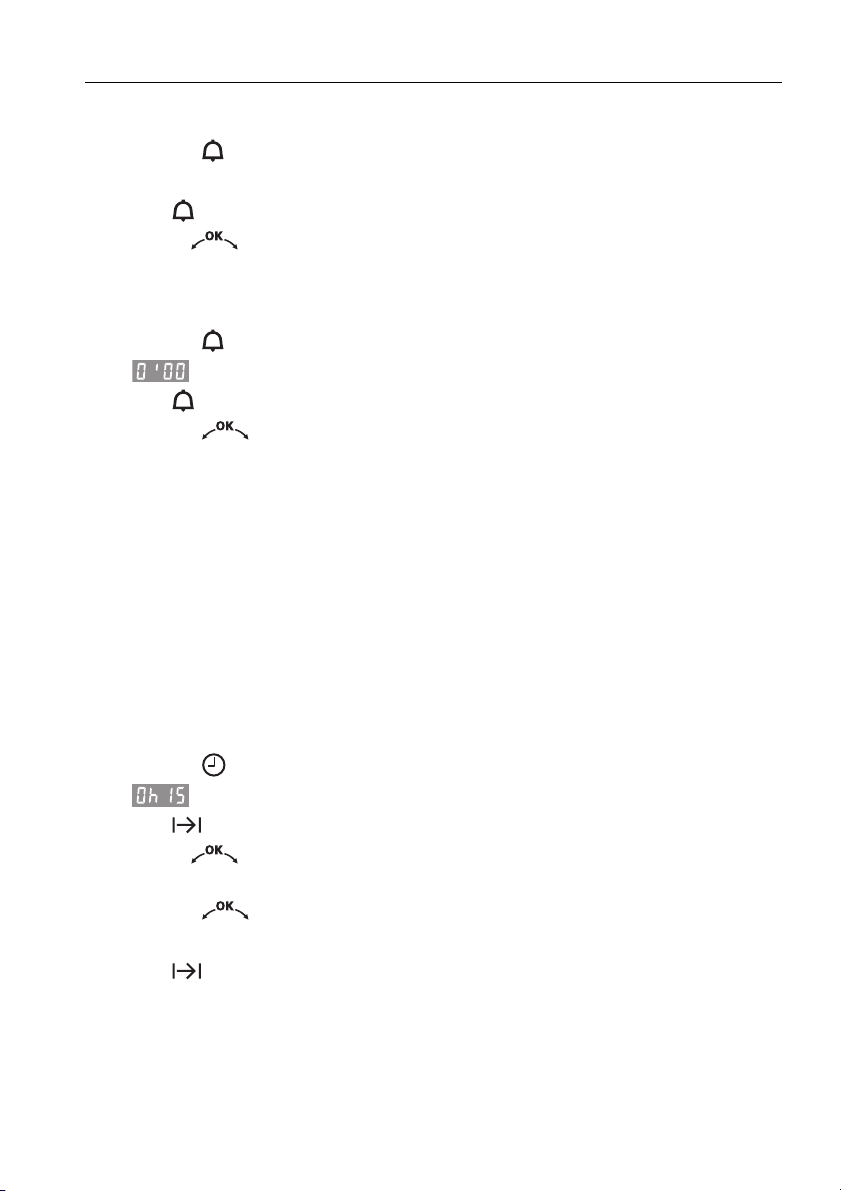
6 Time functions
27
Checking and changing
➤ Press the button.
– The countdown to the time remaining flashes in the display.
– The symbol flashes.
➤ Turn the adjusting knob to change the duration of the timer.
Switching off before time
➤ Press the button 2×.
– flashes in the display.
– The symbol flashes.
➤ Press the adjusting knob to confirm.
6.3 Operating time
The operating mode selected switches off automatically when the operating
time is up.
Setting
➤ Select the desired operating mode and cooking space temperature.
➤ Preheat the cooking space if necessary.
➤ Place the food in the cooking space.
➤ Press the button.
– flashes in the display.
– The symbol flashes.
➤ Turn the adjusting knob to set the operating time (maximum of
9hrs.59mins.).
➤ Press the adjusting knob to confirm.
– The countdown to the time remaining is visible in the display.
– The symbol illuminates.
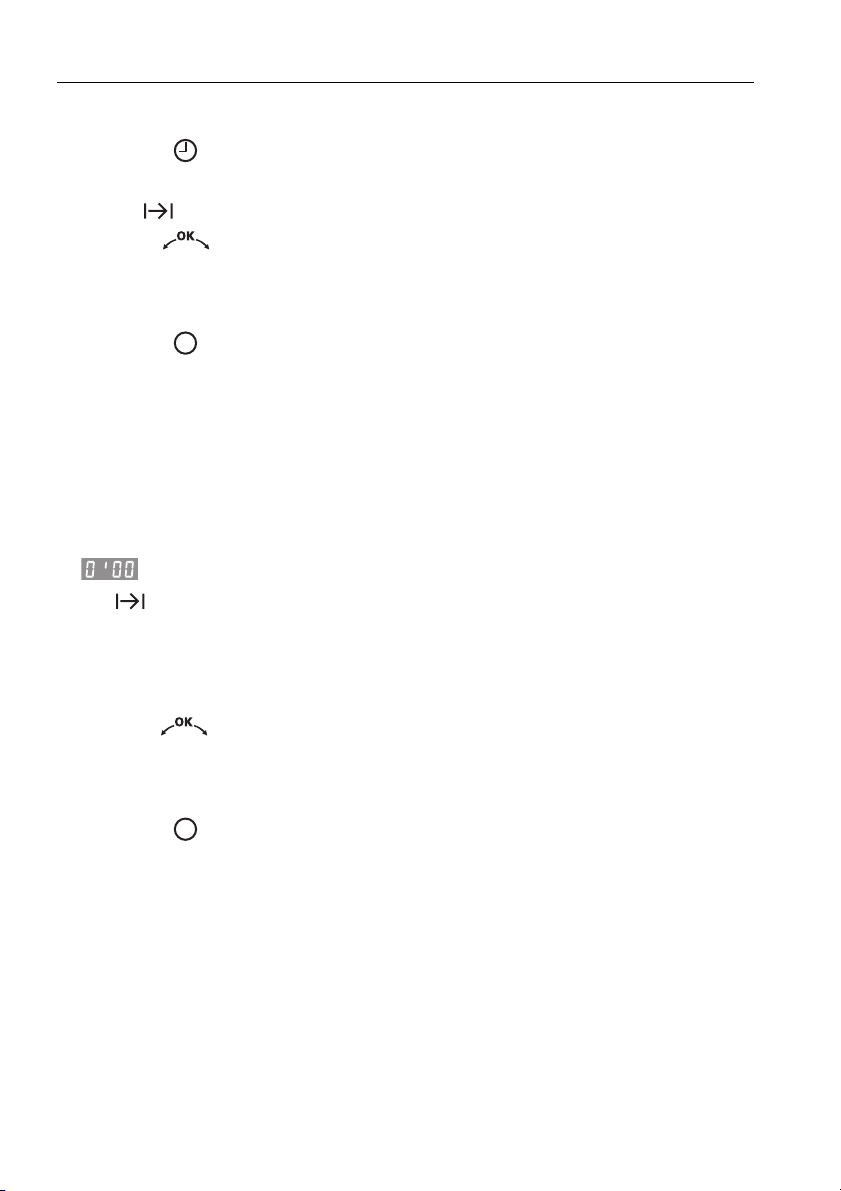
6 Time functions
28
Checking and changing
➤ Press the button.
– The countdown to the time remaining flashes in the display.
– The symbol flashes.
➤ Turn the adjusting knob to change the operating time.
Switching off before time
➤ Press the button.
End of the operating time
When the set duration is up
– the operating mode selected switches off automatically
– a long, intermittent acoustic signal is emitted for 1 minute
– the cooking space temperature appears in the one display
– flashes in the other display
– the symbol flashes
– the settings remain for 3 minutes.
Extending the operating time
➤ Turn the adjusting knob within 3 minutes to select a new duration.
Switching off
➤ Press the button.
– The settings are cleared.
– The residual heat appears in the display.
6 Time functions
29
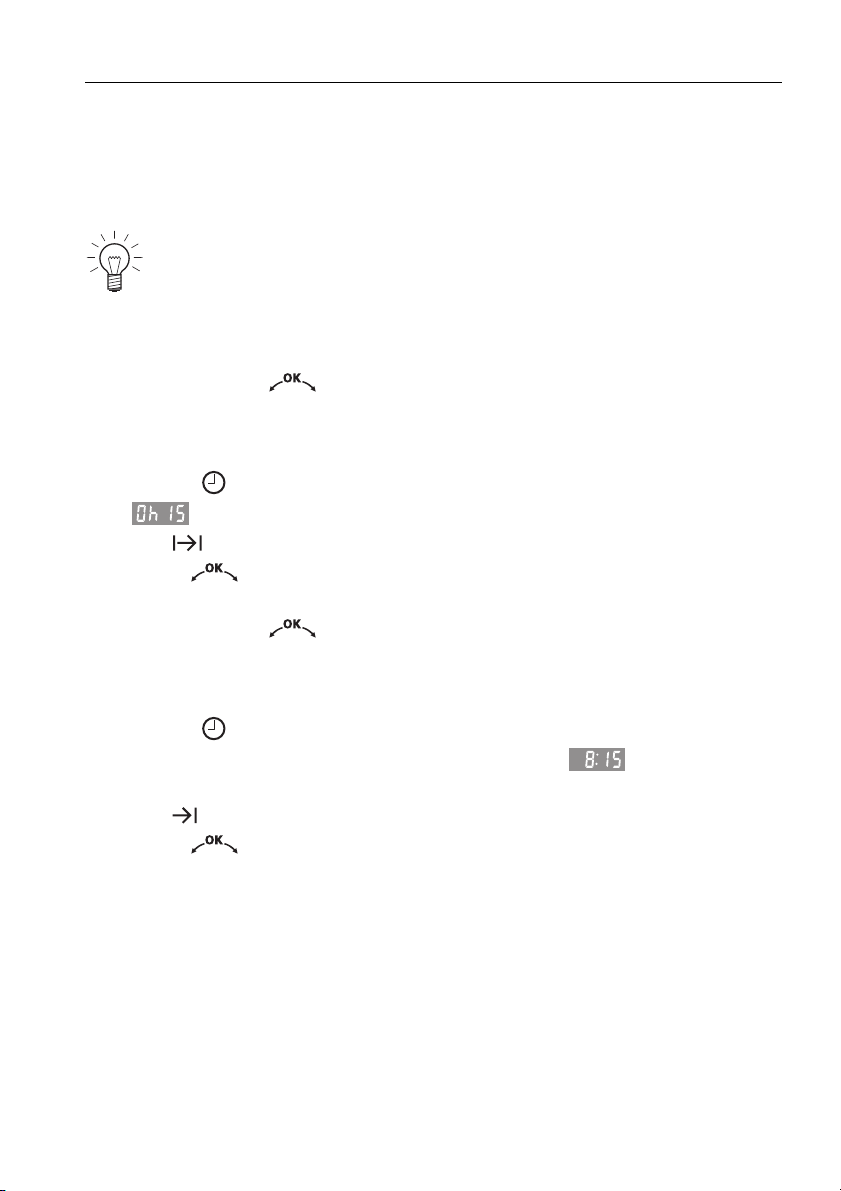
6.4 Delayed start
The delayed start is activated when for the operating mode selected both an
operating time and a switch-off time are set.
The appliance switches automatically on and off again at the desired times.
➤ Place the food in the cooking space.
➤ Select the desired operating mode and cooking space temperature.
➤ Do not press the adjusting knob to confirm.
Setting the operating time
➤ Press the button.
– flashes in the display.
– The symbol flashes.
➤ Turn the adjusting knob to set the operating time (maximum of
9hrs.59mins.).
➤ Do not press the adjusting knob to confirm.
Setting the switch-off time
➤ Press the button again.
– Switch-off time – without a delayed start – e. g. – flashes in the
display.
– The symbol flashes.
➤ Turn the adjusting knob to set the switch-off time.
Perishables should not be kept unrefrigerated.
6 Time functions
30
➤ Press the adjusting knob to confirm.
– The time appears in the display.
– The symbol illuminates.
– The operating mode selected remains switched off until the automatic
start.
Example
➤ Select the operating mode and 180 °C.
➤ At 8:00, set an operating time of 1 hr and 15 mins.
➤ Set the switch-off time to 11:30.
– The appliance will automatically switch on at 10:15 and off again at
11:30.
Checking and changing
➤ Press the button 1×.
– The operating time is visible for 3 seconds.
➤ Press the button 2×.
– The switch-off time flashes and can be changed.
Switching off before time
➤ Press the button.
The switch-off time can be delayed by a maximum of 23 hrs. and
59 mins.
If the time format has been selected, the switch-off time can
be delayed by a maximum of 11 hrs. and 59 mins.
The operating time, operating mode and cooking space temperature
cannot be changed.

6 Time functions
31
End of the operating time
When the set duration is up
– the operating mode selected switches off automatically
– a long, intermittent acoustic signal is emitted for 1 minute
– the cooking space temperature appears in the one display
– flashes in the other display
– the symbol flashes
– the settings remain for 3 minutes.
Extending the operating time
➤ Turn the adjusting knob within 3 minutes to select a new duration.
Switching off
➤ Press the button.
– The settings are cleared.
– The residual heat appears in the display.
32
7 Operating modes
All the operating modes are described below.
➤ Place tins, moulds, etc. on the wire shelf.
➤ Push the original baking tray into the cooking space with the «sloped» side
to the back.
➤ The desired operating mode can be selected by pressing the button
once or more.
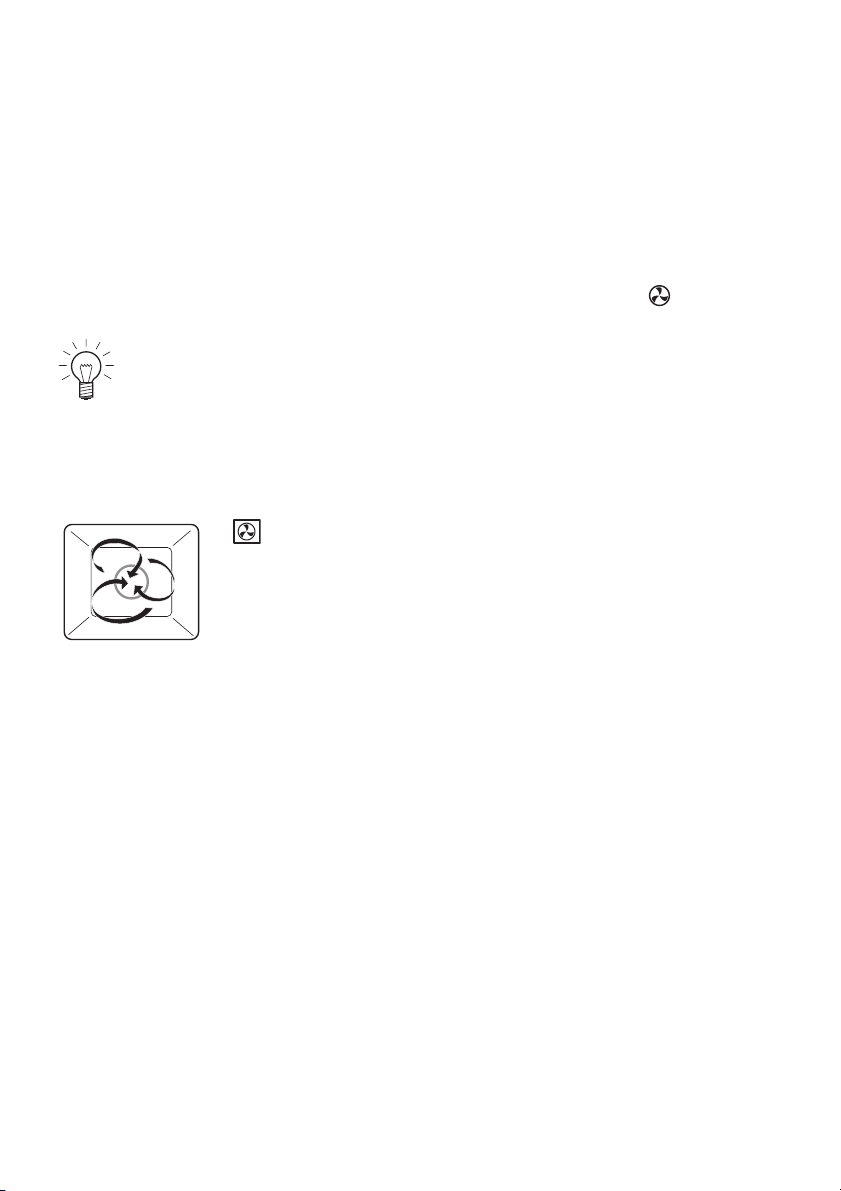
7.1 Hot air
A heating element behind the back wall of the cooking space heats up the
air inside the cooking space, which is circulated evenly.
Use
• Particularly suitable for baking savouries and biscuits on 2 levels at the
same time
• Cakes, bread and roasts
Follow the advice in Tips and tricks and in the separate Tips on
settings.
Temperature range 30–250 °C
Recommended value 180 °C
Level
1 or 1 + 2
7 Operating modes
33
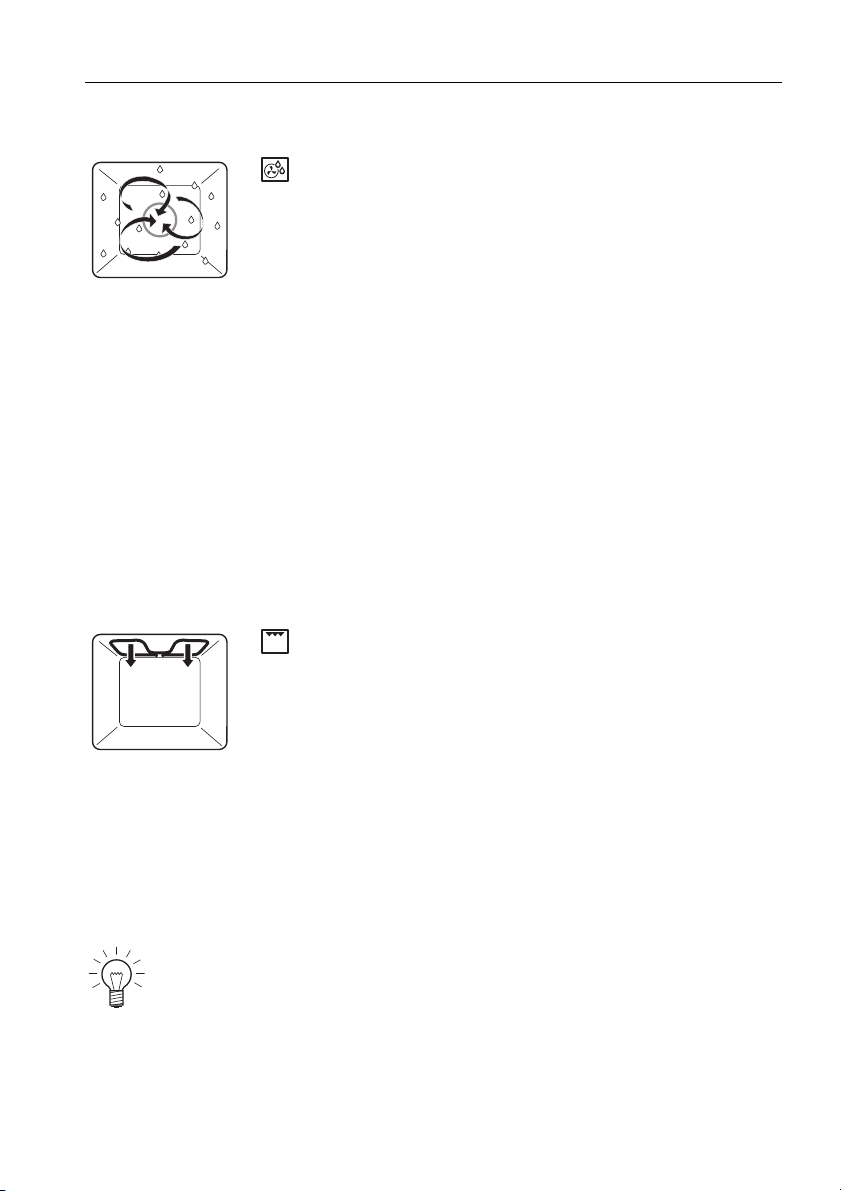
7.2 Hot air humid
A heating element behind the back wall of the cooking space heats up the
air inside the cooking space, which is circulated evenly. The steam produced
is largely retained in the cooking space. The food retains its moisture.
Use
• Savouries and biscuits on 2 levels at the same time
• Yeast pastries and bread on 1 level
• Gratins and baked dishes on 1 level
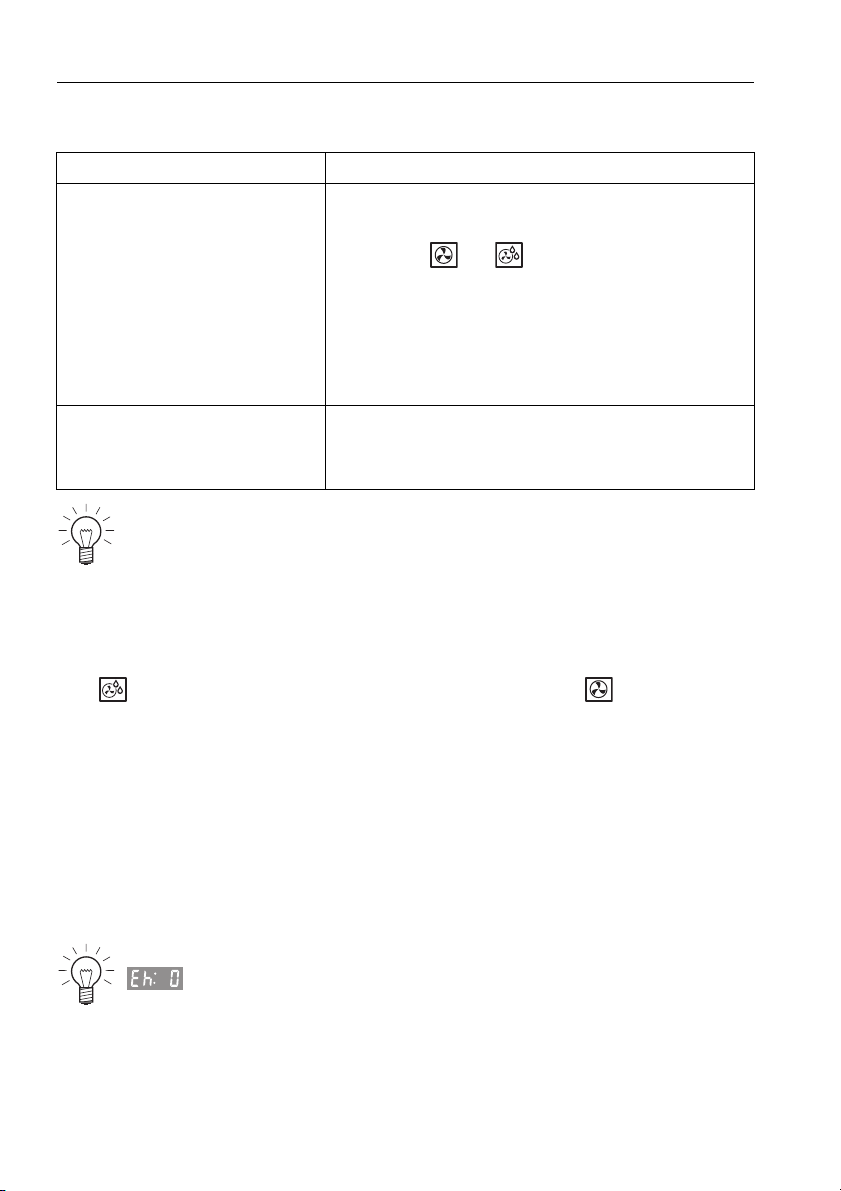
7.3 Grill
The cooking space is heated by the grill element.
Use
• Flat food for grilling, e.g. steaks, chops, chicken parts, fish and sausages
• Gratinating
•Toast
Temperature range 30–250 °C
Recommended value 180 °C
Level
1 or 1 + 2
Temperature range 30–280 °C
Recommended value 250 °C
Level 2
➤ Place the food to be grilled directly onto the wire shelf.
➤ Line the original baking tray with aluminium foil and then place it
underneath the wire shelf.

7 Operating modes
34
7.4 Grill-forced convection
The cooking space is heated by the grill element. The hot air fan distributes
the air evenly in the cooking space.
Use
• Large, bulky food for grilling
• Gratins and baked dishes
Temperature range 30–250 °C
Recommended value 200 °C
Level 1 or 2
Particularly suitable for a whole chicken.
➤ Place the food to be grilled in a porcelain or glass dish or directly
on the wire shelf.
➤ Line the original baking tray with aluminium foil and then place it
underneath the wire shelf.

35
8 Tips and tricks
8.1 Baking and roasting
8.2 Cakes
Result Solution
• The baking or roast looks
good on the outside but is
still doughy or raw on the
inside.
➤ Next time, set a lower cooking space
temperature and lengthen the operating
time.
Result Solution
• The cake collapses. ➤ Check the settings with those given in the
separate Tips on settings.
➤ Next time, set a lower cooking space
temperature and lengthen the operating
time.
➤ Stir the cake mixture well. When finished,
bake immediately.
➤ For whisked sponges, beat the egg yolks/
egg whites to a foam for a little longer and
then carefully fold into the mixture. When
finished, bake immediately.
➤ Follow the instructions on how much baking
powder to add.
8 Tips and tricks
36
Uneven browning
8.3 Saving energy
The operating mode consumes less energy than the operating
mode.
➤ Avoid opening the appliance door frequently.
➤ Only switch the illumination on when needed.
➤ Use residual heat: for longer cooking times, i.e. over 30 minutes, switch the
appliance off 5–10 minutes before the end of the cooking time.
Exceptions: soufflé, sponge, choux pastry and puff pastry.
➤ Minimise preheating.
➤ Only preheat the cooking space if the baking results depend on it.
Result Solution
• The baking has browned
unevenly.
➤ Next time, set a lower cooking space
temperature and adjust the operating time.
➤ If using or , check that the levels
selected are as recommended in the
separate Tips on settings.
➤ Do not push baking tins or large, bulky
foodstuff right to the back of the cooking
space.
•The baking has come out
lighter on one baking tray
than on the other.
➤ Check the settings with those given in the
separate Tips on settings.
Some uneven browning is normal. More even browning is generally
achieved at lower cooking space temperatures.
Power consumption can be reduced to a minimum by selecting
, «Time display invisible», in the user settings. Despite
automatic energy-saving stand-by, all safety functions are active.

37
9 Care and maintenance
9.1 Cleaning the exterior
➤ Remove any soiling or excess cleaning solution immediately.
➤ Clean the surfaces with a soft cloth dampened with water and a little
washing-up liquid – for metallic surfaces rub in the direction of the original
polish lines. Dry with a soft cloth.
9.2 Cleaning the door seal
➤ Clean the door seal with a soft cloth dampened with water, but do not use
any cleaning agent. Dry with a soft cloth.
Removing the door seal
➤ Pull the seal slightly out at the corners and unhook.
Risk of burns from hot surfaces!
Allow the appliance and the accessories to cool down before
cleaning.
Incorrect handling can result in damage to the appliance!
Do not use any abrasive or caustic cleaning agents, sharp or rough
metal scrapers, steel wool, abrasive scouring pads, etc. These
products will scratch the surfaces. Glass surfaces that are
scratched can crack.
Under no circumstances use a steam cleaner to clean the
appliance.
9 Care and maintenance
38
9.3 Cleaning the appliance door
➤ Clean the appliance door with a soft cloth dampened with water and a little
washing-up liquid. Dry with a soft cloth.
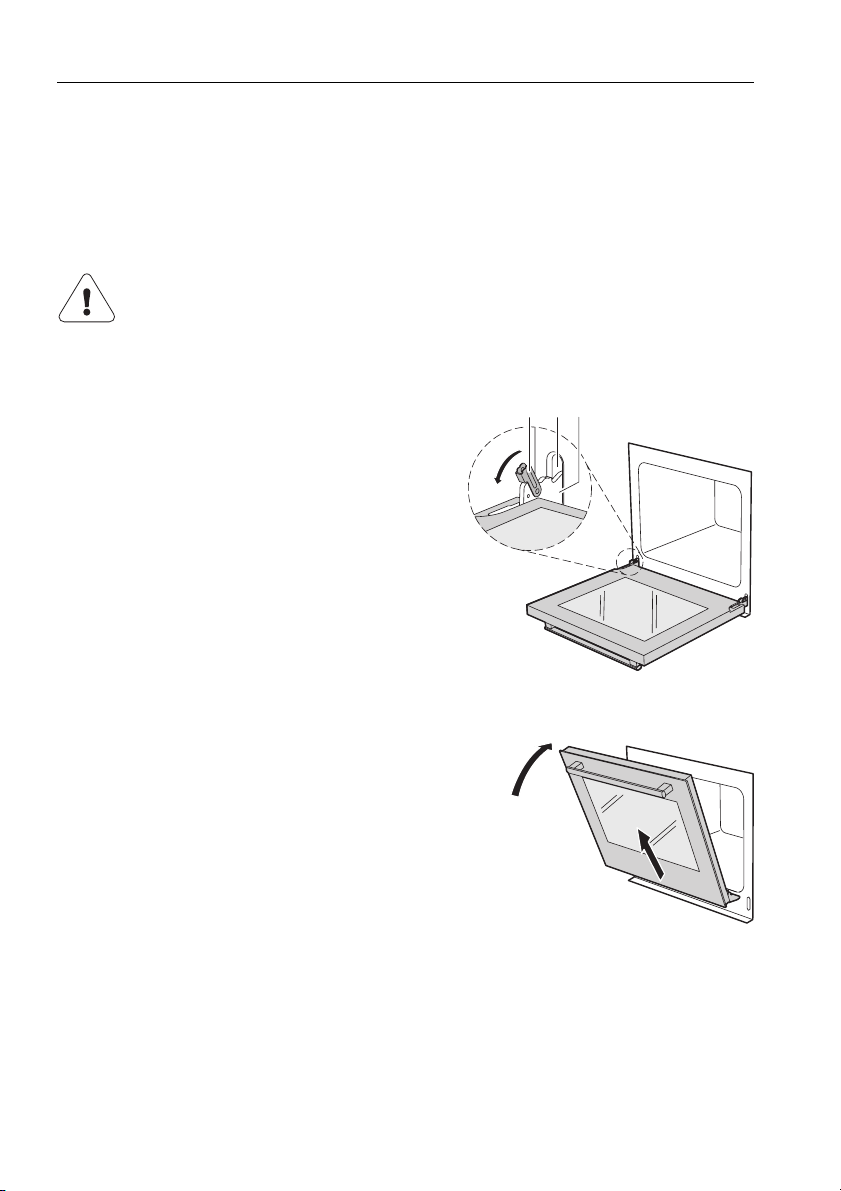
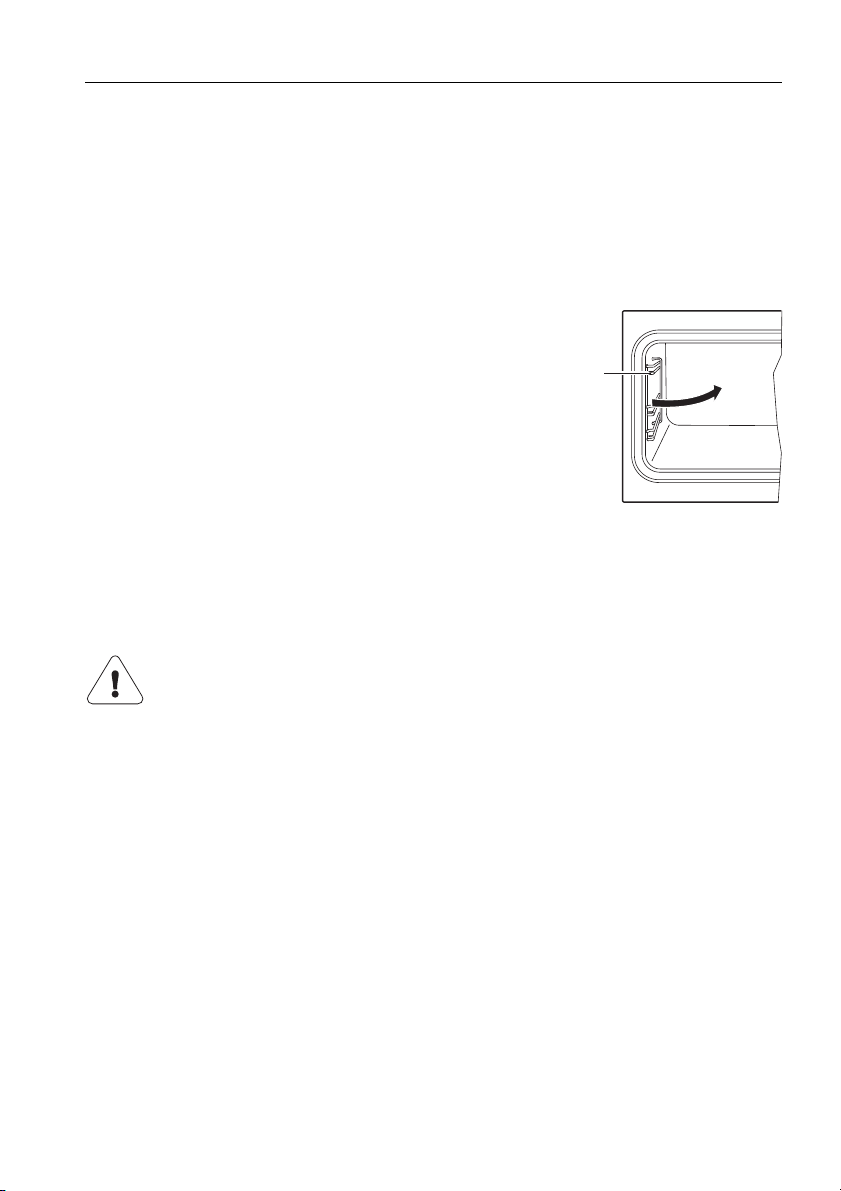
Removing the appliance door
➤ Open the appliance door as far as it will
go.
➤ Fold the clips 2 on both door hinges 1
forward.
➤ Close the appliance door as far as its
at-rest position (about 30°).
➤ Lift the appliance door out at an angle.
Reassembling the appliance door
➤ From the front, push both hinges 1 into the opening 3.
➤ Open the appliance door as far as it will go and close back the clips 2.
Risk of injury from moving parts!
Be careful not to put fingers in the door hinges. When removing
and reassembling the appliance door, hold it firmly at the sides
with both hands. The appliance door is heavy.
2
3
1
30˚
9 Care and maintenance
39
9.4 Cleaning the accessories and shelf guides
• The wire shelf and shelf guides can be cleaned in the dishwasher.
• The original baking tray can be cleaned in the dishwasher; however, this
will affect its TopClean non-stick properties.
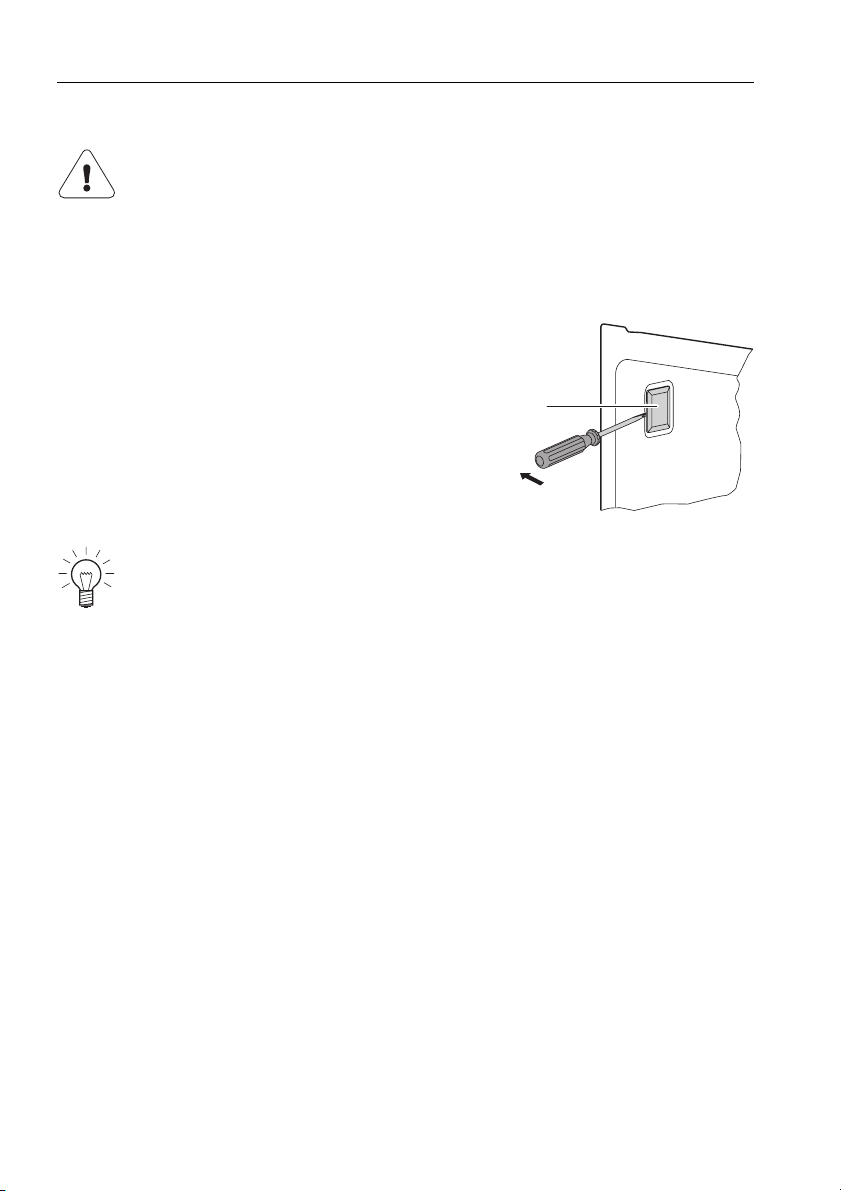
Removing and reassembling the shelf guides
➤ Swing the front of the shelf guides 1 towards the
middle of the cooking space.
➤ Pull the shelf guides out of the opening at the
back.
➤ Reassemble in reverse order.
9.5 Cleaning the cooking space
➤ Remove any soiling from the cooking space while still hand warm using a
soft cloth dampened with water and a little washing-up liquid. Wipe dry with
a soft cloth.
➤ Use a commercially available oven cleaner and follow the manufacturer’s
instructions.
Incorrect handling can result in damage to the appliance!
Do not bend the temperature sensor or heating elements.
Do not scour the surface. This will damage the TopClean non-stick
properties.
1
9 Care and maintenance
40
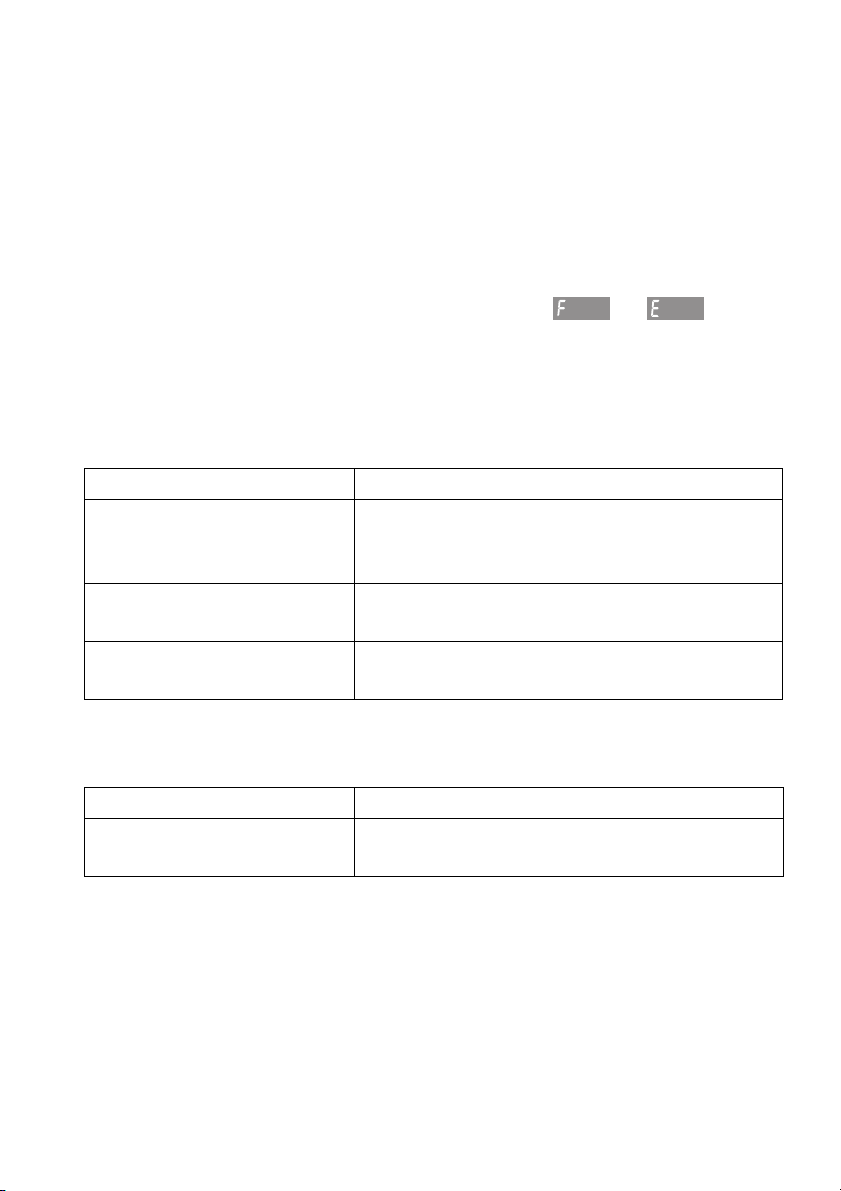
9.6 Replacing the halogen light bulb
➤ Remove the left shelf guide.
➤ Place a screw driver at the edge of the
glass light cover in the middle and carefully
remove the glass light cover 1 from its
fixture.
➤ Remove the defective halogen light bulb.
➤ Carefully fit the new halogen light bulb.
➤ Press the glass light cover 1 back into its fixture.
➤ Replace the shelf guide.
➤ Reconnect the power supply.
WARNING: Risk of electric shock!
Disconnect the appliance from the mains power supply before
replacing the halogen light bulb.
Risk of burns from hot surfaces!
Allow the halogen light bulb and the appliance to cool down before
replacing the halogen light bulb.
Do not touch the halogen light bulb with bare hands. Use a fine, dry,
grease-free cloth.
1
41
10 Trouble-shooting
This section lists faults that can be solved simply by following the instructions
given. If another fault is displayed or the fault cannot be remedied, please call
Customer Services.
Before calling Customer Services:
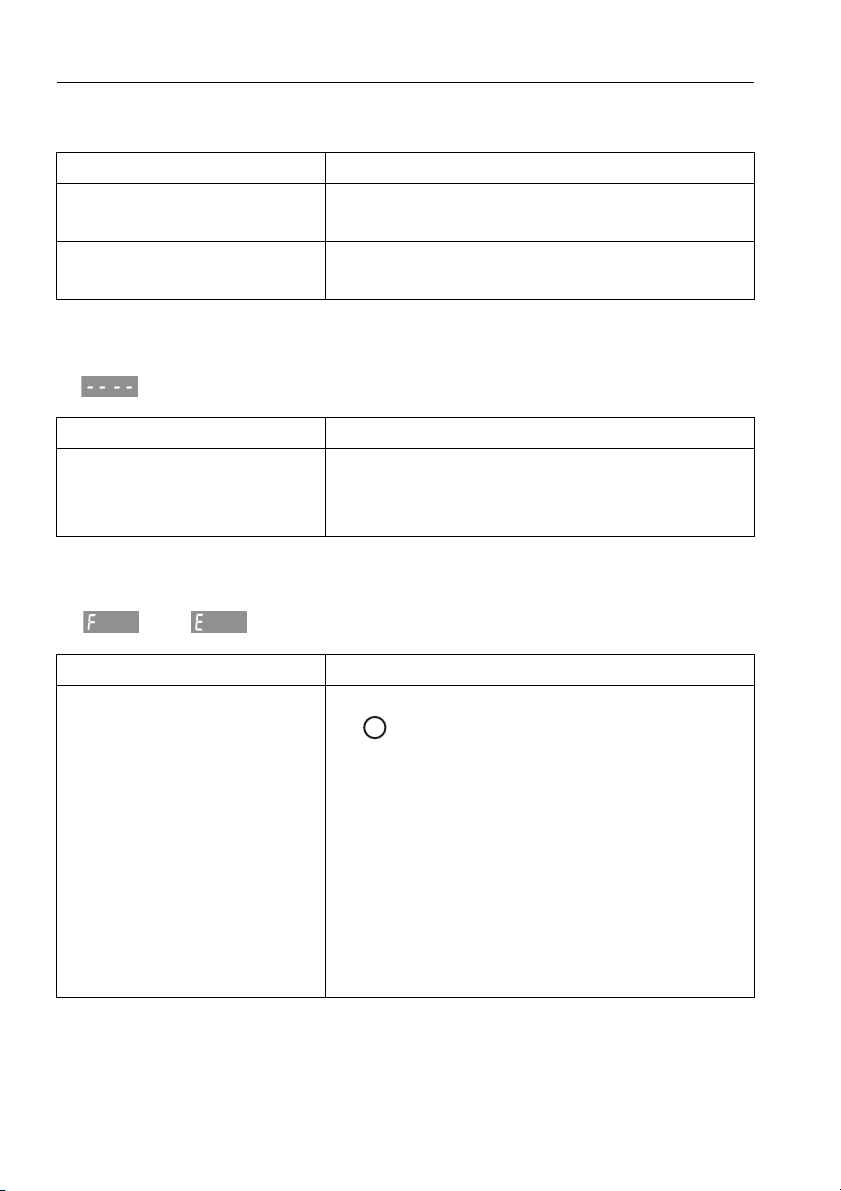
➤ Please note down the serial number (FN) (see Technical data for the identi-
fication plate) and the error message in full, e.g. or .
10.1 What to do if …
… the appliance is not working and the displays are not illuminated
… just the illumination is not working
Possible cause Solution
• A household fuse or
circuit breaker has
tripped.
➤ Change the fuse.
➤ Reset the circuit breaker.
• The fuse or circuit breaker
keeps blowing.
➤ Call Customer Services.
• An interruption in the
mains power supply.
➤ Check the mains power supply.
Possible cause Solution
• Halogen light bulb is
defective.
➤ Replace the halogen light bulb.
xx xx
10 Trouble-shooting
42
… when grilling, thick smoke is given off
… in the display appears
… the following displays flash alternately
and
Possible cause Solution
• The food is too near to the
heating elements.
➤ Check that the level selected is as recom-
mended in the Tips on settings.
• The cooking space
temperature is too high.
➤ Reduce the cooking space temperature.
Possible cause Solution
• The childproof lock is
activated.
➤ For operating the appliance when the child-
proof lock is activated, see User settings.
➤ Switch off the childproof lock.
Possible cause Solution
• Various situations can
lead to an error message.
➤ Cancel the error message by pressing the
button.
➤ Disconnect the power supply for
about 1 minute.
➤ Reconnect the power supply.
➤ If the error message appears again, note
down the error message in full along with
the
serial number (FN) (see identification plate).
➤ Disconnect the power supply.
➤ Call Customer Services.
xx
xx
10 Trouble-shooting
43
… the following displays flash alternately
and
… the clock is not running correctly
Possible cause Solution
• An interruption in the
power supply.
➤ Cancel the error message by pressing the
button.
➤ Disconnect the power supply for
about 1 minute.
➤ Reconnect the power supply.
➤ If the error message appears again, note
down the error message in full along with
the
serial number (FN) (see identification plate).
➤ Disconnect the power supply.
➤ Call Customer Services.
Possible cause Solution
•Irregular mains
frequency.
➤ Switch off the mains synchronisation.
When mains synchroni-
sation is switched off:
• internal pulse generator is
imprecise.
➤ Call Customer Services.
xx xx
10 Trouble-shooting
44
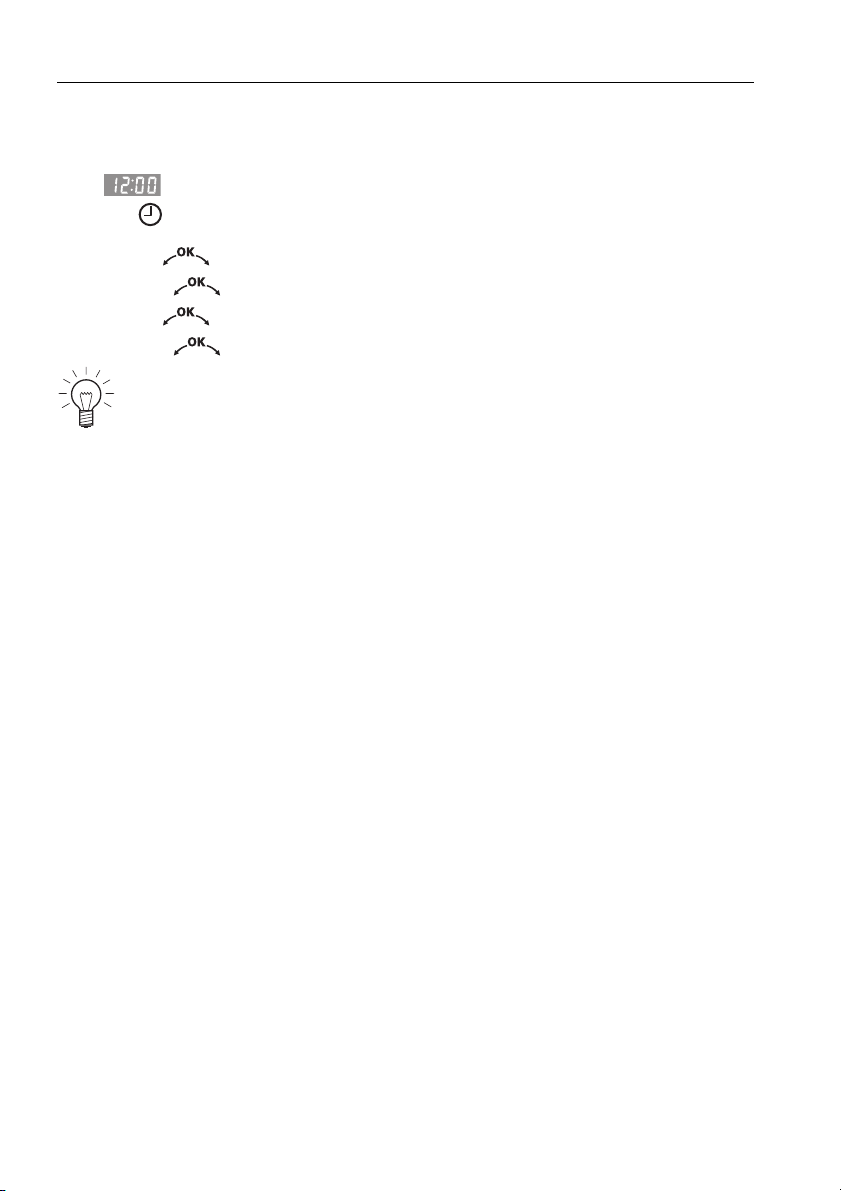
10.2 After a power failure
After a power failure
– flashes in the display
– the symbol flashes
➤ Turn the adjusting knob to set the hour.
➤ Press the adjusting knob to confirm.
➤ Turn the adjusting knob to set the minutes.
➤ Press the adjusting knob to confirm.
The user settings remain unchanged.
45
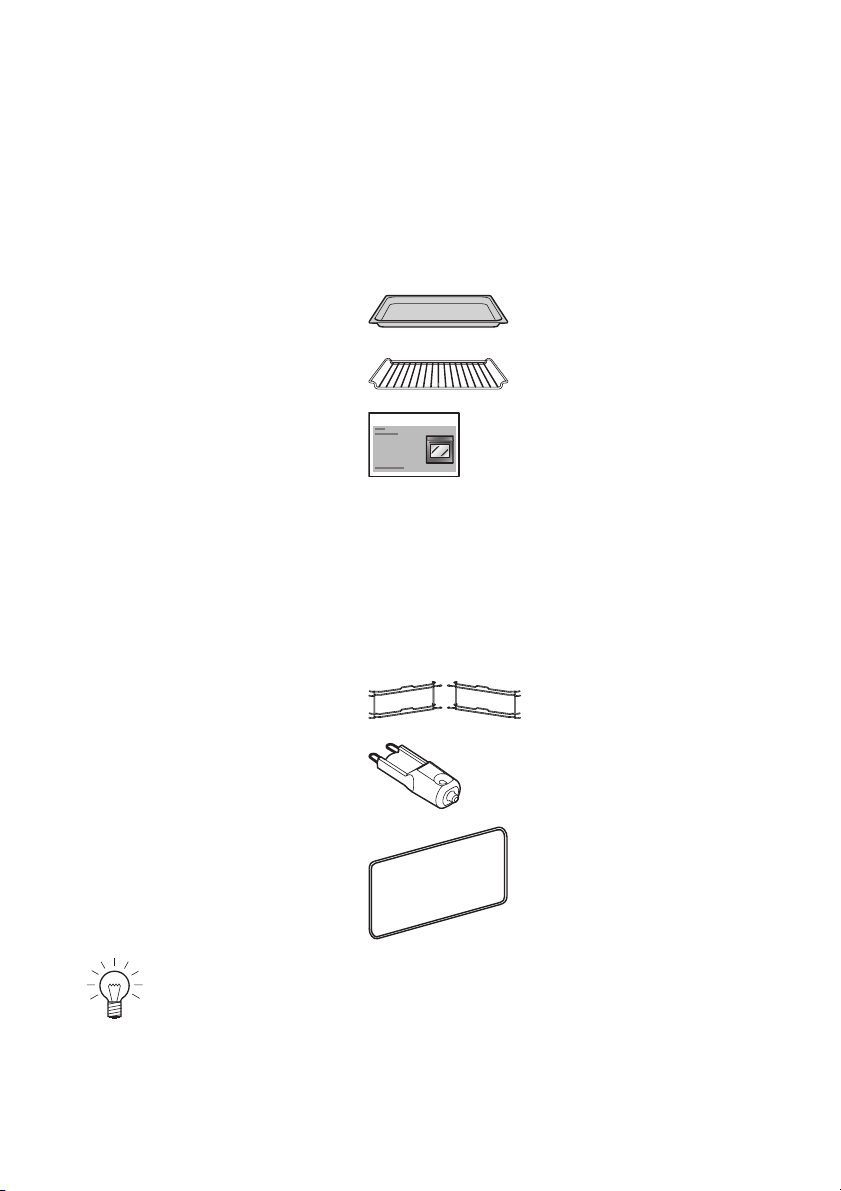
11 Accessories and spare parts
Please give model number of the appliance and exact description of the
accessory or spare part when ordering parts.
Accessories
Special accessories
Spare parts
Original
TopClean baking tray
Wire shelf
Tips on settings
For information see: www.vzug.com
Shelf guides
left/right
Halogen light bulb
Door seal
The halogen light bulb is also available from specialist retailers.
Bedienungsanleitung … Einstelltipps
46
12 Technical data
External dimensions
➤ See Installation Instructions
Electrical connection
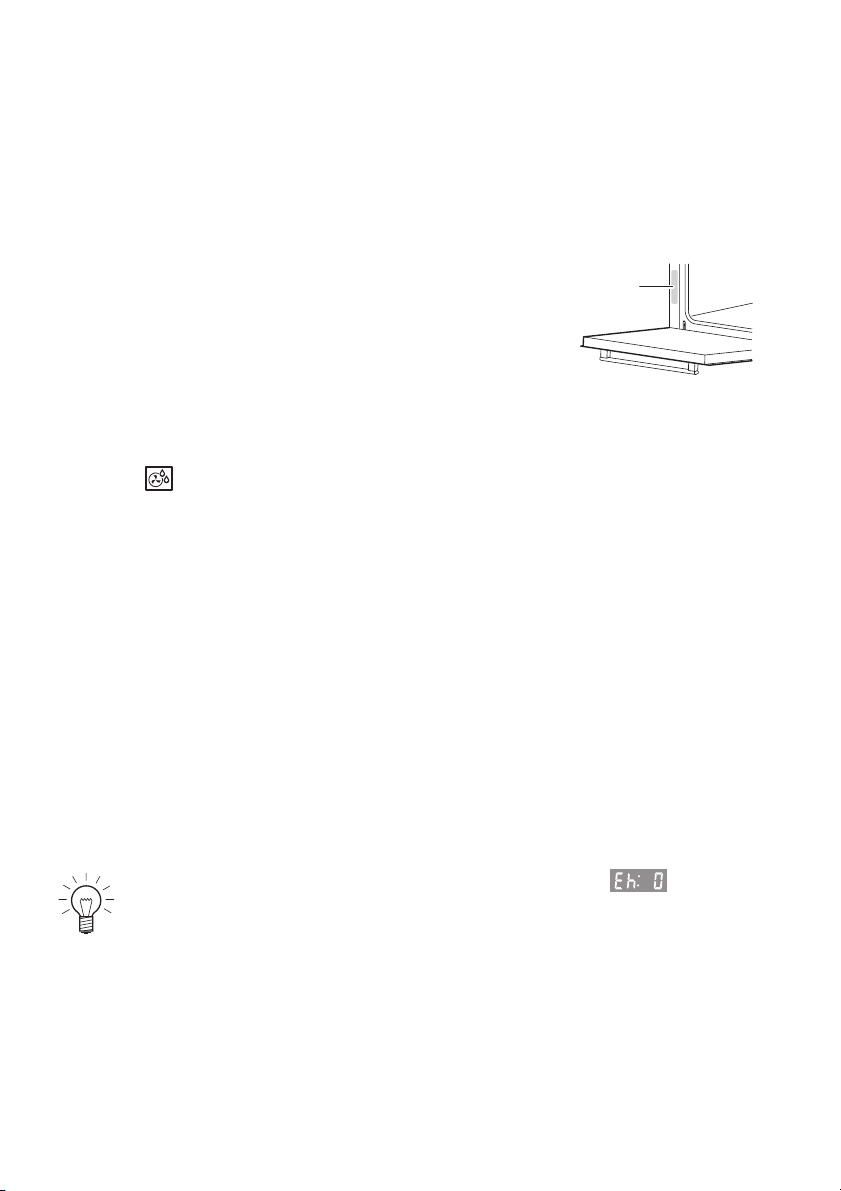
➤ See identification plate 1
Note for testing institutes
The energy efficiency class according to EN 50304/EN 60350 is determined
using the operating mode. Placing thermocouples between the appliance
door and the seal may result in leakage and thus in incorrect measurements.
The usable volume within the meaning of EN 50304/EN 60350 is obtained
with the shelf guides disassembled.
Measurement of the temperature in the cooking space
The temperature in the cooking space is measured when the cooking space
is empty according to an internationally accepted standard. Own measure-
ments may be inaccurate and are not suitable for checking the accuracy of
the temperature.
Automatic energy-saving stand-by
To avoid consuming power unnecessarily, the appliance is equipped with
automatic energy-saving stand-by.
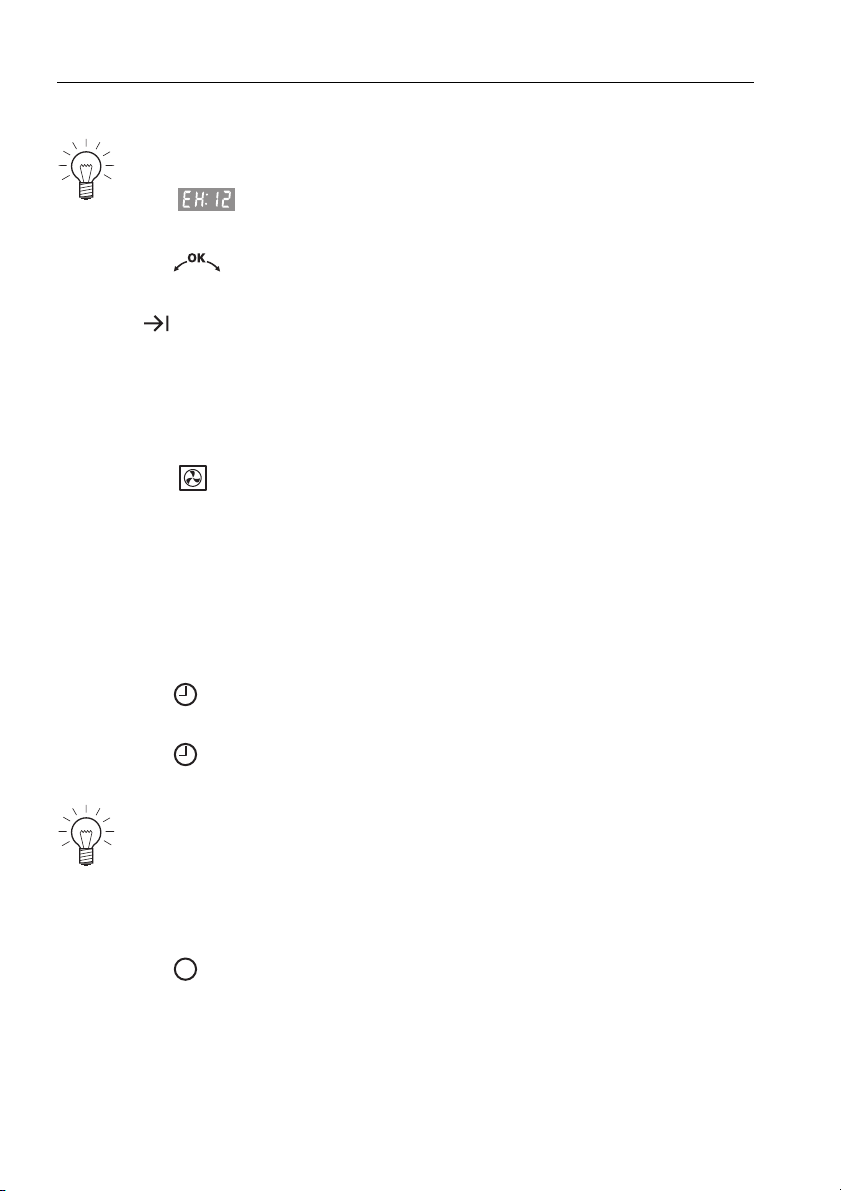
To reduce power consumption to a minimum, select , «Time
display invisible», in the user settings. Despite automatic energy-
saving stand-by, all safety functions are active.
1

47
13 Notes

13 Notes
48

49
14 Index
A
Accessories . . . . . . . . . . . . . . . 16, 45
Cleaning . . . . . . . . . . . . . . . . . . . 39
Acoustic signal . . . . . . . . . . . . 22, 24
Appliance description . . . . . . . . . . 13
Appliance door
Removing . . . . . . . . . . . . . . . . . . 38
Appliance:Switching off . . . . . . . . . 17
B
Before using for the first time . . . . . 9
Buttons . . . . . . . . . . . . . . . . . . . . . 14
C
Care. . . . . . . . . . . . . . . . . . . . . . . . 37
Childproof lock . . . . . . . . . . . . 22, 23
Display. . . . . . . . . . . . . . . . . . . . . 42
Cleaning . . . . . . . . . . . . . . . . . . . . 37
Construction . . . . . . . . . . . . . . . . . 13
Cooking space
Cleaning . . . . . . . . . . . . . . . . . . . 39
Temperature measurement . . . . . 46
Cooking space temperature
Checking and changing . . . . . . . 20
Selecting . . . . . . . . . . . . . . . . . . . 19
D
Delayed start . . . . . . . . . . . . . . . . . 29
Digital displays . . . . . . . . . . . . . . . 14
Disconnection . . . . . . . . . . . . . . . . 12
Display elements . . . . . . . . . . . . . . 14
Disposal. . . . . . . . . . . . . . . . . . . . . 12
Door seal
Cleaning . . . . . . . . . . . . . . . . . . . 37
Removing . . . . . . . . . . . . . . . . . . 37
E
Electrical connection . . . . . . . . . . . 46
Exterior
Cleaning . . . . . . . . . . . . . . . . . . . 37
External dimensions. . . . . . . . . . . . 46
F
F and E error messages . . . . . 42, 43
Factory settings . . . . . . . . . . . . 22, 24
G
Grill . . . . . . . . . . . . . . . . . . . . . . . . 33
Grill-forced convection. . . . . . . . . . 34
H
Halogen light bulb . . . . . . . . . . . . . 40
Hot air . . . . . . . . . . . . . . . . . . . . . . 32
Hot air humid. . . . . . . . . . . . . . . . . 33
I
Identification plate . . . . . . . . . . . . . 46
Illumination . . . . . . . . . . . . . . . . . . 41
Initial start-up . . . . . . . . . . . . . . . . . 18
Instructions for use . . . . . . . . . . . . . 9
L
Levels . . . . . . . . . . . . . . . . . . . . . . 15
M
Mains synchronisation . . . . . . . . . . 24
Maintenance . . . . . . . . . . . . . . . . . 37
Model no. . . . . . . . . . . . . . . . . . . . . 2
O
Operating elements . . . . . . . . . . . . 14
Operating mode
Changing. . . . . . . . . . . . . . . . . . . 20
Operating modes. . . . . . . . . . . 14, 32
Selecting . . . . . . . . . . . . . . . . . . . 19
Operating the appliance . . . . . . . . 17
Operating time. . . . . . . . . . . . . . . . 27
Original baking tray . . . . . . . . . . . . 16
P
Packaging . . . . . . . . . . . . . . . . . . . 12
Power failure . . . . . . . . . . . . . . . . . 44
Preheating . . . . . . . . . . . . . . . . . . . 36
Q
Quick instructions . . . . . . . . . . . . . 52
R
Removing food from
cooking space. . . . . . . . . . . . . . . . 20
Repair service . . . . . . . . . . . . . . . . 51

50
14 Index
S
Safety . . . . . . . . . . . . . . . . . . . . . . 12
Safety precautions
Appliance-specific. . . . . . . . . . . . . . 7
Before using for the
first time . . . . . . . . . . . . . . . . . . . . . 9
Correct use . . . . . . . . . . . . . . . 9, 10
General . . . . . . . . . . . . . . . . . . . . . . 6
Saving energy . . . . . . . . . . . . . . . . 36
Setting the switch-off time . . . . . . . 29
Setting the time . . . . . . . . . . . . . . . 25
Shelf guides
Cleaning . . . . . . . . . . . . . . . . . . . 39
Removing . . . . . . . . . . . . . . . . . . 39
Spare parts . . . . . . . . . . . . . . . . . . 45
Special accessories . . . . . . . . 16, 45
Stand-by . . . . . . . . . . . . . . . . . . . . 46
Switching off . . . . . . . . 17, 20, 28, 31
Switching off the
appliance . . . . . . . . . . . . . . . . . . . 20
Switch-off time. . . . . . . . . . . . . . . . 29
Symbols . . . . . . . . . . . . . . . . . . 5, 14
T
Technical data . . . . . . . . . . . . . . . . 46
Temperature sensor . . . . . . . . . . . . 15
Temperature unit. . . . . . . . . . . 22, 24
Testing institutes . . . . . . . . . . . . . . . 46
Time
Setting . . . . . . . . . . . . . . . . . . . . . 25
Time display . . . . . . . . . . . . . . 22, 23
Time format. . . . . . . . . . . . . . . 22, 24
Time functions. . . . . . . . . . . . . . . . . 25
Timer. . . . . . . . . . . . . . . . . . . . . . . . 26
Tips and tricks . . . . . . . . . . . . . . . . 35
Tips on settings. . . . . . . . . . . . . . . . 45
Trouble-shooting . . . . . . . . . . . . . . . 41
Type . . . . . . . . . . . . . . . . . . . . . . . . . 2
U
Uneven browning . . . . . . . . . . . . . . 36
User settings. . . . . . . . . . . . . . . . . . 21
Using for the first time. . . . . . . . . 9, 18
V
Validity . . . . . . . . . . . . . . . . . . . . . . . 2
W
Wire shelf . . . . . . . . . . . . . . . . . . . . 16

51
15 Repair service
Whether you contact us about a malfunction or an order, please always state
the serial number (FN) and the model type of your appliance. Enter these
details below and also on the service sticker which comes with the appliance.
Stick it in a conspicuous place or in your telephone or address book.
You will also find the same details on the certificate of guarantee, the original
sales invoice and the identification plate of the appliance.
➤ Open the appliance door.
– The identification plate is on the left-side panel.
The Trouble-shooting section will help you to carry out small repairs
yourself, saving you the time and trouble of calling out a service
technician and the cost that goes along with it.
FN
Appliance

Quick instructions
Please first read the safety precautions in the operating instructions!
To set the time
➤ Press the button.
➤ Turn the adjusting knob to set the hour.
➤ Press the button again.
➤ Turn the adjusting knob to set the minutes.
To select the operating mode
➤ Press the button repeatedly until the desired operating mode appears.
➤ Turn the adjusting knob to set the cooking space temperature.
➤ Press the adjusting knob to confirm.
To switch off the appliance
➤ Press the button.
To set the timer
➤ Press the button.
➤ Turn the adjusting knob to set the timer duration.
J27A.352-0
V-ZUG Ltd
Industriestrasse 66, CH-6301 Zug
[email protected], www.vzug.com