Specific electrical requirements are listed in the chart below. Follow the requirements for the type of plug on the power supply cord.
Power Supply Requirements
115V (103.5 min. to 126.5 max.)
15A time-delay fuse or circuit breaker
Recommended Grounding Method
This dehumidifier must be grounded. This dehumidifier is equipped with a power supply cord with a three-prong grounding plug. The cord must be plugged into a mating, grounded three-prong outlet, grounded in accordance with all local codes and ordinances. If a mating outlet is not available, it is the customer's responsibility to have a properly grounded three-prong outlet installed by a qualified electrician.
It is the customer's responsibility:
■ To contact a qualified electrical installer.
■ To assure that the electrical installation is adequate and conforms to the Nation Electrical Code, ANSI/NFPA 70-last edition, and all local codes and ordinances.
Location requirements
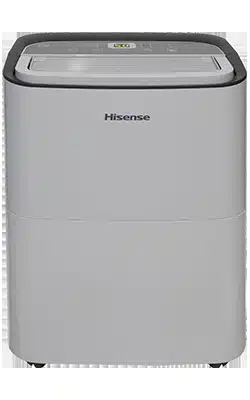
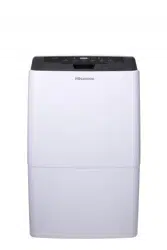
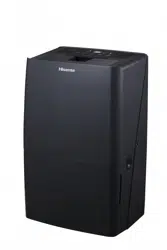
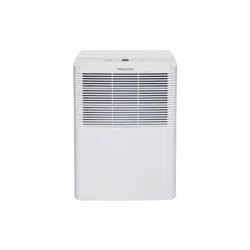
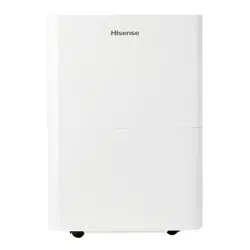
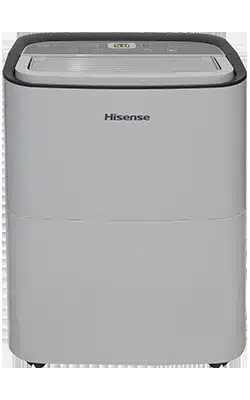
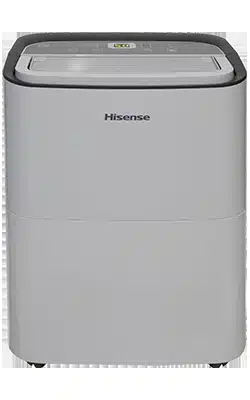
NOTE: Your model may differ from the one shown.
Do not locate outdoors. This dehumidifier is intended for indoor, residential use only. This dehumidifier is not recommended for commercial use.
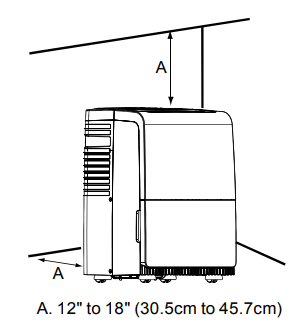
Allow at least 12" to 18" (30.5cm to 45.7cm) of space on the rear and sides of the dehumidifier for models with back louver and above the dehumidifier for models with top louvers.
You will need a surface strong enough to support the dehumidifier when its bucket is full of water.
You will need a surface level enough to keep the water from spilling when the bucket is full of water.
Do not block the louvers of the unit .
Never operate this dehumidifier in an area that is likely to accumulate standing water. If this condition develops, for your safety disconnect the power supply before stepping into the water.
DEHUMIDIFIER USE
Setting the Controls
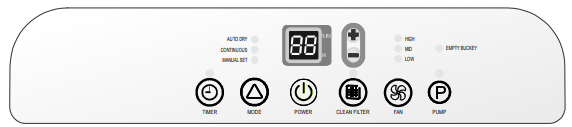
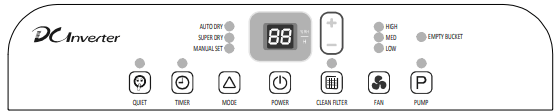
Control Panel
Control Type1
Control Type2
Control Type3
NOTE:
Set point is Relative Humidity: lower is more dry, higher is less dry.
The control panel of your model may differ from the one shown above.
Pump button may not be displayed on the panel if your model does not have these functions.
Starting/Stopping the Dehumidifier
NOTE:
■ Before turning on the dehumidifier, be sure that the bucket is empty and fits all the way into the dehumidifier.
■ Each time you unplug the dehumidifier or power is interrupted, the controls will return to the previous settings when power is restored.
■ Humidity displayed is between 30% Relative Humidity and 90% Relative Humidity.
■ Humidity can be set between 30% Relative Humidity and 80% Relative Humidity.
■ It's important to set the desired humidity level to an achievable setting. To ensure energy- efficient operation, only use the dehumidifier in a closed space, with no open windows or other sources of moist air (to avoid continuous running).
■ Operating temperature is between 38ºF to 90ºF (3.2ºC to 32.2ºC). At temperatures of 38ºF(3.2ºC)or less, water freezes inside the product. At temperatures over 90ºF(32.2ºC),the internal temperature of the product trips a protective device which deactivates the product to avoid product damage.
■ The compressor has a 3-minute delay before restarting. If the product is stopped and immediately restarted, to protect the compressor there is a 3-minute delay until the compressor restarts.
■ When the dehumidifier is operating, the indoor temperature will rise. The dehumidifier does not have a cooling /heating function.
Heat is generated during operation, so the room temperature may be increased by about 6ºF(3ºC) depending on the usage conditions (indoor temperature, size of the room).
Plug into a grounded three-prong outlet.
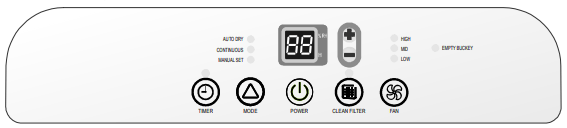
Press POWER to turn on the dehumidifier.
Press FAN to choose the fan speed.
Press MODE to choose the mode.
Press the plus or minus button to set the level of humidity.
Press POWER to turn off the dehumidifier.
NOTE: In the event of a power failure, your dehumidifier will operate at the previous settings when the power is restored.
Empty Bucket Light
If this light is on, the fan and the compressor will stop running.This light indicates that you need to check: Empty Bucket Light
■ If the bucket is full, empty and re-install bucket.
■ If the bucket is not in position, remove the bucket and re-install it. Make sure the bucket fits all the way into the dehumidifier and the bucket light is off, or dehumidifier will not run.
Fan Speed
Press FAN to select fan speed
Choose LOW MED or HIGH
■ LOW-Will reach the desired humidity setting with lower sound level.
■ MED-Will achieve set humidity at normal speed.
■ HIGH-Will reach the desired humidity setting faster.
NOTE:
Once the relative humidity of the room hit the desired setting, the compressor will stop and the fan will be off periodically.
The fan may periodically turn on, to read the humidity level, without the compressor running.
Desired Humidity-Mode
1. Press MODE to select the desired humidity setting.
2. Choose Auto Dry, Continuous/Super or Manual
■ AUTO DRY: The dehumidifier will operate in dry mode only. The desired humidity is set to 50% automatically. The fan speed can be adjusted. The desired humidity can not be adjusted.
■ CONTINUOUS/SUPER DRY: The desired humidity is set to 30% automatically. The fan speed can be adjusted. The desired humidity can not be adjusted.
■ MANUAL SET: The dehumidifier will operate at the selected fan speed and desired humidity level. If the humidity level of the room is higher than the desired humidity setting, the compressor will turn on. If the humidity level of the room is lower than the desired humidity setting, the compressor will turn off, as well as the fan.
NOTE: The de-icing function will turn off the compressor if a low temperature condition occurs. Pressing the MODE button or the plus or minus button will not increase or decrease the amount of moisture removed. When the de-icer senses then correct operating temperature, the compressor will cycle back on. Some freezing is normal will dehumidifiers are used at low temperatures.
DEHUMIDIFIER CARE
Your new dehumidifier is designed to give you many years of dependable service. This section explains how to clean and care for your dehumidifier.
To avoid damage to the compressor, never store or ship the appliance upside down or sideways.
Cleaning The Air Filter
The air filter is removable for easy cleaning. A clean filter helps remove dust, lint, and other particles from the air and is important for best operating efficiency. Check the filter every two weeks to see whether it needs cleaning.
Turn off the dehumidifier.
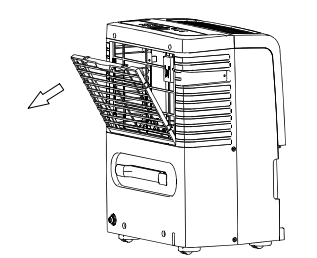
Remove the air filter.
Take out the air filter.
Use a vacuum cleaner to clean the air filter if the air filter is dirty, wash it in warm water with a mild detergent.
Reinstall the air filter and the air intake grill.
Turn on the dehumidifier.
NOTE: Do not wash air filter in the dishwasher or use any chemical cleaners. Air dry filter completely before reinstalling to ensure maximum operatingefficiency.
Cleaning the Dehumidifier
Exterior
Turn off the dehumidifier and unplug the power supply cord.
Dust the surface of the unit with a soft cloth or the dusting attachment of your vaccum cleaner.
Water bucket
Every few weeks, rinse the inside of the water bucket with a mild detergent to avoid growth of mold, mildew and bacteria.
Water level float
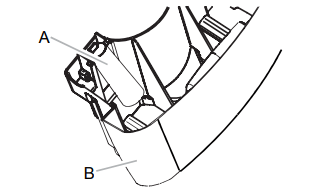
The dehumidifier has a EMPTY BUCKET light and a water float. The bucket must be properly aligned for the water level float and the EMPTY BUCKET light to work.
NOTE: Be sure the float is snapped correctly in place.
A. Water level float
B. Bucket
TROUBLESHOOTING
Before calling for service, try the suggestions below to see whether you can solve your problem without outside help.
Dehumidifier will not run
Is the dehumidifier turned on?
Turn on the dehumidifier.
Is the power cord plugged into a grounded three-prong outlet?
Plug into a grounded three-prong outlet. See “Electrical Requirements” on page 5.
Has a household fuse blown or has a circuit breaker tripped?
Replace the fuse or reset the circuit breaker. If the problem continues, call an electrician. See “Electrical Requirements” on page 5.
Is the bucket installed properly?
Reinstall the bucket so that it fits all the way into the dehumidifier.
Does the bucket need to be emptied?
Empty the bucket.
Is the water level float in place?
Remove the bucket. Make sure the float is snapped in place. Reinstall the bucket.
Did the dehumidifier suddenly stop operating, and won't turn on?
Confirm the power is connected, and the bucket is in place. If the unit still doesn't operate, call Hisense for Warranty service.
Ice forms on coils
All models have an automatic de-icing functiong that will shut off the compressor and allow the fan to run.
This reduces the ice build-up on the coils. The compressor will cycle back on when the de-icing function senses the correct operating temperature.
Dehumidifier runs but does not dehumidify
Did the dehumidifier suddenly stop operating, and won't turn on?
Confirm the power is connected, and the bucket is in place. If the unit still doesn’t operate, call Hisense for warranty service
All models have an automatic de-icing function that will shut off the compressor and allow the fan to run.
When the de-icing function senses the correct operating temperature, the compressor will cycle back on.
Is the control set to Continuous/Super Dry?
If you have selected Continuous/Super Dry Run, the dehumidifier will run continuously. If the room humidity level is low, little or no water may be collected.
The filter is dirty or obstructed debris.
Clean the filter.
Air coming from the dehumidifier is warm
Dehumidifier will put out warm air under normal operating conditions.
Dehumidifier displays error codes
If the dehumidifier displays an error code, please contact the Hisense customer service.
Pump system does not work
Does the pump indicator flash?1
Check and make sure the drain hose is correctly connected to the unit.
Press the POWER button to turn off the unit. Restart the unit by pressing POWER button again.
Yes, we do. Model AP1019CW1G is our HiSmart Portable AC. Simply download our FREE and easy-to-install HiSmart Air App on your iOS or Android Smartphone and connect it to your Wi-Fi to control your AC from anywhere that you are located.