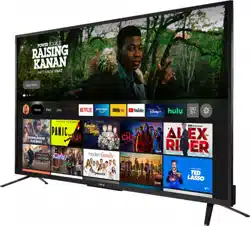
Toshiba 55LF621U21 Questions & Answers
You can find answers or submit your question.
In ManualsFile, you can ask and answer questions about your issues. We - volunteers - or other people who own the product will help you.
You should also read the documentation for your own answers. Download documentation for this product here.
remote turns red tv light on/off but no picture/sound. also red light is pulsing
If this TV no picture (screen is not lit) and no sound, please check:
- Press (power) on the TV or the remote control.
- Make sure that the video cables are connected correctly and securely to your TV.
- Make sure that the power cord is plugged into a working outlet.
- Press Home, then navigate to the INPUTS row and select the input you want to watch.
- Try another channel. The station may be experiencing problems.
- Make sure that the incoming signal is compatible.
I cannot download apps because I am out of memory. Where to add the 128MB SD card I just bought?
This TV has around 4GB free for apps. This TV does not support expandable storage. You can hook up an external streaming device, with more storage, to one of the HDMI inputs on the TV.
Audio no video. Power cord is good. Reset multiple times.
This TV does not have a Video Output.
How to download new app??
You can install apps on Toshiba Android TV from the Play Store.
Lost remote control, tried to pair a new one! No avail!
Is there a way to put t he volume up without the remote control?How do you connect IPhone to the tv
This TV doesn't have built-in AirPlay; you can connect your iPhone to the TV using the Apple - Lightning Digital AV Adapter.
HOW TO CONNECT ipHONE TO tv
This TV doesn't have built-in AirPlay; you can connect your iPhone to the TV using the Apple - Lightning Digital AV Adapter.
TV stopped working. Could it be the power cord?
Which screws do I use to reinstall tv legs?
Use M5 screws (17 mm length) to attach the stand to the TV.
Do I have to have the internet
Smart TVs work with any/ all internet services as long as their modem or router provide a good wireless signal. The TV has built-in Wi-Fi, you can select your network and enter the password.

Submit your question
If you have any questions about this product, please ask here.