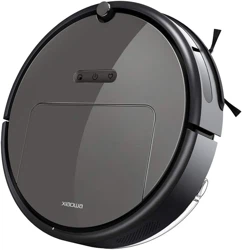
Roborock E25 Questions & Answers
You can find answers or submit your question.
In ManualsFile, you can ask and answer questions about your issues. We - volunteers - or other people who own the product will help you.
You should also read the documentation for your own answers. Download documentation for this product here.
The vacuum is unable to position itself correctly to charge. When I manually position it on the charge bass, the vacuum backs off and unsuccessfully attempts to reposition itself on charge. Then the start button blinks red and the message "ERROR 12 battery is low, charge the vacuum" is spoken. When I moved it again the message says "Error 4, clean the sensors." What should I use to clean the metal sensors? I can't find a manuel with operating instructions.
You can find the User Manual for Roborock E25 at: https://manualsfile.com/download/vhrviebo4.html
Do you reset your E25 Roborock vacuum
Here is the instruction step by step: Step 1. Hold the power button, spot cleaning and recharge button all together when device is on. The light of 3 buttons will be out. Step 2. keep holding them to 10-15 seconds until the power button becomes blinking and you hear the voice "Restoring the initial version. It will take about five minutes. Please wait patient." You could remove your fingers and wait for 2-3 minutes until device restart.

Submit your question
If you have any questions about this product, please ask here.