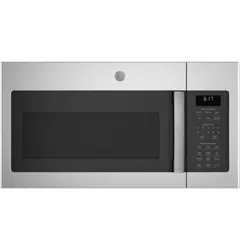
GE - General Electric JVM6175SK1SS Questions & Answers
You can find answers or submit your question.
In ManualsFile, you can ask and answer questions about your issues. We - volunteers - or other people who own the product will help you.
You should also read the documentation for your own answers. Download documentation for this product here.
How can I obtain a hard copy of the Manual for this Model JVM6175SKS1SS?
You can download the Manual and print it at your convenience: https://manualsfile.com/download/u90zsdnhi.html
Stops microwaving and reads sensor may need ice????
How do I unlock the panel?
To lock or unlock the microwave controls, press and hold the "Set Clock" button on the control panel for 3 seconds.
There is no power. Is there an in-line fuse that might be bad?
Reset filter light is on, instructions for cleaning filters.
The Reset Filter light illuminates when either the charcoal filter or grease filters need to be replaced or cleaned. (Once the filters have been replaced or cleaned, the alert can be reset by pushing and holding for 3 seconds.) If the vent filters are the issue, those can be cleaned and used again. The vent fan uses two metal reusable filters, which are on the bottom of the microwave. They can be removed by sliding them to the rear using the tabs, then pulling down and out. We recommend cleaning by soaking them, then swishing them through a hot water and detergent mix. If it’s the charcoal filter that needs to be replaced, details on that are on page 21 of the manual. This filter cannot be cleaned and would need to be replaced. The charcoal filter can be removed by first unplugging the microwave (for safety reasons), removing the vent grille mounting screws, tipping the grille forward and lifting it out, and removing the filter.

Submit your question
If you have any questions about this product, please ask here.