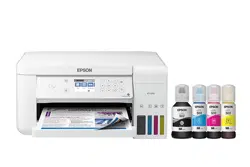
Epson ET-3710 Questions & Answers
You can find answers or submit your question.
In ManualsFile, you can ask and answer questions about your issues. We - volunteers - or other people who own the product will help you.
You should also read the documentation for your own answers. Download documentation for this product here.
Where are the fuses
How do I select size for envelope?
Select Settings > General Settings > Printer Settings > Paper Source Settings > Paper Setting. Then select a Paper Size setting that matches the paper you loaded.
How do I change plain paper to photo paper?
Select Settings > General Settings > Printer Settings > Paper Source Settings > Paper Setting. Then select a Paper Type setting that matches the paper you loaded.

Submit your question
If you have any questions about this product, please ask here.