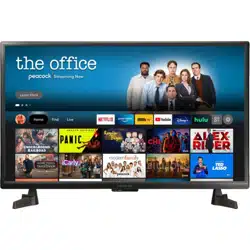
Insignia NS-32F201NA22 Questions & Answers
You can find answers or submit your question.
In ManualsFile, you can ask and answer questions about your issues. We - volunteers - or other people who own the product will help you.
You should also read the documentation for your own answers. Download documentation for this product here.
How do I determine a compatible ceiling mount for this TV? The back is currently inaccessible so I cannot see if it uses a VESA pattern and what size, or something different. Thank you.
This TV has a VESA 100x100mm mounting pattern.
How do I set the time on the tv?
How do you turn the sleep timer
Long press the Home Button and select Sleep Timer, then you can choose between 5, 10, 15, 30, 60, 90, 120, 150, 180 and 240 minutes.
Does this tv have Bluetooth
Yes. It is Bluetooth-enabled. On your Fire TV, go to Settings > Controllers & Bluetooth Devices.
Is this TV QAM compatible
Yes, this type of Insignia Smart Fire TV has a built in QAM tuner. You will be able to view local channels after you have performed a channel scan.
How do I install Direct TV?
You can watch or stream using your Directv app on this TV by downloading the app in the Amazon App Store then select Get to install the DIRECTV STREAM app.
Trying to instal IPTV. Tried different options. Cannot. What should I do?
- Install the Downloader app from your respective App Store (Amazon App Store or Google Play) and enable Unknown Sources within the settings of your streaming device. - Launch Downloader. - Hover over the URL bar and click the select button on your remote to open the keyboard. - ype the Downloader Code for IPTV Smarters Pro which is 164547 and click Go. - You will then see a redirect page. - Wait for the app to download. - Click Install. - You will then encounter IPTV Smarters Pro Ready to launch! message. - You can now launch the app for use.
TV went out during a wind storm and turned it back on but I dont get a sound when watching regular channels. I receive sound when I switch to cable. A bar shows up in the upper corner of the screen with a bar graph and volume picture indicating 30. How do I fix this?
Cannot turn off closed captioning
For Closed Captions settings go Home > Settings > Accessibility> then turn off the closed caption.
How many apps can I download

Submit your question
If you have any questions about this product, please ask here.