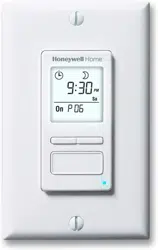
Honeywell RPLS740B1008 Questions & Answers
You can find answers or submit your question.
In ManualsFile, you can ask and answer questions about your issues. We - volunteers - or other people who own the product will help you.
You should also read the documentation for your own answers. Download documentation for this product here.
How to use 12 hour option
You can use the Mode menu to select Time Menu.
The time display flashes on the screen when the time has not yet been set or after a 4-hour power outage.
Use the Time menu to select the time format (12-hour or 24-hour) and to set the clock and date.
How do I lock/unlock the light switch?
To unlock or lock the timer switch keypad, you will need to press the Left and Right buttons in the following order: Left, Left, Right, Left. You must perform the procedure in an interval of 2 seconds. If the procedure does not work wait another 2 seconds then try again.

Submit your question
If you have any questions about this product, please ask here.