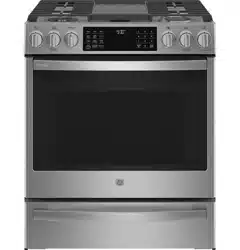
GE - General Electric PGS930YPFS Questions & Answers
You can find answers or submit your question.
In ManualsFile, you can ask and answer questions about your issues. We - volunteers - or other people who own the product will help you.
You should also read the documentation for your own answers. Download documentation for this product here.
How do you set the clock???????????
You can set the clock by pressing the "Settings" pad and selecting "Clock". Select "Set Clock" and follow the instructions to set the clock. You can learn more about this here:
https://manualsfile.com/product/ppl25jnlqr.html#:~:text=harmful%20bacteria%20growth.-,ClockIs it possible to slowly increase or decrease size of flame from 9 down to 1? It is set for high and low correctly but you have to go from 9 almost to 1 before the size of the flame decreases
How do I set the oven clock
You can set the clock by pressing the "Settings" pad and selecting "Clock". Select "Set Clock" and follow the instructions to set the clock. This feature also specifies how the time of day will be displayed. You can select a standard 12-hour clock (12H), 24-hour military time display (24H), or no clock displayed (Off). Press the Settings pad, select Set Clock and select either 12/24 hr or On/Off.
To use the air fryer do you put oil on the food?
When air frying, you put the oil on the food, not in the basket.
How do you increase or decrease temperature while cooking?
Please know that you can adjust the oven’s temperature up to 35 degrees Fahrenheit warmer or cooler from your original setting. For more information on this, you can check out here: https://manualsfile.com/product/ppl25jnlqr.html#:~:text=Adjust%20the%20Oven%20temperature

Submit your question
If you have any questions about this product, please ask here.