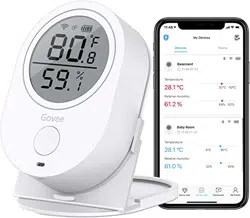
Govee H5051 Questions & Answers
You can find answers or submit your question.
In ManualsFile, you can ask and answer questions about your issues. We - volunteers - or other people who own the product will help you.
You should also read the documentation for your own answers. Download documentation for this product here.
I restarted my thermometer after not using it for a while. I downloaded the app to my new phone. I can see the thermometer reading on my phone. It's showing the temp and humidity. It's showing the wifi symbol in red
If the wifi icon turns red with an exclamation mark, it means the device loses wifi connection. You can wait for it reconnects itself or be in Bluetooth range to reset wifi manually.
Please be in Bluetooth range:- Tap the sensor on the device list
- Tap the settings icon on the upper right corner
- Reset Wi-Fi, then enter your Wi-Fi password.
If this issue persists, please contact Govee service via [email protected] for help.
Is there a setting for a continuous alarm or a repeating alarm?
To set the alarm for temperature or humidity: 1) Be in Bluetooth range, click the sensor on "My device" list on the App. 2) Wait for the graph page loaded 100%. Then click the "Setting" icon on the upper right corner. 3) Slide to set the alarm temp/humidity range.

Submit your question
If you have any questions about this product, please ask here.