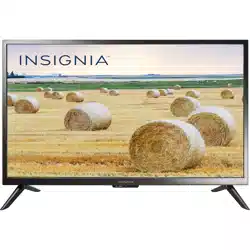
Insignia NS-32D310NA21 Questions & Answers
You can find answers or submit your question.
In ManualsFile, you can ask and answer questions about your issues. We - volunteers - or other people who own the product will help you.
You should also read the documentation for your own answers. Download documentation for this product here.
TV set does not turn on from remote.
You need to use the TV remote to turn the TV On/Off and control the volume. This is normal. Use the Roku remote to control the Roku device. To manually turn on your TV, press and hold Power/Input button which is located at the bottom center of the TV.
No, this TV doesn't have built-in Bluetooth.
See the steps below on how to scan channels. 1. Make sure that your TV’s power cord is unplugged and all connected equipment is turned off. 2. Connect the coaxial cable to the cable wall jack and to the cable-in jack on the cable or satellite box. 3. Connect a coaxial cable (not provided) to the antenna/cable jack on your TV and to the coaxial out jack on the cable or satellite box. 4. Plug your TV’s power cord into a power outlet, turn on your TV, then turn on the cable or satellite box. 5. Press INPUT to open the INPUT SOURCE list, select TV, then press ENTER. 6. If you cannot tune to channels you know exist, scan for channels. See the Auto Channel Search option in Changing channel settings.
Can you connect this to a chromebook?
Yes you can connect a computer to this TV and use it as a monitor. To proceed, please follow the steps below: 1. Make sure that your TV’s power cord is unplugged and the computer is turned off. 2. Connect an HDMI cable (not provided) to one of the HDMI jacks on your TV and to the HDMI out jack on the computer. 3. Plug your TV’s power cord into a power outlet, then turn on your TV and the computer. 4. Press INPUT to open the INPUT SOURCE list, select the HDMI jack you connected the computer to, then press ENTER. 5. Adjust the display properties on the computer, if necessary.
Where can i get replacement legs for this tv?
Is the model mountable on a wall
Yes, this TV can be wall mounted.
how do i pair it to my comcast remote?
How do I connect my TV online

Submit your question
If you have any questions about this product, please ask here.