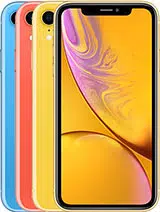
Apple iPhone XR Questions & Answers
You can find answers or submit your question.
In ManualsFile, you can ask and answer questions about your issues. We - volunteers - or other people who own the product will help you.
You should also read the documentation for your own answers. Download documentation for this product here.
connect to internet
To connect to the internet, go to Settings > Wi-Fi, then turn on Wi-Fi. iPhone automatically joins known network or selects the network you want to join.
How do I set the alarm
Open the Clock app, tap Alarm, then tap "+" button. Set your wake-up time and other options, then give the alarm a name. Tap Save. https://manualsfile.com/product/lcrae7n2h.html#p100:~:text=101-,Alarms%20and%20timers,-Want%20iPhone
Every morning at 602am. I get a phone alarm. It is not set by me! Nothing I do can turn it off! Where is this alarm coming from? We set an alarm with the phone. You can easily turn these,off. But not the clock alarm! How do I turn off the mystery alarm?
Please check Scheduled Reminders. You can turn off Reminders notifications in Settings > Notifications. To silence notifications temporarily, turn on Do Not Disturb. https://manualsfile.com/product/lcrae7n2h.html#p111:~:text=on%20page%2026.-,Scheduled%20reminders,-Scheduled%20reminders%20notify
How to turn off the cookies
To turn off cookies on Apple iPhone XR, go to Settings > Safari > Advanced and then tap "Block All Cookies". To remove cookies already on iPhone, go to Settings > Safari > Clear History and Website Data.
where is the sim tray for this phone ..I can't see any slot under the power button ? on the right side...i have the ejection tool..is it on the back of the phone...thanks
The SIM tray is located on the right side of the device. To insert a SIM card, insert a SIM tool into the small hole to eject the SIM tray.

Submit your question
If you have any questions about this product, please ask here.