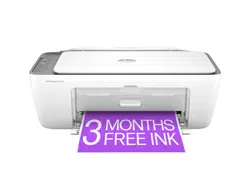
HP DESKJET 2855E Questions & Answers
You can find answers or submit your question.
In ManualsFile, you can ask and answer questions about your issues. We - volunteers - or other people who own the product will help you.
You should also read the documentation for your own answers. Download documentation for this product here.
hoe to change language from German to USEnglish
Go to Setting (Einstellungen) > Time & language (Zeit & Sprache) > Language & region (Sprache & Region)
Then click Add a language (Sprache hinzufügen).
Search for English (United States) or your preferred English variant.
Select it and click Next, then Install.
Under Windows display language (Windows‑Anzeigesprache), choose English (United States).
Windows will prompt you to Sign out (Abmelden) to apply the change.
Sign back in, and your interface will now be in English.
how to change german printing to USenglish printing
Can this printer be used to reduce a page by a certain percentage
While this model doesn't have the capability to resize directly from the printer, you can easily adjust the size of your prints using the HP Smart app on your phone or computer. This allows you to resize your documents or photos before sending them to the printer.

Submit your question
If you have any questions about this product, please ask here.