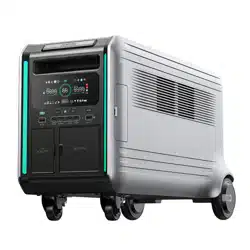
Zendure ZDSBV4600 Questions & Answers
You can find answers or submit your question.
In ManualsFile, you can ask and answer questions about your issues. We - volunteers - or other people who own the product will help you.
You should also read the documentation for your own answers. Download documentation for this product here.
I need help removing the Home Panel icon from my Zendure power station V4600 display.
The Home Panel icon will show up on display after connection; then you can start charging or discharging.
To turn on and off the Home Panel icon, press and hold the AC button for about 5 seconds.
Where is the LOt button located in front of the Zendure v4600 to reset the 220v output
Check the IoT Reset Button on page 4 of the User Manual:
https://manualsfile.com/product/k5lhmoahxpe.html#:~:text=IoT%20Reset%20Button%20%26%20Indicator

Submit your question
If you have any questions about this product, please ask here.