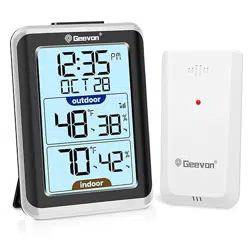
Geevon T208688 Questions & Answers
You can find answers or submit your question.
In ManualsFile, you can ask and answer questions about your issues. We - volunteers - or other people who own the product will help you.
You should also read the documentation for your own answers. Download documentation for this product here.
1 Questions
How do set time
To set the time:
- Press and hold down the "SET" button for 3 seconds the 12/24 hour mode starts to flash, use “UP” and “DOWN” buttons to set the correct 12/24 hour mode.
- Press "SET" button to confirm your setting, the hour display starts to flash, use “UP” or “DOWN” buttons to set the correct hour.
- Press "SET" button to confirm your setting, the minute display starts to flash, use “UP” or “DOWN” buttons to set the correct minute.
NOTE: You will automatically exit settings mode if no buttons are pressed for 20 seconds. Enter settings mode again at any time by pressing and holding the SET button for 3 seconds. Under normal mode, press SET button to enter alarm mode.

Submit your question
If you have any questions about this product, please ask here.