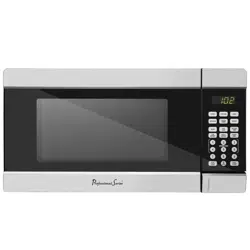
Professional Series PS-CMC338US-CH Questions & Answers
You can find answers or submit your question.
In ManualsFile, you can ask and answer questions about your issues. We - volunteers - or other people who own the product will help you.
You should also read the documentation for your own answers. Download documentation for this product here.
Hiw do ypu set the microwave to heat for 40 seconds
Press 4 then 0 on the number pad to display 0:40 on the screen.
Press the Start/+30Sec button to begin heating.
How do you enter any amount of seconds for the timer option? Ours only brings up the 30 second timer.
- In standby mode or during cooking, press the TIMER button once.
- Use the number buttons to set the desired time. The longest time is 99 minutes and 99 seconds.
- Press the START button to confirm.
The timer countdown can be seen for 5 seconds by pressing the TIMER button. You can cancel the program by pressing the STOP button when the display shows the timer.
how do you put 20 seconds in or 10 seconds in timer? Only lets you put 30 seconds or more'

Submit your question
If you have any questions about this product, please ask here.