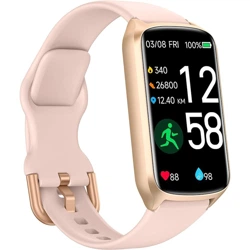
AmzHero D26 Questions & Answers
You can find answers or submit your question.
In ManualsFile, you can ask and answer questions about your issues. We - volunteers - or other people who own the product will help you.
You should also read the documentation for your own answers. Download documentation for this product here.
how do I set the clock
Enable Bluetooth on your phone. Open the Glory Fit app → Add Device → D26. Once it connects, the time on your watch will automatically update to match your phone.
How do I change time of day? I live in the USA and we changed from day light saving time back to standard time, but the time on my tracker didn't change.
1 likeIn the GloryFit app, go to "Device," then "Universal Settings," and select "Time System" to choose between the 12-hour or 24-hour time format.
I used my laptop to opened the GloryFit app, but the "device" option was not on the menu. The allowed menu included Location, Nearby Devices, and Notifications. The "not allowed" menu included Call Log, Camera Contacts, Health Connect. Microphone, Music and audio, Phone, and SMS. My watch doesn't have a GloryFit app installed on it. What did I do wrong?
How do I change the band?
To replace the band:
- Locate the quick-release pins on the underside of the strap where it connects to the tracker body.
- Slide the pin inwards to detach the strap.
- Align the new strap with the tracker body, insert one end of the pin into the corresponding hole, then slide the other end of the pin inwards to secure it into the opposite hole.
- Gently pull on the strap to ensure it is securely attached.

Submit your question
If you have any questions about this product, please ask here.