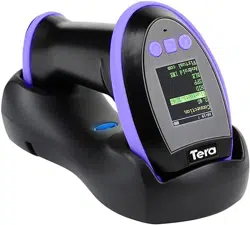
Tera HW0009 Questions & Answers
You can find answers or submit your question.
In ManualsFile, you can ask and answer questions about your issues. We - volunteers - or other people who own the product will help you.
You should also read the documentation for your own answers. Download documentation for this product here.
I have an HW009 scanner and the time displayed is wrong. How do I reset the time?
To reset the time, you can use the Time Sync Tool to synchronize your computer's time.
Please download an .exe program from the link below: https://manualsfile.com/download/k4hkcwxuota/3.html
The link gives me an executable, but it doesn't seem to do anything. I get an icon with a title bar that says "Scanner Set TFT Tool" on top. When I click on the "Update Time" button in the middle, that box is replaced by another box that says "Time_Sync_Tool_V1.1" on top, and in the middle there are some Chinese characters which are not clickable. There is an "Okay button under the Chinese. When I click on that, it goes back to the first box, and the time has not been updated.
Could you please confirm whether the scanner was connected to your Windows computer via the charging cradle or directly using the USB cable?
If you were using the charging cradle, it is normal that the sync tool could not detect the scanner. Please try connecting the scanner to your Windows computer using the original USB cable and then use the sync tool again to set the clock on the scanner.
I have Windows 11 and the cable that was in the box with the scanner plugged directly into the PC.
We can provide another method to update the time on your HW0009 scanner. We have sent this alternative tool to your email address as attachments cannot be added here, please check your email.

Submit your question
If you have any questions about this product, please ask here.