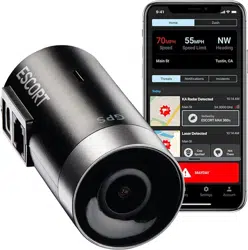
Escort M2 Questions & Answers
You can find answers or submit your question.
In ManualsFile, you can ask and answer questions about your issues. We - volunteers - or other people who own the product will help you.
You should also read the documentation for your own answers. Download documentation for this product here.
1 Questions
Can you turn off the vehicle Speed stamp on the recordings?
Yes, you can turn off the speed stamp on Escort M2 by using the Drive Smarter app.
Open the app and connect to your Escort M2.
- Navigate to the General Settings menu.
- Locate the Watermark settings, which allow you to toggle having the date/time, speed, GPS coordinates, the Escort logo and a custom Driver ID be stamped into the bottom of all recorded video.
- Toggle off the Speed option specifically.

Submit your question
If you have any questions about this product, please ask here.