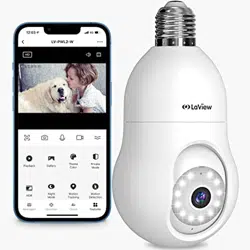
LaView LV-PWL2-W Questions & Answers
You can find answers or submit your question.
In ManualsFile, you can ask and answer questions about your issues. We - volunteers - or other people who own the product will help you.
You should also read the documentation for your own answers. Download documentation for this product here.
Why does my camera light come when I have the light in the off position
The light may still turn on due to the motion detection feature, even if you’ve set it to off. This depends on your app settings. Check the Floodlight settings in the LaView app. If a schedule or turn on when dark option is enabled, the camera may override the off setting.
My remote camera was working fine but recently can only move up and down. It is no longer able to move left or right. Is there something I can do remotely to get it working again?
1 likeYou can try manually turning the housing of the camera to the desired location. If that doesn't work, please contact LaView directly for further assistance.
If this camera loses wifi but still has power will it still record to sd card?
It will still record to the SD card, but you won't be able to access or see it until that camera is back on your WiFi network.
hi, my device after the setup on my phone it says LV-PWL2_WP. what does the P mean?
WHERE DO I SET THIS TO DO A VIDEO INSTEAD OF A SCREEN SHOT.AND IF SET TO TRACKING WHY IS IT NOT MOVING
Does it work with Google home
It doesn't work with Google Home, you need to download LaView app.
When my unit goes offline, what does that mean. Is the mini SD card used up or should I reset it. And how is that done. I've replace the SD card but, don't know the proper way to reset it, still offline.
- Offline usually caused by weak Wi-Fi signal. you need to check your router first.
- Then make sure your camera's distance from router is not over 30 feet, the closer the better.
- Make sure no more than 15 devices are connected to the same router because it will cause router overload and affect the Wi-Fi signal.
How do you access/view the footage after selecting the option "Constantly Record." Like I have that option selected and have a 125gb sd card now with 75gb. But I do not see ANY option to view the recorded footage in the LaView app.
Why does the light stay on at night and not go off?
Please open up your camera and then touch the fold/unfold icon to scroll down the function bar you’ll see an icon for “Bulb Control”. Press on it and a screen comes up for “Light Control” with two options. Switch and Timing. If the “Switch” is lighted, that means your camera’s security light is on. Press the Switch button and the light should go off and stay off unless you turn it back on again. Hope this works for you.
I got it on my own thanks
so why did my camera go offline on its own and when I re established it the camera view was now 180 degree off yes upside down

Submit your question
If you have any questions about this product, please ask here.