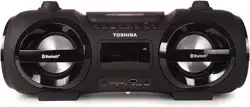
Toshiba TY-CWU500 Questions & Answers
You can find answers or submit your question.
In ManualsFile, you can ask and answer questions about your issues. We - volunteers - or other people who own the product will help you.
You should also read the documentation for your own answers. Download documentation for this product here.
1 Questions
How to pair cell phone to radio
- Press the [FUNCTION] button, and set the Bluetooth functions of your cellphone into receiving mode.
- Once connected, BLUETOOTH“ is displayed and the [STANDBY/PAIR] indicator blinks. Set the Bluetooth enabled device into outgoing mode.
- If your unit cannot connect to the bluetooth device within 2 minutes, press and hold the [PAIR/PLAY/PAUSE] button to reconnect the unit and device.
- Replay your cellphone. You can hear a sound from the speaker of this unit.

Submit your question
If you have any questions about this product, please ask here.