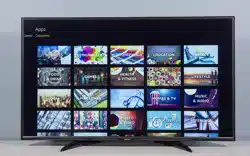
Toshiba 55LF621U19 Questions & Answers
You can find answers or submit your question.
In ManualsFile, you can ask and answer questions about your issues. We - volunteers - or other people who own the product will help you.
You should also read the documentation for your own answers. Download documentation for this product here.
how to save a sight that is for streaming
Power is on. Indicator blue light is on for power. No response at all from power button. Power (blue) light stays on. Doesn’t turn off. Screen off. No response with remote either. ???
In this case, please contact Toshiba Support at 877-467-4289 for further assistance.
I get messages on the screen about my Fire Stick heating up. My TV is a Fire Tv so the Firestick is internal. Any suggestions?
can't get past searching for remote screen but downloaded an app and i can pull up apps, how can i fix this?
i did a factory reset and now i can't get past the searching for remote screen. I even purchased a brand new blue tooth remote, it will let me pick a language with the remote but then gets stuck on the next screen
I have this monitor Toshiba 55LF621U19 can you please tell me how to turn the volume up and down on the monitor itself I lost my remote
Look for up/down volume buttons on the lower or side edges of the TV screen surround. If there are none, you'll have to replace the lost remote.
Manual does not show where the AC cord plugs into the TV itself. Help
The plug is at the bottom on the back of the TV.
My power cord became disconnected from the TV itself. I cannot find anywhere to plug it in! The manual doesn't even show where the port is
You will see a small spot on the back of your TV.
I don't know how to put on the stand. Someone did it for me the first time
I can’t get my tv to use antenna
To connect an antenna, please read at: https://manualsfile.com/product/hypfmcjms.html#:~:text=TV%20%3E%20Channel%20Scan.-,Connecting%20an%20antenna%20or%20cable%20TV%20(no%20box)
Can I connect BOSE wireless bluetooth headphone?
Yes. The TV features the following Audio Outputs: 3.5 mm (Headphone Jack) and Digital Optical Output. To pair a Bluetooth device, go Home > Settings > Controllers & Bluetooth Devices.
Can I connect BOSE wireless bluetooth headphone?
how do I find IView
Replacing Remote battery
To open the remote, turn it over and remove the battery cover by pressing down the clip at the top of the battery cover and pull, then replace it.
Does this TV have mobile mirroring capabilities. Purchased November 2018 or 19. Have a fire stick on another tv from the same year/Black Friday sales. The fire stick has the capabilities. Yet I cannot find any way besides poorly run apps from the appstore.
No, this TV doesn't support screen mirroring.
I have a Toshiba 55 purchased May 2019. It it still under warranty? I need help with several issues ...#1 the screen goes black and still has the audio.
#2 Unable to view the picture it continues to roll the screen repeatedy. Stills only for a few seconds
#3 Unable to use the TV
How can this be fixed or is a fix possible??Sound will not come out through my optical audio cable the most stereo

Submit your question
If you have any questions about this product, please ask here.