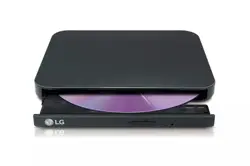
LG Electronics SP80NB80 Questions & Answers
You can find answers or submit your question.
In ManualsFile, you can ask and answer questions about your issues. We - volunteers - or other people who own the product will help you.
You should also read the documentation for your own answers. Download documentation for this product here.
what type of usb cable do i need to connect my dvd to a dell latitude 5520...it has been a while since i've used my dvd unit and i have a shoulder pack full of cables and cannot locate the cable
is this an external dvd player or just writer?
This is both an external DVD/CD reader and writer, not just a player.
I haven't used it for years and now I no longer have the software for this device. My iMac doesn't "see" the cd. What can I do to be able to use it for burning files?
To connect your iMac to the LG SP80NB80, simply plug the USB cable from the drive into an available USB port on your iMac. The drive should be automatically recognized by your iMac.
Once connected, you can open Finder on your iMac, where the drive should appear under "Devices" in the sidebar. Simply insert a DVD/CD into the drive, and you’ll be ready to use it.
If this issue persists, please get in touch with LG Support.Can I make a cd with this device?
Yes, this model is compatible with standard CD and DVD formats.
I cannot get this ultra slim portable dvd writer to play a disc.
Can I record a CD from my computer to this device?
Yes, the LG SP80NB80 is a slim portable DVD writer that can be used with computers to play and burn DVDs and CDs.
Have this for several years and have just installed it. All CyberLInk items installed. Cannot see how to just watch a DVD. Instructions only about install
My laptop no longer recognises my LG portable DVD writer. What must I do?
If your LG DVD Writer is unrecognized by your laptop, try unplugging the writer from its power source for 30 seconds, then plug it back in. Inspect the USB cable and port for any damage that may be causing problems with connectivity. Ensure that the USB isn't connected to an unrecognized port or USB Hub. We also recommend trying another port on the laptop to confirm if the cause is related to the port. If this issue persists, please get in touch with LG Support.
Can I burn a new cd from an existing cd with this DVD writer?
Yes, the unit can burn a new CD from an existing CD.
can I use this dvd writer to burn a cd from another cd?

Submit your question
If you have any questions about this product, please ask here.