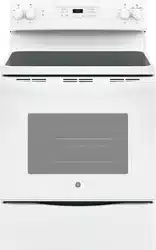
GE - General Electric JBS60DKWW Questions & Answers
You can find answers or submit your question.
In ManualsFile, you can ask and answer questions about your issues. We - volunteers - or other people who own the product will help you.
You should also read the documentation for your own answers. Download documentation for this product here.
What is the procedure for calibration of the stove heat to the indicated temperature.
3 likesThe glass cooktop heats by direct contact with the pan and by heating the air under the pan. The burners stay hot enough to continue cooking long after it is turned off. Please remove the pan from the surface unit if you want cooking to stop. We hope that this helps!
Does the oven turn off when the clock timer gets down to 0?
how do you set the clock
To set the oven clock time, press the Set Clock pad twice or press and hold the +/- pads for 3 seconds and the +/- pads to program the clock. Press Start to save the time. You can see instructions on setting the clock on page 11 of the owner’s manual, found here: https://manualsfile.com/download/e4y8baewg.html
DOOR LOCK light is on when you want to cook
lock symbol is on where timer number goes and timer or cancel do nothing. no response on anything
Locks out the control so that pressing the pads does not activate the controls. Press and hold the +/- pads or the Lock Controls pad, for three seconds to lock or unlock the control. Cancel/Off is always active, even when the control is locked.

Submit your question
If you have any questions about this product, please ask here.