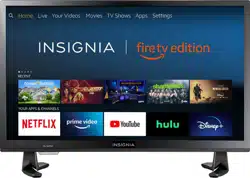
Insignia NS-24DF310NA19 Questions & Answers
You can find answers or submit your question.
In ManualsFile, you can ask and answer questions about your issues. We - volunteers - or other people who own the product will help you.
You should also read the documentation for your own answers. Download documentation for this product here.
Was a youtubetv customer. Dropped the service. Now I can`t get any channels to play without youtubetv wanting me to join their service. How can I eliminate this problem?
Does this tv connect by bluetooth
Yes, you can pair headphones to the TV via Bluetooth. To pair a Bluetooth device, go Home > Settings > Controllers & Bluetooth Devices.
My tv doesn't save scanned channels so that I can watch them. What am I doing wrong?
The Channel Scan needs to be done under "Cable". This can be done on "Advanced Settings" before executing the Channel Scan. To do a Channel Scan go to: Home > Settings > Live TV > Channel Scan.
does this have a fiber optical connection
I have a NS-24DF310NA21 tv, few months old. When I turn on my tv, I have to choose which HDMI I’m connected to. How do I lock that in, to avoid this every time I turn on my tv
How can I get the audio portion to work?
This TV Edition television features the following Audio Outputs: Bluetooth (for audio devices), 3.5 mm (Headphone Jack) and Digital Optical Output.

Submit your question
If you have any questions about this product, please ask here.