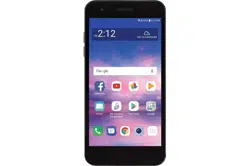
LG Electronics LML212VL Questions & Answers
You can find answers or submit your question.
In ManualsFile, you can ask and answer questions about your issues. We - volunteers - or other people who own the product will help you.
You should also read the documentation for your own answers. Download documentation for this product here.
where is the flash light i cant find it
How can i get a picture out of trash?
You can restore deleted photos from the 'Trash' for up to 7 days after deletion.
- Select the Drawer icon at the top left corner of the Gallery app and select Trash.
- Click the icon at the top of the screen to restore the album or photo(s) you wish to restore.
- Alternatively, tap 'Restore' in preview mode of the images in the 'Trash' folder.
I want to copy all photos and contact list from the phone to a computer hard drive. How do I access these files/ folders?
Can one copy the files innthe phone to a different desktop computer?
To copy the files from the phone to the computer: 1. Unlock your device and connect to a PC using a USB cable (you may use the cable attached to your LG charger). Once connected, you may be prompted on your phone to select a USB connection type, and select Media sync (MTP) or File Transfer. 2. Find Your Files: On the computer, open My Computer or My Drive and open your device from the drives listed, then highlight the files you want to copy. 3. Copy Files: Drag the files you have selected to a location on the computer to save a copy.
How to change the option to answer incoming calls to a simple touch?
To answer or decline calls by touching and holding the call button instead of dragging it, tap Accessibility > Motor & cognition > Touch and hold for calls.

Submit your question
If you have any questions about this product, please ask here.