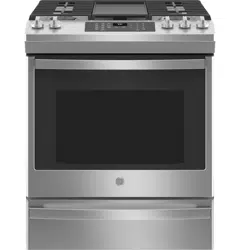
GE - General Electric JGS760SPSS Questions & Answers
You can find answers or submit your question.
In ManualsFile, you can ask and answer questions about your issues. We - volunteers - or other people who own the product will help you.
You should also read the documentation for your own answers. Download documentation for this product here.
Can the oven bottom be replaced. I have foiled stuck to it and worked diligently to remove most of it but it seems to have adhered to the biottom. What is the cost.
Yes, the oven bottom can be replaced.
Also, please be aware of recommendations regarding the use of foil in the oven. Do not use any type of foil or oven liner to cover the oven bottom. These items can trap heat or melt, resulting in damage to the product and risk of shock, smoke or fire.
How do I find the part- botttom replacement for this oven and the price? GE JGS760SPSS.
Please contact the GE Appliances Parts & Accessories Store at 1-877-959-8688 for assistance identifying the correct replacement part for your oven.
Do the burner knobs come of for cleaning? If so how?
Yes, pull off knobs to clean. The knobs can be removed by gently pulling them out.
How do I increase the volume on the timer?
This model only features options to turn the sound on or off and does not have the ability to adjust the volume.
How do i increase the volume on the timer?
There is no option for volume adjustment on this model.
How do I set my clock?
To set the clock, press the Set Clock pad and use the number pads to program the clock. Then press Start to save the time.
How do I set clock
How to set clock
Press the Set Clock pad, Use the number pads to program the clock. Press Start to save the time.
how do i make the temperature higher
This unit has a feature located in the "Special Features" menu of the unit. There you will find the option to adjust the oven temperature 35º hotter or down to 35º cooler. You can locate this feature using the instructions on page 12 of the owner's manual, linked below: https://manualsfile.com/product/48xdc6mbd.html#p12
how to set the clock?
Clock will not set
I have 2psi inlet gas service. do I need an additional regulator to reduce pressure to .5psi max?

Submit your question
If you have any questions about this product, please ask here.