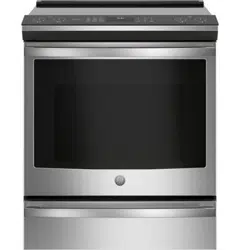
GE - General Electric PHS930SLSS Questions & Answers
You can find answers or submit your question.
In ManualsFile, you can ask and answer questions about your issues. We - volunteers - or other people who own the product will help you.
You should also read the documentation for your own answers. Download documentation for this product here.
This happened to me too. The only thing that fixed it was disconnecting range from power. Rather than move the range to unplug it, I turned it off at the breaker. I left it off for one minute, and when I turned it back on it was still connected to the internet but the annoying message was gone.
2 likesYou will need to connect your appliance to Wi-Fi for certain cooking features. Since you prefer not to connect your range to Wi-Fi you can select a traditional cooking method like Bake, Broil, Conv. Bake, etc. to remove this message.
I have the same problem, and hitting Bake, Broil, Conv Bake, etc does NOT make the message go away. Once I had it before and was able to get it to go away by shutting off the circuit breaker. But there must bra another way to get it to go away. This is very frustrating...
2 likesI am having this exact issue and I cannot get the notification to go away. GE, if you’re going to force me to connect to wi-fi, please patch this. It’s maddening. I don’t even know what feature you’re talking about!
3 likesThis appliance must be connected to Wi-Fi to access the special features menu as well as the other cooking modes. We recommend following the instructions on page 13 of the Owners manual at the link below for instructions on how to properly connect it: https://manualsfile.com/download/34nljfv15.html
This happened to me as well. I don't want to use the wi-fi, yet the message won't go away.
1 likeThanks for the tip! That worked for me too
I don't know what knob I accidentally many have hit, but I got the message: Feature needs WIFI. Go to settings. I'm not using the WIFI feature at all. I can't get the message off.
7 likesFeature needs wifi go to settings to connect is on screen, I have not been using wifi. how do I continue?
2 likesYou will need to connect your appliance to Wi-Fi for certain cooking features. Since you prefer not to connect your range to Wi-Fi you can select a traditional cooking method like Bake, Broil, Conv. Bake, etc. to remove this message.
I must have accidentally touched some button which lit up the message: Feature needs WIFI. Go to settings to connect. I CANNOT TURN OFF THE MESSAGE.
1 likeYou will need to connect your appliance to Wi-Fi for certain cooking features. Since you prefer not to connect your range to Wi-Fi you can select a traditional cooking method like Bake, Broil, Conv. Bake, etc. to remove this message.
My induction stove is showing on lite board FS3-10 what does this mean so I can fix it
What if you don't have wifi... does the oven still work?
This range will absolutely still work for you without the use of Wifi. Wifi will be an added benefit to having this range in your home.
How do you turn on the exhaust fan?
This model does not have a stove top exhaust fan. However, it does have a convection fan. A convection fan may automatically turn on and off. The fan is designed to operate intermittently to maximize cooking evenness.
The big burner on my stove does not heat evenly. I put my large pan on it with some water and turned the heat up and could see that it was heating up the water (bubbling) in the upper part of the pan and not so much elsewhere. Is this burner now defective or can it be fixed?
just like Betsy, my warming zone HOT light remains on red. how do I turn it off
I had the same problem. I hit the warming button and a menu came up. I selected Low and the warming zone started. I hit the warming button again and this time I selected Off on the menu. The light went off!
After the unit is turned off, the hot indicator light will remain on until the area around the burner has cooled to below 150 degrees F. This usually takes about twenty minutes. If the hot indicator hasn't gone off after 45 minutes to 1 hour, disconnect power to the range at the breaker or fuse box and contact service.
My warming zone HOT light remains on- red. How do I get it to turn off
I had the same problem. I hit the warming button and a menu came up. I selected Low and the warming zone started. I hit the warming button again and this time I selected Off on the menu. The light went off!
After the unit is turned off, the hot indicator light will remain on until the area around the burner has cooled to below 150 degrees F. This usually takes about twenty minutes. If the hot indicator hasn't gone off after 45 minutes to 1 hour, disconnect power to the range at the breaker or fuse box and contact service.
How do you remove the drawer under the Single Oven Model with Storage Drawer?
We just bought this product and our pans don't work with it. When I look online it says a set of pans come with the stove. We never received the pans, can you send them to us? Or where can I buy the pans? What kind do I need?
Burners just turn off without warming. Only the warmer works
How do you turn on the oven?
To turn on the stove, place your induction-designed cookware on the cooking surface. Touch and hold the On/ Off pad for about half a second. A chime can be heard with each touch to any pad. The power level can be selected in any of the ways as the link below: https://manualsfile.com/product/34nljfv15.html#:~:text=Power%20level%20can%20be%20selected%20in%20any%20of%20the%20following%20ways

Submit your question
If you have any questions about this product, please ask here.