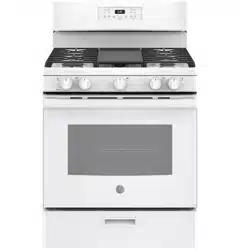
GE - General Electric JGBS66DEKWW Questions & Answers
You can find answers or submit your question.
In ManualsFile, you can ask and answer questions about your issues. We - volunteers - or other people who own the product will help you.
You should also read the documentation for your own answers. Download documentation for this product here.
How to adjust the clock
Press the Set Clock pad and hold for 3 seconds until the display is flashing to set the clock. Use the + and - button to adjust the clock to the time you want. Press Start to save the time.
How can I get oven over 350
When it shows PRE & then 350 you use the + & - (minus) buttons to adjust to the temp you want. BUT, REMEMBER to press the START button again after you find & set the temp you choose, out once it reaches the temp you want the oven will cut off.
Does this model have self clean besides steam clean?
Also what organazation certifies the sabbath mode on this unit?
Thank you
No just steam
This model uses the Steam Cleaning option instead of Self Cleaning. This is an effective mode that helps remove those stubborn stains and food particles. There is a very handy step-by-step guide on the link below: https://manualsfile.com/product/2n4bp4cnv.html#:~:text=a%20soft%20cloth.-,Steam%20Clean%20Mode,-The%20Steam%20Clean
How to control the oven temp while baking
how to control the temperature in the oven when is baking (make higher 350F or lower)?
how do work the oven
Burners won’t light on new gas stive
The igniters light the stove. Turn know to ignite & you’ll hear a clicking, then slowly turn past that & burner will light.
The burners won’t light ? Just bought it - gas stove
The igniters light the stove. Turn know to ignite & you’ll hear a clicking, then slowly turn past that & burner will light.
Why does my oven not stay baking long enough to bake or cook?
Why does my oven not stay baking long enough to bake or cook?
how do I lift stove top cover?
You can’t it’s a sealed unit.

Submit your question
If you have any questions about this product, please ask here.