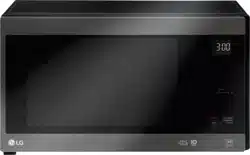
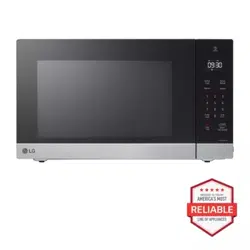
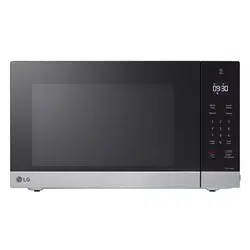
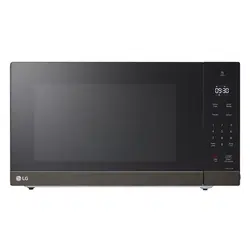
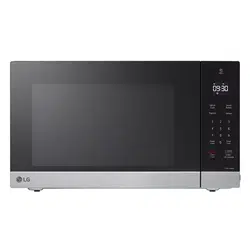
To request service information or replacement parts, the service center requires the complete model number of your microwave oven. The model number is on the oven back as shown in the illustration below.
Electrical Requirements
The oven is designed to operate on a Standard 120V/60 Hz household outlet. Be sure the circuit is at least 15 A or 20 A and the microwave oven is the only appliance on the circuit. It is not designed for 50 Hz or any circuit other than a 120 V/60 Hz circuit. No other electrical appliances or lighting circuits should be on this line. If in doubt, consult a licensed electrician.
Voltage Warning
The voltage used at the wall receptacle must be the same as specified on the oven name plate located on the back or on the side of the control panel of the oven. Use of a higher voltage is dangerous and may result in a fire or other type of accident causing oven damage. Low voltage will cause slow cooking. If the microwave oven does not perform normally in spite of proper voltage, remove and reinsert the plug.
Placement of the Oven
The microwave oven can be placed easily in your kitchen, family room, or anywhere else in your home. Place the oven on a flat surface such as a kitchen countertop or a specially designed microwave oven cart. Do not place oven above a gas or electric range. Free airflow around the oven is important. Allow at least 4 inches of space at the top, sides, and back of the oven for proper ventilation.
Do Not Block Air Vents
All air vents should be kept clear during cooking. If air vents are covered during oven operation the oven may overheat. If this happens, a sensitive thermal safety device automatically turns the oven off. The oven will be inoperable until it has cooled sufficiently.
Grounding Instructions
This appliance must be grounded. In the event of an electrical short circuit, grounding reduces the risk of electric shock by providing an escape wire for the electric current. This appliance is equipped with a cord having a grounding wire with a grounding plug. The plug must be plugged into an outlet that is properly installed and grounded.
Consult a qualified electrician or service person if the grounding instructions are not completely understood, or if doubt exists as to whether the appliance is properly grounded.
Use of an extension cord is not recommended. If the power supply cord is too short, have a qualified electrician or service person install an outlet near the appliance.
If it is necessary to use an extension cord, use only a 3-wire extension cord that has a 3-blade grounding plug, and a 3-slot receptacle that will accept the plug on the appliance. The marked rating of the extension cord must be equal to or greater than the electrical rating of the appliance.
See the separate Installation Instructions for directions on placing the cord properly.
Keep the electrical power cord dry and do not pinch or crush it in any way.
Radio / TV / Wireless Equipment Interference
Operating the microwave oven near equipment—such as a radio, TV, wireless LAN, Bluetooth devices, medical equipment, or wireless equipment—which uses the same frequency, may cause interference. This interference is not an indication of a defect in the product or its operation. The product is safe to use.
When there is interference, it may be reduced or eliminated by taking the following measures:
a. Clean the door and the sealing surfaces of the oven.
b. Reorient the receiving antenna of the radio, TV, Bluetooth, or other equipment.
c. Relocate the microwave oven in relation to the radio, TV, Bluetooth, or other equipment.
d. Move the microwave oven away from the receiver.
e. Plug the microwave oven into a different outlet so that microwave oven and receiver are on different branch circuits.
Oven Specifications
Model LMC1575**
Power Supply 120 V AC, 60 Hz
Rated Power Consumption 1250 W
Microwave Output Max. 1200 W*
Frequency 2450 MHz
Rated Current 10.4 A
Overall Dimensions (W x H x D)21 7/16" x 12 1/8" x 17" (54.4 cm x 30.8 cm x 43.2 cm)
Oven Cavity Dimensions (W x H x D)15 9/16" x 10 5/16" x 16" (39.5 cm x 26.2 cm x 40.6 cm)
Capacity of Oven Cavity 1.5 cu.ft. (0.04 m³)
*IEC 60705 RATING STANDARD
Specifications subject to change without prior notice.
Microwave Oven Features
NOTE
Do not remove the cavity Mica Sheet (silver plate) inside of oven.
The Mica Sheet is there to protect the microwave components from food spatters.
Warning Do not operate the oven when empty or without the glass tray. It is best to leave a glass of water in the oven when not in use. The water will safely absorb all microwave energy, if the oven is accidentally started.
Accessories
The turntable rotates in both directions to help food cook more evenly. Do not operate the microwave oven without the glass tray in place.
Control Panel Overview
Use the control panel to select the desired cooking function quickly and easily. Simply touch a command key to select the desired function. For more information on these features, see the OPERATION section.
1. Smart Diagnosis
Hold the mouthpiece of a phone up to this icon when directed to by service center personnel, to help diagnose problems with the oven when calling for service.
2. Display
The display includes a clock and shows the time of day, cooking time settings, and cooking functions selected.
3. Sensor Cook
Touch this key to cook bacon, fresh vegetables, frozen entrees, frozen vegetables, oatmeal, potatoes, and rice.
4. Sensor Reheat
Touch this key to reheat beverages, casseroles, dinner plates, pie, and pizza.
5. Sensor Popcorn
Touch this key to pop popcorn.
6. Defrost
Touch this key to select food type and defrost food by weight.
7. Power Level
The microwave oven is equipped with 10 power levels for maximum flexibility and control over cooking. The Microwave Power Levels section contains suggestions for which power level to use when preparing various foods.
8. Cook Time
Touch this key to manually set a desired cook time.
9. Timer On/Off
Touch this key to set a kitchen timer.
10. More / Less
Set cooking time and weight. Lengthen or shorten the cooking time at any point by pressing the key. (Not available in Defrost mode.)
11. STOP / Clear
Touch this key to stop the oven or to clear all entries except time of day.
12. START / Enter
Touch this key to start a function, accept selections, or resume cooking if the door was opened or the STOP button was pressed once.
Pressing START without setting a cook time activates the Quick Start feature. Each press of the START button adds 30 seconds to the cooking time.
Microwave Cooking Tips
Microwave Cookware Guide
Use
OVENPROOF GLASS
(treated for high intensity heat):
utility dishes, loaf dishes, pie plates, cake plates, liquid measuring cups, casseroles and bowls without metallic trim.
CHINA:
bowls, cups, serving plates, and platters without metallic trim.
PLASTIC:
Plastic wrap (as a cover)- lay the plastic wrap loosely over the dish and press it to the sides.
Vent plastic wrap by turning back one edge slightly to allow excess steam to escape. The dish should be deep enough so that the plastic wrap will not touch the food. As the food heats it may melt the plastic wrap wherever the wrap touches the food.
Use plastic dishes, cups, semi-rigid freezer containers and plastic bags only for short cooking time. Use these with care because the plastic may soften from the heat of the food.
PAPER:
Paper towels, waxed paper, paper napkins, and paper plates with no metallic trim or design. Look for the manufacturer's label for use in the microwave oven.
Note:
Do not use recycled paper products in the microwave oven. They sometimes contain impurities that cause arcing and sparking.
Use Do Not Use
METAL CONTAINERS:
Metal shields the food from microwave energy and produces uneven cooking. Also avoid metal skewers, thermometers, or foil trays. Metal containers can cause arcing, which can damage the microwave oven.
METAL DECORATION:
Metal-trimmed or metal-banded dinnerware, casserole dishes, etc. The metal trim interferes with normal cooking and may damage the oven.
ALUMINUM FOIL:
Avoid large sheets of aluminum foil because they hinder cooking and may cause harmful arcing. Use small pieces of foil to shield poultry legs and wings. Keep ALL aluminum foil at least 1 inch from the side walls and door of the oven.
WOOD:
Wooden bowls and boards will dry out and may split or crack when you use them in the microwave oven. Baskets react in the same way.
TIGHTLY COVERED COOKWARE:
Be sure to leave openings for steam to escape from covered containers. Pierce plastic pouches of vegetables or other food items before cooking. Tightly closed pouches could explode.
BROWN PAPER:
Avoid using brown paper bags.
They absorb too much heat and could burn.
FLAWED OR CHIPPED UTENSILS:
Any container that is cracked, flawed, or chipped may break in the oven.
METAL TWIST TIES:
Remove metal twist ties from plastic or paper bags. They become hot and could cause a fire.
Microwave-Safe Cookware
Never use metal or metal trimmed cookware when using microwave function
Microwaves cannot penetrate metal. They will bounce off any metal object in the oven and cause arcing, an alarming phenomenon that resembles lightning. Most heat resistant non-metallic cookware is safe for use in your oven. However, some may contain materials that render it unsuitable as microwave cookware. If you have any doubts about a particular container, there's a simple way to find out if it can be used in the microwave.
Testing Cookware before Use
Place the container in question next to a glass bowl filled with water inside the oven. Microwave at HIGH power for 1 minute. If the water heats up but the container remains cool to the touch, the container is microwave-safe.
However, if the water does not change temperature but the container becomes warm, microwaves are being absorbed by the container and it is not safe for use in the microwave oven. See the following list for tips on using common items when microwave cooking.
Tableware
Many dishes are microwave-safe. If in doubt consult the manufacturer's literature or perform the microwave test. Do not put plates with painted decoration in the oven, as the paint may contain metal and cause arcing.
Glassware
Glassware that is heat-resistant is microwave-safe. This includes all brands of oven tempered glass cookware.
Do not use delicate glassware, such as tumblers or wine glasses, as these might shatter as when heated.
Plastic Storage Containers
Use these only for quick reheating of food. Do not use them when cooking food for long periods or at high power levels, as the hot food will eventually warp or melt the plastic.
Paper
Paper plates and containers are convenient and safe to use in the microwave oven, provided that the cooking time is short and foods to be cooked are low in fat and moisture. Paper towels are also very useful for wrapping foods and for lining baking trays in which greasy foods such as bacon are cooked. In general, avoid colored paper products as the color may run. Some recycled paper products may contain impurities which could cause arcing or fires when used in the microwave.
Plastic Cooking Bags
Provided they are made specially for cooking, cooking bags are microwave safe. Remember to make a slit in the bag so that steam can escape. Never use ordinary plastic bags for cooking in the microwave oven, as they will melt and rupture.
Plastic Microwave Cookware
A variety of shapes and sizes of microwave cookware are available. You may be able to use items you already have on hand rather than investing in new kitchen equipment.
Pottery, Stoneware, and Ceramic
Many containers made of these materials are microwave-safe, but test them before use.
Microwave Cooking Tips
Keeping an Eye on Things
Always watch your food while it cooks. The light inside the microwave oven turns on automatically when the oven is cooking so you can monitor the cooking process. Directions given in recipes to elevate, stir, and the like should be thought of as the minimum steps recommended. If the food seems to be cooking unevenly, simply make the necessary adjustments you think appropriate to correct the problem.
Factors Affecting Microwave Cooking Times
Many factors affect cooking times. The temperature of ingredients used in a recipe makes a big difference in cooking times. For example, a cake made with ice-cold butter, milk, and eggs will take considerably longer to bake than one made with ingredients that are at room temperature. Some recipes, particularly those for bread, cake, and custards, recommend that food be removed from the oven when they are slightly undercooked.
This is not a mistake. When allowed to stand, usually covered, these foods will continue to cook outside of the oven as the heat trapped within the outer portions of the food gradually travels inward. If the food is left in the oven until it is cooked all the way through, the outer portions will become overcooked or even burnt.
Practice will improve your ability to estimate both cooking and standing times for various foods.
Density of Food
Light, porous food such as cakes and breads cook more quickly than heavy, dense foods such as roasts and casseroles. You must take care when microwaving porous food so that the outer edges do not become dry and brittle.
Height of Food
The upper portion of tall foods, particularly roasts, will cook more quickly than the lower portion.
Therefore, it is wise to turn tall food several times during cooking.
Moisture Content of Food
Because the heat generated from microwaves causes moisture to evaporate, relatively dry food such as roasts and some vegetables should either be sprinkled with water prior to cooking or covered to retain moisture.
Bone and Fat Content of Food
Bones conduct heat and fat cooks more quickly than meat. Care must be taken when cooking bony or fatty cuts of meat in order to prevent unevenly cooked or overcooked meat.
Quantity of Food
The number of microwaves in your oven remains constant regardless of how much food is being cooked. Therefore, the more food you place in the oven, the longer the required cooking time. Remember to decrease cooking times by at least one third when halving a recipe.
Shape of Food
Microwaves penetrate only about 3/4 of an inch (2 cm) into food. The interior portion of thick foods is cooked as the heat generated on the outside travels inward. Only the outer edge of food is cooked by microwave energy; the rest is cooked by conduction.
The worst possible shape for a food that is to be microwaved is a thick square. The corners will burn long before the center is even warm. Round thin foods and ring-shaped foods cook most successfully in the microwave.
Covering
A cover traps heat and steam which causes food to cook more quickly. Use a lid or microwave cling film with a corner folded back to prevent splitting.
Covering with Parchment Paper
Parchment paper (not waxed paper) is microwave safe. Because it makes a looser cover than a lid or clingfilm, greaseproof paper allows the food to dry out slightly.
Stirring
Stirring is one of the most important of all microwaving techniques. In conventional cooking, food is stirred for the purpose of blending. Microwaved food, however, is stirred in order to spread and redistribute heat. Always stir from the outside towards the centre as the outside of the food heats first.
Placing Thicker Portions Facing Outward
Place thicker cuts or portions of meat, poultry, and fish toward the outer edge of the baking dish so they absorb the most microwave energy and the food cooks more evenly.
Shielding
Strips of aluminium foil (which block microwaves) can be placed over the corners or edges of square and rectangular foods to prevent those portions from overcooking. Never use too much foil and make sure the foil is secured to the dish or it may cause arcing in the oven especially if the foil passes too closely to the walls of the oven during rotation.
Elevating
Thick or dense foods can be elevated so that microwaves can be absorbed by the underside and center of the foods.
Piercing
Foods enclosed in a shell, skin or membrane are likely to burst in the oven unless they are pierced prior to cooking. Such foods include yolks and whites of eggs, clams, oysters, potatoes, and other whole vegetables and fruits.
Testing if Cooked
Microwaves cook food quickly, so test food for doneness frequently. Some foods are left in the microwave until completely cooked, but most foods, including meats and poultry, should be removed from the oven while still slightly undercooked and allowed to finish cooking during standing time. The internal temperature of foods will rise between 5 °F (3 °C) and 15°F (8 °C) during standing time.
Standing Time
Foods are often allowed to stand for 3 to 10 minutes after being removed from the oven. Usually the foods are covered during standing time to retain heat unless they are supposed to be dry in texture. Standing allows foods to finish cooking and also helps flavors blend and develop.
Precautions
Place the front surface of the door three inches or more from the countertop edge to avoid accidental tipping of the microwave oven during normal use.
To program the oven, make sure you touch the center of each pad firmly since the areas between the pads will not activate the oven. A tone will sound each time a pad is touched correctly. Don’t touch several pads at once.
Do not strike the control panel with silverware, utensils, etc. Breakage may occur.
Always use caution when taking cookware out of the oven. Some dishes absorb heat from the cooked food and may be hot. See Cookware Guide earlier in this section for more information.
Do not rinse containers by placing them in water immediately after cooking. This may cause breakage. Also, always allow the turntable to cool before removing it from the oven.
Never operate the oven when it is empty. Food or water should always be in the oven during operation to absorb the microwave energy.
Do not use the oven to dry newspapers or clothes. They may catch fire.
Use thermometers that have been approved for microwave oven cooking.
The turntable must always be in place when you operate the oven.
Do not use your microwave oven to cook eggs in the shell. Pressure can build up inside the shell, causing it to burst.
There are several precautions to follow when microwaving popcorn:
Do not pop popcorn, except in a microwave-safe container or commercial packages designed for microwave ovens.
Never try to pop popcorn in a paper bag that is not microwave-approved.
Overcooking may result in smoke and fire.
Do not repop unpopped kernels.
Do not reuse popcorn bags.
Listen while corn pops. Stop oven when popping slows to 2-3 seconds between pops.
Do not leave microwave unattended while popping corn.
Follow directions on bag.
OPERATION
This section introduces you to the basics you need to know to operate the microwave oven. Please read this information before using the oven.
Audible Signals
Audible signals are available to guide you when setting and using the oven:
A tone will sound each time you touch a key.
A melody signals the end of a Timer countdown.
A melody signals the end of a cooking cycle.
Clock
When the oven is plugged in for the first time or when power resumes after a power interruption, the clock defaults to the 12-hour clock mode and 12H appears in the display. You can set the time or switch to the hour clock mode.
Setting the Clock Mode and Time of Day
Open the oven door. Press + repeatedly to toggle between the 24- hour (24H) and 12-hour (12H) clock mode.
Press START to set the clock mode.
To set the time of day, press + or – to select the desired hour.
Press START to set the hour.
Press + or – to select the desired minutes.
Press START to finish setting the time of day.
Interrupting Cooking
Stop the oven during a cycle by opening the door. The oven stops heating and the fan stops, but the light stays on. To restart cooking, close the door and touch START.
To stop cooking and clear the remaining cook time, open the door and touch STOP/CLEAR.
Child Lock
Use this safety feature to lock the control panel and prevent the oven from being turned on when cleaning the oven or to prevent children from unsupervised use of the oven.
Locking the Oven
Touch and hold STOP/CLEAR until Loc appears in the display and a melody sounds. approximately 3 seconds)
Unlocking the Oven
Touch and hold STOP/CLEAR until Loc disappears and a melody sounds. approximately 3 seconds)
Kitchen Timer
The Timer function serves as an extra kitchen timer. It chimes when the set time runs out. It does not start or stop cooking.
Setting the Timer
Open the oven door. Press Clear.
Press Timer once. 10 appears in the display.
Set the desired time by pressing + or – until the time appears in the display. (Press and hold + or shut the oven door and use the Slide Touch key to rapidly increase the time.)
Press START to start the timer. The countdown appears in the display.
Canceling the Timer
Press Timer once. The display returns to the time of day.
Slide Touch Key
Adjust numerical settings quickly using the Slide
Touch key on the outside of the oven door. The + and keys on either side of the Slide Touch key operate exactly the same as the + and - keys on the inner control panel and can also be used to quickly adjust settings.
Increasing/Decreasing Numerical Settings
1. Touching or pressing and holding the – button will decrease the amount.
2. To increase the amount, touch the end of the slide bar nearest the – and slowly slide your finger to the right.
3. Touching or pressing and holding the + button will increase the amount.
4. To decrease the amount, touch the end of the slide bar nearest the + and slowly slide your finger to the left.
Correctly Using Slide Touch Key
1. Press the + or – keys repeatedly to adjust numerical settings in individual increments. Press and hold the keys to adjust numerical settings quickly in the display.
2. Place your finger on the middle bar and swipe right or left to increase or decrease numerical settings quickly in the display. Don't forget to press START to select the setting in the display.
If Slide Touch Key Doesn't Respond
The Slide Touch Key may not respond to the following:
1. Touching outside of the sensor area for the key.
2. Using a fingernail or thumb.
3. Sliding a finger across the key too quickly.
Quick Start
The Quick Start feature allows you to set 30-second intervals of High power cooking with each touch of the START button.
Close the oven door. Press STOP/Clear.
Press START.
The oven will immediately start cooking for 30 seconds on high power.
Press START repeatedly to extend the cook time by 30 seconds every time the button is pressed.
The cook time can be extended to 99 minutes and 59 seconds.
More / Less
By using the – or + key, manual cook settings can be adjusted to cook food for a longer or shorter time.
Pressing + adds 10 seconds to the cooking time each time you press it. Pressing – subtracts 10 seconds from the cooking time each time you press it. The maximum cooking time possible in the manual cook mode is 99 min 59 seconds.
Adjusting the Cooking Time
Close the oven door. Press STOP/Clear.
Press START.
Press + or – to increase or decrease the remaining time by 10 seconds.
Energy Saving
When the oven is not in use, the display turns off to save energy, unless the time of day is set to show in the display.
Setting Manual Cooking Times
When not using the auto cooking functions, the cooking time and power level are set manually.
Press STOP/Clear.
Press Cook Time once.
Press + or – until the desired cooking time appears in the display.
Press Power Level once, P-HI appears in the display.
P-HI indicates that the power level is at 100%.
5. Press – to decrease the power level in percent increments, if desired.
6. Close the oven door. Press START.
When cooking is complete, a chime sounds and "End" appears in the display window. "End" remains in the display and the chime repeats every minute until the door is opened, or any button is pressed.
Microwave Power Levels
This microwave oven is equipped with 10 power levels to give you maximum flexibility and control over cooking. See the table for suggested power levels for various foods.
Microwave Power Level Chart
Sensor Operation Instructions
This microwave oven has sensor cooking features for convenient microwave cooking. It guides you, step by step, to reheat or cook popular food items automatically using preprogrammed settings.
Categories :
Sensor Cook
Sensor Reheat
Popcorn
The Sensor system works by detecting the built up steam.
Make sure the door remains closed.
Opening the door or touching the STOP/Clear key before the steam is detected will stop the process and the oven.
Before using sensor cooking, make sure the exterior of the reheating container and the interior of the oven are dry, to assure the best results.
Sensor Cooking Guide
Appropriate containers and coverings help assure good sensor cooking results.
Always use microwavable containers and cover them with lids or vented plastic wrap.
Never use tight-sealing plastic covers. They can prevent steam from escaping and cause food to overcook.
Match the amount to the size of the container. Fill containers at least half full for best results.
Be sure the outside of the cooking container and the inside of the microwave oven are dry before placing food in the oven. Beads of moisture turning into steam can mislead the sensor.
Sensor Cook
The Sensor Cook menu has preprogrammed settings to automatically cook certain foods. Select the correct category for your item using the Sensor Cook chart on the next page, enter the amount, then press START and the oven automatically cooks the item.
Open the oven door. Press Clear.
Press Sensor Cook repeatedly to select a food category. For example, press until Sc-2 appears in the display to cook fresh vegetables.
Close the oven door. Press START.
Sensor Reheat
The Sensor Reheat menu has preprogrammed settings to automatically reheat certain foods. Select the correct category for your item using the Sensor Reheat chart on page 22, enter the amount, then press START and the oven automatically reheats the item.
Open the oven door. Press Clear.
Press Sensor Reheat repeatedly to select a food category. For example, press until Sr-4 appears in the display to reheat pie.
Close the oven door. Press START.
Sensor Popcorn
The oven has a preprogrammed function to heat one oz prepackaged microwave popcorn bag. For best results, use fresh bags of popcorn.
Example : To pop popcorn.
Open the oven door. Press Clear.
Press Popcorn once. PoP will show in the display.
Close the oven door. Press START.
Sensor Cook Table
Sensor Reheat Table
Popcorn Table
When popping prepackaged popcorn, place the bag carefully in the oven so it does not touch the walls as it rotates. Fold the ends of the bag up and toward the center of the bag as shown.
Defrost
The oven has 4 preset defrost cycles.
The defrost feature provides the best defrosting method for frozen foods. The Defrost Table shows the suggested defrost cycle for various foods.
The Defrost function conveniently chimes partway through the defrost cycle to remind you to check, turn over, separate, or rearrange the food for best results.
MEAT
POULTRY
FISH
BREAD
Defrosting 1.2 Lb of Meat
Open the oven door. Press Clear.
Press Defrost once. dEF1 appears in the display.
Press + until display shows 1.2 lbs.
Close the oven door. Press START.
Defrost Table
Defrosting Tips
When using Auto Defrost, the weight to be entered is the net weight in pounds and tenths of pounds the weight of the food minus the container).
Before starting, remove the metal twist-ties which often come with frozen food bags, and replace them with strings or elastic bands.
Open containers such as cartons before they are placed in the oven.
Always slit or pierce plastic pouches or packaging.
If food is foil wrapped, remove foil and place the food in a suitable container.
Slit the skins, if any, of frozen food such as sausage.
Bend plastic pouches of food to ensure even defrosting.
Always underestimate defrosting time. If defrosted food is still icy in the center, return it to the microwave oven for more defrosting.
The length of defrosting time varies according to how solidly the food is frozen.
The shape of the package affects how quickly food will defrost. Shallow packages will defrost more quickly than a deep block.
As food begins to defrost, separate the pieces Separated pieces defrost more easily.
Use small pieces of aluminum foil to shield parts of food such as chicken wings, leg tips, fish tails, or areas that start to get warm. Make sure the foil does not touch the sides, top, or bottom of the oven. The foil can damage the oven lining.
For better results, let food stand after defrosting.
(For more information on standing time, see the Microwave Cooking Tips section.)
Turn over food during defrosting or standing time Break apart and remove food as required.
Weight Conversion Table
Most food weights are given in pounds and ounces.
If using pounds, food weights must be entered into Auto Defrost in pounds and tenths of pounds (decimals).
Use the following table if necessary to convert food weights to decimals.
Operating Tips
Remove fish, shellfish, meat, and poultry from its original wrapping paper or plastic package. Otherwise, the wrap will hold steam and juice close to the foods, which can cause the outer surface of the foods to cook.
Place foods in a shallow container or in a microwave roasting dish to catch the drippings.
Food should still be somewhat icy in the center when removed from the oven.
The length of defrosting time varies according to how solidly the food is frozen.
The shape of the package affects how quickly food will defrost. Shallow packages will defrost more quickly than a deep block.
Depending on the shape of the food, some areas may defrost more quickly than others.
For best results, shape ground meat into the form of a doughnut before freezing. When defrosting, scrape off thawed meat when the beep sounds and continue defrosting.
SMART DIAGNOSIS™
Using the SMART DIAGNOSIS™ Function
Should you experience any problems with the oven, it has the capability of transmitting data via your telephone to the LG Customer Information Center.
Call the LG Customer Information Center at (U.S.) or 1-888-542-2623 (Canada).
When instructed to do so by the call center agent, hold the mouthpiece of your phone over the SMART DIAGNOSIS™ logo on the control panel.
3. Open the oven door. Press and hold the Clear button for 8 seconds, until "5" appears in the display. Release the button and audible transmission tones start sounding.
4. Keep the phone in place until the tone transmission has finished. The display will count down the time.
5. Once the countdown is over and the tones have stopped, resume your conversation with the call center agent, who will then be able to assist you in using the information transmitted for analysis.
MAINTENANCE
Caring for the Microwave Oven
Interior
Food spatters or spilled liquids stick to oven walls and between the seal and door surfaces. Although the oven interior has an actibacterial coating, it is best to wipe up spillovers with a damp cloth right away.
Crumbs and spillovers will absorb microwave energy and lengthen cooking times and may even damage the oven. Use a damp cloth to wipe out crumbs that fall between the door and the frame. It is important to keep this area clean to assure a tight seal. Remove greasy spatters with a soapy cloth then rinse and dry.
Do not use harsh detergent or abrasive cleaners.
Anti-bacterial claim based on internal testing with e-coli and Staphylococcus bacteria, showing coating prevents 99.99 % of bacterial growth on the surface of the cavity of NeoChef.
Exterior
Disconnect the plug from the power outlet before cleaning the oven to eliminate the possibility of electric shock. Clean the outside of your oven with soap and water then with clean water and dry with a soft cloth or paper towel. To prevent damage to the operating parts inside the oven, the water should not be allowed to seep into the ventilation openings.
To clean control panel, open the door to prevent the oven from accidentally starting, and wipe with a damp cloth followed immediately by a dry cloth. Press STOP after cleaning.
If steam accumulates inside or around the outside of the oven door, wipe the panels with a soft cloth.
Steam or condensation buildup inside the door is normal if foods are heated for a long period on higher power levels. This is not a malfunction. The condensation will eventually evaporate. Try covering the food or varying the heating levels and time to reduce any condensation forming in the door. This may also occur when the oven is operated under high humidity conditions and in no way indicates a malfunction of the unit.
The door and door seals should be kept clean. Use only warm, soapy water, rinse then dry thoroughly. DO NOT USE ABRASIVE MATERIALS, SUCH AS CLEANING POWDERS OR STEEL AND PLASTIC PADS.
Metal parts will be easier to maintain if wiped frequently with a damp cloth.
To clean the glass tray and rotating ring, wash in mild, sudsy water.
For heavily soiled areas use a mild cleanser and scouring sponge.
The glass tray and rotating ring are dishwasher safe.
TROUBLESHOOTING
Frequently Asked Questions
Operation
Why is the oven light not on during cooking?
Make sure the cooking time has been set and the START button has been pressed.
Why does steam come out of the air exhaust vent?
Steam is normally produced during cooking. The microwave oven has been designed to vent this steam.
Will the microwave oven be damaged if it operates empty?
Yes. Never operate the oven empty or without the glass tray.
Does microwave energy pass through the viewing screen in the door?
No. The metal screen bounces the energy back to the oven cavity. The holes (or ports) allow only light to pass through. They do not let microwave energy pass through.
Why does a tone sound when a pad on the control panel is touched?
The tone tells you that the setting has been entered.
Can my microwave oven be damaged if food is cooked for too long?
Like any other cooking appliance, it is possible to overcook food to the point that the food creates smoke and even possibly fire, and damage to the inside of the oven. It is always best to be near the oven while you are cooking.
I've plugged the oven in and it does not work properly. What is wrong?
The microcomputer controlling your oven may temporarily become scrambled and fail to function as programmed when you plug the oven in for the first time or when power resumes after a power interruption. Unplug the oven from the 120 V household outlet and then plug it back in to reset the microcomputer.
Why do I see light reflection around the outer case?
This light is from the oven light which is located between the oven cavity and the outer wall of the oven.
What are the various sounds I hear when the microwave oven is operating?
The clicking sound is caused by a mechanical switch turning the microwave oven’s magnetron ON and OFF.
The heavy hum and clunk is from the change in power the magnetron draws as it is turned ON and OFF by a mechanical switch. The change in blower speed is from the change in line voltage caused by the magnetron being turned ON and OFF.
Food
Is it possible to pop popcorn in a microwave oven?
Yes, if using one of the two methods described below:
microwave-popping devices designed specifically for microwave cooking
prepackaged commercial microwave popcorn that specifies the cook time and power output needed.
Follow exact directions given by each manufacturer for its popcorn popping product and do not leave the oven unattended while the corn is being popped. If corn fails to pop after the suggested time, discontinue cooking. Overcooking could result in an oven fire.
Why is a standing time recommended after microwave cooking time is over?
Standing time allows foods to continue cooking evenly for a few minutes after the actual microwave oven cooking cycle. The amount of standing time depends upon the density of the foods.
Why is additional time required for cooking food stored in the refrigerator?
As in conventional cooking, the initial temperature of food affects total cooking time. You need more time to cook food taken out of a refrigerator than for food at room temperature.
Before Calling for Service
You can often correct operating problems yourself. If your microwave oven fails to work properly, locate the operating problem in the list below and try the solutions listed for each problem.
If the microwave oven still does not work properly, contact the nearest LG Authorized Service Center. LG
Authorized Service Centers are fully equipped to handle your service requirements.
Oven does not start
Plug in power cord.
Close oven door.
Set cooking time.
Arcing or Sparking
Cookware is not microwave safe. When in doubt, test cookware before use.
Do not operate oven while empty.
Incorrect time of day
Possible power interruption. See Clock section to reset time of day.