
Online Edition for Part no. 01 41 0 012 501 - © 08/06 BMW AG

X5 3.0si
X5 4.8i
Owner's Manual for Vehicle
Congratulations, and thank you for choosing a BMW.
Thorough familiarity with your vehicle will provide you with
enhanced control and security when you drive it. We therefore
have this request:
Please take the time to read this Owner's Manual and familiarize
yourself with the information that we have compiled for you
before starting off in your new vehicle. It contains important data
and instructions intended to assist you in gaining maximum use
and satisfaction from your BMW's unique range of technical fea-
tures. The manual also contains information on maintenance
designed to enhance operating safety and contribute to main-
taining the value of your BMW throughout an extended service
life.
This manual is supplemented by a Service and Warranty Infor-
mation Booklet for US models or a Warranty and Service Guide
Booklet for Canadian models.
We wish you an enjoyable driving experience.
BMW AG
Online Edition for Part no. 01 41 0 012 501 - © 08/06 BMW AG

© 2006 Bayerische Motoren Werke
Aktiengesellschaft
Munich, Germany
Reprinting, including excerpts,
only with the written consent of
BMW AG, Munich.
Order No. 01 41 0 012 501
US English IX/06, 06 09 500
Printed in Germany
Printed on environmentally friendly paper,
bleached without chlorine, suitable for recycling.
Online Edition for Part no. 01 41 0 012 501 - © 08/06 BMW AG

Reference At a glanceControlsDriving tipsCommunications NavigationEntertainmentMobility
Contents
The fastest way to find specific topics is to use
the index, refer to page 250.
Using this Owner's Manual
4 Notes
7 Reporting safety defects
At a glance
10 Cockpit
16 iDrive
23 Voice command system
Controls
28 Opening and closing
40 Adjusting
52 Transporting children safely
56 Driving
67 Everything under control
80 Technology for comfort, convenience
and safety
97 Lamps
101 Climate
110 Practical interior accessories
Driving tips
122 Things to remember when driving
Navigation
130 Starting navigation system
131 Destination entry
143 Destination guidance
151 What to do if …
Entertainment
154 On/Off and settings
158 Radio
162 Satellite radio
165 CD player and CD changer
171 External audio device
172 DVD system in rear
Communications
188 Telephoning
202 BMW Assist
Mobility
212 Refueling
214 Wheels and tires
222 Under the hood
226 Maintenance
228 Replacing components
236 Giving and receiving assistance
Reference
242 Technical data
245 Short commands of voice command
system
250 Everything from A to Z
Online Edition for Part no. 01 41 0 012 501 - © 08/06 BMW AG

Notes
4
Notes
Using this Owner's Manual
We have made every effort to ensure that you
are able to find what you need in this Owner's
Manual as quickly as possible. The fastest way
to find specific topics is to refer to the detailed
index at the back of the manual. If you wish to
gain an initial overview of your vehicle, you will
find this in the first chapter.
Should you sell your BMW some day, please
remember to hand over the Owner's Manual
as well; it is an important component of your
vehicle.
Additional sources of information
If you have additional questions, your BMW
Sports Activity Vehicle Center is always happy
to advise you.
You can find information on BMW, e.g. on tech-
nology, on the Internet at www.bmwusa.com.
Symbols used
Indicates precautions that must be fol-
lowed precisely in order to avoid the pos-
sibility of personal injury and serious damage to
the vehicle.
Indicates information that will assist you
in gaining the optimum benefit from your
vehicle and enable you to care more effectively
for your vehicle.
Refers to measures that can be taken to
help protect the environment.
< Marks the end of a specific item of informa-
tion.
*
Indicates special equipment, country-spe-
cific equipment and optional extras, as well as
equipment and functions not yet available at the
time of printing.
"..." Identifies Control Display texts used to
select individual functions.
{...} Verbal instructions to use with the voice
command system.
{{...}} Identifies the answers generated by the
voice command system.
Symbols on vehicle components
Indicates that you should consult the rel-
evant section of this Owner's Manual for
information on a particular part or assembly.
Online Edition for Part no. 01 41 0 012 501 - © 08/06 BMW AG

5
Reference At a glanceControlsDriving tipsCommunications NavigationEntertainmentMobility
The individual vehicle
When purchasing your BMW, you have decided
in favor of a model with individualized equip-
ment and features. This Owner's Manual
describes the entire array of options and equip-
ment available with a specific BMW model.
Please bear in mind that the manual may con-
tain information on accessories and equipment
that you have not specified for your own vehicle.
Sections describing options and special equip-
ment are marked by asterisks
*
to assist you in
identifying possible differences between the
descriptions in this manual and your own vehi-
cle's equipment.
If equipment in your BMW is not described in
this Owner's Manual, please refer to the accom-
panying Supplementary Owner's Manuals.
Editorial notice
BMW pursues a policy of continuous, ongoing
development that is conceived to ensure that
our vehicles continue to embody the highest
quality and safety standards combined with
advanced, state-of-the-art technology. For this
reason, it is possible that the features described
in this Owner's Manual could differ from those
on your vehicle.
For your own safety
Maintenance and repairs
Advanced technology, e.g. the use of
modern materials and high-performance
electronics, requires specially adapted mainte-
nance and repair methods. Therefore, have cor-
responding work on your BMW performed only
by your BMW Sports Activity Vehicle Center or
a workshop that works according to BMW
repair procedures with correspondingly trained
personnel. If this work is not carried out prop-
erly, there is a danger of subsequent damage
and related safety hazards.<
Online Edition for Part no. 01 41 0 012 501 - © 08/06 BMW AG

Notes
6
Parts and accessories
For your own safety, use genuine parts
and accessories approved by BMW.
When you purchase accessories tested and
approved by BMW and Genuine BMW Parts,
you simultaneously acquire the assurance that
they have been thoroughly tested by BMW to
ensure optimum performance when installed
on your vehicle.
BMW warrants these parts to be free from
defects in material and workmanship.
BMW will not accept any liability for damage
resulting from installation of parts and accesso-
ries not approved by BMW.
BMW cannot test every product made by other
manufacturers to verify if it can be used on a
BMW safely and without risk to either the vehi-
cle, its operation or its occupants.
Genuine BMW Parts, BMW Accessories and
other products approved by BMW, together
with professional advice on using these items,
are available from all BMW Sports Activity Vehi-
cle Centers.
Installation and operation of non-BMW
approved accessories such as alarms, radios,
amplifiers, radar detectors, wheels, suspension
components, brake dust shields, telephones,
including operation of any mobile phone from
within the vehicle without using an externally
mounted antenna, or transceiver equipment, for
instance, CBs, walkie-talkies, ham radios or
similar accessories, may cause extensive dam-
age to the vehicle, compromise its safety, inter-
fere with the vehicle's electrical system or affect
the validity of the BMW Limited Warranty. Refer
to your BMW Sports Activity Vehicle Center for
additional information.<
Maintenance, replacement, or repair of
the emission control devices and sys-
tems may be performed by any automotive
repair establishment or individual using any cer-
tified automotive part.<
California Proposition 65 Warning
California laws require us to issue the following
warning:
Engine exhaust and a wide variety of
automobile components and parts,
including components found in the interior fur-
nishings in a vehicle, contain or emit chemicals
known to the State of California to cause cancer
and birth defects and reproductive harm. In
addition, certain fluids contained in vehicles and
certain products of component wear contain or
emit chemicals known to the State of California
to cause cancer and birth defects or other
reproductive harm.
Battery posts, terminals and related accesso-
ries contain lead and lead compounds. Wash
your hands after handling.
Used engine oil contains chemicals that have
caused cancer in laboratory animals. Always
protect your skin by washing thoroughly with
soap and water.<
Online Edition for Part no. 01 41 0 012 501 - © 08/06 BMW AG

7
Reference At a glanceControlsDriving tipsCommunications NavigationEntertainmentMobility
Service and warranty
We recommend that you read this publication
thoroughly.
Your BMW is covered by the following warran-
ties:
> New Vehicle Limited Warranty
> Rust Perforation Limited Warranty
> Federal Emissions System Defect Warranty
> Federal Emissions Performance Warranty
> California Emission Control System Limited
Warranty
Detailed information about these warranties is
listed in the Service and Warranty Information
Booklet for US models or in the Warranty and
Service Guide Booklet for Canadian models.
Reporting safety defects
For US customers
The following applies only to vehicles owned
and operated in the US.
If you believe that your vehicle has a defect
which could cause a crash or could cause injury
or death, you should immediately inform the
National Highway Traffic Safety Administration,
NHTSA, in addition to notifying BMW of North
America, LLC, P.O. Box 1227, Westwood, New
Jersey 07675-1227, Telephone 1-800-831-
1117.
If NHTSA receives similar complaints, it may
open an investigation, and if it finds that a safety
defect exists in a group of vehicles, it may order
a recall and remedy campaign. However,
NHTSA cannot become involved in individual
problems between you, your dealer, or BMW of
North America, LLC.
To contact NHTSA, you may call the Vehicle
Safety Hotline toll-free at 1-888-327-4236
(TTY: 1-800-424-9153); go to
http://www.safercar.gov; or write to: Adminis-
trator, NHTSA, 400 Seventh Street, SW.,
Washington, DC 20590. You can also obtain
other information about motor vehicle safety
from http://www.safercar.gov
For Canadian customers
Canadian customers who wish to report a
safety-related defect to Transport Canada,
Defect Investigations and Recalls, may call
1-800-333-0510 toll-free from anywhere in
Canada or 1-613-993-9851 from the Ottawa
region and from other countries, or contact
Transport Canada by mail at: Transport
Canada, ASFAD, Place de Ville, Tower C,
330 Sparks Street, Ottawa, ON, K1A 0N5.
You can also obtain other information about
motor vehicle safety from http://www.tc.gc.ca
Online Edition for Part no. 01 41 0 012 501 - © 08/06 BMW AG
Online Edition for Part no. 01 41 0 012 501 - © 08/06 BMW AG

At a glance
This overview of buttons, switches and displays
is intended to familiarize you with your vehicle's
operating environment. The section will also
assist you in becoming acquainted with the
control concepts and options available for
operating the various systems.
At a glance
Online Edition for Part no. 01 41 0 012 501 - © 08/06 BMW AG
Cockpit
10
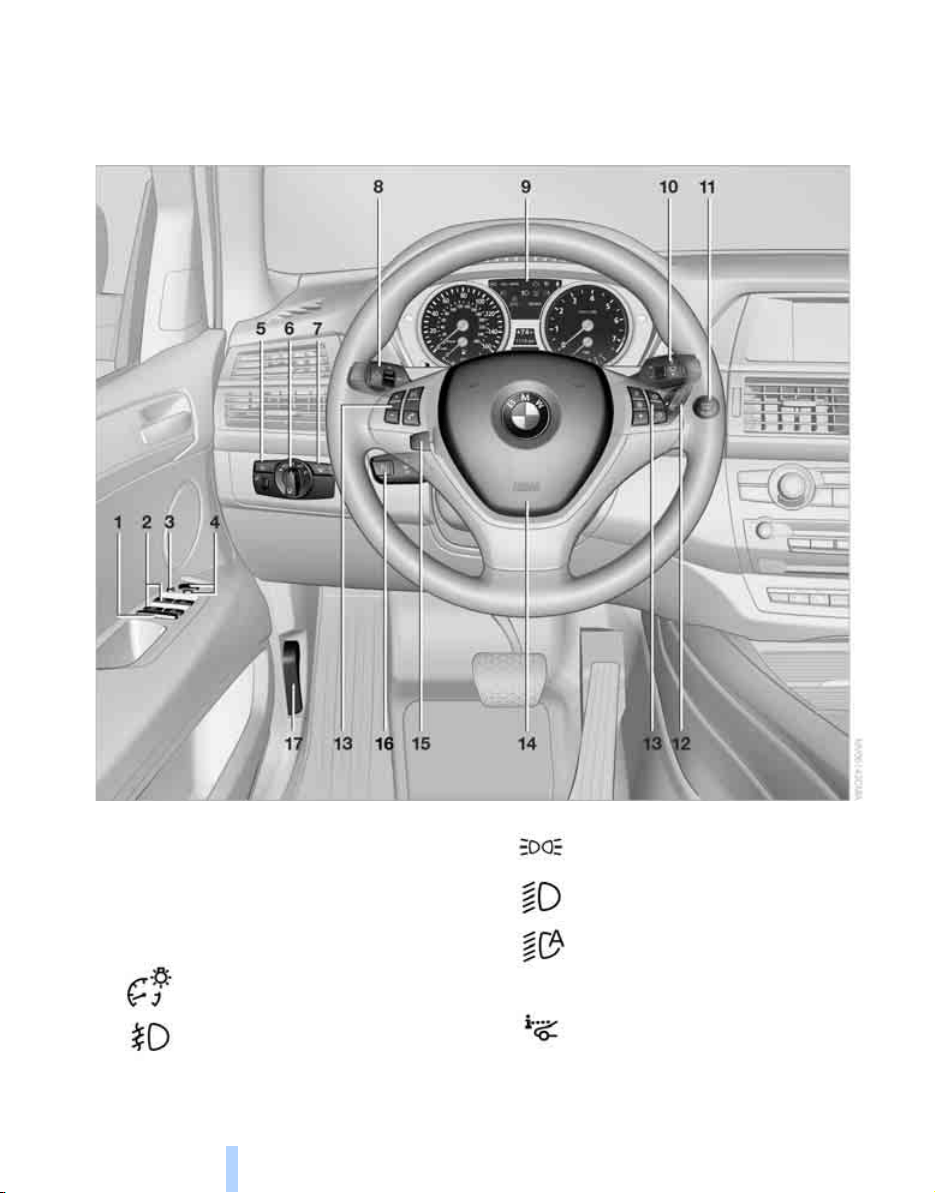
Cockpit
Around the steering wheel: controls and displays
1 Rear window safety switch 38
2 Opening and closing windows 37
3 Folding exterior mirrors in and out
*
48
4 Adjusting exterior mirrors 48
Automatic curb monitor
*
49
5
Instrument lighting 99
Fog lamps
*
99
6
Parking lamps 97
Low beams 97
Automatic headlamp control
*
97
Adaptive Head Light
*
98
7
Head-Up Display
*
94
Online Edition for Part no. 01 41 0 012 501 - © 08/06 BMW AG
At a glance
11
Reference ControlsDriving tipsCommunications NavigationEntertainmentMobility
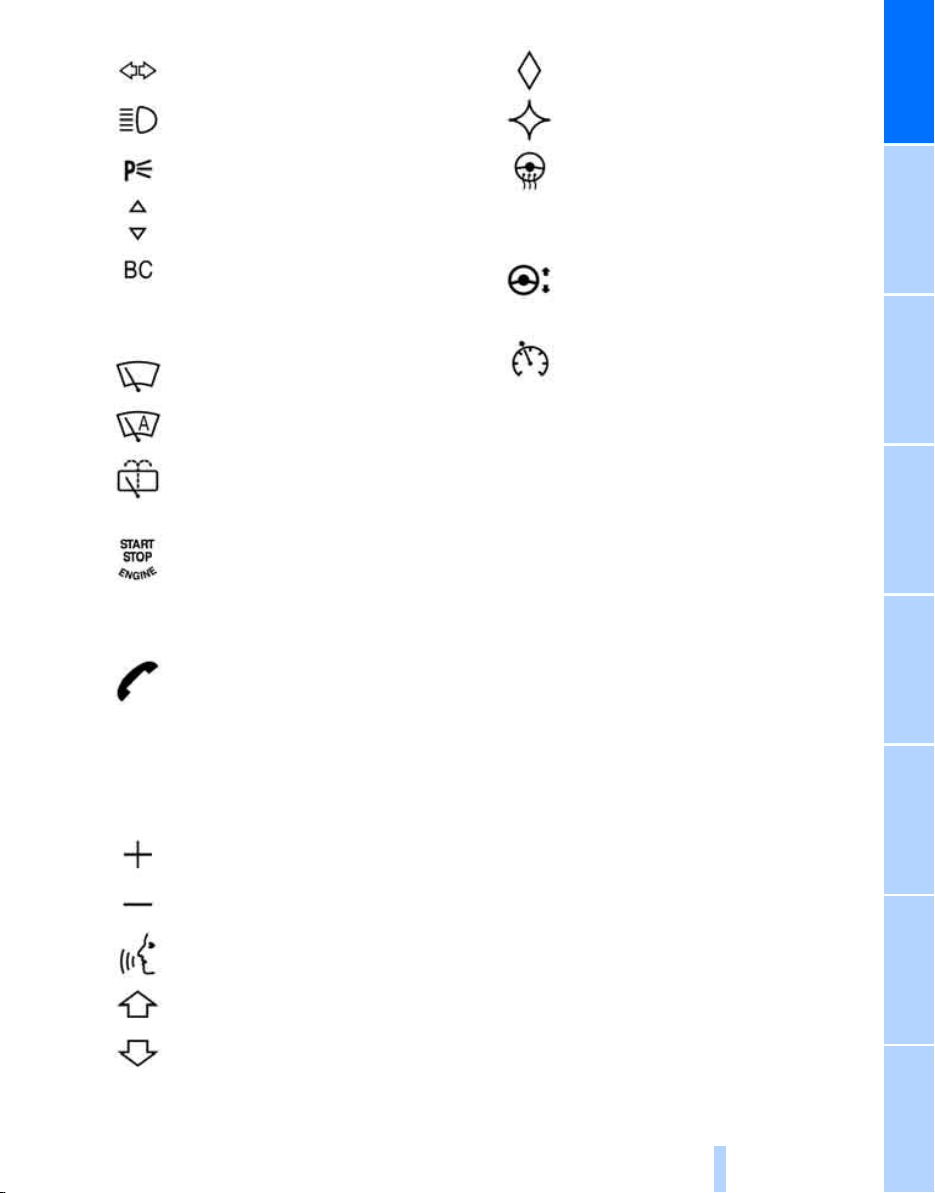
9 Instrument cluster 12
12 Ignition lock 56
13 Buttons on steering wheel
14 Horn, entire surface
17 Releasing hood 222
8
Turn signals 62
High beams, headlamp flasher 99
Roadside parking lamps
*
99
Time, date, outside temperature,
Check Control 67, 75
Computer 69
10
Windshield wipers 63
Rain sensor 63
Rear window wiper 64
11
Starting/stopping engine and
switching ignition on/off 56
Telephone
*
:
> Press: accepting and ending
call, starting dialing
*
for
selected phone number and
redialing if no phone number is
selected
> Press longer: redialing
Volume
Activating/deactivating voice com-
mand system
*
23
Changing radio station
Selecting music track
Scrolling in phone book and in lists
with stored phone numbers
Individually programmable
*
50
Individually programmable
*
50
Steering wheel heating
*
50
15
Steering wheel adjustment 49
16
Cruise control
*
64
Online Edition for Part no. 01 41 0 012 501 - © 08/06 BMW AG
Cockpit
12
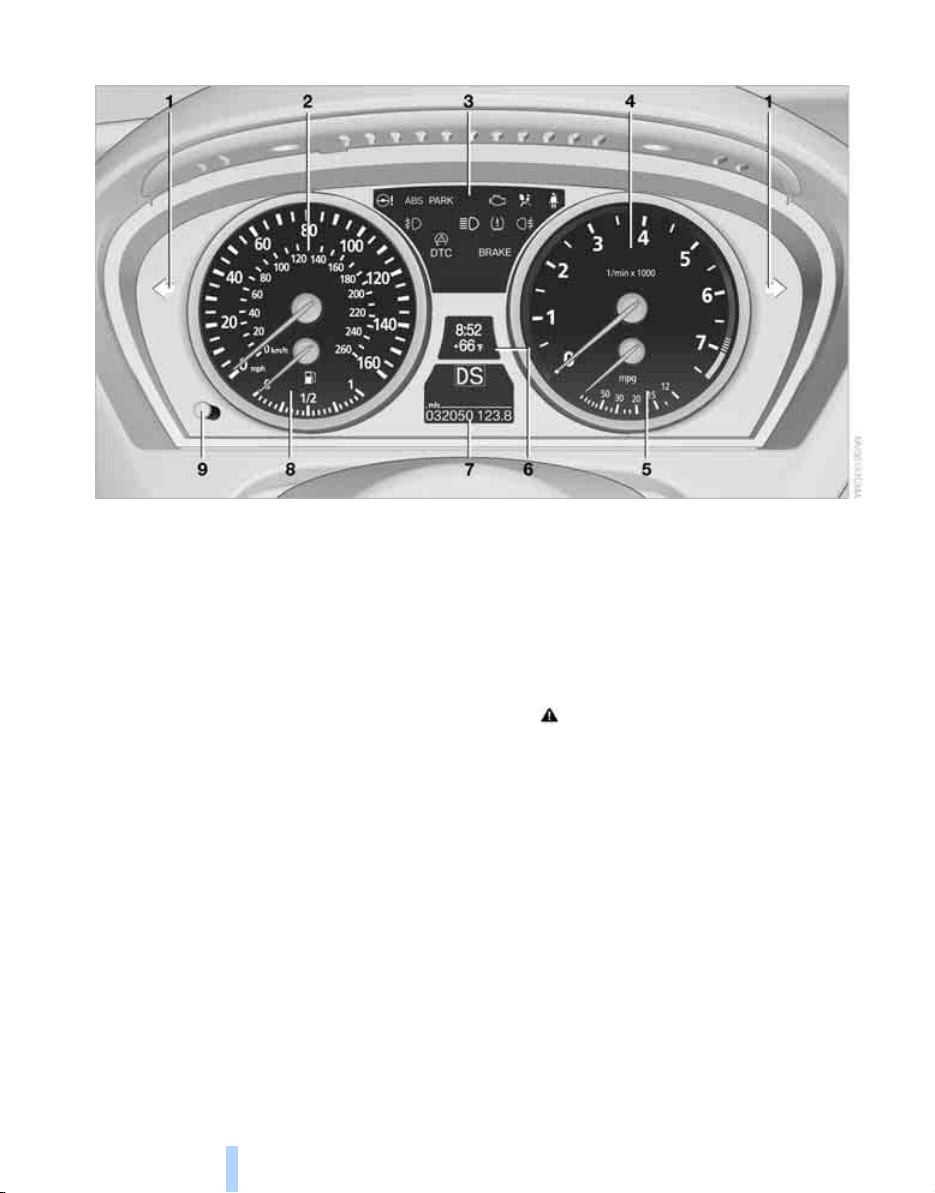
Instrument cluster
1 Indicator lamps for turn signals
2 Speedometer
3 Indicator and warning lamps 13
4 Tachometer 68
5 Energy Control 68
6 Display for
> Clock/date 67
> Outside temperature 67
> Indicator and warning lamps 74
> Speed of cruise control
*
64
7 Display for
> Odometer and trip odometer 67
> Computer 69
> Date and remaining travel distance
for service requirements 71
> Automatic transmission positions 59
> HDC Hill Descent Control 85
> Check Control message present 74
> Adaptive Drive
*
86
8 Fuel gauge 68
9 Resetting trip odometer 67
Displaying service requirement 67
Online Edition for Part no. 01 41 0 012 501 - © 08/06 BMW AG
At a glance
13
Reference ControlsDriving tipsCommunications NavigationEntertainmentMobility
Indicator and warning lamps
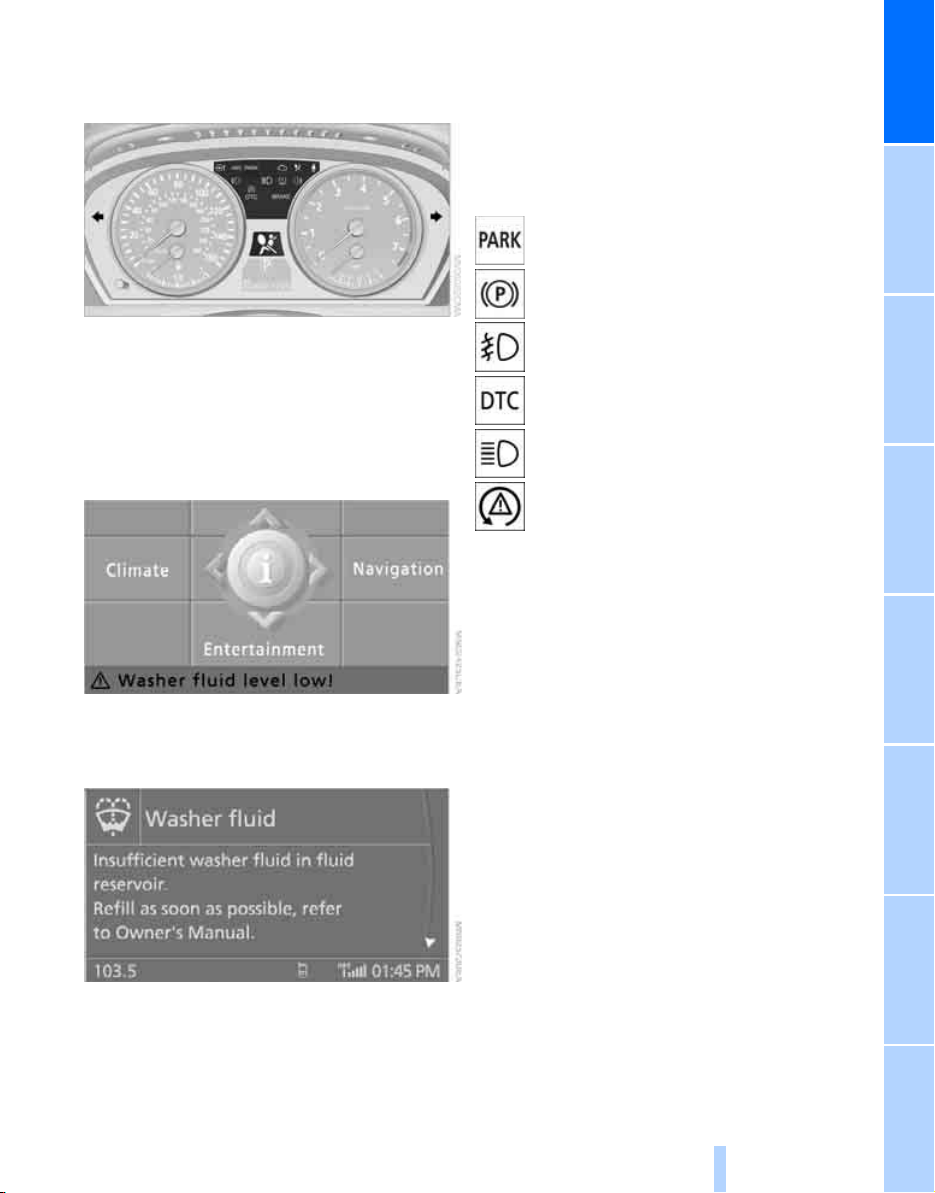
The concept
The indicator and warning lamps can light up in
different combinations and colors.
Some lamps are tested for proper function by
briefly lighting up during starting of the engine
or when the ignition is switched on.
Explanatory text messages
Text messages at the bottom edge of the Con-
trol Display explain the meaning of the dis-
played indicator and warning lamps.
Additional information, e.g. on the cause of a
malfunction and on the corresponding need to
take action can be displayed via the Check Con-
trol, refer to page 74.
In the case of corresponding urgency, this infor-
mation is displayed immediately when the
related lamp lights up.
Indicator lamps without text messages
The following indicator lamps indicate that cer-
tain functions are activated:
With parking brake set 58
With parking brake set for Canadian
models
Fog lamps
*
99
DTC Dynamic Traction Control 85
High beams/headlamp flasher 99
Lamp flashes:
DSC or DTC controls the drive and
braking forces for maintaining vehicle
stability 84
Online Edition for Part no. 01 41 0 012 501 - © 08/06 BMW AG
Cockpit
14
Around the center console: controls and displays
Online Edition for Part no. 01 41 0 012 501 - © 08/06 BMW AG
At a glance
15
Reference ControlsDriving tipsCommunications NavigationEntertainmentMobility
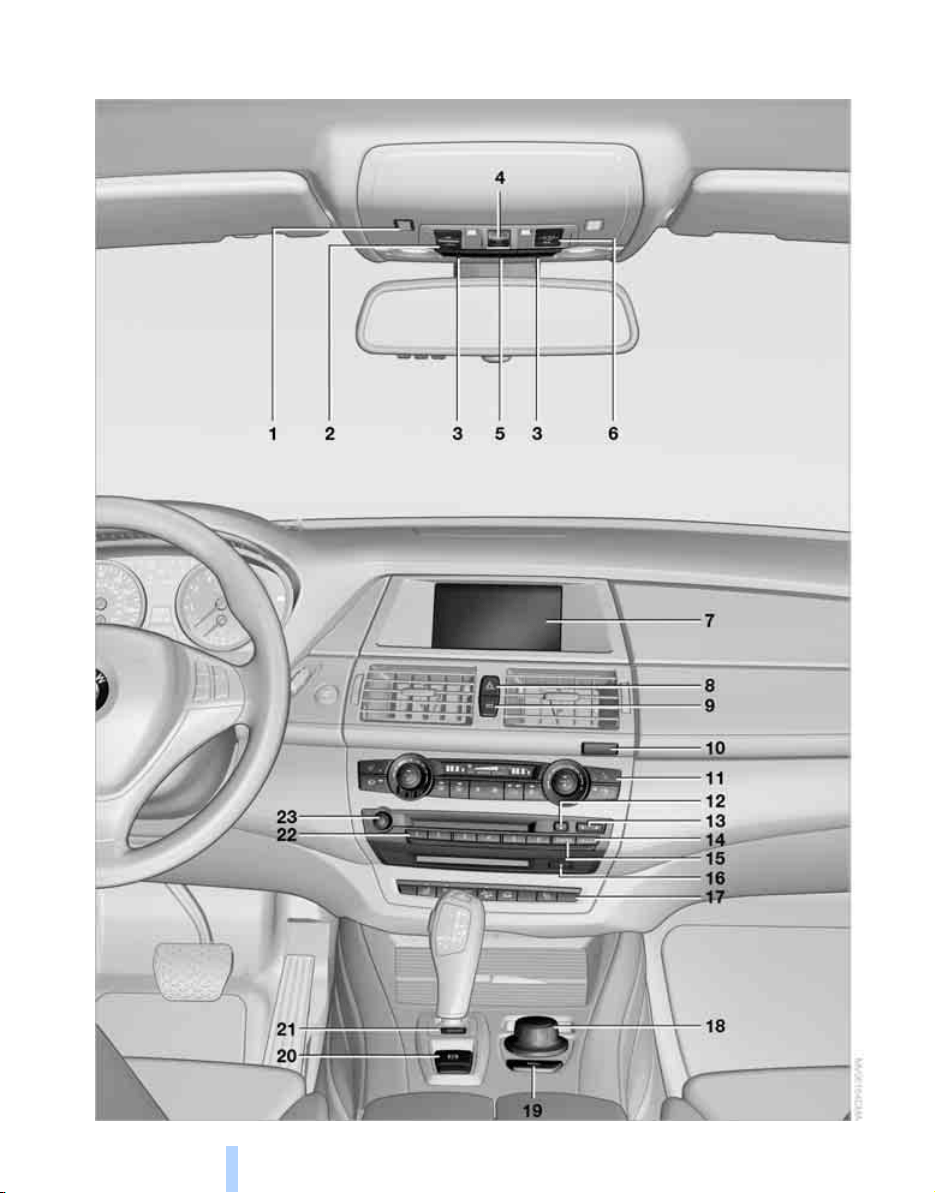
1 Microphone for handsfree mode for
telephone
*
and for voice command
system
*
23
2 Initiating
an emergency call 236
3 Reading lamps 100
4 Panorama glass sunroof
*
38
5 Interior lamps 100
6 Passenger airbag status lamp 92
7 Control Display 16
Displays for menu navigation
8 Hazard warning flashers
9 Central locking system 29
10 Opening glove compartment 113
11 Automatic climate control 102
12 Ejecting audio CD
13 Changing
> radio station 154
> track 154
14 Selecting radio, CD and CD changer
15 Selecting AM or FM waveband
16 Ejecting navigation DVD with
Professional navigation system
*
130
18 Controller 16
Turn, press or move horizontally in four
directions
19 Opening start menu on Control Display 17
20 Parking brake 57
21 Adaptive Drive 86
22 Programmable memory/direct selection
buttons 21
23 Switching Entertainment sound output
on/off and adjusting volume 154
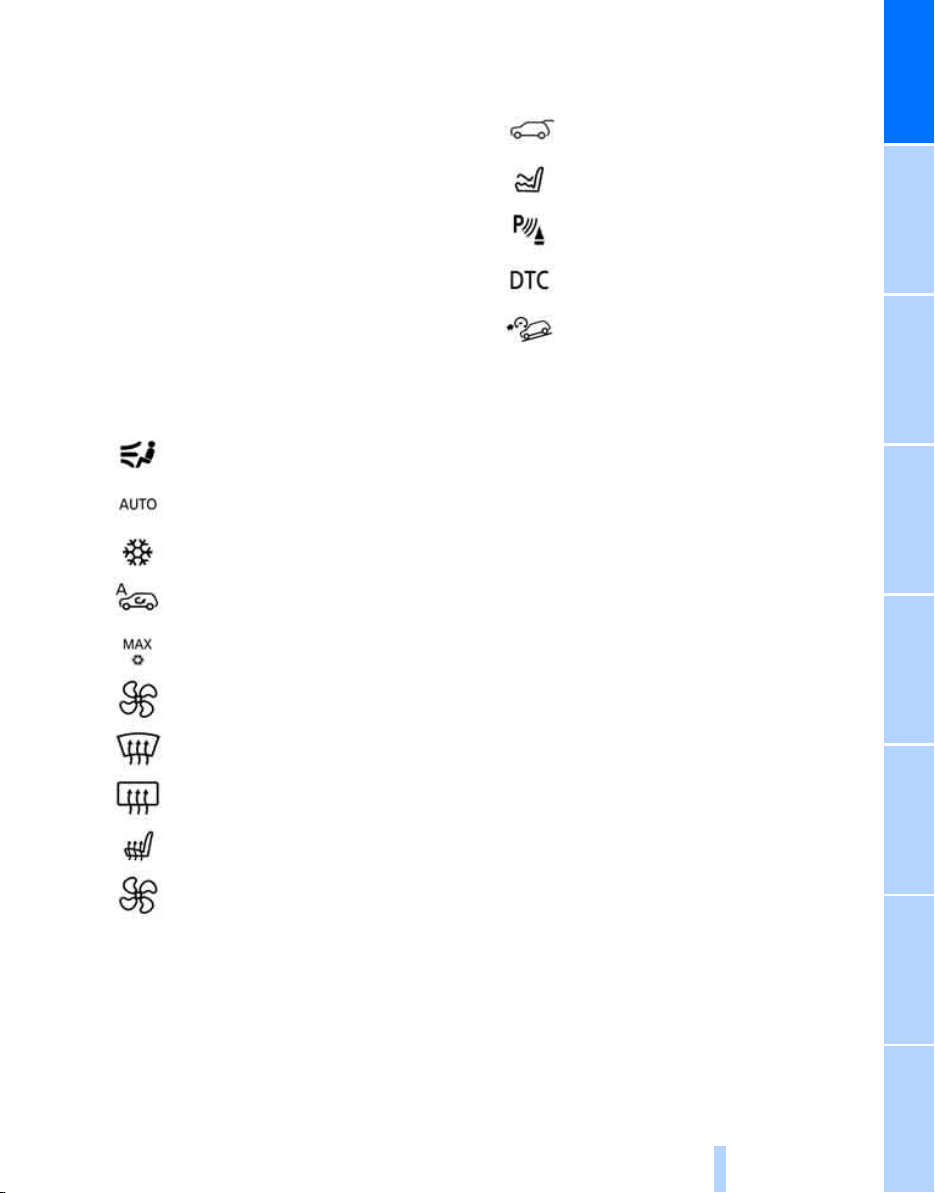
Manual air distribution 103
Automatic air distribution and
volume 102
Cooling function 104
AUC Automatic recirculated-air
control 105
Maximum cooling 104
Air volume 103
Residual heat utilization 105
Defrosting windows and removing
condensation 103
Rear window defroster 103
Seat heating
*
47
Active seat ventilation
*
47
17
Opening liftgate 33
Active seat
*
48
PDC Park Distance Control
*
80
Backup camera
*
81
DTC Dynamic Traction Control 85
HDC Hill Descent Control 85
Online Edition for Part no. 01 41 0 012 501 - © 08/06 BMW AG
iDrive
16
iDrive
iDrive combines the functions of a large number
of switches. This allows these functions to be
operated from a central position. The following
section provides an introduction to basic menu
navigation. The control of the individual func-
tions is described in connection with the rele-
vant equipment.
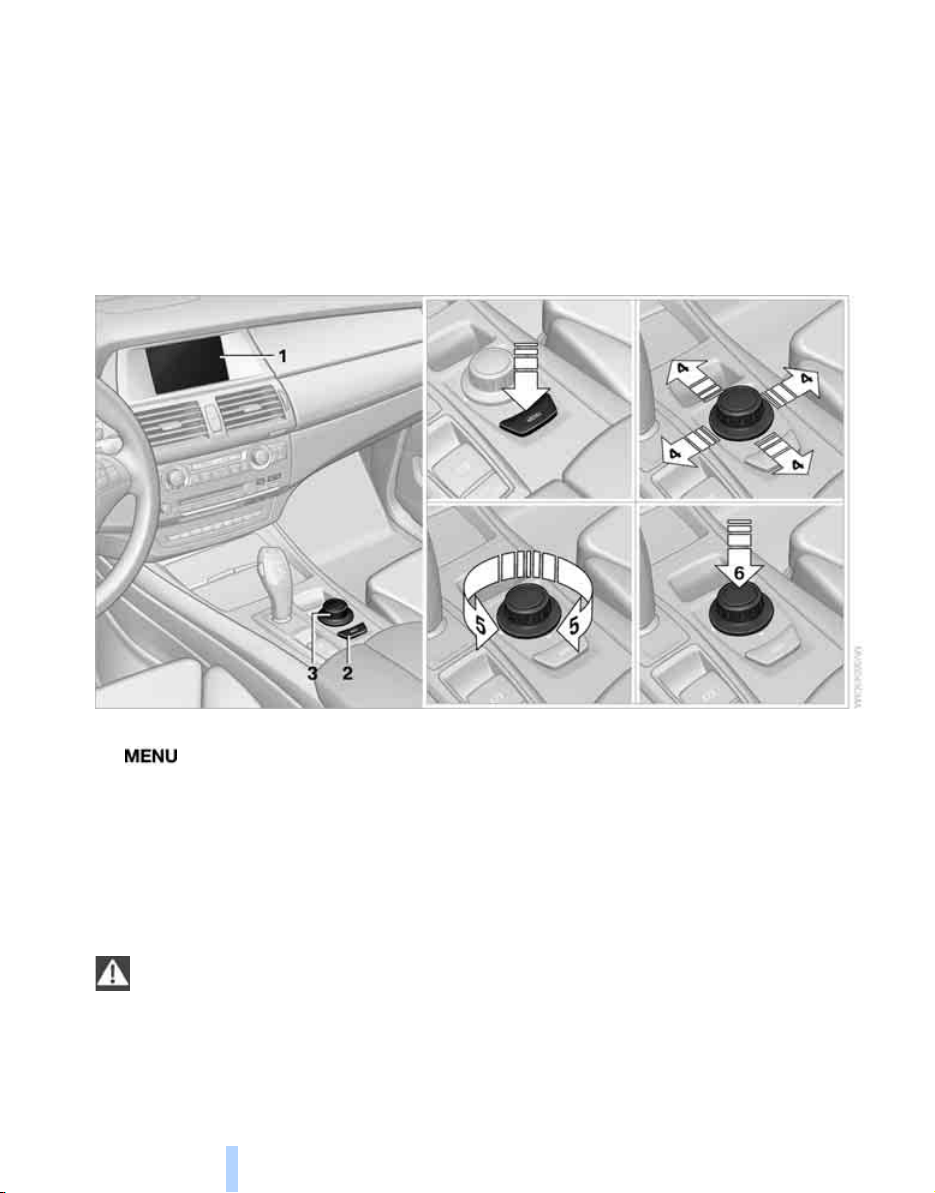
Controls
1 Control Display
2 button
Opening start menu
3 Controller
With the controller you can select menu
items and make settings:
> move in four directions, arrows 4
> turn, arrow 5
> press, arrow 6
To avoid posing an unnecessary hazard
due to inattention, both to your own vehi-
cle's occupants and to other road users: never
attempt to use the controls or make entries
unless traffic and road conditions allow.<
Online Edition for Part no. 01 41 0 012 501 - © 08/06 BMW AG
At a glance
17
Reference ControlsDriving tipsCommunications NavigationEntertainmentMobility
Menu overview
Communication
> Telephone
*
> BMW Assist
*
or TeleService
*
Navigation or onboard information
> Navigation system
*
> Onboard information, e.g. for displaying
the average fuel consumption
Entertainment
> Radio
> CD player and CD changer
*
> External audio device
Climate
> Vent settings
> Seat heater distribution
*
> Automatic programs
> Parked car ventilation
*
menu
> Switching off Control Display
> Tone and display settings
> Settings for traffic information
*
> Settings for your vehicle, e.g. for the central
locking system
> Display of maintenance intervals and dead-
lines for legally mandated inspections
> Settings for telephone
*
Operating principle
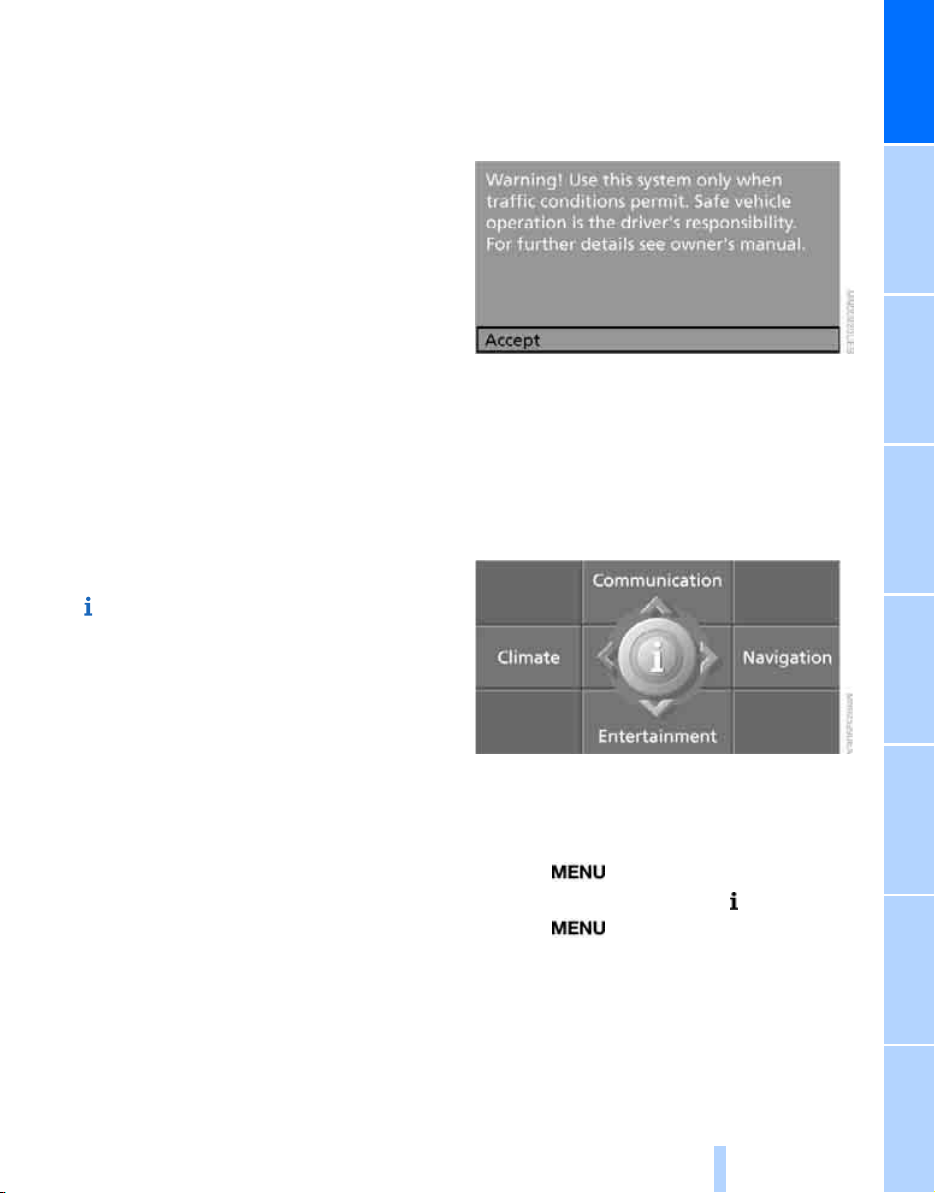
From radio readiness, refer to page 56, the fol-
lowing message is shown on the Control Dis-
play:
To hide the message:
Press the controller.
This displays the start menu.
On vehicles with a single drive, the message
automatically disappears after approx. 10 sec-
onds.
Start menu
You can call up all the functions of iDrive using
five menu items.
Opening start menu
Press the button.
To open the start menu from the menu:
Press the button twice.
Online Edition for Part no. 01 41 0 012 501 - © 08/06 BMW AG
iDrive
18
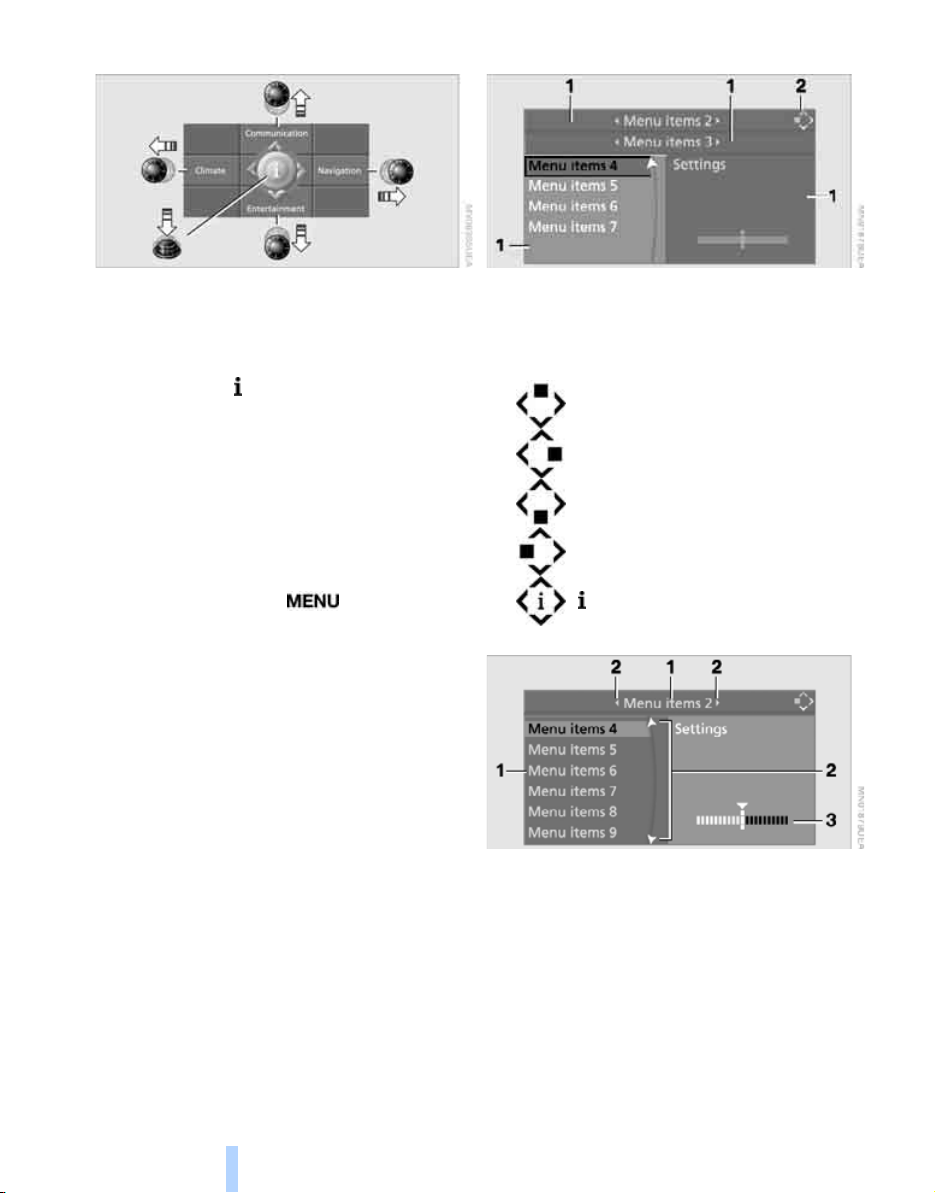
Opening menu items of start menu
With the start menu you can open the menu
items Communication, Navigation, Entertain-
ment and Climate by moving the controller to
the left, right, front or rear.
You can open the menu by pressing the con-
troller.
Comfort opening of menu items
Comfort opening offers you:
> Opening of a menu item of the start menu in
the last display shown
> Direct changing between Communication,
Navigation, Entertainment and Climate
without pressing the button
For this purpose, move the controller in the cor-
responding direction and hold it for longer than
approx. 2 seconds.
Displays in menu
1 Each menu is divided into fields.
The respective active field is highlighted.
2 A symbol indicates the last selected menu
item of the start menu:
1 Menu items are usually grouped in horizon-
tal or vertical lists.
2 In these lists, arrows indicate the possibility
of accessing other menu items that are not
currently visible.
3 Settings are displayed graphically or
numerically.
Communication
Navigation or onboard information
Entertainment
Climate
menu
Online Edition for Part no. 01 41 0 012 501 - © 08/06 BMW AG
At a glance
19
Reference ControlsDriving tipsCommunications NavigationEntertainmentMobility
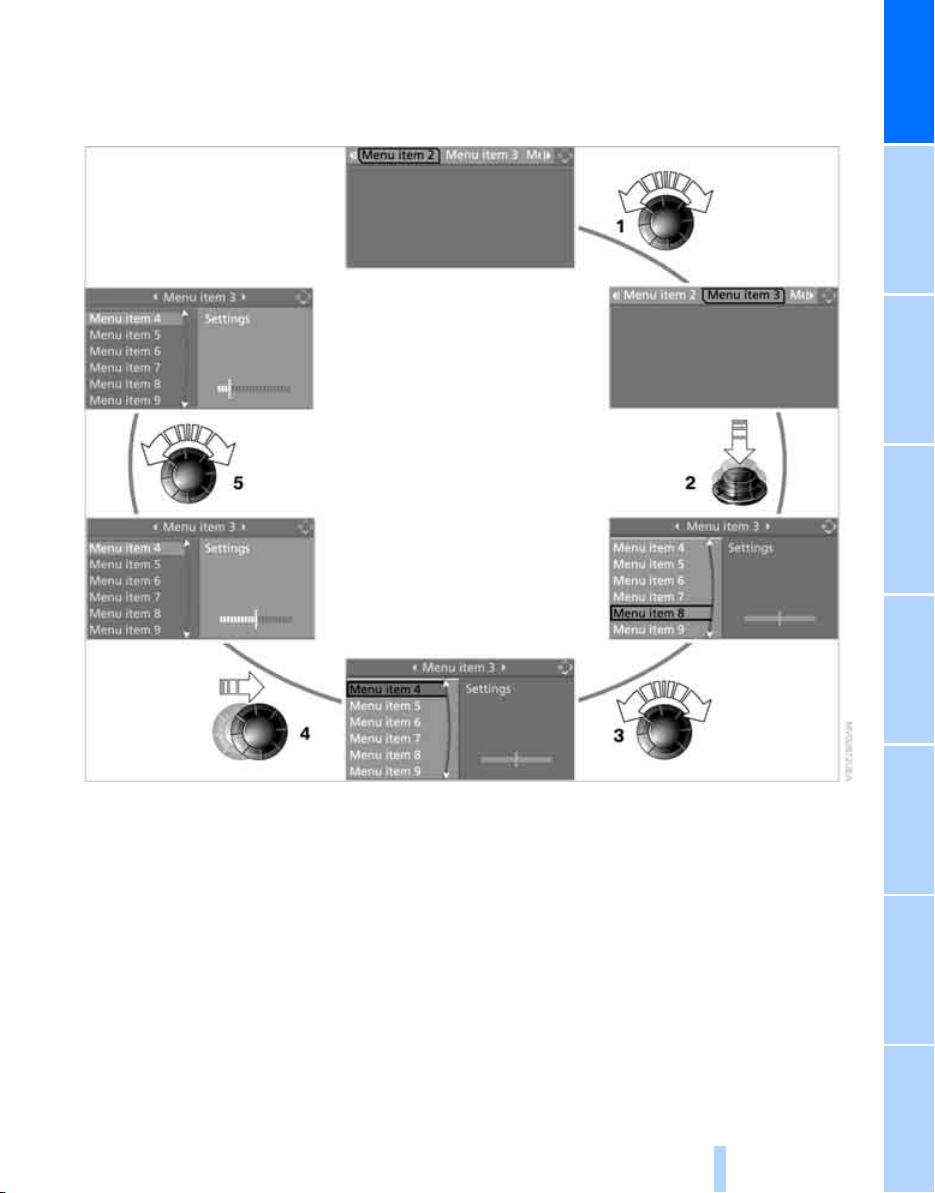
Operating principle at a glance
Basic operation via iDrive is described in this
view.
You can view the individual steps under Set-
tings on Control Display, Brightness of Control
Display, refer to page 78.
1 Selecting menu item:
> Turn the controller; the highlight moves
> Menu items shown in white can be
selected by highlighting
2 Activating menu item:
> Press the controller
> New menu items are displayed or the
function is carried out
3 Selecting menu item: refer to 1
4 Changing between fields:
> Briefly move the controller left, right,
forward or back
> Release controller
> Active field appears lighter
5 Adjusting settings:
> Turn controller
> Graphic display, numerical value or text
displays can be changed
> Confirmation by changing field
Online Edition for Part no. 01 41 0 012 501 - © 08/06 BMW AG
iDrive
20
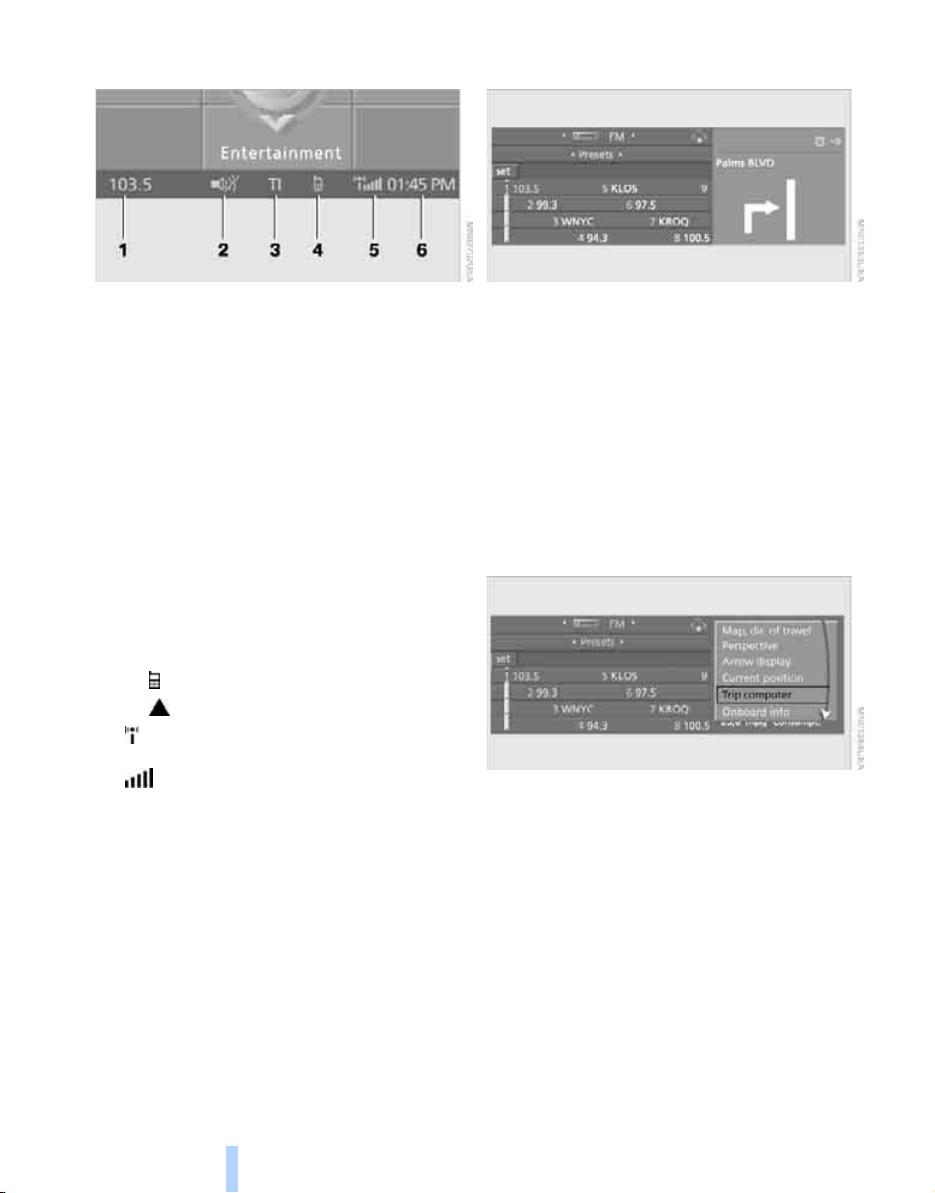
Status information
1 Display for:
> Entertainment:
Radio, CD
> Telephone
*
in "Communication":
Name of linked mobile phone, network
search or no network
> "BMW Assist"
*
:
Existing voice connection with a service
from BMW Assist
2 Entertainment sound output off
3 Display for traffic information
*
, TI:
Traffic information for the navigation sys-
tem can be received and transmission is
switched on
4 Display for:
> New entries present in "Missed calls"
*
> Roaming active
5 Telephoning
*
possible if the mobile
phone is logged-on in the vehicle
Mobile phone network with strong
reception, display dependent on mobile
phone
6 Time
Other displays:
The status information is temporarily hidden
when there are Check Control instructions or
inputs via the voice command system
*
.
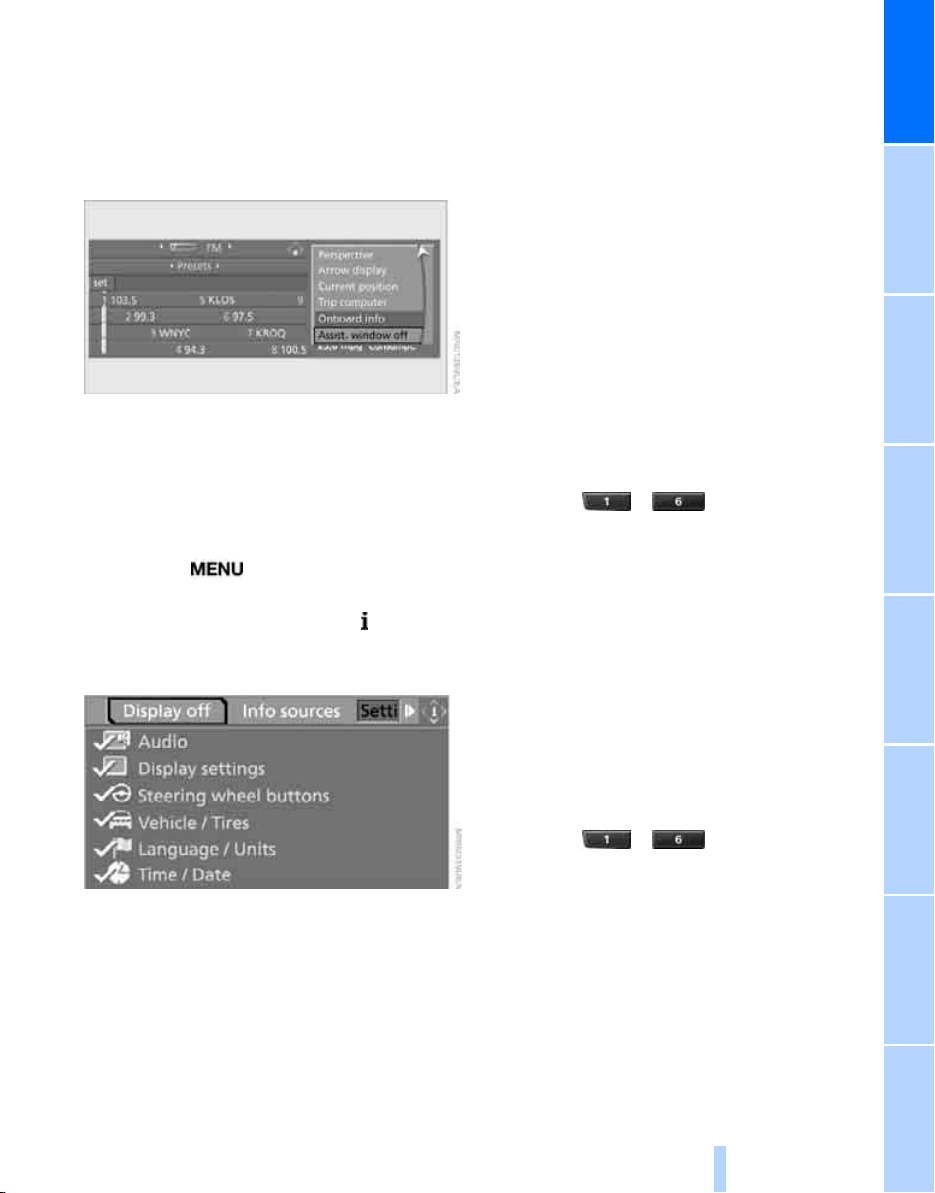
Assistance window*
Additional information can be displayed in the
assistance window:
> The computer or the trip computer
*
> The arrow or map view with a navigation
system
*
> The current position
Selecting display
1. Move the controller to the right to change to
the assistance window and press the con-
troller.
2. Select a menu item.
3. Press the controller.
Online Edition for Part no. 01 41 0 012 501 - © 08/06 BMW AG
At a glance
21
Reference ControlsDriving tipsCommunications NavigationEntertainmentMobility
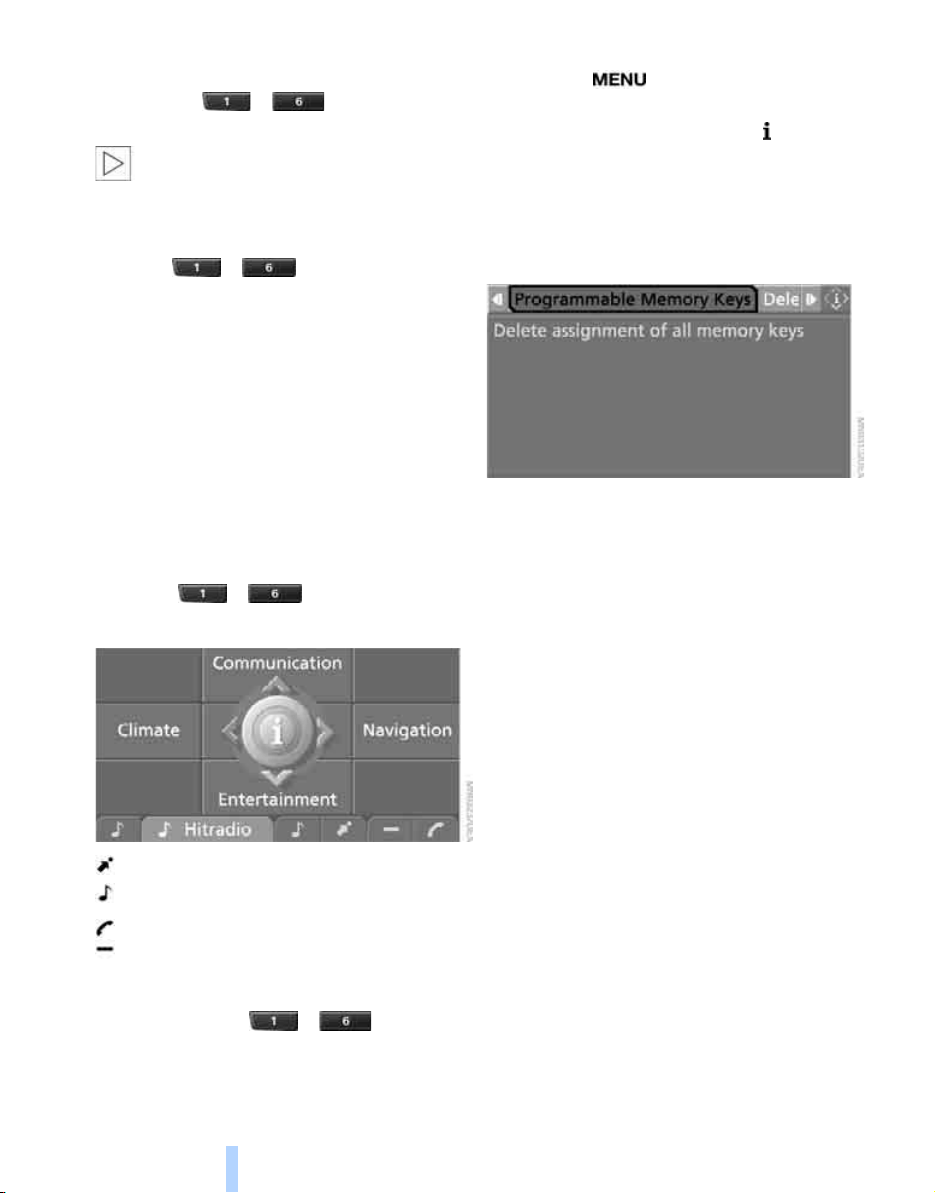
Switching assistance window off/on
1. Move the controller to the right to change to
the assistance window and press the con-
troller.
2. Select "Assist. window off" and press the
controller.
To switch on, change to the assistance window
and press the controller.
Switching Control Display
off/on
1. Press the button.
This opens the start menu.
2. Press the controller to open the menu.
3. Select "Display off" and press the control-
ler.
To switch on, press the controller.
Programmable memory/
direct selection buttons
You can store and run certain functions of iDrive
on the direct selection buttons:
> Destinations of navigation
> Entertainment:
> radio station
> CD
> CD compartment of CD changer
> AUX
> Telephone: phone numbers
Saving function
Navigation
1. Select navigation destination, e.g. in the
destination list or the address book.
2. Press the ... button longer
than 2 seconds.
Special features:
> With the destination guidance system and
the map view started, the current destina-
tion is stored.
> During destination entry via a map, the
coordinates at the cursor are stored, not the
current destination.
Communication
1. Enter the phone number or select it in a list
of the stored phone numbers, e.g. of the
A-Z list.
2. Press the ... button longer
than 2 seconds.
If a name is assigned to the phone number, the
name will also be stored.
Entertainment
The source being played at the time of saving,
e.g. a radio station or a certain CD of the CD
player, is stored in the Entertainment menu, and
not what is selected with controller.
Online Edition for Part no. 01 41 0 012 501 - © 08/06 BMW AG
iDrive
22
1. Select the desired function, e.g. radio sta-
tion or CD.
2. Press the ... button longer
than 2 seconds.
If the vehicle is equipped with two drives,
the current track is stored for CDs with
compressed audio files.<
Running function
Press the ... button.
The function is run immediately. This means,
for example, that when a phone number is
selected, the connection is also established, or
when a navigation destination is called up, des-
tination guidance is started.
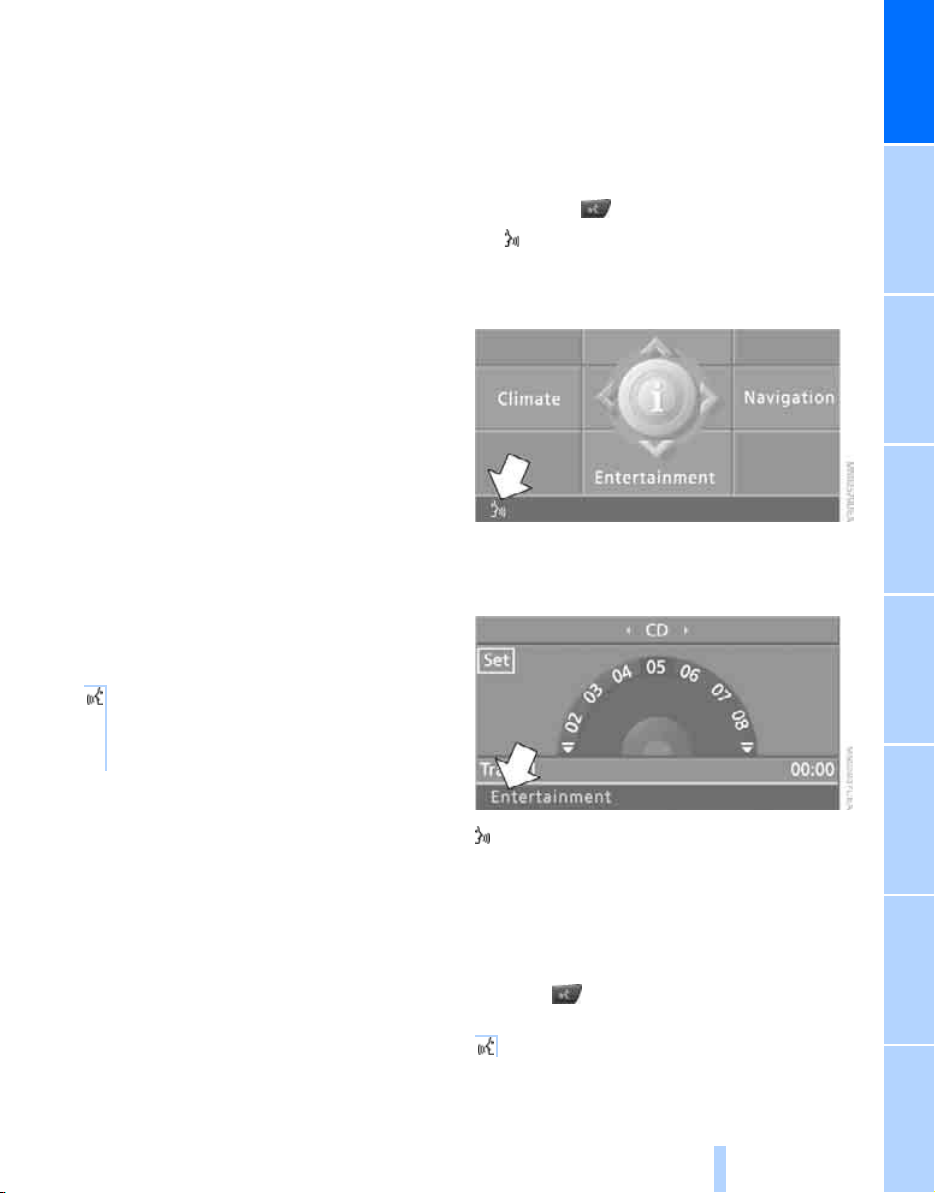
Displaying button assignment
You can display the assignment of the buttons
by touching them with your finger. Please do
not wear gloves when doing so. Touching with
an object, e.g. a pen, does not function.
Displaying short info
Touch the ... button.
The assignment of the buttons is displayed.
Navigation destination
Entertainment source
Phone number
Not assigned
Displaying detailed information
Touch and hold the ... button.
Deleting button assignments
1. Press the button.
This opens the start menu.
2. Press the controller to open the menu.
3. Select "Settings" and press the controller.
4. Select "Vehicle / Tires" and press the con-
troller.
5. Select "Programmable Memory Keys" and
press the controller.
6. Select "Delete assignment of all memory
keys" and press the controller.
Online Edition for Part no. 01 41 0 012 501 - © 08/06 BMW AG
At a glance
23
Reference ControlsDriving tipsCommunications NavigationEntertainmentMobility
Voice command system
The concept
The voice command system allows you to con-
trol operation of various vehicle systems with-
out ever removing your hands from the steering
wheel.
Individual menu items on the Control Display
can be spoken as commands. This frees you of
having to use the controller.
The voice command system transforms your
oral commands into control signals for the
selected systems and provides support in the
form of instructions or questions.
The voice command system uses a special
microphone located in the area of the interior
rearview mirror, refer to page 14.
Precondition
Via iDrive, set the language that applies for the
voice command system in order to enable iden-
tification of the spoken commands. To set the
language of iDrive, refer to page 79.
Symbols in Owner's Manual
Voice commands
Activating voice command system
1. Press the button on the steering wheel.
This symbol on the Control Display and
an acoustic signal tell you that the voice
command system can respond to com-
mands.
2. Say the command.
The command is displayed on the Control
Display.
This symbol is shown on the Control Display
when you can input additional commands.
If no other commands are possible, then oper-
ate the equipment via iDrive.
Terminating or canceling voice
command system
Press the button on the steering wheel
or
*
{...} Say the specified commands word for
word.
{{...}} Indicates responses of the voice
command system.
{Cancel}
Online Edition for Part no. 01 41 0 012 501 - © 08/06 BMW AG
Voice command system
24
Commands
Having possible commands read aloud
You can have the system read aloud the possi-
ble commands related to the selected menu
item on the Control Display.
To have the system list the possible com-
mands:
For example, if you have selected "CD", the
system will read aloud the possible commands
for operating the CD player and the CD
changer
*
.
Opening help
Using alternative commands
There are often a number of commands to run a
function, e.g.:
Running functions directly with short
commands
With short commands you can carry out certain
functions directly, regardless of which menu
item is selected, refer to page 245.
Opening start menu
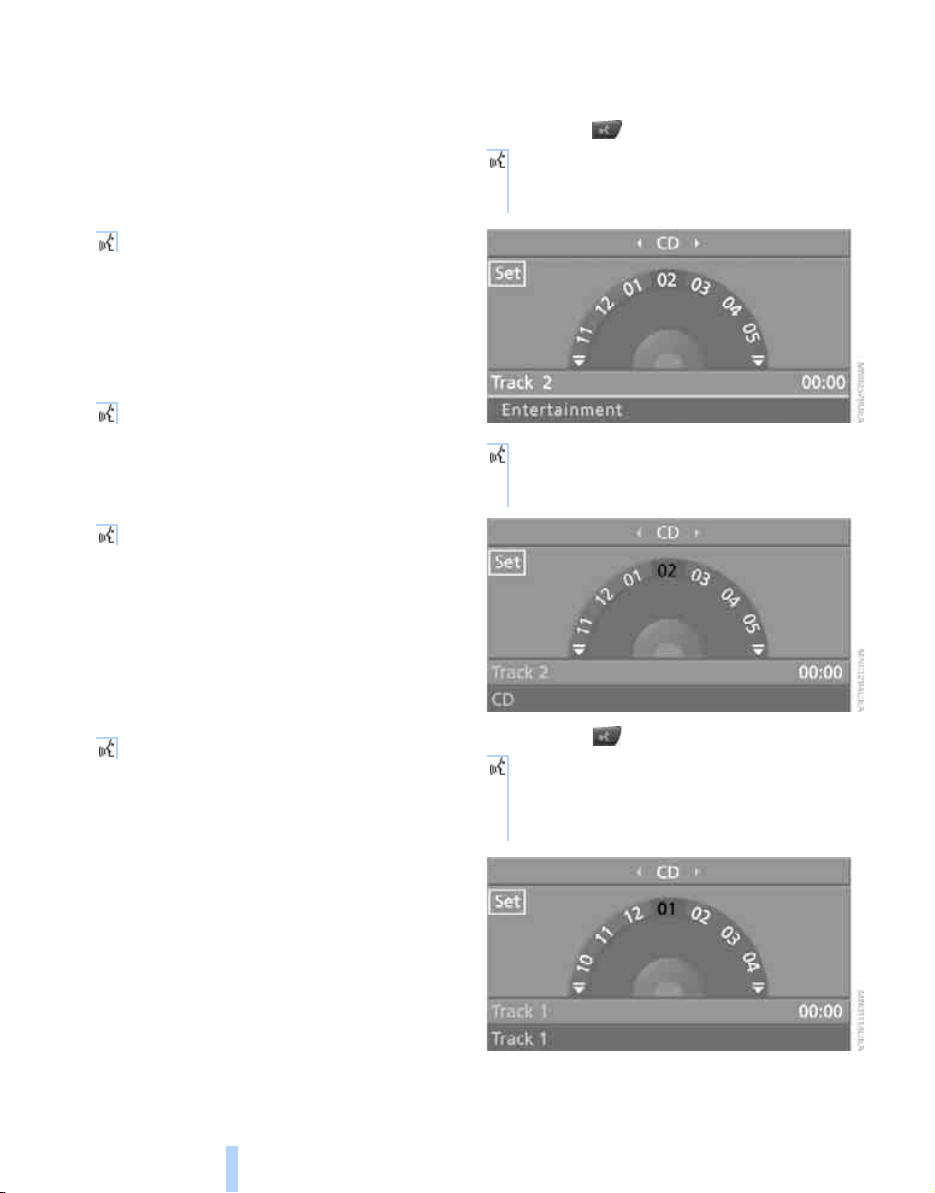
Example: selecting a track
1. Switch on Entertainment sound output if
necessary.
2. Press the button on the steering wheel.
5. Press the button on the steering wheel.
{Options}
{Help}
{Radio on} or {Turn radio on}
{Main menu}
3. {Entertainment}
The system says:
{{Entertainment}}
4. {CD}
The system says:
{{CD drive switched on}}
6. Select track, e.g.:
{Track 1}
The system says:
{{Track 1}}
Online Edition for Part no. 01 41 0 012 501 - © 08/06 BMW AG

At a glance
25
Reference ControlsDriving tipsCommunications NavigationEntertainmentMobility
Notes
The mobile phone can also be operated
with voice commands, refer to
page 197.<
For voice commands, bear the following in
mind:
> Say the commands and numbers smoothly
and at normal volume, avoiding excessive
emphases and pauses. This also applies to
spelling when entering the destination.
> Always issue commands in the language of
the voice command system.
> When selecting a radio station, use the
common pronunciation of the station name.
> For entries in the voice-activated phone
book, only use names in the language of the
voice command system and no abbrevia-
tions.
> Keep the doors, windows and panorama
glass sunroof
*
closed to prevent interfer-
ence from ambient noise.
> Avoid making other noise in the vehicle
while speaking.
Online Edition for Part no. 01 41 0 012 501 - © 08/06 BMW AG
Online Edition for Part no. 01 41 0 012 501 - © 08/06 BMW AG
Controls
This chapter is intended to provide you with
information for complete control of your vehicle.
Its extensive array of features and accessories,
both for driving and for your own safety,
comfort and convenience, are described here.
Controls
Online Edition for Part no. 01 41 0 012 501 - © 08/06 BMW AG
Opening and closing
28
Opening and closing
Keys/remote control
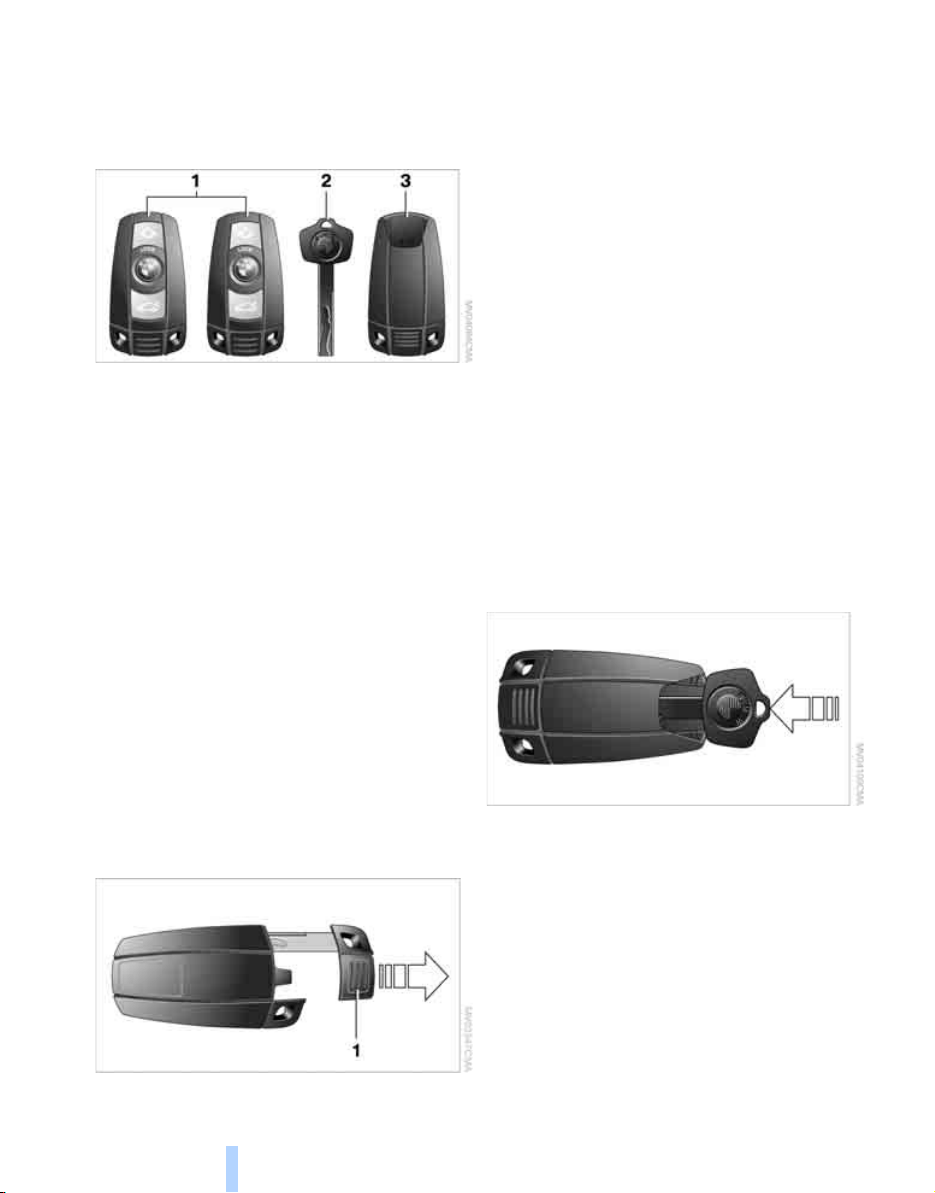
1 Remote control with integrated key
2 Spare key
3 Adapter for spare key
Remote control with integrated key
Each remote control contains a battery which is
automatically charged in the ignition lock while
driving. Drive a longer distance with each
remote control at least twice a year to keep the
battery charged. For comfort access
*
, the
remote control contains a replaceable battery,
refer to page 37.
Depending on which remote control is detected
by the vehicle during unlocking, different set-
tings are called up and carried out in the vehicle,
refer to Personal Profile, page 28.
Information on the required maintenance is also
stored in the remote control, refer to Service
data in remote control, page 226.
Integrated key
Press button 1 to unlock the key.
The integrated key fits the following locks:
> Driver's door, refer to page 31
> Lockable floor panel flap
*
in cargo bay
New remote controls
To obtain additional or replace lost keys, new
remote controls with an integrated key are
available at your BMW Sports Activity Vehicle
Center.
Spare key
Store the spare key in a safe place such as your
wallet. This key is not intended for regular use.
The spare key and integrated key fit the same
locks.
Adapter for spare key
The adapter is required so that the vehicle can
be started with the spare key or radio readiness
can be switched on.
Push the spare key into the adapter before use.
Personal Profile
The concept
You can set a number of functions of your BMW
individually according to your preferences. Per-
sonal Profile ensures that most of these set-
tings are stored for the remote control currently
in use without you having to do anything. When
the vehicle is unlocked, the corresponding
Online Edition for Part no. 01 41 0 012 501 - © 08/06 BMW AG

Controls
29
Reference At a glanceDriving tipsCommunications NavigationEntertainmentMobility
remote control is detected and the settings
stored for it are called up and carried out.
This means that you will always find your BMW
set to your own personal settings even if
another person with his/her own remote control
and settings has used the vehicle since the last
time you drove it. The individual settings are
stored for a maximum of three remote controls.
Personal Profile settings
Details on the settings are provided on the
specified pages.
> When unlocking with the remote control,
either unlock only the driver's door or the
entire vehicle, refer to page 30
> Locking the vehicle after a short time or
after starting off, refer to page 32
> Assigning the programmable buttons
*
on
the steering wheel, refer to page 50
> Settings for the display on the Control Dis-
play:
> Brightness of the Control Display, refer
to page 78
> Measuring units for consumption, route/
distances, temperature, and pressure,
refer to page 79
> Language on Control Display, refer to
page 79
> 12h/24h mode of the clock, refer to
page 78
> Date format, refer to page 78
> Showing optical warning for PDC Park Dis-
tance Control
*
, refer to page 81
> Selection, brightness and position of dis-
play in Head-Up Display
*
, refer to page 94
> For settings of automatic climate control,
refer to page 102
> Positions of driver's seat, exterior mirrors,
and steering wheel
*
, refer to page 42
> With Adaptive Drive
*
, last selected chassis
and suspension tuning setting, refer to
page 86
> Audio sources, volume and tone settings,
refer to page 155
> Radio, displaying stored stations, refer to
page 158
> Telephone, setting volume, refer to
pages 192, 198
> Pathway lighting, refer to page 97, and
daytime running lamps, refer to page 98
> Triple turn signal activation, refer to
page 62
> With backup camera
*
, selection of func-
tions, refer to page 82 and type of display,
refer to page 83
> With programmable memory/direct selec-
tion buttons, selection of stored functions,
refer to page 21
Central locking system
The concept
The central locking system is ready for opera-
tion whenever the driver's door is closed.
The system simultaneously engages and
releases the locks on the following:
> Doors
> Liftgate
> Fuel filler door
Operating from outside
> via the remote control
> via the door lock
> with comfort access
*
via the door handles
At the same time, the anti-theft system is also
operated. It prevents the doors from being
unlocked using the lock buttons or door han-
dles. The interior lamps and the courtesy
lamps
*
are also switched on and off with the
remote control. The alarm system
is armed/dis-
armed at the same time.
You can find more detailed information on the
alarm system
on page 34.
Operating from inside
Via the button for central locking, refer to
page 32. The fuel filler door is not locked.
Online Edition for Part no. 01 41 0 012 501 - © 08/06 BMW AG
Opening and closing
30
In an accident of sufficient severity, the central
locking system automatically unlocks the vehi-
cle. In addition, the hazard warning flashers and
interior lamps come on.
Opening and closing: from
outside
Using remote control
Persons or animals left unattended in a
parked vehicle can lock the doors from
the inside. Always take along the remote control
when leaving the vehicle so that the vehicle can
then be opened from the outside.<
Unlocking
Press the button.
This unlocks the vehicle.
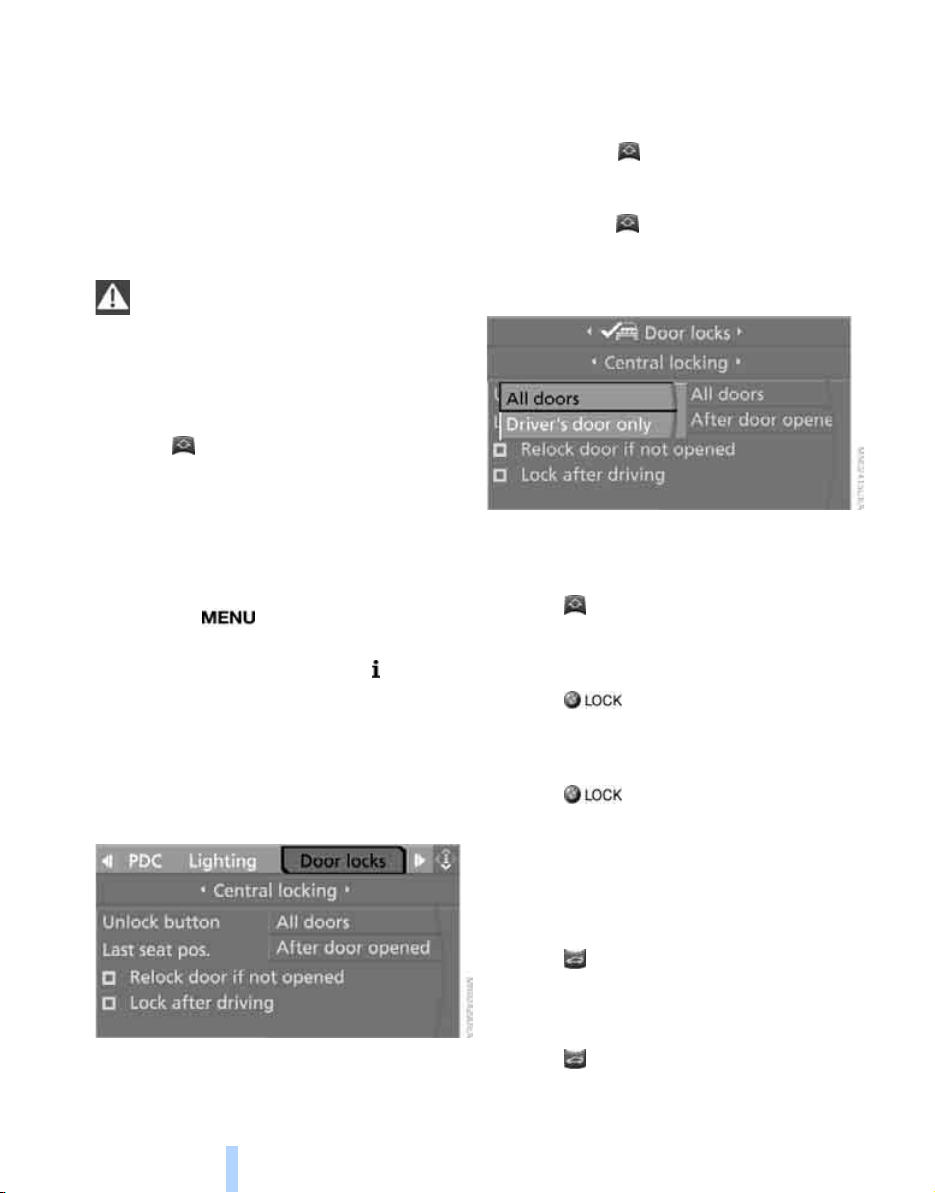
You can set how the vehicle is unlocked. The
setting is stored for the remote control currently
in use.
iDrive, for explanation of concept, refer to
page 16.
1. Press the button.
This opens the start menu.
2. Press the controller to open the menu.
3. Select "Settings" and press the controller.
4. Select "Vehicle / Tires" and press the con-
troller.
5. Change to upper field if necessary. Turn the
controller until "Door locks" is selected and
press the controller.
6. Select "Central locking" and press the con-
troller.
7. Select "Unlock button" and press the con-
troller.
8. Select a menu item:
> "All doors"
Press the button once to unlock the
entire vehicle.
> "Driver's door only"
Press the button once to unlock only
the driver's door and the fuel filler door.
Press the button twice to unlock the
entire vehicle.
9. Press the controller.
Comfort opening
Press the button longer. The windows and
the panorama glass sunroof
*
are opened.
Locking
Press the button.
Switching on interior lamps
With vehicle locked:
Press the button.
You can also use this function to locate your
vehicle in parking garages etc.
Panic mode*
You can also trigger the alarm system in case of
danger:
Press the button for at least 3 seconds.
Switch off alarm: press any button.
Unlocking liftgate
Press the button for approx. 1 second.
The liftgate will open slightly, regardless of
whether it was previously locked or unlocked.
Online Edition for Part no. 01 41 0 012 501 - © 08/06 BMW AG
Controls
31
Reference At a glanceDriving tipsCommunications NavigationEntertainmentMobility
During opening, the liftgate pivots back
and up. Ensure that adequate clearance is
available before opening.
To prevent accidentally locking yourself out,
never lay the remote control in the cargo bay.
A previously locked liftgate is also locked again
after closing.<
If pointed or sharp-edged objects could
strike the rear window while driving, be
sure to provide protection around all edges.
Failure to do so could result in damage to the
heating conductors of the rear window.<
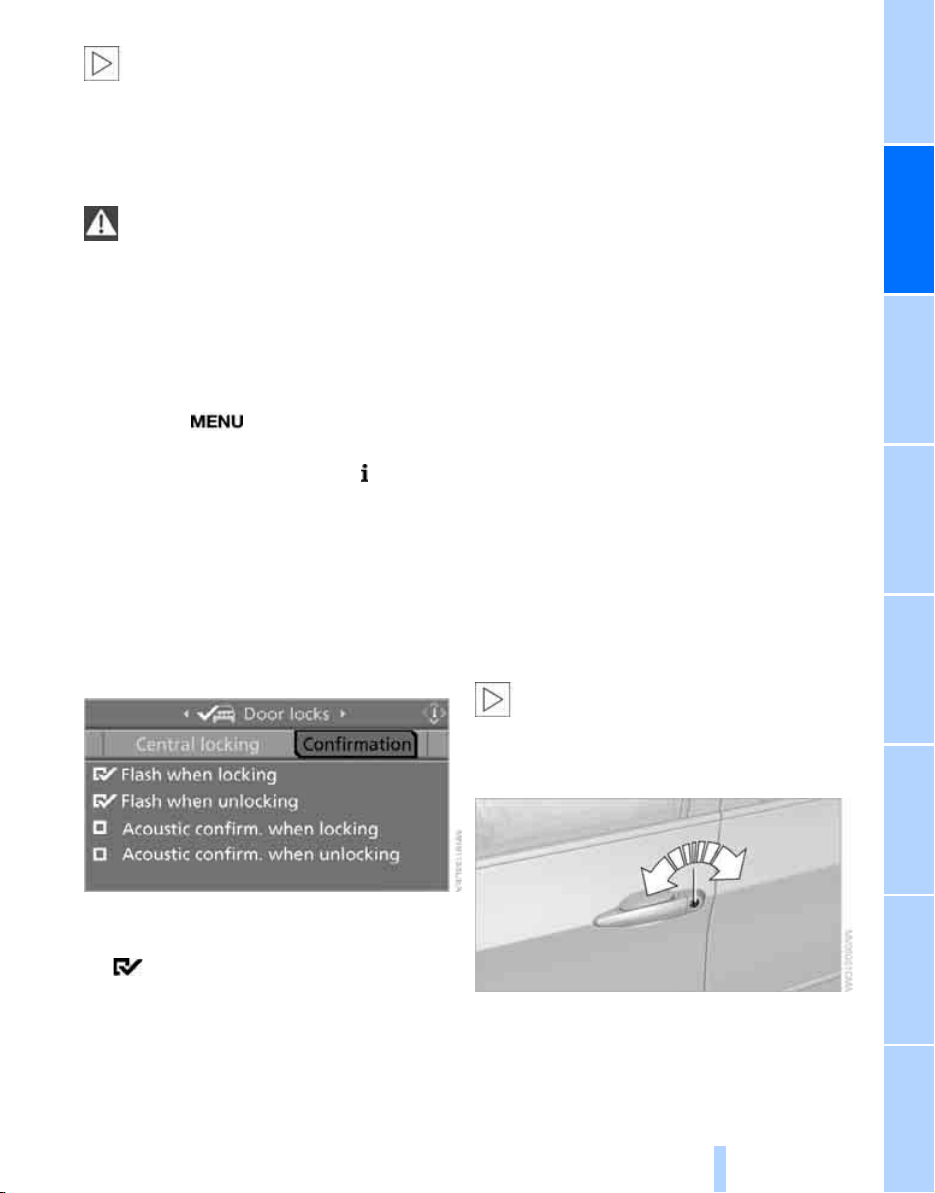
Setting confirmation signals
You can vary or also deactivate the confirmation
signals for locking or unlocking.
1. Press the button.
This opens the start menu.
2. Press the controller to open the menu.
3. Select "Settings" and press the controller.
4. Select "Vehicle / Tires" and press the con-
troller.
5. Change to upper field if necessary. Turn the
controller until "Door locks" is selected and
press the controller.
6. Select "Confirmation" and press the con-
troller.
7. Select the desired signal.
8. Press the controller.
The signal is activated.
Malfunctions
The remote control may malfunction due to
local radio waves. Should the remote control fail
to operate due to interference of this kind,
unlock and lock the vehicle via the door lock
using a key.
If it is no longer possible to lock the vehicle
using the remote control, then the battery is
discharged. Use this remote control during an
extended drive; this will recharge the battery,
refer to page 28.
For US owners only
The transmitter and receiver units comply with
part 15 of the FCC/Federal Communication
Commission regulations. Operation is gov-
erned by the following:
FCC ID:
LX8766S
LX8766E
LX8CAS
LX8CAS2
Compliance statement:
This device complies with part 15 of the FCC
Rules. Operation is subject to the following two
conditions:
> This device must not cause harmful inter-
ference, and
> this device must accept any interference
received, including interference that may
cause undesired operation.
Any unauthorized modifications or
changes to these devices could void the
user's authority to operate this equipment.<
Using door lock
When unlocking
1. Turning the key once unlocks the driver's
door and the fuel filler door.
Online Edition for Part no. 01 41 0 012 501 - © 08/06 BMW AG
Opening and closing
32
2. Turning the key a second time unlocks the
remaining doors and the liftgate.
Comfort operation
You also operate the windows and the pan-
orama glass sunroof
*
from the driver's door
lock.
Turn and hold the key in the positions for
unlocking or locking.
Watch during the closing process to be
sure that no one is injured. Releasing the
key stops the operation.<
Manual operation
In the event of an electrical malfunction, you can
turn a key all the way to the right or left in the
door lock to lock or unlock the driver's door.
Opening and closing: from
inside
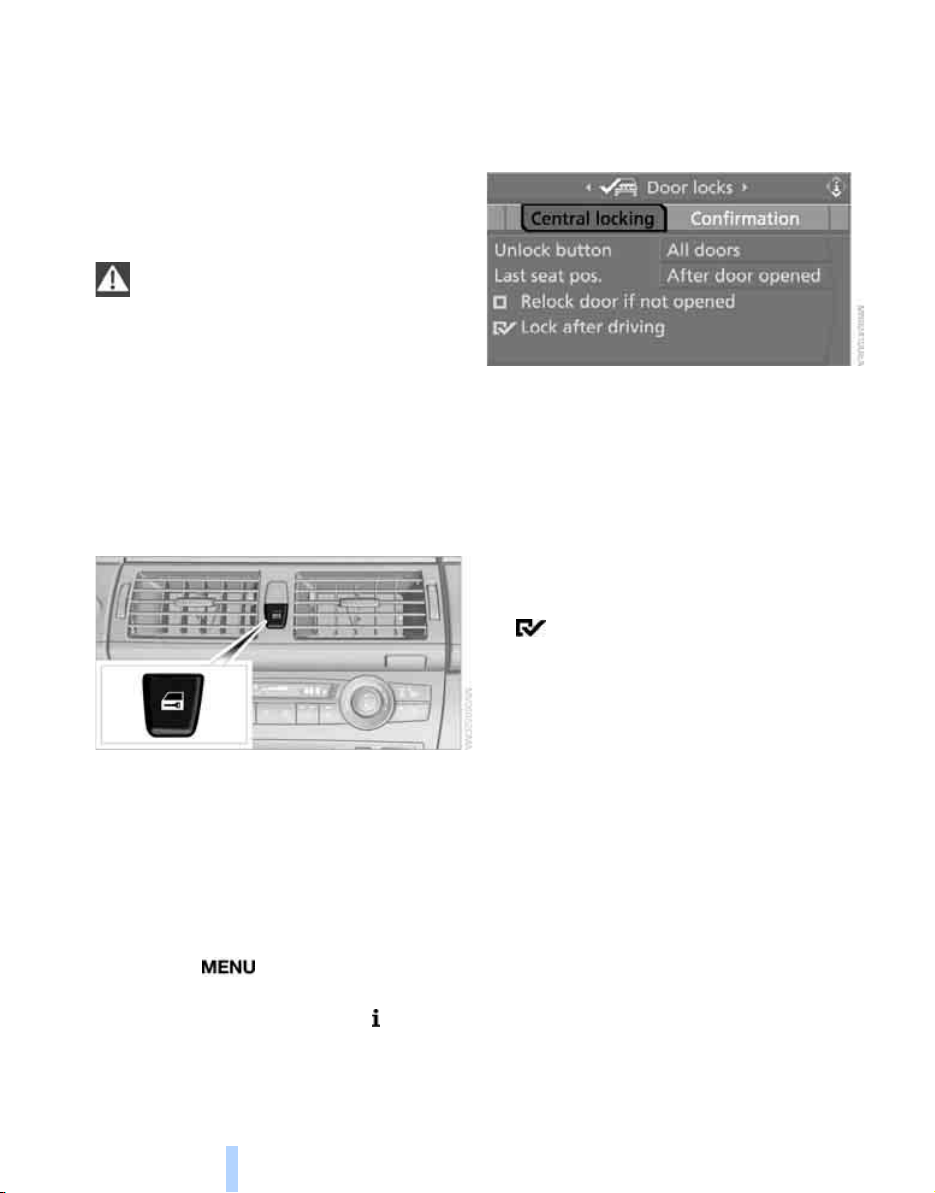
This button serves to unlock or lock doors and
the liftgate, with the front doors closed. It does
not activate the anti-theft system. The fuel filler
door remains unlocked.
You can also set the situations in which the
vehicle is locked.
iDrive, for explanation of concept, refer to
page 16.
1. Press the button.
This opens the start menu.
2. Press the controller to open the menu.
3. Select "Settings" and press the controller.
4. Select "Vehicle / Tires" and press the con-
troller.
5. Change to upper field if necessary. Turn the
controller until "Door locks" is selected and
press the controller.
6. Select "Central locking" and press the con-
troller.
7. Select a menu item:
> "Relock door if not opened"
The central locking system automati-
cally locks the vehicle after a short time
when no door has been opened.
> "Lock after driving"
The central locking system automati-
cally locks the vehicle as soon as you
start to drive.
8. Press the controller.
The setting is selected.
The setting is stored for the remote control cur-
rently in use.
Unlocking and opening doors
> Either unlock the doors together with the
button for the central locking system and
then pull the door handle above the armrest
or
> pull on the door handle of each door twice:
the first time unlocks the door, the second
time opens it.
Locking
> Use the central locking button to lock all of
the doors simultaneously, or
> press down the lock button of a door.
To prevent you from being locked out, the
open driver's door cannot be locked using
the lock button.
Online Edition for Part no. 01 41 0 012 501 - © 08/06 BMW AG
Controls
33
Reference At a glanceDriving tipsCommunications NavigationEntertainmentMobility
Persons or animals left unattended in a
parked vehicle can lock the doors from
the inside. Always take along the remote control
when leaving the vehicle so that the vehicle can
then be opened from the outside.<
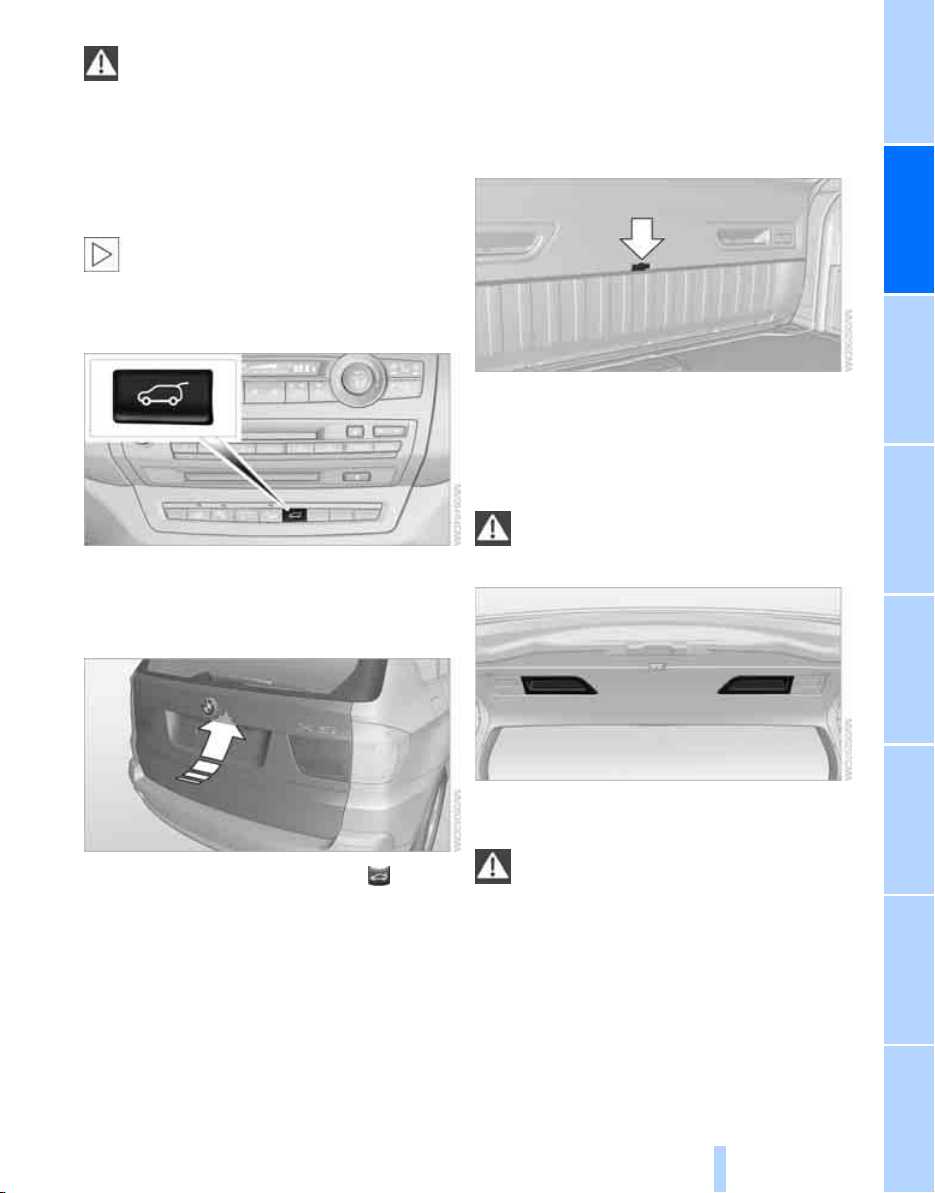
Liftgate
During opening, the liftgate pivots back
and up. Ensure that adequate clearance is
available before opening.<
Opening from inside
Press the button: the liftgate opens somewhat
unless it has been locked.
Opening from outside
Press the button on the liftgate or the button
on the remote control for approx. 1 second:
The liftgate opens somewhat. It can be swung
upward.
Opening manually
In case of an electrical malfunction:
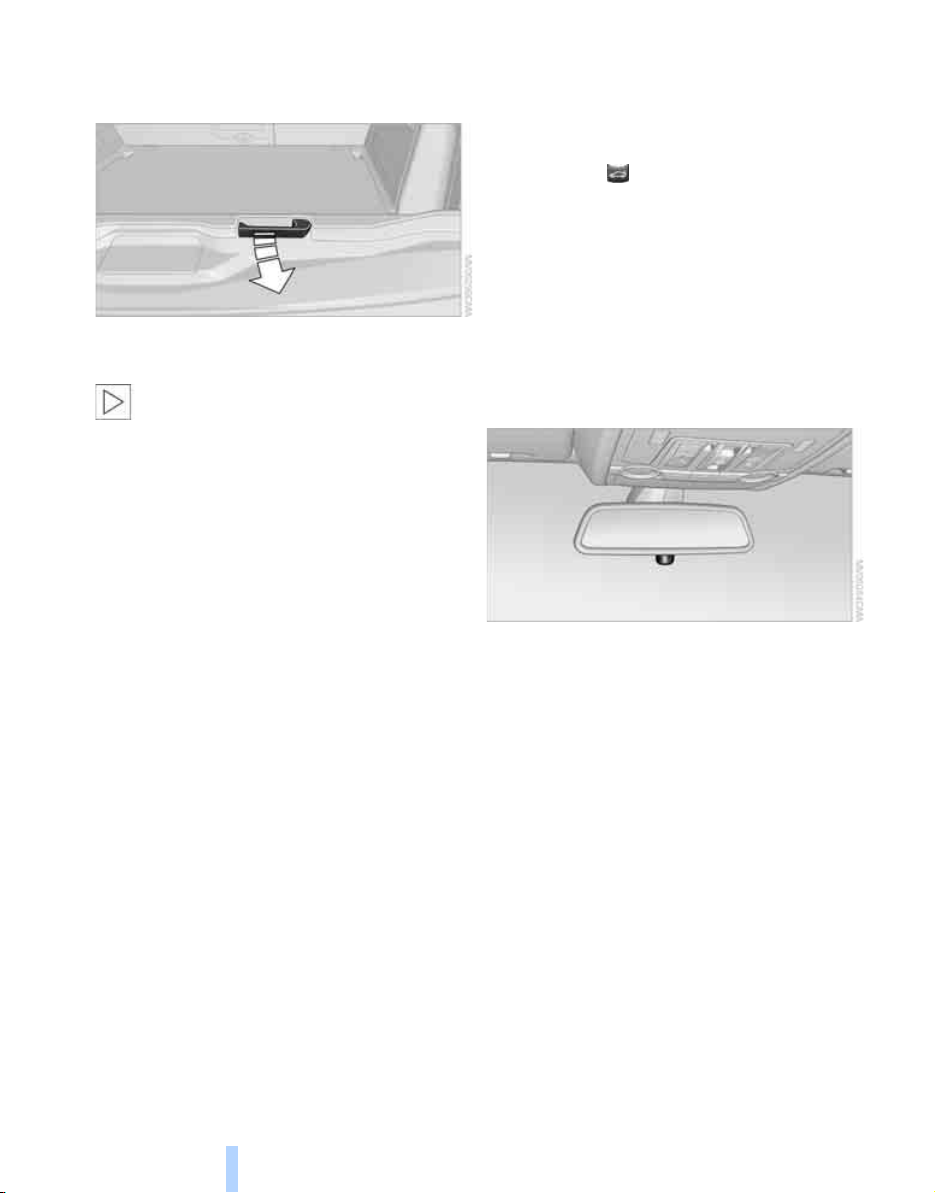
1. From the cargo bay, press out the handle in
the liftgate, refer to arrow, with a screw-
driver and pull. The liftgate is unlocked.
2. Open the liftgate and press in the handle.
The liftgate is locked again as soon as it is
closed.
Closing
Make sure that the closing path of the lift-
gate is clear, otherwise injuries may
result.<
The handle recesses on the interior trim of the
liftgate make it easier to pull down.
If pointed or sharp-edged objects could
strike the rear window while driving, be
sure to provide protection around all edges.
Failure to do so could result in damage to the
heating conductors of the rear window.<
Online Edition for Part no. 01 41 0 012 501 - © 08/06 BMW AG
Opening and closing
34
Tailgate
Opening
Pull lever.
You can fold the tailgate down.
When opened, the tailgate can accept
loads of up to 550lbs./250kg. When the
vehicle is stationary you may, for example, uti-
lize the tailgate as a seat or as a loading platform
for luggage or recreation gear.
Closing
Fold the tailgate up and press closed.
Alarm system
The concept
The vehicle alarm system responds:
> When a door, the hood or the liftgate is
opened
> To movements in the vehicle: interior
motion sensor, refer to page 35
> To changes in the vehicle's tilt if someone
attempts to steal the wheels or tow the
vehicle
> To interruptions in battery voltage
Unauthorized operations are briefly signaled by
the alarm system:
> with an acoustic alarm
> by switching on
the hazard warning flashers
> by flashing the high beams
Arming and disarming alarm system
When you lock or unlock the vehicle, either with
the remote control or at the door lock, the alarm
system is armed or disarmed at the same time.
The liftgate can also be opened with the system
armed with the button on the remote con-
trol, refer to page 30. When the liftgate is
closed, it is locked and monitored again.
Switching off alarm
> Unlock the vehicle using the remote control,
refer to page 30.
> Insert the remote control all the way into the
ignition lock.
Indicator lamp displays
> The indicator lamp under the interior rear-
view mirror flashes continuously: the sys-
tem is armed.
> The indicator lamp flashes after locking: the
doors, hood or liftgate are not properly
closed. Even if you do not close the alerted
area, the system begins to monitor the
remaining areas, and the indicator lamp
flashes continuously after approx. 10 sec-
onds. However, the interior motion sensor
is not activated.
> The indicator lamp goes out after unlocking:
your vehicle has not been disturbed while
you were away.
> The indicator lamp flashes after unlocking
until the remote control is inserted into the
ignition lock, however for a maximum of
approx. 5 minutes: your vehicle has been
disturbed while you were away.
Online Edition for Part no. 01 41 0 012 501 - © 08/06 BMW AG
Controls
35
Reference At a glanceDriving tipsCommunications NavigationEntertainmentMobility
Tilt alarm sensor
The tilt of the vehicle is monitored. The alarm
system reacts, e.g. in case of an attempted
wheel theft or towing.
Interior motion sensor
In order for the interior motion sensor to func-
tion properly, the windows and panorama glass
sunroof
*
must be completely closed.
Avoiding unintentional alarms
The tilt alarm sensor and interior motion sensor
may be switched off at the same time. This pre-
vents unintentional alarms, e.g. in the following
situations:
> In stacking garages
> When transporting on car-carrying trains,
by sea or on a trailer
> When animals are to remain in the vehicle
Switching off tilt alarm sensor and
interior motion sensor
Press the button on the remote control
again as soon as the vehicle is locked.
The indicator lamp lights up briefly and then
flashes continuously. The tilt alarm sensor and
the interior motion sensor are switched off until
the next time the vehicle is unlocked and subse-
quently locked again.
Comfort access*
Comfort access enables you to access your
vehicle without having to hold the remote con-
trol in your hand. It is sufficient to carry the
remote control with you, e.g. in your hand or
jacket pocket. The vehicle automatically
detects the related remote control in the imme-
diate vicinity or in the interior.
Comfort access supports the following func-
tions:
> Unlocking/locking vehicle
> Comfort closing
> Opening liftgate
> Starting engine
Functional requirement
> The vehicle can only be unlocked if the
vehicle detects that the remote control car-
ried is not located in the vehicle interior.
> The next unlocking and locking cycle is not
possible until after approx. 2 seconds.
> The engine can only be started if the vehicle
detects that the remote control is located in
the vehicle interior.
Comparison with ordinary remote
control
You can control the functions mentioned previ-
ously with the comfort access or by pressing
the buttons on the remote control. Therefore,
please familiarize yourself with the information
on opening and closing beginning on page 28
beforehand.
The special features when using comfort
access are described in the following.
Should a short delay occur when opening
or closing the windows or the panorama
glass sunroof
*
, the system is checking whether
a remote control is located in the vehicle. Please
repeat opening or closing if necessary.<
Unlocking
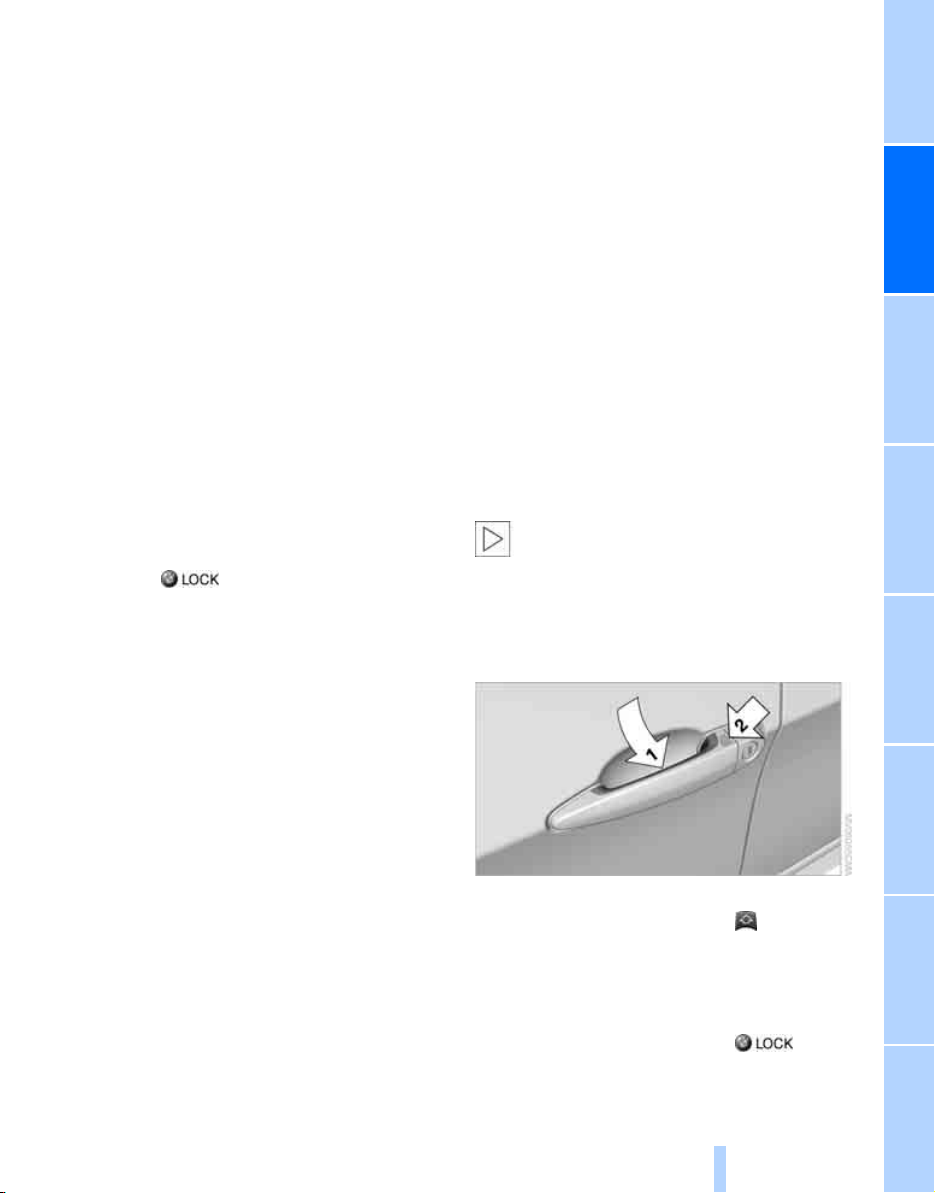
Completely grasp a door handle, arrow 1.
This corresponds to pressing the button.
Locking
Touch the area highlighted in the picture,
arrow 2, with your finger for approx. 1 second.
This corresponds to pressing the but-
ton.
Online Edition for Part no. 01 41 0 012 501 - © 08/06 BMW AG
Opening and closing
36
Please make sure that all electronic sys-
tems/consumers are switched off before
locking to save the battery.<
Comfort closing
Hold a finger or the back of a hand on the sur-
face, arrow 2.
The windows and the panorama glass sunroof
*
are closed.
Watch during the closing process to be
sure that no one is injured. Removing the
hand from the door handle stops the closing
process immediately.<
Opening liftgate
Press the button on the liftgate.
This corresponds to pressing the button.
If a remote control accidentally left in the
cargo bay is detected in the locked vehi-
cle after closing the liftgate, the liftgate opens
again. The hazard warning flashers flash and a
signal
*
sounds.<
Switching on radio readiness
By briefly pressing the Start/Stop button, you
switch on the radio readiness, refer to page 56.
When doing so, do not depress the brake
pedal, otherwise the engine will start.<
Starting engine
You can start the engine or switch on the igni-
tion if a remote control is located in the interior
of the vehicle. It need not be inserted in the igni-
tion lock, refer to page 56.
As long as no remote control is detected in the
vehicle, it is only possible to restart the engine
within approx. 10 seconds after it is switched off
if no door has been opened.
Switching off engine
> Remote control not in ignition lock:
After switching off the engine, the transmis-
sion is automatically switched into trans-
mission position P.
> Remote control in ignition lock:
If transmission position N is engaged, the
transmission remains in this position after
the engine is switched off.
Before driving into a car wash
The vehicle can roll if you proceed according to
the following steps:
1. Insert remote control into ignition lock.
2. Depress brake pedal.
3. Engage transmission position N.
4. Release the parking brake.
5. Switch off the engine.
6. Leave the remote control in the ignition
lock.
Malfunction
The comfort access function may malfunction
due to local radio waves. Then open or close the
vehicle with the buttons on the remote control
or with a key. To start the engine following this,
insert the remote control in the ignition lock.
The warning lamp in the instrument
cluster lights up when an attempt is
made to start the engine: starting the
engine is not possible. The remote control is
not in the vehicle or has a malfunction. Take
along the remote control into the vehicle or
have it checked. Insert another remote control
into the ignition lock if necessary.
The warning lamp in the instrument
cluster lights up when the engine is
running: the remote control is no
longer in the vehicle. After switching off the
engine, the engine can only be started again
within approx. 10 seconds if no door has been
opened.
The indicator lamp in the instrument
cluster flashes and a message
appears on the Control Display:
replace the battery of the remote control.
Online Edition for Part no. 01 41 0 012 501 - © 08/06 BMW AG
Controls
37
Reference At a glanceDriving tipsCommunications NavigationEntertainmentMobility
Replacing battery
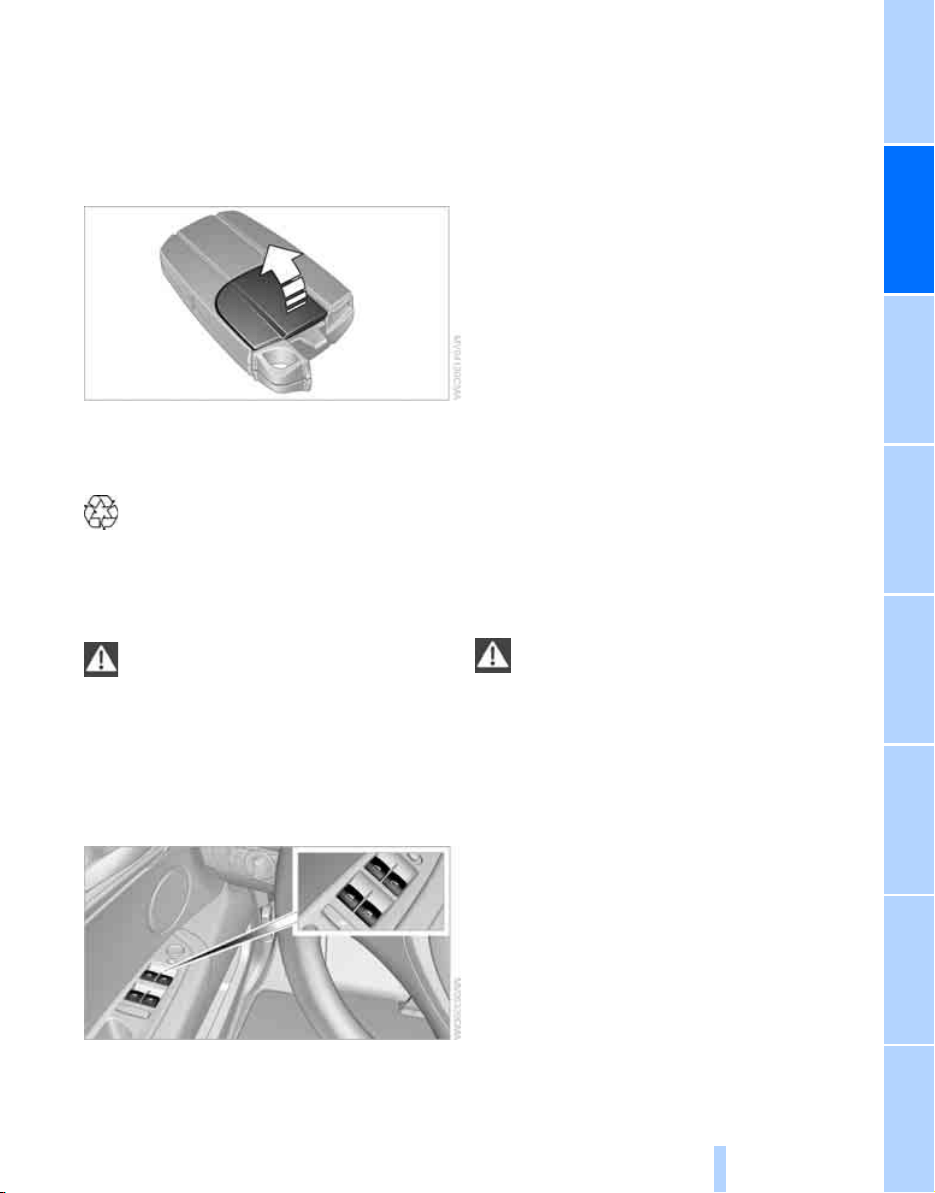
The remote control for comfort access contains
a battery which must be replaced if necessary.
1. Remove integrated key from remote con-
trol, refer to page 28.
2. Remove cover.
3. Lay in new battery with positive side facing
upward.
4. Press cover closed.
Dispose of used batteries at a collection
point or at your BMW Sports Activity
Vehicle Center.<
Windows
To prevent injuries, exercise care when
closing the windows and keep them in
your field of vision until they are shut.
Always take along the remote control when you
leave the vehicle, otherwise children could, for
example, operate the windows and injure them-
selves.<
Opening, closing
> Press switch to resistance point:
The window continues to open as long as
you keep the switch pressed.
> Press switch beyond resistance point:
The window opens automatically. Pressing
the switch again stops the opening move-
ment.
You can close the windows in the same manner
by pulling the switch.
Separate switches for the rear windows are
located in the rear.
For information on using the comfort operation
at the door lock or with the remote control, refer
to page 30 or 32.
For information on comfort closing with comfort
access, refer to page 36.
After switching off ignition
You can still operate the windows with the
remote control removed or the ignition
switched off for approx. 1 minute, as long as
neither of the front doors has been opened.
Pinch protection system
If the closing force rises beyond a predefined
threshold during closing, the system will stop
moving the window prior to lowering it again
slightly.
Despite the pinch protection system,
inspect the window's travel path prior to
closing it, as the safety system might fail to
detect certain kinds of obstructions, such as
thin objects, and the window would continue
closing.
Do not install any accessories in the range of
movement of the windows, otherwise the pinch
protection system will be impaired.<
Closing without pinch protection
system
In case of danger from outside or if, for example,
ice on the window prevents normal closing, pro-
ceed as follows:
1. Pull the switch beyond the resistance point
and hold. The pinch protection system is
limited and the window opens slightly if the
closing force exceeds a certain value.
2. Pull the switch beyond the resistance point
and hold again within approx. 4 seconds.
Online Edition for Part no. 01 41 0 012 501 - © 08/06 BMW AG
Opening and closing
38
The window closes without the pinch pro-
tection system.
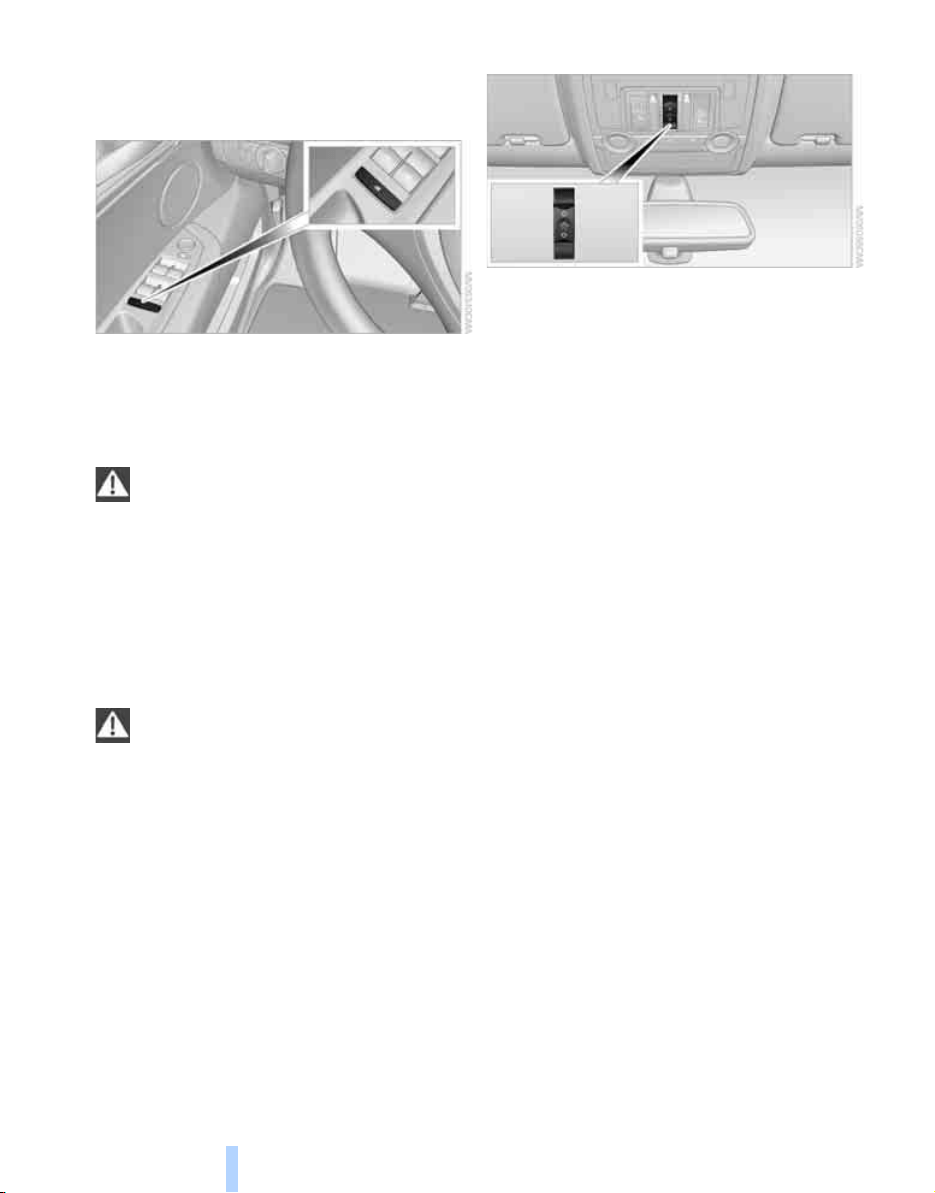
Safety switch
With the safety switch, you can prevent the rear
windows from being opened or closed via the
switches in the rear passenger area, by chil-
dren, for example. The LED lights up when this
safety feature is activated.
Always press the safety switch when chil-
dren ride in the rear, otherwise uncon-
trolled closing of the windows could lead to
injuries.<
Panorama glass sunroof*
The panorama glass sunroof is ready for opera-
tion with the ignition switched on, refer to
page 56.
To prevent injuries, exercise care when
closing the panorama glass sunroof and
keep it in your field of vision until it is closed.
Always take along the remote control when you
leave the vehicle, otherwise children could, for
example, operate the roof and injure them-
selves.<
Raising, opening, closing
Press the switch or slide it in the desired direc-
tion up to the resistance point.
With the sliding visor open, the roof can be
closed, opened and raised independently.
With the sunroof closed or raised, the sliding
visor can be opened and closed independently.
For information on using the comfort operation
at the door lock or with the remote control, refer
to page 30 or 32.
For information on comfort closing with comfort
access, refer to page 36.
Ventilation setting
Press the switch:
The sunroof is raised and the sliding visor is
opened slightly.
Opening and closing automatically
Press the switch beyond the resistance point.
Pressing the switch again stops the motion.
Opening and closing sunroof and
sliding visor together
Press the switch beyond the resistance point
twice consecutively.
Pressing the switch again stops the motion.
Comfort position
Each time the panorama glass sunroof is com-
pletely opened and then closed, it stops in the
comfort position. If desired, continue the
motion following this with the switch.
In the comfort position the wind noises in the
interior are reduced.
Online Edition for Part no. 01 41 0 012 501 - © 08/06 BMW AG
Controls
39
Reference At a glanceDriving tipsCommunications NavigationEntertainmentMobility
Pinch protection system
If the panorama glass sunroof or sliding visor
encounter resistance when closing from
roughly one third of the sunroof opening or
when closing from the raised position, the clos-
ing action is interrupted and the panorama
glass sunroof and sliding visor reopen a little.
Despite the pinch protection system,
inspect the sunroof's travel path prior to
closing it, as the safety system might fail to
detect certain kinds of obstructions, such as
very thin objects, and the sunroof would con-
tinue closing.<
Closing without pinch protection
system
In case of danger from outside, press the switch
beyond the resistance point and hold. The roof
closes without the pinch protection system.
Following interruptions in electrical
power supply
After a power loss, the sunroof may only
respond to the raise command. Then have the
system initialized. BMW recommends having
this work carried out by your BMW Sports
Activity Vehicle Center.
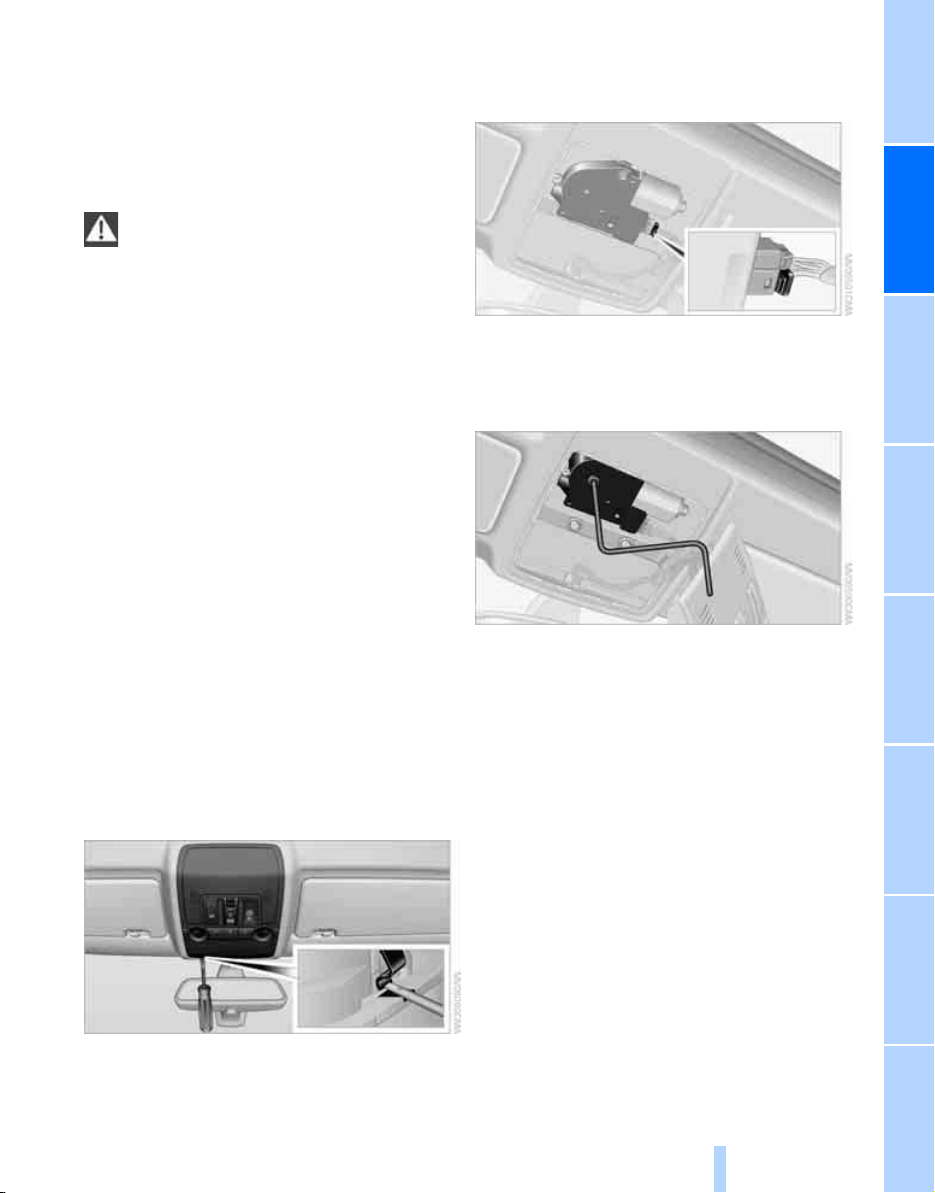
Moving manually
In the event of an electrical malfunction, you can
move the roof manually:
1. Fold down the cover. To do this, press the
clips in the notches on each side with a
screwdriver.
2. Remove the operating unit.
3. Remove the engine connector. The effort
required for manual movement is consider-
ably reduced.
4. Remove the Allen key from the mounting
next to the toolkit and insert it in the open-
ing provided. Move the panorama glass
sunroof in the desired direction.
5. Reinstall the operating unit.
Online Edition for Part no. 01 41 0 012 501 - © 08/06 BMW AG

Adjusting
40
Adjusting
Sitting safely
The ideal sitting position can make a vital con-
tribution to relaxed, fatigue-free driving. In the
interaction with the safety belts, the head
restraints and the airbags, the seat position
plays an important role in an accident. To
ensure that the safety systems operate with
optimal efficiency, we strongly urge you to
observe the instructions contained in the fol-
lowing section.
For additional information on Transporting chil-
dren safely, refer to page 52.
Airbags
Always maintain an adequate distance
between yourself and the airbags. Always
hold the steering wheel by its rim with hands at
the 9 o'clock and 3 o'clock positions, to mini-
mize the risk of injuries to your hands and arms
in the event of airbag deployment.
No one and nothing is to come between the air-
bags and the seat occupant.
Do not use the cover of the front airbag on the
front passenger side as a storage area. Make
sure that the front passenger is sitting correctly
and does not rest feet or legs on the instrument
panel, otherwise leg injuries can occur if the
front airbag is triggered.
Make sure that occupants do not rest their head
on the side or head airbag, otherwise injuries
can occur if the airbags are triggered.<
Even if you adhere to all the instructions, inju-
ries resulting from contact with airbags cannot
be fully excluded, depending on the circum-
stances. The ignition and inflation noise may
provoke a mild hearing loss in extremely sensi-
tive individuals. This effect is usually only tem-
porary.
For airbag locations and additional information
on airbags, refer to page 92.
Head restraints
A correctly adjusted head restraint reduces the
risk of spinal injury in the event of an accident.
Adjust the head restraint so that its center
is approx. at ear level. Otherwise there is
increased danger of injury in the event of an
accident.<
Push the head restraints of the 3rd row seats
*
into the top position.
Head restraints, refer to page 43.
Safety belts
Before every drive, make sure that safety belts
are being worn at all of the occupied seats. Air-
bags complement the safety belt as an addi-
tional safety device, but they do not represent a
substitute.
Depending on its equipment, your vehicle has
either five or seven seats, which are all provided
with a safety belt.
Never allow more than one person to
wear a single safety belt. Never allow
infants or small children to ride in a passenger's
lap. Make sure that the belt lies low around the
hips in the lap area and does not press on the
abdomen. The safety belt may not lie across the
neck, rub on sharp edges, be routed over solid
or breakable objects or be pinched. Wear the
safety belt without twisting, snugly across the
lap and shoulders, as close to the body as pos-
sible. Otherwise the belt can slip over the hips
in the lap area in a frontal impact and injure the
abdomen. Avoid wearing clothing that prevents
the belt from fitting properly and pull the belt in
the upper body area periodically to readjust the
tension, in order to avoid a reduction in the
restraint of the safety belt.
If the center safety belt in the rear is used, the
larger backrest half must be locked, refer to
page 117, otherwise the center safety belt has
no restraining action.<
Safety belts, refer to page 45.
Online Edition for Part no. 01 41 0 012 501 - © 08/06 BMW AG
Controls
41
Reference At a glanceDriving tipsCommunications NavigationEntertainmentMobility
Seats
Note before adjusting
Never attempt to adjust or calibrate your
seat while the vehicle is moving. The seat
could respond with unexpected movement, and
the ensuing loss of vehicle control could lead to
an accident.
Never adjust manually adjustable seats while
the vehicle is moving, as otherwise the restrain-
ing effect of these seats during accidents could
be reduced.
Also on the passenger side, do not incline the
backrest too far to the rear while the vehicle is
being driven, otherwise there is a danger in the
event of an accident of sliding under the safety
belt, eliminating the protection normally pro-
vided by the belt.<
Also observe the information on damage to
safety belts on page 46 and on the height of the
head restraints on page 43.
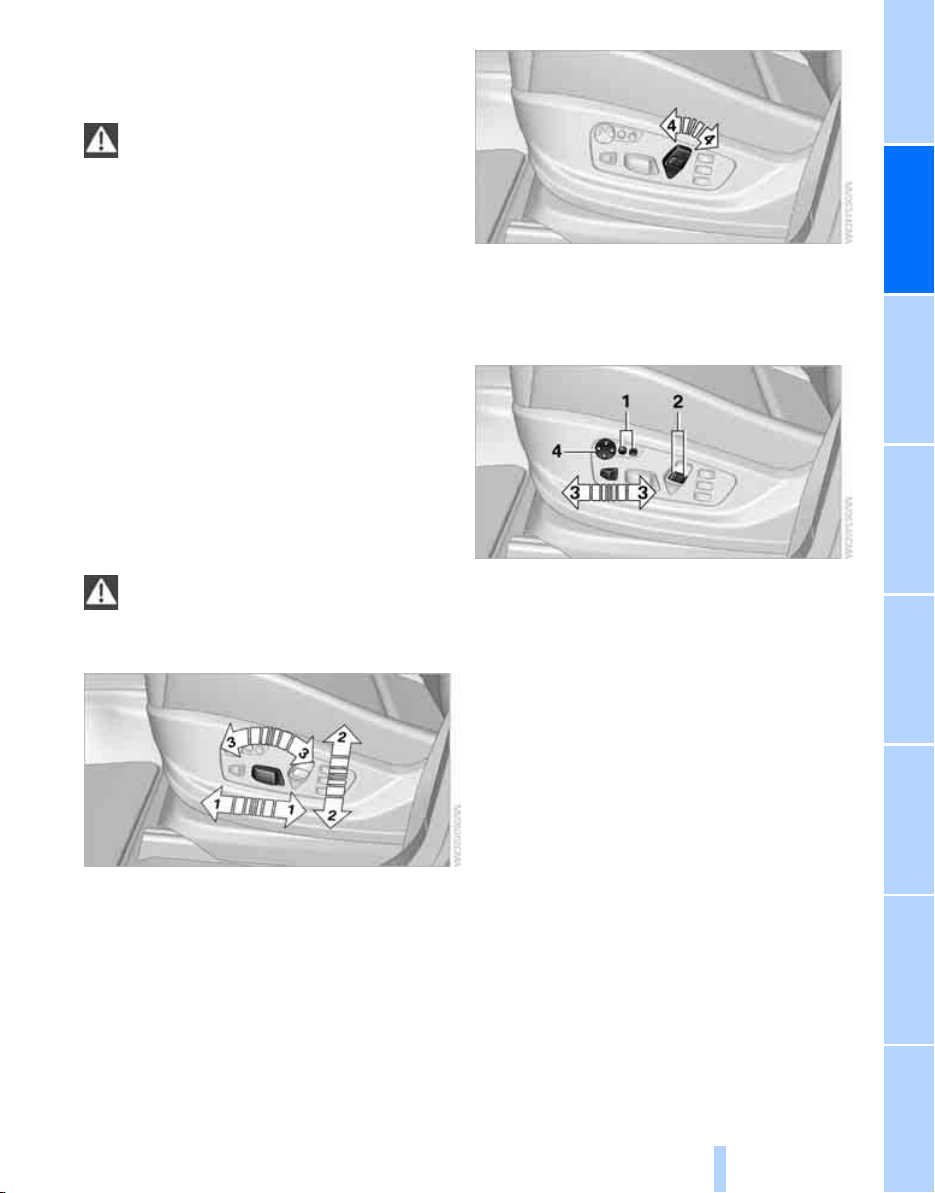
Adjusting seat
To ensure that the safety systems con-
tinue to provide optimized protection,
please observe the adjustment instructions on
page 40.<
1 Longitudinal direction
2 Height
3 Angle
4 Backrest
Adjusting comfort seat*
In this seat, you can also adjust:
1 Backrest width
2 Shoulder support
3 Thigh support
4 Lumbar support
*
, see below
Backrest width
The width of the backrest can be changed with
the side wings to adjust the side support to your
own needs.
Shoulder support
This also supports the back in the shoulder
area, provides a relaxed sitting position and
helps relieve stress on the shoulder muscles.
Online Edition for Part no. 01 41 0 012 501 - © 08/06 BMW AG
Adjusting
42
Adjusting lumbar support*
You can also adjust the contour of the backrest
to obtain additional support in the lumbar
region.
The upper hips and spinal column receive sup-
plementary support to help you maintain a
relaxed, upright sitting position.
> Increase or decrease curvature: press front
or rear section of switch.
> Shift curvature up or down: press upper or
lower section of switch.
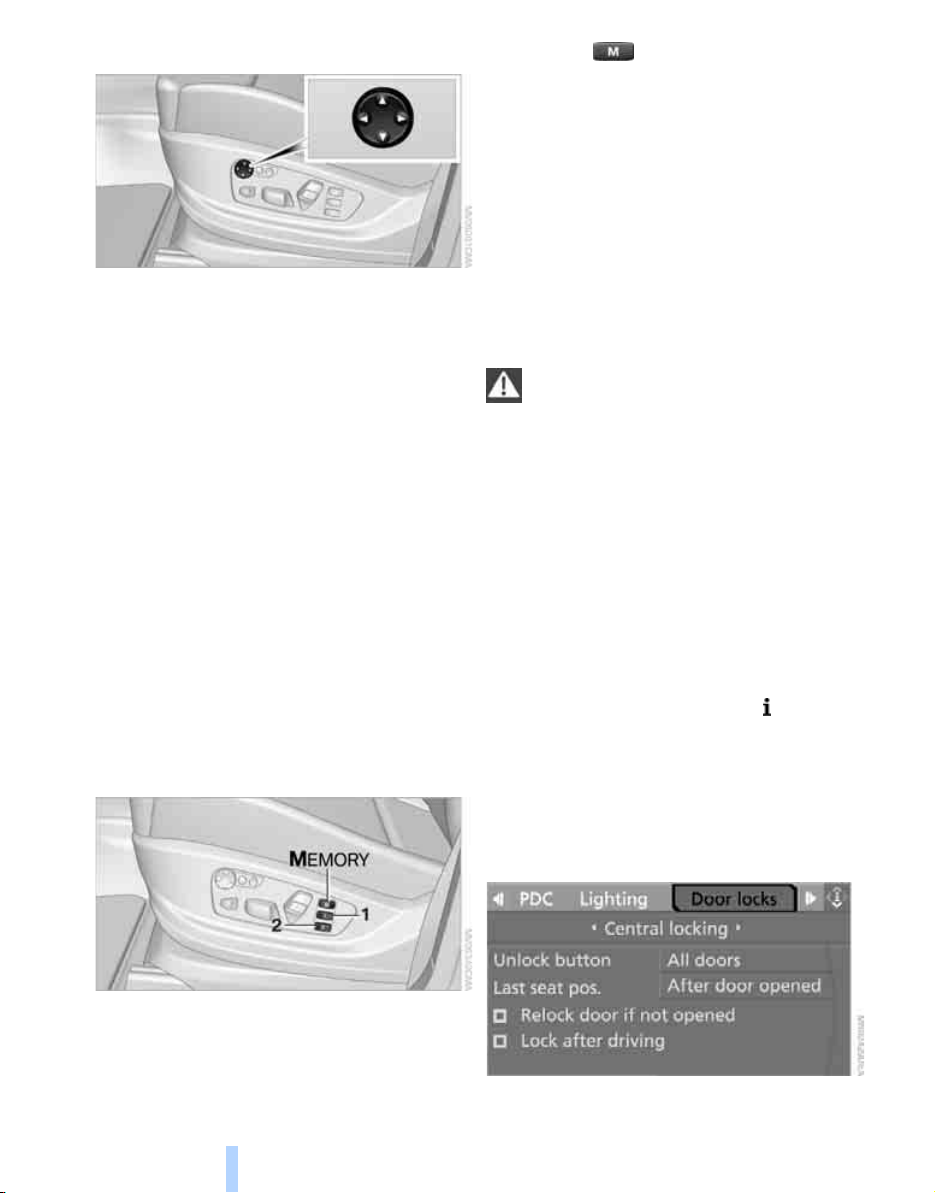
Seat, mirror and steering
wheel memory*
You can store and select two different adjust-
ment settings for the driver's seat, exterior mir-
rors and steering wheel.
The adjustment of the backrest width and lum-
bar support is not stored in the memory.
Storing
1. Switch on radio readiness or ignition, refer
to page 56.
2. Set the desired seat, exterior mirror and
steering wheel positions.
3. Press the button:
The LED in the button lights up.
4. Press the desired memory button 1 or 2:
The LED goes out.
The driver's seat and exterior mirror posi-
tions are stored for the remote control cur-
rently in use.
Calling up automatically
You can choose when the stored driver's seat
and exterior mirror positions are called up.
> Calling up when unlocking vehicle
> Calling up when opening driver's door
When using this feature, always make
sure that the footwell behind the driver's
seat is empty and unobstructed. Failure to do
so could cause injury to persons or damage to
objects behind the seat as a result of a rearward
movement of the seat.<
The system cancels the adjustment procedure
when you briefly press one of the seat adjust-
ment switches or one of the memory buttons.
Selecting calling up automatically
iDrive, for explanation of concept, refer to
page 16.
1. Open the start menu.
2. Press the controller to open the menu.
3. Select "Settings" and press the controller.
4. Select "Vehicle / Tires" and press the con-
troller.
5. Change to upper field if necessary. Turn the
controller until "Door locks" is selected and
press the controller.
Online Edition for Part no. 01 41 0 012 501 - © 08/06 BMW AG

Controls
43
Reference At a glanceDriving tipsCommunications NavigationEntertainmentMobility
6. Select "Central locking" and press the con-
troller.
7. Select "Last seat pos." and press the con-
troller.
8. Select "After unlocking" or "After door
opened".
9. Press the controller.
Deactivating calling up automatically
Select "Deactivated" and press the controller.
Calling up manually
Do not call up a position from the memory
while the vehicle is moving. There is a risk
of accident from unexpected movement of the
seat or steering wheel.<
Comfort mode
1. Open the driver's door after unlocking or
switch on radio readiness.
2. Briefly press the desired memory button 1
or 2.
The system cancels the adjustment procedure
when you briefly press one of the seat adjust-
ment switches or one of the memory buttons.
Safety feature
1. Close the driver's door and switch the igni-
tion on or off.
2. Press the desired memory button 1 or 2
and maintain pressure until the adjustment
process has been completed.
If the button was pressed inadvertently:
press the button again; the LED goes out.
Head restraints
A correctly adjusted head restraint reduces the
risk of spinal injury in the event of an accident.
Adjust the head restraint so that its center
is approx. at ear level. Otherwise there is
increased danger of injury in the event of an
accident. Only remove the head restraints if the
respective seat is not occupied. Reinstall the
head restraints before transporting passen-
gers, as otherwise the head restraint cannot
provide its protective function.<
Front seats: setting the height of the
head restraint
You can adjust the height of the head restraints
electrically.
Removing:
1. Tilt the backrest toward the rear.
2. Move the head restraint up as far as possi-
ble.
3. Pull out the head restraint completely with a
firm movement.
Installing:
1. Push the switch upward for a maximum of
approx. 10 seconds, however if possible
only until a change of the humming noise
indicates that the installed head restraint
would have been moved all the way to the
top.
2. Insert the head restraint and press down on
both sides until it is heard and felt to
engage.
Online Edition for Part no. 01 41 0 012 501 - © 08/06 BMW AG
Adjusting
44
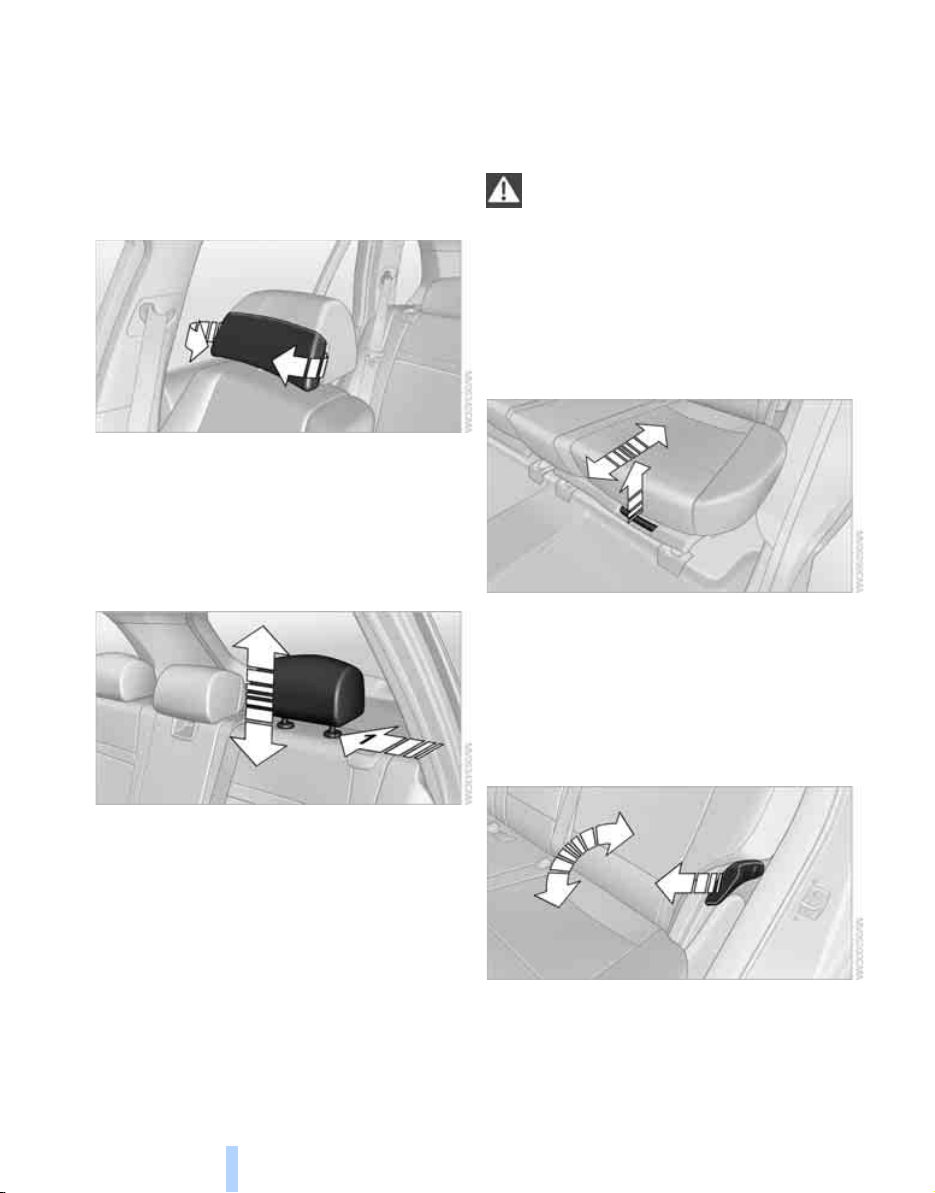
Front seats: setting the angle of the
head restraint
Swivel the head restraint.
With the comfort seat, use the shoulder support
to set the distance to the back of the head.
Adjusting side extensions* of head
restraints with comfort seat
You can fold the side extensions on the head
restraint forward for increased lateral support in
the resting position.
Rear seats and 3rd row seats*
Adjusting height
> To raise: pull up.
> To lower: press the button, arrow 1, and
push the head restraint downward.
Rear seats
2nd row seats*
The 2nd row seats are divided. You can adjust
each side separately.
Never adjust the 2nd row seats while the
vehicle is moving, as otherwise the pas-
sengers on the 3rd row seats could be injured.
Make sure that the locking devices of the 2nd
row seats properly engage following adjust-
ment. Otherwise the restraining effect of the
safety belts during an accident could be
reduced.<
Longitudinal direction
n
1. Pull the lever and slide the seat into the
desired position.
2. Release the lever and move the seat slightly
forward or back so that it engages properly.
Backrest
The backrests can be adjusted in four steps.
n
Pull the lever and apply weight to or remove
weight from the backrest as needed.
Online Edition for Part no. 01 41 0 012 501 - © 08/06 BMW AG
Controls
45
Reference At a glanceDriving tipsCommunications NavigationEntertainmentMobility
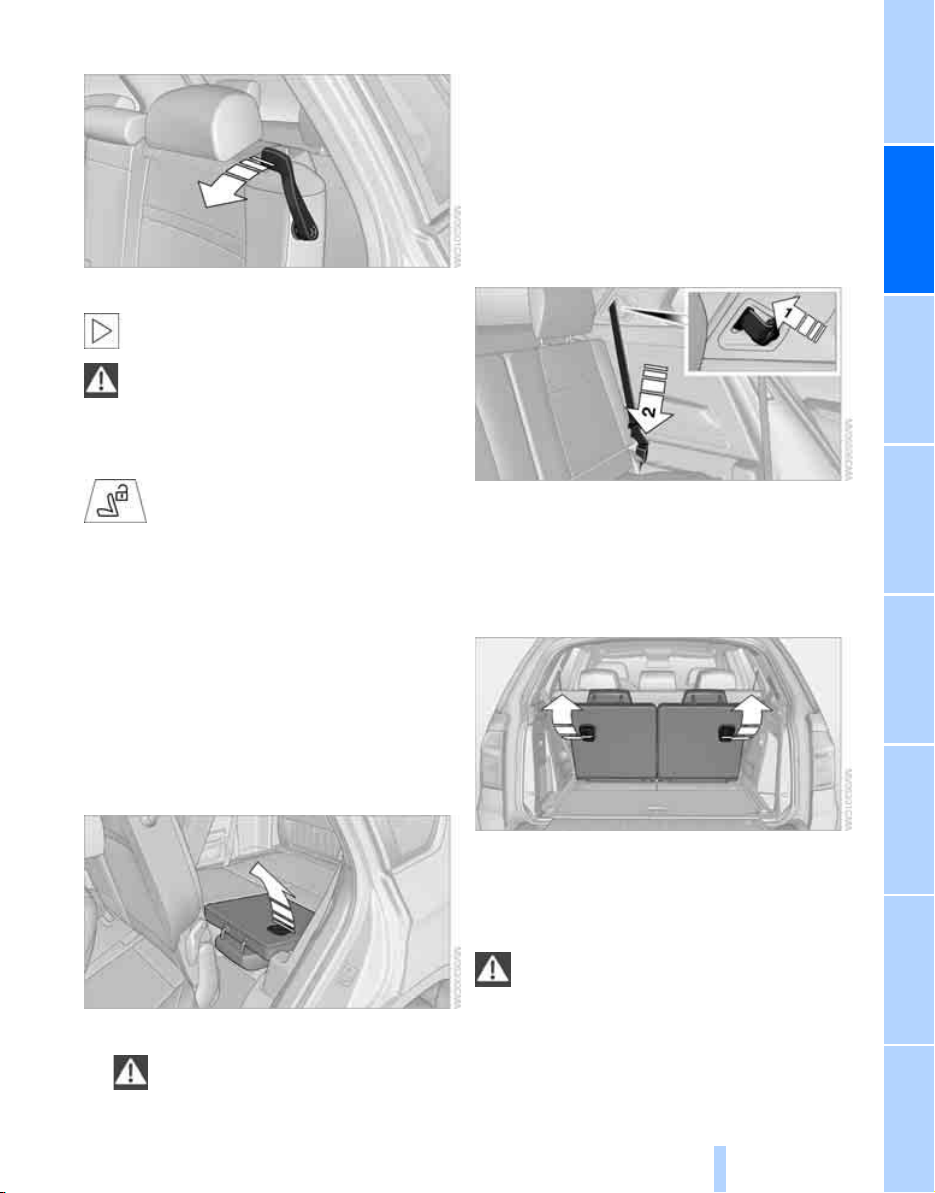
Access to 3rd row seats
n
Pull the lever and fold the seat forward.
The handle recess on the interior trim of
the door pillar makes climbing in easier.<
When folding back the 2nd row seats,
make sure that the footwell under the
2nd row seats is clear. Otherwise persons in the
3rd row seats could be injured or objects dam-
aged.<
Warning lamp for 2nd row seats:
Lights up when the second row seats
are not locked. A message also
appears on the Control Display.
3rd row seats*
The 3rd row seats are divided and offer space
for two persons.
Folding up backrest
Before folding up the backrest, remove the roll-
up cover, refer to page, 116.
1. Pull the lever, refer to arrow. The backrest is
unlocked.
n
2. Fold up and engage the backrest.
Make sure that the catch engages
securely. If it is not properly engaged,
transported cargo could enter the passen-
ger compartment during braking or evasive
maneuvers and endanger the vehicle occu-
pants.<
3. Push the head restraints into the top posi-
tion.
4. Release the latch plate on the safety belt
from the mount, refer to arrow 1, and insert
it into the buckle of the safety belt, refer to
arrow 2. The latch plate must audibly
engage.
n
Folding backrest down
1. Push down the head restraint, refer to
page 44.
2. Pull the lever, refer to arrows. The backrests
are released.
n
3. Fold the backrest down.
Safety belts
To ensure that the safety systems con-
tinue to provide optimized protection,
please observe the adjustment instructions on
page 40.<
Before every drive, make sure that safety belts
are being worn at all of the occupied seats. Air-
bags complement the safety belt as an addi-
Online Edition for Part no. 01 41 0 012 501 - © 08/06 BMW AG
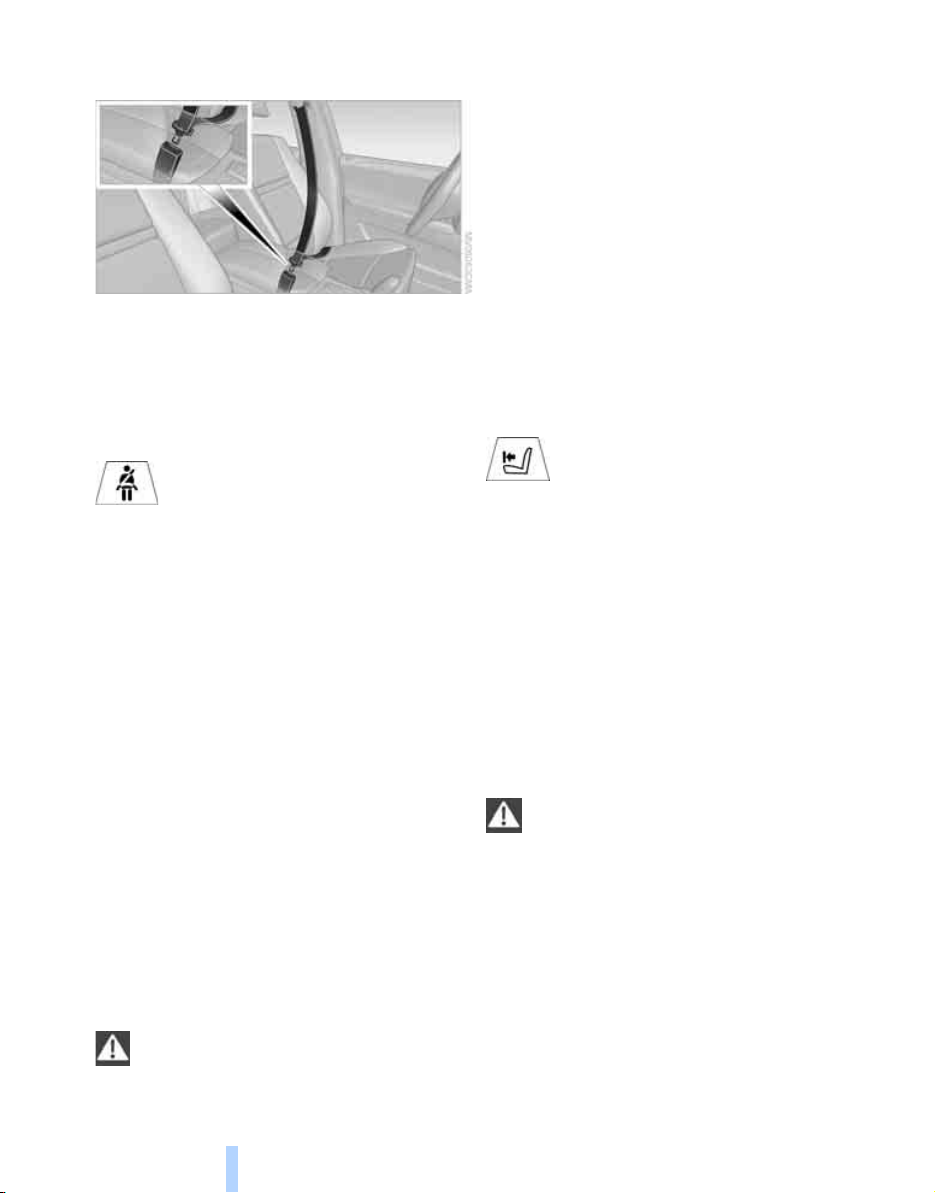
Adjusting
46
tional safety device, but they do not represent a
substitute.
n
Fastening
Make sure you hear the latch plate engage in
the belt buckle.
Safety belt reminder for driver's seat
and passenger seat
The indicator lamp lights up and a
signal sounds. A message also
appears on the Control Display.
Please check whether the safety belt is cor-
rectly fastened.
The safety belt reminder is operative at speeds
above approx. 5 mph/8 km/h. It can also be acti-
vated if objects are placed on the passenger
seat.
Releasing
1. Grasp the belt firmly.
2. Press the red button in the buckle.
3. Guide the belt into its reel.
The shoulder strap's anchorage point will be
correct for adult seat occupants of every build if
the seat is correctly adjusted, refer to page 41.
The two rear safety belt buckles integrated into
the rear seat are for passengers sitting on the
left and right. The belt buckle embossed with
the word CENTER is intended exclusively for
use by passengers riding in the center position.
Damage to safety belts
In the event of loads caused by accidents
or other damage: replace the belt system
including the safety belt tensioners and any
child restraint systems, and have the belt
anchor points checked. Only have this work
carried out at a BMW Sports Activity Vehicle
Center or at a workshop that works according to
BMW repair procedures with correspondingly
trained personnel. Otherwise correct operation
of this safety equipment is not guaranteed.<
Belt-force limiter
The effect of the belt-force limiter on the
driver's seat is dependent on the position of the
driver's seat.
To maintain the long-term accuracy of this
function, the driver's seat must be calibrated if a
corresponding message is displayed on the
Control Display.
Calibrating driver's seat
The warning lamp lights up. A mes-
sage also appears on the Control Dis-
play. Please calibrate the driver's
seat.
1. Move the driver's seat forward until it stops.
2. Move the driver's seat forward again. It
briefly moves toward the front in the pro-
cess.
3. Set the desired seating position again.
The calibration is completed when the message
on the Control Display disappears. Should this
message continue to be displayed, repeat the
calibration. If the message does not disappear
even after repeated calibration, have the sys-
tem checked as soon as possible.
Never carry out calibration while the vehi-
cle is moving, as otherwise accidents
could occur.
During the calibration, make sure that no per-
sons or objects are pinched, as otherwise inju-
ries or damage could occur.<
Online Edition for Part no. 01 41 0 012 501 - © 08/06 BMW AG
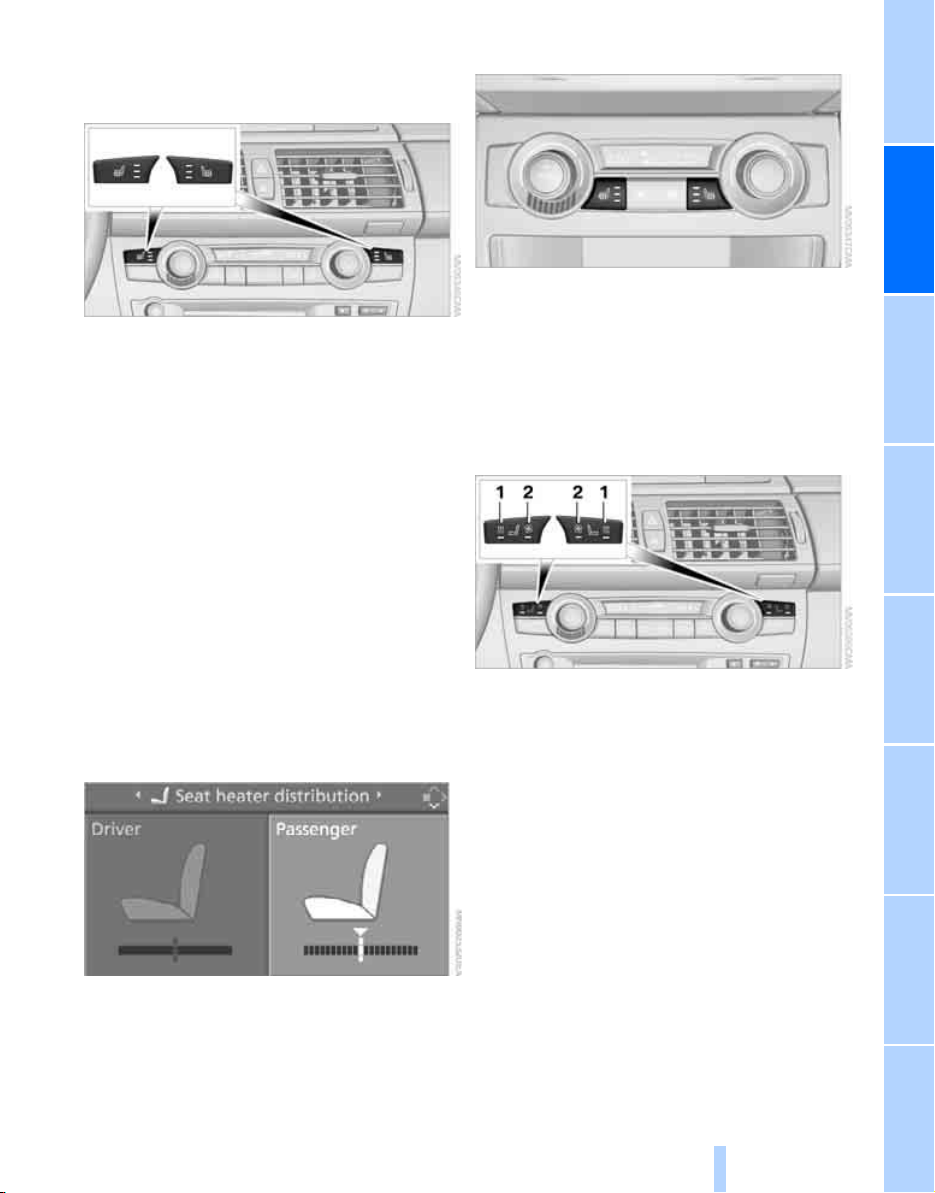
Controls
47
Reference At a glanceDriving tipsCommunications NavigationEntertainmentMobility
Seat heating*
Front
The temperature setting progresses one step
through its control sequence each time you
press the button. The maximum temperature is
supplied when three LEDs are lit.
To switch off: press the button longer.
Temperature distribution
The heat output can be distributed variously in
the seat cushion and the backrest.
iDrive, for explanation of concept, refer to
page 16.
1. Open the start menu.
2. Move the controller to the left to open
"Climate".
3. Select "Seat heater distribution" and press
the controller.
4. Move the controller to the left or right to
select "Driver" or "Passenger".
5. Turn the controller. The adjustment is
applied; the field can be changed.
Rear
Operation similar to front seat heating; without
temperature distribution.
Active seat ventilation* and
seat heating*
Front
1 Seat heating
2 Active seat ventilation
Press button 1 or 2 once depending on the
temperature or ventilation position. The LED in
the respective button lights up.
The temperature or ventilation positions are
indicated on the Control Display, refer to tem-
perature or air distribution.
To switch off: press and hold button 1 or 2.
Temperature or air distribution
The heat output or ventilation can be distrib-
uted variously in the seat cushion and the back-
rest.
iDrive, for explanation of concept, refer to
page 16.
Online Edition for Part no. 01 41 0 012 501 - © 08/06 BMW AG
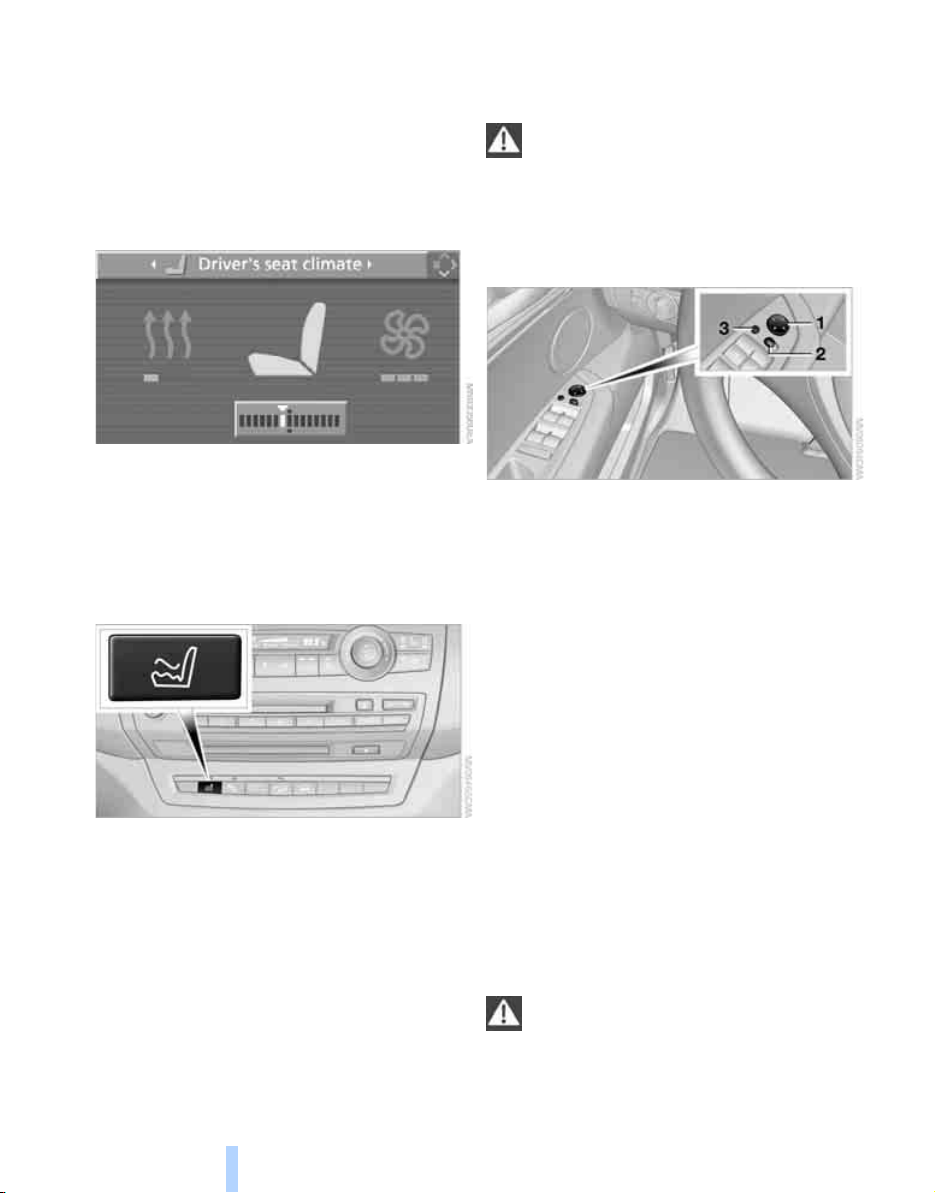
Adjusting
48
1. Open the start menu.
2. Move the controller to the left to open
"Climate".
3. Select "Driver's seat climate" or "Passen-
ger's seat climate" and press the controller.
4. Turn the controller to adjust the distribu-
tion.
The setting is applied.
Heated rear seats
Operation similar to front seat heating; without
temperature distribution, refer to page 47.
Active seat*
The seat cushion is actively varied by alter-
nately raising and lowering the right and left half
of the seat cushion. This reduces muscular ten-
sion and fatigue to help prevent lower back
pain.
Press the button to switch on; the LED lights
up.
If you switch off the active seat, it can take up
to 1 minute before the two halves of the seat
cushion have returned to their initial position.
Mirrors
Exterior mirrors
The mirror on the passenger's side is
more curved than the driver's mirror.
Objects reflected in the mirror are closer than
they appear. Do not estimate the distance of
following traffic based on what you see in the
mirrors, otherwise there is an increased acci-
dent risk.<
1 Adjusting
2 Switching to the other mirror or to the auto-
matic curb monitor
3 Folding mirrors in and out
*
Storing the mirror positions, refer to Seat, mir-
ror and steering wheel memory on page 42.
Manual adjustment
You can also adjust the mirrors manually by
pressing against the outer edges of their mirror
glass.
Folding mirrors in and out*
Pressing button 3 allows you to fold the mirrors
in and out again up to a speed of approx.
12 mph/20 km/h. This is advantageous, for
example, in car washes, narrow streets or for
bringing mirrors that have been manually folded
in back into the correct position.
Folded in mirrors fold out again at a speed of
approx. 25 mph/40 km/h.
Before going through a car wash, fold the
mirrors in manually, or with button 3, oth-
erwise they could be damaged, depending on
the width of the car wash system.<
Online Edition for Part no. 01 41 0 012 501 - © 08/06 BMW AG
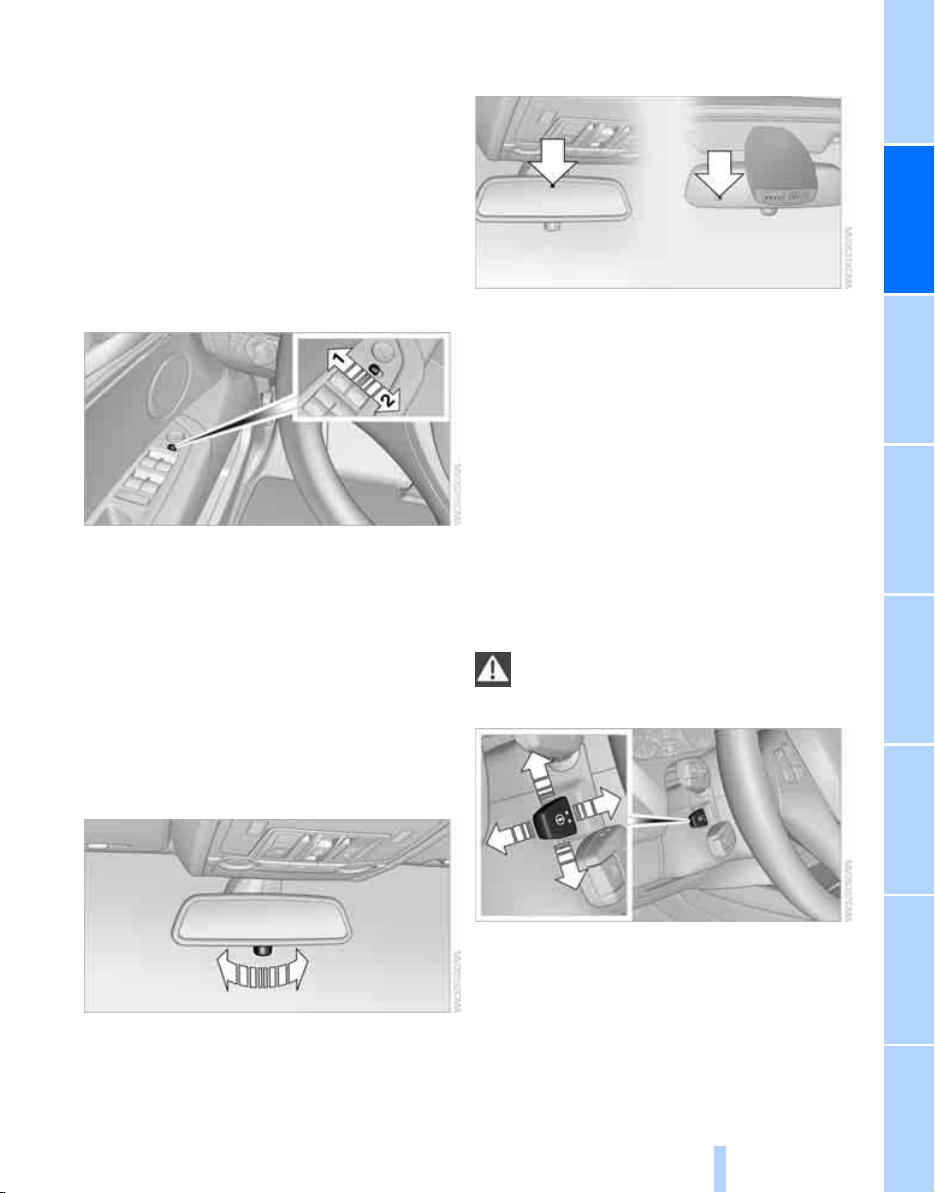
Controls
49
Reference At a glanceDriving tipsCommunications NavigationEntertainmentMobility
Automatic heating
Below a certain outdoor temperature, both
exterior mirrors are automatically heated when
the motor is running or the ignition is switched
on.
Tilting down passenger-side exterior
mirror – automatic curb monitor*
Activating
1. Slide switch into the driver's side mirror
position, arrow 1.
2. Engage transmission position R.
The mirror glass tilts downward somewhat
on the passenger's side. This allows the
driver to see the area immediately adjacent
to the vehicle – such as a curb – when park-
ing, etc.
Deactivating
Slide switch into the passenger side mirror
position, arrow 2.
Interior rearview mirror
To reduce the dazzle effect of following vehi-
cles at night, turn the knob.
Interior and exterior mirrors,
automatic dimming feature*
This feature is controlled by two photocells in
the interior rearview mirror. One is integrated
into the glass of the mirror, while the other is
located at an offset position on the rear of the
mirror housing.
For trouble-free operation, keep the photocells
clean and do not cover the area between the
interior rearview mirror and the windshield. Do
not attach stickers of any kind to the windshield
in front of the mirror, either.
Steering wheel
Adjusting
Do not adjust the steering wheel while the
vehicle is moving. There is a risk of acci-
dent as the result of unexpected movement.<
The steering wheel can be adjusted in four
directions.
Storing steering wheel positions, refer to Seat,
mirror and steering wheel memory on page 42.
Online Edition for Part no. 01 41 0 012 501 - © 08/06 BMW AG
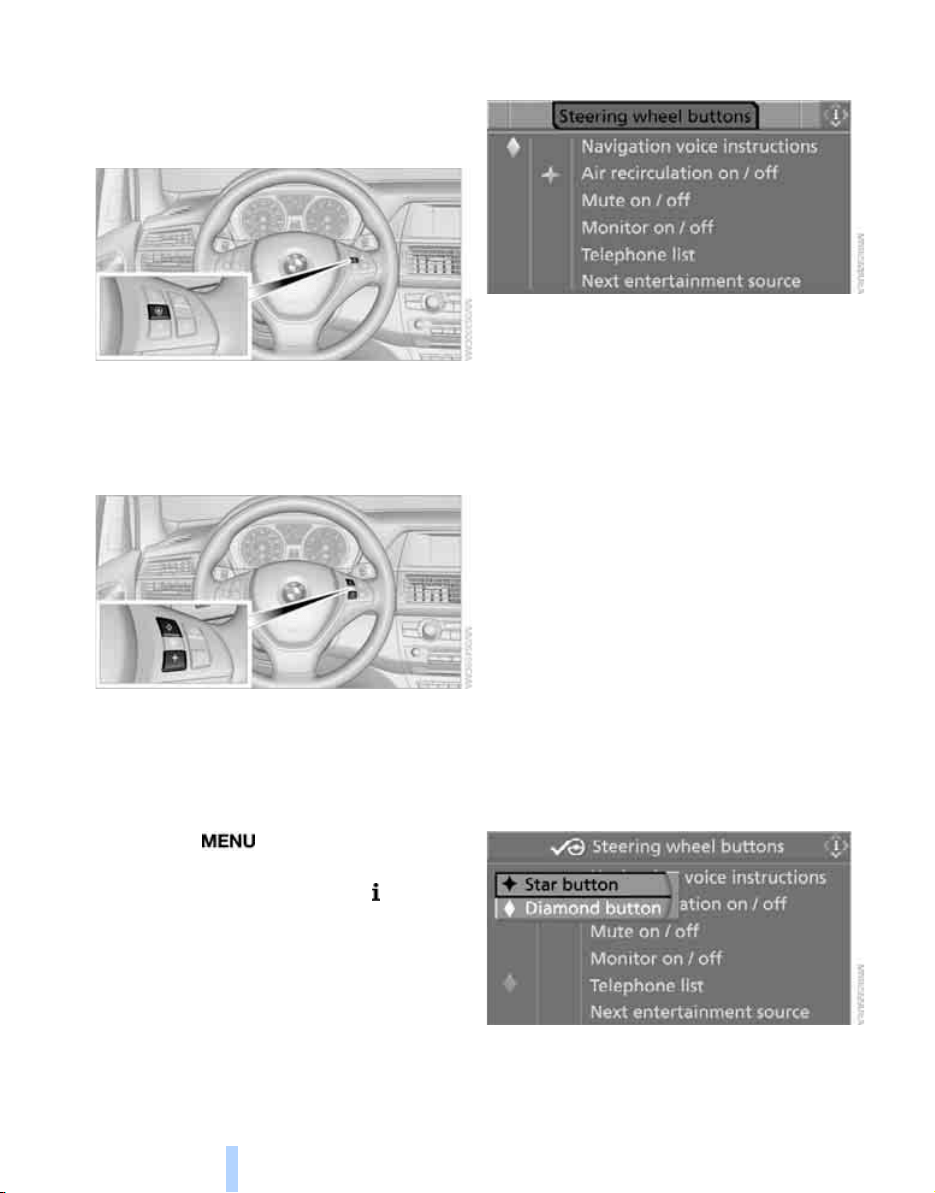
Adjusting
50
Easy entry/exit*
To facilitate entry and exit, the steering wheel
temporarily moves into the uppermost position.
Steering wheel heating*
Press the button with the ignition switched on;
the LED lights up.
Programmable buttons* on steering
wheel
You can program the buttons individually.
The setting is stored for the remote control cur-
rently in use.
iDrive, for explanation of concept, refer to
page 16.
1. Press the button.
This opens the start menu.
2. Press the controller to open the menu.
3. Select "Settings" and press the controller.
4. Select "Steering wheel buttons" and press
the controller.
A list of different functions appears:
> "Navigation voice instructions"
Voice instructions for the navigation
system
*
> "Air recirculation on / off"
Permanently shutting off outside air,
refer to AUC Automatic recirculated-air
control on page 105
> "Mute on / off"
Mutes the audio sources
> "Monitor on / off"
Switches the Control Display on/off
> "Telephone list"
*
Display/hide phone book or last list of
stored phone numbers
> "Next entertainment source"
Changes audio source
5. Select the desired function and press the
controller.
6. Select the button if necessary and press the
controller.
You can operate the selected function using the
corresponding button.
Online Edition for Part no. 01 41 0 012 501 - © 08/06 BMW AG

Controls
51
Reference At a glanceDriving tipsCommunications NavigationEntertainmentMobility
Operating function
Press the corresponding button on the steering
wheel.
If you have programmed "Navigation voice
instructions" for one of the buttons:
> To switch voice instructions on/off:
Hold the button down.
> To repeat the last voice instruction:
Press the button.
Online Edition for Part no. 01 41 0 012 501 - © 08/06 BMW AG

Transporting children safely
52
Transporting children safely
The right place for children
Do not leave children unattended in the
vehicle, otherwise they could endanger
themselves and other persons, e.g. by opening
the doors.<
Children always in the rear
Accident research shows that the safest place
for children is on the rear seat.
Children younger than 13 years of age or
with a height under 5 ft/150 cm may only
be transported on the 2nd row seats in child
restraint systems which correspond to the age,
weight and height of the child. Otherwise there
is an increased danger of injury in an accident.<
Children 13 years of age or older must wear a
safety belt as soon as a suitable child restraint
system can no longer be used due to their age,
weight and size.
Exception for front passenger seat
Should it be necessary to use a child
restraint system on the front passenger
seat, the front and side airbags on the passen-
ger side must be deactivated. Otherwise, there
is an increased risk of injury for the child if the
airbags are triggered, even with a child restraint
system. Your BMW Sports Activity Vehicle
Center will be happy to advise you.<
For more information on automatic deactivation
of the front passenger airbags, refer to page 93.
Installing child restraint
systems
Observe the child restraint system manu-
facturer's instructions for selection,
installation and use of the child restraint sys-
tems. Otherwise the degree of protection may
be reduced.<
For equipment with 3rd row seats
*
, make
sure that the seat of the 2nd row seats on
which the child restraint system is mounted is
properly locked. Otherwise there is an
increased risk of injury for the child in an acci-
dent.
Do not mount child restraint systems on the
3rd row seats, as otherwise the protection pro-
vided by these child restraint systems may be
reduced.<
On the front passenger seat
After installing a child restraint system on
the front passenger seat, make sure that
the front and side airbags on the front passen-
ger side have been deactivated. Otherwise,
there is an increased risk of injury when the air-
bags are triggered.<
Backrest width* on front passenger
seat
The backrest width adjustment of the
front passenger seat must be completely
open, as otherwise the child's seat cannot com-
pletely contact the backrest. After the child's
seat is installed, do not request any memory
position, as otherwise there is the risk of
injury.<
1. Backrest width adjustment completely
open, refer to page 41.
2. Install child's seat.
Online Edition for Part no. 01 41 0 012 501 - © 08/06 BMW AG

Controls
53
Reference At a glanceDriving tipsCommunications NavigationEntertainmentMobility
Child seat security
All safety belts of the 2nd row seats and the
safety belt for the front passenger can be
locked against pulling out to secure child
restraint systems.
Locking safety belt
1. Secure the child restraint system with the
belt.
2. Pull out the belt webbing completely.
3. Allow the belt webbing to be pulled in and
pull taut against the child restraint system.
The safety belt is locked.
Unlocking safety belt
1. Open the belt buckle.
2. Remove the child restraint system.
3. Allow the belt webbing to be pulled in com-
pletely.
Child restraint system with tether strap
Only use the tether-strap mounting
points to secure child restraint systems,
otherwise the mounting points could be dam-
aged.
Do not mount child restraint systems on the
3rd row seats, as otherwise the protection pro-
vided by these child restraint systems may be
reduced.<
There are three additional mounting points for
child restraint systems with a tether strap on the
2nd row seats, refer to arrows. Fold out before
using the center mounting point.
Placement of tether strap
1 Forward driving direction
2 Head restraint
3 Attaching clip
4 Child restraint anchor fitting
5 Backrest
6 Tether strap
Online Edition for Part no. 01 41 0 012 501 - © 08/06 BMW AG

Transporting children safely
54
When using the cargo bay cover, the upper
retaining strap must be routed between the rear
backrest and the cargo bay cover.
Mounting tether strap on 2nd row seats
On outer seats:
1. Slide the head restraint upward.
2. Guide the upper retaining strap between
the head restraint brackets.
3. Hook in the upper retaining strap on the
mounting point with the hook.
4. Slide the head restraint into the bottom
position.
5. Pull upper retaining strap taut.
On center seat with equipment with two rows of
seats:
1. Fold the center armrest somewhat toward
the front.
2. Guide the upper retaining strap through the
opening in the center armrest.
3. Fold back and engage the center armrest.
4. Hook in the upper retaining strap at the
mounting point.
5. Pull the upper retaining strap taut.
On center seat with equipment with three rows
of seats:
1. Slide head restraint upward.
2. Guide the upper retaining strap between
the head restraint brackets.
3. Hook in the upper retaining strap on the
mounting point with the hook.
4. Slide the head restraint into the bottom
position.
5. Pull the upper retaining strap taut.
LATCH child restraint fixing system
LATCH: Lower Anchor and Tethers for CHil-
dren.
To attach and use a LATCH child restraint
system, follow the operating and safety
instructions of the system manufacturer.<
Before attaching the LATCH child's seat, pull
the belt away from the region of the child
restraint fixing system.
Access to brackets
The anchor points for the LATCH anchors are
located at the positions indicated by arrows in
the gap between the seat and the backrest.
Make sure that both lower LATCH anchor
fittings are properly engaged and the
child restraint system firmly contacts the back-
rest.<
Online Edition for Part no. 01 41 0 012 501 - © 08/06 BMW AG
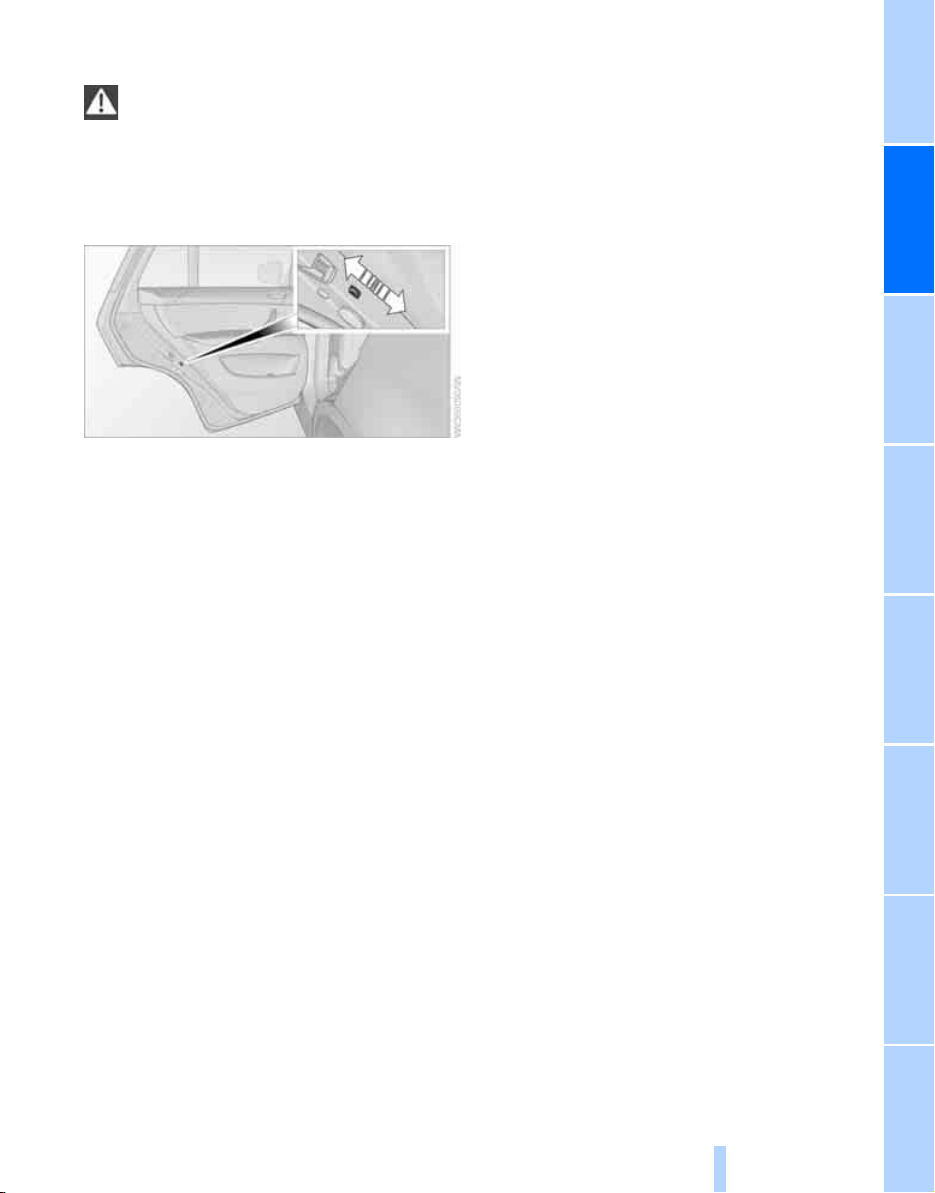
Controls
55
Reference At a glanceDriving tipsCommunications NavigationEntertainmentMobility
On trips
If the vehicle is equipped with rear side
airbags, make sure that children do not
lean out of the child's seat towards the door
panels. Otherwise injuries can be caused if the
side airbags are triggered.<
Child-safety locks for rear doors
Slide down the safety lever on the rear doors:
The door can now be opened from the outside
only.
Safety switch for power windows
Always press the safety switch for the power
windows, refer to page 38, when children are
riding in the rear of the vehicle.
Online Edition for Part no. 01 41 0 012 501 - © 08/06 BMW AG
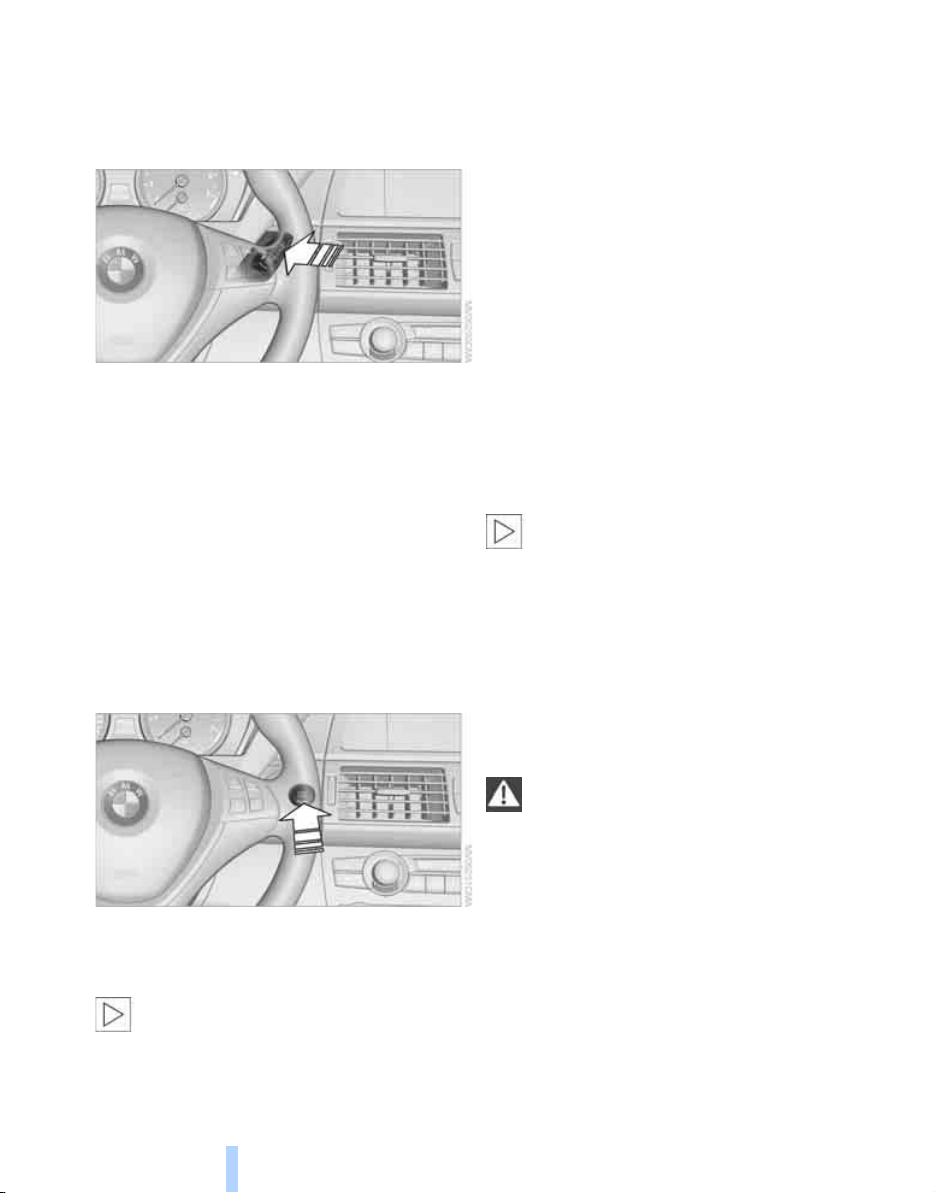
Driving
56
Driving
Ignition lock
Insert the remote control as far as possible into
the ignition lock.
Radio readiness switches on. Some electronic
systems/consumers are ready for operation.
Removing remote control from ignition
lock
Briefly press in the remote control; it is pushed
out somewhat.
The ignition is switched off if it was still
switched on.
Start/Stop button
Briefly pressing the Start/Stop button several
times switches the radio readiness or the igni-
tion on and off.
Briefly pressing the Start/Stop button
with the brake pedal depressed starts the
engine.<
Radio readiness
Some electronic systems/consumers are ready
for operation. The time and outside tempera-
ture are displayed in the instrument cluster.
Radio readiness is automatically switched off:
> when the remote control is removed from
the ignition lock
> with comfort access
*
by touching the sen-
sitive surface on the door handle, refer to
Locking on page 35
Ignition on
All electronic systems/consumers are ready for
operation. The odometer and the trip odometer
are displayed in the instrument cluster, refer to
page 67.
Please switch off the ignition and the
electronic systems/consumers which are
not required when the engine is not running to
save the battery.<
Radio readiness and ignition off
All indicator and warning lamps in the instru-
ment cluster go out.
Starting engine
Do not run the engine in closed rooms,
otherwise the inhalation of toxic exhaust
gases can cause unconsciousness and death.
The exhaust gases contain carbon monoxide,
an odorless and colorless, but highly toxic gas.
Never leave an unattended vehicle with the
engine running, as such a vehicle represents a
potential safety hazard.
To prevent the vehicle from rolling, always
select neutral or transmission position P and
set the parking brake before leaving the vehicle
with the engine running.<
When starting the engine, do not press the
accelerator pedal.
Online Edition for Part no. 01 41 0 012 501 - © 08/06 BMW AG
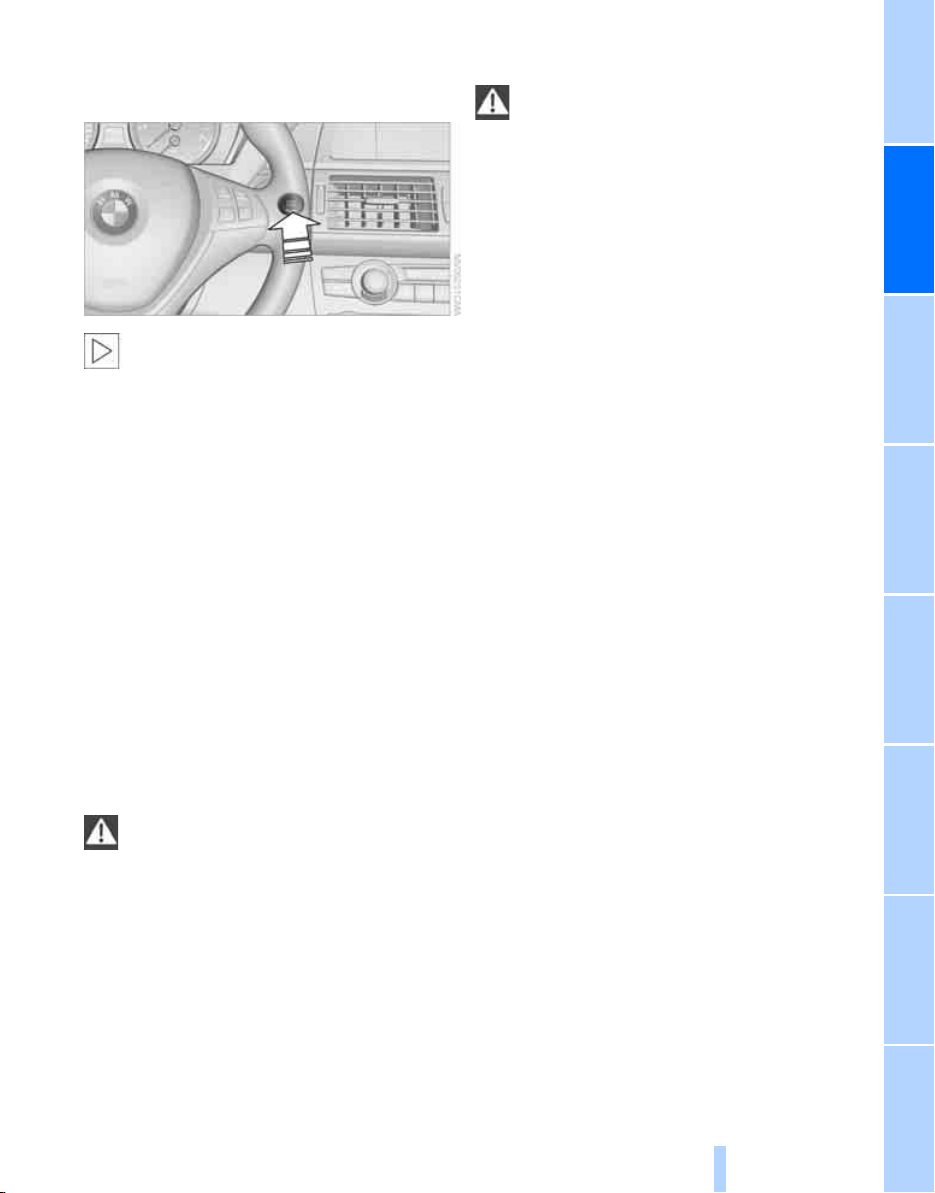
Controls
57
Reference At a glanceDriving tipsCommunications NavigationEntertainmentMobility
Do not allow the engine to warm up by leaving it
running while the vehicle remains stationary.
Instead, drive off at a moderate engine speed.
The engine starts when you depress the
brake pedal while briefly pressing the
Start/Stop button.<
Procedure
1. Depress brake pedal.
2. Briefly press the Start/Stop button.
The system responds by automatically engag-
ing the starter for a certain period and automat-
ically disengaging it as soon as the engine
starts.
Special starting conditions
Depress the accelerator pedal half way when
starting the engine in the following situations:
> The engine fails to start on the first attempt,
e.g. if it is very hot or cold.
> The engine is started at very low tempera-
tures, below approx. +57/–156, at high
altitudes, over approx. 3,300 ft/1,000 m.
Avoid frequent starting in quick succes-
sion or repeated starting attempts in
which the engine does not start. Otherwise, the
fuel is not burned or inadequately burned and
there is a danger of overheating and damaging
the catalytic converter.<
Switching off engine
When leaving the vehicle, always take the
remote control with you.
When parking on a downhill incline, set the
parking brake, otherwise the vehicle could roll
away.<
Procedure
1. Engage transmission position P with the
vehicle stopped.
2. Briefly press the Start/Stop button.
Procedure before driving into a car
wash
The vehicle can roll if you proceed according to
the following steps:
1. With comfort access
*
: insert the remote
control into the ignition lock.
2. Depress brake pedal.
3. With the engine running, engage transmis-
sion position N.
4. Release the parking brake.
5. Switch off the engine.
6. Leave the remote control in the ignition
lock.
Transmission position P will be engaged:
> automatically after approx. 30 minutes
> if you remove the remote control from the
ignition lock
Parking brake
The concept
Your BMW is equipped with an electromechan-
ical parking brake that is set and released with a
button.
The parking brake is primarily intended to pre-
vent the vehicle from rolling while parked.
With the engine stopped, the parking brake acts
on the rear wheels via an electromechanical
system. When the engine is running, the park-
ing brake acts on the disc brakes of the front
and rear wheels via the brake hydraulics.
Online Edition for Part no. 01 41 0 012 501 - © 08/06 BMW AG
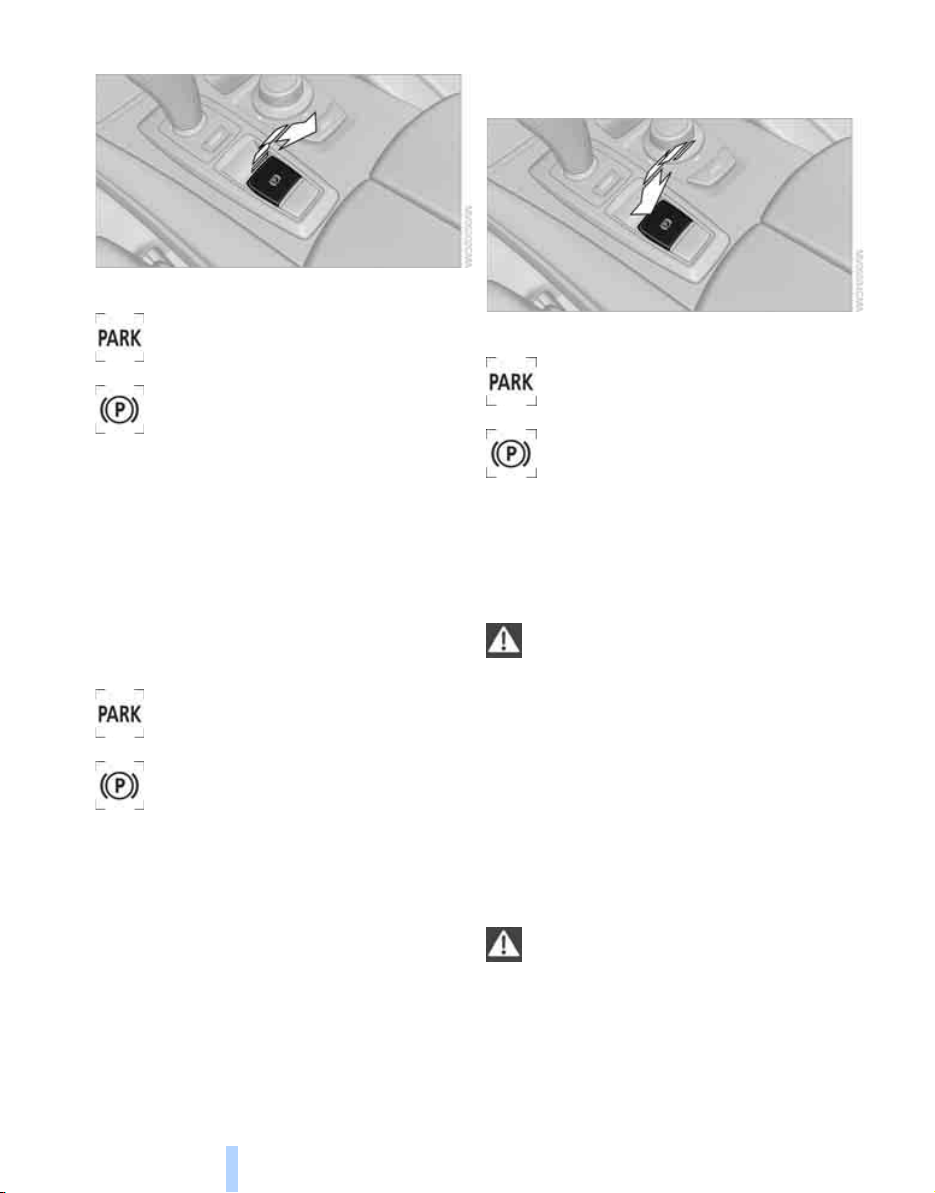
Driving
58
Setting
Pull button. The parking brake is set.
The indicator lamp in the instrument
cluster lights up red. The parking brake
is set.
Indicator lamp on Canadian models.
The remote control does not have to be
inserted into the ignition lock for the parking
brake to be set.
While driving
If exceptional circumstances should make it
necessary to set the parking brake while the
vehicle is in motion, pull on the button longer.
The vehicle continues to brake forcefully for as
long as you pull on the button.
The indicator lamp in the instrument
cluster lights up red, a chime sounds
and the brake lamps light up.
Indicator lamp on Canadian models.
As soon as you brake the vehicle almost to a
stop, i.e., down to a speed of approx. 2 mph/
3 km/h or below, the parking brake remains set.
Releasing
With engine running
Press the button with the brake depressed.
The indicator lamp in the instrument
cluster goes out.
Indicator lamp on Canadian models.
With engine switched off
Press the button with the brake depressed.
This function is useful, for example, in auto-
matic car washes, refer to pages 36, 124.
When leaving the vehicle, take the remote
control with you; this precaution prevents
children from releasing the parking brake, etc.<
Parking brake malfunction
In case of a failure of or fault in the parking
brake, secure the vehicle against rolling if you
leave the vehicle.
Releasing parking brake manually
In the event of an electrical power loss or elec-
trical malfunction, you can release the parking
brake manually.
Before manually releasing the parking
brake and each time you park the vehicle
without setting the parking brake, make sure
that the automatic transmission is in position P,
refer to page 60. Be sure to pay attention to the
information in the instrument cluster.
In addition, secure the vehicle against rolling,
e.g. with a chock. Otherwise there is a danger
Online Edition for Part no. 01 41 0 012 501 - © 08/06 BMW AG
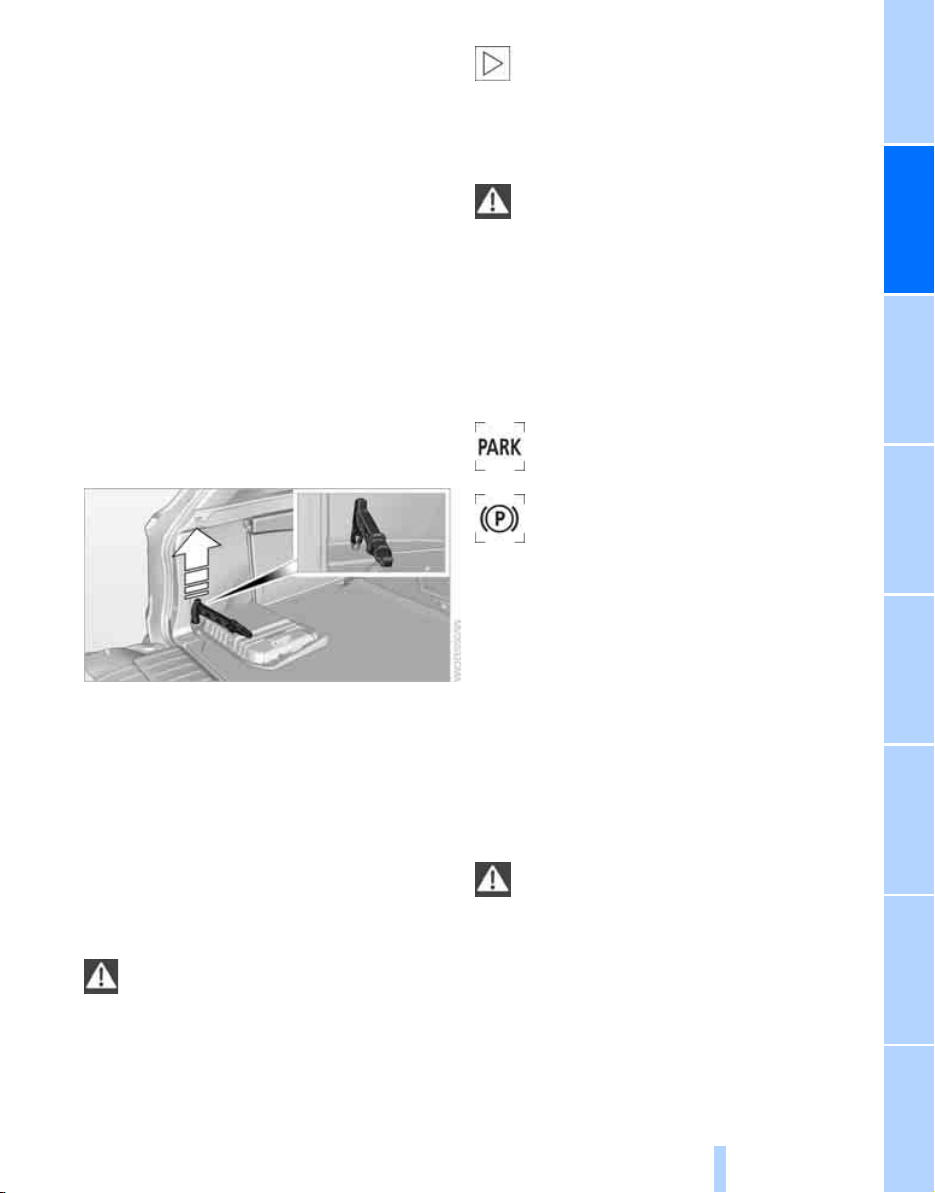
Controls
59
Reference At a glanceDriving tipsCommunications NavigationEntertainmentMobility
that the vehicle could roll if parked on a steep
slope.<
If it becomes necessary to also release the
transmission lock of the automatic transmission
manually, follow this sequence:
1. If necessary, start by releasing the parking
brake manually.
2. Then release the automatic transmission's
transmission lock manually, refer to
page 61.
Information on jump starting and towing from
page 237.
Releasing
1. Open the left-hand side panel in the cargo
bay.
2. Remove the first-aid kit
*
and the warning
triangle
*
if necessary.
3. Insert the releasing tool, contained in the
onboard tool kit under the floor panel, refer
to page 228, at the releasing point.
4. Firmly pull the releasing tool upward against
the mechanical resistance, refer to arrow,
until a considerable increase in force is felt
and the parking brake is then clearly heard
to release.
5. Stow the releasing tool, warning triangle
*
and first-aid kit
*
and close the left side
panel in the cargo bay.
Only have a malfunction corrected by the
nearest BMW Sports Activity Vehicle
Center or a workshop that works in accordance
with BMW guidelines and uses appropriately
trained personnel. If the parking brake has been
released manually in response to a malfunction,
only technicians can return it to operation.<
Following manual release, the actual sta-
tus of the parking brake may deviate from
that displayed by the indicator lamp.<
Operation after interruptions in power
supply
The parking brake can only be used again
if it was manually released due to an inter-
ruption in the supply of electrical power. Other-
wise the operation of the parking brake is not
ensured and there is a danger of the vehicle roll-
ing despite the parking brake being set.<
Procedure
1. Switch on the ignition.
2. Press the button with the brake depressed.
The indicator lamp in the instrument
cluster goes out as soon as the parking
brake is ready for operation again.
Indicator lamp on Canadian models.
Any noises which occur are normal. Start-up
may take several seconds.
Automatic transmission with
Steptronic
In addition to fully automatic operation, you can
also manually shift with the Steptronic, refer to
page 61.
Transmission positions
P R N D M/S + –
To prevent the vehicle from creeping
after you select a driving position, main-
tain pressure on the brake pedal until you are
ready to drive off.<
Online Edition for Part no. 01 41 0 012 501 - © 08/06 BMW AG
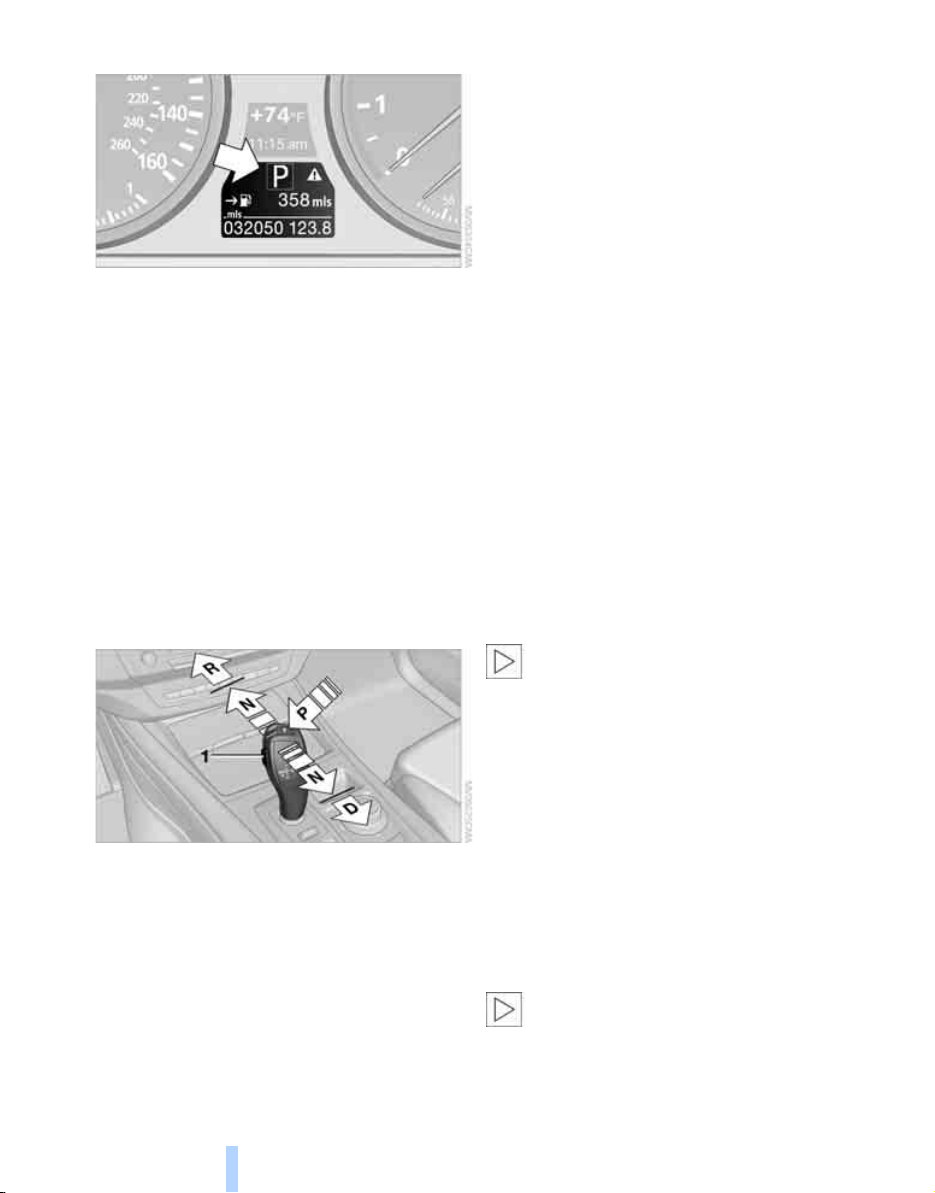
Driving
60
Displays in instrument cluster
P R N D DS M1 to M6
The transmission position is indicated, and in
the manual mode, the gear currently engaged.
Engaging transmission position
> You can only engage transmission posi-
tions D, R or N when the engine is running.
> With the vehicle stationary, depress the
brake pedal before shifting out of P or N;
otherwise the shift command will not be
executed.
> To prevent the vehicle from creeping after
you select a driving position, maintain pres-
sure on the brake pedal until you are ready
to drive off.
The engaged transmission position is displayed
on the selector lever.
Engaging D, R or N
Move the selector lever in the desired direction.
The selector lever immediately returns to the
center position when released.
> N Neutral:
Up to pressure point, arrow N.
> D Drive:
Depending on the driving position, press
back up to the pressure point, arrow D, or
beyond.
> R Reverse:
Depending on the driving position, press
forward up to the pressure point, arrow R, or
beyond. Press the release button 1 at the
same time.
Engaging P
Press button P.
Press the brake pedal before shifting out of N;
the shift command will not be executed unless
the brake is applied.
Also observe the additional information on the
automatic transmission.
R Reverse
Select only when the vehicle is stationary.
An interlock prevents inadvertent gearshifts
into transmission position R. To deactivate the
interlock, press the release button 1.
P Park
Select only when the vehicle is stationary.
The rear wheels are locked.
P is engaged automatically as soon as
you switch off the engine unless N is
engaged and on vehicles with comfort access
the remote control is inserted in the ignition
lock, refer to page 56.<
Engaging N, D or R
With transmission position P engaged, an inter-
lock prevents accidentally shifting into trans-
mission positions N, D and R. To deactivate the
interlock, press the release button 1.
N Neutral
Can, for example, be engaged in automatic car
washes. The vehicle can roll.
N remains engaged even after the engine
is switched off whenever you leave the
remote control in the ignition lock. This function
is used, for example, in a car wash, refer to
page 57. After approx. 30 minutes P is auto-
matically engaged.<
Online Edition for Part no. 01 41 0 012 501 - © 08/06 BMW AG
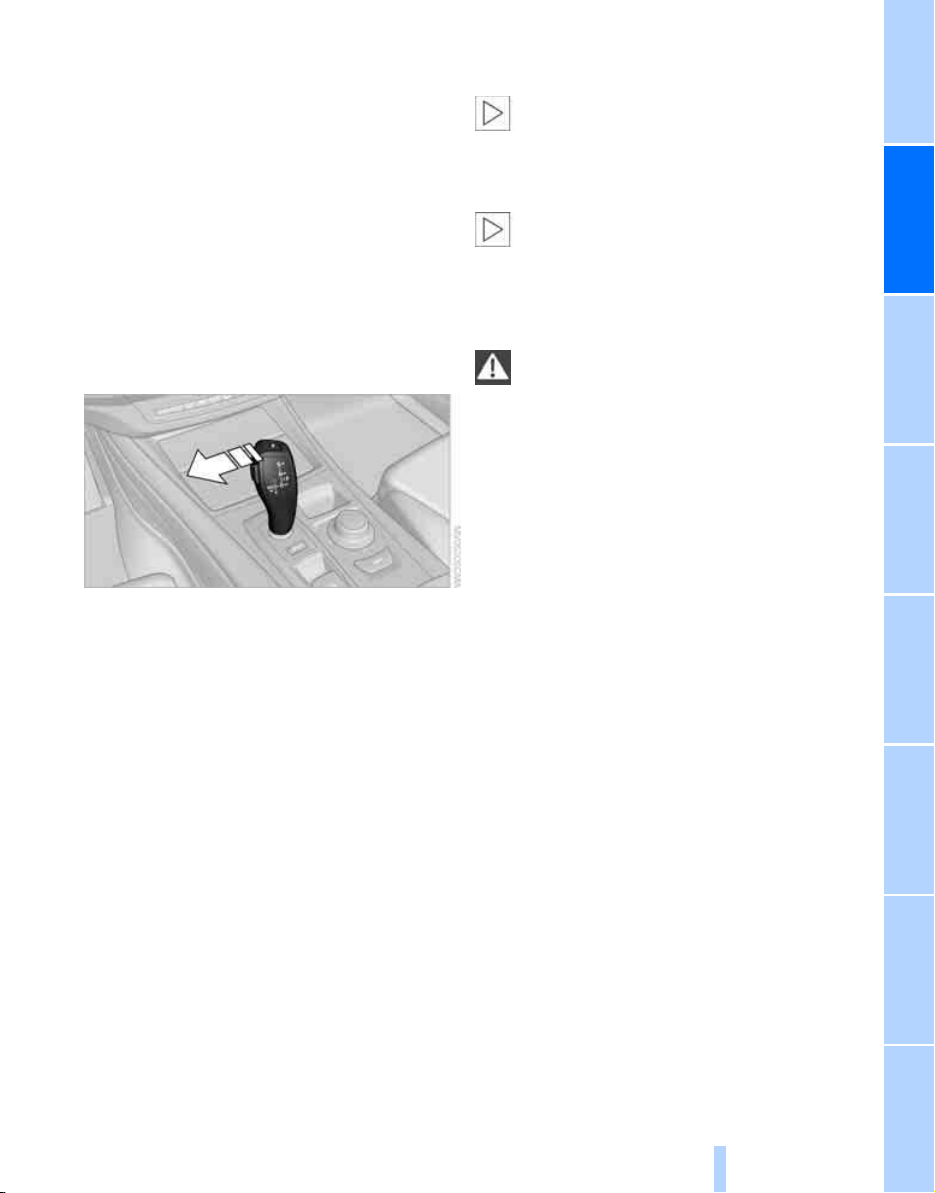
Controls
61
Reference At a glanceDriving tipsCommunications NavigationEntertainmentMobility
D Drive, automatic position
Position for normal vehicle operation. All for-
ward gears are available.
Under normal operating conditions, the fuel
consumption is lowest when driving in posi-
tion D.
Kick-down
The kick-down mode provides maximum accel-
eration.
Depress the accelerator pedal past the
increased resistance point at the full-throttle
position.
Sport program and manual mode M/S
Move selector lever from transmission posi-
tion D toward the left into the M/S shifting slot:
The selector lever remains in the M/S shifting
slot, the sport program is activated and DS is
shown in the instrument cluster. This position is
recommended for a performance-oriented driv-
ing style.
When the selector lever is pressed forward or
back, the manual mode is activated and the
Steptronic shifts the gear. The instrument clus-
ter shows M1 through M6.
> Press selector lever forward:
The transmission downshifts.
> Press selector lever back:
The transmission upshifts.
Upshifts and downshifts are executed only
when they will result in a plausible combination
of engine and vehicle speed; thus, for example,
a downshift that would cause the engine to
overrev will not be executed by the system. The
selected gear is briefly displayed in the instru-
ment cluster, followed by the current gear.
To use the automatic function again, move the
selector lever to the right into position D.
If transmission position P is engaged, the
selector lever automatically returns to the
center position of the automatic slot.<
Manually releasing transmission lock
In case of a power failure, e.g. when the
battery is drained or disconnected, or an
electrical malfunction, the transmission lock
must be manually released, as otherwise the
rear wheels are blocked and the vehicle cannot
be towed.<
When manually releasing the transmis-
sion lock, depress the brake pedal, as
otherwise there is a danger of the vehicle rolling
when the transmission lock is manually
released.<
The transmission lock should only be released
for towing. Reengage the transmission lock
after parking the vehicle at its destination.
If it also becomes necessary to manually
release the parking brake, follow this sequence:
1. Secure the vehicle against rolling.
2. Manually release the parking brake, refer to
page 58.
3. Manually release the transmission lock of
the automatic transmission.
Information on jump starting and towing from
page 237.
Releasing
1. Slide back the cover of the cup holder and
remove the floor mat on the bar between
the cup holders.
2. Open the cover in the bottom of the cup
holder with the releasing tool.
Online Edition for Part no. 01 41 0 012 501 - © 08/06 BMW AG
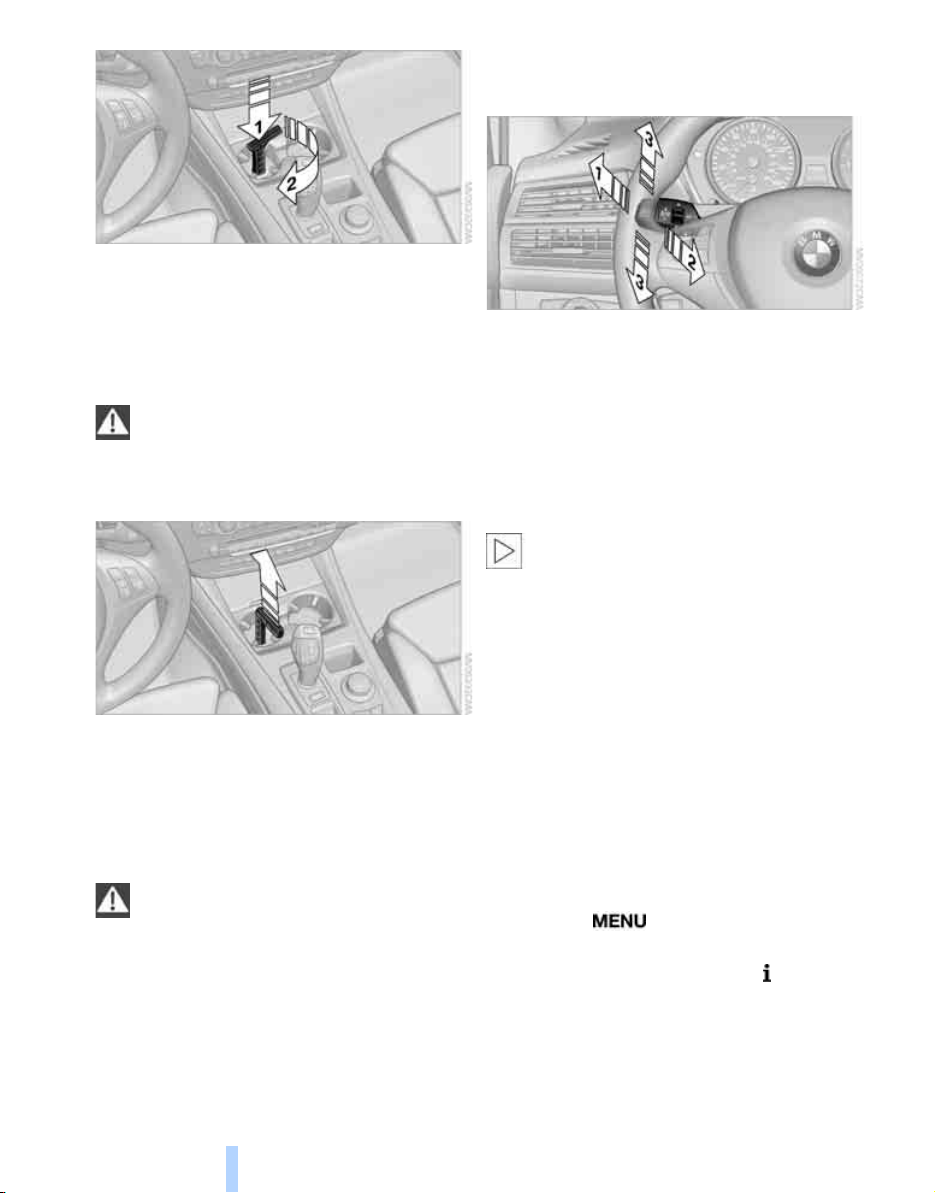
Driving
62
3. Insert the releasing tool, contained in the
onboard tool kit under the floor panel, refer
to page 228, into the opening, arrow 1.
4. Turn the releasing tool as far as possible,
arrow 2, and then press downward. The
transmission lock is released.
Lock the transmission lock after parking
the vehicle at its destination. Otherwise
there is a danger of the vehicle rolling.<
Locking
1. Pull out the releasing tool.
The transmission lock is locked again.
2. Close the cover in the bottom of the cup
holder and lay in the mat again.
3. Close the cover of the cup holder and stow
the releasing tool.
The display in the instrument cluster
must change from N to P after locking the
transmission lock. Otherwise there is a danger
of the vehicle rolling.<
Information on jump starting and towing from
page 237.
Turn signals/headlamp
flasher/high beams
1 High beams
2 Headlamp flasher
3 Turn signals
Using turn signals
Press the lever beyond the resistance point.
To switch off manually, press the lever up to the
resistance point.
Atypically rapid flashing of the indicator
lamp indicates that a turn signal bulb
needs to be replaced.<
Signaling briefly
Press lever to resistance point and hold for as
long as you wish to signal.
Triple turn signal activation
Press the lever up to the resistance point; the
turn signal flashes once.
You can switch over this function so that the
turn signal flashes three times. The setting is
stored for the remote control currently in use.
iDrive, for explanation of concept, refer to
page 16.
1. Press the button.
This opens the start menu.
2. Press the controller to open the menu.
3. Select "Settings" and press the controller.
4. Select "Vehicle / Tires" and press the con-
troller.
Online Edition for Part no. 01 41 0 012 501 - © 08/06 BMW AG
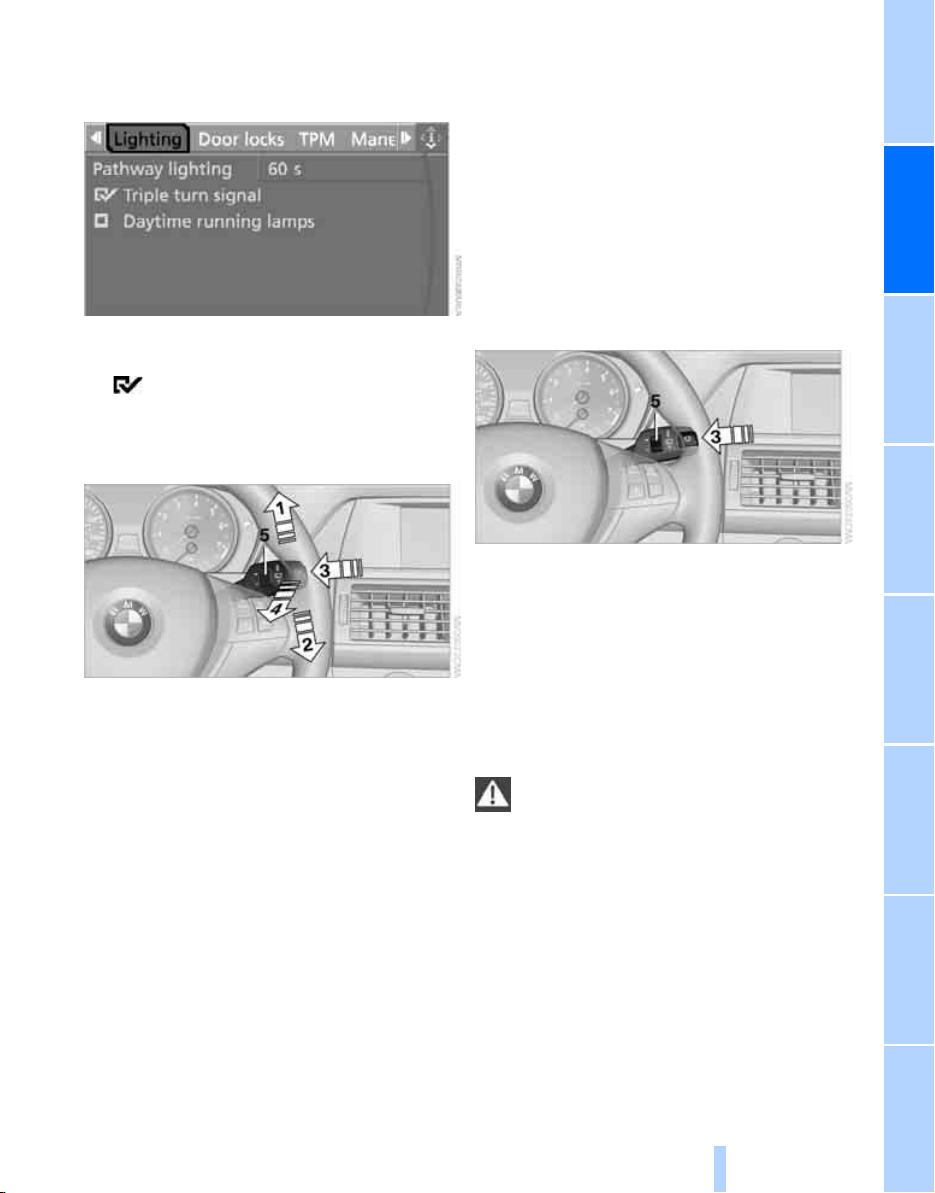
Controls
63
Reference At a glanceDriving tipsCommunications NavigationEntertainmentMobility
5. Change to upper field if necessary. Turn the
controller until "Lighting" is selected and
press the controller.
6. Select "Triple turn signal" and press the
controller.
Triple turn signaling is activated.
Washer/wiper system
1 Switching on wipers
2 Switching off wipers or brief wipe
3 Activating/deactivating rain sensor
4 Cleaning windshield and headlamps
*
5 Adjusting rain sensor
sensitivity level
Switching on wipers
Pull the lever upward, arrow 1.
The lever automatically returns to its initial posi-
tion when released.
Normal wiper speed
Press once.
The system reverts to operation in the intermit-
tent mode when the vehicle is stationary.
Fast wiper speed
Press twice or press beyond the resistance
point.
The system reverts to normal speed when the
vehicle is stationary.
Rain sensor*
The wiper operation is controlled automatically
as a function of the rain intensity. The rain sen-
sor is located on the windshield, directly in front
of the interior rearview mirror.
Activating rain sensor
Press the button, arrow 3. The LED in the but-
ton lights up.
Adjusting rain sensor sensitivity level
Turn the knurled wheel 5.
Deactivating rain sensor
Press the button again, arrow 3. The LED goes
out.
Deactivate the rain sensor when passing
through an automatic car wash. Failure to
do so could result in damage caused by undes-
ired wiper activation.<
Cleaning windshield and headlamps*
Pull the lever, arrow 4.
The system sprays washer fluid against the
windshield and activates the wipers for a brief
period.
When the vehicle lighting is switched on, the
headlamps are simultaneously washed at
appropriate intervals.
Online Edition for Part no. 01 41 0 012 501 - © 08/06 BMW AG
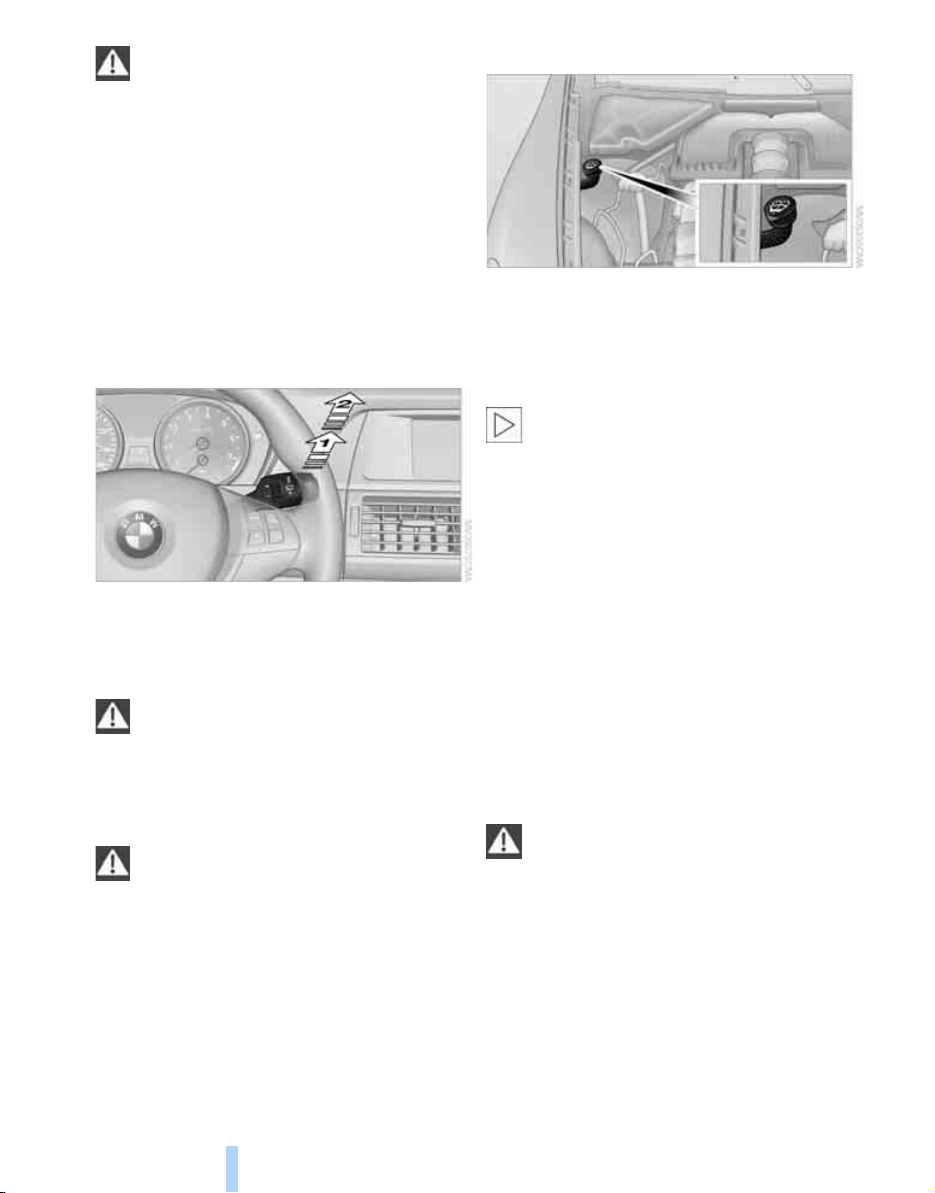
Driving
64
Do not use the washers if there is any
danger that the fluid will freeze on the
windshield. If you do so, your vision could be
obscured. To avoid freezing, use a washer fluid
antifreeze, refer to Washer fluid. Do not use
washing mechanisms when the washer fluid
reservoir is empty, otherwise you will damage
the washer pump.<
Windshield washer nozzles
Both windshield washer nozzles are automati-
cally heated with the engine running or the igni-
tion switched on.
Rear window wiper
1 Intermittent mode. When reverse gear is
engaged, continuous operation is switched
on automatically
2 Cleaning the rear window
Do not use washing mechanisms when
the washer fluid reservoir is empty, other-
wise you will damage the washer pump.<
Washer fluid
Washer fluid antifreeze is flammable.
Always keep it well away from sparks and
open flames, and store it in tightly closed con-
tainers well out of the reach of children. Always
observe the instructions for use provided on the
containers.<
Washer fluid reservoir
All washer nozzles are supplied from one reser-
voir.
Fill with water and – if required – with a washer
antifreeze, according to manufacturer's recom-
mendations.
In order to maintain the mixture ratio, mix
the washer fluid before filling.<
Capacity
approx. 6.3 US quarts/6 liters.
Cruise control*
The concept
The cruise control with a braking function is
available for use at speeds of approx. 20 mph/
30 km/h and higher. The vehicle stores and
maintains the speed that you set using the lever
mounted on the steering column. To keep the
specified speed constant, the system brakes if
the engine braking effect is not sufficient on a
downhill grade.
Do not use the cruise control under driv-
ing conditions that do not permit a con-
stant speed, e.g. when driving on winding
roads, in heavy traffic or in poor road conditions
such as snow, rain, ice, and loose road surface.
Otherwise you could lose control of the vehicle
and cause an accident.<
Online Edition for Part no. 01 41 0 012 501 - © 08/06 BMW AG
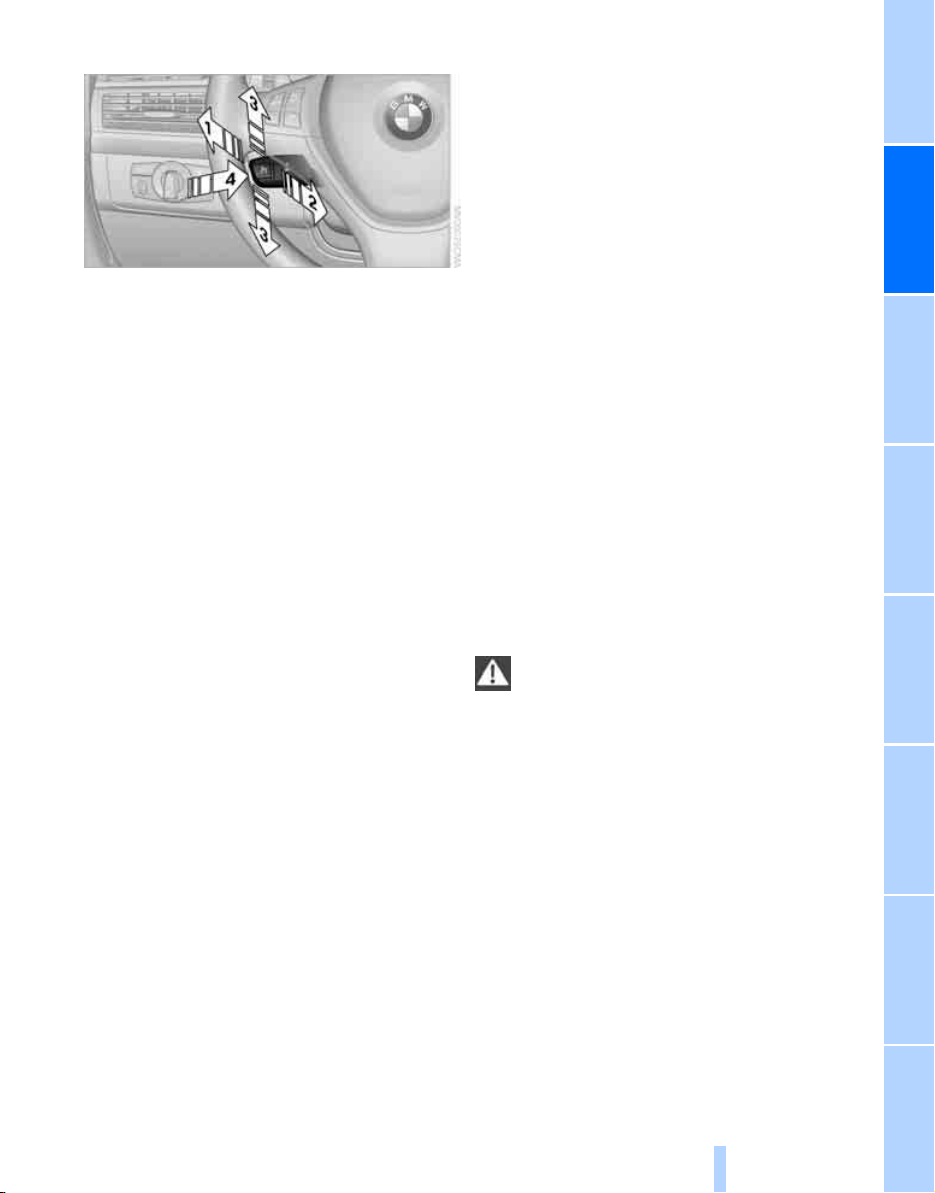
Controls
65
Reference At a glanceDriving tipsCommunications NavigationEntertainmentMobility
One lever for all functions
1 Storing speed and maintaining or increas-
ing
2 Storing speed and maintaining or decreas-
ing
3 Deactivating cruise control
4 Resuming stored setting
Maintaining current speed
Briefly press, arrow 1, or briefly pull, arrow 2
lever.
The speed currently being driven is stored and
maintained. It is indicated on the speedometer
and briefly in the instrument cluster.
The controlled speed can drop on uphill grades
if the engine output is insufficient. If the engine
braking effect is not sufficient on a downhill
grade, the system lightly brakes the vehicle.
Increasing desired speed
Repeatedly press the lever up to or beyond the
resistance point, arrow 1, until the desired
speed is set.
> Each time the lever is pressed up to the
resistance point, the desired speed
increases by approx. 1 mph or 1 km/h.
> Each time the lever is pressed beyond the
resistance point, the desired speed
increases by a maximum of 5 mph or
10 km/h.
The system stores the setting and maintains
the set speed.
Accelerating with lever
Accelerate slightly:
Press the lever up to the resistance point,
arrow 1, until the desired speed is reached.
Accelerate more rapidly:
Press the lever beyond the resistance point,
arrow 1, until the desired speed is reached.
The vehicle accelerates without pressure on
the accelerator pedal. The system stores the
setting and maintains the set speed.
Reducing desired speed
Repeatedly pull the lever up to the resistance
point or beyond, arrow 2, until the desired
speed is displayed.
> Each time the lever is pulled up to the resis-
tance point, the desired speed decreases
by approx. 1 mph or 1 km/h.
> Each time the lever is pulled beyond the
resistance point, the desired speed is
decreased by a maximum of 5 mph or
10 km/h until the minimum speed of
20 mph or 30 km/h is reached.
The system stores the setting and maintains
the set speed.
If the speed is to be considerably
reduced, depress the brake, as otherwise
a dangerous situation could result due to insuf-
ficient deceleration.<
Deactivating cruise control
Briefly press the lever up or down, arrow 3.
The displays in the speedometer go out.
In addition, the system is automatically deacti-
vated:
> when braking
> when transmission position N is engaged
> when DTC is activated or DSC is deacti-
vated
> when HDC is activated
> when DSC or ABS is active
Accelerating does not deactivate the cruise
control. After releasing the accelerator pedal,
Online Edition for Part no. 01 41 0 012 501 - © 08/06 BMW AG
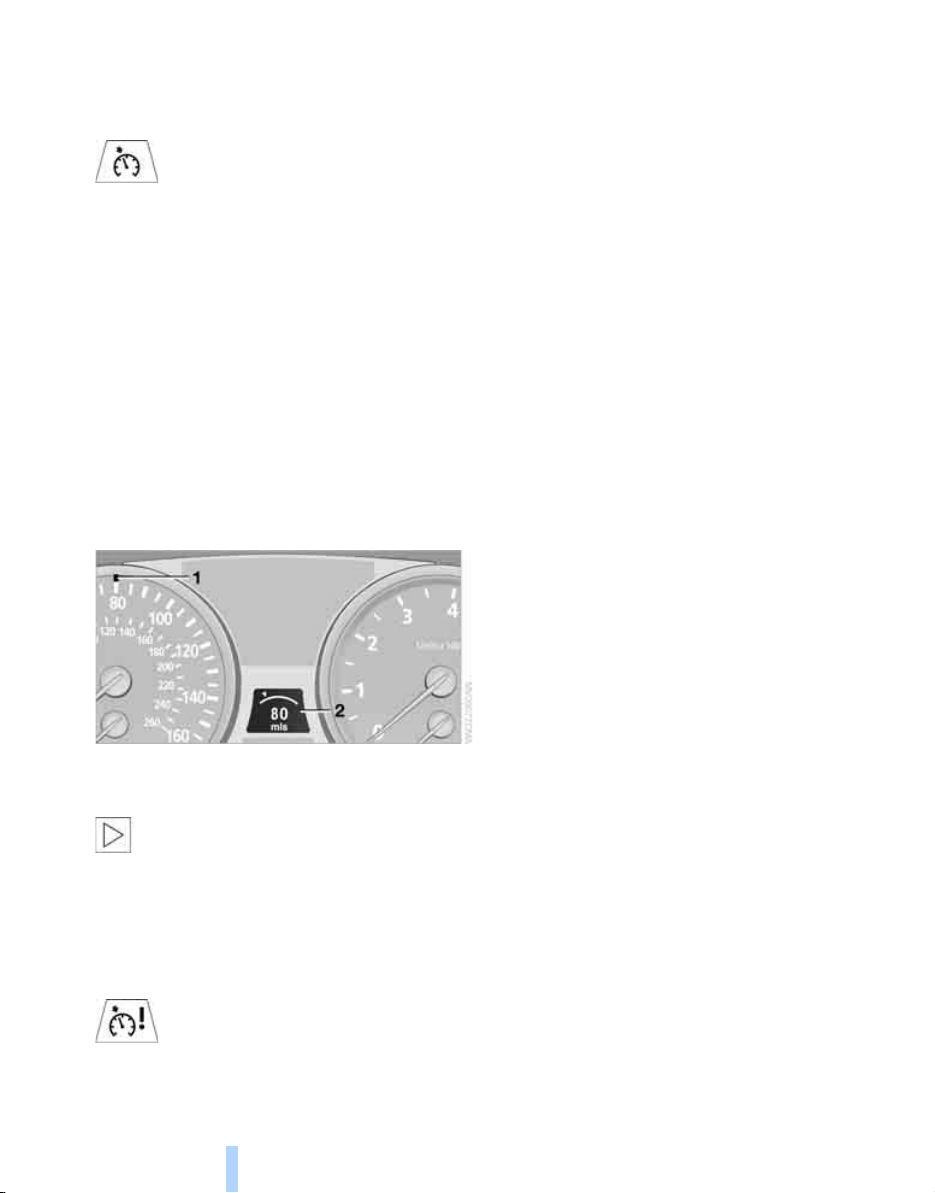
Driving
66
the stored speed is reached and maintained
again.
Warning lamp
The warning lamp lights up when the
cruise control has automatically been
deactivated by braking with the park-
ing brake or by a control intervention by DSC.
A message appears on the Control Display.
Resuming stored speed
Briefly press the button, arrow 4. The stored
speed is resumed and maintained.
In the following cases the stored speed value is
deleted and can no longer be resumed:
> in case of an intervention of the driving sta-
bility control systems
> when transmission position N is engaged
> when the ignition is switched off
Displays in instrument cluster
1 Stored desired speed
2 Selected desired speed appears briefly
If the display --- mph or --- km/h appears
briefly in the instrument cluster, then con-
ditions required for operation may not currently
be fulfilled.
Retrieving Check Control messages, refer to
page 74.<
Malfunction
The warning lamp lights up if the sys-
tem has failed. A message appears on
the Control Display. Detailed informa-
tion is provided from page 74.
Online Edition for Part no. 01 41 0 012 501 - © 08/06 BMW AG
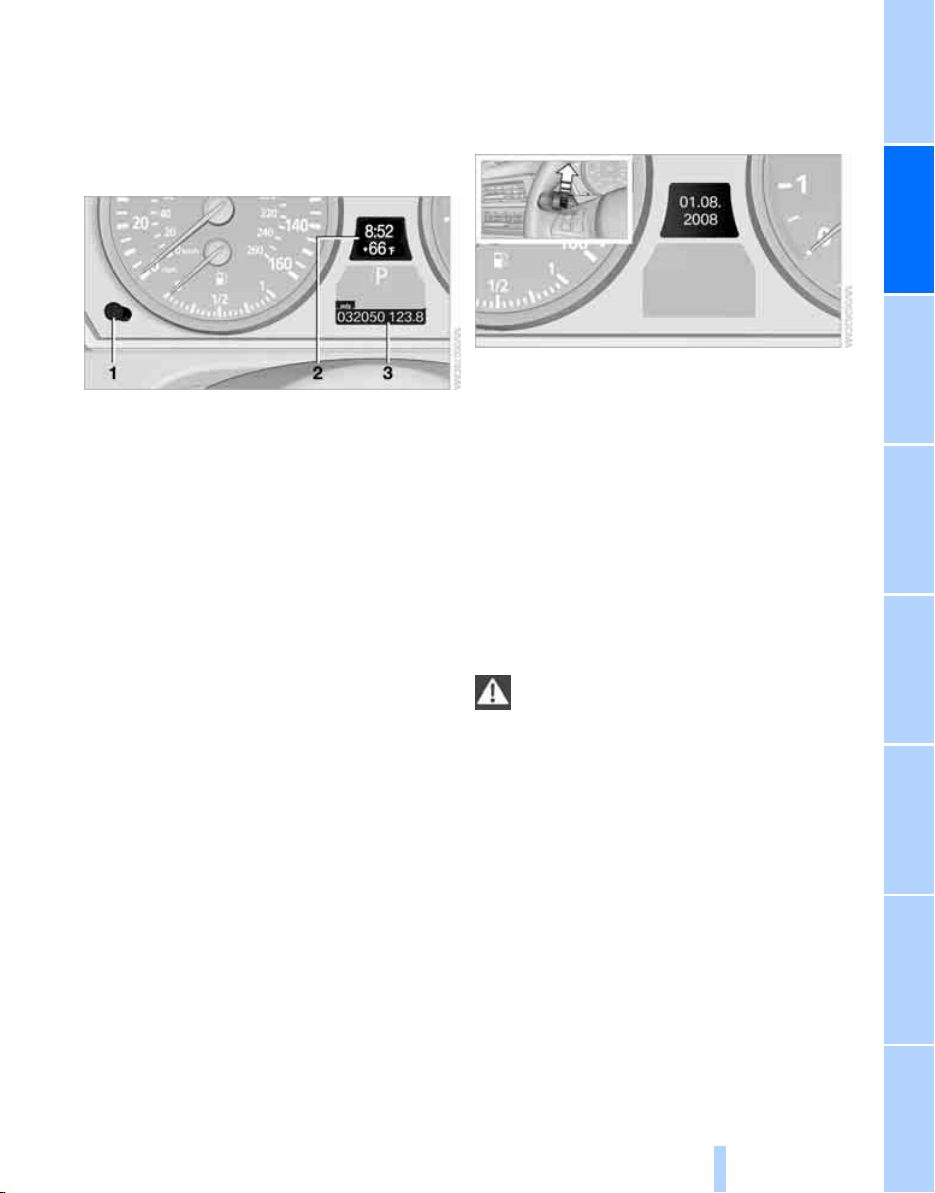
Controls
67
Reference At a glanceDriving tipsCommunications NavigationEntertainmentMobility
Everything under control
Odometer, outside
temperature display, clock
1 Button in instrument cluster
2 Outside temperature display and clock
3 Odometer and trip odometer
Button in instrument cluster
> With ignition switched on
Press the button:
Resetting trip odometer
Press the button for approx. 5 seconds:
Displaying service requirements, refer to
page 71
> With ignition switched off
Press the button:
Briefly displaying time, outside temperature
and odometer
Units of measure
To set the corresponding unit of measure km or
miles for the odometer and for the outside tem-
perature 7 or 6, refer to page 79.
The setting is stored for the remote control cur-
rently in use.
Time, date, outside temperature
display
From radio readiness the outside temperature
and the time are displayed.
To set the time, refer to page 77.
Retrieving date
Press the button on turn signal lever upward;
the date appears.
To set the date, refer to page 78.
Pressing the button upward or downward sev-
eral times changes the display between clock
and outside temperature display, date and
Check Control messages, refer to page 75.
Outside temperature warning
If the display drops to +377/+36, a signal
sounds and a warning lamp lights up. A mes-
sage appears on the Control Display. There is
an increased danger of ice.
Even at temperatures above +377/
+36 ice can form. Therefore, drive care-
fully, e.g. on bridges and sections of road in the
shade, otherwise there is an increased accident
risk.<
Odometer and trip odometer
Resetting trip odometer:
Press button 1 in the instrument cluster with
the ignition switched on.
When vehicle is parked
To briefly display the time, outside temperature
and mileage after the remote control has been
removed from the ignition lock:
Press button 1 in the instrument cluster.
Online Edition for Part no. 01 41 0 012 501 - © 08/06 BMW AG
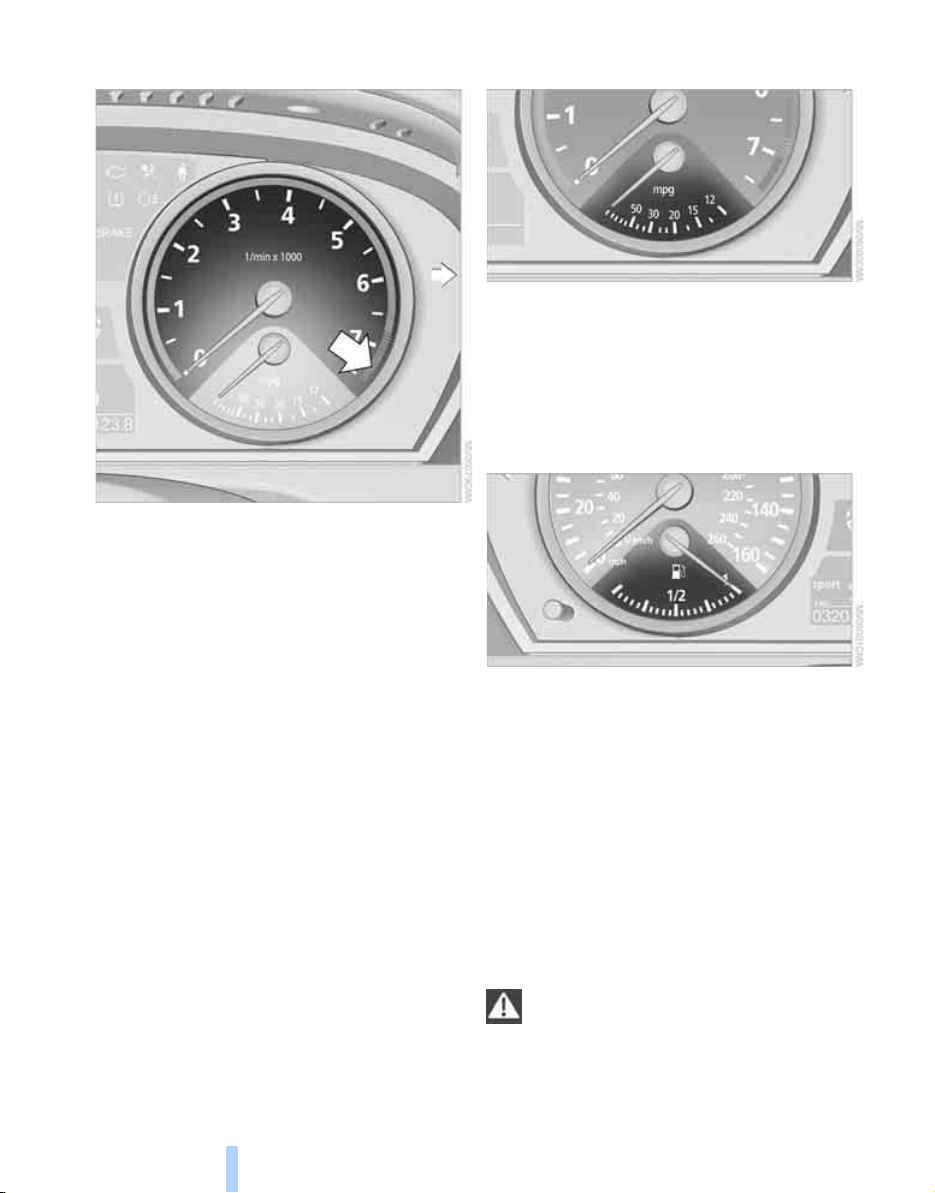
Everything under control
68
Tachometer
Do not operate the engine with the needle in the
red overspeed zone of the gauge, refer to arrow.
In this range, the fuel supply is interrupted to
protect the engine.
Coolant temperature
Should the coolant, and with it the engine
become too hot, a warning lamp lights up. In
addition, a message appears on the Control
Display.
Checking coolant level, refer to page 225.
Energy Control
Displays the current fuel consumption. This
allows you to see whether your current driving
style is conducive to fuel economy with mini-
mum exhaust emissions.
Fuel gauge
Fuel tank capacity: approx. 22.5 US gal/
85 liters. You will find information on refueling
on page 212.
If the tilt of the vehicle varies for a longer period,
when you are driving in mountainous areas, for
example, the indicator may fluctuate slightly.
Reserve
After the reserve quantity has been reached, a
message briefly appears on the Control Display;
the remaining range is shown in the computer.
Below a range of approx. 30 miles/50 km, the
message remains on the Control Display.
Refuel as soon as possible once your
cruising range falls below 30 miles/
50 km, otherwise engine functions are not
ensured and damage can occur.<
Online Edition for Part no. 01 41 0 012 501 - © 08/06 BMW AG
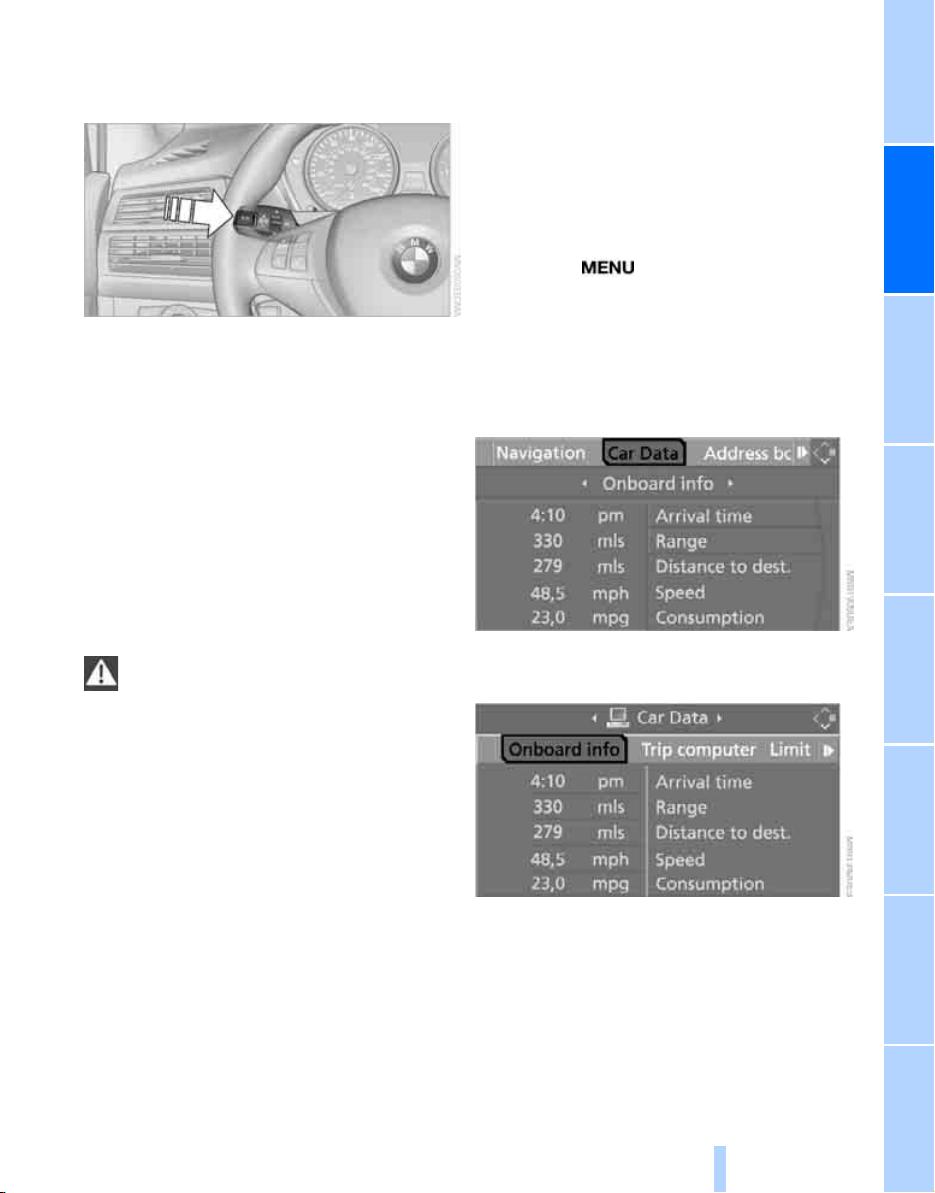
Controls
69
Reference At a glanceDriving tipsCommunications NavigationEntertainmentMobility
Computer
Displays in instrument cluster
To display the information, press the BC button
on the turn signal lever.
The following information is displayed in the
specified order:
> Cruising range
> Average speed
> Average fuel consumption
Cruising range
Displays the estimated cruising range available
with the remaining fuel. The range is projected
based on the driving style over the last 20 miles/
30 km.
Refuel as soon as possible once your
cruising range falls below 30 miles/
50 km, otherwise engine functions are not
ensured and damage can occur.<
Average speed
Periods with the vehicle parked and the engine
stopped are not included in the calculations of
average speed.
To reset average speed: press the BC button on
the turn signal lever for approx. 2 seconds.
Average fuel consumption
The average fuel consumption is calculated for
the time during which the engine is running.
To reset average fuel consumption: press the
BC button on the turn signal lever for approx.
2seconds.
For different routes
You can display the average speed and average
consumption for two different routes on the
Control Display, refer to the following and to
Trip computer
*
.
Displays on Control Display
You can also call up the computer via iDrive.
For explanation of concept, refer to page 16.
1. Press the button.
This opens the start menu.
2. Move the controller to the right to open
"Navigation".
Without navigation system
*
:
Open "Car Data".
3. Select "Car Data" and press the controller.
4. Select "Onboard info" and press the con-
troller.
> Estimated time of arrival at destination and
remaining distance:
> Entering a distance manually in the com-
puter, see below.
> Entering a destination in the navigation
system
*
, refer to page 131.
> Cruising range
Online Edition for Part no. 01 41 0 012 501 - © 08/06 BMW AG
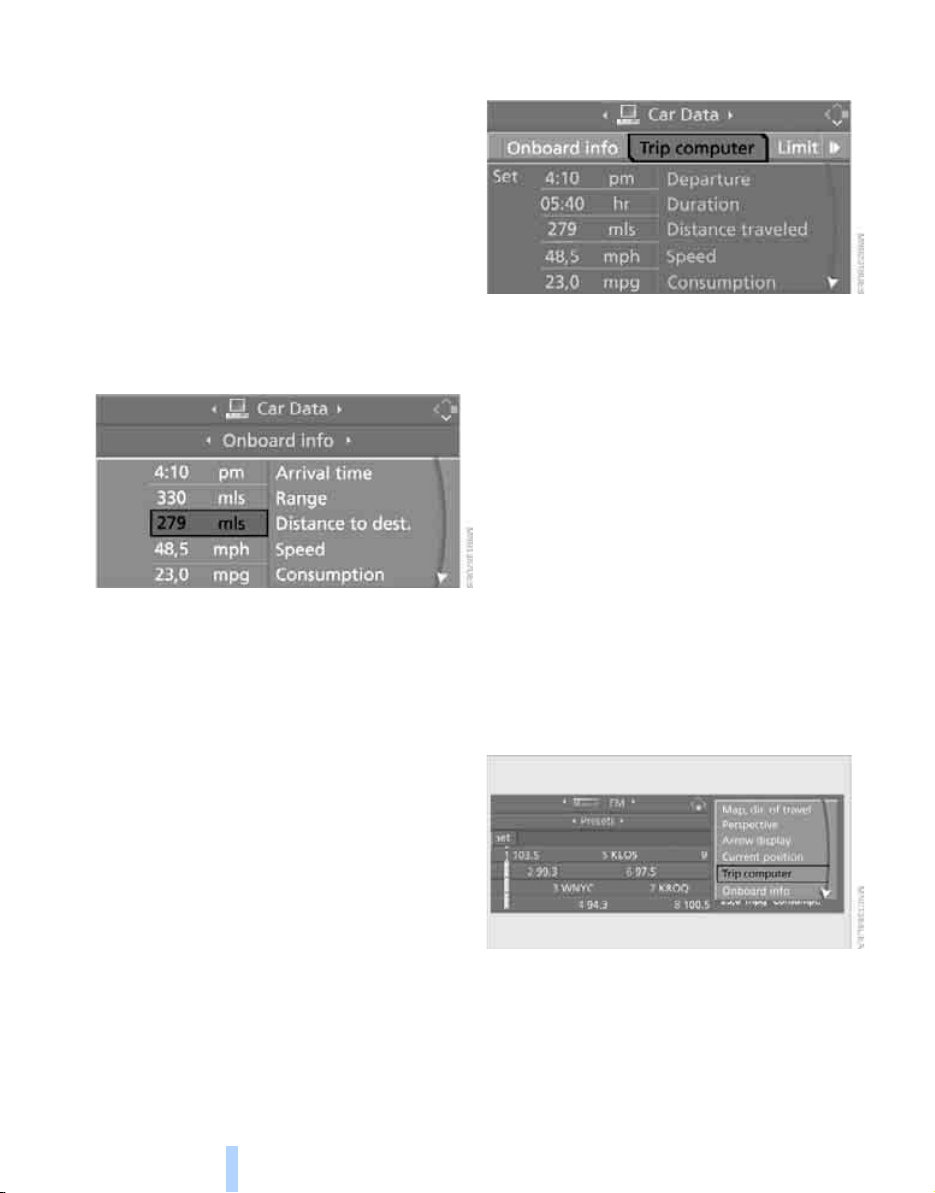
Everything under control
70
> Average speed
> Average fuel consumption
Resetting values
You can reset the values for the average speed
and average fuel consumption:
1. Select the respective menu item and press
the controller.
2. To confirm your selection, press the con-
troller again.
Entering a distance manually
1. Select "Distance to dest." and press the
controller.
2. Turn the controller to select the distance to
your destination.
3. Press the controller to apply the setting.
The distance is automatically preset during the
destination guidance of the navigation sys-
tem
*
.
Trip computer*
The trip computer is suitable, for example, for a
vacation trip.
1. Open the start menu.
2. Open "Navigation".
Without navigation system
*
:
Open "Car Data".
3. Select "Car Data" and press the controller.
4. Select "Trip computer" and press the con-
troller.
> Departure time
> Driving time
> Distance traveled
> Average speed
> Average fuel consumption
Starting or stopping the trip computer, or reset-
ting all values:
1. Select "Set" and press the controller.
2. Select the desired menu item.
3. Press the controller.
Display options
You can display the computer or the trip com-
puter in the assistance window.
1. Move the controller to the right to change to
the assistance window and press the con-
troller.
2. Select "Onboard info" or "Trip computer".
Online Edition for Part no. 01 41 0 012 501 - © 08/06 BMW AG
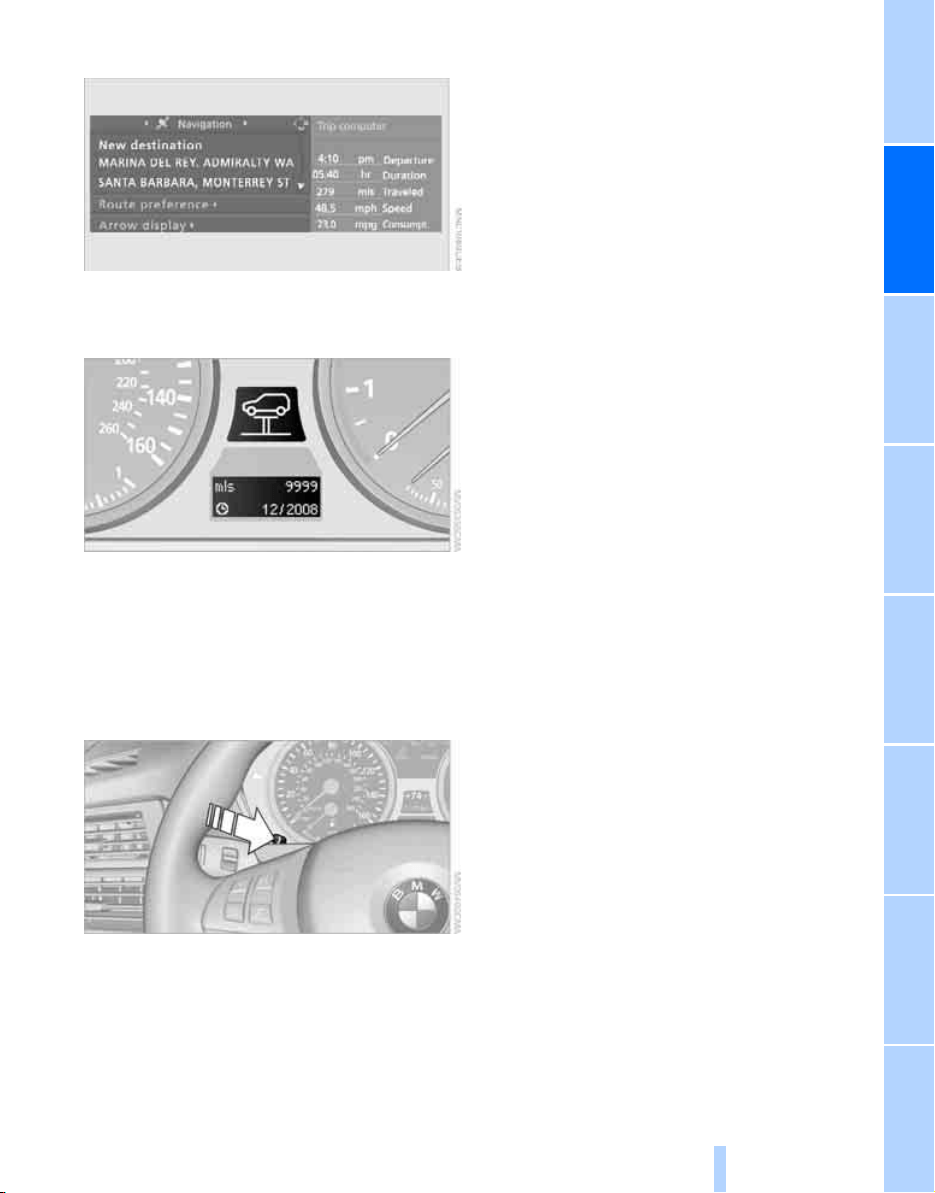
Controls
71
Reference At a glanceDriving tipsCommunications NavigationEntertainmentMobility
3. Press the controller.
Service requirements
The remaining driving distance and the date for
the next maintenance are displayed briefly with
the ignition switched on.
To determine the extent of maintenance
required, you can also display the remaining
distance or the service date individually in the
instrument cluster.
1. Press the button in the instrument cluster
for approx. 5 seconds until the service
requirement is displayed.
2. Press the button repeatedly to display the
individual service requirement points.
Online Edition for Part no. 01 41 0 012 501 - © 08/06 BMW AG
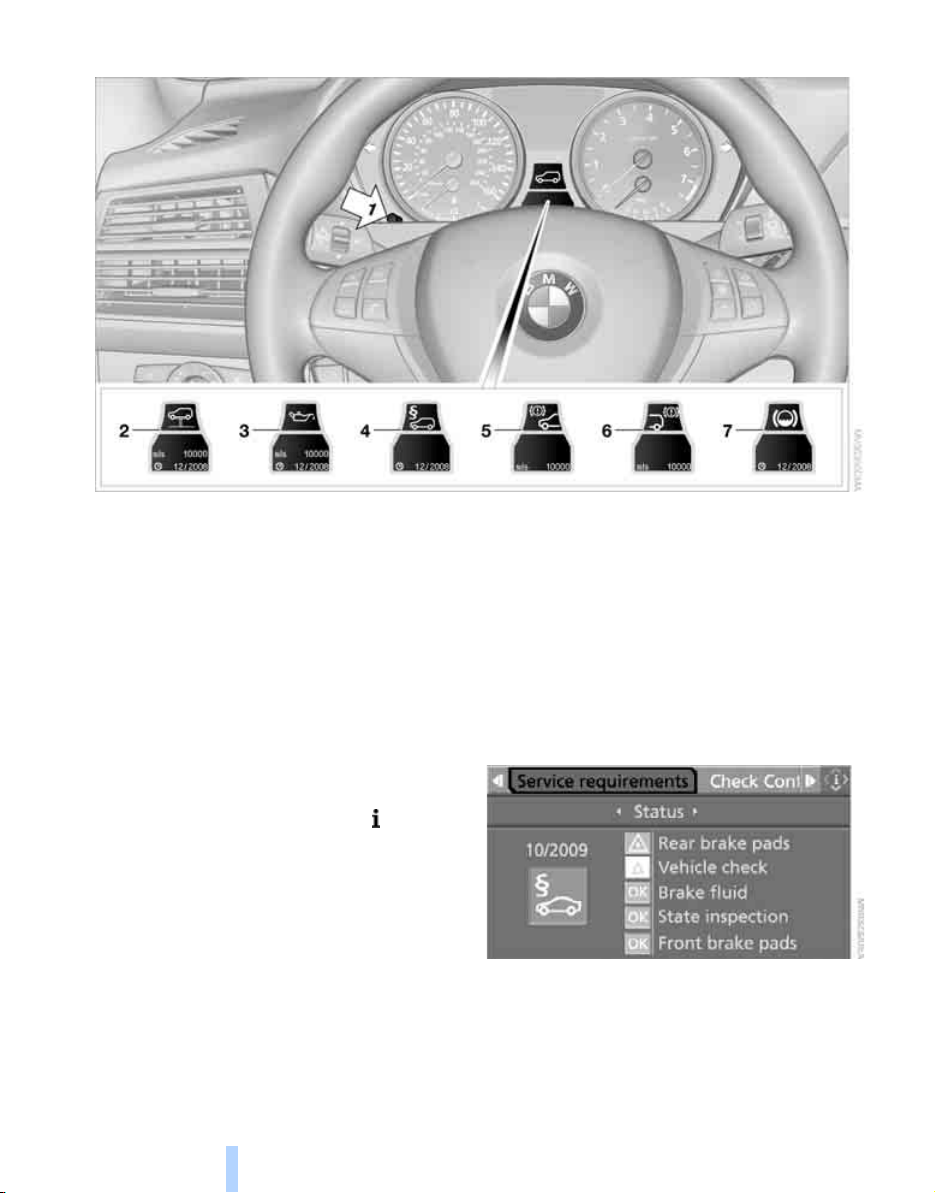
Everything under control
72
Displaying service requirements
1 Button for selecting display
2 Service requirements
3 Engine oil
4 Legally mandated inspections
*
5 Front brake pads
6 Rear brake pads
7 Brake fluid
The sequence of the displayed maintenance
can vary. First the data for the next maintenance
are displayed.
Additional information
You can select a display of more detailed infor-
mation on the maintenance scope on the Con-
trol Display. For explanation of concept, refer to
page 16.
1. Open the start menu.
2. Press the controller to open the menu.
3. Select "Info sources" and press the control-
ler.
4. Select "Service" and press the controller.
5. Change to upper field if necessary. Turn the
controller until "Service requirements" is
selected and press the controller.
Online Edition for Part no. 01 41 0 012 501 - © 08/06 BMW AG
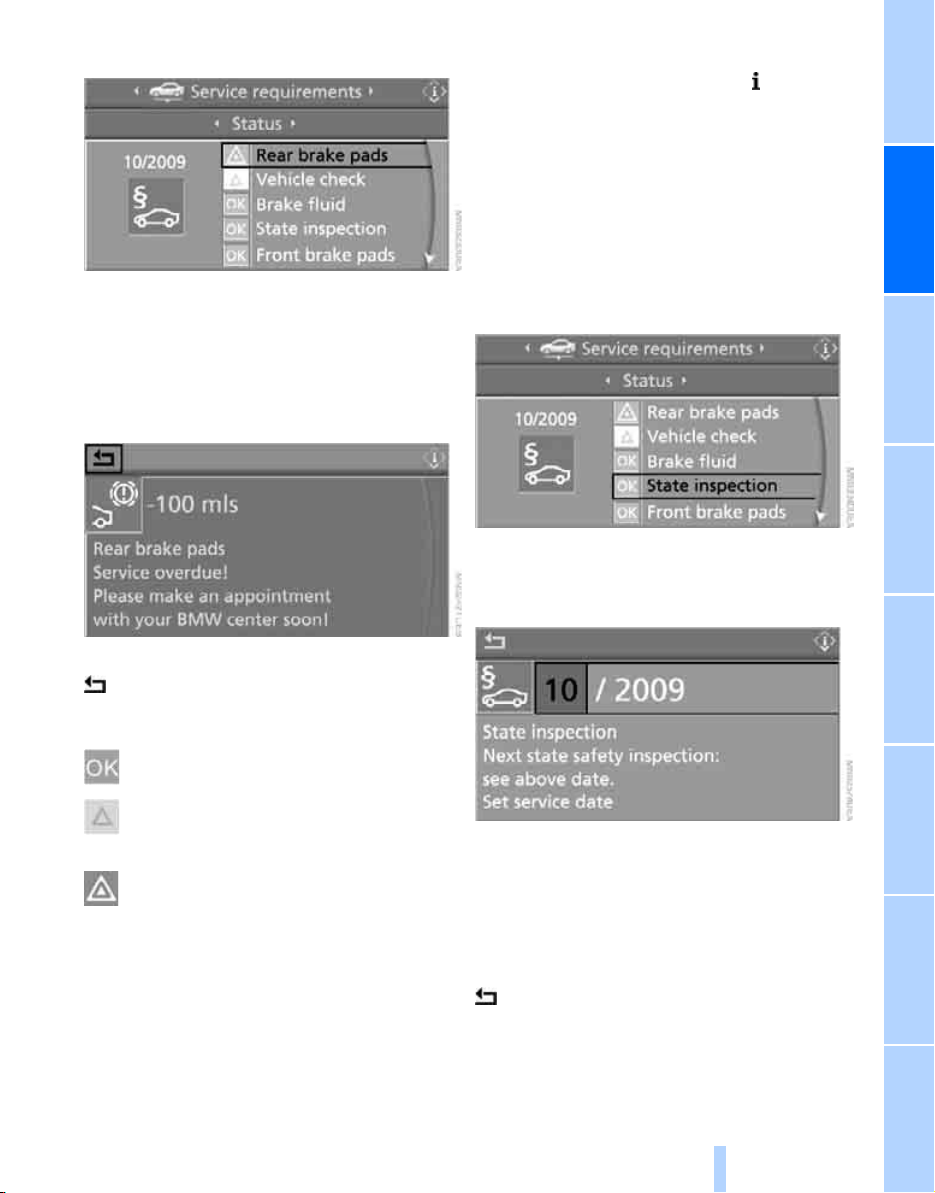
Controls
73
Reference At a glanceDriving tipsCommunications NavigationEntertainmentMobility
6. Select "Status" and press the controller.
The display shows a list of selected service and
maintenance procedures, as well as legally
mandated inspections.
You can request more detailed information on
every entry.
Select the entry and press the controller.
To exit from the menu:
Select the arrow and press the controller.
Symbols
No service is currently required.
The deadline for service or a legally man-
dated inspection is approaching. Please
arrange a service appointment.
The service deadline has already passed.
Entering dates for legally mandated
inspections*
Make sure the date on the Control Display is set
correctly, refer to page 78; otherwise, the effec-
tiveness of CBS Condition Based Service is not
ensured.
1. Open the start menu.
2. Press the controller to open the menu.
3. Select "Info sources" and press the control-
ler.
4. Select "Service" and press the controller.
5. Change to upper field if necessary. Turn the
controller until "Service requirements" is
selected and press the controller.
6. Select "Status" and press the controller.
7. Select "State inspection" and press the
controller.
8. Select "Set service date" and press the
controller. The month is highlighted.
9. Turn the controller to make the adjustment.
10. Press the controller to apply the setting.
The year is highlighted.
11. Turn the controller to make the adjustment.
12. Press the controller to apply the setting.
The date entry is stored.
To exit the menu:
Select the arrow and press the controller.
Online Edition for Part no. 01 41 0 012 501 - © 08/06 BMW AG
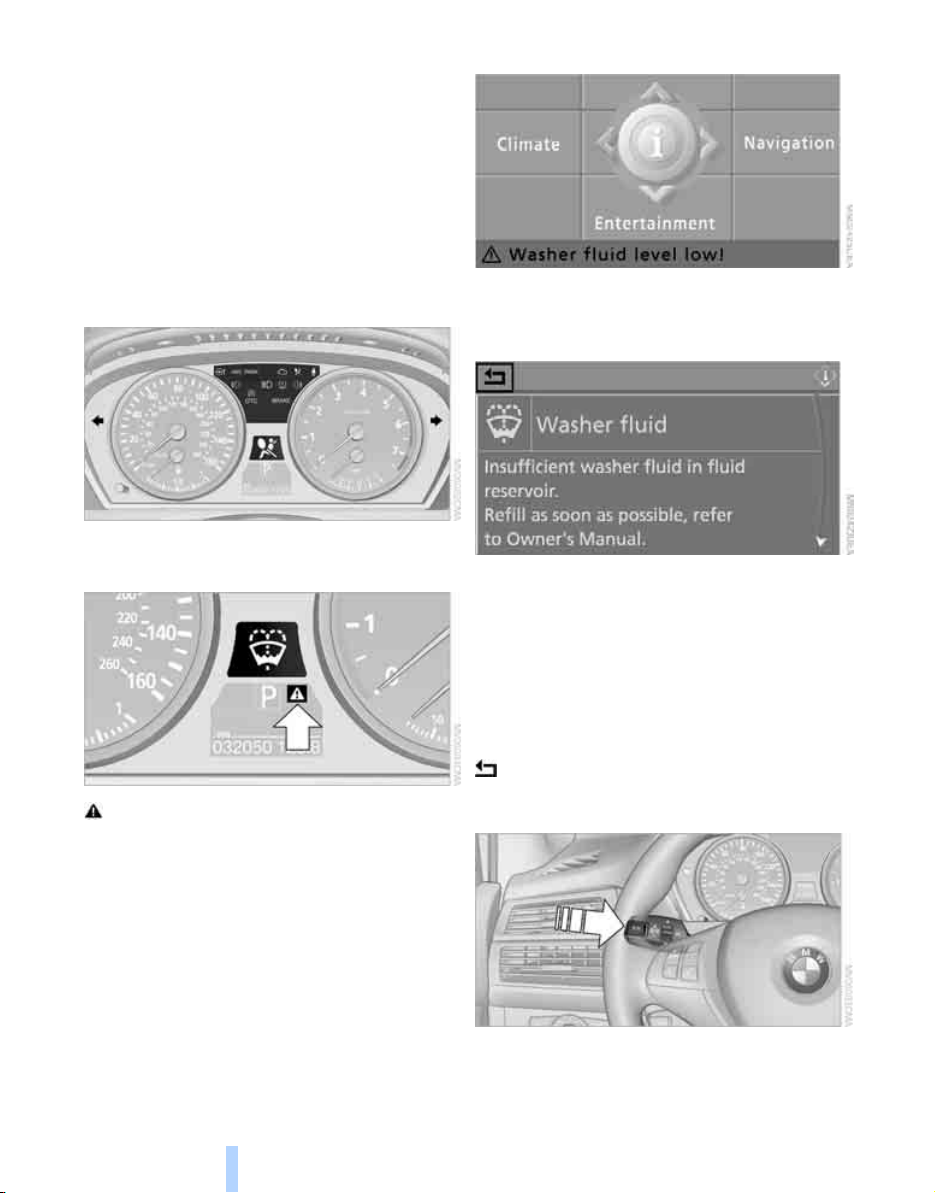
Everything under control
74
Check Control
The concept
The Check Control monitors functions in the
vehicle and issues a message if there is a mal-
function in the monitored systems. This kind of
Check Control message consists of indicator
and warning lamps in the instrument cluster,
and if necessary an acoustic signal and text
messages at the bottom of the Control Display.
Indicator and warning lamps
The indicator and warning lamps can light up in
different combinations and colors.
means that a Check Control message has
been generated. The symbol continues to be
visible even when the Check Control message
disappears after a short time. The warning
lamps and text messages are stored and can be
displayed later, also refer to page 75.
Explanatory text messages
Text messages at the bottom edge of the Con-
trol Display explain the meaning of the dis-
played indicator and warning lamps.
You can display additional information on most
Check Control messages later, e.g. on the
cause of the malfunction and on corresponding
need for action, see below.
In the case of corresponding urgency, this infor-
mation is displayed immediately when the
related lamp lights up.
Exit the displayed information:
Select the arrow and press the controller.
Hiding Check Control messages
Press the button on the turn signal lever.
Some Check Control messages remain visible
until the malfunctions have been rectified. They
Online Edition for Part no. 01 41 0 012 501 - © 08/06 BMW AG
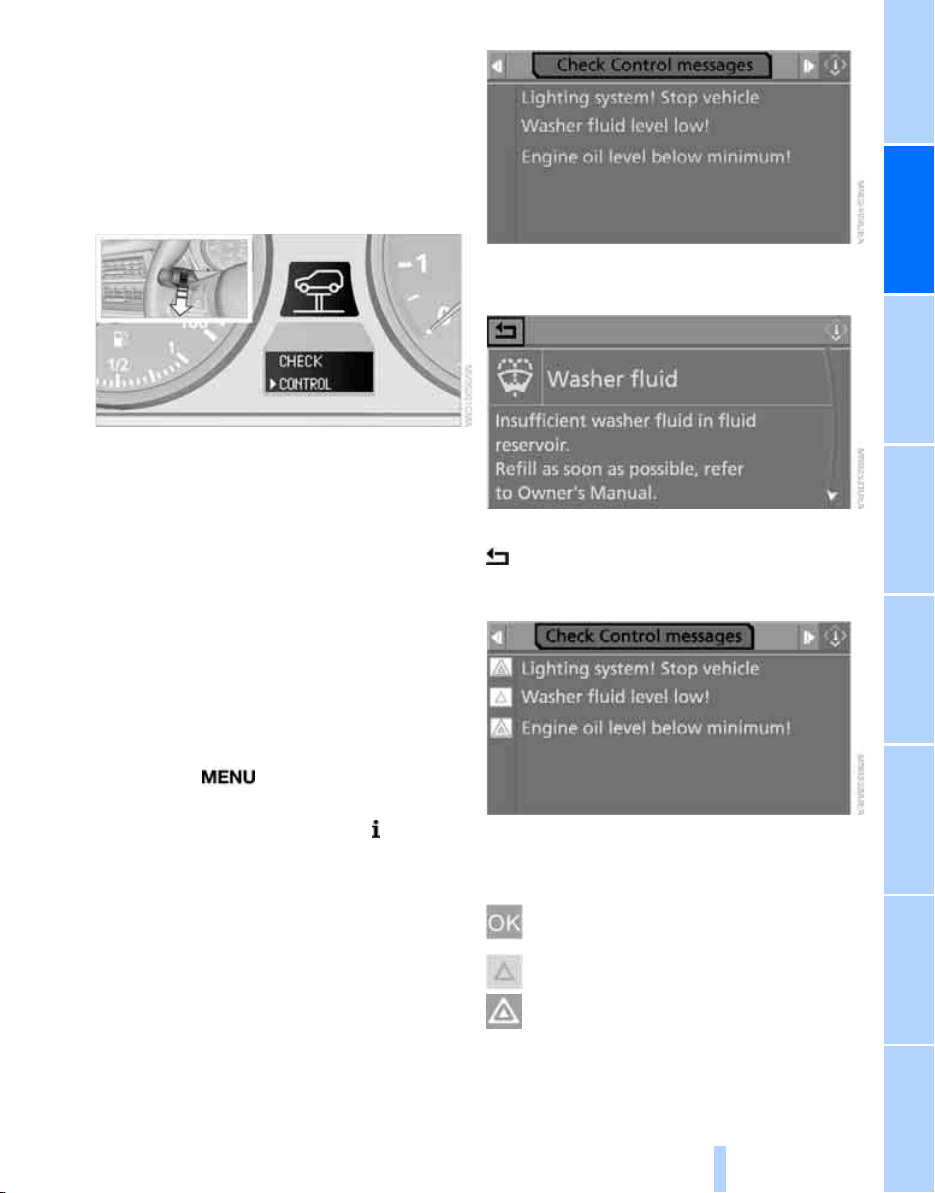
Controls
75
Reference At a glanceDriving tipsCommunications NavigationEntertainmentMobility
cannot be hidden. If a number of malfunctions
occur simultaneously, they are displayed in
succession.
Other messages are automatically hidden after
approx. 20 seconds, but remain stored.
Displaying stored Check Control
messages
1. Press the button on the turn signal lever
downward. "CHECK OK" or the stored
Check Control messages appear in the dis-
play.
"CHECK OK" is shown if no messages are
present.
Check Control messages are accompanied
by text messages on the Control Display.
2. Press the button to display additional mes-
sages, or the time and outside temperature.
Displaying additional information later
iDrive, for explanation of concept, refer to
page 16.
1. Press the button.
This opens the start menu.
2. Press the controller to open the menu.
3. Select "Info sources" and press the control-
ler.
4. Select "Service" and press the controller.
5. Change to upper field if necessary. Turn the
controller until "Check Control messages"
is selected and press the controller.
6. Select a text message and press the con-
troller.
To exit the display:
Select the arrow and press the controller.
Indication of malfunction urgency
Depending on your vehicle's equipment, the
stored Check Control messages are also dis-
played with the following symbols:
No malfunctions are present in the moni-
tored systems.
Malfunctions are present in the moni-
tored systems. Depending on the mal-
function, supplementary information is
shown on the Control Display.
The symbols also indicate the status of the ser-
vice requirements display, refer to page 73.
Online Edition for Part no. 01 41 0 012 501 - © 08/06 BMW AG

Everything under control
76
Speed limit
You can enter a speed and a Check Control
message indicates when you have reached this
speed. This enables you, for example, to
receive warnings if you exceed a speed limit in
an urban area.
You are only warned of reaching this speed a
second time if your vehicle speed falls below it
again by at least 3 mph/5 km/h.
Displaying, setting or changing limit
iDrive, for explanation of concept, refer to
page 16.
1. Open the start menu.
2. Open "Navigation".
Without navigation system
*
:
Open "Car Data".
3. Select "Car Data" and press the controller.
4. Select "Limit" and press the controller.
5. Select the speed value and press the con-
troller.
6. Turn the controller to set the limit.
7. Press the controller to apply the setting.
The limit is automatically activated.
Applying your current speed as limit
Select "Select current speed" and press the
controller. The system applies your current
speed as the limit.
Activating limit
Select "On" and press the controller.
Limit is automatically activated.
Stopwatch
iDrive, for explanation of concept, refer to
page 16.
1. Open the start menu.
2. Open "Navigation".
Without navigation system
*
:
Open "Car Data".
3. Select "Car Data" and press the controller.
4. Select "Stopwatch" and press the control-
ler.
Starting, stopping or resetting
> Select "Start" and press the controller.
The stopwatch starts at the displayed time.
> Select "Reset" and press the controller.
The stopwatch is reset and it restarts if it
was running beforehand.
> Select "Stop" and press the controller.
This stops the timer.
Taking an intermediate time reading
Select "Interim time" and press the controller.
The interim time appears below the ongoing
primary stopwatch count.
All of the remaining functions remain
available at all times while the stopwatch
is running. The stopwatch continues operation
in the background.<
Online Edition for Part no. 01 41 0 012 501 - © 08/06 BMW AG
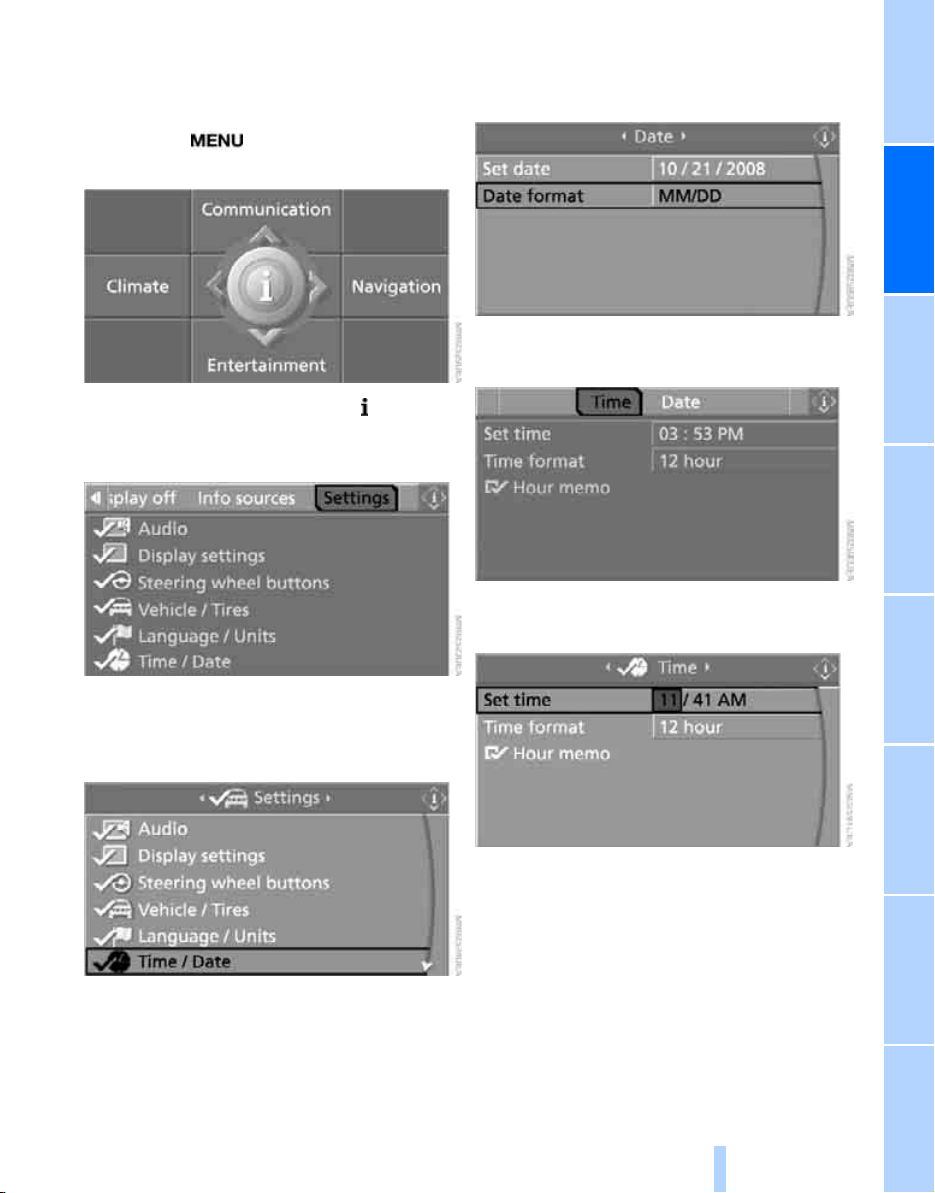
Controls
77
Reference At a glanceDriving tipsCommunications NavigationEntertainmentMobility
Settings on Control Display
iDrive, for explanation of concept, refer to
page 16.
1. Press the button once or twice until
the start menu appears.
2. Press the controller to open the menu.
3. Turn the controller until "Settings" is
selected and press the controller.
Setting time
1. Turn the controller until "Time / Date" is
selected and press the controller.
2. Move the controller once to the front if nec-
essary to change to the first field from the
top.
3. Turn the controller until "Time" is selected
and press the controller.
4. Turn the controller until "Set time" is
selected and press the controller.
5. Turn the controller to set the hours and
press the controller.
6. Turn the controller to set the minutes and
press the controller.
The changed time is stored.
Online Edition for Part no. 01 41 0 012 501 - © 08/06 BMW AG
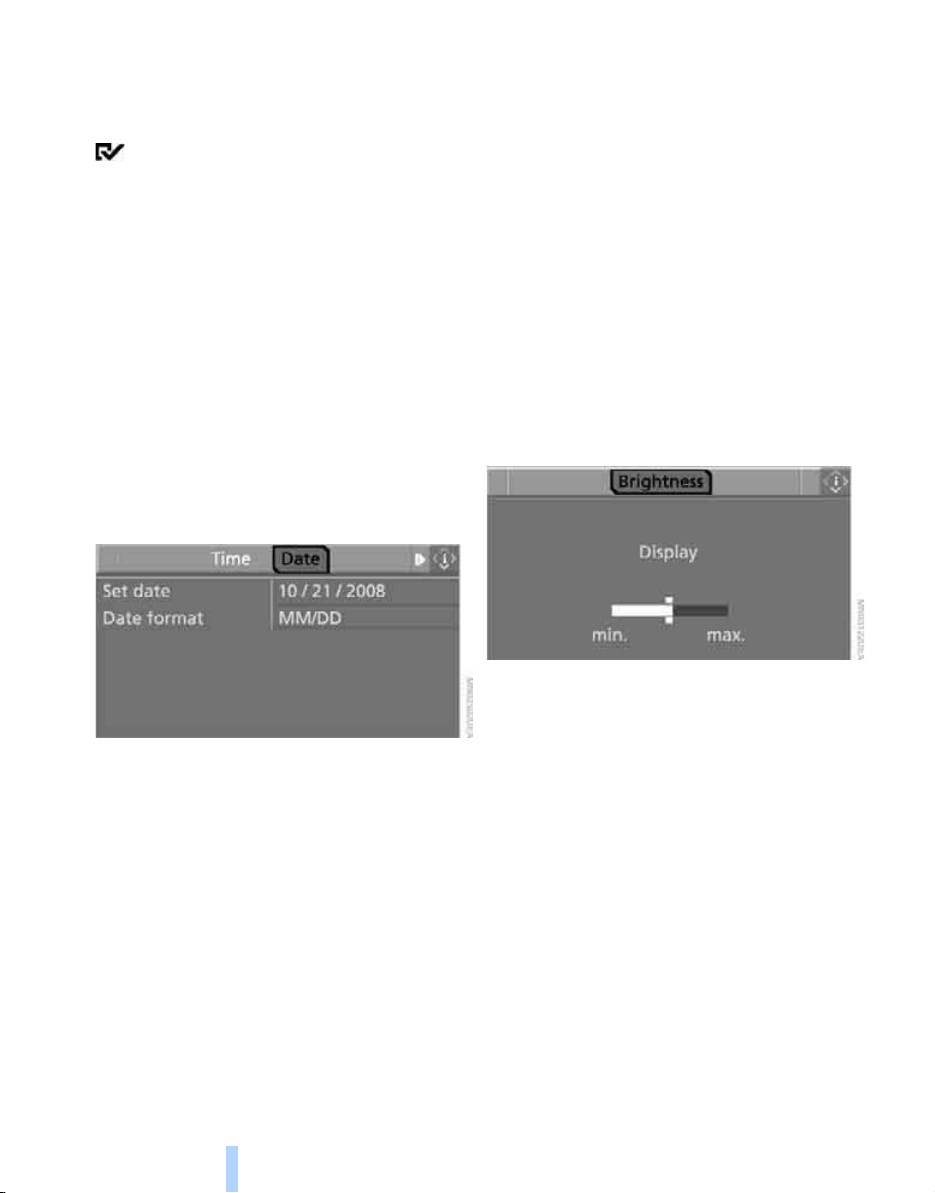
Everything under control
78
Switching on hour signal*
You will hear three tones just before each full
hour.
Select "Hour memo" and press the controller.
The hour signal is activated.
The setting is stored for the remote control cur-
rently in use.
Setting time format
1. Select "Time format" and press the control-
ler.
2. Select the desired format and press the
controller.
The setting is stored for the remote control cur-
rently in use.
Setting date
1. Turn the controller until "Time / Date" is
selected and press the controller.
2. Select "Date" and press the controller.
3. Select "Set date" and press the controller.
The first section of the date display is high-
lighted, in this case the month.
4. Turn the controller to make the adjustment.
5. Press the controller to apply the setting.
The next setting is highlighted.
6. Make the remaining adjustments. After the
last adjustment, the date is stored.
Changing date format
1. Select "Date format" and press the control-
ler.
2. Select the desired format and press the
controller.
The setting is stored for the remote control cur-
rently in use.
Brightness of Control Display
The brightness is automatically adapted to the
ambient lighting conditions. However, you can
change the basic setting.
1. Select "Display settings" and press the
controller.
2. Change to upper field if necessary. Turn the
controller until "Brightness" is selected and
press the controller.
3. If necessary, move the controller to the right
to select "Display".
4. Turn the controller until the desired setting
is selected.
The setting is stored for the remote control cur-
rently in use.
Online Edition for Part no. 01 41 0 012 501 - © 08/06 BMW AG
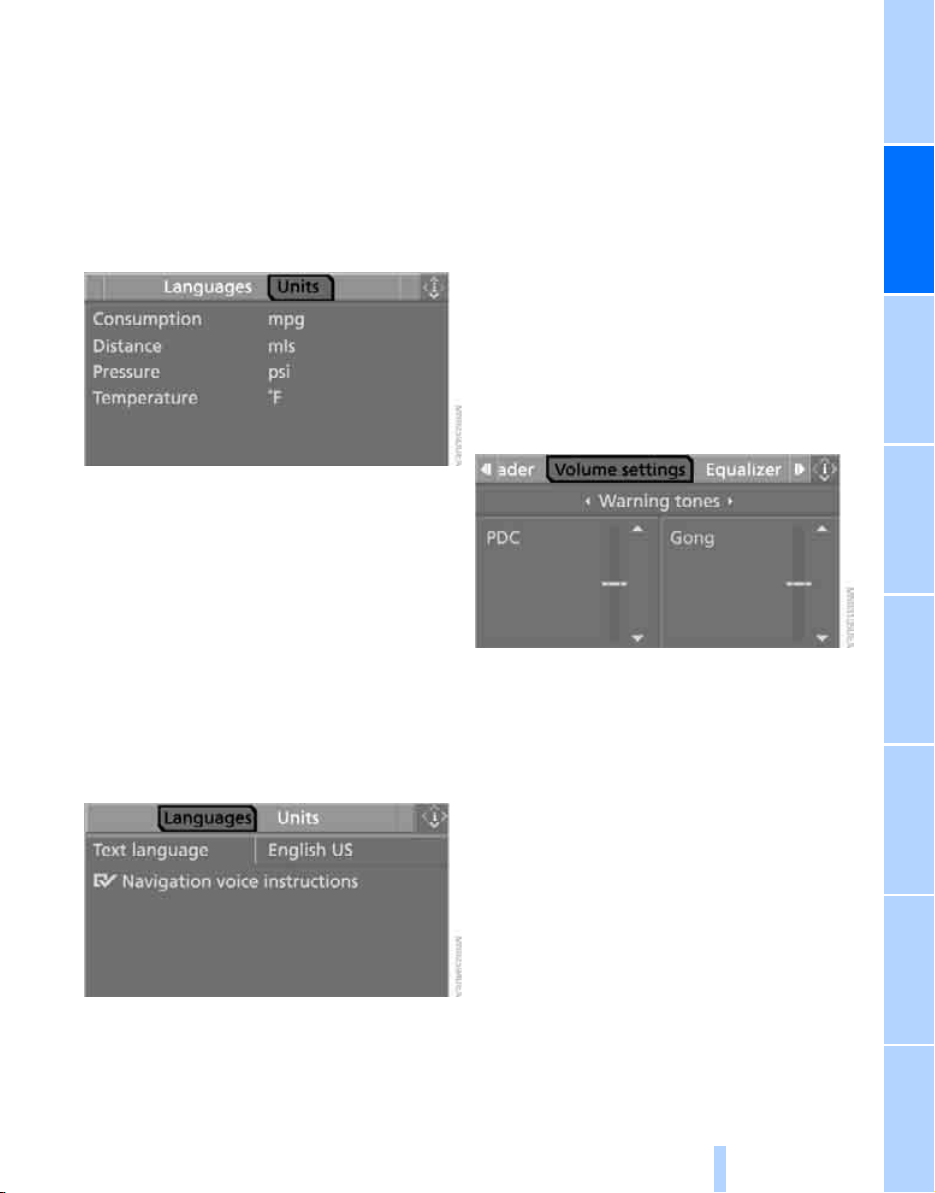
Controls
79
Reference At a glanceDriving tipsCommunications NavigationEntertainmentMobility
Units of measure
You can change the units of measure for con-
sumption, distances, temperature and pres-
sure.
1. Select "Language / Units" and press the
controller.
2. Change to upper field if necessary. Turn the
controller until "Units" is selected and press
the controller.
3. Select the menu item to be set and press
the controller.
4. Select the desired unit of measure and
press the controller.
The settings are stored for the remote control
currently in use.
Language on Control Display
1. Select "Language / Units" and press the
controller.
2. Change to upper field if necessary. Turn the
controller until "Languages" is selected and
press the controller.
3. Select "Text language" and press the con-
troller. You can change the language of the
text displays.
4. Select and activate the desired language by
pressing the controller.
The setting is stored for the remote control cur-
rently in use.
Volume of warning tones*
On vehicles equipped with a single drive, you
can increase or decrease the volume of the
warning tones, e.g. for the safety belt reminder,
compared to the entertainment sound output.
The warning tones have a specified minimum
and maximum volume that cannot be dropped
below or exceeded.
1. Select "Tone / volume" and press the con-
troller.
2. Select "Volume settings" and press the
controller.
3. Change to the second field from the top if
necessary. Select "Warning tones" and
press the controller.
4. If necessary, change to the right-hand field
and turn the controller.
The setting is applied.
Online Edition for Part no. 01 41 0 012 501 - © 08/06 BMW AG

Technology for comfort, convenience and safety
80
Technology for comfort, convenience and
safety
PDC Park Distance Control*
The concept
The PDC assists you when you are parking.
Acoustic signals and an optical display
*
alert
you to the approach of an object from behind
your vehicle. To measure the distance, there
are four ultrasonic sensors in each bumper.
The range of these sensors is approx. 7 ft/2 m.
However, an acoustic warning first sounds for
the sensors at the front and at the two rear cor-
ners at approx. 24 in/60 cm, and for the center
rear sensors at approx. 5 ft/1.50 m.
PDC is a parking aid that can indicate
objects when they are approached
slowly, as is usually the case when parking.
Avoid approaching an object at high speed, oth-
erwise the physical circumstances would mean
that the system warning was too late.<
Automatic activation
Whenever the engine is running or the ignition
is on, each time you move the selector lever into
position R, the PDC system is activated after
approx.1 second.
Wait this short period before driving off.
Manual activation
Press the button, the LED lights up.
Manual deactivation
Press the button again; the LED goes out.
Automatic deactivation
After driving approx. 165 ft/50 m or at over
approx. 20 mph/30 km/h, the system is
switched off and the LED goes out. You can
reactivate the system manually as needed.
Warning tones
When nearing an object, the position is corre-
spondingly indicated by an interval tone.
As a result, an object detected, for example,
to the left rear of the vehicle will be indicated
by a warning tone from the left rear speaker.
As the distance between vehicle and object
decreases, the intervals between the tones
become shorter. If the distance to the nearest
object falls to below roughly 1 ft/30 cm, then a
continuous tone sounds.
An intermittent tone is interrupted after approx.
3seconds:
> if you remain in front of an object that was
only detected by one of the corner sensors
> if you drive parallel to a wall
Adjusting
You can adjust the volume of the warning tones
if the vehicle is equipped with a single drive,
refer to page 79.
Malfunction
The LED in the button flashes and a message
appears on the Control Display. PDC is mal-
functioning. Have the system checked.
To prevent this problem, keep the sensors
clean and free of ice or snow in order to ensure
that they will continue to operate effectively. Do
not spray the sensors with high-pressure clean-
ers for long periods and maintain a distance of
at least 4 in/10 cm to them.
Online Edition for Part no. 01 41 0 012 501 - © 08/06 BMW AG
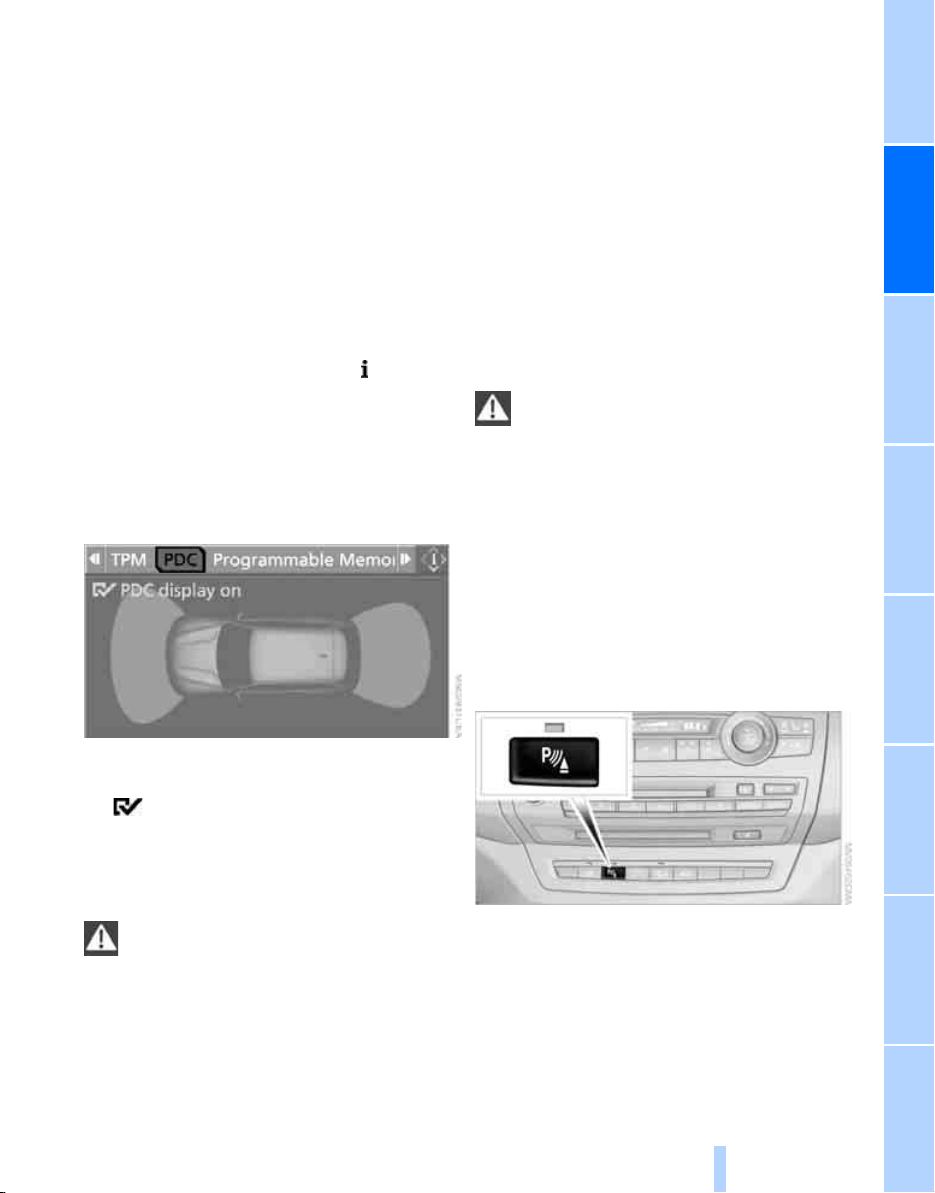
Controls
81
Reference At a glanceDriving tipsCommunications NavigationEntertainmentMobility
PDC with visual warning*
You can also have the system show distances
to objects on the Control Display. Objects that
are farther away are already shown there before
a signal tone sounds.
The setting is stored for the remote control cur-
rently in use.
If the vehicle is equipped with a backup camera,
refer to the display of the backup camera on
page 83.
iDrive, for explanation of concept, refer to
page 16.
1. Open the start menu.
2. Press the controller to open the menu.
3. Select "Settings" and press the controller.
4. Select "Vehicle / Tires" and press the con-
troller.
5. Change to upper field if necessary. Turn the
controller until "PDC" is selected and press
the controller.
6. Select "PDC display on" and press the con-
troller.
The PDC screen is activated.
The display appears on the Control Display as
soon as PDC is activated.
System limits
Even with PDC, final responsibility for
estimating the distance between the
vehicle and any obstructions always remains
with the driver. Even when sensors are pro-
vided, there is a blind spot in which objects can
no longer be detected. The system's detection
of objects is also subject to the physical limits
that apply to all forms of ultrasonic measure-
ment, such as those encountered with tow bars
and trailer couplings, thin or wedge-shaped
objects etc. Low objects already displayed, e.g.
a curb, can also disappear from the detection
area of the sensors again before or after a con-
tinuous tone already sounds. Higher, protrud-
ing objects, e.g. ledges, cannot be detected.
Loud sources of sound, inside and outside the
vehicle, could drown out the PDC signal tone.<
Backup camera*
The concept
The backup camera in the liftgate displays the
area behind your vehicle on the Control Display.
Also check the traffic situation around the
vehicle during parking and maneuvering
with direct vision, as otherwise danger of an
accident could result, for example, from road
users or objects located outside the picture
area of the backup camera.<
Switching on
Automatically
Engage transmission position R with the engine
running or the ignition switched on.
Manually
Press the button.
PDC is activated at the same time, refer to
page 80.
Online Edition for Part no. 01 41 0 012 501 - © 08/06 BMW AG
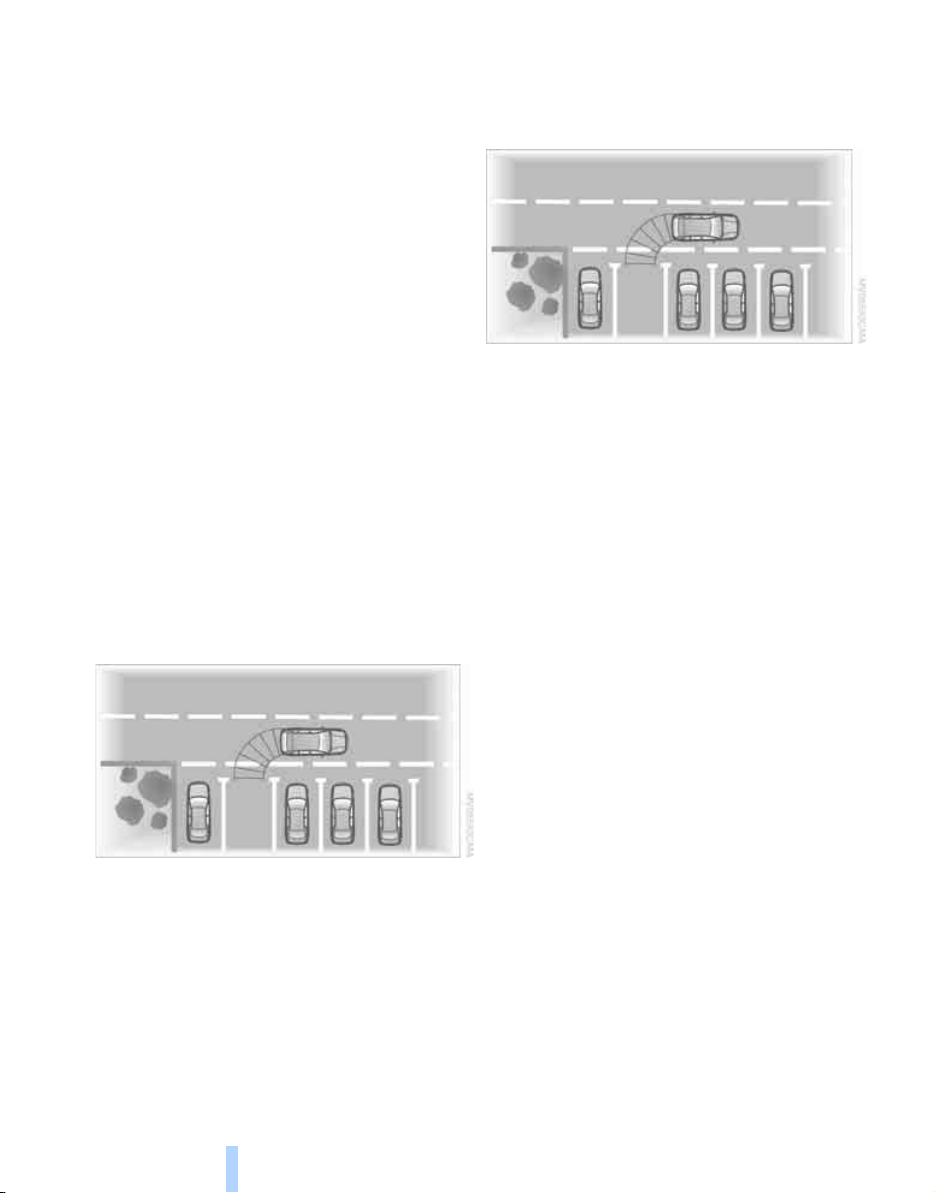
Technology for comfort, convenience and safety
82
Switching off
Automatically
When driving forward from a speed of approx.
12 mph/20 km/h or from a driven distance of
approx. 164 ft/50 m.
Manually
Press the button again; the LED goes out.
Driver assistance functions
The following functions can improve the effect
of the backup camera depending on the situa-
tion.
They can only be activated when the tailgates
are completely closed.
Lane lines
The lane lines are shown in the picture of the
backup camera. They help you to estimate the
space required when parking and maneuvering
on level roads.
To estimate the space required, turn the steer-
ing wheel so that the lane lines guide into the
parking space or the maneuvering area you
have chosen.
The lane lines are dependent on the current
steering angle and are continuously adjusted to
the steering wheel movements.
Turning circle lines
The static turning circle lines are displayed in
the picture of the backup camera and show you
the course of the smallest possible turning cir-
cle on level roads.
Using lane and turning circle lines
1. Position the vehicle so that the turning cir-
cle line guide within the limits of the parking
space.
2. Turn the steering wheel so that the lane
lines cover the corresponding turning circle
line.
This results in a steering wheel adjustment that
makes full use of the smallest possible turning
circle of the vehicle when parking.
Virtual camera pan
The picture area is dependent on the current
speed:
At low speeds, the camera view is panned
toward the street, and at higher speeds toward
the horizon.
This enables the currently relevant picture area
to be shown enlarged on the Control Display.
To activate the virtual camera pan, select the
camera view "Camera view: full screen".
Obstacle marking
Spatially shaped markings are shown in the pic-
ture of the backup camera. Their stepped col-
ors correspond to the markings of the Park Dis-
tance Control and support you in estimating the
distance to the object shown.
The obstacle marking is deactivated when driv-
ing in reverse from approx. 12 mph/20 km/h.
Online Edition for Part no. 01 41 0 012 501 - © 08/06 BMW AG
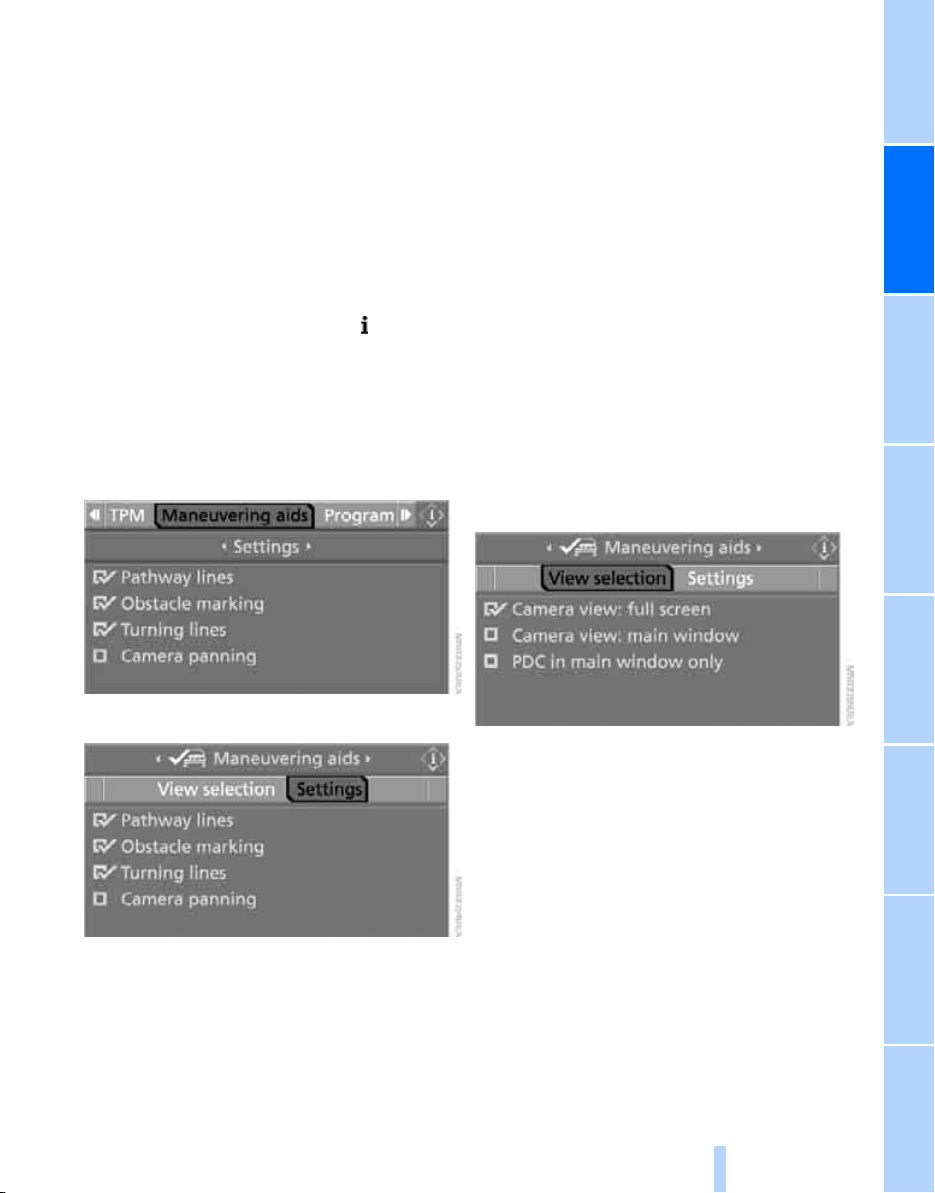
Controls
83
Reference At a glanceDriving tipsCommunications NavigationEntertainmentMobility
Activating driver assistance functions
With backup camera switched on
iDrive, for explanation of concept, refer to
page 16.
1. Press the controller.
2. Select the desired function and press the
controller.
With backup camera switched off
1. Open the start menu.
2. Press the controller to open the menu.
3. Select "Settings" and press the controller.
4. Select "Vehicle / Tires" and press the con-
troller.
5. Change to upper field if necessary. Turn the
controller until "Maneuvering aids" is
selected and press the controller.
6. Select "Settings" and press the controller.
7. Select the desired functions and press the
controller.
You can also adjust the brightness of the
camera view.
The settings are used for the remote control
currently in use.
Displays
You can display the picture of the backup cam-
era in various ways.
In addition, you can also display the PDC Park
Distance Control, refer to page 81.
> "Camera view: full screen"
The picture of the backup camera is shown
on the entire Control Display.
> "Camera view: main window"
The picture of the backup camera is shown
in the main window of the Control Display.
> "PDC in main window only"
PDC is shown in the main window of the
Control Display.
Selecting displays
1. Select "Maneuvering aids" and press the
controller, refer to Activating functions.
2. Turn the controller until "View selection" is
selected and press the controller.
3. Select the desired display and press the
controller. The setting is used for the
remote control currently in use.
Cleaning backup camera
The lens of the backup camera is located in the
liftgate over the license plate.
The picture quality of the backup camera may
be impaired by dirt. Clean the lens with a moist,
non-abrasive cloth.
In case of frost, a heater in the lens is switched
on automatically.
Online Edition for Part no. 01 41 0 012 501 - © 08/06 BMW AG
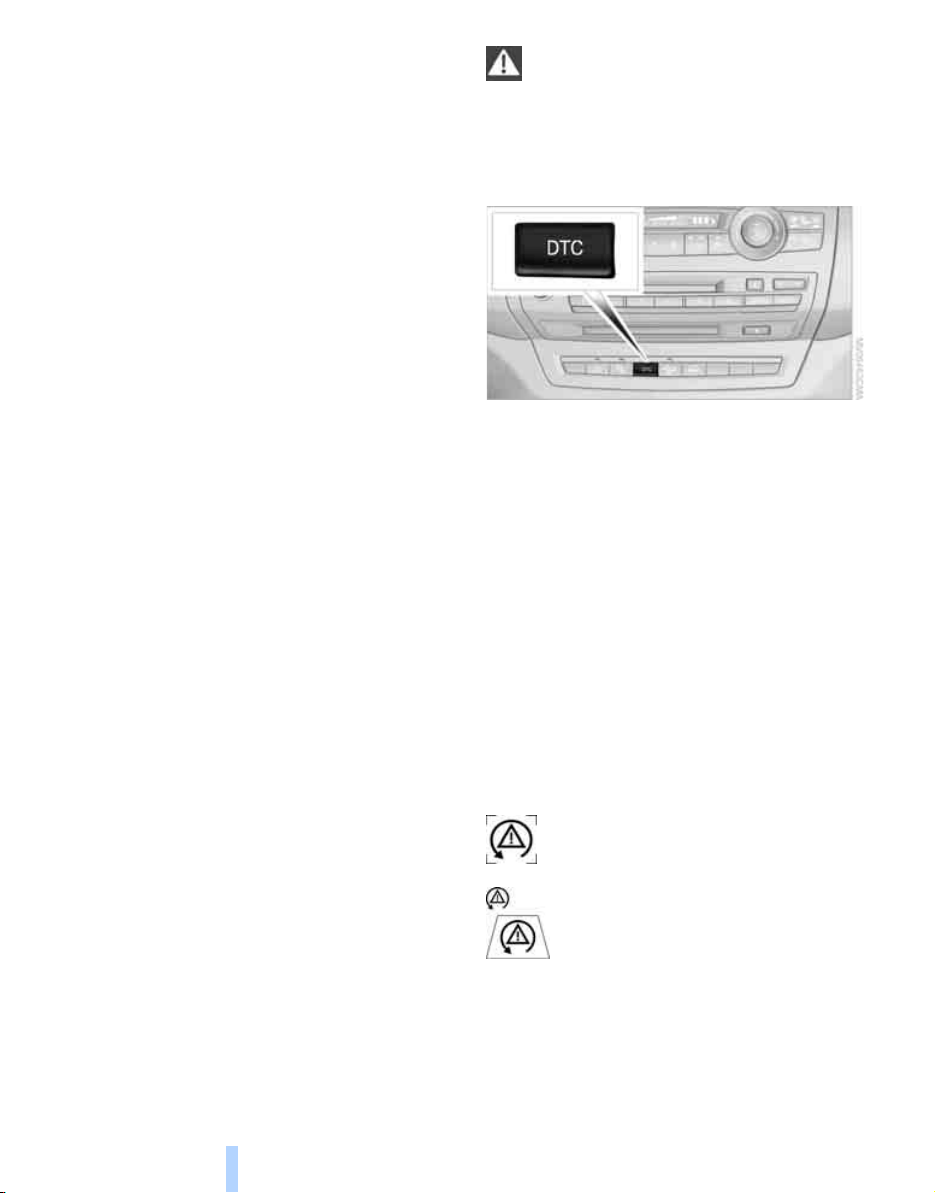
Technology for comfort, convenience and safety
84
Driving stability control
systems
Your BMW is equipped with an extended array
of systems designed to enhance and maintain
vehicle stability under extreme conditions.
ABS Antilock Brake System
ABS prevents locking of the wheels during
braking. Safe steering response is maintained
even during full braking. Active safety is thus
increased.
ABS is operational every time you start the
engine. Braking safely, refer to page 123.
CBC Cornering Brake Control
When braking during curves or when braking
during a lane change, driving stability and steer-
ing response are improved further.
Electronic brake-force distribution
The system controls the brake pressure in the
rear wheels to ensure stable braking behavior.
DBC Dynamic Brake Control
When you apply the brakes rapidly, this system
automatically produces the maximum braking
force boost and thus helps to achieve the short-
est possible braking distance during full brak-
ing. This system exploits all of the benefits pro-
vided by ABS.
Do not reduce the pressure on the brake pedal
for the duration of the full braking.
DSC Dynamic Stability Control
DSC prevents traction loss in the driving wheels
when starting off and accelerating. DSC also
identifies unstable driving conditions, such as a
loss of traction at the rear of the vehicle or slid-
ing of the vehicle in its front wheels. In these
cases, DSC helps the vehicle maintain a safe
course within physical limits by reducing engine
output and through braking actions in the indi-
vidual wheels.
The laws of physics cannot be repealed,
even with DSC. An appropriate driving
style remains the responsibility of the driver.
Therefore, do not reduce the additional safety
margin further by taking risks.<
Deactivating DSC
Press the button until the DSC indicator lamp in
the instrument cluster lights up, but not longer
than approx. 10 seconds. DTC Dynamic Trac-
tion Control and DSC are deactivated together.
Stabilizing interventions are now not carried
out.
A message appears on the Control Display.
Please note any supplementary information
that appears there.
To increase vehicle stability, activate DSC again
as soon as possible.
Activating DSC
Press the button; the indicator lamp in the
instrument cluster goes out.
For better control
The indicator lamp flashes:
DSC controls the drive forces and
brake forces.
The indicator lamps light up:
DSC is deactivated.
Online Edition for Part no. 01 41 0 012 501 - © 08/06 BMW AG
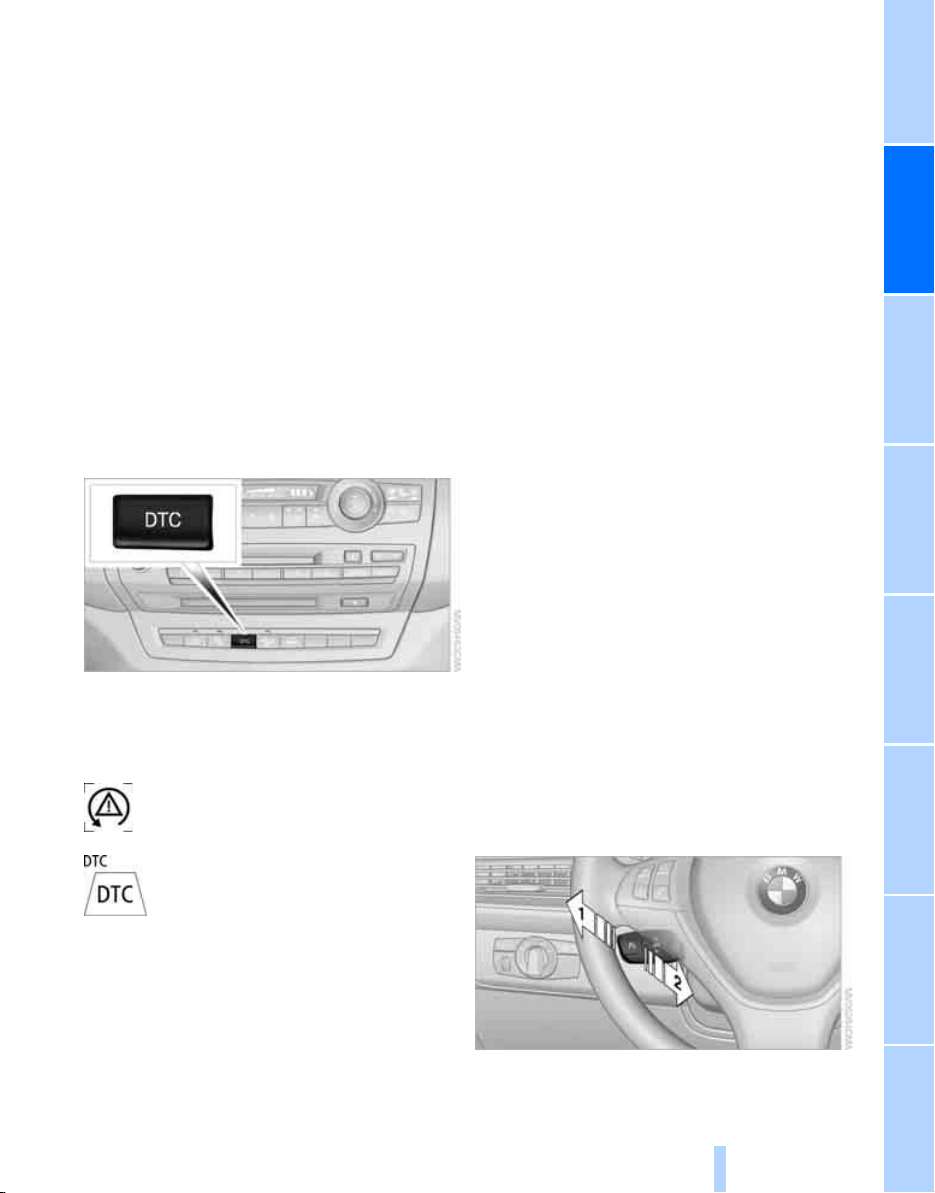
Controls
85
Reference At a glanceDriving tipsCommunications NavigationEntertainmentMobility
DTC Dynamic Traction Control
DTC is a version of DSC in which the drive out-
put is optimized for particular road conditions,
e.g. unplowed snow-covered roads. The sys-
tem assures the maximal drive output, but with
reduced driving stability. It is therefore neces-
sary to drive with appropriate caution.
You may find it useful to briefly activate DTC
under the following special circumstances:
> When driving in sand, on snowy inclines, in
slush or on unplowed, snow-covered road
surfaces
> When rocking a stuck vehicle free or start-
ing off in deep snow, sand or on loose
ground
> When driving with snow chains
*
Activating DTC
Press the button briefly; the DTC indicator lamp
in the instrument cluster lights up.
For better control
The indicator lamp flashes:
DTC controls the drive forces and
brake forces.
The indicator lamp lights up:
DTC is activated.
Deactivating DTC
Press the button again; the DTC indicator lamp
in the instrument cluster goes out.
xDrive
xDrive is the 4-wheel drive system of your X5.
The combined effects of xDrive and DSC fur-
ther optimize the traction and dynamic driving
characteristics. The 4-wheel drive system
xDrive variably distributes the drive forces to
the front and rear axle depending on the driving
situation and prevailing road conditions.
HDC Hill Descent Control
The concept
HDC is a system for driving downhill in steep
terrain. This system reduces vehicle speed on
steep downhill gradients, thus allowing you to
maintain even better control of your BMW
under these conditions. The vehicle moves at
approximately walking speed without active
intervention from the driver.
HDC is available for activation at vehicle speeds
below approx. 22 mph/35 km/h. When driving
down steep hills with a speed below approx.
22 mph/35 km/h, the vehicle reduces speed
automatically down to approximately walking
speed, approx. 5 mph/8 km/h, and then main-
tains this speed at a constant.
Only use HDC in transmission position D or R.
Increasing or reducing speed
You can use the accelerator or brakes to vary
this automatically controlled speed within a
range extending from approx. 3 mph/5 km/h to
15 mph/25 km/h.
You can specify a target speed within the same
range by using the lever of the cruise control.
1 Increasing speed
2 Reducing speed
Online Edition for Part no. 01 41 0 012 501 - © 08/06 BMW AG
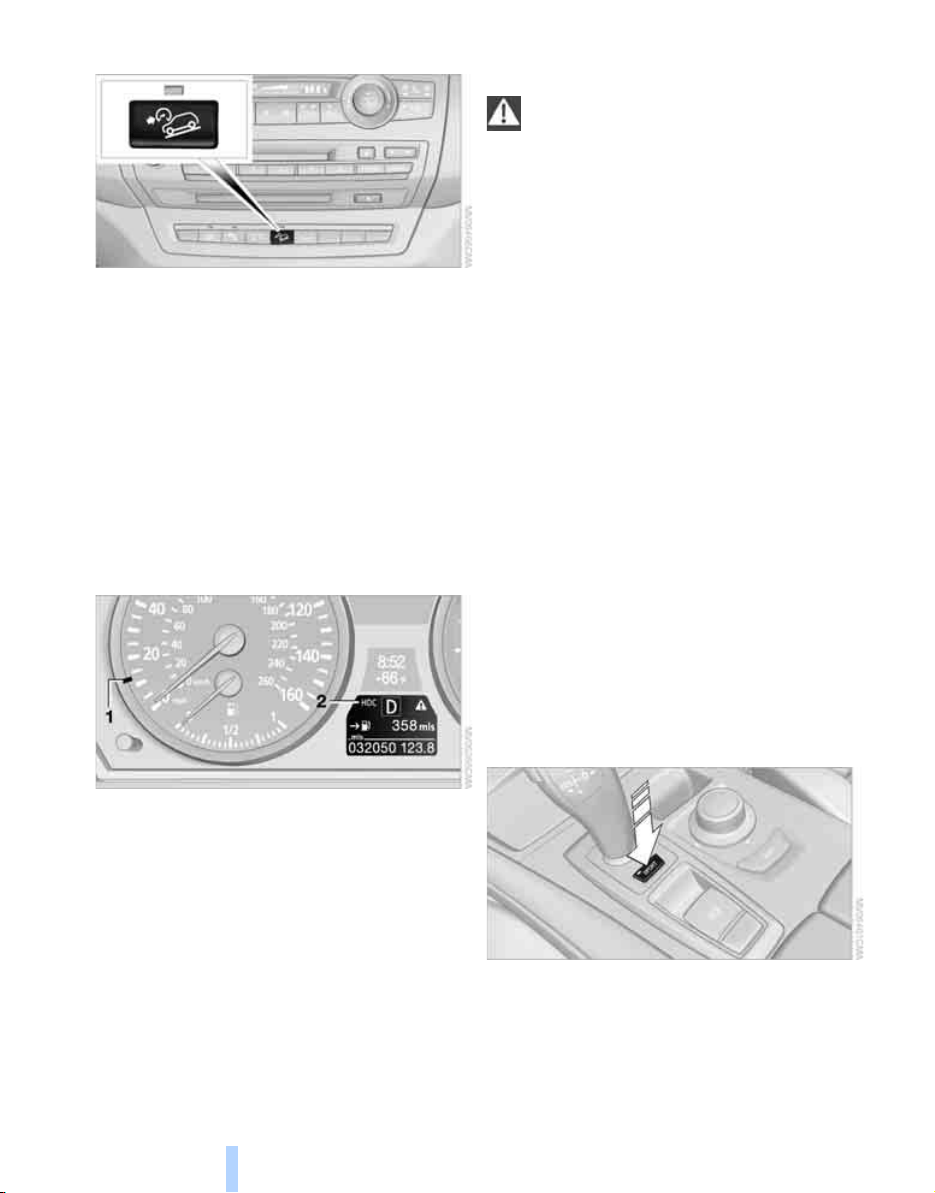
Technology for comfort, convenience and safety
86
Activating HDC
Press the button; the LED lights up.
The HDC display is shown in the instrument
cluster.
The LED flashes when the brakes are applied
automatically.
Deactivating HDC
Press the button again. The LED and the HDC
display go out.
HDC is also activated at speeds over approx.
37 mph/60 km/h.
Displays in instrument cluster
1 Display for target speed
2 HDC display
Malfunction
HDC is temporarily unavailable in the following
situations due to a high brake temperature:
> The LED in the button and the display HDC
go out during HDC operation.
> The LED in the button and the HDC display
do not light up when the button is pressed.
Malfunction of driving stability control
systems
When driving on poor roads, avoid using
full throttle or pressing the accelerator
beyond the kick-down point and also avoid
heavy braking. Otherwise, the drive train may be
damaged or accidents can occur.<
Adaptive Drive*
The concept
Adaptive Drive reduces undesirable vehicle
movements that occur when driving on rough
roads or with a dynamic driving style. Maximum
driving comfort and driving dynamics are
achieved in this way.
Chassis and suspension tuning
You can choose between two types of chassis
and suspension tuning.
> Normal:
The comfortable chassis and suspension
tuning setting offers optimum comfort
when traveling.
> Sport:
The sportier chassis and suspension tuning
setting offers increased vehicle agility.
Selecting chassis and suspension
tuning
Press the button.
The system switches between the two chassis
and suspension tuning settings.
> Sport:
The LED in the button lights up and SPORT
is displayed in the instrument cluster.
Online Edition for Part no. 01 41 0 012 501 - © 08/06 BMW AG
Controls
87
Reference At a glanceDriving tipsCommunications NavigationEntertainmentMobility
> Normal:
The LED in the button goes out.
The selection of the chassis and suspension
tuning setting is stored for the remote control
currently in use.
Self-leveling suspension*
Malfunction
The warning lamp for self-leveling
suspension lights up yellow and a
message is shown on the Control
Display. A malfunction has occurred in the self-
leveling suspension. Stop and check the vehi-
cle. If it is considerably lower at the rear than at
the front, and possibly also on one side – rear
left compared to rear right –, proceed to the
nearest BMW Sports Activity Vehicle Center or
a workshop that works according to BMW
repair procedures with correspondingly trained
personnel. Drive with appropriate caution in the
meantime. The vehicle has reduced ground
clearance and driving comfort may be notice-
ably reduced. Even if the orientation of the vehi-
cle is normal, when a malfunction is indicated
on the display, you should proceed to the near-
est BMW Sports Activity Vehicle Center or a
workshop that works according to BMW guide-
lines and uses appropriately trained personnel.
FTM Flat Tire Monitor*
The concept
The Flat Tire Monitor keeps track of the infla-
tion pressures in the tires as you drive. The sys-
tem provides an alert whenever the inflation
pressure drops significantly in relation to the
pressure in another tire.
In the event of a pressure loss, the rolling radius
and therefore the rotation speed of the wheels
change. This change is detected and is
reported as a flat tire.
Functional requirement
In order to assure the reliable reporting of a flat
tire, the system must be initialized for the cor-
rect tire inflation pressure.
The initialization must be repeated after
each time the tire inflation pressure is cor-
rected and after every tire or wheel change.<
System limits
The Flat Tire Monitor cannot indicate
sudden severe tire damage caused by
outside factors and does not detect a natural,
even pressure drop in all four tires.<
In the following situations, the system could be
delayed or malfunction:
> System has not been initialized
> Driving on snowy or slippery road surface
> Sporty driving style: slip in the drive wheels,
high lateral acceleration
> Driving with snow chains
*
When you are driving with the compact wheel
*
the Flat Tire Monitor is unable to function.
Initializing system
The initialization finishes during driving,
which can be interrupted at any time.
When driving resumes, the initialization is con-
tinued automatically. Do not initialize the sys-
tem when driving with snow chains
*
or with the
compact wheel
*
.<
iDrive, for explanation of concept, refer to
page 16.
1. Press the button.
This opens the start menu.
2. Press the controller to open the menu.
3. Select "Settings" and press the controller.
4. Select "Vehicle / Tires" and press the con-
troller.
Online Edition for Part no. 01 41 0 012 501 - © 08/06 BMW AG
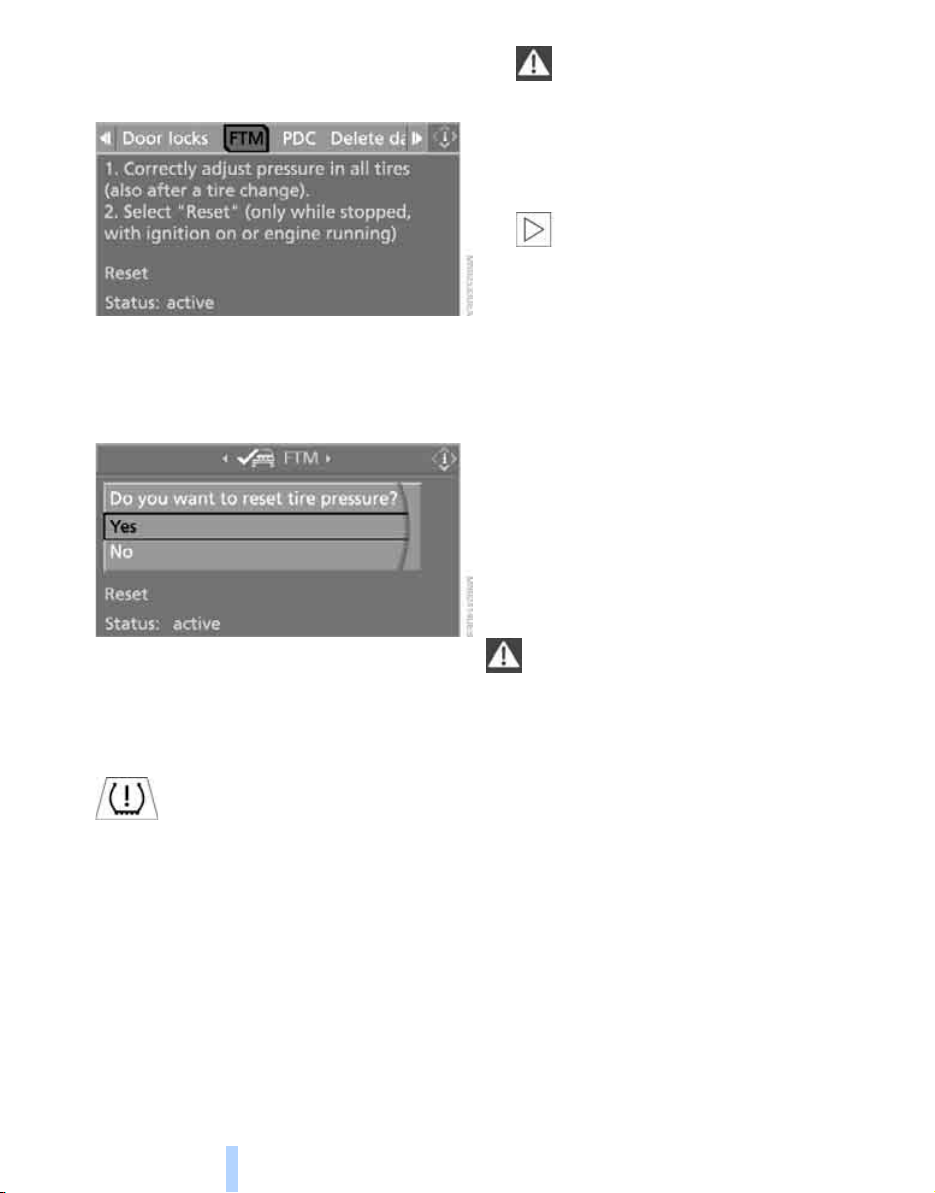
Technology for comfort, convenience and safety
88
5. Change to upper field if necessary. Turn the
controller until "FTM" is selected and press
the controller.
6. Start the engine, but do not start driving.
7. Select "Reset" and press the controller.
8. Select "Yes" and press the controller. The
message "resetting FTM …" is displayed.
9. Start to drive.
The initialization finishes during driving. "Sta-
tus:active" is displayed on the Control Display.
Indication of a flat tire
The warning lamp lights up red. A
message appears on the Control Dis-
play. In addition, an acoustic signal
sounds. There is a flat tire or extensive inflation
pressure loss.
If you have deactivated DSC, it will be activated
automatically.
1. Cautiously reduce speed to below 50 mph/
80 km/h. Avoid sudden braking and steer-
ing maneuvers. Do not exceed a speed of
50 mph/80 km/h.
In case of further air loss of the defective
wheel, its position will be indicated to you
on the Control Display.
If the vehicle is not equipped with run-
flat tires as intended at the factory,
refer to page 220, do not continue driving.
Continuing to drive with a flat tire could
cause severe accidents.<
2. At the next opportunity, check the air pres-
sure in all four tires.
If the tire inflation pressure in all four
tires is correct, the Flat Tire Monitor
may not have been initialized. The system
must then be initialized.<
3. In the event of complete tire pressure loss,
0 psi/0 kPa, you can estimate the possible
distance for continued driving on the basis
of the following guide values:
> With a light load:
1 to 2 persons without luggage:
approx. 155 miles/250 km
> With a medium load:
2 persons, cargo bay full, or
4 persons without luggage:
approx. 94 miles/150 km
> With a full load:
4 or more persons, cargo bay full:
approx. 30 miles/50 km
Drive reservedly and do not exceed a
speed of 50 mph/80 km/h. In the event of
pressure loss, vehicle handling changes. This
includes reduced tracking stability in braking,
extended braking distance and altered natural
steering characteristics.
If unusual vibrations or loud noises occur while
the vehicle is being driven, this can indicate final
failure of the damaged tire. Reduce speed and
stop at a suitable location as soon as possible,
otherwise pieces of the tire could become
detached and cause an accident. Do not con-
tinue driving, but instead contact the BMW
Sports Activity Vehicle Center.<
Online Edition for Part no. 01 41 0 012 501 - © 08/06 BMW AG
Controls
89
Reference At a glanceDriving tipsCommunications NavigationEntertainmentMobility
TPM Tire Pressure Monitor*
The concept
TPM checks the tire inflation pressure in the
four mounted tires. The system reports when
the tire inflation pressure has dropped consid-
erably in one or several tires.
Functional requirement
In order to assure the reliable reporting of a flat
tire, the system must have been reset with the
correct tire inflation pressure.
Always use wheels with TPM electronics, oth-
erwise fault-free operation of the system is not
ensured.
Reset the system again after each correc-
tion of the tire inflation pressure and after
every tire or wheel change.<
System limits
TPM cannot announce sudden serious
tire damage caused by external influ-
ences.<
The system does not function properly if it has
not been reset, e.g. a flat tire is reported despite
correct tire inflation pressures.
The system is inactive and cannot display a flat
tire if a wheel has been mounted without TPM
electronics, e.g. a compact wheel
*
, or if TPM is
temporarily interfered with by other systems or
devices which use the same radio frequency.
Status display on Control Display
The tire and system status is indicated by the
color of the tires.
TPM takes the fact that the tire pressure
changes during driving into account. A correc-
tion is only required if requested by TPM with
the color.
Green
The tire pressure matches the learned set state.
"TPM active" is displayed on the Control Dis-
play.
One wheel is yellow
Flat tire or a major drop in inflation pressure in
the indicated tire. A message appears on the
Control Display.
All wheels are yellow
Flat tire or a major drop in inflation pressure in
several tires. A message appears on the Control
Display.
Gray
The system cannot detect a flat tire.
Reasons for this can be:
> TPM is being reset
> Temporary interference due to systems or
devices which use the same radio fre-
quency
> Malfunction
Resetting system
Reset the system again after each correc-
tion of the tire inflation pressure and after
every tire or wheel change.<
Resetting finishes during driving, which can be
interrupted at any time. When driving resumes,
resetting is continued automatically. Do not
reset the system when driving with a compact
wheel
*
.
iDrive, for explanation of concept, refer to
page 16.
1. Press the button.
This opens the start menu.
2. Press the controller to open the menu.
3. Select "Settings" and press the controller.
4. Select "Vehicle / Tires" and press the con-
troller.
Online Edition for Part no. 01 41 0 012 501 - © 08/06 BMW AG
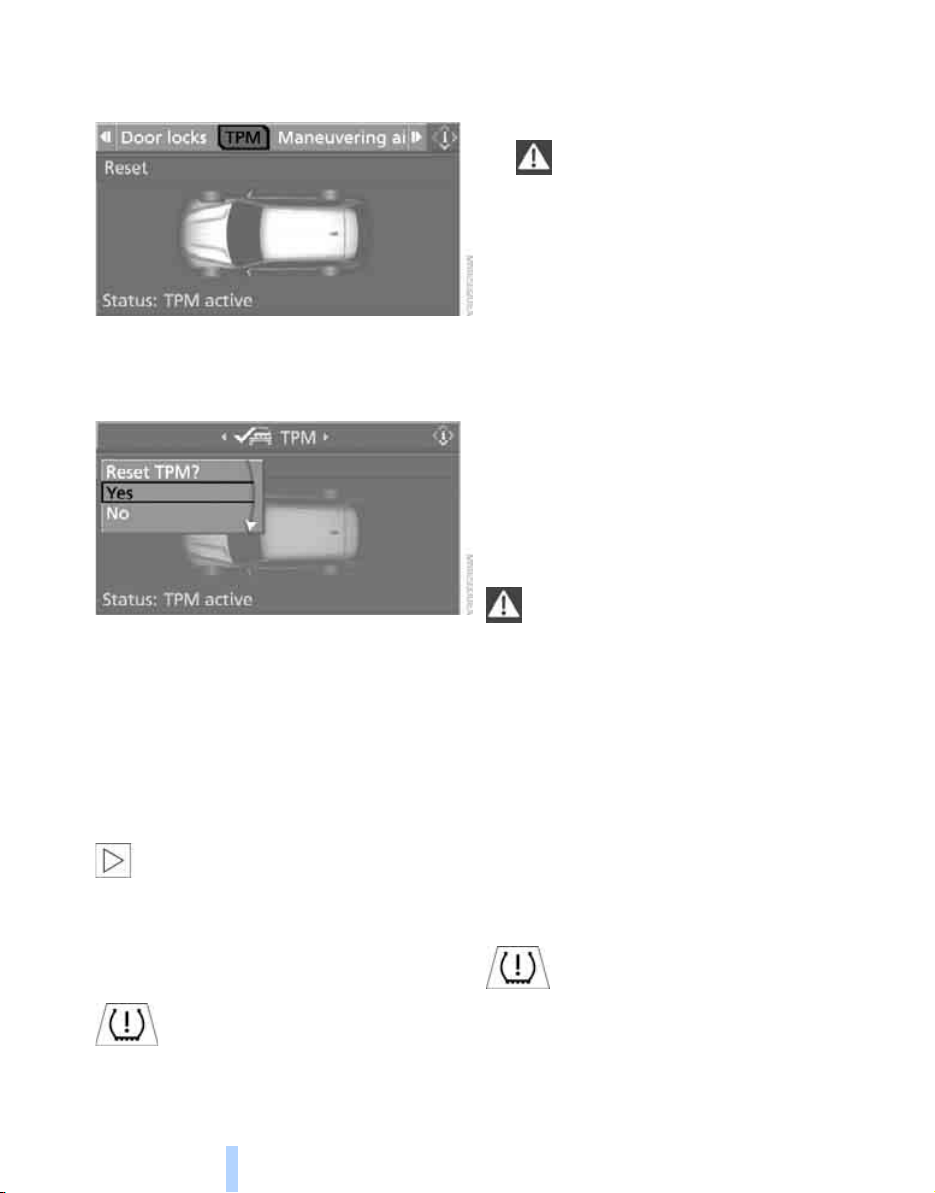
Technology for comfort, convenience and safety
90
5. Change to upper field if necessary. Turn the
controller until "TPM" is selected and press
the controller.
6. Start the engine, but do not start driving.
7. Select "Reset" and press the controller.
8. Select "Yes" and press the controller.
9. Start to drive.
The tires are shown in gray and "Resetting
TPM..." is displayed.
After a few minutes of driving, the set tire infla-
tion pressures in the tires are applied as the set
values to be monitored. Resetting finishes dur-
ing driving. The tires are shown in green on the
Control Display and "Status: TPM active" is dis-
played.
If a flat tire is detected during resetting
and applying the tire inflation pressures,
all tires are shown in yellow on the Control Dis-
play. The message "Tire low!" is displayed.<
Message with low tire inflation
pressure
The warning lamp lights up yellow. A
message appears on the Control Dis-
play. In addition, an acoustic signal
sounds. There is a flat tire or extensive inflation
pressure loss.
1. Cautiously reduce speed to below 50 mph/
80 km/h. Avoid sudden braking and steer-
ing maneuvers. Do not exceed a speed of
50 mph/80 km/h.
If the vehicle is not equipped with run-
flat tires as intended at the factory,
refer to page 220, do not continue driving.
Continuing to drive with a flat tire could
cause severe accidents.<
2. In the event of complete tire pressure loss,
0 psi/0 kPa, you can estimate the possible
distance for continued driving on the basis
of the following guide values:
> With a light load:
1 to 2 persons without luggage:
approx. 155 miles/250 km
> With a medium load:
2 persons, cargo bay full, or
4 persons without luggage:
approx. 95 miles/150 km
> With a full load:
4 or more persons, cargo bay full:
approx. 30 miles/50 km
Drive reservedly and do not exceed a
speed of 50 mph/80 km/h. In the event of
pressure loss, vehicle handling changes. This
includes reduced tracking stability in braking,
extended braking distance and altered natural
steering characteristics.
If unusual vibrations or loud noises occur while
the vehicle is being driven, this can indicate final
failure of the damaged tire. Reduce speed and
stop at a suitable location as soon as possible,
otherwise pieces of the tire could become
detached and cause an accident. Do not con-
tinue driving, but instead contact the BMW
Sports Activity Vehicle Center.<
Malfunction
The yellow warning lamp flashes and
then lights up continuously. The tires
are shown in gray on the Control Dis-
play and a message is displayed. No flat tire can
be detected.
Online Edition for Part no. 01 41 0 012 501 - © 08/06 BMW AG

Controls
91
Reference At a glanceDriving tipsCommunications NavigationEntertainmentMobility
A message like this is displayed in the following
situations:
> In case of a malfunction:
Have the system checked
> If a wheel without TPM electronics is
mounted, e.g. a compact wheel
*
> If TPM is temporarily interfered with by
other systems or devices which use the
same radio frequency
Explanation according to the NHTSA/
FMVSS 138 Tire Pressure Monitoring
Systems
Each tire, including the spare
*
, should be
checked monthly when cold and inflated to the
inflation pressure recommended by the vehicle
manufacturer on the vehicle placard or tire infla-
tion pressure label. If your vehicle has tires of a
different size than the size indicated on the
vehicle placard or tire inflation pressure label,
you should determine the proper tire inflation
pressure for those tires. As an added safety fea-
ture, your vehicle has been equipped with a tire
pressure monitoring system, TPMS, that illumi-
nates a low tire pressure telltale when one or
more of your tires are significantly under-
inflated. Accordingly, when the low tire pres-
sure telltale illuminates, you should stop and
check your tires as soon as possible, and inflate
them to the proper pressure. Driving on a signif-
icantly underinflated tire causes the tire to over-
heat and can lead to tire failure. Under-inflation
also reduces fuel efficiency and tire tread life,
and may affect the vehicle's handling and stop-
ping ability. Please note that the TPMS is not a
substitute for proper tire maintenance, and it is
the driver's responsibility to maintain correct
tire pressure, even if under-inflation has not
reached the level to trigger illumination of the
TPMS low tire pressure telltale.
The TPMS malfunction indicator is combined
with the low tire pressure telltale. When the sys-
tem detects a malfunction, the telltale will flash
for approximately one minute and then remain
continuously illuminated. This sequence will
continue upon subsequent vehicle startups as
long as the malfunction exists. When the mal-
function indicator is illuminated, the system
may not be able to detect or signal low tire pres-
sure as intended. TPMS malfunctions may
occur for a variety of reasons, including the
installation of replacement or alternate tires or
wheels on the vehicle that prevent the TPMS
from functioning properly. Always check the
TPMS malfunction telltale after replacing one or
more tires or wheels on your vehicle to ensure
that the replacement or alternate tires and
wheels allow the TPMS to continue to function
properly.
Active steering*
The concept
The active steering actively varies the steering
angle of the front wheels in relation to the steer-
ing wheel movements. In addition, it also varies
the steering force required for steering depend-
ing on the vehicle's speed.
When you are driving in the low road speed
range, e.g. in a town or when parking, the steer-
ing angle increases, i.e. the steering becomes
very direct. In the higher speed range, on the
other hand, the steering angle is reduced more
and more. This improves the handling capability
of your BMW over the entire speed range.
In critical situations, the system can make tar-
geted corrections to the steering angle pro-
vided by the driver and thus stabilize the vehicle
before the driver intervenes.
Malfunction
The warning lamp lights up yellow
and a message is shown on the Con-
trol Display. The active steering is no
longer operational. At low speeds,
greater steering wheel movements are
required, whereas at higher speeds, the vehicle
reacts more sensitively to steering wheel move-
ments. The stability-promoting intervention
can also be deactivated. Proceed cautiously
and drive defensively. Have the system
checked.
Online Edition for Part no. 01 41 0 012 501 - © 08/06 BMW AG
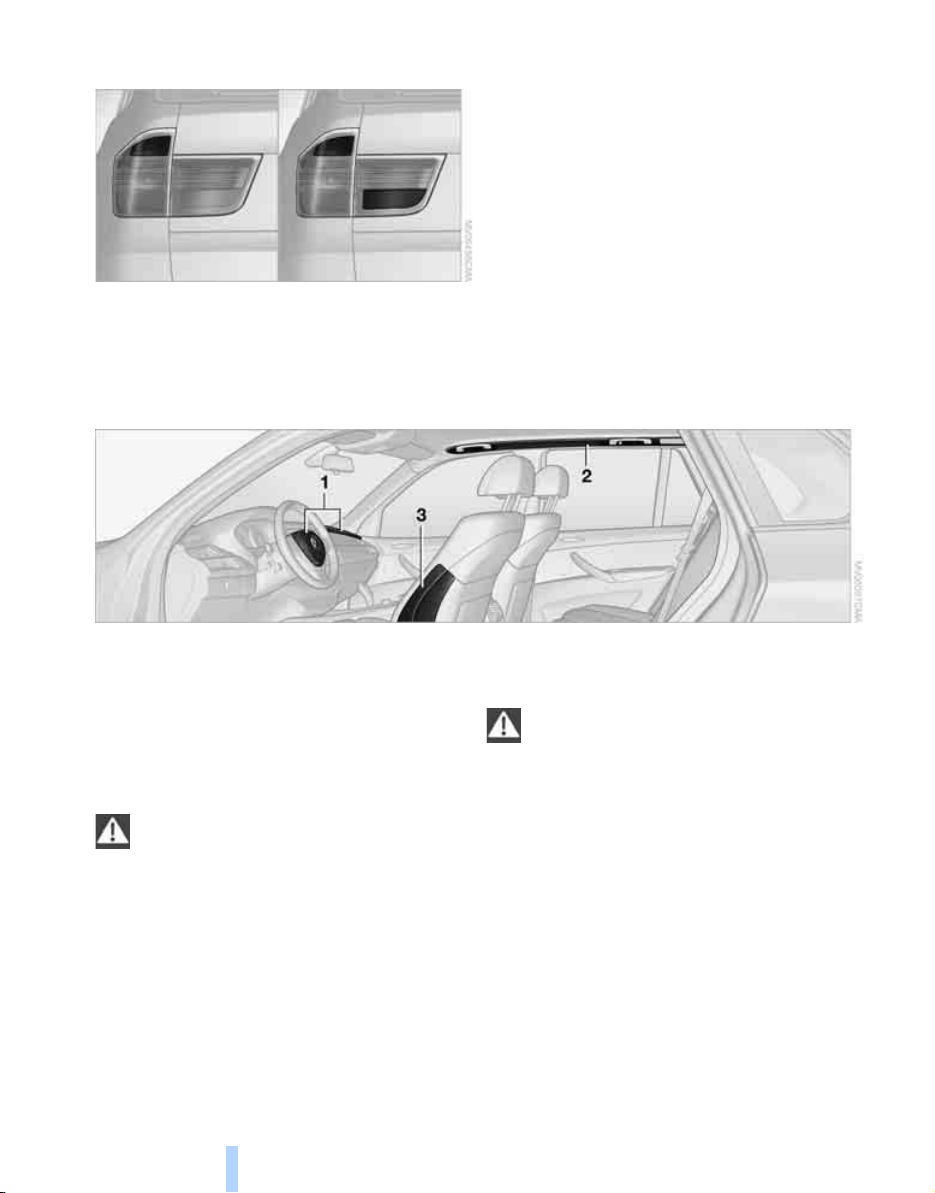
Technology for comfort, convenience and safety
92
Brake force display
The brake lamps light up in two stages depend-
ing on how strongly you brake.
> Normal braking
The brake lamps and the center brake lamp
light up.
> Heavy breaking
The brake lamps in the liftgate also light up.
Airbags
The following airbags are located under the
marked covers:
1 Front airbags
2 Head airbags
3 Side airbags in backrests
Protective action
To ensure that the safety systems con-
tinue to provide optimized protection,
please observe the adjustment instructions on
page 40.<
The front airbags help protect the driver and
front passenger by responding to frontal
impacts in which safety belts alone cannot pro-
vide adequate restraint. When needed, the
head and side airbags help provide protection in
the event of side impact. The relevant side air-
bag supports the side upper body area. The
head air bag supports the head.
The airbags are deliberately not triggered in
every impact situation, e.g. less severe acci-
dents or rear-end collisions.
Do not apply adhesive materials to the
cover panels of the airbags, cover them or
modify them in any other way. Do not attempt to
remove the airbag restraint system from the
vehicle. Do not modify or tamper with either the
wiring or the individual components in the air-
bag system. This category includes the uphol-
stery in the center of the steering wheel, on the
instrument panel, the doors and the roof pillars
along with the sides of the headliner. Do not
attempt to remove or dismantle the steering
wheel. Do not touch the individual components
immediately after the system has been trig-
gered, because there is a danger of burns.
In the event of malfunctions, deactivation, or
triggering of the airbag restraint system, have
the testing, repair, removal, and disposal of air-
bag generators executed only by a BMW Sports
Online Edition for Part no. 01 41 0 012 501 - © 08/06 BMW AG
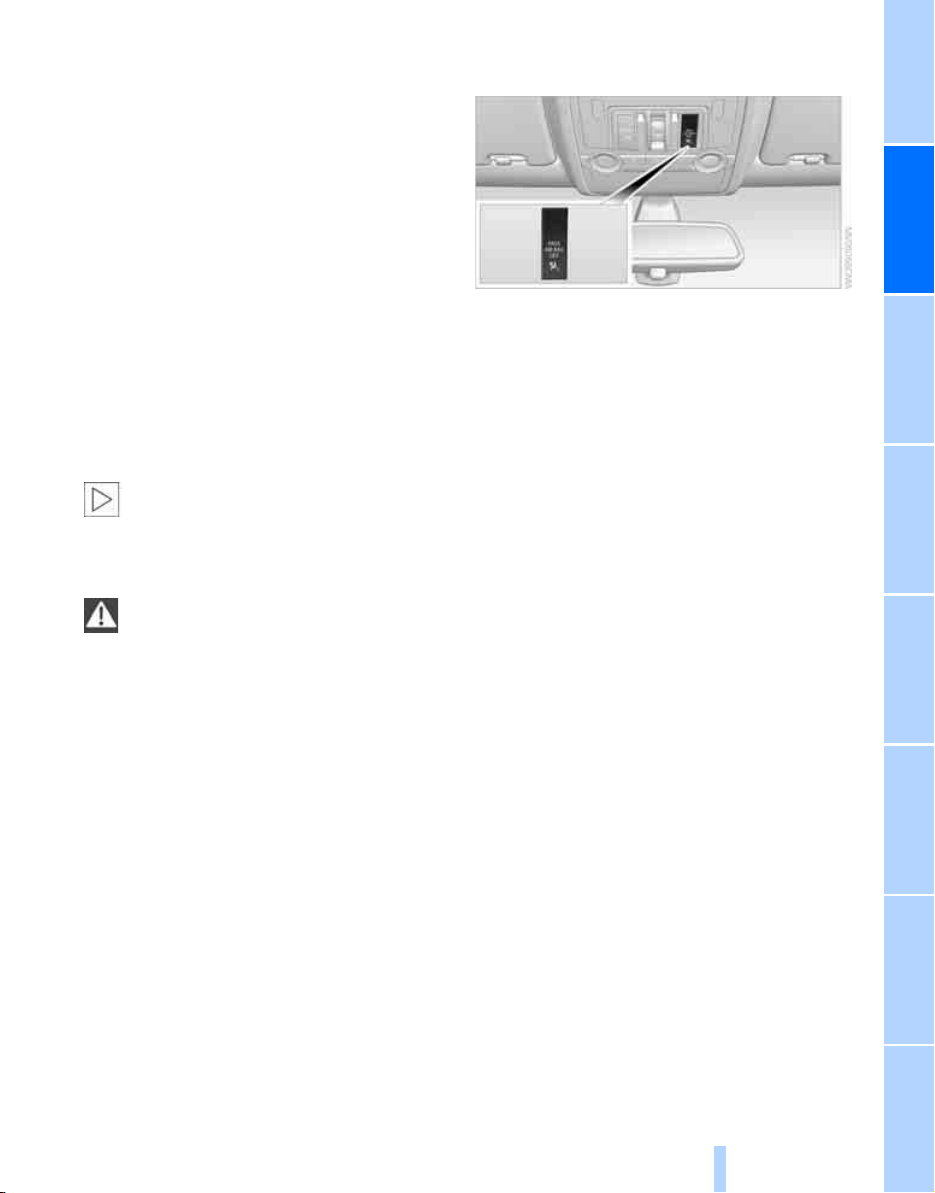
Controls
93
Reference At a glanceDriving tipsCommunications NavigationEntertainmentMobility
Activity Vehicle Center or a workshop that
works according to BMW repair procedures
with correspondingly trained personnel and has
the required explosives licenses. Unprofes-
sional attempts to service the system could
lead to failure in an emergency or undesired air-
bag activation, either of which could result in
personal injury.<
Warnings and information on the airbags is also
provided on the sun visors.
Automatic deactivation of front
passenger airbags
The occupation of the seat is detected by eval-
uating the impression on the occupied seat sur-
face of the front passenger seat. The front and
side airbags on the front passenger side are
activated or deactivated accordingly by the sys-
tem.
The current status of the front passenger
airbags, i.e. deactivated or activated, is
indicated by the indicator lamp over the interior
rearview mirror, refer to Operating state of front
passenger airbags in the following.<
Before transporting a child on the front
passenger seat, observe the safety infor-
mation and handling instructions under Trans-
porting children safely, refer to page 52.
The front and side airbags on the front passen-
ger side can be deactivated for teenagers and
adults in certain sitting positions; then the indi-
cator lamp for the front passenger airbags lights
up. In these cases, change the sitting position
so that the front passenger airbags are acti-
vated and the indicator lamp goes out. If the
desired status cannot be produced by changing
the sitting position, transport the correspond-
ing person on the rear seat. Do not fit seat cov-
ers, seat cushion padding, ball mats or other
items onto the front passenger seat unless they
are specifically recommended by BMW. Do not
lay objects under the seat which could press
against the seat from below. Otherwise a cor-
rect evaluation of the occupied seat surface
cannot be ensured.<
Operating state of front passenger
airbags
Depending on the vehicle's equipment, the
arrangement of the switches and indicator
lamps may differ somewhat.
The indicator lamp for the front passenger air-
bags indicates the operating status of the front
and side airbags on the front passenger side
depending on the seat occupation. The indica-
tor lamp shows whether the front passenger
airbags are activated or deactivated.
> The indicator lamp lights up when a child in
a child restraint system intended for the
purpose is properly detected on the seat.
The front and side airbags on the front pas-
senger side are not activated.
> The indicator lamp does not light up when,
for example, a correctly seated person of
sufficient height is detected on the seat.
The front and side airbags on the front pas-
senger side are activated.
> The indicator lamp does not light up when
the seat is empty.
However, the front and side airbags on the
front passenger side are not activated.
Online Edition for Part no. 01 41 0 012 501 - © 08/06 BMW AG
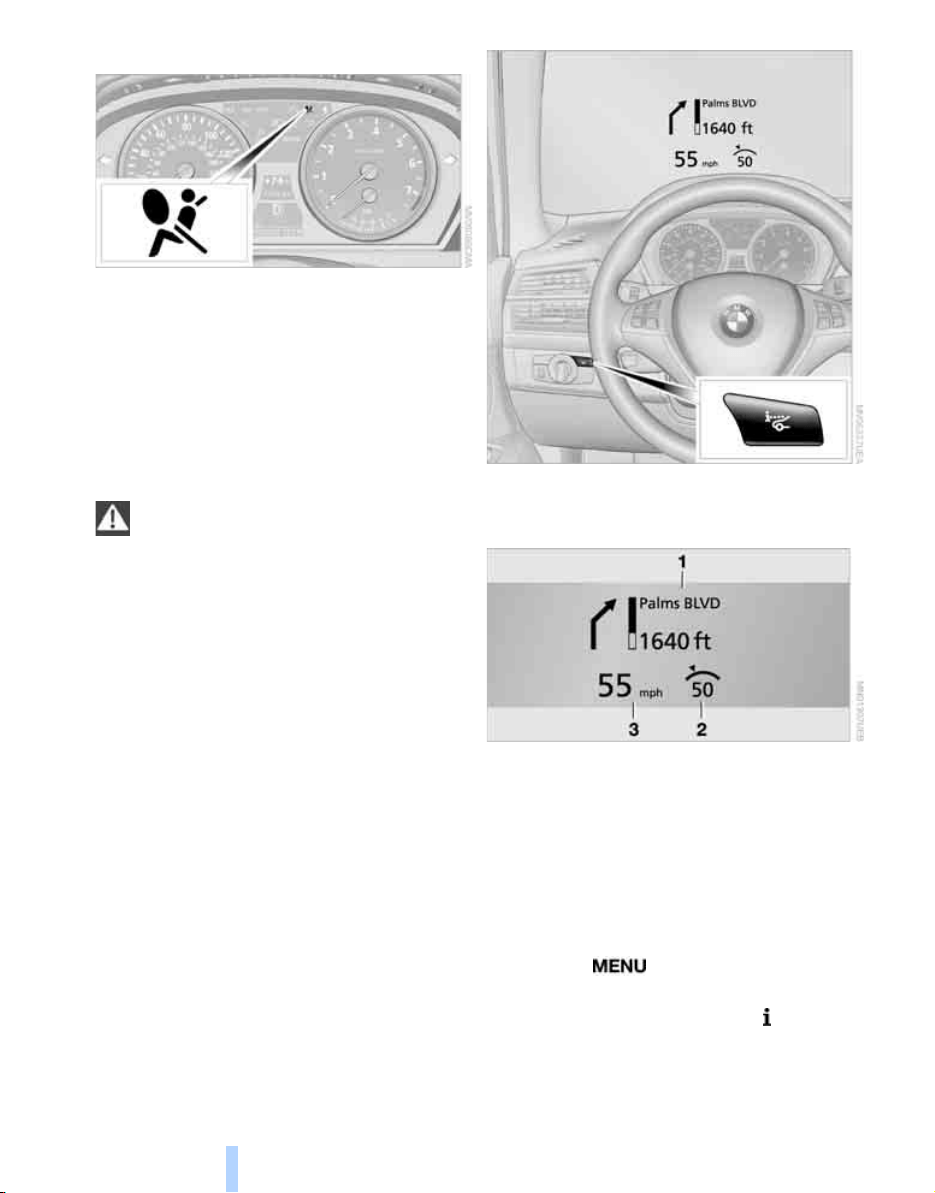
Technology for comfort, convenience and safety
94
Operational readiness of airbag system
From radio readiness, refer to page 56, the
warning lamp lights up briefly, indicating the
operational readiness of the entire airbag sys-
tem and the safety belt tensioners.
Airbag system malfunction
> Warning lamp does not light up from radio
readiness.
> Warning lamp lights up continuously.
Have the airbag system checked immedi-
ately in case of a malfunction, otherwise
there is a danger that the airbag system may not
respond in the expected manner in an accident
despite an impact of corresponding intensity.<
Head-Up Display*
The concept
With the Head-Up Display important informa-
tion is projected into the driver's field of view,
e.g. navigation instructions. This enables you to
take in this information without looking away
from the road.
Switching on/off
Press the button.
1 Navigation information or Check Control
messages
2 Cruise control
3 Speed
Selecting displays
iDrive, for explanation of concept, refer to
page 16.
1. Press the button.
This opens the start menu.
2. Press the controller to open the menu.
3. Select "Settings" and press the controller.
4. Select "Display settings" and press the
controller.
Online Edition for Part no. 01 41 0 012 501 - © 08/06 BMW AG
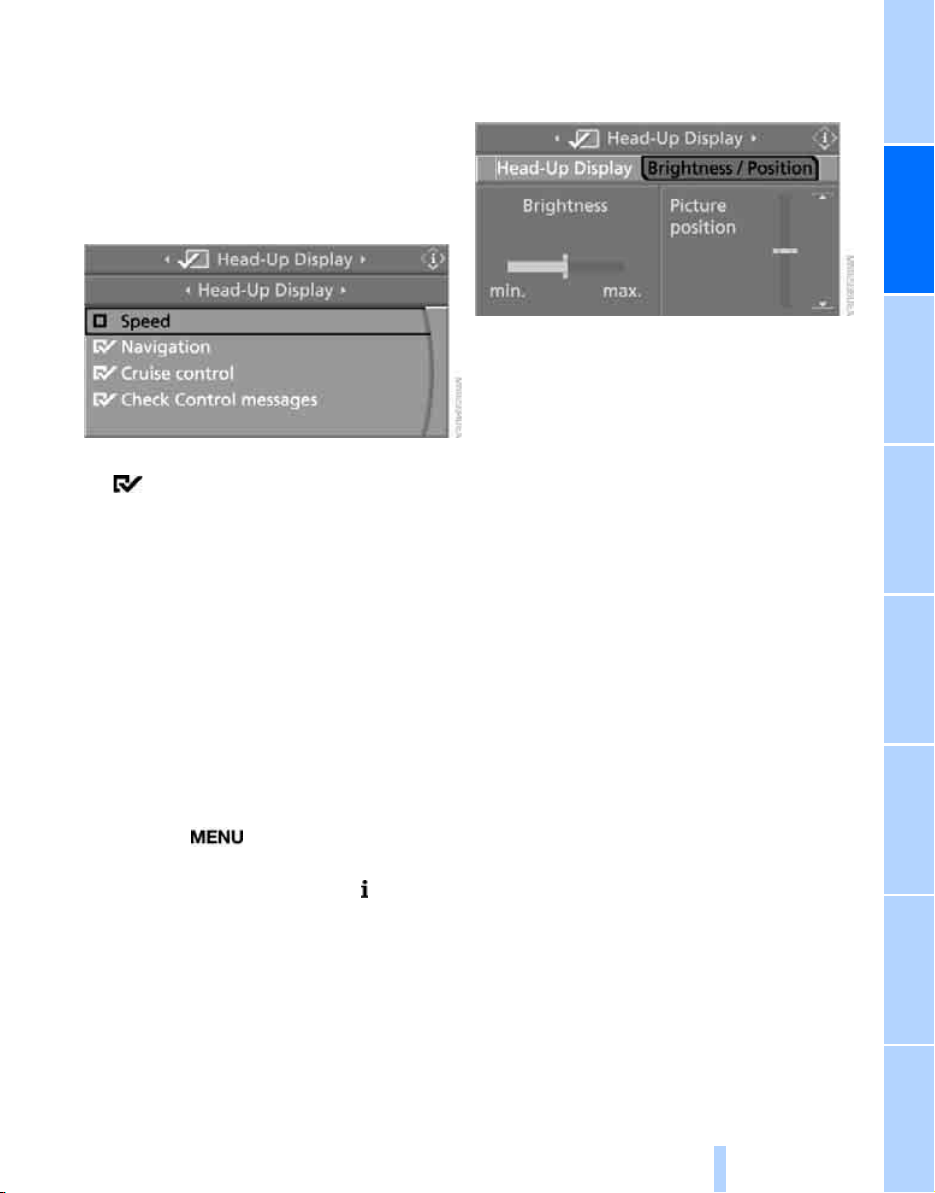
Controls
95
Reference At a glanceDriving tipsCommunications NavigationEntertainmentMobility
5. Change to upper field if necessary. Turn the
controller until "Head-Up Display" is
selected and press the controller.
6. Change into the second field from the top.
Turn the controller until "Head-Up Display"
is selected and press the controller.
7. Select desired information of Head-Up Dis-
play.
8. Press the controller.
The information is shown on the Head-
Up Display.
The settings are stored for the remote control
currently in use.
Adjusting brightness and height of
display
The brightness of the display is automatically
adapted to the ambient lighting conditions.
However, you can change the base setting.
With the low beams switched on, the brightness
can also be adjusted with the knurled wheel of
the instrument lighting.
iDrive, for explanation of concept, refer to
page 16.
1. Press the button.
This opens the start menu.
2. Press the controller to open the menu.
3. Select "Settings" and press the controller.
4. Select "Display settings" and press the
controller.
5. Change to upper field if necessary. Turn the
controller until "Head-Up Display" is
selected and press the controller.
6. Change into the second field from the top.
Turn the controller until "Brightness / Posi-
tion" is selected and press the controller.
7. If necessary, move the controller to the left
or right to select "Brightness" or "Picture
position".
8. Turn the controller until the desired setting
is selected.
The setting is stored for the remote control cur-
rently in use.
Notes
The visibility of the displays in the Head-Up Dis-
play is influenced by:
> Sunglasses with certain polarization filters
> Certain sitting positions
> Objects on the cover of the Head-Up Dis-
play
> Wet road surface and unfavorable lighting
conditions
If the image is distorted, have the basic setting
checked at a BMW Sport Activity Vehicle Cen-
ter.
Special windshield
The windshield is part of the system. The shape
of the windshield complies with the require-
ments of the Head-Up Display to enable a pre-
cise display. A film in the windshield prevents
the double images from being displayed.
Windshield replacement should be carried out
by a BMW Sports Activity Vehicle Center or a
workshop that works according to BMW repair
procedures with correspondingly trained per-
sonnel.
Online Edition for Part no. 01 41 0 012 501 - © 08/06 BMW AG

Technology for comfort, convenience and safety
96
Care instructions
You can find everything you need to know on
this topic by consulting the separate Caring for
your vehicle brochure.
Only clean the cover of the Head-Up Dis-
play with a soft, lint-free cloth or with a
display cleaning cloth, otherwise damage may
result.<
Online Edition for Part no. 01 41 0 012 501 - © 08/06 BMW AG
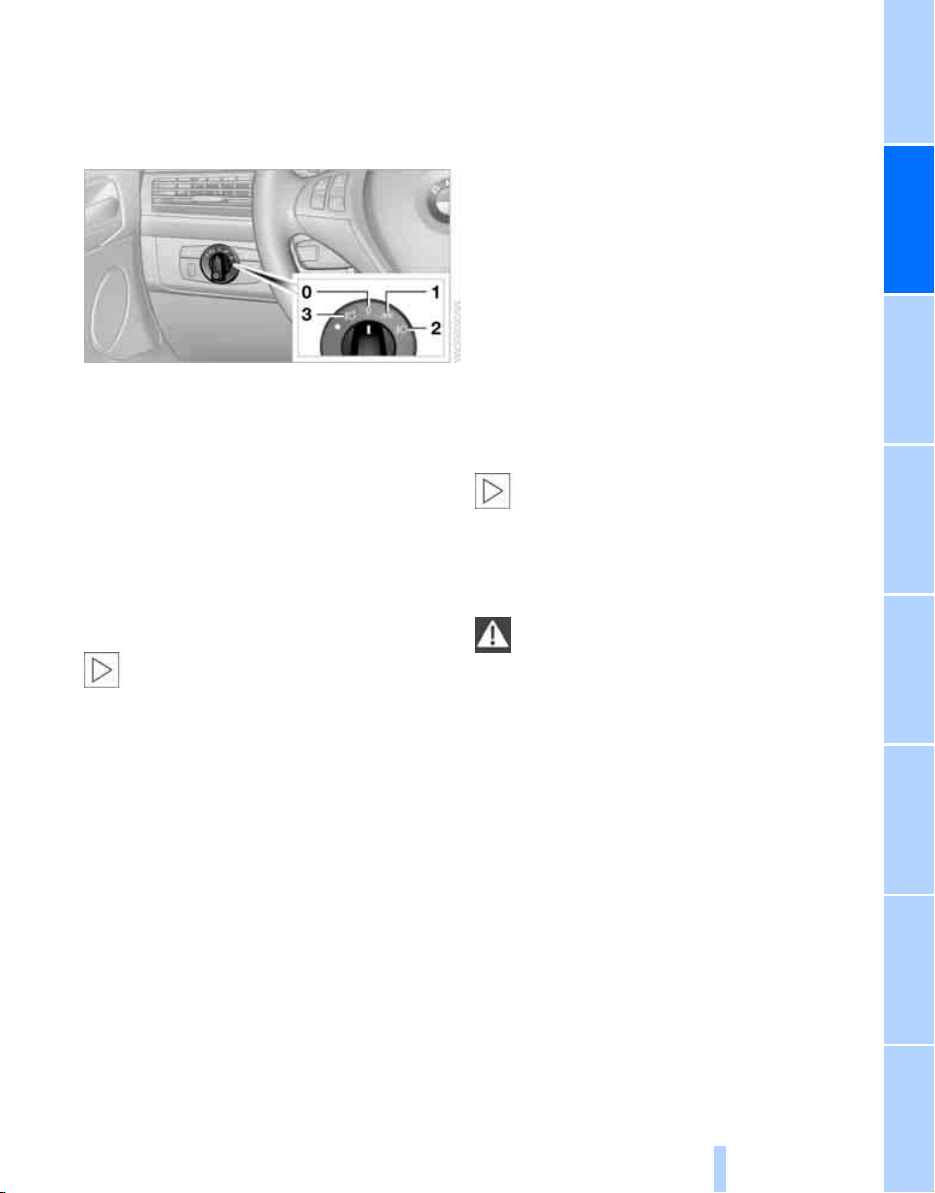
Controls
97
Reference At a glanceDriving tipsCommunications NavigationEntertainmentMobility
Lamps
Parking lamps/low beams
0 Lights off and daytime running lamps
*
1 Parking lamps and daytime running lamps
*
2 Low beams and courtesy lamps
3 Automatic headlamp control
*
, daytime run-
ning lamps
*
, courtesy lamps, Adaptive
Head Light
*
Parking lamps
In position 1, the front, rear and side vehicle
lighting is switched on. You can use the parking
lamps for parking.
The parking lamps drain the battery. Do
not leave them switched on for long peri-
ods of time, otherwise it may no longer be pos-
sible to start the engine. It is better to switch on
the roadside parking lamps on one side, refer to
page 99.<
Low beams
The low beams light up when the light switch is
in position 2 and the ignition is on.
If the light switch remains in position 2, the
exterior lamps are switched off automatically
when the driver's door is opened while the igni-
tion is off.
Switch on the parking lamps if required as
described under Parking lamps.
Automatic headlamp control*
With the daytime running lamps activated, refer
to page 98, the daytime running lamps are
switched on in position 3 with the ignition
switched on. The system automatically
switches over to the low beams depending on
the ambient light, e.g. in a tunnel, at dawn and
dusk and in case of precipitation. The LED next
to the symbol lights up when the low beams are
on.
When driving into a tunnel with bright overhead
lighting, switching on of the lights may be
delayed.
A blue sky with the sun low on the horizon can
cause the lights to be switched on.
The low beams remain switched on inde-
pendent of the ambient lighting condi-
tions when you switch on the fog lamps
*
.<
If desired, the light switch can be left in
position 3. The exterior lighting is automatically
switched off after parking the vehicle.
The automatic headlamp control cannot
serve as a substitute for your personal
judgment in determining when the lamps
should be switched on in response to ambient
lighting conditions. For example, the sensors
cannot detect fog or hazy weather. To avoid
safety risks, you should always switch on the
low beams manually under these conditions.<
Courtesy lamps
If, when parking the vehicle, you leave the light
switch in position 2 or 3, the parking lamps and
the interior lamps light up for a certain time
when the vehicle is unlocked.
Pathway lighting
When you activate the headlamp flasher after
parking the vehicle and switching off the lamps,
the low beams will come on for a brief period.
You can set the duration or deactivate the func-
tion via iDrive.
Online Edition for Part no. 01 41 0 012 501 - © 08/06 BMW AG
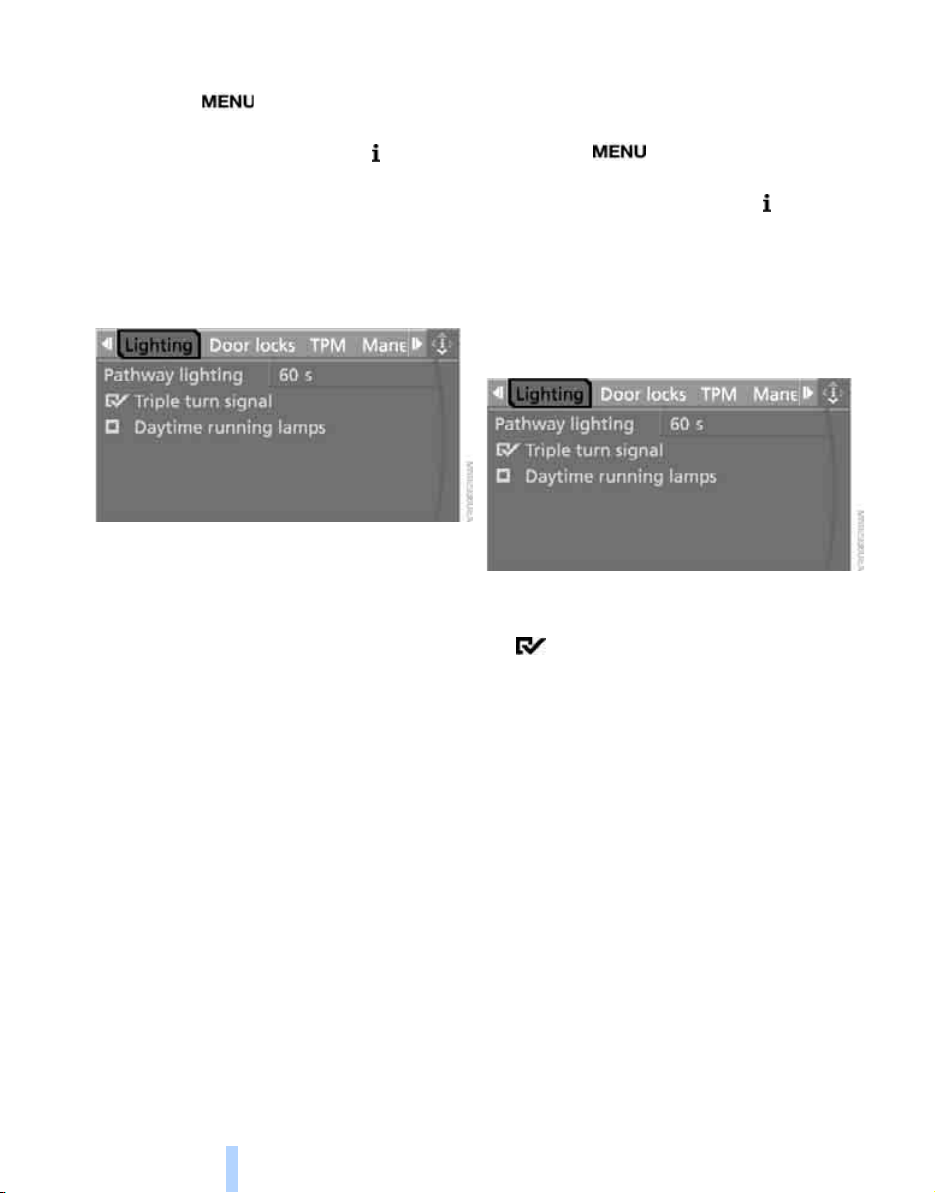
Lamps
98
iDrive, for explanation of concept, refer to
page 16.
1. Press the button.
This opens the start menu.
2. Press the controller to open the menu.
3. Select "Settings" and press the controller.
4. Select "Vehicle / Tires" and press the con-
troller.
5. Change to upper field if necessary. Turn the
controller until "Lighting" is selected and
press the controller.
6. Select "Pathway lighting" and press the
controller.
7. Turn the controller to select the desired
duration.
8. Press the controller to apply the setting.
The setting is stored for the remote control cur-
rently in use.
Daytime running lamps*
The daytime running lamps light up in the posi-
tion lights off, parking lamps or automatic head-
lamp control. They have a lower light output
than the low beams.
If desired, the light switch can be left in posi-
tion 3. The exterior lighting is automatically
switched off after parking the vehicle. If the light
switch remains in the parking lamp position, the
parking lamps light up after the ignition is
switched off.
Switch on the parking lamps if required as
described under Parking lamps.
Activating/deactivating daytime
running lamps*
iDrive, for explanation of concept, refer to
page 16.
1. Press the button.
This opens the start menu.
2. Press the controller to open the menu.
3. Select "Settings" and press the controller.
4. Select "Vehicle / Tires" and press the con-
troller.
5. Change to upper field if necessary. Turn the
controller until "Lighting" is selected and
press the controller.
6. Select "Daytime running lamps" and press
the controller.
Daytime running lamps are switched
on.
The setting is used for the remote control
currently in use.
Adaptive Head Light*
The concept
Adaptive Head Light is a variable headlamp
control system that enables better illumination
of the road surface. Depending on the steering
angle and other parameters, the light from the
headlamp follows the course of the road.
Turning lamps
In tight curves, e.g. serpentines, or when turn-
ing, one of the two front fog lamps is also
switched on up to a speed of approx. 45 mph/
70 km/h. This provides improved illumination of
the area inside the curve.
Online Edition for Part no. 01 41 0 012 501 - © 08/06 BMW AG
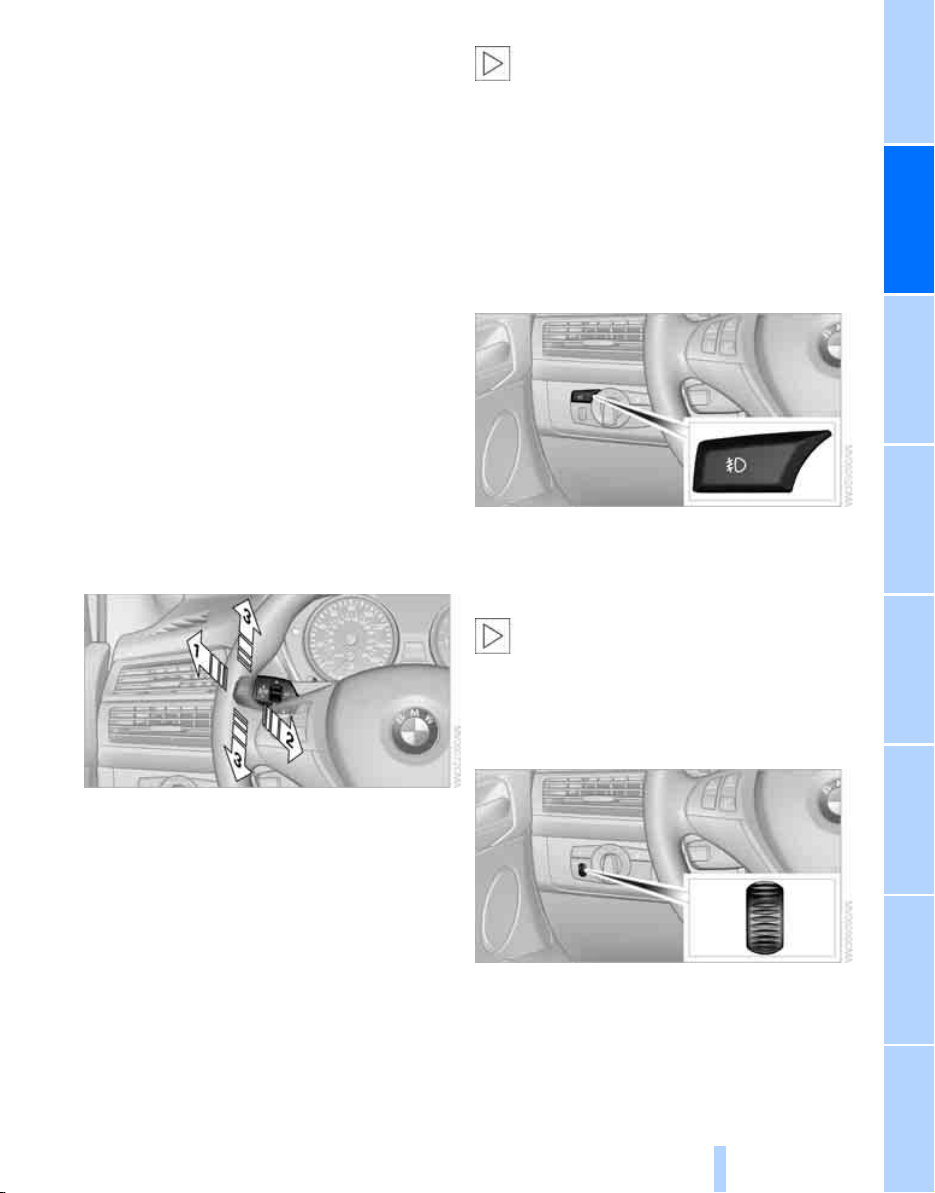
Controls
99
Reference At a glanceDriving tipsCommunications NavigationEntertainmentMobility
Activating Adaptive Head Light and
turning lamps
Turn the light switch to position 3, refer to
page 97.
The Adaptive Head Light and the turning lamps
are active. The automatic headlamp control
is
switched on.
To avoid dazzling oncoming traffic, the Adap-
tive Head Light is not active when driving in
reverse and points toward the passenger side
when the vehicle is stopped. When driving in
reverse, only the turning lamps are active on
both sides.
Malfunction
The LED next to the symbol for automatic head-
lamp control flashes. Adaptive Head Light is
malfunctioning or has failed. Have the system
checked as soon as possible.
High beams/
roadside parking lamps
1 High beams
2 Headlamp flasher
3 Roadside parking lamps
Roadside parking lamps, left or right*
You also enjoy the option of lighting up just one
side of your vehicle when parking.
Switching on
After parking the vehicle, press the lever up or
down beyond the resistance point, arrow 3.
The roadside parking lamps drain the bat-
tery. Do not leave them switched on for
long periods of time, otherwise it may no longer
be possible to start the engine.<
Switching off
Briefly press the lever in the opposite direction
up to the resistance point, arrow 3.
Fog lamps*
The parking lamps or low beams must be
switched on for the fog lamps to operate. The
green indicator lamp in the instrument cluster
lights up whenever the fog lamps are on.
If the automatic headlamp control is acti-
vated, the low beams will come on auto-
matically when you switch on the fog lamps.<
Instrument lighting
You can control the lighting intensity by using
the knurled wheel.
Online Edition for Part no. 01 41 0 012 501 - © 08/06 BMW AG
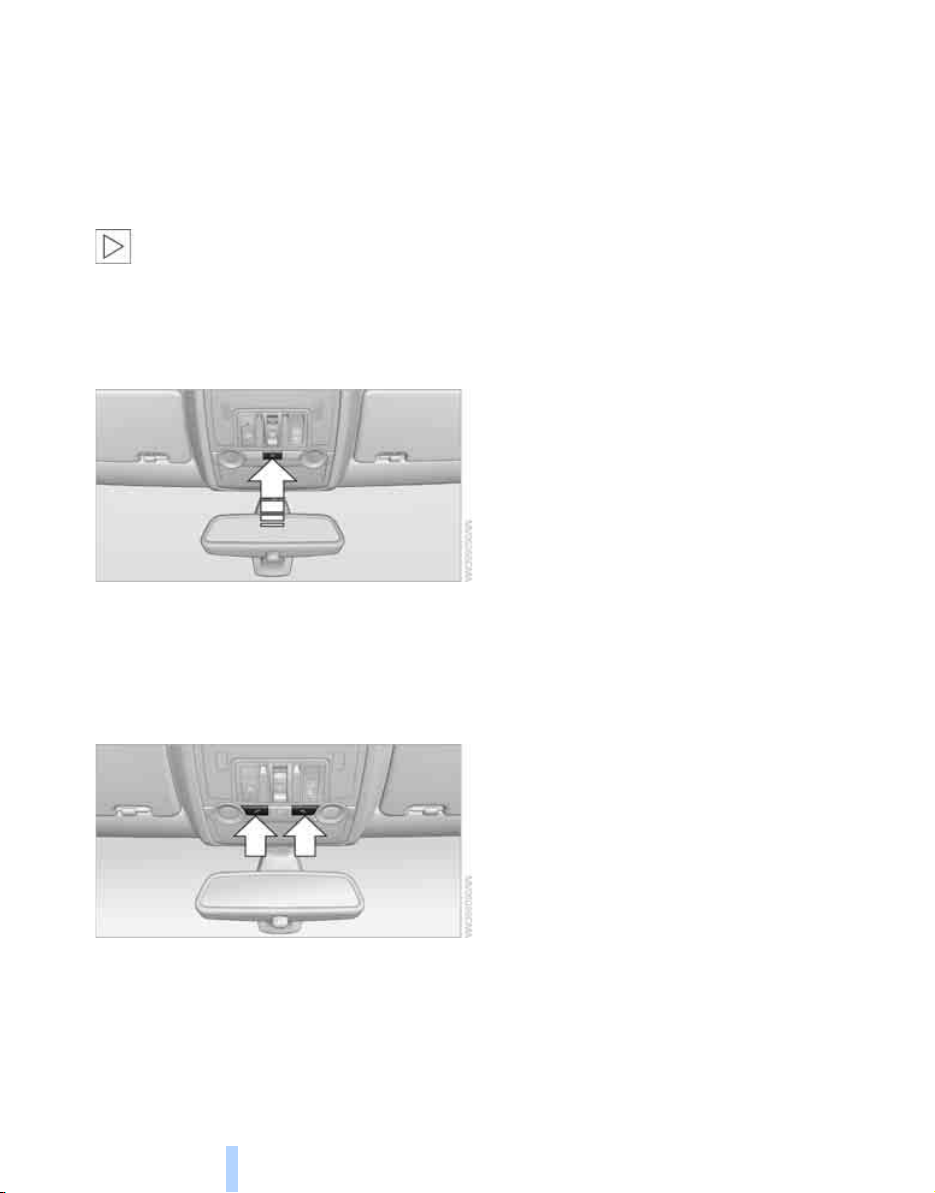
Lamps
100
Interior lamps
The interior lamps, footwell lamps, door entry
lighting
and courtesy lamps
*
are controlled
automatically.
With the courtesy lamps, LED lights are located
in the door handles to illuminate the exterior
area before the doors.
To protect the battery, all lamps in the
vehicle are switched off approx. 15 min-
utes after radio readiness is switched off, refer
to Start/Stop button on page 56.<
Switching interior lamps on and off
manually
Press the button.
If you want the interior lamps to remain off con-
tinuously, maintain pressure on the button for
approx. 3 seconds.
Reading lamps
Reading lamps are provided in the front and
rear
*
adjacent to the interior lamps. Press the
button to switch the lamps on and off.
Online Edition for Part no. 01 41 0 012 501 - © 08/06 BMW AG
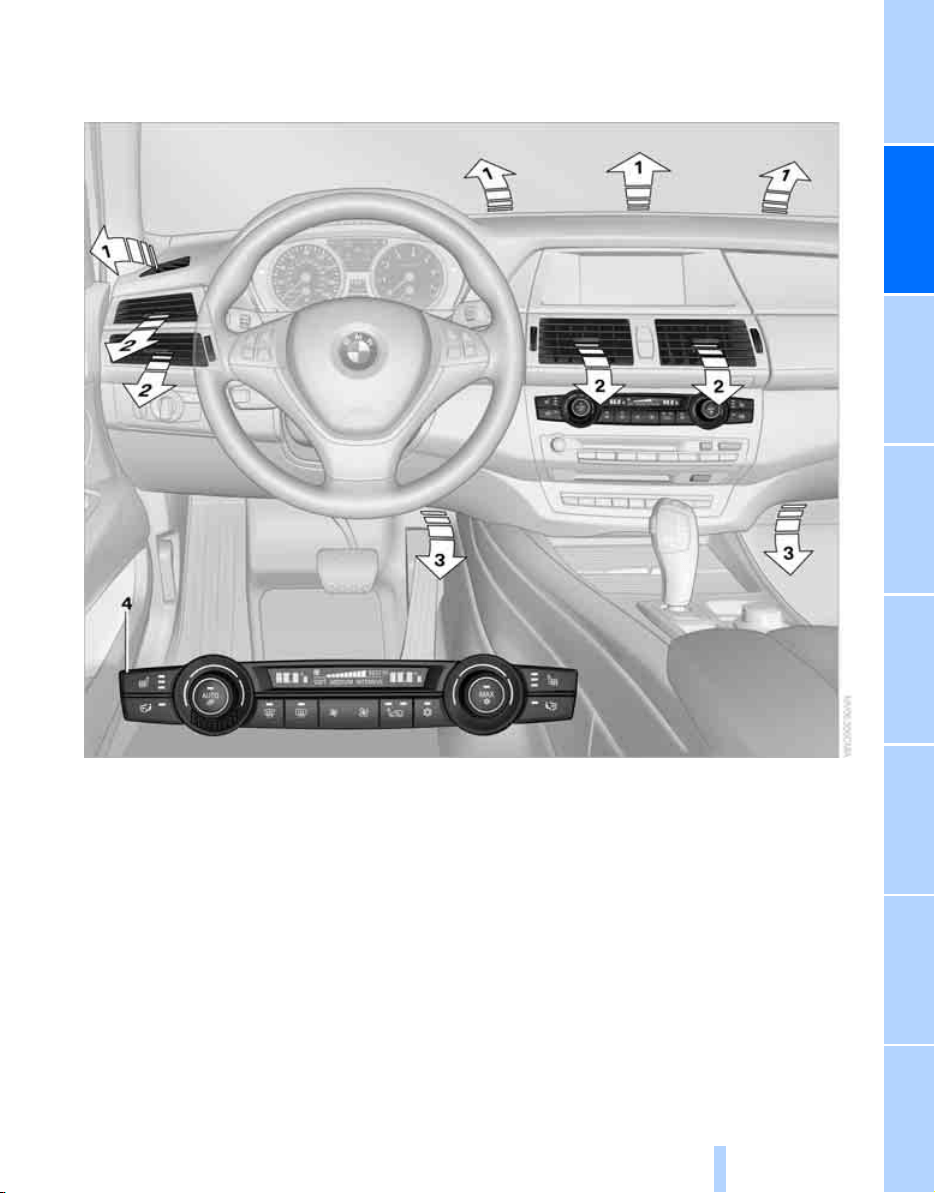
Controls
101
Reference At a glanceDriving tipsCommunications NavigationEntertainmentMobility
Climate
1 Air toward the windshield and side windows
2 Air for the upper body region, refer to
Front ventilation on page 105
3 Air to footwell
4 Automatic climate control
Online Edition for Part no. 01 41 0 012 501 - © 08/06 BMW AG
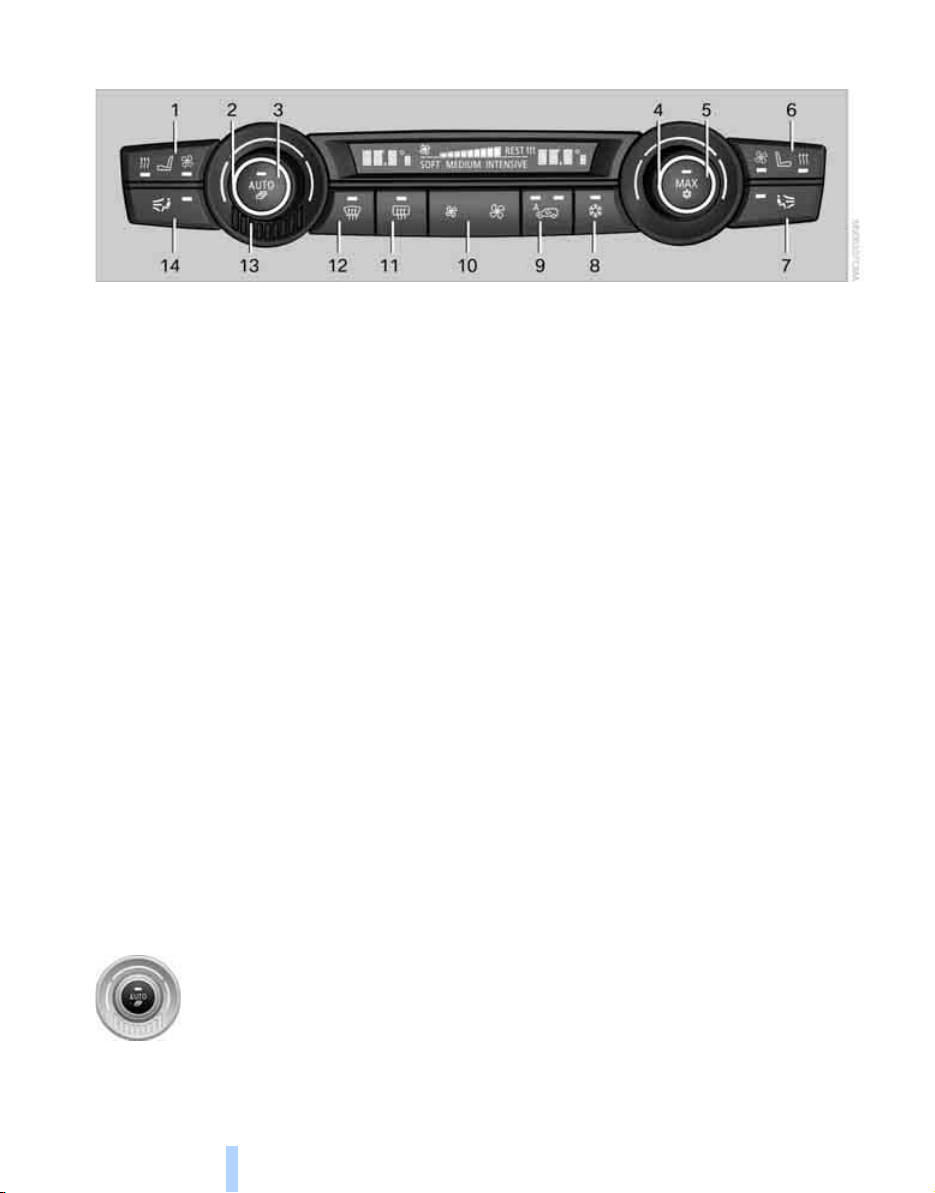
Climate
102
Automatic climate control
1 Seat heating
*
and ventilation
*
, driver's
side 47
2 Temperature, left side of passenger com-
partment
3 AUTO program
4 Temperature, right side of passenger com-
partment
5 Maximum cooling
6 Seat heating
*
and ventilation
*
, front pas-
senger side 47
7 Manual air distribution, front passenger side
8 Switching cooling function on and off man-
ually
9 AUC Automatic recirculated-air control/
recirculated-air mode
10 Manual air volume and residual heat utiliza-
tion
11 Rear window defroster
12 Defrosting windows and removing conden-
sation
13 Air grill for interior temperature sensor –
please keep clear and unobstructed
14 Manual air distribution, driver's side
The current setting for air distribution is dis-
played on the Control Display.
A congenial climate
The AUTO program offers the optimum air dis-
tribution and air volume for virtually all condi-
tions, refer to AUTO program below. Now you
only need to select an interior temperature
pleasant to you.
The following sections contain more detailed
information on the available setting options.
Most settings are stored for the remote control
currently in use, also refer to Personal Profile
settings on page 29.
AUTO program
The AUTO program handles the
adjustment of air distribution to the
windshield and side windows, in
the direction of the upper body,
and in the footwell, as well as the
air volume. It also adapts your instructions for
the temperature to outside influences through-
out the year.
The cooling is switched on automatically with
the AUTO program. At the same time, a con-
densation sensor controls the program in such
a way that window condensation is prevented
as much as possible.
Intensity of AUTO program
You can adjust the intensity of the AUTO pro-
gram by repeatedly pressing the AUTO button.
The respective current setting is displayed
when the button on the display of the automatic
climate control is pressed.
You can also adjust the intensity of the AUTO
program via iDrive.
iDrive, for explanation of concept, refer to
page 16.
Online Edition for Part no. 01 41 0 012 501 - © 08/06 BMW AG

Controls
103
Reference At a glanceDriving tipsCommunications NavigationEntertainmentMobility
1. Press the button.
This opens the start menu.
2. Move the controller to the left to open
"Climate".
3. Select "Automatic programs" and press the
controller.
4. Select the desired intensity and press the
controller.
The marked intensity of the automatic
program is switched on.
Temperature
Set the desired temperature indi-
vidually on the driver's and front
passenger side.
The automatic climate control
adjusts this temperature as quickly as possible
at any time of year, if necessary with the maxi-
mum cooling or heating capacity, and then
keeps it constant.
When switching between different tem-
perature settings in rapid succession, the
automatic climate control does not have suffi-
cient time to adjust the set temperature.<
Adjusting temperature
The highest cooling output of the automatic cli-
mate control is a temperature of 607/166
and the highest heating output at 847/286.
For cooling with the highest temperature
setting, select an interior temperature of
837/27.5 6, as at 847/286 the automatic
climate control operates with the highest heat-
ing output.<
Adjusting temperature in upper body
region
1. Open the start menu.
2. Move the controller to the left to open
"Climate".
3. Select "Vent settings" and press the con-
troller.
4. Move the controller to select the field.
5. Turn the controller to adjust the tempera-
ture.
Defrosting windows and removing
condensation
Quickly remove ice and condensa-
tion from the windshield and front
side windows.
Rear window defroster
The rear window defroster
switches off automatically after a
while.
Air volume, manual
You can vary the air volume by
pressing on the corresponding
side. You can reactivate the auto-
matic mode for the air volume with the AUTO
button.
Air distribution, manual
You can route the air flow out into the vehicle
interior with various programs.
Programs on driver's side:
> Upper body region
> Upper body region and footwell
Online Edition for Part no. 01 41 0 012 501 - © 08/06 BMW AG
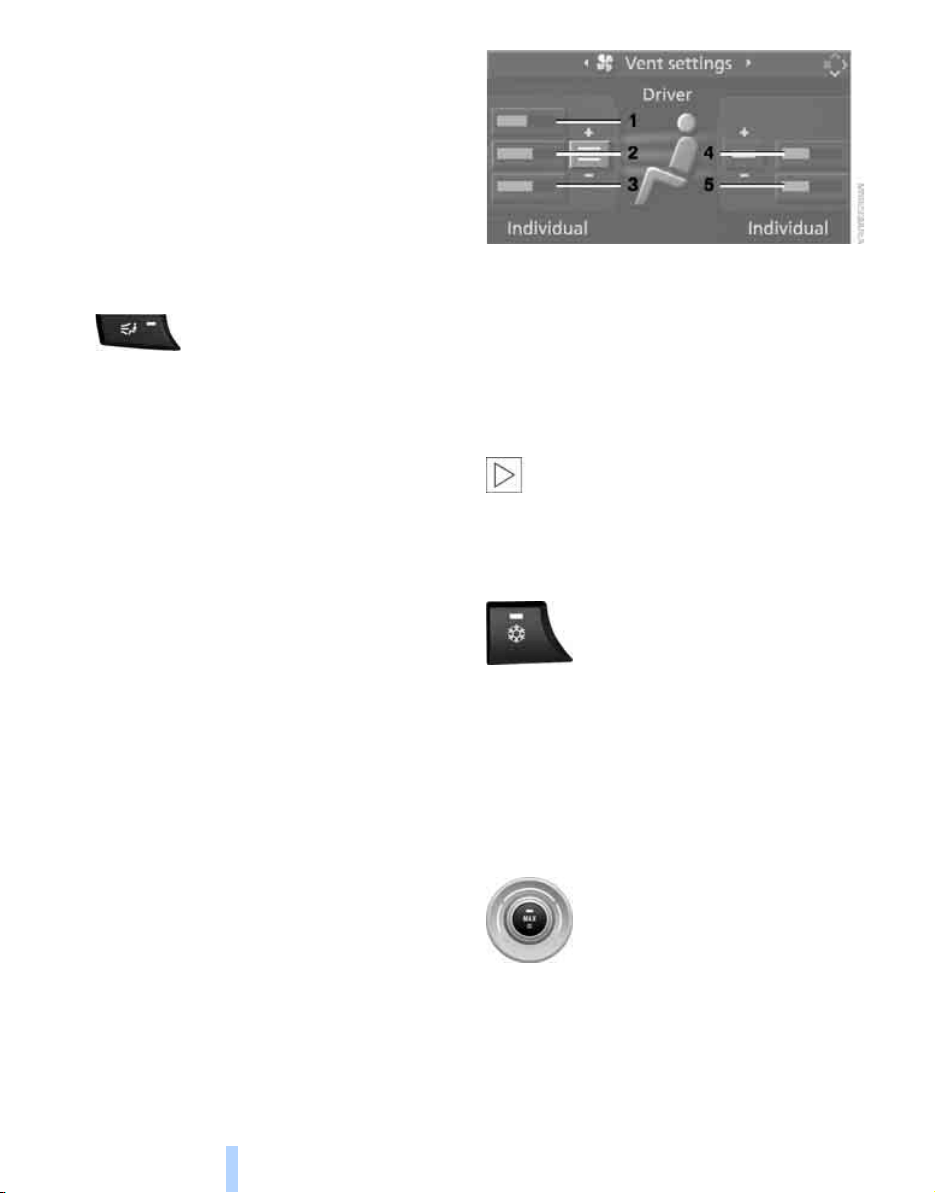
Climate
104
> Footwell
> Windows and footwell
> Individual program
Programs on front passenger side:
> Upper body region
> Upper body region and footwell
> Footwell
> Individual program
Selecting program
Press the button repeatedly until
the desired program is shown on
the display of the automatic climate control.
Individually adjusting air distribution
The settings are stored in the individual pro-
gram.
iDrive, for explanation of concept, refer to
page 16.
1. Open the start menu.
2. Move the controller to the left to open
"Climate".
3. Select "Vent settings" and press the con-
troller.
The driver's and front passenger side can
be adjusted separately with the fields on the
right or left side.
4. Select the driver's or front passenger side
if necessary.
Move the controller to the right or left
repeatedly until the driver's or front passen-
ger side is selected.
5. Select the desired field by moving the con-
troller.
6. Turn the controller to adjust the air distribu-
tion.
Driver's side:
1 Air toward the windshield and side windows
2 Air for the upper body
3 Air to footwell
Front passenger side:
4 Air for the upper body
5 Air to footwell
Pressing the AUTO button cancels the
manual air distribution settings.<
The automatic mode for the air volume remains
effective with manual air distribution.
Switching cooling function on and off
The cooling function cools and
dehumidifies the incoming air
before also reheating it as
required, according to the temperature setting.
Depending on the weather, the windshield may
fog over briefly when the engine is started.
The cooling function is switched on automati-
cally with the AUTO program. The passenger
compartment can only be cooled with the
engine running.
Maximum cooling
Maximally cooled air is obtained as
quickly as possible from an outside
temperature above 327/06 and
with the engine running.
The automatic climate control changes over to
the lowest temperature and switches into the
recirculated-air mode. The maximum air quan-
tity only flows out of the vents for the upper
body. Therefore, open these vents for maxi-
mum cooling.
Online Edition for Part no. 01 41 0 012 501 - © 08/06 BMW AG
Controls
105
Reference At a glanceDriving tipsCommunications NavigationEntertainmentMobility
AUC Automatic recirculated-air
control/recirculated-air mode
You can respond to pollutants or
unpleasant odors in the immediate
environment by suspending the
supply of outside air. The system
then recirculates the air currently within the
vehicle. During AUC operation, a sensor
detects pollutants in the outside air and con-
trols the shut-off automatically.
By pressing the button repeatedly, you can
request three operating modes:
> LED off: outside air flows in continuously.
> Left LED on, AUC mode: the system
detects pollutants in the outside air and
shuts off the supply as needed.
> Right LED on, recirculated-air mode: the
supply of outside air is permanently shut off.
If condensation starts to form on the
inside window surfaces during operation
in the recirculated-air mode, you should switch
it off while also increasing the air volume as
required.
The recirculated-air mode should not be used
over an extended period of time, as the air qual-
ity inside the vehicle deteriorates continu-
ously.<
Residual heat
The heat stored in the engine is
used to heat the passenger com-
partment, e.g. while stopped at a
school to pick up a child.
Switching on residual heat utilization
Pressing the right side switches on the residual
heat utilization when the following conditions
are met:
> up to 15 minutes after switching off the
engine
> with the engine at operating temperature
> with sufficient battery voltage
> at an outside temperature below 777/
256
REST appears on the display of the automatic
climate control when the residual heat utiliza-
tion is switched on.
From radio readiness the interior temperature,
the air volume and the air distribution can be
set.
If the conditions for the residual heat utili-
zation are met, no display appears.<
Switching off residual heat utilization
You can select the lowest blower speed by
pressing and holding the left side. Pressing
again switches off the residual heat utilization.
REST disappears from the display of the auto-
matic climate control.
Switching off automatic climate control
You can select the lowest blower
speed by pressing and holding the
left side. Pressing again switches
off the automatic climate control. The air vol-
ume, the heater and the cooling function are all
switched off.
You can switch on the system again by pressing
any button of the automatic climate control.
Front ventilation
1 Knurled wheels to smoothly open and close
air vents
2 Levers to change the air vent direction
Do not drop any foreign objects into the
air vents, otherwise these could be cata-
pulted outwards and lead to injuries.<
Online Edition for Part no. 01 41 0 012 501 - © 08/06 BMW AG
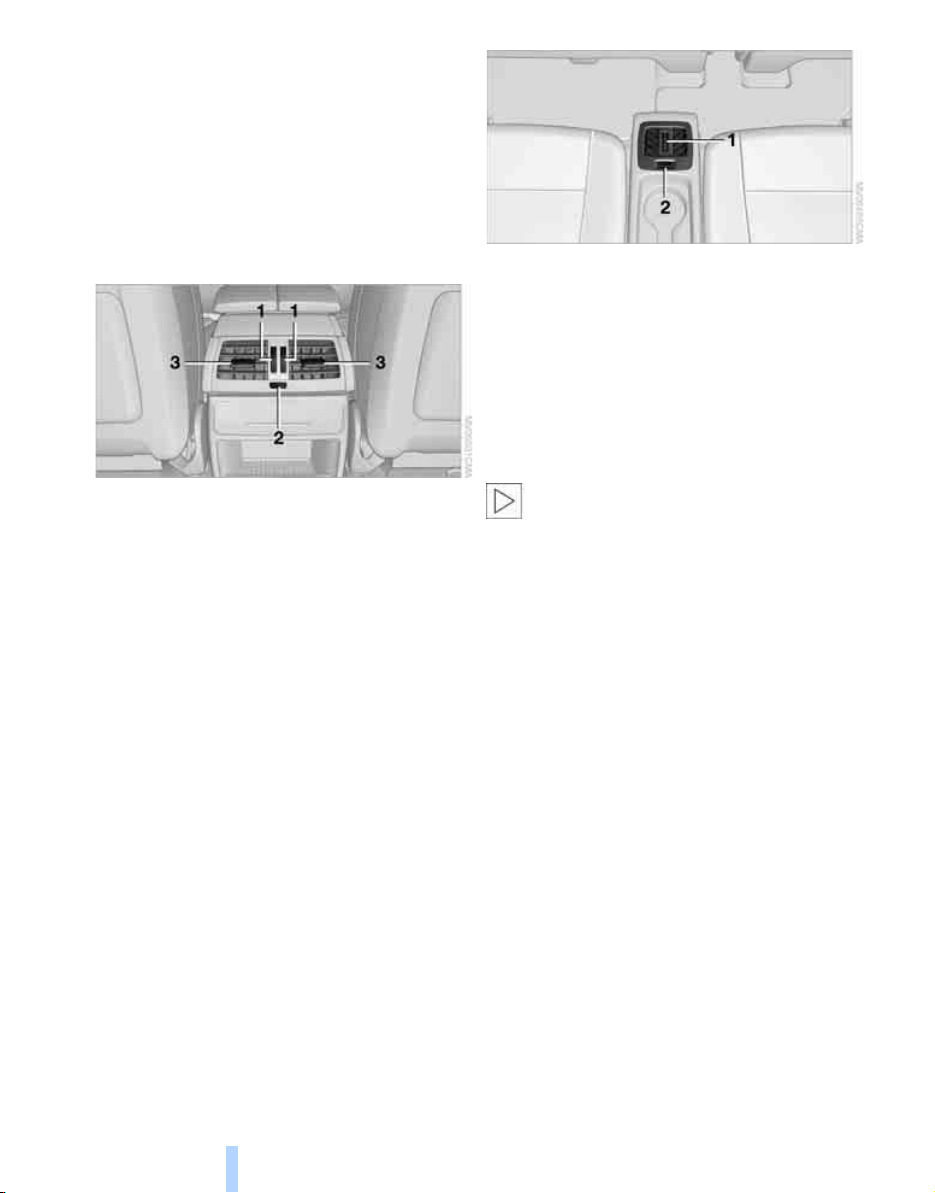
Climate
106
Ventilation for cooling
Adjust the air vents to direct the flow of cool air
in your direction, for instance, if the interior has
become too warm, etc.
Draft-free ventilation
Set the air vents so that the air flows past you
and is not directed straight at you.
Ventilation in rear
1 Knurled wheels to smoothly open and close
air vents
2 Knurled wheel for adjusting the tempera-
ture in the upper body region:
> Turn toward blue: colder
> Turn toward red: warmer
3 Levers to change the air vent direction
Heating and ventilation of 3rd row
seats*
The air in the area of the 3rd row seats can be
heated or recirculated. Air vents are located in
the storage tray area between the seats and in
the footwell of the 3rd row seats.
1 Knurled wheel:
> Activating heating and distributing air in
footwell:
Turn toward front
> Distributing air in storage compartment
area between seats:
Turn toward rear
2 Button for switching on blower:
LED lights up
The heating is not ready for operation
without switching on the blower. After the
heating is switched off, the blower can be used
to recirculate the air within the vehicle, e.g. at
high temperatures. To do this, turn the knurled
wheel 1 toward the rear and switch on the
blower, button 2.<
Microfilter/activated-charcoal filter
The microfilter removes dust and pollen from
the incoming air. The activated-charcoal filter
provides additional protection by filtering gas-
eous pollutants from the outside air. This com-
bined filter is changed during maintenance by
your BMW Sports Activity Vehicle Center.
You can select a display of more detailed infor-
mation on the Control Display, refer to page 71.
Online Edition for Part no. 01 41 0 012 501 - © 08/06 BMW AG
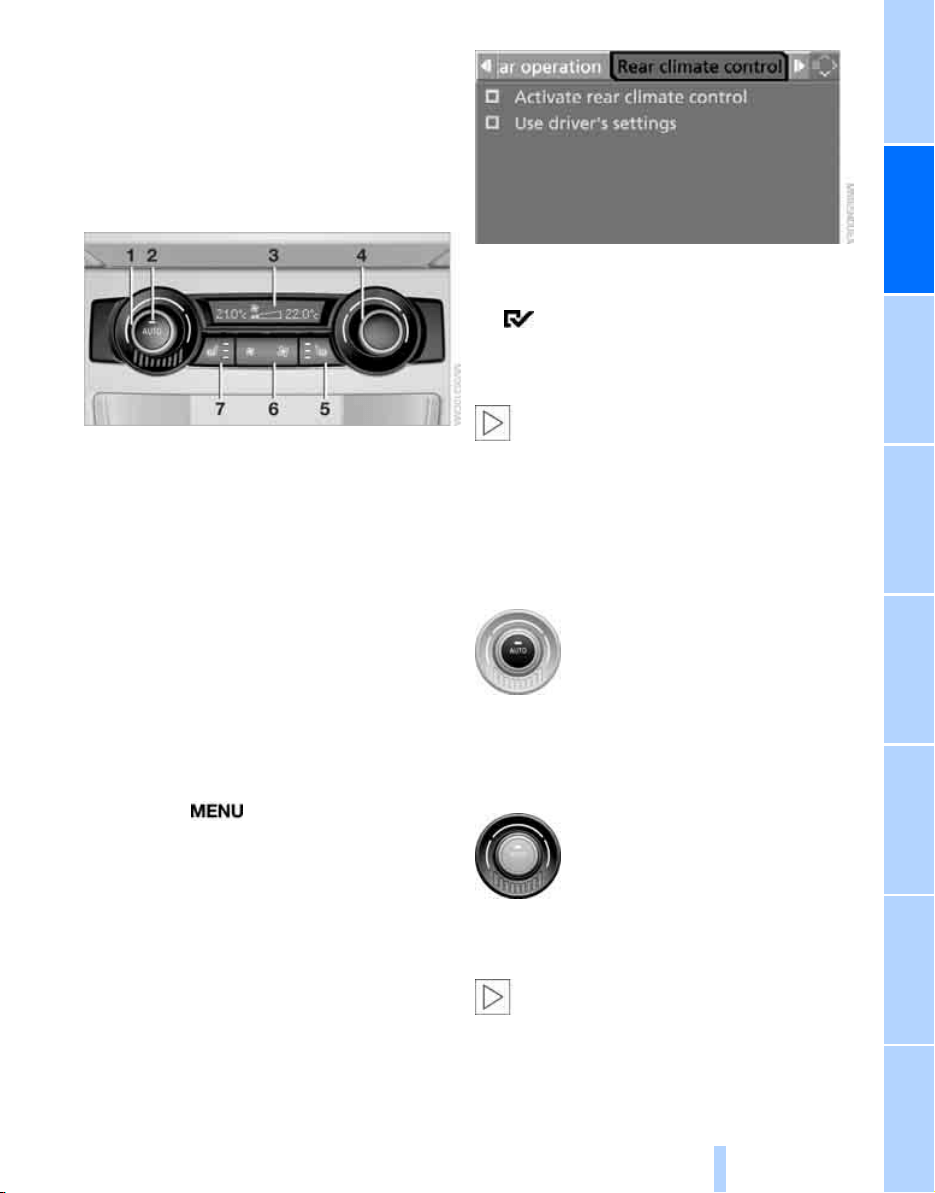
Controls
107
Reference At a glanceDriving tipsCommunications NavigationEntertainmentMobility
Rear automatic climate
control*
The control unit of the rear automatic climate
control is located in the center console in the
rear. The following settings and operating
modes can be selected and adjusted separately
for the left and right rear seating area:
1 Temperature, left rear seating area
2 AUTO program
3 Display
4 Temperature, right rear seating area
5 Seat heating, right rear seat
6 Air volume, manual
7 Seat heating, left rear seat
The current setting for the temperature and the
air volume is shown on the display 3.
Activating rear automatic climate
control
iDrive, for explanation of concept, refer to
page 16.
1. Press the button.
This opens the start menu.
2. Move the controller to the left to open
"Climate".
3. Select "Rear climate control" and press the
controller.
4. Select the desired settings and press the
controller.
The rear automatic climate control is
activated and the settings of the automatic
climate control on the driver's side can be
applied if necessary.
The rear automatic climate control is not
ready for operation if the automatic cli-
mate control is switched off. When activating
the function of the automatic climate control for
defrosting the windows and removing conden-
sation, the rear automatic climate control is also
not ready for operation.<
AUTO program
The AUTO program assumes the
adjustment of the air distribution
toward the upper body and in the
footwell, as well as the air volume
for you. It also adapts your instruc-
tions for the temperature to outside influences
throughout the year.
Temperature
Set the desired temperature indi-
vidually on the left and right side.
The rear automatic climate control
adjusts this temperature as quickly
as possible at any time of year, if necessary with
the maximum cooling or heating capacity, and
then keeps it constant.
When switching between different tem-
perature settings in rapid succession, the
rear automatic climate control does not have
sufficient time to adjust the set temperature.<
Online Edition for Part no. 01 41 0 012 501 - © 08/06 BMW AG
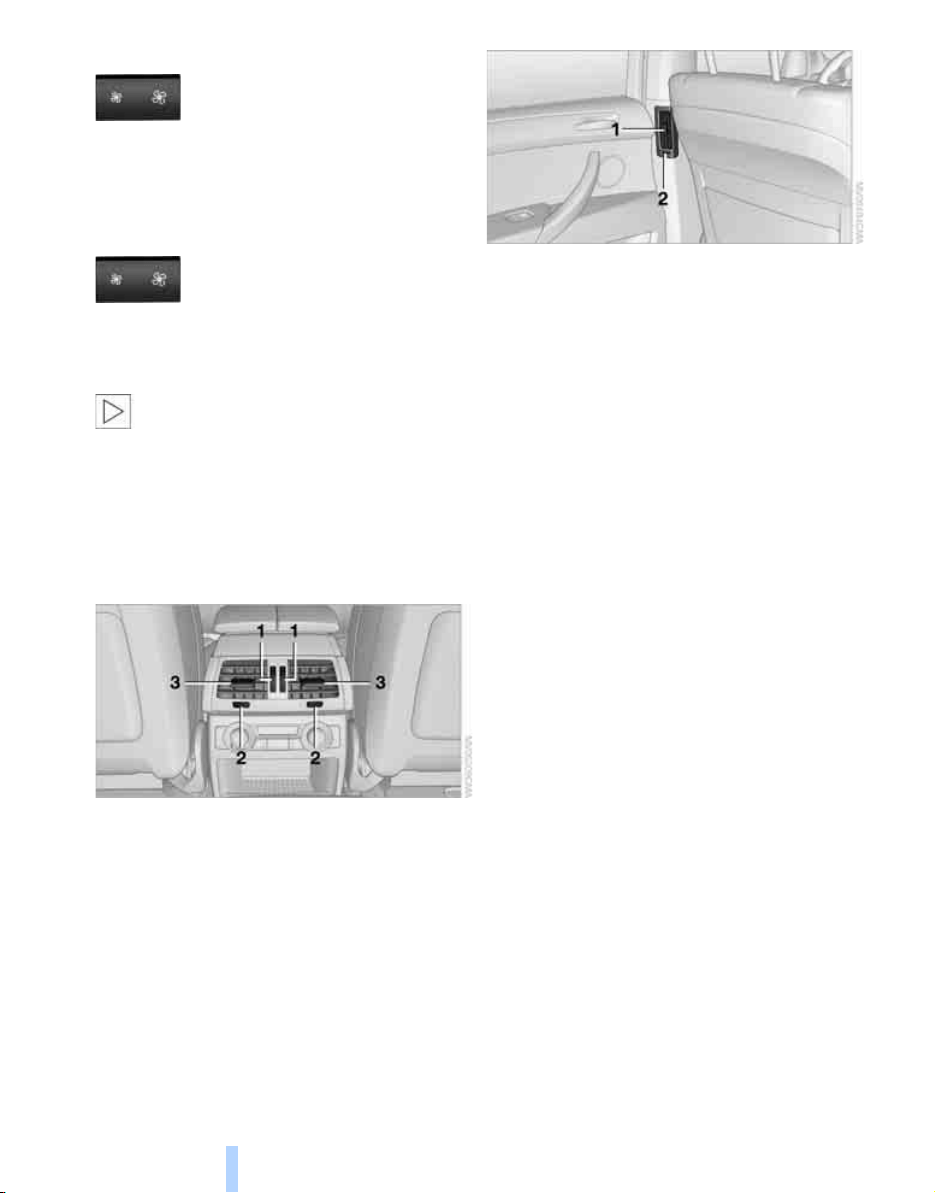
Climate
108
Air volume, manual
You can vary the air volume by
pressing on the corresponding
side. You can reactivate the auto-
matic mode for the air volume with the AUTO
button.
Switching off rear automatic climate
control
You can select the lowest blower
speed by pressing and holding the
left side. Pressing again switches
off the rear automatic climate control. The air
volume, the heater and the cooling function are
all switched off.
The rear automatic climate control can
also be switched off with iDrive. To switch
on the rear automatic climate control again, the
system must first be reactivated, refer to Acti-
vating rear automatic climate control.<
You can switch on the system again by pressing
any button of the rear automatic climate control.
Rear ventilation
1 Knurled wheels to smoothly open and close
air vents
2 Knurled wheels to adjust temperature in
upper body region; can be adjusted sepa-
rately for left and right:
> Turn toward blue: colder
> Turn toward red: warmer
3 Levers to change the air vent direction
1 Lever to change the air vent direction
2 Knurled wheel to smoothly open and close
air vents
For information on the ventilation of the 3rd row
seats, refer to page 106.
Parked car ventilation*
The concept
The parked car ventilation blows air into the
passenger compartment to lower interior tem-
peratures.
It is ready to use in the parked-car mode at any
outside temperature.
You can set two different times for the system
to start. The parked car ventilation can also be
switched on and off directly. It remains
switched on for 30 minutes.
Since the system uses a substantial amount of
electrical current, you should refrain from acti-
vating it twice in succession without allowing
the battery to be recharged in normal operation
between use.
The air emerges through the upper body region
air vents in the instrument panel. Therefore,
please open the air vents.
The parked car ventilation is operated via iDrive.
Switching on and off directly
iDrive, for explanation of concept, refer to
page 16.
1. Open the start menu.
2. Move the controller to the left to open
"Climate".
Online Edition for Part no. 01 41 0 012 501 - © 08/06 BMW AG
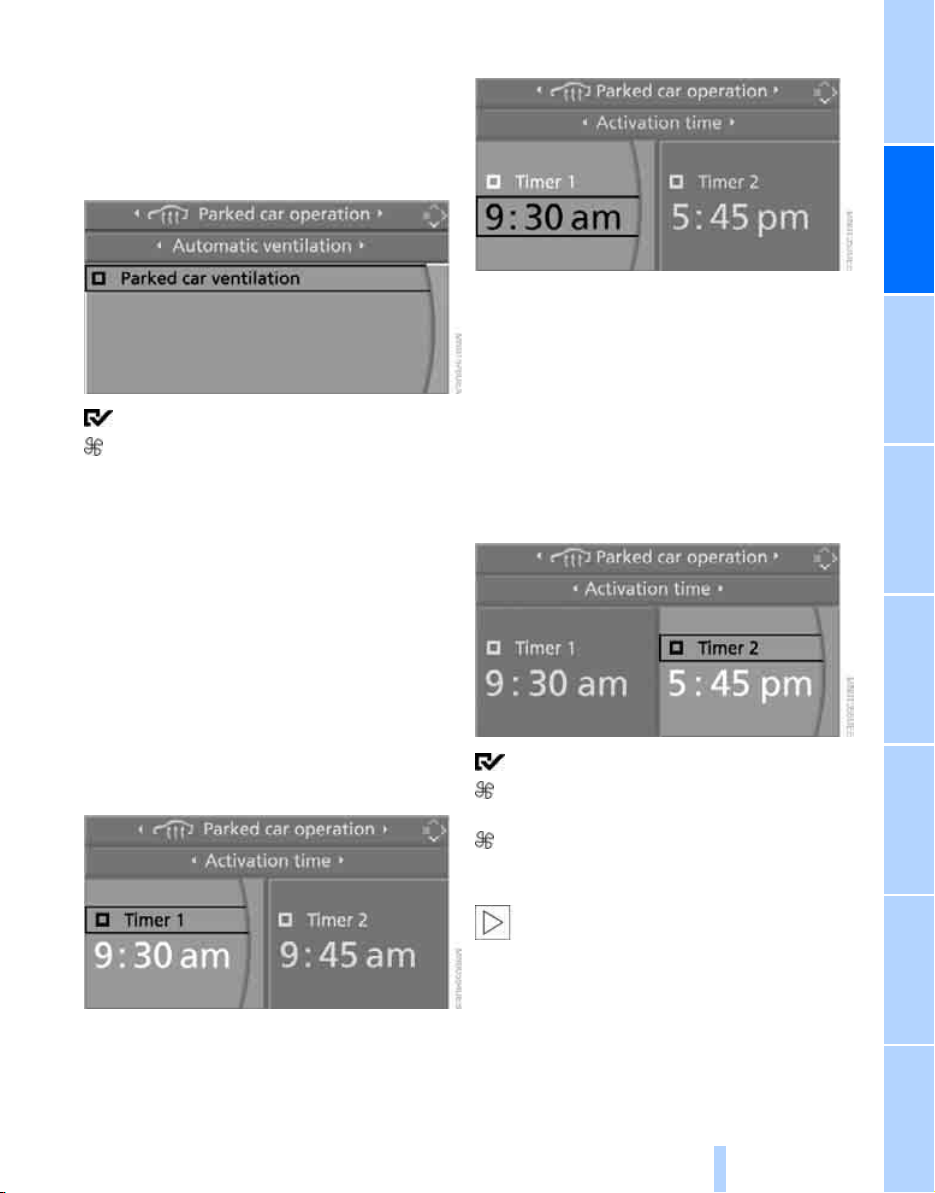
Controls
109
Reference At a glanceDriving tipsCommunications NavigationEntertainmentMobility
3. Select "Parked car operation" and press the
controller.
4. Select "Automatic ventilation" and press
the controller.
5. Select "Parked car ventilation" and press
the controller.
The parked car ventilation is switched on.
The symbol on the display of the automatic
climate control flashes.
Preselecting activation times
iDrive, for explanation of concept, refer to
page 16.
1. Open the start menu.
2. Move the controller to the left to open
"Climate".
3. Select "Parked car operation" and press the
controller.
4. Select "Activation time" and press the con-
troller.
5. Move the controller to the left or right to
select "Timer 1" or "Timer 2".
6. Select the time and press the controller.
The first time setting is highlighted.
7. Turn the controller to make the adjustment.
8. Press the controller to apply the setting.
The next setting is highlighted.
9. Make the remaining adjustments. After the
last adjustment, the time is stored.
Activating activation time
Move the controller to the left or right to select
"Timer 1" or "Timer 2" and press the controller.
The activation time is activated.
The symbol on the display of the automatic
climate control lights up.
The symbol on the display of the automatic
climate control flashes when the parked car
ventilation has switched on.
The parked car ventilation is only avail-
able for activation within the next
24 hours. Then it must be activated again.<
Online Edition for Part no. 01 41 0 012 501 - © 08/06 BMW AG
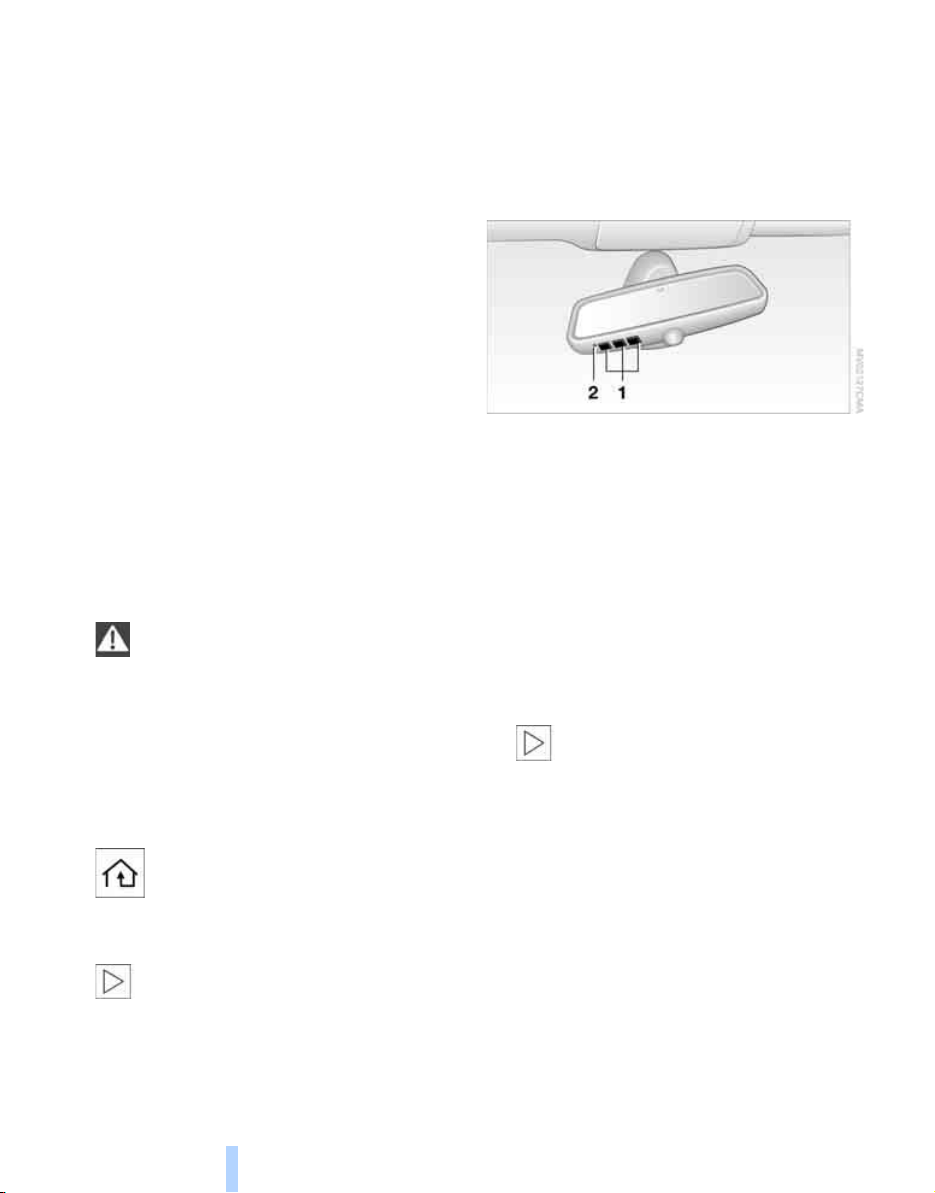
Practical interior accessories
110
Practical interior accessories
Integrated universal remote
control*
The concept
The integrated universal remote control can
replace as many as three hand-held transmit-
ters for various remote-controlled accessories,
such as door openers and house alarm sys-
tems. The integrated universal remote control
registers and stores signals from the original
hand-held transmitters.
The signal of an original hand-held transmitter
can be programmed on one of the three mem-
ory buttons 1. Then with the ignition switched
on, this programmed memory button 1 can be
used to operate the respective feature. The
LED 2 flashes to confirm transmission of the
signal.
Should you sell your vehicle one day, be sure to
delete the stored programs beforehand for your
safety, refer to page 111.
To prevent possible damage or injury,
before programming or using the inte-
grated universal remote control, always inspect
the immediate area to make certain that no peo-
ple, animals or objects are within the travel
range of the device. Also, comply with the
safety precautions of the original hand-held
transmitter.<
Checking compatibility
If you see this symbol on the packaging
or in the manual supplied with the orig-
inal hand-held transmitter, it is safe to
assume that it is compatible with the integrated
universal remote control.
Should you have additional questions,
please contact your BMW Sports Activity
Vehicle Center or call: 1-800-355-3515.
Information is also provided on the Internet at:
www.bmwusa.com or
www.homelink.com.
HomeLink is a registered trademark of Johnson
Controls, Inc.<
Programming
1 Memory buttons
2 LED
Fixed-code hand-held transmitters
1. Switch on ignition, refer to page 56.
2. When starting operation for the first time:
Press both outer memory buttons 1 for
approx. 20 seconds until the LED 2 flashes.
All stored programs are deleted.
3. Hold the original hand-held transmitter at a
distance of approx. 2 in/5 cm to 8 in/20 cm
from the memory buttons 1.
The required distance between the
hand-held transmitter and the mem-
ory buttons 1 depends on the relevant sys-
tem of the original hand-held transmitter
used.<
4. Simultaneously press the transmit button
on the original hand-held transmitter and
the desired memory button 1 on the inte-
grated universal remote control. The LED 2
flashes slowly at first. As soon as the LED 2
flashes rapidly, release both buttons. If the
LED 2 does not flash rapidly after approx.
15 seconds, alter the distance.
5. To program other original hand-held trans-
mitters, repeat steps 3 and 4.
Online Edition for Part no. 01 41 0 012 501 - © 08/06 BMW AG
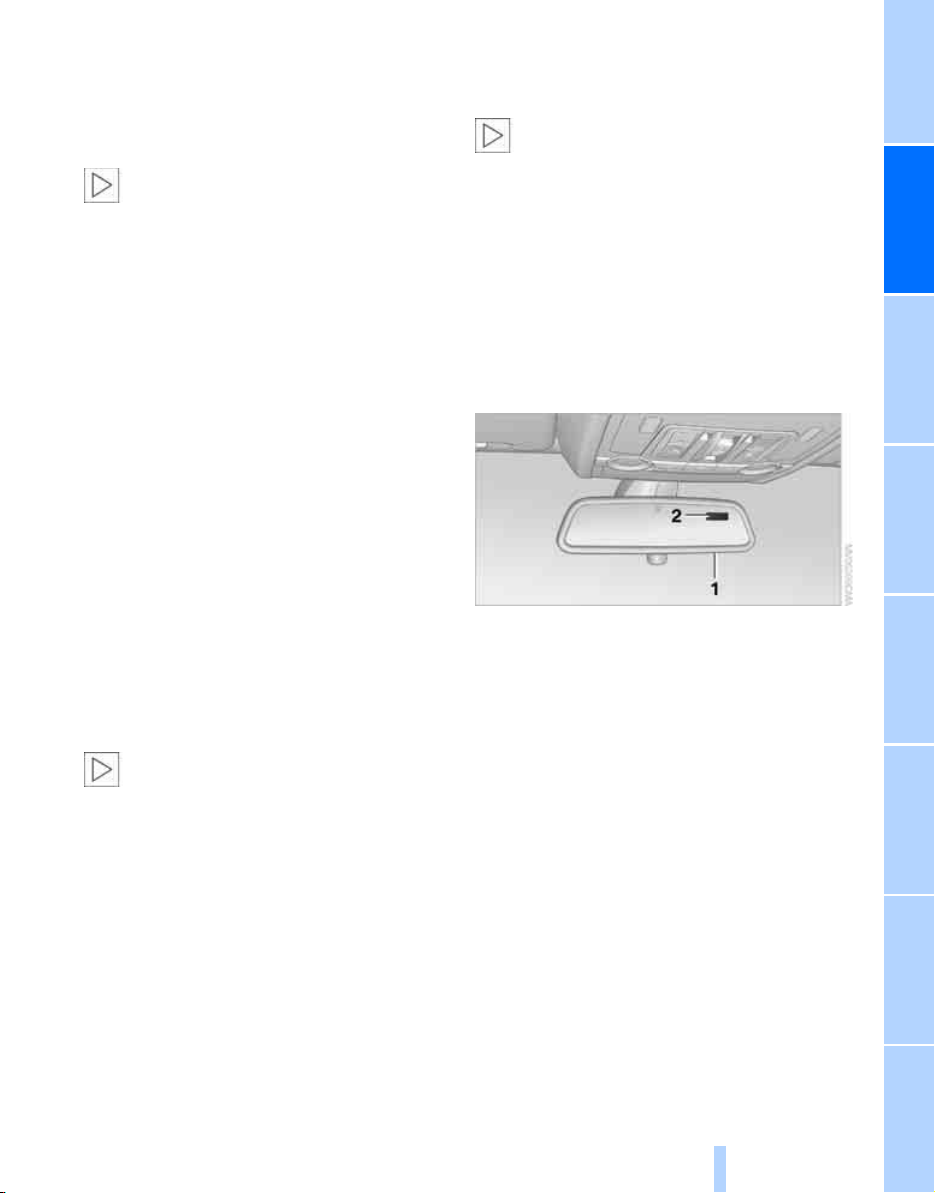
Controls
111
Reference At a glanceDriving tipsCommunications NavigationEntertainmentMobility
The corresponding memory button 1 is now
programmed with the signal of the original
hand-held transmitter.
You can operate the device when the engine is
running or when the ignition is switched on.
If the device cannot be used after
repeated programming, check whether
the original hand-held transmitter uses an alter-
nating-code system. To do so, either read the
instructions for the original hand-held transmit-
ter or hold down the programmed memory
button 1 of the integrated universal remote
control. If the LED 2 on the integrated universal
remote control flashes rapidly for a short time
and then remains lit for approx. 2 seconds, this
indicates that the original hand-held transmitter
uses an alternating-code system. In the case of
an alternating-code system, program the mem-
ory buttons 1 as described at Alternating-code
hand-held transmitters.<
Alternating-code hand-held
transmitters
To program the integrated universal remote
control, consult the operating instructions for
the equipment to be set. You will find informa-
tion there on the possibilities for synchroniza-
tion.
When programming hand-held transmitters
that employ an alternating code, please observe
the following supplementary instructions:
Programming will be easier with the aid of
a second person.<
1. Park your vehicle within the range of the
remote-controlled device.
2. Program the integrated universal remote
control as described above in the section
Fixed-code hand-held transmitters.
3. Locate the button on the receiver of the
device to be set, e.g. on the drive unit.
4. Press the button on the receiver of the
device to be set. After step 4, you have
approx. 30 seconds for step 5.
5. Press the programmed memory button 1
of the integrated universal remote control
three times.
The corresponding memory button 1 is now
programmed with the signal of the original
hand-held transmitter.
Should you have questions, please con-
tact your BMW Sports Activity Vehicle
Center.<
Deleting stored programs
Press both outer memory buttons 1 for approx.
20 seconds until the LED 2 flashes:
All stored programs are deleted.
Individual programs cannot be deleted.
Digital compass*
1 Adjustment button
2 Display
The display indicates the cardinal or intercardi-
nal direction in which you are currently driving.
Operating principle
You can run various functions by pressing the
adjustment button with a pointed object, e.g. a
ball-point pen etc. The following setting options
are displayed consecutively, depending on how
long the adjustment button is pressed:
> Press briefly: switch display on/off
> 3 to 6 seconds: set compass zone
> 6 to 9 seconds: calibrate compass
> 9 to 12 seconds: set left/right-hand drive
vehicle
> 12 to 15 seconds: set language
Online Edition for Part no. 01 41 0 012 501 - © 08/06 BMW AG
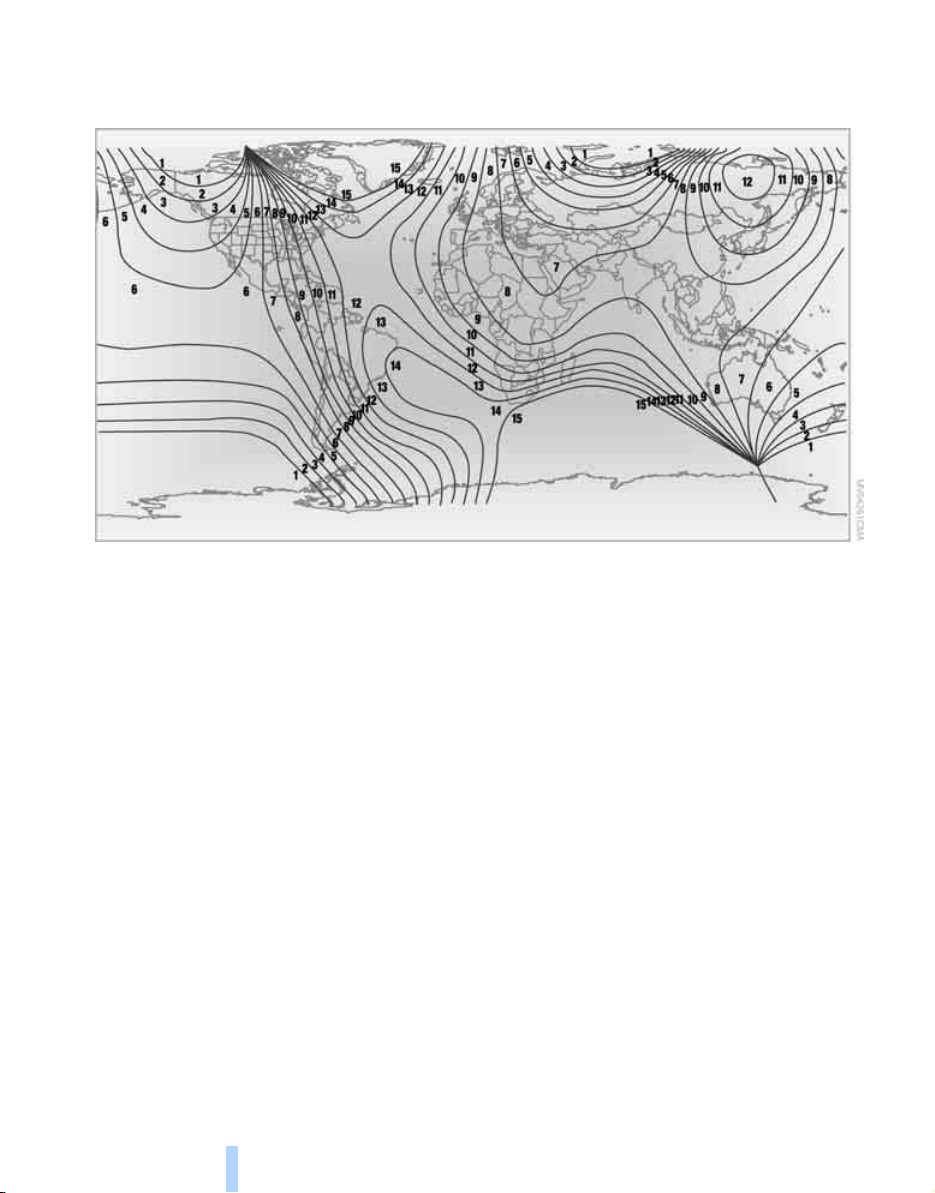
Practical interior accessories
112
Setting compass zones
Set the respectively applicable compass zone
in your vehicle so that the compass functions
properly, refer to the map of the world with
compass zones below.
To set the compass zones, press the adjust-
ment button for approx. 3-4 seconds. The dis-
play indicates the number of the currently set
compass zone.
To change the zone setting, briefly press the
adjusting button repeatedly until the number of
the compass zone that applies to your current
position is displayed.
The compass will be operational again after
approx. 10 seconds.
Calibrating digital compass
In the following situations, the digital compass
must be calibrated:
> The wrong cardinal direction appears on
the display.
> The cardinal direction displayed does not
change despite a change in the direction of
travel.
> Not all cardinal directions are displayed.
Procedure
1. Make sure that there are no large metal
objects or overhead power lines in the vicin-
ity of your vehicle and that you have enough
space to drive in a circle.
2. Input the currently applicable compass
zone.
3. Press the adjustment button for approx.
6-7 seconds to display C. Then drive in a
complete circle at least once at a maximum
speed of 4 mph/7 km/h.
If the calibration is successful, the display C
is replaced with the points of the compass.
Setting right/left-hand drive vehicle
Your digital compass is already set to right or
left-hand drive vehicle to match your vehicle at
the factory.
Online Edition for Part no. 01 41 0 012 501 - © 08/06 BMW AG
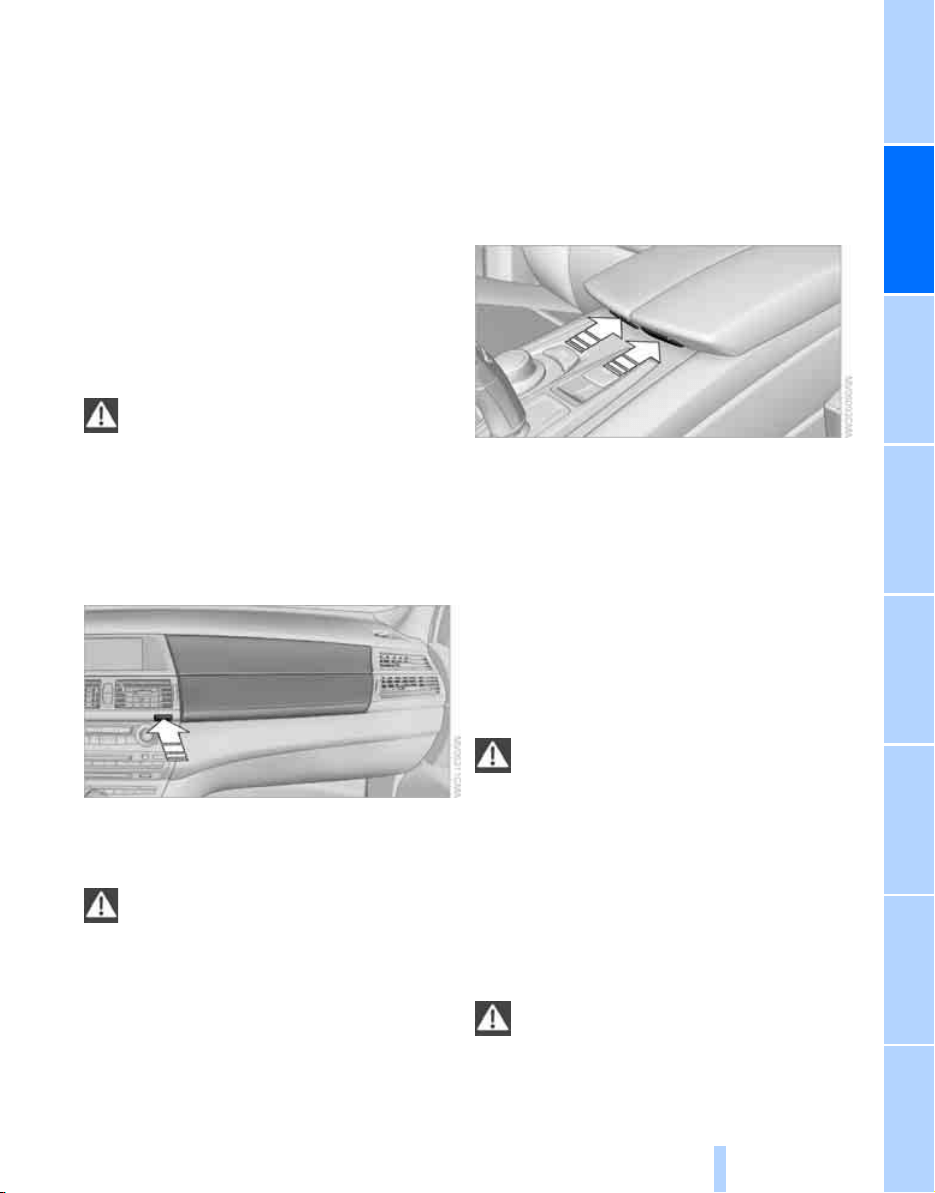
Controls
113
Reference At a glanceDriving tipsCommunications NavigationEntertainmentMobility
Setting language
You can set the language of the display.
Press the adjustment button for approx.
12-13 seconds. Briefly press the adjustment
button again to switch between English "E" and
German "O".
The setting is automatically stored after approx.
10 seconds.
Roller sun blinds for rear side
windows*
Pull the loop of the roller sun blind and hook
onto bracket.
With roller sun blinds attached, do not
open the windows during travel. The
blinds may otherwise be damaged by the
wind.<
Glove compartment
Opening
Press the button. The covers open upward and
downward and the lighting in the glove com-
partment switches on.
To prevent injury in the event of an acci-
dent while the vehicle is being driven,
close the glove compartment immediately after
use.<
Closing
Press one of the two covers closed; both covers
are closed.
Center armrest
A storage compartment is located under the
armrest between the front seats and, depend-
ing on the vehicle's equipment, also a cover for
the mobile phone bracket or snap-in adapter.
Also refer to page 188.
Opening cover
Press the button; the respective cover folds
upward.
Connection for external audio device
You can connect an external audio device, e.g. a
CD or an MP3 player, and play the sound via the
vehicle loudspeakers, refer to page 171.
Rechargeable flashlight
*
The flashlight can remain plugged in continu-
ously. Pull the flashlight out of the socket when
needed.
To avoid possibly damaging the lamp,
always ensure that it is switched off
before inserting it in the socket.<
Storage compartments
There are other storage compartments in the
doors as well as in the front and rear center con-
sole
*
.
Storage nets
*
are located on the backrests of
the front seats.
Do not stow hard or sharp-edged objects
in the storage nets or the net, otherwise
there is an increased risk of injury in an acci-
dent.<
Online Edition for Part no. 01 41 0 012 501 - © 08/06 BMW AG
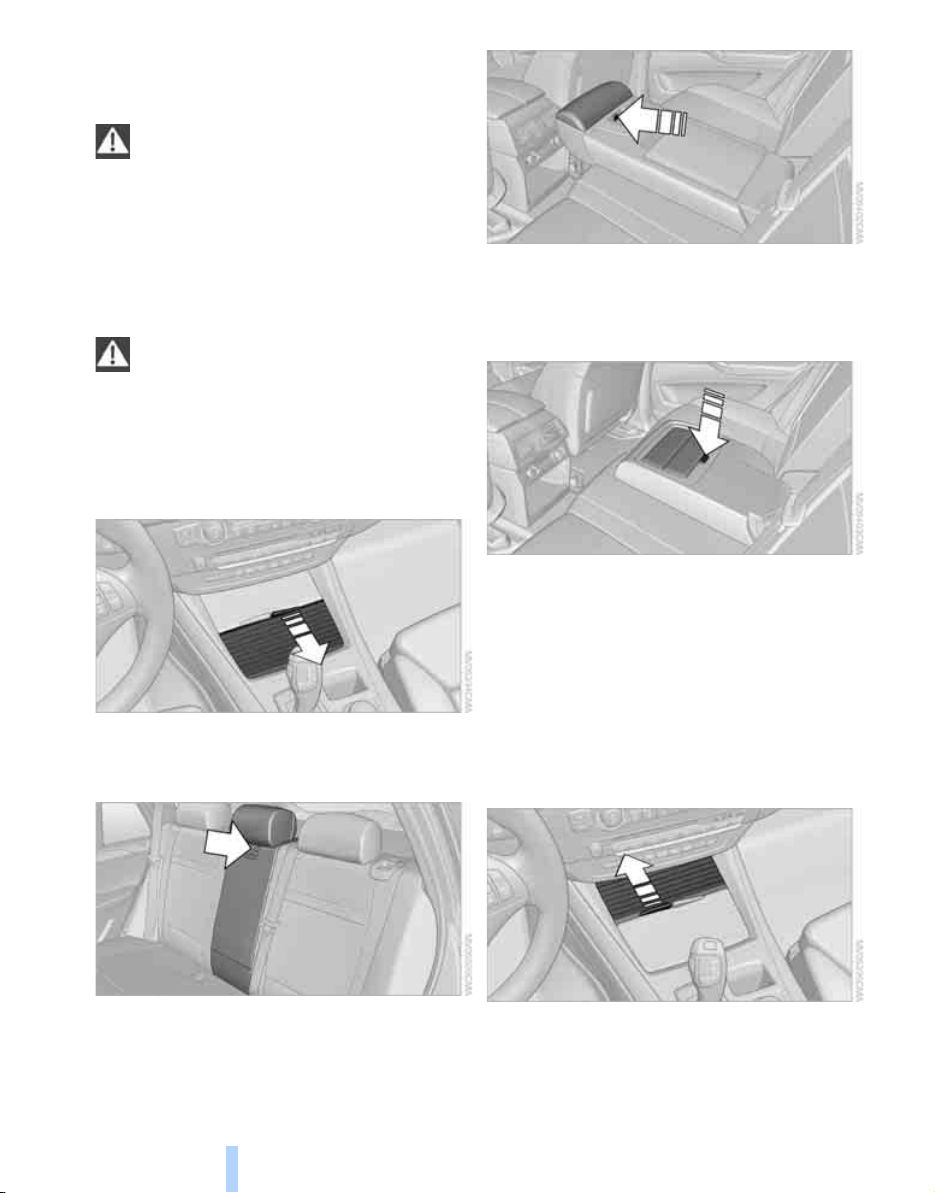
Practical interior accessories
114
Clothes hooks
Clothes hooks are located near the grab han-
dles in the rear.
When hanging clothing on the hooks,
ensure that it will not obstruct the driver's
vision. Do not hang heavy objects on the hooks.
If you do so, they could cause personal injury to
occupants during braking or evasive maneu-
vers.<
Cup holders
Do not place containers made of glass in
the cup holders. This would lead to an
increased risk of injury in the event of an acci-
dent. Do not force unsuitable containers into
the cup holders, as otherwise damage can
result.<
Front
Slide back the cover.
Rear
Release the center armrest with the button in
the lower section of the opening under the head
restraint and then fold down the armrest.
Press the button; the cover folds forward.
On vehicles with 3rd row seats*
Fold down the center armrest.
Press the button; the cup holders are opened.
3rd row seats*
The cup holders are located in the center con-
sole between the seats.
Ashtray
Front
To open the cover, slide it forward.
Online Edition for Part no. 01 41 0 012 501 - © 08/06 BMW AG
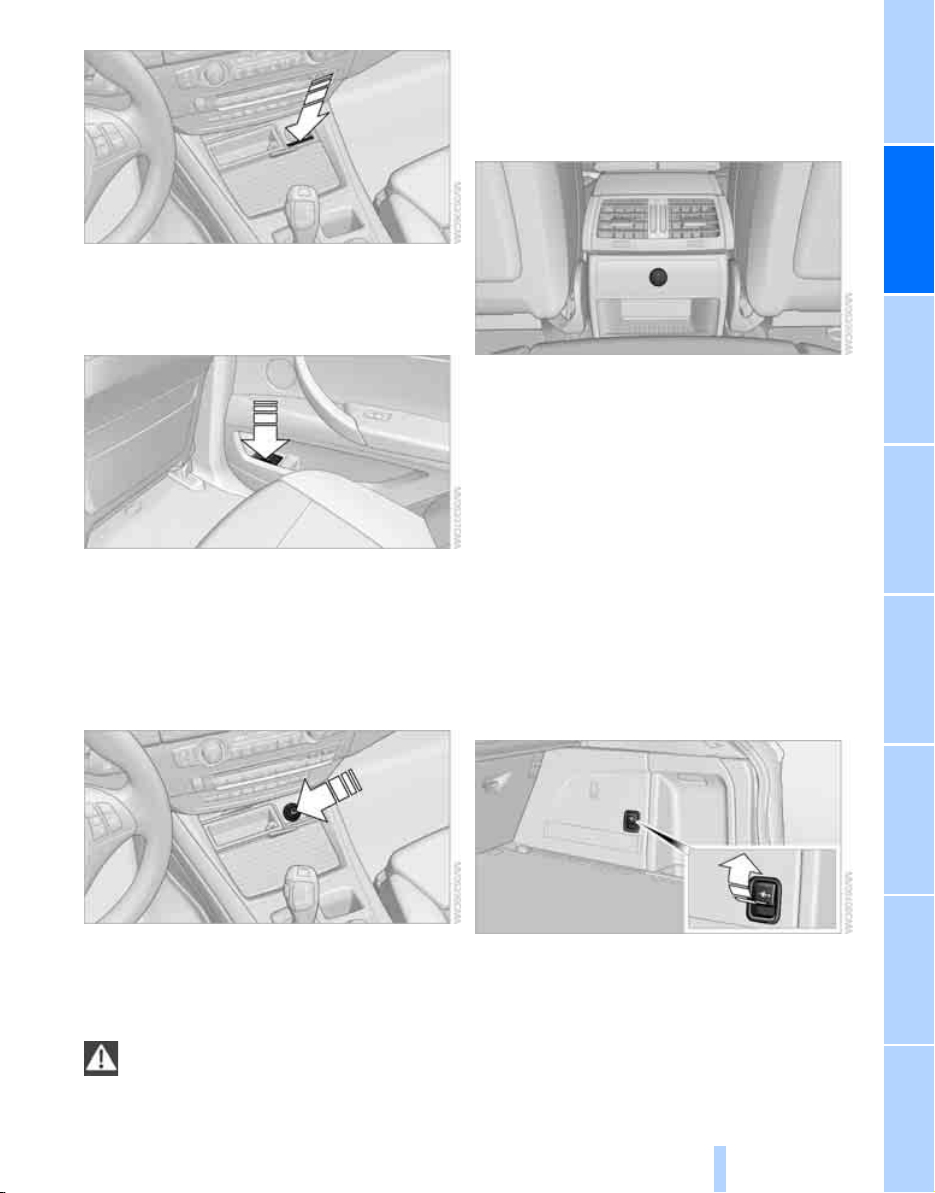
Controls
115
Reference At a glanceDriving tipsCommunications NavigationEntertainmentMobility
Press the button. The ashtray insert raises
slightly and can be removed.
Rear
To empty, press open the cover completely.
The ashtray rises and can be removed.
Lighter
Front
Press in the lighter with the engine running or
the ignition switched on.
The lighter can be removed as soon as it pops
back out.
Hold or touch the hot cigarette lighter by
the knob only. Holding or touching it in
other areas could result in burns.
Always take along the remote control when you
leave the vehicle, otherwise children could, for
example, use the lighter and burn themselves.<
Rear
Refer to Cigarette lighter, front.
Connecting electrical devices
Sockets
With the engine running or the ignition switched
on, the cigarette lighter socket can be used as a
power outlet for hand flashlights, car vacuum
cleaners, etc., with power ratings of up to
approx. 200 W at 12 V. Avoid damaging the
socket due to inserting plugs of different
shapes or sizes. The same is true for all power
outlets in the vehicle.
In cargo bay
Access to socket:
Fold open the cover.
In storage compartment under center
armrest
Access to socket
*
:
Pull off the cover.
Online Edition for Part no. 01 41 0 012 501 - © 08/06 BMW AG
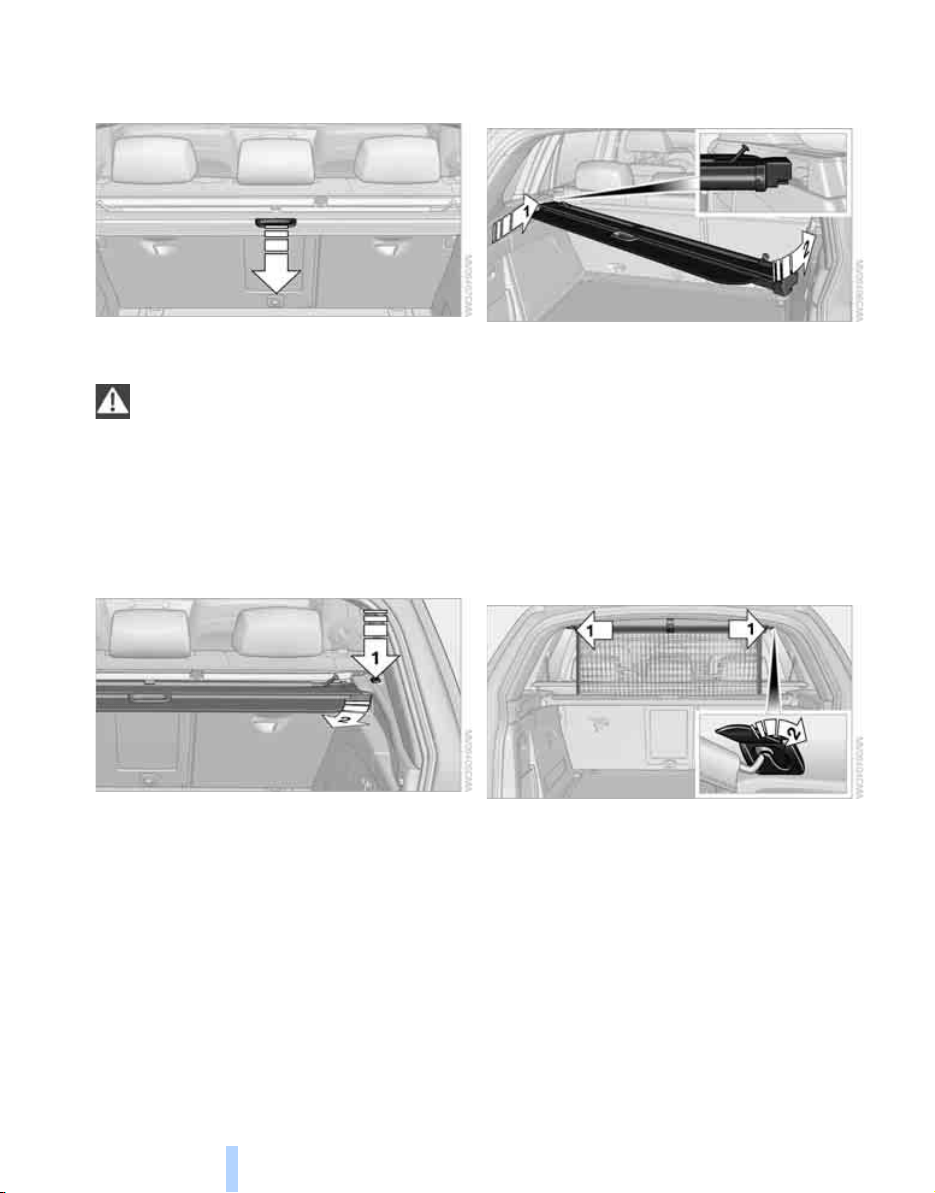
Practical interior accessories
116
Cargo bay
Roll-up cover
Pull out the roll-up cover and hook it into the
brackets.
Do not place heavy or hard objects on the
roll-up cover. If you do so, they may
already pose a danger to vehicle occupants dur-
ing braking or evasive maneuvers.
Do not allow the roll-up cover to snap back, oth-
erwise it can be damaged.<
Removing
1. Unlock the case with the button, arrow 1.
2. Swing the case somewhat to the left,
arrow 2, and remove.
Installing
When installing, proceed in the opposite order
of removal.
1. Lay on the case on the left-hand side and
push it forward, arrow 1.
2. Swing the case toward the inside, refer to
arrow 2.
3. Push the case forward at the ends until it
engages in the two side brackets.
4. Check whether the case is properly locked
in place by pulling it with a sudden move-
ment.
Separation net*
Hooking in separation net
Pull the separation net out of the case by the
loop. Grasp the rod on both sides and insert it in
the brackets, arrow 1. This is best carried out
from the rear seat.
Letting down separation net
When you no longer require the separation net,
grasp the rod on both sides and remove it from
the brackets, arrow 2. Then slowly allow the
separation net to glide into the case.
Online Edition for Part no. 01 41 0 012 501 - © 08/06 BMW AG
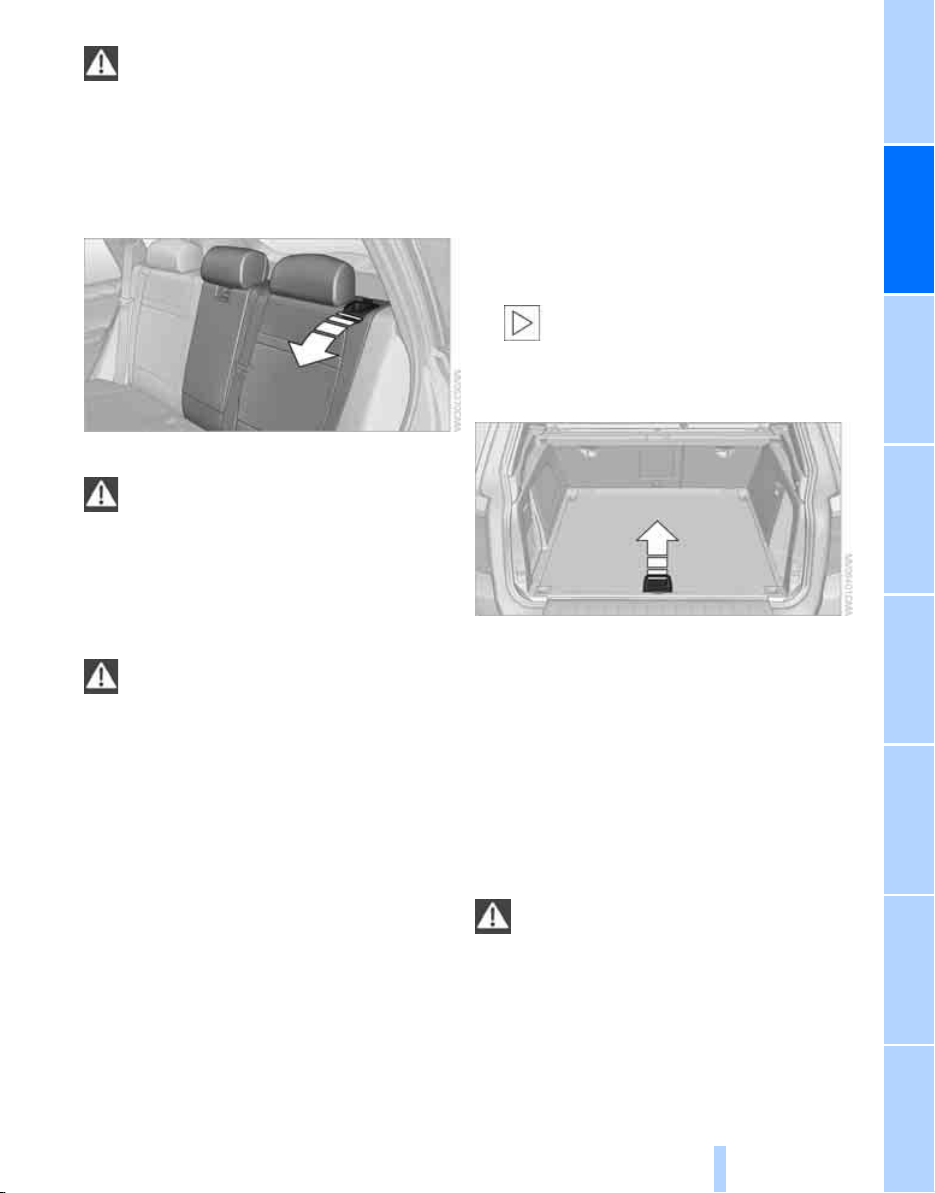
Controls
117
Reference At a glanceDriving tipsCommunications NavigationEntertainmentMobility
Do not allow the separation net to snap
back, otherwise there is a risk of injury
and the separation net may be damaged.<
Expanding cargo bay
The rear seat backrest is divided. You can fold
down both sides separately in order to expand
the cargo bay.
Reach into the recess and pull toward the front.
When you fold back the backrest, be sure
that the catch engages securely. The red
warning indicator disappears in the recess
when the catch is engaged. If it is not properly
engaged, transported cargo could enter the
passenger compartment during braking or eva-
sive maneuvers and endanger the vehicle occu-
pants.<
To ensure that the safety systems con-
tinue to provide optimized protection,
please observe the safety belt information on
page 40.<
Storage compartments in
cargo bay
Depending on the vehicle's equipment, the fol-
lowing storage compartments are provided in
the cargo bay.
> Storage compartments behind the remov-
able side panels in the cargo bay on the
right and left, and under the floor panel flap.
> Storage tray
*
under the floor panel flap,
capacity approx. 21 US gal/80 liters.
> Retaining straps
*
on the left and right side
panel for securing small objects.
> Hooks
*
, e.g. for hanging up shopping bags
or carrier bags on the left and right in the
cargo bay.
> Net
*
on the left side panel of the cargo bay
for smaller objects.
> Lashing rail with lashing eyes
*
. You can
secure heavy-duty cargo straps on the lash-
ing eyes.
They can be removed at the notches in the
rails. To move the lashing eyes, press the
button.
Read and comply with the information
enclosed with the heavy-duty cargo
straps.<
Floor panel flap
To access the onboard toolkit etc.
To open, swing up the flap by the handle, refer
to arrow.
Depending on the model, the floor panel flap
can be locked
*
.
Adaptive fixing system*
The adaptive fixing system is used to divide up
the cargo bay. It consists of two brackets with a
telescopic rail and retaining straps. These are
guided into the two rails on the cargo bay floor.
Before using the adaptive fixing system,
fold up and engage the backrest of the
2nd or 3rd
*
row seats and hook in the partition
net
*
, as otherwise the cargo can be thrown
around in the vehicle interior in an accident.<
Online Edition for Part no. 01 41 0 012 501 - © 08/06 BMW AG
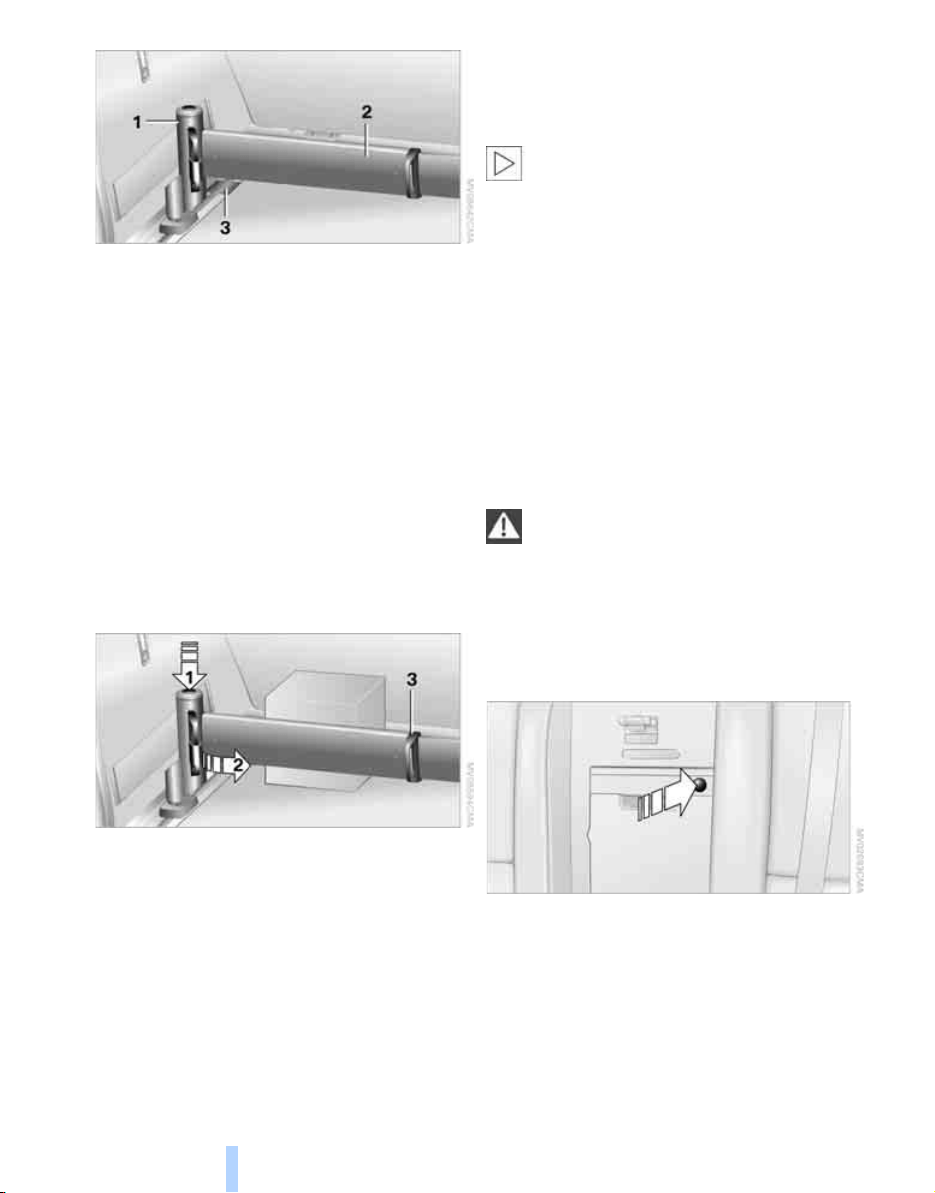
Practical interior accessories
118
1 Brackets
2 Telescopic rail
3 Notch in the cargo bay rail
Mounting brackets
The two brackets are connected with a tele-
scopic rail.
1. Mount the bracket in the respective notch
of the rail on the cargo bay floor.
2. Press down the bracket to push it into the
desired position.
3. Check the firm seating of the brackets.
They must be clearly heard to engage.
Dividing up cargo bay
You can position the cargo as follows:
> between the rear backrest and the tele-
scopic rail
> between the telescopic rail and the retain-
ing strap
Positioning cargo between telescopic rail and
retaining strap:
1. Lay the cargo on the telescopic rail. Press
the button, arrow 1, and pull the retaining
strap around the cargo, arrow 2.
2. Hook the retaining strap in the mounts 3 on
the telescopic rail.
3. Press the button of the bracket, arrow 1.
The retaining strap is tensioned.
You can also hook both retaining straps
into each other.<
Removing brackets
Press down the bracket and slide it up to the
notches of the rails. Then remove the brackets.
Ski bag*
Designed for safe, clean transport of up to
4 pairs of standard skis or up to 2 snowboards.
With the ski bag you can stow skis with a length
of up to 6.9 ft/2.10 m. When skis of 6.9 ft/2.10 m
in length are loaded, the ski bag will tend to con-
tract, reducing its overall capacity.
Before loading the ski bag, fold in the dis-
play screen of the DVD system in the
rear
*
, as otherwise the display screen could be
damaged.<
Loading
1. Fold down the center armrest, press the
button and open the cover.
2. Press the button again; the cover in the
cargo bay opens. If you press the button
firmly the first time, this cover also opens.
3. Extend the ski bag between the front seats
and fill it. The zipper facilitates access to the
stowed items and drying of the ski bag.
Online Edition for Part no. 01 41 0 012 501 - © 08/06 BMW AG
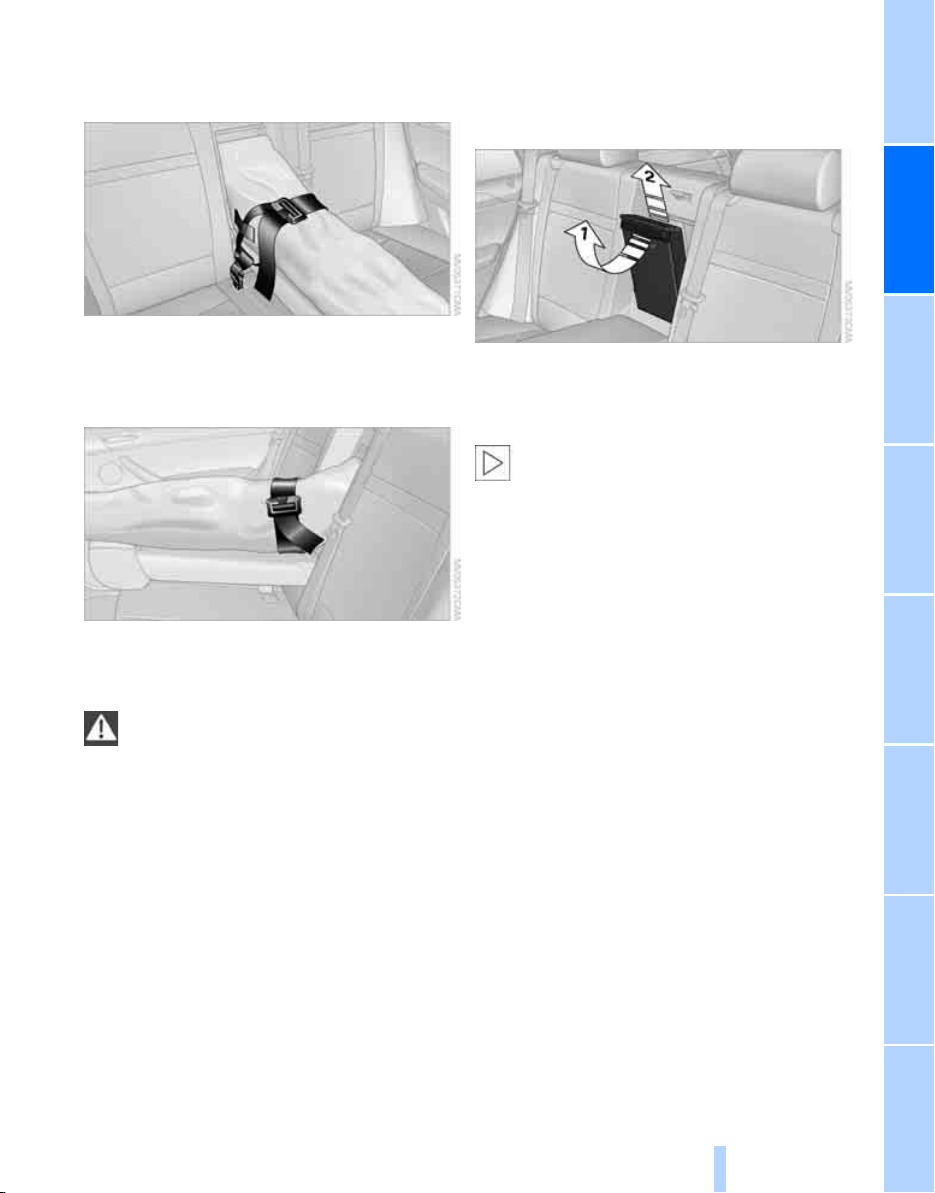
Controls
119
Reference At a glanceDriving tipsCommunications NavigationEntertainmentMobility
4. Insert the latch plate of the ski bag retaining
strap into the center safety belt buckle that
is marked CENTER.
Only stow clean skis in the ski bag. Wrap sharp
edges to prevent damage.
Securing cargo
After loading, secure the ski bag and its con-
tents. Tighten the retaining strap on the ten-
sioning buckle for this purpose.
Secure the ski bag in this way. If you fail to
do so, it could endanger occupants dur-
ing braking or evasive maneuvers.<
To store the ski bag, perform the above steps in
reverse order.
Removing ski bag
The ski bag can be completely removed, e.g. for
faster drying or to allow you to put it to other
uses.
1. Pull the handle toward the front, arrow 1.
2. Take out the ski bag upward, arrow 2.
3. Close the cover in the cargo bay.
Details on various inserts are available
from your BMW Sports Activity Vehicle
Center.<
Online Edition for Part no. 01 41 0 012 501 - © 08/06 BMW AG

Online Edition for Part no. 01 41 0 012 501 - © 08/06 BMW AG

Driving tips
This section is designed to provide you
with extra support by supplying information
useful in dealing with specific driving
and operating conditions.
Driving tips
Online Edition for Part no. 01 41 0 012 501 - © 08/06 BMW AG

Things to remember when driving
122
Things to remember when driving
Break-in period
Moving parts need breaking-in time to adjust to
each other. To ensure that your vehicle contin-
ues to provide optimized economy of operation
throughout an extended service life, we request
that you devote careful attention to the follow-
ing section.
Engine and differential
Always obey all official speed limits.
Up to 1,200 miles/2,000 km
Drive at changing engine and vehicle speeds,
however do not exceed 4,500 rpm or 100 mph/
160 km/h.
Avoid full-throttle operation and use of the
transmission's kick-down mode during these
initial miles.
From 1,200 miles/2,000 km
The engine and vehicle speed can gradually be
increased.
Tires
Due to technical factors associated with their
manufacture, tires do not achieve their full trac-
tion potential until after an initial break-in
period. Therefore, drive reservedly during the
first 200 miles/300 km.
Brake system
Brakes require an initial break-in period of
approx. 300 miles/500 km to achieve optimized
contact and wear patterns between brake pads
and rotors. Drive in a reserved manner during
this break-in period.
Following part replacement
Observe the break-in instructions again if com-
ponents mentioned above must be replaced
after subsequent driving operation.
General driving notes
Closing liftgate/tailgate
Operate the vehicle only when the tail-
gate and liftgate are completely closed.
Otherwise, exhaust fumes could enter into the
passenger compartment.<
However, if special circumstances should make
it absolutely necessary to operate the vehicle
with the liftgate/tailgate open:
1. Close all windows and the panorama glass
sunroof.
2. Increase the air volume of the automatic
climate control to a high level, refer to
page 103.
Hot exhaust system
As in all vehicles, extremely high temper-
atures are generated on the exhaust sys-
tem. Do not remove the heat shields installed
adjacent to it, and never apply undercoating to
them. When driving, standing at idle and while
parking take care to avoid possible contact
between the hot exhaust system and any highly
flammable materials such as hay, leaves, grass,
etc. Such contact could lead to a fire, and with it
the risk of serious property damage as well as
personal injury. Do not touch hot tailpipes, as
otherwise there is a danger of burns.<
Mobile communications devices in
vehicle
BMW discourages the use of mobile
communications devices, e.g. mobile
phones, inside the vehicle without a direct con-
nection to an outside antenna. Otherwise, the
vehicle electronics and mobile communication
device can influence one another. In addition,
there is no assurance that the radiation which
results from transmission will be dissipated
from the vehicle interior.<
Online Edition for Part no. 01 41 0 012 501 - © 08/06 BMW AG

Driving tips
123
Reference At a glanceControlsCommunications NavigationEntertainmentMobility
Hydroplaning
When driving on wet or slushy roads,
reduce road speed. If you do not, a wedge
of water can form between tires and road sur-
face. This phenomenon is referred to as hydro-
planing, and is characterized by a partial or
complete loss of contact between the tires and
the road surface, ultimately undermining your
ability to steer and brake the vehicle.<
The risk of hydroplaning increases as the tread
depth of the tires decreases, refer also to Mini-
mum tread depth on page 219.
Driving through water
Do not drive through water on the road if it
is deeper than 20 in/50 cm, and then only
at walking speed at the most. Otherwise, the
vehicle's engine, the electrical systems and the
transmission may be damaged.<
Starting assistant
The starting assistant enables you to start off
conveniently on slopes. The parking brake is
not required for this purpose.
1. Hold the vehicle with the footbrake.
2. Release the footbrake and immediately
drive off quickly.
The starting assistant holds the vehicle
for approx. 2 seconds after releasing the
footbrake. Depending on the load, the vehicle
may also roll back slightly during this time.
After releasing the footbrake, immediately start
quickly, otherwise the starting assistant no
longer holds the vehicle after approx. 2 seconds
and it begins to roll back.<
Braking safely
Your BMW is equipped with ABS as a standard
feature. In situations that require it, it is best to
brake with full force. Since the vehicle maintains
steering responsiveness, you can still avoid
possible obstacles with a minimum of steering
effort.
Pulsation of the brake pedal, combined with
sounds from the hydraulic circuits, indicate that
ABS is in its active mode.
Do not drive with your foot resting on the
brake pedal. Even light but consistent
pedal pressure can lead to high temperatures,
brake wear and possibly even brake failure.<
Driving in wet conditions
When roads are wet or there is heavy rain,
briefly exert gentle pressure on the brake pedal
every few miles. Monitor traffic conditions to
ensure that this maneuver does not endanger
other road users. The heat generated in this
process helps dry the pads and rotors to ensure
that full braking efficiency will then be available
when you need it.
Hills
To prevent overheating and the resulting
reduced efficiency of the brake system,
drive long or steep downhill gradients in the
gear in which the least braking is required. Even
light but consistent pressure on the brake pedal
can lead to high temperatures, brake wear and
possibly even brake failure.<
The braking effect of the engine can be further
increased by downshifting in the manual mode
of the automatic transmission, if necessary into
first gear, refer to page 61. This prevents an
excessive strain on the brakes.
Do not drive in idle or with the engine
stopped, otherwise there will be no
engine braking action or support of the braking
force and steering.
Never allow floor mats, carpets or any other
objects to protrude into the area of movement
of the pedals and impair their operation.<
Corrosion on brake rotors
When the vehicle is driven only occasionally,
during extended periods when the vehicle is not
used at all, and in operating conditions where
brake applications are less frequent, there is an
increased tendency for corrosion to form on
rotors, while contaminants accumulate on the
brake pads. This occurs because the minimum
pressure which must be exerted by the pads
during brake applications to clean the rotors is
not reached.
Online Edition for Part no. 01 41 0 012 501 - © 08/06 BMW AG
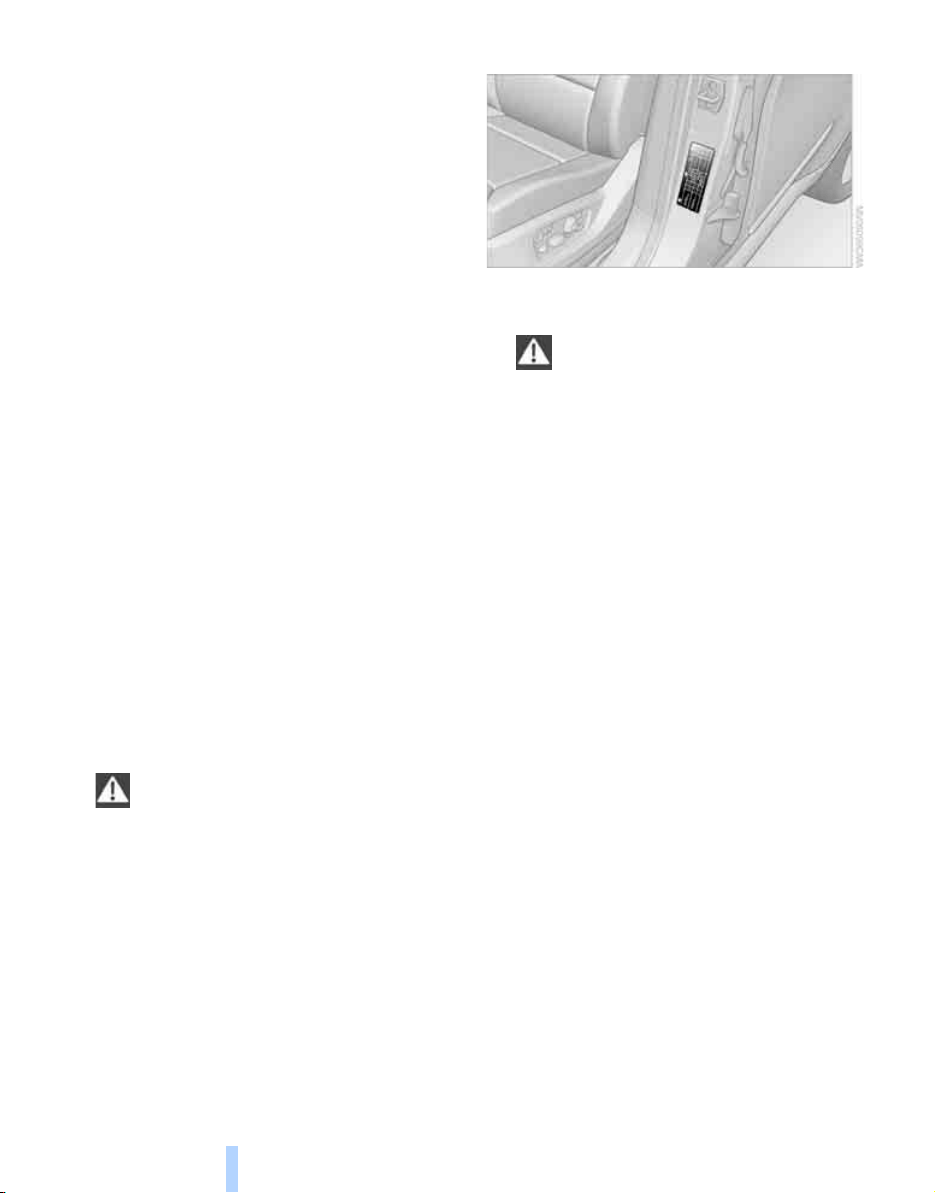
Things to remember when driving
124
Should corrosion form on the brake rotors, the
brakes will tend to respond with a pulsating
effect that even extended application will fail to
cure.
When vehicle is parked
Condensation forms in the automatic climate
control system during operation, and then exits
under the vehicle. Traces of condensed water
under the vehicle are therefore normal.
Before driving into a car wash
Fold in the exterior mirrors, refer to page 48,
otherwise they could be damaged due to the
width of the vehicle.
General information on the care and mainte-
nance of your BMW is contained in the Caring
for your vehicle brochure.
Rear window wiper
The rear window wiper can be damaged in car
washes. Take appropriate protective measures;
ask the car wash operator if necessary.
With comfort access*
Insert the remote control into the ignition lock.
The engine can be switched off in transmission
position N. Also refer to page 36.
Loading
To avoid loading the tires beyond their
approved carrying capacity, never over-
load the vehicle. Overloading can lead to over-
heating and increases the rate at which damage
develops inside the tires. The ultimate result
can assume the form of a sudden blow-out.<
Determining loading limit
1. Locate the following statement on your
vehicle's placard
*
:
The combined weight of occupants
and cargo should never exceed
YYY lbs. or XXX kg. Otherwise, this could
damage the vehicle and produce unstable
vehicle operating conditions.<
2. Determine the combined weight of the
driver and passengers that will be riding in
your vehicle.
3. Subtract the combined weight of the driver
and passengers from YYY lbs. or XXX kg.
4. The resulting figure equals the available
amount of cargo and luggage load capacity.
For example, if the YYY amount equals
1,400 lbs. and there will be five 150-lb. pas-
sengers in your vehicle, the amount of avail-
able cargo and luggage load capacity is
650 lbs.:
1,400 lbs. minus 750 lbs. = 650 lbs.
5. Determine the combined weight of luggage
and cargo being loaded on the vehicle. That
weight may not safely exceed the available
cargo and luggage load capacity calculated
in step 4.
6. If your vehicle will be towing a trailer, part of
the load from your trailer will be transferred
to your vehicle. Consult the manual for
transporting a trailer to determine how this
may reduce the available cargo and luggage
load capacity of your vehicle.
Online Edition for Part no. 01 41 0 012 501 - © 08/06 BMW AG
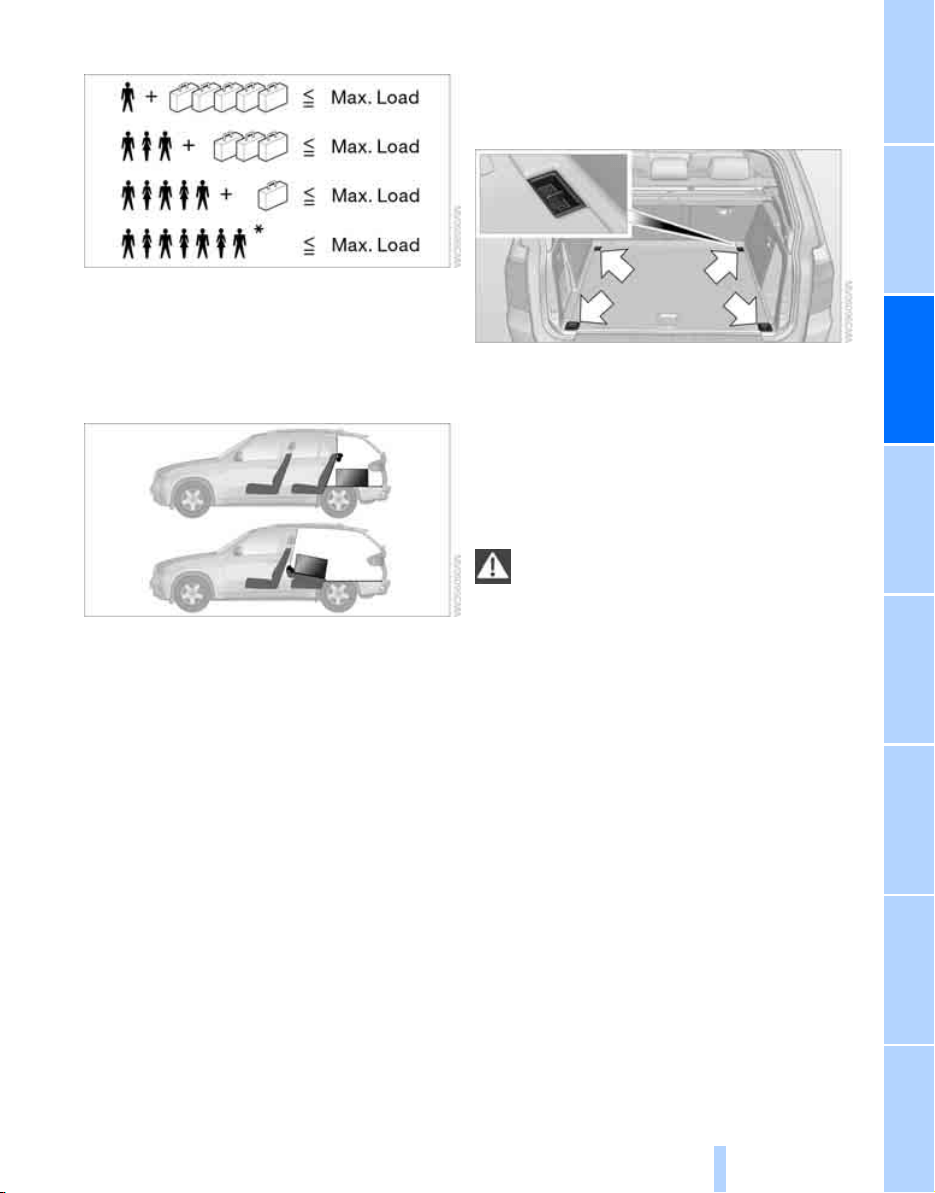
Driving tips
125
Reference At a glanceControlsCommunications NavigationEntertainmentMobility
Load
The permissible load is the total of the weight of
occupants and cargo/luggage. The greater the
weight of occupants, the less cargo/luggage
can be transported.
Stowing cargo
> Load heavy cargo as far forward and as low
as possible, placing it directly behind the
backrest.
> Cover sharp edges and corners.
> For very heavy cargo when the rear seat is
not occupied, secure each safety belt in the
opposite buckle.
> Do not pile objects higher than the top edge
of the backrest.
> Use the separation net to protect the occu-
pants, refer to page 116. Make sure that
objects cannot penetrate through the sepa-
ration net.
Wrap sharp-edged or pointed objects
which could strike the rear window while
driving.
Securing cargo
> Use the luggage net
*
, retaining straps
*
, or
securing straps to hold down small and
lightweight luggage and cargo.
> For larger and heavier pieces, heavy-duty
cargo straps
*
are available from your BMW
Sports Activity Vehicle Center. Four lashing
eyes mounted in the cargo bay are used to
secure these heavy-duty cargo straps, refer
to illustration.
> Please observe the special instructions
supplied with the heavy-duty cargo straps.
Position and secure the cargo as
described above, so that it cannot endan-
ger the car's occupants, for example if sudden
braking or evasive maneuvers are necessary.
Use only the lashing eyes to secure heavy-duty
cargo straps, refer to illustration, otherwise the
cargo straps could become detached or the
vehicle could be damaged.
Never exceed either the approved gross vehicle
weight or either of the approved axle loads, refer
to page 244, as excessive loads can pose a
safety hazard, and may also place you in viola-
tion of traffic safety laws.
You should never transport unsecured heavy or
hard objects in the passenger compartment, as
they could fly around and pose a safety hazard
to the vehicle's occupants during abrupt brak-
ing or evasive maneuvers.<
Online Edition for Part no. 01 41 0 012 501 - © 08/06 BMW AG

Things to remember when driving
126
Roof-mounted luggage rack*
A special rack system is available as an option
for your BMW. Please comply with the precau-
tions included with the installation instructions.
Loading roof-mounted luggage rack
Because roof racks raise the vehicle's center of
gravity when loaded, they have a major effect on
its handling and steering response. You should
therefore always remember not to exceed the
approved roof load capacity, the approved
gross vehicle weight or the axle loads when
loading the rack.
You can find the specified weights under
Weights on page 244.
The load on the roof must be evenly distributed
and must not extend outward beyond the limits
of the loading surface. Always stow the heaviest
pieces on the bottom. Be sure that adequate
clearance is maintained for raising the pan-
orama glass sunroof, and that objects do not
project into the opening path of the liftgate.
Secure roof-mounted cargo correctly and
securely to prevent it from shifting or falling off
during the trip.
Drive smoothly. Avoid sudden acceleration and
braking maneuvers. Take corners gently.
Driving on poor roads
Your X5 is at home on all roads and surfaces.
It combines a 4-wheel drive system with the
advantages of a normal passenger car.
Driving on unpaved terrain can cause
damage to the vehicle.<
When you are driving on poor roads, there are a
few points which you should strictly observe for
your own safety, for that of your passengers,
and for the safety of the vehicle:
> Familiarize yourself with the vehicle before
driving off and avoid taking risks at all costs.
> Adapt your driving speed to the road condi-
tions. The steeper and rougher the road
surface is, the lower the speed should be.
> You can operate your vehicle on uphill and
downhill gradients with a maximum slope of
50%. If you want to drive on uphill or down-
hill gradients of this kind, make sure before-
hand that the engine oil and coolant levels
are near the MAX mark, refer to page 225.
> Use the HDC Hill Descent Control when
driving down extremely steep grades, refer
to page 85. It is possible to start off on
grades of up to 33%.
The permissible body roll is 50%.
> While driving, watch carefully for obstacles
such as rocks or holes. Try to avoid these
obstacles whenever possible.
> Please make sure that the undercarriage
does not touch the ground, for example on
crests and bumpy roads. The ground clear-
ance of the vehicle is a maximum of approx.
8.0 in/20 cm. Please note that the ground
clearance can vary depending on loading
and the driving conditions of the vehicle.
> Only drive through water on roads up to a
maximum depth of 20 in/50 cm and only at
walking speed, making sure not to stop in
the process.
> After driving through water at low speed,
lightly press the brake pedal several times
to dry the brakes and to prevent the braking
effect from being reduced by wetness.
> Depending on the condition of the surface,
it may be practical to briefly activate DTC,
refer to DTC Dynamic Traction Control on
page 85.
> If the drive wheels spin on one side, depress
the accelerator pedal sufficiently so that the
driving stability control systems can distrib-
ute the drive forces to the individual wheels.
Please note the following points after driving on
poor roads to maintain the driving safety of your
BMW:
> Clean the coarsest dirt from the body.
> Clean mud, snow, ice etc. from the wheels
and tires and check the tires for damage.
Online Edition for Part no. 01 41 0 012 501 - © 08/06 BMW AG

Online Edition for Part no. 01 41 0 012 501 - © 08/06 BMW AG

Navigation
This chapter describes how you can
enter destinations and specify your route
so that your navigation system guides you
reliably to your destination.
Navigation
Online Edition for Part no. 01 41 0 012 501 - © 08/06 BMW AG
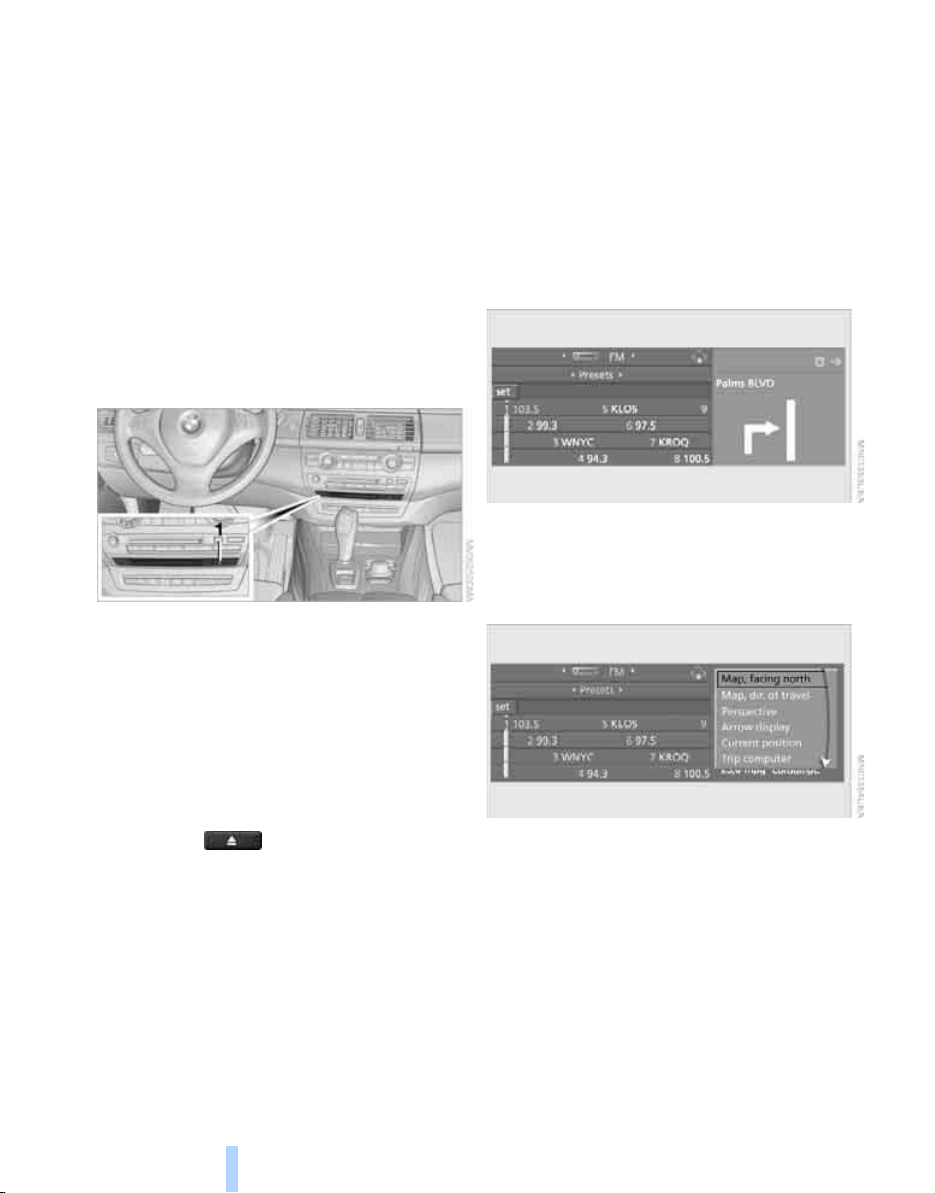
Starting navigation system
130
Starting navigation system
Your navigation system can use satellites to
ascertain the precise position of your vehicle
and guide you reliably to any destination you
enter.
Navigation DVD
The navigation system requires a special navi-
gation DVD. The latest version is available at
your BMW Sports Activity Vehicle Center.
Inserting navigation DVD
Use the lower drive for navigation DVD.
1. Insert the navigation DVD with the labeled
side up.
The navigation DVD is automatically pulled
in.
2. Allow several seconds for the system to
scan the data from the DVD.
Removing navigation DVD
1. Press the button 1.
The DVD emerges slightly from the drive.
2. Remove the DVD.
Display in assistance window
You can display the route or the current position
in the assistance window. This display remains
visible even if you change to another applica-
tion.
1. Move the controller to the right to change to
the assistance window.
2. Press the controller.
Other menu items are displayed.
3. Select the desired route view or "Current
position".
4. Press the controller.
*
Online Edition for Part no. 01 41 0 012 501 - © 08/06 BMW AG
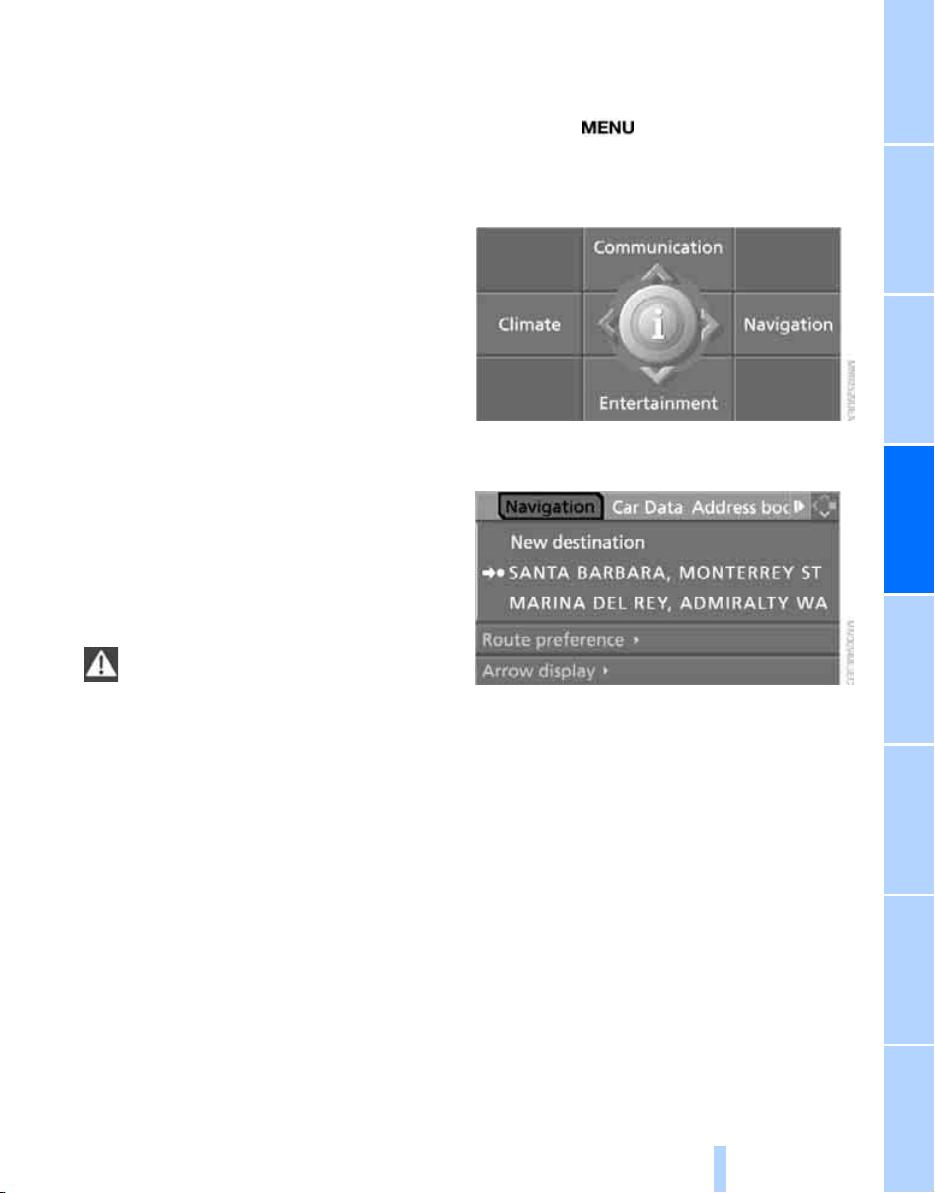
Navigation Driving tips
131
Reference At a glanceControlsCommunications EntertainmentMobility
Destination entry
In entering your destination you can select from
among the following options:
> Entering a destination manually, see below
> Entering destination via voice*, refer to
page 134
> Selecting destination using information,
refer to page 137
> Selecting destination from a list, refer to
Destination list, page 138
> Selecting destination from address book,
refer to page 139
> Selecting home address, refer to page 141
After selecting your destination you can pro-
ceed to start the destination guidance, refer to
page 143.
You can also store a navigation destination on
the programmable memory/direct selection
buttons, refer to page 21.
Operating navigation system
Enter data only when the vehicle is sta-
tionary, and always give priority to the
applicable traffic regulations in the event of any
contradiction between traffic and road condi-
tions and the instructions issued by the naviga-
tion system. If you do not observe this precau-
tion, you can endanger the vehicle occupants
and other road users.<
iDrive, for explanation of concept, refer to
page 16.
1. Press the button.
This opens the start menu.
2. Move the controller to the right to open
"Navigation".
3. Select "Navigation" and press the control-
ler.
Entering a destination
manually
The system's word matching principle makes it
easier for you to enter the names of streets or
towns/cities, refer to page 142. This allows you
to enter different spellings and completes your
entry automatically so that stored names can be
called up quickly.
1. Change to upper field if necessary. Turn the
controller until "Navigation" is selected and
press the controller.
"New destination" is selected.
Online Edition for Part no. 01 41 0 012 501 - © 08/06 BMW AG
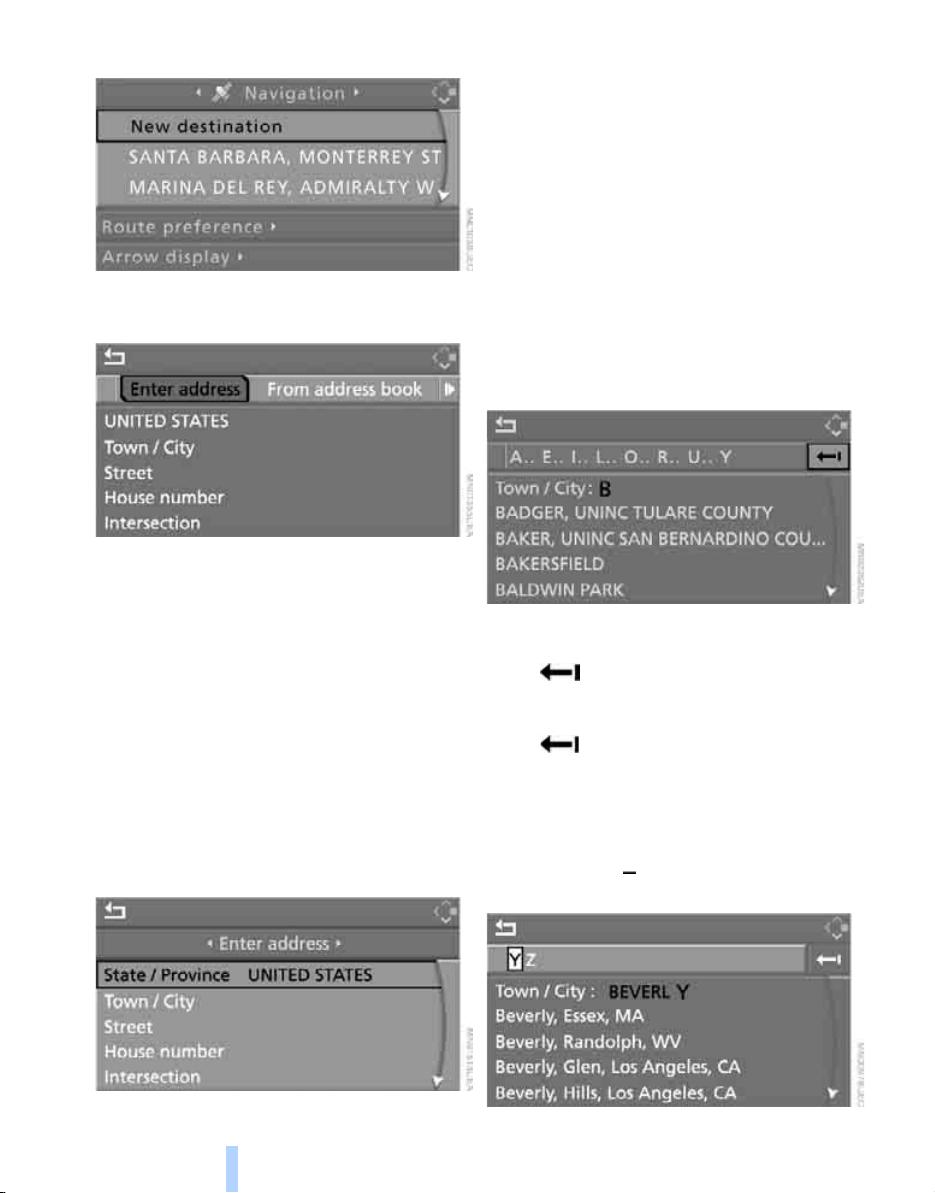
Destination entry
132
2. Press the controller.
3. Select "Enter address" and press the con-
troller.
The system also supports you with the follow-
ing features:
> If you do not enter a street, the system will
guide you to the downtown area of a town or
city.
> You can skip the entry of country and town/
city if the current entries should be retained
for your new destination.
Selecting country
1. Select "State / Province" or the displayed
country and press the controller.
The list of available countries appears on
the display.
2. Select the country of destination and press
the controller.
In order to be able to start the destination guid-
ance, at least the town/city of the destination or
its zip code must be entered.
Entering destination via town/city
name
1. Select "Town / City" or the displayed town/
city and press the controller.
2. Select the starting letter and press the con-
troller.
A list of all towns/cities starting with this let-
ter appears on the Control Display.
3. To delete the letter entered if necessary:
> Delete individual numbers or letters:
Move the controller to the right to select
and press the controller.
> Delete all numbers or letters:
Move the controller to the right to select
and hold down the controller.
4. If necessary, enter more letters.
The list gradually grows smaller each time
you enter a new letter.
> Enter blank space if necessary:
Select the symbol and press the con-
troller.
Online Edition for Part no. 01 41 0 012 501 - © 08/06 BMW AG
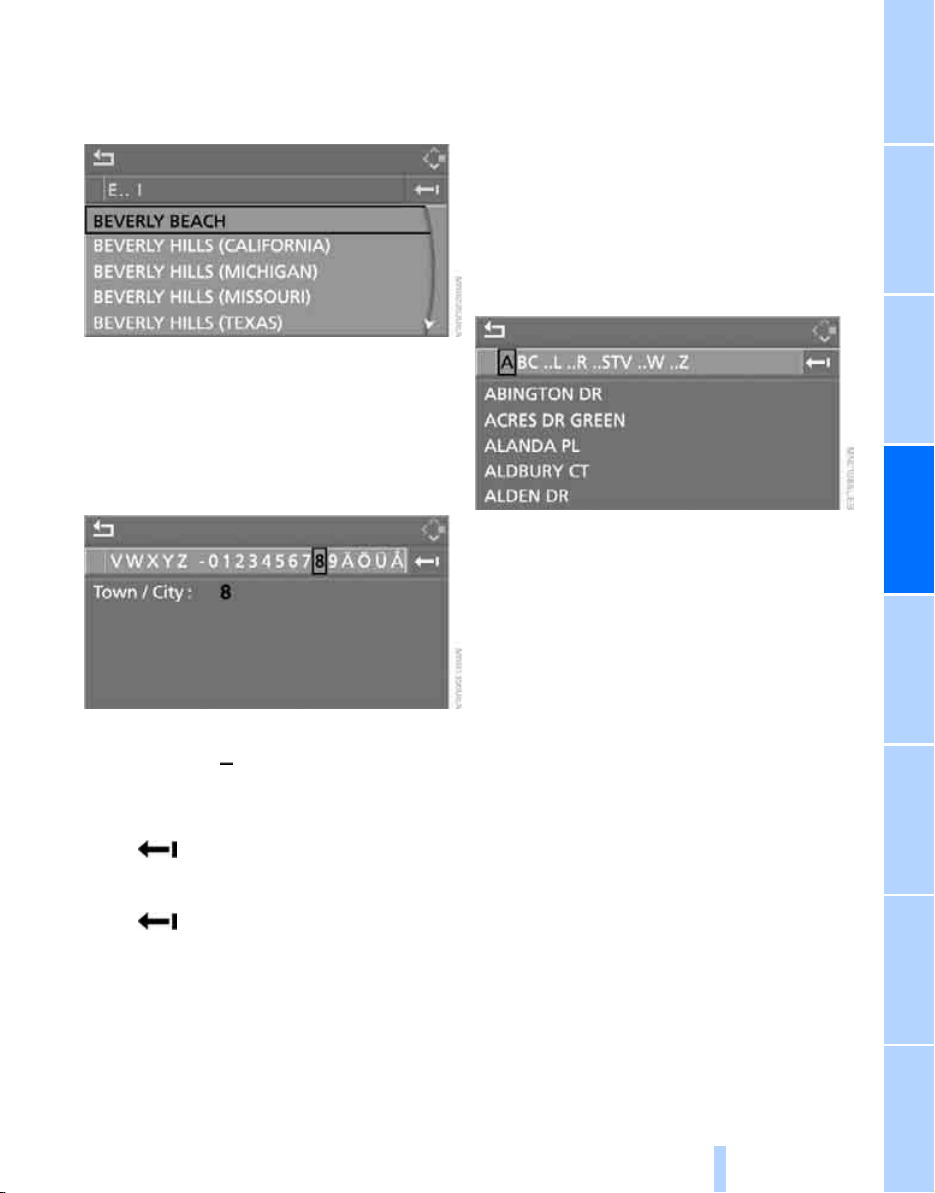
Navigation Driving tips
133
Reference At a glanceControlsCommunications EntertainmentMobility
5. Change to the third field from the top if nec-
essary. Turn the controller until the town or
city name is selected from the list and press
the controller.
Entering destination via zip code
1. Select "Town / City" and press the control-
ler.
2. Enter the zip code:
Select the desired digits and press the con-
troller.
> Enter a blank space:
Select the symbol and press the con-
troller.
> Delete individual numbers or letters:
Move the controller to the right to select
and press the controller.
> Delete all numbers or letters:
Move the controller to the right to select
and hold down the controller.
3. Select the zip code and press the controller.
The corresponding destination is displayed.
4. Change into the third field from the top.
Turn the controller until the destination is
selected and press the controller.
Entering street, house number and
intersection
After the street you can also enter the intersec-
tion or the house number.
Entering street and intersection
1. Select "Street" or the displayed street and
press the controller.
2. Enter the street.
The street is entered exactly like the desti-
nation.
The intersection is entered in the same way as
the street.
Entering a street without entering a
town/city of destination
You can also enter a street without entering a
town/city of destination. In this case all streets
of the entered country are offered for selection.
The related town/city is displayed after the
street name.
If a town/city has already been entered, you can
undo this entry. This may be practical if the
desired street does not exist in the entered des-
tination, because, for example, it belongs to
another part of the town/city.
Online Edition for Part no. 01 41 0 012 501 - © 08/06 BMW AG
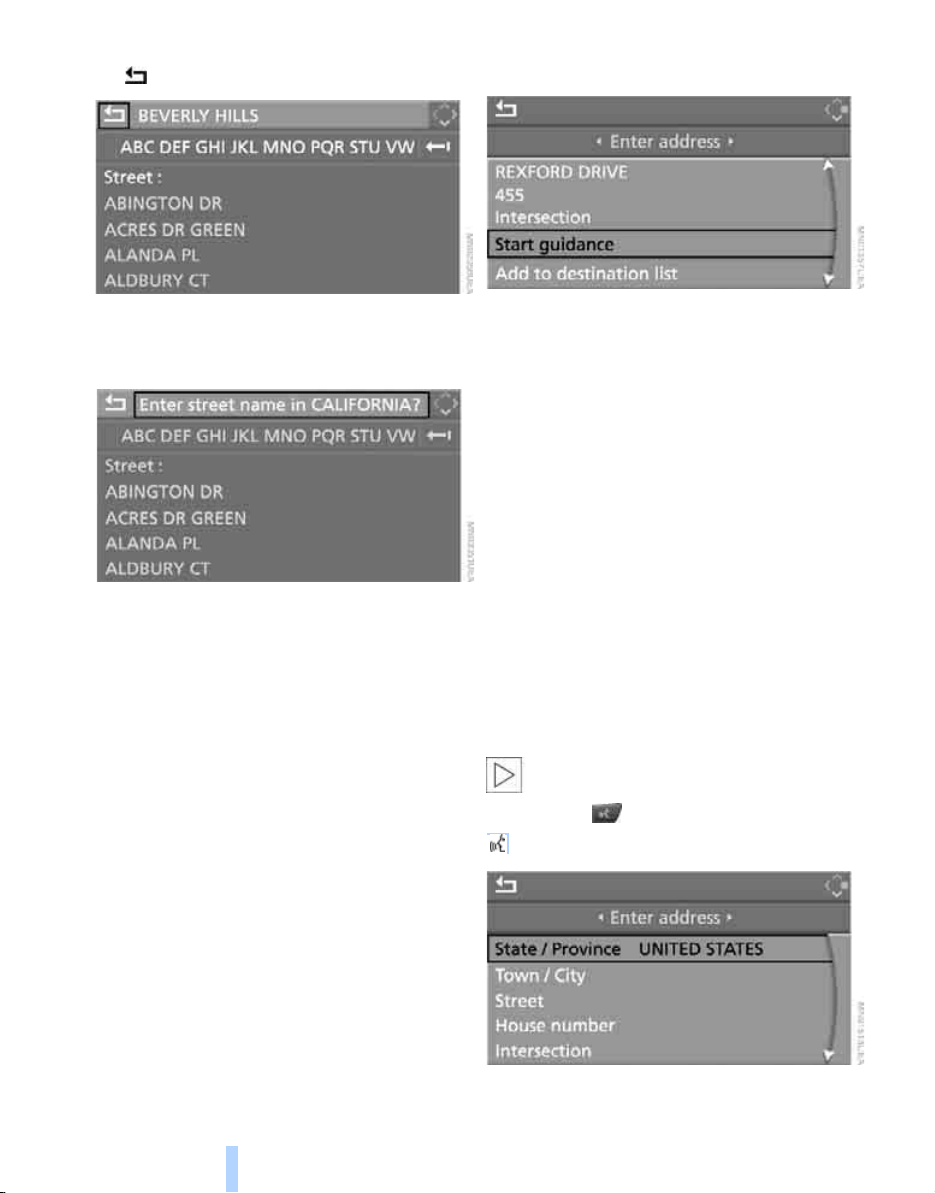
Destination entry
134
1. Change to upper field.
The arrow is selected.
2. Turn the controller to the right until the
request for the entry of a street in the coun-
try appears and press the controller.
3. Change to the second field from the top and
enter the street.
Entering house number
All house numbers stored for the street on the
navigation DVD can be entered.
1. Select "House number" and press the con-
troller.
2. Enter the house number:
Select the desired digits and press the con-
troller.
3. Change into the third field from the top.
Turn the controller until the house number
is selected and press the controller.
Starting destination guidance with
manual destination entry
> Select "Start guidance" and press the con-
troller.
Destination guidance starts immediately.
> If the destination guidance does not need to
be started immediately:
Select "Add to destination list" and press
the controller.
The destination is stored in the destination
list, refer to page 138.
Entering destination via
voice*
You can enter a desired destination with the
voice command system. When entering the
destination, it is possible to change between
voice command and iDrive at any time. Reacti-
vate the voice command system for this pur-
pose if necessary.
With {Options} you can have the possible
commands read aloud.<
1. Press the button on the steering wheel.
2. {Enter address}
Online Edition for Part no. 01 41 0 012 501 - © 08/06 BMW AG
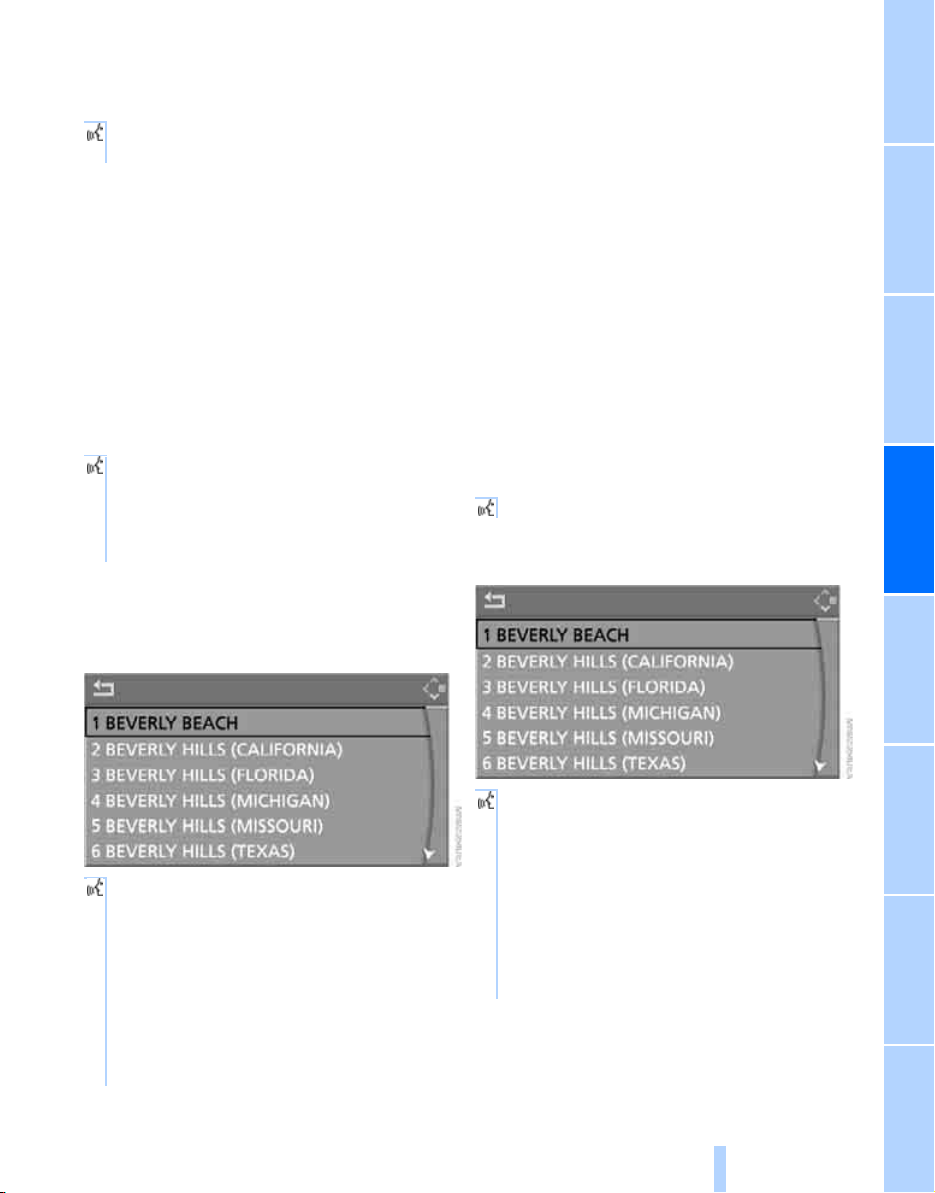
Navigation Driving tips
135
Reference At a glanceControlsCommunications EntertainmentMobility
Selecting country
1. Wait for the system to request the country
of destination.
Say the name of the country of destination in
the language of the voice command system.
Entering destination
The destination can be spelled or entered as an
entire word.
Spelling destination
To enter the destination, spell it using the
orthography of the country of destination.
Say the letters smoothly and at normal volume,
avoiding excessive emphasis and pauses.
The system can suggest up to 20 desti-
nations that match your entries. Up to
6 entries are displayed at once on the Con-
trol Display.
The town/city can also be selected from the list
via iDrive:
Turn the controller until the destination is
selected and press the controller.
Entering the destination as an entire
word*
Destinations and streets in the same language
area as the language of the voice command
system can be spoken as an entire word.
Example: To enter a destination located in the
US as an entire word, the language of the sys-
tem must be English.
The condition for this is the use of a suitable
navigation DVD.
Speak smoothly and at normal volume, avoiding
excessive emphasis and pauses.
1. Wait for the system to request the destina-
tion.
The system can suggest up to 6 destina-
tions that match your entries.
The town/city can also be selected from the list
via iDrive:
Turn the controller until the destination is
selected and press the controller.
2. Say the name of the country of destina-
tion.
1. Spell town/city name:
Say at least the first three letters of the
destination. The more letters you say,
the more exactly the system recognizes
the town/city.
A destination is suggested by the system.
2. Select city/town:
> Choose selected city/town: {Yes}
> Select other city/town: {No}
> Select entry, e.g. {Entry 3}
> Display additional entries of the list:
{Next page}
> Spell the city/town again: {Repeat}
2. Say the name of the destination.
A destination is suggested by the system.
3. Select city/town:
> Choose selected city/town: {Yes}
> Select other city/town: {No}
> Select entry, e.g. {Entry 3}
> Enter city/town again: {Repeat}
> Enter destination by spelling it:
{Spell}
Online Edition for Part no. 01 41 0 012 501 - © 08/06 BMW AG
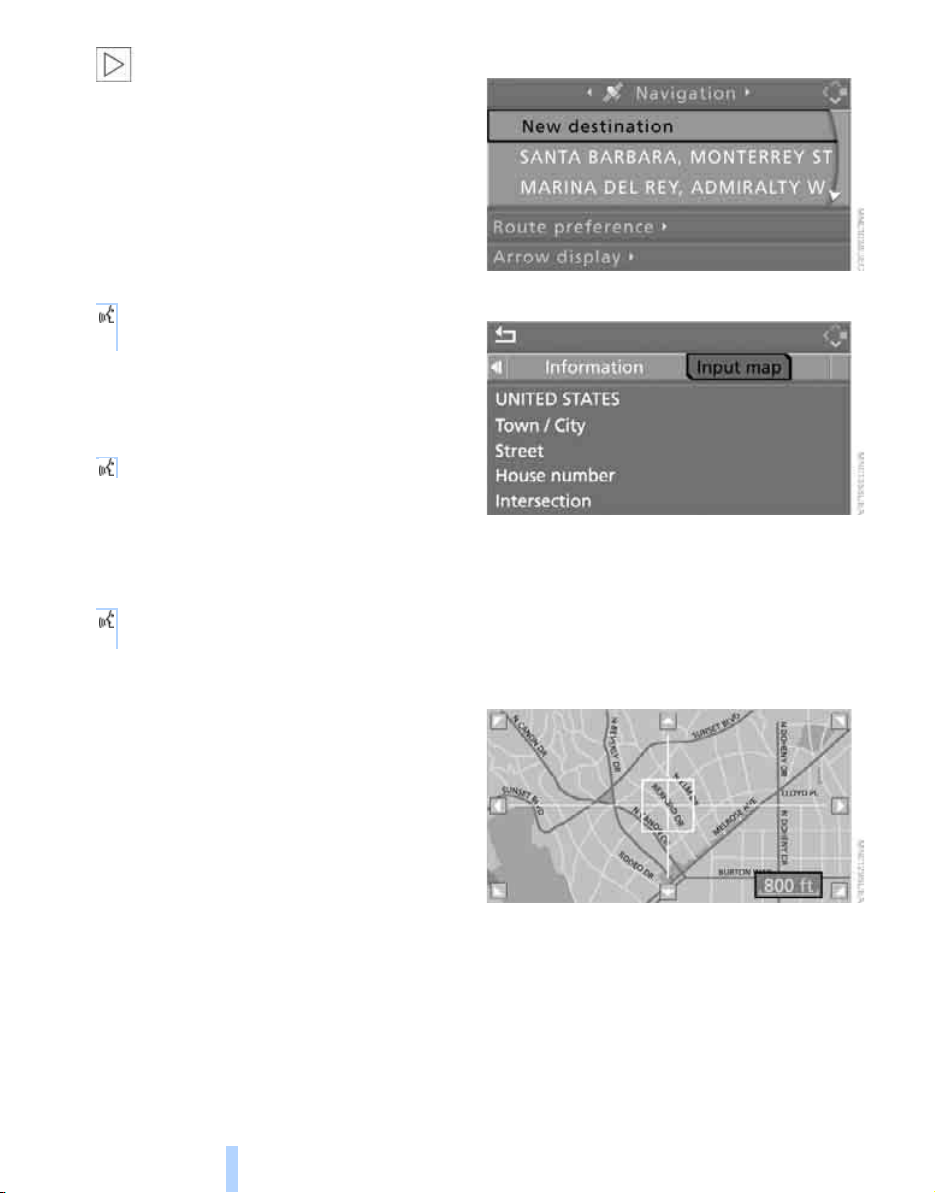
Destination entry
136
Destinations that sound the same which
cannot be differentiated by the system
are summarized in a separate list and shown as
a destination followed by three dots.
Select this entry with {Yes} if necessary. Then
select the desired city/town in this list.<
Entering street and house number
The street is entered in the same way as the
destination.
To enter the house number:
Up to 4-digit house numbers can be entered.
Say the house number as individual numbers.
Starting destination guidance
Destination guidance starts immediately.
Saving destination
The destination is added to the destination list
or can be stored in the address book.
Selecting destination via map
If you only know the location of the town/city or
street of the destination, then you can enter the
destination by using a map. You can use the
cursor to select the destination on the map and
then apply it in the destination guidance.
1. Select "Navigation" and press the control-
ler.
"New destination" is selected.
2. Press the controller.
3. Select "Input map" and press the controller.
A section of a map is displayed on the Con-
trol Display:
> During destination guidance, around the
current destination
> With the destination guidance deacti-
vated, around the last destination
entered
4. Select destination with cursor.
> Changing scale: turn the controller.
> Moving map: move the controller in the
corresponding direction.
The controller can be moved to the left,
right, forward, backward and also diago-
nally.
1. {House number}
2. Say the house number.
{Start guidance}
{Add to destination} or
{Add to address book}
Online Edition for Part no. 01 41 0 012 501 - © 08/06 BMW AG
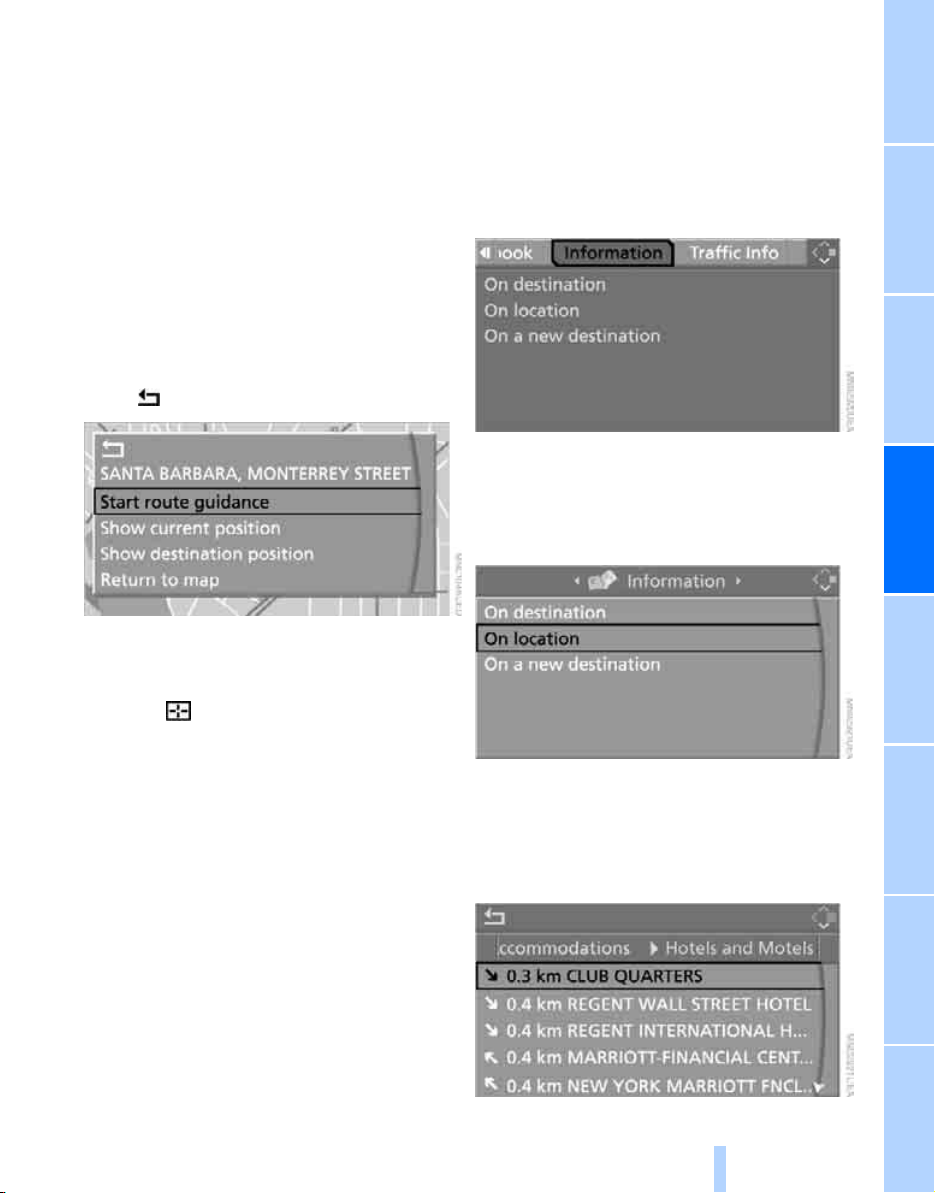
Navigation Driving tips
137
Reference At a glanceControlsCommunications EntertainmentMobility
5. To apply or store the destination in the des-
tination guidance, press the controller.
The selected destination and other menu
items are displayed.
6. Select the desired menu item:
> "Start route guidance" starts destination
guidance.
> "Show current position" places the cur-
rent position in the center of the map.
> "Show destination position" places the
current destination in the center of the
map.
> "Return to map" changes back to the
"Input map".
> Exit the menu.
7. Press the controller.
The map for the destination entry can also be
displayed in the map display:
Select the symbol and press the controller.
Selecting destination using
information
You can obtain a display of selected destina-
tions, e.g. hotels, sights or hospitals, and apply
them in the destination guidance.
1. Select "Information" and press the control-
ler.
2. Select location:
> "On destination"
> "On location"
> "On a new destination"
3. Press the controller.
4. Make your selection, e.g. "Hotels and res-
taurants", and press the controller.
These destinations are displayed on the
Control Display.
Online Edition for Part no. 01 41 0 012 501 - © 08/06 BMW AG
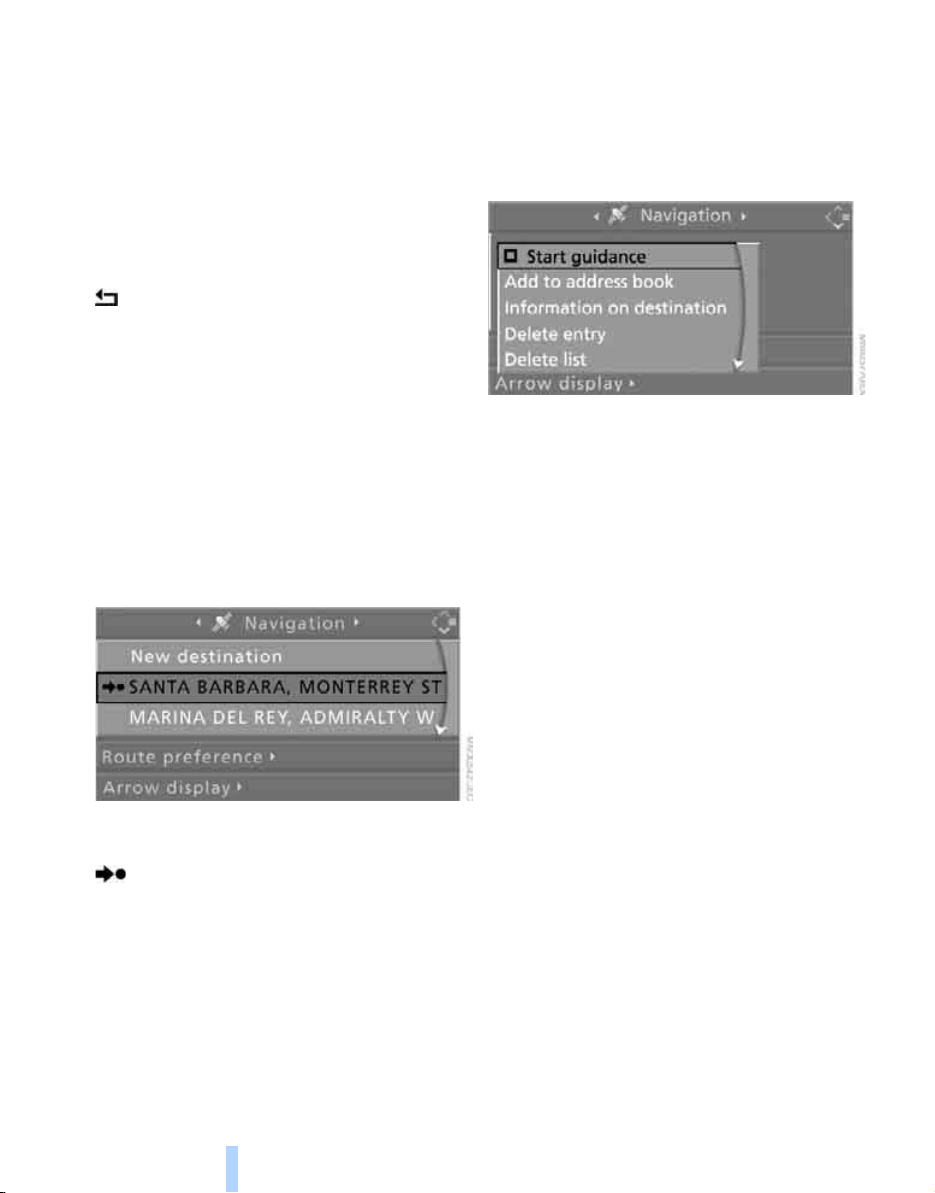
Destination entry
138
5. Select a destination and press the control-
ler.
6. Select a menu item:
> To apply the address in the destination
list and start the destination guidance:
Select "Select as destination" and press
the controller.
> To establish a telephone connection:
Select "Call" and press the controller.
To exit the menu:
Select the arrow and press the controller.
Destination list
The last 20 entered destinations are shown in
the destination list. You can display these desti-
nations and apply them in the destination guid-
ance.
For example, to plan a longer route, you can
store all destinations you want to drive to in
advance in the destination list, refer to Entering
a destination manually on page 131.
Select "Navigation" and press the controller.
The last destination entered is the first item in
the destination list.
This symbol indicates the current destina-
tion during destination guide.
To display additional destinations from the des-
tination list:
Turn the controller.
Applying destination in destination
guidance
1. Select the desired destination and press
the controller.
2. Select "Start guidance" and press the con-
troller.
Editing destination list
1. Select the desired destination in the desti-
nation list and press the controller.
2. The selected destination can be edited:
> Store entry:
Select "Add to address book".
> Display information on destination:
Select "Information on destination".
> Delete entry:
Select "Delete entry".
> Delete all entries:
Select "Delete list". The destination
guidance is switched off.
> Change entry:
Select "Edit". For operation, refer to
Entering destination via town/city name,
page 132.
3. Press the controller.
Online Edition for Part no. 01 41 0 012 501 - © 08/06 BMW AG

Navigation Driving tips
139
Reference At a glanceControlsCommunications EntertainmentMobility
Address book
Opening address book
iDrive, for explanation of concept, refer to
page 16.
Select "Address book" and press the controller.
Storing destinations in address book
You can store approx. 100 destinations in the
address book.
1. Select "Address book" and press the con-
troller.
2. Select "New address" and press the con-
troller.
3. Select "Enter address" and press the con-
troller.
4. Enter name and address.
5. Select "Store in address book" and press
the controller.
The entry is stored in the address book.
You can also store a destination from the desti-
nation list into the address book, refer to
page 138.
Storing current position*
The current position can be applied in the
address book.
1. Select "Address book" and press the con-
troller.
2. Change into the third field from the top.
Turn the controller until "New address" is
selected and press the controller.
3. Select "Use current location as address"
and press the controller.
The name given can be changed. For oper-
ation, refer to Entering a destination manu-
ally, page 131.
4. Select "Store in address book" and press
the controller.
You can also apply your current position in the
address book if you have left the sector covered
by the navigation DVD. In this case, you must
enter a name.
Selecting destinations from address
book
1. Select "Address book" and press the con-
troller.
The stored entries appear on the Control
Display.
Online Edition for Part no. 01 41 0 012 501 - © 08/06 BMW AG
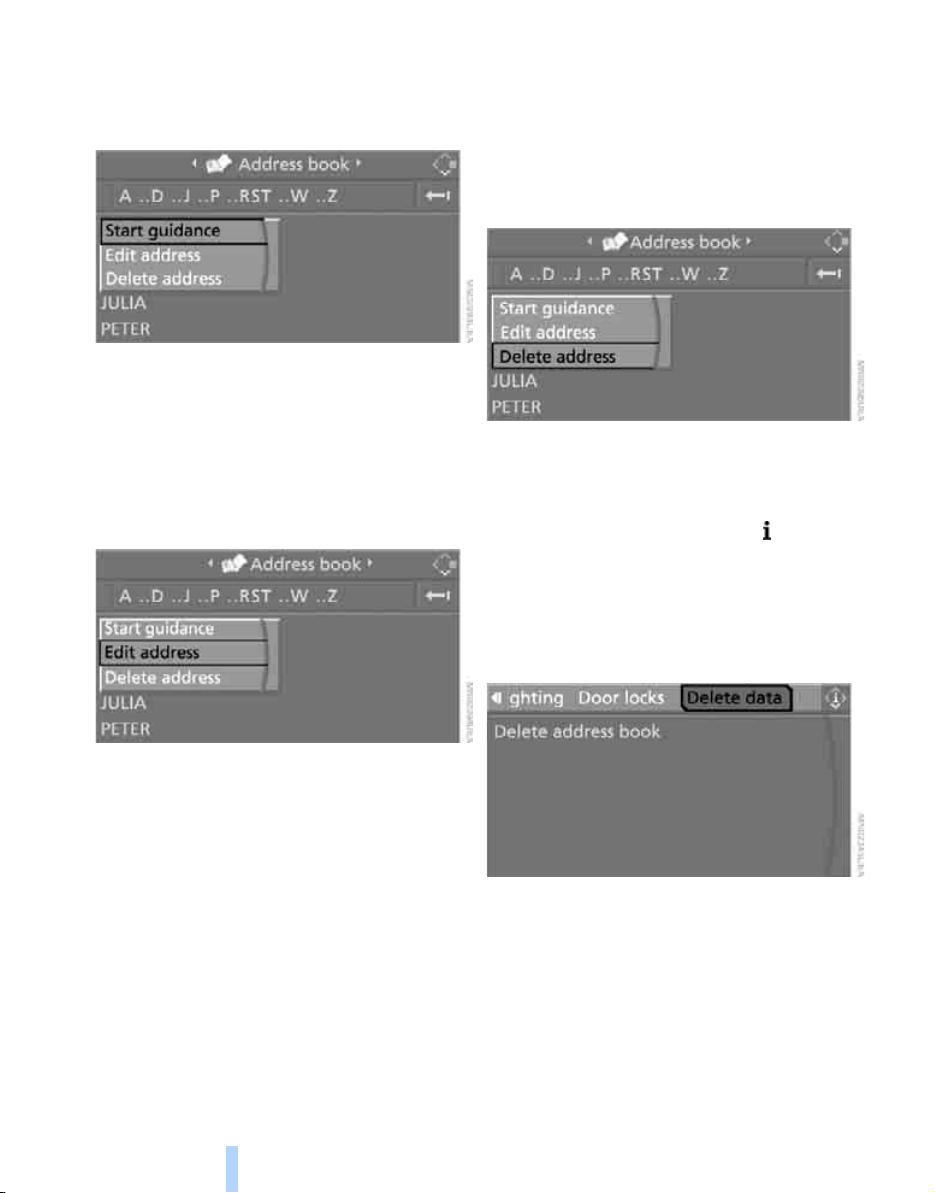
Destination entry
140
2. Select the entry and press the controller.
To start the destination guidance:
Select "Start guidance" and press the control-
ler.
Changing destinations from address
book
1. Select "Address book" and press the con-
troller.
2. Select the entry and press the controller.
3. Select "Edit address" and press the con-
troller.
4. Change entry.
For operation, refer to Entering a destina-
tion manually, page 131.
5. Select "Store in address book" and press
the controller.
Deleting individual destinations from
address book
1. Select "Address book" and press the con-
troller.
2. Select the entry and press the controller.
3. Select "Delete address" and press the con-
troller.
Deleting all destinations from address
book
1. Open the start menu.
2. Press the controller to open the menu.
3. Select "Settings" and press the controller.
4. Select "Vehicle and tires" and press the
controller.
5. Select "Delete data" and press the control-
ler.
6. Select "Delete address book" and press the
controller.
7. Select "Yes" and press the controller.
Online Edition for Part no. 01 41 0 012 501 - © 08/06 BMW AG

Navigation Driving tips
141
Reference At a glanceControlsCommunications EntertainmentMobility
Home address
You can store your current position or the cur-
rent destination as the home address in the
address book. This entry occupies the second
position in the address book.
Storing home address
1. Select "Address book" and press the con-
troller.
2. Change into the third field from the top.
Turn the controller until "Home address" is
selected and press the controller.
3. Select "Use current location as address", or
"Save current destination" during the desti-
nation guidance, and press the controller.
4. With Professional navigation system:
Select "Store in address book" and press
the controller.
Applying home address as destination
1. Select "Home address" and press the con-
troller.
2. Select "Start guidance" and press the con-
troller.
Changing home address
1. Select "Home address" and press the con-
troller.
2. Select "Edit address" and press the con-
troller. For operation, refer to Entering a
destination manually, page 131.
Selecting route
You can influence the calculated route by
choosing certain route criteria. You can change
the route criteria as often as you like while
entering the destination and whenever the des-
tination guidance is active.
The route is planned according to fixed rules.
The type of road is taken into account, e.g.
whether it is a highway or a winding road. The
road types are stored on the navigation DVD.
As a result, the routes recommended by the
navigation system may not always be the same
ones that you would choose based on personal
experience.
Changing route criteria
1. Select "Navigation" and press the control-
ler.
2. Change into the third field from the top.
Turn the controller until "Route preference"
is selected and press the controller.
The various criteria are listed on the Control
Display.
3. Select a route criterion for the route:
> "With highways"
Highways and major traffic arteries are
given priority
> "Avoid highways"
Highways are avoided where possible
> "Fast route"
The short traveling time, being a combi-
nation of the shortest possible route and
the fastest roads
> "Short route"
Short route, irrespective of how fast or
slow progress will be
Online Edition for Part no. 01 41 0 012 501 - © 08/06 BMW AG
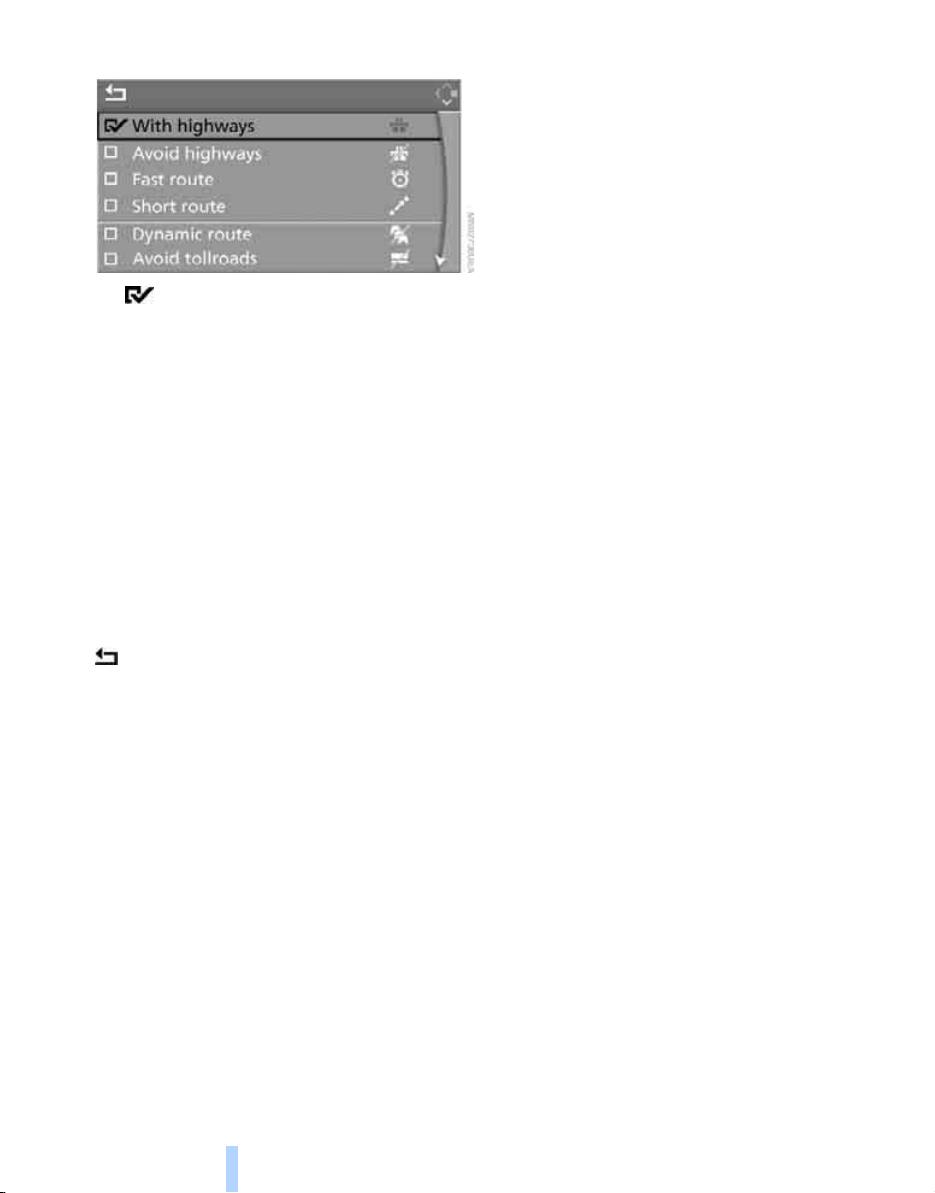
Destination entry
142
4. Press the controller.
The route criterion is highlighted.
5. If necessary, select an additional route cri-
terion and then press the controller:
> "Dynamic route"
Automatic changing of the route in case
of traffic obstructions. Depending on the
type of road and the nature and length of
the traffic obstruction, the route can also
be calculated so that you travel through
the traffic obstruction.
> "Avoid tollroads"
Tollroads are avoided where possible.
> "Avoid ferries"
Ferries are avoided where possible.
To exit the menu:
Select the arrow and press the controller.
The route criteria can also be changed in the
arrow or map display.
1. Select the symbol for the route criterion and
press the controller.
2. Select a route criterion and press the con-
troller.
Word matching principle
The system supports the word matching princi-
ple to make it easier for you to enter the names
of streets or towns/cities. The system runs
ongoing checks, comparing your destination
entries with the data stored on the navigation
DVD as the basis for instant response. The user
benefits include:
> Names of specific locations can also vary
from the official versions if you are using a
spelling that is customary in another coun-
try.
Example:
Instead of "München", you can also enter
the English spelling "Munich" or the Italian
spelling "Monaco".
> When you are entering the names of towns/
cities and streets the system will complete
them automatically as soon as enough let-
ters are available to ensure unambiguous
identification.
> The system only accepts name entries
beginning with letters that are stored on the
navigation DVD. The system will not accept
non existent names and addresses.
Online Edition for Part no. 01 41 0 012 501 - © 08/06 BMW AG
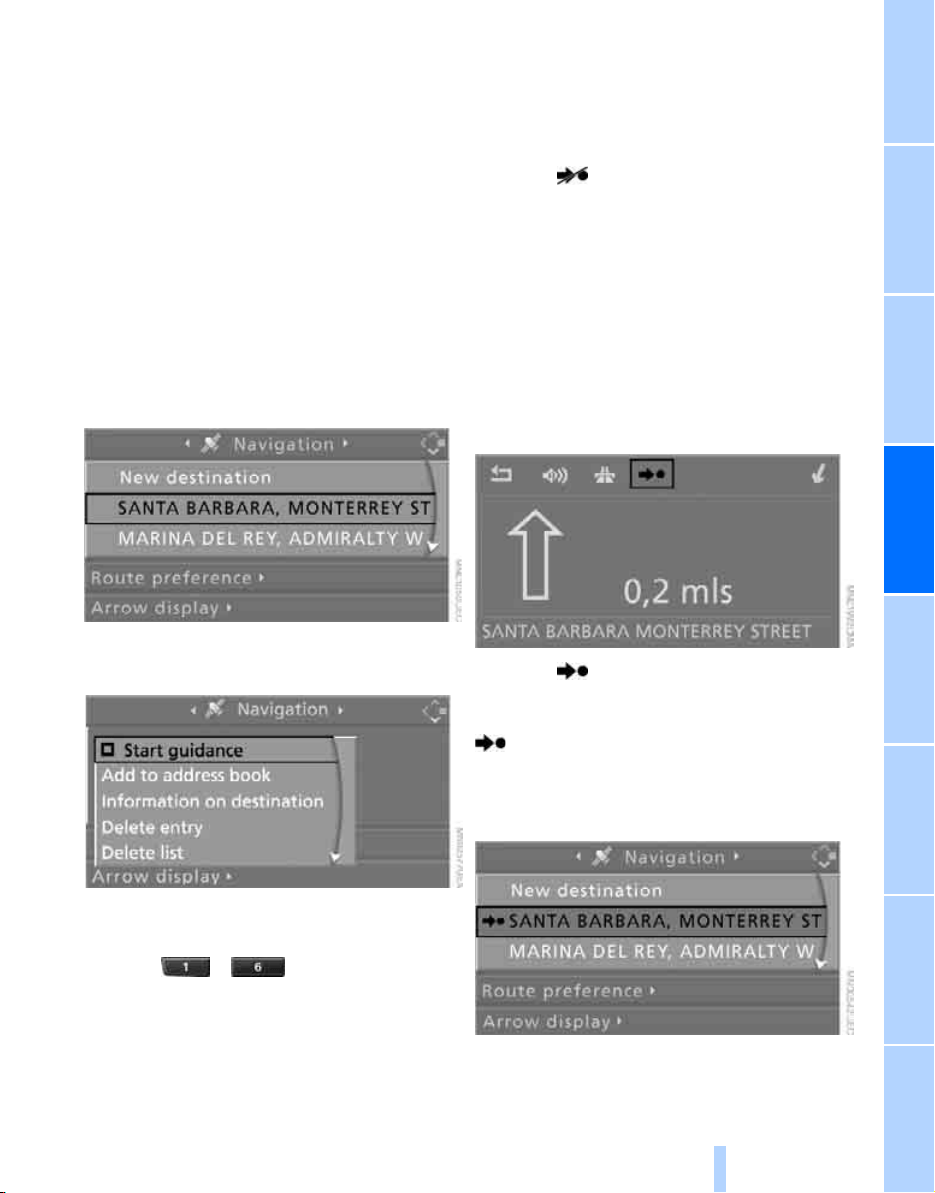
Navigation Driving tips
143
Reference At a glanceControlsCommunications EntertainmentMobility
Destination guidance
Starting destination
guidance
Via iDrive
iDrive, for explanation of concept, refer to
page 16.
1. Change to upper field if necessary. Turn the
controller until "Navigation" is selected and
press the controller.
2. Select a destination from the destination list
and press the controller or enter a new des-
tination, refer to page 131.
3. Select "Start guidance" and press the con-
troller.
With programmable memory/direct
selection buttons
Press the ... button on which the
desired destination is stored. Also refer to
page 22.
After the route has been calculated, destination
guidance is indicated by arrows or a map dis-
play on the Control Display.
The destination guidance can also be started in
the arrow or map display:
Select the symbol and press the controller.
During destination guidance, you can operate
other equipment via iDrive at any time. You will
be punctually notified of a change of direction
by spoken instructions and the display of the
direction arrow.
Ending/continuing
destination guidance
In arrow or map display
Select the symbol and press the controller.
In destination list
This symbol indicates the current destina-
tion.
1. Select the current destination and press the
controller.
2. Select "Start guidance" and press the con-
troller.
Online Edition for Part no. 01 41 0 012 501 - © 08/06 BMW AG
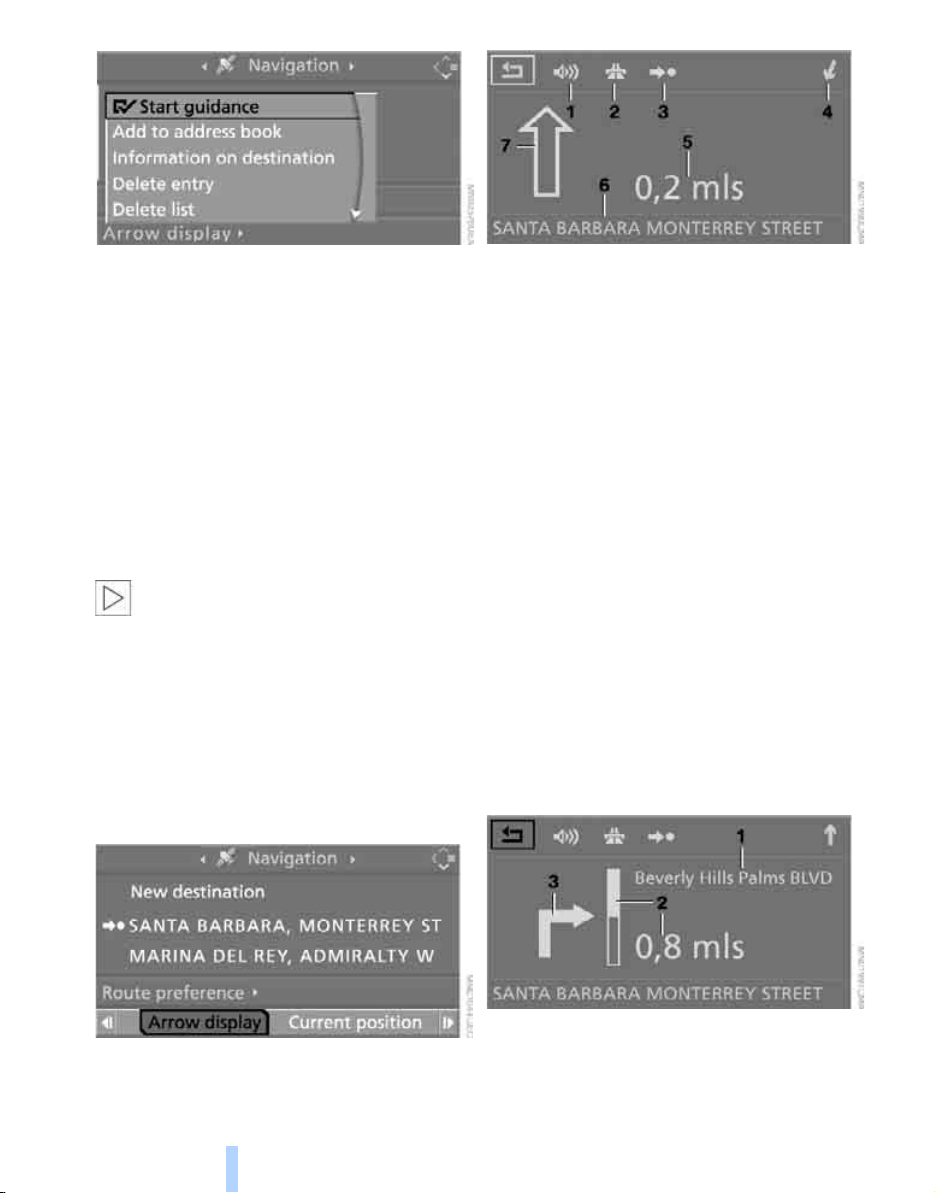
Destination guidance
144
When you park the vehicle before reaching the
entered destination, the following question is
displayed before beginning the next trip:
"Continue guidance to destination?".
The destination guidance starts automatically
after a short time.
To start the destination guidance:
Select "Yes" and press the controller.
Displaying route
You have the option of displaying various views
of the route during destination guidance.
From another menu, you can change
directly to the screen last displayed,
refer to Comfort opening of menu items on
page 18.<
Displaying arrow display
1. Select "Navigation" and press the control-
ler.
2. Change into the fourth field from the top.
Turn the controller until "Arrow display" is
selected and press the controller.
The arrow display is shown.
1 Switching voice instructions on/off
2 Selecting route criteria
3 Starting/ending destination guidance
4 Arrow to destination from a bird's eye view
5 Distance to the next change of direction
6 Current position
7 Direction of travel
> Outline arrow:
Destination guidance on the calculated
route
> Solid arrow:
Arrow shows the route to be calculated
from a bird's eye view when the vehicle
is not located in an area contained on the
navigation DVD, e.g. in a multi-level
parking lot.
Depending on the equipment, the estimated
time of arrival and the distance to the destina-
tion are displayed in the top or bottom line of the
Control Display.
Before a change in direction, the representation
of the arrow changes.
1 Street name for change of direction
2 Distance up to change of direction
3 Change of direction
Online Edition for Part no. 01 41 0 012 501 - © 08/06 BMW AG
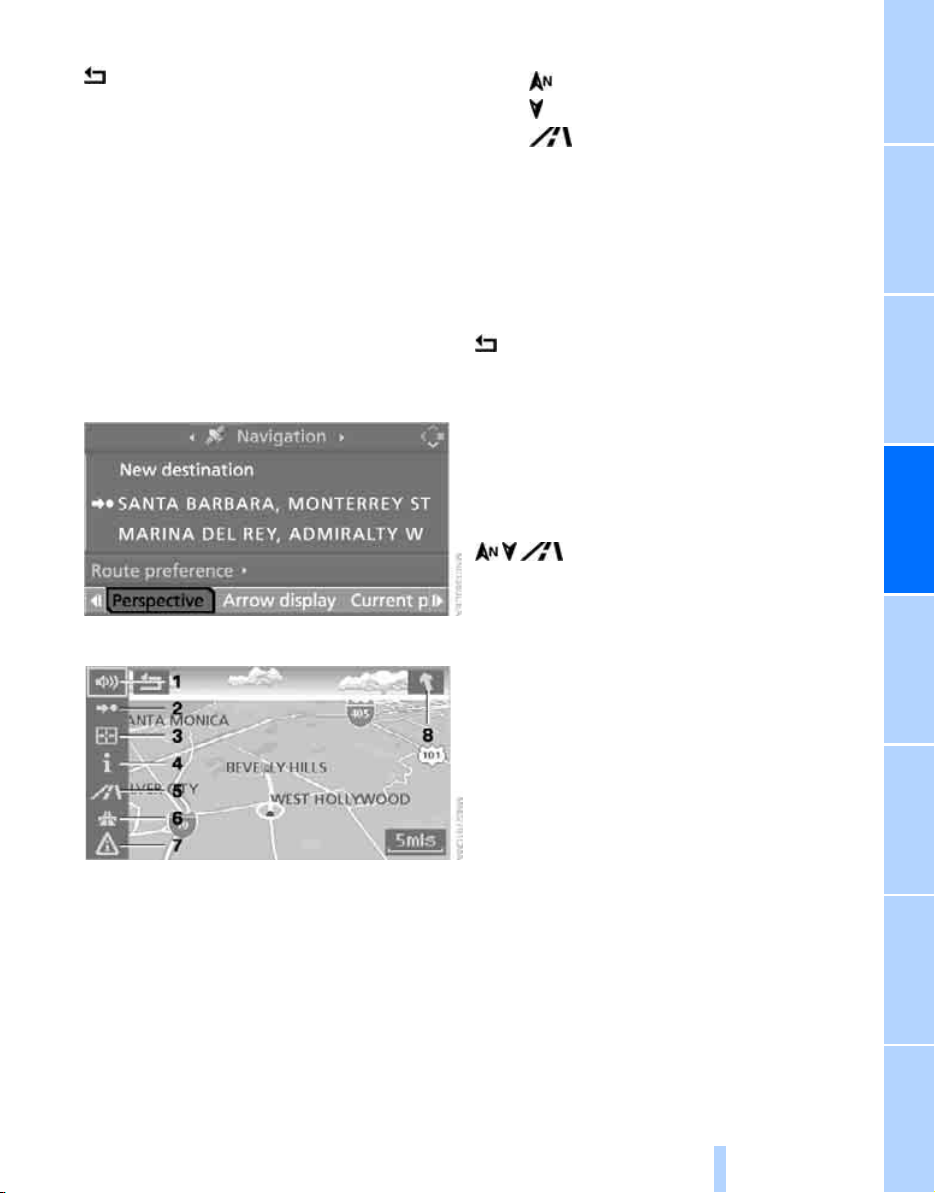
Navigation Driving tips
145
Reference At a glanceControlsCommunications EntertainmentMobility
To exit the menu:
Select the arrow and press the controller.
Displaying map view
You can have your current position displayed on
a map. After starting the destination guidance,
the planned route is shown on the map.
1. Select "Navigation" and press the control-
ler.
2. Change into the fourth field from the top.
Turn the controller until the desired map
view is selected:
> "Map facing north"
> "Map direction of travel"
> "Perspective"
3. Press the controller.
1 Switching voice instructions on/off
2 Starting/ending destination guidance
3 Selecting destination via map
4 Showing/hiding information last selected,
refer to Selecting destination using infor-
mation on page 137
5 Changing map display
> "Map facing north"
> "Map direction of travel"
> "Perspective"
6 Changing route criteria
7 Manually displaying traffic information
*
8 Arrow to destination from a bird's eye view
The estimated time of arrival and the distance
to the destination are shown in the bottom line
of the Control Display.
To exit from the menu:
Select the arrow and press the controller.
At scales of less than 250 miles/500 km, you
have the option of deciding whether to orient
the map to north, toward your current direction
of travel, or show the map in perspective. At
scales of 250 miles/500 km or greater, the map
always points toward north.
Changing map display
Select the corresponding symbol and press the
controller.
The next map display is displayed.
Changing scale
Turn the controller to change the scale.
Displaying streets and towns/cities of
route
You can have the roads and towns/cities along
the route displayed during destination guid-
ance.
The distances remaining to be traveled on each
individual road are also displayed.
1. Select "Navigation" and press the control-
ler.
2. Change into the third field from the top.
Turn the controller until "Route list" is
selected and press the controller.
Online Edition for Part no. 01 41 0 012 501 - © 08/06 BMW AG
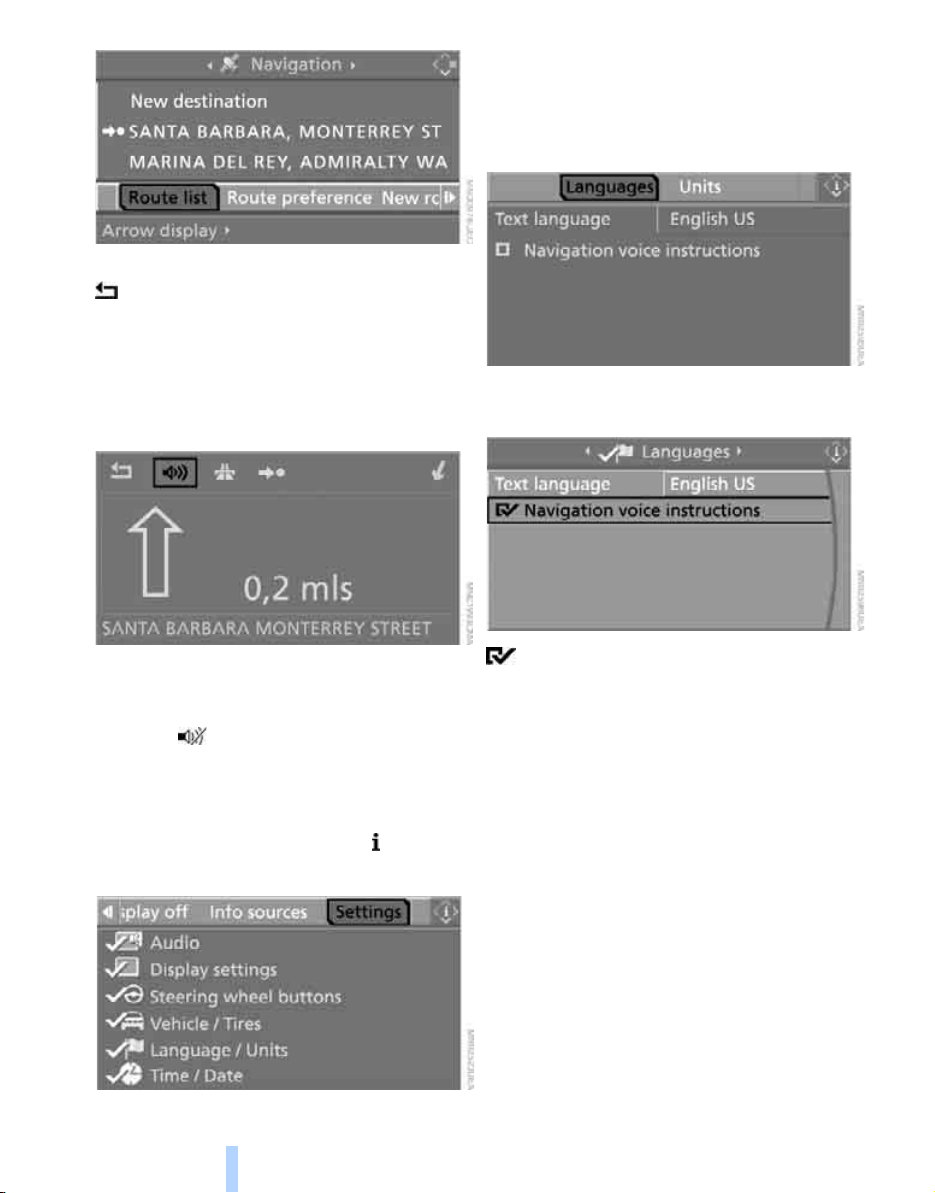
Destination guidance
146
To exit the menu:
Select the arrow and press the controller.
Destination guidance via
voice instructions
Switching voice instructions on/off
Voice instructions can be switched on or off
during the destination guidance in the arrow or
map view:
Select the symbol and press the controller.
To switch the voice instructions on and off at
any time:
1. Open the start menu.
2. Press the controller to open the menu.
3. Select "Settings" and press the controller.
4. Select "Language / Units" and press the
controller.
5. Change to upper field if necessary. Turn the
controller until "Languages" is selected and
press the controller.
6. Select "Navigation voice instructions" and
press the controller.
The voice instructions are switched on.
Repeating and canceling voice
instructions
With the programmable buttons on the steering
wheel you can also make the following settings,
refer to page 50:
> Repeat the voice instruction:
Press the button.
> Switch voice instructions on/off:
Hold the button down.
Setting volume of voice instructions
The volume can only be adjusted while a voice
instruction is being output.
1. Repeat the last voice instruction, if neces-
sary.
2. Turn the button during the voice instruction
to select the desired volume.
Online Edition for Part no. 01 41 0 012 501 - © 08/06 BMW AG
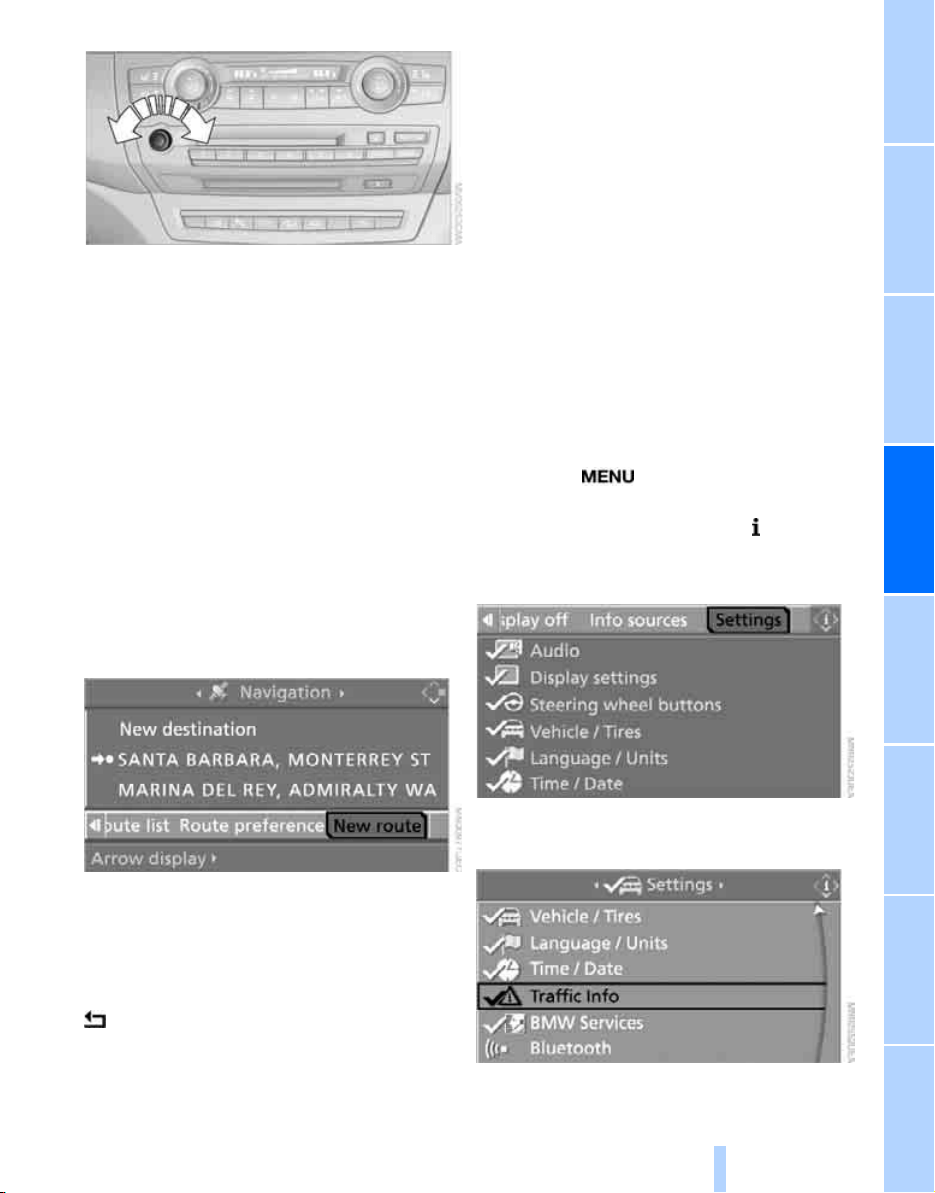
Navigation Driving tips
147
Reference At a glanceControlsCommunications EntertainmentMobility
This volume is independent of the volume of the
audio sources.
The setting is stored for the remote control cur-
rently in use.
Changing route
During destination guidance, you can revise the
navigation system's route recommendations to
avoid particular stretches of road. Enter the
number of miles/kilometers that you want to
travel before returning to the original route.
1. Select "Navigation" and press the control-
ler.
2. Change into the third field from the top.
Turn the controller until "New route" is
selected and press the controller.
3. Turn the controller to enter the desired
number and press the controller.
The route is recalculated.
To exit from the menu without changing the
route:
Select the arrow and press the controller.
Traffic information*
In population centers you can display traffic
information from radio stations that transmit
information of the Traffic Info traffic warning
service. This information of the traffic warning
services is constantly updated using measuring
data from traffic routing centers and information
from traffic congestion indicators.
During destination guidance the traffic informa-
tion located near you on the route is automati-
cally displayed. Regardless of whether the des-
tination guidance is active, you can display the
traffic information in the map view or in a list.
Switching reception of traffic
information on/off
iDrive, for explanation of concept, refer to
page 16.
1. Press the button.
This opens the start menu.
2. Press the controller to open the menu.
3. Turn the controller until "Settings" is
selected and press the controller.
4. Turn the controller until "Traffic Info" is
selected and press the controller.
Online Edition for Part no. 01 41 0 012 501 - © 08/06 BMW AG
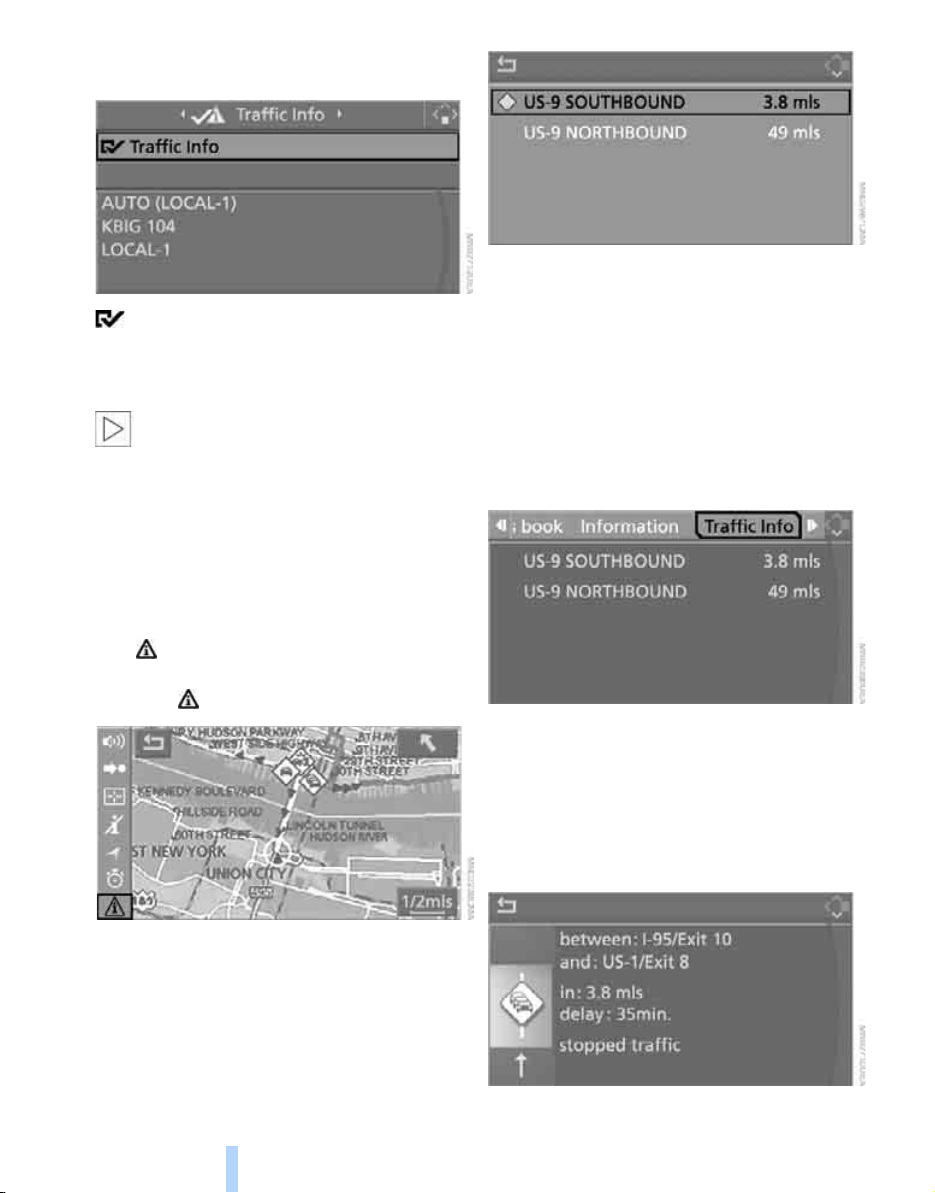
Destination guidance
148
5. Select "Traffic Info" and press the control-
ler.
The traffic information can be transferred
and displayed.
"AUTO": automatic selection of the Traffic Info
station with the strongest reception.
Depending on the station, either the sta-
tion name, frequency, local number or
other information is displayed.<
Manually displaying traffic information
During destination guidance
Traffic information can be displayed manually
during destination guidance in the arrow or map
view.
If the symbol is shown with a red border, traf-
fic information is available for the planned route.
Select the symbol and press the controller.
During destination guidance, the traffic infor-
mation on the planned route is marked with a
yellow lozenge.
The current traffic information is shown on the
Control Display sorted according to the dis-
tance to the current vehicle position.
With destination guidance switched off
1. Open the start menu.
2. Move the controller to the right to open
"Navigation".
3. Select "Traffic Info" and press the control-
ler.
The current traffic information is shown on the
Control Display sorted according to the dis-
tance to the current vehicle position.
Displaying detailed traffic information
Select traffic information from the displayed list
and press the controller.
Online Edition for Part no. 01 41 0 012 501 - © 08/06 BMW AG
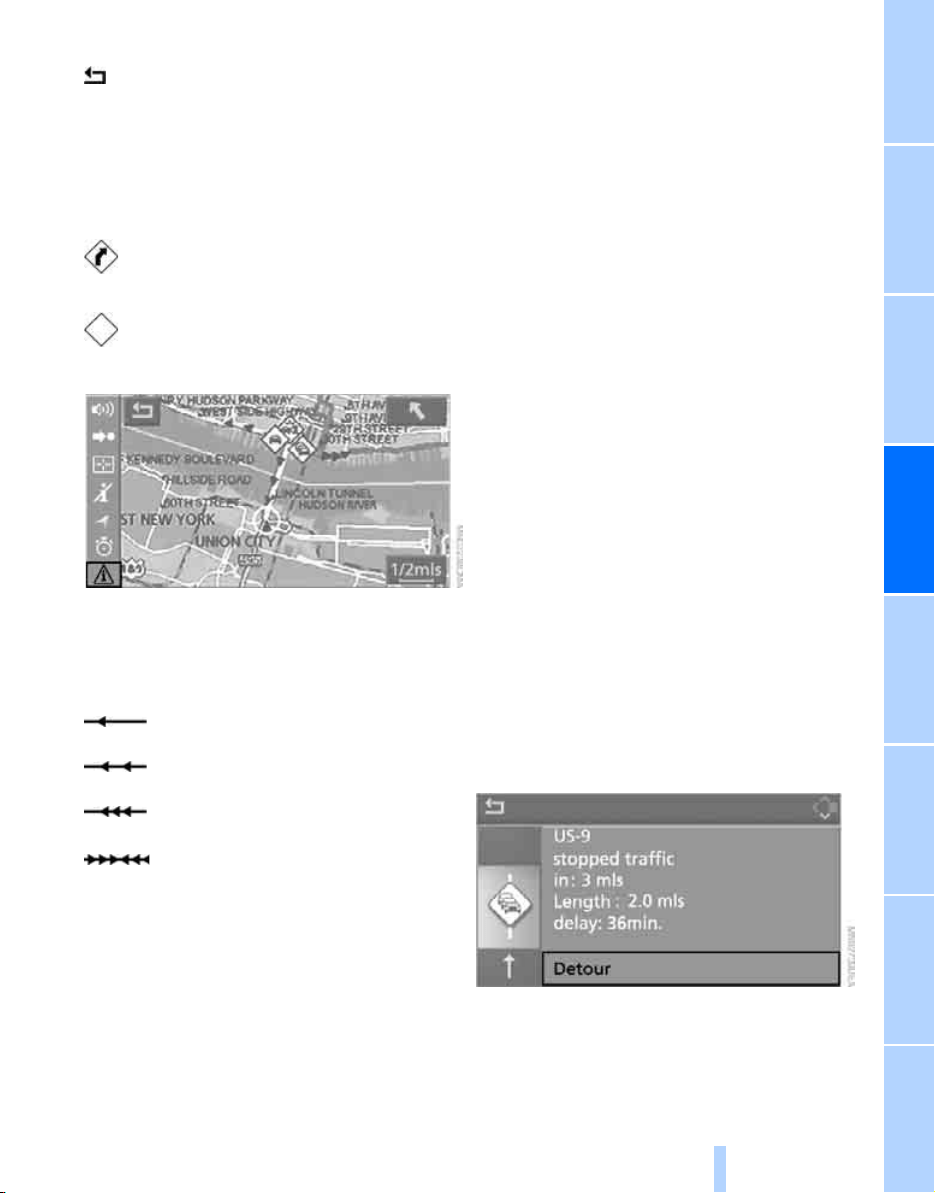
Navigation Driving tips
149
Reference At a glanceControlsCommunications EntertainmentMobility
To exit from the menu:
Select the arrow and press the controller.
Depiction of traffic information in map
view
The traffic information symbols are shown in
the map view up to a scale of 100 miles/200 km.
With a scale of up to 5 miles/10 km, additional
information is displayed. The length, direction
and effect of a traffic obstruction are indicated
with arrows along the route, e.g.
Along planned route
Yellow symbol with the traffic obstruction sym-
bol.
Outside planned route
> Map scale up to 5 miles/10 km:
White symbol with black or gray border with
the traffic obstruction symbol
> Map scale from 10 miles/20 km:
White symbol with black border with an
arrow in the direction concerned
Traffic information during destination
guidance
The system behavior varies depending on
whether "Dynamic route" is selected:
> "Dynamic route" is not selected:
If a traffic obstruction is reported to the nav-
igation system, you will be provided with
certain information from a distance of
approx. 25 miles/40 km, e.g. the length of
the traffic congestion.
The last possible junction will be displayed
shortly before this.
> "Dynamic route" is selected:
The route is automatically changed in case
of traffic obstructions.
Depending on the type of road and the
nature and length of the traffic obstruction,
the route can also be calculated so that you
travel through the traffic obstruction.
This information is also displayed if you have
called up another application on the Control
Display.
Bypassing traffic congestion
Select "Detour" and press the controller.
The navigation system determines a new route
to bypass the traffic congestion.
Traffic event with map scales greater
than 5 miles/10 km, arrow points in
the direction of travel concerned
Several traffic events have been
received. Select a smaller scale to
display these individually.
Slow traffic or other traffic event
Traffic back up
Stopped traffic
Stopped traffic in both directions of
travel
Online Edition for Part no. 01 41 0 012 501 - © 08/06 BMW AG
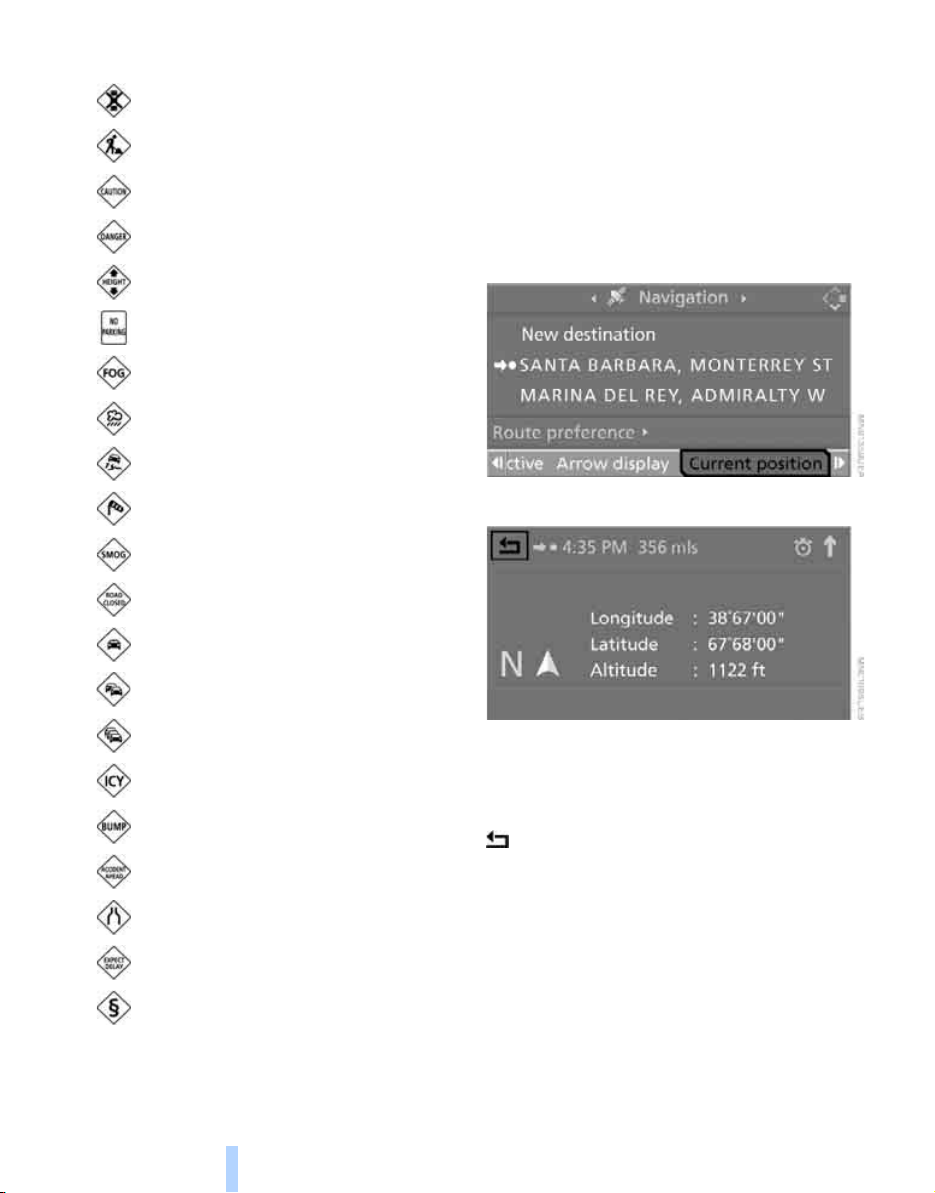
Destination guidance
150
Symbols for traffic information
Displaying current position
You can have your current position displayed
even when the destination guidance is
switched off.
1. Select "Navigation" and press the control-
ler.
2. Change into the fourth field from the top.
Turn the controller until "Current position"
is selected and press the controller.
The current position of your BMW is displayed.
If the navigation system is unable to identify a
town or city, your current map coordinates will
appear.
To exit the menu:
Select the arrow and press the controller.
You can also have the current position dis-
played on a map, refer to page 145.
Traffic light failure
Roadworks
General traffic obstruction
Transport of hazardous load
Danger
Low clearance
No parking
Fog
Heavy rain
Slippery road
Cross winds
Smog
Road close
Slow traffic
Traffic back up
Stopped traffic
Icy roads
Uneven surface
Accident
Lane closure
Delay
Police checkpoint
Online Edition for Part no. 01 41 0 012 501 - © 08/06 BMW AG

Navigation Driving tips
151
Reference At a glanceControlsCommunications EntertainmentMobility
What to do if …
What to do if …
> a navigation DVD is inserted, but an instruc-
tion to insert the DVD appears on the Con-
trol Display?
The navigation DVD may not be the correct
DVD for the navigation system. This infor-
mation is indicated on the DVD label.
> you request the current position of your
vehicle, but do not receive a precise dis-
play?
The system is unable to receive enough
GPS signals at your current position due to
obstructions, your position is not yet avail-
able on your navigation DVD, or the system
is in the process of calculating your posi-
tion. Reception is best when you have an
unobstructed view to the sky.
> the destination guidance does not accept a
destination?
The data of the destination is not stored on
the navigation DVD that is loaded. Select a
destination that is as close as possible to
the original.
> the destination guidance does not accept
an address without the street name?
On the navigation DVD, no downtown area
can be determined for the city or town
entered. Enter any street, or a destination
such as the railway station in the selected
town, and then start the destination guid-
ance.
> you want to enter a destination for the des-
tination guidance, but it is not possible to
select the letters for your desired entry?
The data of the destination is not stored on
the navigation DVD that is loaded. In this
case, the system will not offer you any let-
ters to choose from. Select a destination
that is as close as possible to the original.
> the system stops furnishing directions on
which way to turn as you approach intersec-
tions?
You are driving in an area that has not yet
been completely recorded on the naviga-
tion DVD. Instead of an arrow indicating a
turn, you will see an arrow which indicates
the general direction of your planned route.
Or you have left the recommended route
and the system requires a few seconds to
calculate a new recommended route.
> the navigation system does not react to
entries?
If the battery was disconnected, it takes
about 10 minutes before the system is once
again operational.
Online Edition for Part no. 01 41 0 012 501 - © 08/06 BMW AG
Online Edition for Part no. 01 41 0 012 501 - © 08/06 BMW AG

Entertainment
Operation of the radio and CD as well as their
tone settings are described in this chapter.
Entertainment
Online Edition for Part no. 01 41 0 012 501 - © 08/06 BMW AG
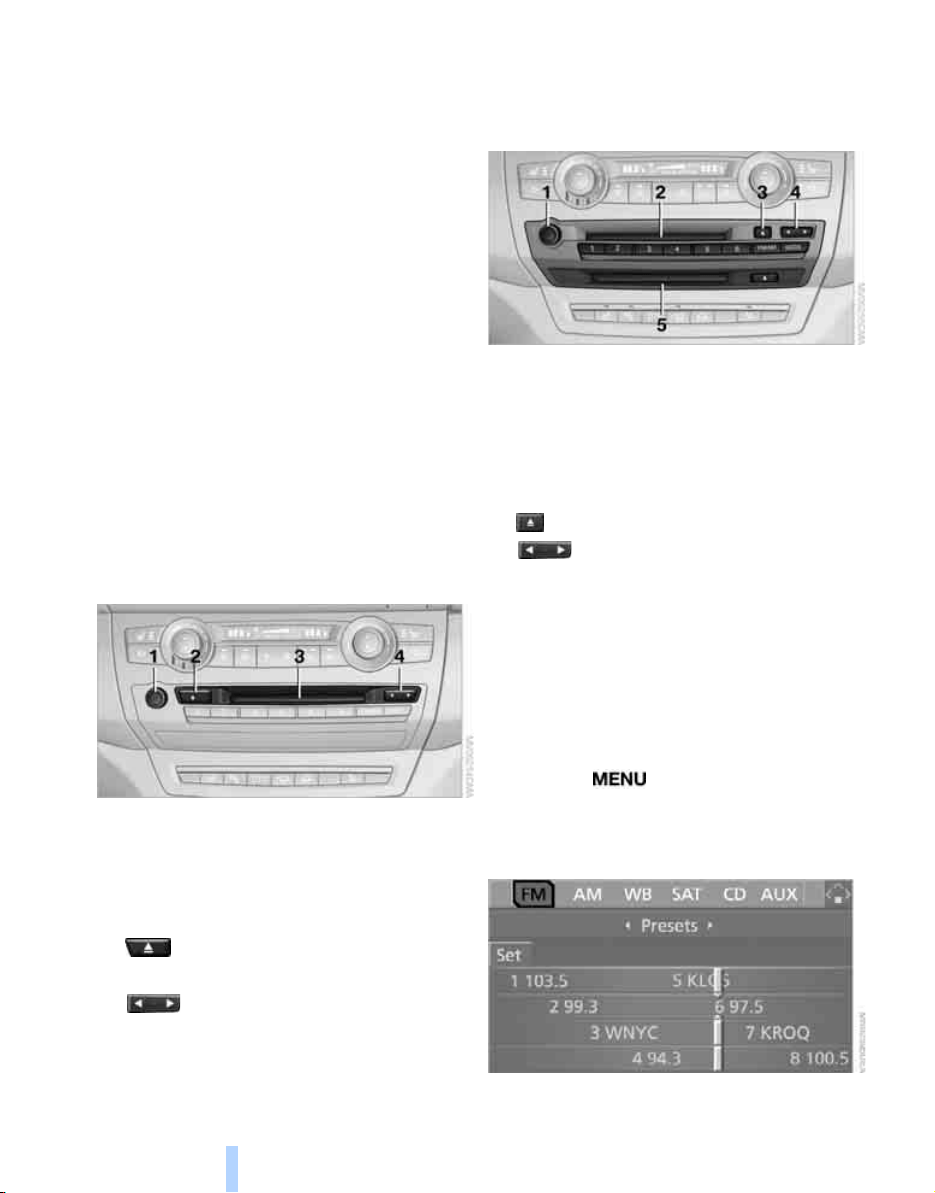
On/Off and settings
154
On/Off and settings
The following audio and video sources have
common controls and adjustment options:
> Radio
> CD player
> CD changer
*
Controls
The audio and video sources can be operated
with:
> Buttons in the area of the CD player
> iDrive
> Buttons
on steering wheel, refer to page 11
> Programmable memory/direct selection
buttons, refer to page 21
Buttons on CD player
Equipment with a single drive
1 Entertainment sound output on/off, volume
> Press: switch on/off.
When you switch on, the last set radio
station or CD track is played.
> Turn: adjust volume.
2 Eject CD
3 Drive for audio CDs
4 Station scan/track search
> Change radio station.
> Select track for CD player and
CD changer.
Equipment with two drives
1 Entertainment sound output on/off, volume
> Press: switch on/off.
When you switch on, the last set radio
station or CD track is played.
> Turn: adjust volume.
2 Drive for audio CDs
3 Eject CD
4 Station scan/track search
> Change radio station.
> Select track for CD player and
CD changer.
5 Drive for navigation DVDs
Operation via iDrive
iDrive, for explanation of concept, refer to
page 16.
1. Press the button.
This opens the start menu.
2. Move the controller backwards to open
"Entertainment".
Online Edition for Part no. 01 41 0 012 501 - © 08/06 BMW AG
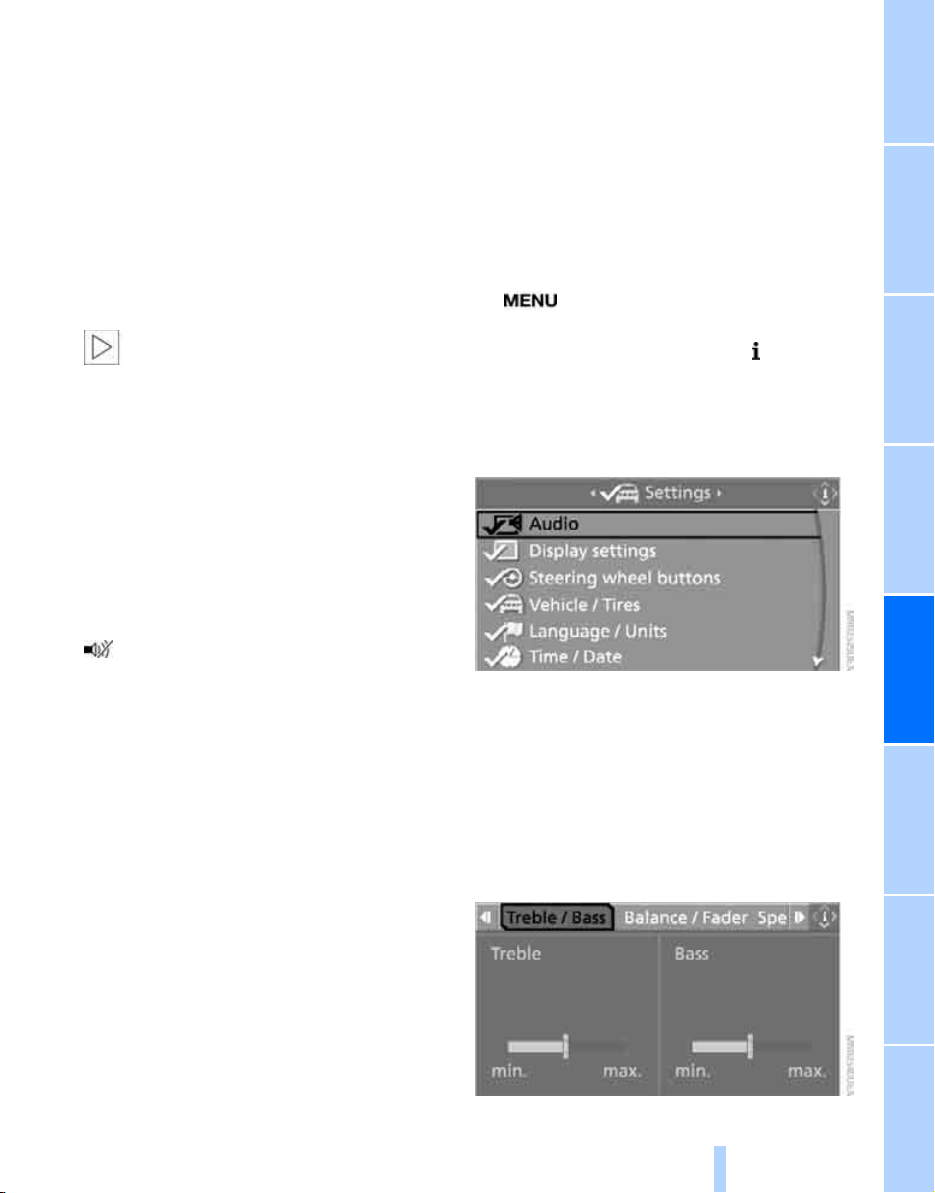
NavigationEntertainment Driving tips
155
Reference At a glanceControlsCommunicationsMobility
You have the following choices:
> "FM" and "AM": radio reception
> "WB": Weather Band station
> "SAT": satellite radio
*
> "CD": CD player or changer
> "AUX": external audio device
> "Set": depending on the audio source,
other adjustments can be made, e.g. with
the radio: update station with strongest
reception, store station, tone control, sam-
ple stations.
From another menu, you can change
directly to the screen last displayed,
refer to Comfort opening of menu items on
page 18.<
From radio readiness, the selected audio
source is stored for the remote control currently
in use.
Switching on/off
To switch the Entertainment sound output on
and off:
Press knob 1 on the CD player.
This symbol on the Control Display indi-
cates that sound output is switched off.
For equipment with a single drive, the sound
output is available for approx. 20 minutes with
the ignition switched off.
Switch on the sound output again for this pur-
pose.
Adjusting volume
Turn knob 1 on the CD player until the desired
volume is set.
You can also adjust the volume with buttons on
the steering wheel, refer to page 11.
From radio readiness, the setting is stored for
the remote control currently in use.
Tone control
You can alter various tone settings, e.g. treble
and bass, or the speed-dependent volume
increase.
The tone settings are set for all audio sources at
once.
From radio readiness, the settings are stored
for the remote control currently in use.
Changing tone settings
1. button.
This opens the start menu.
2. Press the controller to open the menu.
3. Turn the controller until "Settings" is
selected and press the controller.
4. Select "Audio" or "Tone / volume" and
press the controller.
The tone settings can also be selected when
you have opened "Entertainment" in the start
menu:
Select "Set" and then "Tone", and press the
controller.
Treble and bass
1. Select "Treble / Bass" and press the con-
troller.
Online Edition for Part no. 01 41 0 012 501 - © 08/06 BMW AG
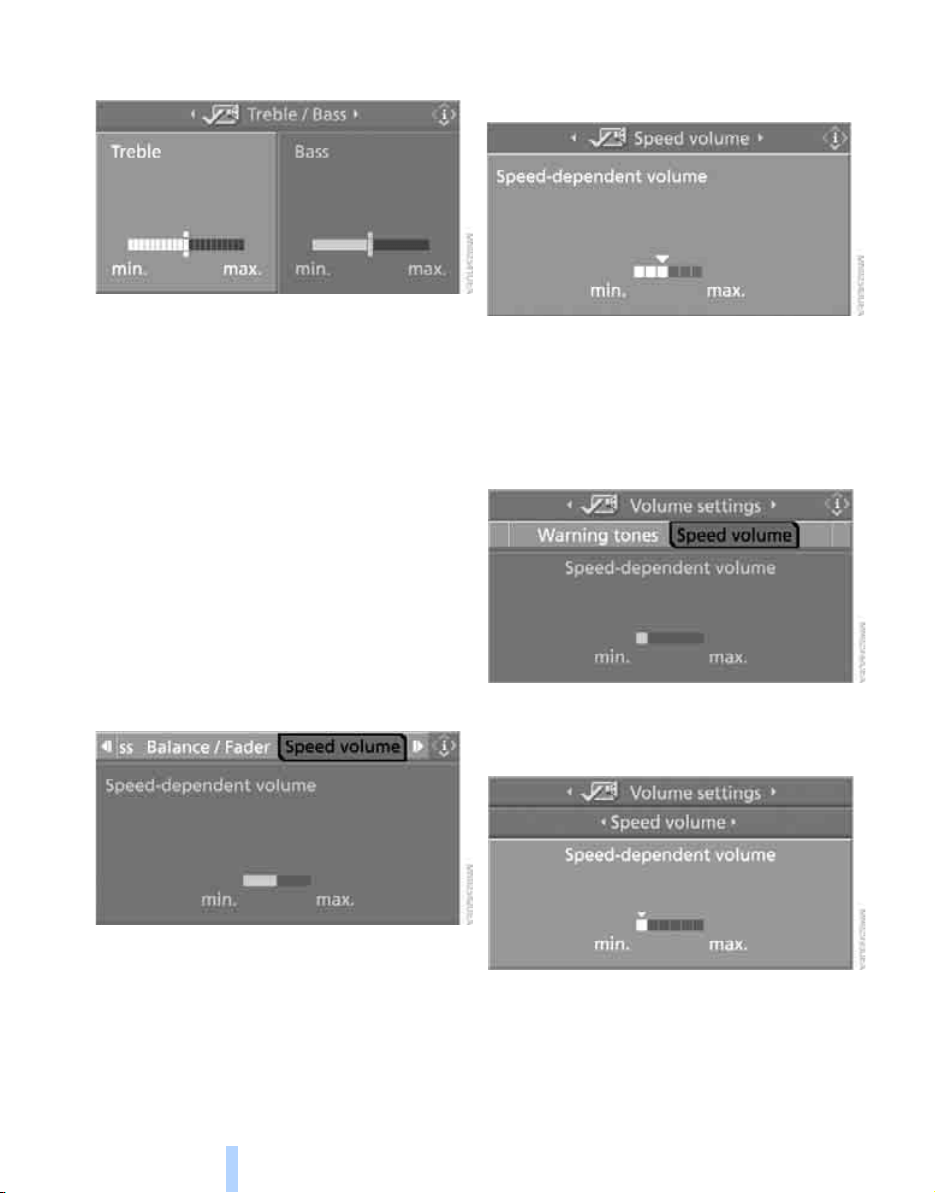
On/Off and settings
156
2. Move the controller to the left or right to
select "Treble" or "Bass".
3. Turn the controller until the desired setting
is selected.
Balance and fader
You can adjust the volume distribution in the
same manner as "Treble / Bass".
> "Balance": left/right volume distribution
> "Fader": front/rear volume distribution
Speed-dependent volume control
The speed-dependent volume control auto-
matically increases the volume with increasing
speed. You can set various stages for the
increase in volume.
When equipped with two drives:
1. Select "Speed volume" and press the con-
troller.
2. Turn the controller:
The adjustment is applied; the field can be
changed.
If vehicle is equipped with a single drive:
1. Select "Volume settings" and press the
controller.
2. Change to the second field from the top if
necessary. Select "Speed volume" and
press the controller.
3. Turn the controller:
The adjustment is applied; the field can be
changed.
Online Edition for Part no. 01 41 0 012 501 - © 08/06 BMW AG
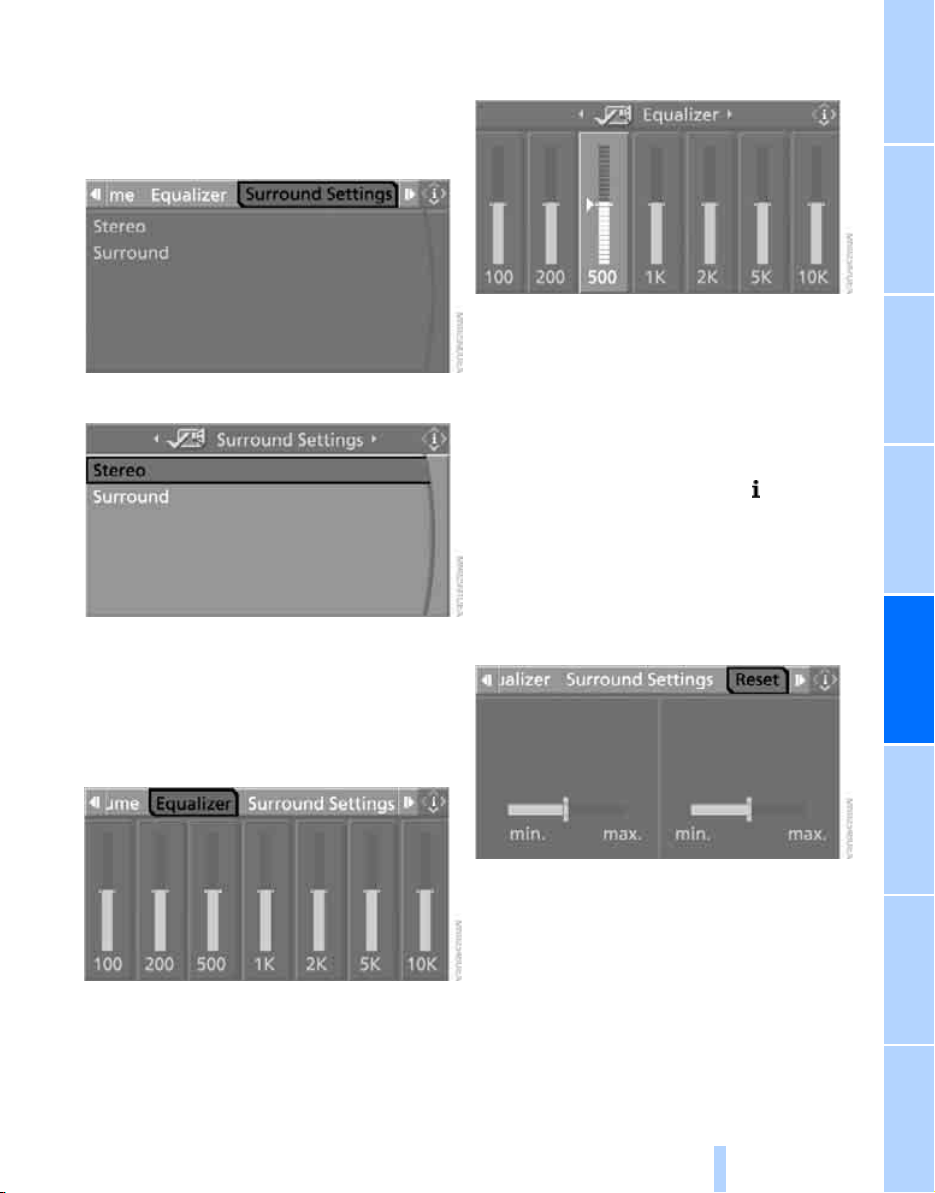
NavigationEntertainment Driving tips
157
Reference At a glanceControlsCommunicationsMobility
Professional HiFi System*
You can choose between stereo and multi-
channel playback, surround.
1. Select "Surround Settings" and press the
controller.
2. Select "Stereo" or "Surround".
3. Press the controller.
The spatial sound effect is activated.
Equalizer*
You can set individual sound frequency ranges.
1. Select "Equalizer" and press the controller.
2. Move the controller to the left or right to
select the desired frequency range.
3. Turn the controller until the desired setting
is selected.
Resetting tone settings
You can reset all tone settings to the default
settings.
1. Open the start menu.
2. Press the controller to open the menu.
3. Turn the controller until "Settings" is
selected and press the controller.
4. Select "Audio" and press the controller.
5. Change to upper field if necessary. Turn the
controller until "Reset" is selected and
press the controller.
6. When equipped with two drives:
Select "Yes" and press the controller.
Online Edition for Part no. 01 41 0 012 501 - © 08/06 BMW AG
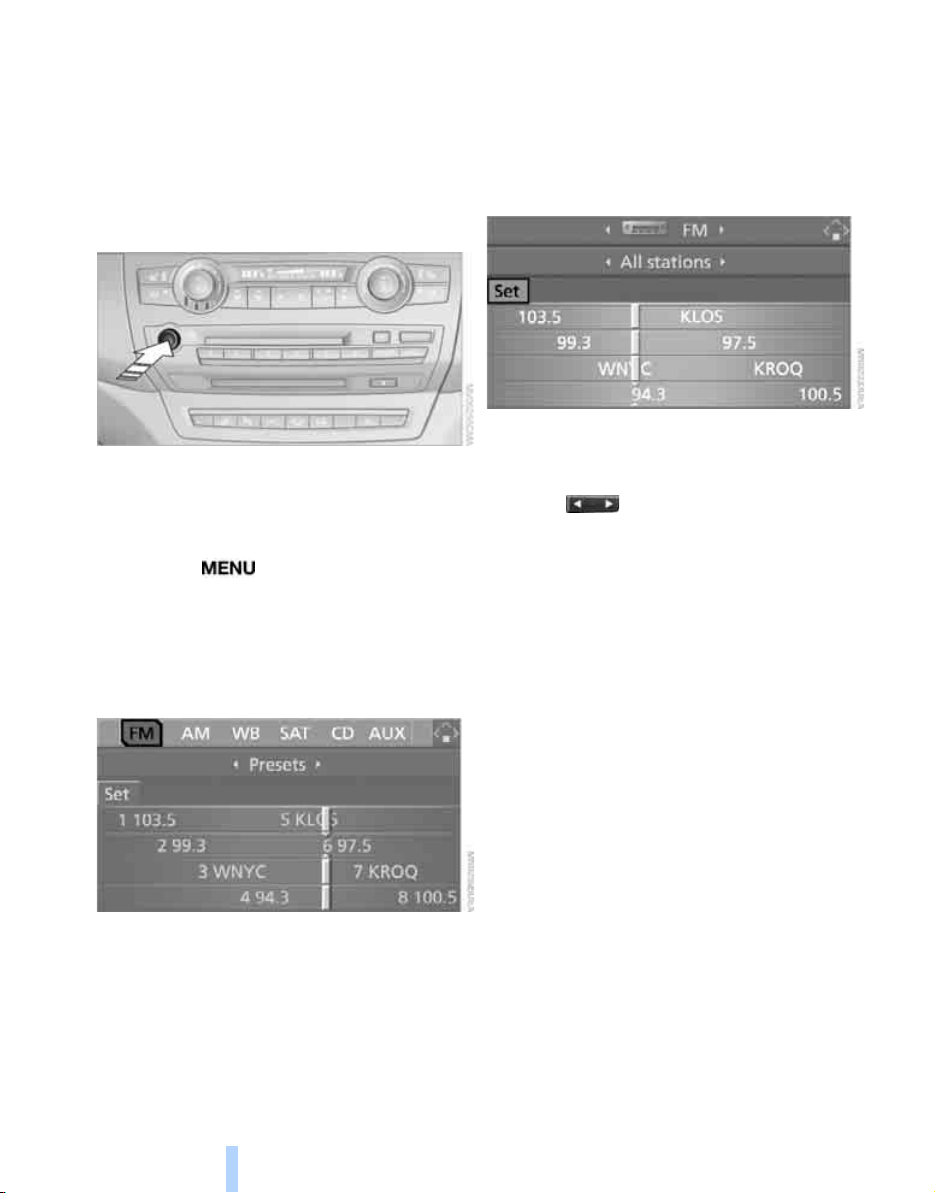
Radio
158
Radio
Your radio provides reception of the FM and AM
wavebands.
Listening to radio
Press the knob if the sound output is switched
off.
iDrive, for explanation of concept, refer to
page 16.
1. Press the button.
This opens the start menu.
2. Move the controller backwards to open
"Entertainment".
3. Change to upper field if necessary. Select
"FM" or "AM".
4. Press the controller.
Stations are shown on the Control Display on
the basis of various selection criteria, e.g. "Pre-
sets".
If "Autostore" does not display any stations or
if the stations displayed can no longer be
received in the AM reception range, to update
the station with the strongest signal, refer to
page 159.
Changing stations
Turn the controller.
Buttons on CD player
Press the button for the corresponding
direction.
The system changes to the next displayed sta-
tion.
You can also change stations with buttons on
the steering wheel, refer to page 11.
Changing selection criteria
In addition to the stations currently displayed,
you can have stations with another selection
criterion displayed.
You can choose from the following selection
criteria:
> "All stations":
Stations that can currently be received in
the "FM" waveband.
> "Autostore":
The stations with the strongest received
signals in the "AM" waveband.
> "Presets":
Stations you have previously stored, refer to
page 160.
Online Edition for Part no. 01 41 0 012 501 - © 08/06 BMW AG
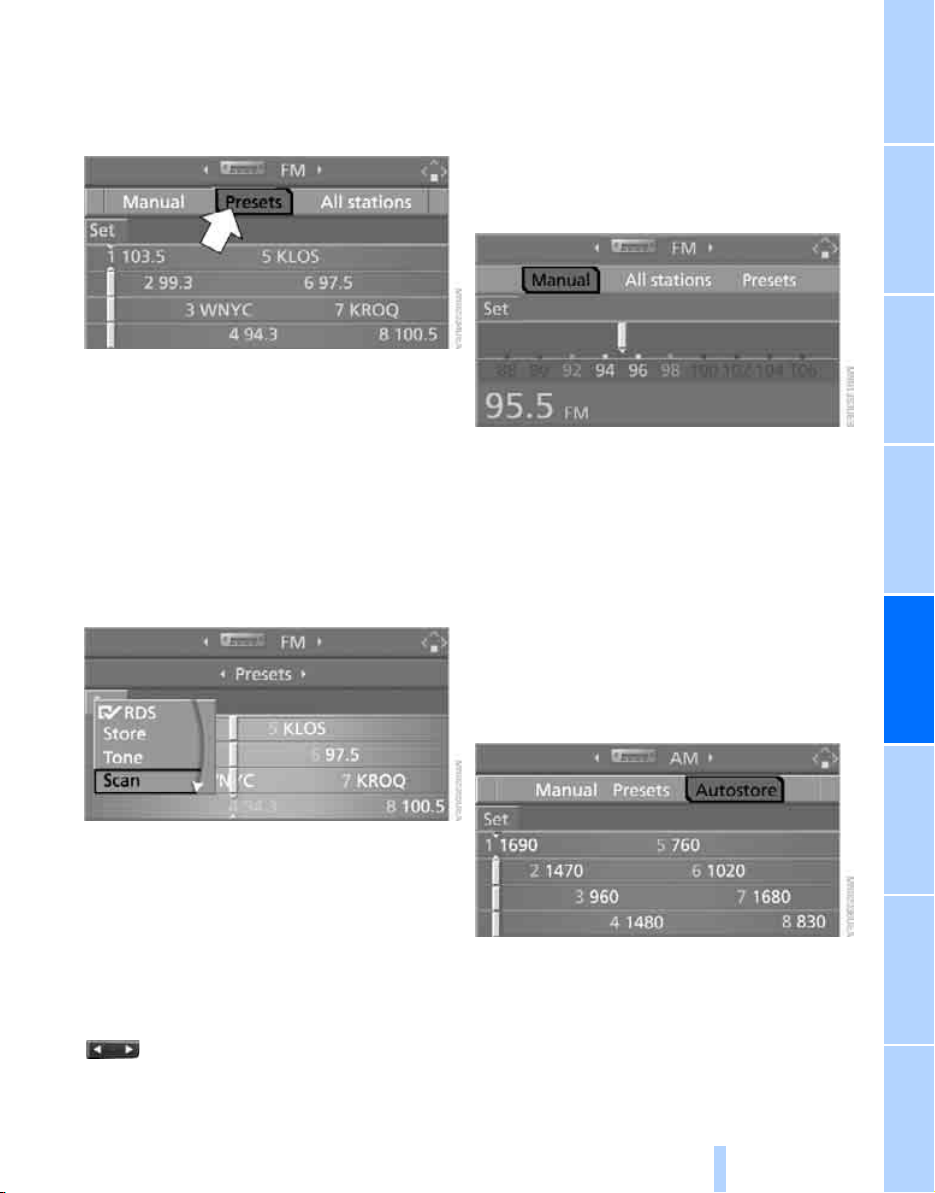
NavigationEntertainment Driving tips
159
Reference At a glanceControlsCommunicationsMobility
To change the selection criterion:
1. Change into the second field from the top.
2. Select the selection criterion and press the
controller.
Sampling stations, scan
The system automatically plays a brief sample
from each of the stations on the current wave-
band.
1. Select "FM" or "AM" and press the control-
ler.
"Set" is selected.
2. Press the controller.
Other menu items are displayed.
3. Select "Scan" and press the controller.
The stations are sampled.
To end sampling:
1. Press the controller.
2. Select "Scan" and press the controller.
This cancels sampling of the stations, and the
radio remains on the current station.
Buttons on CD player
To sample the stations, press and hold
the button for the corresponding direction.
To end scanning, press the button again.
Selecting frequency manually
With "Manual" you can select stations that are
received in addition to those displayed.
1. Select "FM" or "AM" and press the control-
ler.
2. Change into the second field from the top.
3. Select "Manual" and press the controller.
4. Turn the controller to set a certain fre-
quency.
Updating stations with best reception
If you are on a longer journey and leave the
transmission range of the stations originally set,
you can update the list of stations in the AM
range with the best reception.
1. Select "AM" and press the controller.
2. Change into the second field from the top.
3. Select "Autostore" and press the controller.
"Set" is selected.
4. Press the controller.
Other menu items are displayed.
Online Edition for Part no. 01 41 0 012 501 - © 08/06 BMW AG
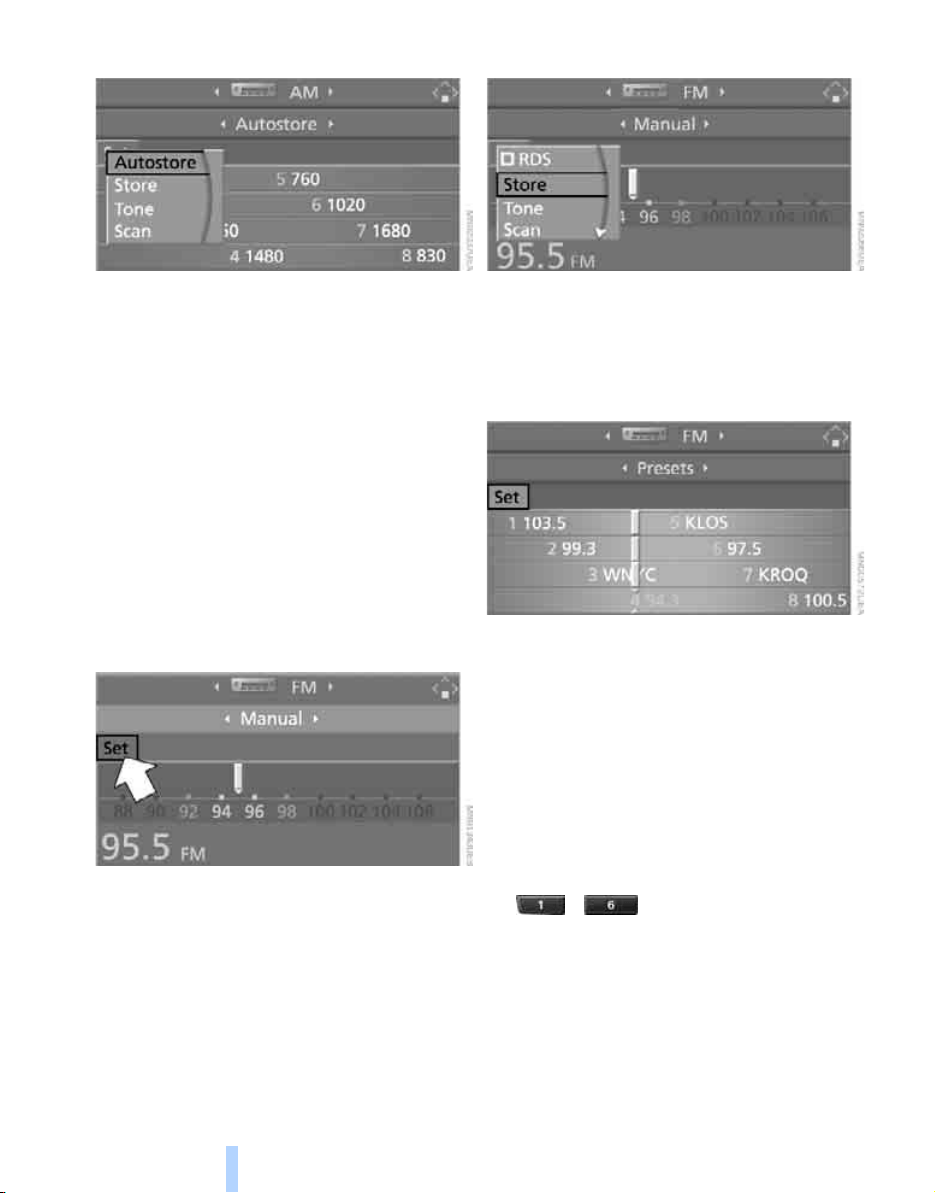
Radio
160
5. Select "Autostore" and press the controller.
The display of the stations with the strongest
reception is updated. The frequencies of the
stations are displayed.
Storing stations
Via iDrive
1. Select "FM" or "AM" and press the control-
ler.
2. Change into the second field from the top.
Turn the controller until the desired selec-
tion criterion is selected and press the con-
troller.
3. Select the desired frequency or station.
"Set" is selected.
4. Press the controller.
Other menu items are displayed.
5. Select "Store" and press the controller.
"Presets" is displayed.
6. Turn the controller until the desired mem-
ory position is selected.
7. Press the controller.
The station is stored.
The stations of the last selection criterion are
displayed once again after a short time.
From radio readiness, the stations are stored
for the remote control currently in use.
With programmable memory/direct
selection buttons
You can also store a station on the programma-
ble memory/direct selection buttons, also refer
to page 21.
1. Select a station.
2. ... Press and hold desired but-
ton.
Changing a memory position
1. Select "Presets" and press the controller.
2. Select the desired station.
"Set" is selected.
3. Press the controller.
Other menu items are displayed.
Online Edition for Part no. 01 41 0 012 501 - © 08/06 BMW AG
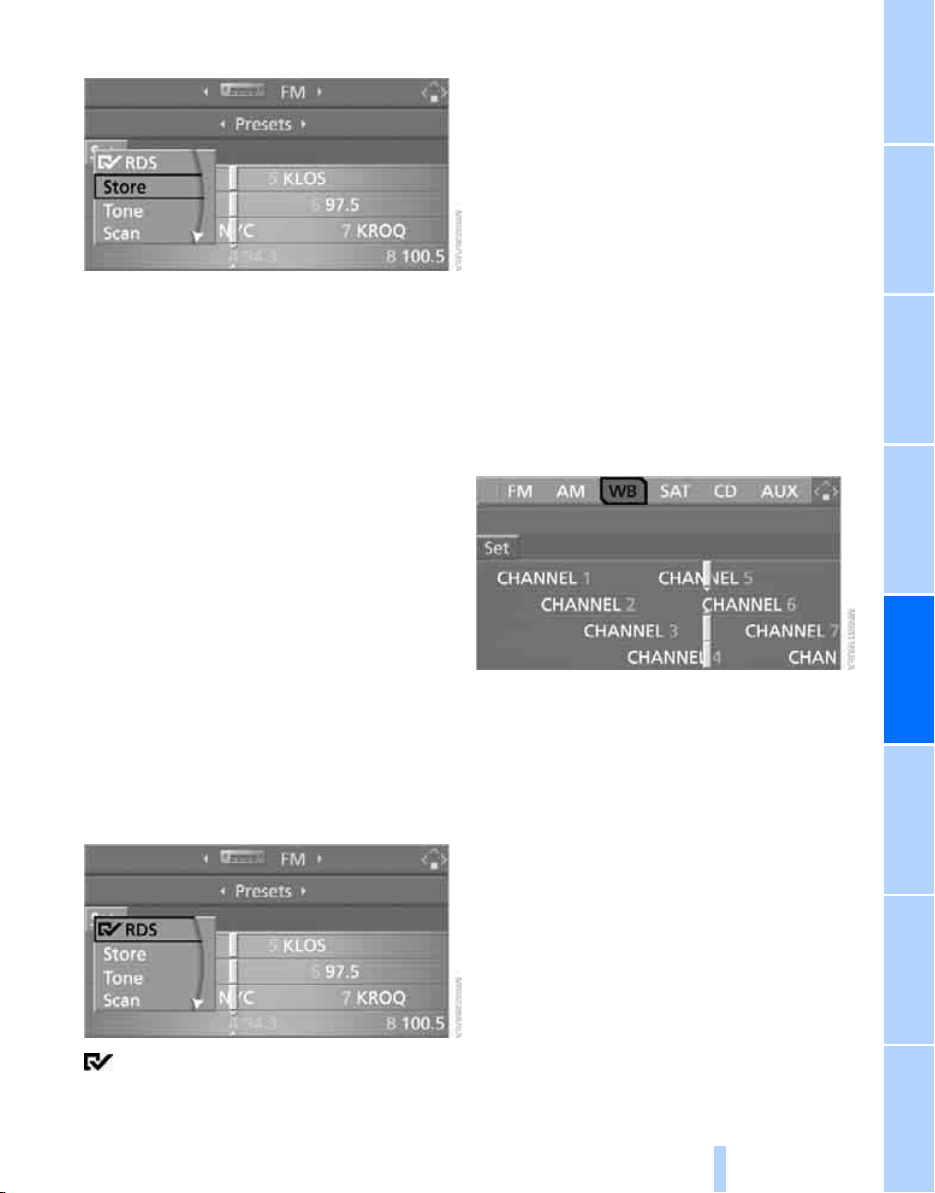
NavigationEntertainment Driving tips
161
Reference At a glanceControlsCommunicationsMobility
4. Select "Store" and press the controller.
5. Turn the controller until the desired mem-
ory position is selected.
The number of the memory position
appears beside the name or frequency of
the station.
6. Press the controller.
The station is stored.
RDS Radio Data System
RDS transmits additional information in the
FM frequency range. If the reception conditions
are good, the station names are shown on the
Control Display. If the reception is weak or dis-
rupted, it can take some time before the station
names are displayed.
Switching RDS on/off*
1. Select "FM" and press the controller.
"Set" is selected.
2. Press the controller.
Other menu items are displayed.
3. Select "RDS" and press the controller.
RDS is activated.
Weather news flashes*
Weather Radio is a service of the National Oce-
anic and Atmospheric Administration (NOAA)
of the US Department of Trade. Weather news
flashes are repeated every four to six minutes
and are routinely updated at intervals of one to
three hours, and more often when necessary.
Most stations operate 24 hours a day. In case of
a storm, the National Weather Service inter-
rupts the routine weather news and transmits
special warning messages instead. If you have a
question about NOAA Weather Radio, please
contact the nearest office of the National
Weather Service. Details are also provided on
the Internet at www.nws.noaa.gov.
Calling up weather news flashes
1. Select "WB" and press the controller.
2. Select a station.
The station for weather news flashes may be
unavailable in some regions.
Online Edition for Part no. 01 41 0 012 501 - © 08/06 BMW AG
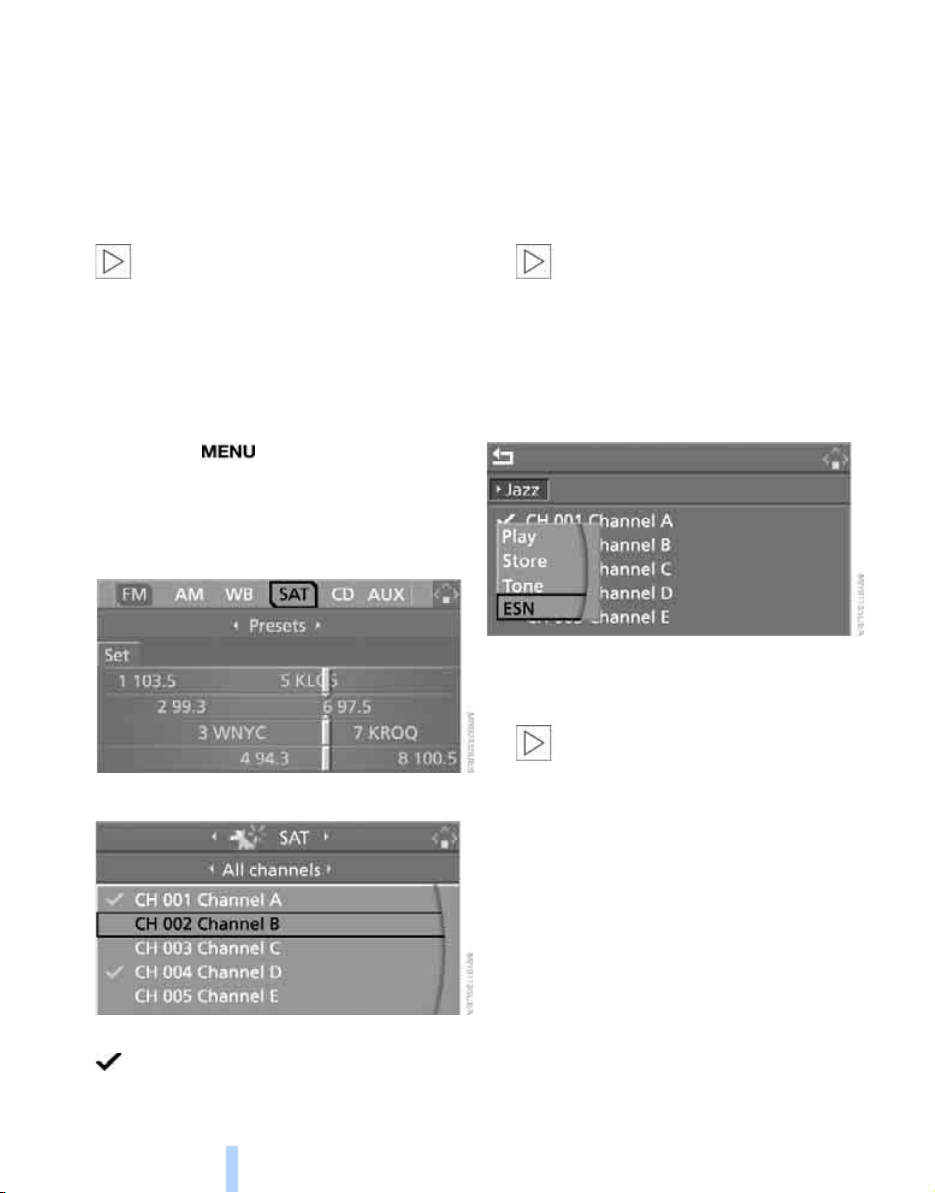
Satellite radio
162
Satellite radio
You can receive over 100 different channels
with high sound quality.
The channels are offered to you in predefined
packages. To receive the channels of your
choice, you must have this package enabled.
With this new technology the signal may
fail, causing interruptions in reception.<
Enabling or disabling
channels
iDrive, for explanation of concept, refer to
page 16.
1. Press the button.
This opens the start menu.
2. Move the controller backwards to open
"Entertainment".
3. Select "SAT".
4. Press the controller.
The channels are displayed.
These channels are enabled.
Enabling
1. Select a channel that has not yet been
enabled and press the controller.
A telephone number and the electronic
serial number, ESN, are displayed.
The electronic serial number is
required for enabling or disabling.<
2. To enable the channels:
Dial the phone number.
Disabling
1. Select an enabled channel and press the
controller.
2. Select "ESN" and press the controller.
The electronic serial number, ESN, is dis-
played.
The electronic serial number is
required for disabling.<
3. To disable the channels:
Dial the phone number.
*
Online Edition for Part no. 01 41 0 012 501 - © 08/06 BMW AG

NavigationEntertainment Driving tips
163
Reference At a glanceControlsCommunicationsMobility
Selecting and storing channel
1. Select "SAT" and press the controller.
Channels are shown on the Control Display
sorted on the basis of selection criteria.
2. Select a menu item:
> "Presets":
Up to twelve channels you have stored
previously.
> "All channels":
All channels are displayed.
> "Categories":
All channels, sorted by categories, e.g.
news, jazz.
3. Press the controller.
4. If "Categories" has been selected:
Select the desired category and press the
controller.
The channels of this category are displayed.
5. Select a channel marked with this sym-
bol.
6. Press the controller.
Other menu items are displayed.
7. Select "Play" and press the controller.
Additional information
The name of the channel and additional infor-
mation on the current track are displayed, e.g.
the name of the artist.
1 Artist
2 Track
Online Edition for Part no. 01 41 0 012 501 - © 08/06 BMW AG
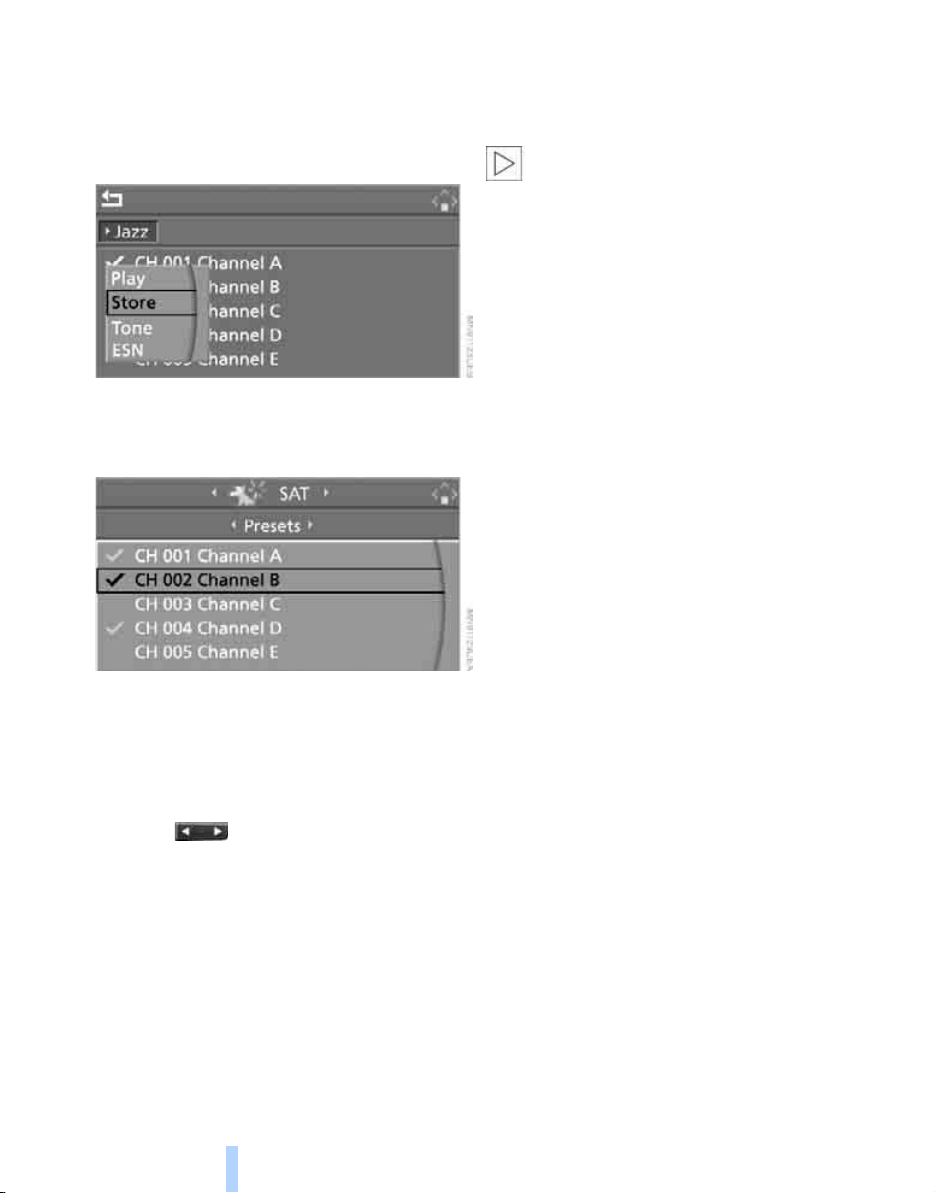
Satellite radio
164
Storing channel
1. Select desired channel.
2. Press the controller.
Other menu items are displayed.
3. Select "Store" and press the controller.
"Presets" is displayed.
4. Turn the controller to select a memory loca-
tion and press the controller.
The channel is stored. The channels of the last
selection criterion are displayed once again
after a short time.
Changing channel with buttons on
CD player
Press the button for the corresponding
direction.
The system switches to the next enabled chan-
nel.
Notes
If no signal can be received for more than four
seconds, a message is displayed on the Control
Display.
Reception may not be possible for certain
reasons, e.g. environmental influences or
topographical conditions. The satellite radio
has no influence on this.
The signal may not be available in tunnels or
underground garages, next to tall buildings,
near trees, mountains or other sources of radio
interference.
Reception is usually possible again as soon as
the signal is available again.<
Online Edition for Part no. 01 41 0 012 501 - © 08/06 BMW AG
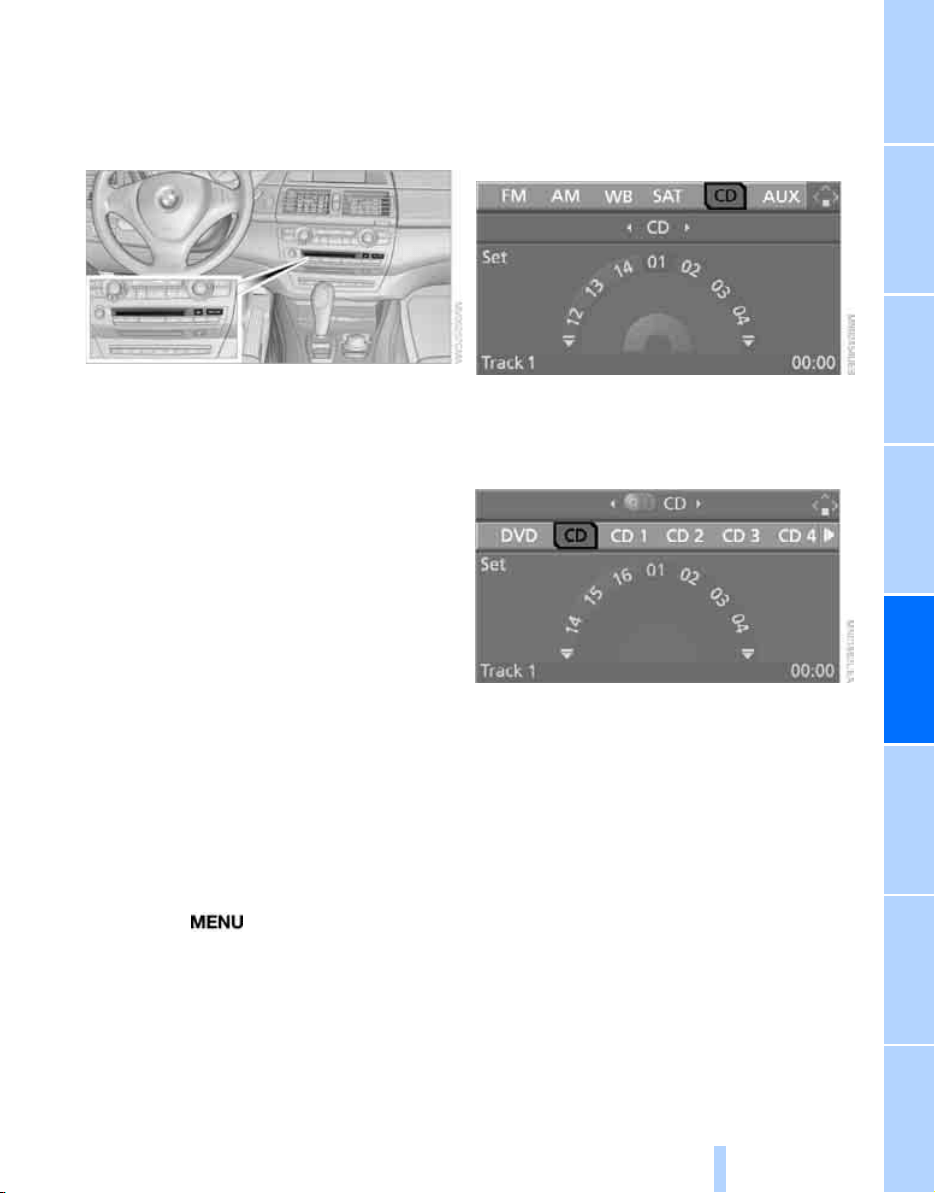
NavigationEntertainment Driving tips
165
Reference At a glanceControlsCommunicationsMobility
CD player and CD changer
Listening to CDs
When equipped with two drives:
The upper drive is for audio CDs.
Compressed audio files
CDs with compressed audio files, i.e. MP3, can
be played by the CD player and CD changer.
Starting CD player
Inserting CD
Insert the CD into the drive with the labeled side
up.
The CD is automatically pulled in. Playback
starts automatically if the sound output is on.
For CDs with compressed audio files, it can take
up to approx. 1 minute to read in the data
depending on the directory structure.
Via iDrive
Starting playback when there is already a CD in
the drive:
iDrive, for explanation of concept, refer to
page 16.
1. Press the button.
This opens the start menu.
2. Move the controller backwards to open
"Entertainment".
3. Change to upper field if necessary. Select
"CD" and press the controller.
4. Change to the second field from the top if
necessary. On vehicles with a CD changer,
select "CD" and press the controller to start
the CD player.
Playback starts automatically if the sound out-
put is switched on.
With programmable memory/direct
selection buttons
You can store the function CD player on the
programmable memory/direct selection but-
tons to start the CD player, refer to page 21.
*
Online Edition for Part no. 01 41 0 012 501 - © 08/06 BMW AG
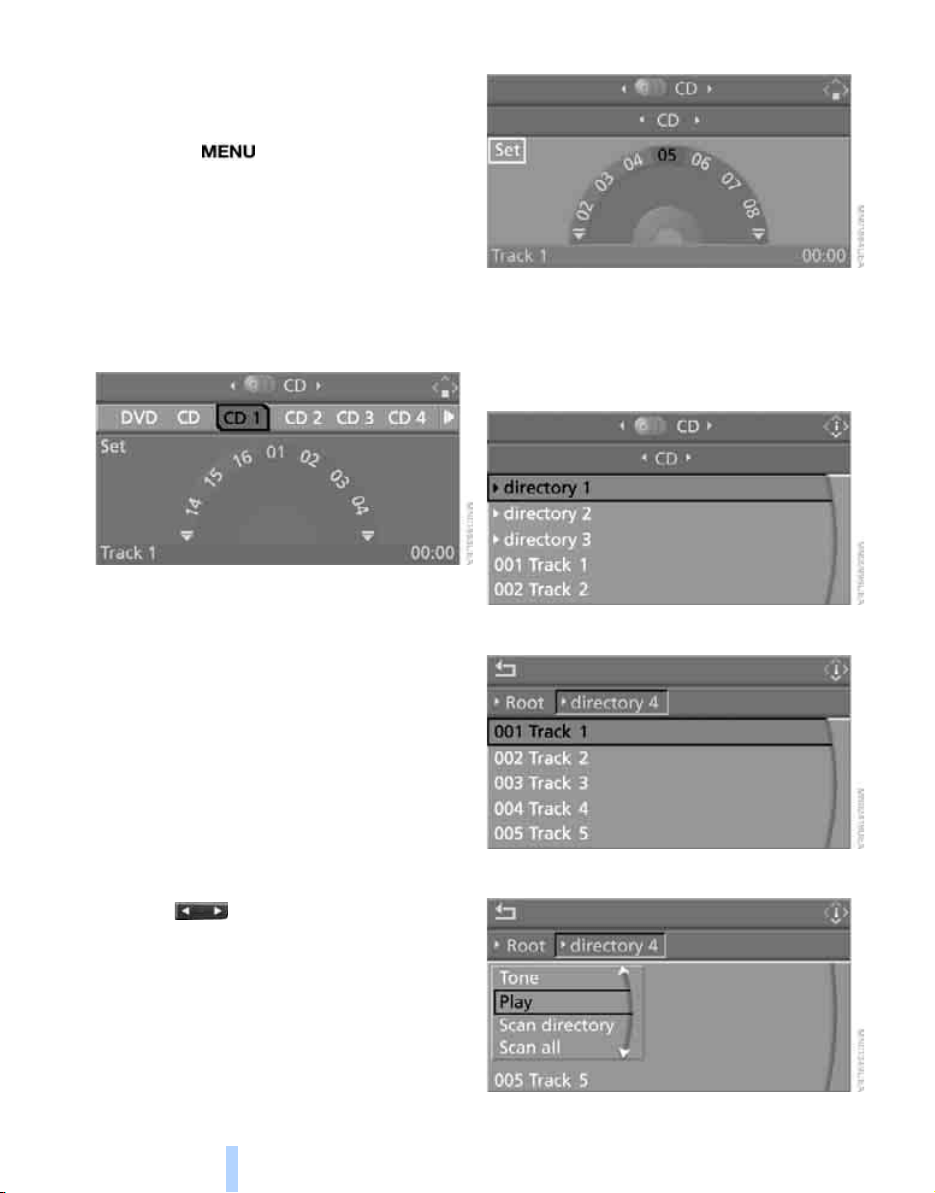
CD player and CD changer
166
Starting CD changer
Filling CD changer, refer to page 169.
Via iDrive
1. Press the button.
This opens the start menu.
2. Move the controller backwards to open
"Entertainment".
3. Change to upper field if necessary. Select
"CD" and press the controller.
4. Change to the second field from the top if
necessary. Select the desired CD and press
the controller.
At the end of the last track, the next CD will be
selected.
With programmable memory/direct
selection buttons
You can store a CD compartment of the CD
changer on the programmable memory/direct
selection buttons to start the CD changer, refer
to page 21.
Selecting a track
Buttons on CD player
Press the button for the corresponding
direction repeatedly until you reach the desired
track.
The track is displayed on the Control Display.
You can also change the track with buttons on
the steering wheel, refer to page 11.
Via iDrive
Select a track by turning the controller.
Compressed audio files
1. Select the directory if necessary and press
the controller.
2. Select the track and press the controller.
3. Select "Play" and press the controller.
Online Edition for Part no. 01 41 0 012 501 - © 08/06 BMW AG
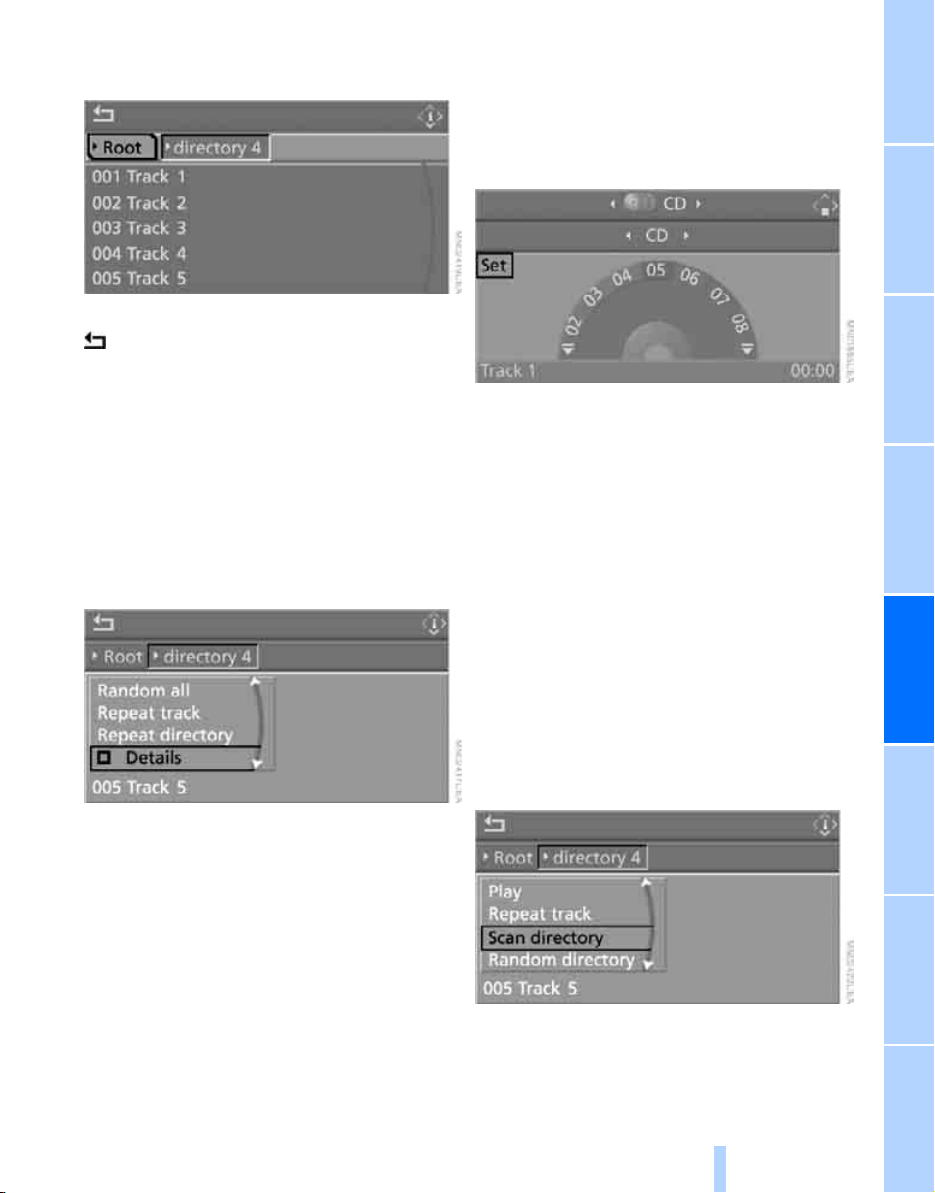
NavigationEntertainment Driving tips
167
Reference At a glanceControlsCommunicationsMobility
To change the directory:
Select the directory and press the controller.
To exit from the menu:
Select the arrow and press the controller.
For equipment with two drives, you can store a
certain track on the programmable memory/
direct selection buttons, refer to page 21.
Displaying information on track
With compressed audio files, you can display
any information stored on the current track, e.g.
the name of the artist.
1. Press the controller.
2. Select "Details" and press the controller.
The information for the current track are dis-
played.
The setting is stored for the remote control cur-
rently in use.
Sampling tracks, scan
The system automatically plays a brief sample
from each of the tracks on the current CD.
1. Select "Set" and press the controller.
Other menu items are displayed.
2. Select "Scan" and press the controller.
To end sampling:
1. Press the controller.
2. Select "Scan" and press the controller.
This cancels sampling of the tracks, and the
player remains on the current track.
Compressed audio files
1. Select the current track and press the con-
troller.
2. Select the desired menu item:
> To sample all tracks of the current direc-
tory, select "Scan directory" and press
the controller.
> To sample all tracks of the CD, select
"Scan all" and press the controller.
To end sampling:
1. Press the controller.
2. Select "Scan directory" or "Scan all" and
press the controller.
Online Edition for Part no. 01 41 0 012 501 - © 08/06 BMW AG
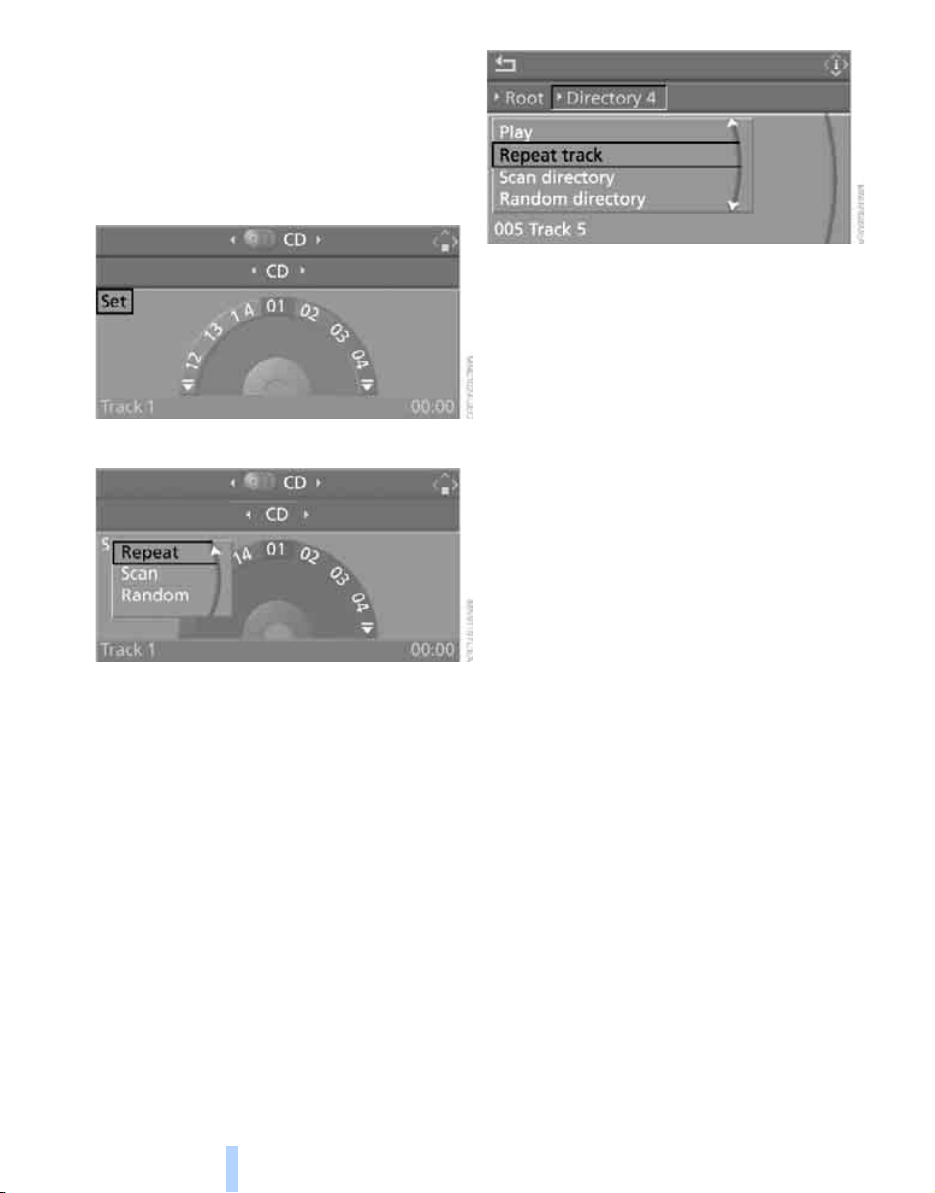
CD player and CD changer
168
This cancels sampling, and the player remains
on the current track.
Repeating a track
1. Select "Set" and press the controller.
Other menu items are displayed.
2. Select "Repeat" and press the controller.
The current track on the CD is repeated.
To stop repeating:
1. Press the controller again.
2. Select "Repeat" and press the controller.
Compressed audio files
1. Select the current track and press the con-
troller.
2. Select the desired menu item:
> To repeat the selected track, select
"Repeat track" and press the controller.
> To repeat all tracks of the current direc-
tory, select "Repeat directory" and press
the controller.
To stop repeating:
1. Press the controller.
2. Select "Repeat track" or "Repeat directory"
and press the controller.
Random play sequence
In this mode, the tracks on the current CD are
played once in a random sequence.
1. Select "Set" and press the controller.
Other menu items are displayed.
2. Select "Random" and press the controller.
To stop random function:
1. Press the controller.
2. Select "Random" and press the controller.
Compressed audio files
1. Select the current track and press the con-
troller.
2. Select the desired menu item:
> To play all tracks of the current directory
in random order, select "Random direc-
tory" and press the controller.
> To play all tracks of the CD in random
order, select "Random all" and press the
controller.
To stop random function:
1. Press the controller.
2. Select "Random directory" or "Random all"
and press the controller.
Online Edition for Part no. 01 41 0 012 501 - © 08/06 BMW AG
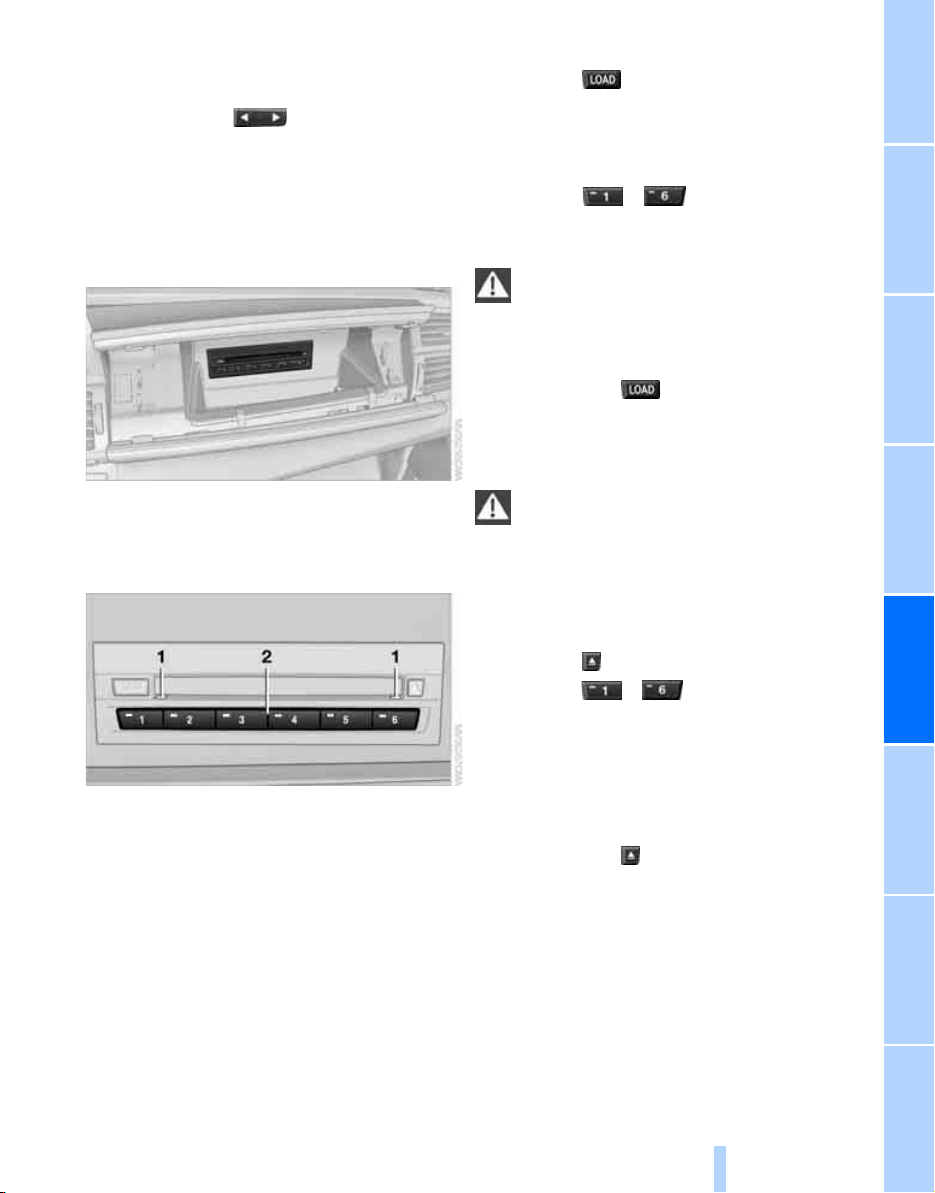
NavigationEntertainment Driving tips
169
Reference At a glanceControlsCommunicationsMobility
Fast forward/reverse
Buttons on CD player:
Press and hold the button for the corre-
sponding direction.
The tracks can be listened to with some distor-
tion.
CD changer
The BMW CD changer for six CDs is installed in
the glove compartment.
Controls and displays
1 LEDs on CD slot
Flash when CD can be inserted.
2 Buttons for CD compartments
LED lights up when CD compartment is
filled.
Filling CD changer
1. Press the button.
The LED on the first empty compartment
flashes.
2. Select another CD compartment if neces-
sary:
Press the ... button.
3. When the LEDs on the CD slot 1 flash, push
in the CD.
Do not push in the CD until the LEDs on
the CD slot 1 flash, as otherwise the CD
or the CD changer may be damaged.<
Filling empty CD compartments
1. Hold down the button.
The LEDs on the empty CD compartments
flash.
2. Push in the CDs separately.
Do not push in the CD until the LEDs on
the CD slot 1 flash, as otherwise the CD
or the CD changer may be damaged.<
The CDs are automatically stored in the com-
partments.
Removing CDs from CD changer
1. Press the button.
2. Press the ... button to select the
CD compartment.
The CD is pushed out of the CD changer
somewhat.
3. Remove the CD.
Removing all CDs from CD changer
1. Hold down the button.
The CDs are pushed out of the CD changer
somewhat consecutively.
2. Remove the CDs.
Online Edition for Part no. 01 41 0 012 501 - © 08/06 BMW AG

CD player and CD changer
170
Notes
BMW CD/DVD players and changers are
officially designated Class 1 laser prod-
ucts. Do not operate if the cover is damaged,
otherwise severe eye damage can result.
Do not use self-recorded CDs/DVDs with labels
applied as these can become detached during
playback due to heat build-up and can cause
irreparable damage to the device.
Only use round CDs/DVDs with a standard
diameter of 4.7 in/12 cm and do not play CDs/
DVDs with an adapter, e.g. CD singles, as other-
wise the CD/DVD or the adapter can jam and
may no longer eject properly.
Do not use a combined CD/DVD, e.g. DVD
Plus
,
otherwise the CD/DVD can jam and will no
longer eject.<
General malfunctions
BMW CD/DVD changers and players have been
optimized for performance in vehicles. In some
instances they may be more sensitive to faulty
CDs/DVDs than stationary devices would be.
If a CD/DVD cannot be played, first check if it
has been inserted correctly.
Humidity
High levels of humidity can lead to condensa-
tion on the CD/DVD or the laser's scan lens and
temporarily prevent playback.
Malfunctions with individual CDs/DVDs
If malfunctions only occur with individual CDs/
DVDs, one of the following factors may be the
cause.
Self-recorded CDs/DVDs
Possible reasons for malfunctions with self-
recorded CDs/DVDs are, e.g., inconsistent
data-creation or recording processes, or poor
quality or high age of the CD/DVD blank.
Only label CDs/DVDs on the upper side with a
pen intended for this purpose.
Avoiding damage
Avoid fingerprints, dust, scratches and mois-
ture.
Store CDs/DVDs in a sleeve.
Do not subject CDs/DVDs to temperatures over
1227/506, high levels of humidity or direct
sunlight.
CDs/DVDs with copy protection
CDs/DVDs are often provided with a copy pro-
tection feature by the manufacturer. This can
mean that some CDs/DVDs cannot be played or
can only be played to a limited extent.
Care
If necessary, clean the reflective scanning side
of the CDs/DVDs with a commercially available
cleaning cloth by wiping in straight lines from
the center outward. For additional information
on the care of CDs/DVDs, refer to the Caring for
your vehicle brochure.
Online Edition for Part no. 01 41 0 012 501 - © 08/06 BMW AG
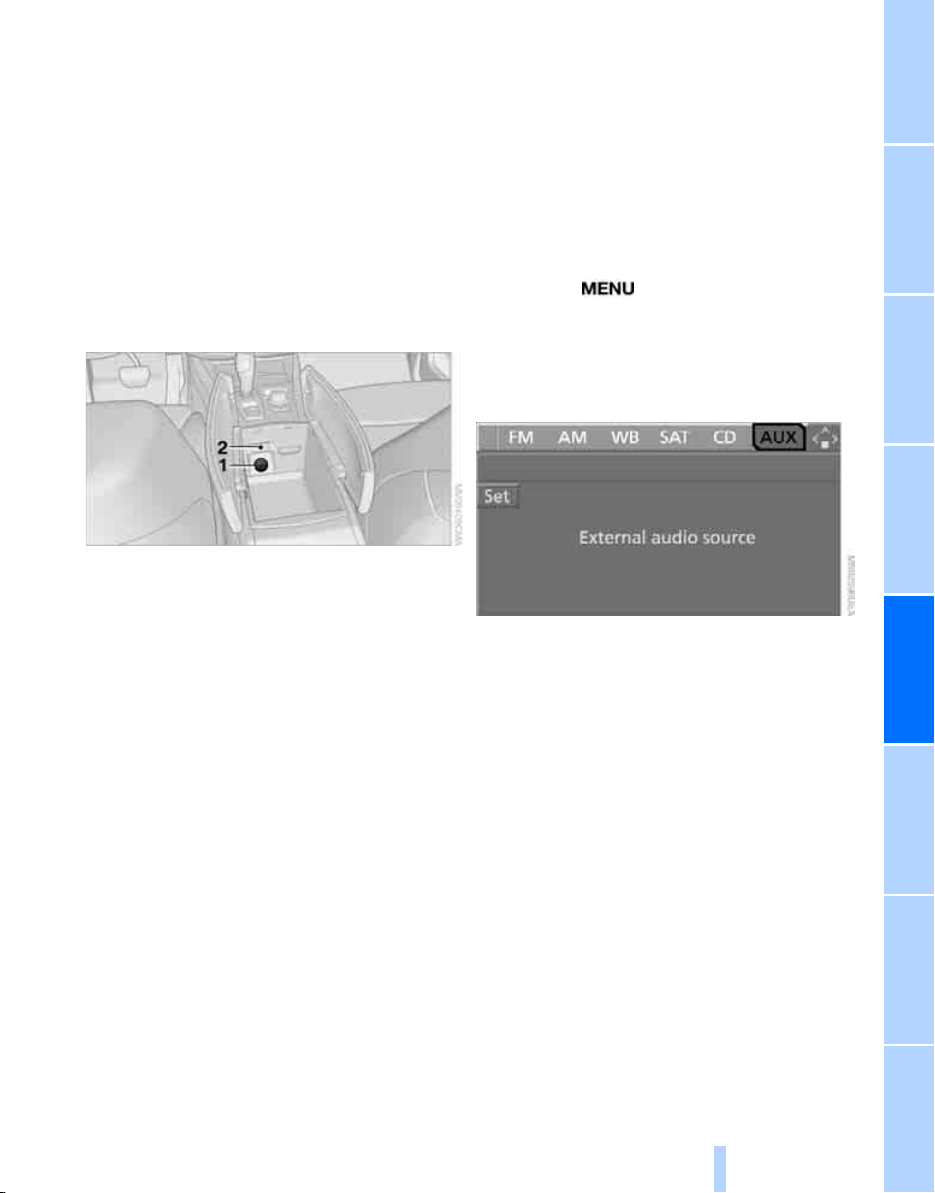
NavigationEntertainment Driving tips
171
Reference At a glanceControlsCommunicationsMobility
External audio device
You can connect an external audio device, e.g.
an MP3 player, and play the sound via the vehi-
cle loudspeakers. The sound can be adjusted
via iDrive.
Connecting
Fold up the center armrest.
Open the covers of the center armrest.
1 Power supply for your additional device:
Socket with removable cap
Depending on the vehicle's equipment, you
can use the cigarette lighter or the socket
located in the rear.
2 Connection for audio playback:
Jack plug ε in/3.5 mm
For audio playback via the vehicle loudspeak-
ers, connect the headphone or Line-Out con-
nection of the device to the connection 2.
Starting audio playback
The audio device must be switched on.
Via iDrive
iDrive, for explanation of concept, refer to
page 16.
1. Press the button.
This opens the start menu.
2. Move the controller backwards to open
"Entertainment".
3. Select "AUX" and press the controller.
4. Adjust volume and sound if necessary.
With programmable memory/direct
selection buttons
You can store the function external audio device
on the programmable memory/direct selection
buttons to start audio playback, refer to
page 21.
Online Edition for Part no. 01 41 0 012 501 - © 08/06 BMW AG
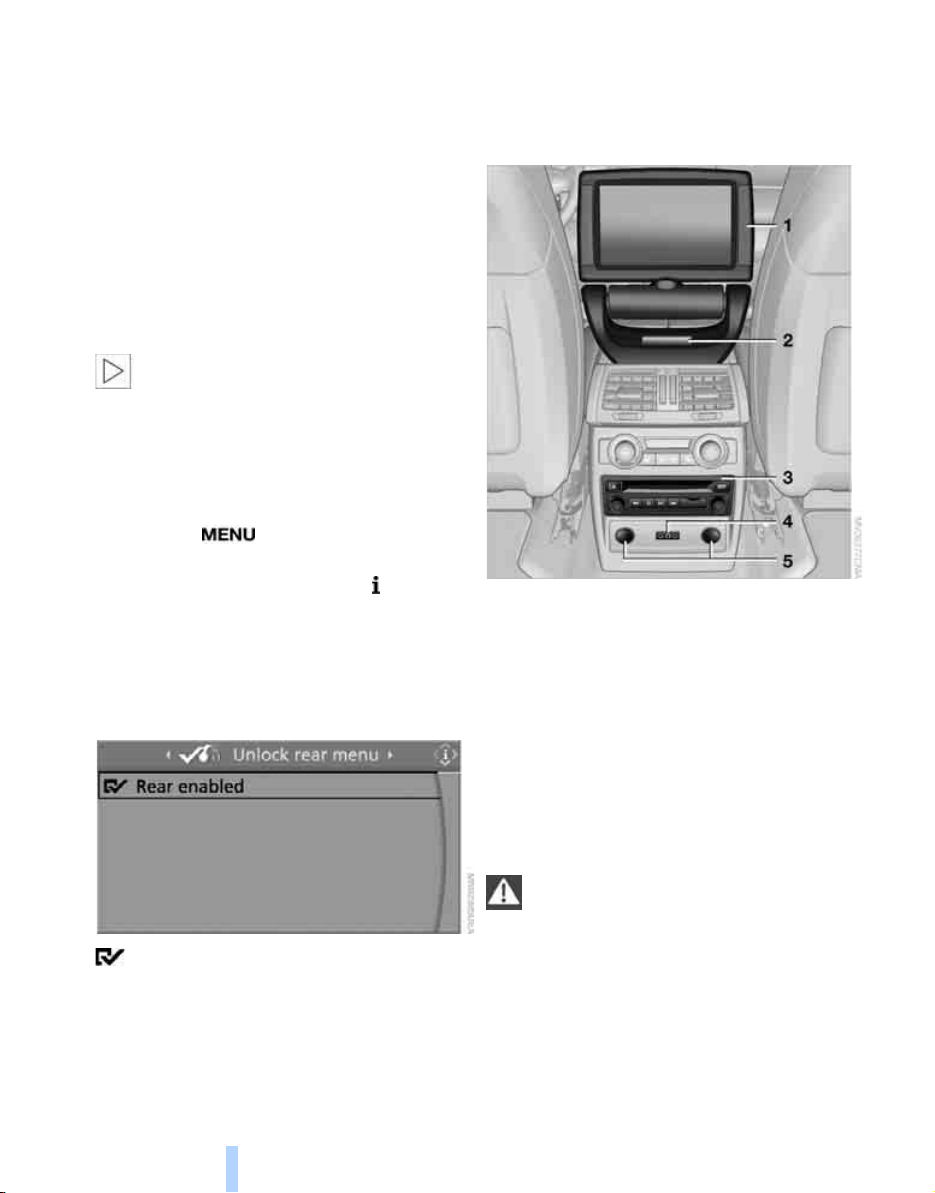
DVD system in rear
172
DVD system in rear
With the DVD system in the rear you can play
CDs and DVDs with audio, video and image
data. External audio and video devices can also
be connected and played via the DVD system in
the rear.
Tone output is possible both via headphones
and via the vehicle loudspeakers.
You can operate the DVD system in the rear
with the buttons on the CD/DVD player or with
the remote control.
Some functions can only be operated
with the remote control.<
Enabling DVD system
Enable the DVD system with iDrive. For expla-
nation of concept, refer to page 16.
1. Press the button.
This opens the start menu.
2. Press the controller to open the menu.
3. Select "Settings" and press the controller.
4. Select "Unlock rear menu" and press the
controller.
5. Select "Rear enabled" and press the con-
troller.
The DVD system is enabled.
Controls
1 Display screen
2 Infrared interface for headphones
3 CD/DVD player
4 Headphone connection:
Jack plug ε in/ 3.5 mm
5 12 V sockets, refer to page 115
Folding in display screen
The display screen can be folded in when using
the ski bag or when transporting bulky pieces of
luggage.
Do not open the covers of the center arm-
rest or rest your arm on the display screen
with the display screen folded in, as otherwise
the display screen may be damaged.<
*
Online Edition for Part no. 01 41 0 012 501 - © 08/06 BMW AG
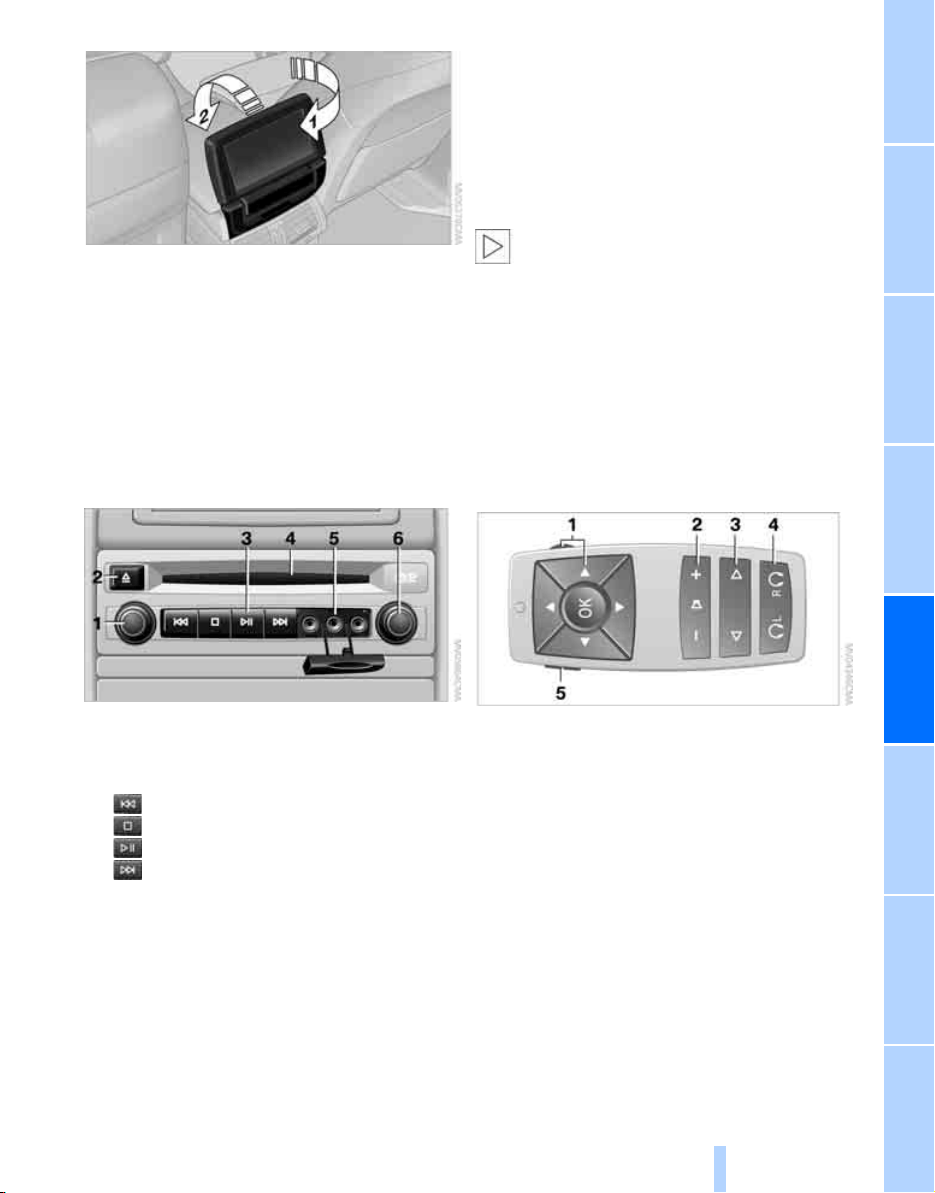
NavigationEntertainment Driving tips
173
Reference At a glanceControlsCommunicationsMobility
1. Turn display screen, arrow 1.
The display screen switches off.
2. Fold in display screen, arrow 2.
The display screen is folded out in the reverse
order.
CD/DVD player
Controls
1 Press: switching DVD system on/off
Turn: volume for headphones on left
2 Eject CD, DVD
3 Start of track, reverse
Stop
Playback, pause, hold screen
Next track, fast forward
4 CD/DVD slot
5 Connection for external device: Cinch sock-
ets with protective cap
6 Press: switching DVD system on/off
Turn: volume for headphones on right
Connecting headphones
You can connect headphones with a ε in/
3.5 mm jack plug or operate them using the
infrared interface.
Ask your BMW Sports Activity Vehicle Center
which infrared headphones are supported by
the infrared interface.
When using infrared headphones, the
infrared connection between the head-
phones and the infrared interface may not be
interrupted. This means that no obstacle may
be located between them and the cover of the
infrared interface may not be covered or
scratched. Unfavorable lighting conditions,
such as glaring ambient light, can result in poor
reception.<
Remote control
1 Menu navigation
2 Volume for headphones with jack plug
3 Change track or chapter with CD or DVD
playback, fast forward/reverse
4 Switch over headphones right/left
5 Open start menu for DVD system
Menu navigation
You can navigate through the menus with the
knurled wheel 1 and the buttons 1. For explana-
tion of concept, also refer to iDrive, page 16.
> Turn the knurled wheel 1:
Selecting a menu item.
> Press buttons 1:
Changing between fields.
Online Edition for Part no. 01 41 0 012 501 - © 08/06 BMW AG
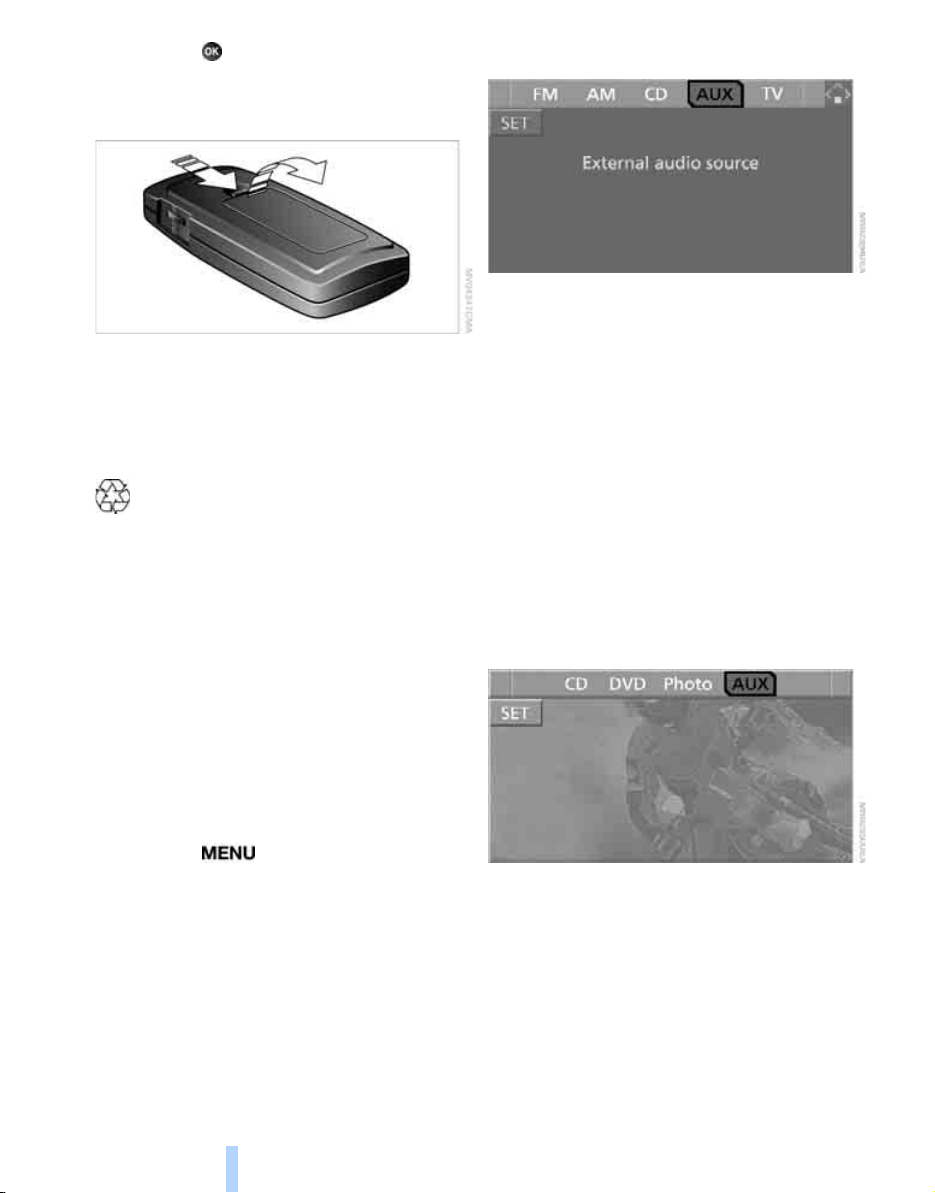
DVD system in rear
174
> Press the button:
Activating menu item.
Changing batteries
1. Press the detent and remove the cover.
2. Change the batteries. The type and installa-
tion position are marked on the bottom of
the battery compartment.
3. Close the cover.
Dispose of used batteries at a collection
point or at your BMW Sports Activity
Vehicle Center.<
Sound output via
loudspeakers
In addition to the headphones, you can also play
the sound via the vehicle loudspeakers.
As soon as a plug is inserted in the AUX-In
socket in the center console, the sound output
of the DVD system via the vehicle loudspeakers
is interrupted.
iDrive, for explanation of concept, refer to
page 16.
1. Press the button.
This opens the start menu.
2. Move the controller backwards to open
"Entertainment".
3. Select "AUX" and press the controller.
Switching DVD system on/off
Press the button on the CD/DVD player.
The DVD system switches on automatically
when a CD or DVD is inserted.
Playing CD/DVD
The menu item with which the contents of the
CD/DVD can be called up is dependent on the
data on a CD or DVD:
> Video data via "DVD"
> Audio data via "CD"
> Images via "Photo".
Playing videos from CD/DVD
Country codes of DVDs
Your DVD player only plays DVDs with the cod-
ing of your home region, e.g. Europe = 2. The
country codes supported by your DVD are con-
tained in the information on your DVD.
Online Edition for Part no. 01 41 0 012 501 - © 08/06 BMW AG

NavigationEntertainment Driving tips
175
Reference At a glanceControlsCommunicationsMobility
An overview of the coding zones:
Starting playback
1. Push the CD/DVD into the drive with the
labeled side facing upward.
The CD/DVD is automatically pulled in.
> Playback usually begins automatically
after a few seconds.
> If playback does not begin automatically:
Select "DVD".
Press the button:
2. If the DVD control or the DVD-specific
menu is displayed for a DVD, select the
desired option for menu guidance with the
remote control buttons.
Or:
Press the button on the CD/DVD player.
You can control the playback with the buttons
on the CD/DVD player or the DVD control.
Video CDs, VCD, and Super Video CDs,
SVCD, can be played like DVDs if they do
not have a DVD menu of their own.<
Ejecting CD/DVD
Press the button on the CD/DVD player.
The DVD emerges slightly from the drive.
DVD control
With the DVD control, you can select the track
and chapter, open the DVD-specific menu and
operate functions such as Language, Fast for-
ward and Reverse or Freeze frame.
A DVD can briefly deactivate functions of the
DVD control, under certain circumstances while
the entire DVD is being played. It is not possible
to operate the DVD control under these circum-
stances. In this case, try to make the selection
using the DVD-specific menu.
1. Press the button on the remote con-
trol during playback.
2. Press the buttons on the remote control
or turn the knurled wheel to select the
desired function.
3. Press the button.
The DVD control disappears again after a short
time if you have not selected a function.
Or:
Press the button on the remote control
to exit the DVD control.
Code Region
1USA, Canada
2 Japan, Europe, Middle East, South
Africa
3Southeast Asia
4 Australia, Central and South America,
New Zealand
5Northwest Asia, North Africa
6China
Function
Exit DVD control
"SET" Settings for playing DVD
Start playback
Stop playback
Activate and deactivate freeze
frame
Skip chapter
Fast forward/reverse
"Menu" Open DVD-specific menu
Online Edition for Part no. 01 41 0 012 501 - © 08/06 BMW AG
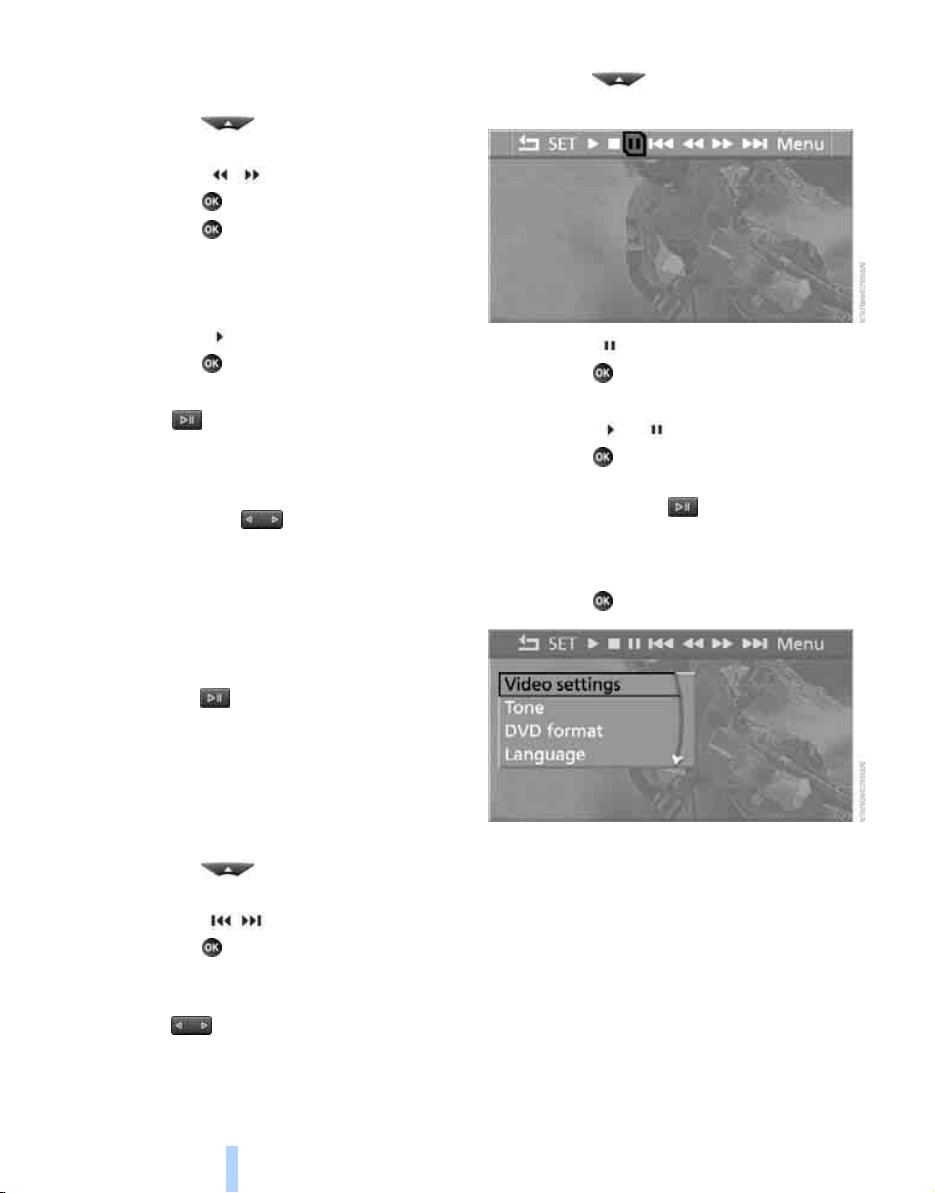
DVD system in rear
176
Fast forward/reverse
Forward/reverse with DVD control
1. Press the button on the remote con-
trol during playback.
2. Select the symbol.
3. Press the button.
4. Press the button several times to
increase the fast forward/reverse speed.
The DVD playback will be distorted.
To cancel fast forward/reverse:
1. Select the symbol.
2. Press the button.
Or:
Press the button on the CD/DVD player.
The DVD will start play at the point selected.
Forward/reverse with remote control
Press and hold the button until you reach
the desired point.
Or:
1. During playback, turn the knurled wheel.
Fast forward/reverse is interrupted.
2. Continue to turn the knurled wheel.
The speed is increased.
3. Press the button on the CD/DVD player.
Fast forward/reverse is interrupted.
The DVD will start play at the point selected.
Skipping chapter
You can change to the next or previous chapter
during playback.
1. Press the button on the remote con-
trol during playback.
2. Select the symbol.
3. Press the button repeatedly, continuing
until you reach the desired chapter.
Or:
Press the button on the left or right on the
remote control repeatedly until you reach the
desired chapter.
Freeze frame
1. Press the button on the remote con-
trol during playback.
2. Select the symbol.
3. Press the button.
Continue playback:
1. Select the or symbol.
2. Press the button.
As an alternative you can also stop and con-
tinue playback with the button on the CD/
DVD player.
Making settings for DVD
1. Press the button during playback.
2. Make the settings with the remote control:
> "Video settings":
> "Brightness", "Color" and "Contrast" of
screen display.
> Additional settings can be made after
changing to the top field.
"Languages": system language of DVD
system in rear.
"Screen brightness": background
brightness of screen.
Online Edition for Part no. 01 41 0 012 501 - © 08/06 BMW AG

NavigationEntertainment Driving tips
177
Reference At a glanceControlsCommunicationsMobility
> "Tone":
> "Treble / Bass" and "Balance":
Separately adjustable for the left and
right-hand headphones and the infrared
headphones.
> "Reset":
The settings are reset to the default
value.
> "DVD format":
> "Standard"
> "Zoom": full-screen playback.
> "Language":
Language or sound track of DVD playback.
The language advances one setting each
time the menu item is selected.
> "Subtitles":
Language of subtitles
"00 n/a": no subtitles.
> "Title":
Selection of a single track of the DVD.
> "Angle of view":
Camera angle
Notes or symbols that appear during the
playback of a film generally point out differ-
ent camera angles. These are usually only
briefly available.
> "Menu":
Call up the DVD-specific menu.
> "Return":
Exit menu or:
Press the buttons on the remote con-
trol.
Many DVDs offer dialogs and subtitles in vari-
ous languages or scene descriptions for the
hearing impaired. These functions are stored
on the DVD.
With some DVDs, it is only possible to
select language, subtitles, camera angle,
or track by using the DVD-specific menu.
Refer to the information on your DVD for possi-
ble selections.
Entries marked in gray in the menus cannot be
selected.<
Opening DVD-specific menu
Additional functions may be available on DVDs.
For example, it is possible to select from several
possible plots or display information on the film.
1. Press the button on the remote con-
trol during playback.
2. Select "Menu".
3. Press the button.
On some DVDs you will find additional
menus with "Main menu" and "Title"
in which, for example, you can select music
scenes.<
To make a selection:
1. Select the symbol.
2. Press the button until the desired func-
tion is selected.
3. Select the arrow.
4. Press the button.
To return to the start menu:
1. Select the arrow.
2. Press the button.
You can also select language, subtitles,
camera angle, or track in the DVD-spe-
cific menu.
Observe the information on your DVD.<
Online Edition for Part no. 01 41 0 012 501 - © 08/06 BMW AG
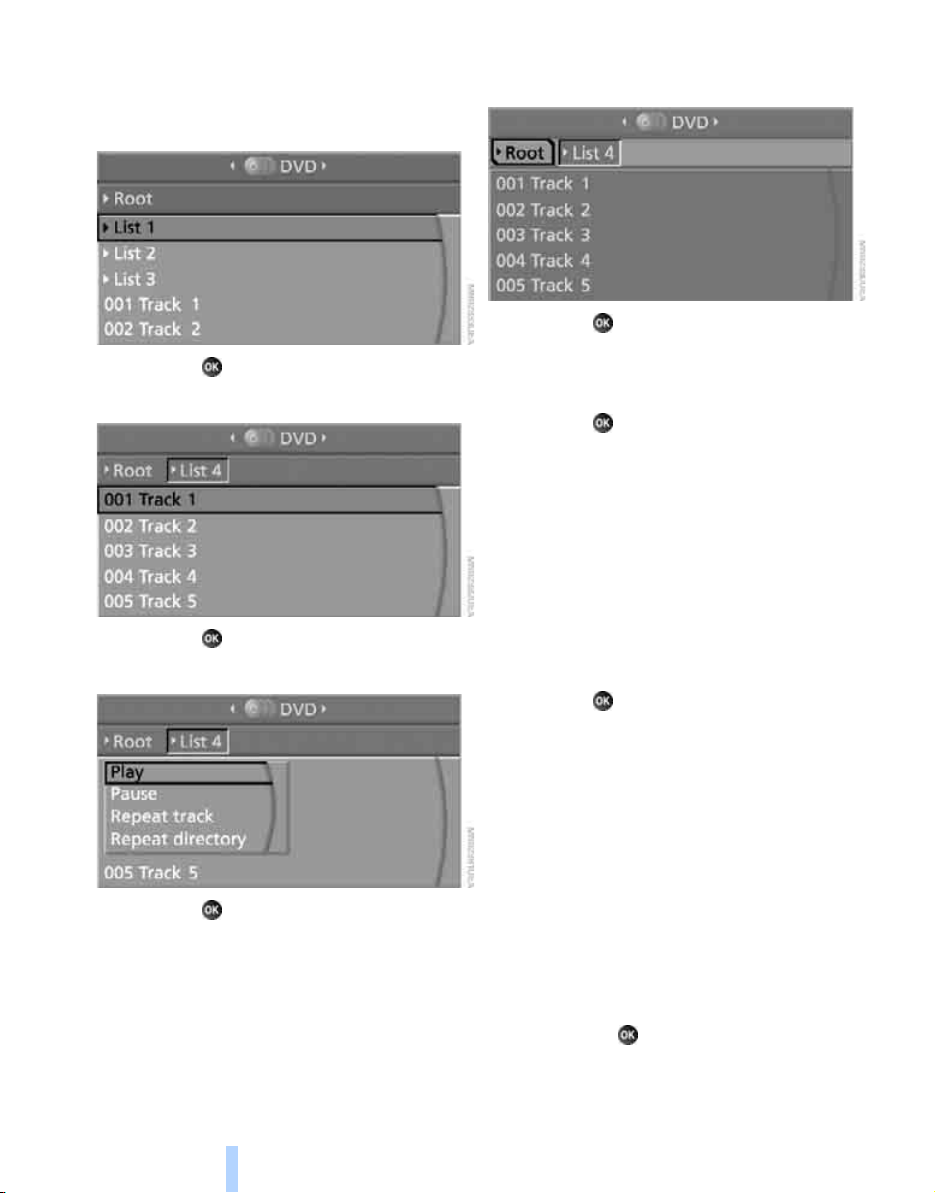
DVD system in rear
178
Compressed video files
Playback
1. Select the directory if necessary.
2. Press the button.
3. Select a track.
4. Press the button.
5. Select "Play".
6. Press the button.
To change the directory:
1. Select the directory.
2. Press the button.
Playback functions
1. Select track.
2. Press the button.
3. Select a menu item:
> "Play":
Start playback.
> "Pause":
Stop and continue playback.
> "Repeat track":
Repeat the selected track.
> "Repeat directory":
Repeat the tracks in the current direc-
tory.
4. Press the button.
Playing audio tracks from
CD/DVD
Starting playback
Push the CD/DVD into the drive with the labeled
side facing upward.
The CD/DVD is automatically pulled in.
> Playback begins automatically after a
few seconds.
> If playback does not begin automatically:
Select "CD".
Press the button:
For CDs/DVDs with compressed audio files,
refer to page 180, it may take approx. 1 minute
Online Edition for Part no. 01 41 0 012 501 - © 08/06 BMW AG
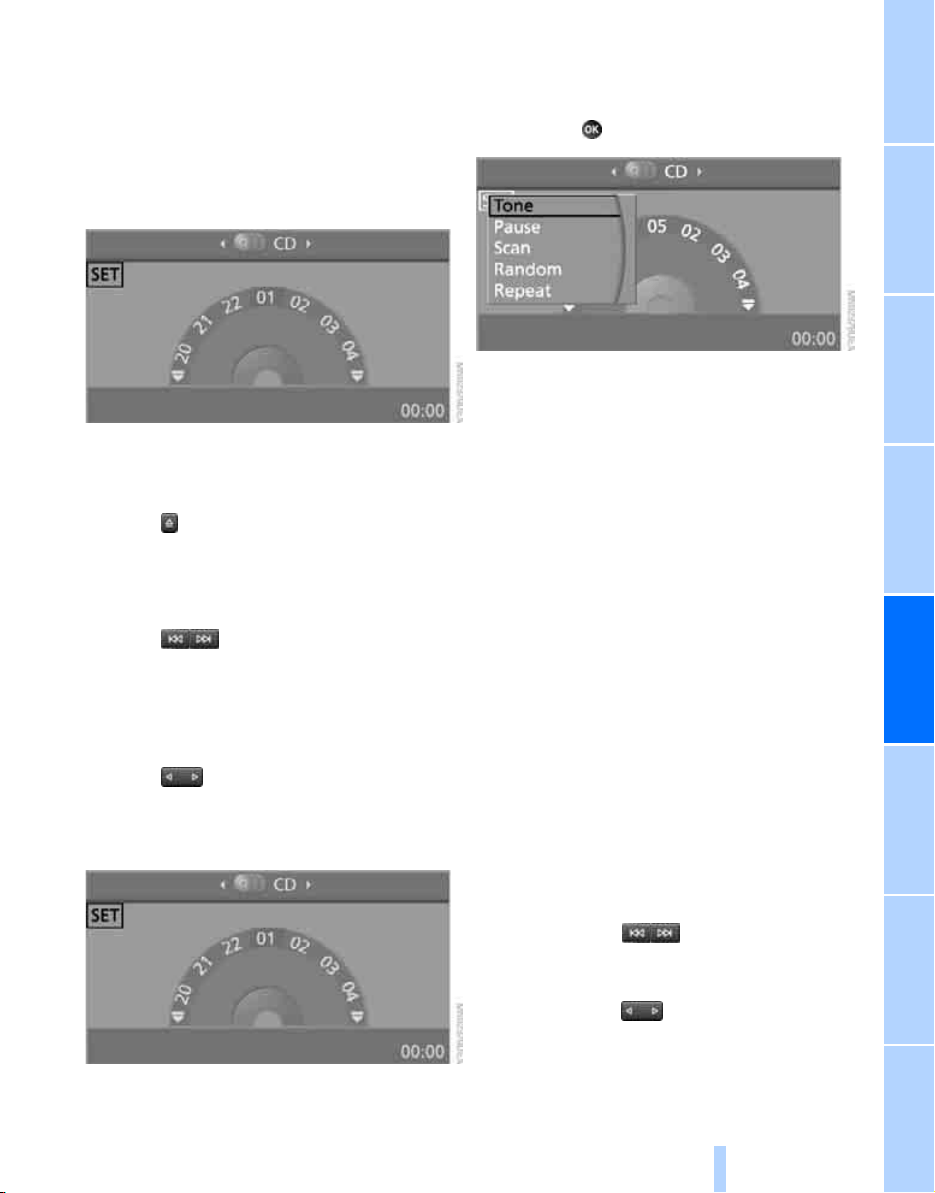
NavigationEntertainment Driving tips
179
Reference At a glanceControlsCommunicationsMobility
to read the data depending on the directory
structure.
To start playback when there is already a
CD/DVD in the drive:
1. Open the start menu with the remote con-
trol.
2. Select "CD".
As an alternative you can also control the play-
back with the buttons on the CD/DVD player.
Ejecting CD/DVD:
Press the button on the CD/DVD player.
Selecting a track
Buttons on the CD/DVD player
Press the button for the corresponding
direction repeatedly until you reach the desired
track.
Playback begins at the start of the track.
Via the remote control
Press the button for the corresponding
direction repeatedly or turn the knurled wheel
until you reach the desired track.
Playback begins at the start of the track.
Settings and playback functions for
audio CDs/DVDs
1. Select "SET".
2. Press the button.
3. Make the settings with the remote control:
> "Tone":
> "Treble / Bass" and "Balance":
Separately adjustable for the left and
right-hand headphones and the infrared
headphones.
> "Reset":
The settings are reset to the default
value.
> "Pause":
Stop and continue playback.
> "Random":
In this mode, the tracks on the CD/DVD are
played once in a random sequence.
> "Scan":
Automatically briefly sample all tracks of the
CD/DVD consecutively.
> "Repeat":
Repeat the current track. Select again to
end.
Fast forward/reverse
Buttons on the CD/DVD player:
Press and hold the button for the corre-
sponding direction.
Remote control:
Press and hold the button until you reach
the desired point.
Online Edition for Part no. 01 41 0 012 501 - © 08/06 BMW AG
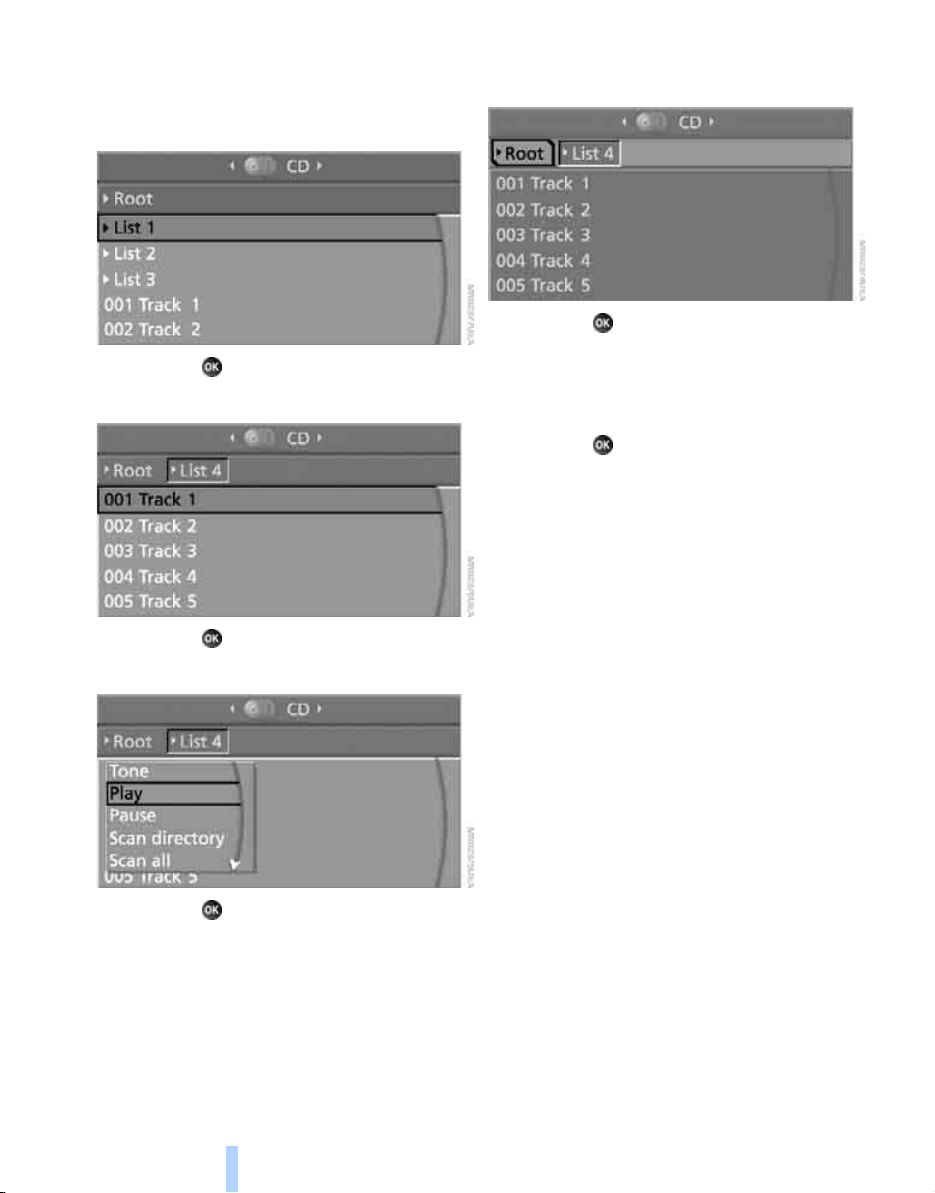
DVD system in rear
180
Compressed audio files
Playback
1. Select the directory if necessary.
2. Press the button.
3. Select a track.
4. Press the button.
5. Select "Play".
6. Press the button.
To change the directory:
1. Select the directory.
2. Press the button.
Settings and playback functions for
compressed audio files
1. Select a track.
2. Press the button.
3. Make the settings with the remote control:
> "Tone":
> "Treble / Bass" and "Balance":
Separately adjustable for the left and
right headphones and the infrared head-
phones
> "Reset":
The settings are reset to the default
value.
> "Play":
Start playback.
> "Pause":
Stop and continue playback.
> "Scan directory":
Briefly sample the tracks in the current
directory.
> "Scan all":
Briefly sample all tracks.
> "Random directory":
Play the titles in the current directory in a
random sequence.
> "Random all":
Play all tracks in a random sequence.
> "Repeat track":
Repeat the selected track.
Online Edition for Part no. 01 41 0 012 501 - © 08/06 BMW AG
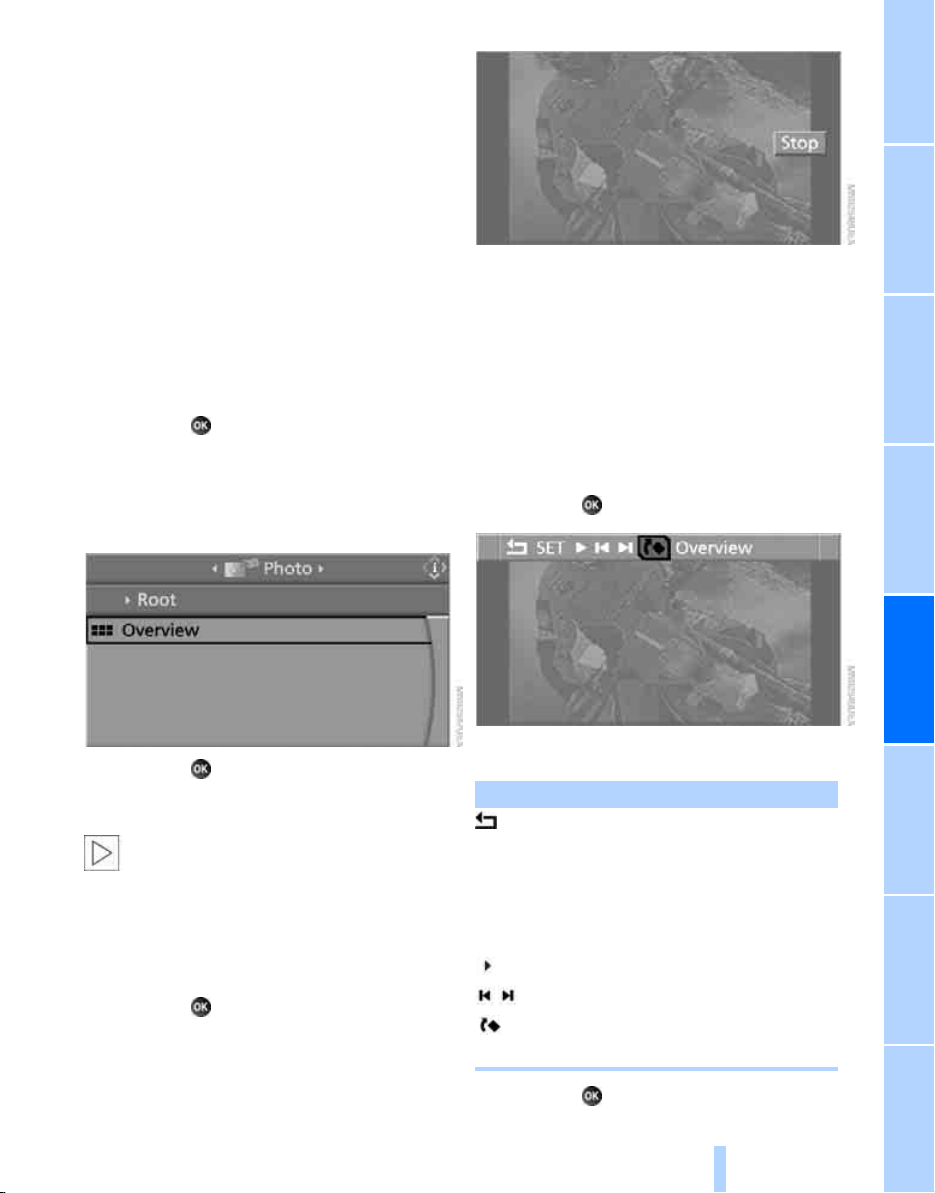
NavigationEntertainment Driving tips
181
Reference At a glanceControlsCommunicationsMobility
> "Repeat directory":
Repeat the tracks in the current directory.
> "Details":
Display any stored information on the cur-
rent track.
Displaying images from
CD/DVD
1. Push the CD/DVD into the drive with the
labeled side facing upward.
The CD/DVD is automatically pulled in.
2. Open the start menu with the remote con-
trol.
3. Select "Photo".
4. Press the button.
Displaying overview
1. Select the subdirectory if necessary.
1. Select "Overview".
2. Press the button.
It may take some time until the overview is
completely displayed.
If a symbol is shown instead of an image,
the image cannot be shown in the over-
view.<
Displaying images
1. Select an image with the buttons of the
remote control.
2. Press the button.
3. Select type of display:
> Scroll with the menu guidance buttons
of the remote control.
> Show slide show:
Turn the knurled wheel to set the display
time of the images.
Stop slide show:
Select "Stop".
Adjusting
1. Press the button.
2. Select a menu item:
3. Press the button.
Function
Return to the Photo menu
"SET" Set the "Screen brightness" of
the screen.
"Languages": the language of the
system can be set after changing
to the top field.
Start slide show
Show first/last image
Rotate image by 90°
"Overview" Change to image overview
Online Edition for Part no. 01 41 0 012 501 - © 08/06 BMW AG

DVD system in rear
182
Ending display
1. Press the button.
2. Select the symbol.
3. Press the button.
Ejecting CD/DVD
Press the button on the CD/DVD player.
Information on CD/DVD
player
Safety notes
The BMW CD/DVD player is a Class 1
laser product. Do not operate if the cover
is damaged, otherwise severe eye damage can
result.<
Suitable media
Do not use self-recorded CDs/DVDs with
labels applied as these can become
detached during playback due to heat build-up
and can cause irreparable damage to the
device.
Only use round CDs/DVDs with a standard
diameter of 4.7 in/12 cm.
Never play CDs/DVDs with adapters, e.g. sin-
gle-CDs, as otherwise the CDs or the adapter
can jam and may not be ejected.
Never use combined CD/DVD, e.g. DVD
Plus
or
hybrid disks, as otherwise the CD/DVD can jam
and may not be ejected.<
The CD/DVD player can play the following
media:
> Video DVD
> CD-DA (Audio CD)
> CDs/DVDs with compressed image files
> CDs/DVDs with compressed audio files
> CDs/DVDs with compressed video files
DVD Audio is not supported by the DVD player.
However, many audio DVDs available in stores
also contain a video track in the DVD Video for-
mat in addition to the audio track. These DVDs
can be played back by the DVD player. Please
refer to the information on your DVD to deter-
mine whether your audio DVD contains an addi-
tional video track. Depending on the authoring
used, it is possible that not all functions are
available during playback.
Dual-sided DVDs available from retail suppliers
are coated on both sides and bear no markings.
This means both sides are information carriers.
To play the information on the other side, turn
over the DVD.
Supported formats
Depending on the compression method used,
not all files of the specified formats can be
opened
Images
JPEG/JPG
With very large image files, it may take a longer
time until the images are shown.
Compressed audio files
> MP3
> WMA
> OGG
> AAC
Compressed video files
> VCD
> SVCD
> MPEG1
> MPEG2
> MPEG4/DivX
Digital Rights Management DRM
It may not be possible to play CDs/CVDs with
integrated Digital Rights Management.
General malfunctions
The BMW CD/DVD player is optimized for oper-
ation in the vehicle. It may react more sensi-
tively to defective CDs/DVDs than devices
intended for stationary use.
If a CD/DVD cannot be played, first check
whether it has been inserted correctly.
Online Edition for Part no. 01 41 0 012 501 - © 08/06 BMW AG
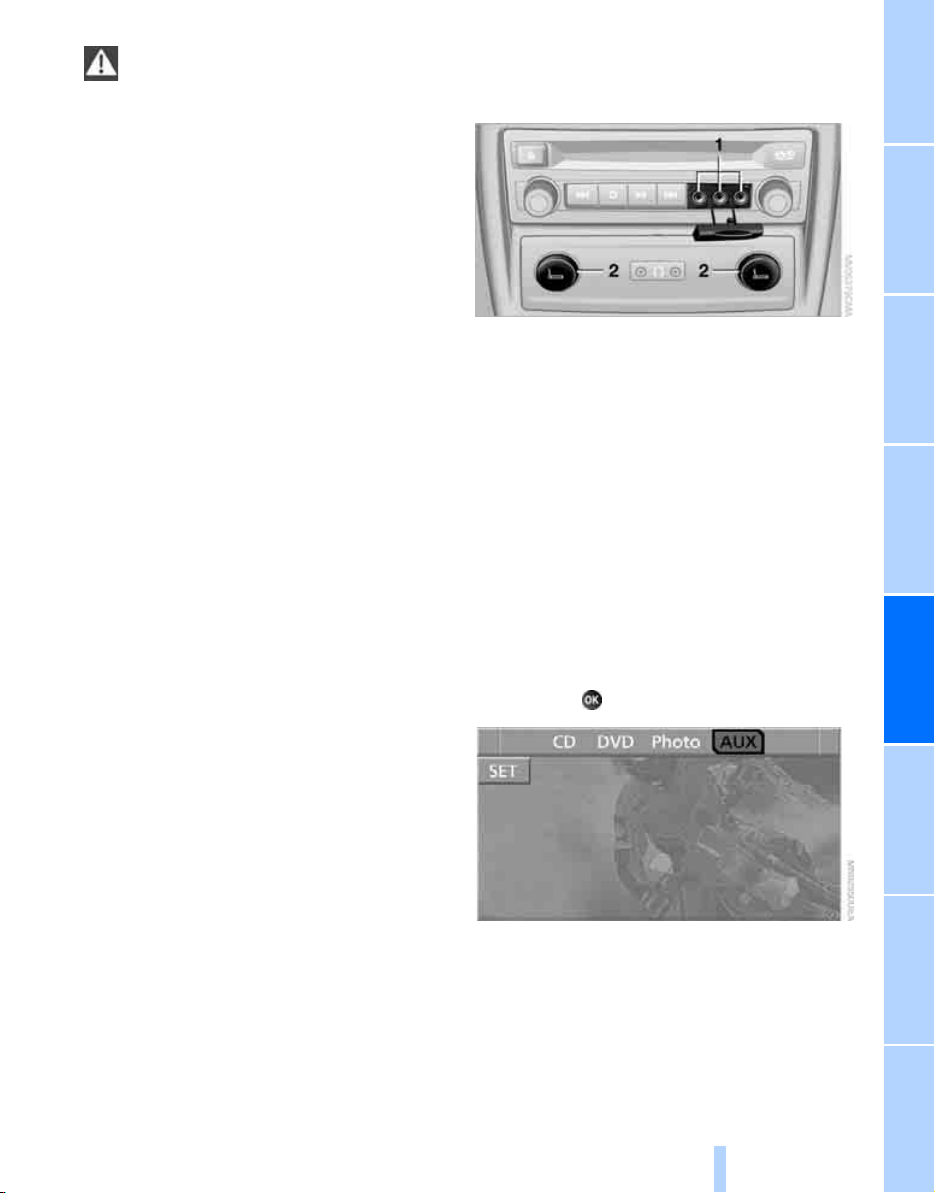
NavigationEntertainment Driving tips
183
Reference At a glanceControlsCommunicationsMobility
Make sure that no foreign bodies or liq-
uids enter the CD-/DVD slot, as otherwise
the CD/DVD player will be damaged.<
Humidity
High levels of humidity can lead to condensa-
tion on the CD/DVD or the laser's scan lens and
temporarily prevent playback.
Malfunctions with individual CDs/DVDs
If malfunctions occur only with particular CDs/
DVDs, this can be due to one of the following
causes.
Copied or self-recorded CDs/DVDs
Possible reasons for malfunctions with copied
or self-recorded CDs/DVDs are, e.g., inconsis-
tent data-creation or recording processes, or
poor quality or high age of the CD/DVD blank.
Only label CDs/DVDs on the side with the label
using a pen intended for this purpose.
Damaged CDs/DVDs
Avoid fingerprints, dust, scratches and mois-
ture.
Store CDs/DVDs in a sleeve.
Do not subject CDs/DVDs to temperatures over
1227/506, high levels of humidity or direct
sunlight.
CDs/DVDs with copy protection
CDs/DVDs are often provided with a copy pro-
tection feature by the manufacturer. This can
mean that some CDs/DVDs cannot be played or
can only be played to a limited extent.
Care instructions
You can find everything you need to know on
this topic by consulting the separate Caring for
your vehicle brochure.
External device
Connecting
1 Connections for audio/video cables:
Watch the colors of the sockets when con-
necting.
Yellow socket: video
White socket: audio left
Red socket: audio right
2 Power supply for external device: sockets
with removable cap, also refer to page 115
Playback
1. Switch on the external device and start the
playback.
2. Open the start menu with the remote con-
trol.
3. Select "AUX".
4. Press the button.
For devices without a video signal, e.g. MP3
players, "No video signal" is shown. The sound
is nevertheless played.
Online Edition for Part no. 01 41 0 012 501 - © 08/06 BMW AG
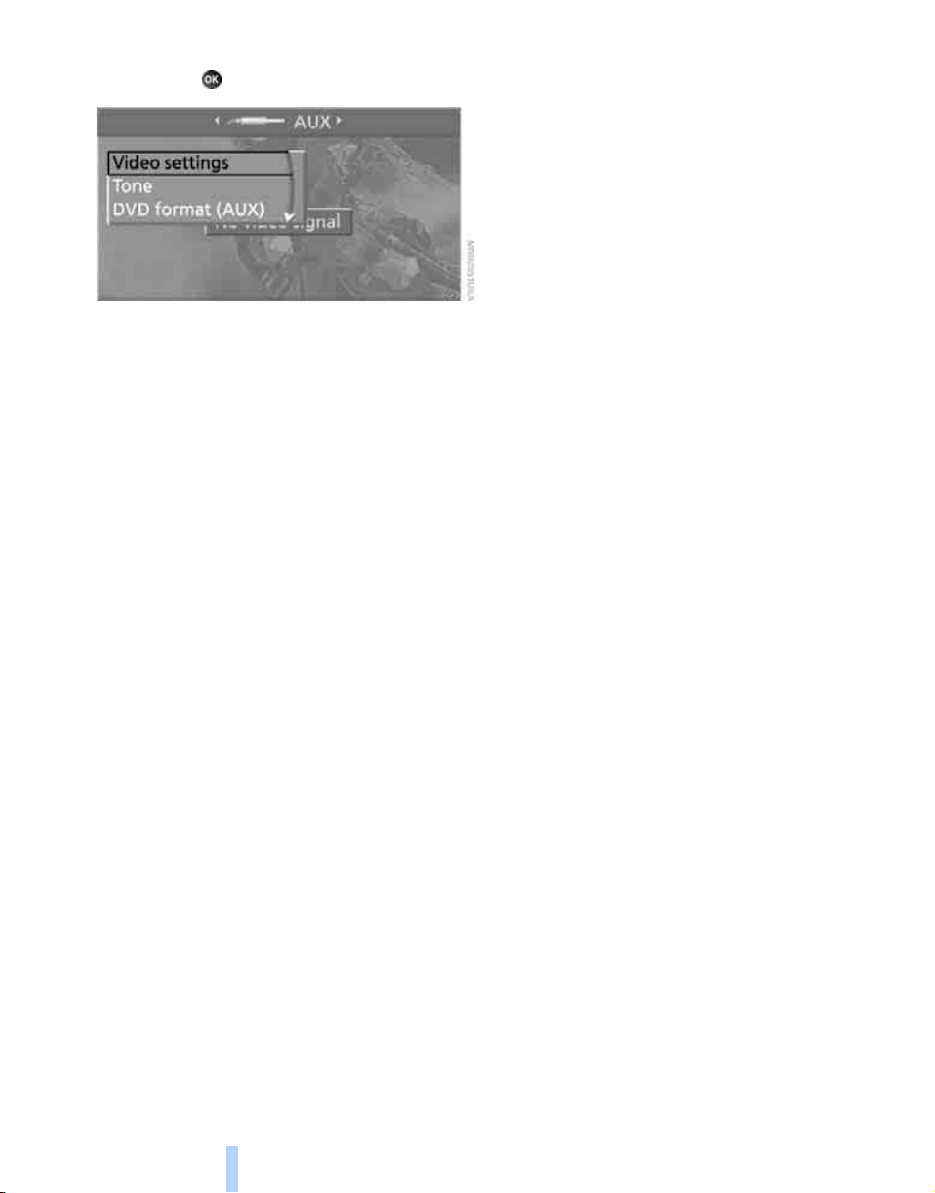
DVD system in rear
184
Settings for external devices
1. Press the button during playback.
2. Make the settings with the remote control:
> "Video settings":
> "Brightness", "Color" and "Contrast" of
video playback.
> "NTSC color":
The color can be adjusted on an external
device with the NTSC standard.
> "Standard":
The DVD system in the rear can be
adapted to external devices with various
TV standards. When doing so, also refer
to the operating manual of the external
device.
> "Reset":
The settings are reset to the default
value.
> "Tone":
> "Treble / Bass" and "Balance" can be
adjusted for the left and right-hand
headphones and the infrared head-
phones.
> "Reset":
Your settings are reset.
> Additional settings can be made after
changing to the top field.
"Audio": the volume of the external
device can be adjusted to the volume of
the CD/DVD player.
"Languages": system language of the
DVD system in the rear
"Screen brightness": background
brightness of screen
> "DVD format (AUX)":
> "Standard"
> "Zoom": full-screen playback
Online Edition for Part no. 01 41 0 012 501 - © 08/06 BMW AG

Online Edition for Part no. 01 41 0 012 501 - © 08/06 BMW AG

Communications
This chapter summarizes how to operate your
mobile phone using iDrive or voice control and
how to use BMW Assist or TeleService.
Communications
Online Edition for Part no. 01 41 0 012 501 - © 08/06 BMW AG

Telephoning
188
Telephoning
The concept
Your BMW is equipped with a full mobile phone
preparation package. After logging on a suitable
mobile phone on the vehicle once, you can
operate the mobile phone via iDrive, with the
buttons on the steering wheel and by voice.
A mobile phone that has been logged on once is
automatically detected again with the engine
running or the ignition switched on as soon as
it is in the vehicle interior. The logon data of up
to four mobile phones can be stored simulta-
neously. If several mobile phones are detected
simultaneously, the respective last mobile
phone logged on can be operated via the vehi-
cle.
Using a phone in your vehicle
Using snap-in adapter*
The so-called snap-in adapter, a mobile phone
cradle, enables the battery to be charged and
the mobile phone to be connected to the exter-
nal antenna of your vehicle. This ensures
improved network reception and a consistent
voice reproduction quality. Ask your BMW
Sports Activity Vehicle Center which mobile
phones snap-in adapters are offered for.
BMW discourages the use of mobile
phones or other mobile communications
devices inside the vehicle without a direct con-
nection to an outside antenna. Otherwise, the
vehicle electronics and mobile communication
device can influence one another. In addition,
there is no assurance that the radiation which
results from transmission will be dissipated
from the vehicle interior.<
Avoid operating a mobile phone detected by
the vehicle with the keypad of the mobile
phone, otherwise malfunctions can occur.
For your safety
A car phone makes life more convenient in
many ways, and can even save lives in an emer-
gency. While you should consult your mobile
phone's separate operating instructions for a
detailed description of safety precautions and
information, we request that you direct your
particular attention to the following:
Only make entries when the traffic situa-
tion allows you to do so. Do not hold the
mobile phone in your hand while you are driving;
use the hands-free system instead. If you do
not observe this precaution, your being dis-
tracted can endanger vehicle occupants and
other road users.<
Suitable mobile phones
Ask your BMW Sports Activity Vehicle Center
which mobile phones with a Bluetooth interface
are supported by the mobile phone preparation
package or which mobile phones snap-in
adapters are available for. These mobile phones
support the functions described in this Owner's
Manual with a certain software version. Mal-
functions can occur with other mobile phones.
Care instructions
You can find what you need to know about car-
ing for your mobile phone in the Caring for your
vehicle brochure and in the separate mobile
phone operating instructions.
Operating options
You can operate the mobile phone
using:
> Buttons on steering wheel, refer to page 11
> iDrive, refer to page 192
> Voice commands, refer to page 197
*
Online Edition for Part no. 01 41 0 012 501 - © 08/06 BMW AG
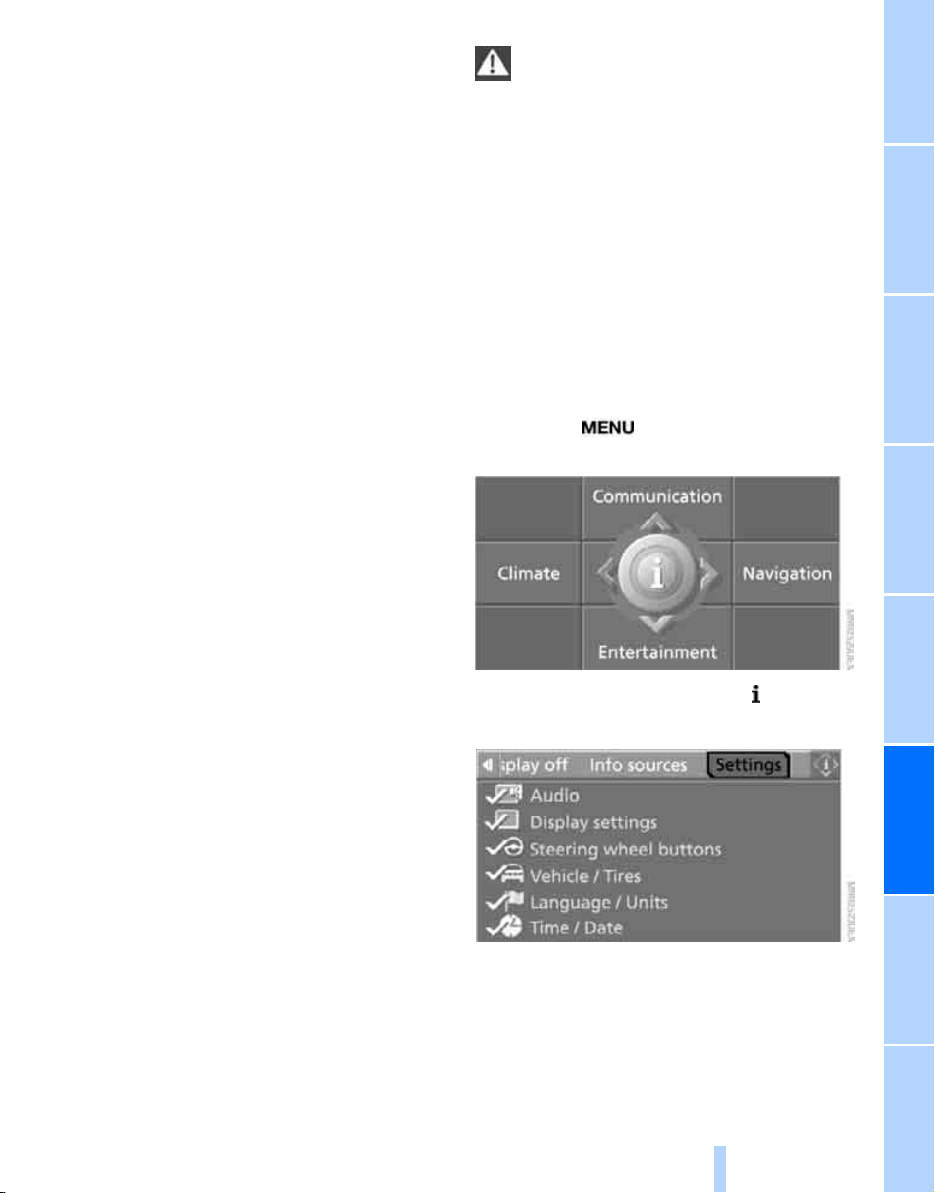
189
EntertainmentReference At a glanceControlsDriving tipsCommunications NavigationMobility
> Programmable memory/direct selection
buttons, refer to page 21
Phoning with the BMW Assist system*:
BMW Assist calls
You can use the BMW Assist system via the
hands-free unit for BMW Assist calls.
When the status information "Communication"
or "BMW Assist" is displayed in "BMW Ser-
vice", only BMW Assist calls are possible.
It may not be possible to establish a telephone
connection using the mobile phone while a con-
nection is being established to BMW Assist or
while a call to BMW Assist is already in
progress. If this happens, you must log off the
mobile phone from the vehicle if you wish to
place a call with the mobile phone.
Commissioning
Logging on mobile phone on vehicle
The following prerequisites must be met:
> Suitable mobile phone: the mobile phone is
supported by the full mobile phone prepara-
tion package.
> The mobile phone is ready to operate.
> The Bluetooth link on the vehicle, refer to
page 192, and on the mobile phone is
active.
> Depending on the mobile phone, preset-
tings on the mobile phone are necessary,
e.g. via the menu item Bluetooth activated
or the menu item Connection not with con-
firmation.
> Depending on the mobile phone model, the
setting energy saving mode can, for exam-
ple, result in vehicle failing to detect the
logged-on mobile phone.
> For logging on, specify any desired number
as the Bluetooth passkey, e.g. 1. This Blue-
tooth passkey is no longer required follow-
ing successful logon.
> The ignition is switched on.
Only log on the mobile phone with the
vehicle stopped, otherwise the passen-
gers and other road users can be endangered
due to a lack of attentiveness on the part of the
driver.<
Switching on ignition
1. Insert the remote control as far as possible
into the ignition lock.
2. Switch on the ignition by pressing the Start/
Stop button without depressing the brake
pedal.
Preparation via iDrive
iDrive, for explanation of concept, refer to
page 16.
3. Press the button to open the start
menu.
4. Press the controller to open the menu.
5. Select "Settings" and press the controller.
6. Select "Bluetooth" and press the controller.
Online Edition for Part no. 01 41 0 012 501 - © 08/06 BMW AG
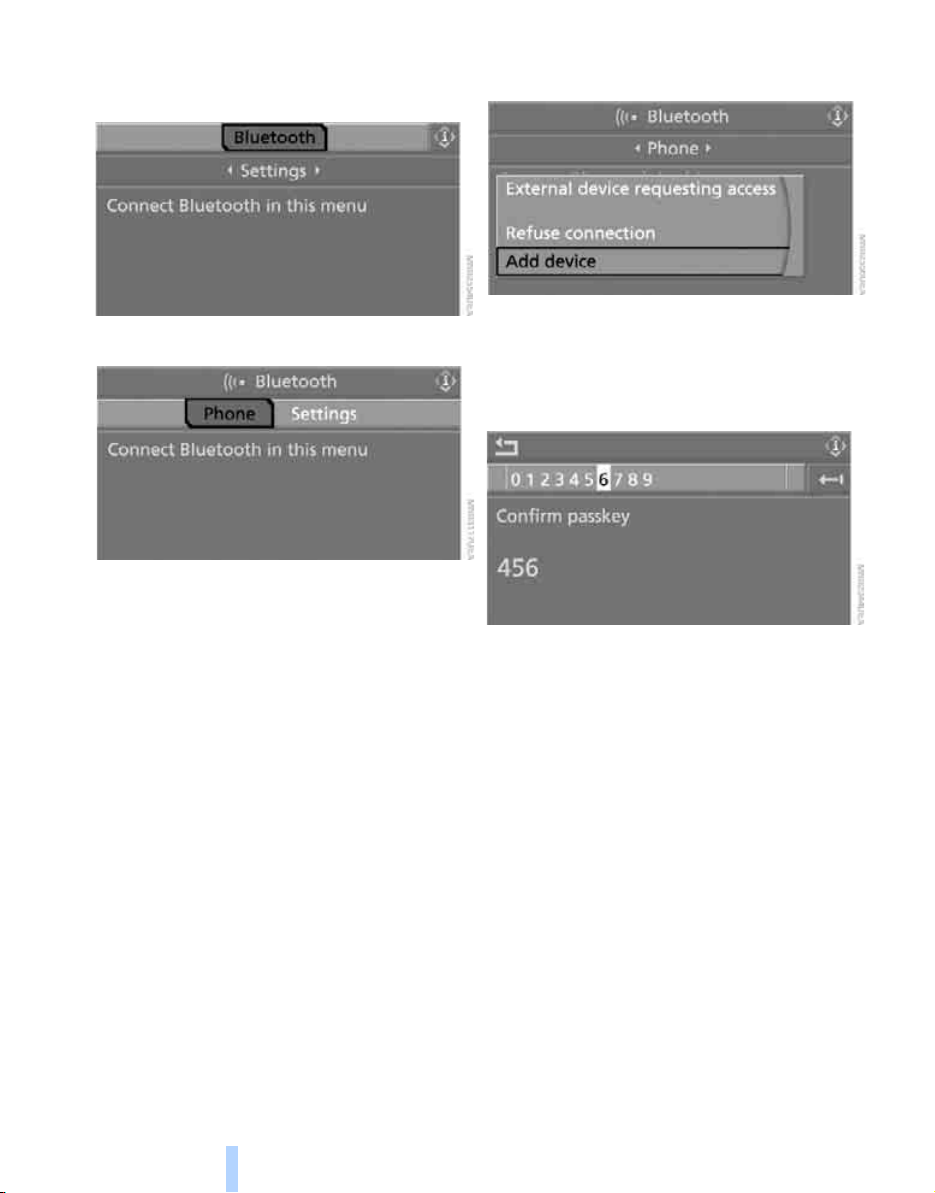
Telephoning
190
7. Change to upper field if necessary. Turn the
controller until "Bluetooth" is selected and
press the controller.
8. Select "Phone" and press the controller.
Preparation with mobile phone
9. Additional operations must be carried out
on the mobile phone and differ depending
on the model, refer to the operating instruc-
tions of your mobile phone, e.g. find, con-
nect or link under Bluetooth device.
Logging on
Depending on your mobile phone, you will first
be requested consecutively via the display of
your mobile phone or the Control Display to
enter the Bluetooth passkey you specified.
Display on the Control Display if the Bluetooth
passkey can be entered via iDrive:
10. Select "Add device" and press the control-
ler.
11. Enter the Bluetooth passkey.
Depending on the mobile phone, approx.
30 seconds are available for entering the
Bluetooth passkey on the mobile phone
and on the Control Display.
12. Select "Confirm passkey" and press the
controller.
13. Wait a few seconds until the list of the
logged-on mobile phones is shown on the
Control Display and "Phone" is selected.
To cancel the logon of the mobile phone on the
vehicle:
Select "Refuse connection" and press the con-
troller.
The next time you use the mobile phone in the
vehicle interior, it will be detected within a max-
imum of 2 minutes with the engine running or
the ignition switched on.
As soon as a mobile phone is detected by the
vehicle, the phone book entries stored on the
SIM card or on your mobile phone are transmit-
ted to your vehicle, refer to the operating
instructions of your mobile phone if necessary.
This transfer is dependent on your mobile
phone, refer to the operating instructions of
Online Edition for Part no. 01 41 0 012 501 - © 08/06 BMW AG
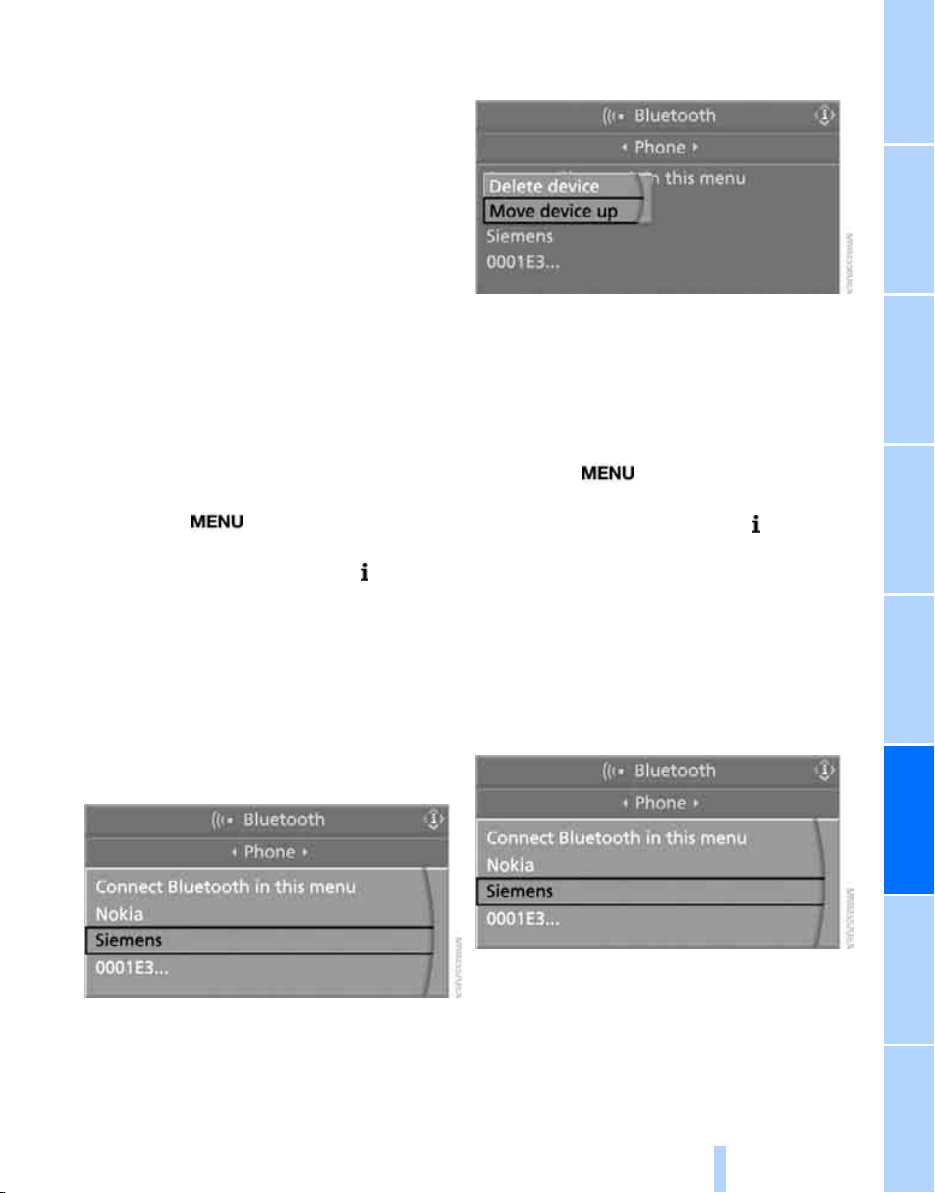
191
EntertainmentReference At a glanceControlsDriving tipsCommunications NavigationMobility
your mobile phone if necessary, and can take
several minutes.
Up to four mobile phones can be logged on
consecutively. If you log on a fifth mobile phone,
the logon data of the last mobile phone in the
list will be deleted, refer to below.
List of logged-on mobile phones
All mobile phones for which the vehicle has
stored the logon data can be displayed. If sev-
eral logged-on mobile phones are detected by
the vehicle simultaneously, you can operate the
mobile phone highest up in the list via the vehi-
cle.
You can change the order of the mobile phones
in the list. As long as a mobile phone is selected
in this list, the mobile phones cannot be oper-
ated via the vehicle.
iDrive, for explanation of concept, refer to
page 16.
1. Press the
button to open the start
menu.
2. Press the controller to open the menu.
3. Select "Settings" and press the controller.
4. Select "Bluetooth" and press the controller.
5. Change to upper field if necessary. Turn the
controller until "Bluetooth" is selected and
press the controller.
6. Select "Phone" and press the controller.
7. Select the desired mobile phone and press
the controller.
8. Select "Move device up" and press the con-
troller.
The selected mobile phone is moved
upward by one position.
Logging mobile phone off vehicle
If you no longer want to operate your mobile
phone via the vehicle, you can delete the logon
data of the mobile phone.
iDrive, for explanation of concept, refer to
page 16.
1. Press the button to open the start
menu.
2. Press the controller to open the menu.
3. Select "Settings" and press the controller.
4. Select "Bluetooth" and press the controller.
5. Change to upper field if necessary. Turn the
controller until "Bluetooth" is selected and
press the controller.
6. Select "Phone" and press the controller.
7. Select the desired mobile phone and press
the controller.
8. Select "Delete device" and press the con-
troller.
The logged-off mobile phone is deleted
from the list.
Online Edition for Part no. 01 41 0 012 501 - © 08/06 BMW AG
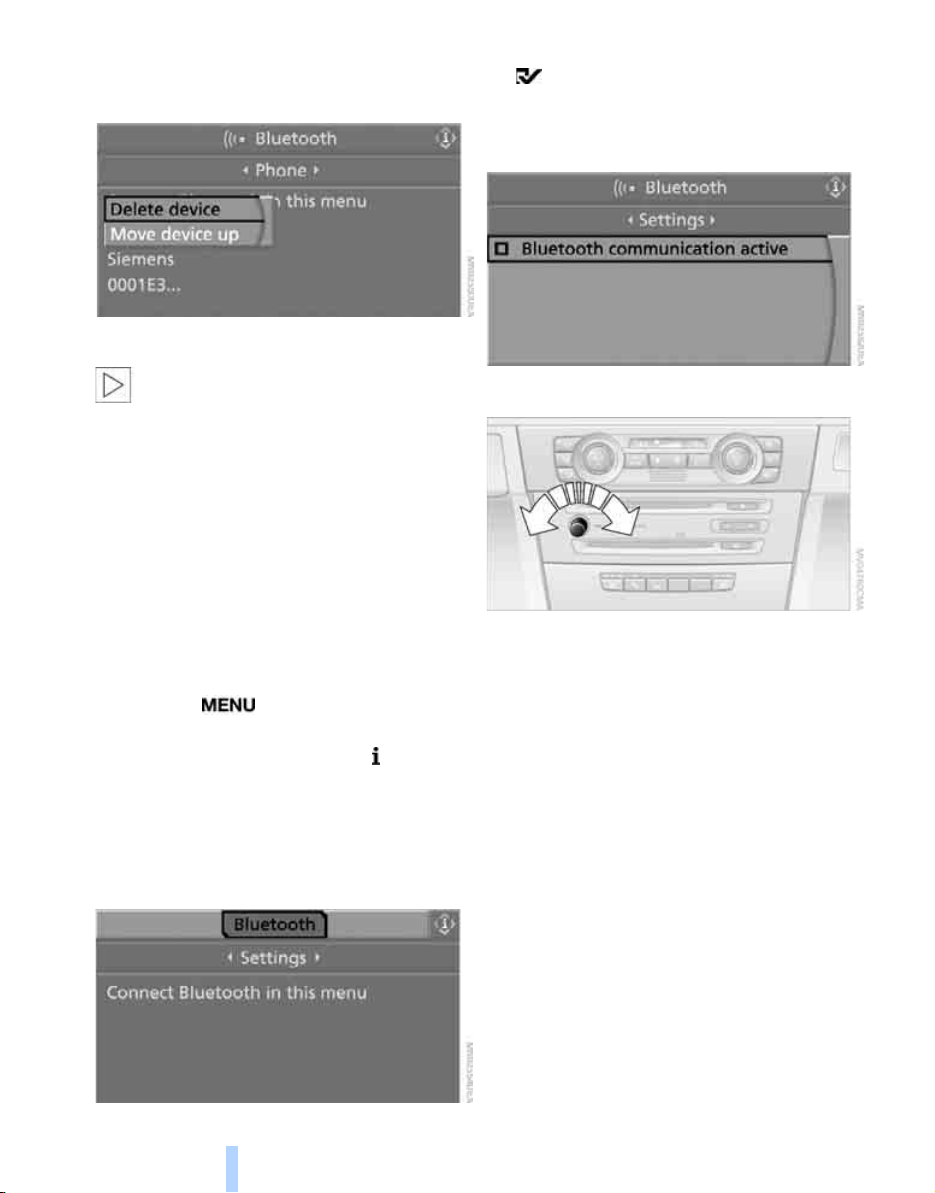
Telephoning
192
The phone book entries you have trans-
ferred from your mobile phone to your vehi-
cle are also deleted in the process.
Activating/deactivating Bluetooth link
Bluetooth technology is not approved in
all countries. Observe the applicable local
regulations. Temporarily disconnect the Blue-
tooth link between the vehicle and the mobile
phone if necessary.<
If the Bluetooth link is deactivated, you cannot
operate your mobile phone via the vehicle and
other devices with a Bluetooth interface can be
used via the mobile phone, e.g. a laptop com-
puter.
To temporarily deactivate the Bluetooth link
between your vehicle and your mobile phone:
1. Remove the mobile phone from the snap-in
adapter and switch it off.
2. Press the button to open the start
menu.
3. Press the controller to open the menu.
4. Select "Settings" and press the controller.
5. Select "Bluetooth" and press the controller.
6. Change to upper field if necessary. Turn the
controller until "Bluetooth" is selected and
press the controller.
7. Select "Settings" and press the controller.
The Bluetooth link is activated.
8. Select "Bluetooth communication active"
and press the controller to activate or deac-
tivate the link.
Adjusting volume
Turn the knob during a call to select the desired
volume.
This volume for the hands-free system is main-
tained, even if the other audio sources are set to
minimum volume.
You can also adjust the volume with buttons on
the steering wheel, refer to page 10.
The setting is stored for the remote control cur-
rently in use.
Operation via iDrive
You can operate the following functions via
iDrive:
> Accepting a call
> Dialing phone numbers
> Dialing phone numbers from the phone
book
> Dialing stored phone numbers, e.g. from the
list of accepted calls
Online Edition for Part no. 01 41 0 012 501 - © 08/06 BMW AG
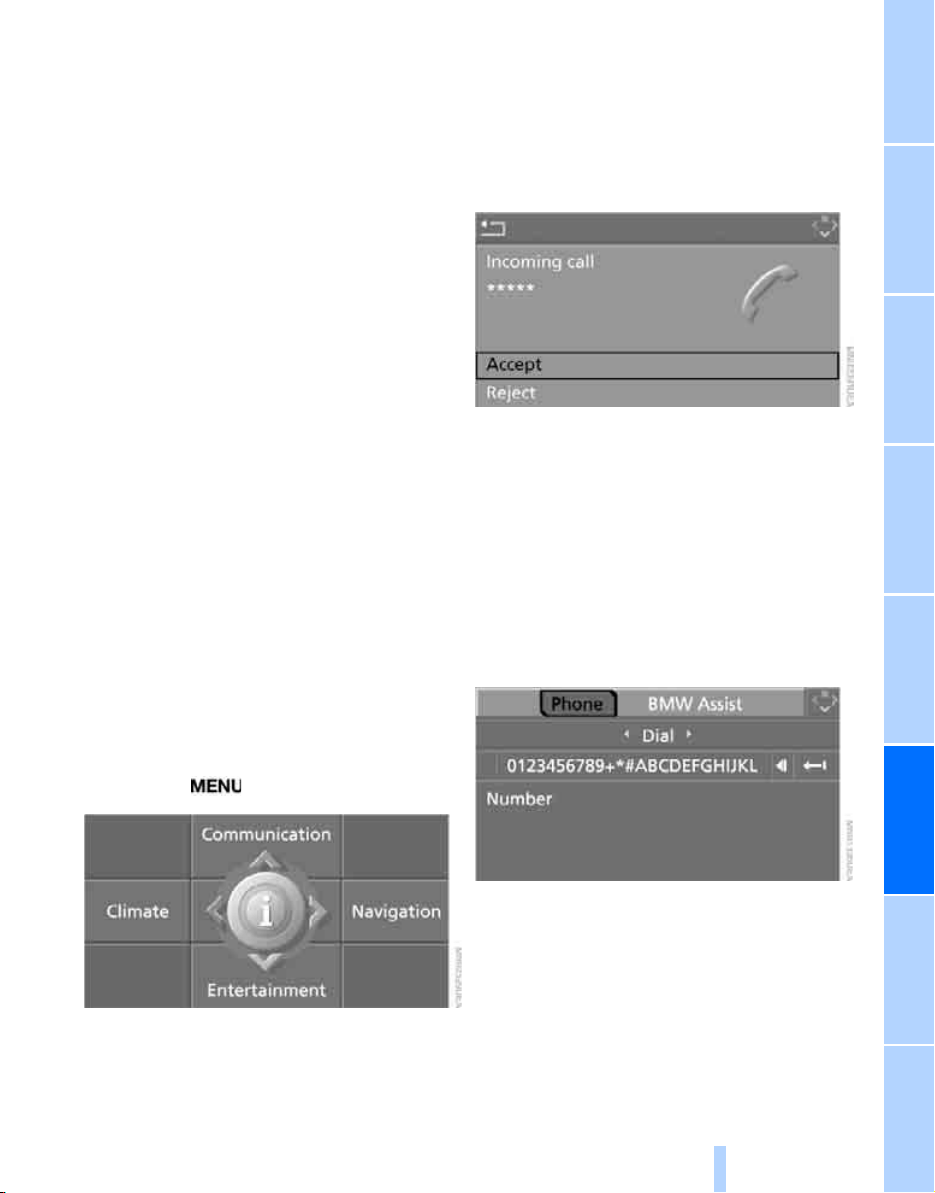
193
EntertainmentReference At a glanceControlsDriving tipsCommunications NavigationMobility
> Ending a call
When the ignition and radio readiness are
switched off, e.g. after removing the remote
control from the ignition lock, you can continue
an ongoing call via the hands-free system for no
more than 25 minutes.
Speech quality
If the person you are talking to cannot under-
stand you well, this may be due to excessively
loud background noises. The full mobile phone
preparation package can compensate for these
noises to a certain degree. To optimize the
speech quality during a call, we recommend
that you:
> Reduce background noises, e.g. by closing
the windows, reducing the air volume of the
automatic climate control or pointing the
front air vents downward
> Reduce the volume of the hands-free sys-
tem.
Requirements
The logon data of the mobile phone are stored
in the vehicle and the mobile phone is ready to
operate.
The engine is running or the ignition is switched
on.
The mobile phone is detected by the vehicle.
iDrive, for explanation of concept, refer to
page 16.
1. Press the button.
This opens the start menu.
2. Move the controller forward to open "Com-
munication".
Receiving calls
If you have the phone number of the caller
stored in the phone book and the phone num-
ber has been transmitted, the name of the entry
is displayed.
Accepting a call
Select "Accept" and press the controller.
Rejecting a call
Select "Reject" and press the controller.
The caller is diverted to your mailbox if it has
been activated.
Calling
Dialing phone numbers
1. Select "Phone" and press the controller.
2. Select "Dial" and press the controller.
3. Enter the desired phone number by dialing
the individual digits and pressing the con-
troller.
Always enter the complete phone number
consisting of national dialing code, area
code, and phone number.
The letters correspond to the digits on the
keypad of the mobile phone.
Online Edition for Part no. 01 41 0 012 501 - © 08/06 BMW AG
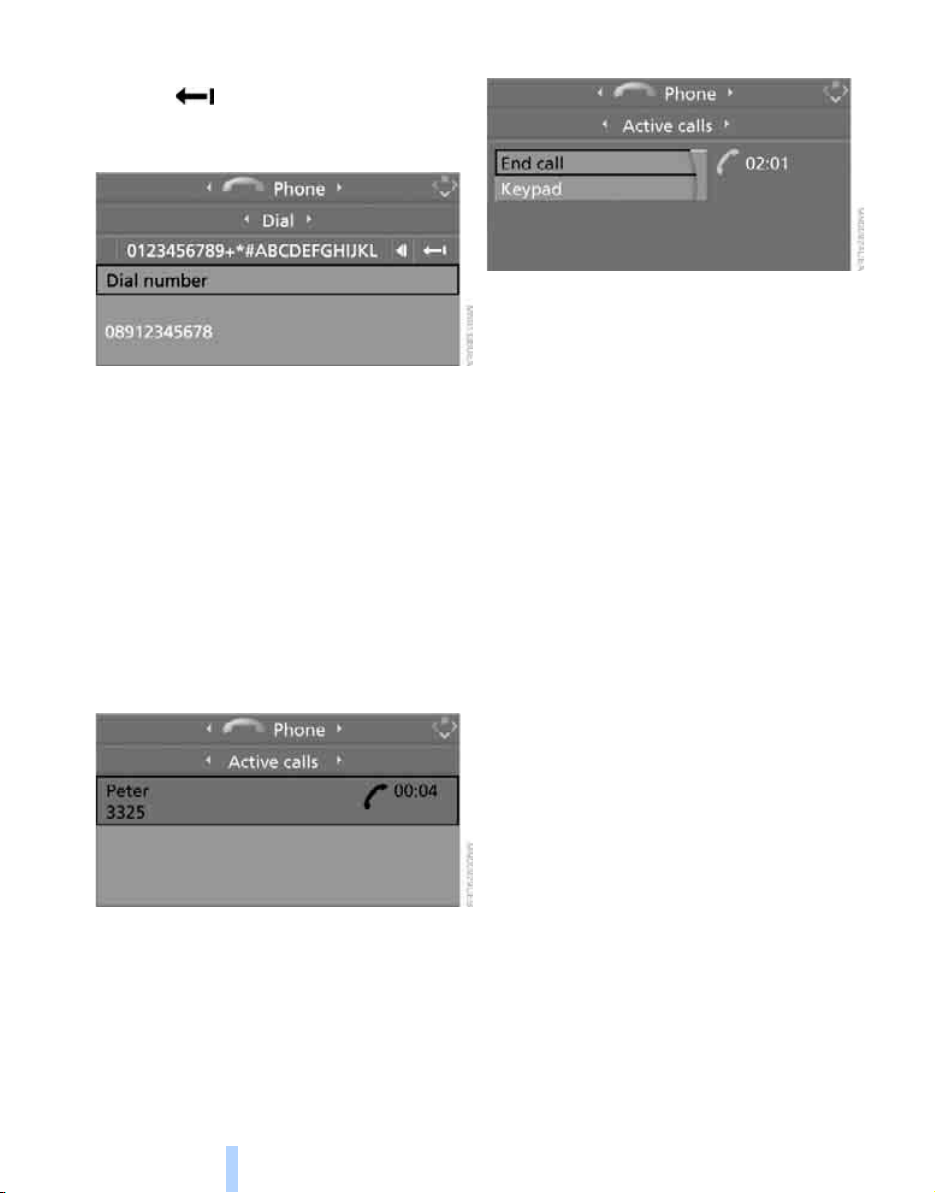
Telephoning
194
To delete an incorrect character:
Move the controller toward the right to
select and press the controller.
4. Select "Dial number" and press the control-
ler.
For your phone number to be displayed to the
person you are calling, the display of phone
numbers must be enabled by your service pro-
vider.
Calling with programmable memory/
direct selection buttons
You can store phone numbers on the program-
mable memory/direct selection buttons to call
them directly, refer to page 21.
Ending call
1. Select the phone number and press the
controller.
2. Select "End call" and press the controller.
Dialing a phone number from phone
book or a phone number stored in a list
Phone numbers you have called, incoming calls
and the entries of the phone book are stored in
lists when the mobile phone is connected to the
vehicle via Bluetooth. If the caller is entered in
the phone book, the name of the entry is dis-
played instead of the phone number.
You can select the desired subscriber from the
list and establish the connection.
Five lists are available:
> "A - Z"
The entries of the mobile-phone phone
book, consisting of the name and phone
number, are sorted alphabetically.
> "Top 8"
The eight numbers called most frequently
from the phone book "A - Z" are automati-
cally stored in the Top 8 list. The list is
sorted according to frequency.
> "Redial"
The last eight phone numbers you have
dialed are automatically stored. The last
number dialed is at the top of the list.
> "Missed calls"
The phone numbers of the last eight calls
which were not accepted are stored. This
requires the telephone number of the caller
to have been sent.
> "Received calls"
The phone numbers of the last eight
accepted calls are stored. This requires the
telephone number of the caller to have been
sent.
Online Edition for Part no. 01 41 0 012 501 - © 08/06 BMW AG
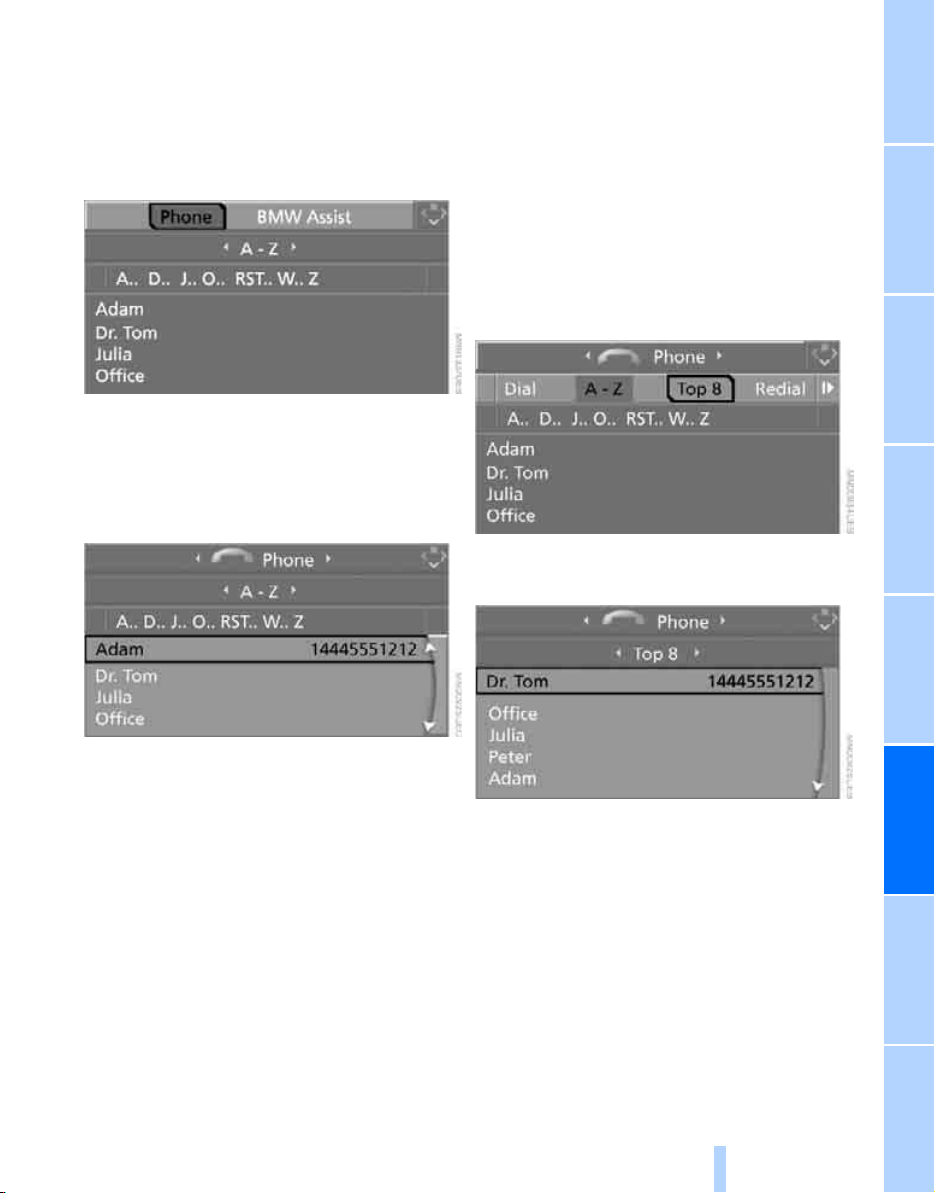
195
EntertainmentReference At a glanceControlsDriving tipsCommunications NavigationMobility
Dialing phone numbers from phone
book
The list "A - Z" is available for your phone book
entries. The phone book entries appear on the
Control Display.
1. Select "Phone" and press the controller.
2. Select "A - Z" and press the controller.
3. Select the first letters of the desired entry
and press the controller.
4. Select the desired entry and press the con-
troller.
5. Select "Call" and press the controller.
The system dials the number.
If different phone numbers are stored in the
mobile phone under one name, e.g. office and
home, the name is shown once for each phone
number.
You can change a phone number stored in the
phone book, e.g. to call a specific extension:
1. Select "Phone" and press the controller.
2. Select "A - Z" and press the controller.
3. Select the desired entry and press the con-
troller.
4. Select "Add digits" and press the controller.
5. Change the phone number.
6. Select "Dial number" and press the control-
ler.
Dialing phone numbers stored in a list
To select an entry and establish a connection:
1. Select "Phone" and press the controller.
2. Select list and press the controller:
> "Top 8"
> "Redial"
> "Missed calls"
> "Received calls"
3. Select the desired entry and press the con-
troller.
4. Select "Call" and press the controller.
The system dials the number.
Online Edition for Part no. 01 41 0 012 501 - © 08/06 BMW AG
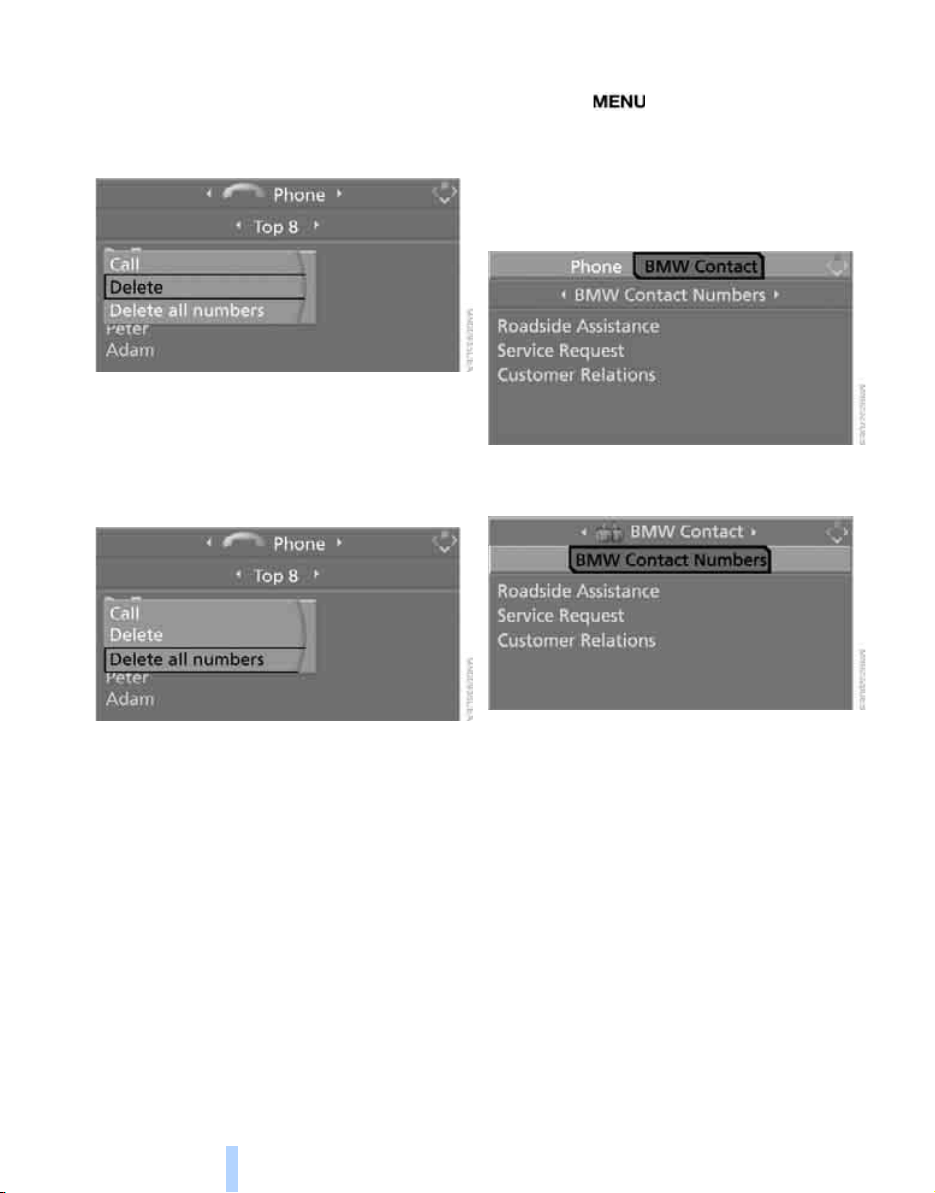
Telephoning
196
Deleting individual entries
1. Select the desired entry from the list and
press the controller.
2. Select "Delete" and press the controller.
The entry is deleted.
Deleting entire list
1. Select an entry from the list and press the
controller.
2. Select "Delete all numbers" and press the
controller.
3. Select "Yes" and press the controller.
The list is deleted.
BMW Contact*
If BMW Assist is not enabled, you can display
several service phone numbers:
> Roadside Assistance
*
of the BMW Group
when you require breakdown assistance
> BMW Sports Activity Vehicle Center, e.g.
when you want to make an appointment for
service
> BMW Hotline
*
for information on all
aspects of your vehicle
You can select the displayed service phone
numbers if your mobile phone is logged on in
the vehicle.
iDrive, for explanation of concept, refer to
page 16.
1. Press the button.
This opens the start menu.
2. Move the controller forward to select
"Communication".
3. Select "BMW Contact" and press the con-
troller.
4. Select "BMW Contact Numbers" and press
the controller.
5. Select one of the following menu items and
press the controller:
> "Roadside Assistance"
> "Customer Relations"
> "Service Request"
6. Select "Call" and press the controller.
Contact is established.
Transferring phone number via tone
dialing method
The tone dialing method is required for access
to network services or for controlling devices,
e.g. remote checking of an answering machine.
This function is available when a connection
has been established.
Online Edition for Part no. 01 41 0 012 501 - © 08/06 BMW AG
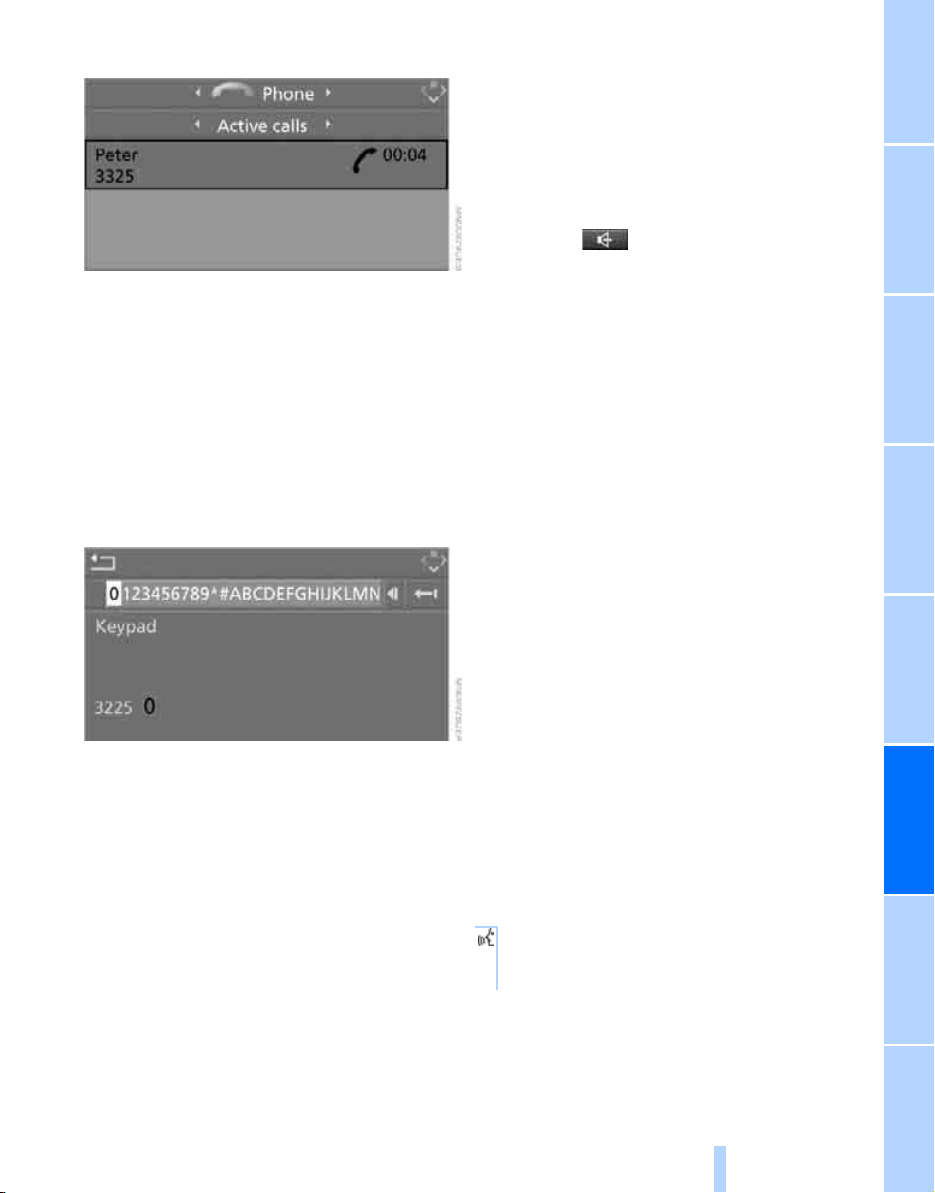
197
EntertainmentReference At a glanceControlsDriving tipsCommunications NavigationMobility
1. Establish connection.
2. With single drive:
Press the controller.
Select "Keypad" and press the controller.
With two drives:
Move the controller backwards until the
bottom field is selected.
3. Select the desired character
and press the
controller.
Each character is sent immediately and
confirmed by a tone depending on the
mobile phone model.
Changing between mobile
phone and hands-free system
From mobile phone to handsfree
system
You can continue calls begun outside the Blue-
tooth range of the vehicle via the handsfree sys-
tem when the engine is running or the ignition is
switched on. Depending on your mobile phone,
the system automatically switches over to the
handsfree mode.
For mobile phones that do not automatically
switch over to the handsfree mode:
> Depending on the mobile phone model
used, the conversation can also be contin-
ued via the handsfree system if necessary.
Act according to what is shown on the
mobile phone display, refer to the operating
instructions of your mobile phone.
> Press the button above the storage
compartment. Switching over may take
several seconds.
From handsfree system to mobile
phone
When you telephone via the handsfree system,
you can also continue the call via the mobile
phone if necessary, depending on the mobile
phone model. Act according to what is shown
on the mobile phone display, refer to the oper-
ating instructions of your mobile phone.
Depending on your mobile phone model, poor
reception of the wireless communications net-
work can result in the system changing from the
hands-free system to the mobile phone.
Operation by voice*
The concept
You can operate your mobile phone without
having to remove your hands from the steering
wheel. When making your entries, you will be
supported by announcements and questions in
many cases.
The same prerequisites as for operation via
iDrive apply, refer to page 192.
Symbols in Owner's Manual
{...}Say the specified commands word for
word.
{{...}} Indicates responses of the system.
Online Edition for Part no. 01 41 0 012 501 - © 08/06 BMW AG
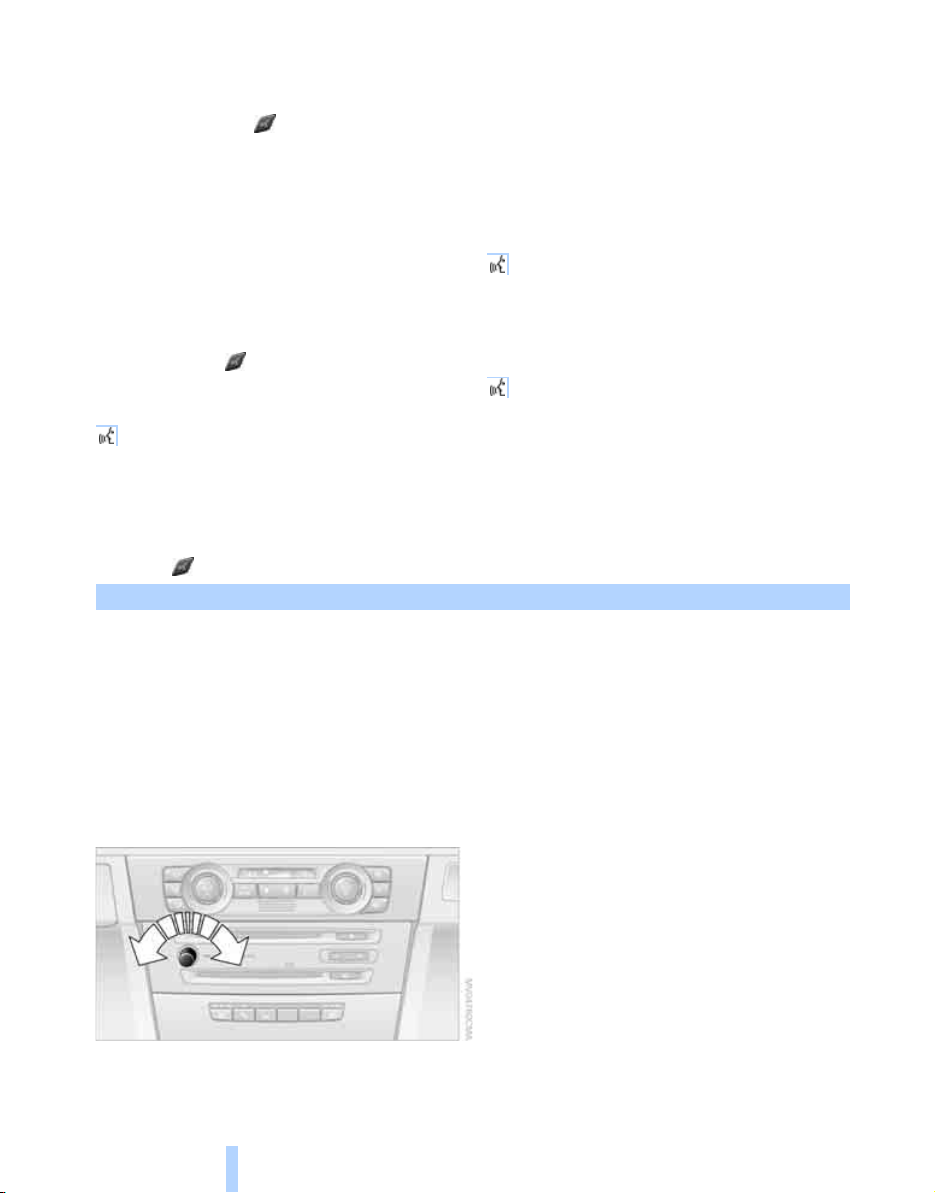
Telephoning
198
Voice commands
Activating system
1. Briefly press the button on the steering
wheel.
An acoustic signal indicates that you can
say commands.
2. Say the command.
The text or numbers that the voice com-
mand system has registered will appear on
the Control Display.
Ending/canceling operation by voice
Briefly press the button on the steering
wheel
or
In dialogs where text is spoken, not a command,
e.g. a name, canceling is only possible using the
button on the steering wheel.
Having possible commands read aloud
The system understands default commands
that must be spoken word for word.
You can have the possible commands spoken
by the system at any point:
Using alternative commands
There are often a number of commands to run a
function, e.g.:
The system recognizes digits from zero to nine.
You can say each digit individually or group
them into a sequence to accelerate the input.
Example: dialing phone numbers
To start the dialog:
Press the button on the steering wheel.
Adjusting volume
You can adjust the volume for the instructions
from the system:
Turn the knob during an instruction to select
the desired volume.
This volume for the instructions is maintained,
even if the other audio sources are set to mini-
mum volume.
The setting is stored for the remote control cur-
rently in use.
{Cancel}.
{Help}
{Dial name} or {Name}.
Command Response
{Dial number}{{Please say the number}}
e.g. {123 456 7890} Depending on equipment:
{{123 456 7890. Continue?}} or
{{123 456 7890. And next?}}
{Dial}{{Dialing number}}
Online Edition for Part no. 01 41 0 012 501 - © 08/06 BMW AG

199
EntertainmentReference At a glanceControlsDriving tipsCommunications NavigationMobility
Calling
Dialing phone numbers
Correcting phone number
After the last spoken sequence of digits has
been repeated by the system, you can delete
this sequence of digits.
The command {Correct number} can be
repeated as often as you like.
Deleting input
{Delete} is used to delete all the digits entered
so far.
Voice phone book
Operating by voice command requires a per-
sonal voice phone book.
> With combined drives for audio CDs and
navigation DVDs, the entries are automati-
cally applied from your mobile phone's
memory.
> With a single drive, the entries must be
entered by voice and are independent of
your mobile phone's memory. In this case, it
is not possible to use voice command either
to call phone numbers stored in the mobile
phone or to store new numbers.
Creating and editing voice phone
book*
Store entry:
An entry always consists of a name and phone
number.
Delete entry:
You can delete any entry from the voice phone
book.
Delete all entries:
{Delete phone book} deletes all entries in the
phone book.
Have entries read aloud and select:
You can have all the entries of your voice phone
book read aloud in the order of input and select
a certain entry to establish a connection:
1. {Dial number}.
The dialog for establishing a telephone
connection is opened.
2. Say the phone number.
For telephone calls abroad, say {Plus}
and then the country code.
3. {Dial}.
The connection to the desired sub-
scriber is established.
{Correct number}.
The digits are deleted.
1. {Save name}.
The dialog for storing a name is
opened.
2. Speak the name and repeat entry upon
request.
The spoken length of the names in the
phone book must not exceed approx.
2seconds.
3. Say the phone number when prompted.
4. To store the phone number:
{Save}.
1. {Delete name}.
The dialog for deleting an entry is
opened.
2. Say the name when prompted.
3. Confirm the prompt with {Yes}.
1. {Delete phone book}.
The dialog for deleting phone book is
opened.
2. Confirm the prompt with {Yes}.
3. Confirm the repeated prompt with
{Yes}.
1. {Read phone book}.
The dialog for reading phone book is
opened.
2. {Dial number} when the desired entry is
read aloud.
Online Edition for Part no. 01 41 0 012 501 - © 08/06 BMW AG
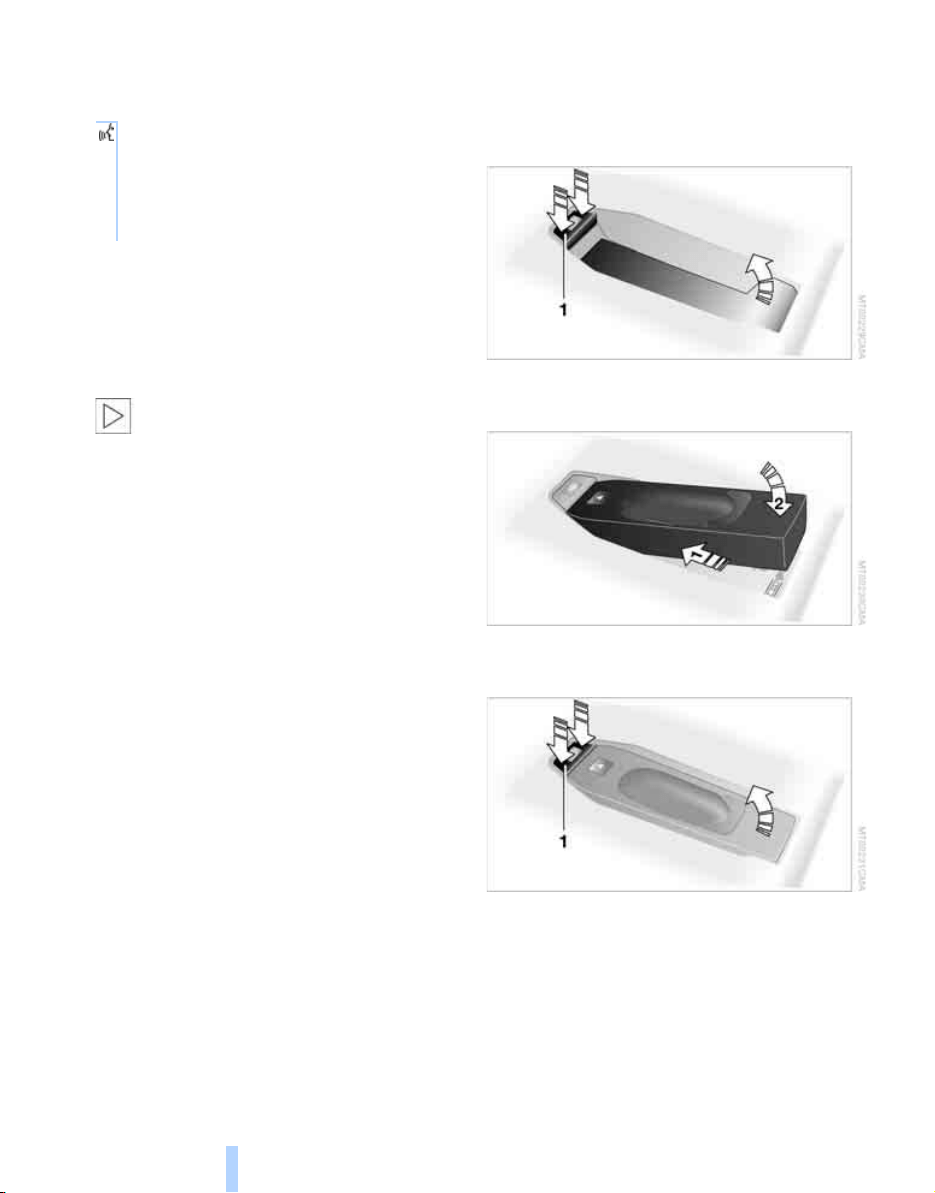
Telephoning
200
Selecting an entry
The connection to the phone number of the
selected entry is established.
Redialing
The {Redial} command opens "Redial".
Notes
The commands in English were available
as of this printing. Other languages are
currently not available. To operate the mobile
phone via the voice command system, refer to
page 23.<
Important for voice commands
For voice commands, keep the following in
mind:
> Issue the commands smoothly and at nor-
mal volume, avoiding excessive emphases
and pauses.
> Keep the doors, windows and glass sunroof
closed to prevent interference from ambi-
ent noise.
> Avoid making other noise in the vehicle
while speaking.
Mounting/removing snap-in
adapter
1. Press the area 1 around the button and
remove the cover.
2. Insert the snap-in adapter at the front and
press down until it engages.
To remove the snap-in adapter:
Press the area 1 around the button.
1. {Dial name}.
The dialog for selecting an entry is
opened.
2. Say the name when prompted.
3. Confirm the prompt with {Yes}.
Online Edition for Part no. 01 41 0 012 501 - © 08/06 BMW AG
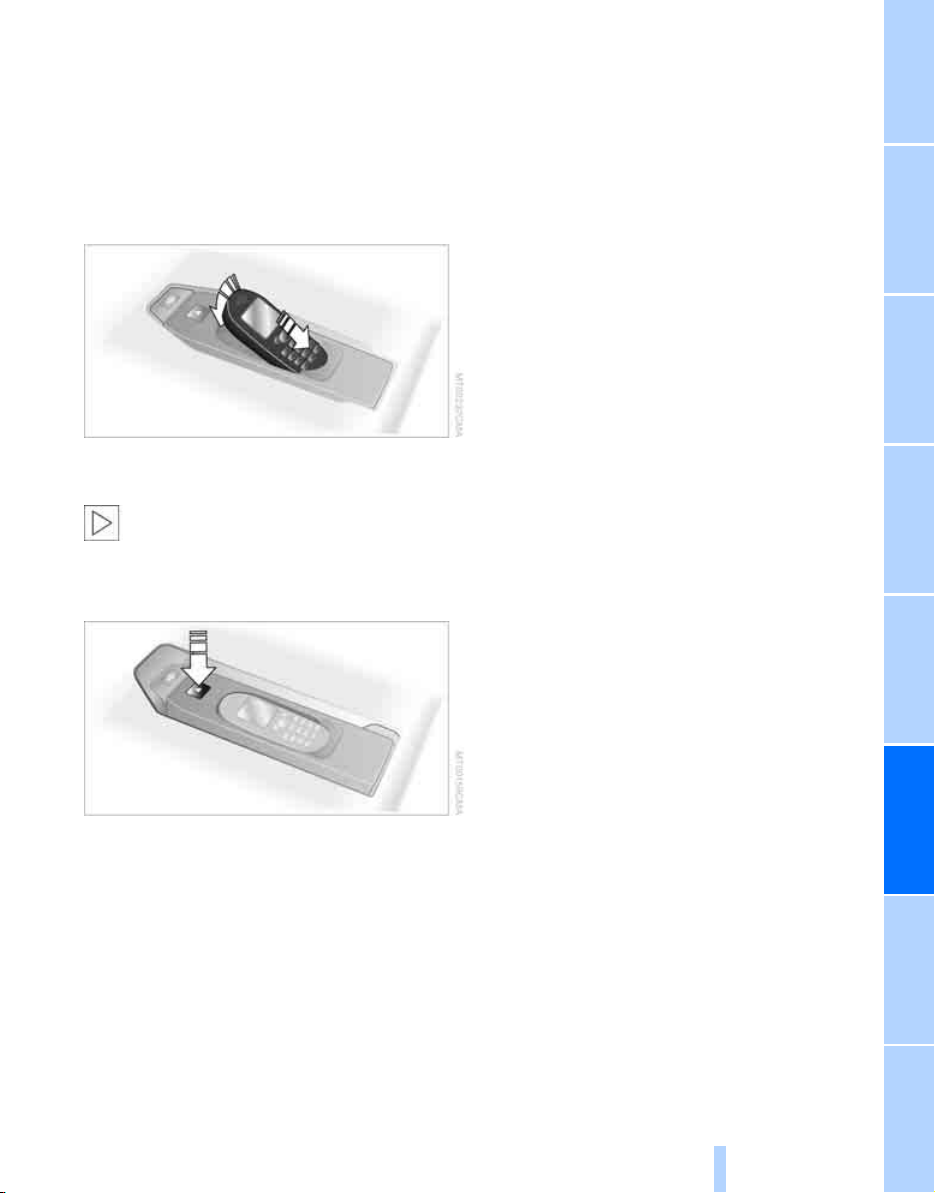
201
EntertainmentReference At a glanceControlsDriving tipsCommunications NavigationMobility
Inserting mobile phone
1. Remove the protective cap from the mobile
phone's antenna connector if necessary, so
that the mobile phone can engage in the
snap-in adapter.
2. Push the mobile phone with the buttons
facing upward toward the electrical connec-
tions and press down until it engages.
The mobile phone battery is charged from the
radio readiness position.
To protect the vehicle's batteries, avoid
using the phone when the ignition is
switched off.<
Removing mobile phone
Press the button.
Online Edition for Part no. 01 41 0 012 501 - © 08/06 BMW AG

BMW Assist
202
BMW Assist
BMW Assist provides you with various services.
For example, the position data of your vehicle
can be transferred to the BMW Assist
Response Center if an emergency call
*
has
been initiated.
Many BMW Assist services depend on the indi-
vidually agreed contract.
After your contract has expired, the BMW
Assist system will be deactivated by the BMW
Assist Response Center without you having to
visit a BMW Sports Activity Vehicle Center. Fol-
lowing the deactivation of the BMW Assist sys-
tem, no BMW Assist service is available. The
BMW Assist system be reactivated by a BMW
Sports Activity Vehicle Center after signing a
new contract.
Requirements
If the following requirements are met, you can
use BMW Assist:
> The installed BMW Assist system is logged
in on a wireless communications network.
This network must be capable of transmit-
ting the services.
> To transmit position data, the vehicle must
be able to determine the current position.
> For BMW Assist to be activated and
updated, the GPS signal must be available.
> You have signed the BMW Assist contract
of participation at a BMW Sports Activity
Vehicle Center or BMW Assist Response
Center. Enabling must have been com-
pleted.
> BMW Assist is activated, refer to page 207.
Services offered
The following services are available via
BMW Assist:
> Emergency calls, refer to page 236:
When you press the SOS button, a connec-
tion is established to the BMW Assist
Response Center. The BMW Assist
Response Center contacts you and
arranges for further steps to help you.
> Automatic emergency call:
Under certain conditions, a connection is
established to the BMW Assist Response
Center after a serious accident. If possible,
the BMW Assist Response Center then
contacts you and takes further steps to help
you.
> Roadside Assistance:
You can call Roadside Assistance
*
of the
BMW Group should you require help in the
event of a breakdown. If possible, the vehi-
cle and position data are transmitted in the
process.
> BMW Hotline:
For information on all aspects of your vehi-
cle, you can be connected to the BMW Hot-
line.
> TeleService:
Data on your vehicle's service status or nec-
essary inspections are transmitted to your
BMW Sports Activity Vehicle Center either
automatically before a service due date or
when you request a BMW service appoint-
ment.
> Unlocking vehicle:
Inform the BMW Assist Response Center,
e.g. if your remote control is not available
and you want to have the vehicle unlocked.
> Vehicle search:
After your vehicle has been reported to the
police as stolen, the BMW Assist Response
Center can locate its position.
*
Online Edition for Part no. 01 41 0 012 501 - © 08/06 BMW AG
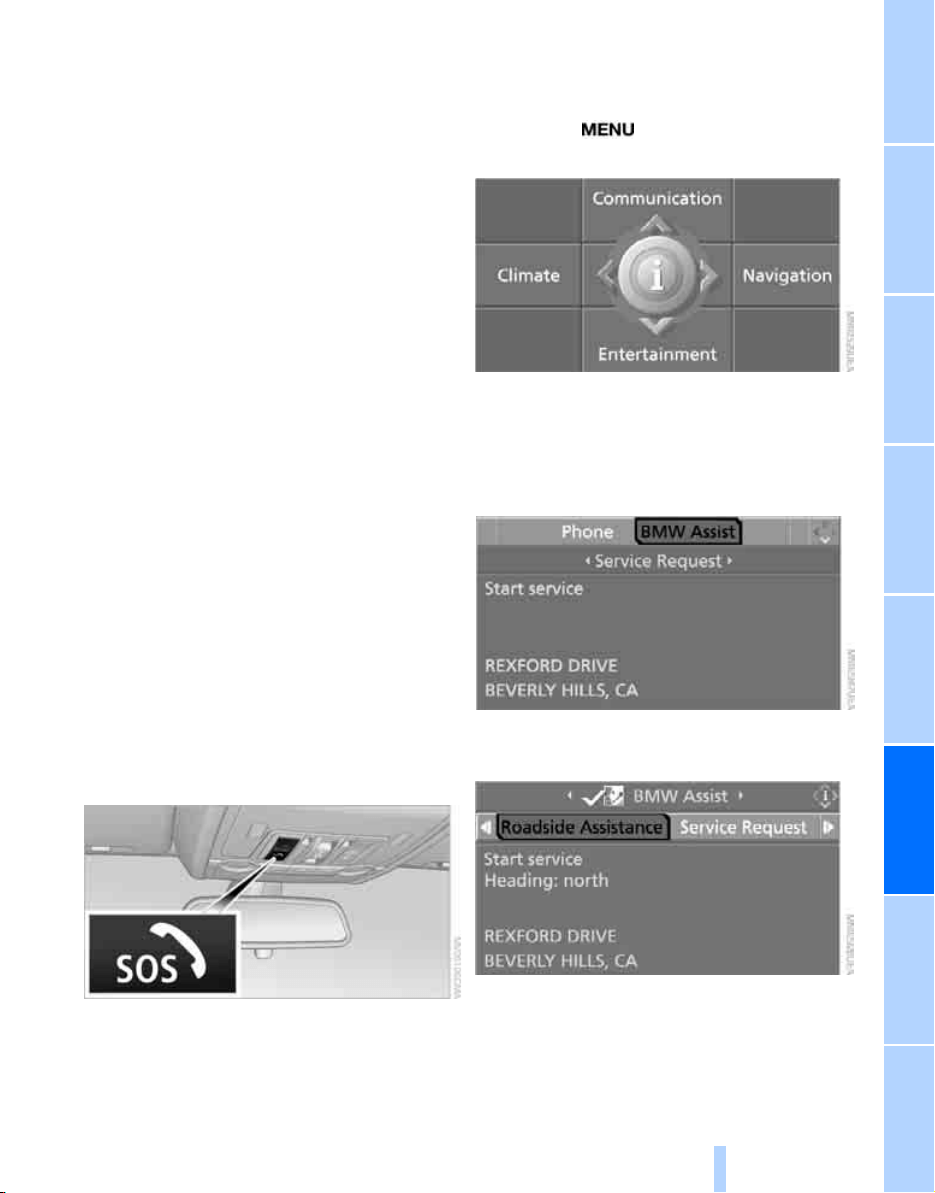
203
EntertainmentReference At a glanceControlsDriving tipsCommunications NavigationMobility
In addition, you can be provided with other ser-
vices, e.g. the information service or informa-
tion on route planning, the traffic situation and
the weather.
Press the SOS button to contact the
BMW Assist Response Center, see below.
You also have access to the BMW Assist infor-
mation service via the Internet.
Special aspects of the services offered
The following special aspects apply to the ser-
vices:
> The services offered are country-specific.
> Voice contact is established or data are
transferred, depending on the equipment
and the country. In some countries, it is
possible to do both.
> The data transferred can, for example, be
the vehicle data, your current position or the
data of the CBS Condition Based Service.
Using services
Contact to the BMW Assist Response
Center
You can contact the BMW Assist Response
Center with the SOS button.
1. Briefly press protective cover to open.
Depending on the vehicle's equipment, the
arrangement of the switches and indicator
lamps may differ somewhat.
2. Press the button for at least 2 seconds.
The BMW Assist Response Center is con-
tacted.
Breakdown assistance
iDrive, for explanation of concept, refer to
page 16.
1. Press the button.
This opens the start menu.
2. Move the controller forward to select
"Communication".
3. Change to upper field if necessary. Turn the
controller until "BMW Assist" is selected
and press the controller.
4. Select "Roadside Assistance" and press
the controller.
If the current position can be determined,
the current vehicle location is displayed.
5. Select "Start service" and press the con-
troller.
Online Edition for Part no. 01 41 0 012 501 - © 08/06 BMW AG
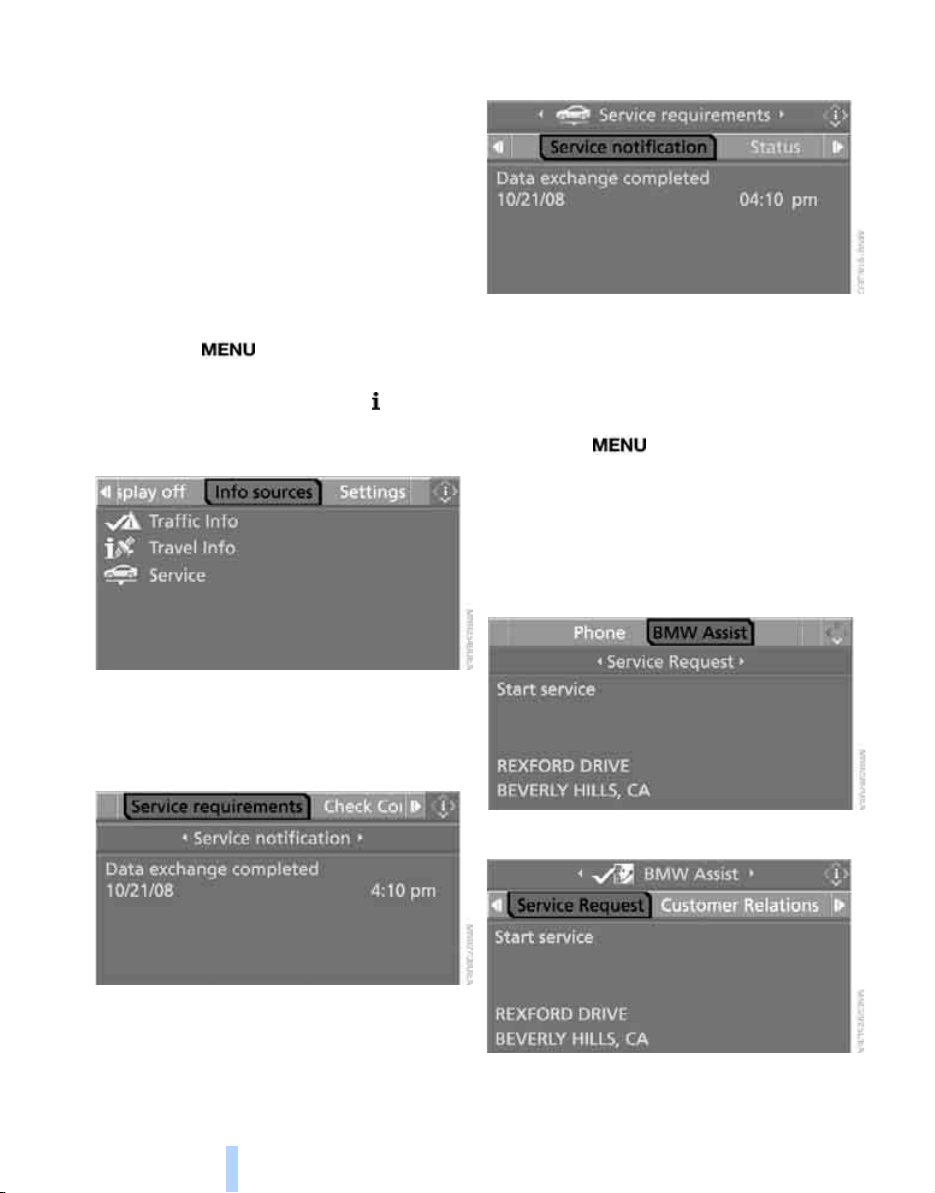
BMW Assist
204
The BMW Assist Response Center will connect
you to the Roadside Assistance of the
BMW Group.
TeleService
Automatic service notification*
The data on the service status of your vehicle or
on necessary inspections is transmitted auto-
matically directly to your BMW Sports Activity
Vehicle Center prior to the due date. You can
check when the BMW Sports Activity Vehicle
Center was notified.
1. Press the button.
This opens the start menu.
2. Press the controller to open the menu.
3. Select "Info sources" and press the control-
ler.
4. Select "Service" and press the controller.
5. Change to upper field if necessary. Turn the
controller until "Service requirements" is
selected and press the controller.
6. Select "Service notification" and press the
controller.
Manual service notification
You can transmit data on the maintenance state
of your vehicle to your BMW Sports Activity
Vehicle Center if you want to make an appoint-
ment for service.
1. Press the button.
This opens the start menu.
2. Move the controller forward to select
"Communication".
3. Change to upper field if necessary. Turn the
controller until "BMW Assist" is selected
and press the controller.
4. Select "Service Request"
5. Press the controller.
Online Edition for Part no. 01 41 0 012 501 - © 08/06 BMW AG
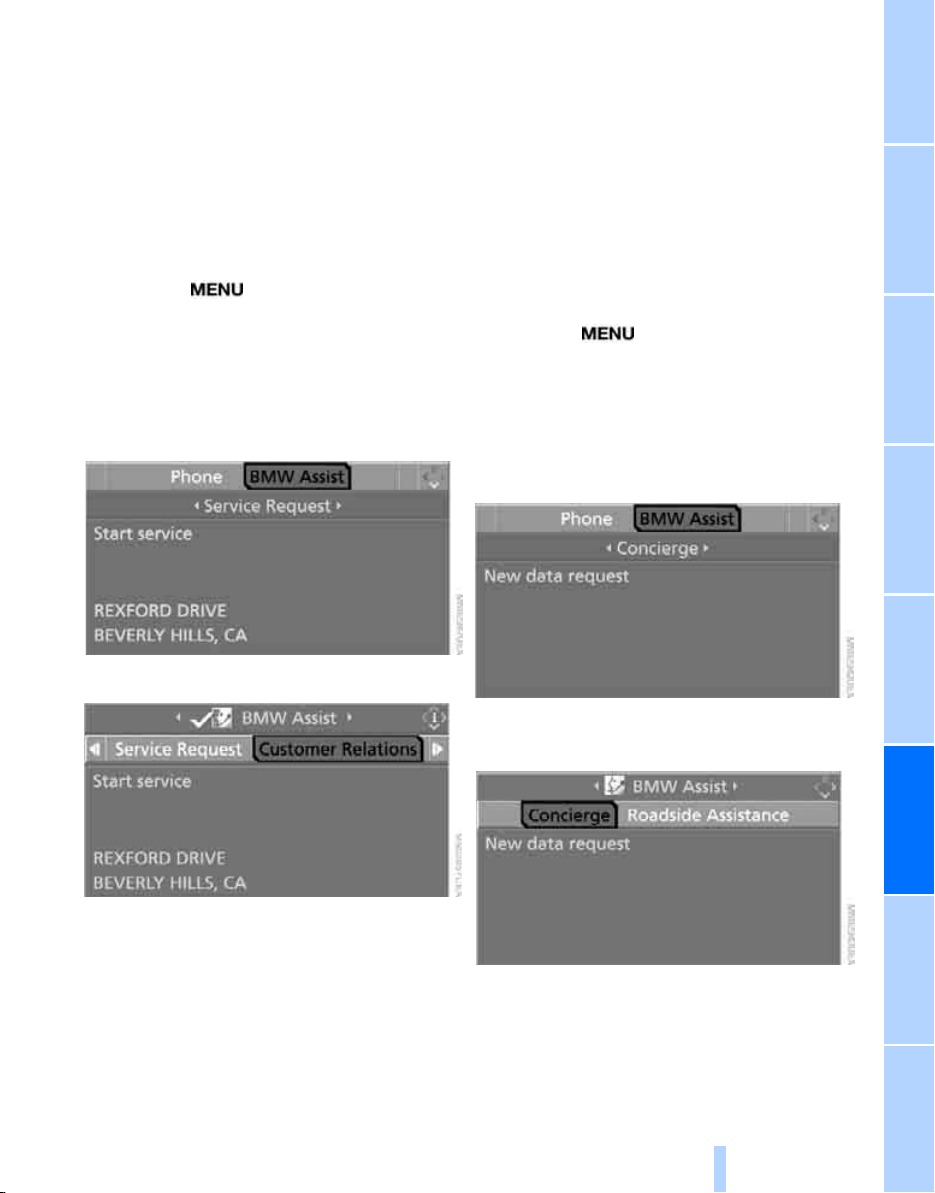
205
EntertainmentReference At a glanceControlsDriving tipsCommunications NavigationMobility
6. Select "Start service" and press the con-
troller.
The data relevant for service are transmitted.
Your BMW Sports Activity Vehicle Center will
contact you to set up an appointment for ser-
vice.
Contacting BMW Hotline
For information on all aspects of your vehicle,
you can contact the BMW Hotline.
1. Press the button.
This opens the start menu.
2. Move the controller forward to select
"Communication".
3. Change to upper field if necessary. Turn the
controller until "BMW Assist" is selected
and press the controller.
4. Select "Customer Relations".
5. Press the controller.
6. Select "Start service" and press the con-
troller.
You are connected to the BMW Hotline by the
BMW Assist Response Center.
Information service*
When you call the information service of
BMW Assist, you can, for example, obtain infor-
mation on current events, filling stations or
hotels and have their phone numbers and
addresses transferred. Reservations can be
made at many hotels directly by the BMW Infor-
mation Service.
The information service must be enabled sepa-
rately by the BMW Assist Response Center.
Calling up information
1. Press the button.
This opens the start menu.
2. Move the controller forward to select
"Communication".
3. Change to upper field if necessary. Turn the
controller until "BMW Assist" is selected
and press the controller.
4. Select "Concierge" and press the control-
ler.
5. Select "New data request" and press the
controller.
The BMW Assist Response Center will connect
you to the information service.
Online Edition for Part no. 01 41 0 012 501 - © 08/06 BMW AG
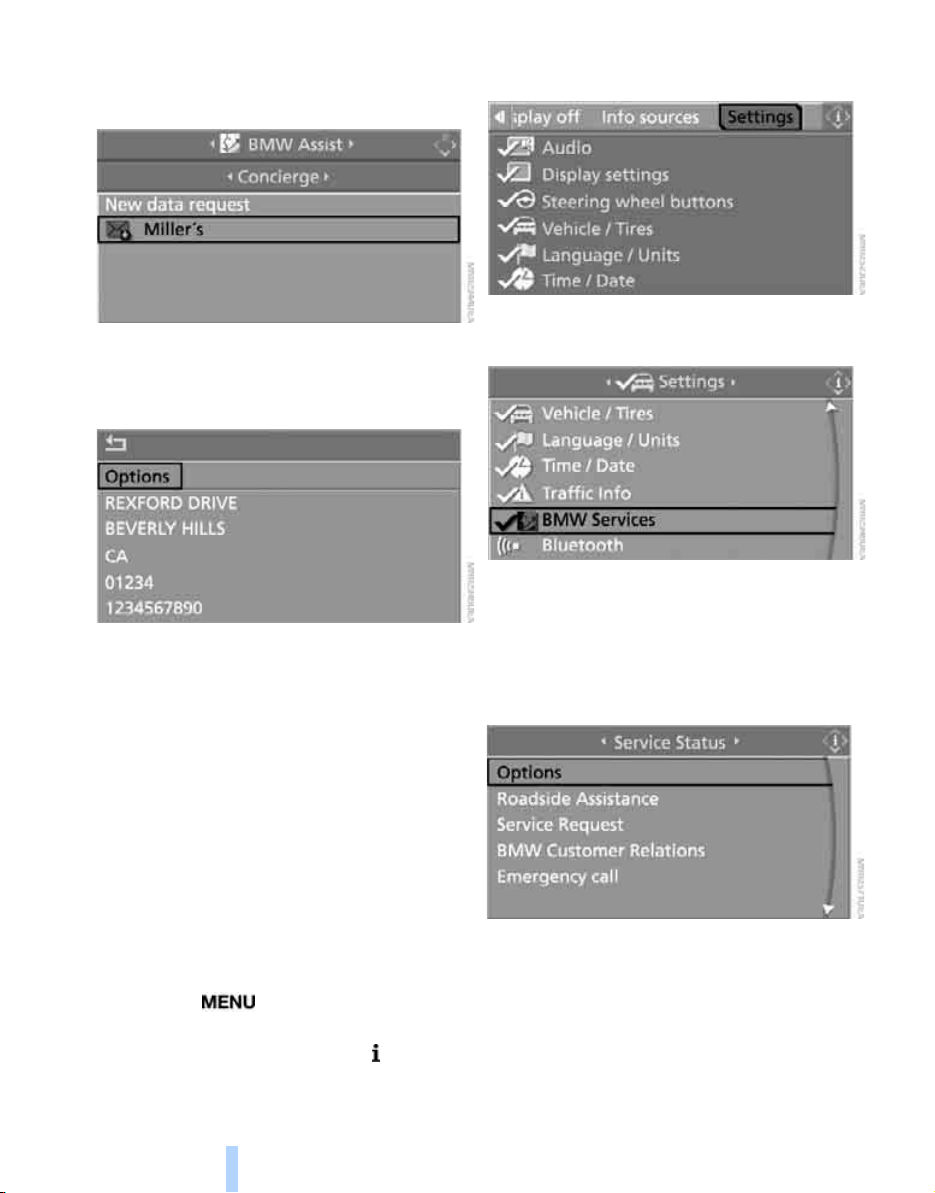
BMW Assist
206
Displaying transferred data
Select the received message if necessary and
press the controller.
Dialing phone number or applying
address in destination guidance
1. Select "Options" and press the controller.
2. Select a menu item:
> With "Call" you can establish a telephone
connection. This requires your Bluetooth
mobile phone to be logged on in the vehicle.
> With "Select as destination" you can apply
the address in the destination guidance of
the navigation system.
Customizing BMW Assist
Displaying and updating services
You will be notified of any changes in the ser-
vices offered by BMW Assist. In this case you
should update the services.
1. Press the button.
This opens the start menu.
2. Press the controller to open the menu.
3. Turn the controller until "Settings" is
selected and press the controller.
4. Turn the controller until "BMW Services" is
selected and press the controller.
5. Change to upper field if necessary. Turn the
controller until "Service Status" is selected
and press the controller.
The current services of BMW Assist are dis-
played.
6. Select "Options" and press the controller.
7. Select "Update services" and press the
controller.
Online Edition for Part no. 01 41 0 012 501 - © 08/06 BMW AG
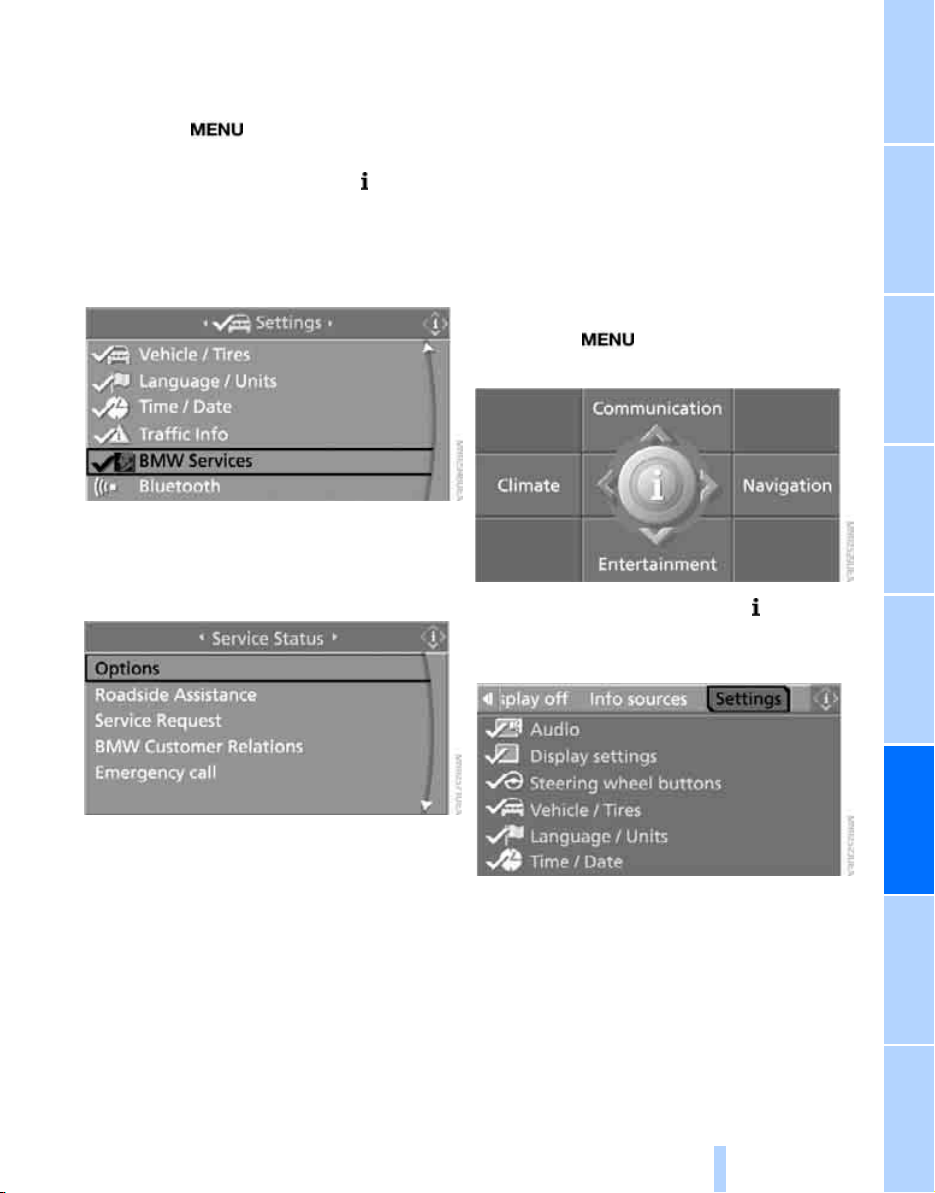
207
EntertainmentReference At a glanceControlsDriving tipsCommunications NavigationMobility
Blocking services*
If you block the services, the connection to
BMW Assist is deactivated.
1. Press the button.
This opens the start menu.
2. Press the controller to open the menu.
3. Turn the controller until "Settings" is
selected and press the controller.
4. Turn the controller until "BMW Services" is
selected and press the controller.
5. Change to upper field if necessary. Turn the
controller until "Service Status" is selected
and press the controller.
6. Select "Options" and press the controller.
7. Select "Terminate services" and press the
controller.
The use of BMW Assist is blocked, and the cur-
rent vehicle position will not be transferred dur-
ing an emergency call
*
. To cancel the blocking,
and reactivate BMW Assist, see below. This
does not affect the contractual agreements.
Reactivate BMW Assist if necessary to re-
enable.
Activating BMW Assist
For you to be able to use the services of
BMW Assist, BMW Assist must be activated.
Requirements
> Make sure that the vehicle can determine its
current position. Reception is best when
you have an unobstructed view to the sky.
> Leave the ignition switched on while con-
necting to the system.
Activating
1. Press the button.
This opens the start menu.
2. Press the controller to open the menu.
3. Turn the controller until "Settings" is
selected and press the controller.
Online Edition for Part no. 01 41 0 012 501 - © 08/06 BMW AG
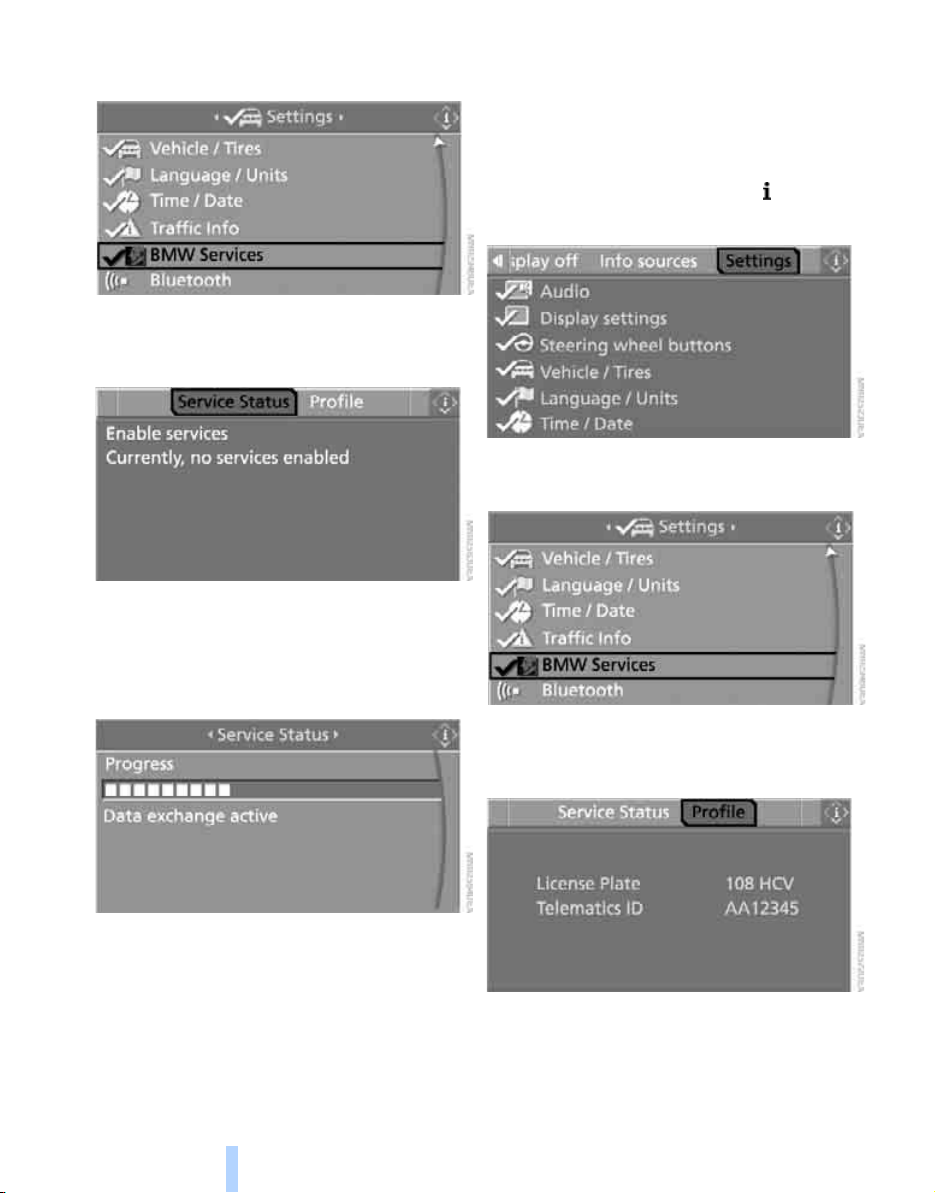
BMW Assist
208
4. Turn the controller until "BMW Services" is
selected and press the controller.
5. Change to upper field if necessary. Turn the
controller until "Service Status" is selected
and press the controller.
6. Select "Enable services" and press the con-
troller.
BMW Assist is activated and the data
exchange with the BMW Assist Response
Center begins.
Activation takes a few minutes. The status is
displayed on the Control Display. If you open
another menu, the activation process continues
to run in the background.
Displaying vehicle data
When BMW Assist is enabled, the license plate
and the vehicle identification number of your
vehicle can be displayed.
1. Open the start menu.
2. Press the controller to open the menu.
3. Select "Settings" and press the controller.
4. Select "BMW Services" and press the con-
troller.
5. Change to upper field if necessary. Turn the
controller until "Profile" is selected and
press the controller.
Online Edition for Part no. 01 41 0 012 501 - © 08/06 BMW AG


Online Edition for Part no. 01 41 0 012 501 - © 08/06 BMW AG

Mobility
This section helps you maintain your
mobility by supplying important information
on vital topics including fuels and lubricants,
wheels and tires, service, maintenance and
breakdown assistance.
Mobility
Online Edition for Part no. 01 41 0 012 501 - © 08/06 BMW AG
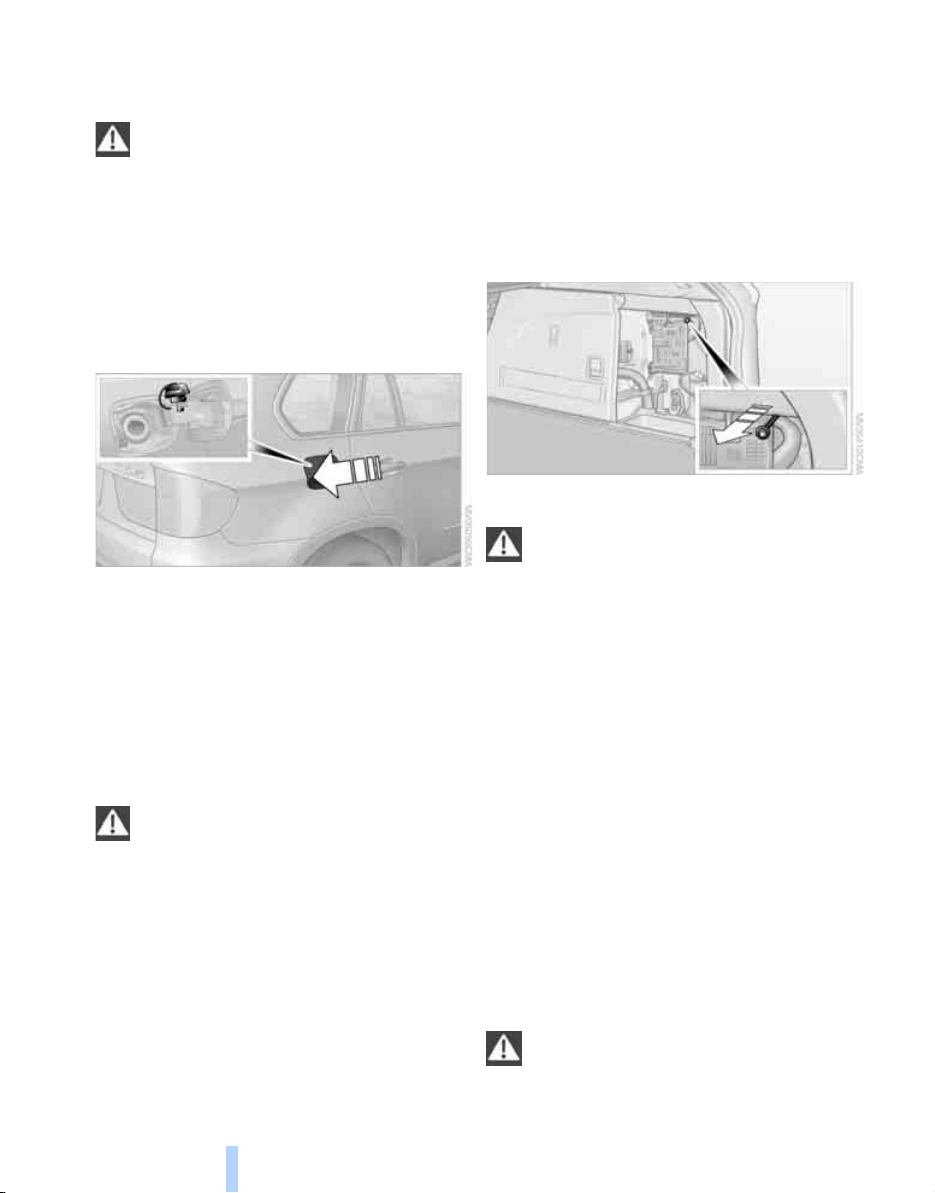
Refueling
212
Refueling
Switch off the engine before refueling.
When handling fuel, always observe all
applicable precautionary measures and regula-
tions. Never transport reserve fuel containers in
the vehicle. These could become leaky and
cause an explosion or a fire in an accident.<
Fuel filler door
Opening
1. Open the fuel filler door. To do this, briefly
press the lower edge.
2. Turn the fuel filler cap counterclockwise.
3. Place the fuel filler cap in the bracket
attached to the fuel filler door.
Closing
Fit the cap and turn it clockwise until you clearly
hear a click.
Do not jam the strap attached to the fuel
filler cap between the fuel filler cap and
the vehicle. If the cap is loose or missing, a mes-
sage
*
is displayed after a certain time.<
Releasing manually
If an electrical malfunction should occur, you
can unlock the fuel filler door manually.
1. Open the right-hand side panel in the cargo
bay.
2. Pull the knob with the gas pump symbol.
Observe the following when refueling
When handling fuels always observe any
safety guidelines posted at the service
station.<
When refueling, insert the filler nozzle com-
pletely into the filler pipe. Avoid raising the filler
nozzle during refueling, otherwise this leads to
> premature pump shutoff
> a reduced efficiency of the fuel-vapor
recovery system.
The fuel tank is full when the filler nozzle clicks
off the first time.
Fuel tank capacity
> X5 3.0si:
Approx. 22.5 US gal/85 liters,
including the reserve capacity of
approx. 2.1 US gal/8 liters.
> X5 4.8i:
Approx. 22.5 US gal/85 liters,
including the reserve capacity of
approx. 2.6 US gal/10 liters.
Refuel as soon as possible once your
cruising range falls below 30 miles/
50 km, otherwise engine functions are not
ensured and damage can occur.<
Online Edition for Part no. 01 41 0 012 501 - © 08/06 BMW AG

Mobility
213
Reference At a glanceControlsDriving tipsCommunications NavigationEntertainment
Fuel specifications
Do not use leaded gasoline, otherwise
damage to the catalytic converter will
result.
Do not use E85, i.e. fuel that consists of 85%
ethanol, or Flex Fuel, otherwise permanent
damage to the engine and the fuel supply sys-
tem will result.<
Required fuel
Super Premium Gasoline/AKI 91
This gasoline is highly recommended.
However, you may also use gasoline with less
AKI. The minimum AKI Rating is 87.
If you use gasoline with this minimum AKI Rat-
ing, the engine may produce knocking sounds
when starting at high outside temperatures.
This has no affect on the engine life.
Do not use gasoline below the specified
minimum quality, otherwise engine dam-
age can result.<
Use high-quality brands
Field experience has indicated significant dif-
ferences in fuel quality: volatility, composition,
additives, etc., among gasolines offered for sale
in the United States and Canada. Fuels contain-
ing up to and including 10% ethanol or other
oxygenates with up to 2.8% oxygen by weight,
that is, 15% MTBE or 3% methanol plus an
equivalent amount of co-solvent, will not void
the applicable warranties with respect to
defects in materials or workmanship.
The use of poor-quality fuels may result in
drivability, starting and stalling problems
especially under certain environmental condi-
tions such as high ambient temperature and
high altitude.
Should you encounter drivability problems
which you suspect could be related to the fuel
you are using, we recommend that you respond
by switching to a recognized high-quality brand
such as gasoline that is advertised as Top Tier
Detergent Gasoline.
Failure to comply with these recommendations
may also result in unscheduled maintenance.<
Online Edition for Part no. 01 41 0 012 501 - © 08/06 BMW AG
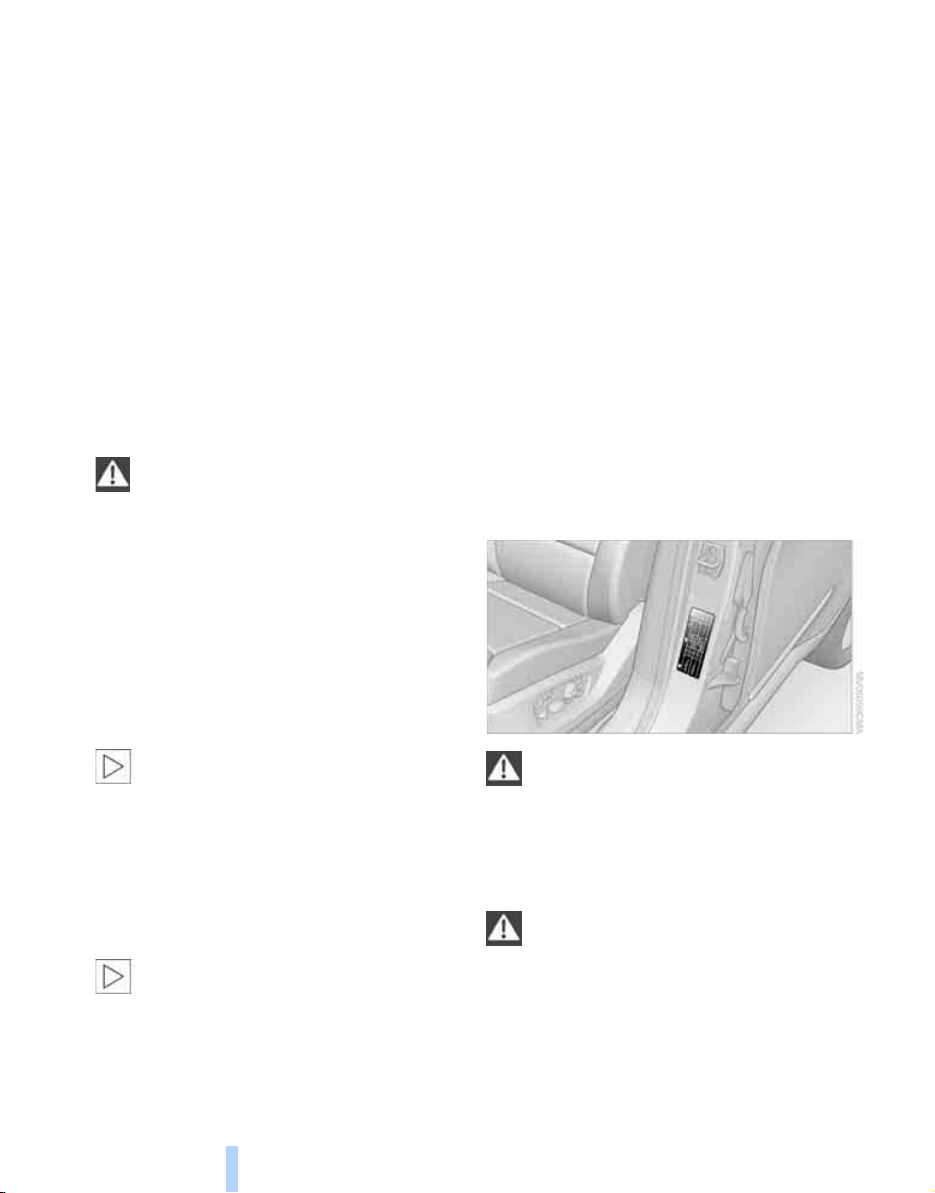
Wheels and tires
214
Wheels and tires
Tire inflation pressure
Information for your safety
The condition of the tires and the maintenance
of the specified tire pressure are crucial not only
to the tire's service life, but also to driving com-
fort and most importantly, driving safety.
Checking pressure
Only check tire inflation pressure when the tires
are cold. This means after a maximum of
1.25 miles/2 km driving or when the vehicle has
been parked for at least 2 hours. When tires are
warm, the tire inflation pressure increases.
Check the tire inflation pressure regularly
and correct it as needed, even on the
compact tire
*
: at least twice a month and before
starting long trips. If you fail to observe this pre-
caution, you may be driving on tires with incor-
rect tire pressures, a condition that can not only
compromise your vehicle's driving stability, but
also lead to tire damage and the risk of an acci-
dent. Do not drive with depressurized, i.e. flat
tires, except run-flat tires. A flat tire will seri-
ously impair your vehicle's handling and braking
response. Attempts to drive on a flat tire can
lead to a loss of control over the vehicle.<
After correcting the tire inflation pressure,
reinitialize the Flat Tire Monitor, refer to
page 87, or reset the Tire Pressure Monitor,
refer to page 89.<
Pressure specifications
The tables below provide all the correct inflation
pressures for the specified tire sizes at ambient
temperature.
The inflation pressures apply to the tire
sizes and tire brands respectively
approved and recommended by BMW; a list of
these is available from your BMW Sports Activ-
ity Vehicle Center.<
For correct identification of the right tire infla-
tion pressure for your tires, observe the follow-
ing:
> Tire sizes of your vehicle
> Load conditions
> Maximum allowable driving speed
Tire inflation pressures for speeds
up to 100 mph/160 km/h
For normal driving up to 100 mph/160 km/h,
adjust pressures to the respective tire inflation
pressures listed on the following pages in the
column Traveling speeds up to max. of
100 mph/160 km/h to achieve optimum driving
comfort.
These pressure specifications can be found on
the door post when you open the driver's door.
The permissible top speed for these tire
inflation pressures is 100 mph/160 km/h.
Do not exceed this speed, otherwise tire dam-
age and accidents may result.<
Tire inflation pressures for speeds
above 100 mph/160 km/h
In order to drive at maximum speeds in
excess of 100 mph/160 km/h, please
observe, and, if necessary, adjust tire pressures
for speeds exceeding 100 mph/160 km/h from
the relevant table on the following pages.
Otherwise tire damage and accidents could
occur.<
Online Edition for Part no. 01 41 0 012 501 - © 08/06 BMW AG

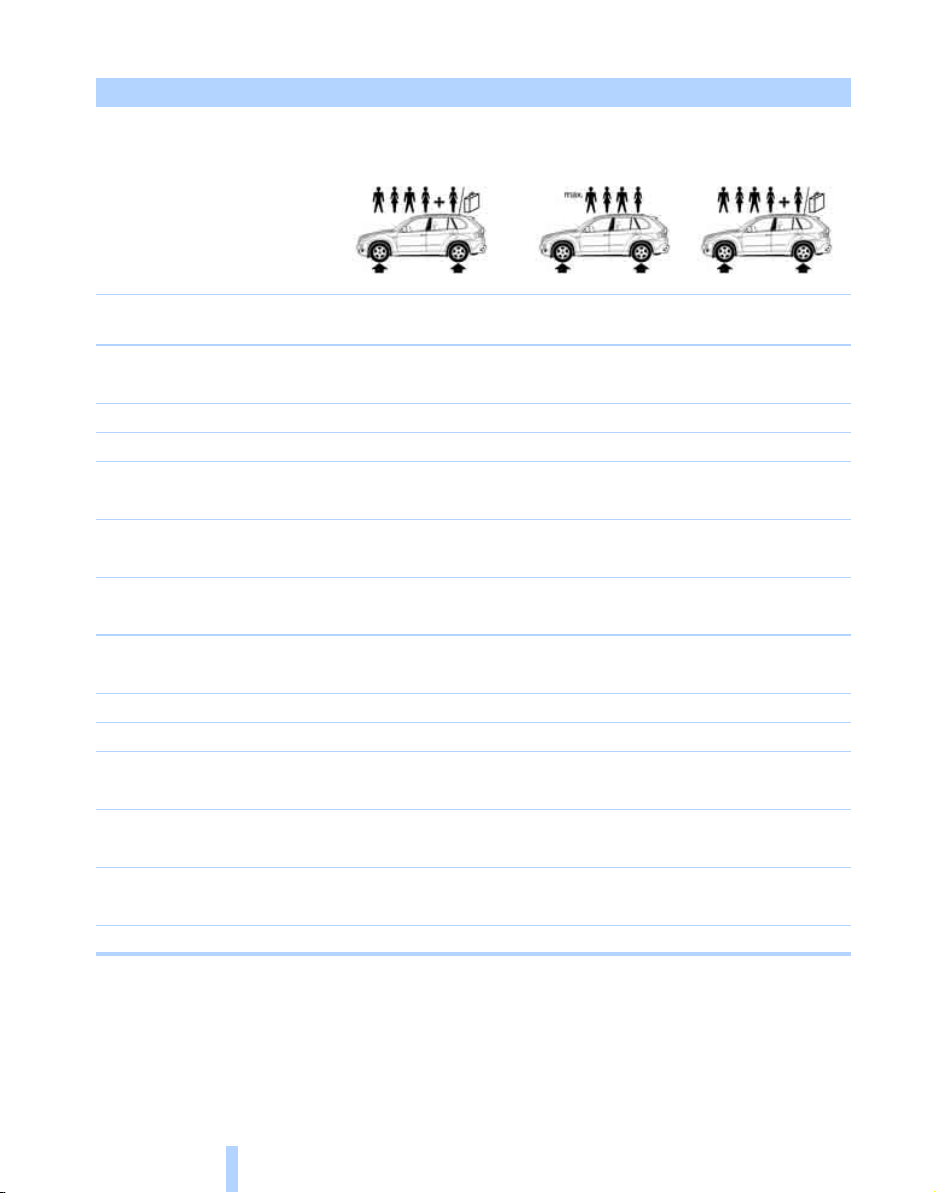
Wheels and tires
216
Tire inflation pressures for X5 3.0si/4.8i with two rows of seats
Tire size Pressure specifications in psi/kPa
Traveling speeds
up to a max. of
100 mph/160 km/h
Traveling speeds
including those exceeding
100 mph/160 km/h
All pressure specifications in
the table are indicated in psi/
kilopascal with cold tires.
Cold = ambient temperature
Compact wheel
*
:
T 155/90 D 18 113 M
61/420 61/420 61/420 61/420 61/420 61/420
without sport package:
255/55 R 18 109 H M+S XL 32/220 32/220 32/220 32/220 32/220 36/250
255/50 R 19 107 H M+S XL 32/220 33/230 32/220 32/220 32/220 36/250
Front: 255/50 R 19 107 V XL 32/220 - 32/220 - 32/220 -
Rear: 285/45 R 19 111 V XL - 32/220 - 32/220 - 32/220
Front: 275/40 R 20 106 W XL 32/220 - 32/220 - 32/220 -
Rear: 315/35 R 20 110 W XL - 32/220 - 32/220 - 32/220
Front: 285/35 R 21 105 W XL 32/220 - 32/220 - 32/220 -
Rear: 325/30 R 21 108 W XL - 32/220 - 32/220 - 33/230
with sport package:
255/55 R 18 109 H M+S XL 32/220 32/220 32/220 32/220 32/220 36/250
255/50 R 19 107 H M+S XL 32/220 33/230 32/220 32/220 32/220 36/250
Front: 255/50 R 19 107 V XL 32/220 - 33/230 - 35/240 -
Rear: 285/45 R 19 111 V XL - 32/220 - 33/230 - 36/250
Front: 275/40 R 20 106 W XL 32/220 - 32/220 - 33/230 -
Rear: 315/35 R 20 110 W XL - 32/220 - 33/230 - 36/250
Front: 285/35 R 21 105 W XL 32/220 - 33/230 - 35/240 -
Rear: 325/30 R 21 108 W XL - 32/220 - 33/230 - 38/260
More details on the permissible load and weights can be found on page 244.
Online Edition for Part no. 01 41 0 012 501 - © 08/06 BMW AG

Mobility
217
Reference At a glanceControlsDriving tipsCommunications NavigationEntertainment
Tire inflation pressures for X5 3.0si/4.8i with three rows of seats
Tire size Pressure specifications in psi/kPa
Traveling speeds
up to a max. of
100 mph/160 km/h
Traveling speeds
including those exceeding
100 mph/160 km/h
All pressure specifications in
the table are indicated in psi/
kilopascal with cold tires.
Cold = ambient temperature
without sport package:
255/55 R 18 109 H M+S XL 32/220 33/230 32/220 32/220 32/220 38/260
255/50 R 19 107 H M+S XL 32/220 36/250 32/220 35/240 33/230 41/280
Front: 255/50 R 19 107 V XL 32/220 - 32/220 - 33/230 -
Rear: 285/45 R 19 111 V XL - 32/220 - 32/220 - 35/240
Front: 275/40 R 20 106 W XL 32/220 - 32/220 - 32/220 -
Rear: 315/35 R 20 110 W XL - 32/220 - 32/220 - 35/240
Front: 285/35 R 21 105 W XL 32/220 - 32/220 - 32/220 -
Rear: 325/30 R 21 108 W XL - 35/240 - 33/230 - 38/260
with sport package:
255/55 R 18 109 H M+S XL 32/220 33/230 32/220 32/220 32/220 38/260
255/50 R 19 107 H M+S XL 32/220 36/250 32/220 35/240 33/230 41/280
Front: 255/50 R 19 107 V XL 32/220 - 33/230 - 35/240 -
Rear: 285/45 R 19 111 V XL - 32/220 - 35/240 - 41/280
Front: 275/40 R 20 106 W XL 32/220 - 32/220 - 33/230 -
Rear: 315/35 R 20 110 W XL - 32/220 - 35/240 - 41/280
Front: 285/35 R 21 105 W XL 32/220 - 33/230 - 35/240 -
Rear: 325/30 R 21 108 W XL - 35/240 - 36/250 - 42/290
More details on the permissible load and weights can be found on page 244.
Online Edition for Part no. 01 41 0 012 501 - © 08/06 BMW AG

Wheels and tires
218
Tire identification marks
Knowledge of the labeling on the side of the tire
makes it easier to identify and choose the right
tires.
Tire size
Speed letter
Q= up to 100 mph/160 km/h
T = up to 118 mph/190 km/h
H = up to 131 mph/210 km/h
V = up to 150 mph/240 km/h
W = up to 167 mph/270 km/h
Y = up to 186 mph/300 km/h
Tire Identification Number
Tires with DOT codes meet the guidelines of
the US Department of Transportation.
DOT code:
Tire age
The manufacturing date of tires is contained in
the tire coding: DOT ... 0307 indicates that the
tire was manufactured in week 3 of 2007.
BMW recommends that you replace all tires
after 6 years at most, even if some tires may last
for 10 years.
Uniform Tire Quality Grading
Quality grades can be found where applicable
on the tire sidewall between tread shoulder and
maximum section width. For example:
Tread wear 200 Traction AA
Temperature A
DOT Quality Grades
Tread wear
Traction AA A B C
Temperature A B C
All passenger car tires must conform to
Federal Safety Requirements in addition
to these grades.<
Tread wear
The tread wear grade is a comparative rating
based on the wear rate of the tire when tested
under controlled conditions on a specified gov-
ernment test course. For example, a tire graded
150 would wear one and one-half (1γ) times as
well on the government course as a tire graded
100. The relative performance of tires depends
upon the actual conditions of their use, how-
ever, and may depart significantly from the
norm due to variations in driving habits, service
practices and differences in road characteris-
tics and climate.
Traction
The traction grades, from highest to lowest, are
AA, A, B, and C.
Those grades represent the tire's ability to stop
on wet pavement as measured under controlled
conditions on specified government test sur-
faces of asphalt and concrete. A tire marked C
may have poor traction performance.
The traction grade assigned to this tire is
based on straight-ahead braking traction
tests, and does not include acceleration, cor-
nering, hydroplaning, or peak traction charac-
teristics.<
e.g.
Nominal width in mm
Aspect ratio in Ξ
Belted construction – radial
Rim diameter in inches
Carrying capacity ID-code
(not in ZR tires)
Speed code letter
(in ZR tires before the R)
255/55 R
18
109 H
e.g.
Manufacturer code
for tire make
Tire size and tire design
Tire age
DOT xxxx xxx 0806
Online Edition for Part no. 01 41 0 012 501 - © 08/06 BMW AG
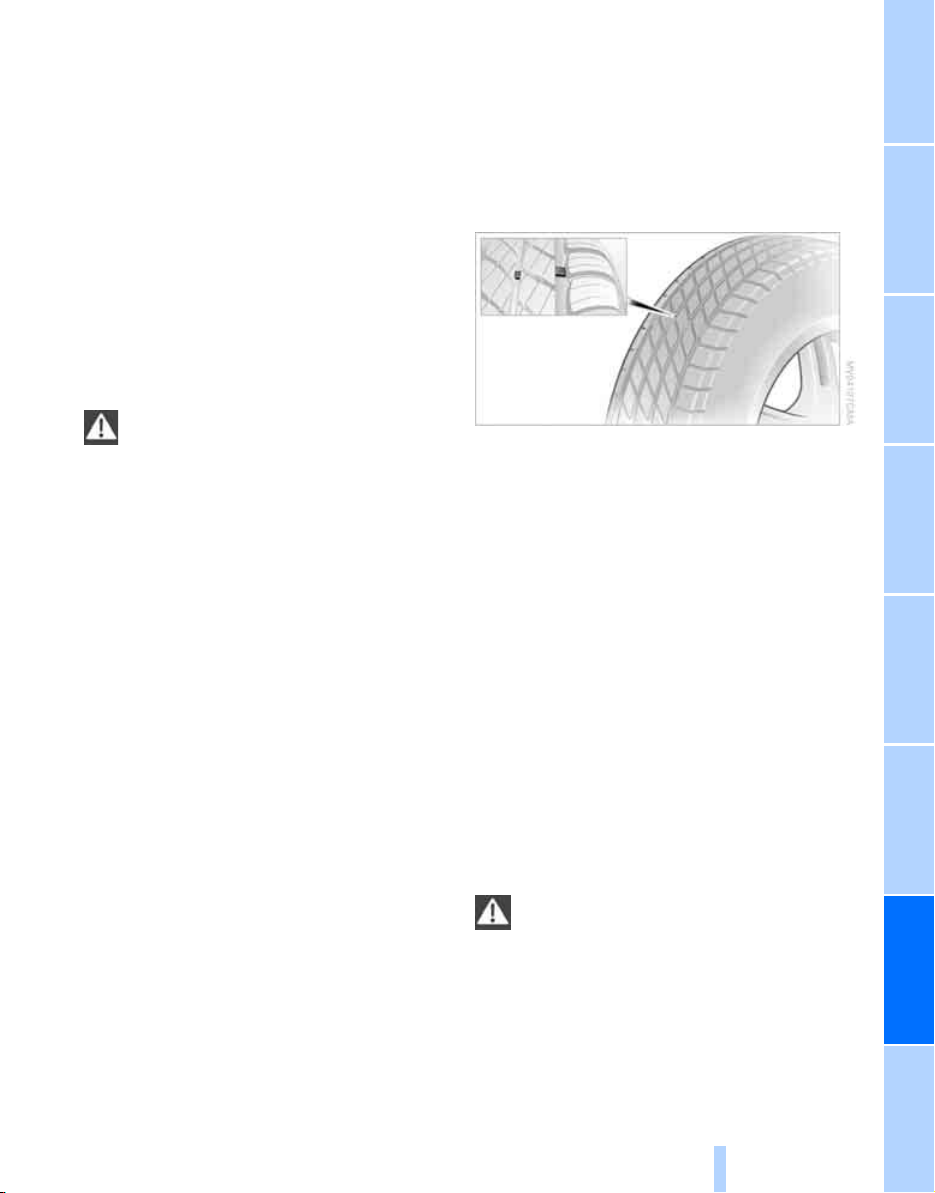
Mobility
219
Reference At a glanceControlsDriving tipsCommunications NavigationEntertainment
Temperature
The temperature grades are A, the highest, B,
and C, representing the tire's resistance to the
generation of heat and its ability to dissipate
heat when tested under controlled conditions
on a specified indoor laboratory test wheel.
Sustained high temperature can cause the
material of the tire to degenerate and reduce
tire life, and excessive temperature can lead to
sudden tire failure. The grade C corresponds to
a level of performance which all passenger car
tires must meet under the Federal Motor Vehi-
cle Safety Standard No. 109. Grades B and A
represent higher levels of performance on the
laboratory test wheel than the minimum
required by law.
The temperature grade for this tire is
established for a tire that is properly
inflated and not overloaded. Excessive speed,
underinflation, or excessive loading, either sep-
arately or in combination, can cause heat
buildup and possible tire failure.<
RSC – run-flat tires
You will recognize run-flat tires by a circular
symbol containing the letters RSC on the side
of the tire, refer to page 220.
M+S
Winter and all-season tires.
These have better winter properties than sum-
mer tires.
XL
Indicates specially reinforced tires.
Tire condition
Inspect your tires frequently for tread wear,
signs of damage and for foreign objects lodged
in the tread. Check the tread depth.
Minimum tread depth
The tread depth should not drop below 0.12 in/
3 mm, although, for example, European legisla-
tion only specifies a minimum tread depth of
0.063 in/1.6 mm. At tread depths below 0.12 in/
3 mm there is an increased risk of high-speed
hydroplaning, even when only small amounts of
water are present on the road surface.
When winter tires wear down past a tread depth
of 0.16 in/4 mm, they become perceptibly less
suitable for winter conditions. For the sake of
safety, new tires should be installed.
Wear indicators at the tread-groove base, refer
to arrow, are distributed over the tire's circum-
ference and are marked on the side of the tire
with TWI – Tread Wear Indicator. If the tire tread
has been driven down to the wear indicators, a
tread depth of 0.063 in/1.6 mm has been
reached.
Wheel/tire damage
Please note that low-profile tires cause wheels,
tires and suspension parts to be more suscep-
tible to road hazards and consequential dam-
ages.
Unusual vibrations encountered during normal
vehicle operation can indicate tire failure or
some other vehicle defect. This can, for exam-
ple, be caused by driving over curbs. These
kinds of problems may also be signaled by other
changes in vehicle response, such as a strong
tendency to pull to the left or right.
In these cases, reduce speed immedi-
ately and have wheels and tires thor-
oughly checked. To do so, drive carefully to the
nearest BMW Sports Activity Vehicle Center or
tire shop that works according to BMW repair
procedures with correspondingly trained per-
sonnel. If necessary, have the vehicle towed
there. Tire damage can be extremely dangerous
for occupants and other road users.<
Online Edition for Part no. 01 41 0 012 501 - © 08/06 BMW AG
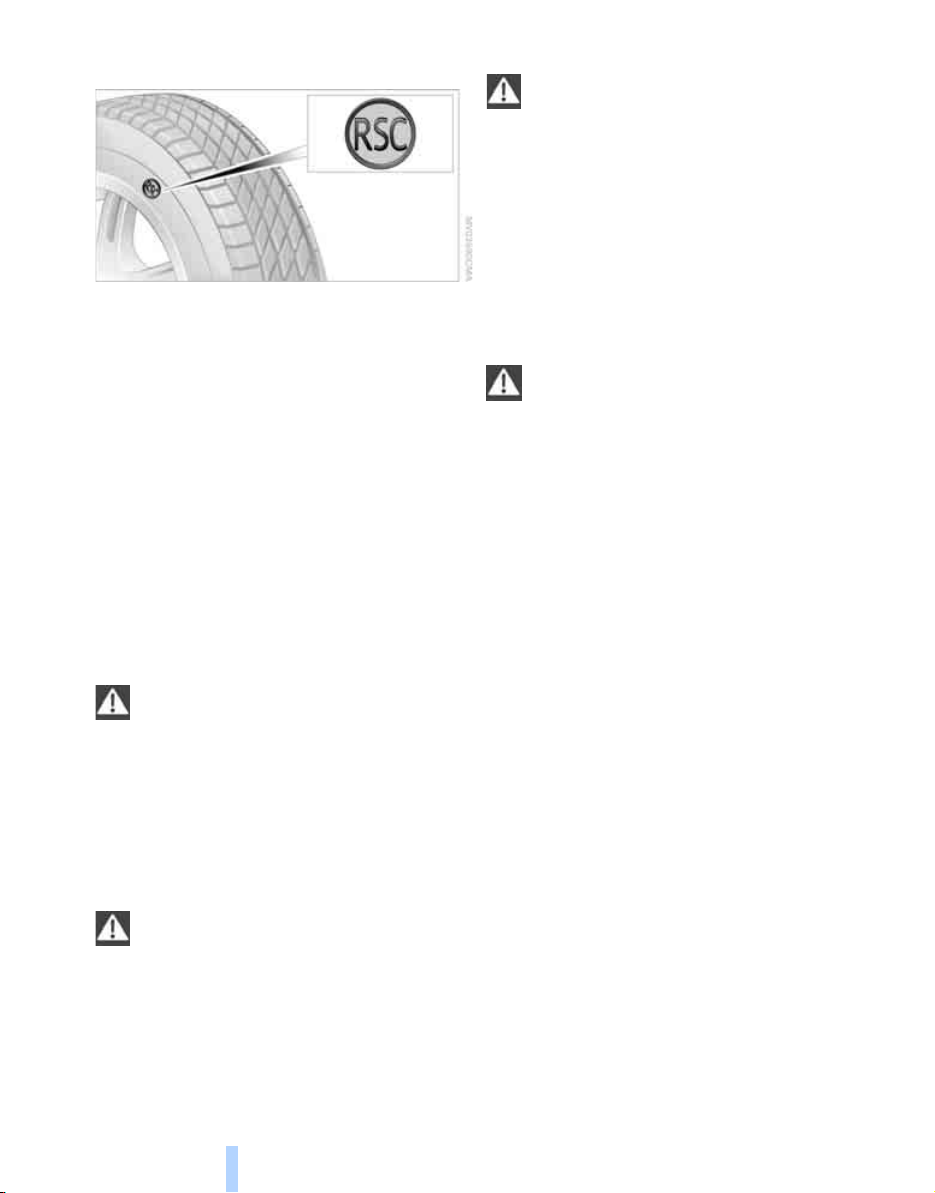
Wheels and tires
220
Run-flat tires
You will recognize run-flat tires by the circular
symbol containing the letters RSC on the side
of the tire.
Run-flat tires consist of partially self-contained
tires and special rims. The sidewall reinforce-
ment ensures that the tire retains some residual
safety in the event of pressure drop and driving
remains possible to a restricted degree.
To continue driving with a damaged tire:
> With Flat Tire Monitor, refer to Indication of
a flat tire page 88
> With Tire Pressure Monitor, refer to Mes-
sage with low tire inflation pressure page 90
New wheels and tires
Have new wheels and tires installed only
by your BMW Sports Activity Vehicle
Center or a tire shop that works according to
BMW repair procedures with correspondingly
trained personnel. If this work is not carried out
properly, there is a danger of subsequent dam-
age and related safety hazards. Make sure that
the new wheels are balanced.<
Retreaded tires
BMW does not recommend that you use
retreaded tires, as driving safety may be
impaired. The causes for this include the possi-
bly different tire casing structures and the often
wide variations in their age, which can result in a
limited service life.<
The right wheels and tires
BMW recommends that you use only
wheel and tire combinations that BMW
has tested and approved for your particular
vehicle. Variations in factors such as manufac-
turing tolerances mean that even wheels and
tires with identical official size ratings could
actually have different dimensions than the
approved units – these differences could lead to
body contact, and with it the risk of severe acci-
dents. If non-approved wheels and tires are
used, BMW cannot evaluate their suitability,
and therefore cannot be held liable for driving
safety.<
When changing to larger wheels and tires,
it may be necessary to make changes to
the wheel-well trim piece, as otherwise road
users could be endangered or the vehicle could
be damaged. Only have this work carried out by
a BMW Sports Activity Vehicle Center or a
workshop that works in accordance with BMW
guidelines and uses appropriately trained per-
sonnel.<
You can ask your BMW Sports Activity Vehicle
Center for the correct wheel/tire combination.
The correct wheel/tire combination also affects
various systems whose function would other-
wise be impaired, e.g. ABS, DSC, xDrive or Flat
Tire Monitor
*
.
To maintain good handling and vehicle
response, use only tires of a single tread config-
uration from a single manufacturer. Following
tire damage, have the original wheel and tire
combination remounted on the vehicle as soon
as possible.
Wheels with electronics for
TPM Tire Pressure Monitor
When mounting new tires or changing from
summer to winter tires or vice versa, only use
wheels with TPM electronics, otherwise the
Tire Pressure Monitor cannot detect a flat tire,
refer to page 89. Your BMW Sports Activity
Vehicle Center will be happy to advise you on
this subject.
Online Edition for Part no. 01 41 0 012 501 - © 08/06 BMW AG
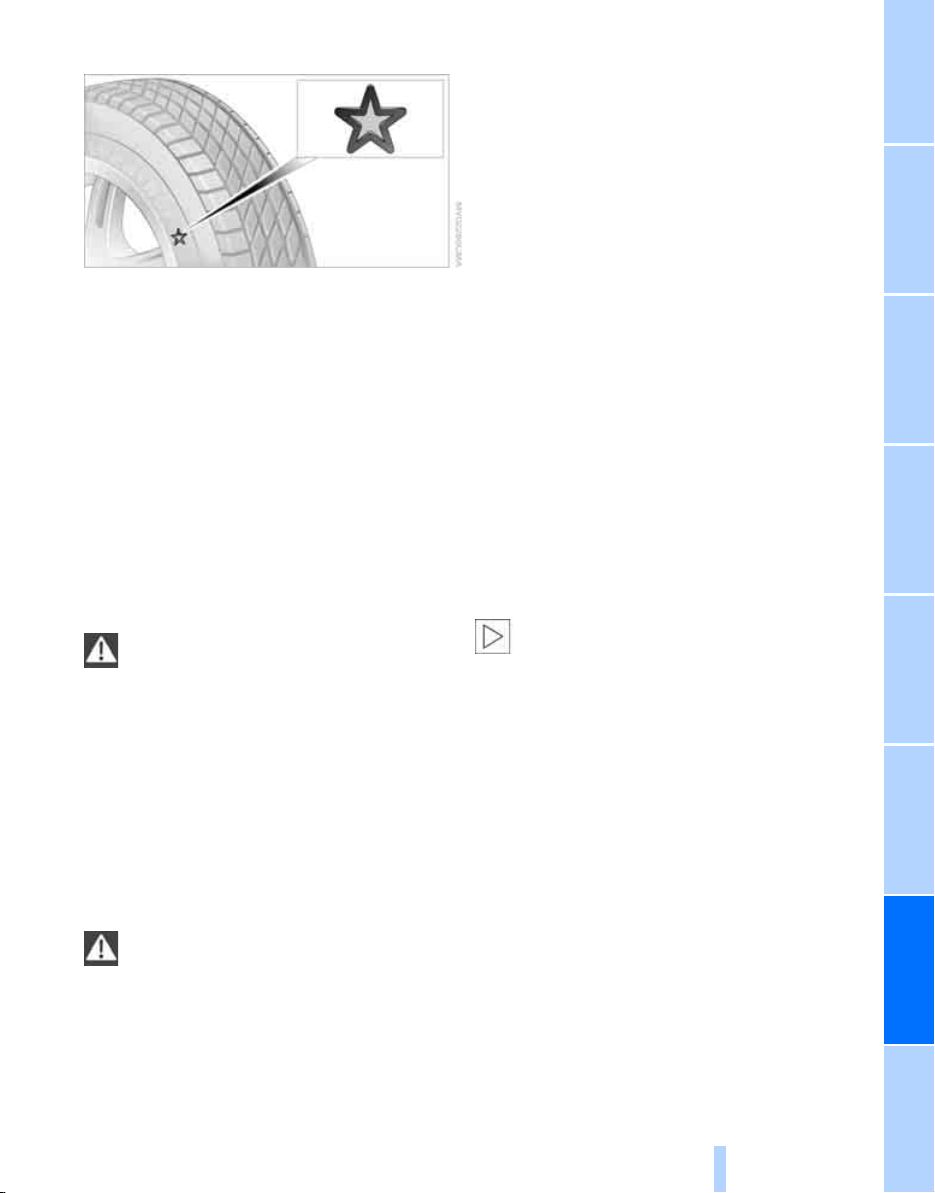
Mobility
221
Reference At a glanceControlsDriving tipsCommunications NavigationEntertainment
Recommended tire brands
Certain tire makes are recommended by BMW
depending on the tire size. You can recognize
these from the clearly visible BMW marking on
the tire sidewall.
When used properly, these tires comply with
the most demanding standards for safety and
vehicle response.
Run-flat tires
When mounting new tires, or changing from
summer to winter tires or vice versa, use run-flat
tires for your own safety. In addition, no spare
tire is available in case of a flat tire. Your BMW
Sports Activity Vehicle Center will be happy to
advise you.
For safety reasons, BMW recommends
that you do not have damaged run-flat
tires repaired; they should be replaced.<
Special characteristics of winter tires
BMW recommends winter tires for use in cold
winter driving conditions. Although all-season
M+S tires provide better winter traction than
summer tires, they generally fail to provide the
same levels of cold-weather performance as
winter tires.
Pay attention to speed
Always observe the maximum permissi-
ble speed for the winter tires, otherwise
tire damage may occur, which can result in acci-
dents.<
Storage
Store wheels and tires in a cool, dry place with
as little exposure to light as possible. Always
protect tires against all contact with oil, grease
and fuels. Do not exceed the maximum tire
inflation pressure indicated on the side wall of
the tire.
Rotating wheels between axles
BMW does not recommend moving the front
wheels to the rear or vice versa, as otherwise
the handling characteristics may be impaired.
Snow chains*
BMW only tests certain fine-link snow chains,
classifies them as road-safe and recommends
them. Your BMW Sports Activity Vehicle Center
can provide you with this information.
Use is only permissible in pairs on the rear
wheels.
Observe the manufacturer's instructions when
mounting snow chains. Do not exceed a speed
of 30 mph/50 km/h with the chains mounted.
After mounting snow chains, do not ini-
tialize the Flat Tire Monitor
*
, as otherwise
incorrect displays can occur.
When you are driving with snow chains, it can
be beneficial to activate DTC briefly, refer to
page 85.<
Online Edition for Part no. 01 41 0 012 501 - © 08/06 BMW AG
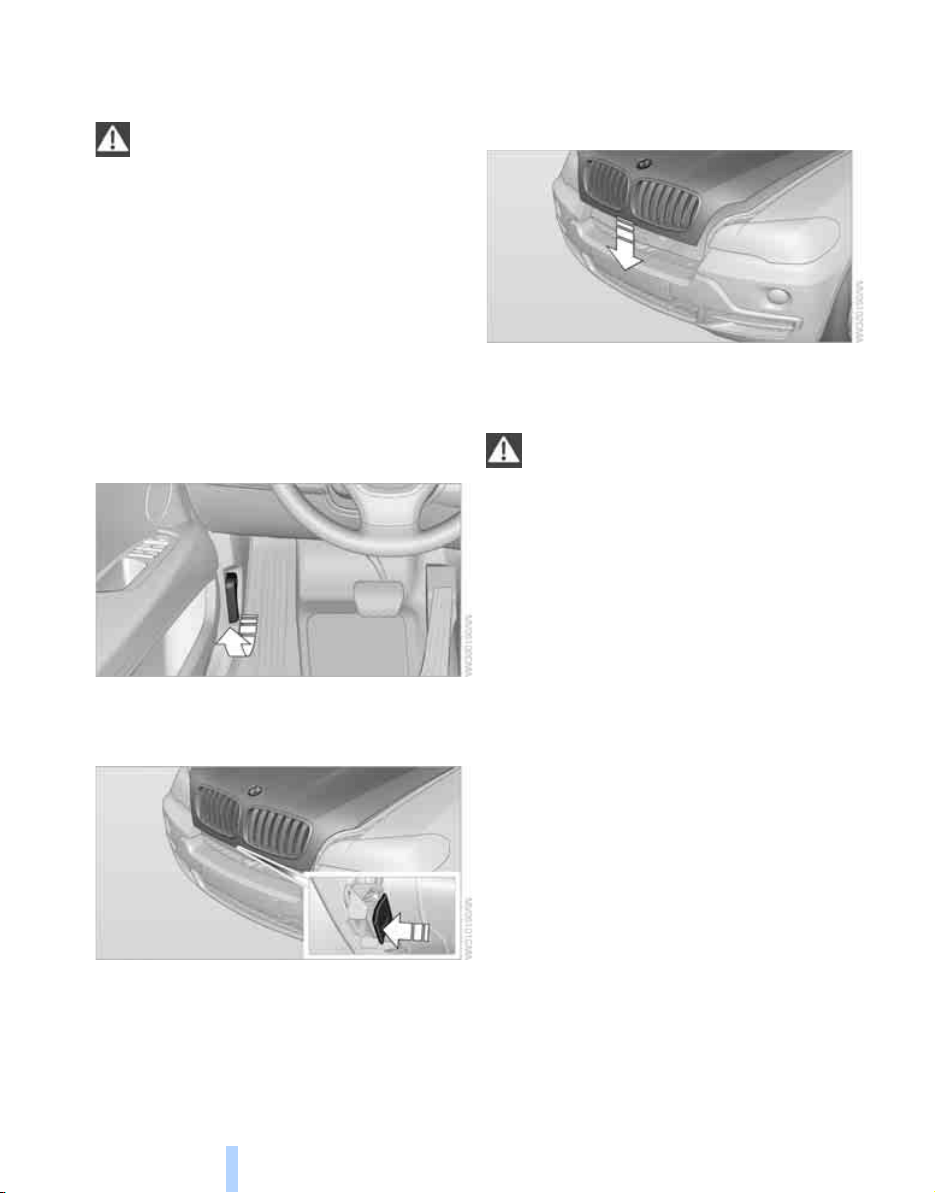
Under the hood
222
Under the hood
Never attempt to perform any service or
repair operations on your vehicle without
the required professional technical training. If
you do not know what repair procedures to fol-
low, have work on your vehicle done only by
your BMW Sports Activity Vehicle Center or a
workshop that works according to BMW repair
procedures with correspondingly trained per-
sonnel. If this work is not carried out properly,
there is a danger of subsequent damage and
related safety hazards.<
Hood
Releasing
Pull lever.
Opening
Press the release handle and open the hood.
Closing
Close the hood from a height of approx. 16 in/
40 cm with momentum. It must be clearly heard
to engage.
Make sure that the closing path of the
hood is clear, otherwise injuries may
result.
If you see any signs that the hood is not com-
pletely closed while driving your vehicle, you
should stop at once and close it securely.<
Online Edition for Part no. 01 41 0 012 501 - © 08/06 BMW AG
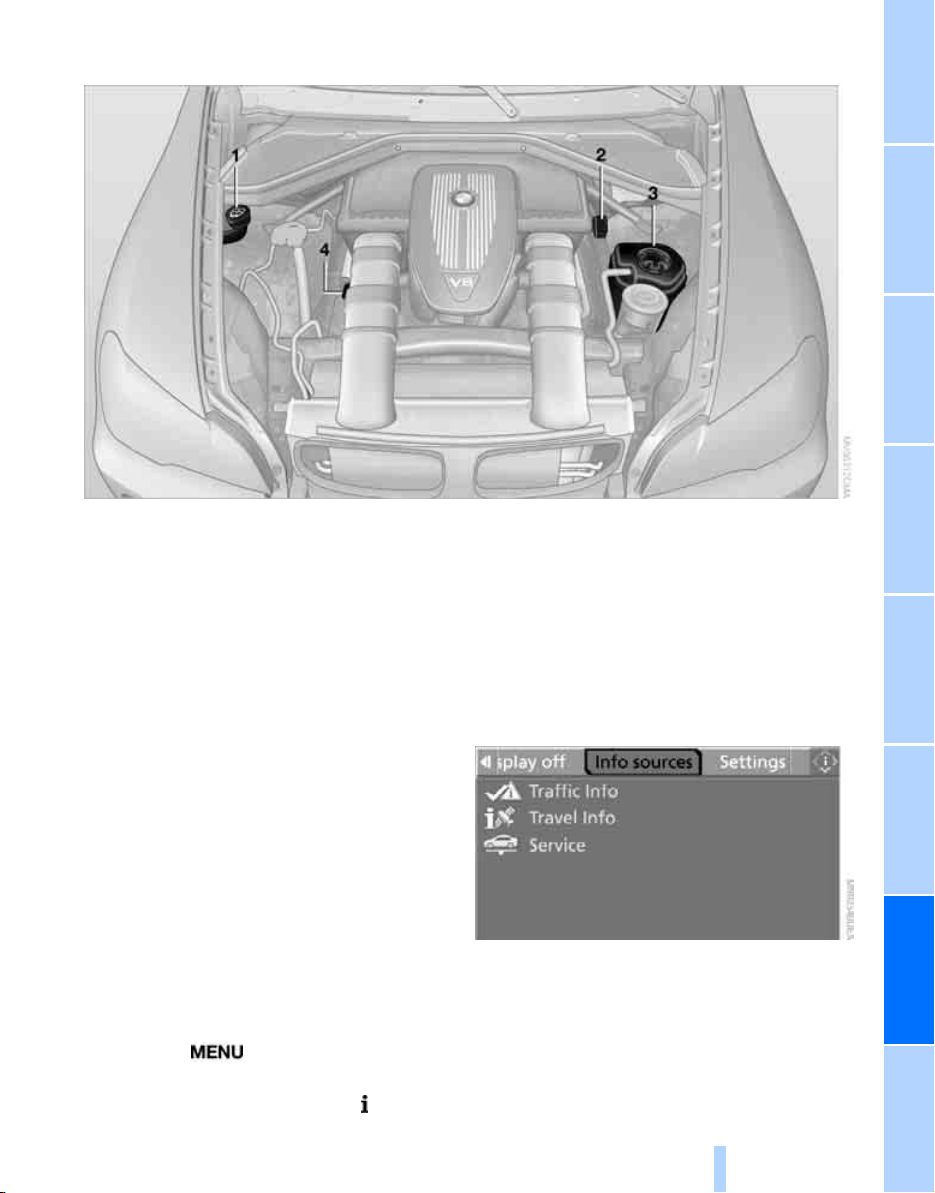
Mobility
223
Reference At a glanceControlsDriving tipsCommunications NavigationEntertainment
Engine compartment
1 Washer fluid reservoir of the headlamp
and windshield cleaning systems, refer to
page 64
2 Starting-aid terminal, refer to page 237
3 Expansion tank for coolant, refer to
page 225
4 Filler neck for engine oil, refer to
Adding engine oil, page 224
Engine oil
The engine oil consumption is dependent on
driving style and driving conditions.
Checking engine oil level
Your vehicle is equipped with an electronic oil
level check.
The condition for the most accurate indication
of the oil level possible is measurement with the
engine at operating temperature, i.e. following
an uninterrupted drive of at least 6 miles/10 km.
You can display the oil level while driving or
when stopped on a level surface with the engine
running.
iDrive, for explanation of concept, refer to
page 16.
1. Press the button.
This opens the start menu.
2. Press the controller to open the menu.
3. Select "Info sources" and press the control-
ler.
4. Select "Service" and press the controller.
Online Edition for Part no. 01 41 0 012 501 - © 08/06 BMW AG
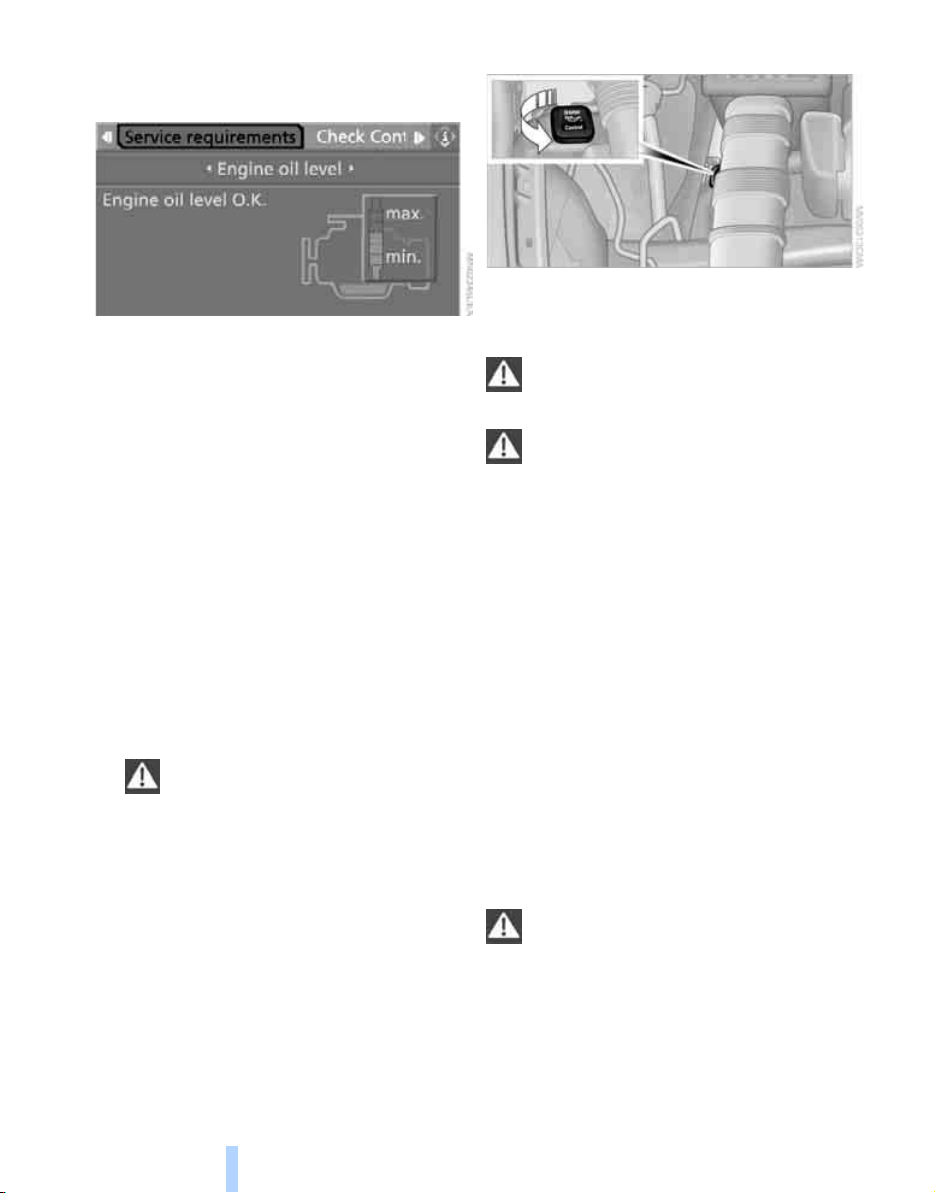
Under the hood
224
5. Change to upper field if necessary. Turn the
controller until "Service requirements" is
selected and press the controller.
6. Change to the second field from the top if
necessary. Turn the controller until "Engine
oil level" is selected and press the control-
ler. The oil level is displayed.
Possible messages
> "Engine oil level O.K."
> "No measurement available: Updating
engine oil level measurement...":
Engine oil level is being measured. This
process can take approx. 3 minutes when
stopped on a level surface and approx.
5 minutes while driving.
> "Oil level at the minimum! Refill with 1 quart
of engine oil.":
Add 1 US quart/liter of engine oil at the next
opportunity.
> "Engine oil level too high":
Have the vehicle checked immedi-
ately, otherwise engine damage may
result if too much oil has been added.<
> "Please observe recalculated service inter-
val for engine oil":
Do not add engine oil. Continued driving is
possible. To do this, observe the recalcu-
lated remaining mileage until the next oil
change service, refer to page 226. Have the
system checked as soon as possible.
Adding engine oil
Do not add 1 US quart/1 liter of oil until a corre-
sponding message is shown on the Control Dis-
play.
Add oil within the next 125 miles/200 km,
otherwise the engine could be dam-
aged.<
Continuous exposure to used oil has
caused cancer in laboratory testing.
For this reason, any skin areas that come into
contact with oil should be thoroughly washed
with soap and water.
Keep oil, grease etc. out of reach of children and
observe the warnings on the containers to pre-
vent health risks.<
Oil change
Only have an oil change carried out by a BMW
Sports Activity Vehicle Center or a workshop
that works in accordance with BMW guidelines
and uses appropriately trained personnel.
Approved engine oils
The quality of the engine oil selected has critical
significance for the operation and service life of
an engine. BMW continuously approves spe-
cific oils after confirming their suitability for use
in its vehicles with extensive testing.
Do not use oil additives, as these may
result in engine damage.<
Only use approved BMW High Performance
Synthetic Oil.
If BMW High Performance Synthetic Oil is
unavailable, you can add small quantities of
other synthetic oils between oil changes. Only
use oils of the specification API SH or higher.
Online Edition for Part no. 01 41 0 012 501 - © 08/06 BMW AG

Mobility
225
Reference At a glanceControlsDriving tipsCommunications NavigationEntertainment
Your BMW Sports Activity Vehicle Center
will be happy to answer detailed ques-
tions on BMW High Performance Synthetic Oil
or approved synthetic oils.<
You can also call BMW of North America at
1-800-831-1117 or visit the website at
www.bmwusa.com to obtain this information.
Viscosity grades
Viscosity is a measure of an oil's flow rating and
is specified in SAE grades.
The choice of the right SAE grade is based on
the climatic conditions in the region in which
you normally drive your BMW.
Approved oils belong to the SAE grades
5W-40 and 5W-30.<
These oils can be used for driving at all outside
temperatures.
Coolant
Do not add coolant to the cooling system
when the engine is hot. Escaping coolant
can cause burns.<
Coolant is comprised of water and coolant addi-
tive. Not all commercially available additives are
suitable for your BMW. Your BMW Sports
Activity Vehicle Center can recommend suit-
able additives.
Only use suitable additives, otherwise
engine damage may result. The additives
present a health hazard; observe the instruc-
tions on the containers.<
Comply with the appropriate environ-
mental protection regulations when dis-
posing of coolant additives.<
Checking coolant level
1. The engine must be at ambient tempera-
ture.
2. Turn the cap of the expansion tank counter-
clockwise to allow any accumulated pres-
sure to escape, then continue turning to
open.
3. The coolant level is correct when the cool-
ant level is between the MIN and MAX
marks, refer to the diagram adjacent to the
filler neck.
4. If the coolant is low, slowly add coolant up to
the specified level; do not overfill.
5. Turn the cap until there is an audible click.
6. Have the reason for the coolant loss elimi-
nated as soon as possible.
Online Edition for Part no. 01 41 0 012 501 - © 08/06 BMW AG
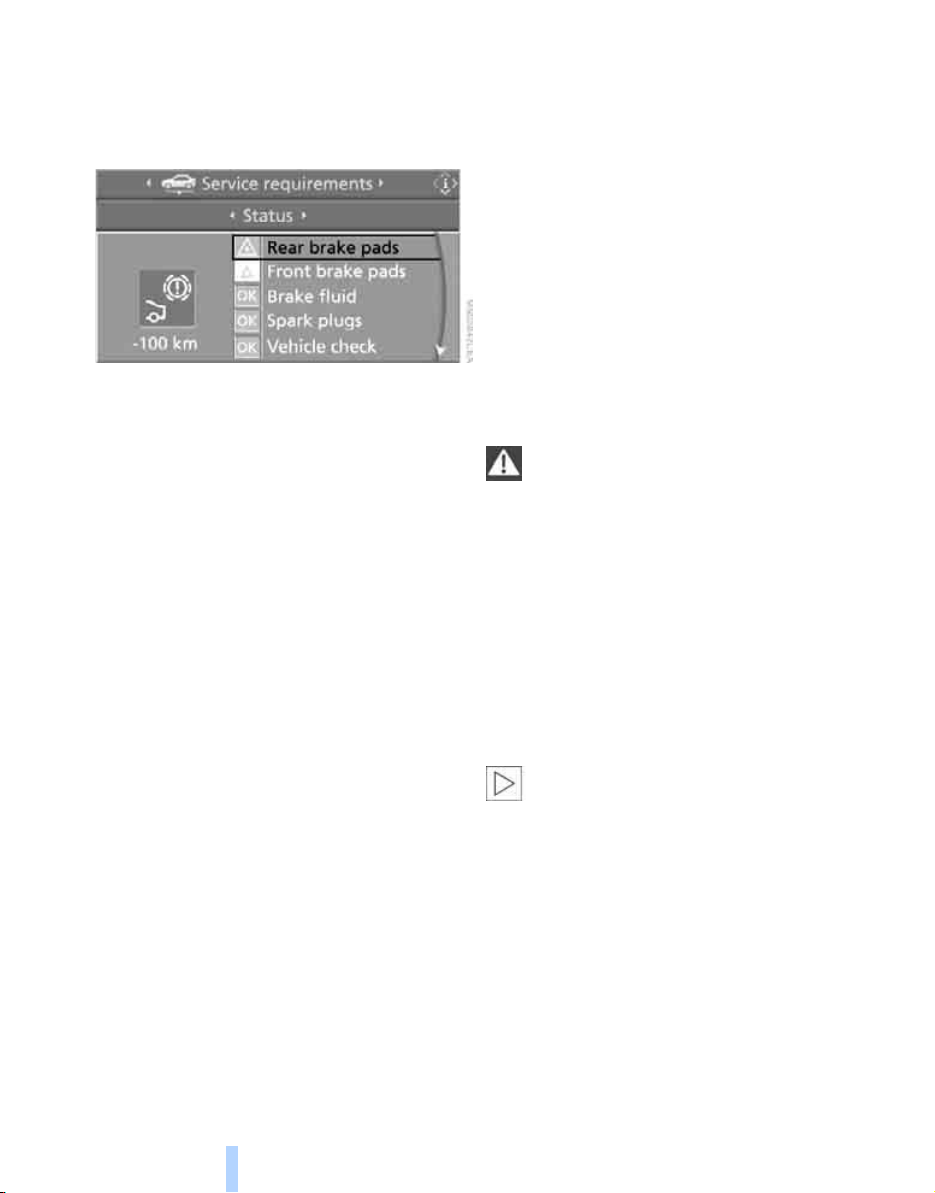
Maintenance
226
Maintenance
BMW maintenance system
The BMW maintenance system supports the
preservation of the traffic and operating safety
of your BMW. The service schedule also
includes operations related to the vehicle's
comfort and convenience features, such as
replacement of the filters for the inside air.
The ultimate objective is to ensure economical
maintenance by providing the ideal service for
your vehicle.
Should the day come when you decide to sell
your BMW, a complete dealer service history
will prove to be an asset of inestimable value.
CBS Condition Based Service
Sensors and special algorithms take the differ-
ent driving conditions of your BMW into
account. Condition Based Service uses this to
determine the current and future service
requirements. By letting you define a service
and maintenance regimen that reflects your
own individual requirements, the system builds
the basis for trouble-free driving.
You can set the Control Display to show
remaining distances and times of selected
maintenance intervals and legally mandated
deadlines, refer to page 71:
> Engine oil
> Brake pads, front and rear separately
> Brake fluid
> Vehicle check
> Legally mandated inspections depending
on local regulations
Service data in remote control
Your vehicle stores the information required for
maintenance continuously in the remote con-
trol during driving. After accessing the data
stored in the remote control, your BMW Service
Advisor can suggest precisely the right array of
service procedures for your own individual vehi-
cle. You should therefore hand over the remote
control you last used to drive to the BMW Ser-
vice Advisor when you take your vehicle in for
service.
Make sure the date is set correctly, refer
to page 78, otherwise the effectiveness
of CBS Condition Based Service is not
ensured.<
Service and Warranty Information
Booklet for US models and
Warranty and Service Guide Booklet
for Canadian models
Please consult your Service and Warranty Infor-
mation Booklet for US models and Warranty
and Service Guide Booklet for Canadian models
for additional information on service require-
ments.
BMW recommends that you have service
and repair operations performed at your
BMW Sports Activity Vehicle Center.
Take the time to ensure that these service pro-
cedures are confirmed by entries in your vehi-
cle's Service and Warranty Information Booklet
for US models and Warranty and Service Guide
Booklet for Canadian models. These entries
verify that your vehicle has received the speci-
fied regular maintenance.<
Online Edition for Part no. 01 41 0 012 501 - © 08/06 BMW AG
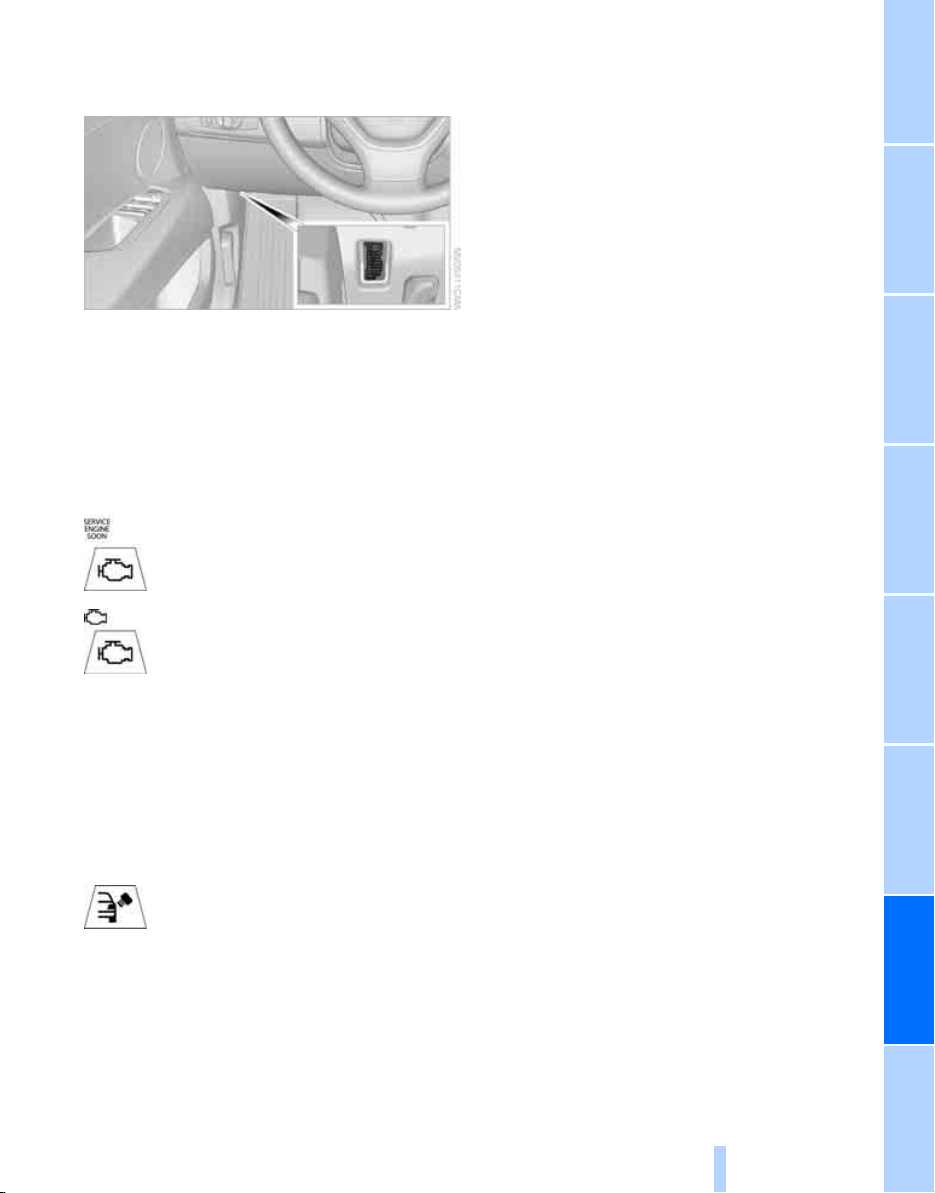
Mobility
227
Reference At a glanceControlsDriving tipsCommunications NavigationEntertainment
Socket for OBD Onboard
Diagnostics interface
Components which are decisive for the
exhaust-gas composition can be checked via
the OBD socket with a device.
This socket is located to the left on the driver's
side, on the underside of the instrument panel
under a cover.
Exhaust-gas values
The warning lamp lights up. The
exhaust-gas values worsen. Have the
vehicle checked as soon as possible.
Display of the previously described
malfunction in Canadian models.
The lamp flashes under certain conditions. This
is a sign of excessive misfiring of the engine. In
this case you should reduce your speed and
proceed to the nearest BMW Sports Activity
Vehicle Center. Heavy engine misfiring causes
serious damage to the emission-relevant com-
ponents, especially the catalytic converter,
within a short time.
The warning lamp lights up if the fuel
filler cap is not properly tightened and
the OBD system can close when fuel
vapor escapes. If the fuel filler cap is then tight-
ened, the display must go out within a few days.
Event Data Recorders
Your vehicle may be equipped with one or sev-
eral measuring and diagnosis modules, or with
a device for recording or transmitting certain
vehicle data or information. If you have also
signed a contract of participation for
BMW Assist, certain vehicle data can be trans-
mitted or recorded to enable corresponding
services.
Care
Important information on the care and mainte-
nance of your BMW is contained in the Caring
for your vehicle brochure.
Online Edition for Part no. 01 41 0 012 501 - © 08/06 BMW AG
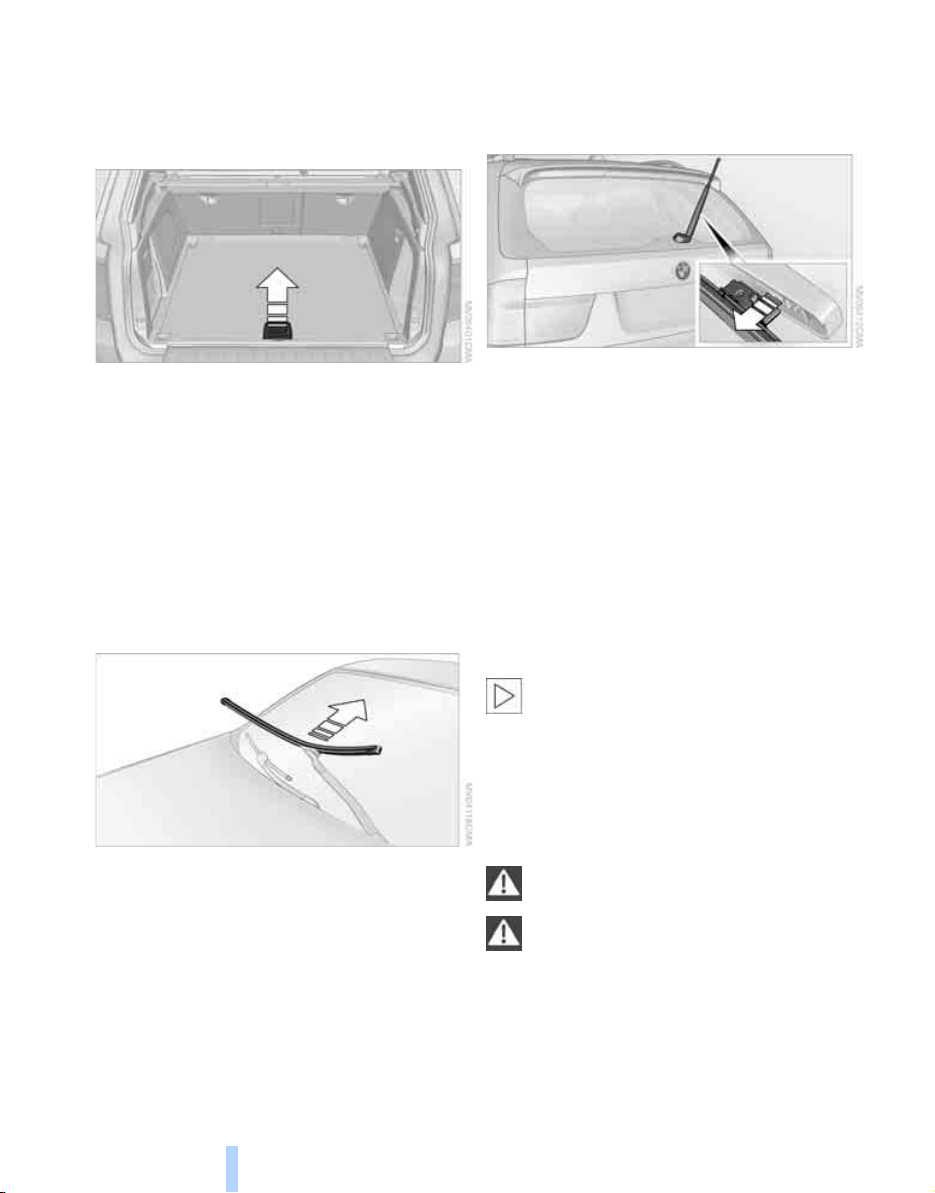
Replacing components
228
Replacing components
Onboard toolkit
The onboard toolkit is located in the cargo bay
under the floor panel.
Replacing wiper blades
Front
1. Fold down the wiper arm.
2. Swing the wiper blade upward.
3. Remove the wiper blade toward the wind-
shield, refer to arrow.
Rear
1. Lift off the wiper arm completely and pull off
the wiper blade, refer to arrow.
2. Mount the new wiper blade and press on
until it is heard to engage.
Lamps and bulbs
Lamps and bulbs make an essential contribu-
tion to vehicle safety. You must be duly diligent
in replacing them. BMW recommends having
your BMW Sports Activity Vehicle Center per-
form any work that you do not feel competent to
perform yourself or that is not described here.
Never touch the glass of new bulbs with
your bare fingers, as even minute
amounts of contamination will burn into the
bulb's surface and reduce its service life. Use a
clean cloth, napkin, etc., or hold the bulb by its
metal socket.<
A replacement bulb set is available from your
BMW Sports Activity Vehicle Center.
Only replace bulbs when cool, as other-
wise you may be burned.<
Whenever you perform any work on the
electrical system, turn off the systems/
consumers involved to prevent short circuits
from occurring. To avoid possible injury or
equipment damage when replacing bulbs,
observe any instructions provided by the bulb
manufacturer.<
Online Edition for Part no. 01 41 0 012 501 - © 08/06 BMW AG
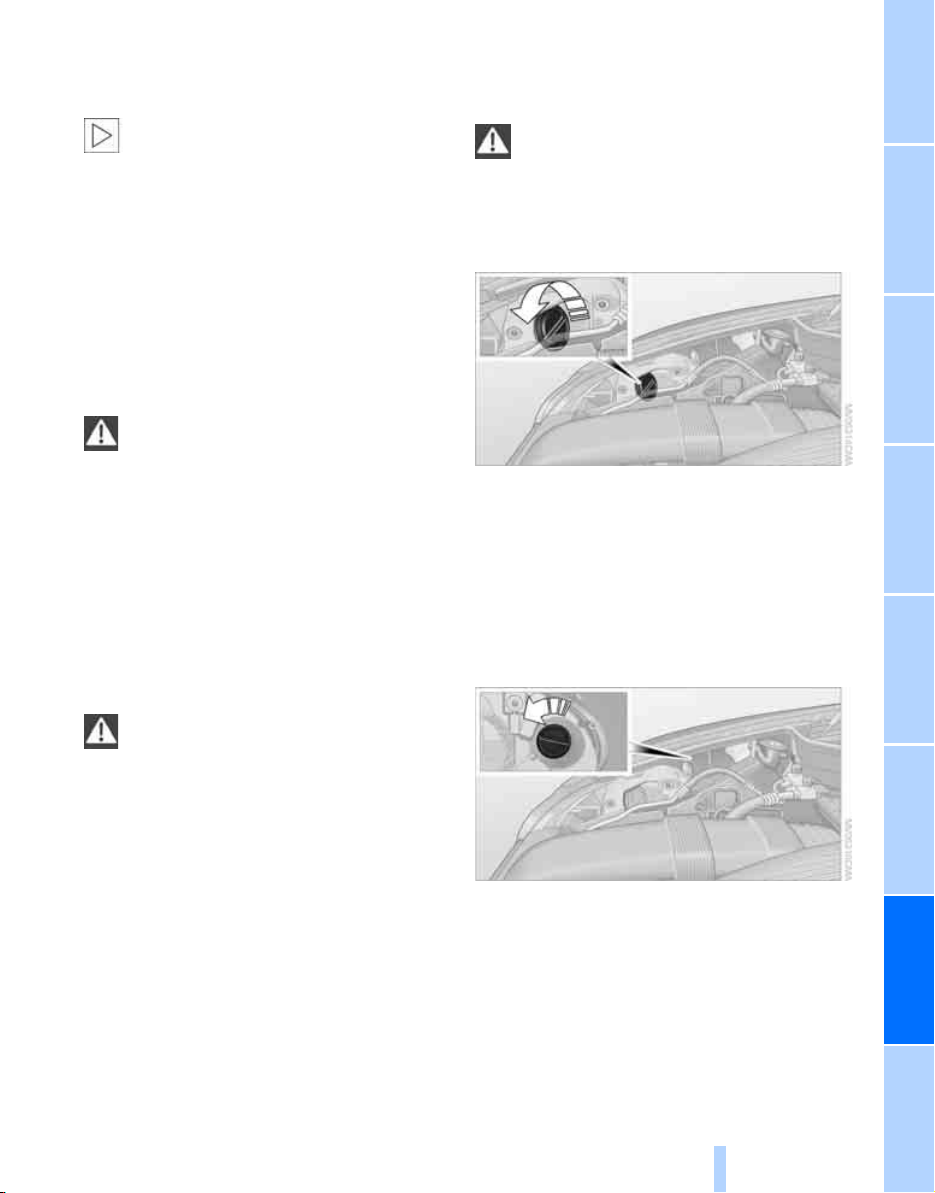
Mobility
229
Reference At a glanceControlsDriving tipsCommunications NavigationEntertainment
For care and maintenance of the headlamps,
please follow the instructions in the separate
Caring for your vehicle brochure.
For bulbs for which replacement is not
described and for checking and adjusting
headlamp aim, please contact your BMW
Sports Activity Vehicle Center.<
Light-emitting diodes LEDs
Light-emitting diodes installed behind translu-
cent lenses serve as the light source for many of
the controls and displays in your vehicle. These
light-emitting diodes, which operate using a
concept similar to that applied in conventional
lasers, are officially designated as Class 1 light-
emitting diodes.
Do not remove the covers, and never
stare into the unfiltered light for several
hours, as irritation of the retina could result.<
Xenon bulbs
The service life of these bulbs is very long and
the probability of a failure is very low, provided
that they are not switched on and off an unusual
number of times. If one of these bulbs should
nevertheless fail, it is possible to continue driv-
ing with great caution using the fog lamps, pro-
vided traffic laws in your area do not prohibit
this.
Have work on the xenon light unit includ-
ing changing the bulb carried out only by
your BMW Sports Activity Vehicle Center or a
workshop that works according to BMW repair
procedures with correspondingly trained per-
sonnel. Due to the high voltage present in the
system, there is a danger of fatal injuries when
work is carried out improperly.<
Halogen bulbs:
Parking lamps and low beams
H8 bulb, 35 watts
The bulb is pressurized. Therefore, wear
safety glasses and protective gloves.
Otherwise there is a danger of injuries if the
bulb is accidentally damaged during replace-
ment.<
1. Turn the cover to the left and remove.
2. Turn the bulbs to the left, pull off the con-
nector and replace.
3. Install in the reverse order.
Turn signals, front
24-watt bulb, PSY24W
1. Unscrew bulb holder with bulb to the left,
refer to arrow, and replace.
2. Install in the reverse order.
Side marker lamps, rear
To replace, please go to a BMW Sports Activity
Vehicle Center or a workshop that works
according to BMW repair procedures with cor-
respondingly trained personnel.
Online Edition for Part no. 01 41 0 012 501 - © 08/06 BMW AG
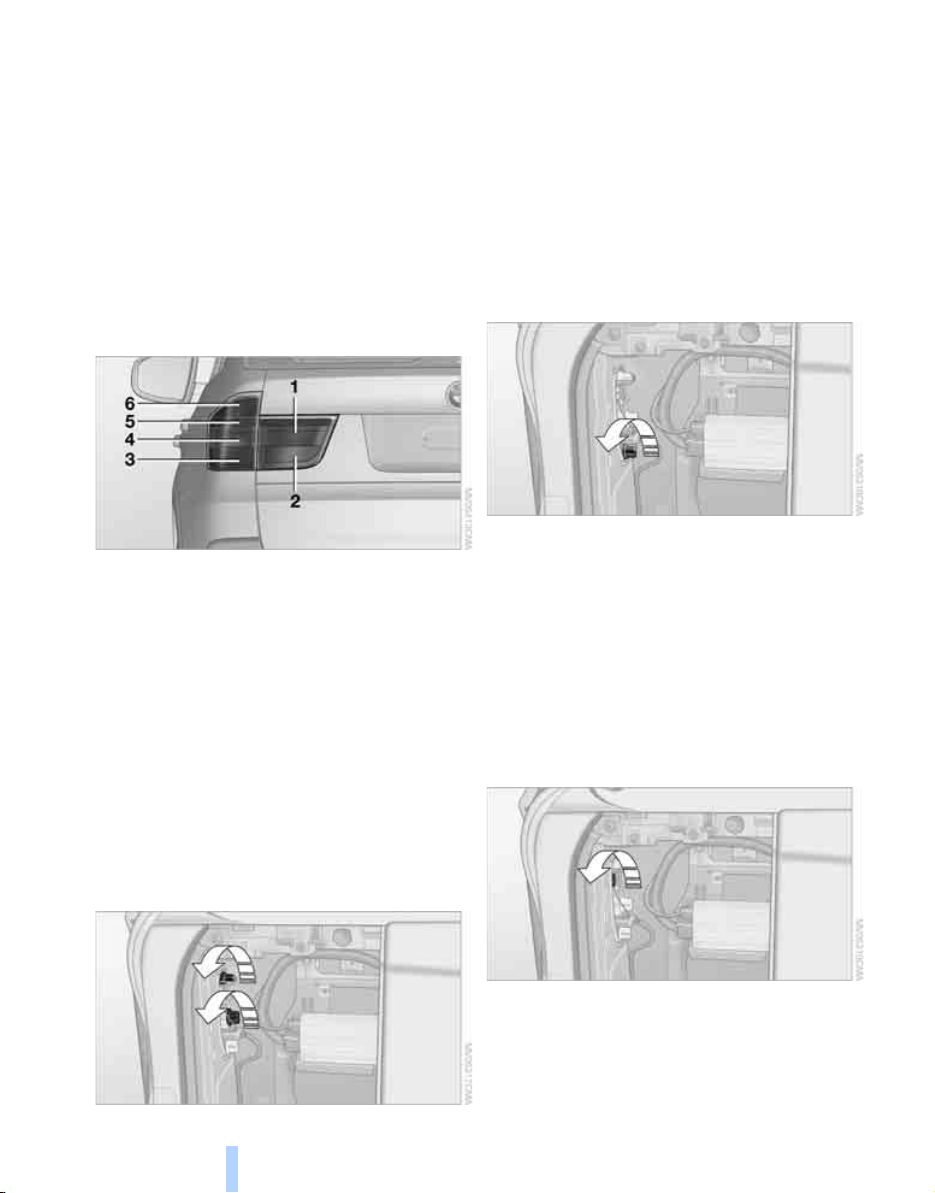
Replacing components
230
Tail lamps
> Turn signals, brake lamps: 21-watt bulb,
P21W
> Backup lamps and brake force display:
16-watt bulb, W16W
> Rear lamp: LED technology.
In case of a defect, please go to a BMW
Sports Activity Vehicle Center or a work-
shop that works according to BMW repair
procedures with correspondingly trained
personnel.
Position of lamps
1 Rear lamp
2 Brake force display
3 Turn signal
4 Brake lamp/rear lamp
5 Backup lamp
6 Brake lamp
Brake lamp
1. Open the side panel in the cargo bay.
2. Remove the first-aid kit
*
and warning trian-
gle
*
if necessary. Fold up the insulation.
3. Turn the bulb socket concerned to the left
and remove.
4. Remove the upper bulb for replacement.
Apply gentle pressure to the lower bulb
while turning it to the left for removal and
replacement.
5. Remount the side panel.
Turn signal
1. Open the side panel in the cargo bay.
2. Remove the first-aid kit
*
and warning trian-
gle
*
if necessary. Fold up the insulation.
3. Turn the bulb socket to the left and remove.
4. Apply gentle pressure to the bulb while
turning it to the left for removal and replace-
ment.
5. Remount the side panel.
Backup lamp
1. Open the side panel in the cargo bay.
2. Remove the first-aid kit
*
and warning trian-
gle
*
if necessary. Fold up the insulation.
3. Turn the bulb socket to the left and remove.
4. Remove the bulb for replacement.
5. Remount the side panel.
Online Edition for Part no. 01 41 0 012 501 - © 08/06 BMW AG
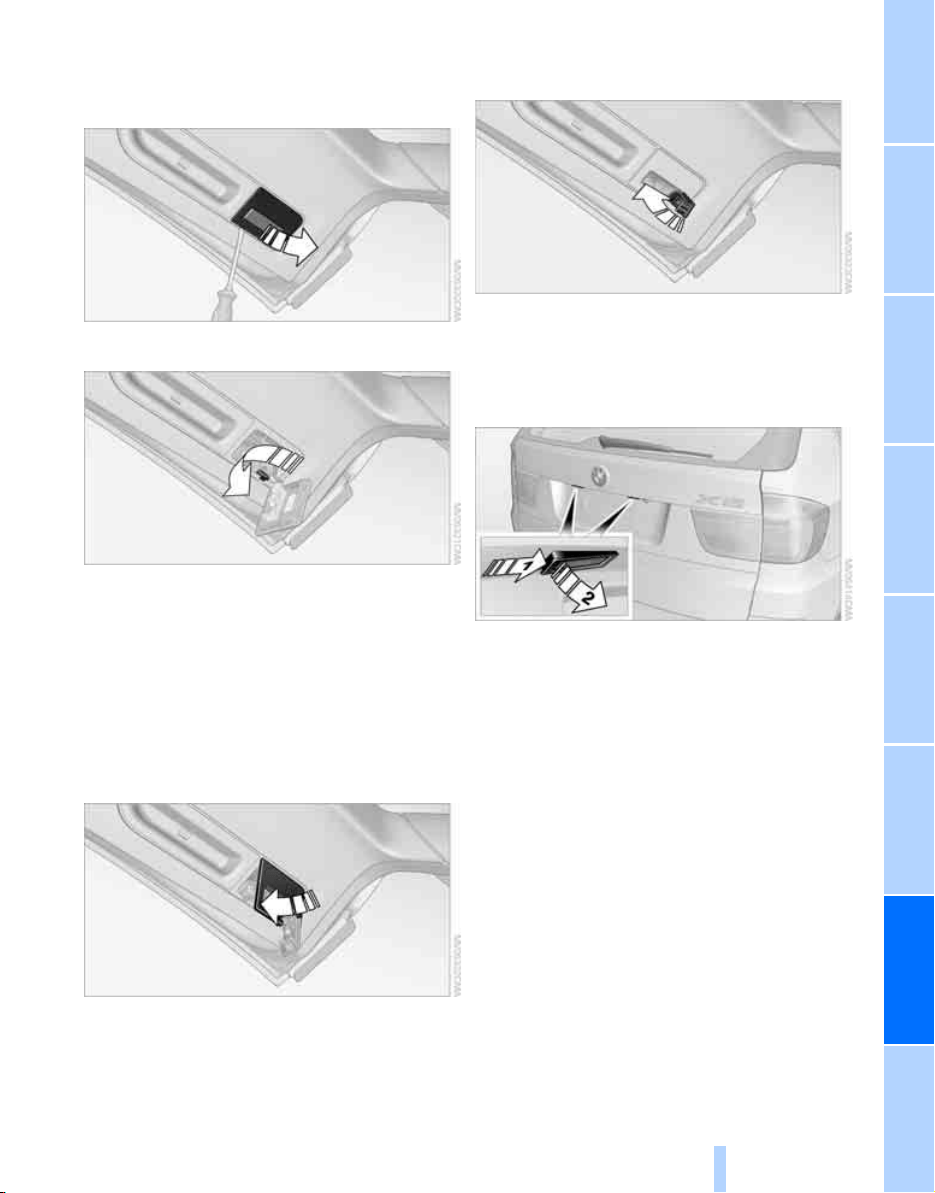
Mobility
231
Reference At a glanceControlsDriving tipsCommunications NavigationEntertainment
Brake force display
1. Carefully remove the cap in the cover of the
liftgate with a screwdriver.
2. Turn the bulb socket to the left and remove.
3. Apply gentle pressure to the bulb while
turning it to the left for removal and replace-
ment.
4. Insert the bulb socket in the liftgate and
engage it.
5. Before installing the cap, unclip the cargo
bay lamp.
Then lay the cap on its upper side and close
it, refer to arrow.
6. Position the cargo bay lamp and clip it in,
refer to arrow.
License plate lamp
5-watt bulb, C11 12W
1. Slide the lamp to the right with a screw-
driver, refer to arrow 1.
2. Remove the lamp, arrow 2.
3. Replace the bulb.
4. Reinstall the lamp.
Center brake lamp
This lamp uses LED technology for operation.
In case of a defect, please go to a BMW Sports
Activity Vehicle Center or a workshop that
works according to BMW repair procedures
with correspondingly trained personnel.
Online Edition for Part no. 01 41 0 012 501 - © 08/06 BMW AG

Replacing components
232
Changing wheels
Your BMW is equipped with run-flat tires as
standard. As a result, it is not necessary to
change the wheel immediately in the case of air
loss in the event of a breakdown.
To continue driving with a damaged tire:
> With Flat Tire Monitor, refer to Indication of
a flat tire page 88
> With Tire Pressure Monitor, refer to Mes-
sage with low tire inflation pressure page 90
You will recognize run-flat tires by a circular
symbol containing the letters RSC on the side
of the tire, refer to Run-flat tires, page 220.
When mounting new tires, or changing from
summer to winter tires or vice versa, use run-flat
tires for your own safety. No spare tire is avail-
able in case of a flat tire. Your BMW Sports
Activity Vehicle Center will be happy to advise
you. Also refer to New wheels and tires,
page 220.
Suitable tools for changing tires are avail-
able as accessories at your BMW Sports
Activity Vehicle Center.<
Jacking points for vehicle jack
The jacking points for the vehicle jack are
located in the positions shown.
Compact wheel*
Safety precautions in the event of a flat
tire or wheel change: park the vehicle as
far as possible from passing traffic and on solid
ground. Switch on the hazard warning flashers.
Set the parking brake and engage transmission
position P.
Have all vehicle occupants get out of the vehicle
and ensure that they remain outside the imme-
diate area in a safe place, such as behind a
guardrail.
If a warning triangle
*
or portable hazard warning
lamp
*
is required, set it up on the roadside at an
appropriate distance from the rear of the vehi-
cle. Comply with all safety guidelines and regu-
lations.
Change the wheel only on a level, firm surface
which is not slippery. The vehicle or the jack
could slip to the side if you attempt to raise the
vehicle on a soft or slippery surface such as
snow, ice, tiles, etc.
Position the jack on a firm support surface.
Do not use a wooden block or similar object as a
support base for the jack, as this would prevent
it from extending to its full support height and
reduce its load-carrying capacity.
To avoid serious or fatal injury: never lie under
the vehicle, and never start the engine while it is
supported by the jack.<
What you will need
To avoid rattling noises later on, note the posi-
tions of the tools before removing them, then
return them to their initial positions after com-
pleting work.
The tools are located in the mount under the
floor panel flap.
1 Lug wrench
*
2 Vehicle jack crank
*
3 Vehicle jack
*
Online Edition for Part no. 01 41 0 012 501 - © 08/06 BMW AG
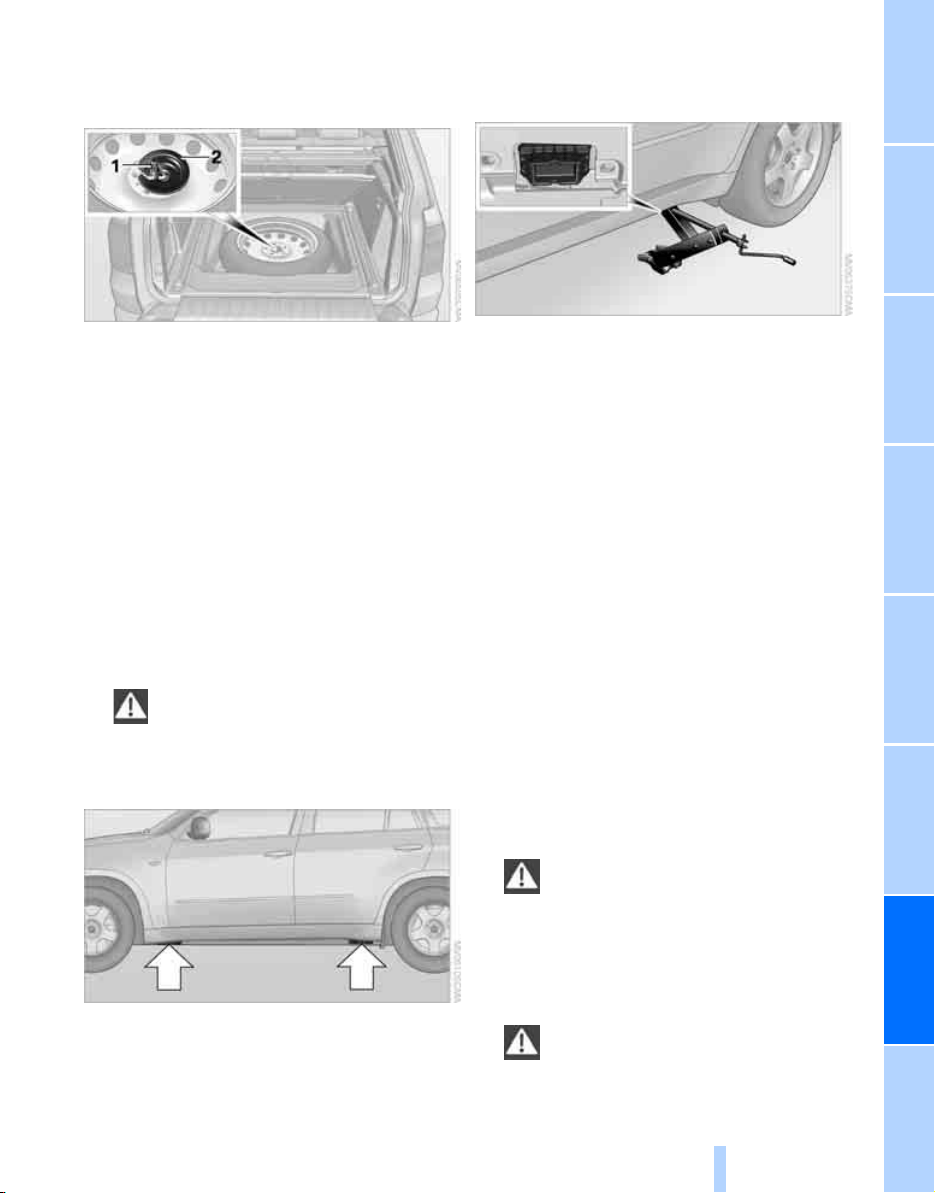
Mobility
233
Reference At a glanceControlsDriving tipsCommunications NavigationEntertainment
Removing compact wheel
The compact wheel is located in the cargo bay
under the floor panel.
1. Remove the tool mount
2. Unscrew the wing nut 1.
3. Remove the washer 2 laterally.
4. Remove the compact wheel.
Preparing wheel change
1. Observe the safety precautions above.
2. Loosen the lug bolts a half turn.
Jacking up vehicle
1. Position the vehicle jack at the jacking point
closest to the wheel so that the entire sur-
face of the jack base rests on the ground
perpendicularly beneath the jacking point.
The vehicle jack is designed for
changing wheels only. Do not attempt
to raise another vehicle model with it or to
raise any load of any kind. To do so could
cause accidents and personal injury.<
2. Guide the jack head into the rectangular
recess of the jacking point when cranking
up, refer to illustration detail.
3. Jack the vehicle up until the wheel you are
changing is raised from the ground.
Mounting a wheel
1. Unscrew the lug bolts and remove the
wheel.
2. Remove accumulations of mud or dirt from
the mounting surfaces of the wheel and
hub. Also clean the lug bolts.
3. Position the new wheel or compact wheel.
Secure the wheel by screwing at least two
lug bolts into opposite bolt holes.
When you mount wheels other than Genu-
ine BMW light-alloy wheels, different lug
bolts may also be required.
4. Screw in the remaining lug bolts. Tighten all
the bolts securely in a diagonal pattern.
5. Lower the vehicle and remove the jack from
beneath the vehicle.
After mounting
1. Tighten the lug bolts in a diagonal pattern.
To ensure safety, always have the
lug bolts checked with a calibrated
torque wrench as soon as possible to
ensure that they are tightened to the speci-
fied torque. The tightening torque is
101lbft/140Nm.<
2. Stow the defective wheel in the cargo bay.
The defective wheel cannot be stored
under the floor panel flap due to its
different dimensions.<
Online Edition for Part no. 01 41 0 012 501 - © 08/06 BMW AG
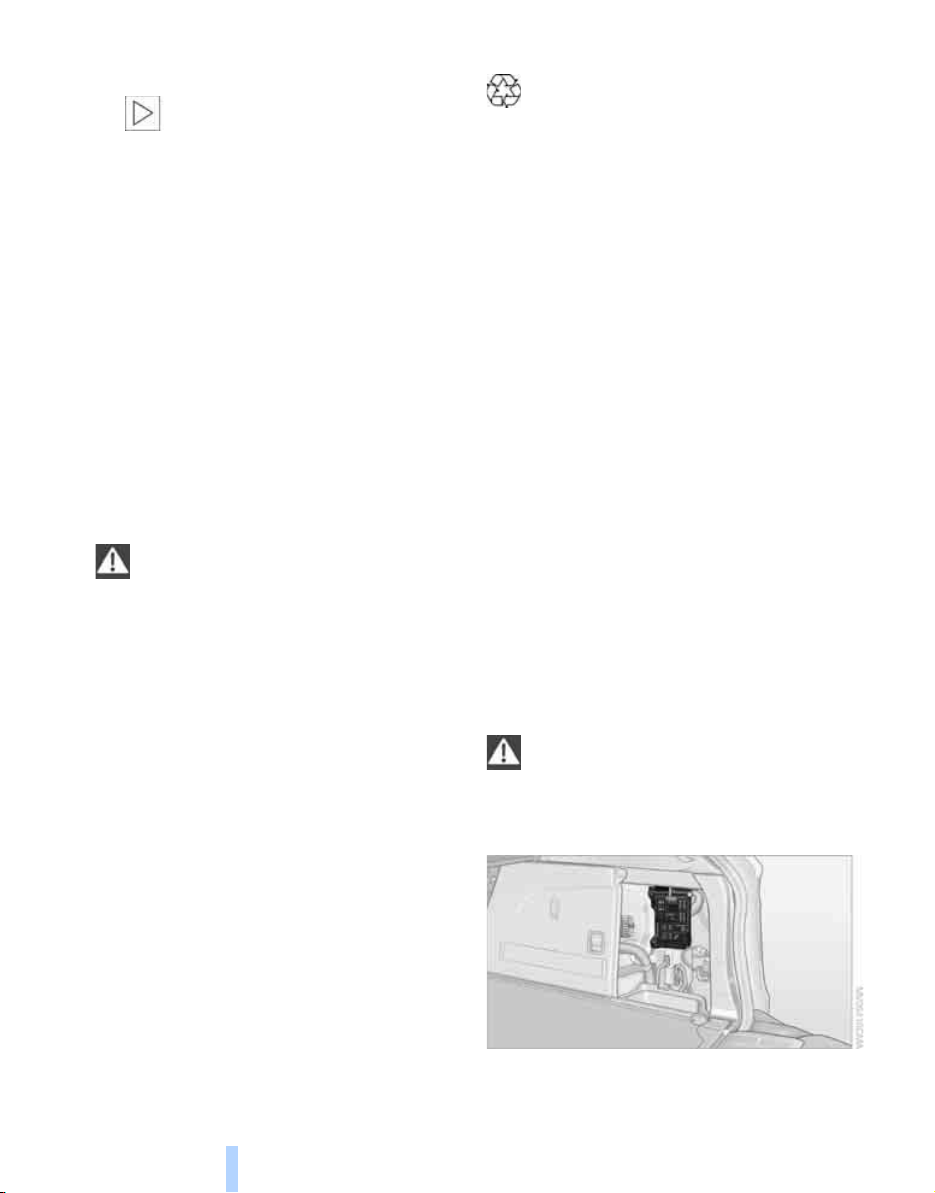
Replacing components
234
3. Check and correct the tire inflation pressure
at the earliest opportunity.
Protect valve stems with valve screw
caps against dirt and contamination.
Dirt in valve stems is a frequent source of
gradual air loss.<
4. Initialize the Flat Tire Monitor, refer to
page 87, or reset the Tire Pressure Monitor,
refer to page 89.
5. Replace the damaged tire as soon as possi-
ble and have the new wheel/tire balanced.
Driving with compact wheel
Drive reservedly and do not exceed a speed of
50 mph/80 km/h.
The driving characteristics change, for example
reduced track stability on braking, extended
braking distance, and altered self-steering
characteristics in the limit range. In conjunction
with winter tires, these characteristics are more
pronounced.
Only one compact wheel may be
mounted. You should re-equip with
wheels and tires of the original size as quickly as
possible.<
Vehicle battery
Battery care
The battery is 100% maintenance-free, i.e., the
electrolyte will last for the life of the battery
when the vehicle is operated in a temperate cli-
mate. Your BMW Sports Activity Vehicle Center
will be glad to advise in all matters concerning
the battery.
Charging battery
Only charge the battery in the vehicle via the
terminals in the engine compartment with the
engine off. Connections, refer to Jump starting
on page 237.
Disposal
Have old batteries disposed of following
replacement at your BMW Sports Activity
Vehicle Center or bring them to a collection
point. Maintain the battery in an upright position
for transport and storage. Always restrain the
battery to prevent it from tipping over during
transport.<
Power failure
After a temporary power loss, the functioning of
some equipment may be limited and require
reinitialization. Individual settings are also lost
and must be updated:
> Seat, mirror and steering wheel memory
The positions must be stored again, refer to
page 42.
> Time and Date
The values must be updated, refer to
pages 77, 78.
> Radio
Stations must be stored again if necessary,
refer to page 160.
> Navigation system
Wait until the system starts, refer to
page 151.
Fuses
Never attempt to repair a blown fuse and
do not replace a defective fuse with a sub-
stitute of another color or amperage rating, as
this could lead to a circuit overload, ultimately
resulting in a fire in the vehicle.<
Open the right-hand side panel in the cargo
bay.
Online Edition for Part no. 01 41 0 012 501 - © 08/06 BMW AG

Mobility
235
Reference At a glanceControlsDriving tipsCommunications NavigationEntertainment
Other fuses are located in the front passenger
footwell on the underside of the instrument
panel. In case of a defect, please go to a BMW
Sports Activity Vehicle Center or a workshop
that works according to BMW repair proce-
dures with correspondingly trained personnel.
Spare fuses, a pair of plastic tweezers and infor-
mation on the fuse assignment are located near
the fuses in the cargo bay.
Online Edition for Part no. 01 41 0 012 501 - © 08/06 BMW AG
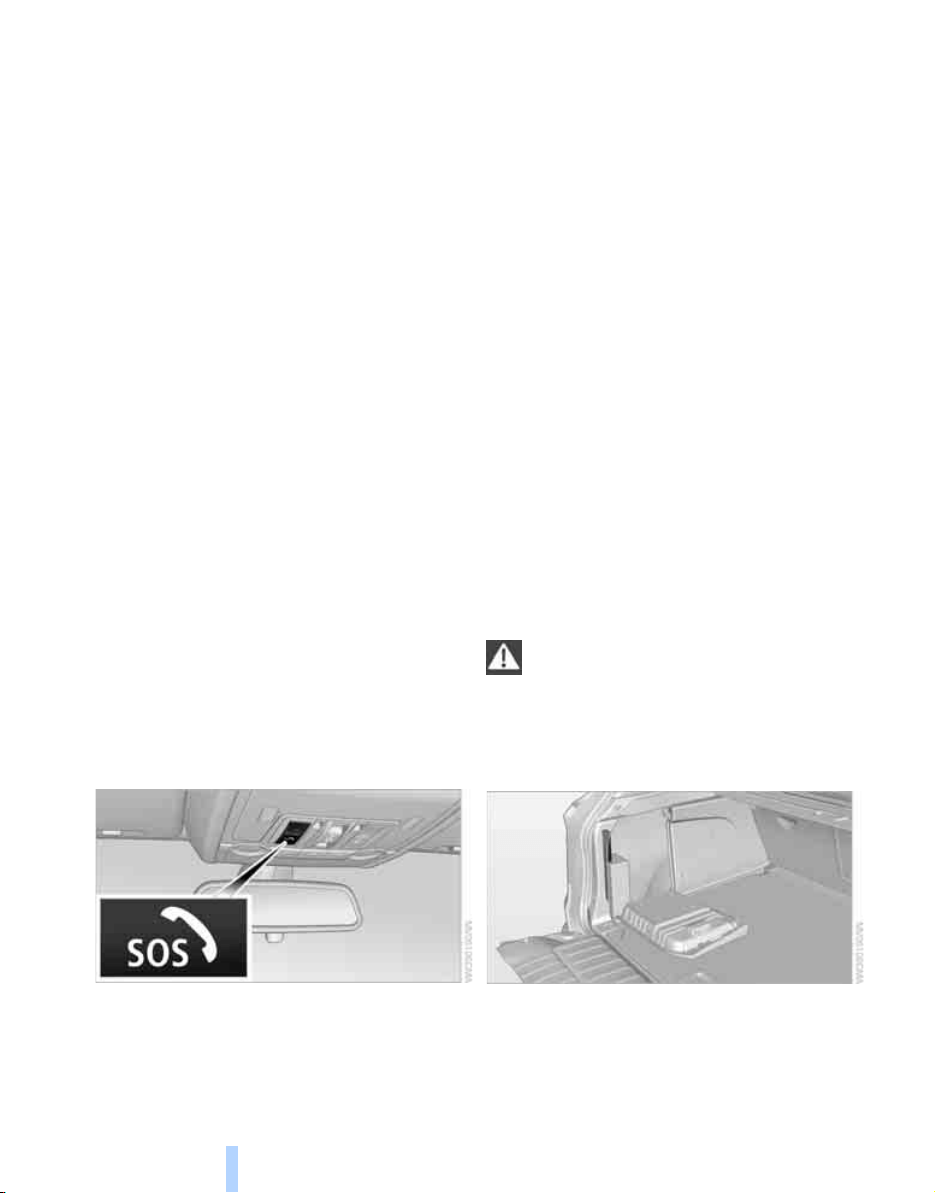
Giving and receiving assistance
236
Giving and receiving assistance
Emergency call
Conditions for an emergency call:
> Full preparation package mobile phone.
With this equipment, an emergency call is
still possible when no mobile phone is
logged on in the vehicle.
> BMW Assist is activated.
Activating BMW Assist, refer to page 207.
> Radio readiness is switched on.
> The BMW Assist system is logged in on a
wireless communications network.
> The emergency call system is operable.
When the contract of participation with
BMW Assist expires, the BMW Assist system
can be deactivated by a BMW Sports Activity
Vehicle Center without having to visit a work-
shop. Following deactivation of the BMW Assist
system, no emergency calls can be made. The
BMW Assist system be reactivated by a BMW
Sports Activity Vehicle Center after signing a
new contract.
Initiating an emergency call
1. Briefly press protective cover to open.
Depending on the vehicle's equipment, the
arrangement of the switches and indicator
lamps may differ somewhat.
2. Press the SOS button for at least 2 sec-
onds.
The LED in the button lights up. As soon as the
voice connection to the BMW Assist Response
Center has been established, the LED flashes.
When the emergency call is received at the
BMW Assist Response Center, the BMW Assist
Response Center contacts you and arranges
for additional steps to help you.
If conditions allow, remain in the vehicle until
the connection has been established. You will
then be able to provide a detailed description of
the situation.
If the current position of your vehicle can be
determined, it will be forwarded to the BMW
Assist Response Center.
If the LED flashes, but you are unable to hear
the BMW Assist Response Center through the
hands-free system, this could indicate, for
instance, that the hands-free system is no
longer operational. However, you may then still
be audible for the BMW Assist Response Cen-
ter.
Under certain conditions, an emergency call is
automatically initiated immediately after a
severe accident. The automatic emergency call
is not affected by the button being pressed.
For technical reasons, the emergency call
cannot be guaranteed under unfavorable
conditions.<
Warning triangle*
The warning triangle is located in the cargo bay.
Open the left-hand side panel.
Online Edition for Part no. 01 41 0 012 501 - © 08/06 BMW AG
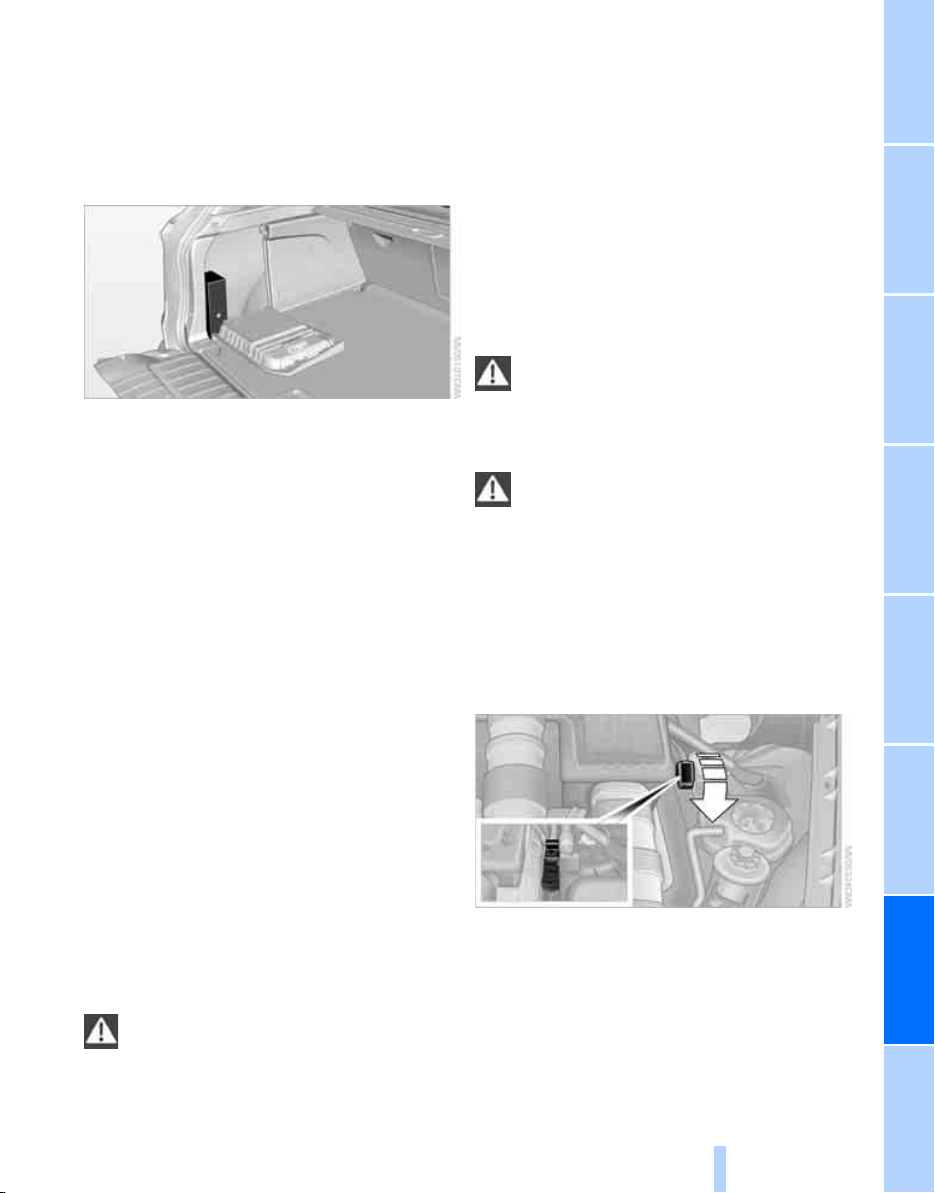
Mobility
237
Reference At a glanceControlsDriving tipsCommunications NavigationEntertainment
First-aid kit*
Some of the articles contained in the first-aid kit
have a limited service life. Therefore, check the
expiration dates of the contents regularly and
replace the contents concerned in good time if
necessary.
The first-aid kit is located in the cargo bay.
Open the left-hand side panel.
Roadside Assistance*
The Roadside Assistance of the BMW Group
offers you assistance in the event of a break-
down around the clock, including on weekends
and public holidays.
The phone numbers of the Roadside Assis-
tance in your home country can be found in the
Contact brochure.
With BMW Assist or TeleService, you can con-
tact the Roadside Assistance of the BMW
Group for assistance in the event of a break-
down directly via iDrive, refer to page 203.
Jump starting
When your battery is discharged, you can use
two jumper cables to start your BMW with
power from the battery in a second vehicle.
You can also use the same method to help start
another vehicle. Use only jumper cables with
fully-insulated clamp handles.
To avoid the risk of potentially fatal injury,
always avoid all contact with electrical
components while the engine is running. Care-
fully adhere to the following sequence, both to
prevent damage to one or both vehicles, and to
guard against possible personal injuries.<
Preparation
1. Check whether the battery of the other
vehicle has a voltage of 12 Volts and
approximately the same capacitance in Ah.
This information can be found on the bat-
tery.
2. Switch off the engine of the assisting vehi-
cle.
3. Switch off any electrical systems and com-
ponents in both vehicles.
There must not be any contact between
the bodies of the two vehicles, otherwise
there is a danger of shorting.<
Connecting jumper cables
To avoid personal injury from sparks,
follow this sequence when connecting
jumper cables.<
On your BMW the so-called starting-aid termi-
nal in the engine compartment acts as the bat-
tery positive terminal, also refer to the engine
compartment overview on page 223. The cover
cap is marked with +.
1. Fold open the cover of the BMW starting-
aid terminal. To do so, pull the tab.
2. Attach one end of the jumper cable plus/+
to the positive terminal of the battery or a
starting-aid terminal of the vehicle provid-
ing assistance.
3. Attach the second end of the cable to the
positive terminal of the battery or to a start-
ing-aid terminal of the vehicle to be started.
Online Edition for Part no. 01 41 0 012 501 - © 08/06 BMW AG
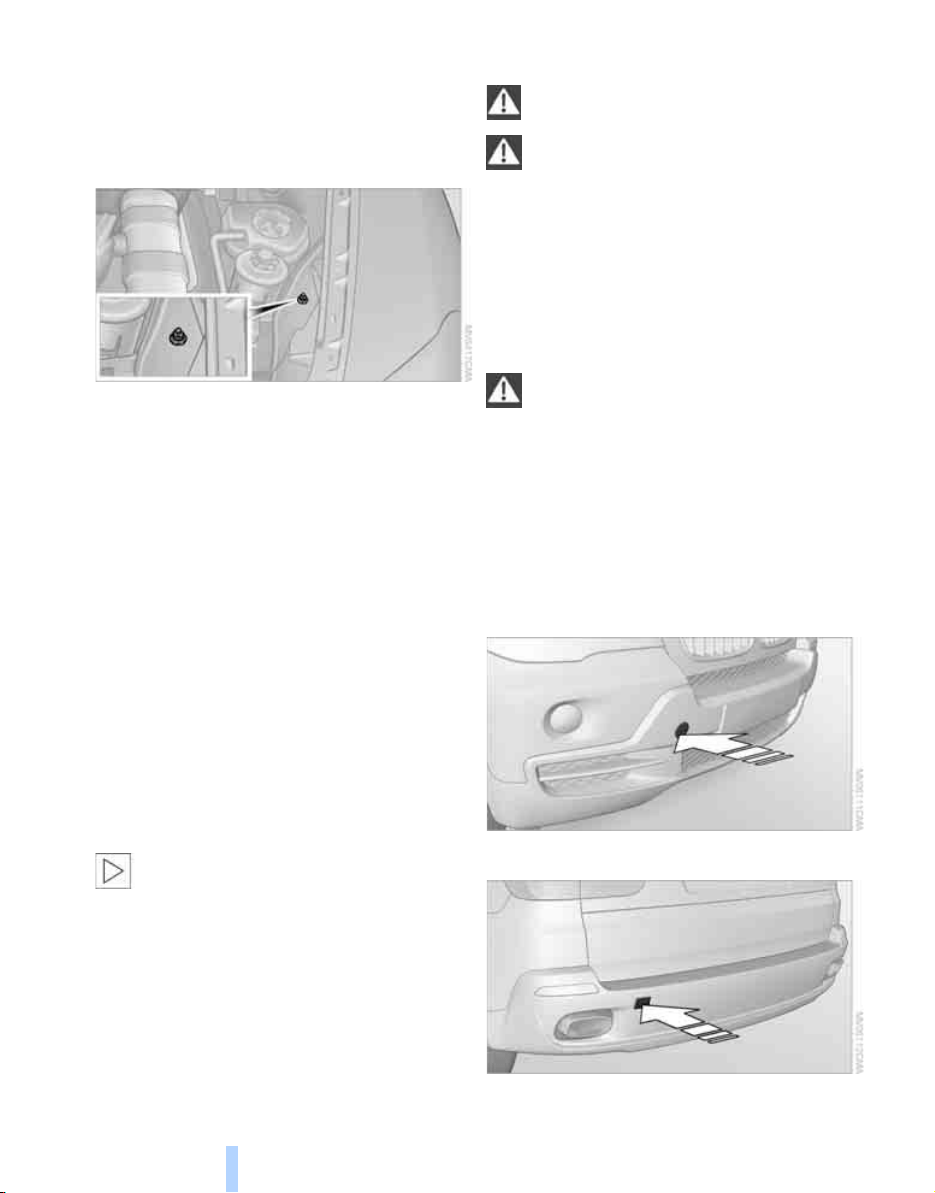
Giving and receiving assistance
238
4. Attach one end of the jumper cable minus/–
to the negative terminal of the battery or to
an engine or body ground of the assisting
vehicle.
Your BMW has a special nut as body ground
or negative pole.
5. Attach the second end of the cable to the
negative terminal of the battery or to the
engine or body ground of the vehicle to be
started.
Starting engine
1. Start the engine on the assisting vehicle
and allow it to run at idle for several minutes
at slightly increased speed.
2. Start the engine on the other vehicle in the
usual way.
If the first starting attempt is not successful,
wait a few minutes before another attempt
in order to allow the discharged battery to
recharge.
3. Let the engines run for a few minutes.
4. Disconnect the jumper cables by reversing
the connection sequence.
Check the battery and recharge if necessary.
Never use spray fluids to start the
engine.<
Tow-starting and towing
Observe applicable laws and regulations
for tow-starting and towing.<
Do not transport any passengers other
than the driver in a vehicle that is being
towed.<
Using tow fitting
The screw-on tow-fitting must always be car-
ried in the vehicle. It can be screwed in at the
front or rear of the BMW.
It is located in the toolkit under the floor panel
flap in the cargo bay, refer to page 228.
Use only the tow fitting provided with the
vehicle and screw it all the way in. Use the
tow fitting for towing only on roads. Avoid lateral
loading of the tow fitting, e.g. do not lift the vehi-
cle by the tow fitting. Otherwise damage to the
tow fitting and the vehicle can occur.<
Access to screw thread
Cover panel in bumper: press on the arrow sym-
bol on the cover panel.
Front
Rear
Online Edition for Part no. 01 41 0 012 501 - © 08/06 BMW AG

Mobility
239
Reference At a glanceControlsDriving tipsCommunications NavigationEntertainment
Being towed
Make sure that the ignition is switched on,
refer to page 56, otherwise the low
beams, tail lamps, turn signals and windshield
wipers would not be available. When the engine
is stopped, there is no power assist. This then
requires increased effort for braking and steer-
ing. Active steering is deactivated and larger
steering wheel movements are required.<
Switch on the hazard warning flashers depend-
ing on the local regulations. If the electrical sys-
tem fails, mark the vehicle to be towed, e.g. with
a sign or warning triangle in the rear window.
Engage transmission position N and release the
parking brake before towing.
Manually releasing transmission lock, refer to
page 61.
Do not exceed a towing speed of 45 mph/
70 km/h and a towing distance of
90 miles/150 km, otherwise the automatic
transmission may be damaged.<
Towing methods
Do not lift vehicle by tow fitting or body
and chassis parts, otherwise damage may
result.<
In some countries, towing with tow bars or
ropes in public traffic is not permitted. Familiar-
ize yourself with the regulations on towing in the
respective country.
With tow bar
The towing vehicle may not be lighter
than the vehicle to be towed, otherwise it
will not be possible to reliably control vehicle
response.<
The tow fittings used should be on the same
side on both vehicles. Should it prove impossi-
ble to avoid mounting the tow bar at an offset
angle, please observe the following:
> Clearance and maneuvering capability will
be sharply limited during cornering.
> When mounted at an angle, the tow bar will
exert lateral forces, tending to push the
vehicle sideways.
Only attach the tow bar to the tow fittings,
as attachment to other vehicle parts can
lead to damage.<
With tow rope
When starting off in the towing vehicle, make
sure that the tow rope is taut.
To avoid jerking and the associated
stresses on vehicle components when
towing, always use nylon ropes or nylon straps.
Only attach tow ropes to the tow fittings, as
attachment to other vehicle parts can lead to
damage.<
With tow truck
Do not tow the X5 with the front or rear
axle raised individually, otherwise the
wheels may lock and the transfer case may be
damaged.<
The X5 may only be transported on a flat bed.
Tow-starting
The engine cannot be started by tow-starting.
Start the engine by jump starting it, refer to
page 237.
Have the cause of the starting difficulties elimi-
nated.
Online Edition for Part no. 01 41 0 012 501 - © 08/06 BMW AG

Online Edition for Part no. 01 41 0 012 501 - © 08/06 BMW AG

Reference
This chapter contains the technical data,
the short commands of the voice command
system, and the index that will direct you
as quickly as possible to the information
you are looking for.
Reference
Online Edition for Part no. 01 41 0 012 501 - © 08/06 BMW AG

Technical data
242
Technical data
Engine data
X5 3.0si X5 4.8i
Displacement cu in/cmµ 182.8/2,996 292.9/4,799
No. of cylinders 6 8
Maximum output hp 260 350
at engine speed rpm 6,600 6,300
Maximum torque lb ft/Nm 225/305 350/475
at engine speed rpm 2,750 3,400-3,800
Online Edition for Part no. 01 41 0 012 501 - © 08/06 BMW AG
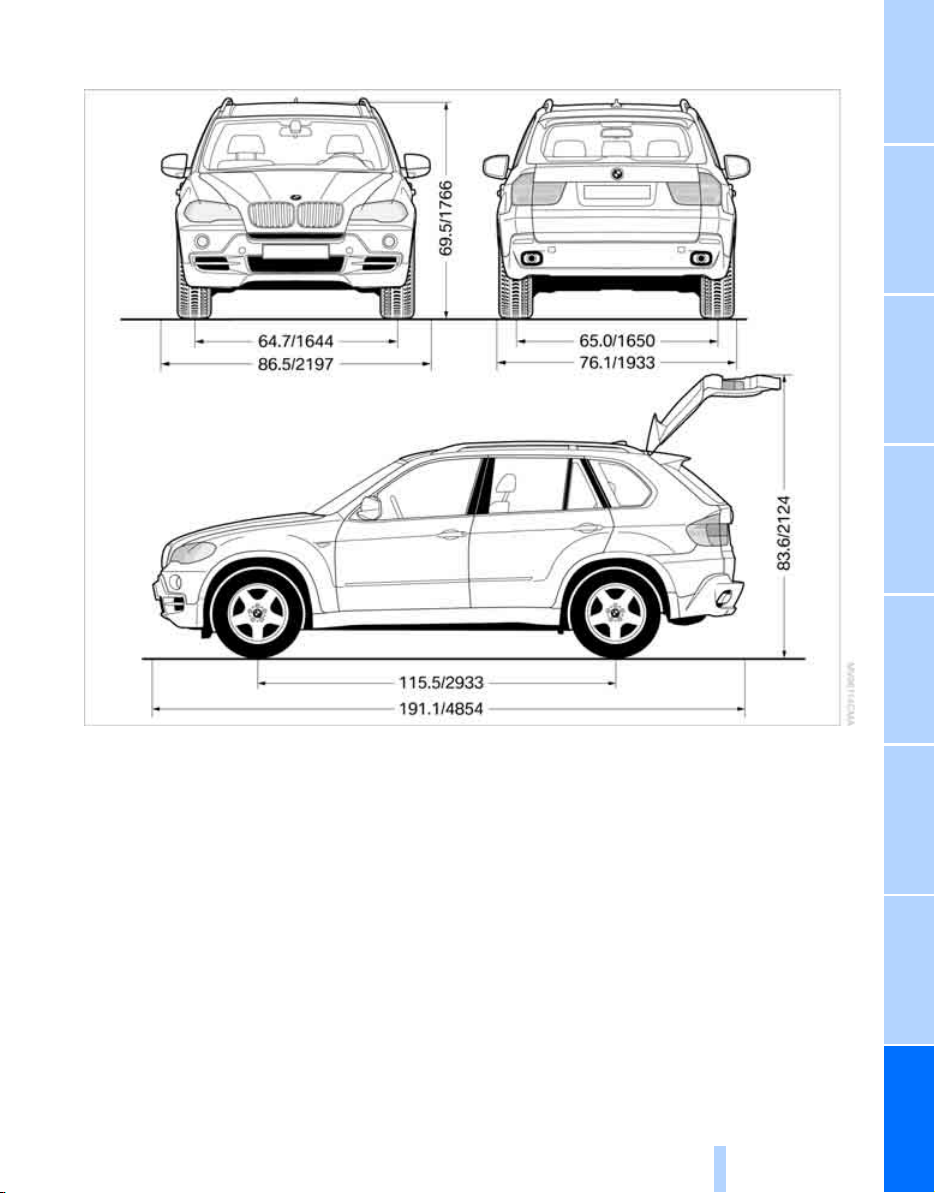

Technical data
244
Weights
Never exceed either the approved axle loads or
the gross vehicle weight.
Capacities
X5 3.0si X5 4.8i
Vehicle weight empty with 3rd row seats
lbs./kg 4,982/2,260 5,335/2,420
Approved gross vehicle weight
without 3rd row seats
lbs./kg
lbs./kg
6,327/2,870
5,963/2,705
6,537/2,965
6,173/2,800
Load
without 3rd row seats
lbs./kg
lbs./kg
1,345/610
1,113/505
1,202/545
970/440
Approved front axle load
without 3rd row seats
lbs./kg
lbs./kg
2,767/1,255
2,756/1,250
2,965/1,345
2,965/1,345
Approved rear axle load
without 3rd row seats
lbs./kg
lbs./kg
3,770/1,710
3,417/1,550
3,781/1,715
3,428/1,555
Approved roof load capacity lbs./kg 220/100 220/100
Cargo bay capacity cu ft/l 21.9-61.8/
620-1,750
21.9-61.8/
620-1,750
Notes
Fuel tank US gal/liters approx. 22.5/85 Fuel grade: page 213
of that reserve
X5 3.0si
X5 4.8i
US gal/liters
US gal/liters
approx. 2.1/8
approx. 2.6/10
Windshield washer
with headlamp washer system US quarts/liters approx. 6.9/6.5 For more details: page 64
Online Edition for Part no. 01 41 0 012 501 - © 08/06 BMW AG

Reference
245
At a glanceControlsDriving tipsCommunications NavigationEntertainmentMobility
Short commands of voice command
system
With short commands you can carry out certain
functions directly, regardless of which menu
item is selected. Here are the important short
commands for the voice command system.
Assistance window
Communication
*
Function Command
To open the assistance window 20 {Assistance window}
To select the display in the assistance window 20 {Assistance window map facing north},
{Assistance window map direction of travel},
{Assistance window arrow display},
{Assistance window perspective},
{Assistance window current position},
{Assistance window trip computer} or
{Assistance window onboard info}
To change scale in assistance window 145 {Assistance window scale ... feet} or
{Assistance window scale ... miles}
Function Command
To open phone 189 {Phone}
To dial phone number 193 {Dial number}
To display phone book 194 {A to Z}
To select from the phone book 194 {Call ...} or
{Dial name}
To display "Top 8" 195 {Top 8}
To redial 194 {Redial}
To display "Received calls" 195 {Received calls}
To display "Missed calls" 195 {Missed calls}
To display "Bluetooth" 191 {Bluetooth}
To open BMW Assist 203 {BMW Assist}
To open "BMW Service" 203 {BMW Service}
To open "BMW Contact" 196 {BMW Contact}
To open "BMW Contact Numbers" 196 {BMW Contact numbers}
To open "Roadside Assistance" 203 {Roadside Assistance}
Online Edition for Part no. 01 41 0 012 501 - © 08/06 BMW AG

Short commands of voice command system
246
Navigation
Onboard info
Function Command
To open navigation system 131 {Navigation}
To open "Enter address" 131 {Enter address}
To open "New destination" 131 {New destination}
To display "Input map" 136 {Input map}
To display destination list 138 {Destination list}
To display address book 139 {Address book}
To display route criteria 141 {Route preference}
To start destination guidance 143 {Start guidance}
To end destination guidance 143 {Stop guidance}
To display arrow display 144 {Arrow display}
To display map display 145 {Map}, {Map facing north},
{Map direction of travel} or
{Perspective}
To change scale 145 {Scale ... miles} or
{Scale ... feet}
To display roads or towns/cities along route 145 {Route list}
To switch on voice instructions 146 {Navigation info on}
To switch off voice instructions 146 {Navigation info off}
To repeat voice instructions 146 {Repeat navigation info}
To open route 141, 145
{Route menu}
To open "New route" 147 {New route}
To display current position 150 {Current position}
Function Command
To open "Car Data" 69 {Car data}
To display computer 69 {Onboard info}
To display trip computer 70 {Trip computer}
To open stopwatch 76 {Stopwatch}
To open speed limit 76 {Limit}
To activate speed limit 76 {Limit on}
To deactivate speed limit 76 {Limit off}
Online Edition for Part no. 01 41 0 012 501 - © 08/06 BMW AG

Reference
247
At a glanceControlsDriving tipsCommunications NavigationEntertainmentMobility
Entertainment
Function Command
Tone control 155 {Audio}
To switch on radio 158 {Radio on},
{FM} or
{AM}
To open "FM" 158 {FM menu}
To open "AM" 158 {AM menu}
To open "All stations" 158 {FM All stations}
To select radio station 158 {Station ...}, e.g. {Station WNYC}, or
{Choose station}
To open "Presets" 158 {FM presets} or
{AM presets}
To select stored radio station 158 {Preset ...}, e.g. {Preset 1}
To open "Manual" 159 {FM manual},
{AM manual} or
{Choose frequency},
{Frequency ... Megahertz}
To open strongest radio stations 159 {AM Autostore}
To open "WB" 161 {Weatherband menu}
To switch on weatherband 161 {Weatherband on}
To select a weatherband station 161 {Choose weatherband station}
To open "SAT" 163 {SAT radio menu}
To switch on satellite radio 163 {SAT radio}
To open "Presets" of satellite radio 164 {SAT radio presets}
To open "All channels" of satellite radio 163 {SAT radio all channels}
To open "Categories" of satellite radio 163 {SAT radio categories}
To open CD player 165 {CD menu}
To switch on CD player 165 {CD}
To open CD changer 166 {CD-changer menu}
To switch on CD changer 166 {CD-changer}
To select CD 166 {CD 1...6}
To select music track 166 {CD track ...}
To select CD and music track 166 {CD 1...6 track ...}
To switch on audio playback with external audio
device 171
{Audio Aux}
Online Edition for Part no. 01 41 0 012 501 - © 08/06 BMW AG

Short commands of voice command system
248
Climate
menu
Function Command
To adjust temperature distribution for front seat
heating 47
{Seat heater distribution}
To open "Vent settings" 104 {Vent settings}
To open "Automatic programs" 102 {Automatic programs}
To open "Parked car ventilation" 108 {Parked car operation}
To open "Automatic ventilation" 108 {Automatic ventilation}
To display activation times 109 {Activation time}
Function Command
To open the menu {Settings menu}
"Display off" 21 {Display off}
To open "Info sources" {Info sources}
To open "Settings" {Settings}
To open "Door locks" 30 {Door locks}
To open "Steering wheel buttons" 50 {Steering wheel buttons}
To open "Lighting" 62 {Lighting}
To open "Service requirements" 71 {Service requirements}
To open "Service" 71 {Service}
To open "BMW Service" 203 {BMW service settings}
To display "Check Control messages" 75 {Check Control messages}
To open "Head-Up Display" 94 {Head-up display}
To set brightness of Control Display 78 {Brightness}
To open "Units" 79 {Units}
To open "Languages" 79, 146 {Language}
To open "Time" 78 {Time}
To open "Date" 78 {Date}
To open "PDC" 80 {PDC}
To open "FTM" 87 {FTM}
To open "TPM" 89 {TPM}
To display "Bluetooth" 192
{Bluetooth}
To open "HDC" 85 {HDC}
Online Edition for Part no. 01 41 0 012 501 - © 08/06 BMW AG


Everything from A to Z
250
Everything from A to Z
Index
"..." Identifies Control Display
texts used to select
individual functions, and
indicates where to find them
in the text.
A
ABS Antilock Brake
System 84
Accessories 6
Access to 3rd row seats 45
Acoustic signal, refer to Check
Control 74
Activated-charcoal filter 106
"Activation time" for parked
car ventilation 109
Active seat 48
Active seat ventilation 47
Active steering 91
– warning lamp 91
Adapter for spare key 28
Adaptive brake lamps, refer to
Brake force display 92
Adaptive Drive 86
Adaptive fixing system 117
Adaptive Head Light 98
"Add digits" for mobile
phone 195
"Address book" for
navigation 139
Address for navigation
– deleting 140
– entering 131, 134, 139
– selecting 139
– storing 139
– storing current position 139
"Add to destination
list" 134, 136
Adjusting confirmation signals
for locking and unlocking 31
Adjusting temperature, with
automatic climate control
with expanded scope 103
Adjusting the tone during
audio operation, refer to
Tone control 155
Adjusting thigh support 41
"After door opened" 43
"After unlocking" 43
Airbags 92
– sitting safely 40
– warning lamp 94
Air distribution
– automatic 102, 107
– manual 103
Airing, refer to Ventilation 105
Air recirculation 105
– AUC Automatic
recirculated-air control 105
– recirculated-air mode 105
"Air recirculation on / off" 50
Air vents
101
– refer to Ventilation 105
Air vents of automatic climate
control 101
Air volume 103, 108
AKI, refer to Fuel
specifications 213
Alarm system 34
– avoiding unintentional
alarms 35
– interior motion sensor 35
– switching off alarm 34
– switching off tilt alarm
sensor and interior motion
sensor 35
– tilt alarm sensor 35
"All channels" with satellite
radio 163
"All doors" 30
All-season tires, refer to
Winter tires 221
"All stations" display with
radio 158
All-wheel drive, refer to
xDrive 85
Alterations, technical, refer to
For your own safety 5
Alternate route, refer to
Bypassing traffic
congestion 149
"AM", reception
range 155, 158
"Angle of view" for DVD
system in rear 177
Antenna for mobile phone 188
Antifreeze
– coolant 225
– washer fluid 64
Antilock Brake System
ABS 84
Anti-theft system
– refer to Alarm system 34
– refer to Central locking
system 29
Approved axle loads, refer to
Weights 244
Approved engine oils 224
Approved gross vehicle
weight, refer to Weights 244
Armrest, refer to Center
armrest 113
Around the center console 14
Around the steering wheel 10
Arrival time
– refer to Computer 69
– refer to Starting destination
guidance 143
"Arrow display" for
navigation 144
Arrow view for navigation
system 144
Online Edition for Part no. 01 41 0 012 501 - © 08/06 BMW AG

Reference
251
At a glanceControlsDriving tipsCommunications NavigationEntertainmentMobility
Ashtray
– front 114
– rear 115
Assistance systems, refer to
Driving stability control
systems 84
Assistance window 20
"Assist. window off" 21
AUC Automatic recirculated-
air control 105
"Audio" 157
Audio 154
– controls 154
– switching on/off 154
– tone control 155
– volume 155
Audio CD with DVD system in
rear 178
Audio device, external 113
"Audio" for DVD system in
rear 184
Automatic
– air distribution 102, 107
– air volume 102, 107
– headlamp control 97
– service notification 204
– steering wheel adjustment,
refer to Easy entry/exit 50
– storing stations 159
Automatic car washes 124
– also refer to Caring for your
vehicle brochure
Automatic climate control 102
– automatic air
distribution 102, 107
– switching off 105, 108
– with 4-zone control 107
Automatic curb monitor 49
Automatic garage door
opener 110
Automatic lighting
– refer to Automatic headlamp
control 97
– refer to Daytime running
lamps 98
– refer to Interior lamps 100
– refer to Pathway lighting 97
"Automatic programs" 103
Automatic recirculated-air
control AUC 105
Automatic station search 159
Automatic transmission with
Steptronic 59
– kick-down 61
– manually releasing
transmission lock 61
– tow-starting
239
– with comfort access 36
"Automatic ventilation" 109
AUTO program for automatic
climate control 102, 107
"Autostore" on the radio 160
"AUX" 155, 171, 174
– for DVD system in rear 183
– with external audio
device 171
AUX-In
– connection 113
– refer to External audio
device 171
Average fuel consumption 69
– setting units 79
Average speed, refer to
Computer 69
"Avoid ferries" for
navigation 142
"Avoid highways" for
navigation 141
Avoiding highways for
navigation 141
Avoiding unintentional
alarms 35
"Avoid tollroads" for
navigation 142
Axle loads, refer to
Weights 244
"A - Z" 194, 195
B
Backrest contour, refer to
Lumbar support 42
Backrests, refer to Seats 41
Backrest width adjustment 41
Backup camera 81
– cleaning 83
– displays 83
– driver assistance
functions 82
– switching off 82
– switching on 81
Backup lamps, replacing
bulbs 230
Balance, refer to Tone
control 156
"Balance" for DVD system in
rear 177
Band-aids, refer to First-aid
kit 237
Bass, refer to Tone
control 155
Battery
– jump starting 237
– refer to Vehicle battery 234
Battery disposal
– remote control with comfort
access 37
– vehicle battery 234
Battery replacement
– remote control for DVD
system in rear 174
– remote control with comfort
access 37
Being towed 239
Belts, refer to Safety belts 45
Beverage holder, refer to Cup
holders 114
Blower, refer to Air
volume 103, 108
"BMW Assist" 203, 204, 205
BMW Assist
– activating 207
– breakdown assistance 203
– contacting BMW
Hotline 205
– information service 205
– services offered 202
– TeleService 204
"BMW Contact" 196
"BMW Contact
Numbers" 196
Online Edition for Part no. 01 41 0 012 501 - © 08/06 BMW AG

Everything from A to Z
252
BMW homepage 4
BMW maintenance
system 226
"BMW Services" 206, 208
BMW website 4
Bottle holder, refer to Cup
holders 114
Brackets, adaptive fixing
system 118
Brake Assistant, refer to DBC
Dynamic Brake Control 84
Brake force display 92
Brake lamps
– brake force display 92
– replacing bulbs 230
Brake pads, breaking-in 122
Brake rotors 123
Brakes
– ABS Antilock Brake
System 84
– brake force display 92
– breaking-in 122
– CBC Cornering Brake
Control 84
– DBC Dynamic Brake
Control 84
– electronic brake-force
distribution 84
– parking brake 57
– refer to Braking safely 123
– warning lamp 13
Brake system 122
– brake pads 122
– breaking-in 122
– disc brakes 123
Braking safely 123
Breakdown assistance 203
Breakdown services, refer to
Roadside Assistance 237
Breaking-in the
differential 122
Break-in period 122
"Brightness" 78, 95
– for DVD system in rear 176
Brightness of Control
Display 78
Button for starting engine 56
Buttons on steering wheel 11
Bypassing traffic
congestion 149
C
Calibrating driver's seat 46
California Proposition 65
Warning 6
"Call" 195, 206
Call
– accepting 193
– displaying accepted 195
– ending 194
– in absence 195
– starting 193
Calling
– from phone book 194
– from Top 8 list 195
– redialing 195
– refer to telephone operating
instructions
Can holder, refer to Cup
holders 114
Capacities 244
Capacity of cargo bay 244
Car battery, refer to Vehicle
battery 234
Car care, refer to Caring for
your vehicle brochure
Car-care products, refer to
Caring for your vehicle
brochure
"Car data" 69
Care 227
– refer to Caring for your
vehicle brochure
Cargo
– refer to Loading 124
– securing 125
– securing with ski bag 119
Cargo area, refer to Cargo
bay 116
Cargo area cover, refer to Roll-
up cover 116
Cargo bay
– capacity 244
– dividing up 118
– emergency operation, refer
to Opening manually 33
– expanding 117
– opening/closing, refer to
Liftgate 33
– opening/closing, refer to
Tailgate 34
– opening from inside 33
– opening from outside 33
– opening with remote
control 30
Cargo bay cover, refer to Roll-
up cover 116
Caring for artificial leather,
refer to Caring for your
vehicle brochure
Caring for leather, refer to
Caring for your vehicle
brochure
Caring for light-alloy wheels,
refer to Caring for your
vehicle brochure
Caring for the carpet, refer to
Caring for your vehicle
brochure
Caring for the vehicle finish,
refer to Caring for your
vehicle brochure
Car key, refer to Keys/remote
control 28
Car phone 188
– installation location, refer to
Center armrest 113
– refer to Mobile phone 188
– refer to separate operating
instructions
Car radio, refer to Radio 158
Car wash 124
– also refer to Caring for your
vehicle brochure
– with comfort access 36
Catalytic converter, refer to
Hot exhaust system 122
Online Edition for Part no. 01 41 0 012 501 - © 08/06 BMW AG

Reference
253
At a glanceControlsDriving tipsCommunications NavigationEntertainmentMobility
"Categories" with satellite
radio 163
CBC Cornering Brake
Control 84
CBS Condition Based
Service 226
"CD" 155, 165
CD, refer to Playing audio
tracks, DVD system in
rear 178
CD/DVD player, DVD system
in rear 173
CD changer 165
– compressed audio files 165
– controls 154
– fast forward/reverse 169
– random sequence 168
– repeating a track 168
– sampling tracks 167
– selecting a CD 166
– selecting a track 166
– switching on/off 154
– tone control 155
– volume 155
"CD" for DVD system in
rear 174
CD player 165
– compressed audio files 165
– controls 154
– fast forward/reverse 169
– random sequence 168
– repeating a track 168
– sampling tracks 167
– selecting a track 166
– switching on/off 154
– tone control 155
– volume 155
Cell phone, refer to Mobile
phone
Center armrest 113
Center brake lamp 231
Center console 14
"Central locking" 30
Central locking system 29
– comfort access 35
– from inside vehicle 32
Changes, technical
– refer to For your own
safety 5
– refer to Parts and
accessories 6
Changing language on
Control Display 79
Changing tires 220
Changing units of measure on
Control Display 79
Changing wheels
232
CHECK button 75
Check Control 74
"Check Control
messages" 75
Checking the air pressure,
refer to Tire inflation
pressure 214
Children, transporting 52
Child restraint fixing system
LATCH 54
Child restraint systems 52
Child-safety locks 55
Child seats 52
Chime, refer to Check
Control 74
Chrome parts, care, refer to
Caring for your vehicle
brochure
Cigarette lighter 115
Cleaning, refer to Caring for
your vehicle brochure
"Climate" 47
Clock 67
– 12h/24h mode 78
– setting time 77
Closing
– from inside 32
– from outside 30
Closing fuel filler cap 212
Clothes hooks 114
Cockpit 10
Cold start, refer to Starting
engine 56
"Color" for DVD system in
rear 176
Comfort access 35
– observe in car wash 36
– replacing battery 37
Comfort area, refer to Around
the center console 14
Comfort operation
– panorama glass
sunroof 30, 32
– panorama glass sunroof with
comfort access 36
– windows 30, 32
– windows with comfort
access 36
– with comfort access 36
Comfort seat 41
Comfort start, refer to Starting
engine 56
"Communi-
cation" 193, 203, 205
Compact Disc
– refer to CD changer 165
– refer to CD player 165
Compact wheel
– inflation pressure 216
– wheel change 232
Compartment for remote
control, refer to Ignition
lock 56
Compartments, refer to
Storage compartments 113
Compass, digital 111
Computer 69
– displays in instrument
cluster 69
– displays on Control
Display 69
– trip computer 70
"Concierge" 205
Condition Based Service
CBS 226
"Confirmation" 31
Connecting car vacuum
cleaner, refer to Connecting
electrical devices 115
Connecting headphones 173
Online Edition for Part no. 01 41 0 012 501 - © 08/06 BMW AG

Everything from A to Z
254
Consumption, refer to
Average fuel
consumption 69
Consumption indicator,
Energy Control 68
Consumption statistics, refer
to Average fuel
consumption 69
"Continue guidance to
destination?" 144
"Contrast" for DVD system in
rear 176
Control Center, refer to
iDrive 16
Control Display, refer to
iDrive 16
– setting brightness 78
Controller, refer to iDrive 16
Controls, refer to Cockpit 10
Controls of DVD system in
rear 172
Coolant 225
– checking level 225
– temperature 68
Cooling, maximum 104
Cornering Brake Control
CBC 84
Courtesy lamps 100
Cradle for telephone or mobile
phone 113
Cruise control 64
Cruising range 69
Cup holders 114
Curb weight, refer to
Weights 244
Current fuel consumption 68
"Current position" 150
Current position
– displaying 150
– entering 139
– storing 139
"Customer
Relations" 196, 205
Cylinders, refer to Engine
data 242
D
Dashboard, refer to
Cockpit 10
Data 242
– capacities 244
– dimensions 243
– engine 242
– technical data 242
– weights 244
"Date" 78
Date 67
– display format 78
– retrieving 67
– setting 78
"Date format" 78
"Daytime running lamps" 98
Daytime running lamps 98
DBC Dynamic Brake
Control 84
"Deactivated" 43
Decommissioning the vehicle,
refer to Caring for your
vehicle brochure
Defrosting windows 103
Defrosting windows and
removing condensation 103
Defrost position, refer to
Defrosting windows 103
"Delete address book" for
navigation 140
"Delete all numbers" on the
mobile phone 196
"Delete data" for
navigation 140
"Delete" for mobile
phone 196
Destination address
– deleting 140
– entering 131, 134
Destination for navigation
– destination list 138
– entry 131
– selecting from address
book 139
– selecting using
information 137
– selecting using voice 134
– storing 139
Destination guidance 143
– canceling voice
instructions 51
– changing specified
route 141
– displaying route 144
– distance and arrival 143
– ending/continuing 143
– starting 143
– voice instructions 146
– volume of voice
instructions 146
Destination list for navigation
system
138
Destinations recently driven
to 138
"Details", DVD system in
rear 181
"Detour" for navigation 149
Detour for navigation 149
"Dial" for mobile phone 193
"Dial number" 194
"Diamond button" 50
Digital clock 67
Digital compass 111
Dimensions 243
Directional indicators, refer to
Turn signals 62
Direction announcements,
refer to Voice
instructions 146
Direction instructions, refer to
Voice instructions 146
Directory for navigation, refer
to Address book 139
Direct selection buttons 21
Displacement, refer to Engine
data 242
"Display" 78
Display, refer to iDrive 16
Displaying images 181
Display lighting, refer to
Instrument lighting 99
"Display off" 21
Displays, refer to Instrument
cluster 12
"Display settings" 78, 94
Online Edition for Part no. 01 41 0 012 501 - © 08/06 BMW AG

Reference
255
At a glanceControlsDriving tipsCommunications NavigationEntertainmentMobility
Displays on the windshield,
refer to Head-Up Display 94
Disposal
– battery of remote control
with comfort access 37
– remote control battery 174
– vehicle battery 234
Distance, refer to
Computer 69
"Distance to dest." 70
Distance to destination, refer
to Computer 69
Distance warning, refer to
PDC Park Distance
Control 80
Door entry lighting 100
Door key, refer to Keys/
remote control 28
Door lock 31
Door locking, confirmation
signals 31
"Door locks" 30, 31, 72
Doors
– manual operation 32
– remote control 30
DOT Quality Grades 218
Draft-free ventilation 106
Drinks holder, refer to Cup
holders 114
"Driver's door only" 30
Driver's seat, calibrating 46
"Driver's seat climate" 48
Driving lamps, refer to Parking
lamps/low beams 97
Driving on poor roads 126
Driving route, refer to
Displaying route 144
Driving stability control
systems 84
Driving through water 123
Driving tips, refer to General
driving notes 122
Dry air, refer to Cooling
function 104
DSC Dynamic Stability
Control 84
– indicator lamp 13, 84
DTC Dynamic Traction
Control 85
– activating 85
– indicator lamp 13, 85
"DVD" DVD system in
rear 174
"DVD format" for DVD system
in rear 177
DVD for navigation 130
DVD system in rear 172
– CD/DVD player
173
– connecting headphones 173
– controls 172
– displaying images from CD/
DVD 181
– DVD country codes 174
– external device 183
– information on CD/DVD
player 182
– playing audio tracks from
CD/DVD 178
– playing video from CD/
DVD 174
– remote control 173
– switching on/off 174
Dynamic Brake Control
DBC 84
"Dynamic route" for
navigation 142
Dynamic Stability Control
DSC 84
Dynamic Traction Control
DTC 85
E
Easy entry/exit 50
Electrical malfunction
– door lock 32
– driver's door 32
– fuel filler door 212
– liftgate 33
– panorama glass sunroof 39
Electric steering wheel
adjustment 49
Electronic brake-force
distribution 84
Electronic oil level check 223
Emergency call 236
Emergency operation, refer to
Manual operation
– door lock 32
– driver's door 32
– fuel filler door 212
– liftgate 33
– panorama glass sunroof 39
– transmission lock, automatic
transmission 61
Emergency services, refer to
Roadside Assistance 237
"Enable services" 208
"End call" 194
Energy-conscious driving,
refer to Energy Control 68
Energy Control 68
Engine
– breaking-in 122
– data 242
– overheated, refer to Coolant
temperature 68
– speed 242
– starting 56
– starting, comfort access 36
– starting difficulties 57
– switching off 57
Engine compartment 223
Engine coolant 225
Engine oil
– adding 224
– additives, refer to Approved
engine oils 224
– approved engine oil 224
– checking oil level 223
– electronic oil level check 223
"Engine oil level" 224
Engine output, refer to Engine
data 242
Engine overheating, refer to
Coolant temperature 68
Engine speed 242
Engine starting, refer to
Starting engine 56
"Enter address" 132
Online Edition for Part no. 01 41 0 012 501 - © 08/06 BMW AG

Everything from A to Z
256
Entering country of
destination 132
Entering destination 132
Entering house number or
intersection 133
Entering intersection 133
Entering street 133
"Entertainment" 154
Entertainment sound output
on/off 155
"Equalizer", refer to Tone
control 157
Equalizer, refer to Tone
control 157
"ESN" 162
ESP Electronic Stability
Program, refer to DSC
Dynamic Stability
Control 84
Event Data Recorders 227
Exhaust system, refer to Hot
exhaust system 122
Exterior mirrors 48
– automatic dimming
feature 49
– automatic heating 49
– folding in and out 48
– tilting down passenger-side
exterior mirror 49
External audio
device 113, 171
Eye for tow-starting and
towing, refer to Tow
fitting 238
F
Fader, refer to Tone
control 156
Failure messages, refer to
Check Control 74
False alarm, refer to Avoiding
unintentional alarms 35
Fastening safety belts, refer to
Safety belts 45
– warning lamp 46
Fastest route for
navigation 141
Fast forward
– CD changer 169
– CD player 169
"Fast route" for
navigation 141
First aid, refer to First-aid
kit 237
First-aid kit 237
Fixing system, adaptive 117
Flashing during locking/
unlocking, refer to Setting
confirmation signals 31
Flashlight, refer to
Rechargeable flashlight 113
Flat tire
– changing wheels 232
– compact wheel 232
– Flat Tire Monitor 87
– run-flat tires 88, 90, 220
– TPM Tire Pressure
Monitor 89
Flat Tire Monitor 87
– false alarms 87
– initializing system 87
– show chains 221
– system limits 87
– warning lamp 88
"FM", reception
range 155, 158
FM, waveband 158
Fog lamps 99
– indicator lamp 13, 99
Folding display screen open/
closed, DVD system in
rear 172
Folding rear seat back 117
Fold-over rear seat
backrest 117
Footbrake, refer to Braking
safely 123
Footwell lamps 100
For your own safety 5
4-wheel drive system, refer to
xDrive 85
Fresh-air nozzles, refer to Air
vents 101
Front airbags 92
Front passenger airbags
– deactivating 93
– refer to Exception of front
passenger seat 52
Front seat adjustment 41
"FTM" 88
FTM, refer to Flat Tire
Monitor 87
Fuel 213
– capacity 244
– display 68
– high-quality brands 213
– quality 213
– specifications 213
Fuel clock, refer to Fuel
gauge 68
Fuel consumption display,
computer, average fuel
consumption 69
Fuel display, refer to Fuel
gauge 68
Fuel filler door 212
– closing 212
– opening 212
– releasing in the event of
electrical malfunction 212
Fuses 234
G
Garage door opener, refer to
Integrated universal remote
control 110
Gasoline, refer to Required
fuel 213
Gasoline display, refer to Fuel
gauge 68
General driving notes 122
Glass sunroof, electric
– comfort operation from
outside 32
– comfort operation with
comfort access 36
– remote control 30
Online Edition for Part no. 01 41 0 012 501 - © 08/06 BMW AG

Reference
257
At a glanceControlsDriving tipsCommunications NavigationEntertainmentMobility
Glove compartment 113
– lighting 113
GPS navigation, refer to
Navigation system 130
Grills, refer to Ventilation 105
Grills of the automatic climate
control 101
Gross vehicle weight, refer to
Weights 244
H
Handbrake, refer to Parking
brake 57
Hand lamp, refer to
Rechargeable flashlight 113
Hands-free system, refer to
Microphone 14
Hazard warning flashers 15
HDC Hill Descent Control 85
Head airbags 92
Headlamp control,
automatic 97
Headlamp flasher 62
Headlamps 97
– care, refer to Caring for your
vehicle brochure
– cleaning, refer to Washer/
wiper system 63
Head Light, refer to Adaptive
Head Light 98
Head restraints 43
– removing 43
– sitting safely 40
"Head-Up Display" 95
Head-Up Display 94
Heated
– mirrors 49
– rear window 103
– seats 47
– steering wheel 50
Heating 101
– exterior mirrors 49
– interior 101
– rear window 103
– residual heat 105
– seats 47
– steering wheel 50
Heating with engine switched
off, refer to Residual
heat 105
Heavy cargo, refer to Securing
cargo 125
Height, refer to
Dimensions 243
Height adjustment
– seats 41
– steering wheel 49
High beams 62, 99
– headlamp flasher 99
– indicator lamp 13
Highs, refer to Treble and
bass 155
High water, refer to Driving
through water 123
Highway, refer to Route
criteria 141
Hill Descent Control HDC 85
Hills 123
Holder for cups 114
Home address 141
"Home address" for
navigation 141
Homepage 4
Hood 222
Horn 10
Hot exhaust system 122
"Hour memo" 78
"House number" for
destination entry 134
Hydraulic brake assistant,
refer to DBC Dynamic Brake
Control 84
Hydroplaning 123
I
Ice, refer to Outside
temperature warning 67
ID3 tag, refer to Information on
track 167
iDrive 16
– assistance window 20
– changing language 79
– changing menu page 19
– changing settings 77
– changing units of measure
and display type 79
– confirming selection or
entry 19
– controller 16
– controls 16
– displays, menus 17
– selecting menu item 19
– setting brightness 78
– setting date 78
– setting time 77
– start menu 17
– status information 20
– symbols 18
Ignition 56
– switched off 56
– switched on 56
Ignition key, refer to Keys/
remote control 28
Ignition key position 1, refer to
Radio readiness 56
Ignition key position 2, refer to
Ignition on 56
Ignition lock 56
– starting engine with comfort
access 36
Independent ventilation, refer
to Parked car ventilation 108
Indicator/warning lamps 13
– active steering 91
– airbags 94
– DSC 13, 84
– DTC 13, 85
– fasten safety belt 46
– Flat Tire Monitor 88
– fog lamps 13
– TPM Tire Pressure
Monitor 90
Individual air distribution 104
Individually programmable
buttons on steering
wheel 50
Individual settings, refer to
Personal Profile 28
Online Edition for Part no. 01 41 0 012 501 - © 08/06 BMW AG

Everything from A to Z
258
Inflation pressure, refer to Tire
inflation pressure 214
Inflation pressure monitoring
– refer to Flat Tire Monitor 87
– refer to TPM Tire Pressure
Monitor 89
Information
– on another location 137
– on country 137
– on current position 137
– on destination location 137
"Information on
destination" 138
Information service 205
"Info sources" 72
Initializing
– Flat Tire Monitor 87
– refer to Power failure 234
– refer to Setting date 78
– refer to Setting time 77
– seat, mirror and steering
wheel memory 42
"Input map" 136
Installation location
– drive for navigation DVD 130
– mobile phone 113
Instructions for navigation
system, refer to Voice
instructions 146
Instrument cluster 12
Instrument lighting 99
Instrument panel
– refer to Cockpit 10
– refer to Instrument
cluster 12
Integrated key 28
Integrated universal remote
control 110
Interesting destination for
navigation 137
"Interim time" 76
Interior lamps 100
– switching on with remote
control 30
Interior motion sensor 35
– switching off 35
Interior rearview mirror 49
– automatic dimming
feature 49
– compass 111
Intermittent mode of the
wipers 63
J
Jacking points 233
Joystick
– refer to iDrive 16
– refer to Selector lever,
selecting transmission
positions 60
Jumpering, refer to Jump
starting 237
Jump starting 237
K
Keyless-Go, refer to Comfort
access 35
Keyless opening and closing,
refer to Comfort access 35
Key Memory, refer to Personal
Profile 28
"Keypad" 197
Keys 28
– key-related settings, refer to
Personal Profile 28
Kick-down, automatic
transmission with
Steptronic 61
Knock control 213
L
Lamps, refer to Parking lamps/
low beams 97
Lamps and bulbs 228
"Language / Units" 79
– for navigation 146
"Language" for DVD system
in rear 177
"Languages" 79
– for DVD system in rear 176
– for navigation 146
Lashing eyes, refer to
Securing cargo 125
Last destinations, refer to
Destination list 138
"Last seat pos." 43
LATCH child restraint fixing
system 54
LEDs light-emitting
diodes 229
Length, refer to
Dimensions 243
License plate lamp, replacing
bulbs 231
Liftgate 33
– closing 33
– locking and unlocking from
inside 32
– opening from inside 33
– opening from outside 33
– opening manually 33
Light-emitting diodes
LEDs 229
Lighter 115
Lighter socket 115
"Lighting" 63, 98
Lighting
– instruments 99
– of the vehicle, refer to
Lamps 97
Light switch 97
"Limit" 76
Loading
– securing cargo 125
– stowing cargo 125
– vehicle 124
Load securing equipment,
refer to Securing cargo 125
"Lock after driving" 32
Lock buttons in the doors,
refer to Locking 32
Locking
– from inside 32
– from outside 30
– setting confirmation
signals 31
– without key, refer to Comfort
access 35
Online Edition for Part no. 01 41 0 012 501 - © 08/06 BMW AG

Reference
259
At a glanceControlsDriving tipsCommunications NavigationEntertainmentMobility
Locking and unlocking doors
– from inside 32
– from outside 30
– setting confirmation
signals 31
Locking without key, refer to
Comfort access 35
Low beams 97
– automatic 97
Lower back support, refer to
Lumbar support 42
Lows, refer to Treble and
bass 155
Lug bolts 233
– tightening torque, refer to
After mounting 233
– wrench 232
Luggage compartment
capacity, refer to Cargo bay
capacity 244
Luggage net, refer to
Separation net 116
Luggage rack, refer to Roof-
mounted luggage rack 126
Lumbar support 42
M
M+S tires, refer to Winter
tires 221
"Main menu" for DVD system
in rear 177
Maintenance
– refer to Service and
Warranty Information
Booklet for US models 226
– refer to Service
requirements 71
– refer to Warranty and
Service Guide Booklet for
Canadian models 226
Maintenance system 226
Malfunction
– door lock 32
– fuel filler door 212
– liftgate 33
Malfunction warnings, refer to
Check Control 74
Manual air distribution 103
Manually releasing
transmission lock 61
Manual mode, automatic
transmission with
Steptronic 61
Manual operation
– door lock 32
– driver's door 32
– fuel filler door 212
– panorama glass sunroof 39
– transmission lock, automatic
transmission 61
"Manual" with radio 159
Map
– changing scale 145
– destination entry 136
"Map direction of travel" 145
"Map facing north" 145
Map facing north 145
Master key, refer to Keys/
remote control 28
Maximum cooling 104
Maximum speed
– for winter tires 221
– with compact wheel 234
Memory, refer to Seat, mirror
and steering wheel
memory 42
"Menu"
– for DVD system in rear 177
– with rear entertainment 175
Menus, refer to iDrive 16
Message list for traffic
information 148
Microfilter 106
Microphone
– for mobile phone 14
– for voice command
system 14
Mirror dimming feature 49
Mirrors 48
– automatic curb monitor 49
– folding in and out 48
– heating
49
– memory, refer to Seat, mirror
and steering wheel
memory 42
"Missed calls" 194
Missed calls 195
Mobile communications
devices in vehicle 122
Mobile phone
– accepted calls 195
– adjusting volume 192
– calling 193
– ending call 194
– installation location, refer to
Center armrest 113
– missed calls 195
– operation via iDrive 192
– redialing 195
– refer to separate operating
instructions
– Top 8 195
– touch tone dialing 196
Mobile phones, use in the
interior, refer to Mobile
communications
devices 122
Monitor, refer to iDrive 16
Monitoring pressure of tires,
refer to Flat Tire Monitor 87
"Monitor on / off" 50
MP3, refer to Compressed
audio files 165
Multi-function steering wheel,
refer to Buttons on steering
wheel 11
Multifunction switch
– refer to Turn signals/
headlamp flasher 62
– refer to Washer/wiper
system 63
Music track, refer to
Tracks 166
"Mute on / off" 50
N
"Navigation" 69, 131
Navigation destination
– entering manually 131, 134
– home address 141
– selecting via map 136
Navigation drive, installation
location 130
Navigation DVD 130
Online Edition for Part no. 01 41 0 012 501 - © 08/06 BMW AG

Everything from A to Z
260
Navigation instructions, refer
to Switching voice
instructions on/off 146
Navigation system 130
– address book 139
– changing route 147
– destination entry 131
– destination guidance in
assistance window 130
– destination list 138
– displaying current
position 150
– displaying route 144
– ending/continuing
destination guidance 143
– entering a destination
manually 131, 134
– last destinations 138
– navigation DVD 130
– opening 131
– route list 145
– searching for a special
destination 137
– selecting destination using
information 137
– selecting destination via
map 136
– selecting route criteria 141
– starting destination
guidance 143
– switching off, refer to
Ending/continuing
destination guidance 143
– voice instructions 146
– volume adjustment 146
"Navigation voice
instructions" 50
Neck support, refer to Head
restraints 43
"New address" for
navigation 139
"New data request" for
BMW Assist 205
"New destination" 131, 136
New remote control 28
"New route" 147
New wheels and tires 220
"Next entertainment
source" 50
"No video signal" for DVD
system in rear 183
Nozzles, refer to Windshield
washer nozzles 64
"NTSC" for DVD system in
rear 184
Nylon rope, refer to Tow-
starting and towing 238
O
OBD socket 227
Octane ratings, refer to Fuel
specifications 213
Odometer 67
Oil
– additives, refer to Approved
engine oils 224
– approved engine oils 224
– consumption, refer to
Checking engine oil
level 223
– level 223
– refilling, refer to Adding
engine oil 224
Oil change interval, refer to
Service requirements 71
"On a new destination" for
navigation 137
Onboard computer, refer to
iDrive 16
"Onboard info" 69
Onboard toolkit 228
"On destination" 137
"On location" 137
Opening and closing
– comfort access 35
– from inside 32
– from outside 30
– panorama glass sunroof 38
– using remote control 30
– using the door lock 31
Operation by voice for mobile
phone 197
– adjusting volume 198
– canceling 198
– correcting phone
number 199
– dialing phone number 199
– placing a call 199
– redialing 200
– voice commands 198
– voice phone book 199
Operation on poor roads 126
"Options" 206
Orientation menu, refer to
Start menu 17
Outlet slits, refer to Air
vents 101
Output, refer to Engine
data 242
Outside air, refer to AUC
Automatic recirculated-air
control 105
Outside temperature
display 67
– changing unit of measure 79
"Overview" for DVD system in
rear 181
P
Panic mode 30
Panorama glass sunroof 38
– moving manually 39
Park Distance Control PDC 80
"Parked car operation" 109
"Parked car ventilation" 109
Parked car ventilation 108
– activating activation
time 109
– preselecting activation
times 109
– switching on and off
directly 108
Parking, vehicle 57
Parking aid
– refer to Backup camera 81
– refer to PDC Park Distance
Control 80
Online Edition for Part no. 01 41 0 012 501 - © 08/06 BMW AG

Reference
261
At a glanceControlsDriving tipsCommunications NavigationEntertainmentMobility
Parking assistant, refer to
PDC Park Distance
Control 80
Parking brake 57
– indicator lamp 13
Parking lamps 97
Parts and accessories 6
"Passenger's seat climate" 48
Passenger-side exterior
mirror, tilting down 49
"Pathway lighting" 98
Pathway lighting 97
"Pause" for DVD system in
rear 178
"PDC" 81
"PDC display on" 81
PDC Park Distance Control 80
Personal Profile 28
"Perspective" 145
Phone book 192
– creating and editing voice
phone book 199
Phone numbers
– deleting from phone
book 196
– dialing 193
– most recent numbers 195
– selecting in phone book 195
– Top 8 195
"Photo" for DVD system in
rear 174, 181
Pinch protection system
– panorama glass sunroof 39
– power windows 37
Plasters, refer to First-aid
kit 237
"Play"
– for DVD system in
rear 178, 180
– in audio mode 166
– with satellite radio 163
Playing videos, DVD system in
rear 174
Plug-in unit for remote
control, refer to Ignition
lock 56
Position
– displaying 150
– storing, refer to Storing
current position 139
Power failure 234
Power windows, refer to
Windows 37
Preselecting activation times
of the parked car
ventilation 109
"Presets"
– display with radio 158
– with satellite radio 163
Pressure, tires 214
Pressure monitoring of tires,
refer to TPM Tire Pressure
Monitor 89
"Profile" 208
Programmable buttons on
steering wheel 50
Programmable memory
buttons 21
Protective function, refer to
Pinch protection system
– panorama glass sunroof 39
– windows 37
R
Radio
– Autostore 159
– controls 154
– listen to station 158
– sampling stations 159
– satellite radio 162
– selecting frequency
manually 159
– selecting
waveband 154, 158
– station search 159
– station with the best
reception 159
– storing stations 160
– switching on/off 154
– tone control 155
– volume 155
– Weather Band 161
Radio key, refer to Keys/
remote control 28
Radio position, refer to Radio
readiness 56
Radio readiness 56
– switched off 56
– switched on 56
– with comfort access 36
Rain sensor 63
"Random"
– for DVD system in rear 179
– refer to Random
sequence 168
"Random all"
– for DVD system in rear 180
– in audio mode 168
"Random directory"
– for DVD system in rear 180
– in audio mode 168
Random sequence 168
"RDS" Radio Data
System 161
Reading lamps 100
"Rear climate control" 107
"Rear enabled" 172
Rear entertainment, refer to
DVD system in rear 172
Rear lamps, refer to Tail
lamps 230
– replacing bulbs 230
Rear seat backrest,
folding 117
Rear seats 44
– adjusting head restraints 44
– folding over backrest 117
– heating 47, 48
Rear ventilation 106
– rear automatic climate
control 107
– 3rd row seats 106
Rearview mirror 48
Rear window
– heating 103
– replacing wiper blade 228
– windshield wiper 64, 124
Rear window safety switch 38
Rear window wiper, replacing
wiper blade 228
Online Edition for Part no. 01 41 0 012 501 - © 08/06 BMW AG

Everything from A to Z
262
"Received calls" 194
Recent numbers in mobile
phone 195
Reception level of mobile
phone, refer to Status
information 20
Rechargeable flashlight 113
Recirculated-air mode 105
– air recirculation 105
– AUC Automatic
recirculated-air control 105
Recording times, refer to
Stopwatch 76
"Redial" for mobile phone 194
Reflectors, refer to Tail
lamps 230
Refueling 212
Releasing
– hood 222
– refer to Unlocking 35
"Relock door if not
opened" 32
Remaining distance, refer to
Cruising range 69
Remaining distance to
destination, refer to
Computer 69
Remote control 28
– comfort access 35
– DVD system in rear 173
– garage door opener 110
– liftgate 30
– malfunction 31, 36
– replacing battery 37
Removing condensation on
the windows 103
"Repeat"
– for DVD system in rear 179
– in audio mode 168
"Repeat directory"
– for DVD system in
rear 178, 181
– in audio mode 168
"Repeat track"
– for DVD system in
rear 178, 180
– in audio mode 168
Replacement fuses 234
Replacement of tires, refer to
Changing wheels 232
Replacing bulbs, refer to
Lamps and bulbs 228
Replacing tires 220
Replacing wheels/tires, refer
to New wheels and tires 220
Replacing wiper blades 228
Reporting an accident, refer to
Initiating an emergency
call 236
Reporting safety defects
7
Reserve warning, refer to Fuel
gauge 68
Reservoir for washer
systems 64
"Reset" 88, 90
– for DVD system in
rear 176, 177
– stopwatch 76
– tone settings 157
Reset, refer to Resetting tone
settings 157
"resetting FTM …" 88
Residual heat 105
Restraint systems
– for children 52
– refer to Safety belts 45
Retreaded tires 220
"Return" for DVD system in
rear 177
Reverse
– CD changer 169
– CD player 169
Reverse gear, automatic
transmission with
Steptronic 60
Road map 145
"Roadside Assistance" 203
Roadside Assistance 237
Roadside parking lamps 99
Roller sun blinds 113
Roll-up cover 116
Roof load capacity 244
Roof-mounted luggage
rack 126
Rope, refer to Tow-starting
and towing 238
Rotary pushbutton, refer to
iDrive 16
Route 141
– changing 147
– displaying 144
– displaying arrow display 144
– displaying map view 145
– displaying streets and
towns/cities 145
– displaying towns/cities 145
– list 145
– selecting 141
– selecting criteria 141
RSC, refer to Run-flat
tires 220
Run-flat tires 220
– continuing driving with a
damaged tire 88, 90
– flat tire 88,
90
– new wheels and tires 220
– tire inflation
pressure 88, 90, 214
– tire replacement 220, 221
S
Safety 5
Safety belts 45
– damage 46
– sitting safely 40
– warning lamp 46
Safety belt tensioners
– refer to Airbags 92
– refer to Safety belts 45
Safety systems
– ABS Antilock Brake
System 84
– airbags 92
– DSC Dynamic Stability
Control 84
– safety belts 45
"SAT" 155, 162
Satellite radio 162
– displaying additional
information 163
– enabling 162
– selecting channel 163
– storing channel 163
Online Edition for Part no. 01 41 0 012 501 - © 08/06 BMW AG

Reference
263
At a glanceControlsDriving tipsCommunications NavigationEntertainmentMobility
"Scan"
– for DVD system in rear 179
– sampling stations with
radio 159
– sampling tracks with CD 167
Scan
– CD changer 167
– CD player 167
– radio 159
"Scan all"
– for DVD system in rear 180
– in audio mode 167
"Scan directory"
– for DVD system in rear 180
– in audio mode 167
Screen, refer to iDrive 16
"Screen brightness" for DVD
system in rear 176
Screw thread for tow
fitting 238
SDARS, refer to Satellite
radio 162
"Seat heater distribution" 47
Seats 41
– adjusting 41
– comfort seat 41
– heating 47
– lumbar support 42
– memory, refer to Seat, mirror
and steering wheel
memory 42
– sitting safely 40
– storing the setting 42
– thigh support 41
– ventilation, refer to Active
seat ventilation 47
2nd row seats 44
Securing load
– refer to Securing cargo 125
– with ski bag, refer to
Securing cargo 119
"Select as
destination" 138, 206
"Select current speed" 76
Selecting audio source 154
Selecting country for
navigation 132
Selecting frequency
manually 159
Selecting menu items 19
Selecting new scale for
navigation 145
Selector lever, automatic
transmission with
Steptronic 60
Selector lever lock, refer to
Reverse gear 60
Self-leveling suspension 87
Separation net 116
"Service" 72
, 204, 223
Service, refer to Roadside
Assistance 237
Service and Warranty
Information Booklet for
US models 226
Service interval indicator, refer
to Service requirements 71
"Service notification" 204
"Service Request" 196, 204
"Service
requirements" 72, 204, 224
Service requirements 71
– also refer to CBS Condition
Based Service 226
"Service Status" 208
"Set date" 78
"Set" on trip computer 70
"Set service date" 73
"Set time" 77
"Settings" 206, 207
Settings
– changing on Control
Display 77
– clock, 12h/24h mode 78
– configuring, refer to
Personal Profile 28
"Settings" for unlocking 30
Setting speed limit 76
Setting time, refer to
Preselecting activation
times 109
"SET" with rear
entertainment 175
Shifting, automatic
transmission with
Steptronic 61
Short commands of voice
command system 245
Shortest route in navigation,
refer to Selecting route 141
"Short route" for
navigation 141
Shoulder support 41
"Show current position" 137
"Show destination
position" 137
Shuffled, refer to Random
– CD changer 168
– CD player 168
Side airbags 92
Side marker lamps, replacing
bulbs 229
Signal horn, refer to Horn 10
Sitting safely 40
– with airbags 40
– with head restraint 40
– with safety belts 40
Ski bag 118
Slide show, refer to Displaying
images 181
Sliding/tilt sunroof, refer to
Panorama glass sunroof 38
Slope assistant, refer to
Starting assistant 123
Smokers' package, refer to
Ashtray 114
Snow chains 221
Socket for Onboard
Diagnostics interface 227
Socket for remote control,
refer to Ignition lock 56
Sockets, refer to Connecting
electrical devices 115
Song search, refer to
Sampling tracks 167
SOS, refer to Initiating an
emergency call 236
Spare fuses 234
Spare key 28
– adapter 28
Online Edition for Part no. 01 41 0 012 501 - © 08/06 BMW AG

Everything from A to Z
264
Spare remote control 28
Spare wheel
– refer to Changing
wheels 232
– refer to Compact wheel 232
Special oils, refer to Approved
engine oils 224
Specified oil grades, refer to
Approved engine oils 224
Speed
– with compact wheel 234
– with winter tires 221
Speed-dependent
volume 156
Speed limit warning, refer to
Speed limit 76
Speedometer 12
"Speed volume", refer to Tone
control 156
Sport program, automatic
transmission with
Steptronic 61
Stability control, refer to
Driving stability control
systems 84
"Standard" for DVD system in
rear 177, 184
"Star button" 50
Star button 50
Start/Stop button 56
"Start" for stopwatch 76
"Start guidance" 134, 143
Starting, refer to Starting
engine 56
Starting assistance, refer to
Jump starting 237
Starting assistant 123
Starting difficulties
– jump starting 237
– refer to Special starting
conditions 57
Starting off on slopes, refer to
Starting assistant 123
Start menu, iDrive 17
"Start service" 203
"State / Province" for
destination entry 132
"State inspection" 73
Station, refer to Radio 158
"Status" 73
Status of this Owner's Manual
at time of printing 5
Steering wheel
– adjusting 49
– buttons on steering
wheel 11
– easy entry/exit 50
– heating 50
– lock 56
– memory 42
– programmable buttons 50
"Steering wheel buttons" 50
Steering with variable ratio,
refer to Active steering 91
Steptronic, refer to Automatic
transmission with
Steptronic 59
"Stop" for stopwatch 76
"Stopwatch" 76
Stopwatch 76
Storage compartments 113
"Store"
– with radio 160
– with satellite radio 164
"Store in address book" for
navigation 139
Storing current position 139
Storing radio stations 160
Storing sitting position, refer
to Seat, mirror and steering
wheel memory 42
Storing tires 221
"Street" for destination
entry 133
"Subtitles" for DVD system in
rear 177
Summer tires, refer to Wheels
and tires 214
Switches, refer to Cockpit 10
Switching cooling function on
and off 104
Switching off engine 57
Switching on
– audio 154
– CD changer 154
– CD player 154
– radio 154
Switching on hour signal 78
Swiveling headlamps, refer to
Adaptive Head Light 98
Symbols 4
– indicator/warning lamps 13
– navigation system 150
– traffic information with
navigation system 147
T
Tachometer 68
Tailgate 34
– opening from inside 33
– opening from outside 33
– opening manually 33
Tail lamps 230
– replacing bulbs 230
Tank contents, refer to
Capacities 244
Target cursor for
navigation 136
Technical alterations, refer to
For your own safety 5
Technical data 242
Telematic, refer to
TeleService,
BMW Assist 202
Telephone
– refer to Mobile phone 188
– refer to separate operating
instructions
"Telephone list" 50
TeleService 204
Temperature
– adjusting in upper body
region 103
– adjusting with automatic
climate control 103, 107
– of coolant, refer to Coolant
temperature 68
Online Edition for Part no. 01 41 0 012 501 - © 08/06 BMW AG

Reference
265
At a glanceControlsDriving tipsCommunications NavigationEntertainmentMobility
Temperature display
– outside temperature 67
– setting units 79
– temperature warning 67
Temperature warning 67
Tempomat, refer to Cruise
control 64
"Terminate services" 207
"Text language" 79
The individual vehicle 5
Third brake lamp, refer to
Center brake lamp 231
3rd row seats 45
"TI" 148
Tightening torque of the lug
bolts, refer to After
mounting 233
Tilt alarm sensor, switching
off 35
Tilting down passenger-side
exterior mirror 49
"Time" 77
"Time / Date" 77, 78
"Time format" 78
Timer, refer to Preselecting
activation times 109
"Timer 1" for parked car
ventilation 109
"Timer 2" for parked car
ventilation 109
Tire inflation pressures 214
Tire pressure loss 88, 90
Tire pressure monitoring,
refer to Flat Tire Monitor 87
Tire Pressure Monitor
TPM 89
Tire Quality Grading 218
Tire replacement, new wheels
and tires 220
Tires
– age 218
– air loss 88, 90
– breaking-in 122
– changing 220
– condition 219
– damage 219
– flat tire, refer to Changing
wheels 232
– inflation pressure 214
– new wheels and tires 220
– pressure monitoring 87
– pressure monitoring, refer to
TPM Tire Pressure
Monitor 89
– replacing 232
– retreaded tires 220
– run-flat tires
220
– size 218
– tread 219
– wear indicators 219
– wheel/tire combination 220
– winter tires 221
"Title" for DVD system in
rear 177
TMC station, refer to Traffic
information 147
"Tone" 155
– for DVD system in rear 177
Tone in audio mode
– adjusting 155
– middle setting 157
Tone on locking/unlocking 31
Tools, refer to Onboard
toolkit 228
"Top 8" for mobile phone 194
Torque
– engine 242
– lug bolts, refer to After
mounting 233
Touch tone dialing 196
Tow fitting 238
Towing 238
– tow fitting 238
"Town / City" for destination
entry 132
Town/city for destination
entry 132
Tow-starting 238, 239
"TPM" 90
TPM Tire Pressure
Monitor 89
– resetting system 89
– system limits 89
– warning lamp 90
Tracks
– finding 167
– random sequence 168
– sampling, scan 167
Track width, refer to
Dimensions 243
Traction-assist feature, refer
to DSC Dynamic Stability
Control 84
Traction control, refer to
DSC Dynamic Stability
Control 84
Traffic congestion
– bypassing 149
– displaying traffic
information 147
"Traffic Info" 147
Traffic information for
navigation
– depiction in route map 149
– displaying 148
– during destination
guidance 149
– switching on/off 147
– symbols 150
Transmission
– automatic transmission with
Steptronic 59
– manually releasing
transmission lock on
automatic transmission with
Steptronic 61
– starting assistant 123
Transmission positions, refer
to Automatic transmission
with Steptronic 59
Transporting children
safely 52
Transport securing device,
refer to Securing cargo 125
Tread depth, refer to Minimum
tread depth 219
Online Edition for Part no. 01 41 0 012 501 - © 08/06 BMW AG

Everything from A to Z
266
Treble, refer to Tone
control 155
"Treble / Bass" for DVD
system in rear 177
"Trip computer" 70
Trip computer 70
Trip-distance counter, refer to
Trip odometer 67
"Triple turn signal" 63
Trip odometer 67
Turning circle, refer to
Dimensions 243
Turn signals 62
– indicator lamp 12
– replacing bulbs 229
U
Underbody protection, refer to
Caring for your vehicle
brochure
Uniform Tire Quality Grading/
UTQR 218
"Units" 79
Units
– average fuel
consumption 79
– temperature 79
Universal garage-door
opener, refer to Integrated
universal remote
control 110
Universal remote control 110
"Unlock button" 30
Unlocking
– from inside 32
– from outside 30
– without key, refer to Comfort
access 35
Unlocking without key, refer to
Comfort access 35
"Unlock rear menu" for DVD
system in rear 172
"Update services" 206
Used batteries
– refer to Disposal 234
– refer to Replacing battery 37
V
Valve screw caps, refer to
After mounting 233
Vehicle
– battery 234
– breaking-in 122
– care 227
– care, refer to Caring for your
vehicle brochure
– decommissioning, refer to
Caring for your vehicle
brochure
– loading 124
– measurements, refer to
Dimensions 243
– parking 57
– washing, refer to Caring for
your vehicle brochure
– weights 244
"Vehicle / Tires" for
unlocking 30
Vehicle jack 232
– jacking points 233
Vehicle position, refer to
Displaying current
position 150
Ventilation 105
– draft-free 106
– in the rear 106
– rear automatic climate
control 108
– 3rd row seats 106
– while stationary 108
Vent outlets of automatic
climate control 101
Vents, refer to Ventilation 105
"Vent settings" 104
"Video settings" for DVD
system in rear 176
Voice, refer to Voice
instructions for navigation
system 146
Voice command system 23
– short commands 245
Voice instructions for
navigation system 146
– muting 51, 146
– repeating 51, 146
– switching on/off 51, 146
– volume 146
Voice phone book 199
Volume
– mobile phone 192
– setting speed-
dependent 156
– voice instructions 146
Volume distribution in audio
mode
– front/rear 156
– right/left 156
Volume of warning tones 79
W
Warning lamps, refer to
Indicator and warning
lamps 13
Warning messages, refer to
Check Control 74
Warning tone, volume 79
Warning triangle 236
Warranty and Service Guide
Booklet for Canadian
models 226
Washer/wiper system 63
– rain sensor 63
– washer fluid 64
– windshield washer
nozzles 64
Washer fluid 64
– capacity of the reservoir 64
Washer fluid reservoir 64
Washing the vehicle, also refer
to Caring for your vehicle
brochure
Water on roads, refer to
Driving through water 123
Waveband for radio 158
"WB" 155, 161
Wear indicators in tires, refer
to Minimum tread depth 219
Weather Band 161
Website 4
Online Edition for Part no. 01 41 0 012 501 - © 08/06 BMW AG

Reference
267
At a glanceControlsDriving tipsCommunications NavigationEntertainmentMobility
Weights 244
Wheel/tire combination, refer
to New wheels and tires 220
Wheel/tire damage 219
Wheelbase, refer to
Dimensions 243
Wheels and tires 214
Width, refer to
Dimensions 243
Windows 37
– comfort operation 30
– comfort operation from
outside 32
– comfort operation with
comfort access 36
– safety switch 38
Windshield
– cleaning, refer to Washer/
wiper system 63
– defrosting, refer to
Defrosting windows 103
– displays, refer to Head-Up
Display 94
Windshield washer system
– refer to Washer/wiper
system 63
– windshield washer
nozzles 64
Windshield wipers, refer to
Washer/wiper system 63
– replacing wiper blades 228
Winter tires 221
– setting speed limit 76
– storage 221
"With highways" for
navigation 141
Word matching principle for
navigation 142
Working in the engine
compartment 222
Wrenches/screwdrivers, refer
to Onboard toolkit 228
X
xDrive 85
Z
"Zoom" for DVD system in
rear 177
Online Edition for Part no. 01 41 0 012 501 - © 08/06 BMW AG

Online Edition for Part no. 01 41 0 012 501 - © 08/06 BMW AG

Refueling
So that you will have important specifications
available when you stop to refuel, we recom-
mend that you supplement the following tables
with data which apply to your vehicle. Consult
the index for individual specifications.
Fuel
Engine oil
Tire inflation pressure
Quality
Please enter your preferred fuel here.
Preferred oil grade
Summer tires
Front
Rear
Winter tires
Front
Rear
Up to 4 persons
5 persons or 4 plus luggage
Online Edition for Part no. 01 41 0 012 501 - © 08/06 BMW AG

01 41 0 012 501 ue
*BL0012501005*
The Ultimate
Driving Machine
More about BMW
bmwusa.com
Online Edition for Part no. 01 41 0 012 501 - © 08/06 BMW AG