Release the power chord and drain hose from the securing clip at the rear of the machine.
Remove the 2 or 4 transportation screws (A) on the back and remove the 2 or 4 flat washers, rubber bungs and plastic spacer tubes (B) as illustrated in figure 1.
If the washing machine is built-in, unscrew the 3 or 4 transportation screws (A) and remove the 3 or 4 flat washers, rubber bungs and plastic spacer tubes (B).
During the removal of the screws occasionally spacer tubes fall inside the product, these can be remove by tilting the product forward and recovering them from the floor or inside the base of the machine.
Cover the open transportation screw holes with the 2 or 4 plastic caps included in the instruction bag.
Place the corrugated plastic sheet, found on top of the appliance during the unpacking process, into the base of the appliance as shown in figure 2 (according to the model, consider version A, B or C).
Instructions for mounting the furniture door
Position the template onto the reverse of the furniture door. It is possible to mount the hinges and closure magnet on the right or left-hand side depending on your requirements. Mark the screw hole positions, then drill out these positions.
Fix the hinges in place with the 4 screws provided (A). !Fix the magnet (B) in place using screw (C).
Mount the plate (D) on the right or left-hand side, depending on your installation requirements. Place the plastic support (E) under the plate and fix it in position with screw (F).
Snap mount cap (G) in the lower position.
Mount the furniture door to the front of the washer using the hinges. Place the spacers under the hinges (I) and then fix in position with screw (H).
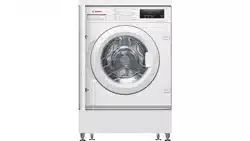
Slide the washer into an opening of the size indicated in the diagram opposite. A furniture plinth may be run across the front of the appliance, but its height will be dictated by the height the washer is set at.
The 4 adjustable feet allow the height of the washer to be adjusted from 820 mm to a maximum of 840 mm. To adjust the height, you should remove the nuts fitted to each foot and replace these with the 5 mm nuts supplied. Raise the feet to your desired height and then fully tighten the lock nut to the base of the washer.
Hydraulic connections
Connect the water hose to the water supply tap (fig. 3) only using the hose supplied with the appliance (do not reuse old hose-sets).
Some models may include one or more of the following features:
HOT&COLD (fig. 4): water mains connection settings with hot and cold water for higher energy savings. Connect the grey tube to the cold water tap and the red one to the hot water tap. The machine can be connected to the cold water tap only: in this case, some programs may start a few minutes later.
AQUASTOP (fig. 5): a device located on the supply tube that stops water flow if the tube deteriorates; in this case, a red mark will appear in the window “A” and the tube must be replaced. To unscrew the nut, press the one-way lock device "B".
AQUAPROTECT – SUPPLY TUBE WITH GUARD (fig. 6): Should water leak from the primary internal tube "A", the transparent containment sheath "B" will contain water to permit the washing cycle to complete. At the end of the cycle, contact the Customer Service Centre to replace the supply tube.
Setting
The washing machine should be installed in its final position such that the water fill hose is not kinked or trapped. The corrugated drain hose should be inserted into suitable drain pipe of between 50 cm and 85 cm height above the floor using the curved drain hose support. If an under sink connection is used the drain hose must be routed above the sink overfill opening to prevent back siphoning. Care must be taken to avoid kinking or trapping the drain hose (fig. 7).
Level the appliance using the feet as illustrated in figure 8:
a. turn the nut clockwise to release the screw;
b. rotate the foot to raise or lower it until it touches to the floor;
c. lock the foot, screwing in the nut, until it tightens against to the bottom of the washing machine.
Plug in the appliance.
Detergent drawer
The detergent draw is split into 3 compartments as illustrated in figure 9:
compartment "1": for prewash detergent;
compartment “ ”: for special additives, softeners, starch fragrances, etc.;
compartment "2": for washing detergent
A liquid detergent cup is also included IN SOME MODELS (fig. 10). To use it, place it in compartment "2". This way, liquid detergent will only enter the drum at the right time. The cup can also be used for bleach when the “Rinse” program is selected.
PRACTICAL TIPS
Load tips
- have eliminated metallic objects such as hair clips, pins, coins, from laundry;
- to have buttoned pillow cases, closed zips, tied loose belts and long robe ribbons;
- to have removed rollers, hooks or clips from curtains;
- to have carefully read clothing washing labels;
- to have removed any persistent stains using specific detergents.
When washing rugs, bedcovers or other heavy clothing, we recommend you avoid the spinning cycle.
To wash wool, make sure the item can be machine washed and marked by the “Pure virgin wool” symbol with the “Does not mat” or “Machine washable” label.
Helpful suggestions for the user
A guide environmentally friendly and economic use of your appliance.
Maximise The Load Size
Achieve the best use of energy, water, detergent and time by using the recommended maximum load size. Save up to 50% energy by washing a full load instead of 2 half loads.
Do you need to pre-wash?
For heavily soiled laundry only! SAVE detergent, time, water and between 5 to 15% energy consumption by NOT selecting Prewash for slight to normally soiled laundry
Is a hot wash required?
Pretreat stains with stain remover or soak dried in stains in water before washing to reduce the necessity of a hot wash programme. Save up to 50% energy by using a 60°C wash programme.
Following is a quick guide with tips and recommendations on detergent use at the various temperatures. In any case, always read the instructions on the detergent for correct use and doses. Following is a quick guide with tips and recommendations on detergent use at the various temperatures. In any case, always read the instructions on the detergent for correct use and doses.
MAINTENANCE AND CLEANING
Drawer cleaning
We recommend you clean the drawer to avoid accumulating detergent and additive residue.
To do this, extract the drawer using slight force, clean it with running water and reinsert it in its housing.
Ensure the siphon cap is correctly refitted.
Filter cleaning
The washing machine comes with a special filter able to trap large residue, such as buttons or coins, which could clog the drain.
Only available on certain models: pull out the corrugated hose, remove the stopper and drain the water into a container.
Ensure all the water has been emptied from the drum.
Before unscrewing the filter, we recommend you place an absorbent cloth under it to keep the floor dry. A small amount of water will come out of the filter as you remove it - this is normal.
Turn the filter counter-clockwise to the limit stop.
Remove and clean the filter; when finished, replace it turning it clockwise. The filter handle will be locked when it is not possible to turn any further and the handle is horizontal. Smearing a small amount of liquid soap on the filter seal will help refitting.
Repeat the previous steps in reverse order to reassemble all parts.
Suggestions for moves or prolonged disuse
Should the washing machine be stored in an unheated room for a long period of time, drain all water from tubes.
Unplug the washing machine.
Detach the tube from the drainage system and clip on the rear of the machine and lower it, fully draining water into a bowl.
Secure the drain tube with the drainage system and clip on the rear of the machine when finished.
Keep the door glass and gasket clean.
QUICK USER GUIDE
Program selection
Turn on the washing machine and select the required program.
Adjust the washing temperature if necessary and press the required "option" buttons.
Press the START/PAUSE button to start washing.
Should power go out when the washing machine is running, a special memory saves the settings and, when power returns, the machine resumes the cycle from where it left off.
At the end of the programme, the message "End" will appear on the display or, on some models, all wash stage indicator lights will turn on.
Turn off the washing machine.
For any type of wash, see the program table and follow the operating sequence as indicated.
Technical data
Water pressure: min 0.05 Mpa / max 0.8 Mpa (0.05 MPa dispenses approximately 1 litre of water in 10 seconds)
Spin r.p.m.: See rating plate.
Power input / Power current fuse amp / Supply voltage: See rating plate.
CONTROLS AND PROGRAMS
A. Programme selector with OFF position
B. START/PAUSE button
C. DELAY START button
D. OPTIONS button
E. RAPID / STAIN LEVEL button
F. TEMPERATURE SELECTION button
G. SPIN SPEED button
F+G. KEY LOCK
H. Digital display
I. OPTIONS indicator lights
L. DOOR LOCKED indicator light
M. KG DETECTOR indicator light
N. KEY LOCK indicator light
O. TEMPERATURE SELECTION indicator lights
P. SPIN SPEED indicator lights
Opening the door
A special safety device prevents the door from being opened immediately after the end of the cycle. Wait for 2 minutes after the wash cycle has finished and the "Door Security" light has gone out before opening the door.
PROGRAMME selector with OFF position
When the programme selector is turned the display lights up to show the settings for the programme selected. For energy saving, at the end of the cycle or with an inactivity period, the display level contrast will decrease.
N.B.: To switch the machine off, turn the programme selector to the OFF position.
Press the START/PAUSE button to start the selected cycle. !Once a programme is selected the programme selector remains stationary on the selected programme till cycle ends.
Switch off the washing machine by turning the selector to OFF.
START/PAUSE button
Close the door BEFORE selecting the button START/PAUSE.
Press to start the selected cycle.
When the START/PAUSE button has been pressed, the appliance can take few seconds before it starts working.
ADD OR REMOVE ITEMS AFTER THE PROGRAMMES HAS STARTED (PAUSE)
Press and hold the START/PAUSE button for about 2 seconds (some indicator light and the time remaining indicator will flash, showing that the machine has been paused).
Wait 2 minutes until the safety device unlocks the door.
Before you open the door, please check water level is below the door opening to avoid flooding.
After you have added or removed items, close the door and press the START/PAUSE button (the programme will start from where it left off).
CANCELLING THE PROGRAMME
To cancel the programme, set the selector to the OFF position.
DELAY START button
This button allows you to pre-programme the wash cycle to delay the start of the cycle for up to 24 hours.
To delay the start use the following procedure:
- Select the required programme.
- Press the delay start button once to activate it (h00 appears on the display) and then press it again to set a 1 hour delay (h01 appears on the display). The pre-set delay increases by 1 hour each time the button is pressed, until h24 appears on the display, at which point pressing the button again will reset the delay start to zero.
- Confirm by pressing the START/PAUSE button. The delay countdown will begin and when it has finished the programme will start automatically
It is possible to cancel the delay start by turning the programme selector to OFF.
If there is any break in the power supply while the machine is operating, a special memory stores the selected programme and, when the power is restored, it continues where it left OFF.
The option buttons should be selected before pressing the START/PAUSE button.
OPTIONS button
This button allows you to choose between three different options:
- EXTRA RINSE
This option allows you to add one rinse at the end of the washing cycle and is useful for people with delicate and sensitive skin, for which a small amount of detergent residue can cause irritations or allergies.
It is advisable to also use this function for the children clothes and for the washing of heavily soiled items, which requires a lot of detergent to be used, or for the washing of toweling items whose fibres mostly have the tendency to hold the detergent.
- HYGIENE +
Activated when you set 60°C of temperature. This option allows deep cleaning of your clothes by maintaining the same temperature for the whole wash.
- EASY IRON
This function allows you to minimizes creases as much as possible, eliminating the intermediate spins or reducing the intensity of the last one.
If an option is selected that is not compatible with the selected programme then the option indicator light first flashes and then goes off.
RAPID / STAIN LEVEL button
This button allows you to choose between two different options, depending on the selected programme.
- RAPID
The button becomes active when you select the RAPID (14/30/44 Min.) programme on the knob and allows you to select one of three durations indicated.
- STAIN LEVEL button
Once the programme has been selected the wash time set for that programme will be automatically shown.
This option allows you to choose between 3 levels of wash intensity modifying the length of the programme, depending on how much the fabrics are soiled (can only be used on some programmes as shown in the table of programmes).
TEMPERATURE SELECTION button
This button allows you to change the temperature of the wash cycles.
It is not possible to raise the temperature over the maximum allowed for the programme, in order to protect the fabrics.
If you want carry out a cold wash all the indicators must be off.
SPIN SPEED button
By pressing this button, it is possible to reduce the maximum speed, and if you wish, the spin cycle can be cancelled.
If the label does not indicate specific information, it is possible to use the maximum spin expected in the program.
To reactivate the spin cycle press the button until you reach the spin speed you would like to set.
It is possible to modify the spin speed without pausing the machine.
An over dosing of detergent can cause excessive foaming. If the appliance detects the presence of excessive foam, it may exclude the spinning phase or extend the duration of the program and increase water consumption.
The machine is fitted with a special electronic device, which prevents the spin cycle should the load be unbalanced. This reduces the noise and vibration in the machine and so prolongs the life of your machine.
KEY LOCK
Pressing simultaneously the buttons TEMPERATURE SELECTION and SPIN SPEED for about 3 seconds, the machine allows you to lock the keys. In this way, you can avoid making accidental or unwanted changes if a button on the display is pressed accidentally during a cycle.
The key lock can be simply canceled by pressing the two buttons simultaneously again or turning off the appliance.
Digital Display
The display’s indicator system allows you to be constantly informed about the status of the machine.
1) OPTIONS INDICATOR LIGHTS The indicator lights show the options that can be selected by the relevant button.
2) CYCLE DURATION
When a programme is selected the display automatically shows the cycle duration, which can vary, depending on the options selected.
During the initial filling phase of the cycle the machine calculates the actual cycle time needed based on the load size, content and options selected. The real time of the wash will then be displayed. This time can recaulculate during the wash depending on detergent levels and load balancing.
3) DOOR-LOCKED INDICATOR LIGHT
The indicator light is illuminated when the door is fully closed.
Close the door BEFORE selecting the START/PAUSE button.
When START/PAUSE is pressed on the machine with the door closed, the indicator will flash momentarily and then illuminate.
If the door is not properly closed, the light will continue to flash for about 7 seconds, after which the start command will be automatically cancelled. In this case, close the door in the proper way and press the START/PAUSE button.
A special safety device prevents the door from being opened immediately after the end of the cycle. Wait for 2 minutes after the wash cycle has finished and the DOOR LOCKED light has gone out before opening the door. At the end of the cycle turn the programme selector to OFF.
4) Kg Detector INDICATOR LIGHT (function active only on Cotton and Synthetics programmes)
During the first minutes of the cycle, the "Kg Detector" indicator will remain on while the intelligent sensor will weigh the laundry and adjust the cycle time, water and electricity consumption accordingly.
Through every wash phase "Kg Detector" allows to monitor information on the wash load in the drum and in the first minutes of the wash it:
- adjusts the amount of water required;
- determines the length of the wash cycle;
- controls rinsing according to the type of fabric selected to be washed it;
- adjusts the rhythm of drum rotation for the type of fabric being washed;
- recognises the presence of too much soap suds, and if necessary, adjust the amount of rinse water.
- adjusts the spin speed according to the load, thus avoiding any imbalance.
5) KEY LOCK INDICATOR LIGHT
The indicator light show that the keys are locked.
6) WASH TEMPERATURE INDICATOR LIGHTS
This show the washing temperature of the selected programme that can be changed (where allowed) by the relevant button. If you want carry out a cold wash all the indicators must be off.
7) SPIN SPEED INDICATOR LIGHTS
This show the spin speed of the selected programme, you can reduce or omit by the relevant button.
Table of programmes
Please read these notes:
* Maximum load capacity of dry clothes, according to the model used (see control panel).
** STANDARD COTTON PROGRAMMES ACCORDING TO (EU) No 1015/2010 and No 1061/2010.
COTTON PROGRAMME WITH A TEMPERATURE OF 60°C.
COTTON PROGRAMME WITH A TEMPERATURE OF 40°C.
These programmes are suitable to clean normally soiled cotton laundry and they are the most efficient programmes in terms of combined energy and water consumptions for washing cotton laundry. These programmes have been developed to be compliant with the temperature on the wash label on the garments and the actual water temperature may slightly differ from the declared temperature of the cycle.
1) When a programme is selected, on the display is shown the display shows the recommended wash temperature that can be reduced (where allowed) by the relevant button.
2) For the programmes shown you can adjust the duration and intensity of the wash using the STAIN LEVEL button.
3) Selecting the RAPID program on the knob, it will be possible to select with the RAPID button, one of the three rapid programs available among 14’, 30’ and 44’.
Programmes selection
To clean different types of fabrics and various levels of dirt, the washing machine has specific programs to meet every need of washing (see table of programmes).
Whites
An intensive wash. The final spin at maximum speed gives more efficient removal.
Cottons + Prewash
This programme has been designed to remove the stronger stains from cotton white clothes. The prewash guarantees the tough dirt removal. Add into compartment "1" a quantity of detergent equal to 20% of that used for main wash.
EcoMix 20°
This innovative programme, allows you to wash different fabrics and colours together, such as cottons, synthetics and mixed fabrics at only 20°C and provides an excellent cleaning performance. Consumption on this program is about 40% of a conventional 40°C. cottons wash.
Cottons
This program is suitable to clean normally soiled cotton laundry and it is the most efficient program in terms of combined energy and water consumptions for washing cotton laundry.
Synthetics
The washing and rinsing optimise the speed and rhythm of the drum action and water levels. The gentle spin, ensures a reduced formation of creases in the fabric.
Daily 59 Min.
This specially designed programme maintains the high quality wash performance whilst greatly reducing the wash time. The programme is designed for a reduced load (see table of programmes).
Rapid (14/30/44 Min.)
Washing cycle suggested for low loads and slightly dirty. With this program it is recommended to reduce the quantity of detergent normally used, in order to avoid unnecessary waste. Selecting the RAPID program and acting on the button you can choose one of three programs available.
Rinse
This program performs 3 rinses with an intermediate spin (which can be reduced or excluded by using the appropriate button) . It is used for rinsing any type of fabric, for example after a wash carried out by hand.
Drain + Spin
The program completes the drain and a maximum spin. It is possible to delete or reduce the spin with the SPIN SPEED button.
Delicates
This program has reduced periods of drum rotation during the cycle and is particularly suitable or washing delicate fabrics. The wash cycle and rinses are carried out with a high level of water to ensure the best performance.
Jeans
This program has been designed to have the highest quality cleaning of fabrics such as denim: ideal for removing dirt without affecting the elasticity of the fibers.
Baby Care
This program allows you to wash all baby clothes getting a perfect clean and sanitizing effect, setting the temperature at 60°C minimum.
To optimize the result of the sanitizing effect we recommend the use of powder detergent.
Silk
Dedicated program for silk fabrics that can be wash with a washing machine washable. The rotations of the drum are delicate, the temperature does not exceed 30°C and the program ends with a gentle spin.
Hand Wash
Program for hand wash only clothes, the program ends with 3 rinses and a slow spin.
Wool
This program performs a wash cycle dedicated to the wool fabrics that can be washed in a washing machine, or the articles to be washed by hand.
TROUBLESHOOTING
ERROR CODE FORMAT
Error shown
Possible causes and practical solutions
E2 (with display)
2 flashes of the LEDs (without display)
The machine cannot load water.
Make sure the water supply tap is open.
Make sure the water supply hose isn’t bent, kinked or trapped.
Make sure the drain pipe is at the proper height (see installation section)
Close the water supply tap, unscrew the filler hose from the back of the washing machine and make sure the “anti-sand” filter is clean and not blocked
E3 (with display)
3 flashes of the LEDs (without display)
The washing machine does not drain water.
Make sure the filter is not clogged.
Make sure the drain hose isn’t bent, kinked or trapped.
Make sure the home drainage system is not blocked and is allowing water to flow through without obstruction. Try to drain the water in the sink.
E4 (with display)
4 flashes of the LEDs (without display)
There is too much foam and/or water.
Ensure the correct amount of detergent is being used and the detergent is designed for use in a washing machine.
E7 (with display)
7 flashes of the LEDs (without display)
Door problem.
Make sure the door is correctly closed. Make sure the clothes inside the drum are not preventing the door from closing fully.
If the door is locked, turn off and unplug the washing machine from the electrical supply socket, wait 2-3 minutes and reopen the door.
Any other code
Turn off and unplug the washing machine, wait a minute. Turn on the machine and restart a program. If the error occurs again contact an Authorised Customer Service Centre directly
OTHER ANOMALIES
Problem
Possible causes and practical solutions
The washing machine does not work / start
Make sure the product is plugged into a working supply socket.
Make sure power is on.
Make sure the wall socket is working, testing it with another appliance such as a lamp.
The door may not be correctly closed: open and close it again.
Check whether the required program was correctly selected and the start button pressed.
Make sure the washing machine is not in pause or time delay mode.
Water leaked on the floor near the washing machine
This may be due to a leak from the seal between the tap, supply hose and fill valve; in this case, replace it and tighten the hose connections correctly.
Make sure the front filter is correctly closed.
The washing machine does not spin
The machine is fitted with a detection system that protects the load and product from damage if the load is not balanced before spinning. This may result in:-
• The machine attempts to balance the load, increasing the time of spin.
• Reduction of the speed of spin to decrease vibrations and noise.
• The spin cycle aborting to protect the machine and load.
If this is experienced remove the load de-tangle it, reload it and restart the spin program.
This could be due to the fact that water has not been completely drained: wait a few minutes. If the problem persists, see Error 3 section.
Some models include a "no spin" function: make sure it is not selected.
Check which options are selected and their effect on the spin cycle.
Excessive detergent can impede the spin cycle, ensure the correct amount of detergent is being used.
Strong vibrations / noises are heard during the spin cycle
The washing machine may not be fully levelled: if necessary, adjust the feet as indicated in the specific section.
Make sure transport screws, rubber bungs and spacer tubes were removed.
Make sure there are no foreign objects inside the drum (coins, hinges, buttons, etc…).


 and the red one to the hot water tap. The machine can be connected to the cold water tap only: in this case, some programs may start a few minutes later.


 ”: for special additives, softeners, starch fragrances, etc.;