A Note to You ..................2
Dryer Safety......................3
Parts and Features ..........5
Checking Your Vent ..........6
Using Your Dryer ..............8
Starting your dryer ........8
Selecting a cycle
and temperature
setting ............................9
Loading........................10
Cycle descriptions ......10
Fluff Air cycle ..............13
Using the drying
rack..............................14
Caring for Your
Dryer ..............................15
Troubleshooting..............18
Assistance
or Service........................20
Warranty..........................24
1
-
800
-
253
-
1301
Call us with questions or comments.
8280525
27
"
Electric and
Gas Dryers
www.whirlpool.com
2
A NOTE TO YOU
Thank you for buying a WHIRLPOOL
®
appliance.
The Whirlpool brand is committed to designing quality products that consistently perform for you to make your
life easier. To ensure that you enjoy years of trouble-free operation, we developed this Use and Care Guide. It is
full of valuable information about how to operate and maintain your appliance properly and safely. Please read
it carefully.
Also, complete and mail the Ownership Registration Card provided with your appliance. The card helps us
notify you about any new information on your appliance.
Please record your model’s information.
Whenever you call to request service for your
appliance, you need to know your complete model
number and serial number. You can find this informa-
tion on the model and serial number label/plate (see
diagram in the “Parts and Features” section).
Please also record the purchase date of your appliance
and your dealer’s name, address, and telephone number.
Keep this book and the sales slip together in a safe place for future reference.
Our Consumer Assistance Center number is toll free.
Model Number________________________________
Serial Number ________________________________
Purchase Date________________________________
Dealer Name ________________________________
Dealer Address ______________________________
Dealer Phone ________________________________
1
-
800
-
253
-
1301
To find detailed product information, the location of the nearest Whirlpool dealer or designated servicer, to
purchase an accessory item, or register your appliance on-line, please visit our Web site at
www.whirlpool.com
3
DRYER SAFETY
WARNING: For your safety the information in this manual must be followed to
minimize the risk of fire or explosion or to prevent property damage, personal
injury or death.
– Do not store or use gasoline or other flammable vapors and liquids in the vicinity
of this or any other appliance.
– WHAT TO DO IF YOU SMELL GAS
•
Do not try to light any appliance.
•
Do not touch any electrical switch; do not use any phone in your building.
•
Clear the room, building or area of all occupants.
•
Immediately call your gas supplier from a neighbor’s phone. Follow the gas
supplier’s instructions.
•
If you cannot reach your gas supplier, call the fire department.
– Installation and service must be performed by a qualified installer, service agency
or the gas supplier.
continued on next page
You will be killed or seriously injured if you don’t
follow instructions.
You can be killed or seriously injured if you don’t
follow instructions.
Your safety and the safety of others is very important.
We have provided many important safety messages in this manual and on your appliance. Always read and
obey all safety messages.
This is the safety alert symbol.
This symbol alerts you to hazards that can kill or hurt you and others.
All safety messages will be preceded by the safety alert symbol and the word “DANGER” or
“WARNING.” These words mean:
wDANGER
wWARNING
All safety messages will identify the hazard, tell you how to reduce the chance of injury, and tell you what can
happen if the instructions are not followed.
4
DRYER SAFETY
WARNING: To reduce the risk of fire, electric shock, or injury to persons when using the
dryer, follow basic precautions, including the following:
•
Read all instructions before using
the dryer.
•
Do not place items exposed to cooking
oils in your dryer. Items contaminated
with cooking oils may contribute to a
chemical reaction that could cause a
load to catch fire.
•
Do not dry articles that have been
previously cleaned in, washed in, soaked
in, or spotted with gasoline, dry-cleaning
solvents, other flammable, or explosive
substances as they give off vapors that
could ignite or explode.
•
Do not allow children to play on or in
the dryer. Close supervision of children
is necessary when the dryer is used
near children.
•
Before the dryer is removed from service
or discarded, remove the door to the
drying compartment.
•
Do not reach into the dryer if the drum
is moving.
•
Do not install or store the dryer where
it will be exposed to the weather.
•
Do not tamper with controls.
SAVE THESE INSTRUCTIONS
IMPORTANT SAFETY INSTRUCTIONS
•
Do not repair or replace any part of the
dryer or attempt any servicing unless
specifically recommended in this Use and
Care Guide or in published user-repair
instructions that you understand and
have the skills to carry out.
•
Do not use fabric softeners or products
to eliminate static unless recommended
by the manufacturer of the fabric softener
or product.
•
Do not use heat to dry articles containing
foam rubber or similarly textured rubber-
like materials.
•
Clean lint screen before or after each
load.
•
Keep area around the exhaust opening
and adjacent surrounding areas free from
the accumulation of lint, dust, and dirt.
•
The interior of the dryer and exhaust vent
should be cleaned periodically by
qualified service personnel.
•
See Installation Instructions for grounding
requirements.
5
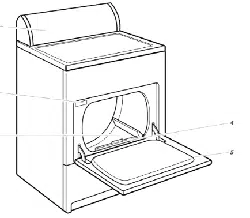
PARTS AND FEATURES
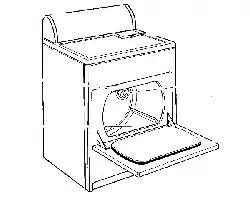
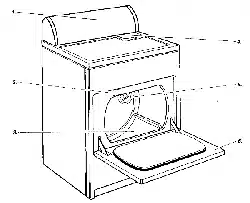
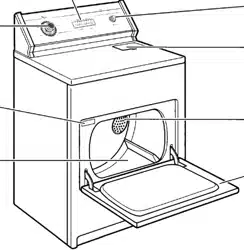
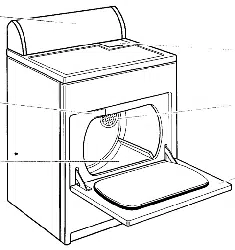
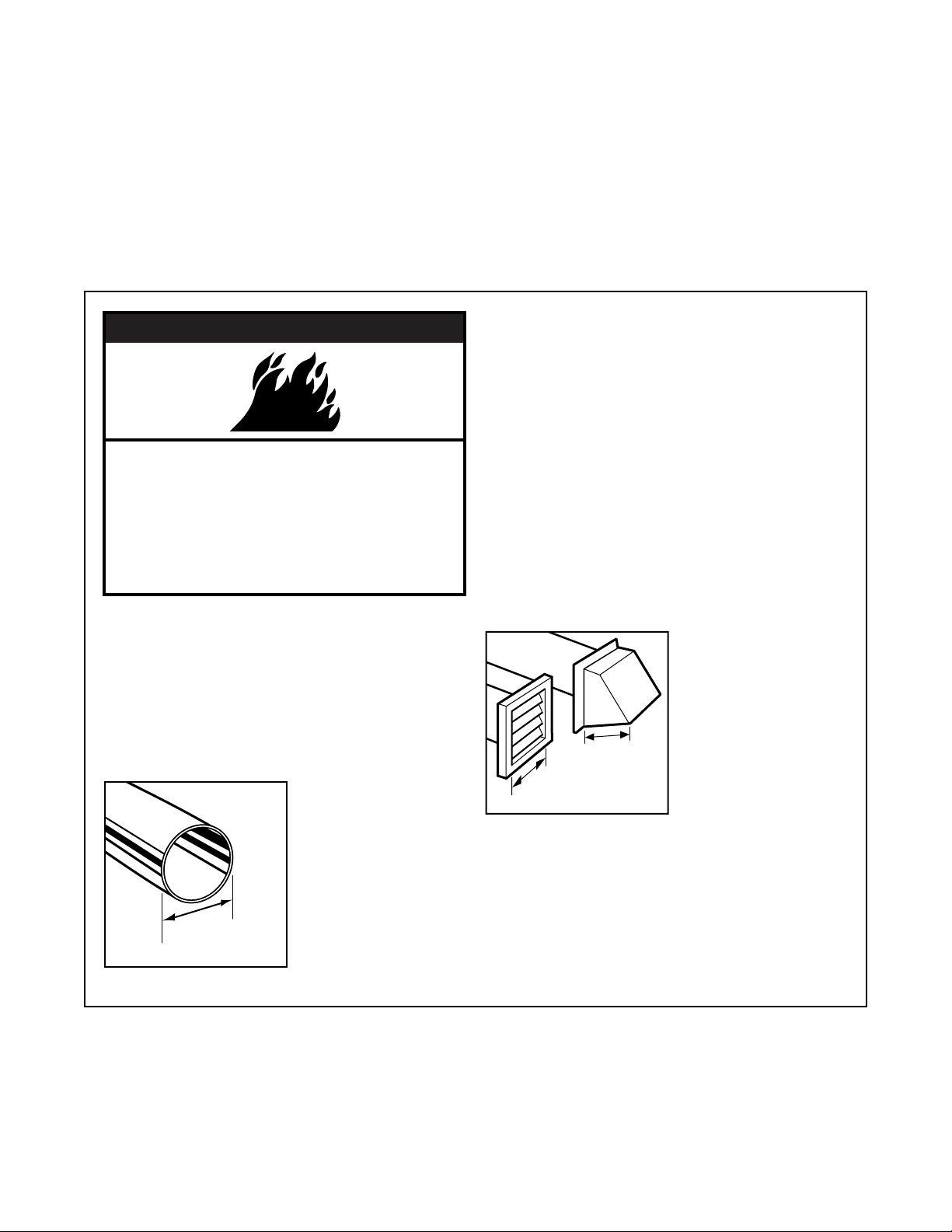
The drawings in this book may vary from your dryer model. They are designed to show the
different features of all models covered by this book. Your model may not include all features.
Additional features your dryer may have:
CLEAN TOUCH
TM
control panel*
End of cycle signal selector (p. 9)
FINISH GUARD
®
feature selector* (p. 8)
FINISH GUARD
®
Plus feature selector (p. 8)
ACCUDRY
TM
electronic sensor (p. 10)
DRY MISER
®
automatic sensor (p. 10)
Drying rack (p. 14)
Drum light (p. 17)
* On some models
Cycle control
knob
(pp. 8-12)
Model and
serial number
label
(p. 2)
Dryer drum
(p. 16)
Wide-opening
hamper door
Start button
(p. 8)
Lint screen
(p. 15)
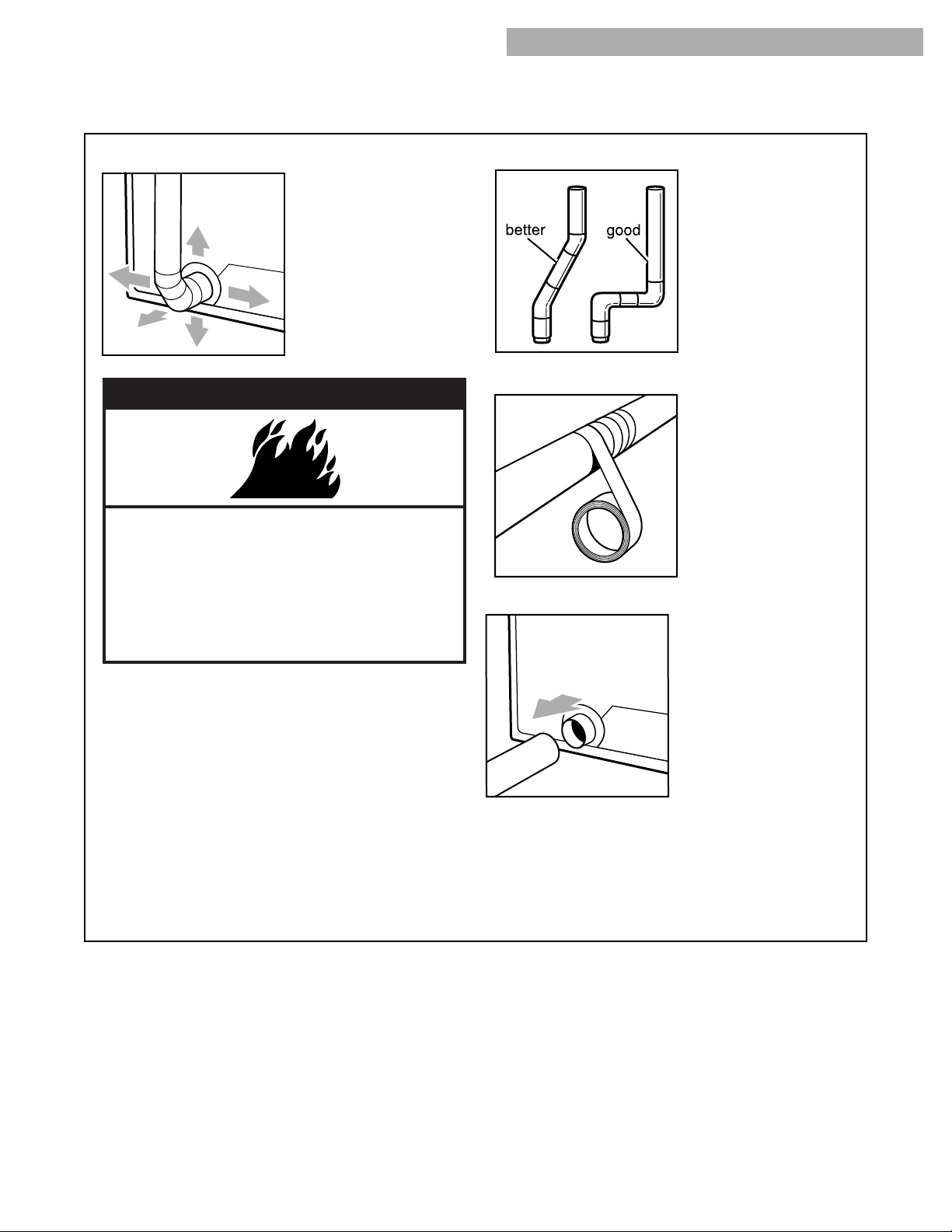
2. Use a 4-inch exhaust hood. Smaller hoods
increase drying times.
6
CHECKING YOUR VENT
Your dryer must be properly installed and vented to achieve maximum drying efficiency and
shorten drying times. Use the minimum recommended installation clearances (found in your
Installation Instructions) to avoid blocking the flow of combustion and ventilation air. Install your
dryer in a well-ventilated room where the temperature is always above 45°F. Also make sure that
your dryer is leveled. Refer to your Installation Instructions for more information.
VENTING
If the dryer is not properly installed and vented, it will
not be covered under the warranty.
NOTE: Service calls caused by improper venting will
be paid for by the customer, whether it was a paid
installation or self-installed. For paid installation, call
the company that installed the vent for
adjustment.
1. Do not use plastic vent or flexible metal foil vent.
Use 4-inch heavy metal
or flexible metal vent.
Do not kink or crush
flexible metal vent. It
must be completely
extended to allow
adequate exhaust air
to flow. Check vent
after installation. Refer
to your Installation
Instructions for proper
length requirements of vent.
wWARNING
Fire Hazard
Use a heavy metal vent.
Do not use a plastic vent.
Do not use a metal foil vent.
Failure to follow these instructions can
result in death or fire.
4”
4”
4”
7
3. You can exhaust from the rear, left, right, or
bottom of the dryer.
•
Exhaust from the
rear of the dryer: The
exhaust vent can be
routed up, down, left,
right, or straight out the
back of the dryer. Space
requirements are listed
in your Installation
Instructions.
CHECKING YOUR VENT
VENTING (CONT.)
6. Clean exhaust vent periodically, depending on use,
but at least every 2 years,
or when installing your
dryer in a new location.
•
Disconnect vent from
the dryer and clean one
section at a time until
you reach the exhaust
hood.
•
Use the hose attach-
ment on your vacuum,
or a pole or wire with a
feather duster or rag attached, to clean out lint.
•
Be sure the flapper on the outside end of vent
moves freely.
•
When cleaning is complete, be sure to follow the
Installation Instructions supplied with your dryer
for final product check.
4. Use the straightest path possible when routing
the exhaust vent. Use
the fewest number of
elbows and turns. Allow
room when using
elbows or making turns.
Bend vent gradually to
avoid kinking.
5. Use duct tape to seal all joints. Do not use
screws to secure vent.
Lint may catch on
screws.
wWARNING
Fire Hazard
Cover unused exhaust holes with one of the
following kits: #279818 (white), #279819
(almond), #279820 (ebony).
Contact your local dealer.
Failure to do so can result in death, fire,
electrical shock, or serious injury.
•
Exhaust from left, right, or bottom of dryer: To
convert the dryer for exhaust out the right or left
side, or through the bottom, you must use one of
the following kits:
Exhaust Kit No. 279818 (white)
Exhaust Kit No. 279819 (almond)
Exhaust Kit No. 279820 (ebony)
An exhaust kit can be ordered by calling
1-800-442-9991 and following the instructions
and telephone prompts you hear.
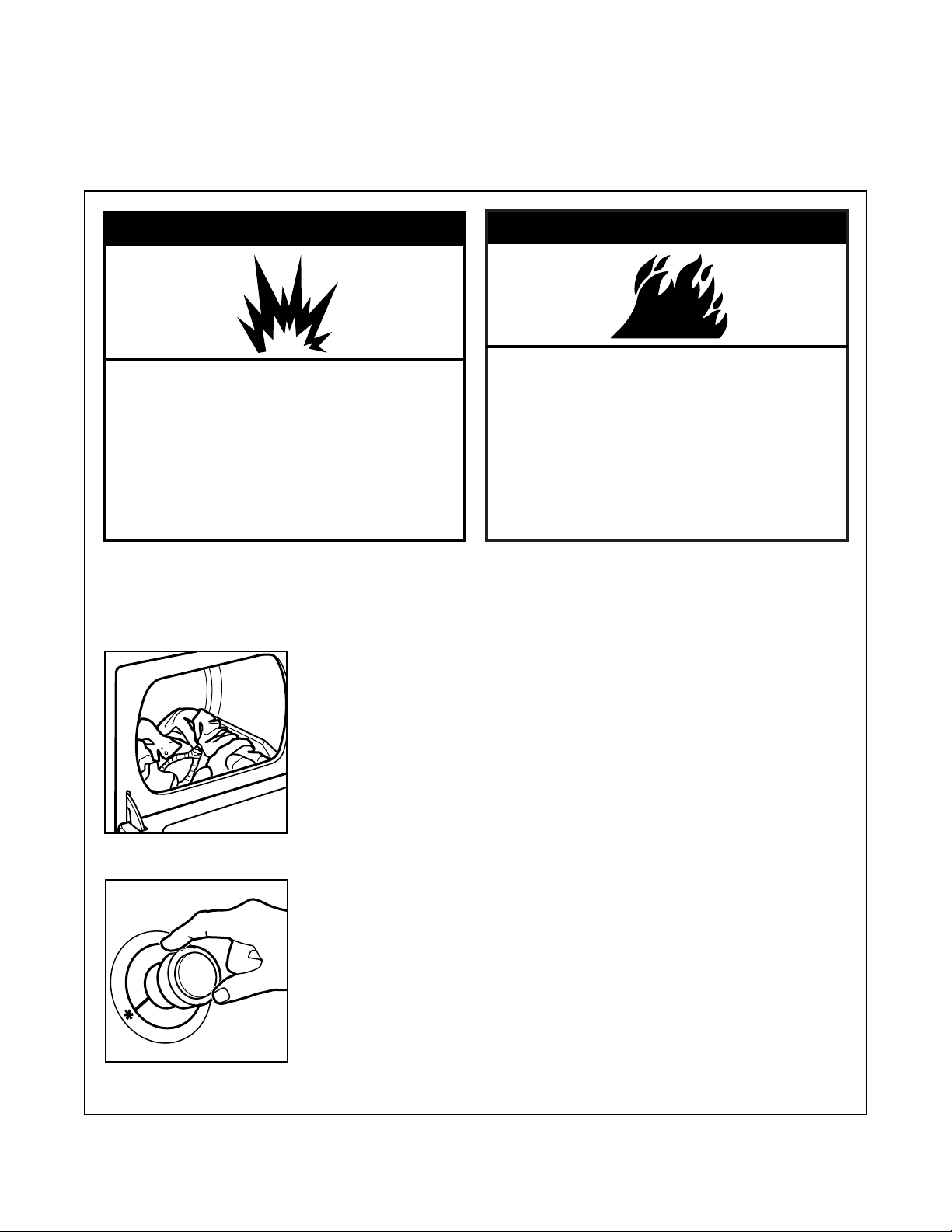
Before using your dryer, wipe the dryer drum with
a damp cloth to remove dust from storing and
shipping.
1. Load clothes loosely into the dryer and close the
door. Do not pack the
dryer; allow space for
clothes to tumble freely.
8
wWARNING
Explosion Hazard
Keep flammable materials and vapors, such
as gasoline, away from dryer.
Do not dry anything that has ever had
anything flammable on it (even after
washing).
Failure to follow these instructions can
result in death, explosion, or fire.
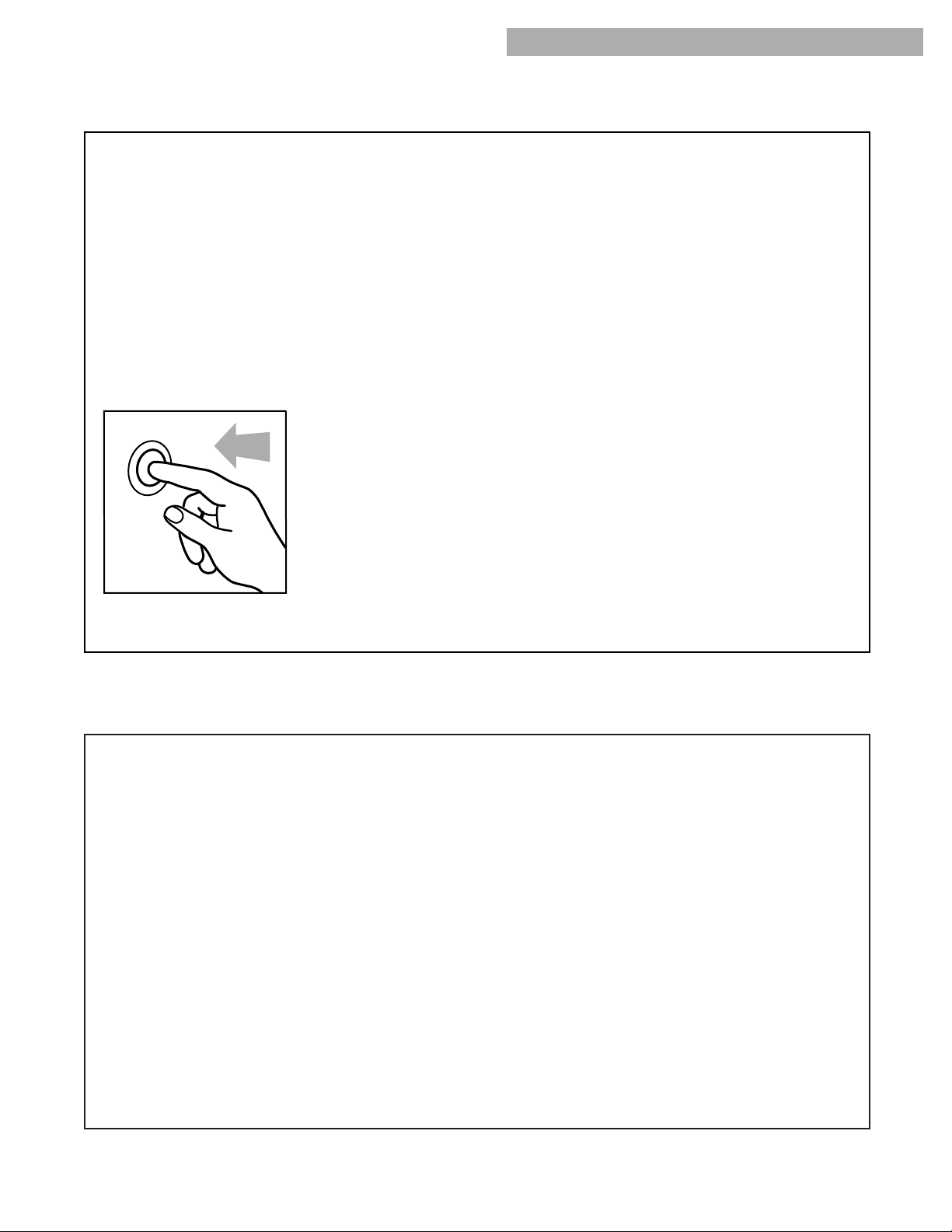
2. Turn the Cycle Control knob to the recommended
cycle for the type of load
being dried, as described
in “Cycle descriptions”
later in this section.
•
Use the Energy
Preferred Automatic
Setting (
*
) to dry most
loads.
NOTE: On some mod-
els, the Temperature
selector is part of the
Cycle Control knob.
USING YOUR DRYER
STARTING YOUR DRYER
3. If your dryer has a Temperature selector, set it to
the recommended setting for the type of fabric
being dried. The cycle descriptions on the
following pages include temperature setting
suggestions.
4. (OPTIONAL STEP) Some dryers have an On/Off
FINISH GUARD
®
selector or an Off/30 min. or
90 min. FINISH GUARD
®
Plus selector. These
features protect your clothes from wrinkling when
you do not remove them from the dryer as soon
as it stops.
•
Set the FINISH GUARD selector to On to
tumble the load without heat every few minutes
up to 45 minutes after the drying cycle ends.
•
The FINISH GUARD Plus selector lets you
choose up to 30 or 90 minutes of periodic
unheated tumble time after the drying cycle
ends.
•
A signal will sound every few minutes while
FINISH GUARD (FINISH GUARD Plus) is
running if the Cycle Signal (End of Cycle
Signal) feature is set to On. The signal and cycle
end when you open the dryer door.
•
Set the FINISH GUARD (FINISH GUARD Plus)
selector to Off if you do not want to run this
feature.
NOTE: Some dryers have a FINISH GUARD feature
that cannot be turned On or Off. See page 12.
wWARNING
Fire Hazard
No washer can completely remove oil.
Do not dry anything that has ever had any
type of oil on it (including cooking oils).
Items containing foam, rubber, or plastic
must be dried on a clothesline or by using
an Air Cycle.
Failure to follow these instructions can
result in death or fire.
9
5. (OPTIONAL STEP) If your dryer has a Cycle
Signal (End of Cycle Signal) selector, set the
selector to On if you want the dryer to sound a
signal when a cycle is finished.
•
The signal is helpful when you are drying
permanent press, synthetics, and other items
that should be removed from the dryer as
soon as it stops.
•
On some models, the End of Cycle Signal is
part of the Start button.
•
On some models, the End of Cycle Signal
volume can be adjusted from Softer to Louder.
6. Push the Start button.
NOTE: Your dryer stops automatically when a
cycle ends.
STARTING YOUR DRYER (CONT.)
USING YOUR DRYER
SELECTING A CYCLE AND TEMPERATURE SETTING
The following pages describe the drying cycles on
your dryer. The descriptions include suggested
temperature settings and drying times for various
loads.
Cycle and temperature tips
•
Make sure you have selected the correct cycle
and temperature for your load.
•
Dry most loads using the Energy Preferred
Automatic Setting (
*
).
•
Use an air cycle (or temperature setting), or line
dry rubber, plastic, delicate, and heat-sensitive
fabrics.
•
If some types of loads in the cycle descriptions
on the following pages have more than one
suggested temperature setting, choose the
lowest setting available on your dryer.
•
The last few minutes of all cycles are without
heat to make the load cooler to handle.
Drying tips
•
Always follow care label directions when they are
available.
•
If you use fabric softener sheets, always use
softener sheets that are labeled as dryer safe and
follow package instructions carefully.
•
Remove the load from the dryer as soon as
tumbling stops to reduce wrinkling. This is
especially important for permanent press, knits,
and synthetic fabrics.
Stopping and restarting your dryer
You can stop your dryer anytime during a cycle.
To stop your dryer:
Open the dryer door or turn the Cycle Control knob
to Off.
NOTE: The Cycle Control knob should point to an
Off area when the dryer is not in use.
To restart your dryer:
Close the door, select a new cycle and temperature
(if desired), and push the Start button.
10
CYCLE DESCRIPTIONS
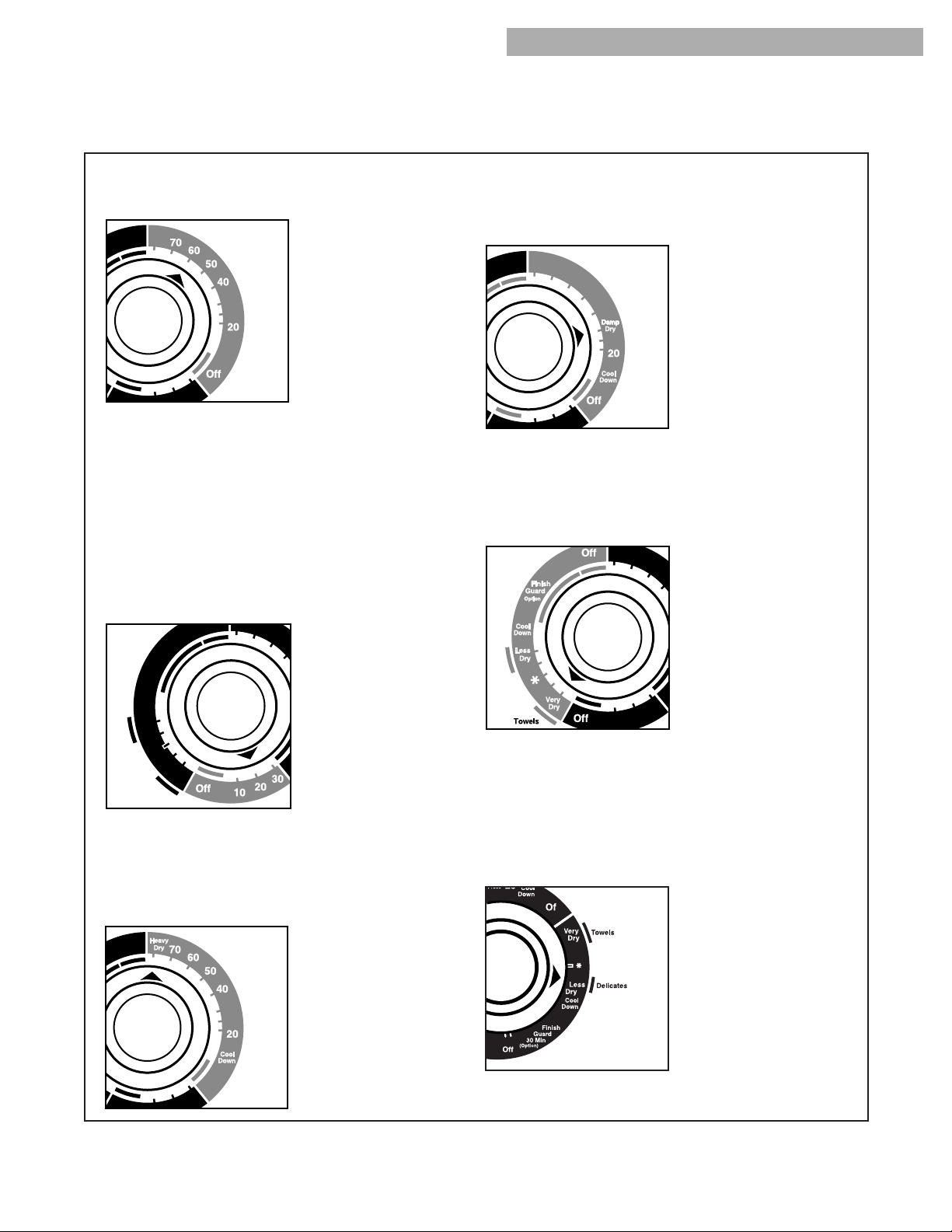
Automatic cycle(s)
Use an Automatic cycle to dry most loads.
Depending on your
model, the Automatic
cycle uses either the
electronic ACCUDRY
TM
system or the auto-
matic DRY-MISER
®
control that senses the
moisture in the load
and shuts off the dryer
when the selected
dryness is reached.
The Cycle Control knob does not move until the
load is almost dry. After the cool-down, the knob
automatically turns to an Off area and tumbling
stops.
•
If the load is drier than you like, select a setting
closer to Less Dry the next time you dry a
similar load.
•
If the load is not as dry as you like, complete
drying using a Timed cycle. Select a setting
closer to Very Dry the next time you dry a similar
load.
Loading suggestions
The chart below provides some guidelines on various types of drying loads. Load clothes loosely into the
dryer. Do not pack the dryer; allow space for clothes to tumble freely.
LOADING
Heavy Work Clothes
4 jeans
4 workpants
4 workshirts
2 sweatshirts
2 sweatpants
Towels
10 bath towels
10 hand towels
14 wash cloths
Mixed Load
3 sheets (1 king, 2 twin)
4 pillowcases
3 shirts
3 bouses
9 t-shirts
9 shorts
10 handkerchiefs
Delicates
3 camisoles
1 quilted robe
4 slips
4 panties
2 bras
2 nighties
1 baby’s dress
Drying time with an Automatic cycle varies accord-
ing to the type of fabric, size of load, and dryness
setting. Your model may not have all heat settings
listed. Some general guidelines are:
•
Use a high heat setting for drying heavyweight
items, such as towels and work clothes.
•
Use a medium heat setting for drying medium-
weight items, such as sheets, underwear,
permanent press clothes, and some knits.
•
Use a low or extra low heat setting for drying
lightweight items such as lingerie, blouses,
dresses, and some knits.
NOTE: If you have any questions about drying
temperatures for various loads, refer to care label
directions.
USING YOUR DRYER
11
Timed cycle(s)
Use a Timed drying cycle to complete drying if
some items are damp
after the Automatic
cycle. A Timed drying
cycle is also useful for:
•
Heavyweight and
bulky items, such as
bed spreads and work
clothes, and large loads
that require a long
drying time. Set your
dryer to a heat setting
that matches the care label directions.
•
Lightweight items, such as lingerie, blouses, and
knits that require a short drying time. Set your
dryer for a low or extra low heat.
•
Drying time and temperature will depend on your
dryer model.
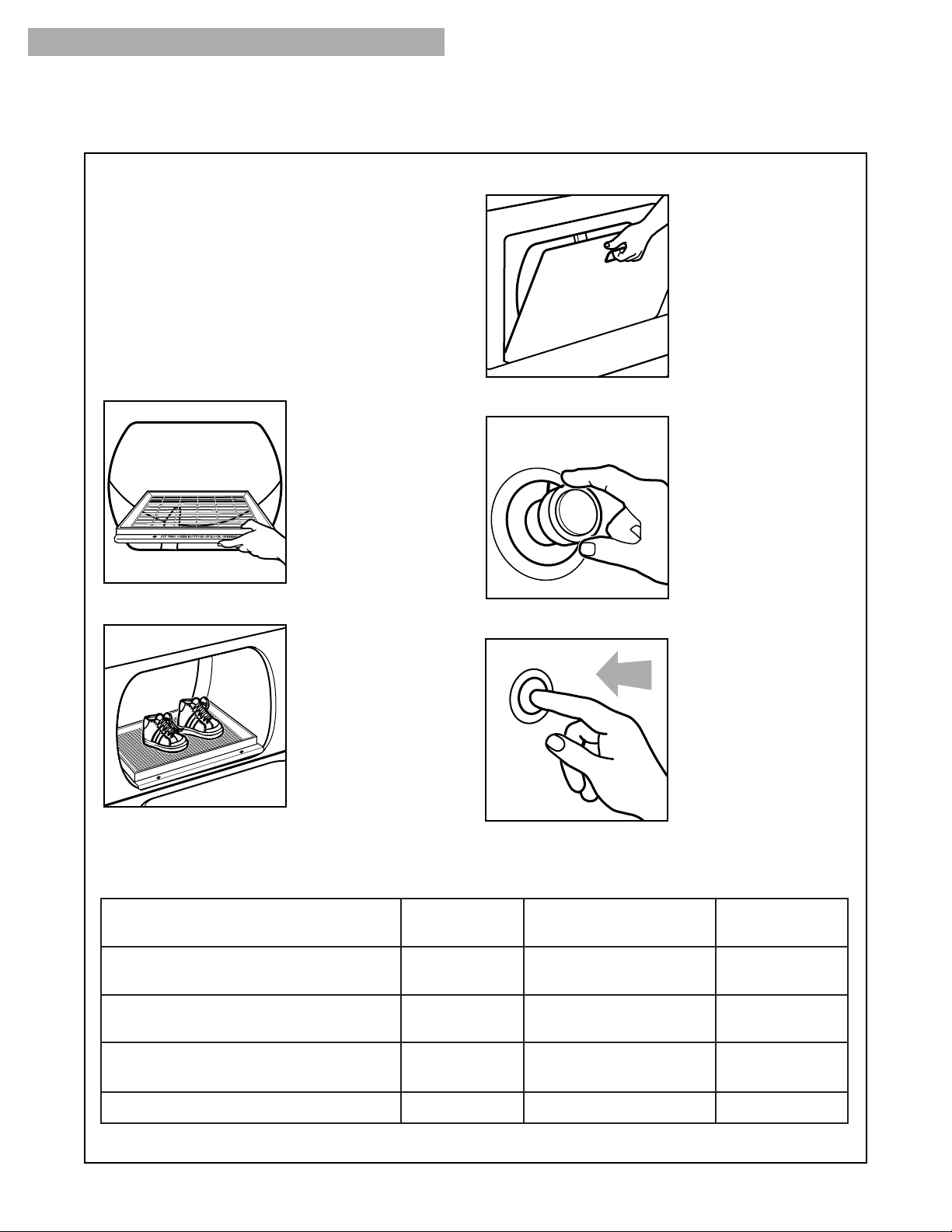
Fluff Air cycle
(on some models)
Use the unheated Fluff Air cycle for items that
require drying without
heat. For examples of
items that require air
drying, see the “Fluff
Air cycle” later in this
section.
NOTE: If your model
does not have the
Fluff Air cycle, use the
Timed Drying cycle
and the “Air” Temp-
erature setting, or line dry heat-sensitive items.
Heavy Dry cycle
(on some models)
Use the Heavy Dry cycle to dry large items or
items that are thicker
or heavier than a regu-
lar load (such as heavy
cotton bath towels or
robes.) Set your Cycle
Control knob to Heavy
Dry and your Tempera-
ture selector to High
heat.
CYCLE DESCRIPTIONS (CONT.)
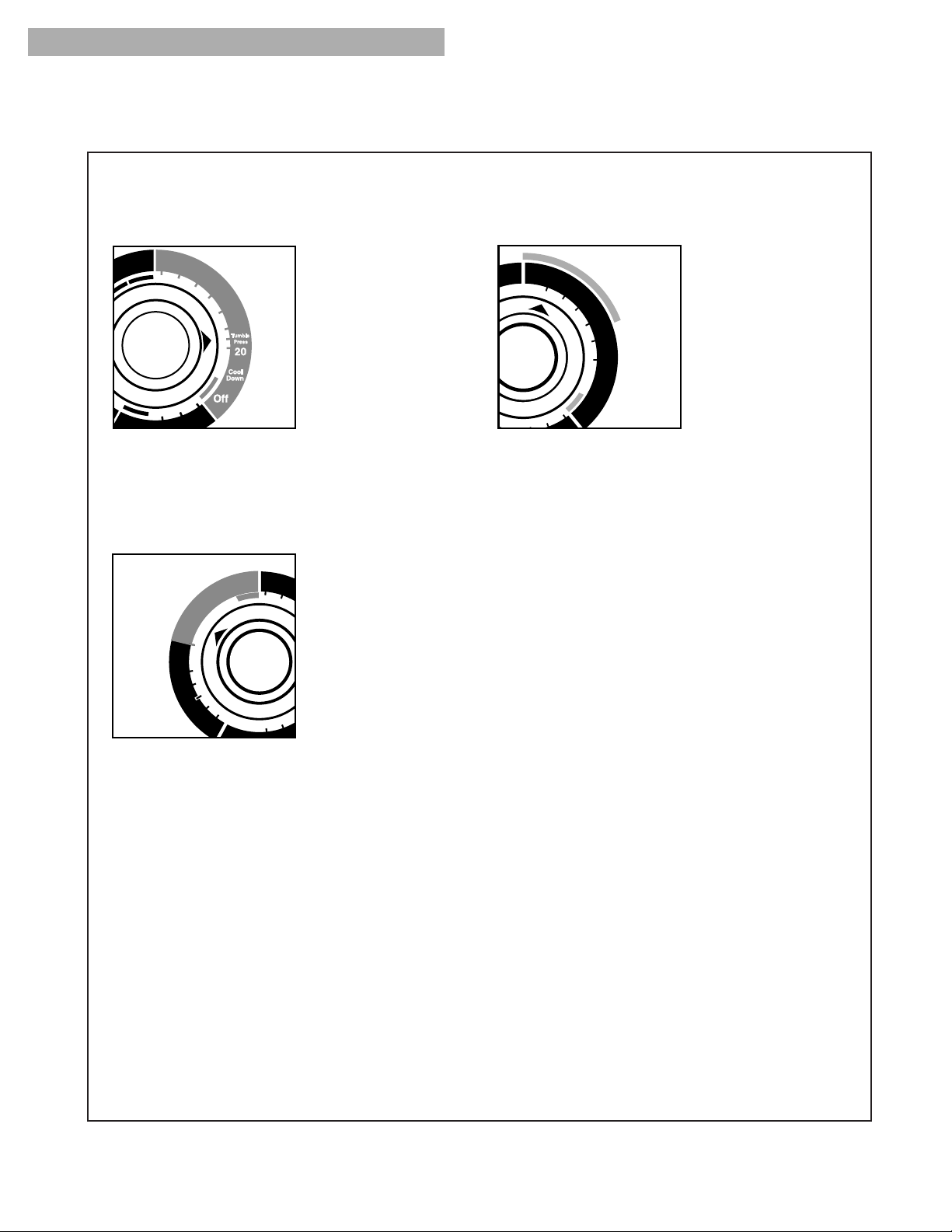
Damp Dry feature
(on some models)
Use the Damp Dry feature in the Timed cycle to dry
items to damp level or
to dry items that do not
require an entire drying
cycle. Two examples
are heavy cottons, such
as jeans, which you do
not want to become
stiff, or cotton clothes
which are easier to
press when damp. Set
the Temperature selector
to High heat.
Towels feature
(on some models)
When you have large loads of towels to dry, you
may want to use the
Towels feature in the
Automatic cycle. The
Towels setting allows
for more drying time and
automatically shuts off
the dryer when the se-
lected dryness is
reached. You can also
use the Towels feature
for extra heavy items
such as mattress pads and quilts. Set your dryer to
a heat setting that matches the care label direc-
tions.
Delicates feature
(on some models)
When you have small loads or loads of lightweight
items to dry, you may
want to use the
Delicates feature in the
Automatic cycle. The
Delicates setting allows
less drying time and
automatically shuts off
the dryer when the
selected dryness is
reached. Set the
Temperature selector to
Ex-Low heat.
USING YOUR DRYER
continued on next page
Off
Finish
Guard
70
60
50
40
20
Cool
Down
Off
Rack Dry
30
Rack Dry feature
(on some models)
Use the Rack Dry feature to dry items without
tumbling them. See
“Using The Drying
Rack” on page 14.
12
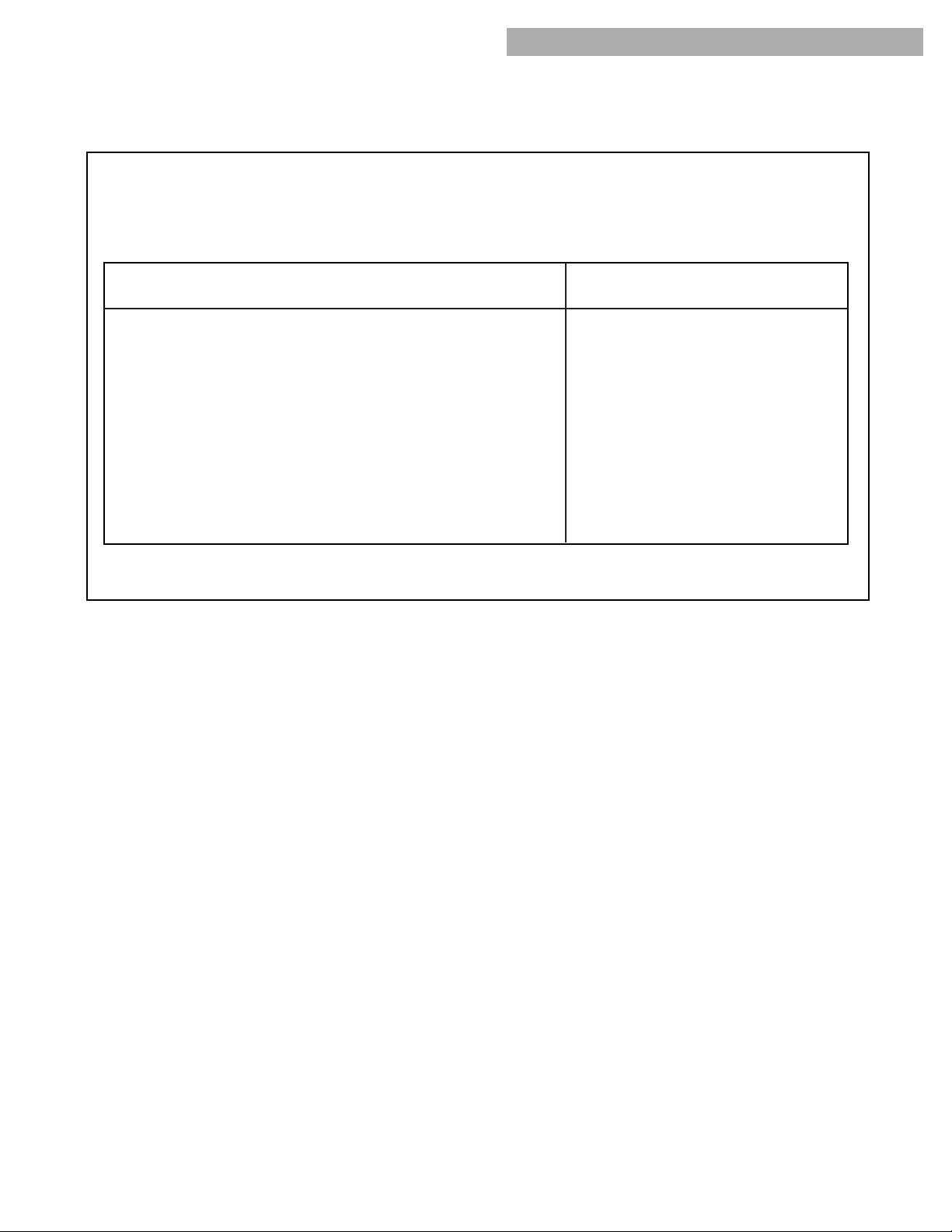
TUMBLE PRESS
®
feature
(on some models)
The TUMBLE PRESS feature in the Timed cycle
removes wrinkles from
clothes that have been
packed in a
suitcase or closet, or
from items not
removed from the
dryer at the end of a
cycle. As soon as the
dryer stops, fold or
put the items on
hangers. Set the
Temperature selector to Medium or Low heat.
FINISH GUARD
®
(FINISH GUARD
®
Plus) feature
(on some models)
When you are unable to remove a load from the
dryer as soon as it
stops, wrinkles can
form. The
FINISH GUARD
features periodically
tumble, rearrange, and
fluff the load to avoid
wrinkles.
•
On some models,
this feature is part of
the Cycle Control
knob.
If you do not open the dryer door within a few
minutes after the cycle stops, the FINISH GUARD
features automatically take over to protect the
load.
•
On some models, you can turn the FINISH
GUARD feature On or Off with a selector. (See
Step 4 in “Starting Your Dryer.”)
•
On models with the FINISH GUARD Plus
feature, you can select up to 30 or 90 minutes of
periodic unheated tumble time after the drying
cycle ends.
•
A signal will sound every few minutes while
FINISH GUARD (FINISH GUARD Plus) is running
if the Cycle Signal (End of Cycle Signal) feature
is set to On. On some models, this signal is
fixed and cannot be turned off. The signal and
cycle end when you open the dryer door.
CYCLE DESCRIPTIONS (CONT.)
USING YOUR DRYER
13
USING YOUR DRYER
FLUFF AIR CYCLE
The chart below includes examples of items that
require drying without heat. Use the Fluff Air cycle
(or the Timed Drying cycle and the “Air”
Temperature setting), or place the items on a line
or rack to air dry.
Rubber, plastic, heat-sensitive fabrics
Foam Rubber – Pillows, padded bras, stuffed toys
•
Make sure coverings are securely stitched.
•
Shake and fluff pillows by hand several times during the
Fluff Air cycle.
•
Make sure pillows are completely dry. Foam rubber pillows
take a long time to dry.
Plastic – Shower curtains, tablecloths
Rubber – backed rugs
Olefin, Polypropylene, Sheer nylon
20-30
20-30
40-50
10-20
FLUFF AIR CYCLE*
(minutes)
TYPE OF LOAD
*Reset cycle as needed to complete drying. On models without the Fluff Air cycle, set the Temperature
selector to Air and the Cycle Control knob to the desired Timed Drying cycle setting.
•
Line dry bonded or laminated fabrics.
•
Always follow care label directions when they are
available.
14
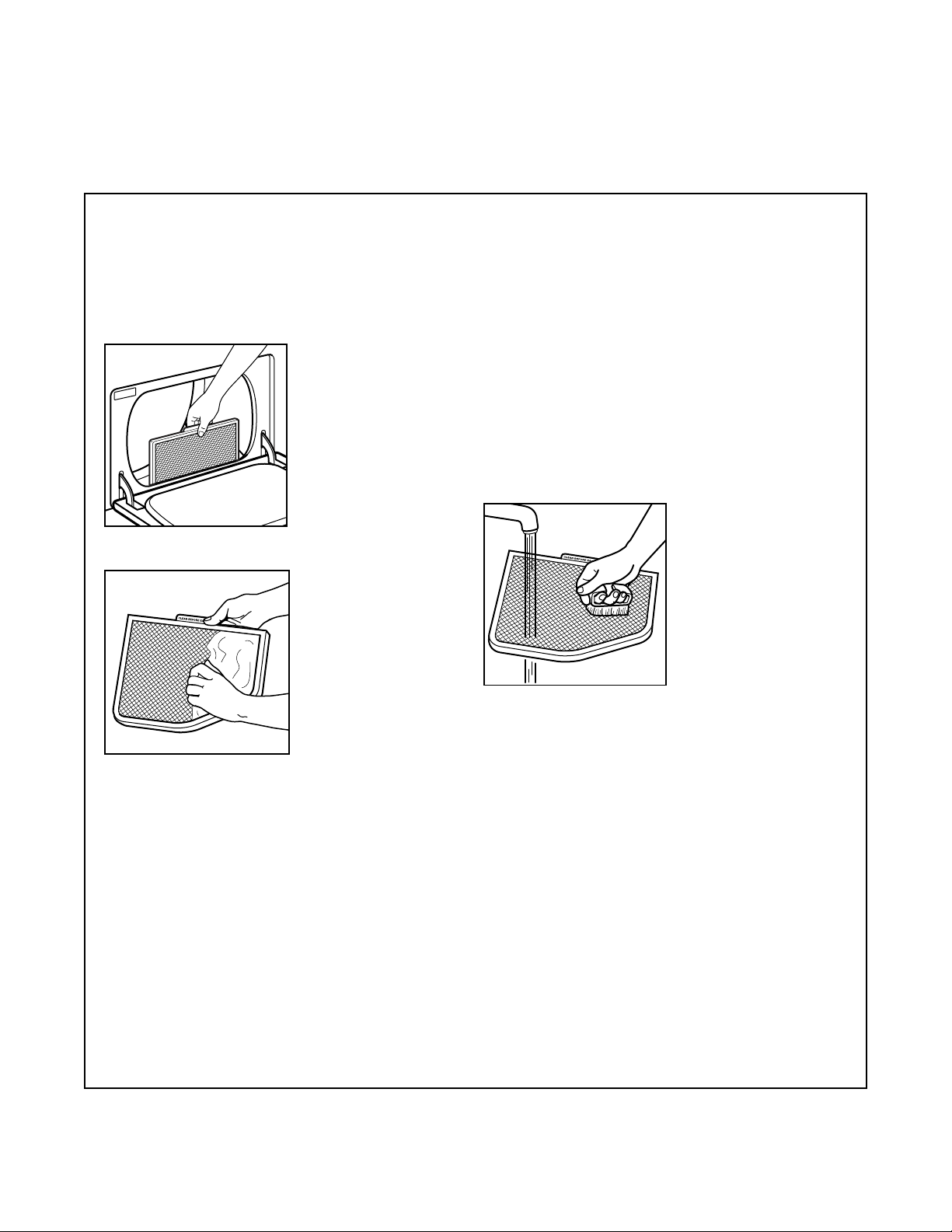
5. Select the Timed drying cycle and temperature,
or the Fluff Air cycle.
USING THE DRYING RACK (AVAILABLE AS AN OPTION ON SOME MODELS)
Use the drying rack to machine-dry items you
would not necessarily want to tumble dry. The rack
gives you concentrated heat for efficient and
uniform drying. It also reduces noise when drying
heavy items such as tennis shoes.
To order a drying rack, call 1-800-253-1301, from
anywhere in the U.S.A. You will hear a recording.
Follow the instructions to place an order.
To use the drying rack:
1. Open dryer door.
2. Slide drying rack over the bottom of the dryer
door opening. Push
down to secure rack
on frame.
6. Push the Start button.
NOTE: The rack must be removed for normal tum-
bling. Automatic cycles do not work with the drying
rack.
TIME*
(minutes)
60
60
90
30 to 40
RACK DRY
Wool sweaters
(Block to shape and lay flat on the rack)
Stuffed toys or pillows
(Cotton or polyester fiber filled)
Stuffed toys or pillows
(Foam rubber filled)
Sneakers or canvas shoes
CYCLE
Timed drying
Timed drying
Fluff Air
Fluff Air
TEMPERATURE
Low/Ex Low
Low
None; cycle is unheated.
None; cycle is unheated.
4. Close the door.
*Reset cycle as needed to complete drying.
3. Put wet items on top of the rack.
•
Leave space between
the items so air can
reach all surfaces.
•
See chart below for
suggested cycles and
settings for items that
might best be rack
dried. Drying time will
depend on amount of
moisture items hold.
NOTE: Make sure nothing hangs over the edge of
the rack.
TTFIT THIS OVER BO OM OF DOOR OPENING
USING YOUR DRYER
15
CLEANING THE LINT SCREEN
CARING FOR YOUR DRYER
Every load cleaning
The lint screen is located in the door opening.
Clean it before starting each load. A screen
blocked by lint can increase drying time.
To clean:
1. Pull the lint screen straight up.
As needed cleaning
Laundry detergents and fabric softeners can cause
a residue buildup on the lint screen. This buildup
can cause longer drying times for your clothes, or
cause the dryer to stop before your load is com-
pletely dry. You may be able to see this buildup,
or the lint may be falling off the screen because it
is clogged.
Clean the lint screen with a nylon brush every six
months or more frequently if it becomes clogged
due to a residue buildup.
Use the following method:
1. Wet both sides of lint screen with hot water.
2. Wet a nylon brush with hot water and liquid
detergent; scrub lint
screen with the brush
to remove residue
buildup.
2. Roll lint off the screen with your fingers. Do not
rinse or wash screen to
remove lint. Wet lint is
hard to remove.
3. Push the lint screen firmly back into place and
close the door.
IMPORTANT:
•
Do not run the dryer with the lint screen loose,
damaged, blocked, or missing. Doing so can
cause overheating and damage to both the dryer
and fabrics.
•
Some towels made of synthetic fibers and
natural fibers (polyester and cotton blends) may
shed more lint than other towels, causing your
dryer’s lint screen to fill up faster. Be sure to
remove lint from the lint screen before and after
drying new towels.
•
If lint falls of the screen during removal and into
the dryer, check the exhaust hood and remove
the lint (see “Checking Your Vent”).
3. Rinse screen with hot water.
4. Thoroughly dry lint screen with a clean towel;
replace in dryer.
16
REMOVING ACCUMULATED LINT FROM INSIDE THE DRYER CABINET
Lint can gather inside the dryer and be a fuel
for fire. Lint should be removed every 2 years, or
more often, depending on dryer usage. Cleaning
should be done by a qualified person.
CLEANING THE DRYER INTERIOR
Garments which contain unstable dyes, such as
denim blue jeans or brightly colored cotton items,
may discolor the dryer interior. These stains are not
harmful to your dryer and will not stain future loads of
clothes. It is helpful to dry unstable dye items inside
out to prevent dye transfer.
NOTE: Even after cleaning, these stains may reap-
pear when similar loads are dried.
To clean dryer drum:
1. Make a paste with powdered laundry detergent
and very warm water.
2. Apply paste to a soft cloth.
OR
Apply a liquid, non-flammable household cleaner
to the stained area and rub with a
soft cloth until all excess dye is
removed.
3. Wipe drum thoroughly with a damp cloth.
4. Tumble a load of clean cloths or towels to
dry drum.
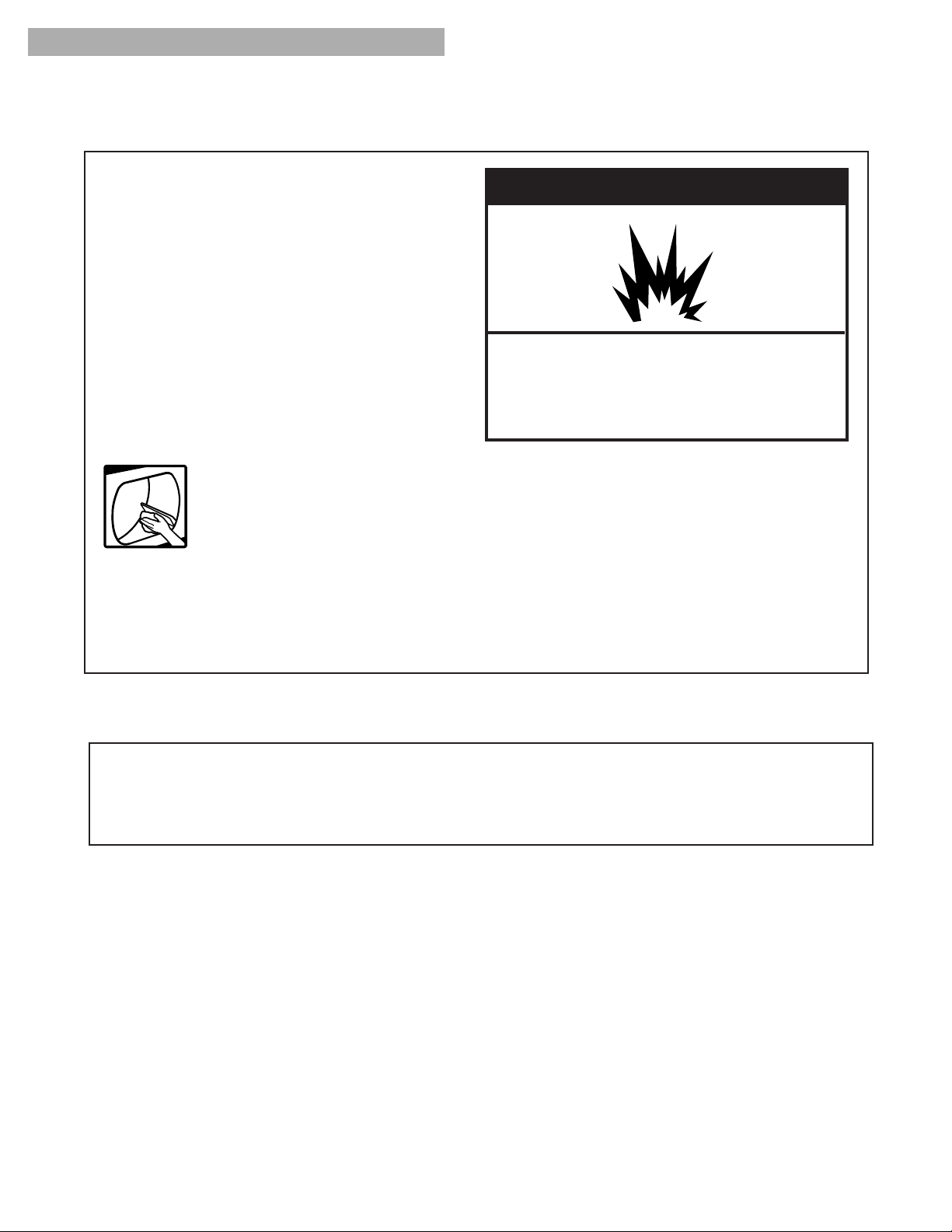
wWARNING
Explosion Hazard
Use nonflammable cleaner.
Failure to do so can result in death,
explosion, or fire.
CARING FOR YOUR DRYER
17
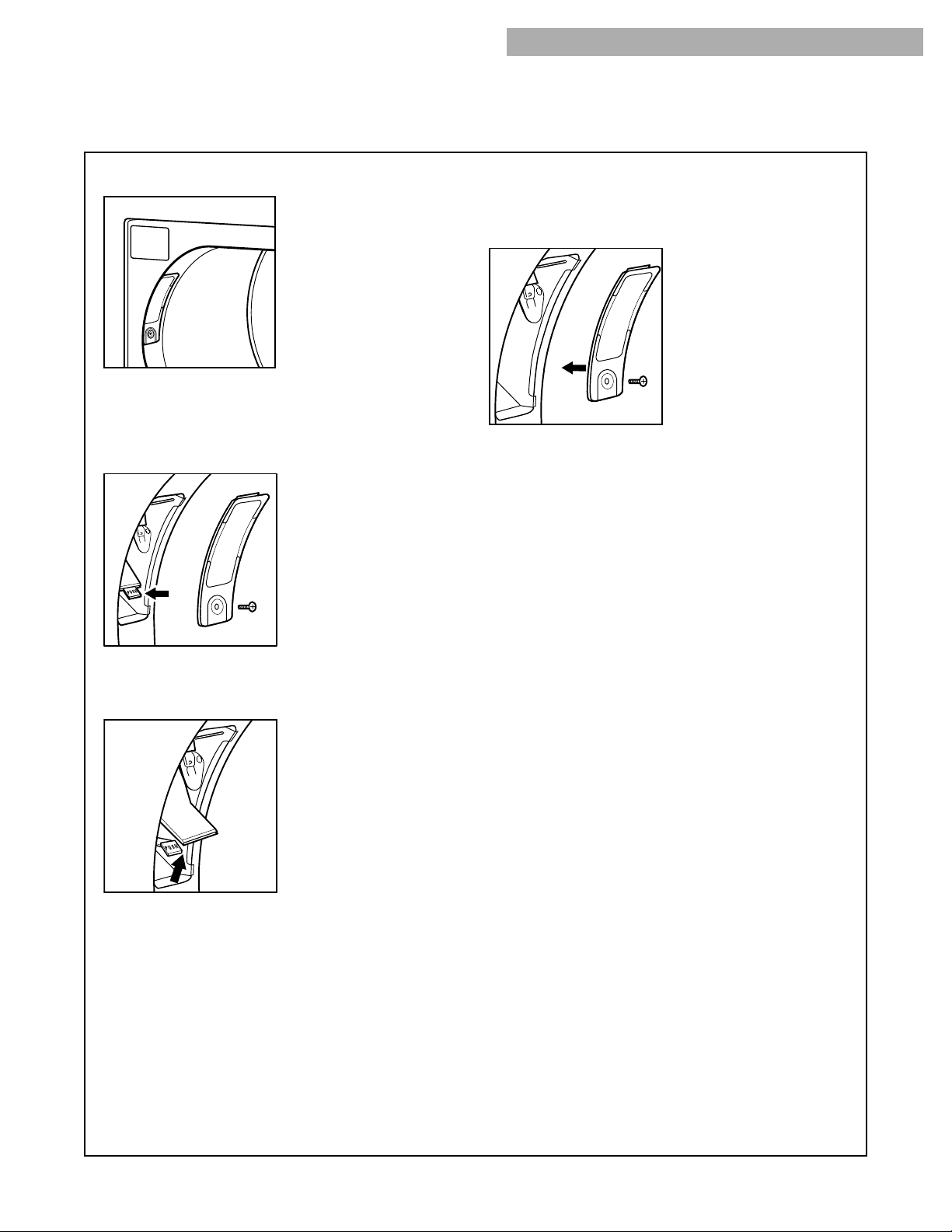
To change drum light type 2:
1. Unplug dryer or disconnect power.
2. Open the dryer door. Remove the screw that
holds the lens in place.
3. Remove the lens by pulling it down and away
from drum.
4. Remove the light bulb by turning it
counterclockwise.
5. Install light bulb by turning it clockwise. Replace
the bulb with a 15-watt, appliance bulb only.
6. Place the top of the lens onto the top of the
holder. Rotate the bottom of the lens down until
it is in place. Replace screw.
NOTE: It is very important that the lens is
replaced properly.
7. Plug in dryer or reconnect power.
CHANGING THE DRUM LIGHT
CARING FOR YOUR DRYER
The dryer light automatically turns on inside the
dryer drum when you
open the door. Your
dryer drum light may be
one of two types, as
shown.
To change drum light type 1:
1. Unplug dryer or disconnect power.
2. Open the dryer door. Remove the screw that
holds the lens in place.
3. Remove the lens by pulling it down and away
from drum.
4. Push tab to allow bulb to swing out.
5. Remove the light bulb by turning it
counterclockwise.
6. Install light bulb by turning it clockwise. Replace
the bulb with a 15-watt, appliance bulb only.
7. Push bottom of light and socket assembly in
until tab locks.
8. Place the top of the lens onto the top of the
holder. Rotate the bottom of the lens down until
it is in place. Replace screw.
NOTE: It is very important that the lens is
replaced properly.
9. Plug in dryer or reconnect power.
18
TROUBLESHOOTING
COMMON DRYING PROBLEMS
PROBLEM
Not drying
satisfactorily
Dryer will
not run
CAUSE
• Lint screen is clogged with lint.
• Restricted air movement.
Exhaust vent or outside
exhaust hood is clogged with
lint.
• Exhaust vent is crushed or
kinked.
• One fuse is blown or circuit
breaker is tripped. The dryer
will appear to operate, but you
will not get any heat.
• Cycle Control knob or temper-
ature selector is set on air dry.
• Load not contacting the sensor
strips and automatic cycle
ending early.
• Fabric softener sheets blocking
exhaust grill.
• Dryer located in room with
temperature below 45ºF (7ºC).
• Large amount of moisture in
the load.
• Cold rinse water used.
• Load too large and bulky to
dry quickly.
• Power cord not firmly plugged
into a live circuit with proper
voltage.
• Fuses blown or circuit
breakers tripped.
• Using a regular fuse.
• Dryer door not firmly closed.
• Start button not firmly pressed.
• Cycle Control knob set to Off.
SOLUTION
• Clean lint screen.
• Run dryer for 5-10 minutes. Hold hand under
outside exhaust hood to check air movement. If you
do not feel air moving, clean exhaust system of lint
or replace exhaust vent with heavy metal or flexible
metal vent (see your Installation Instructions).
• Replace with heavy metal or flexible metal vent
(see your Installation Instructions).
• Replace fuse or reset breaker.
• Select the right cycle and temperature for the types
of garments being dried (see “Using your Dryer”).
• Level dryer (see your Installation Instructions).
• Use only one softener sheet per load and only use
it once.
• Move dryer to a location with temperatures above
45ºF (7ºC).
• Expect longer dry times with items that hold more
moisture (cottons).
• Expect longer dry times.
• Separate load to tumble freely.
• Plug power cord into a live circuit.
• Replace fuses or reset breakers.
• Replace with a time-delay fuse.
• Close dryer door tightly.
• Press Start button again.
• Set knob to a cycle or time.
19
TROUBLESHOOTING
COMMON DRYING PROBLEMS (CONT.)
PROBLEM
Stains on
load
Items
shrinking
Loads are
wrinkled
Odors
Unusual
sounds
CAUSE
• Lint screen is clogged.
• Improper sorting.
• Load is too big or heavy.
• Load is overdried.
• Paper or tissue in pockets.
• Pilling being mistaken for lint.
• Improper use of fabric softener
in washer.
• Drying soiled items.
• Overdrying
• Poor garment quality.
• Manufacturer’s care label
instructions not followed.
• Overloading.
• Overdrying.
• Load left in dryer at the end of
cycle.
• Household chemicals, paint, or
varnish being drawn into dryer.
• First use of dryer element.
• Thumping of rollers when dryer
has not been used for a while.
SOLUTION
• Clean lint screen. Check for air movement.
• Sort lint givers from lint takers and sort by color.
• Dry smaller loads so lint can be carried to the lint
screen.
• Use correct dryer settings for fabric. Overdrying
can cause lint-attracting static (see “Using Your
Dryer”).
• Clean out pockets before drying.
• Pilling (surface fuzz) is caused by normal wear and
laundering.
• Use fabric softener sheets in dryer. Add at begin-
ning of cycle when load is cold.
• Items need to be clean before being dried.
• Match dryer settings to fabric type (see “Using
Your Dryer”).
• Check quality of garment before purchasing.
• Follow fabric care label instructions carefully.
• Dry smaller loads that can tumble freely.
• Match dryer settings to fabric type (see “Using
Your Dryer”).
• Remove load as soon as tumbling stops.
• Do not use dryer while these chemical fumes are in
the air.
• Odor will be gone after the first cycle.
• Thump will go away after 5 minutes of drying.
Lint in load
20
Call the Whirlpool Consumer Assistance Center
toll free at 1-800-253-1301. Our
consultants are available to
assist you.
When calling:
Please know the purchase date, and
the complete model and serial number of your
appliance (see “A Note to You”). This
information will help us better respond to your
request.
Our consultants provide assistance with:
•
Features and specifications on our full line
of appliances
•
Installation information
•
Use and maintenance procedures
ASSISTANCE OR SERVICE
IF YOU NEED ASSISTANCE OR SERVICE
•
Accessory and repair parts sales
•
Specialized customer assistance (Spanish
speaking, hearing impaired, limited vision, etc.)
•
Referrals to local dealers, service companies, and
repair parts distributors
Whirlpool designated service technicians are
trained to fulfill the product warranty and provide
after-warranty service, anywhere in the United States.
To locate the Whirlpool designated service company
in your area, you can also look in your telephone
directory Yellow Pages.
IF YOU NEED REPLACEMENT PARTS
If you need to order replacement parts, we recom-
mend that you only use FSP
®
factory specified
parts. FSP replacement parts will fit right and work
right, because they are made to the same exacting
specifications used to build every new
WHIRLPOOL
®
appliance.
To locate FSP replacement parts in your area, call
our Consumer Assistance Center or your nearest
designated service center.
FOR FURTHER ASSISTANCE
If you need further assistance, you can write to
Whirlpool with any questions or concerns at:
Whirlpool Brand Home Appliances
Consumer Assistance Center
c/o Correspondence Dept.
2000 North M-63
Benton Harbor, MI 49022-2692
Please include a daytime phone number in your
correspondence.

21
NOTES

22
NOTES

23
NOTES
WHIRLPOOL CORPORATION WILL PAY FOR
FSP
®
replacement parts and repair labor to correct defects in materials
or workmanship. Service must be provided by a Whirlpool designated
service company.
LENGTH OF WARRANTY
FULL ONE-YEAR WARRANTY
FROM DATE OF PURCHASE
WHIRLPOOL CORPORATION WILL NOT PAY FOR
A. Service calls to:
1. Correct the installation of your dryer, including venting. Heavy four-inch metal exhaust vent must be
used. Refer to the venting section of this manual and your Installation Instructions.
2. Instruct you how to use your dryer, to replace house fuses or reset circuit breakers, or to replace
owner accessible light bulbs.
B. Repairs when your dryer is used in other than single-family household use.
C. Damage to your dryer caused by accident, alteration, misuse, abuse, fire, flood, acts of God, improper
installation (including, but not limited to, venting with plastic or flexible foil), or installation not in
accordance with local electrical and plumbing codes.
D. Replacement parts or repair labor costs for units operated outside the United States.
E. Pick-up and delivery. This product is designed to be repaired in the home.
F. Repairs to parts or systems resulting from unauthorized modifications made to the appliance.
2/99
WHIRLPOOL CORPORATION SHALL NOT BE LIABLE FOR INCIDENTAL OR CONSEQUENTIAL
DAMAGES. Some states do not allow the exclusion or limitation of incidental or consequential damages, so
this exclusion or limitation may not apply to you. This warranty gives you specific legal rights, and you may
also have other rights which vary from state to state.
Outside the United States, a different warranty may also apply. For details, please contact your
authorized Whirlpool dealer.
If you need service, first see the “Troubleshooting” section of this book. After checking “Troubleshooting,”
additional help is available by checking the “Assistance or Service” section, or by calling our
Consumer Assistance Center at 1-800-253-1301 from anywhere in the U.S.A.
WHIRLPOOL
®
DRYER WARRANTY
8280525
© 1999 Whirlpool Corporation ® Registered Trademark/TM Trademark of Whirlpool, U.S.A.
2/99
Printed in U.S.A.