MFL68680448
Rev.03_120117
Copyright © 2016 - 2017 LG Electronics Inc. All Rights Reserved.
www.lg.com
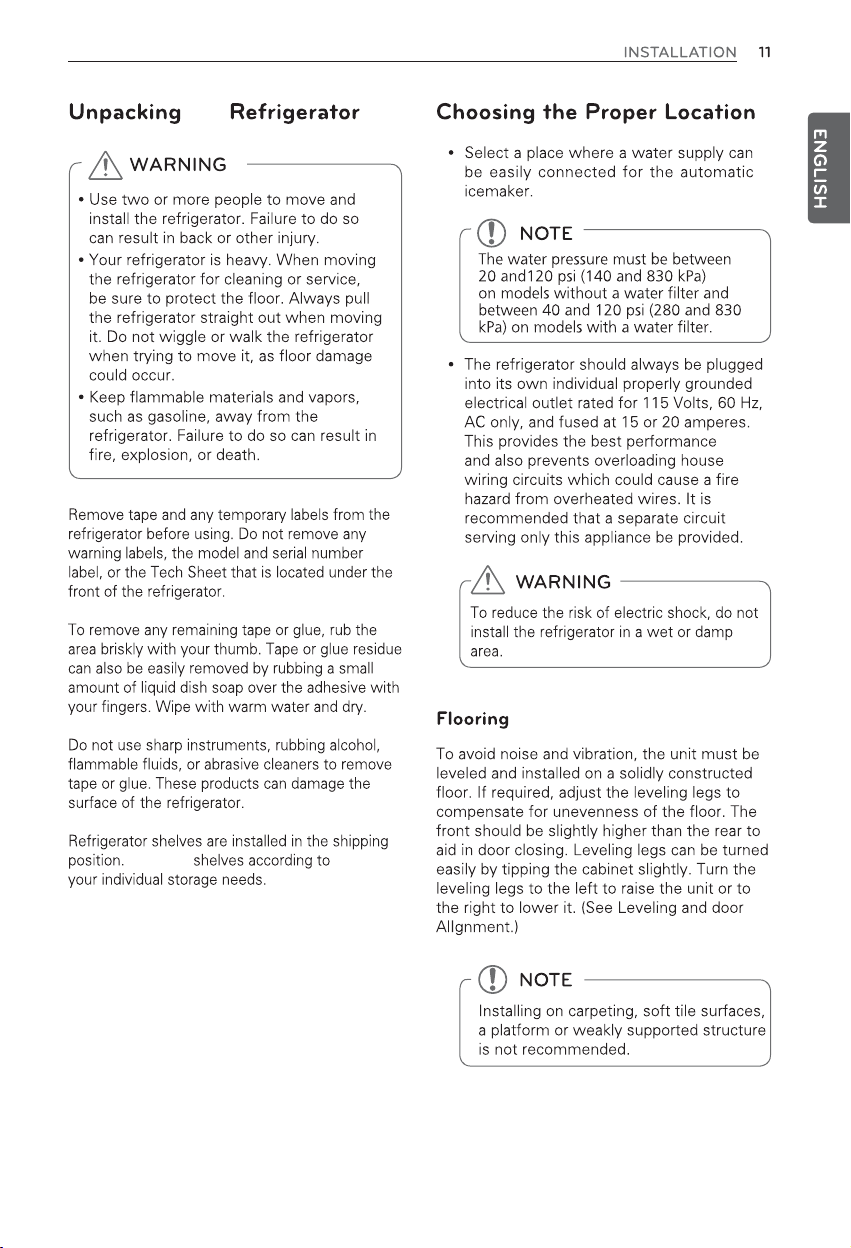
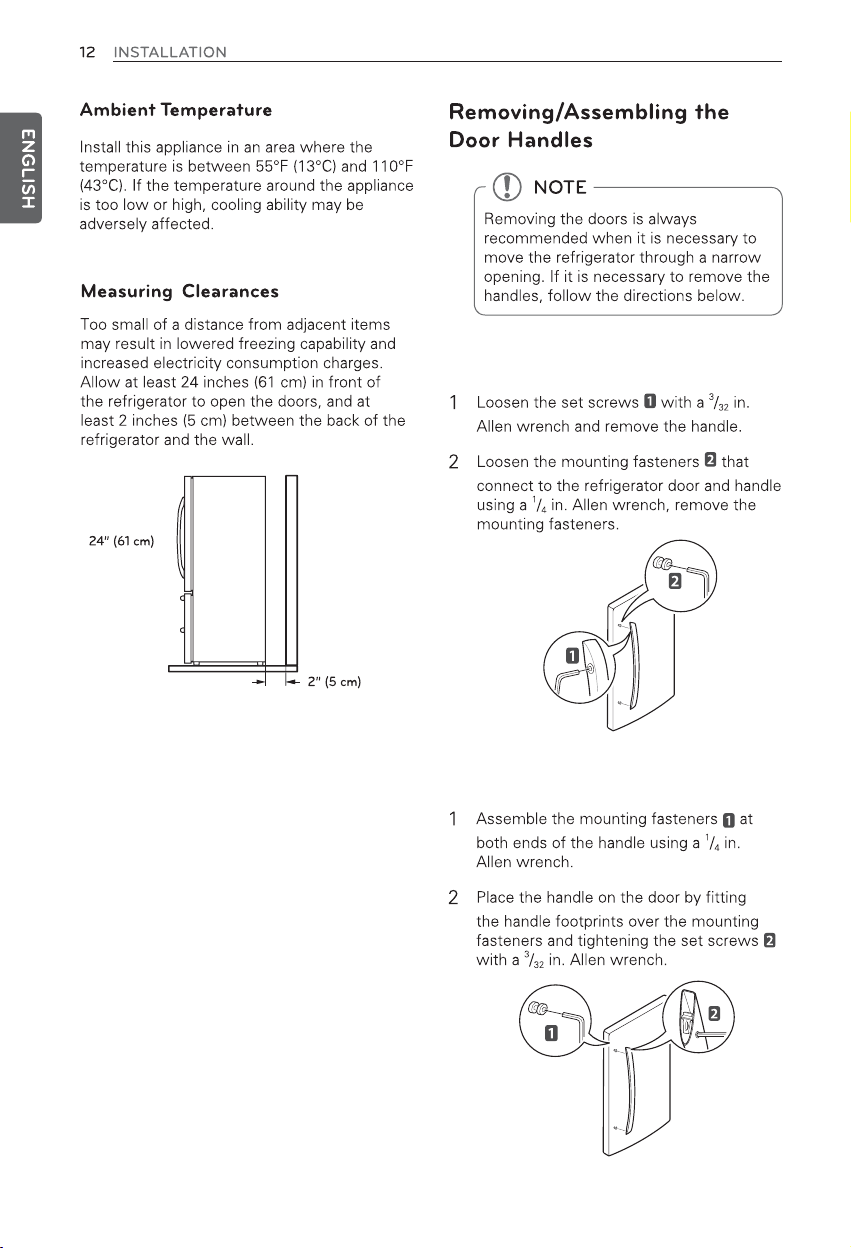
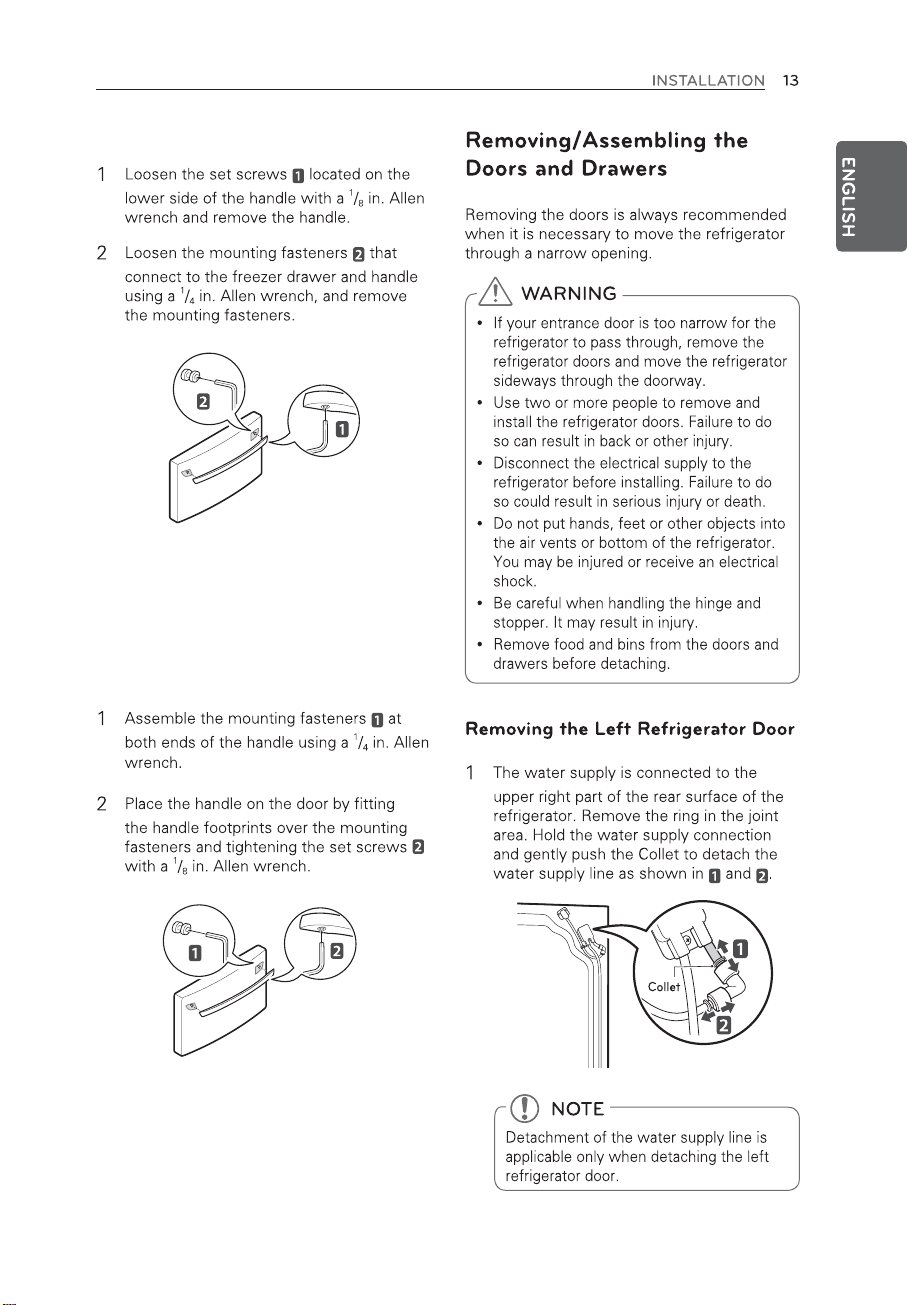
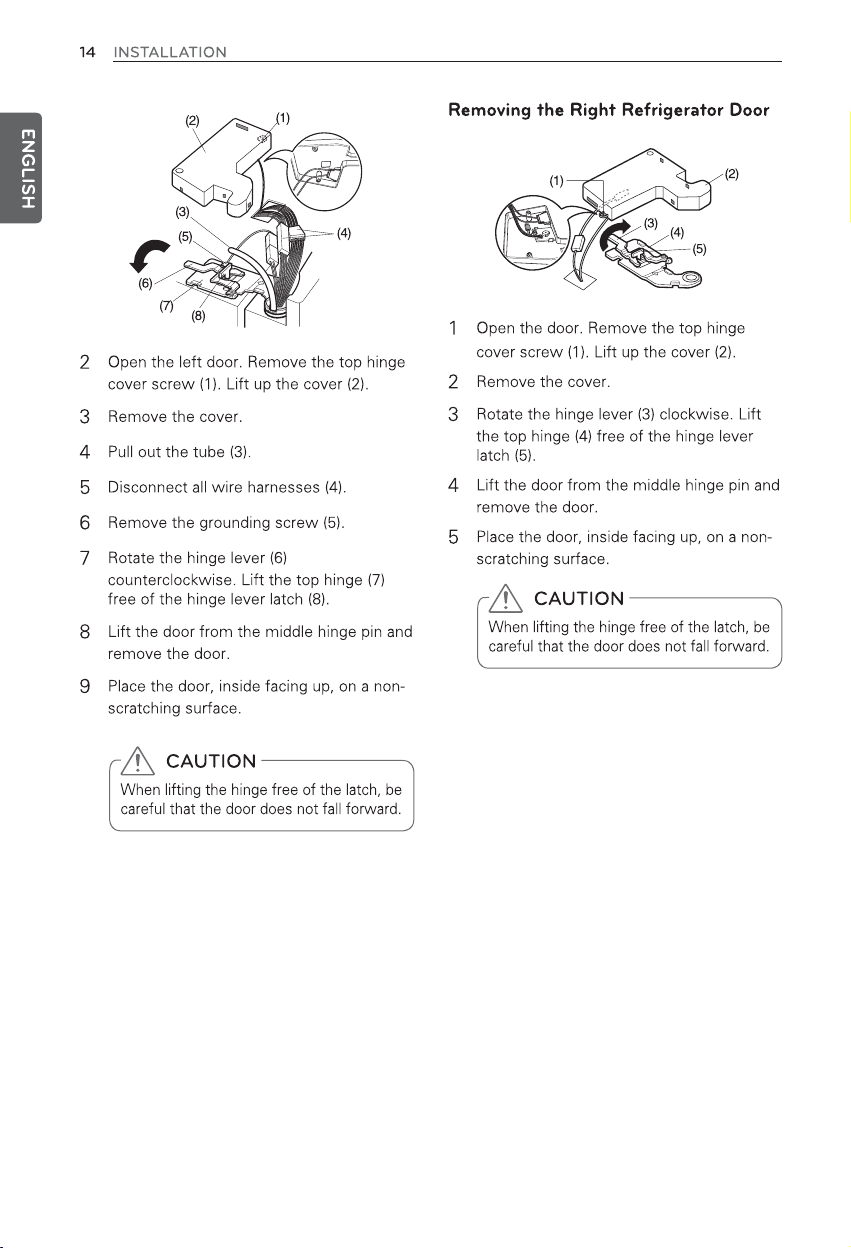
Removing/Assembling the Door
Handles
Door-in-Door
Replacing Light Bulbs
38
SMART DIAGNOSIS™
46 FAQs
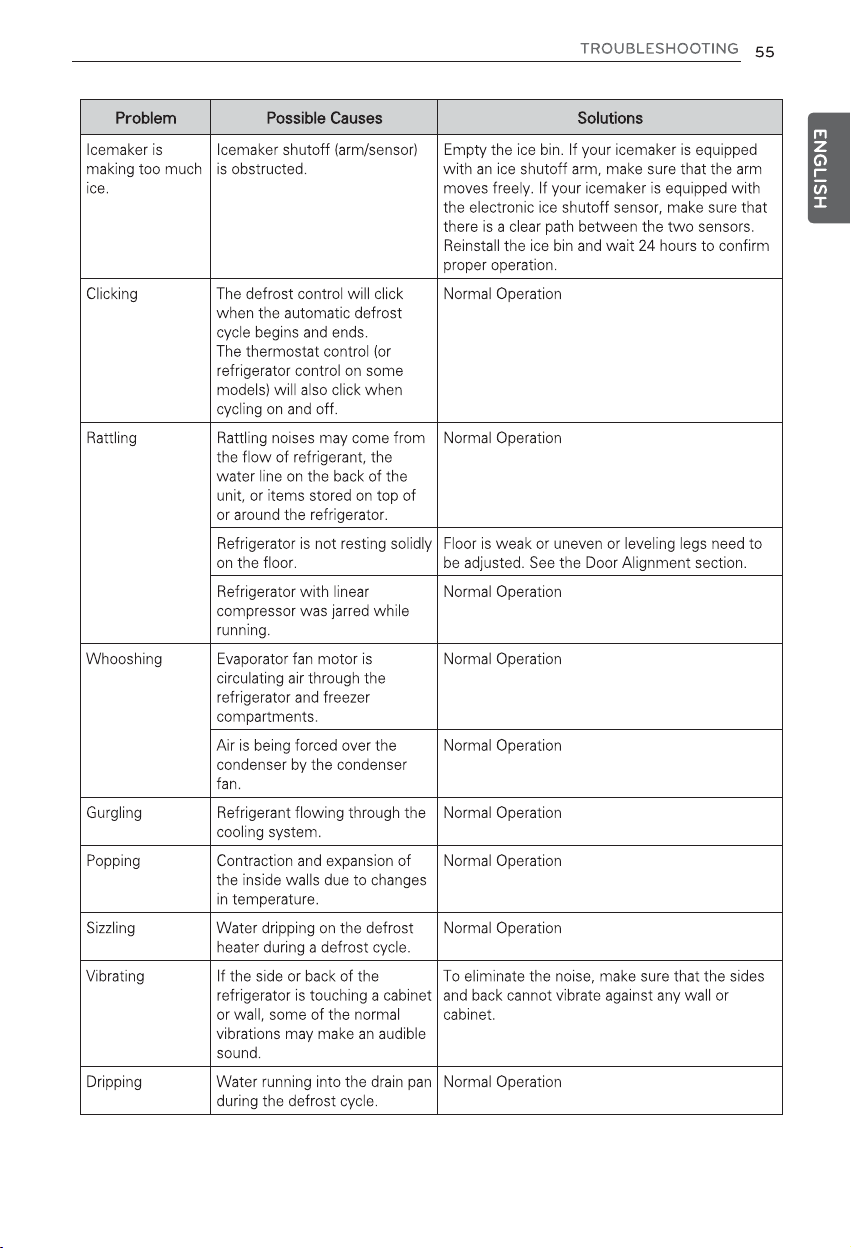
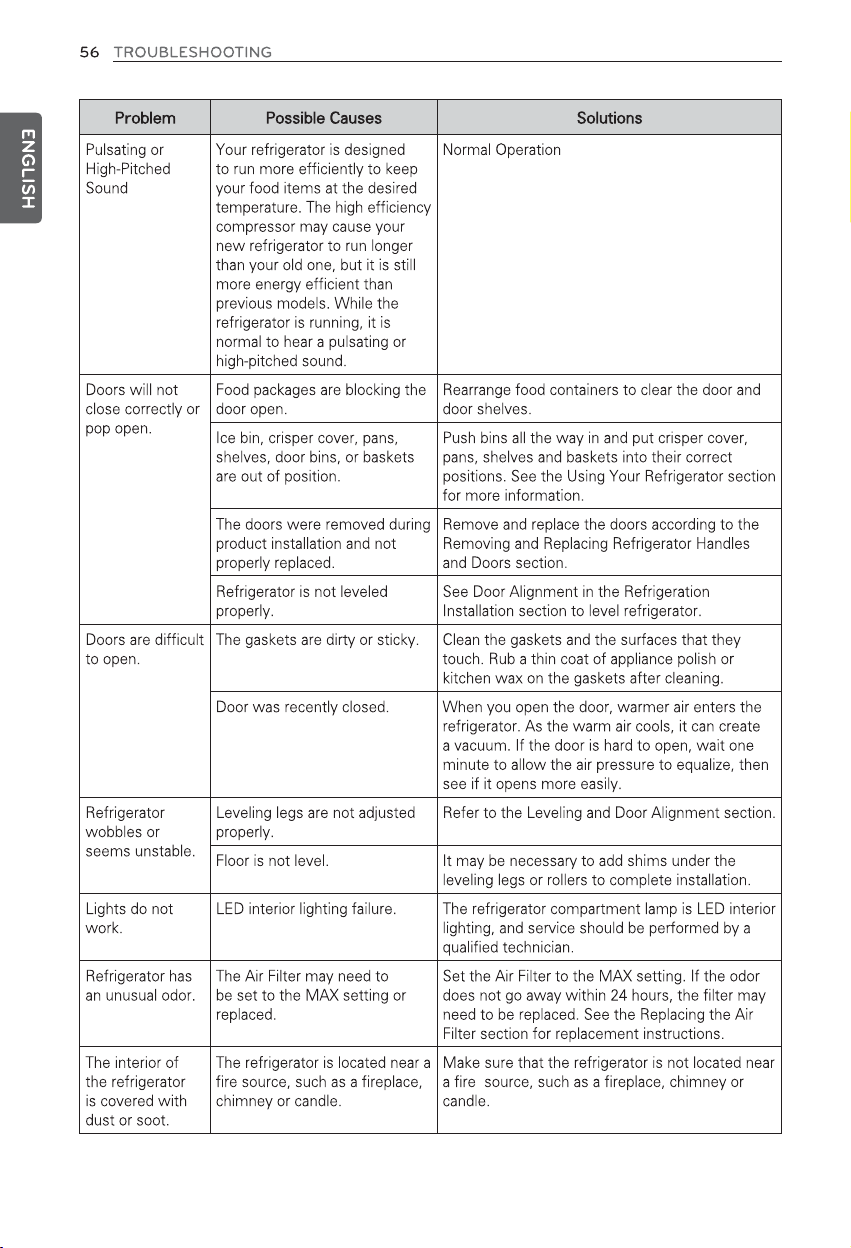
47 Before Calling for Service
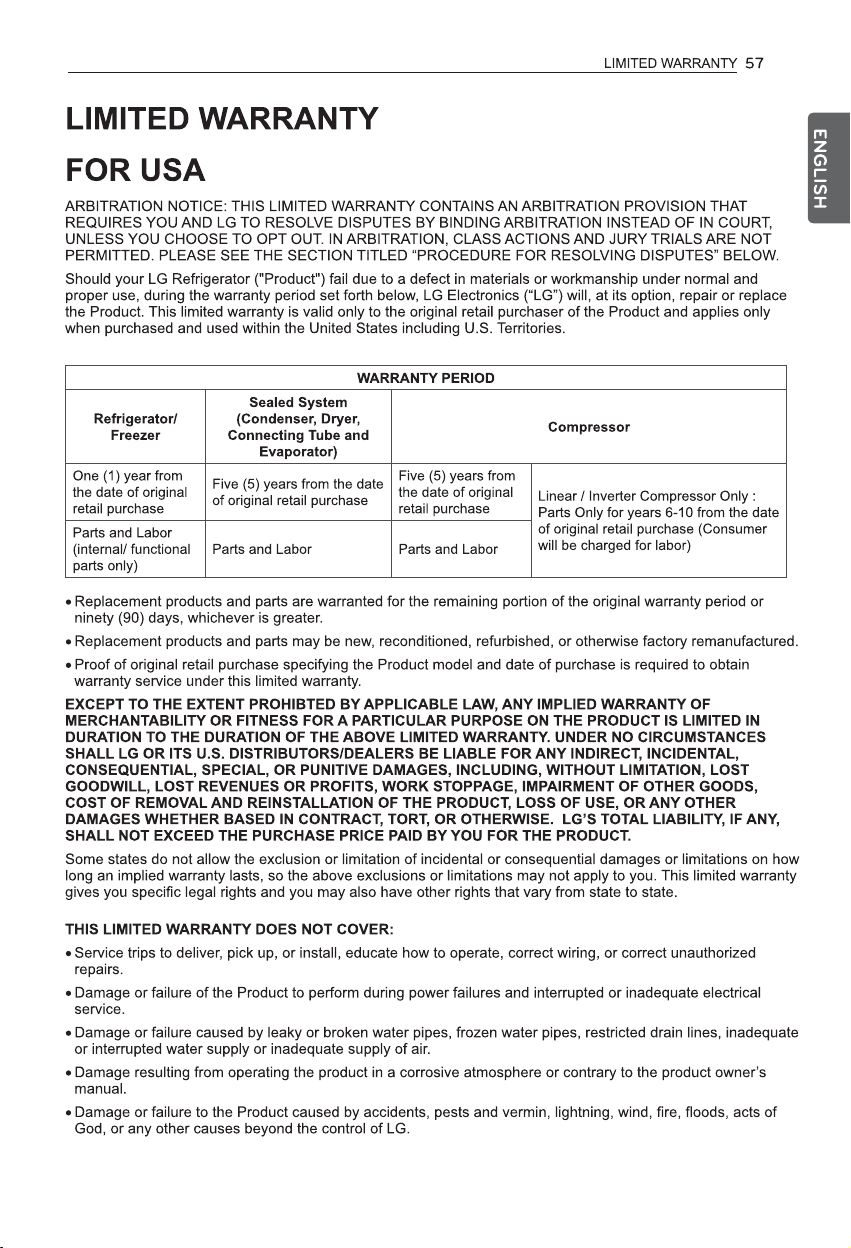
57
(USA Only)
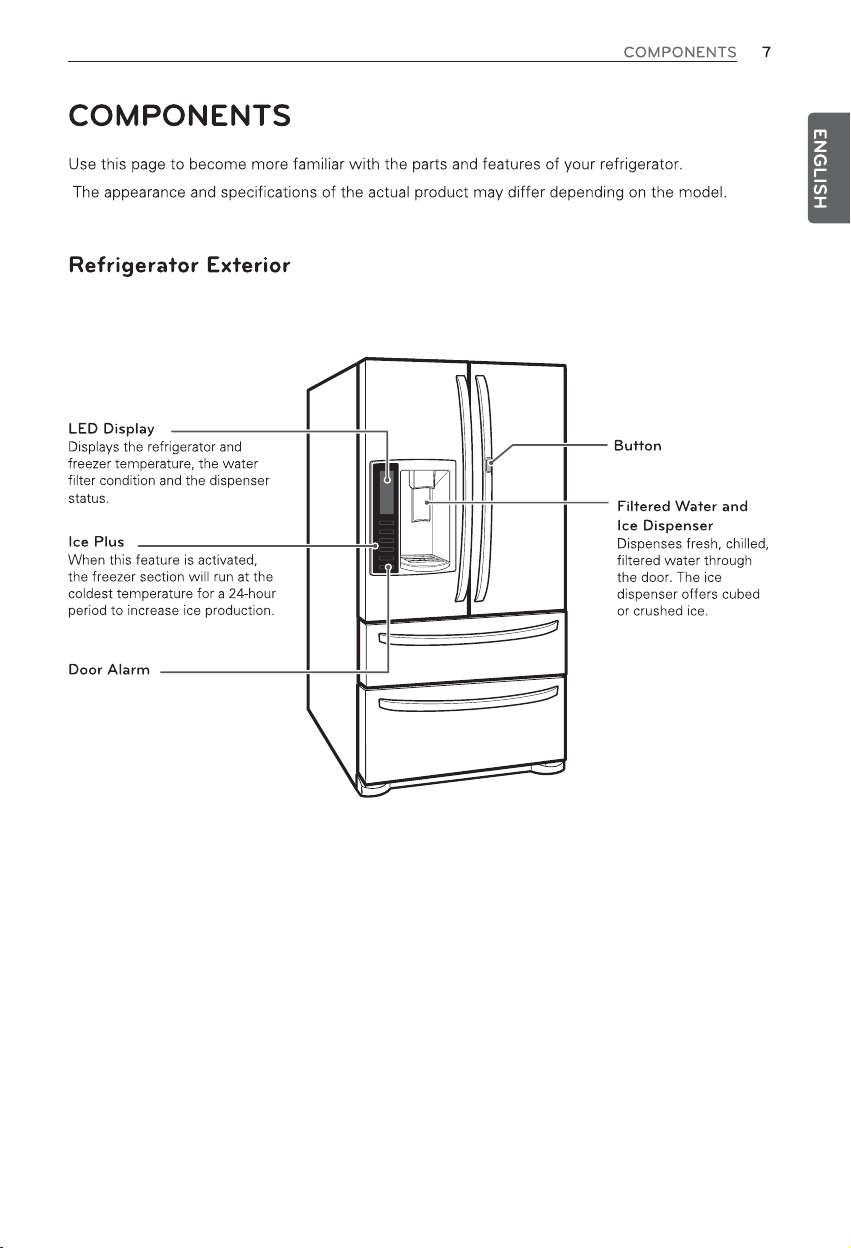
Press to open Door-in-Door
compartment.
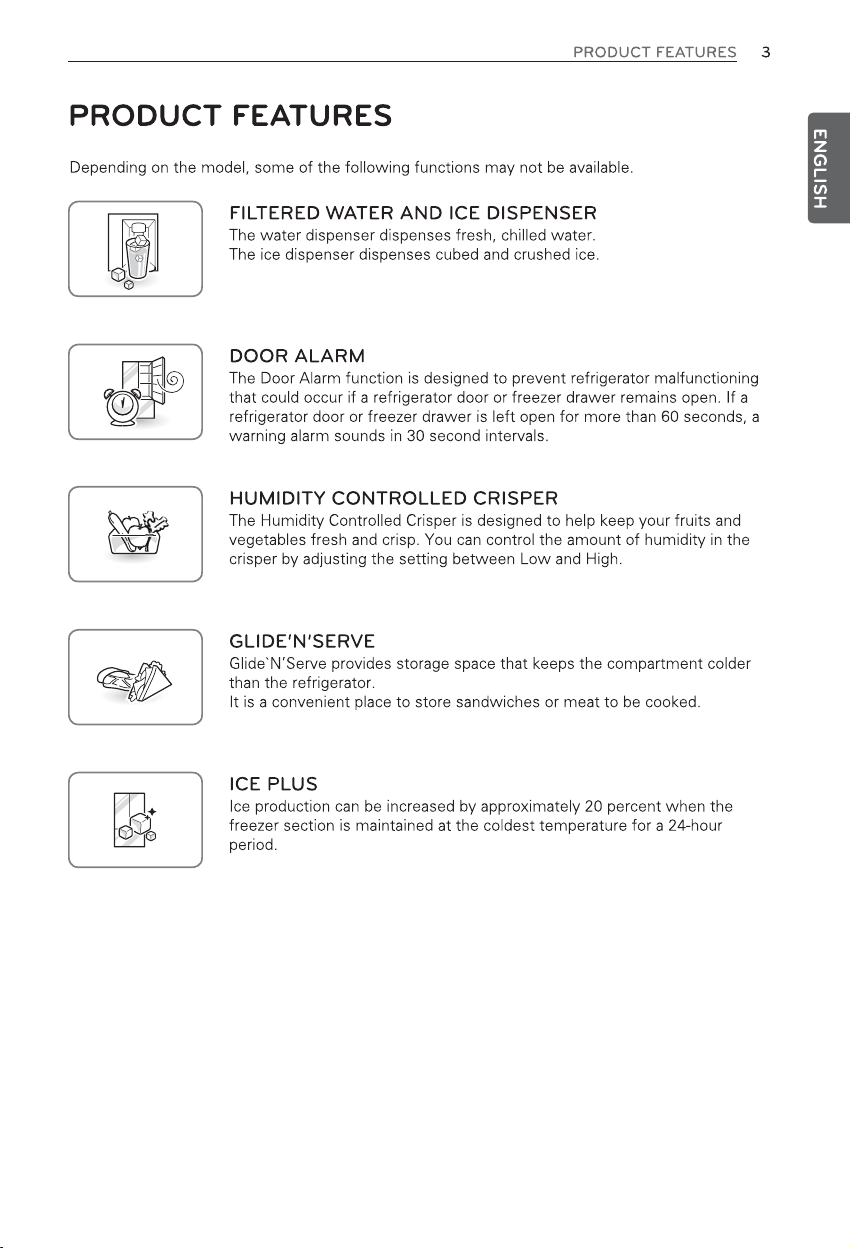
An alarm sounds at 30-second
intervals when the refrigerator or
freezer door is left open for more
than 60 seconds.
the
the
the
Reinstall
Removing the Refrigerator Handles
Assembling the Refrigerator Handles
Removing the Freezer Handles
Assembling the Freezer Handles
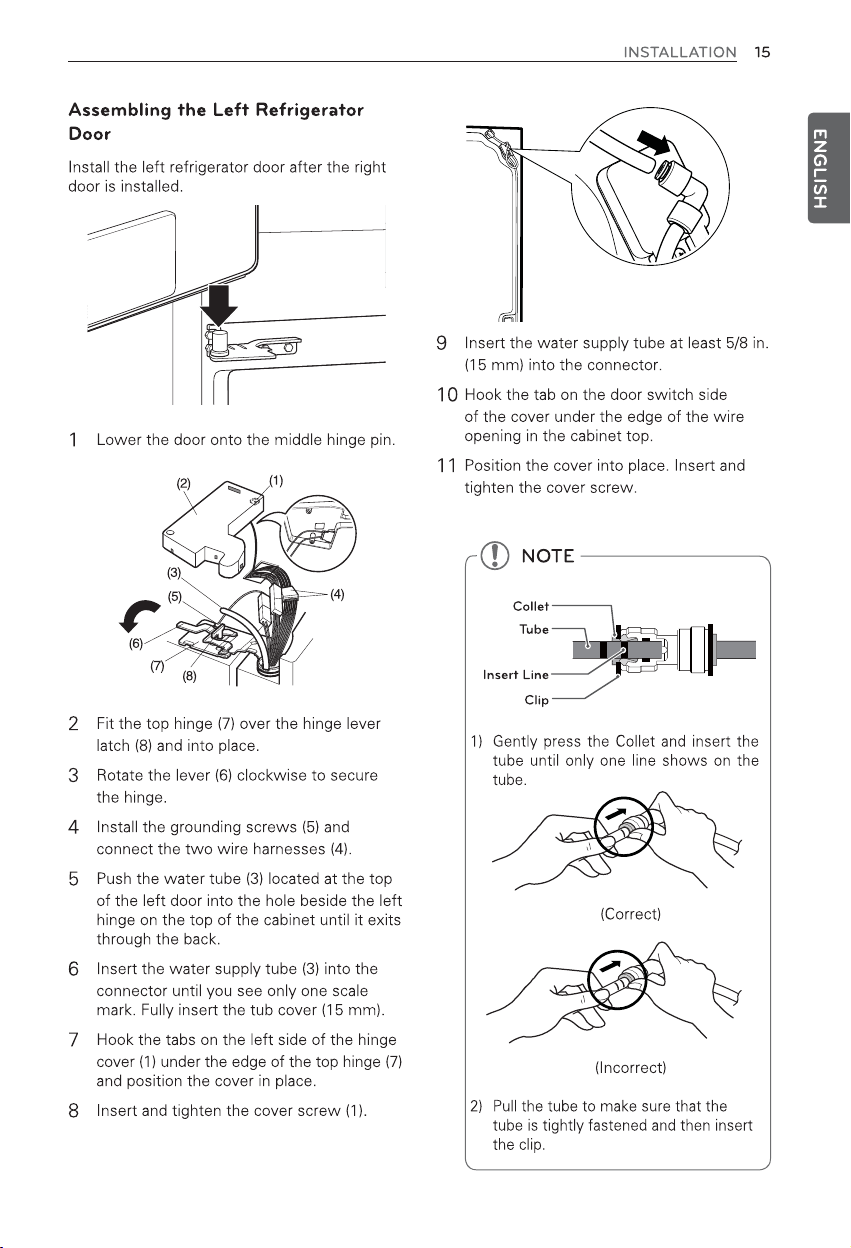
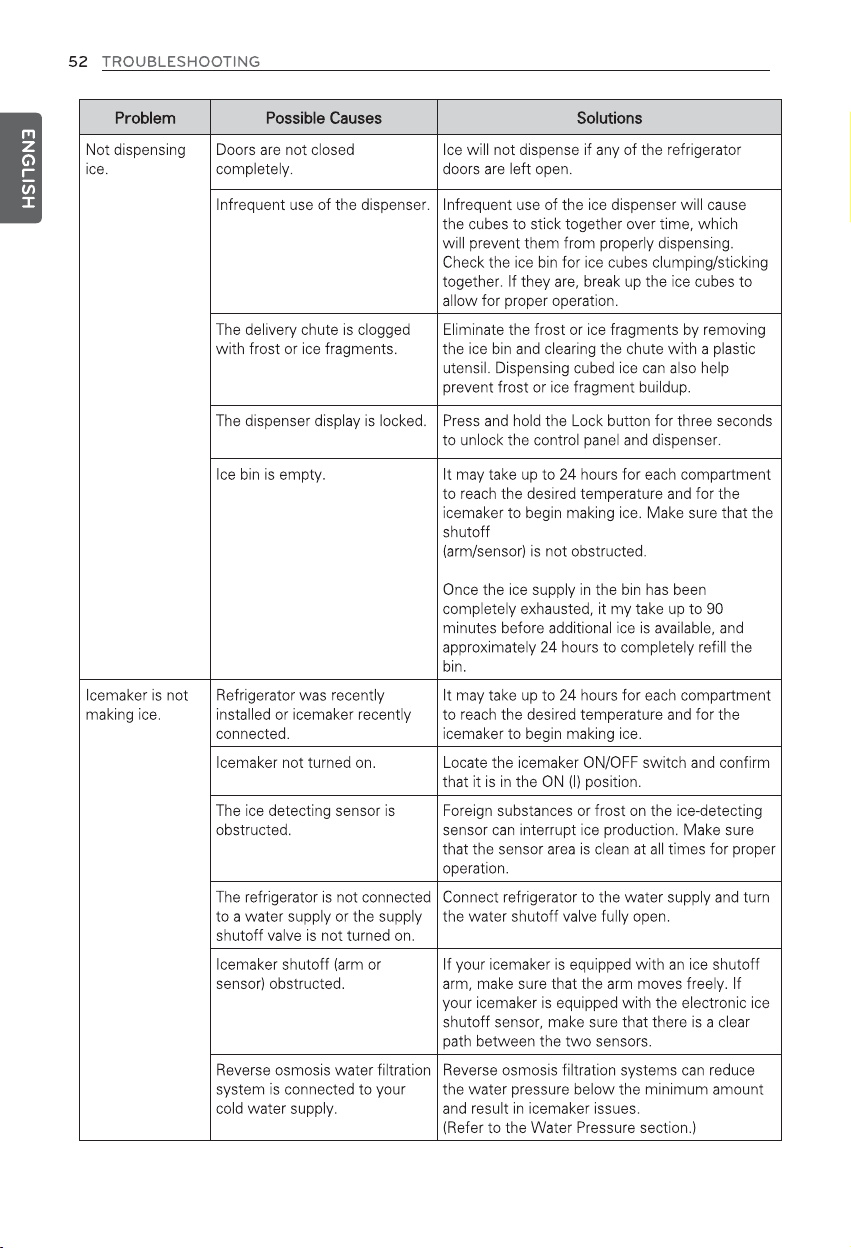
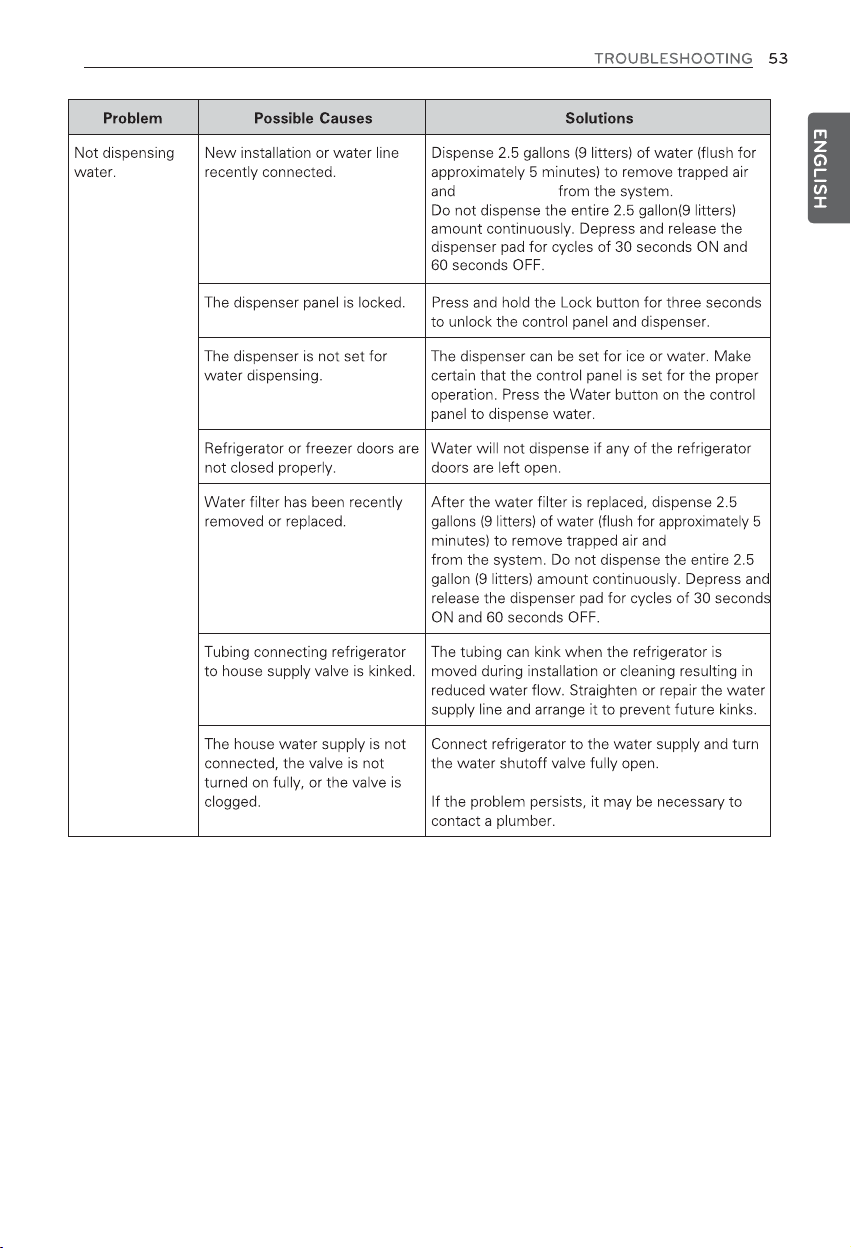
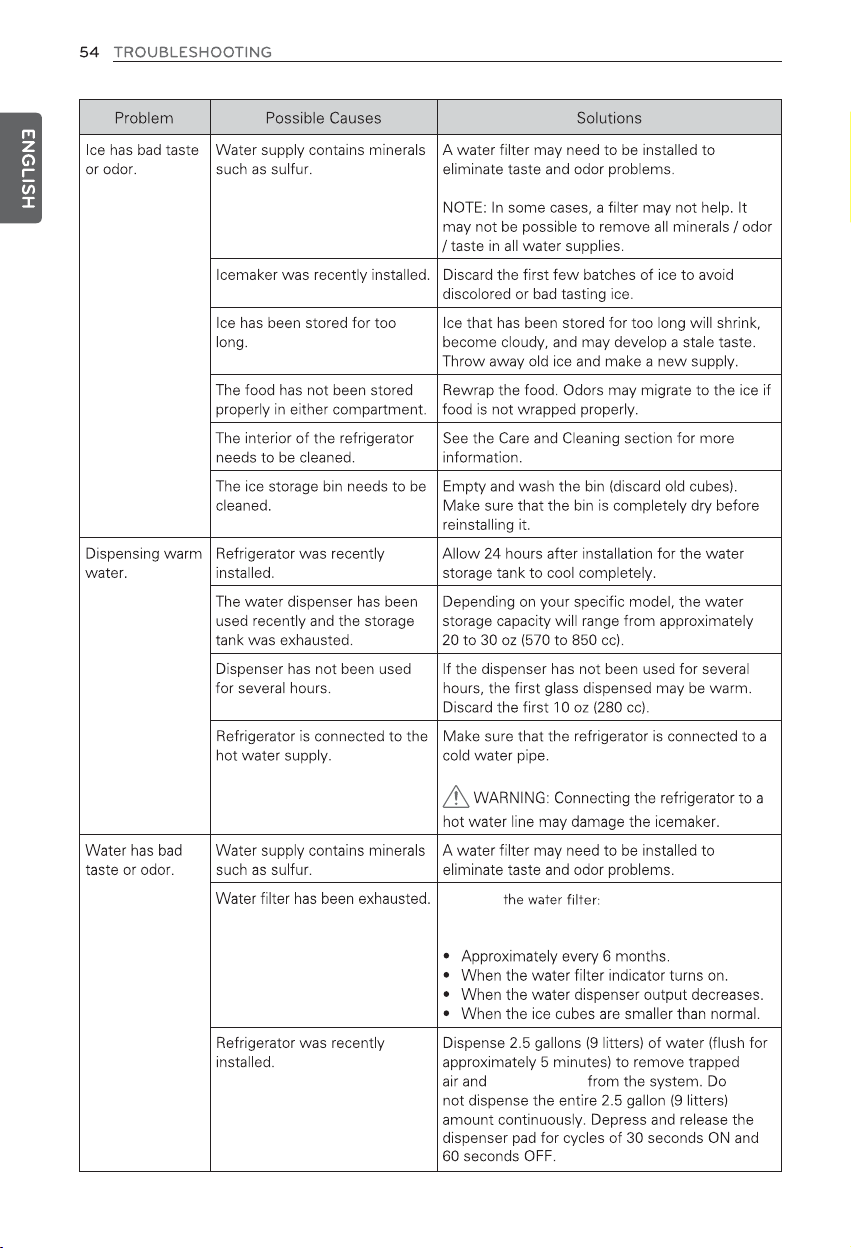
Fully extend the freezer drawer.
Lift up and out to remove the
Durabase™ basket, making sure to
clear the rail system.
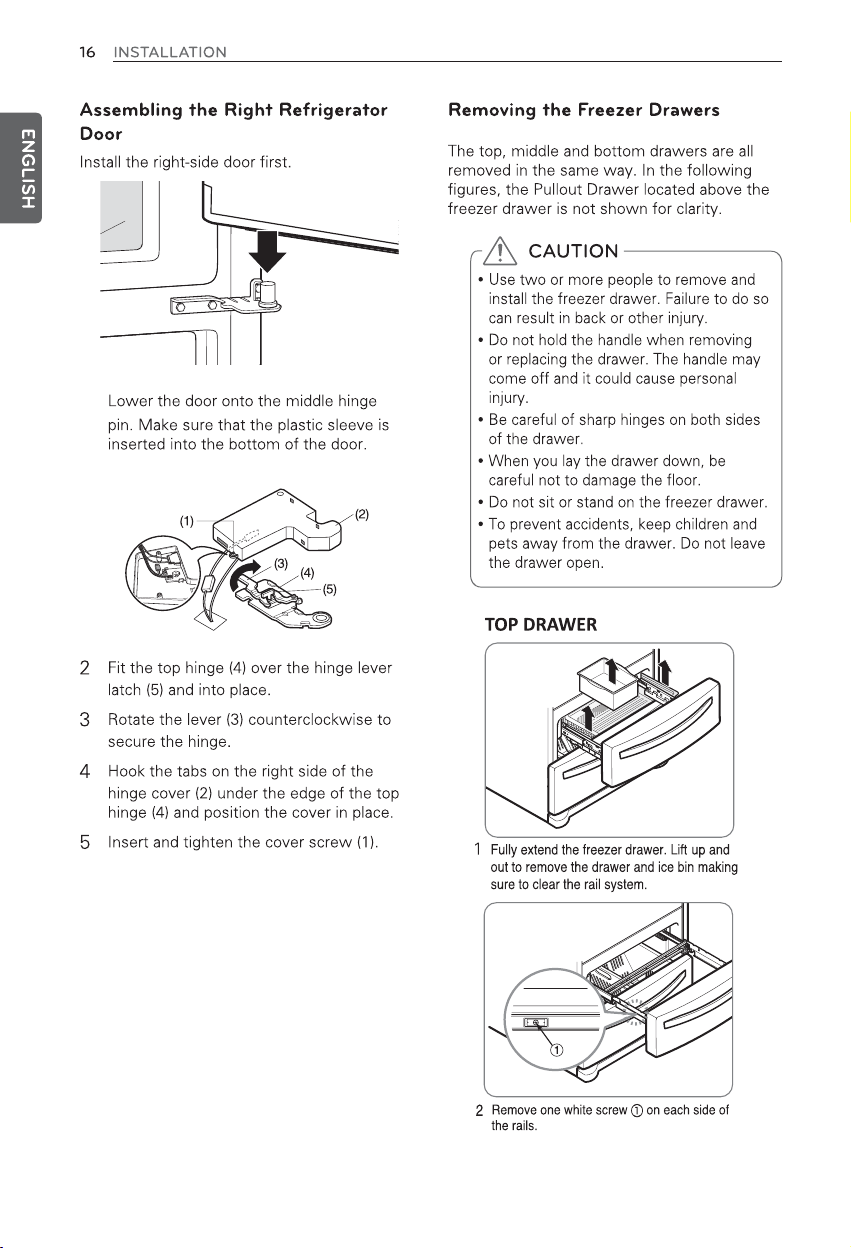
Holding both sides of the door, pull to
separate the door from the rails.
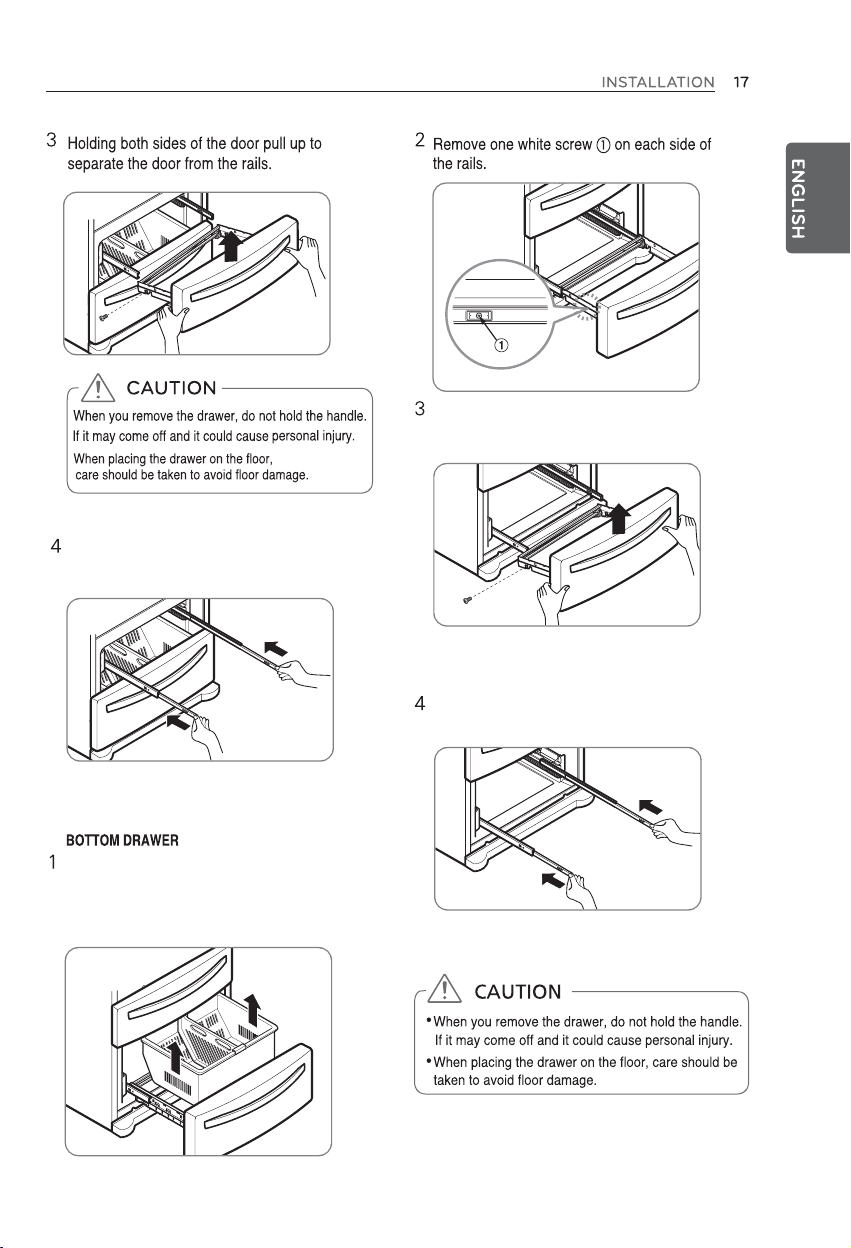
Hold both rails and slide them in
simultaneously.
Hold both rails and slide them in
simultaneously.
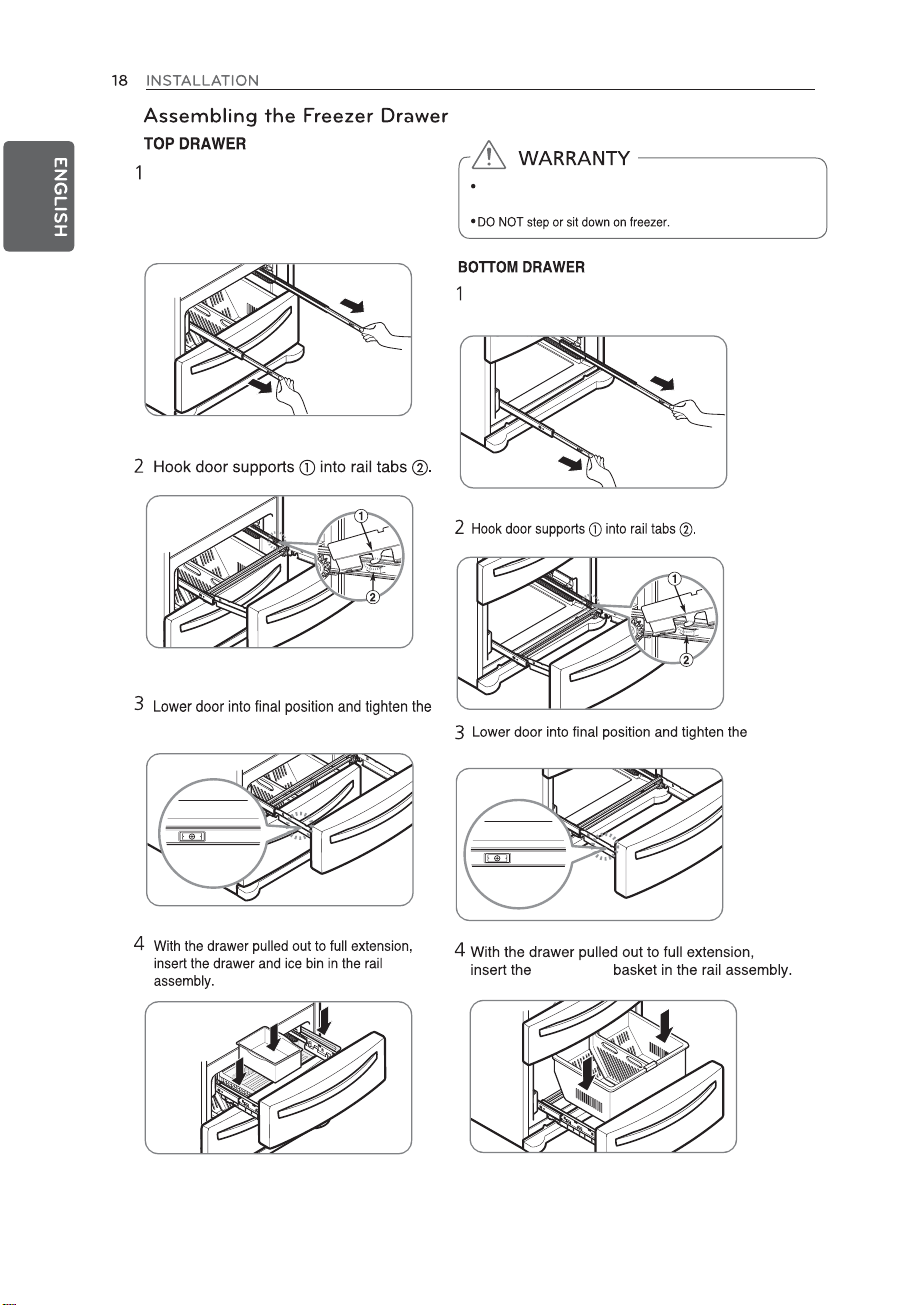
Pull both rails out simultaneously,
until they are fully extended.
Do not allow children or pets to play inside the drawer.
They could be trapped inside and suffocate.
Pull both rails out simultaneously, until they are fully extended.
screws on either side.
screws on either side.
Durabase™
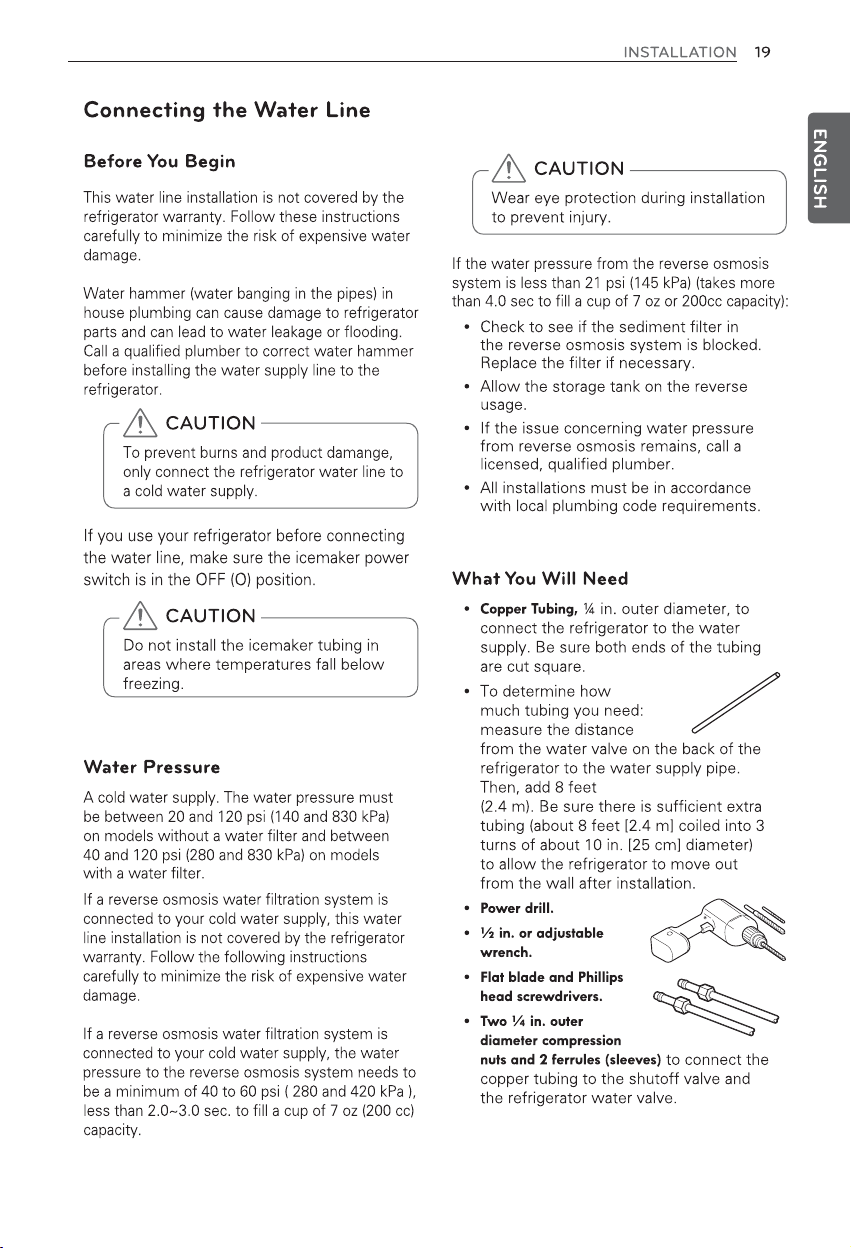
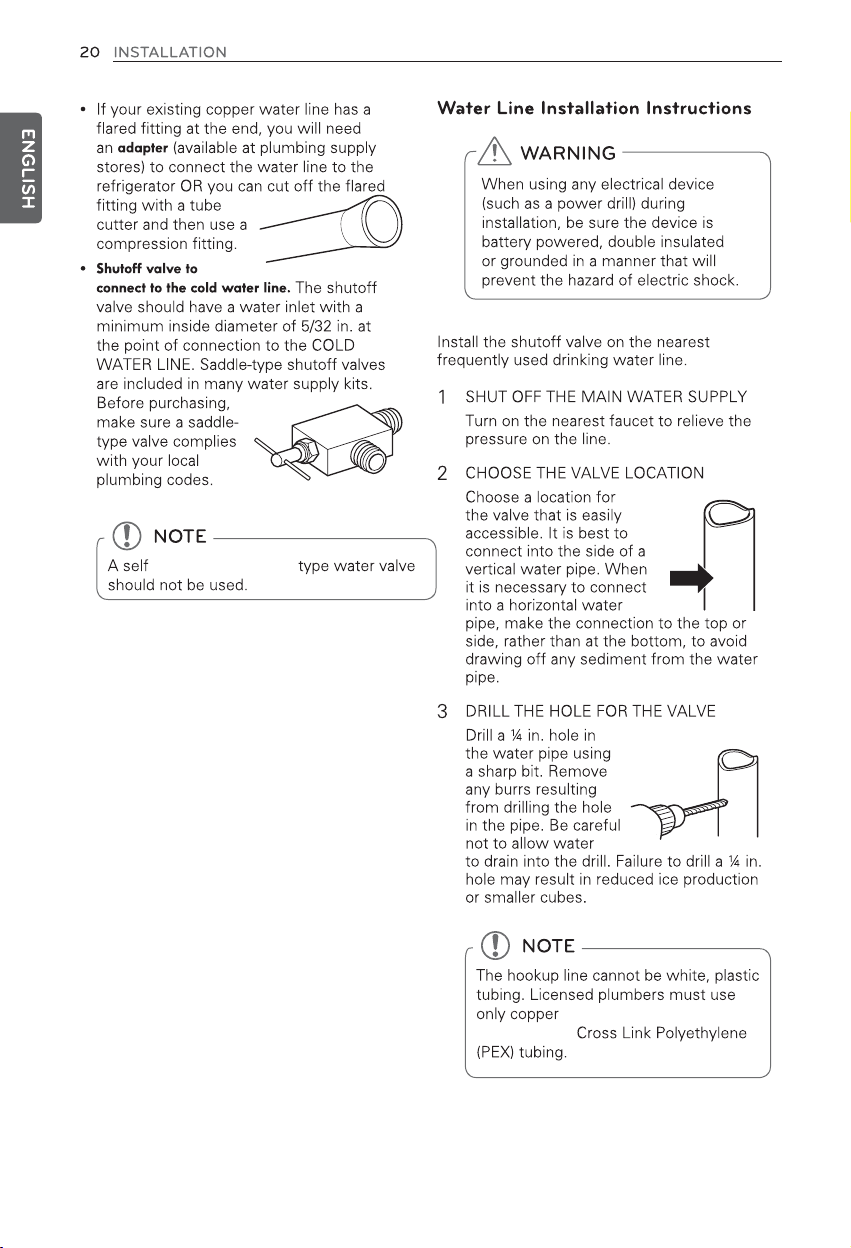
self-piercing, saddle
tubing (NDA tubing #49595
or #49599) or
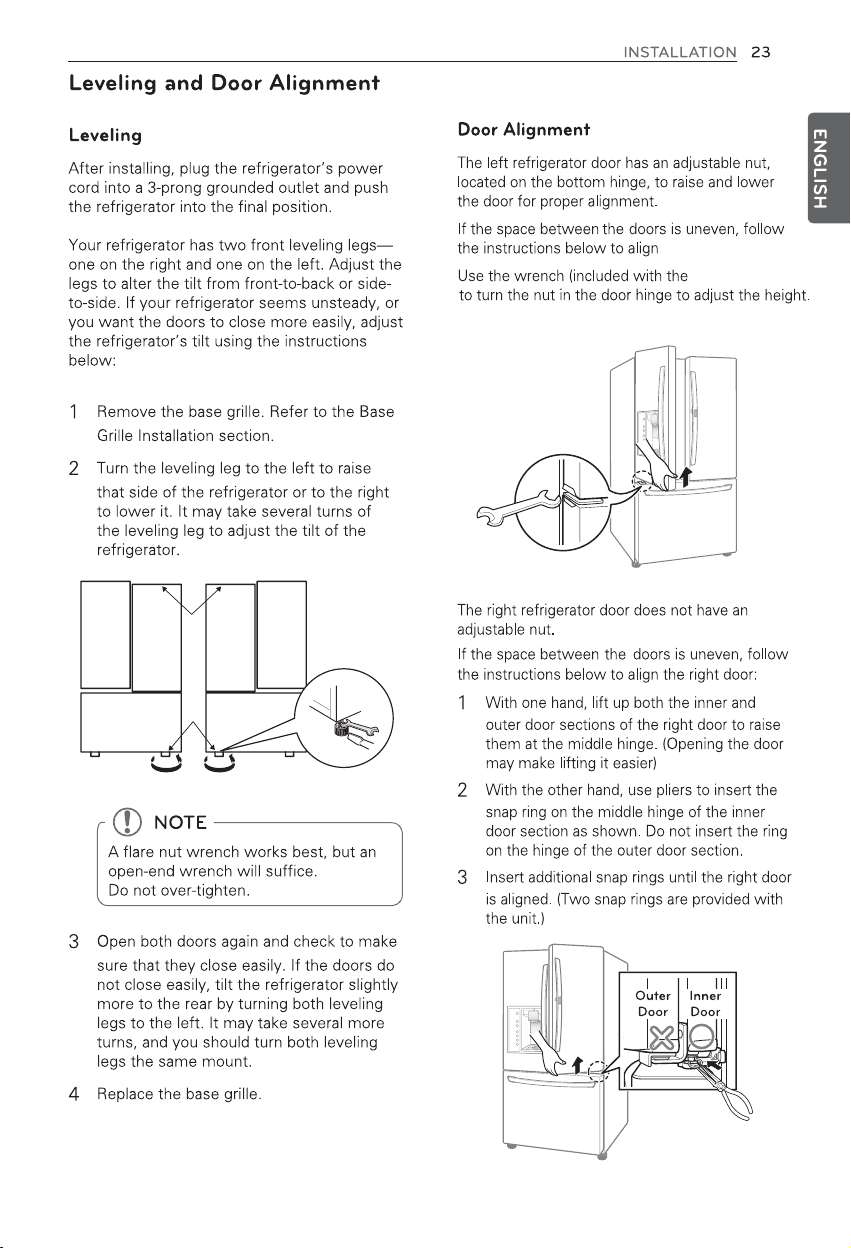
the left door:
owner's manual
Turn to the right to raise the height and to the
left to lower the height.
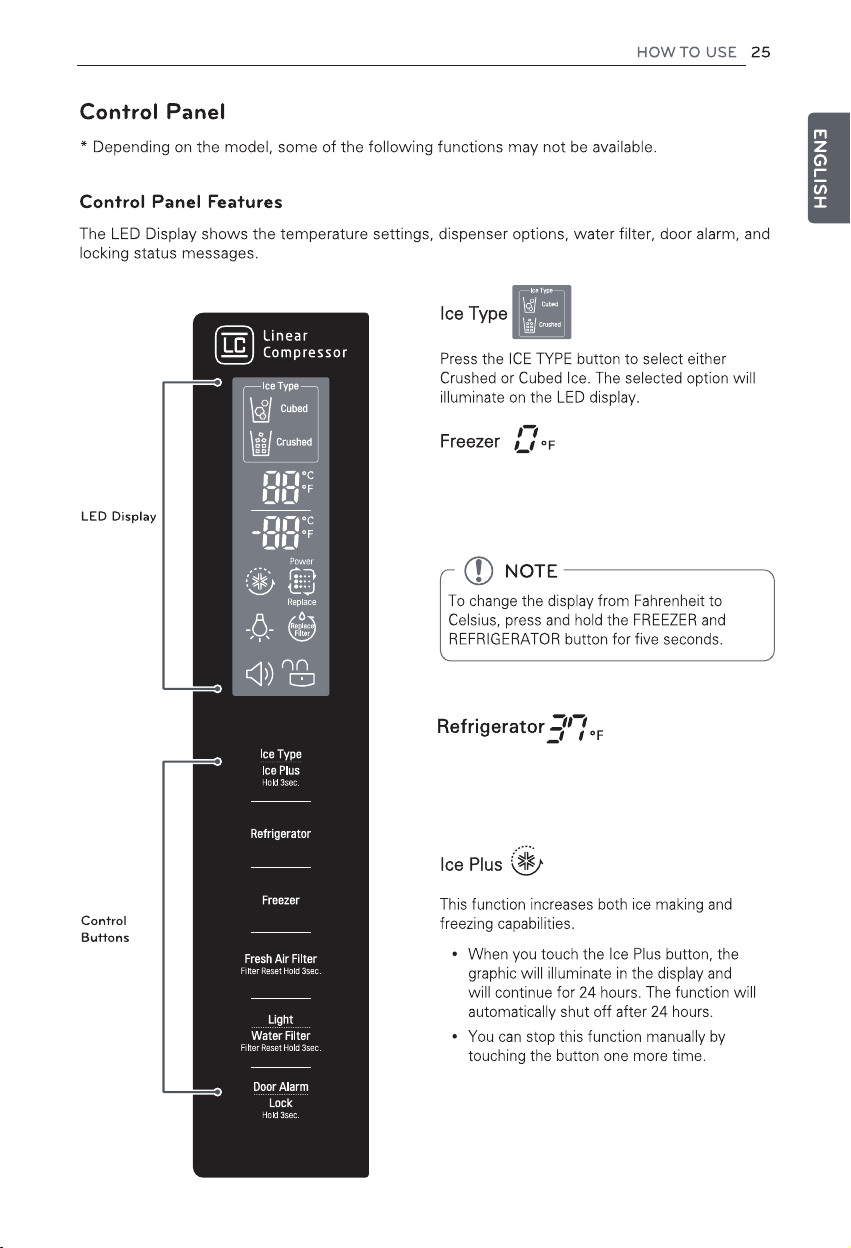
Indicates the set temperature of the freezer
compartment in Fahrenheit (°F) or Celsius (°C).
The default freezer temperature is 0°F (-18°C).
Press the Freezer button repeatedly to select a
new set temperature from -6°F to 8°F (-21°C to -13°C).
Indicates the set temperature of the refrigerator
compartment in Fahrenheit (°F) or Celsius (°C).
The default refrigerator temperature is 37°F (3°C).
Press the Refrigerator button repeatedly to select a
new set temperature from 33°F to 46°F (1°C to 8°C).
110
button to
replace
Replace
replacing
To lock the control panel buttons, press and
hold the Lock button until the closed lock icon
displays and the function is activated.
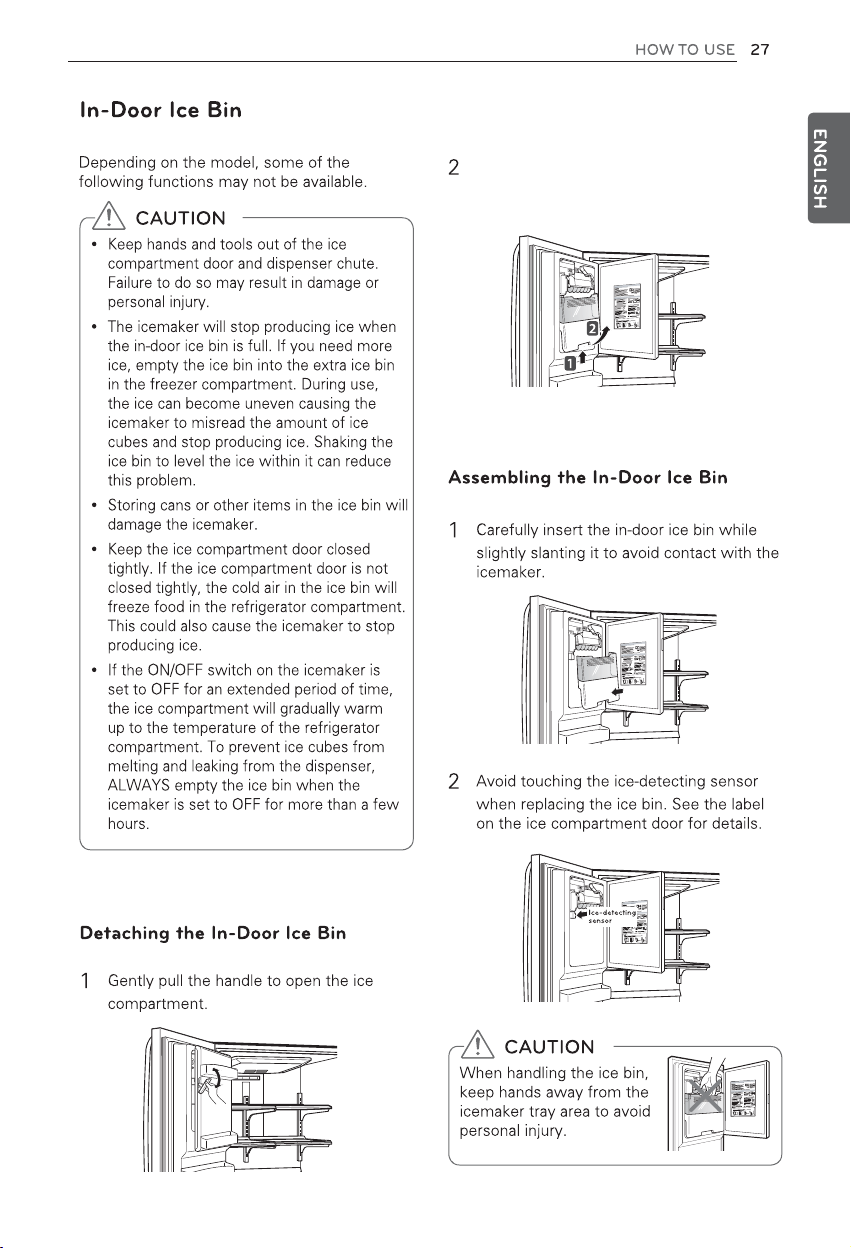
To remove the in-door ice bin, grip the
front handle, lift the bottom of the bin,
and slowly pull the bin out.
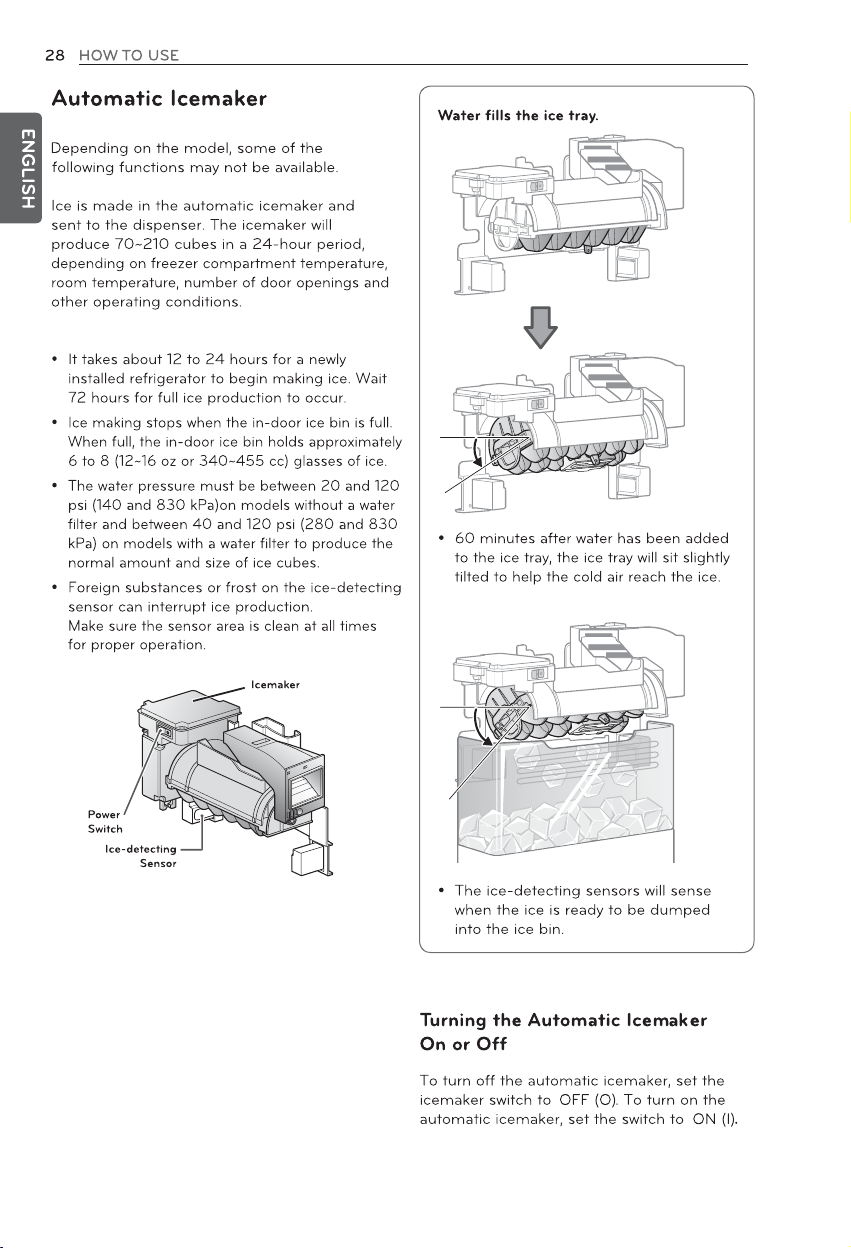
1 hour after filling with water
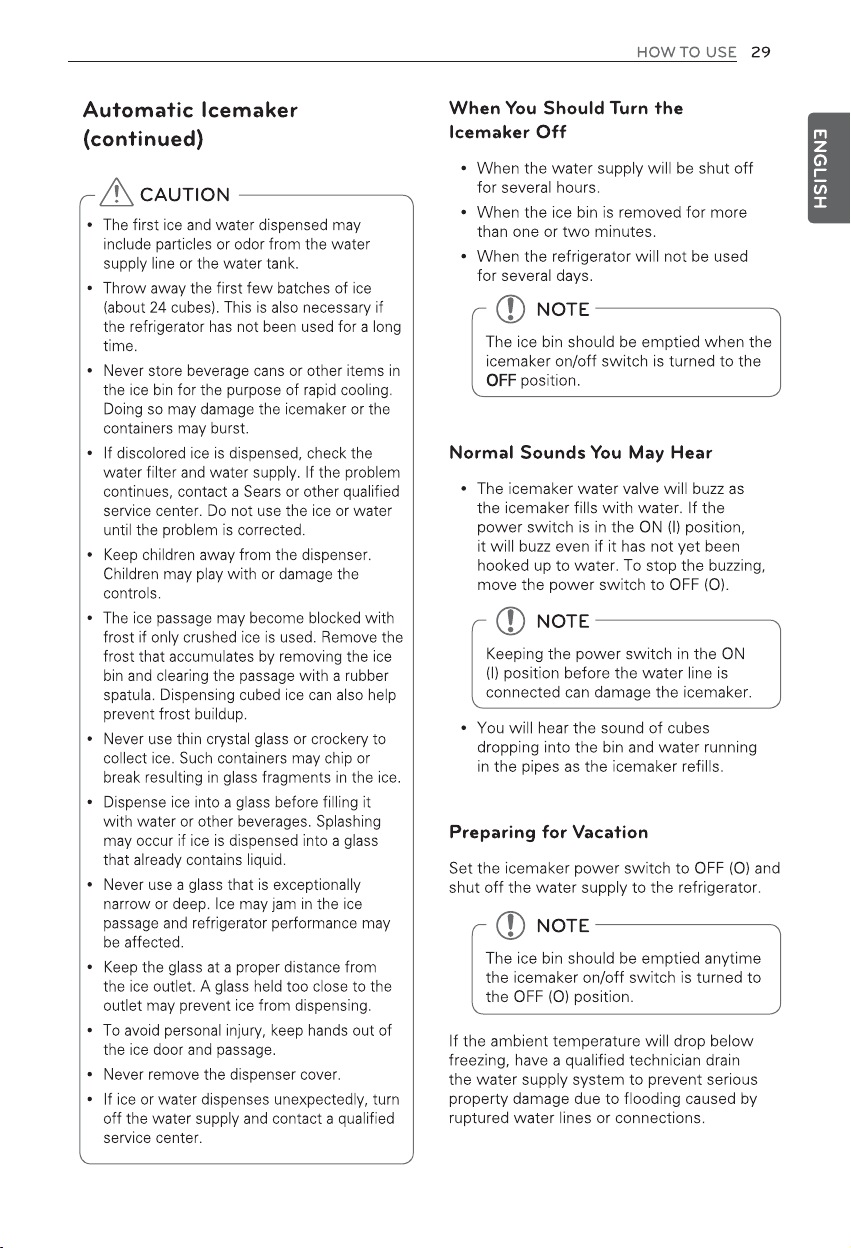
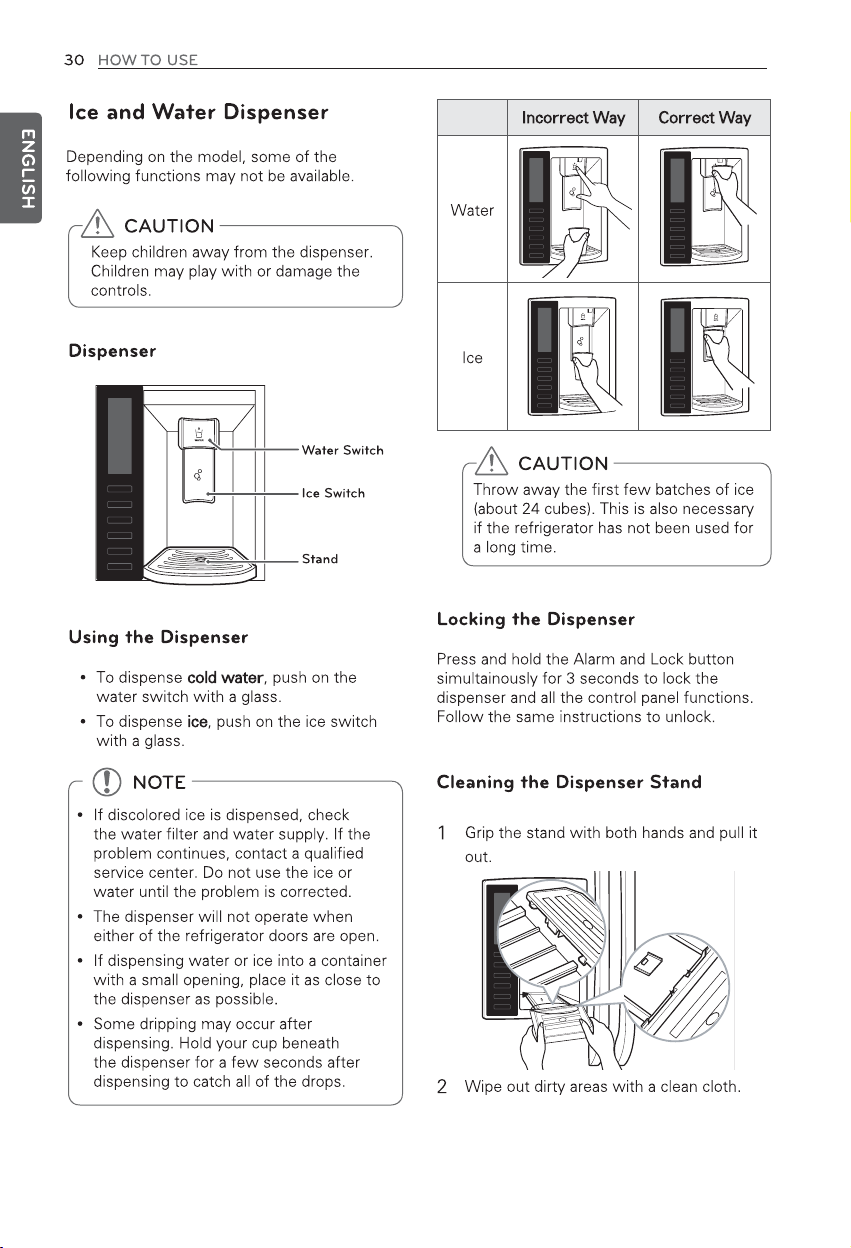
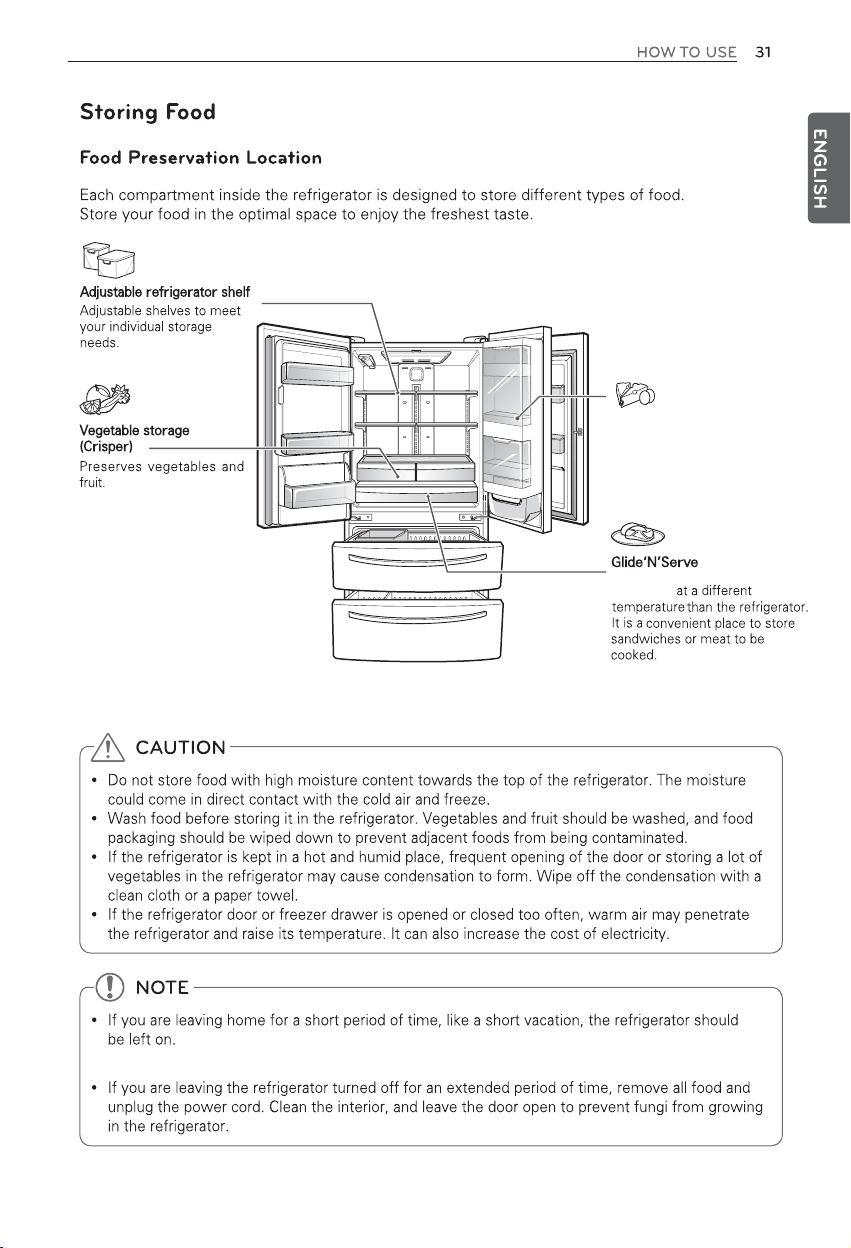
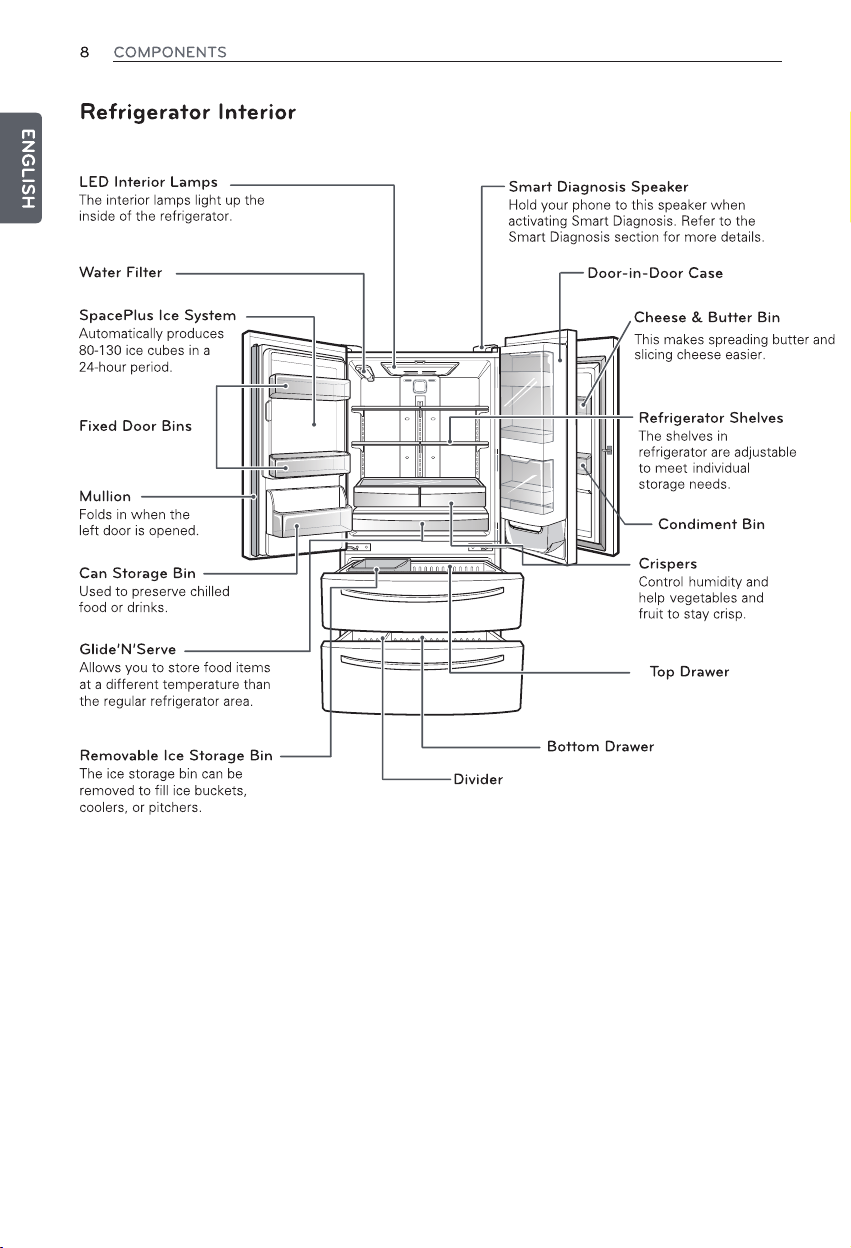
Door-in-Door
Store frequently used items such
as condiments, spreads, beverages,
butter or cheese.
A storage compartment that
can be kept
Move freezable items from the refrigerator to the freezer to preserve them for
a longer time.
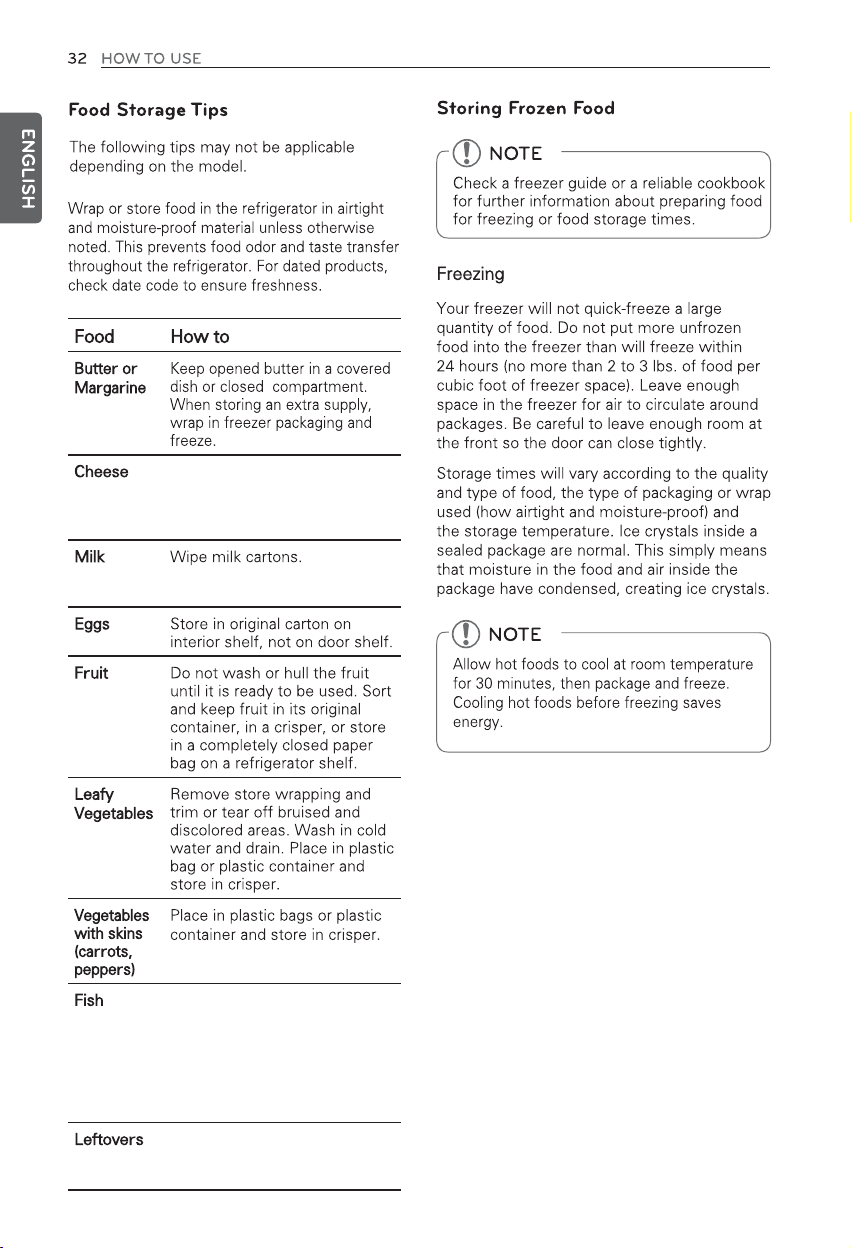
Store in original wrapping until used.
Once opened, rewrap tightly in plastic
wrap or aluminum foil.
For coldest milk, place containers on
an interior shelf.
Freeze fresh fish and shellfish if they
are not being eaten the same day as
purchased. Eating fresh fish and
shellfish the same day as purchased
is recommended.
Cover leftovers with plastic wrap or
aluminum foil, or store in plastic
containers with tight lids.
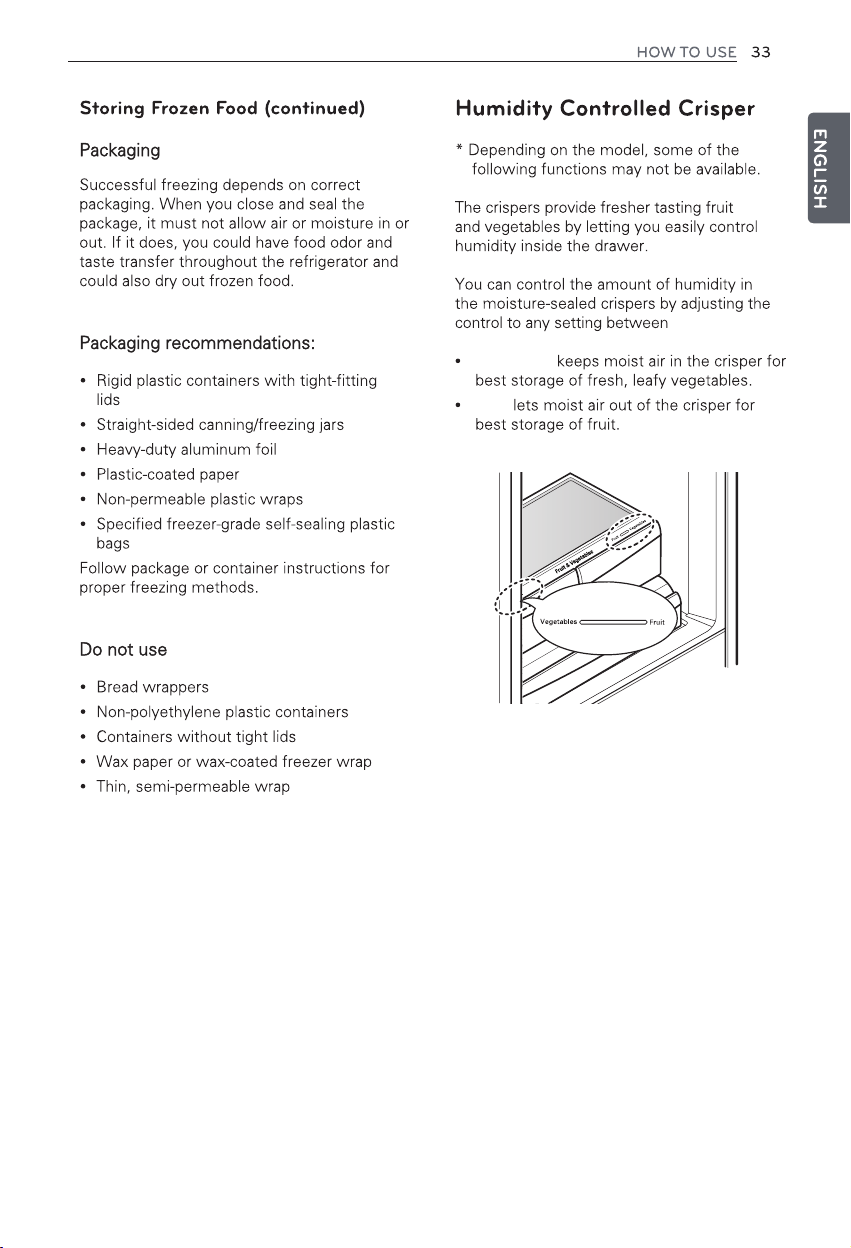
Vegetables and Fruit.
Vegetables
Fruit
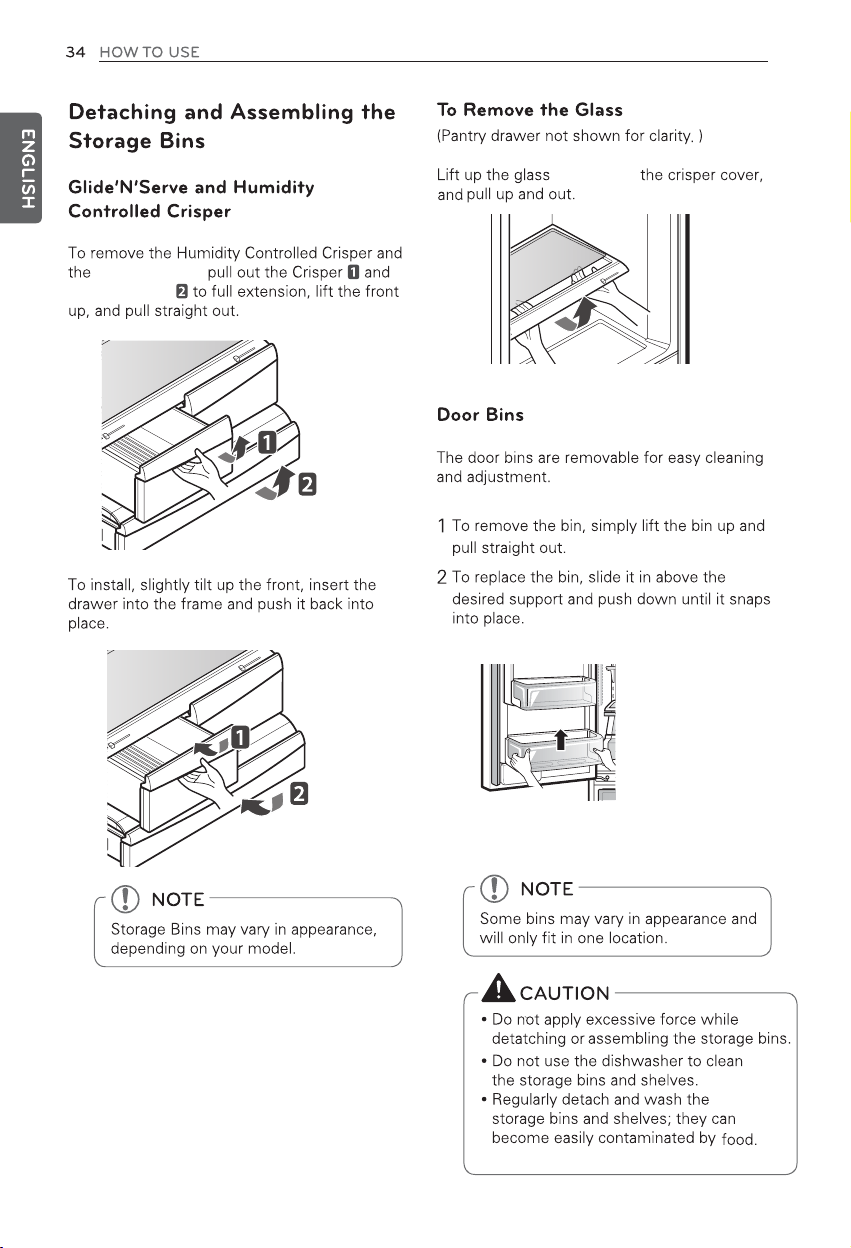
Glide'N'Serve,
Glide'N'Serve,
from under
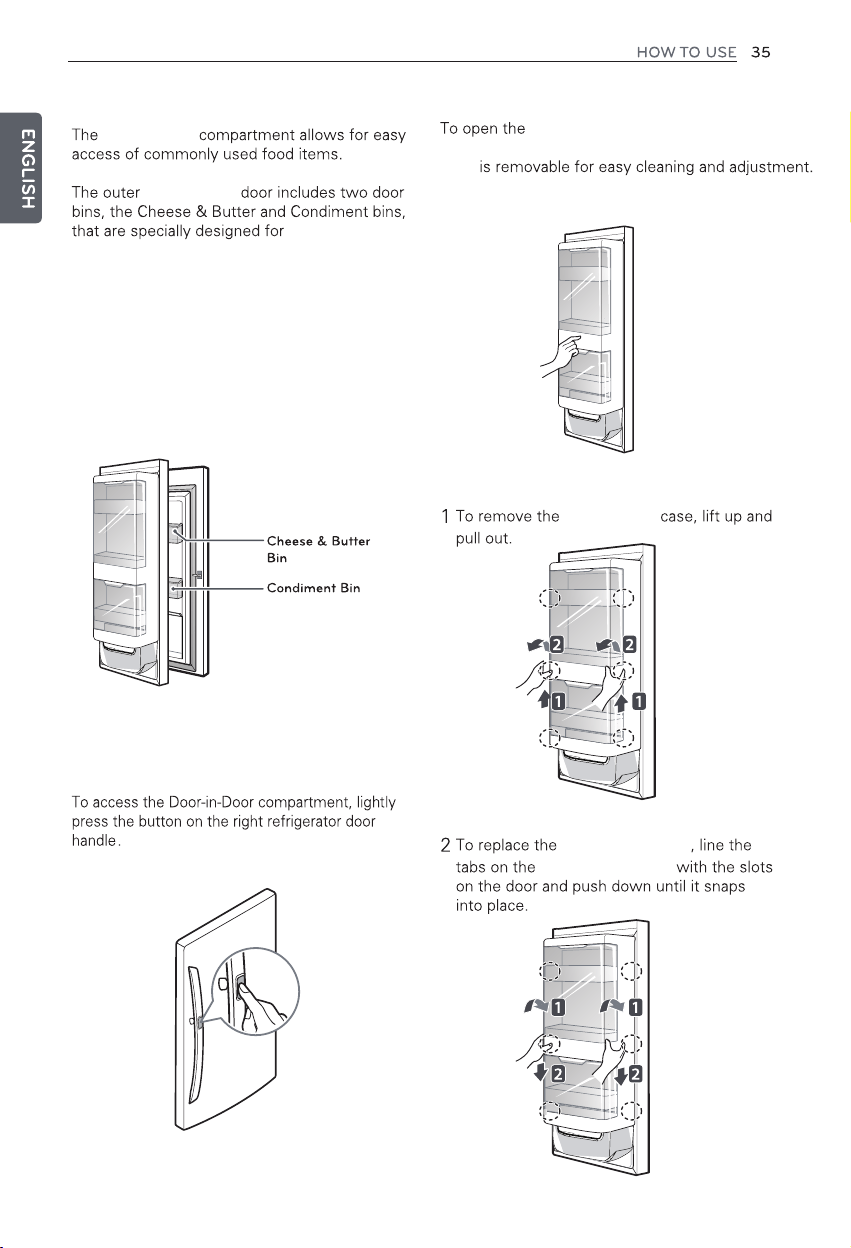
Door-in-Door
Door-in-Door
Door-in-Door case, press on
the area marked Press To Open. The Door-in-Door
case
Door-in-Door
Door-in-Door case
Door-in-Door case
Butter stored here will be easier to spread,
cheese will be easier to slice, and condiments
will be ready to use.
these items.
Door-in-Door Case
Door-in-Door
Door-in-Door Compartment
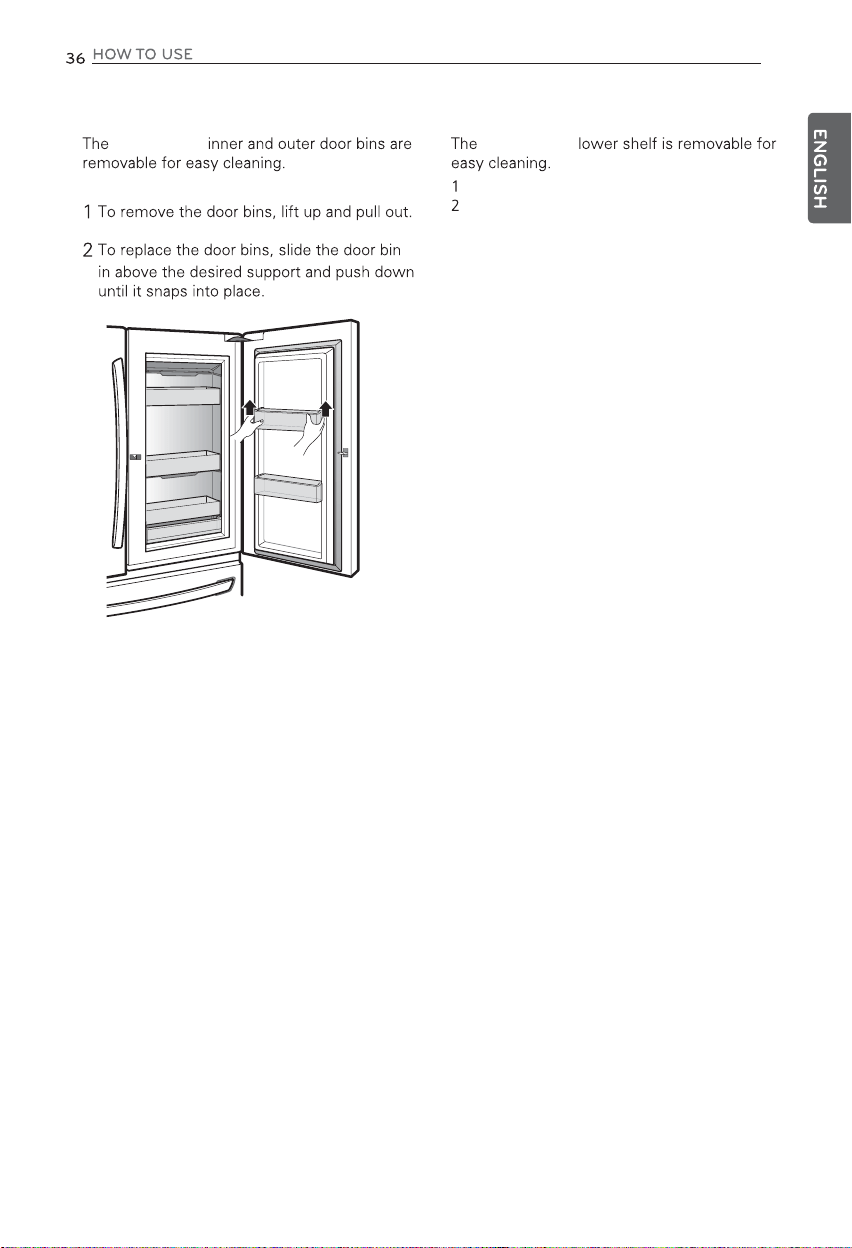
Door-in-Door Door Bins Door-in-Door Lower Bins
Door-in-Door
Remove the Door-in-Door case.
Lift the lower bin up and pull it out.
Door-in-Door
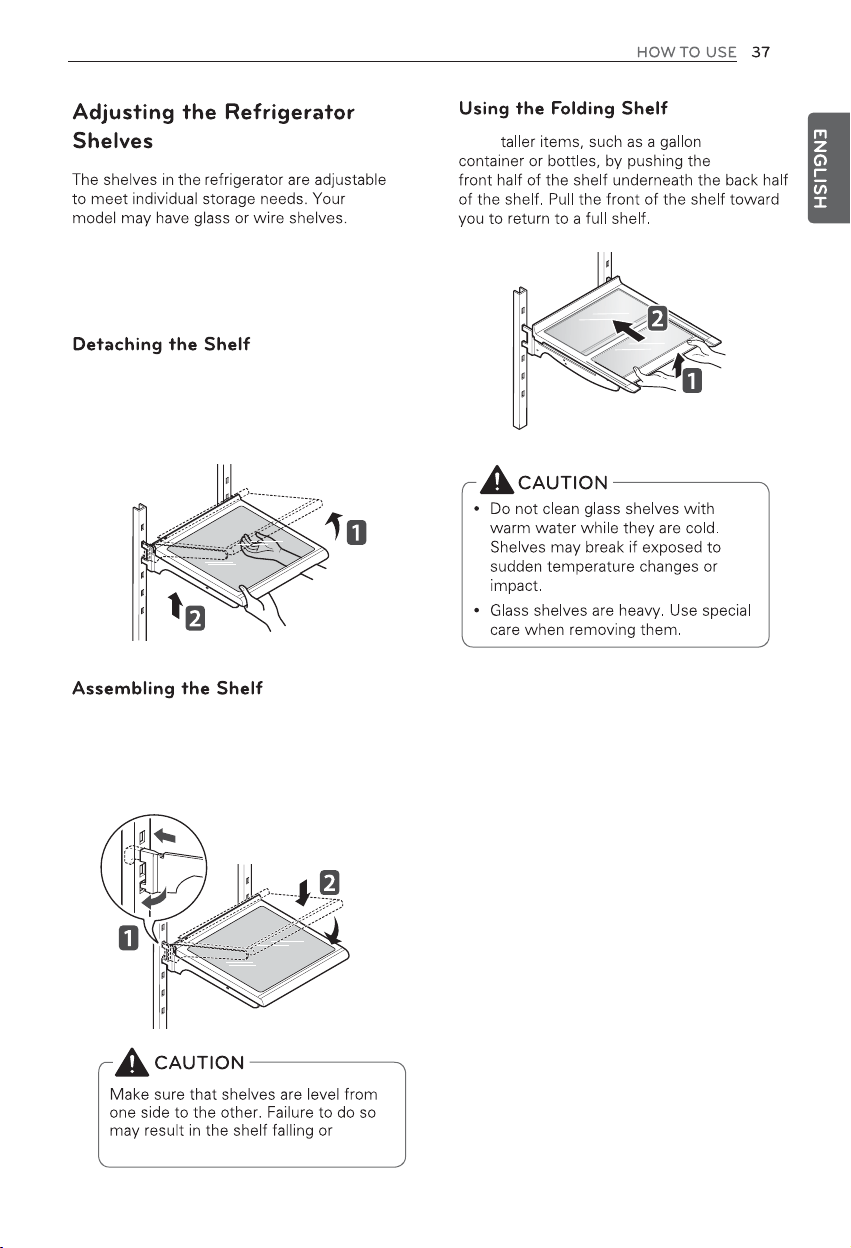
Adjusting the shelves to fit items of different
heights will make finding the exact item you
want easier.
1 Tilt up the front of the shelf and lift it straight up.
2 Pull the shelf out.
1 Tilt the front of the shelf up and guide the shelf
hooks into the slots at a desired height.
2 Lower the front of the shelf so that the hooks
drop into the slots.
spilled
food.
Store
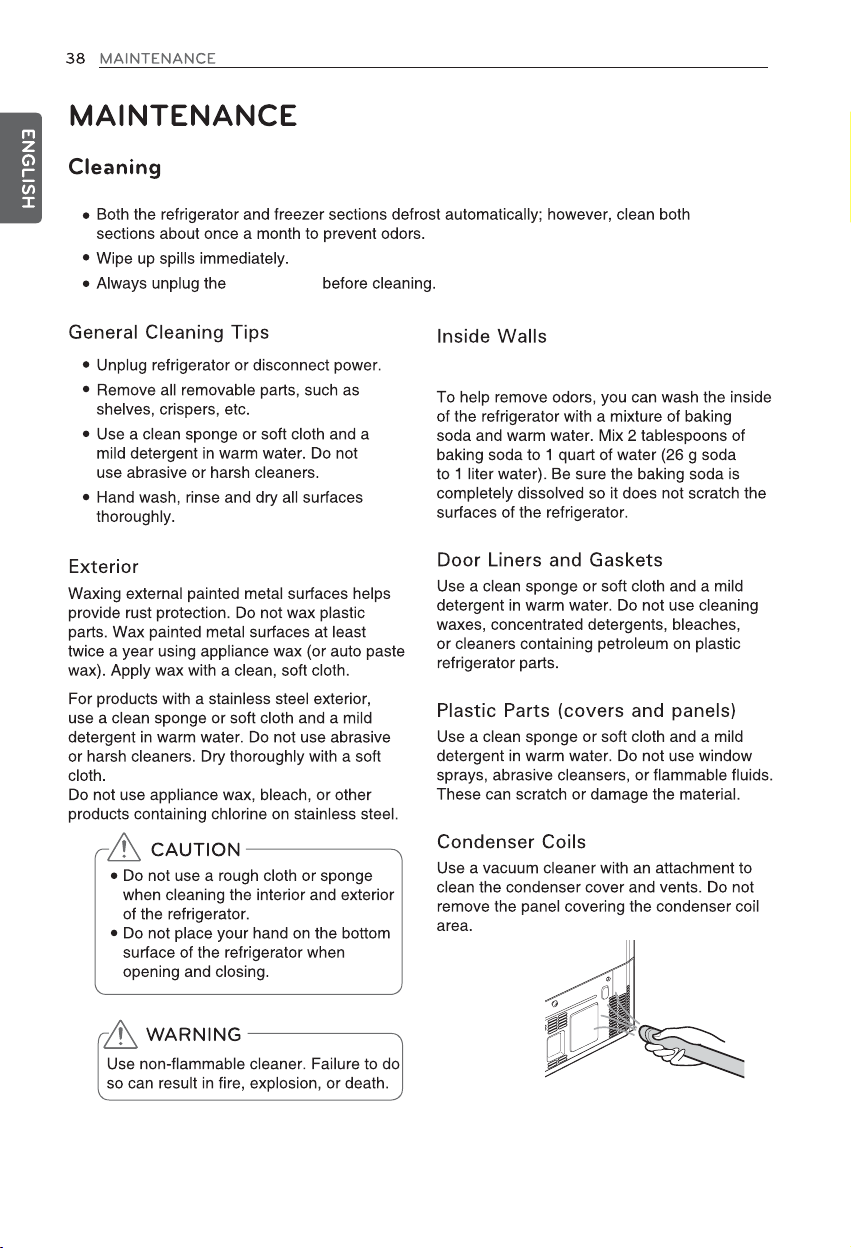
refrigerator
Allow freezer to warm up so the cloth will
not stick.
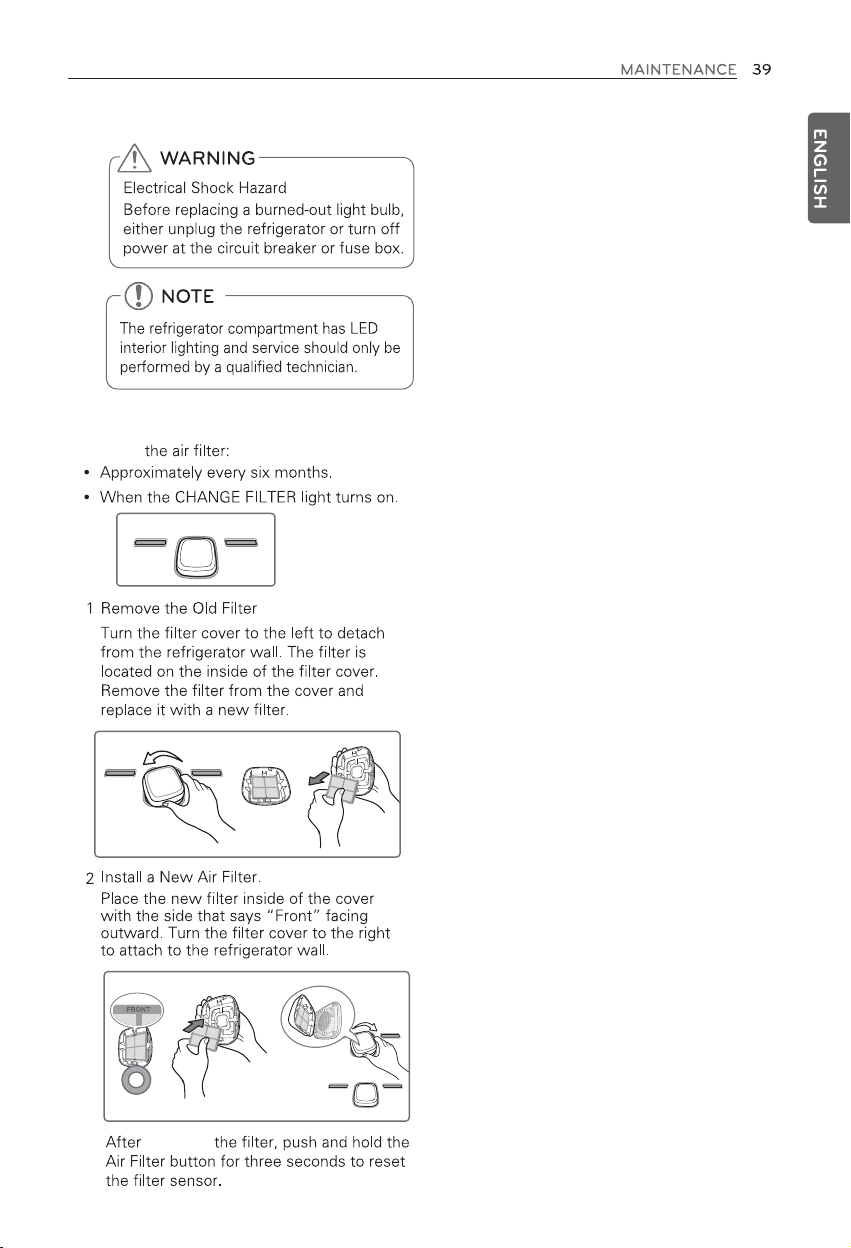
Replacing Light Bulbs
Replacing the Fresh Air Filter
Replace
replacing
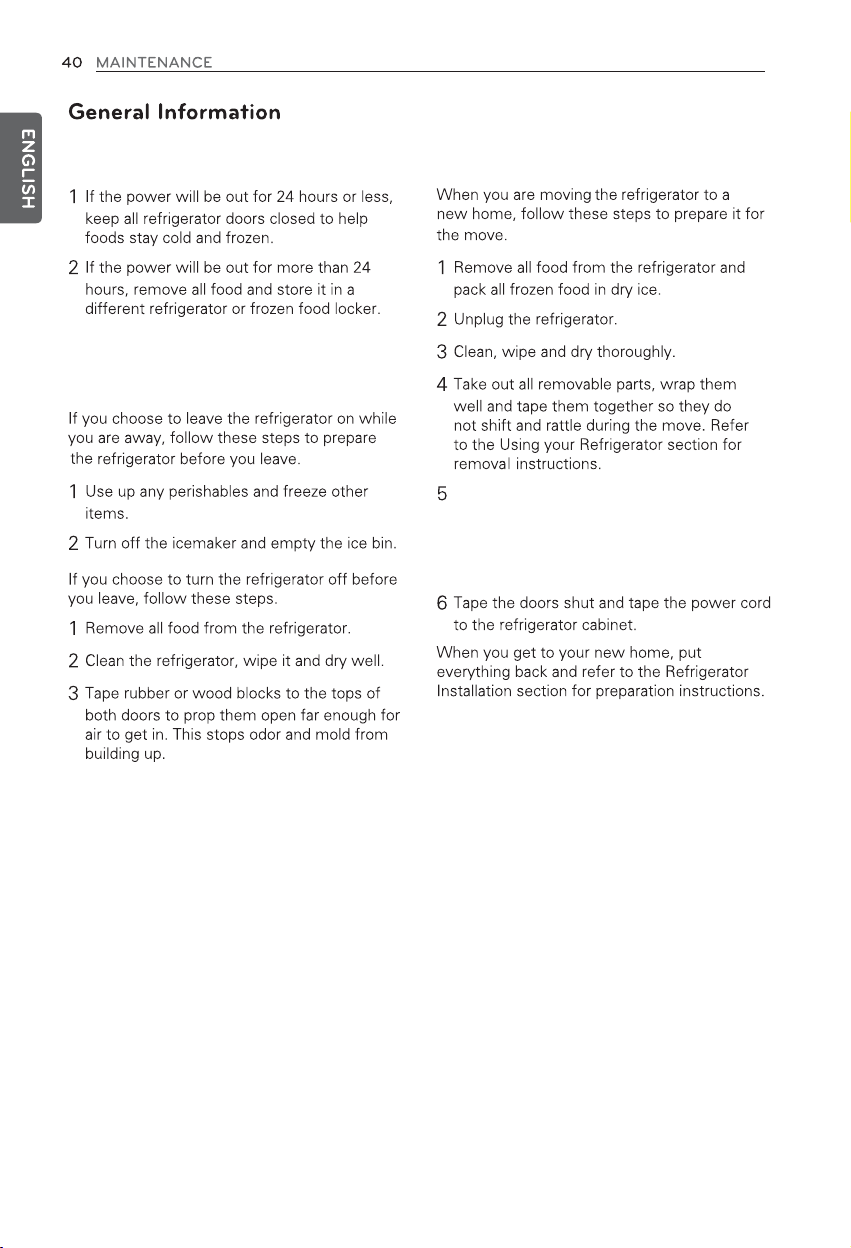
Power Interruptions
When You Go on Vacation
When You Move
Depending on the model, raise the front of the
refrigerator so it rolls more easily OR screw in
the leveling legs all the way so they do not
scrape the floor. See the Leveling section.
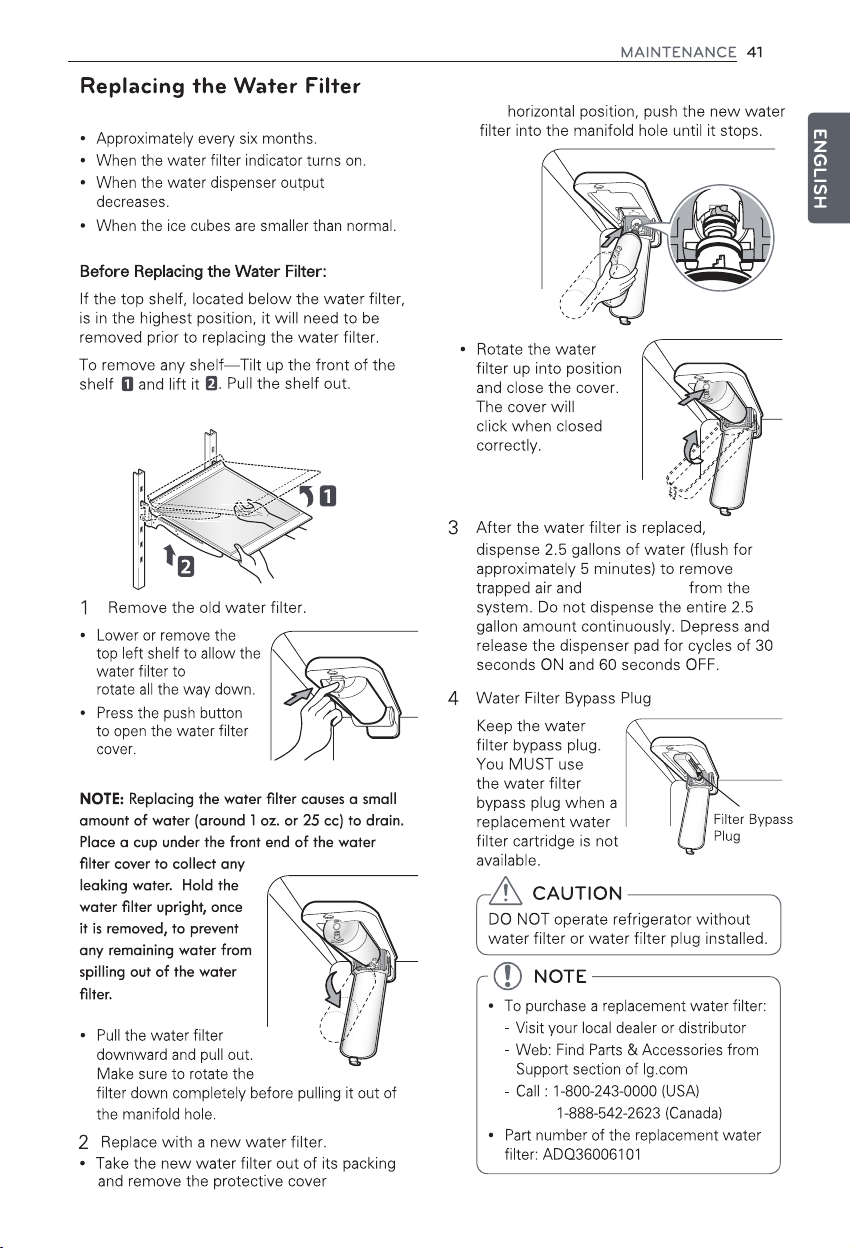
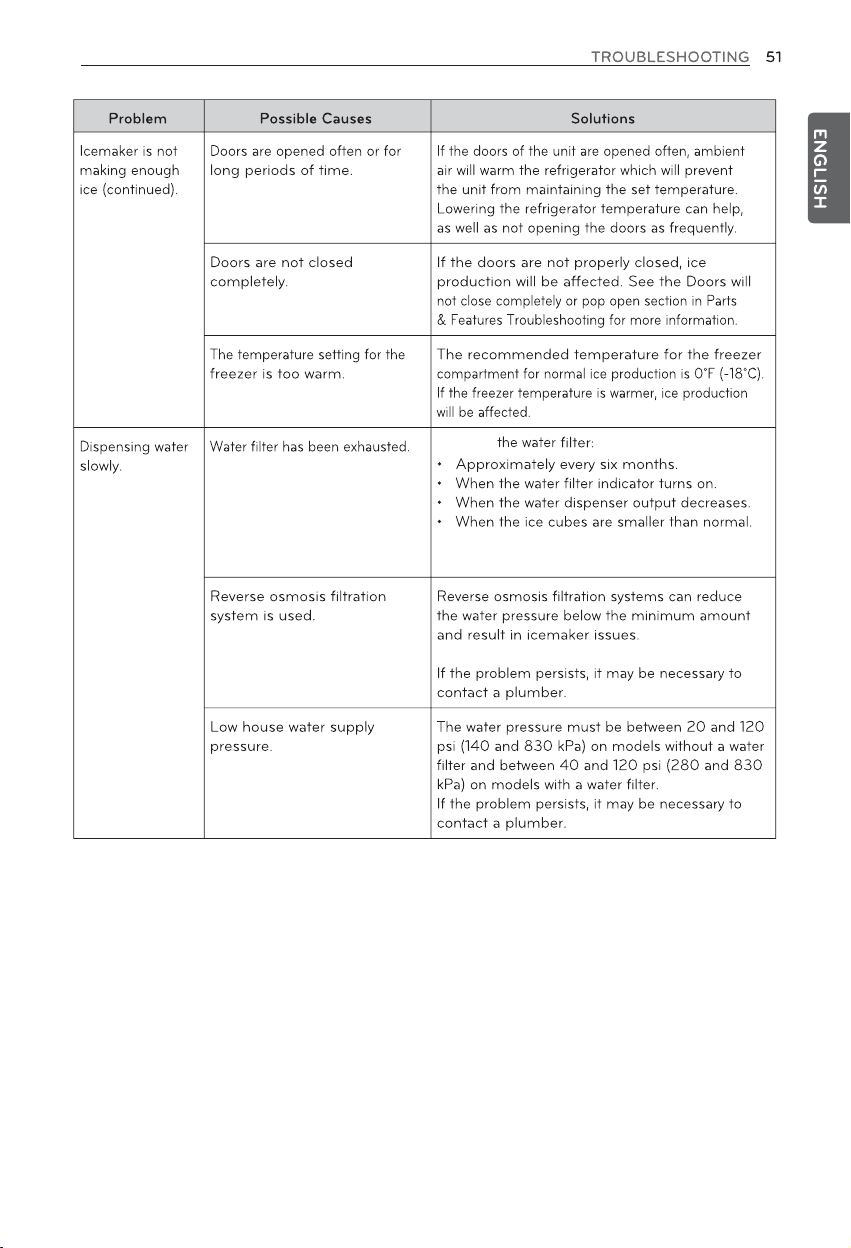
Replace the water filter:
from
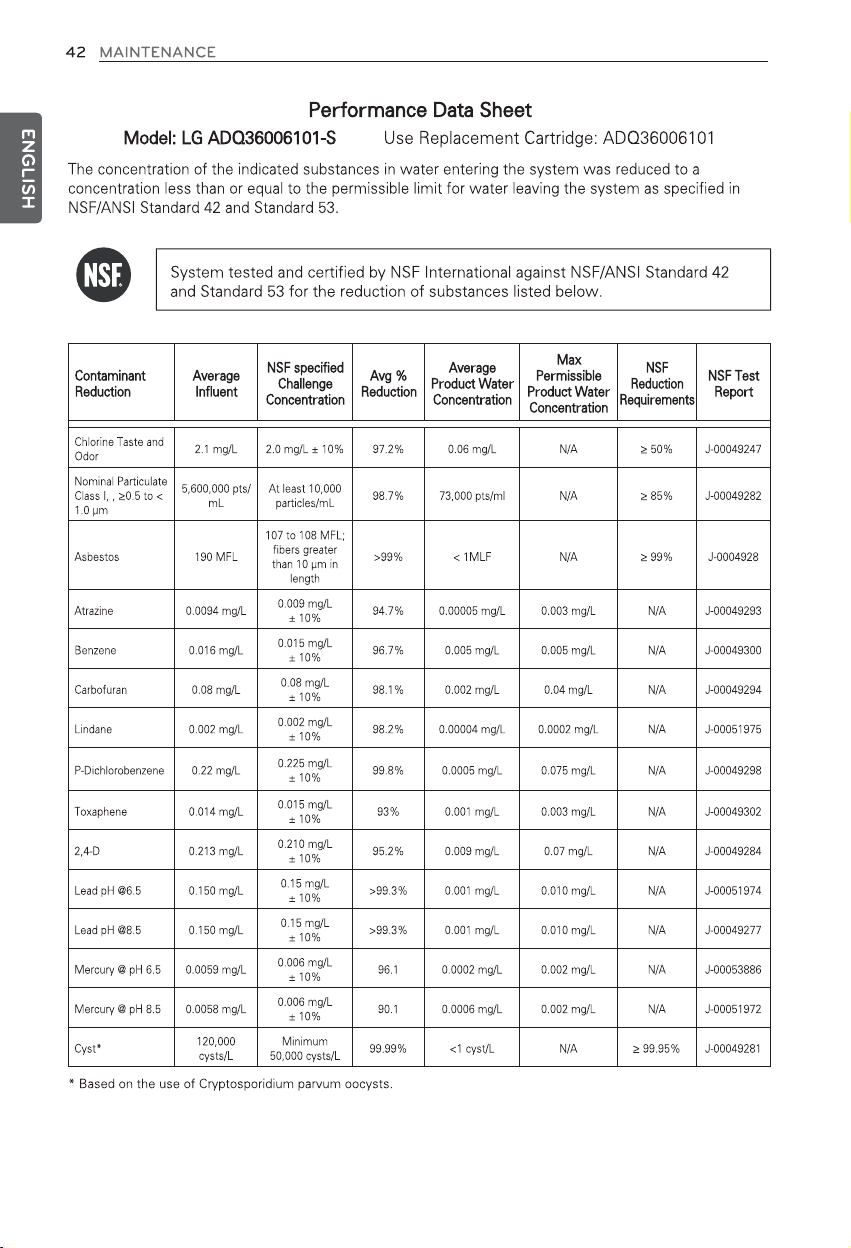
contaminants
the o-rings. With the water filter tabs in
the
TROUBLESHOOTING
FAQs: Frequently Asked Questions
Q: What are the best temperature settings for my refrigerator and freezer?
A: The default setting for the refrigerator is 37° Fahrenheit (3° Celsius). The default setting for the
freezer is 0° Fahrenheit (-18° Celsius). Adjust these settings as necessary to keep food at desired
temperatures. Milk should be cold when stored on the inner shelf of the refrigerator. Ice cream should
be firm and ice cubes should not melt in the freezer. To switch the display from Fahrenheit to Celsius,
press and hold the Freezer and Refrigerator buttons until you hear a beep and the settings in the
display change.
Q: How do I set the refrigerator and freezer temperatures?
A: Continually press the Refrigerator or Freezer button on the control panel until the desired temperature
appears. The numbers will cycle from highest to lowest and then return to the highest again with
continuous pressing.
Q: Why do I hear a buzzing noise from my refrigerator periodically?
A: This may happen if you do not have a water source attached to your refrigerator and the icemaker is
turned on. If you do not have a water source attached to the back of the refrigerator you should turn
the icemaker off.
Q: Why does the icemaker tray look crooked?
A: This is a normal part of the icemaker cycle. The icemaker tray may appear level or with a slight tilt.
The change in position is to assist in the freezing process..
Q: What can I do if I see condensation on the refrigerator door mullion?
A: On some models with an Energy Saver function, the default is set to enable the Energy Saver. This
turns off the heater on the door mullion to save energy, which may cause excessive condensation
to form on the mullion. If you encounter this problem, press and hold the Energy Saver button for 3
seconds to turn off the Energy Saver mode. The Energy Saver mode can be re-activated using the
same method.
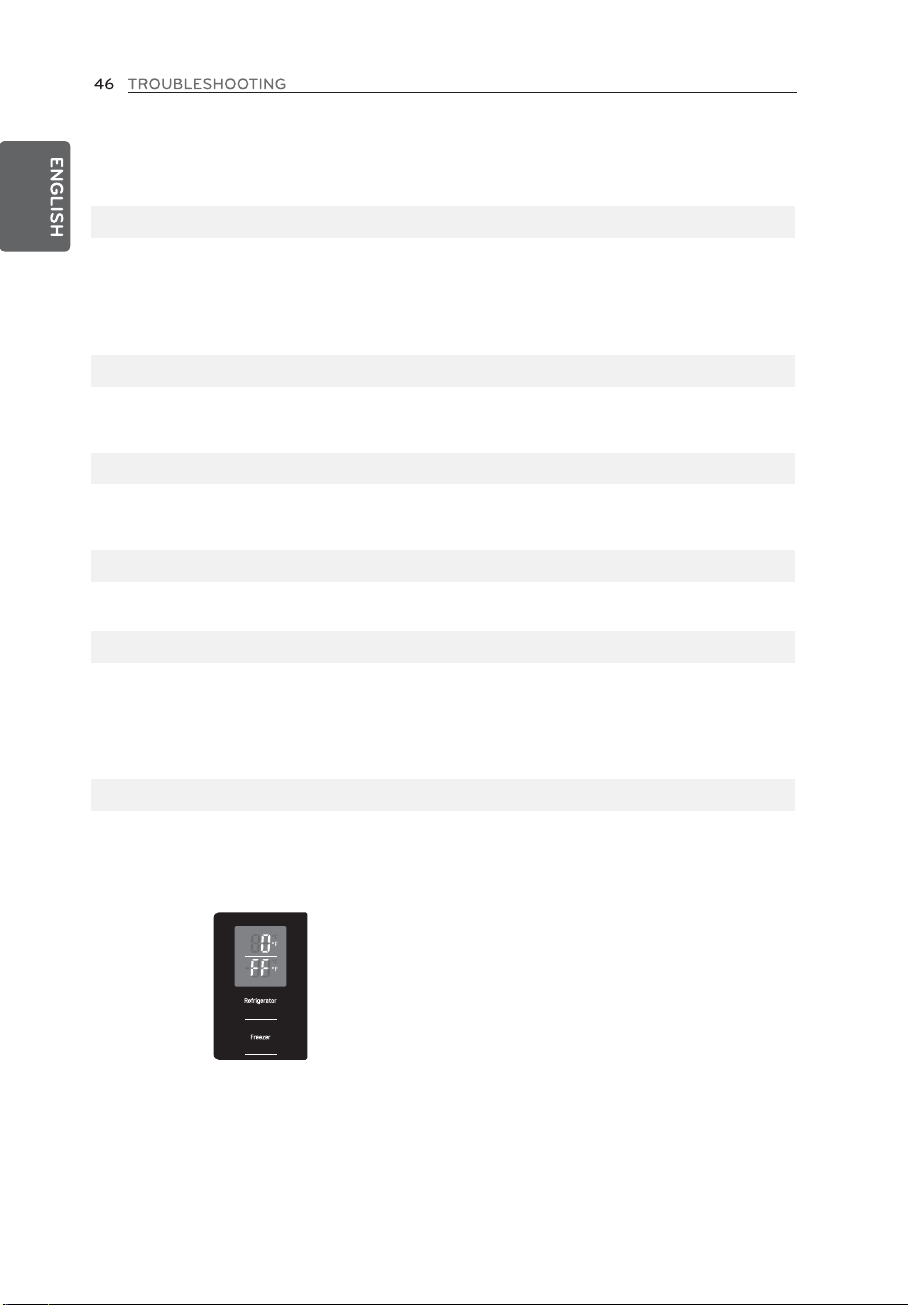
Q:
My refrigerator is powered on and the controls are working, but it’s not cooling and the display
shows “OFF” (see below). What is wrong?
A: The refrigerator is in Demo Mode. This mode disables cooling to save energy while the appliance
is on display in a store. To restore normal operation, press and hold the Temperature and Ice Plus
buttons for 5 seconds or until you hear a beep and the temperature settings appear on the display.
Use the same procedure to return the refrigerator to Demo Mode, if desired.
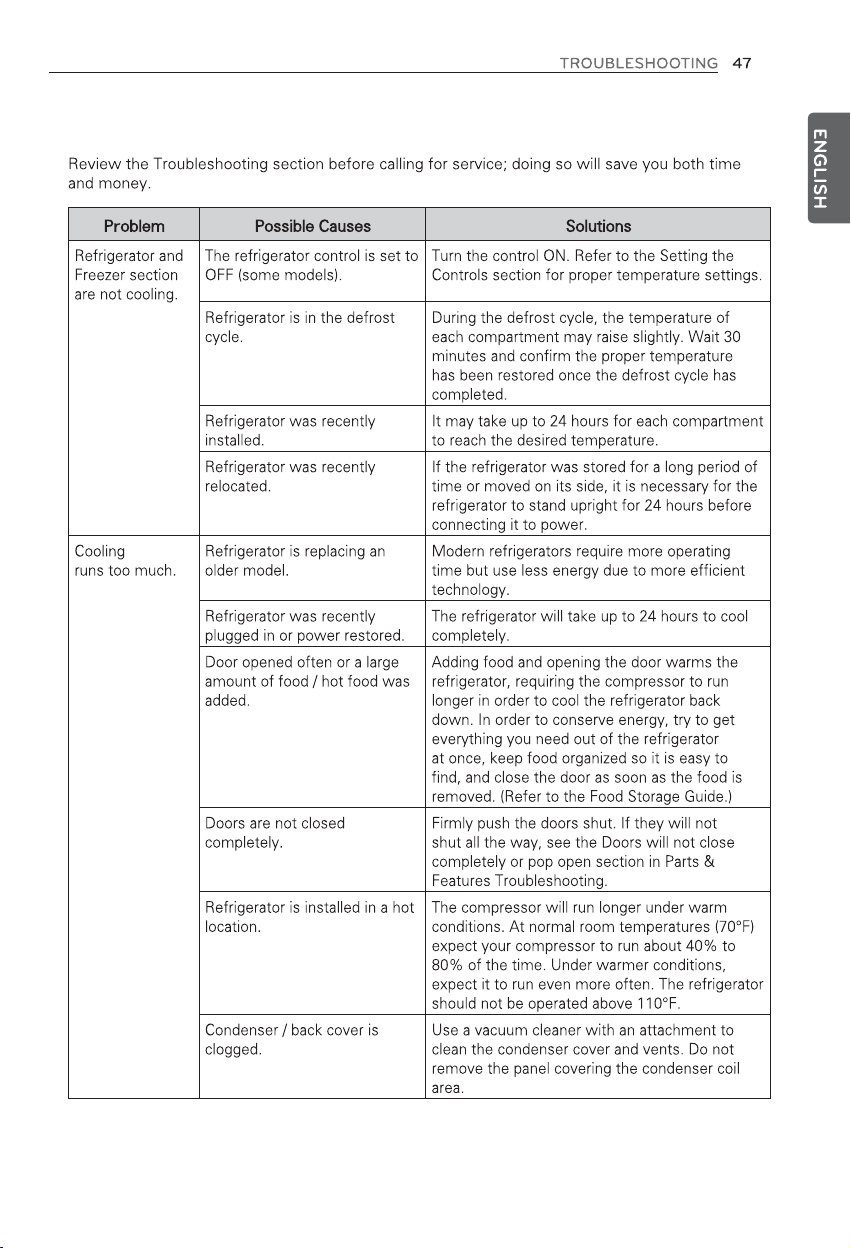
Before Calling for Service
system
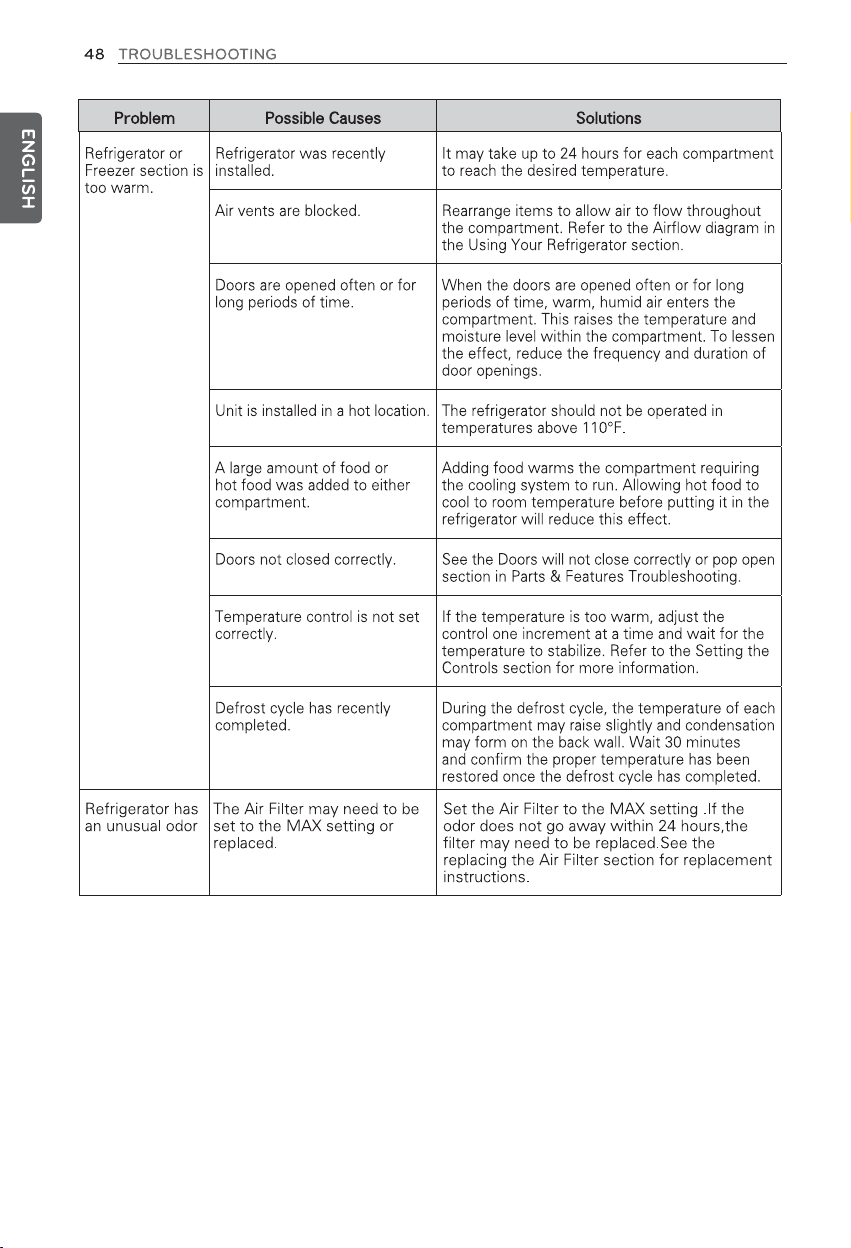
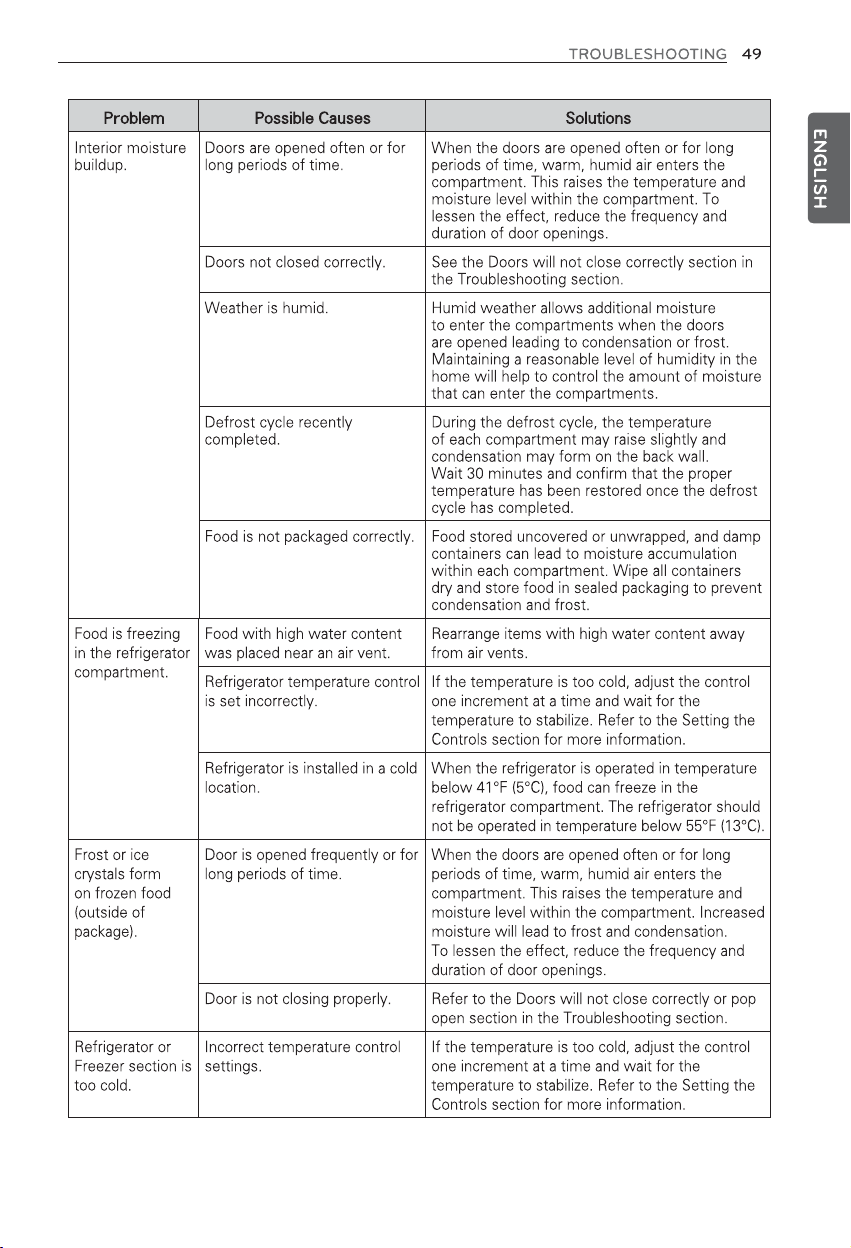
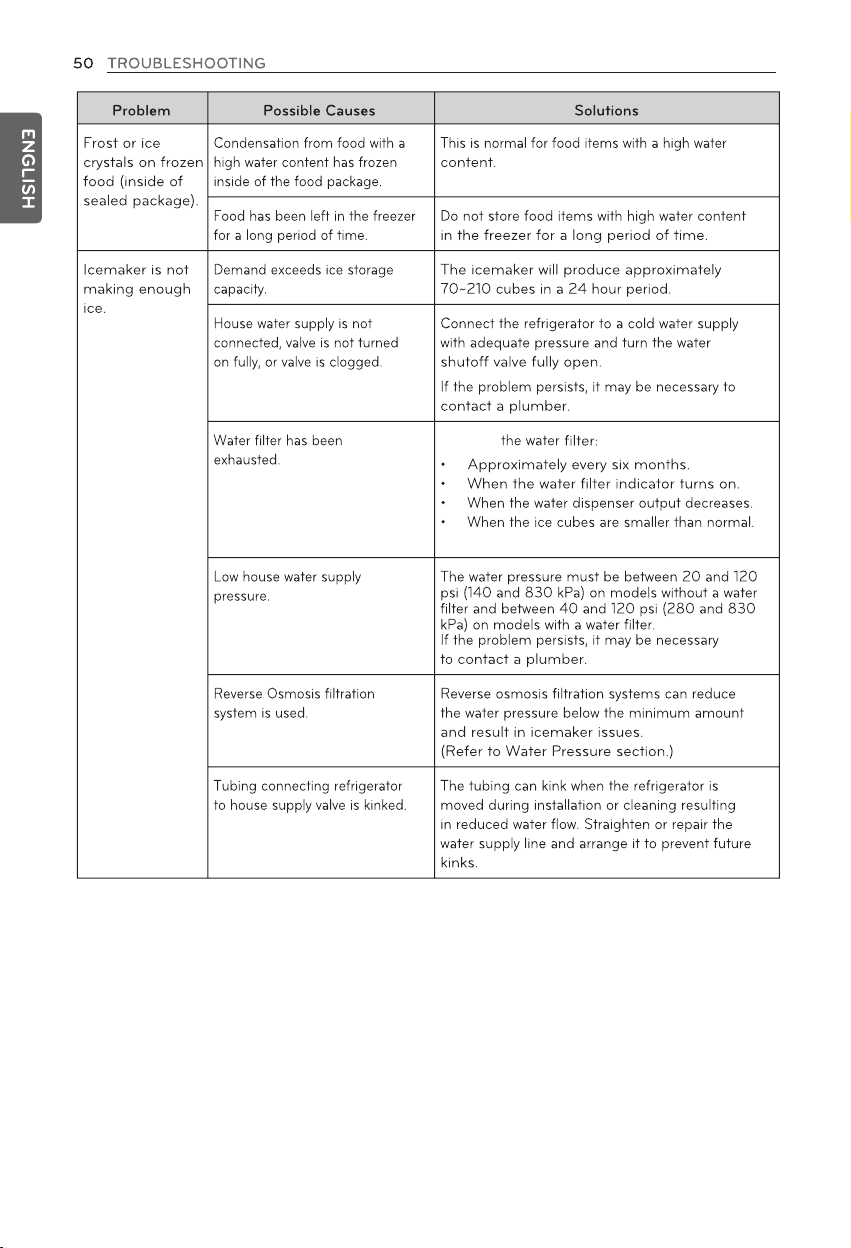
Replace
Replace
contaminants
contaminants
contaminants
Replace
61
62
ENGLISH
63