Rev.03_10082018
35
40
43
35
38
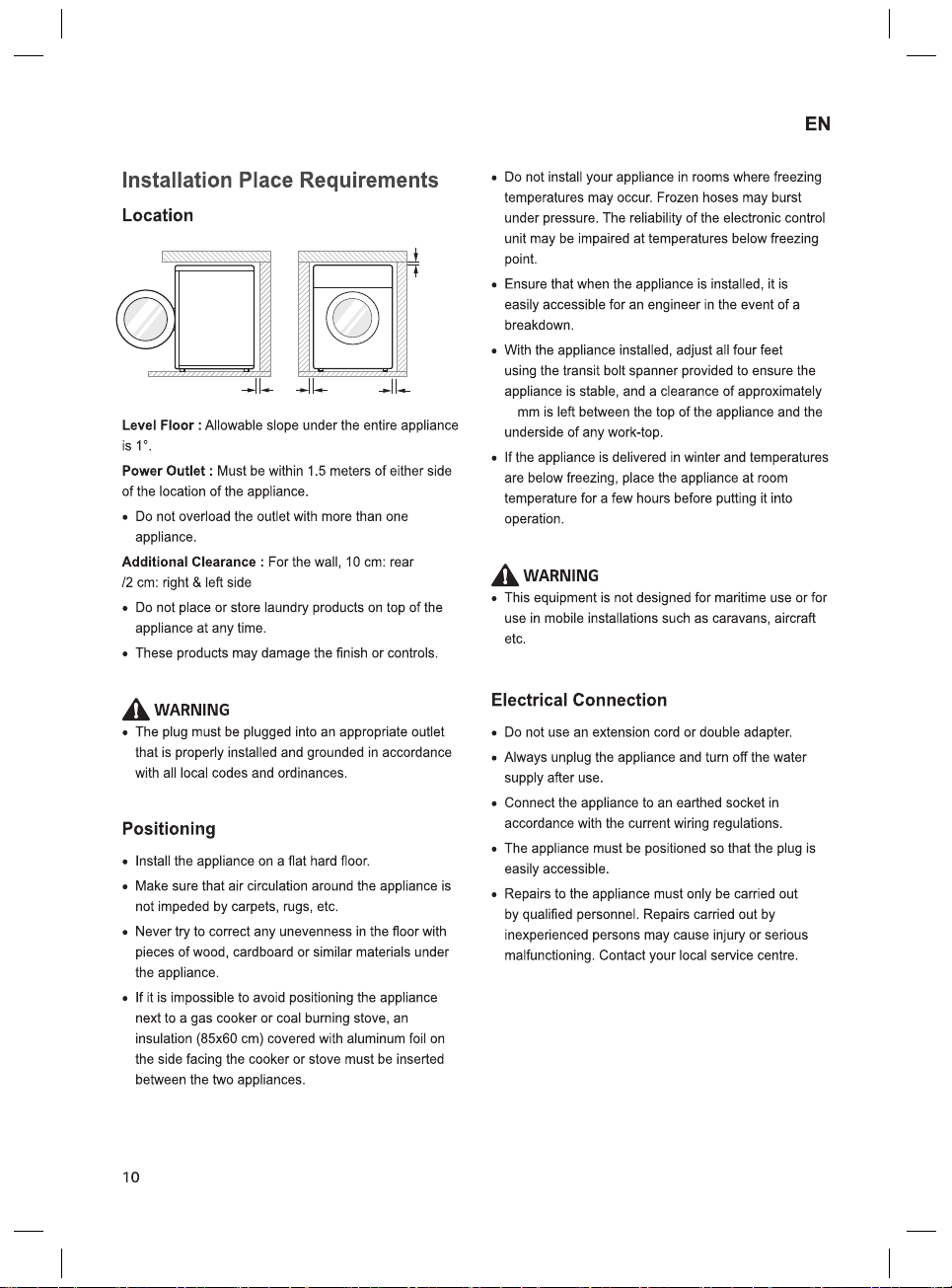
2 cm
0.5 cm
2 cm10 cm
5
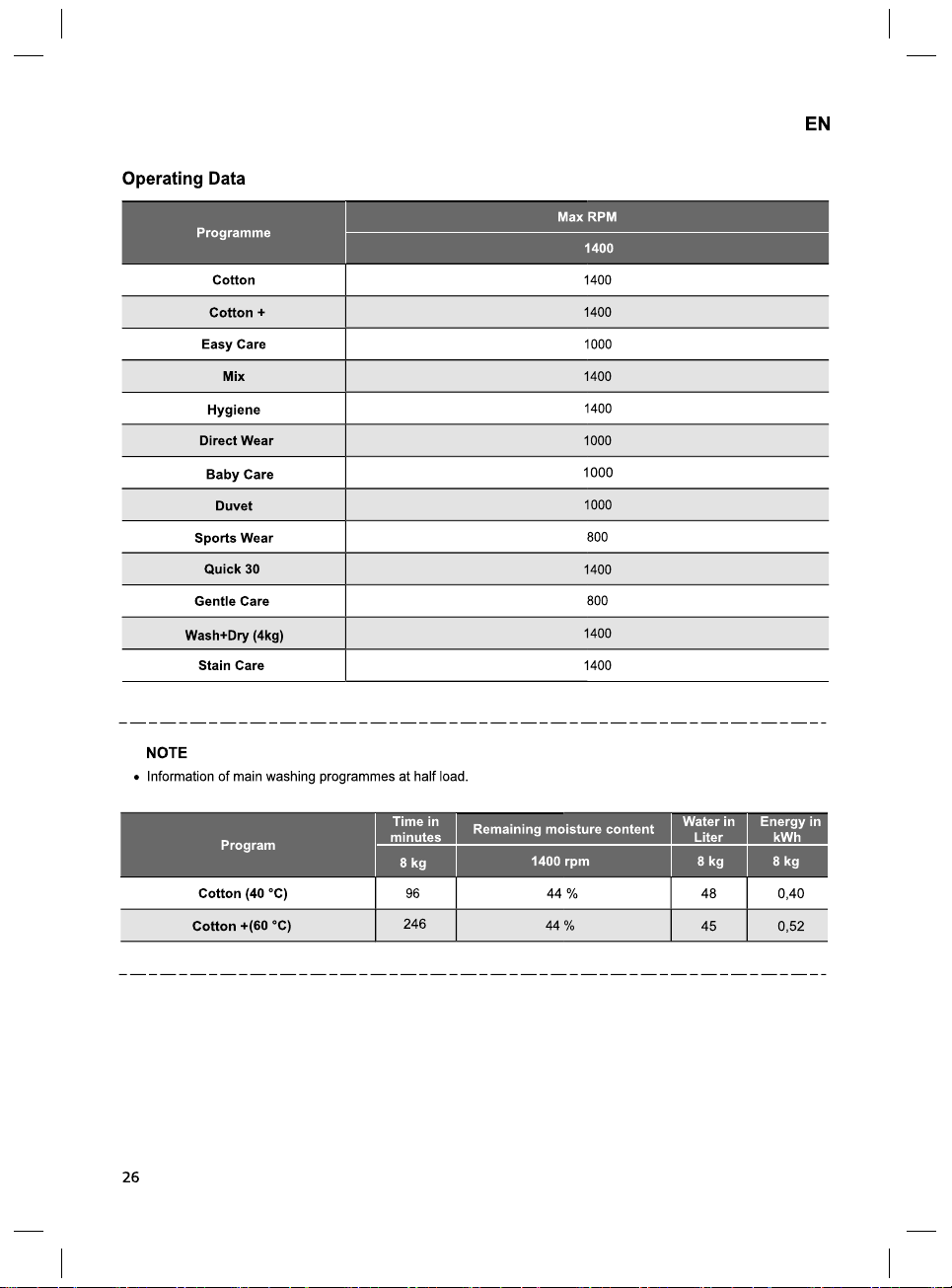
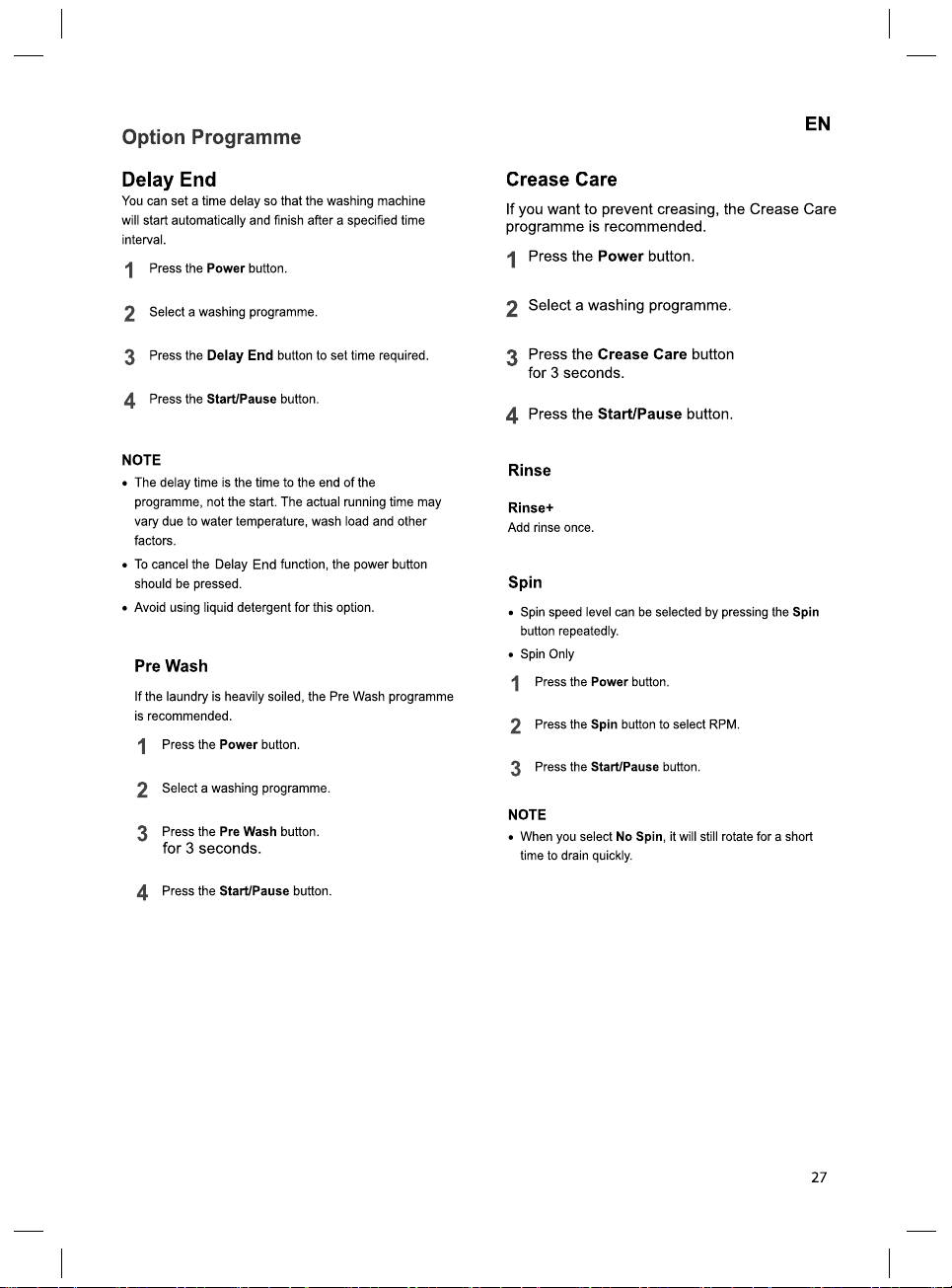
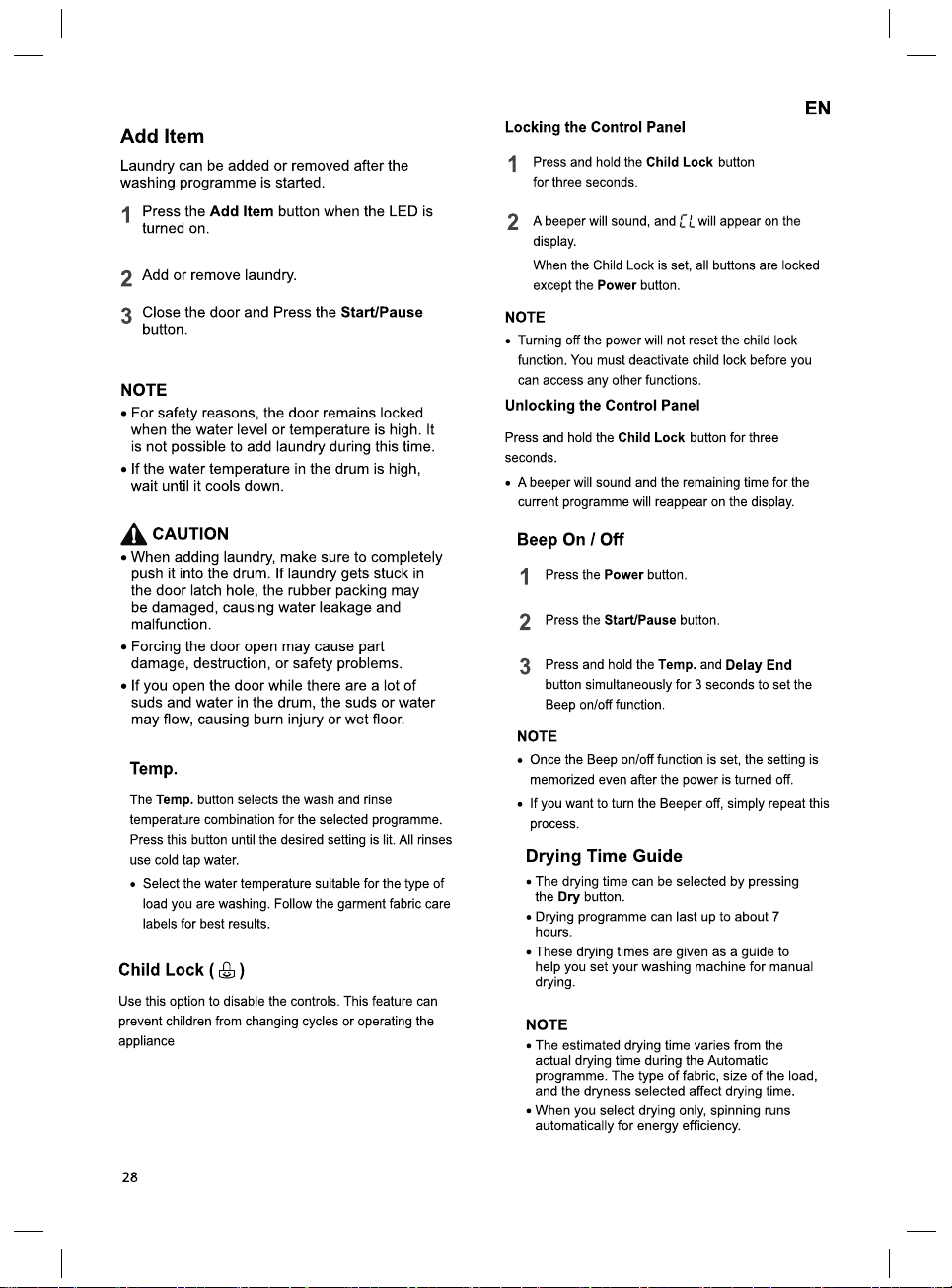
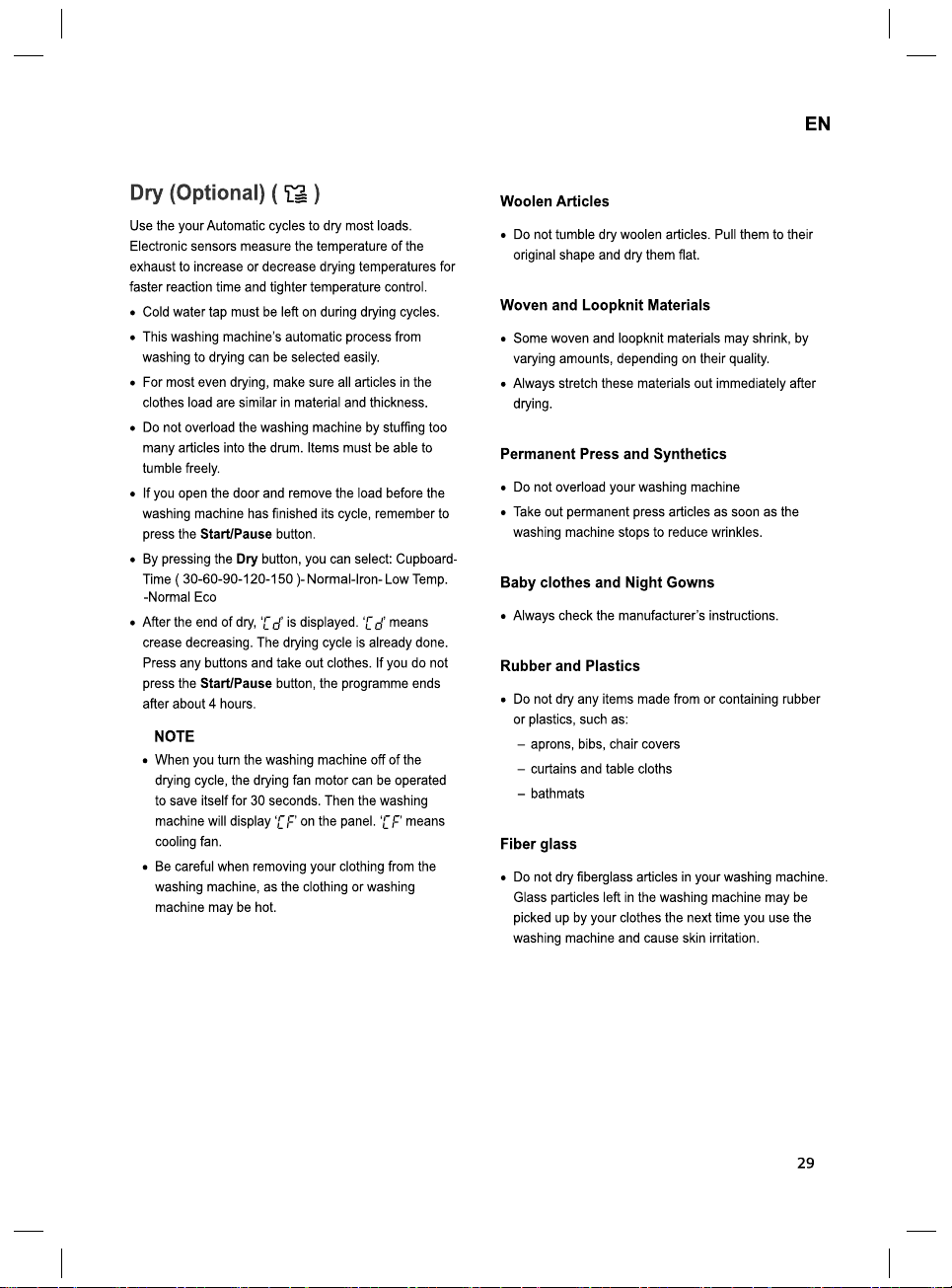
30
SMART FUNCTIONS
EN
Using SmartThinQ
Application
Installing SmartThinQ
Search for the LG SmartThinQ application from
the Google Play Store on a smart phone.
Follow instructions to download and install the
application.
Tag On Function
• For appliances with the logo
• The Tag On function can only be used with
most smart phones equipped with the NFC
(Near Field Communication) function and
based on the Android OS (operating system).
Download Cycle
Download new and special cycles that are not
included in the basic cycles on the appliance.
Appliances that have been successfully
registered can download a variety of specialty
cycles specific to the appliance.
Only one cycle can be stored on the appliance
at a time.
Once cycle download is completed in the
appliance, the product keeps the downloaded
cycle until a new cycle is downloaded.
Tub Clean Coach
This function shows how many cycles remain
before It is time to run the Tub Clean cycle.
Smart Diagnosis™
This function provides useful information for
diagnosing and solving issues with the
appliance based on the pattern of use.
Settings
Set the product nickname and delete product.
NOTE
• Press in the LG SmartThinQ application
for a more detailed guide on how to use the
Tag On function.
• The location of the smartphone's NFC module
may vary depending on the phone, and NFC
use may be restricted on some smartphones
due to differences in transmission methods.
Because of the characteristics of NFC, if the
transmission distance is too far, or if there is a
metal sticker or a protective case on the
phone, transmission will not be good. In some
cases, NFC-equipped phones may be unable
to transmit successfully.
• The content found in this manual may differ
from the current version of the LG SmartThinQ
application, and the software may be modified
without informing customers.
• NFC function would vary depending on smart
phones.
Smart Diagnosis™ Using a Smart
Phone
• For appliances with the or logo
Use this function if you need an accurate
diagnosis by an LG Electronics customer
information centre when the appliance
malfunctions or fails.
Smart Diagnosis™ can not be activated unless
the appliance is connected to power. If the
appliance is unable to turn on, then
troubleshooting must be done without using
Smart Diagnosis™.
31
EN
Using Smart Diagnosis™
Smart Diagnosis™ Through the
Customer Information Centre
Use this function if you need an accurate
diagnosis by an LG Electronics service centre
when the product malfunctions or fails. Use this
function only to contact the service
representative, not during normal operation.
1
Press the Power button to turn on the
washing machine. Do not press any other
buttons or turn the programme selector
knob.
2
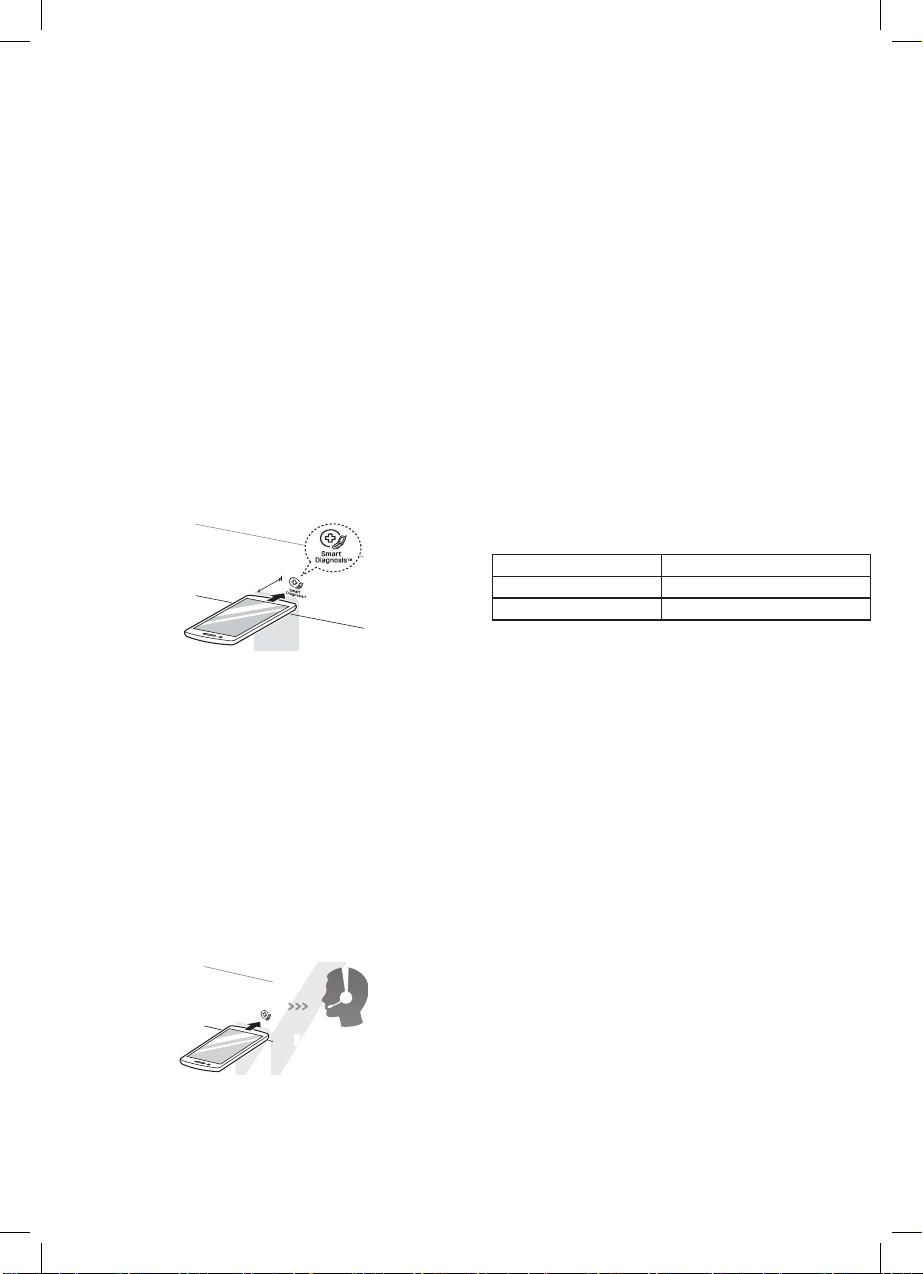
When instructed to do so by the call centre,
place the mouthpiece of your phone close
to the Power button.
Max.
10 mm
3
Press and hold the Temp. button for three
seconds, while holding the phone
mouthpiece to the icon or Power button.
4
Keep the phone in place until the tone
transmission has finished. Time remaining
for data transfer is displayed.
• For best results, do not move the phone
while the tones are being transmitted.
• If the call centre agent is not able to get
an accurate recording of the data, you
may be asked to try again.
LG Electronics
service centre
5
Once the countdown is over and the tones
have stopped, resume your conversation
with the call centre agent, who will then be
able to assist you using the information
transmitted for analysis.
NOTE
• The Smart Diagnosis™ function depends on
the local call quality.
• The communication performance will improve
and you can receive better service if you use
the home phone.
• If the Smart Diagnosis™ data transfer is poor
due to poor call quality, you may not receive
the best Smart Diagnosis™ service.
NFC Module Specifications
Model LGHA-NWW-v3.0
Frequency Range 13.553 MHz - 13.567 MHz
Output Power(Max) 9.0 dBμA/m @ 10 m
(Trommelreinigung)
35
36
37
38
39
40
41
42
43