User Manual Air Conditioner
How to use
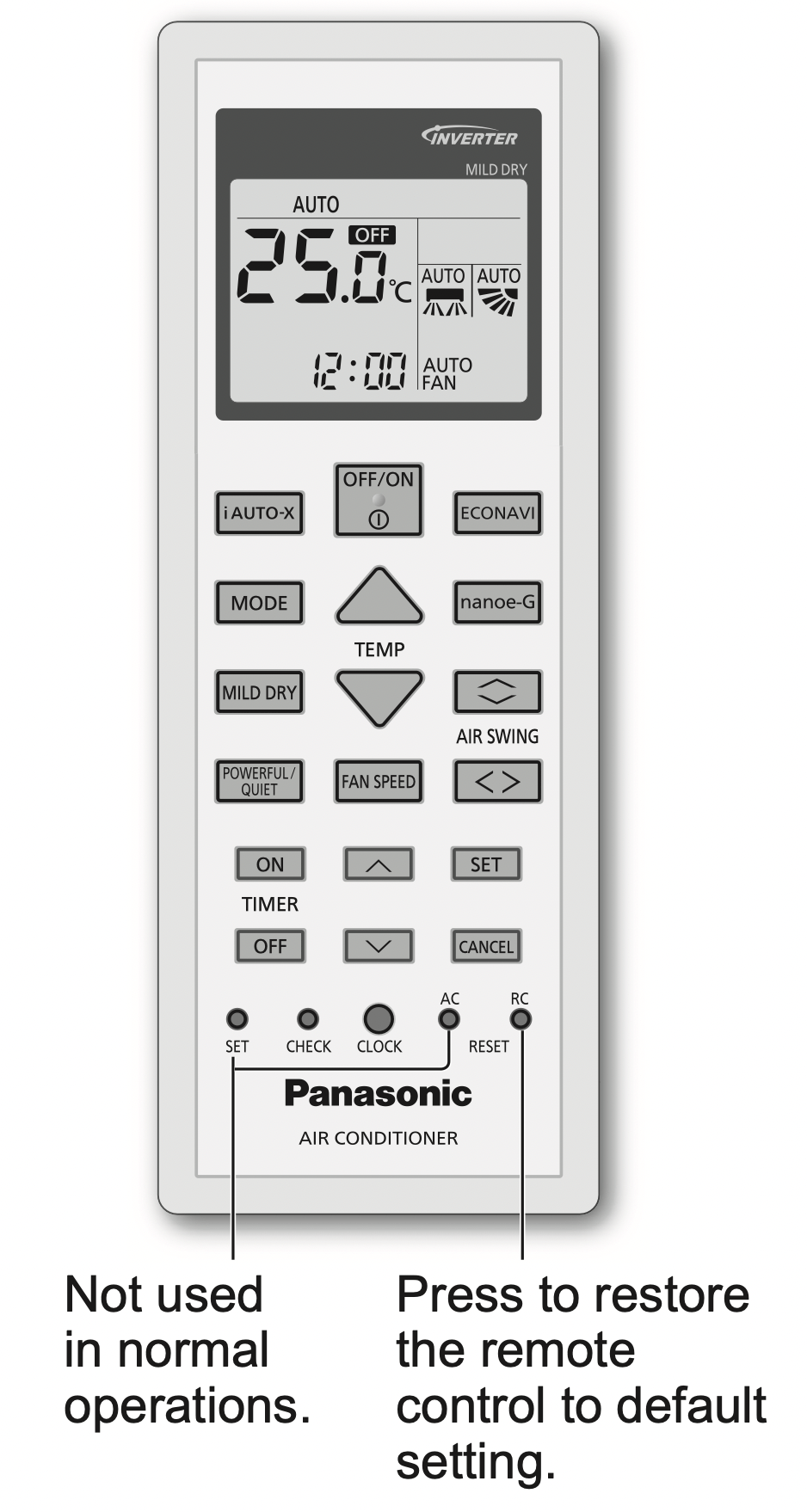
To adjust airflow direction
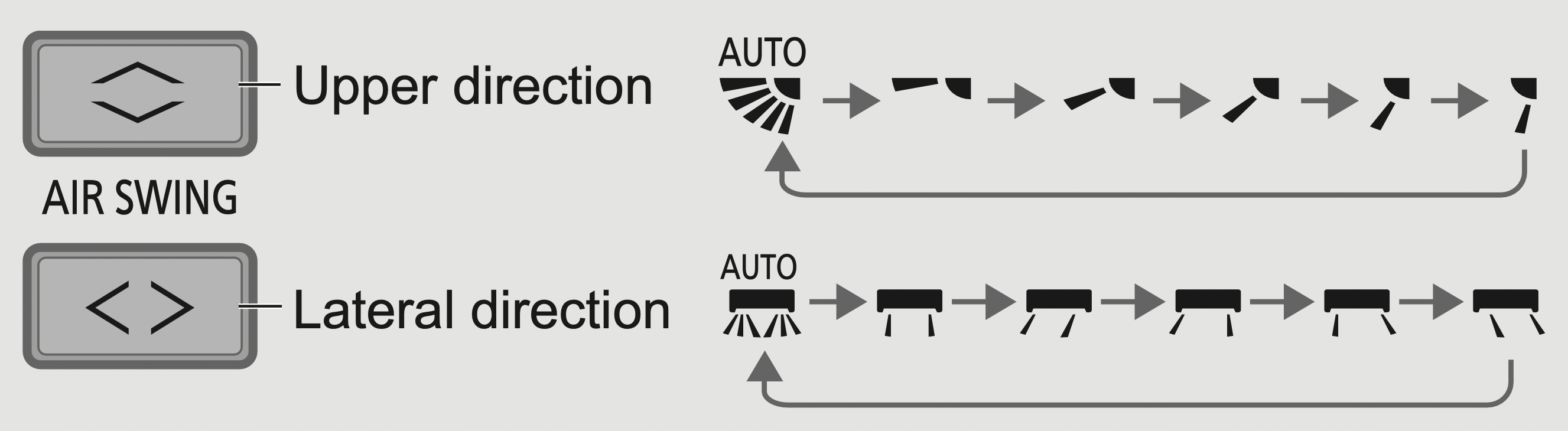
- Do not adjust the flap by hand.
To adjust fan speed

- For AUTO, the indoor fan speed is automatically adjusted according to the operation mode.
- If i AUTO-X mode is set, fan speed is fixed to AUTO. To adjust fan speed, cancel i AUTO-X mode.
To switch between powerful/quiet
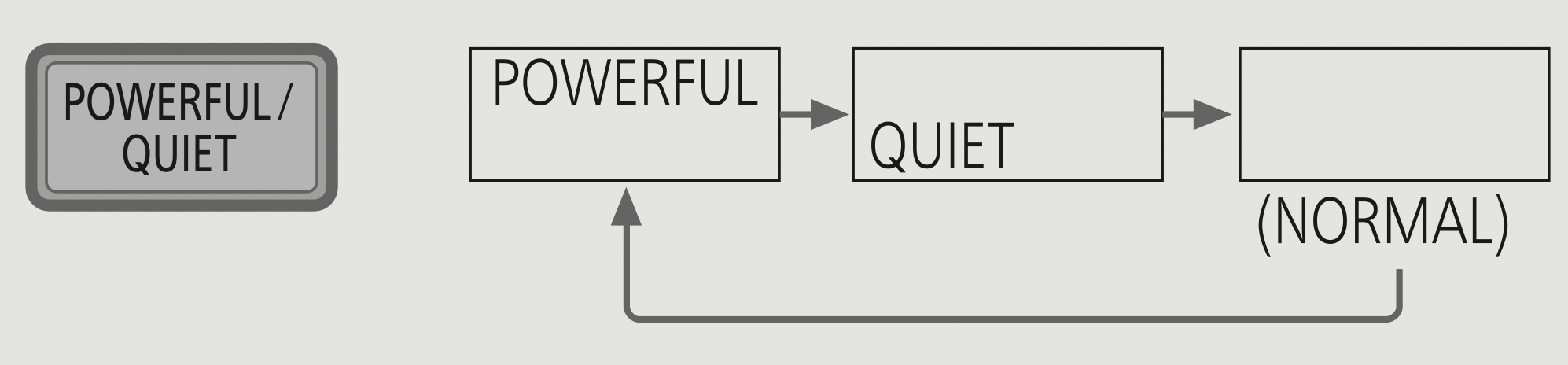
POWERFUL: To reach the preset temperature quickly
- This operation stops automatically after 4 hours.
QUIET: To enjoy quiet operation
- This operation reduces airflow noise.
To improve humidity and moisture level
- This operation reduces air dryness and provides you with a comfortable living environment during COOL mode only.
- When vertical airflow direction is set to AUTO, it stops at lower position to avoid cold air contact. However, you can adjust the flap direction manually.
To save energy

- When manual AIR SWING
 is selected, the ECONAVI operations will be cancelled.
To reach temperature quickly

- The unit controls set temperature according to room temperature to accelerate room cooling.
- After max 4 hours, the set temperature is shifted according to activity detection.
- Fan speed is fixed at AUTO, fan speed selection is prohibited.
- During unit is off, press
 will turn on the unit with i AUTO-X mode.
- i AUTO-X mode can be cancelled by pressing the respective button again.
To purify the air
- nanoe-G starts automatically when the unit is turned on with
 .
.
- nanoe-G will not start automatically during ON timer if the unit has been turned off by
 .
.
- Can be activated even when the unit is turned off. In this condition, the unit will operate as a fan with AUTO fan speed and flap swing.
To set the timer
2 sets of ON and OFF timers are available to turn ON or OFF the unit at different preset times.
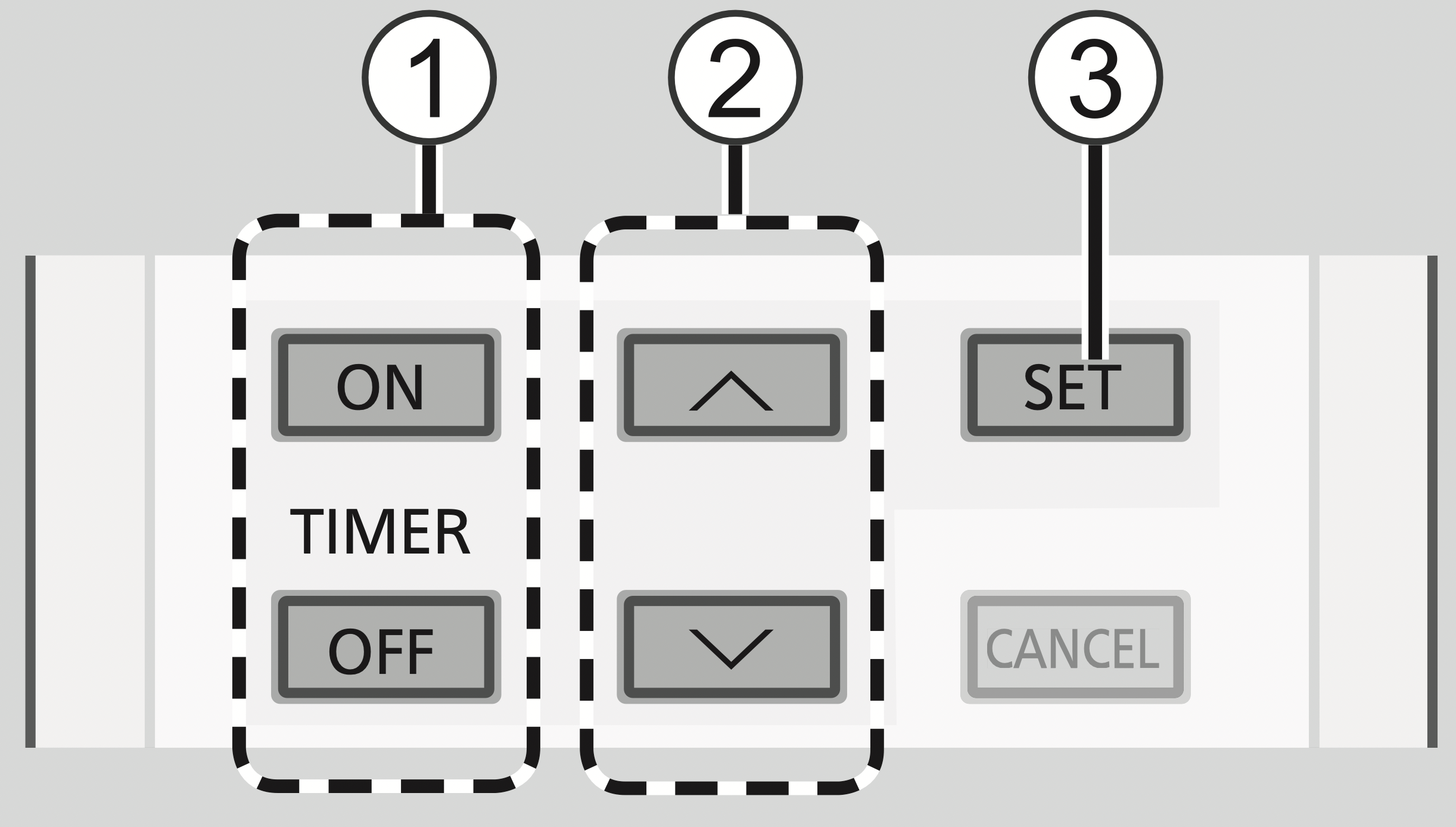
- Select ON or OFF timer
Each time pressed:

- Set the time
- Confirm
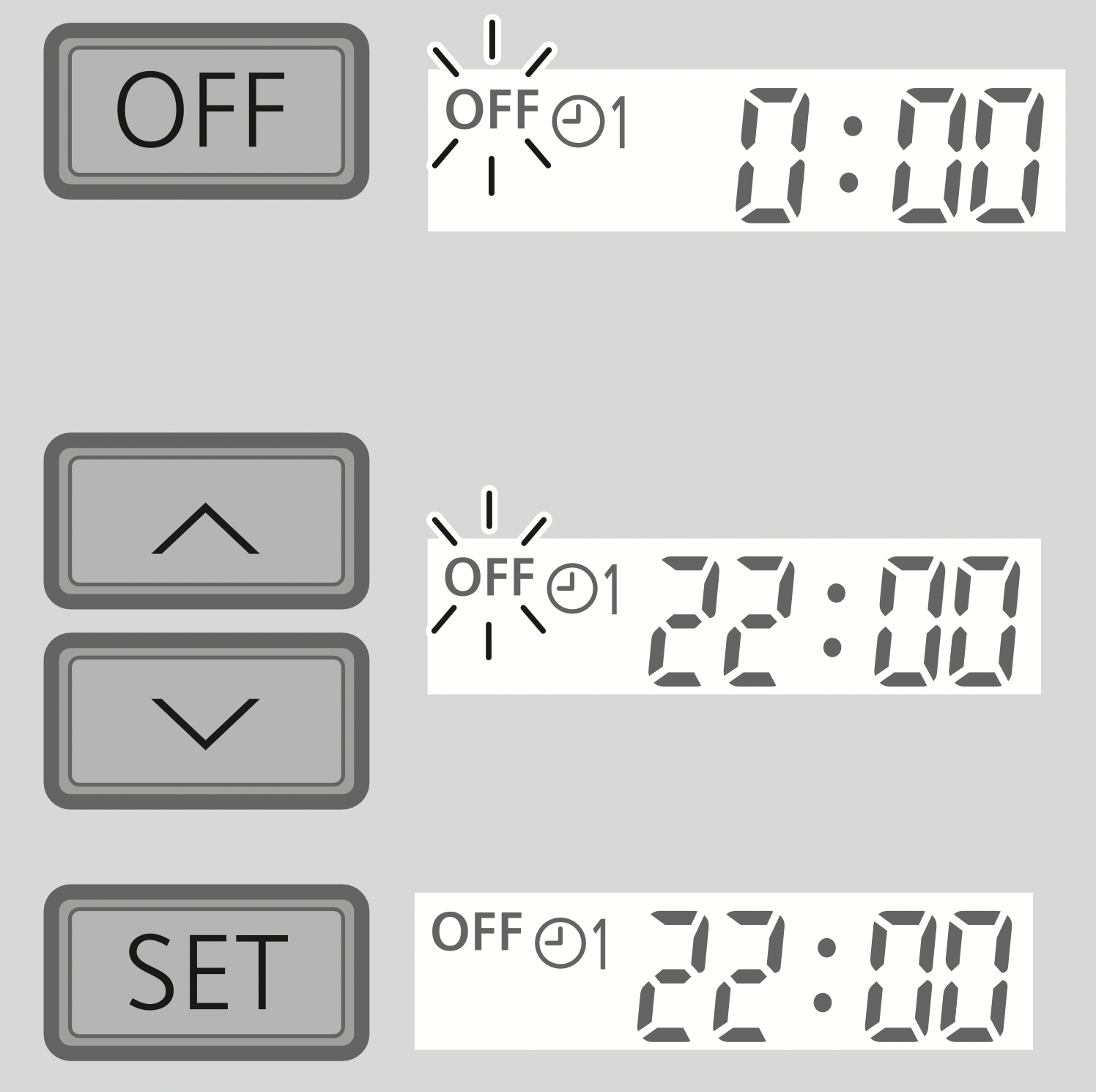
Example: OFF at 22:00
- To cancel ON or OFF timer, press
 or
or  to select respective
  or
or  then press
  .
.
- If timer is cancelled manually or due to power failure, you can restore the timer again by pressing
 or
or  to select respective
  or
or  then press
  .
.
- The nearest timer setting will be displayed and will activate in sequence.
- Timer operation is based on the clock set in the remote control and repeats daily once set. For clock setting, please refer to Quick Guide.
Note:
- Can be activated in HEAT, COOL and DRY mode and can be cancelled by pressing the respective button again.
 ,
,  ,
, 
- Cannot be selected at the same time.
- Cannot be activated during MILD DRY.
 ,
,  ,
, 
To learn more...
Operation mode
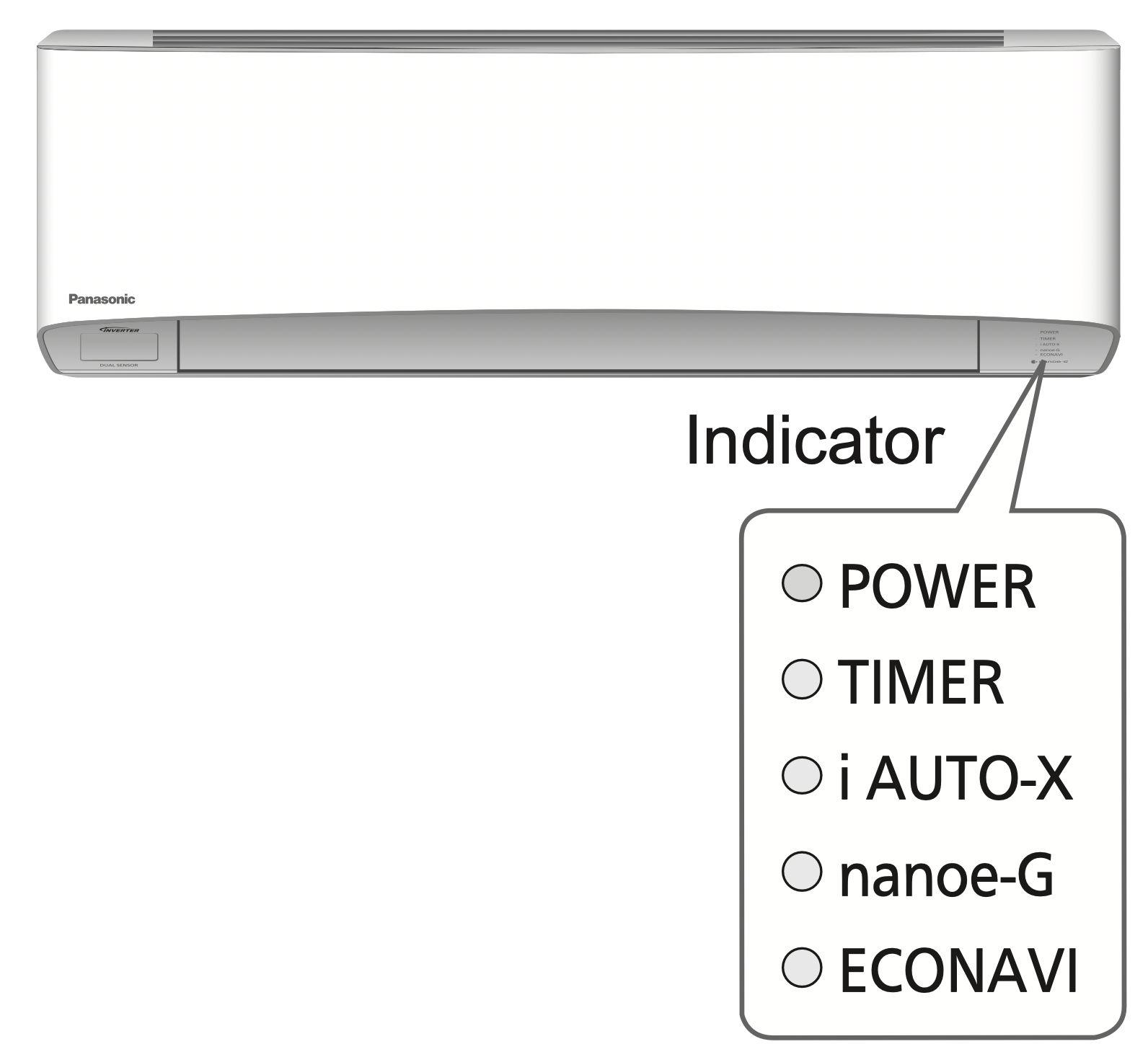
AUTO : During operation mode selection the POWER indicator blinks.
- Unit selects operation mode every 10 minutes according to setting temperature and room temperature.
HEAT : Unit takes a while to warm up. The POWER indicator blinks during this operation.
COOL : Provides efficient comfort cooling to suit your needs.
DRY : Unit operates at low fan speed to give a gentle cooling operation.
FAN : To circulate air in the room.
i AUTO-X : The fast cooling is ideal when you come home on a hot day.
Energy saving temperature setting
Operating the unit within the recommended temperature range may save energy.
HEAT : 20.0 °C ~ 24.0 °C / 68 °F ~ 75 °F.
COOL : 26.0 °C ~ 28.0 °C / 79 °F ~ 82 °F.
Air flow direction
In COOL/DRY mode:
If AUTO is set, the flaps swings left/right and up/down automatically.
In i AUTO-X mode:
If AUTO is set, the horizontal flap is fixed at the lower position and shift to the upper position after reaches set temperature and the vertical flap swing according to activity detection. If manual is set, the horizontal flap and vertical flap are fixed at the predetermined position.
In HEAT mode:
If AUTO is set, the horizontal flap is fixed at the predetermined position. The vertical flap swings left/right after the temperature rises.
Auto restart control
If power is resumed after a power failure, the operation will restart automatically after a period of time with previous operation mode and airflow direction.
- This control is not applicable when TIMER is set.
nanoe-G in-filter deactivation
Depending on the unit’s accumulated operation time, nanoe-G in-filter deactivation may activate only once a day after the unit turned off.
To remove the moisture left in the internal parts, the fan will operate for 30 minutes with flap opened slightly. This process only applicable when the unit is operated in COOL/DRY mode before turned off. Then, nanoe-G deactivates viruses/bacteria on the filter for 2 hours with fan stopped and flap closed.
Do not turn off the power supply during this operation. After power failure, this operation will not resume.
ECONAVI
Econavi with intelligent eco sensors
Intelligent eco sensors detect potential waste of energy using the human activity sensor and sunlight sensor.
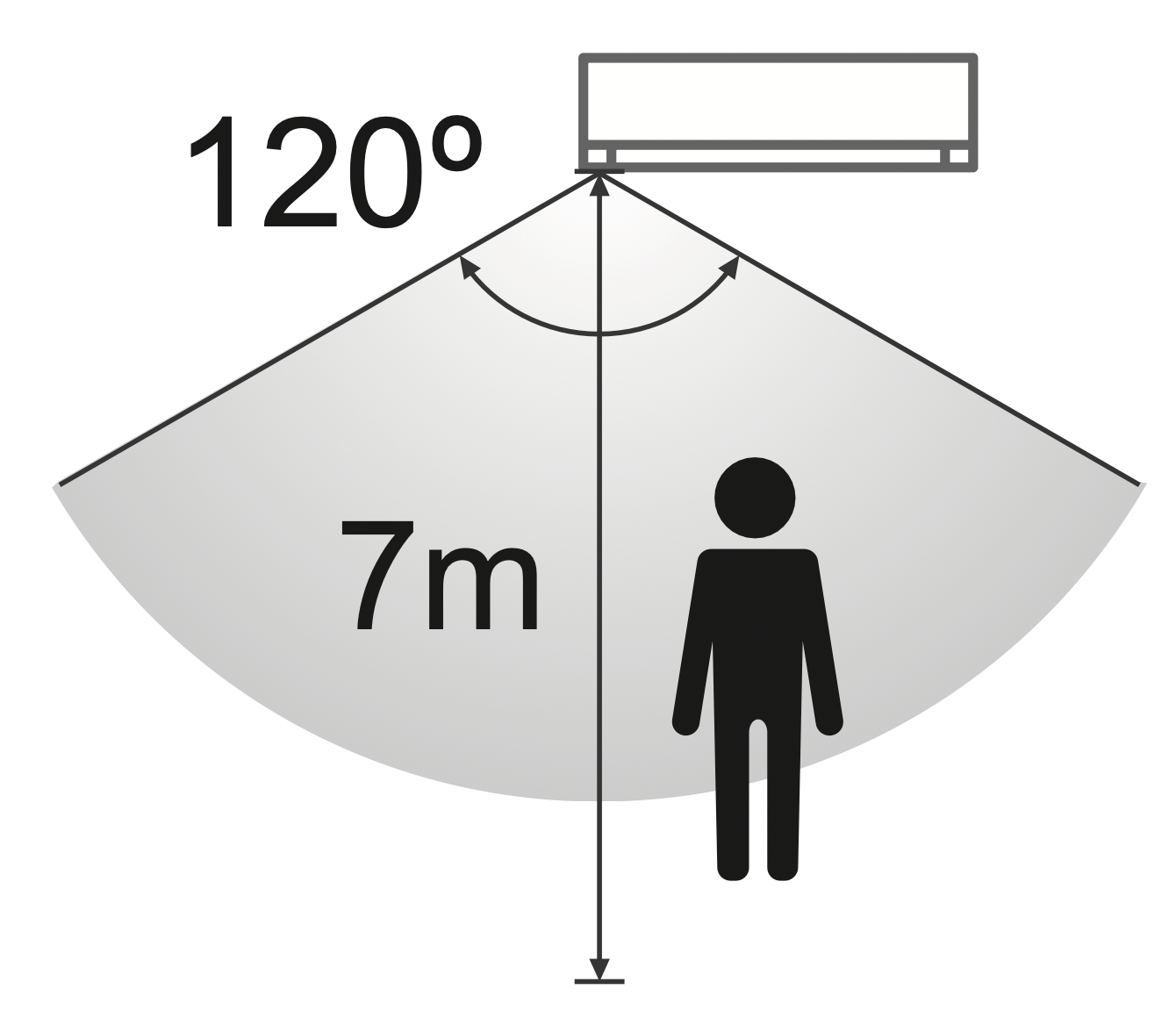
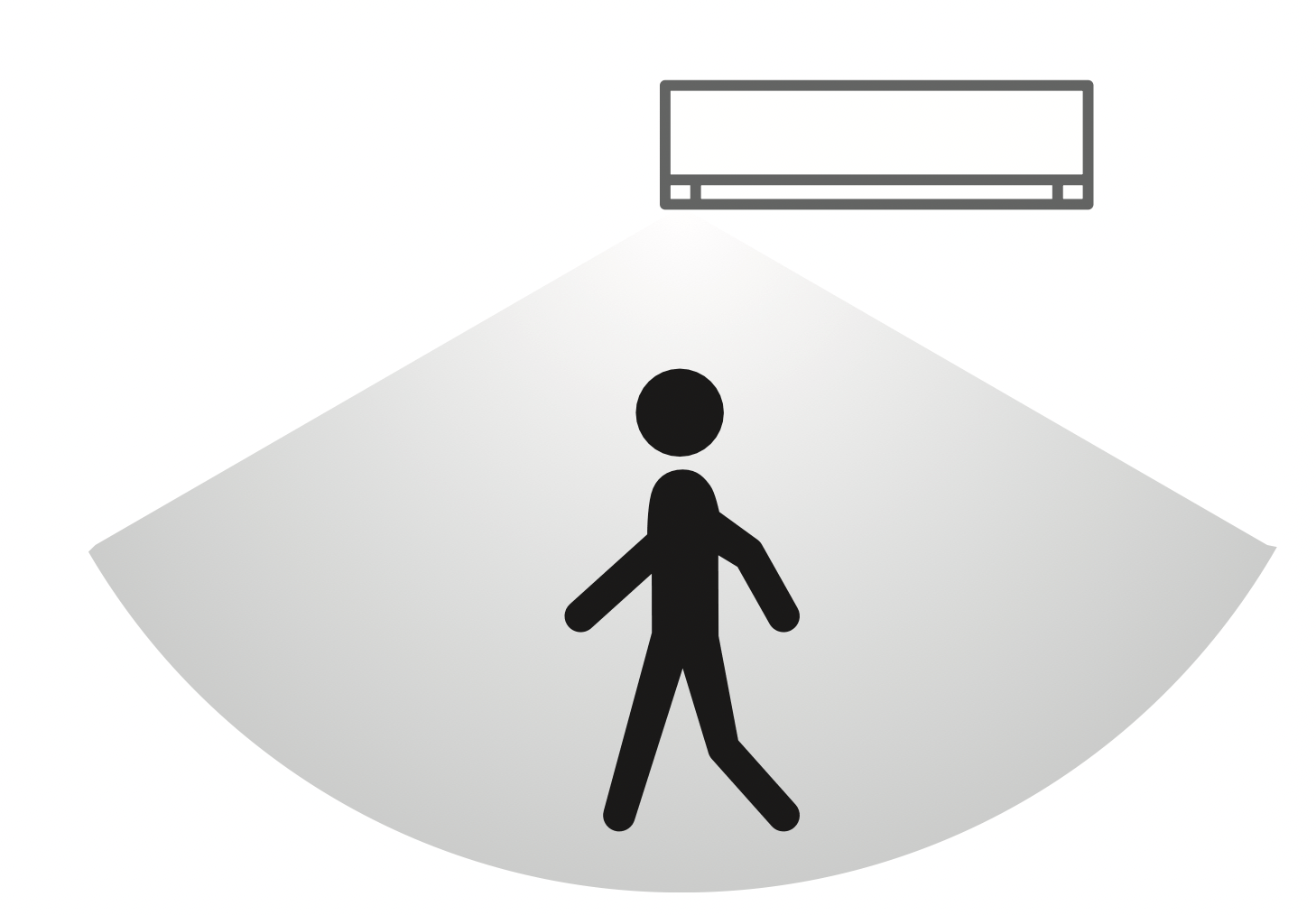
The human activity sensor scans areas of heat source and movement in a room.
- Based on area activeness, flap will adjust its position automatically.
- The human activity sensor is influenced by the location of the indoor unit, the movement speed of human/non-human activity, temperature range, etc.
- The human activity sensor may mistakenly detect non-human activity and source of heat, such as pets, or may not detect the human activity or source of heat if the person stays motionless.
- Do not place large objects near the sensor and keep away heating units or humidifier from the sensor’s detections area.
The sunlight sensor detects changes in sunlight intensity in the room. It reduces the waste of energy under less sunlight conditions.
5 Features
- Temperature wave
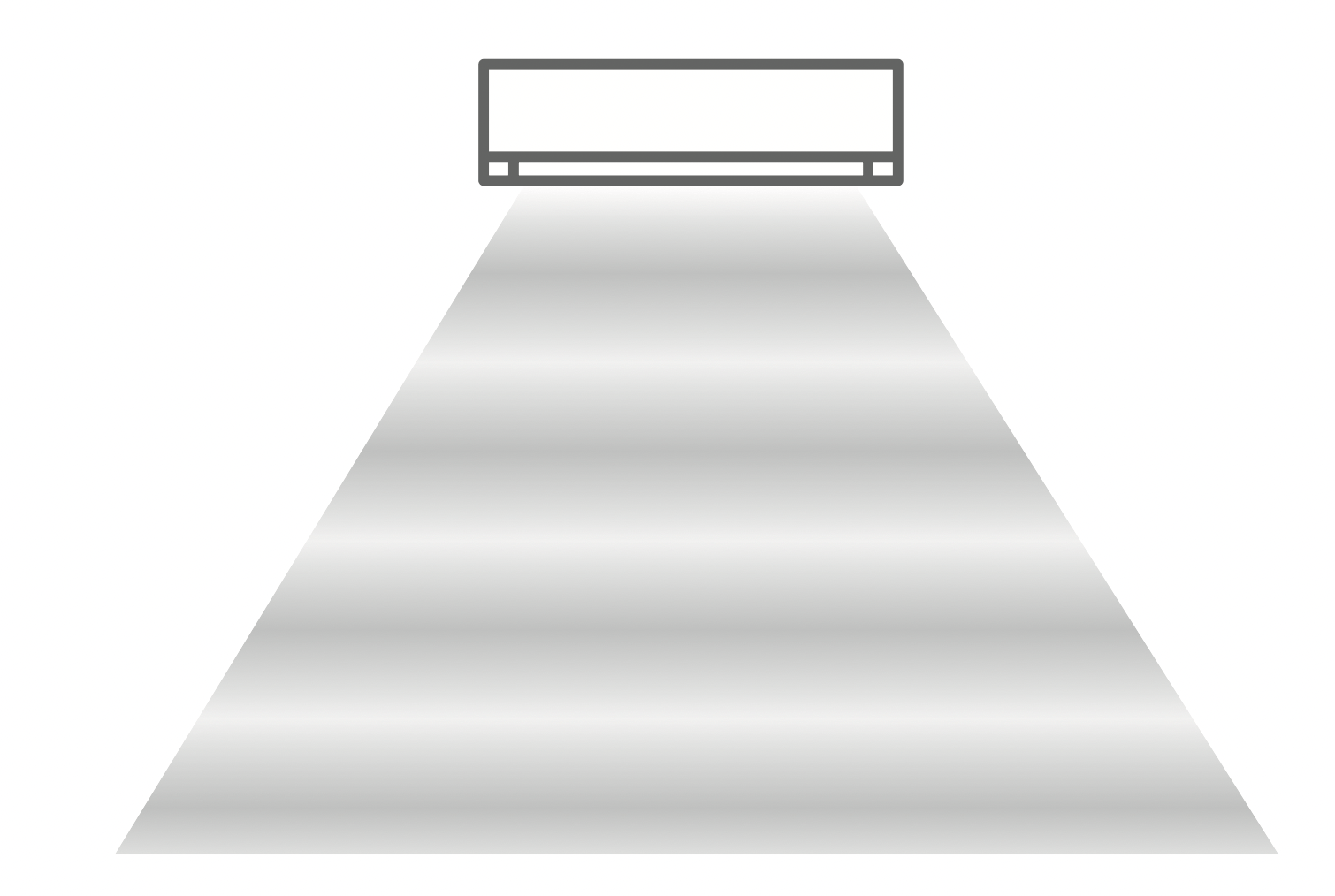
Rhythmic temperaturecontrolled pattern to save energy without sacrificing comfort.
- Area search
- Activity detection
- Absence detection
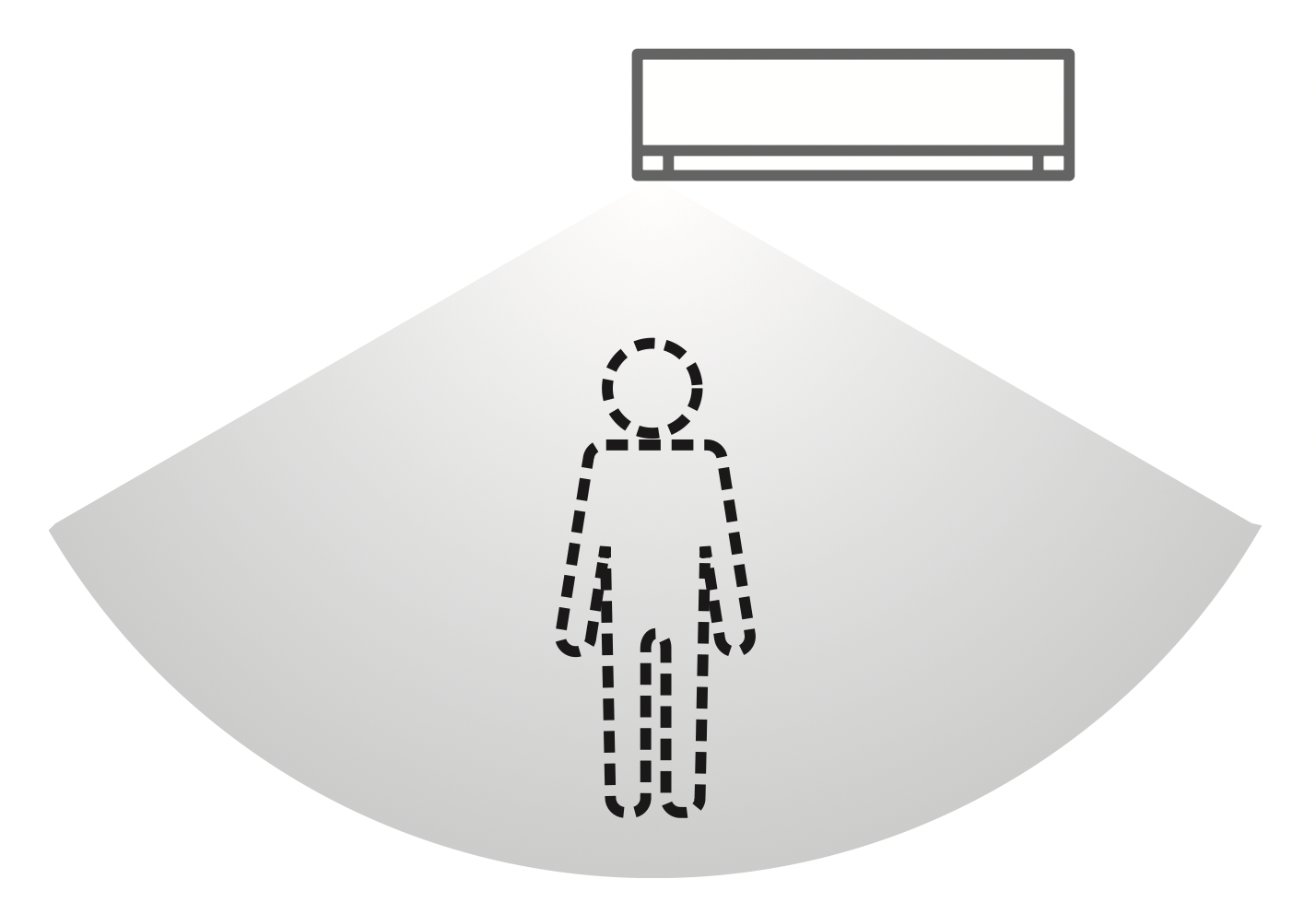
Human activity sensor detects presence/absence of human beings and the movement speed of human activities minimising the required amount of energy.
- Sunlight detection
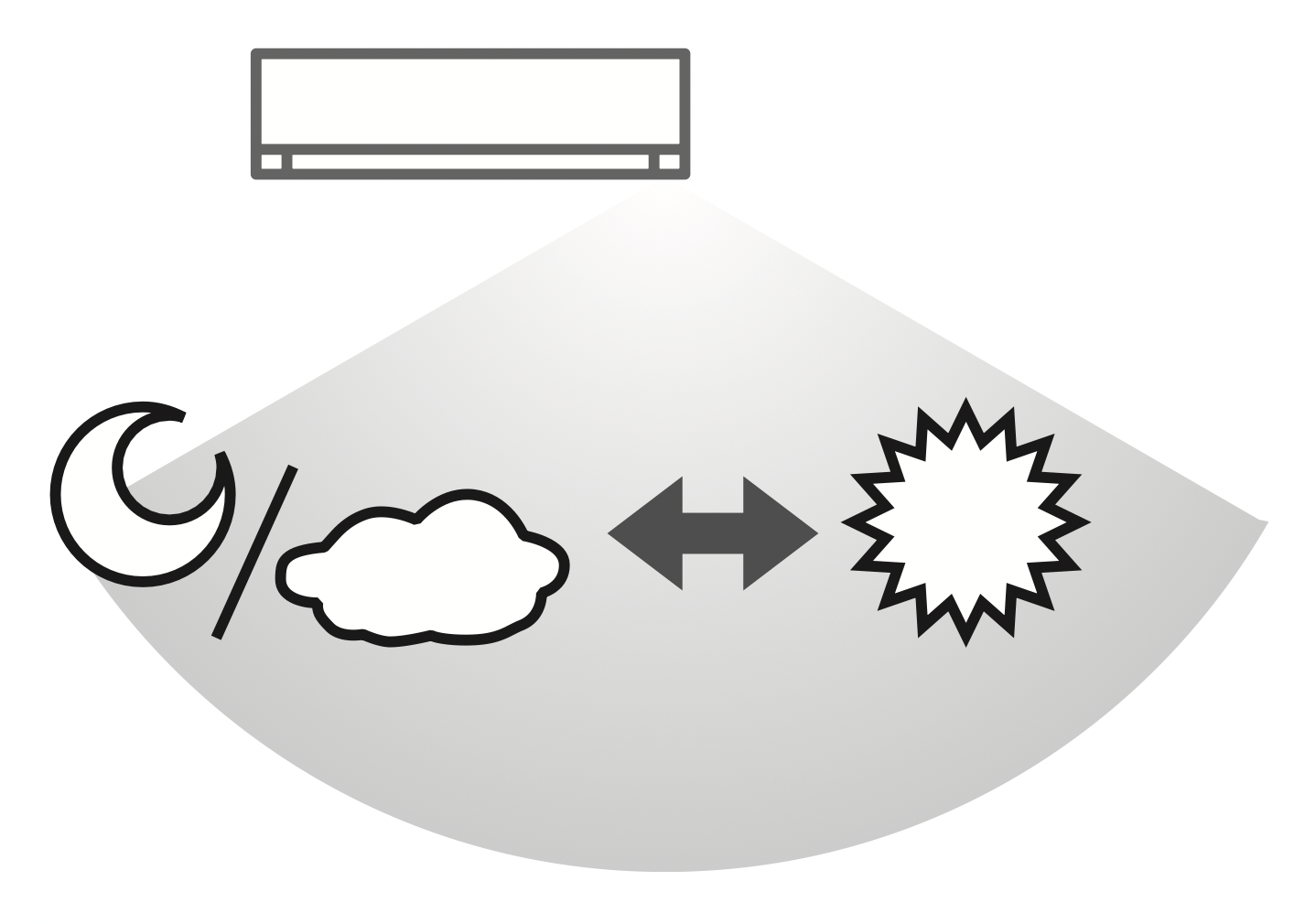
Adjusts power to changes in sunlight intensity.
Operating conditions
Use this air conditioner in the temperature range indicated in the table.
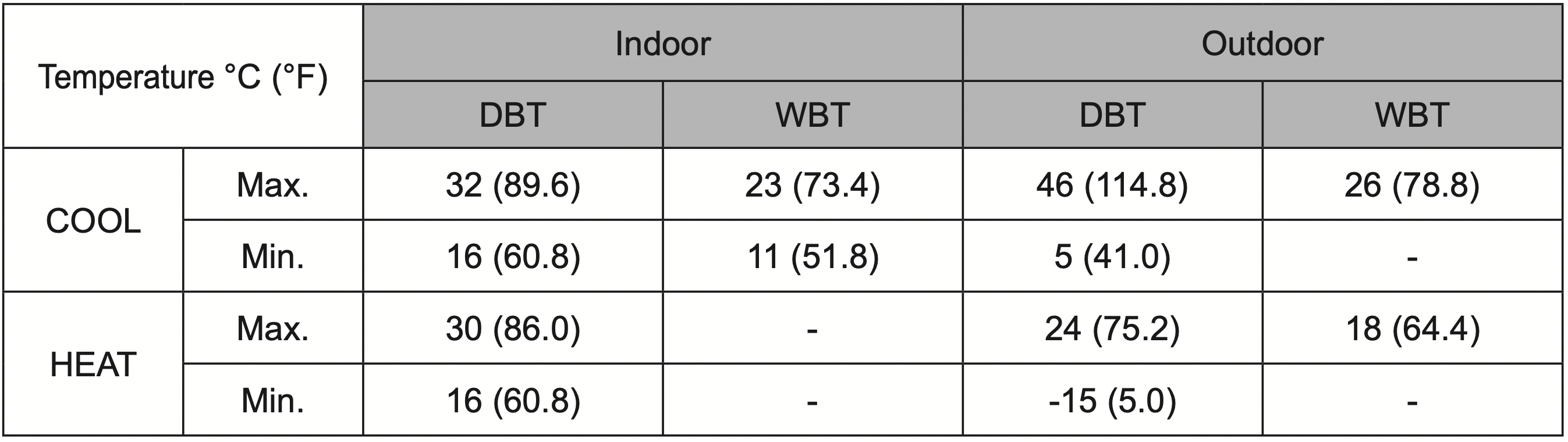
DBT: Dry bulb temperature, WBT: Wet bulb temperature
Cleaning instructions
To ensure optimal performance of the unit, cleaning has to be carried out at regular intervals. Dirty unit may cause malfunction and you may see nanoe-G indicator blinks or error code “H99”. Please consult authorised dealer.
- Switch off the power supply and unplug before cleaning.
- Do not touch the aluminium fin, sharp parts may cause injury.
- Do not use benzine, thinner or scouring powder.
- Use only soap ( pH 7) or neutral household detergent.
- Do not use water hotter than 40 °C / 104 °F.
Indoor unit
Wipe the unit gently with a soft, dry cloth.
Coils and fans should be clean for at least every 6 months by an authorised dealer.
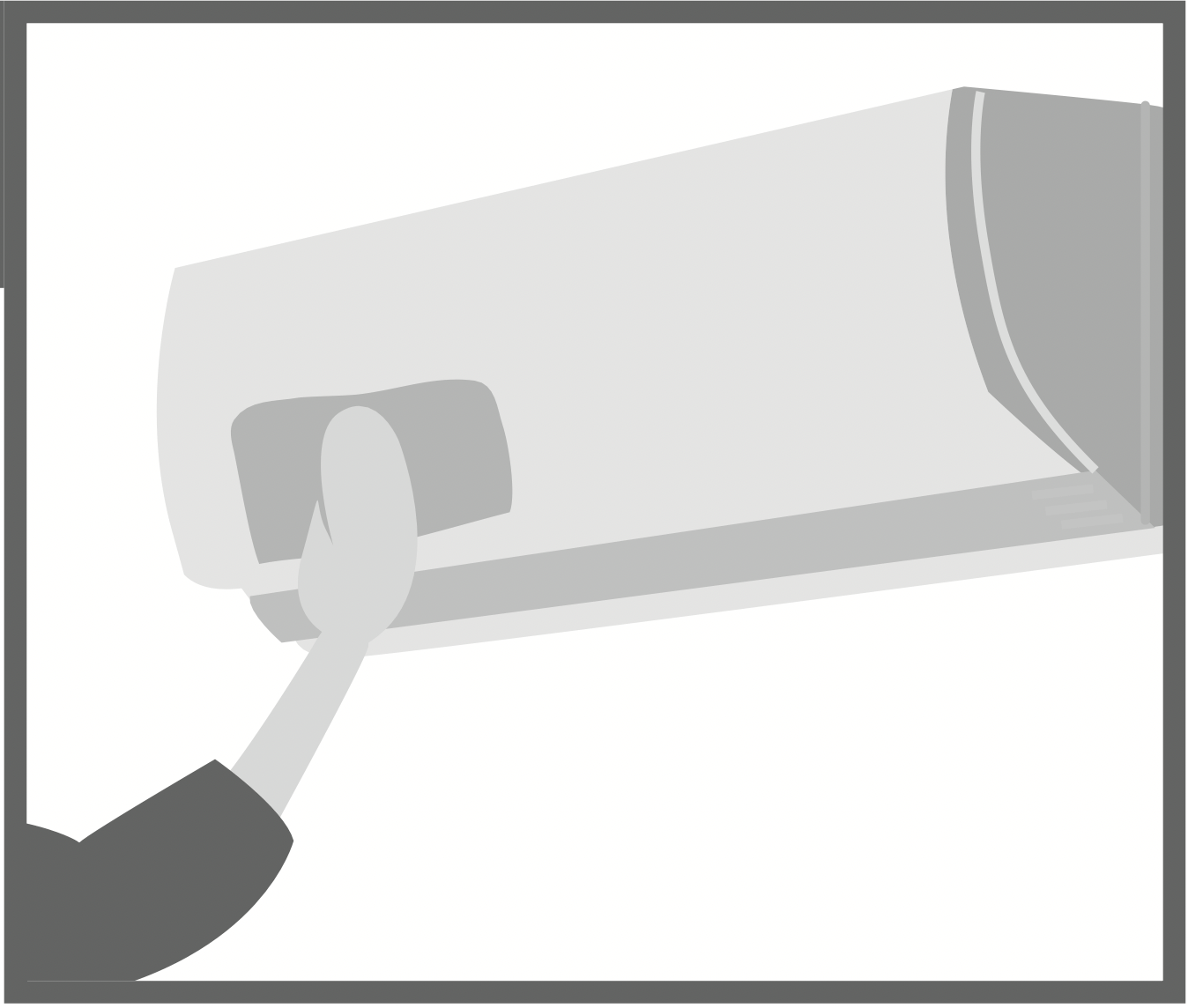
Human activity sensor
Do not hit or violently press or poke it with a sharp object. This can lead to damage and malfunction.
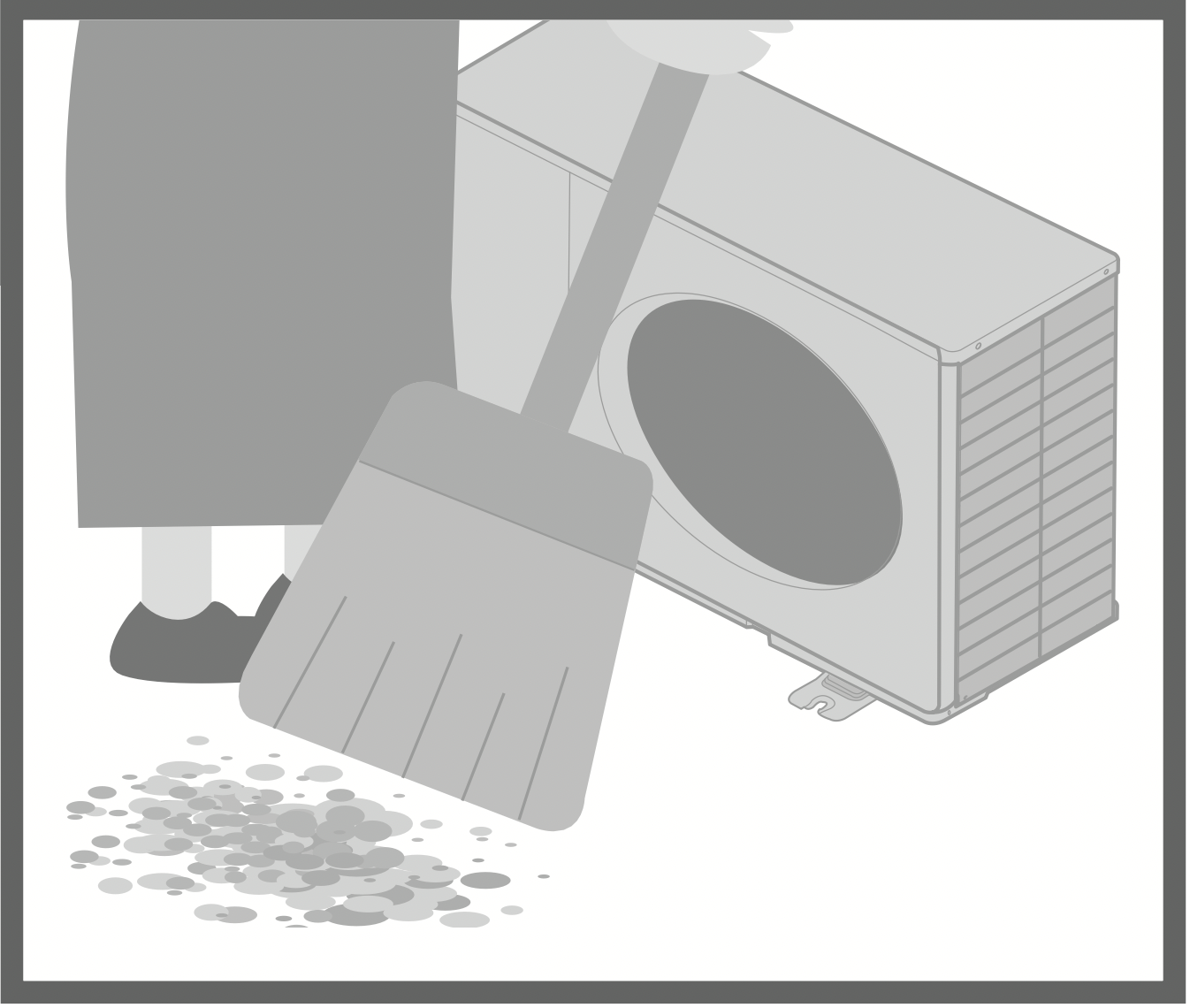
Outdoor unit
Clear debris that surround the unit. Clear any blockage from drain pipe.
Front panel
Wash gently and dry.
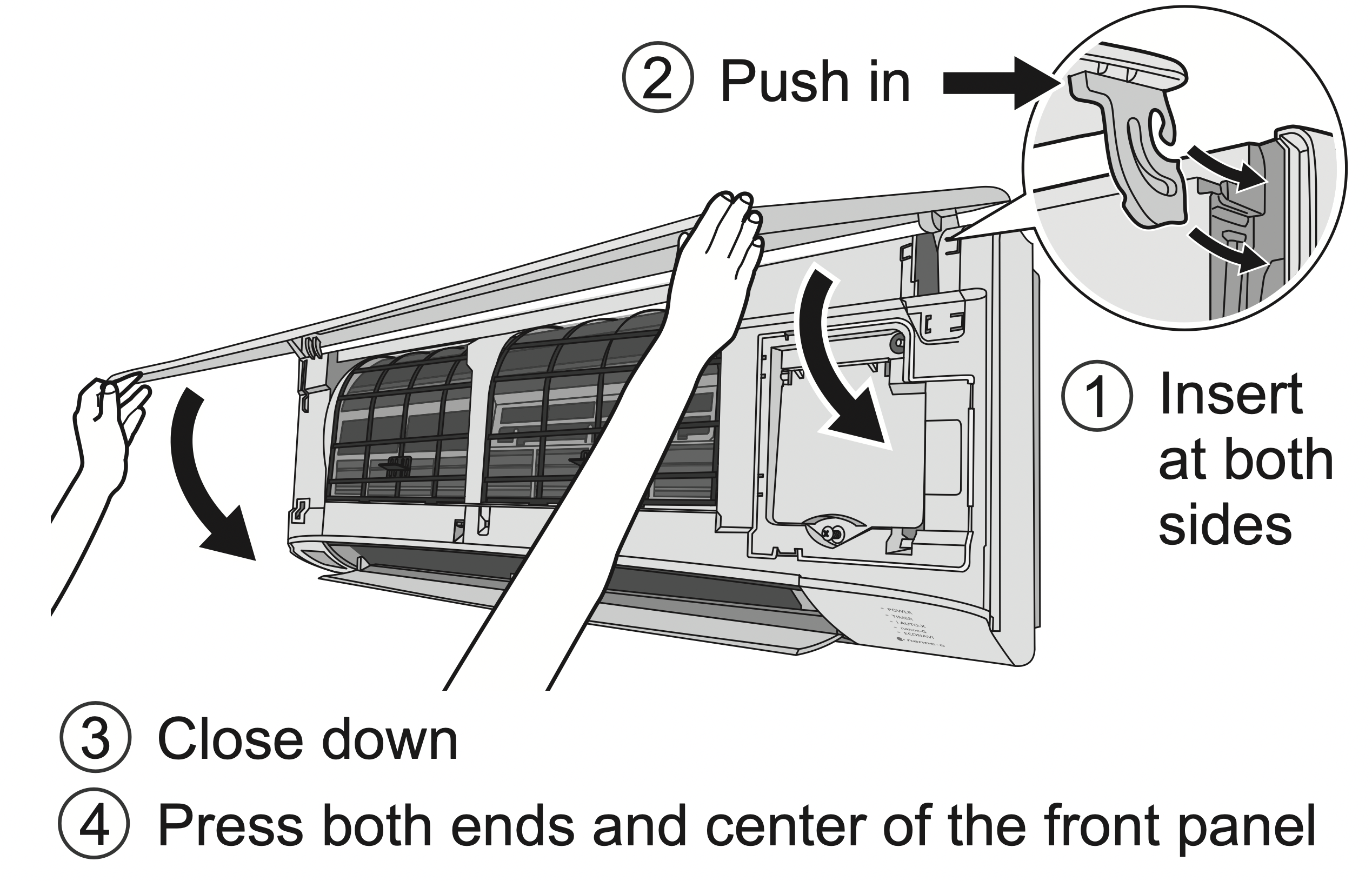
Remove the front panel
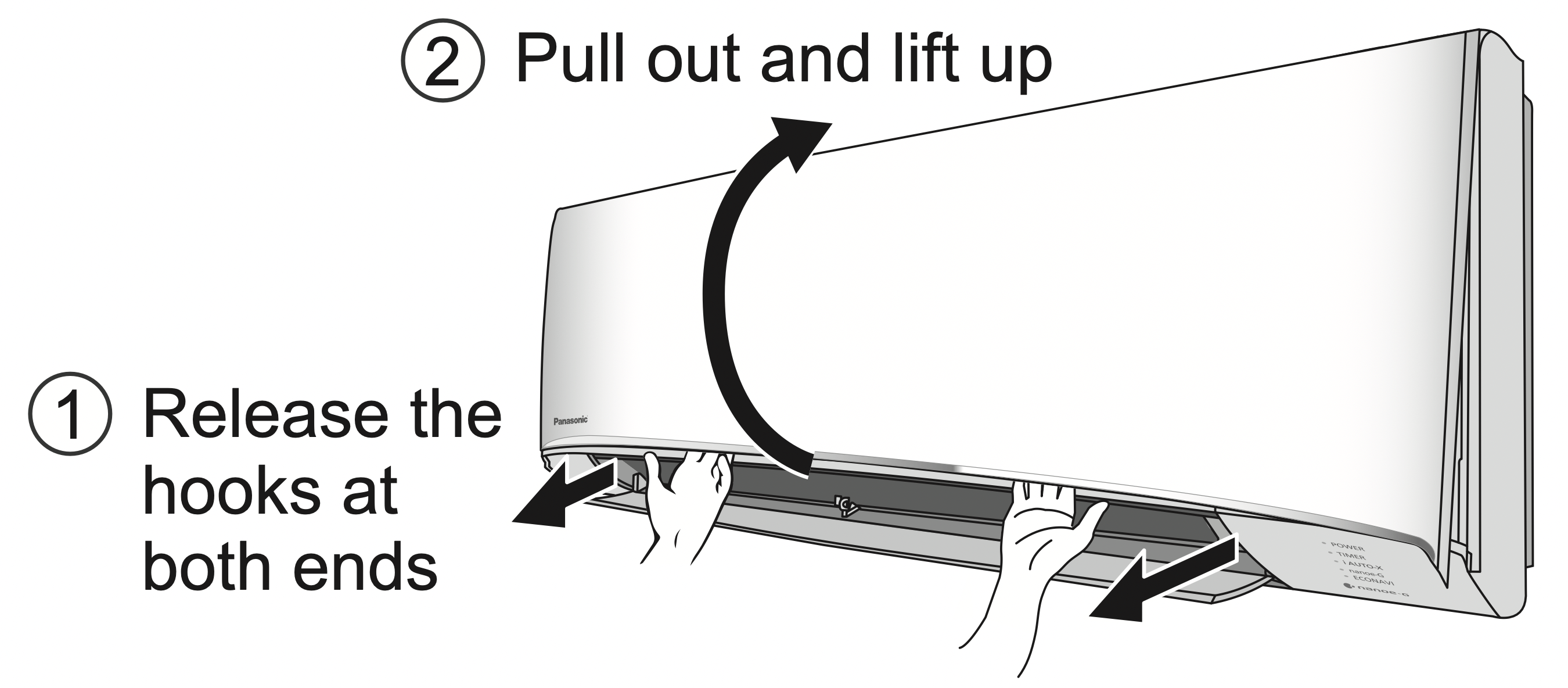
Close it securely
Indoor unit
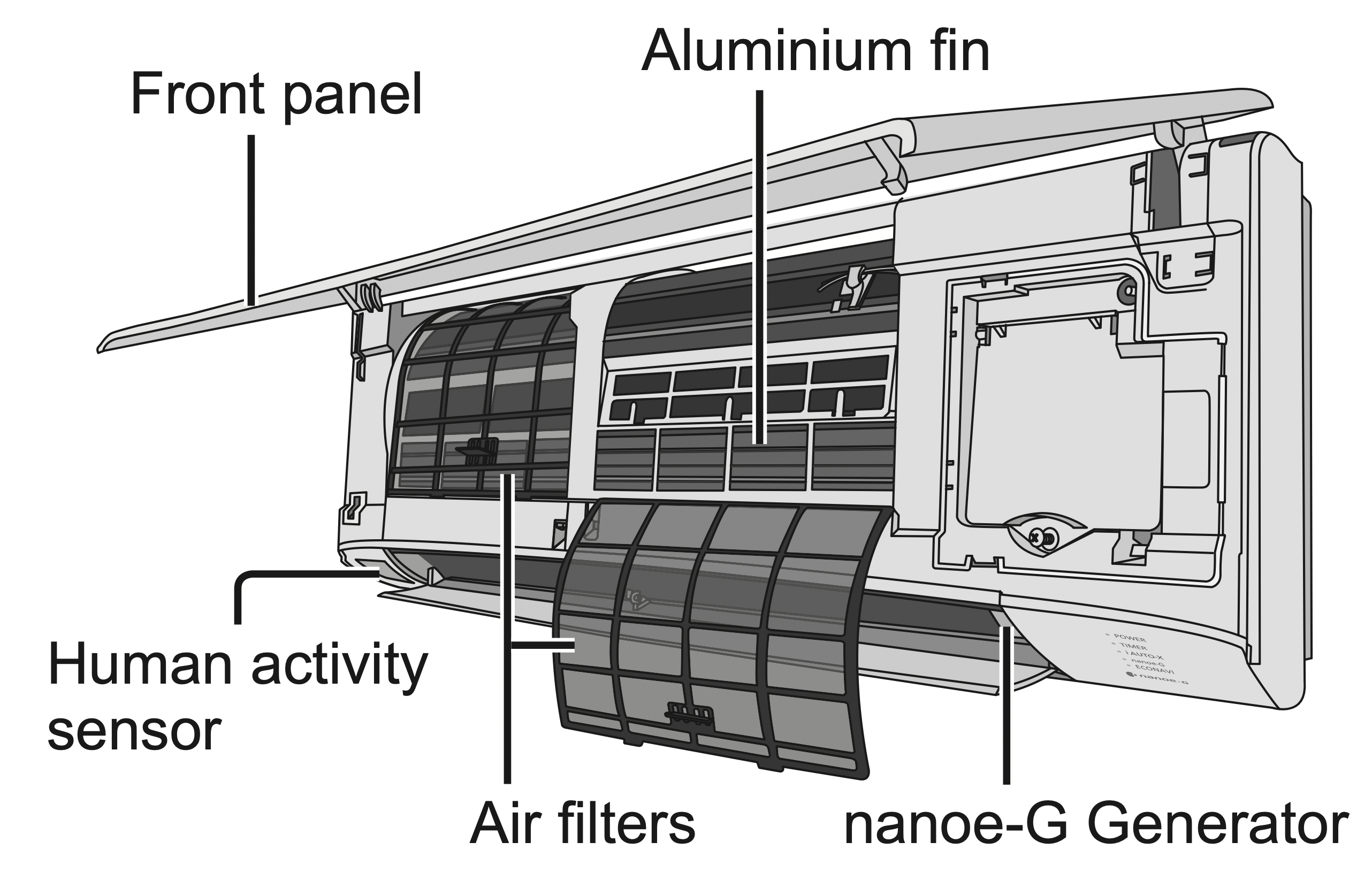
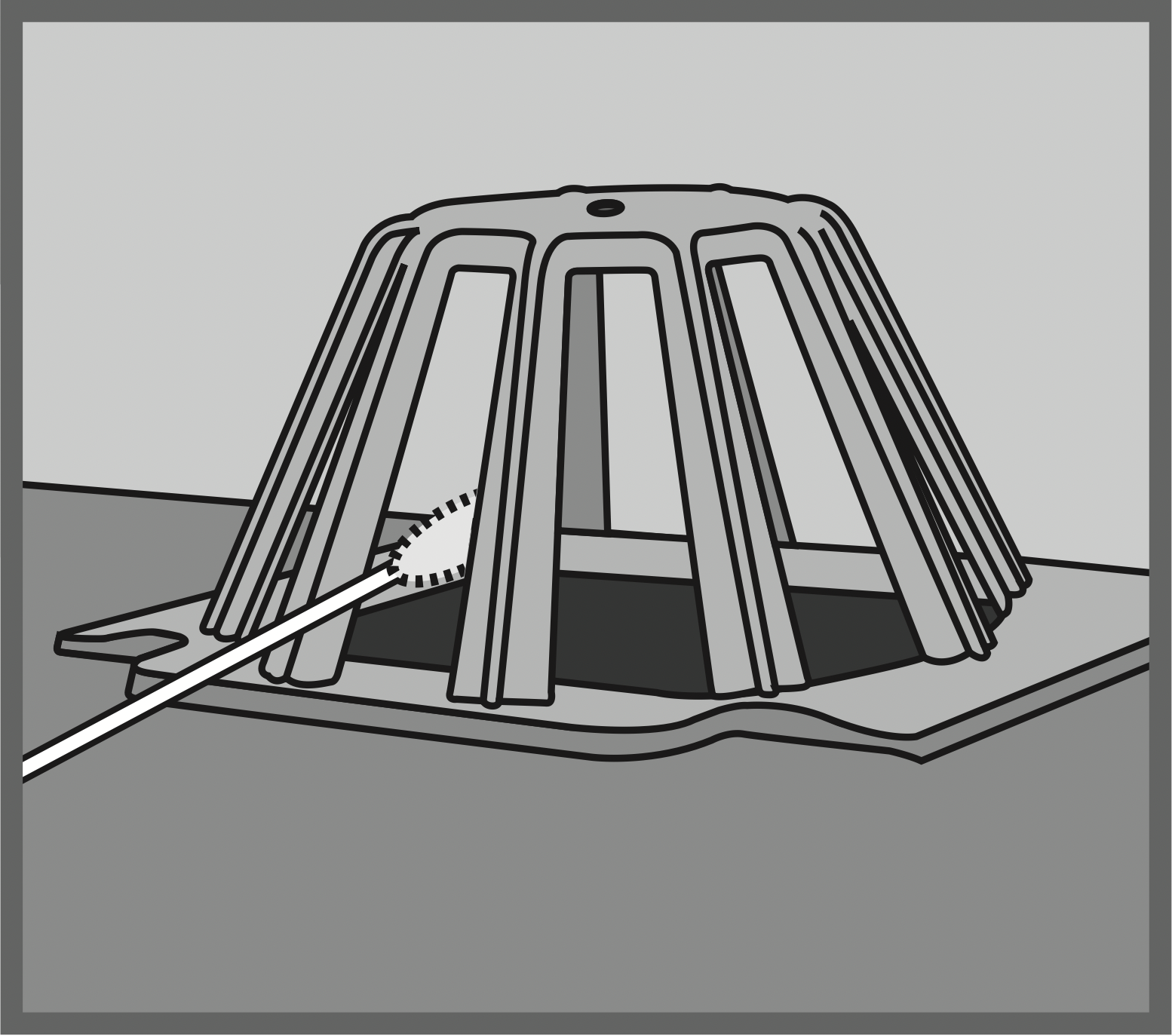
nanoe-G Generator
Once every 2 weeks
- Clean with dry cotton bud.
- Do not touch during operation.
Air filters
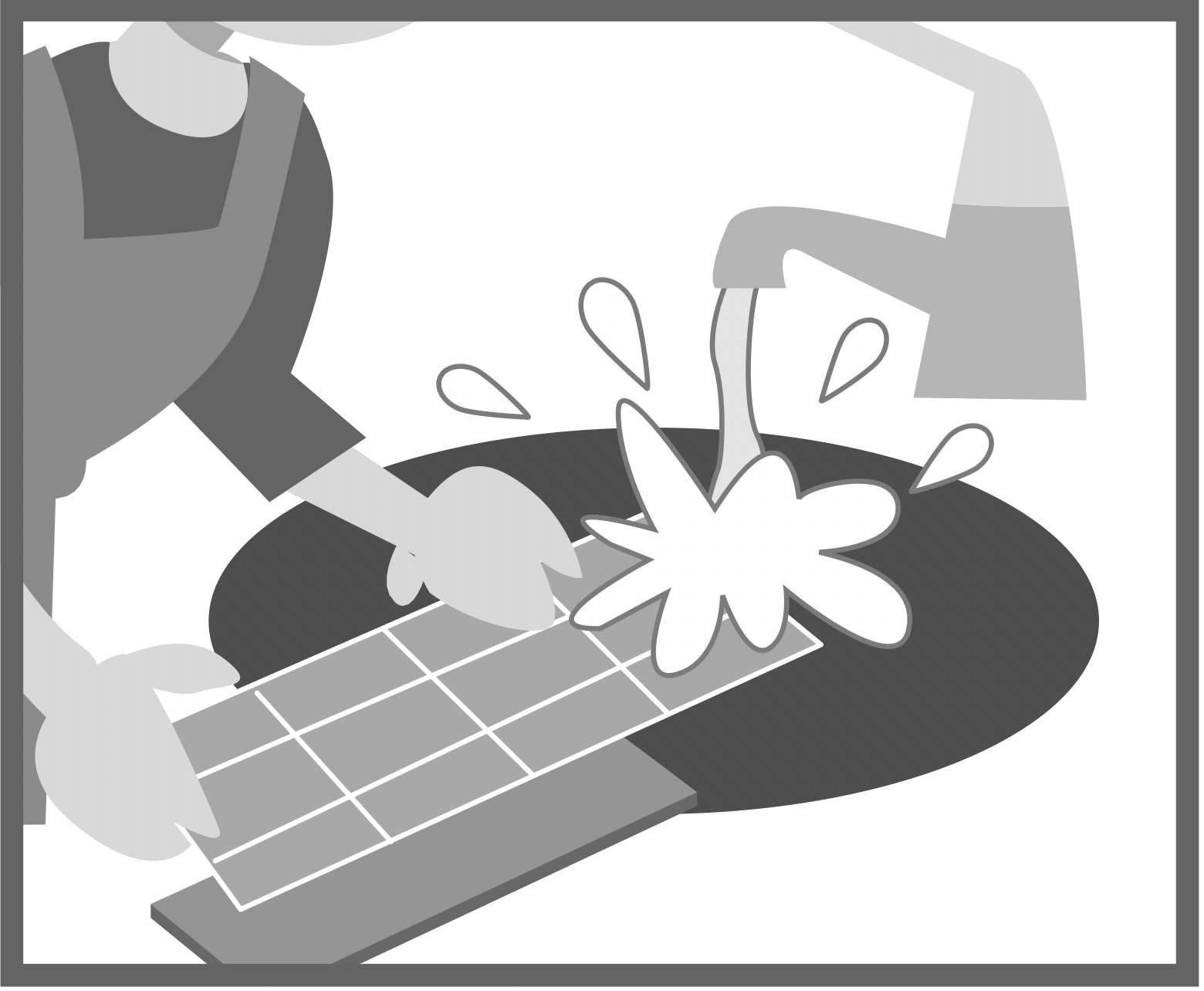
Once every 2 weeks
- Wash/rinse the filters gently with water to avoid damage to the filter surface.
- Dry the filters thoroughly under shade, away from fire or direct sunlight.
- Replace any damaged filters.
Remove air filter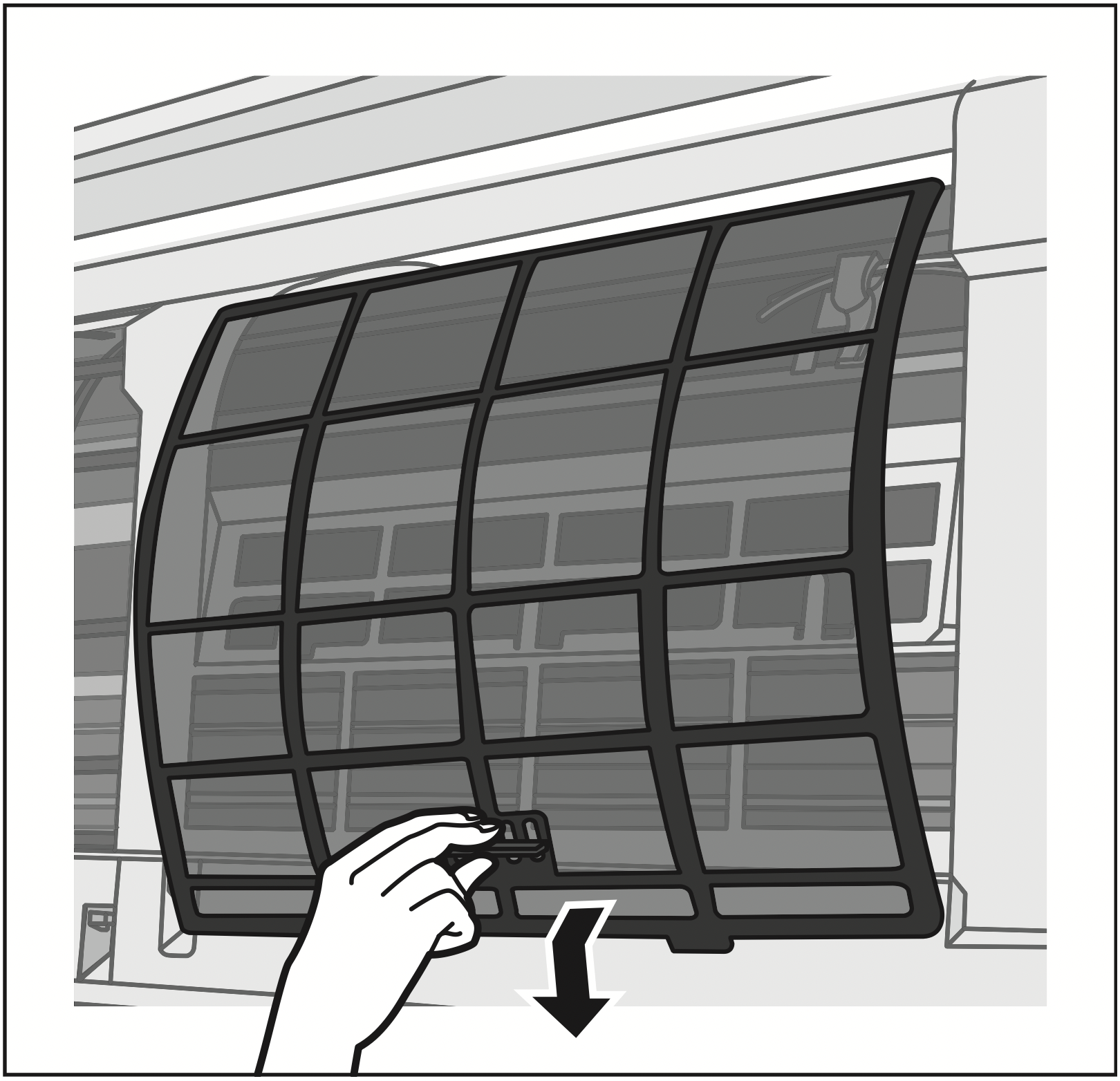
Attach air filter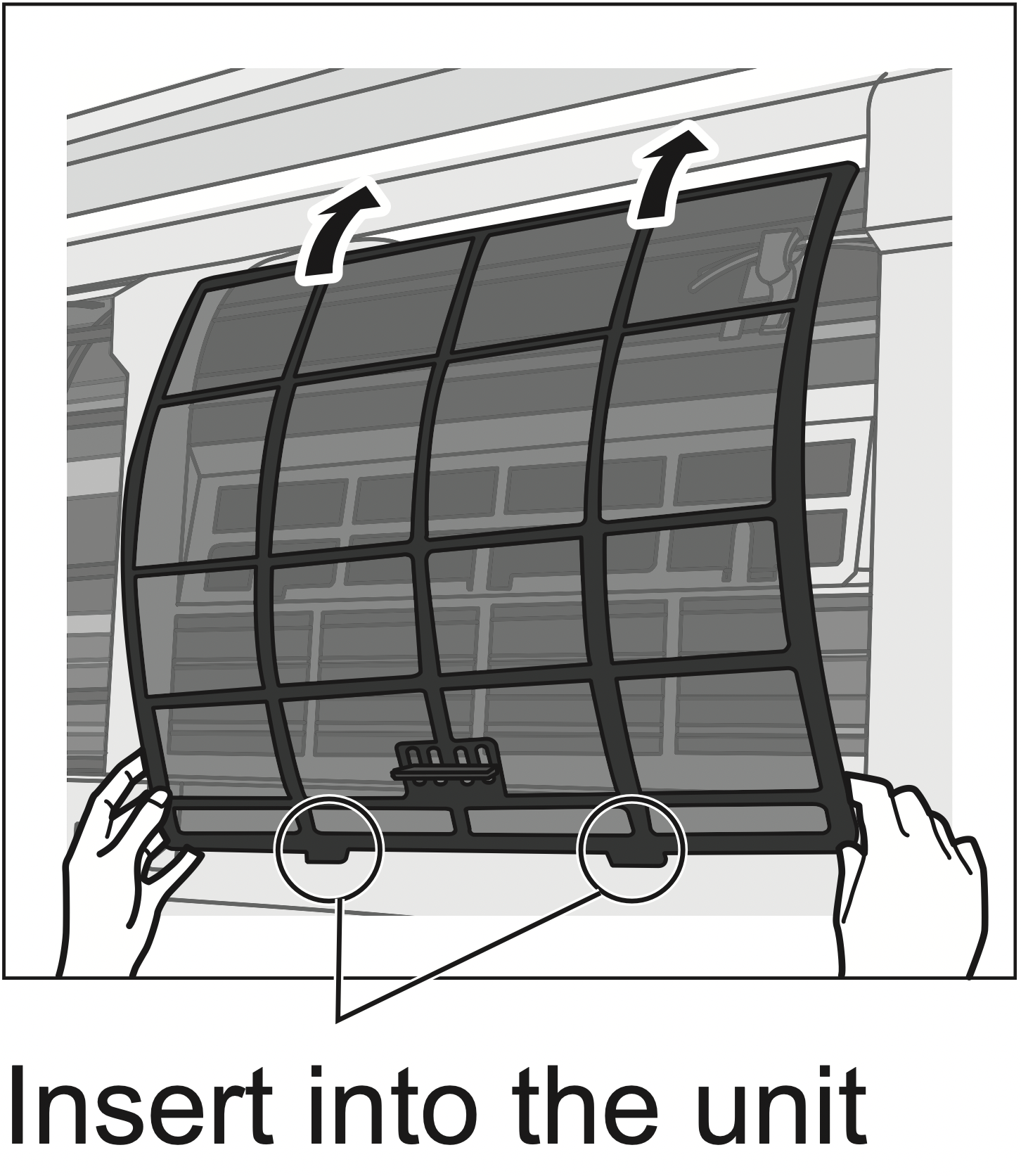
Troubleshooting
The following symptoms do not indicate malfunction.
|
Symptom
|
Cause
|
|
POWER indicator blinks before the unit is switched on.
|
- This is a preliminary step in preparation for the operation when the ON timer has been set.
- When ON Timer is set, the unit may start earlier (up to 35 minutes) before the actual set time in order to achieve the desired temperature on time.
|
|
POWER indicator blinks during HEAT mode with no warm air supply (and flap is closed).
|
- The unit is in defrost mode (and AIR SWING is set to AUTO).
|
|
TIMER indicator is always on.
|
- The timer setting repeats daily once set.
|
|
Operation is delayed a few minutes after restarting.
|
- The delay is a protection to the unit’s compressor.
|
|
Indoor fan stops occasionally during heating operation.
|
- To avoid unintended cooling effect.
|
|
Indoor fan stops occasionally during automatic fanspeed setting.
|
- This helps to remove the surrounding odour.
|
|
Airflow continues even after operation has stopped.
|
- Extraction of remaining heat from the indoor unit (maximum 30 seconds).
|
|
The room has a peculiar odour.
|
- This may be due to damp smell emitted by the wall, carpet, furniture or clothing.
|
|
Cracking sound during operation.
|
- Changes of temperature caused the expansion/ contraction of the unit.
|
|
Water flowing sound during operation.
|
- Refrigerant flow inside the unit.
|
|
Mist emerges from indoor unit.
|
- Condensation effect due to cooling process.
|
|
Outdoor unit emits water/steam.
|
- Condensation or evaporation occurs on pipes.
|
|
Louder noise at outdoor unit during early operation of i AUTO-X.
|
- The compressor and fan rotate at higher speed to boost cooling performance during initial operation.
|
|
Discoloration of some plastic parts.
|
- Discoloration is subject to material types used in plastic parts, accelerated when exposedto heat, sun light, UV light or environmental factor.
|
Check the following before calling for servicing.
|
Symptom
|
Check
|
|
Operation in HEAT/COOL mode is not working efficiently.
|
- Set the temperature correctly.
- Close all doors and windows.
- Clean or replace the filters.
- Clear any obstruction at the air inlet and air outlet vents.
|
|
Noisy during operation.
|
- Check if the unit has been installed at an incline.
- Close the front panel properly.
|
|
Remote control does not work. (Display is dim or transmission signal is weak).
|
- Insert the batteries correctly.
- Replace weak batteries.
|
|
The unit does not work.
|
- Check if the circuit breaker is tripped.
- Check if timers have been set.
|
|
The unit does not receive the signal from the remote control.
|
- Make sure the receiver is not obstructed.
- Certain fluorescent lights may interfere with signal transmitter. Please consult authorised dealer.
|
The remote control is missing or a malfunction has occurred
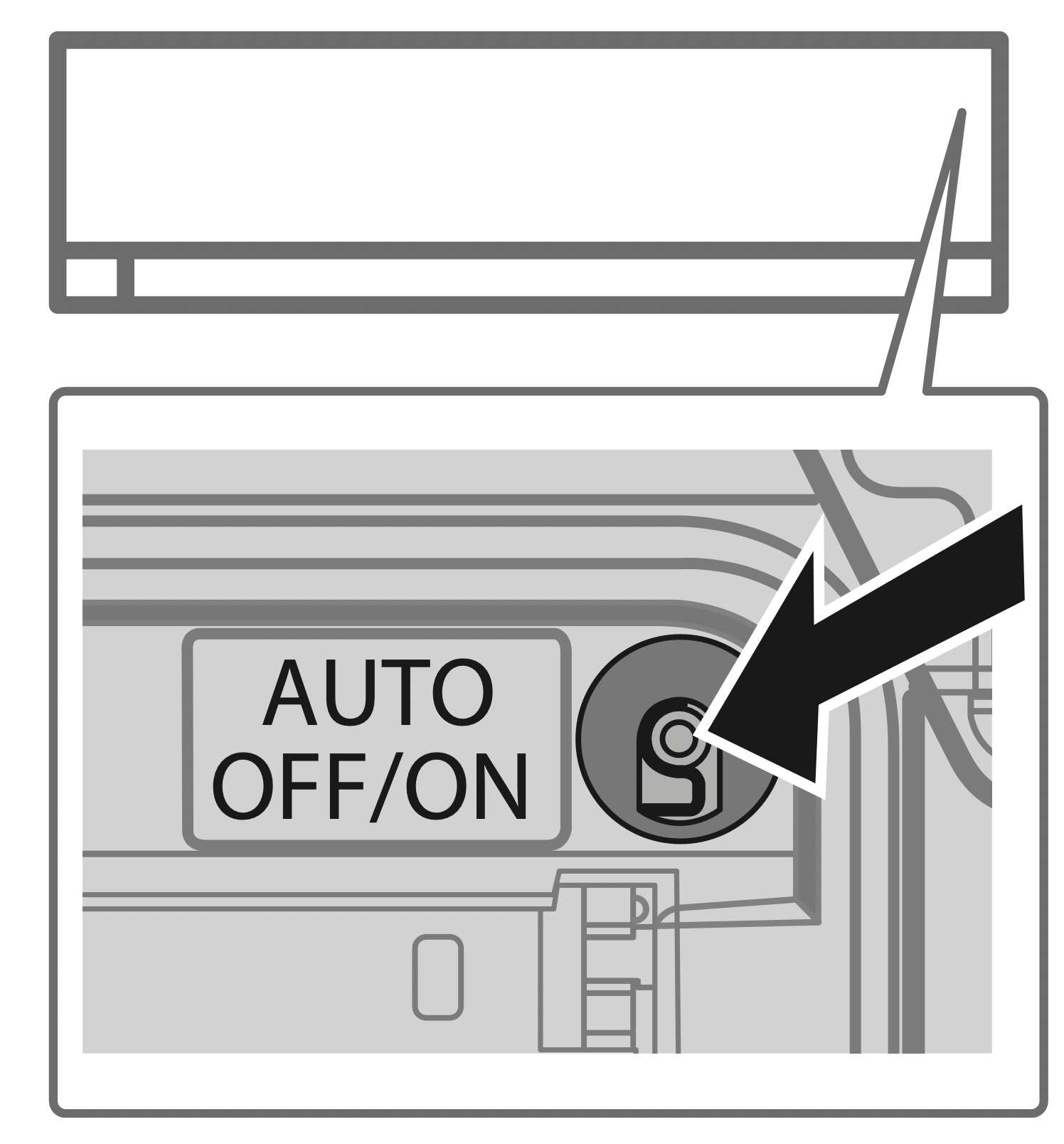
- Raise the front panel.
- Press the button once to use in i AUTO-X mode.
- Press and hold the button until you hear 1 beep, then release to use in forced COOL mode.
- Repeat step 3. Press and hold the button until you hear 2 beeps, then release to use in forced HEAT mode.
- Press the button again to turn off.
The indicators are too bright
- To dim or restore the unit’s indicator brightness, press
 and hold for 5 seconds.
Conducting a seasonal inspection after extended non-use
- Check the remote control batteries.
- Check that there is no obstruction around the air inlet and outlet vents.
- Use Auto OFF/ON button to select COOL/HEAT operation. After 15 minutes of operation, it is normal to have the following temperature difference between the air inlet and outlet vents:
COOL: ≥ 8 °C / 14.4 °F
HEAT: ≥ 14 °C / 25.2 °F
The units are not going to be used for a long period of time
- Activate HEAT mode for 2~3 hours to remove moisture left in the internal parts thoroughly to prevent mould growth.
- Turn off the power supply and unplug.
- Remove the remote control batteries.
NON SERVICEABLE CRITERIAS
TURN OFF THE POWER SUPPLY AND UNPLUG then please consult an authorised dealer when in following conditions:
- Abnormal noise during operation.
- Water/foreign particles have entered the remote control.
- Water leaks from Indoor unit.
- Circuit breaker switches off frequently.
- Power cord becomes unnaturally warm.
- Switches or buttons are not functioning properly.
How to retrieve error codes
If the unit stops and the TIMER indicator blinks, use the remote control to retrieve the error code.
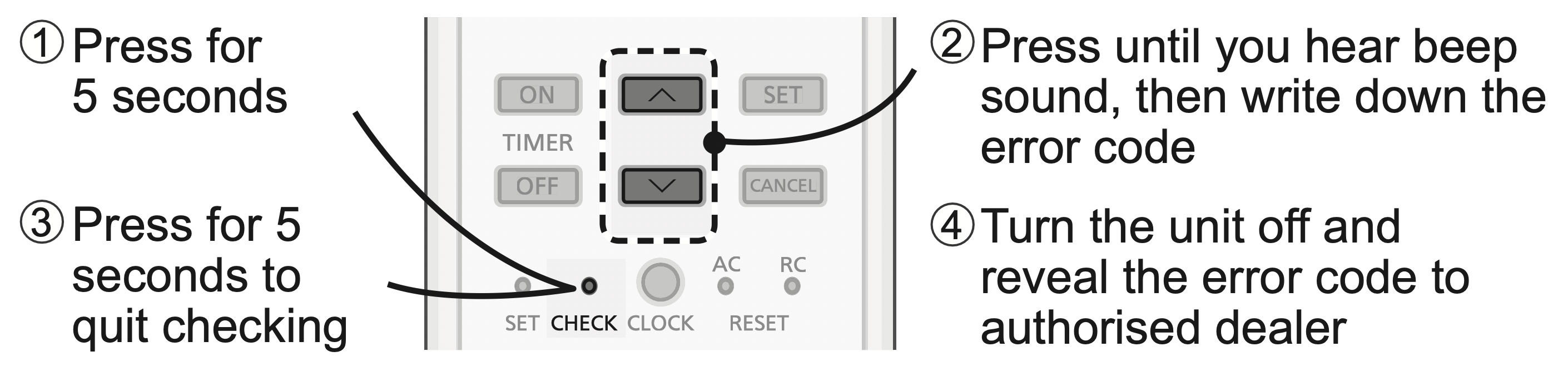
- For certain errors, you may restart the unit for limited operation if there are 4 beeps when operation starts.
|
Diagnostic display
|
Abnormality/Protection control |
| H 00 |
No memory of failure
|
| H 11 |
Indoor/outdoor abnormal communication
|
| H 12 |
Indoor unit capacity unmatched
|
| H 14 |
Indoor intake air temperature sensor abnormality
|
| H15 |
Outdoor compressor temperature sensor abnormality
|
| H16 |
Outdoor current transformer (CT) abnormality
|
| H17 |
Outdoor suction temperature sensor abnormality
|
| H19 |
Indoor fan motor mechanism lock
|
| H 21 |
Indoor float switch operation abnormality
|
| H 23 |
Indoor heat exchanger temperature sensor 1 abnormality
|
| H 24 |
Indoor heat exchanger temperature sensor 2 abnormality
|
| H 25 |
Indoor ion device abnormality
|
| H 26 |
Minus ION abnormality
|
| H 27 |
Outdoor air temperature sensor abnormality
|
| H 28 |
Outdoor heat exchanger temperature sensor abnormality
|
| H 30 |
Outdoor discharge pipe temperature sensor abnormality
|
| H 31 |
Abnormal swimming pool sensor
|
| H 32 |
Outdoor heat exchanger temperature sensor 2 abnormality
|
| H 33 |
Indoor/outdoor misconnection abnormality
|
| H 34 |
Outdoor heat sink temperature sensor abnormality
|
| H 35 |
Indoor/outdoor water adverse current abnormality
|
| H 36 |
Outdoor gas pipe temperature sensor abnormality
|
| H 37 |
Outdoor liquid pipe temperature sensor abnormality
|
| H 38 |
Indoor/outdoor mismatch (brand code)
|
| H 39 |
Abnormal indoor operating unit or standby units
|
| H 41 |
Abnormal wiring or piping connection
|
| H 50 |
Ventilation fan motor locked
|
| H 51 |
Ventilation fan motor locked
|
| H 52 |
Left-right limit switch fixing abnormality
|
| H 58 |
Indoor gas sensor abnormality
|
| H 59 |
Eco sensor abnormality
|
| H 64 |
Outdoor high pressure sensor abnormality
|
| H 67 |
nanoe abnormality
|
| H 70 |
Light sensor abnormality
|
| H 71 |
DC cooling fan inside control board abnormality
|
| H 72 |
Abnormality tank temperature sensor
|
| H 97 |
Outdoor fan motor mechanism lock
|
| H 98 |
Indoor high pressure protection
|
| H 99 |
Indoor operating unit freeze protection
|
| F 11 |
4-way valve switching abnormality
|
| F 16 |
Total running current protection
|
| F 17 |
Indoor standby units freezing abnormality
|
| F 18 |
Dry circuit blocked abnormality
|
| F 87 |
Control box overheat protection
|
| F 90 |
Power factor correction (PFC) circuit protection
|
| F 91 |
Refrigeration cycle abnormality
|
| F 93 |
Outdoor compressor abnormal revolution
|
| F 94 |
Compressor discharge pressure overshoot protection
|
| F 95 |
Outdoor cooling high pressure protection
|
| F 96 |
Power transistor module overheating protection
|
| F 97 |
Compressor overheating protection
|
| F 98 |
Total running current protection
|
| F 99 |
Outdoor direct current (DC) peak detection
|
* Some error code may not be applicable to your model. Consult authorised dealer for clarification.