2007 OWNER’ S MANUAL
2007 SPRINTER
81-326-0799 First Edition Printed in U.S.A.

Thank you for choosing the new
Sprinter.
Before your first journey, please familiarize
yourself with your vehicle and how it oper-
ates, as well as its driving, control and con-
venience functions.
Before you drive off, read these Operating
Instructions. This will help you get the
most out of your vehicle and avoid endan-
gering yourself and others.
Since the scope of delivery is based on the
sales order, your vehicle’s equipment may
differ from some descriptions and illustra-
tions. Items of optional equipment are also
described in these Operating Instructions,
should you require a description of the way
they work.
Country-specific vehicle equipment, lim-
ited availability of items of special equip-
ment or different product labeling is
possible in some countries.
DaimlerChrysler Vans LLC reserves the
right to introduce changes in design,
equipment and technical features. You
cannot, therefore, base any claims on the
data, illustrations or descriptions con-
tained in these Operating Instructions.
Your nearest authorized Sprinter Dealer
will be happy to assist you further if you
have any other questions.
The Operating Instructions, brief instruc-
tions, Sprinter Service Booklet, Owner’s
Warranty Information Book and equip-
ment-related supplementary operating in-
structions are considered part of the
vehicle. For this reason, you should always
keep them in the vehicle and pass them on
to the new owner if you sell the vehicle.
The technical documentation team at
DaimlerChrysler Vans LLC wishes you safe
and pleasant driving.
Symbols
Trademarks
ESP
®
is a registered trademark of
DaimlerChrysler.
* Optional equipment
G Warning
H Environmental note
! Caution
i Tip
Action required
Sequence of actions (several
)
Continuation symbol
Continuation symbol for warnings
page Page reference
Display
Display in the multifunction display

Contents
Introduction. . . . . . . . . . . . . . . 3
1
At a glance . . . . . . . . . . . . . . . 11
2
Safety . . . . . . . . . . . . . . . . . . . 23
1
Controls in detail
.
.
. . . . . .
.
51
4
Operation . . . . . . . . . . . . . . . 173
5
Practical hints . . . . . . . . . . . 249
6
*Technical data. . . . . . . . . . 351
Index . . . . . . . . . . . . . . . . . . . . . . . . . 377
3

3
Introduction
Environmental protection
In this manual, whenever you see instruc-
tions to discard materials, you should first
attempt to reclaim and recycle them. To
preserve our environment, follow appropri-
ate environmental rules and regulations
when disposing of materials.
Environmental note H
DaimlerChrysler’s declared policy is one of
comprehensive environmental protection.
The objectives are for the natural resources
which form the basis of our existence on this
planet to be used sparingly and in a manner
which takes the requirements of both nature
and humanity into account.
You too can contribute to environmental
protection by operating your vehicle in an
environmentally-responsible manner.
Fuel consumption and engine, transmission,
brake and tire wear depend on the two fol-
lowing factors:
Operating conditions of your vehicle
Your personal driving style
You can influence both factors.
Observe the following notes:
Operating conditions
Avoid driving short distances as this in-
creases fuel consumption.
Make sure that the tire pressures are al-
ways correct.
Do not carry any unnecessary weight
in/on the vehicle.
Keep an eye on the vehicle’s fuel con-
sumption.
Remove roof racks once you no longer
need them.
A regularly serviced vehicle will contrib-
ute to environmental protection. You
should therefore adhere to the specified
service intervals.
Always have maintenance work carried
out at an authorized Sprinter Dealer.
Personal driving style
Do not depress the accelerator pedal
when starting the engine.
Do not warm up the engine when the ve-
hicle is stationary.
Adopt an anticipatory style of driving
and keep a sufficient distance from oth-
er vehicles.
Avoid frequent, sudden acceleration.
Switch off the engine in stationary traf-
fic.
Environmental concerns and recom-
mendations

4
Introduction
Operating safety
Operating safety
Warning G
Engine exhaust, some of its constituents,
and certain vehicle components contain or
emit chemicals known to the State of Cali-
fornia to cause cancer and birth defects or
other reproductive harm.
In addition, certain fluids contained in vehi-
cles, and certain products of component
wear, contain chemicals known to the State
of California to cause cancer and birth de-
fects or other reproductive harm.
Warning G
Work carried out incorrectly on electronic
equipment and its software could cause the
equipment to stop working. The electronic
systems are networked with each other via
interfaces. Tampering with the electronic
systems may also cause malfunctions in
systems that have not been modified. These
malfunctions, however, can jeopardize the
operating safety of your vehicle and there-
fore put your own safety at considerable
risk.
Other work carried out incorrectly or modifi-
cations to the vehicle could also jeopardize
operating safety.
Some safety systems only function while the
engine is running. Therefore, you should not
switch off the engine while driving.
Warning G
Always have maintenance work carried out
at an authorized Sprinter Dealer which has
the necessary specialist knowledge and
tools to carry out the work required. The
manufacturer recommends that you use an
authorized Sprinter Dealer for this purpose.
In particular, work relevant to safety or on
safety-related systems must be carried out
at an authorized Sprinter Dealer.

5
Introduction
Operating safety
The manufacturer warrants to the original
and each subsequent owner of a
Mercedes-Benz heavy-duty on highway
diesel engine that:
(1) the engine was designed, built and
equipped so as to conform at the time
of sale with the applicable regulations
adopted by the Federal Environmental
Protection Agency, and
(2) the emission control system of such
engine is free from defects in materials
and workmanship which would cause it
not to conform with those regulations
for a period of use of five years or
100000 miles or 3000 hours of engine
operation, whichever occurs first.
The Owner’s Warranty Information Book
contains detailed information about the
warranties covering your Sprinter.
The manufacturer may instruct its autho-
rized Sprinter Dealer to carry out technical
inspections on certain vehicles to improve
their quality or safety.
If you did not purchase your vehicle from
an authorized dealership and your vehicle
has not yet been inspected at an autho-
rized Sprinter Dealer, there is a possibility
that your vehicle has not been registered in
your name with the manufacturer. The
manufacturer will only be able to inform
you about vehicle inspections if the manu-
facturer is in possession of your registra-
tion data.
It is advisable to have your vehicle regis-
tered at an authorized Sprinter Dealer.
Inform the manufacturer as soon as possi-
ble if your address has changed or there
has been a change of vehicle owner.
Warning G
A heavy impact to the underbody, tires or
wheels, for example when bottoming out on
rough terrain or driving over an obstacle at
high speed, could damage your vehicle. This
also applies to vehicles equipped with un-
derbody protection.
In this case, have your vehicle checked at an
authorized Sprinter Dealer which has the
necessary specialist knowledge and tools to
carry out the work required. The manufac-
turer recommends that you use an autho-
rized Sprinter Dealer for this purpose.
In particular, work relevant to safety or on
safety-related systems must be carried out
at an authorized Sprinter Dealer.
Service and warranty information Registering your vehicle

6
Introduction
Operating safety
Do not allow the electronically stored total
distance covered by your vehicle to be
modified as a result of tampering with the
electronics system.
This type of modification or failing to in-
form the buyer when selling the vehicle
could constitute an offense punishable by
law, depending on the country concerned.
Having the engine power output of your
vehicle increased by tampering with the
electronic engine management system will
invalidate the vehicle’s general operating
permit and insurance coverage, as well as
your warranty and warranty entitlement.
Modifications to the output of the engine
must be reported to the insurance provider
and require the vehicle to be recertified.
The tires, chassis, brake and cooling sys-
tems must be adapted to the increased en-
gine power output.
Tampering with the electronic engine man-
agement system modifies emission values
and it will not be possible to guarantee the
operating safety of the engine in every
case. Increases in performance may lead
to malfunctions and consequential dam-
age to other assemblies.
If you sell the vehicle, failing to inform the
buyer of the modified engine power output
could constitute an offense punishable by
law, depending on the country concerned.
The manufacturer recommends the use of
genuine Sprinter parts and conversion
parts as well as accessories that have
been expressly approved for your vehicle
model ( page 352).
These parts have been subjected to spe-
cial tests in order to determine their safety,
reliability and suitability.
Body builder guideline
If you intend on making any alterations to
the vehicle, we strongly recommend that
you select one of the following options in
order to obtain all necessary information:
Contact the authorized Sprinter Dealer
nearest you to obtain a copy of the
Sprinter Body Builder Guideline.
Call DaimlerChrysler Vans LLC at tele-
phone (800) 992-1997 to request a
copy of the Sprinter Body Builder
Guideline (there may be a charge).
Write to the following address and or-
der the Sprinter Body Builder Guideline
(there may be a charge).
DaimlerChrysler Vans LLC
P.O. Box 21-8004
Auburn Hills, MI 48321-8004
United States of America
Digital speedometer and total
distance recorder
Modifying the engine power output
Vehicle alterations

7
Introduction
Operating safety
Body builders and dealers who make any
modifications which may affect the final
certification of the engine, vehicle or
equipment assume the sole responsibility
for the vehicle, including labeling and doc-
umentation, affected by their modifica-
tions.
It is their responsibility to certify that the
altered vehicle conforms to all applicable
standards and regulations affected by the
vehicle alteration or continues to comply
with the motor vehicle safety standards
and emissions regulations.
They are responsible for ensuring that
modifications or equipment installation
does not affect the safety of the vehicle.
The manufacturer is not responsible for
any final certification or claims regarding
product liability, or warranty claims, which
result from any component, assembly, or
system being altered, or which cause non-
compliance with any of the emission con-
trol standards or motor vehicle safety stan-
dards, or which would otherwise cause the
vehicle to be or become defective or un-
safe.
The manufacturer does not assume the re-
sponsibility as the final stage manufacturer
or the consequential product liability.
Observe the following information when
using your vehicle:
The safety notes in this manual
The “Technical data” section in this
manual
Traffic rules and regulations
Motor vehicle laws and safety stan-
dards
Warning G
Any modifications or alterations of the
Sprinter vehicle not in compliance with the
Sprinter Body Builder Guideline and the
Sprinter Operator’s Manual may seriously
inhibit its roadworthiness and safety and
may lead to an accident resulting in serious
personal injury or death.
Consult the Sprinter Body Builder Guideline
and the Sprinter Operator’s Manual prior to
initiating any alterations or modifications.
Correct use
Warning G
Be sure to read the Operating Instructions.
Otherwise, you may not be aware of certain
risks and could injure yourself or others.

8
Introduction
Operating safety
If you should experience a problem with
your vehicle, particularly one that you be-
lieve may affect its safe operation, we urge
you to immediately contact an authorized
Sprinter Dealer to have the problem diag-
nosed and corrected if required.
If the matter is not handled to your satis-
faction, please discuss the problem with
the Sprinter Dealer management, or if nec-
essary contact us at the following address.
In the USA:
DaimlerChrysler Motors Corporation Cus-
tomer Center
P.O. Box 21-8004
Auburn Hills, MI 48321-8001
United States of America
Telephone: 800-992-1997
In Canada:
DaimlerChrysler Canada, Inc. Customer
Center
P.O. Box 1621
Windsor, Ontario N9A 4H6
Telephone: (800) 465-2001
Warning G
Various warning labels are affixed to your
vehicle. These warning labels are intended
to make you and others aware of various
risks. You should not remove any of these
warning labels unless explicitly instructed to
do so by information on the label itself. Re-
moval of any of these labels may cause you
and others to be unaware of certain risks
which may result in an accident and/or per-
sonal injury.
Problems with your vehicle

9
Introduction
REPORTING SAFETY DEFECTS
REPORTING SAFETY DEFECTS
In the 50 United States and Washington D.C.: If you believe that your vehicle has a defect, which could cause a crash or cause injury
or death, you should immediately inform the National Highway Traffic Safety Administration (NHTSA) in addition to notifying the man-
ufacturer.
If the NHTSA receives similar complaints, it may open an investigation, and if it finds that a safety defect exists in a group of vehicles,
it may order a recall and remedy campaign. However, NHTSA cannot become involved in individual problems between you, your dealer,
and the manufacturer.
To contact NHTSA, you may either call the Auto Safety Hotline toll free at 1–888–327–4236 (TTY: 1-800-424-9153),
or go to http://www.safercar.gov; or write to: Administrator, NHTSA, 400 Seventh Street, SW., Washington DC 20590. You can also
obtain other information about motor vehicle safety from http://www.safercar.gov.
http://www.NHTSA.gov.
In Canada:
If you believe that your vehicle has a safety defect, you should contact the Customer Service Department immediately.
Canadian customers who wish to report a safety defect to the Canadian government should write to
Transport Canada, Motor Vehicle Defect Investigations and Recalls, 2780 Sheffield Road, Ottawa, Ontario K1B 3V9.

10
Introduction
Information regarding electronic recording devices
Information regarding electronic recording devices
(Including notice pursuant to California Code § 9951)
Please note that your vehicle is equipped with devices that can record vehicle systems data.
This information helps, for example, to diagnose vehicle systems after a collision and to continuously improve vehicle safety.
DaimlerChrysler may access the information and share it with others
for safety research or vehicle diagnosis purposes
with the consent of the vehicle owner or lessee
in response to an official request by law enforcement or other government agency
for use in dispute resolution involving DaimlerChrysler, its affiliates or sales/service organization and/or
as otherwise required or permitted by law.

12
At a glance
Cockpit
1
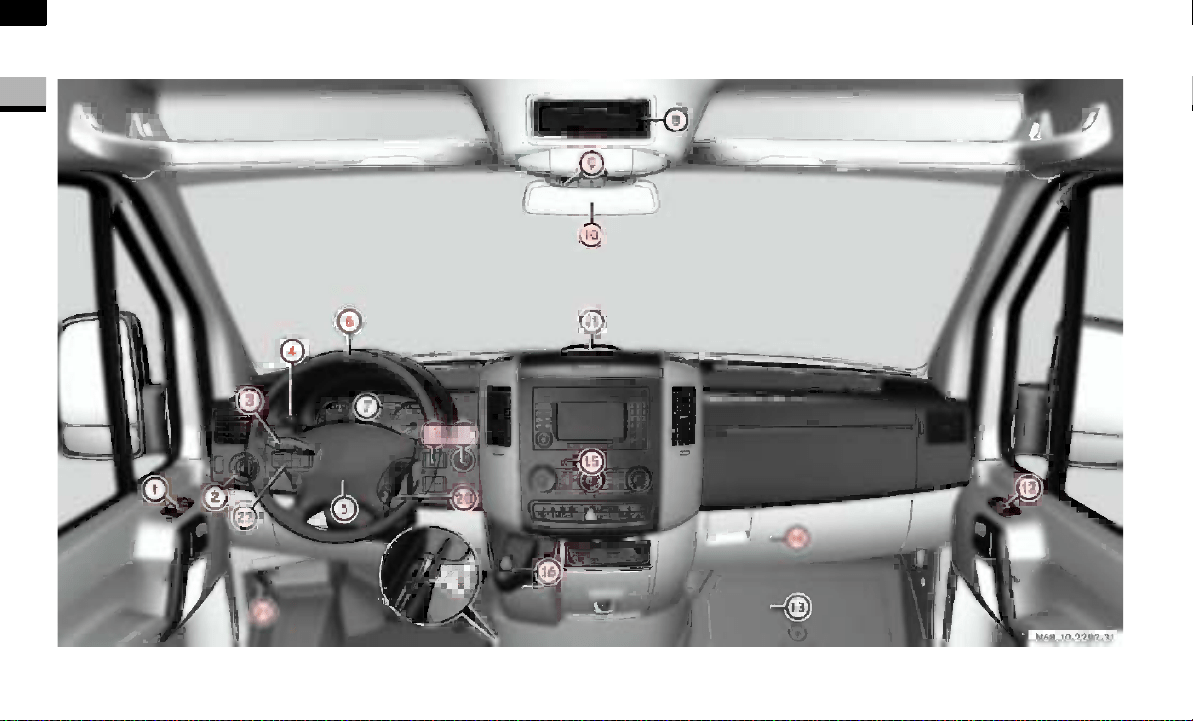
Cockpit
N68.10-2287-31

13
At a glance
Cockpit
1
Function Page
1 Door control panel 22
2 Light switch 77
3 Combination switch
Turn signals
High-beam headlamps
Windshield wipers
Rear window wiper*
79
77
126
127
4 Cruise control lever* 147
5 Horn
6 Steering wheel without/
with* buttons
17
Function Page
7 Instrument cluster 14, 84
8 Storage compartment
9 Storage compartment with
interior lamp
80
Overhead control panel* 19
a Rear-view mirror* 125
b Warning display for Park-
tronic system*
150
c Opens/closes the right-
hand side window
144
d Jack and vehicle tool kit 300
e Glove box 165
Function Page
f Center console 18
g Selector lever (automatic
transmission)
111
h Ignition lock 67
j Additional switch unit 20
k Handbrake 115
l Steering wheel adjustment 76
m Hood lock release 185
n Additional switch unit 20
14
At a glance
Instrument cluster
1
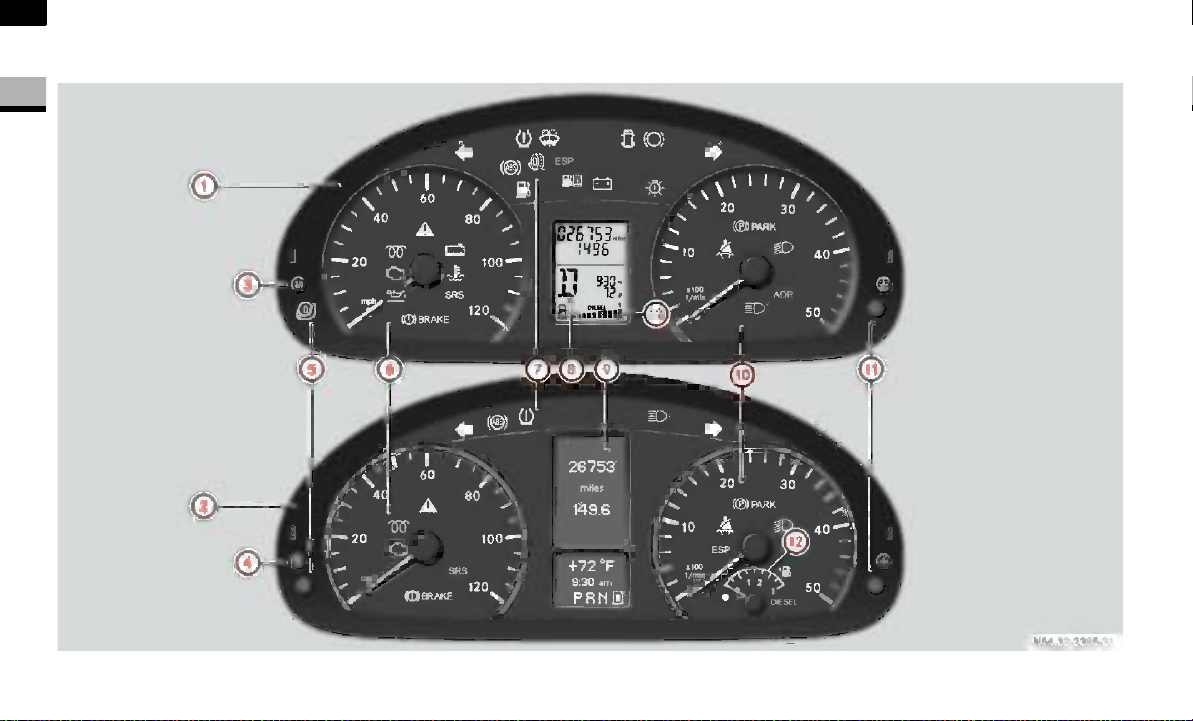
Instrument cluster
N54.32-2250-31
15
At a glance
Instrument cluster
1
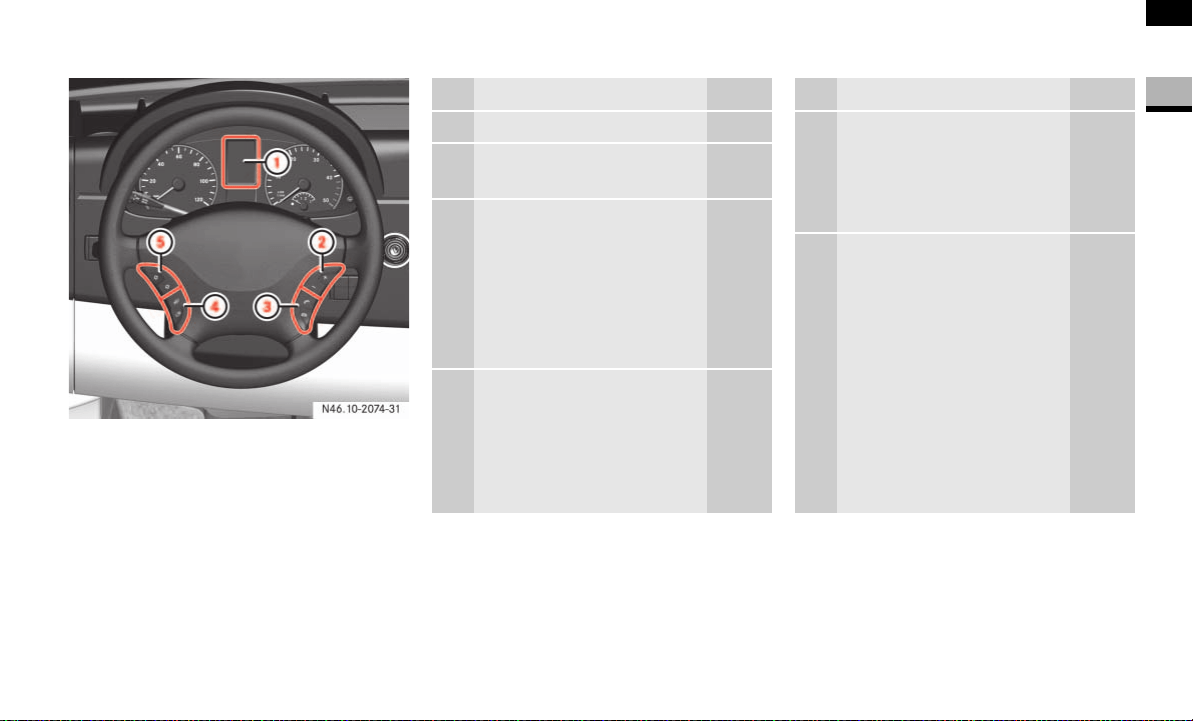
Function Page
1 Instrument cluster on vehi-
cles without steering wheel
buttons
84
2 Instrument cluster on vehi-
cles with steering wheel
buttons*
84
3 On vehicles without
steering wheel but-
tons:
Changes the stan-
dard display
Selects menus
87
4 On vehicles with
steering wheel but-
tons*:
Checks the engine oil
level
187
Function Page
5 Reset button 84
6 Speedometer with: 85
Indicator and warning
lamps
16
7 Indicator and warning
lamps
16
8 Display on vehicles without
steering wheel buttons
87
9 Display on vehicles with
steering wheel buttons*
89
a Tachometer with: 85
Indicator and warning
lamps
16
b Instrument lighting
brighter/dimmer
85
Function Page
c Fuel gauge with:
Reserve fuel warning
lamp
Fuel filler flap location
indicator
Ö: Fuel filler flap is
on the left-hand
side
86
276
i
Vehicles without steering wheel
buttons:
Display 8 contains a digital fuel
gauge.
Vehicles with steering wheel buttons*:
The tachometer contains an analog fuel
gauge.
16
At a glance
Instrument cluster
1
Indicator and warning lamps Page
v ESP
®
warning lamp 43
268
ASR warning lamp 44
45
268
/ Coolant level too low 275
D Coolant temperature too
high
275
1 Restraint systems
malfunction
272
Brake fluid level too low 269
EBV malfunction 268
Malfunction in trailer's
brake booster
269
N Engine oil level warning 274
± Engine diagnostic
indicator lamp
277
q Pre-glow system, diesel
engine only
111
276
Turn signal, left 79
Indicator and warning lamps Page
X Combination low tire
pressure/TPMS mal-
function telltale, USA
only
278
Low tire pressure tell-
tale, Canada only
278
J Windshield washer/
headlamp cleaning sys-
tem* washer fluid level
too low
280
Door open 280
2 Brake pads/linings
worn
273
Turn signal, right 79
- ABS malfunction 271
k ASR malfunction 270
BAS malfunction 270
# ESP
®
malfunction 272
A Reserve fuel 276
Fuel filler flap open 276
Indicator and warning lamps Page
Water in the fuel 280
# Battery charge malfunc-
tion
273
. Defective bulb 280
Handbrake applied 115
B Low-beam headlamps
on
77
™ Operating speed gover-
nor on*
154
A High-beam headlamps
on
77
< Seat belt reminder 280
i
Vehicles with steering wheel buttons:
Corresponding messages may also be
shown in display 9 ( page 93).
17
At a glance
Steering wheel with buttons*
1
Steering wheel with buttons*
N46.10-2074-31
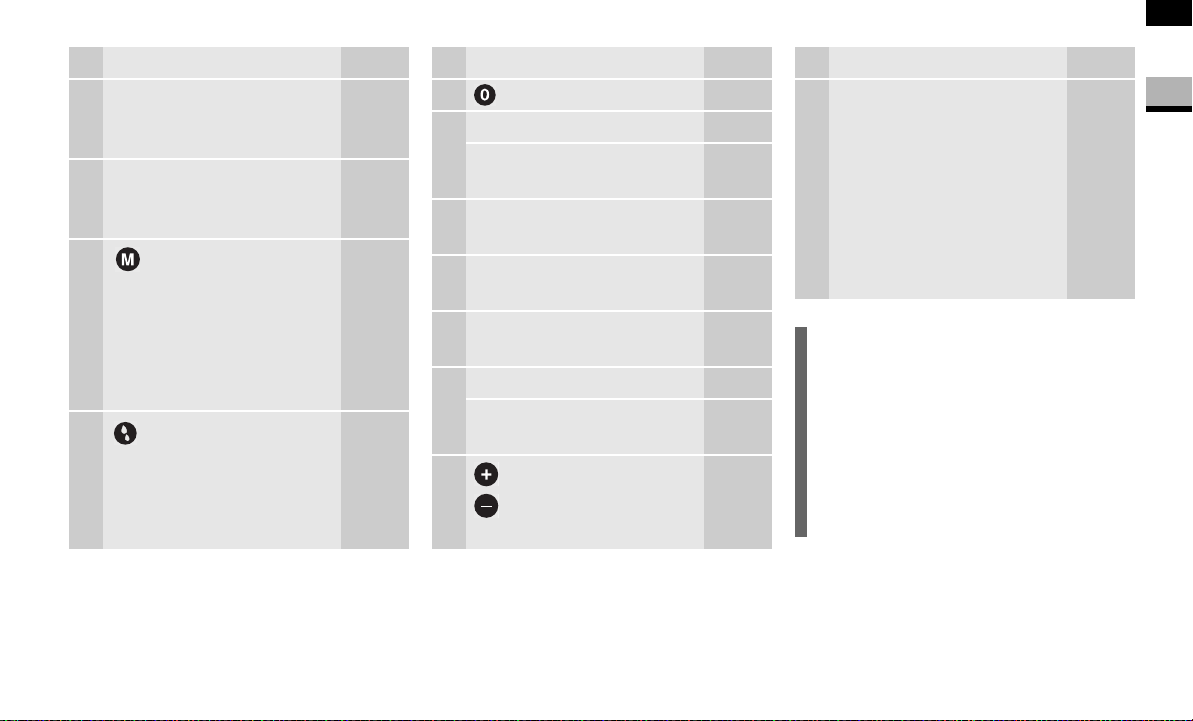
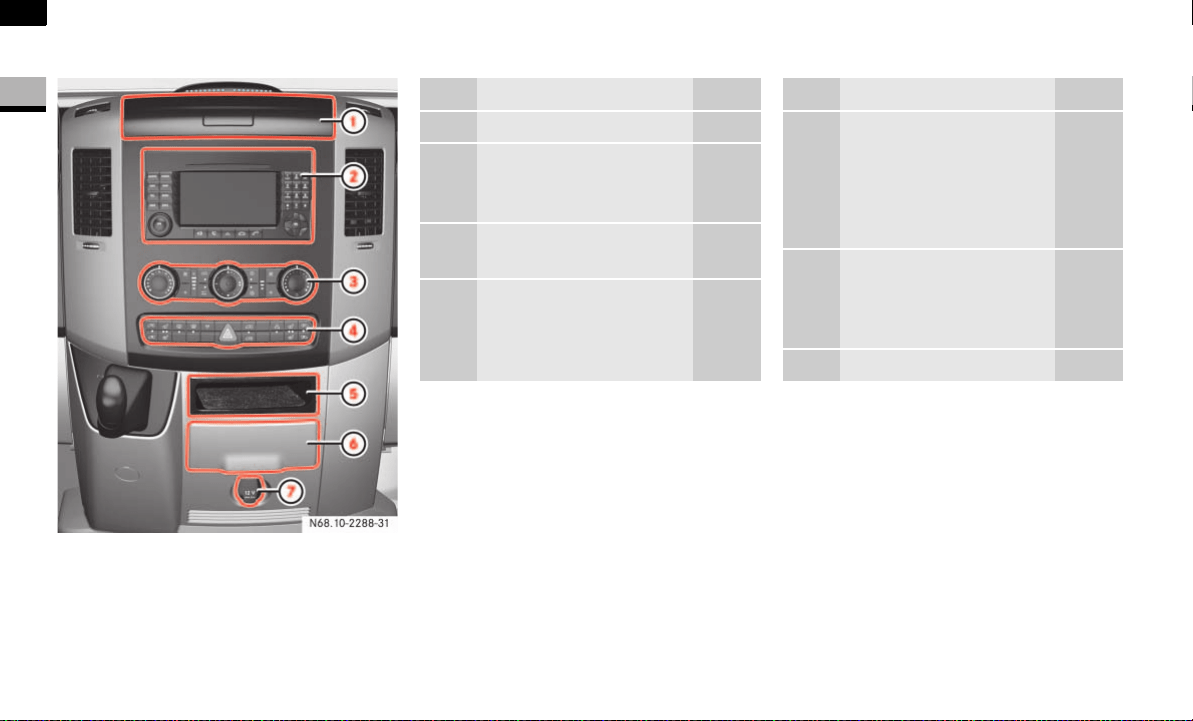
Function Page
1 Display 89
Controlling the operating
system
2 To select a submenu or
adjust the volume
89
+
-
Up/increases the
volume
Down/decreases
the volume
3 Telephone* functions 107
s Accepts a call/
starts dialing
t Ends a call/rejects
an incoming call
Function Page
4 To jump from one menu to
another
89
è
·
Forward
Backward
5 To jump from one submenu
to another
89
j
k
Forward
Backward
18
At a glance
Center console
1
Center console
N68.10-2288-31
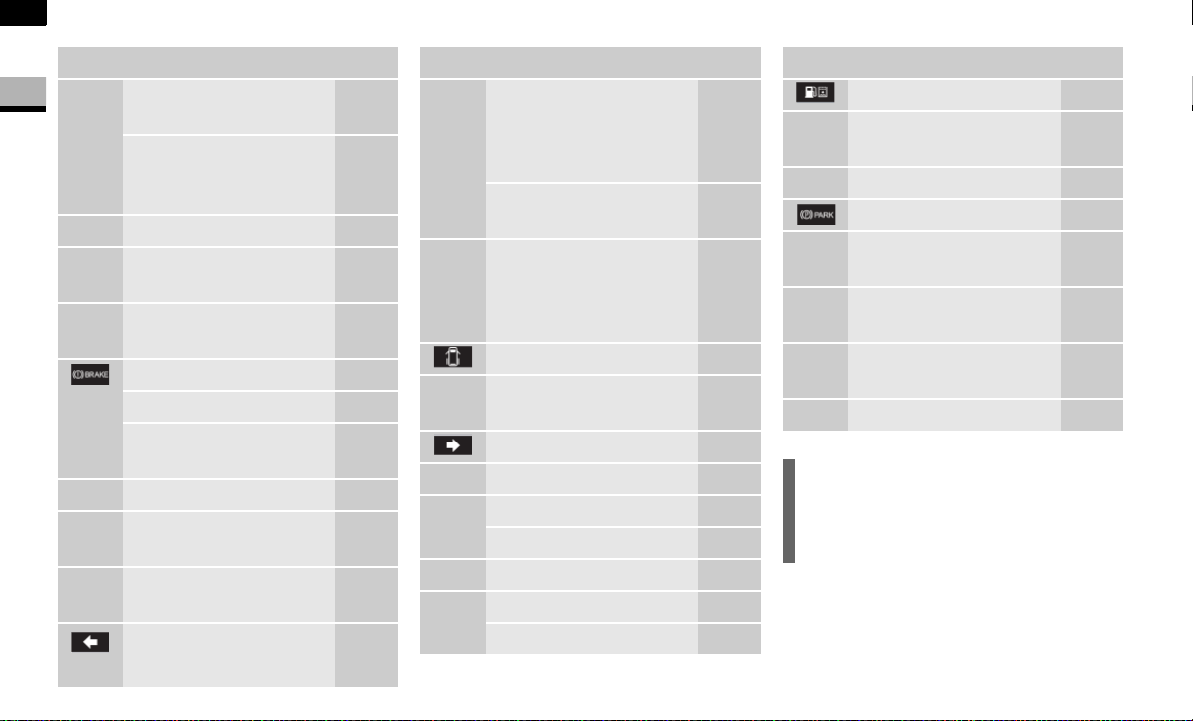
Function Page
1 Storage compartment 166
2 Radio* or COMAND*,
see the separate operat-
ing instructions
3 Air-conditioning control
panel
131
4 Center console switch
unit
20
Function Page
5 Storage compart-
ment or
CD changer*,
see the separate op-
erating instructions
6 Cup holder with
Ashtray
Cigarette lighter
167
168
169
7 12 V socket 170
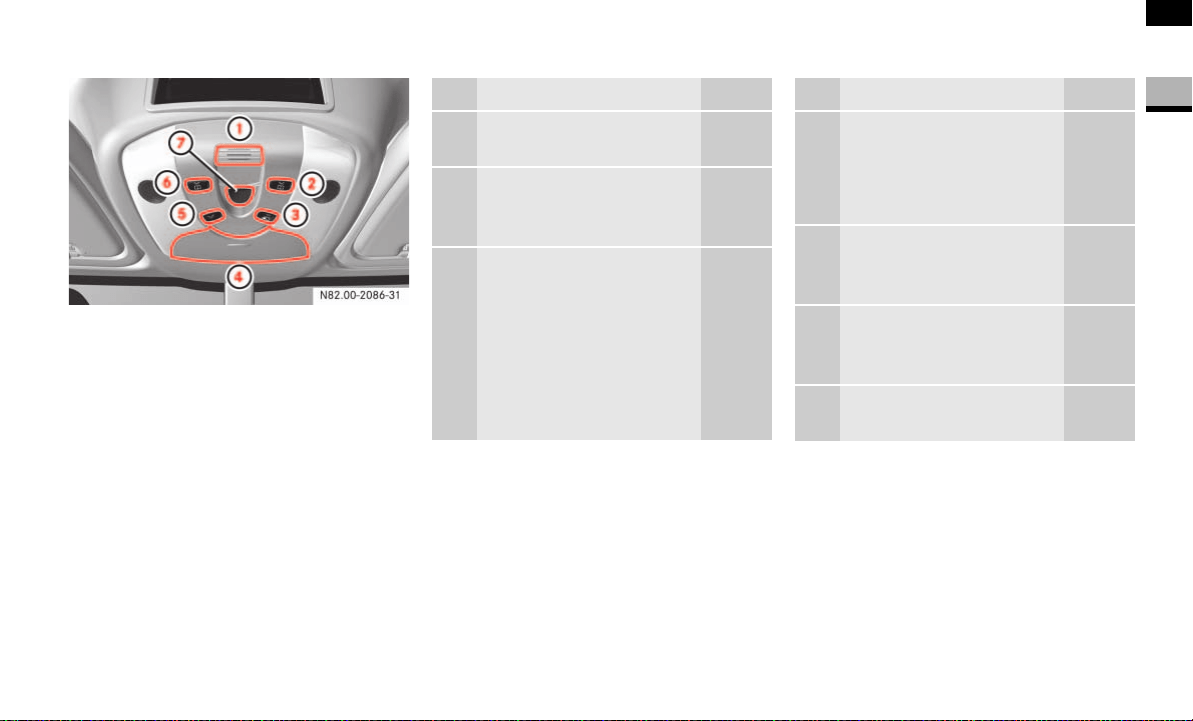
19
At a glance
Overhead control panel*
1
Overhead control panel*
Function Page
1 Hands-free microphone
for telephone*
2 Switches the right-hand
reading lamp
on/off
81
3 Switches the automatic
interior lighting
on/off
81
Function Page
4 Eyeglass
compartment or
Anti-theft alarm sys-
tem (ATA)*
166
47
5 Switches the interior
lighting
on/off
80
6 Switches the left-hand
reading lamp
on/off
81
7 Opens/closes the sliding
sunroof*
145
20
At a glance
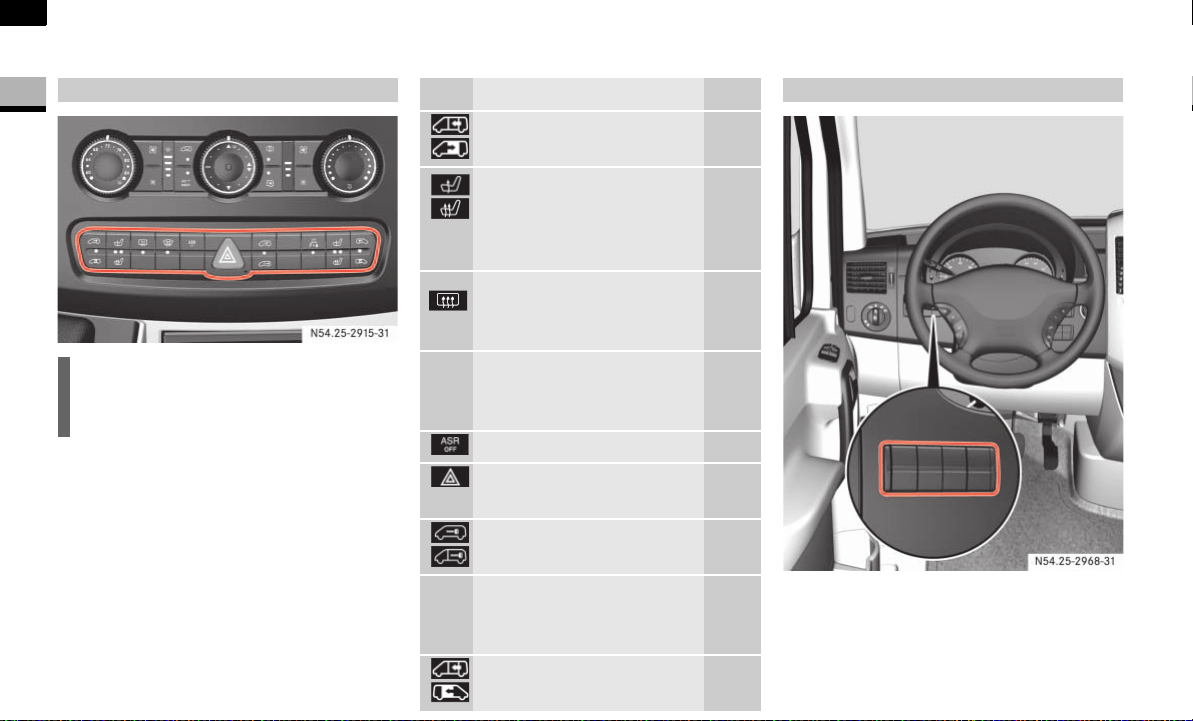
Switch units
1
Switch units
Switch unit between the light switch and
the steering wheel
Center console switch unit
i
The number of switches may vary,
depending on the vehicle’s equipment.
N54.25-2915-31
Function Page
Opens/closes the left-
hand electric sliding door*
57
&
Switches the left/right
seat heating*
on/off
73
Switches the rear window
heating*
on/off
128
P Switches the windshield
heating*
on/off
127
Activates/deactivates ASR 44
Switches the hazard warn-
ing flashers on/off
80
Central locking
Interior/rear compartment
63
! Switches the Parktronic
system (PTS)*
on/off
150
Opens/closes the right-
hand electric sliding door*
57
Additional switch units
N54.25-2913-31
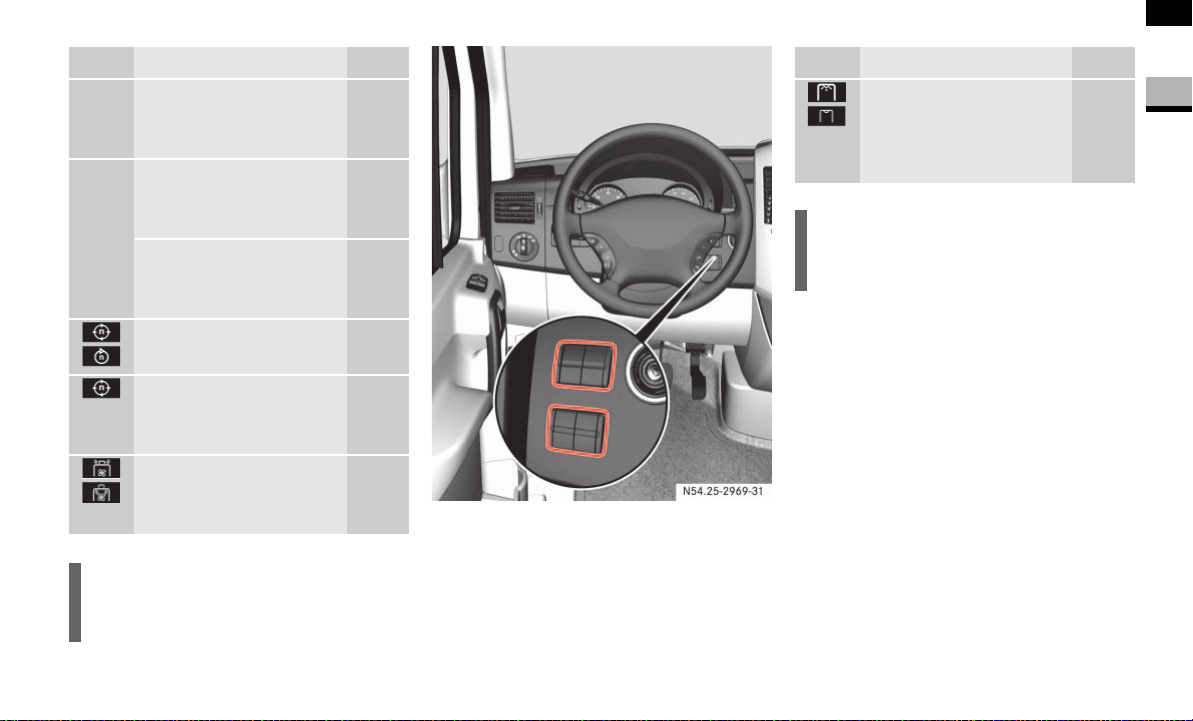
21
At a glance
Switch units
1
Switch unit between the steering wheel and
the ignition lock
Function Page
³ Switches the heater
booster function*
on/off
137
ö
³
Switches auxiliary heat-
ing*
on/off
140
Switches the heater
booster function*
on/off
137
Adjusts the working en-
gine speed*
155
Switches the operating
speed governor*
on/off
154
Ventilates the load
compartment,
air in/air out*
146
i
The layout of the switches may vary,
depending on the vehicle’s equipment.
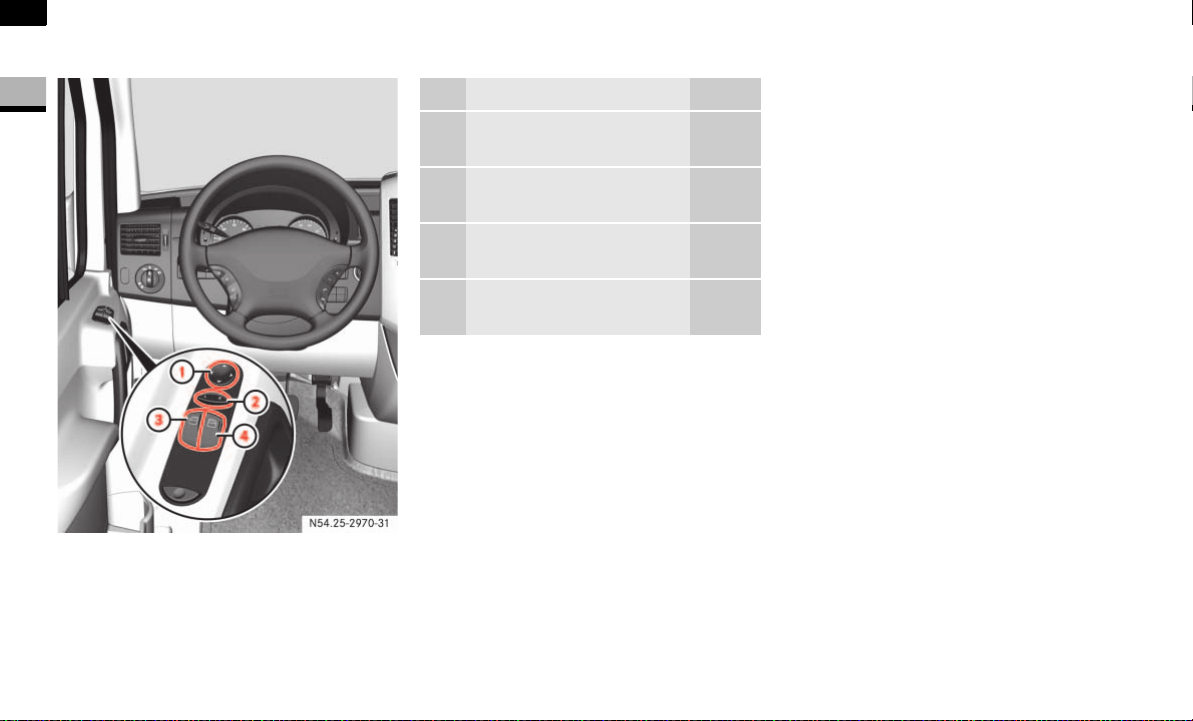
N54.25-2912-31
Function Page
Switches the rear-com-
partment convenience
interior lighting*
on/off
82
i
The layout of the switches may vary,
depending on the vehicle’s equipment.


24
Safety
Occupant safety
2
Occupant safety
This section contains all the most impor-
tant information about the restraint sys-
tems in your vehicle. In an accident, your
vehicle collides with another object, for ex-
ample another vehicle. This may cause
your vehicle to accelerate or decelerate ex-
tremely quickly. During this acceleration or
deceleration, the vehicle occupants will be
moved in the opposite direction to the
force of the impact. There is therefore the
risk of vehicle occupants injuring them-
selves on the vehicle interior or on parts of
the vehicle. The purpose of supplemental
restraint systems, for example the seat
belts supplemented by emergency ten-
sioning retractors, belt force limiters and
airbags when necessary, is to minimize the
risk of injury. However, the seat belts and
airbags cannot generally prevent injuries
caused by objects penetrating the vehicle
from the outside.
The most important restraint systems are:
the seat belts
restraint systems for children, since
they are the most effective means of
reducing the extent to which the occu-
pants are moved in the event of an ac-
cident
Additional protection is provided by:
SRS (S
upplemental Restraint System),
comprising:
emergency tensioning retractors
belt force limiters
airbags
Restraint systems
i
An airbag increases the degree of pro-
tection afforded to vehicle occupants
wearing a seat belt and is therefore
only to be considered as an additional
restraint system to the seat belt. Air-
bags do not in any way relieve any vehi-
cle occupants of the need to wear their
seat belt correctly at all times.
This is partly because an airbag is not
activated in all accident situations be-
cause in some cases it would not pro-
vide any additional protection to that
already afforded by a correctly fas-
tened seat belt.
Furthermore, an activated airbag can
only provide increased protection if the
seat belt is being worn correctly, be-
cause:
the belt helps to hold the vehicle
occupant in the best position in re-
lation to the airbag
the belt prevents the vehicle occu-
pant from being propelled in the op-
posite direction to the force of
impact, for example in the event of
a head-on collision, and is therefore
better able to reduce the risk of in-
jury

25
Safety
Occupant safety
2
The most important restraint systems in
the vehicle are the seat belts and child
restraint systems. They are the most effec-
tive means of preventing vehicle occu-
pants from moving towards the point of
impact and thus reducing the risk of occu-
pants hitting parts of the vehicle interior.
In accidents in which an airbag is acti-
vated, the airbag will therefore only of-
fer an increase in the protection
provided by the seat belt, i.e. additional
protection, if the seat belt is worn cor-
rectly.
Warning G
Modifications to or work incorrectly carried
out on a restraint system (seat belt and seat
belt anchorages, emergency tensioning re-
tractor, belt force limiter or airbag) or its wir-
ing, or tampering with other networked
electronic systems, could cause the re-
straint systems to stop working correctly.
The airbags or emergency tensioning retrac-
tors could, for example, be activated inad-
vertently or could fail in accidents in which
the deceleration force is sufficient to trigger
the airbag. For this reason, do not modify
the restraint systems. Do not tamper with
electronic components or their software.
Airbags
Warning G
Airbags do offer additional protection but
they are not a substitute for the seat belts.
To reduce the risk of serious or fatal injuries,
make sure that all occupants – in particular,
expectant mothers – wear their seat belt
correctly at all times, have adopted a normal
sitting position and that the seat is posi-
tioned as upright as possible.
Seat belts
i
In many countries there are regulations
concerning the use of seat belts and
child restraint systems.
Warning G
A seat belt that is worn incorrectly or not at
all, or that is not correctly engaged in the
seat belt buckle, cannot perform its intend-
ed protective function. In certain circum-
stances, you could be seriously or even
fatally injured. Make sure, that all occupants
– in particular, expectant mothers – wear
their seat belt correctly at all times.
You must make sure that the belt:
is routed as low as possible across your
pelvic area, for example across your hip
joints and not across your abdomen
fits closely
is not twisted
is routed across the middle of your
shoulder
is not routed across your neck or under
your arm
is pulled tight across the lap by pulling
upwards on the shoulder belt

26
Safety
Occupant safety
2
Do not secure any objects with a seat belt if
it is being used by one of the vehicle’s occu-
pants.
Avoid wearing bulky clothing, for example a
winter coat.
Do not route the belt strap over sharp or
fragile objects, especially if these are locat-
ed in or on your clothing, for example eye-
glasses, pens or keys. The belt strap could
otherwise tear in the event of an accident
and you or other vehicle occupants could be
injured as a result.
Only one person may use each seat belt at
any one time.
A child must never be carried sitting on the
lap of a vehicle occupant. It would not be
possible to restrain the child, and the child
and other vehicle occupants could be seri-
ously or fatally injured in the event of abrupt
braking or an accident.
Persons less than 1.50 m tall or children un-
der 12 years of age cannot wear their seat
belt properly. They therefore require addi-
tional restraint systems on suitable vehicle
seats for protection in an accident. Always
observe the installation instructions issued
by the manufacturer of the child restraint
systems.
Warning G
The seat belt only provides its intended de-
gree of protection if the seat backrest is po-
sitioned as vertically as possible, allowing
the occupant to sit upright. Avoid seat posi-
tions that do not allow the seat belt to be
routed correctly. Therefore, position the
backrest as vertically as possible. Never
drive with the backrest tilted too far back.
You could otherwise be seriously or even fa-
tally injured in the event of an accident or
abrupt braking.
Warning G
The seat belt cannot perform its protective
function correctly if the seat belt strap or
buckle are dirty or damaged. You should
therefore keep the belt strap and buckle
clean, as otherwise the belt latch plate may
not be able to engage correctly.
Check regularly that the seat belts:
are not damaged
are not routed over sharp edges
are not trapped
The belt strap could otherwise tear in the
event of an accident. You or others could be
seriously or fatally injured.
27
Safety
Occupant safety
2
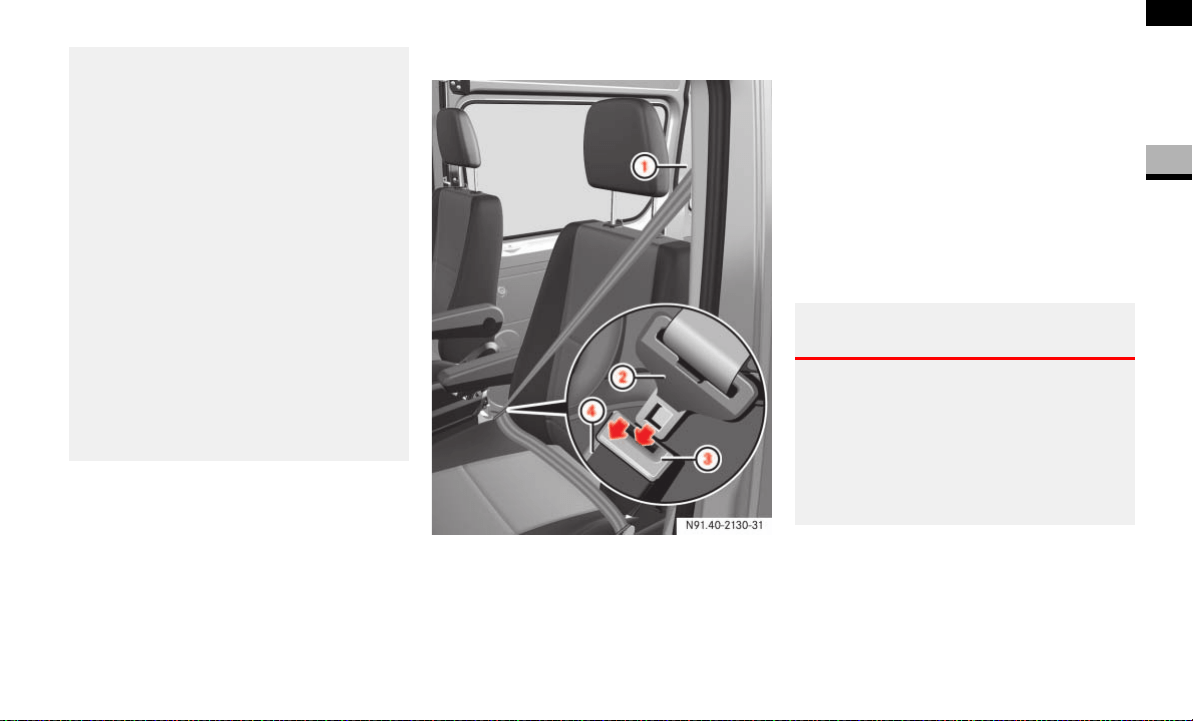
Wearing seat belts
1 Belt sash guide ( page 28)
2 Belt latch plate
3 Release button
4 Buckle
Pull the belt smoothly from the seat
belt reel holder.
Route the belt over your shoulder.
Click belt latch plate 2 into buckle 4.
Adjust the belt to the correct height if
necessary.
Pull the shoulder section of the belt up-
wards to tighten the belt against your
body if necessary.
Adjusting the belt height
You can adjust the belt height for the fol-
lowing seats:
Driver’s seat
Outer co-driver’s seat
Always have seats belts that are damaged or
have been subjected to a heavy load in an
accident replaced, and their anchorages
checked, at a qualified specialist workshop
which has the necessary specialist knowl-
edge and tools to carry out the work re-
quired.
The manufacturer recommends that you use
an authorized Sprinter Dealer for this pur-
pose. In particular, work relevant to safety
or on safety-related systems must be car-
ried out at a qualified specialist workshop .
For safety reasons, the manufacturer rec-
ommends that you only use seat belts that
have been specially approved for your vehi-
cle by the manufacturer.
Warning G
Only adjust the belt height when the vehicle
is stationary and the handbrake is applied.
You could otherwise lose control of the vehi-
cle as a result of the seat adjusting move-
ment and thereby endanger yourself and
others.
28
Safety
Occupant safety
2
Adjust the belt height in such a way that
the shoulder belt is routed over the middle
of the shoulder.
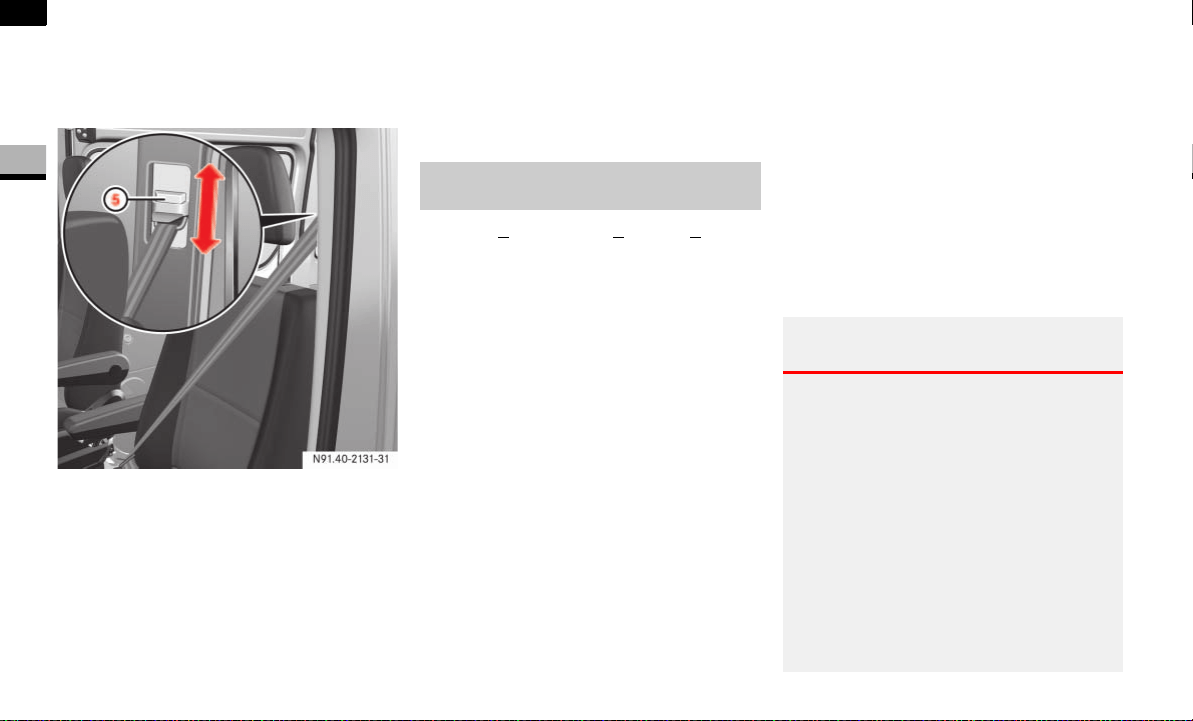
Belt sash guide with height adjustment
5 Release button
To raise the belt height: slide belt
sash guide 1 upward.
Belt sash guide 1 engages in various
positions.
To lower the belt height: press and
hold release button 5.
Slide belt sash guide 1 to the desired
height.
Let go of release button 5 and make
sure that belt sash guide 1 engages.
The SRS (S
upplemental Restraint System)
may consist of the following components,
depending on the equipment level:
1 warning lamp
Emergency tensioning retractors
Belt force limiters
Airbag system with:
Airbag control unit
Airbags
1 warning lamp
The SRS performs a self-test at regular in-
tervals when the ignition is switched on
and while the engine is running. Malfunc-
tions can therefore be detected in good
time.
The 1 warning lamp in the instrument
cluster ( page 14) comes on for approxi-
mately 4 seconds when you switch on the
ignition.
SRS (Supplemental Restraint
System)
Warning G
A malfunction has occurred if the 1
warning lamp:
does not come on when you switch on
the ignition
does not go out after approximately 4
seconds
lights up again
Individual systems may be activated unin-
tentionally or may not be triggered in the
event of an accident with a high rate of vehi-
cle deceleration.

29
Safety
Occupant safety
2
Activation of emergency tensioning re-
tractors, belt force limiters and airbags
In the event of a collision, the sensor in the
airbag control unit evaluates important
physical data, such as duration, direction
and rate of vehicle deceleration or acceler-
ation. Based on the evaluation of this data
and depending on the vehicle’s rate of lon-
gitudinal deceleration in a collision, in the
first stage, the airbag control unit pre-emp-
tively triggers the emergency tensioning
retractors.
The front airbags are not triggered unless a
second activation threshold is exceeded,
i.e. if there is a greater rate of vehicle de-
celeration in a longitudinal direction.
Criteria for triggering of emergency ten-
sioning retractors and airbags
To determine whether it is necessary to
trigger an emergency tensioning retractor
or airbag, the airbag control unit evaluates
the duration and direction of deceleration
or acceleration during the initial phase of
the collision.
The emergency tensioning retractor and
airbag activation thresholds are variable
and are adapted to the rate of the vehicle
deceleration. This process is pre-emptive
in nature as the airbag must be deployed
during – and not at the end of – the colli-
sion.
In this case, have the SRS system checked
and repaired immediately at a qualified spe-
cialist workshop which has the necessary
specialist knowledge and tools to carry out
the work required.
The manufacturer recommends that you use
an authorized Sprinter Dealer for this pur-
pose. In particular, work relevant to safety
or on safety-related systems must be car-
ried out at a qualified specialist workshop.
i
Airbags are not triggered in all types of
accident. They are actually controlled
by complex sensor technology and
evaluation logic. This process is pre-
emptive in nature as airbag deployment
must take place during the impact and
must be adapted to provide calculated,
additional protection for the vehicle oc-
cupants. Not all airbags are triggered in
an accident.
The various airbag systems work inde-
pendently of each other. However, all
systems depend on the type (head-on
or side impact) and severity (in particu-
lar vehicle deceleration or accelera-
tion) of accident determined in the
initial phase of the accident.

30
Safety
Occupant safety
2
Vehicle deceleration or acceleration and
the direction of the force are essentially
determined by:
the distribution of the force during the
impact
the collision angle
the deformation characteristics of the
vehicle
the composition of the object involved
in the collision, for example the other
vehicle
Factors that cannot be seen or measured
until after the collision are not used to de-
termine whether the airbag should be trig-
gered and are not decisive for this.
The vehicle may be substantially deformed
without an airbag being triggered, for exam-
ple if only relatively easily-deformable vehicle
parts such as the hood or fenders are affect-
ed by the collision and the required deceler-
ation threshold is not reached. On the other
hand, airbags may be triggered even though
the vehicle only displays minor deformation,
if, for example, rigid vehicle parts such as a
longitudinal member are affected by the im-
pact, thus causing vehicle deceleration to ex-
ceed the pre-determined threshold.
Emergency tensioning retractors, belt
force limiters
If the vehicle is equipped with a driver’s air-
bag, the driver’s and the co-driver’s seat
belts are equipped with emergency ten-
sioning retractors.
A belt force limiter additionally installed in
the seat belt reduces the load exerted by
the seat belt on the occupant when it is
triggered.
Emergency tensioning retractors tension
the seat belts in an accident, pulling them
close against the body.
When the ignition is on, the emergency
tensioning retractor is activated:
only if the restraint systems are opera-
tional (the 1-warning lamp comes
on for approximately 4 seconds after
the ignition is switched on.)
( page 28).
in the event of a head-on or rear-end
collision, if there is a high rate of vehi-
cle acceleration or deceleration in the
initial stages of a collision
in the event of a side impact, if the ve-
hicle suddenly decelerates or acceler-
ates in a lateral direction at the initial
stage of the impact and the vehicle is
equipped with thorax/sidebags and/
or windowbags.
If the emergency tensioning retractors are
triggered, you will hear a bang that is gen-
erally harmless to your hearing. A small
amount of powder may also be released.
The 1 warning lamp lights up.
i
Emergency tensioning retractors do
not correct:
incorrect sitting positions
incorrectly worn seat belts
Emergency tensioning retractors do
not pull occupants back towards the
backrest.

31
Safety
Occupant safety
2
Warning G
If the emergency tensioning retractors have
been triggered, have them replaced at a
qualified specialist workshop which has the
necessary specialist knowledge and tools to
carry out the work required.
The manufacturer recommends that you use
an authorized Sprinter Dealer for this pur-
pose. In particular, work relevant to safety
or on safety-related systems must be car-
ried out at a qualified specialist workshop.
Observe the safety regulations when dispos-
ing of emergency tensioning retractors. You
can see a copy of these regulations at any
authorized Sprinter Dealer.
Airbag system
Warning G
To reduce the risk of serious or fatal injuries
in the event of an accident with a high rate
of deceleration, for example due to an air-
bag inflating within milliseconds, or due to
sudden braking, please observe the follow-
ing points:
All vehicle occupants must select a seat
position in which they can wear their
seat belt correctly and which is as far
back from the airbag as possible. The
seat position of the driver must be such
that the vehicle can be driven safely. The
distance from the driver’s seat to the
pedals must be such that the driver can
fully depress the pedals. The distance
between the driver’s chest and the cen-
ter of the airbag cover must be more
than 25 cm. The driver’s arms should be
slightly bent when holding the steering
wheel.
Vehicle occupants should wear their
seat belt correctly at all times and lean
back against the backrest, which should
be positioned as upright as possible.
The head restraints should support the
back of the head at about eye level.
Move the co-driver’s seat as far to the
rear as possible, especially if a child is
secured in a restraint system installed
on this seat.
On vehicles with a co-driver’s airbag, it
is not permitted to secure a rearward-
facing child restraint system to the co-
driver’s seat ( page 37). Children in a
rearward-facing child restraint system
must be secured on a suitable rear seat.
Do not lean forward, for example over
the padded boss of the steering wheel,
especially when the vehicle is in motion.
Only hold the steering wheel by the out-
er rim. This allows the airbag to inflate
fully. If you hold the inside of the steer-
ing wheel, you could be injured if the air-
bag were to be triggered.

32
Safety
Occupant safety
2
Your vehicle is equipped with the following
airbags, depending on the equipment ver-
sion:
Driver’s front airbag, located in the
steering wheel
Co-driver’s front airbag, located above
the glove box
Thorax sidebags* in the outer sides of
the driver’s seat and the co-driver’s in-
dividual seat
Windowbags* in the side of the roof
frame between the A and B-pillars
Each airbag's cover is marked with the let-
ters "SRS/AIRBAG" or "AIRBAG".
How airbags work
An airbag inflates within milliseconds. The
1 warning lamp in the instrument clus-
ter comes on.
Airbag inflation slows down and restricts
the movement of the vehicle occupant.
When the vehicle occupant makes contact
with the airbag, hot gas flows out of the in-
flated airbag. This reduces the load on the
head and upper body of the vehicle occu-
pant. The airbag is therefore in a deflated
state after an accident.
Do not put your feet on the dashboard.
Do not lean on the doors from inside the
vehicle.
Make sure that no persons, animals or
objects are present between the vehicle
occupants and the deployment range of
the airbags.
Do not cover the padded boss of the
steering wheel, the co-driver’s airbag
cover, the windowbag cover or the
thorax/sidebag cover with film or other
material. Do not affix any badges or
stickers to these areas.
Do not hang any hard objects, for exam-
ple coat hangers, on the grab handles or
coat hooks.
Do not place any items in the storage
compartment above the co-driver’s air-
bag if they protrude from the compart-
ment. The co-driver’s airbag must be
able to inflate unimpeded.
The risk of injuries from an airbag cannot be
entirely ruled out due to the high speed at
which the airbag is required to inflate.
i
If the airbags are triggered, you will
hear a bang and a small amount of dust
may also be released. The bang will not
damage your hearing and the dust does
not constitute a health hazard.
33
Safety
Occupant safety
2
Front airbags
The front airbags are designed to increase
protection to the driver’s and co-driver’s/
co-drivers' head and chest.
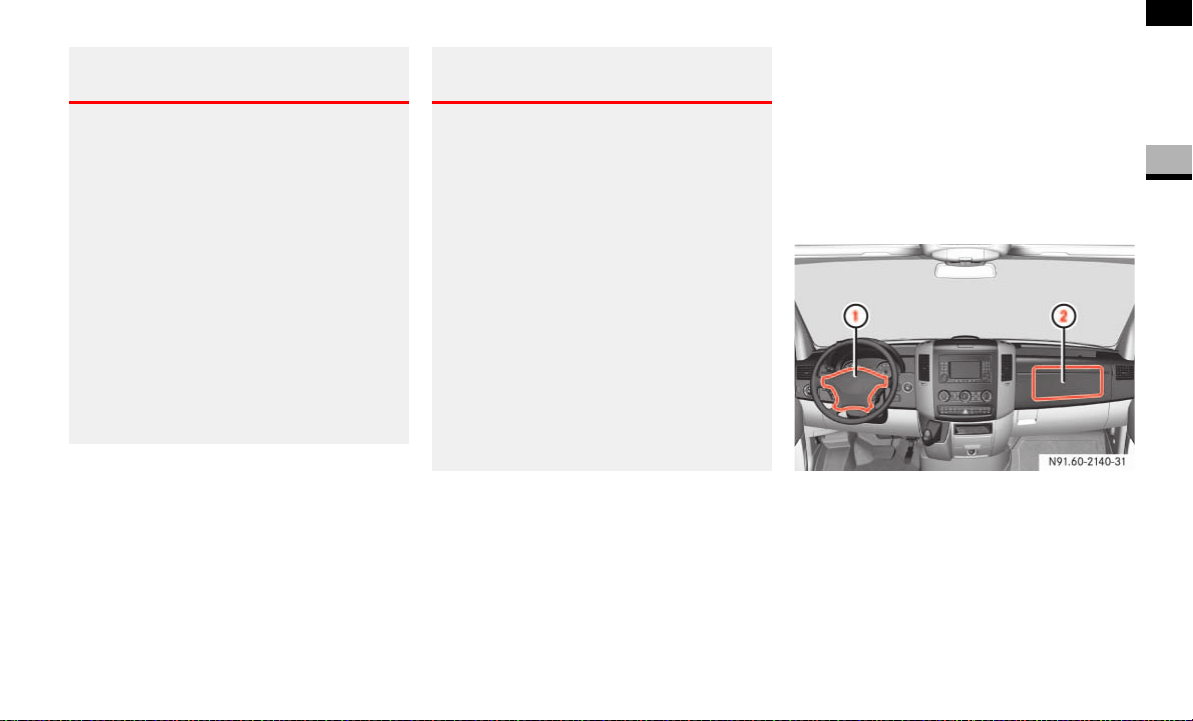
The driver’s airbag is located in the steer-
ing wheel housing; the co-driver’s is above
the glove box.
1 Driver’s airbag
2 Co-driver’s airbag
Driver’s front airbag 1 inflates in front of
the steering wheel; co-driver’s front
airbag 2 inflates in front of and above the
glove box and the center console.
Warning G
After an airbag has been triggered:
airbag parts are hot – do not touch
them, otherwise you could be burnt
the airbags must be replaced at a quali-
fied specialist workshop which has the
necessary specialist knowledge and
tools to carry out the work required. The
manufacturer recommends that you use
an authorized Sprinter Dealer for this
purpose.
In particular, work relevant to safety or
on safety-related systems must be car-
ried out at a qualified specialist work-
shop.
Warning G
A small amount of fine powder is released as
an airbag inflates. This powder does not
constitute a health hazard, nor does it imply
that fire has broken out in the vehicle. This
powder could cause short-term breathing
difficulties for persons suffering from asth-
ma or other respiratory conditions. To avoid
these breathing difficulties, you should ei-
ther:
leave the vehicle immediately, if it is
possible to do so safely
or
open the window to allow fresh air to
enter
N91.60-2140-31

34
Safety
Occupant safety
2
The driver’s front airbag and co-driver’s
front airbag are triggered:
in the initial stages of an accident with
a high rate of vehicle acceleration or
deceleration in a longitudinal direction
if the system determines that airbag
deployment can offer additional pro-
tection to that provided by the seat belt
independently of other airbags in the
vehicle
Thorax sidebags*
The purpose of the thorax/sidebags is to
increase the level of protection for the tho-
rax (but not the head, neck and arms) of
the occupants on the side of the vehicle on
which the impact occurs.
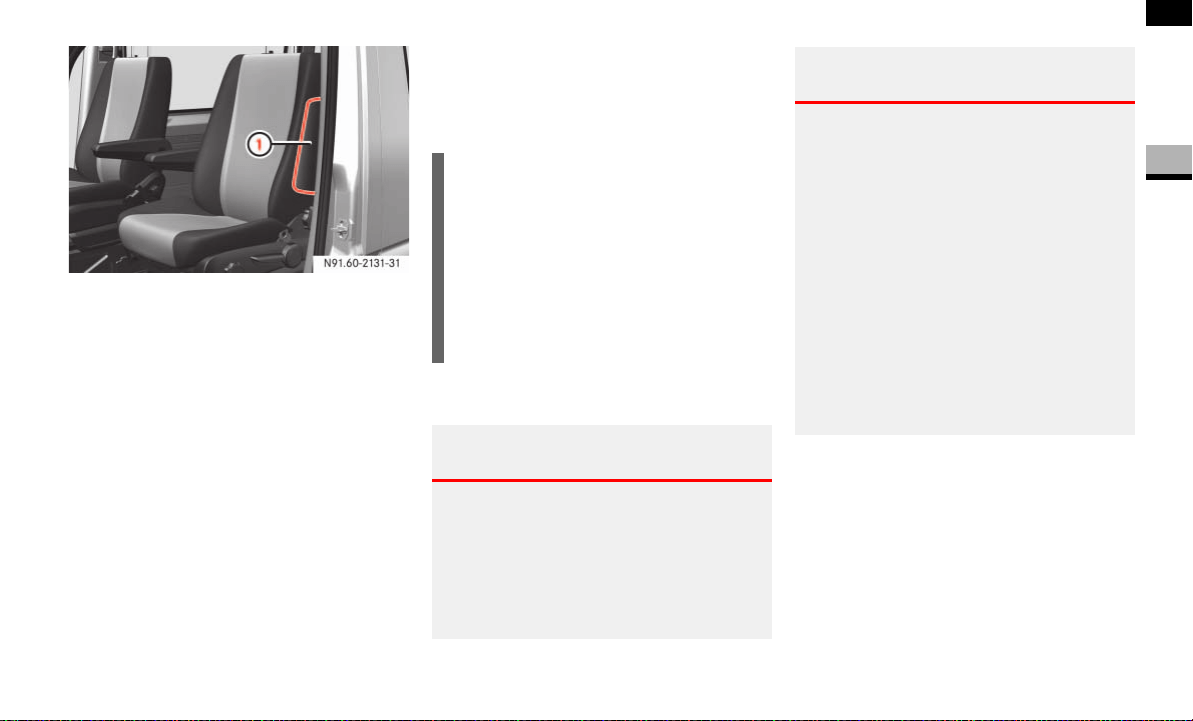
The thorax/sidebags are installed in the
outer sides of the backrests on the driver’s
seat and the co-driver’s individual seat
Warning G
For safety reasons, the manufacturer rec-
ommends that you use seat covers that
have been tested for Sprinter vehicles and
that have a seam for thorax/sidebags. A
thorax/sidebag may otherwise not inflate
correctly and could fail to provide the in-
tended degree of protection in the event of
a collision. You can obtain these covers from
an authorized Sprinter Dealer, for example.
Warning G
To reduce the risk of injury to occupants if a
thorax/sidebag is triggered, make sure
that:
no persons, animals or objects are
present between the vehicle occupants
and the thorax/sidebag deployment
range
no accessories, for example cup hold-
ers, are secured to the doors
only light items of clothing are hung
from the coat hooks in the vehicle
there are no heavy or sharp objects in
the pockets of items of clothing
Warning G
Observe the following to reduce the risk of
serious or fatal injury if the thorax/sidebag
is triggered:
Vehicle occupants – in particular, chil-
dren – must never lean their head
against the area of the window in which
the thorax/sidebag inflates.
Vehicle occupants must wear their seat
belt correctly at all times and lean back
against the backrest, which should be
positioned as upright as possible.
Always secure children who are less
than 5 ft (1.50 m) tall or under 12 years
of age in a suitable child restraint sys-
tem.
35
Safety
Occupant safety
2
1 Thorax sidebag
The thorax sidebags are triggered:
in the initial stages of an accident with
a high rate of vehicle acceleration or
deceleration in a lateral direction, for
example in the event of a side impact
on the side on which an impact occurs
if the system determines that airbag
deployment can offer additional pro-
tection to that provided by the seat belt
independently of the front airbags
In the event of an accident, the thorax side-
bag next to the outer seat side inflates be-
tween the door and the chest area of the
occupant.
Windowbags*
The windowbags are designed to increase
protection to the head (but not to the chest
or arms) of the vehicle occupants on the
side on which the impact occurs.
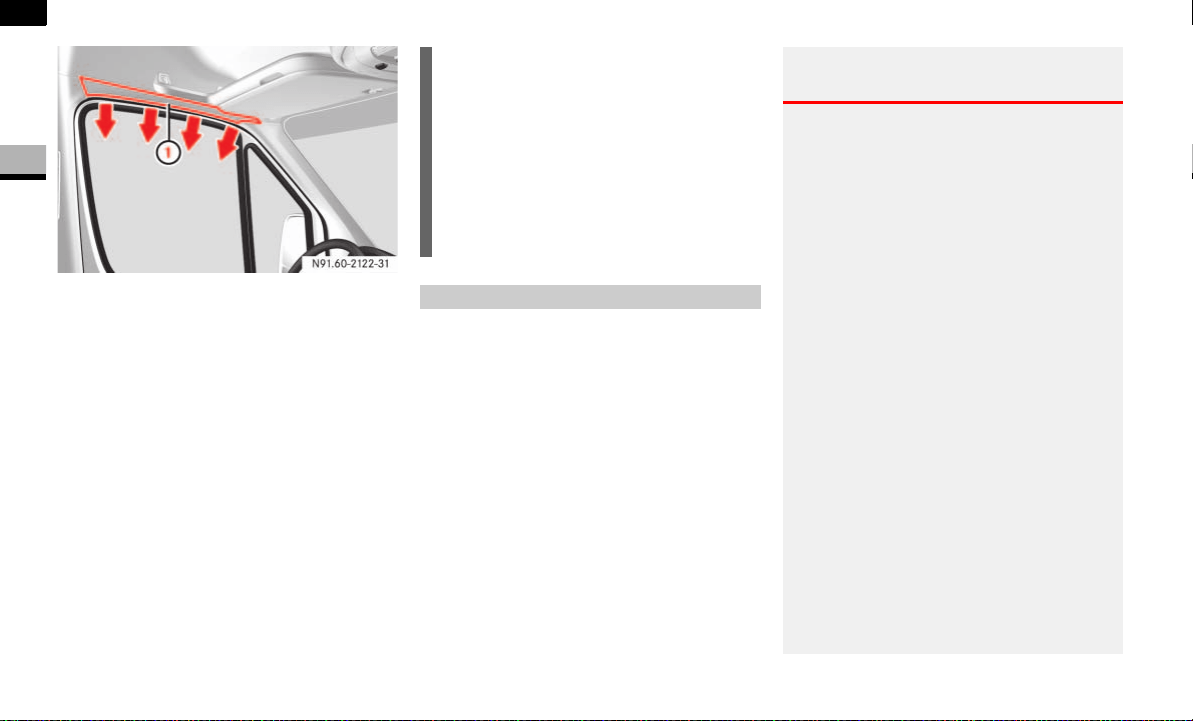
The relevant windowbag is installed in the
side of the roof frame behind the trim pan-
el between the A and B-pillar.
i
You will find additional information
about airbag deployment on
( page 32).
You will find additional information
about the triggering of emergency ten-
sioning retractors and belt force limit-
ers on ( page 30).
Warning G
To ensure that windowbags can provide the
intended degree of protection when de-
ployed, make sure that no persons, animals
or objects are present between the vehicle
occupants and the deployment range of the
windowbags.
Warning G
Observe the following to reduce the risk of
serious or fatal injury if the windowbag is
triggered:
Vehicle occupants – in particular, chil-
dren – must never lean their head
against the area of the window in which
the windowbag inflates.
Vehicle occupants must wear their seat
belt correctly at all times.
Always secure children who are less
than 5 ft (1.50 m) tall or under 12 years
of age in a suitable child restraint sys-
tem.
36
Safety
Occupant safety
2
1 Windowbag
The windowbags are triggered:
in the initial stages of an accident with
a high rate of vehicle acceleration or
deceleration in a lateral direction
on the side on which an impact occurs
independently of the front airbags
If a child is traveling in the vehicle:
secure the child in a child restraint sys-
tem appropriate to his/her age and
size, preferably on a suitable seat in the
rear
ensure that the child is strapped in
throughout the trip
You can obtain child seats and information
about the correct child restraint system
from any authorized Sprinter Dealer.
i
You will find additional information
about airbag deployment on
( page 32).
You will find additional information
about the triggering of emergency ten-
sioning retractors and belt force limit-
ers on ( page 30).
Children in the vehicle
Warning G
Do not leave children unsupervised in the
vehicle even if they are secured in a child re-
straint system. The children could:
injure themselves on parts of the vehicle
be seriously or even fatally injured by
prolonged exposure to extreme heat or
cold
Do not expose child restraint systems to di-
rect sunlight. Metallic parts of the child re-
straint system could heat up, for example,
and the child could burn him/herself on the
hot parts.
If the children open a door, they could:
cause injury to others as a result
get out of the vehicle and could either
injure themselves when doing so or they
could be injured by passing vehicles
sustain serious injuries if they were to
fall out of the vehicle, due in particular
to the height of the passenger compart-
ment from the ground

37
Safety
Occupant safety
2
Child restraint systems
We recommend all infants and children be
properly restrained at all times while the
vehicle is in motion.
All lap-shoulder belts except the driver’s
seat belt have special seat belt retractors
for secure fastening of child restraints.
To fasten a child restraint, follow child re-
straint instructions for mounting. Then pull
the shoulder belt out completely and let it
retract. During seat belt retraction, a ratch-
eting sound can be heard to indicate taht
the special seat belt retractor is activated.
The belt is now locked. push down on child
restraint to take up any slack.
To deactivate, release seat belt buckle and
let seat belt retract completely. The seat
belt can again be used in the usual
manner.
Do not carry heavy or hard objects inside
the vehicle or load compartment unless they
are secured. You will find further information
under “Transporting156” ( page 156) and
“Features164” ( page 164) in the “Con-
trols in detail” section.
An unsecured or incorrectly positioned load
increases the risk of injury to occupants,
particularly children, in the event of:
sharp braking
a sudden change of direction
an accident
Warning G
Never release the seat belt buckle while the
vehicle is in motion, since the special seat
belt retractor will be deactivated.
Warning G
To reduce the risk of serious or fatal injury to
a child in the event of an accident, sharp
braking or a sudden change in direction:
Always secure children less than 5 ft
(1.50 m) tall or under 12 years of age in
a special child restraint system installed
on a suitable vehicle seat, since the seat
belts are not designed for this body size.
Do not secure children under 12 years
of age on the co-driver’s seat unless
they are secured in a suitable forward-
facing child restraint system.
It is not permitted to secure a child in a
rearward-facing child restraint system
on the co-driver’s seat if the vehicle is
equipped with a co-driver’s airbag.
Only secure a rearward-facing child re-
straint system on a suitable rear seat.
Always move the co-driver’s seat to its
rearmost position if you have secured a
child on this seat in a forward-facing
child restraint system.
A child must never be carried sitting on
the lap of a vehicle occupant. It would
not be possible to restrain the child as a
result of the forces acting in the event of
an accident, braking or abrupt changes
in direction. The child would be thrown
against parts of the vehicle interior and
be seriously or fatally injured.
Vehicle occupants must wear their seat
belt correctly at all times.

38
Safety
Occupant safety
2
The use of infant or child restraints is re-
quired by law in all 50 states, the District
of Columbia, the U.S. territories and all Ca-
nadian provinces.
Infants and small children should be seat-
ed in an appropriate infant or child re-
straint system properly secured by a lap/
shoulder belt or, if so equipped, a top teth-
er anchorage point and a child restraint
lower anchorage system that complies
with U.S. Federal Motor Vehicle Safety
Standards 213 and 225 and Canadian Mo-
tor Vehicle Safety Standard 213 and
210.2.
Warning G
If the child restraint system is not installed
correctly on a suitable vehicle seat, the child
may not be restrained in the event of an ac-
cident or sudden braking and may be seri-
ously or fatally injured. For this reason,
always observe the installation instructions
issued by the child restraint system manu-
facturer and the intended use for the child
restraint system when fitting it.
It is advisable to install the child restraint
system on one of the rear seats. The child is
generally better protected there.
Do not place objects (for example a cushion)
underneath the child restraint system. The
entire base of the child restraint system
must be in contact with the seat cushion at
all times.
Child restraint systems must not be used
without the original cover. Replace damaged
covers only with original covers.
On the rear seats, only use child restraint sys-
tems recommended by the manufacturer.
Warning G
If you no longer require the child restraint sys-
tem, remove it from the vehicle or secure it
with the seat belt.
The restraint system could otherwise be
thrown through the vehicle interior in the
event of an accident.
Warning G
A child secured in a child restraint system
could be seriously or fatally injured in the
event of an accident, braking or a sudden
change in direction if the child restraint sys-
tem or its securing system is already dam-
aged or has been subjected to a load in an
accident.
Have restraint systems and their securing
systems which have been damaged or sub-
jected to a load in an accident checked and,
if necessary, replaced immediately at a
qualified specialist workshop which has the
necessary specialist knowledge and tools
for the work required.
The manufacturer recommends that you use
an authorized Sprinter Dealer for this pur-
pose. All work relevant to safety or on safe-
ty-related systems must be carried out at a
qualified specialist workshop.
39
Safety
Occupant safety
2
A statement by the child restraint manu-
facturer of compliance with this standard
can be found on the instruction label on
the restraint and in the instruction manual
provided with the restraint.
When using any infant or child restraint
system, make sure to carefully read and
follow all manufacturer’s instructions for
installation and use.
Please read and observe warning labels af-
fixed to inside of vehicle and to infant or
child restraints.
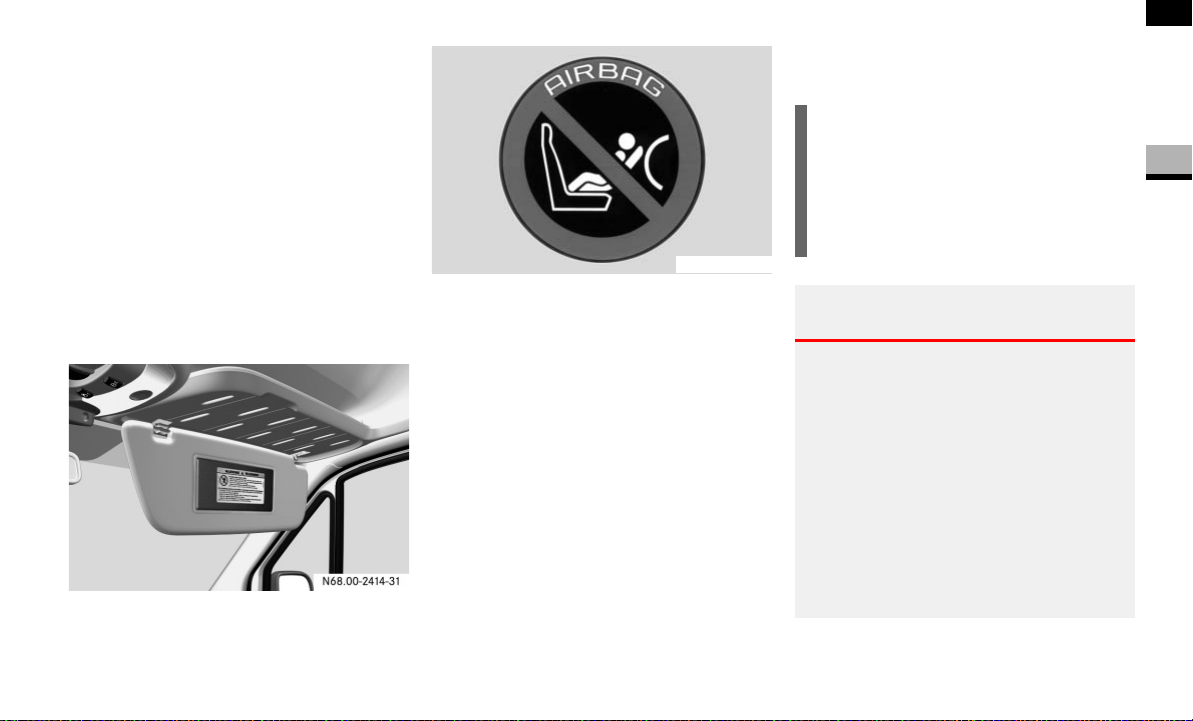
Passenger sun visor with warning sticker
Warning symbol for rearward-facing child
seat
ISOFIX child seat securing system/
Child seat anchors - LATCH type
ISOFIX is a standardized securing system
on the rear seats for special LATCH (Lower
Anchors and Tethers for Children) child re-
straint systems with matching mounting
fittings.
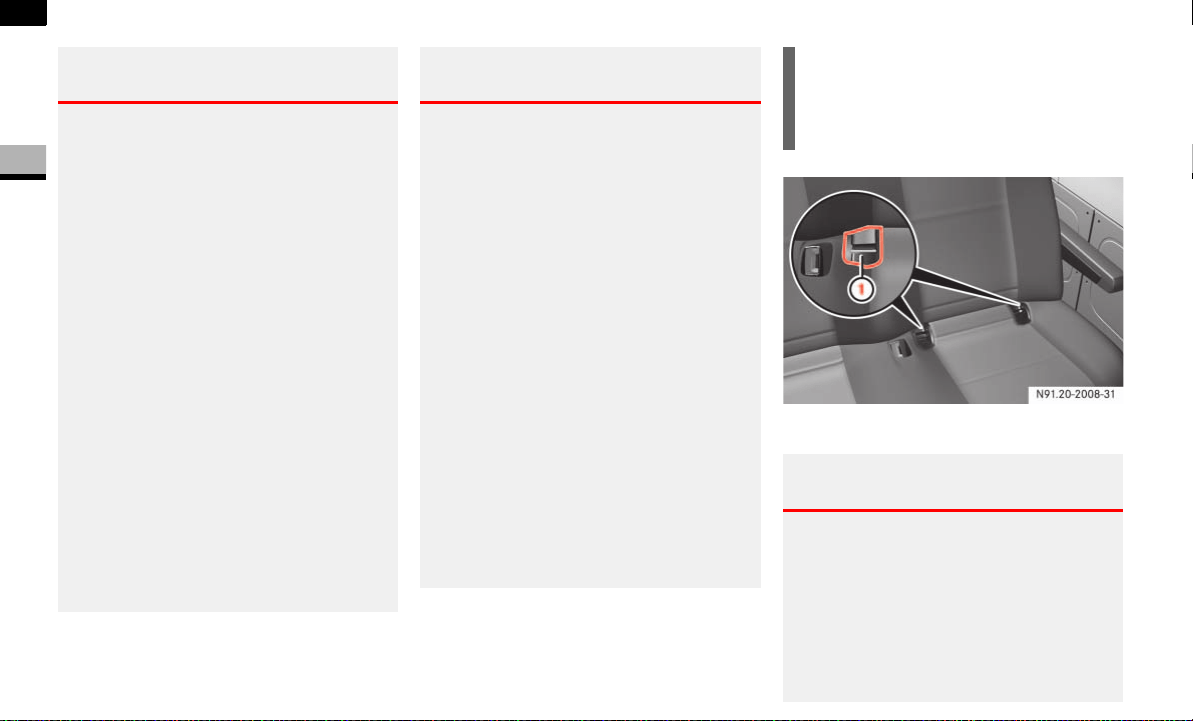
The LATCH type anchors for child restraint
systems are installed between the seat
cushion and the backrest:
on the outside left and right on narrow
rear bench seats with 3 seats
on the outside left on rear bench seats
with 2 seats
N00.00-2620-31
i
Non-LATCH type child seats may also
be used and can installed using the ve-
hicle’s seat belt system. Install child
seat according to manufacturer’s in-
structions.
Warning G
A LATCH type child restraint system that has
been secured using the ISOFIX child seat se-
curing system is unable to provide adequate
protection for children who weigh more than
48 lbs (22 kg). For this reason, only secure
children weighing less than 48 lbs (22 kg) in
a LATCH type child restraint system secured
using the ISOFIX child seat securing system.
If the child weighs more than 48 lbs (22 kg),
you should secure the LATCH type child re-
straint system with a lap-shoulder belt.
40
Safety
Occupant safety
2
1 Securing rings - LATCH type anchors
Warning G
If the child restraint system has not been in-
stalled correctly on a suitable vehicle seat,
the child cannot be restrained in the event
of an accident or sudden braking and could
be seriously or fatally injured. You must
therefore observe the installation instruc-
tions issued by the child restraint system
manufacturer when installing a child re-
straint system.
On the rear bench seat, only use LATCH type
child restraint systems with ISOFIX child
seat mountings that have been recommend-
ed by the manufacturer.
An incorrectly installed child restraint sys-
tem could come loose and the child or other
vehicle occupants could be fatally injured.
You must therefore make sure that the child
restraint system is engaged in the securing
rings on the left and right-hand sides after it
has been installed.
Warning G
If the child restraint system or its securing
system, for example the ISOFIX child seat
securing system, are damaged or have been
subjected to a load in an accident, the child
secured in it could suffer severe or fatal in-
juries in the event of an accident, heavy
braking or a sudden change of direction.
For this reason, have restraint systems and
their mountings checked immediately and
replaced if necessary at a qualified special-
ist workshop which has the necessary spe-
cialist knowledge and tools to carry out the
work required if they are damaged or have
been subjected to a load in an accident.
The manufacturer recommends that you use
an authorized Sprinter Dealer for this pur-
pose. In particular, work relevant to safety
or on safety-related systems must be car-
ried out at a qualified specialist workshop.
!CAUTION
Take care not to trap the seat belt on
the middle seat when you install the
child restraint system.
Warning G
Do not leave children unsupervised in the
vehicle, even if they are secured by a child
restraint system. The children could:
injure themselves on parts of the vehicle
be seriously or even fatally injured by
prolonged exposure to extreme heat or
cold
41
Safety
Occupant safety
2
TopTether
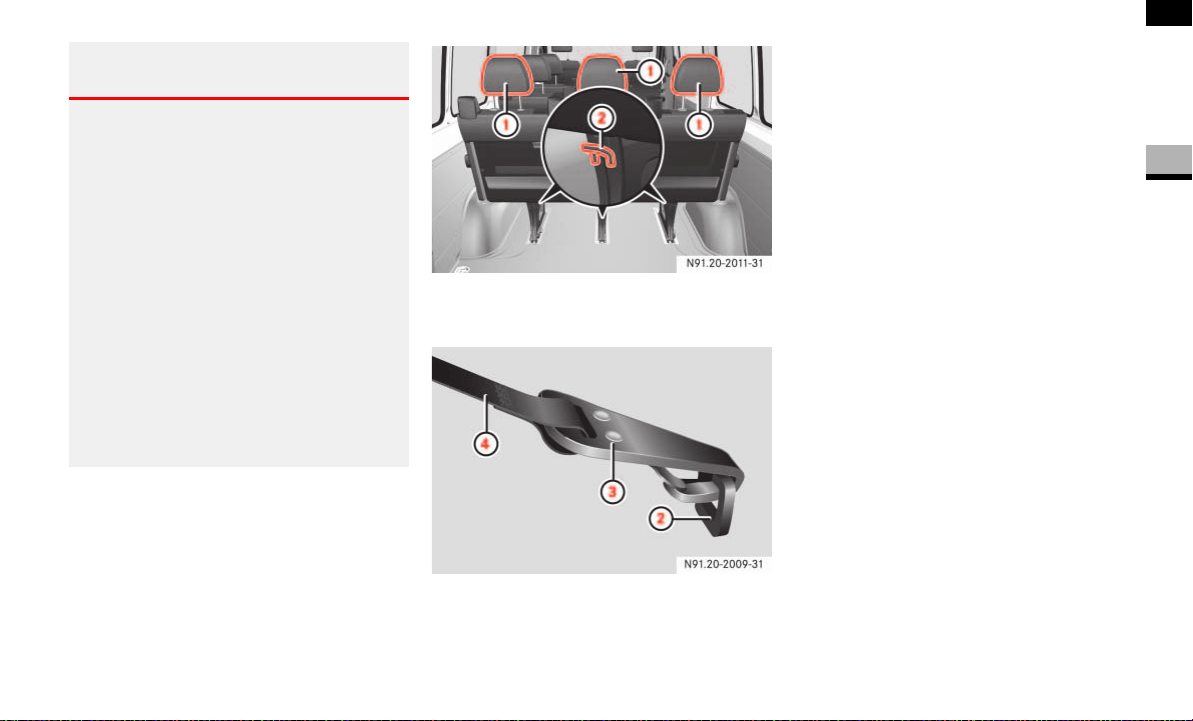
The TopTether anchorages are on the feet
of the rear bench seat.
1 Head restraints
2 TopTether anchorages
2 TopTether anchorage
3 TopTether hook
4 TopTether belt of
LATCH type child re-
straint system
Slide head restraint 1 upward.
Guide TopTether belt 4 under head
restraint 1 from the front and be-
tween the two head restraint bars.
Hook TopTether hook 3 into
TopTether anchorage 2 on the feet of
the bench seat.
If necessary, slide head restraint 1
back down a little ( page 72). Make
sure that TopTether belt 4 can move
freely.
Install the
LATCH type child restraint
system with TopTether. The manufac-
turer’s installation instructions must be
observed.
Warning G
Do not expose child restraint systems to di-
rect sunlight. Metallic parts of the child re-
straint system could heat up, for example,
and the child could burn him/herself on the
hot parts.
If the children open a door, they could:
cause injury to others as a result
get out of the vehicle and could either
injure themselves when doing so or they
could be injured by passing vehicles
sustain serious injuries if they were to
fall out of the vehicle, due in particular
to the height of the passenger compart-
ment from the ground

42
Safety
Driving safety systems
2
Driving safety systems
In this section, you will find information
about the following driving safety systems:
ABS (A
ntilock Brake System)
BAS (B
rake Assist)
ESP
®
(Electronic Stability Program)
ASR (acceleration skid control)
EBV (electronic brake force distribu-
tion)
ABS regulates the brake pressure in such a
way that the wheels do not lock when you
brake. This allows you to continue steering
when braking.
ABS works from a speed of about 3 mph
(5 km/h) upwards, regardless of road sur-
face conditions.
ABS works on slippery surfaces, even
when you only brake gently.
There is a malfunction if the - indicator
lamp is permanently lit while the engine is
running ( page 271).
Despite this, the normal driving and brak-
ing functions remain available.
i
The maximum effect of ABS, BAS,
ESP
®
, ASR and EBV can only be
achieved if you:
always drive with the correct tire
pressures adjusted according to
the load ( page 210)
use winter tires (M+S tires) in win-
try conditions, with snow chains if
necessary
Warning G
There is an increased risk of an accident if
you:
drive too fast, in particular when corner-
ing and on a wet or slippery road surface
drive too close to the vehicle in front
The driving safety systems described in this
section cannot reduce this risk and are un-
able to override the laws of physics.
Always adapt your driving style to the pre-
vailing road and weather conditions, and
maintain an adequately safe distance from
other road users as well as any obstacles on
the road.
i
Only use wheels with the recommend-
ed tire sizes ( page 367), otherwise
the driving safety systems will not work
correctly.
Antilock Brake System (ABS)
Warning G
Do not depress the brake pedal several
times in quick succession (pumping). De-
press the brake firmly and evenly. Pumping
the brake pedal may reduce the braking ef-
fect.

43
Safety
Driving safety systems
2
Braking
If ABS intervenes during braking, you will
feel the steering wheel vibrate gently and
the brake pedal pulsate.
If ABS intervenes:
Continue to depress the brake pedal
firmly until the braking situation is over.
For full brake application:
Depress the brake pedal with maxi-
mum force.
Brake Assist operates in emergency brak-
ing situations. If you depress the brake
pedal quickly, BAS automatically increases
the brake pressure, thereby reducing the
stopping distance.
Keep the brake pedal firmly depressed
until the emergency braking situation is
over.
ABS prevents the wheels from locking.
When you release the brake pedal, the
brakes will work as normal again. BAS is
deactivated.
Vehicles without steering wheel buttons:
There is a malfunction if the k indicator
lamp is permanently lit while the engine is
running ( page 270).
ESP
®
monitors driving stability and detects
a tendency of the vehicle to understeer or
oversteer (skidding). ESP
®
stabilizes the
vehicle by braking individual wheels, limit-
ing the engine power output, and greatly
assists you when driving on wet or slippery
road surfaces. ESP
®
also stabilizes the ve-
hicle when braking.
When ESP
®
intervenes, the v warning
lamp in the speedometer flashes.
Warning G
Always adapt your driving style to the pre-
vailing road and weather conditions, and
maintain an adequately safe distance from
other road users as well as any obstacles on
the road.
If ABS malfunctions, the wheels could lock
when you brake. This means that the steer-
ability of the vehicle is restricted during
braking and the stopping distance may in-
crease. If ABS is deactivated due to a mal-
function, BAS is also deactivated.
Brake Assist (BAS)
Warning G
If BAS malfunctions, the brake system is still
available with the full brake boosting effect.
In an emergency braking situation, however,
the braking force will not be additionally
boosted automatically and the stopping dis-
tance may increase.
Electronic Stability Program (ESP
®
)

44
Safety
Driving safety systems
2
There is a malfunction if the # indicator
lamp is permanently lit while the engine is
running ( page 272).
If ESP
®
malfunctions, engine power output
may be reduced.
ASR improves traction for a sustained peri-
od, i.e. the transfer of power from the tires
to the road surface, and thus also improves
the driving stability of the vehicle. ASR as-
sists you when pulling away and accelerat-
ing, especially on smooth and slippery
surfaces.
ASR brakes individual drive wheels and
limits the engine torque to prevent the
drive wheels from spinning. When ASR in-
tervenes, the v indicator lamp in the
speedometer flashes.
If the road surface is not capable of provid-
ing sufficient traction, bearing in mind the
tires, load and gradient, it is not be possi-
ble to pull away smoothly even with ASR.
Vehicles without steering wheel buttons:
There is a malfunction if the k indicator
lamp is permanently lit while the engine is
running ( page 270).
If ASR malfunctions, engine power output
may be reduced.
Warning G
Proceed as follows if the v warning lamp
in the speedometer flashes:
Do not deactivate ASR under any cir-
cumstances.
Only depress the accelerator pedal as
far as necessary when pulling away.
Adapt your driving style to suit the pre-
vailing road and weather conditions.
Otherwise, the vehicle could begin to skid.
ESP
®
cannot reduce the risk of an accident
if you drive too fast. ESP
®
is unable to over-
ride the laws of physics.
!CAUTION
Only operate the vehicle briefly (maxi-
mum of 10 seconds) on a brake dyna-
mometer. The key must be turned to
position 1 in the ignition lock during
this time. You could damage the drive
train or the brake system.
!CAUTION
Do not operate the vehicle on a roller
dynamometer (for example for perfor-
mance testing). If you wish to operate
the vehicle on a roller dynamometer,
please consult an authorized Sprinter
Dealer beforehand. You could other-
wise damage the drive train or the
brake system.
Acceleration skid control (ASR)
45
Safety
Driving safety systems
2
Activating/deactivating ASR
ASR is automatically activated as soon as
the engine is switched on.
It may be best to deactivate ASR in the fol-
lowing situations:
if snow chains are being used
in deep snow
on sand or gravel
If you deactivate ASR:
the engine’s torque is then no longer
limited and the drive wheels could spin;
the spinning wheels produce a cutting
effect for better traction
traction control still intervenes by brak-
ing if one drive wheel reaches its grip
limit, for example if the surface under
one side of the vehicle is slippery. The
wheel is then braked to increase trac-
tion in this situation.
ESP
®
still intervenes to stabilize the ve-
hicle
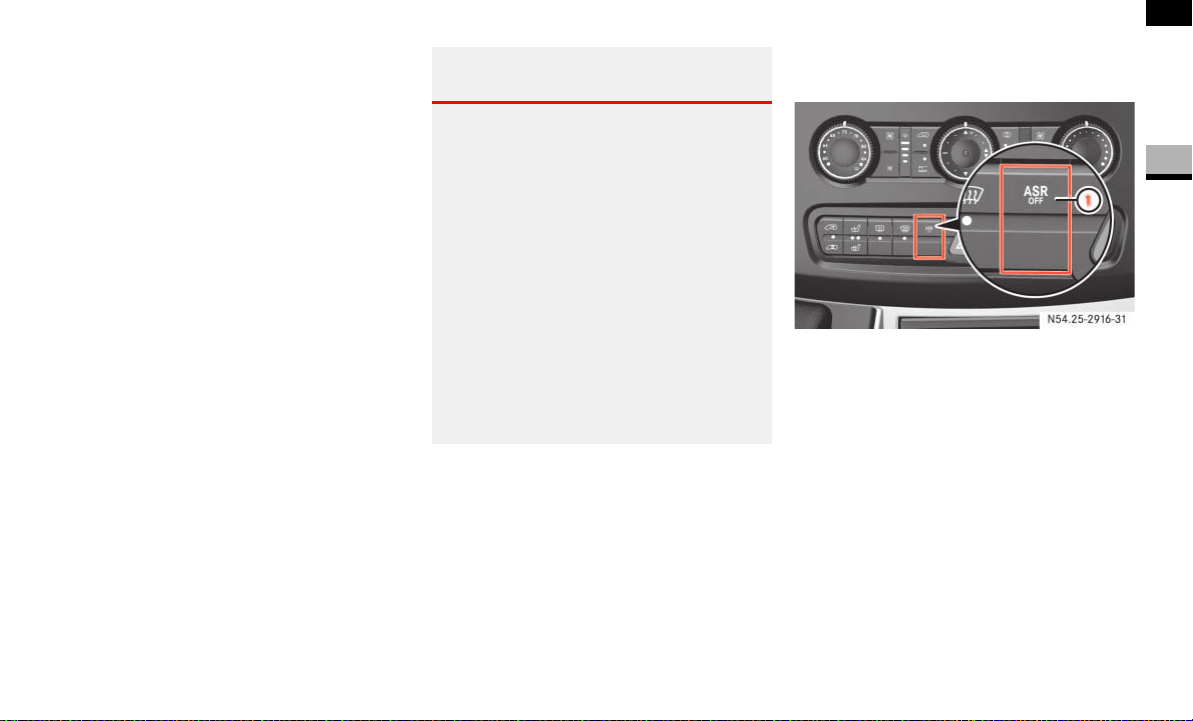
The ASR switch is located on the center
console.
1 To deactivate/activate ASR
To switch off: press upper section 1
of the switch.
The v warning lamp in the speed-
ometer lights up.
To switch on: press upper section 1
of the switch again.
The v warning lamp in the speed-
ometer goes out.
Warning G
ESP
®
remains active despite ASR having
been deactivated and carries out braking in-
terventions if this is necessary to improve
driving stability. The v warning lamp
flashes.
If ASR is deactivated, there is an increased
risk that the brake system of your vehicle
could overheat and be damaged when sub-
jected to high loads for a long period of time.
A hot brake system also increases the stop-
ping distance.
For this reason, only deactivate ASR when it
is absolutely necessary.
N54.25-2916-31

46
Safety
Driving safety systems
2
EBV monitors and regulates the brake
pressure at the rear wheels to improve
driving stability during braking.
There is a malfunction if the #, k,
- and indicator lamps are perma-
nently lit while the engine is running
( page 268).
Electronic brake force distribution
(EBV)
Warning G
If EBV malfunctions, the brake system is still
available with the full brake boosting effect.
However, the rear wheels may lock, for ex-
ample if the brakes are applied with maxi-
mum force. You could then lose control of
the vehicle and cause an accident. Always
adapt your driving style to the change in
handling characteristics.
Have the system checked at an authorized
Sprinter Dealer as soon as possible.

47
Safety
Anti-theft systems
2
Anti-theft systems
The immobilizer prevents the vehicle from
being started without the correct key.
When leaving the vehicle, always take the
key or remote keyless entry transmitter
with you and lock the vehicle. The engine
could be started by anyone with a valid key
or remote keyless entry transmitter that is
left inside the vehicle
To switch on: remove the key from the
ignition lock ( page 67).
To switch off: switch on the ignition
( page 67).
A visual and audible alarm is triggered if
the alarm system is enabled and:
a door is opened
the hood is opened
Enabling the alarm system
Close all the doors.
Lock the vehicle using the ‹ button
on the key ( page 52).
The indicator lamp in the central lock-
ing switch ( page 63) flashes.
Deactivating the anti-theft alarm sys-
tem
Unlock the vehicle using the Πbut-
ton on the key ( page 52).
The indicator lamp in the central lock-
ing switch ( page 63) goes out.
Switching off the alarm
Insert the key into the ignition lock.
or
Press the Πbutton ( page 52).
The alarm is switched off.
Immobilizer Anti-theft alarm system (ATA)* i
The vehicle locks again automatically if
you do not open a door within 40 sec-
onds after unlocking the vehicle.
i
The alarm system will be triggered if
the vehicle has been locked with the
key and is then unlocked from the in-
side.
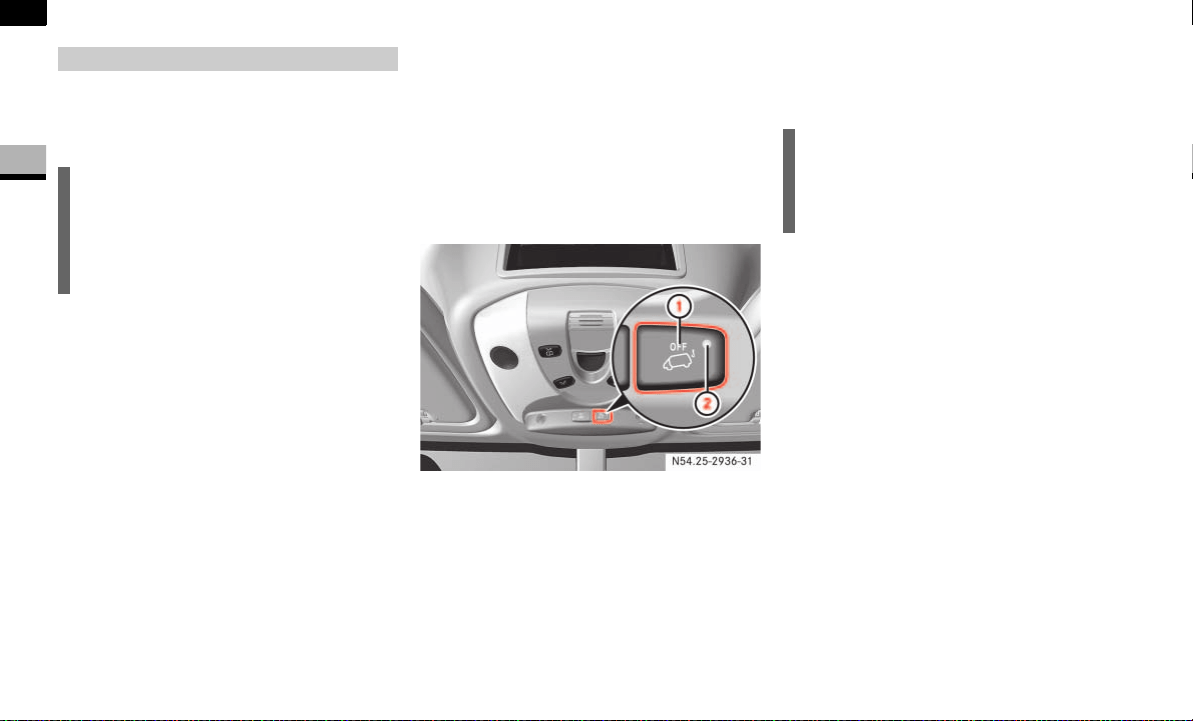
48
Safety
Anti-theft systems
2
A visual and audible alarm is triggered if
the inclination of the vehicle changes while
tow-away protection is enabled.
Enabling tow-away protection
Tow-away protection is automatically en-
abled approximately 20 seconds after you
lock the vehicle.
Tow-away protection is automatically de-
activated when you unlock the vehicle.
Deactivating the tow-away protection
for transportation
Deactivate tow-away protection if the vehi-
cle is transported or loaded onto another
vehicle. This will prevent false alarms.
The button is located in the overhead con-
trol panel.
1 To deactivate tow-away protection
2 Indicator lamp
Turn the key to position 0 or 1
( page 67) in the ignition lock or re-
move the key.
Press button 1.
Indicator lamp 2 lights up for approxi-
mately 5 seconds after the button is re-
leased.
Lock the vehicle using the key.
Tow-away protection remains deactivated
until you lock the vehicle again.
Tow-away protection*
i
The tow-away protection alarm is trig-
gered shortly before the wheel leaves
the ground if the vehicle is being jacked
up on one side, for example.
i
When the ignition is switched off
( page 67), you cannot deactivate
tow-away protection.
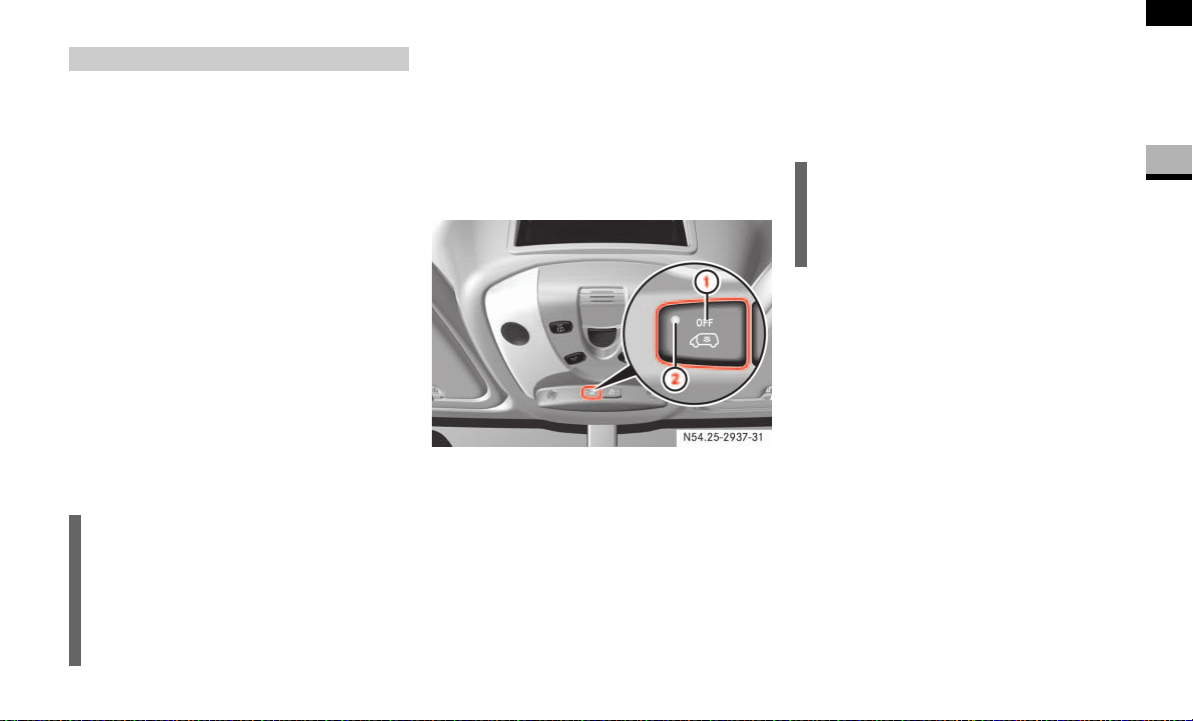
49
Safety
Anti-theft systems
2
If the anti-theft alarm system is enabled
and the vehicle is locked, a visual and au-
dible alarm is triggered if one of the side
windows or the rear window on your vehi-
cle is smashed and someone reaches into
the interior, for example.
Enabling the interior motion sensor
Close:
the side windows
the sliding sunroof
This will prevent false alarms.
Lock your vehicle.
The interior motion sensor is enabled
after approximately 40 seconds.
Deactivating the interior motion sensor
Deactivate the interior motion sensor if
people or animals remain in the locked ve-
hicle. This will prevent false alarms.
The button is located in the overhead con-
trol panel.
1 To deactivate the interior motion sen-
sor
2 Indicator lamp
Turn the key to position 0 or 1
( page 67) in the ignition lock or re-
move the key.
Press button 1.
Indicator lamp 2 lights up for approxi-
mately 5 seconds after the button is re-
leased.
Interior motion sensor*
i
Do not leave anything (for example
mascots or coat hangers) hanging on
the rear-view mirror or on the grab han-
dles on the roof trim. This will prevent
false alarms.
i
The interior motion sensor remains
deactivated until you lock the vehicle
again.


51
Controls in detail
3
Controls in detail
Opening and closing ............52
Key positions ............67
Seats ............68
Steering wheel adjustment ............76
Lighting ............77
Instrument cluster ............84
Operating system without steering wheel buttons ............87
Operating system with steering wheel buttons* ............89
Driving and parking ......... 110
Automatic transmission ......... 121
Good visibility ......... 125
Tempmatic ......... 129
Auxiliary heating/ventilation* ......... 139
Open air ......... 144
Driving systems ......... 147
Operating the vehicle ......... 154
Transporting ......... 156
Features ......... 164

52
Controls in detail
Opening and closing
3
Opening and closing
Included with your vehicle are 2 or 4* re-
mote keyless entry transmitters with a
folding mechanical key.
Keys which were not included with delivery
must be activated at an authorized Sprint-
er Dealer before they can be used.
The remote keyless entry transmitter
transmits in all directions. It does not have
to be pointed at the vehicle.
The remote keyless entry transmitter has
an average range of about 32 ft
(about 10 m). Always verify the correct op-
eration of the remote keyless entry trans-
mitter by checking whether the locking
knobs on the driver's and co-driver's doors
move down and whether the turn signals
flash.
The remote control unlocks the driver's
door and/or all doors centrally. If pro-
grammed as a factory setting, it locks the
following centrally:
the driver’s and co-driver’s door
the sliding doors
the rear doors
The remote keyless entry transmitter will
not function when there is a vehicle key in-
serted in the ignition lock.
Remote control with key
i
USA only:
This device complies with Part 15 of
the FCC rules. Operation is subject to
the following two conditions:
(1) This device may not cause harmful
interference, and
(2) this device must accept any inter-
ference received, including interfer-
ence that may cause undesired
operation.
Any unauthorized modification to this
device could void the user’s authority
to operate the equipment.
i
Canada only:
This device complies with RSS-210 of
Industry Canada.
i
If the driver’s or co-driver’s door is not
completely closed, the respective door
is not locked.
If one sliding door or rear door is not
completely closed, all doors of the load
compartment are not locked.
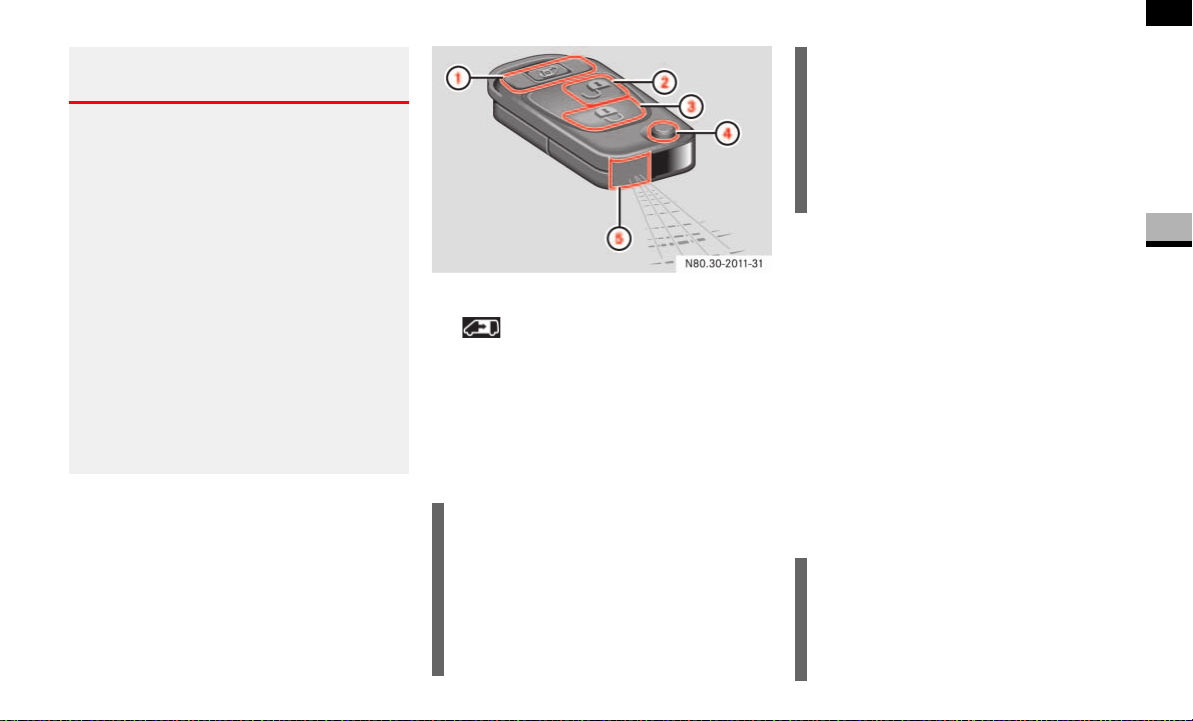
53
Controls in detail
Opening and closing
3
Remote control with key
1 To unlock the sliding doors and
rear doors and opens or closes the
electric sliding door*
2 ΠUnlocking button
3 ‹ Locking button
4 Release button for mechanical key
5 Battery check lamp.
As a precaution, both remote controls
should always be carried.
Checking the batteries
Press the Œ or ‹ button for
longer than 2 seconds.
The battery check lamp 5 comes on
briefly to indicate that the remote con-
trol batteries are in order.
Change the batteries immediately if the
lamp does not light up briefly during
check ( page 315).
Warning G
Do not leave children unsupervised in the
vehicle, even if they are secured by a child
restraint system.
The children could:
injure themselves on parts of the vehicle
unlock the door on vehicles with an elec-
tric sliding door by pressing the central
locking button, and then open the doors
and thereby injure other persons
get out of the vehicle and could either
injure themselves when doing so or they
could be injured by passing vehicles
be severely or even fatally injured by
prolonged exposure to intense heat
!
Do not expose the key to high levels of
electromagnetic radiation, otherwise
this may interfere with the functions of
the key.
Protect the key from moisture to pre-
vent malfunctions.
i
To prevent theft, only use the remote
control in the immediate vicinity of the
vehicle.
In an emergency, the driver’s door and
rear door can also be unlocked manual-
ly using the key.
i
If the batteries are checked within
signal range of the vehicle, pressing the
Œ or ‹ button will lock or un-
lock the vehicle accordingly.
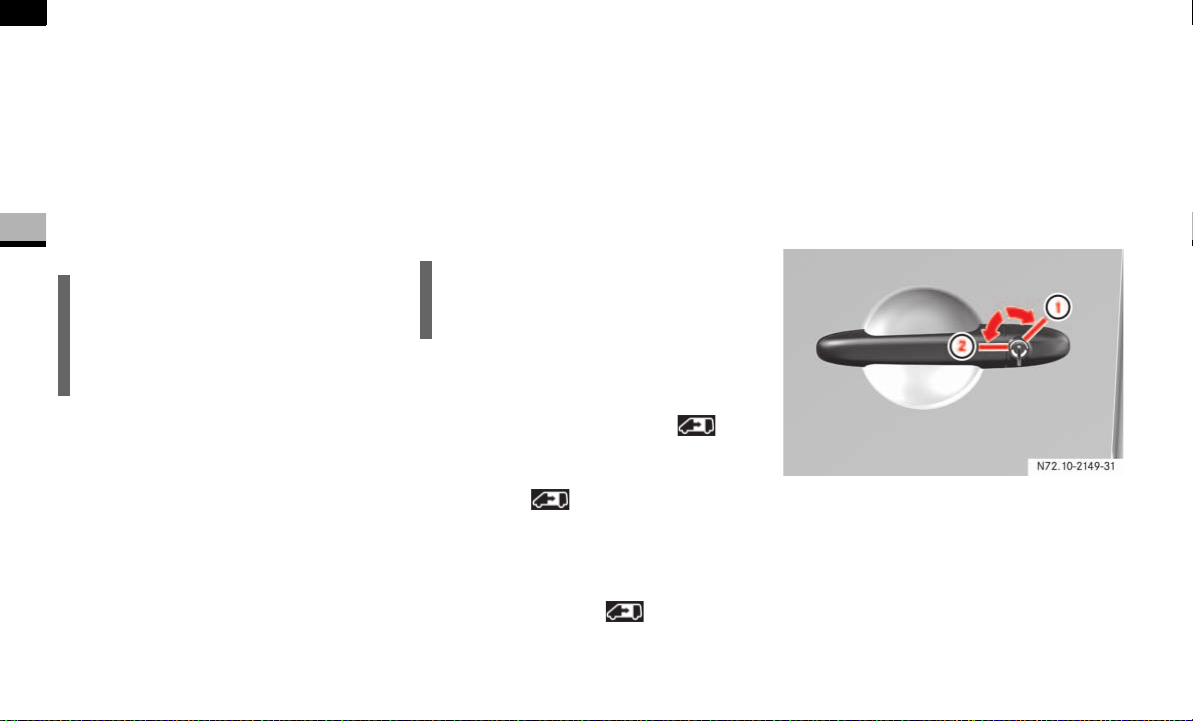
54
Controls in detail
Opening and closing
3
Locking and unlocking the vehicle with
the remote control
Unlocking the driver's door
Press the Πbutton.
The turn signals flash once.
The anti-theft alarm system (ATA)* is
deactivated.
Unlocking the vehicle centrally
Unlock the driver's door.
Press the Πbutton within 2 sec-
onds again.
The turn signals flash once.
Locking the vehicle centrally
Press the ‹ button.
The turn signals flash three times if:
the drive authorization system or
the anti-theft alarm system (ATA)*
is activated
all the doors are closed
Unlocking the sliding doors and the rear
door*
When the vehicle is locked, the but-
ton can only be used to unlock the sliding
doors and the rear door.
Press the button.
The turn signals flash once.
Opening the electric sliding doors
Press and hold the button.
The turn signals flash once.
Locking and unlocking the vehicle with
the key
If the doors can no longer be locked or un-
locked with the remote control, you can
lock and unlock the driver's door and the
rear doors with the key.
Unlocking the vehicle
Driver's door
1 To lock
2 To unlock
i
If you unlock the vehicle using the key
and do not open a door within 40 sec-
onds, the vehicle locks again automati-
cally.
i
Make sure that the locking knobs have
dropped down.
N72.10-2149-31
NCV2
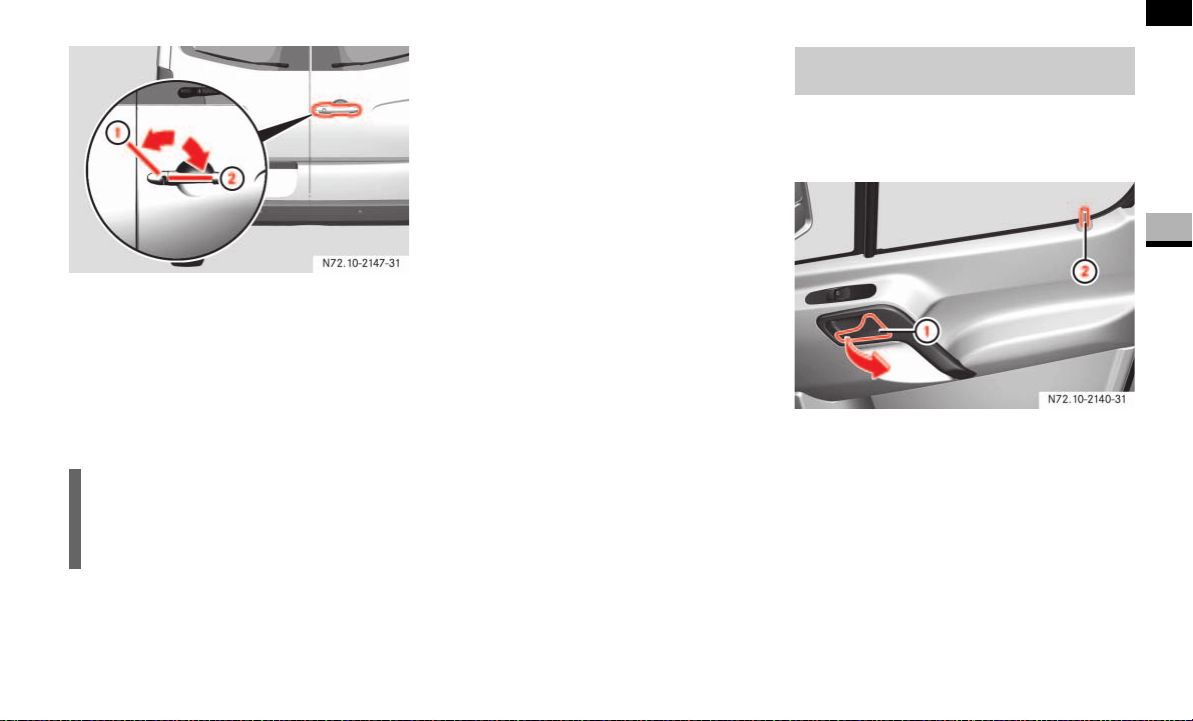
55
Controls in detail
Opening and closing
3
Rear door
1 To lock
2 To unlock
Insert the key all the way into the door
lock and turn it in direction 2.
The door is unlocked.
The alarm can be disabled in the following
ways:
Press the Πbutton on the remote
control.
or
Insert the key into the ignition lock.
Locking the vehicle
Only the driver's door and the rear doors
can be locked with the key.
For all other doors, press the locking
knob down.
Close the doors.
The doors are locked.
Insert the key all the way into the rear
door lock and turn it to the left.
The rear doors are locked.
Insert the key all the way into the driv-
er’s door lock and turn it to the right.
The driver’s door is locked.
You can open the driver’s/co-driver’s door
from the inside at any time, even if it is
locked.
1 Inside door handle
2 Locking knob
Pull door handle 1.
The door opens.
i
The anti-theft alarm system (ATA) is
triggered when you open the vehicle
using the key.
N72.10-2147-31
Opening the driver’s or co-driver’s
door from the inside
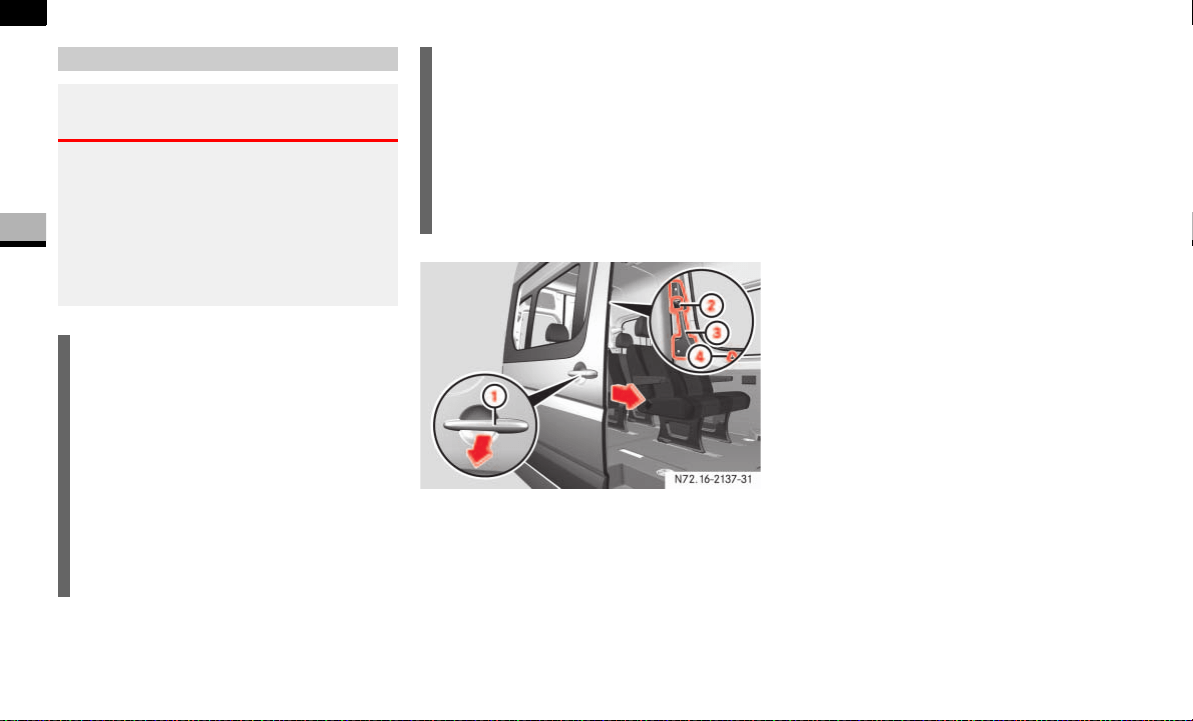
56
Controls in detail
Opening and closing
3
1 Outside door handle
2 Button
3 Inside door handle
4 Locking knob
Opening/closing the sliding door from
the outside
To open: pull door handle 1 to open
the sliding door.
Hold door handle 1 and slide the slid-
ing door towards the rear as far as the
stop.
To close: pull door handle 1, to re-
lease the sliding door from its detent
and, holding door handle 1, pull the
door firmly towards the front until it en-
gages.
Opening/closing the sliding door from
the inside
To unlock: pull locking knob 4 up.
Only this sliding door unlocks. The oth-
er doors remain locked.
To open: press button 2 to open the
unlocked sliding door.
Hold door handle 3 and slide the slid-
ing door towards the rear as far as the
stop.
Sliding door
Warning G
If the vehicle is parked on an incline, the slid-
ing door may move of its own accord if it is
open but not engaged. You or others could
be trapped.
Make sure that the sliding door is engaged
in the active retainer.
i
The sliding door is equipped with an ac-
tive retainer, which engages the door at
the end stop when opened.
Always make sure that the open sliding
door is correctly engaged in the detent.
To open the sliding door, it is necessary
to pull the outside door handle first, or
press the button on the inside handle,
to release the sliding door from its de-
tent.
i
When you open/close the sliding door,
you can also detent it around half way
so that it is not always necessary to
open the door to the end stop to get in
and out of the vehicle. The intermedi-
ate detent does not fully engage the
sliding door.
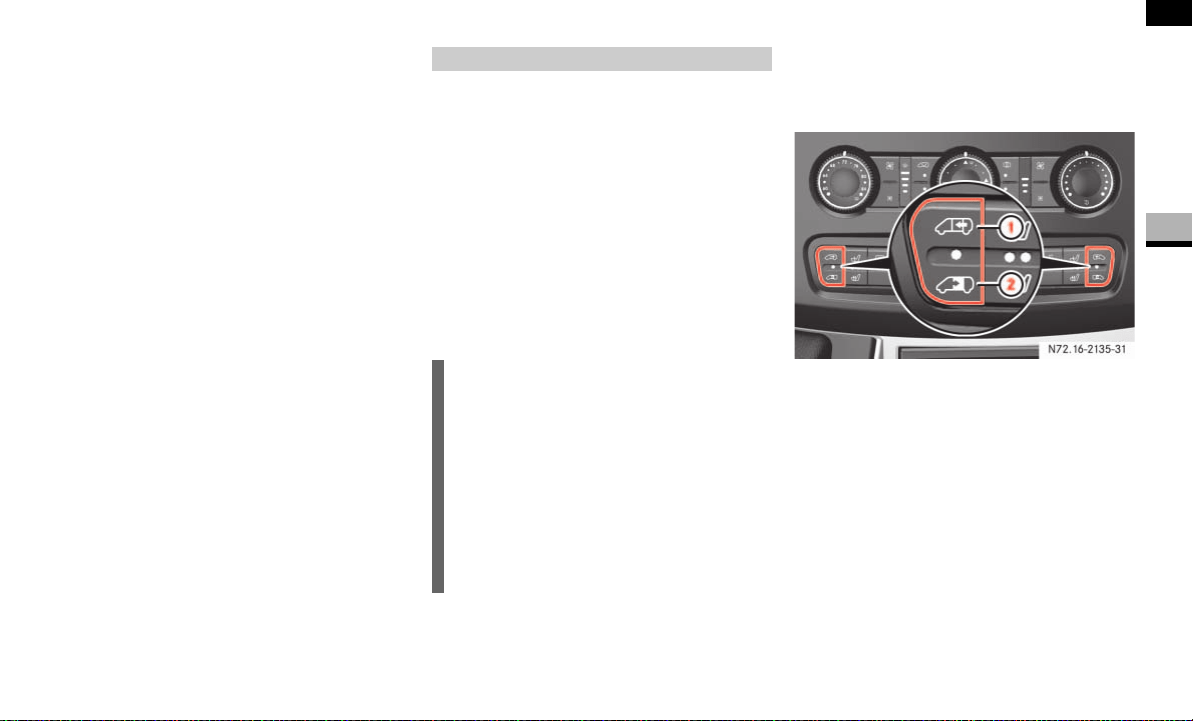
57
Controls in detail
Opening and closing
3
To close: press button 2 to release
the sliding door from its detent and,
holding door handle 3, pull the door
firmly towards the front until it engag-
es.
To lock: press locking knob 4 down.
Only this sliding door is locked.
Electric closing aid*
Your vehicle may be equipped with an elec-
tric closing aid.
The electric closing aid helps you to close
the sliding door. Closing the door does not
require as much effort.
Depending on the vehicle’s equipment,
there are electric sliding doors on the left
and/or right-hand side.
You can operate the electric sliding door as
follows:
Switch on the center console
Switch in the doorway
Inside door handle
Outside door handle
Remote control
Opening/closing using the switch
Observe the notes on anti-trap protection
( page 60).
Sliding door switch on the center console
1 To close the sliding door/to program
the key ( page 59)
2 To open the sliding door
Electric sliding door*
i
Following a battery disconnection or
malfunction, it is necessary to fully
close the sliding door once by pressing
and holding the switch on the center
console or in the doorway ( page 57)
and then to fully open and close the
door once by pressing one of the
switches briefly. This restores normal
operation of the sliding door.
N72.16-2135-31
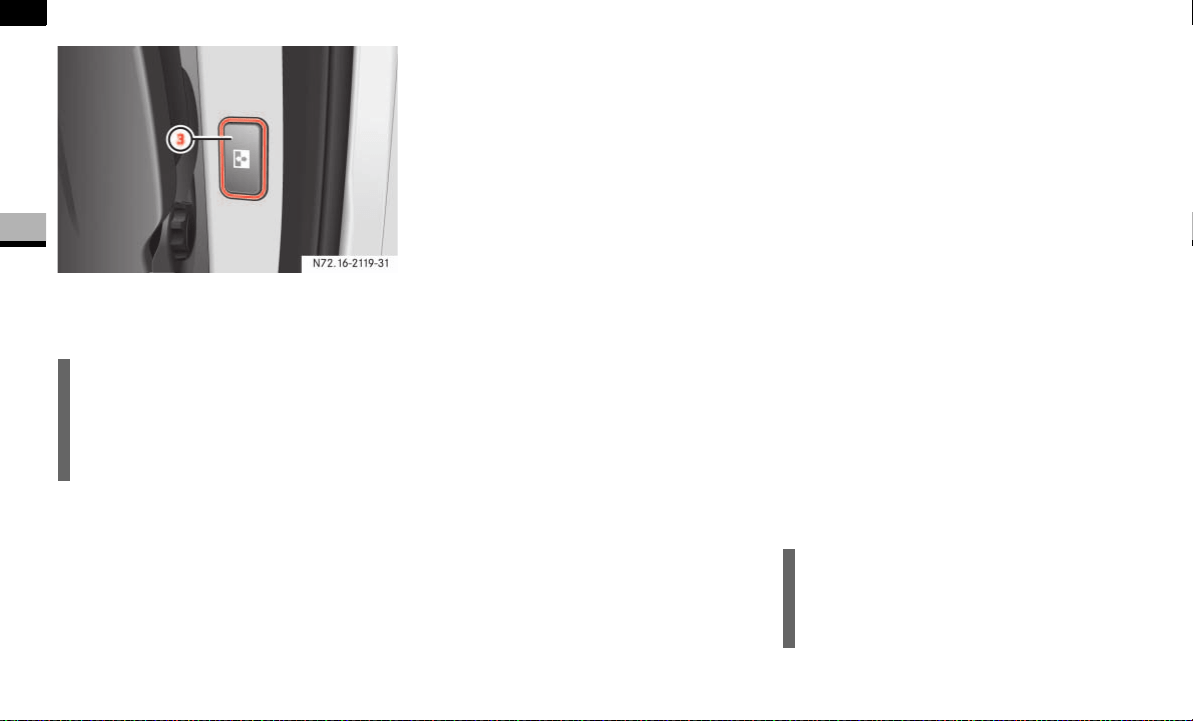
58
Controls in detail
Opening and closing
3
Sliding door switch in the doorway
3 To open/close the sliding door
To open the sliding door: briefly press
lower part 2 of the switch on the cen-
ter console.
The indicator lamp in the switch flash-
es. The sliding door unlocks and opens,
and a signal sounds.
or
Briefly press switch 3 in the doorway.
The sliding door unlocks.
Briefly press switch 3 in the doorway
again.
The indicator lamp in the switch flash-
es. The sliding door opens and a signal
sounds.
To close the sliding door: briefly
press upper part 1 of the switch on
the center console or briefly press
switch 3 in the doorway.
The indicator lamp in the switch flash-
es. The sliding door closes and a signal
sounds.
Press lower/upper part of the switch
on the center console or press
switch 3 in the doorway.
The sliding door stops.
To lock the sliding door from inside:
press the locking knob of the sliding
door down ( page 56).
Proceed as follows in the event of unfavor-
able operating conditions, e.g. frost, ice or
heavy soiling:
To open the sliding door: press lower
part 2 of the switch on the center con-
sole or press and hold switch 3 in the
doorway.
The indicator lamp in the switch flash-
es. The sliding door unlocks and opens,
and a signal sounds.
To close the sliding door: press upper
part 1 of the switch on the center con-
sole or press and hold switch 3 in the
doorway.
The indicator lamp in the switch flash-
es. The sliding door closes and a signal
sounds.
Release the switch.
The sliding door stops.
i
On vehicles with a partition, the switch
is located on the partition near the
doorway level with the inside door han-
dle.
N72.16-2119-31
i
The indicator lamp in the switch on the
center console lights up whenever the
sliding door is open.
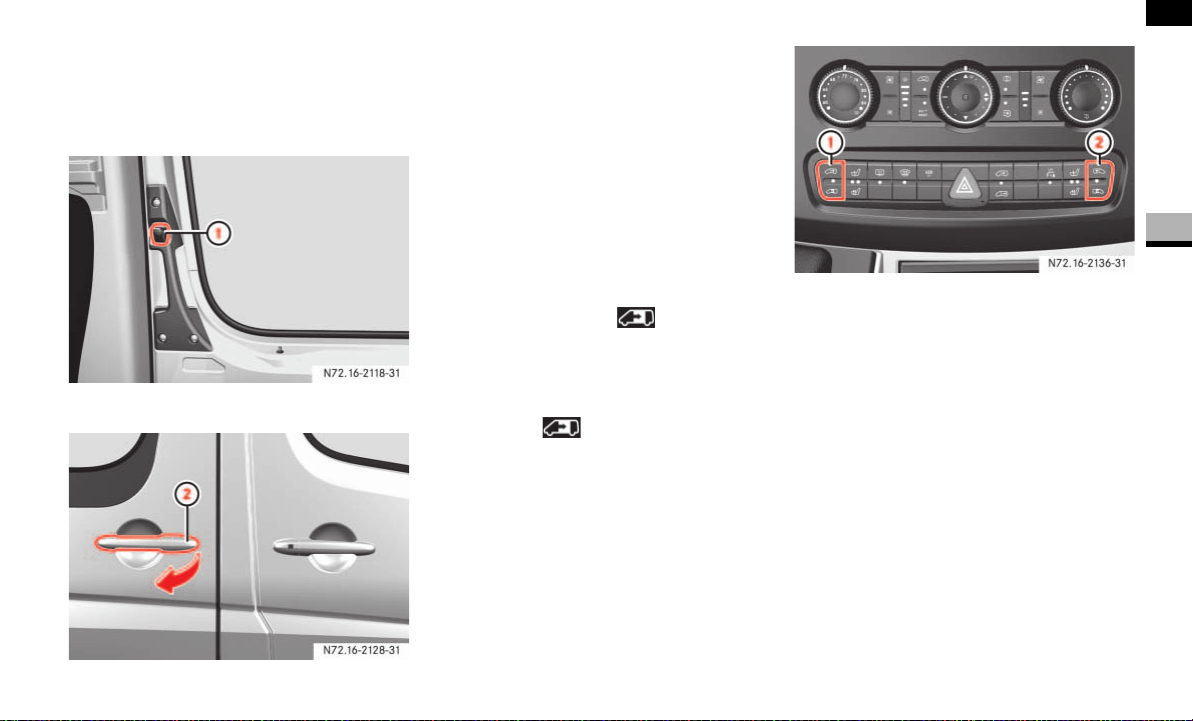
59
Controls in detail
Opening and closing
3
Opening/closing using the inside and
outside door handles
Observe the notes on anti-trap protection
( page 60).
1 Button
2 Outside door handle
Briefly press button 1 or pull outside
door handle 2.
The sliding door opens or closes and a
signal sounds.
Press button 1 again or pull outside
door handle 2 again.
The sliding door stops.
Opening/closing with the remote con-
trol
Press and hold the button for
more than half a second.
The sliding door unlocks and opens or
closes.
Press the button again.
The sliding door stops.
Programming the remote control
If the vehicle is equipped with 2 sliding
doors, it is only possible to program the re-
mote control for one of the sliding doors.
1 Switch for sliding door on left-hand
side
2 Switch for sliding door on right-hand
side
Make sure that the doors are closed.
Switch on the ignition ( page 67).
Press and hold the upper part of
relevant switch 1 or 2 on the center
console for 5 seconds.
The indicator lamp in the switch for the
sliding door concerned flashes and a
warning tone sounds three times as
confirmation.
N72.16-2118-31
N72.16-2136-31
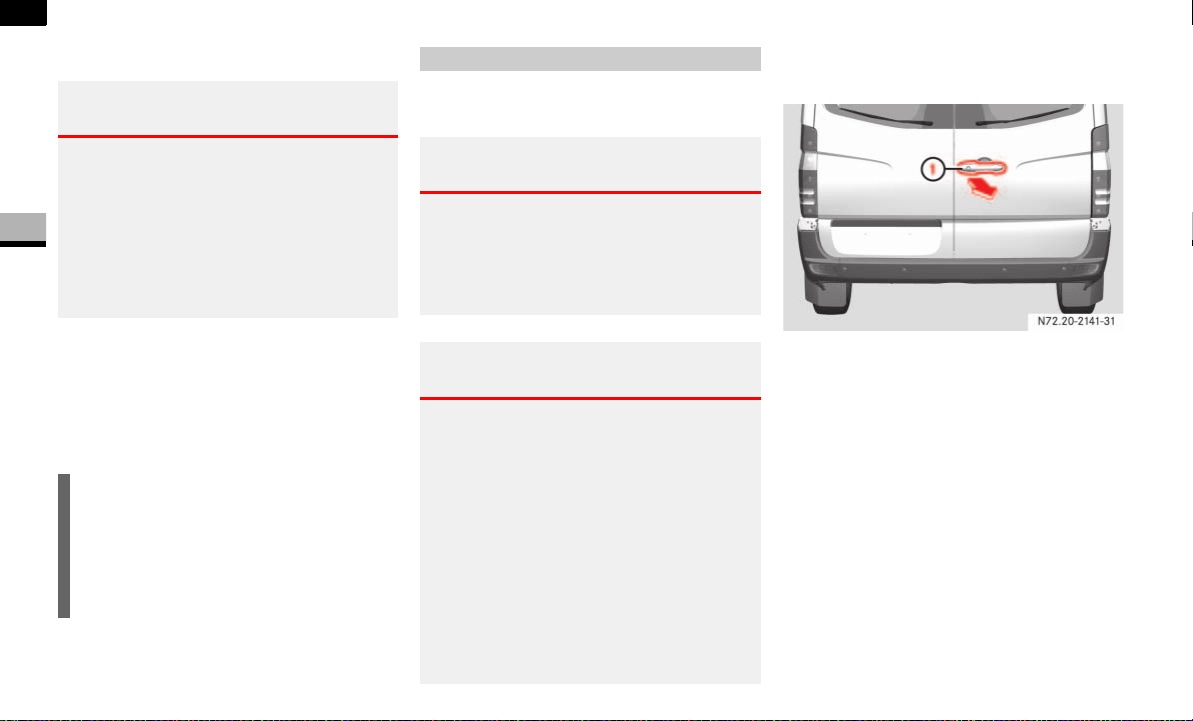
60
Controls in detail
Opening and closing
3
Anti-trap protection
If the sliding door is obstructed during the
opening procedure, it moves back in the
opposite direction slightly and stops.
If the sliding door is obstructed during the
closing procedure, it opens fully again.
You can fix the rear doors in place at an an-
gle of approximately 90° or 270°.
Opening the right-hand rear door from
the outside
1 Handle
Pull handle 1.
Swing the rear door out to the side until
it engages.
Always make sure that the open rear
door is correctly engaged in the detent.
Warning G
The anti-trap protection function does not
eliminate the possibility of fingers or other
parts of the body being trapped against the
door frame and therefore does not eliminate
the risk of injury.
Always make sure that nobody is within the
operating range of the sliding door.
i
The anti-trap protection is programmed
to be less sensitive when you press and
hold the switch on the center console
or the switch in the doorway than when
the door opens of its own accord.
Rear doors
Warning G
When you open the rear door:
there must be sufficient clearance
make sure that nobody can become
trapped
Warning G
The rear lamps are concealed by more than
50% when you open the rear doors through
90° or more.
The vehicle is then not sufficiently safe-
guarded at the rear and may only be seen by
other road users when they are close to the
vehicle. This could lead to an accident.
Make sure, therefore, that the vehicle is
safeguarded at the rear in accordance with
national legal requirements, e.g. with a
warning triangle.
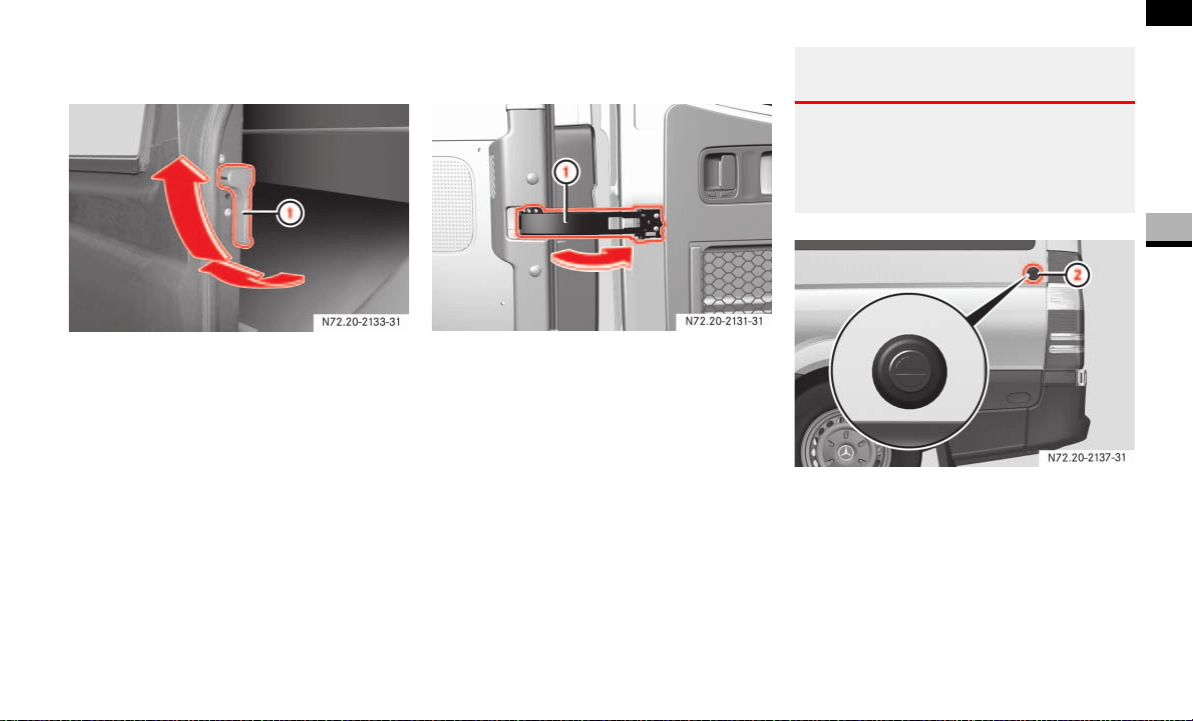
61
Controls in detail
Opening and closing
3
Opening the left-hand rear door from
the outside
1 Release lever
Make sure that the right-hand rear door
is open and engaged.
Pull release lever 1 in the direction of
the arrow.
Swing the rear door out to the side until
it engages.
Opening the rear doors to an angle of
270°
1 Door retainer
Open the rear door to an angle of ap-
proximately 45°.
Pull door retainer 1 in the direction of
the arrow and hold it firmly.
Open the rear door beyond 90° so that
the door retainer can no longer engage.
Release the door retainer and open the
door to an angle of 270°.
2 Magnetic door retainer
With the rear door opened to an angle
of 270°, push it against magnetic door
retainer 2 on the side wall.
When the magnet on the rear door is in
contact with magnetic door retainer
2, the rear door is held in this posi-
tion.
Warning G
Make sure that the traffic area is clear when
opening the rear doors beyond 90°.
You could otherwise injure yourself and
others.
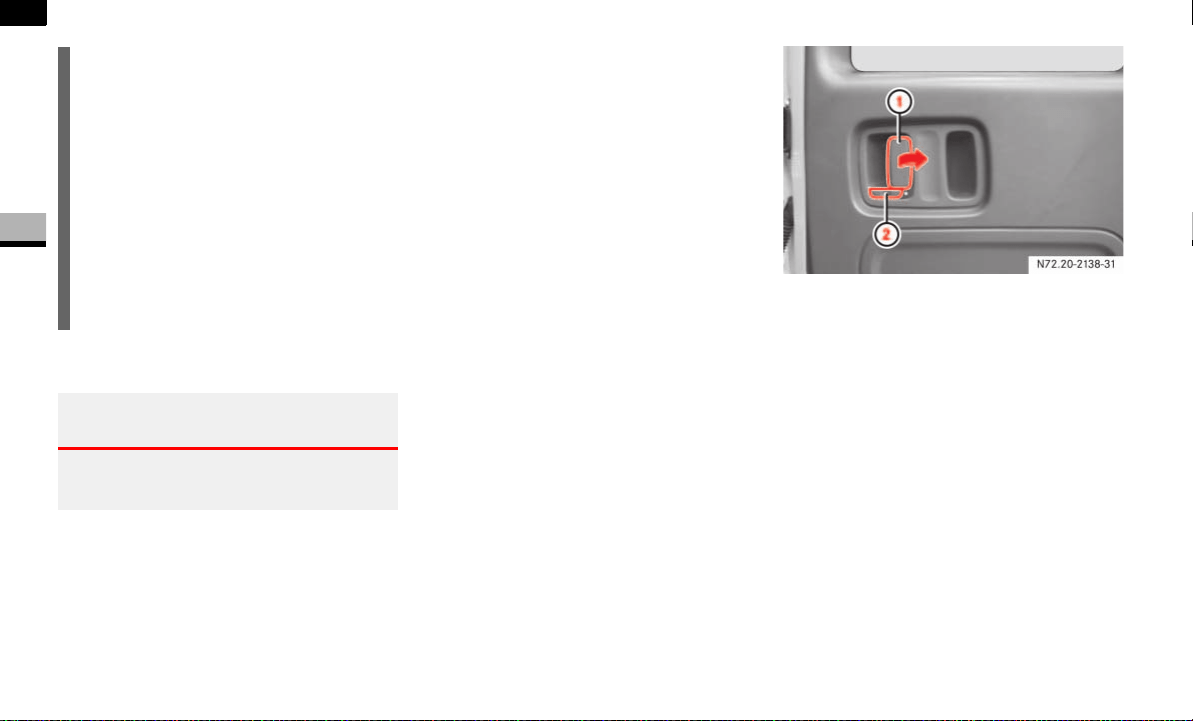
62
Controls in detail
Opening and closing
3
Closing the rear doors from outside
Close the left-hand rear door firmly
from the outside.
Close the right-hand rear door firmly
from the outside.
Closing the rear doors from the 90° or
270° position
Pull the door away from the magnetic
door retainer if necessary ( page 61).
Push the rear door closed firmly from
the outside.
The door retainer ( page 61) is auto-
matically released from its detent.
Opening/closing the rear door from
the inside
The opening lever is on the inside of the
right-hand rear door. If a white marking is
visible, this indicates that the rear door is
unlocked.
Rear door
1 Opening lever
2 Catch
To unlock: slide catch 2 to the left.
You will see a white marking. Only the
rear door is unlocked. The other doors
remain locked.
To open: pull opening lever 1 and
open the unlocked rear door.
Always make sure that the open rear
door is correctly engaged in the detent.
i
If you prefer to keep door retainer 1
( page 61) out of the loading area
when loading the vehicle, you can swiv-
el it 180° against the spring pressure
and onto the door, where it engages.
The door retainer then remains in this
position and no longer returns to its
original position.
Before closing the door, release door
retainer 1 from the detent and return
it to its original position.
Warning G
Make sure that nobody can become trapped
as you close the rear door.

63
Controls in detail
Opening and closing
3
To close: make sure that the left-hand
rear door is closed.
Pull the right-hand rear door firmly
closed by the door handle.
To lock: slide catch 2 to the right.
Only the rear door is locked.
The white marking is no longer visible.
Using the central locking switch, you can
centrally lock or unlock from the inside ei-
ther the entire vehicle or the sliding doors
and rear doors only.
The central locking switch is located on the
center console.
1 To lock/unlock the entire vehicle
2 To lock/unlock the sliding doors and
rear door
Warning G
Make sure that nobody can become trapped
as you close the rear door.
Locking and unlocking centrally
from the inside
Warning G
Do not leave children unsupervised in the
vehicle, even if they are secured by a child
restraint system. The children could:
injure themselves on parts of the vehicle
be severely or even fatally injured by
prolonged exposure to intense heat
If the children open a door, they could:
cause injury to others as a result
get out of the vehicle and could either
injure themselves when doing so or they
could be injured by passing vehicles
sustain serious injuries if they were to
fall out of the vehicle, due in particular
to the height of the passenger compart-
ment from the ground
i
If the key is in position 0 or no longer in
the ignition lock, the indicator lamp in
the central locking switch lights up for
5 seconds after it is pressed. It lights
up permanently if the key is in position
1 or 2 in the ignition lock.
N54.25-2917-31
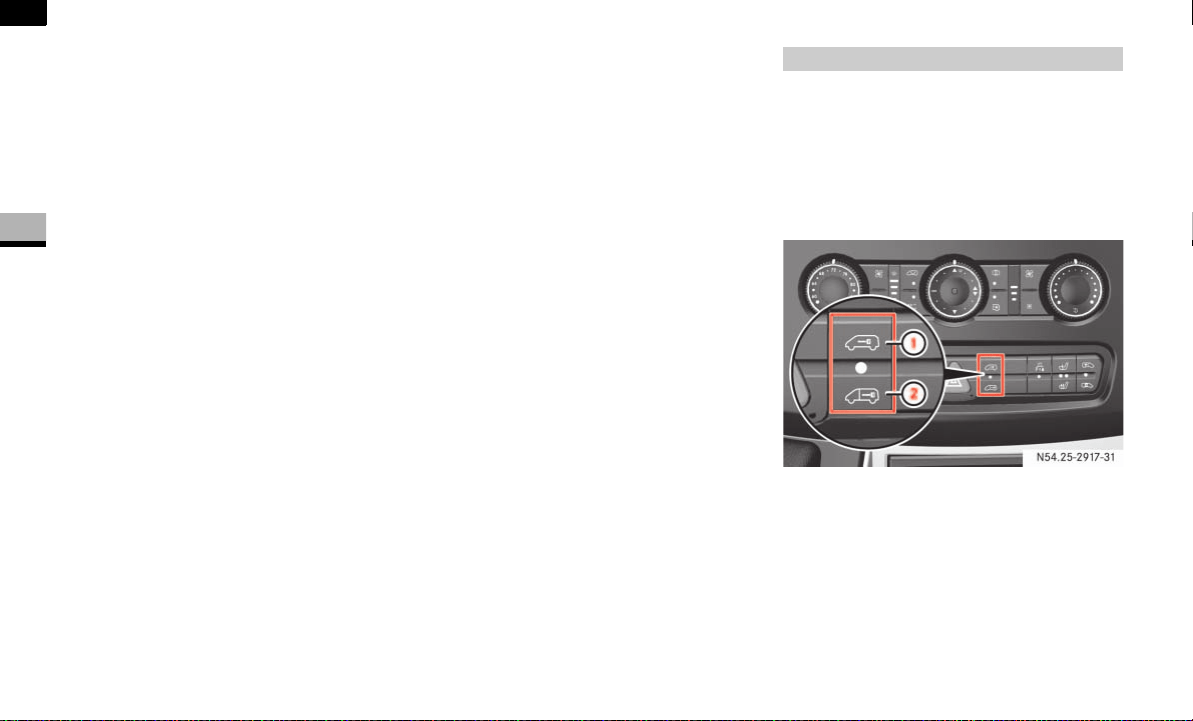
64
Controls in detail
Opening and closing
3
The indicator lamp in the central locking
switch indicates when the sliding doors
and the rear door are locked. You can de-
termine whether the driver's door or co-
driver's door is locked or unlocked by the
position of the locking knobs.
Locking the entire vehicle
Press upper part 1 of the switch when
the doors are closed.
The indicator lamp in the switch comes
on.
Unlocking the entire vehicle
Press upper part 1 of the switch.
The indicator lamp in the switch goes
out.
Locking the sliding doors and the rear
door
Press lower part 2 of the switch when
the doors are closed.
The indicator lamp in the switch comes
on.
Unlocking the sliding doors and the
rear door
Press lower part 2 of the switch.
The indicator lamp in the switch goes
out.
All the doors lock automatically above a
speed of 9 mph (15 km/h).
You can unlock and open a locked door
from the inside at any time.
The central locking switch is located on the
center console.
1 To lock/unlock the entire vehicle
2 To lock/unlock the sliding doors and
rear door
Automatic locking when driving
N54.25-2917-31

65
Controls in detail
Opening and closing
3
Activating the automatic locking when
driving function for the entire vehicle
Close all the doors.
Turn the key to position 1 or 2 in the ig-
nition lock ( page 67).
Press upper part 1 of the switch. Keep
it pressed for approximately
5seconds.
The indicator lamp in the switch flashes
four times.
Deactivating the automatic locking
when driving function for the entire
vehicle
Close all the doors.
Turn the key to position 1 or 2 in the ig-
nition lock ( page 67).
Press upper part 1 of the switch. Keep
it pressed for approximately
5seconds.
The indicator lamp in the switch flashes
twice.
Activating the automatic locking when
driving function for the sliding doors
and the rear door
Close all the doors.
Turn the key to position 1 or 2 in the ig-
nition lock ( page 67).
Press lower part 2 of the switch. Keep
it pressed for approximately
5seconds.
The indicator lamp in the switch flashes
four times.
!CAUTION
If your vehicle is centrally locked, this
could hinder rescue operations from
the outside in the event of an accident.
When the automatic locking when driv-
ing function is activated, there is a risk
of being locked out if the vehicle is
pushed or towed.
For this reason, always deactivate the
automatic locking when driving func-
tion:
before pushing the vehicle
before having the vehicle towed
if you are only leaving the vehicle
for a brief period
i
The vehicle is locked automatically if
the ignition is switched on and the ve-
hicle is moving (default setting). For in-
formation about different settings,
please ask your authorized Sprinter
Dealer.
i
If activated, automatic locking is deac-
tivated if the vehicle is unlocked or
locked using the central locking switch.
Automatic locking is reactivated after
the ignition is switched off or a door is
opened with the vehicle stationary.
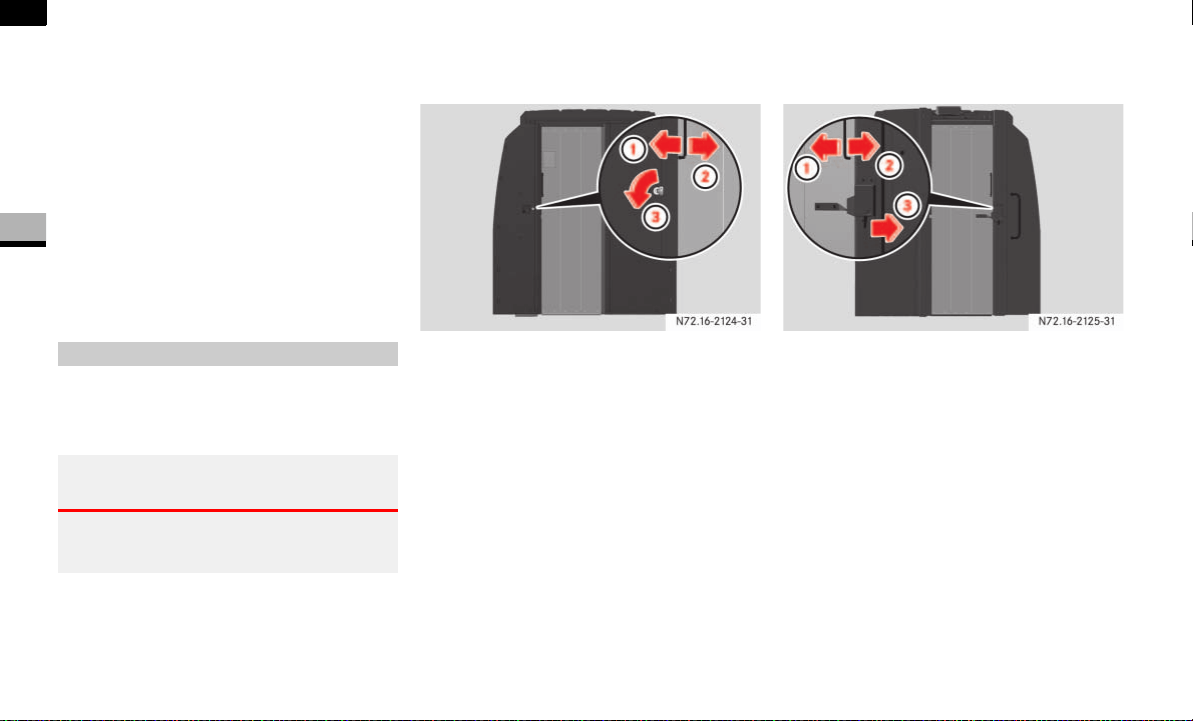
66
Controls in detail
Opening and closing
3
Deactivating the automatic locking
when driving function for the sliding
doors and the rear door
Close all the doors.
Turn the key to position 1 or 2 in the ig-
nition lock ( page 67).
Press lower part 2 of the switch. Keep
it pressed for approximately
5seconds.
The indicator lamp in the switch flashes
twice.
The partition sliding door is in the partition
between the cab and the load compart-
ment.
Operating the partition sliding door
from inside the cab
1 To close
2 To open
3 To unlock
To open: turn the key counterclock-
wise 3.
The sliding door is unlocked.
Slide the sliding door to the right as far
as the stop 2.
To close: slide the sliding door to the
left until it engages 1.
The sliding door can be locked using
the key.
Operating the partition sliding door
from inside the load compartment
1 To open
2 To close
3 To unlock
To open: press the lever to the
right 3.
The sliding door is unlocked.
Slide the sliding door to the left as far
as the stop 1.
To close: slide the sliding door to the
right until it engages 2.
Partition sliding door*
Warning G
Make sure that nobody can become trapped
as you close the partition sliding door.
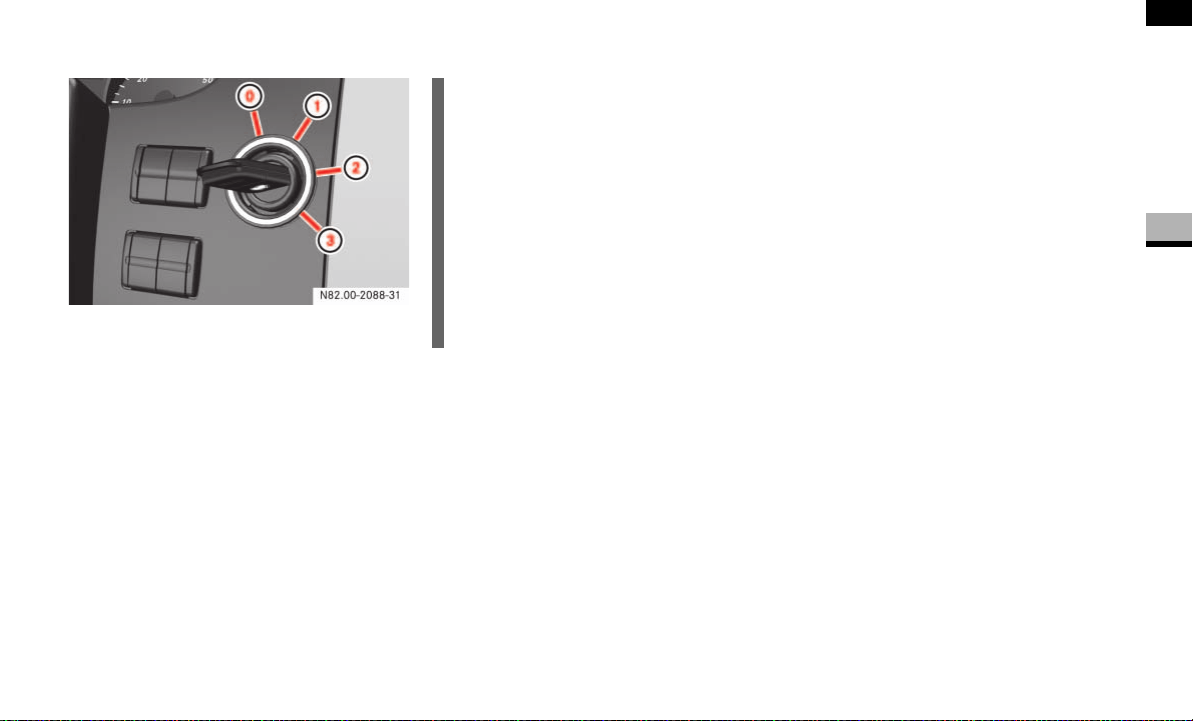
67
Controls in detail
Key positions
3
Key positions
0 To remove the key, to lock the steering
wheel
1 To unlock the steering wheel (power
supply for some consumers, e.g. radio)
2 To switch on the ignition (power supply
for all consumers)
Preglow
1
and drive position
3 To start
1 Only vehicles with a diesel engine
i
The key can only be removed from
position 0. Also observe the notes in
the “Driving and parking” section
( page 110).
To unlock the steering, turn the steer-
ing wheel slightly while turning the key
to position 1.
On vehicles with a battery isolating
switch, you must first switch on the
electrical system ( page 198).

68
Controls in detail
Seats
3
Driver’s and co-driver’s seats
Warning G
Only adjust the seats when the vehicle is
stationary and the handbrake is applied. You
could otherwise lose control of the vehicle
as a result of the seat moving and cause an
accident.
Warning G
Make sure that nobody can become trapped
as the seat is adjusted. Never place your
hands under the seat or near to moving
parts.
Your seat must be adjusted in such a way
that you can wear the seat belt correctly
( page 27).
Observe the following points:
Position the backrest as vertically as
possible and sit upright.
Avoid seat positions that do not allow
the seat belt to be routed correctly. The
shoulder section of the seat belt must
be routed across the middle of your
shoulder and must fit closely across
your chest. The lap section of the belt
must be routed as low as possible
across your pelvic area, i.e. across your
hip joints. Never drive with the backrest
tilted too far back.
Your arms should be slightly bent when
you are holding the steering wheel.
The distance from the pedals should be
such that you can depress them fully.
Adjust the head restraint in such a way
that the upper edge of the head restraint
is level with your head.
Make sure that you hear the seat en-
gage. Otherwise, the seat is not correct-
ly locked in place.
Injuries may be caused if these notes are
not observed.
Warning G
Avoid seat positions in which you cannot
wear your seat belt correctly. They are a
safety hazard and must therefore be
avoided.
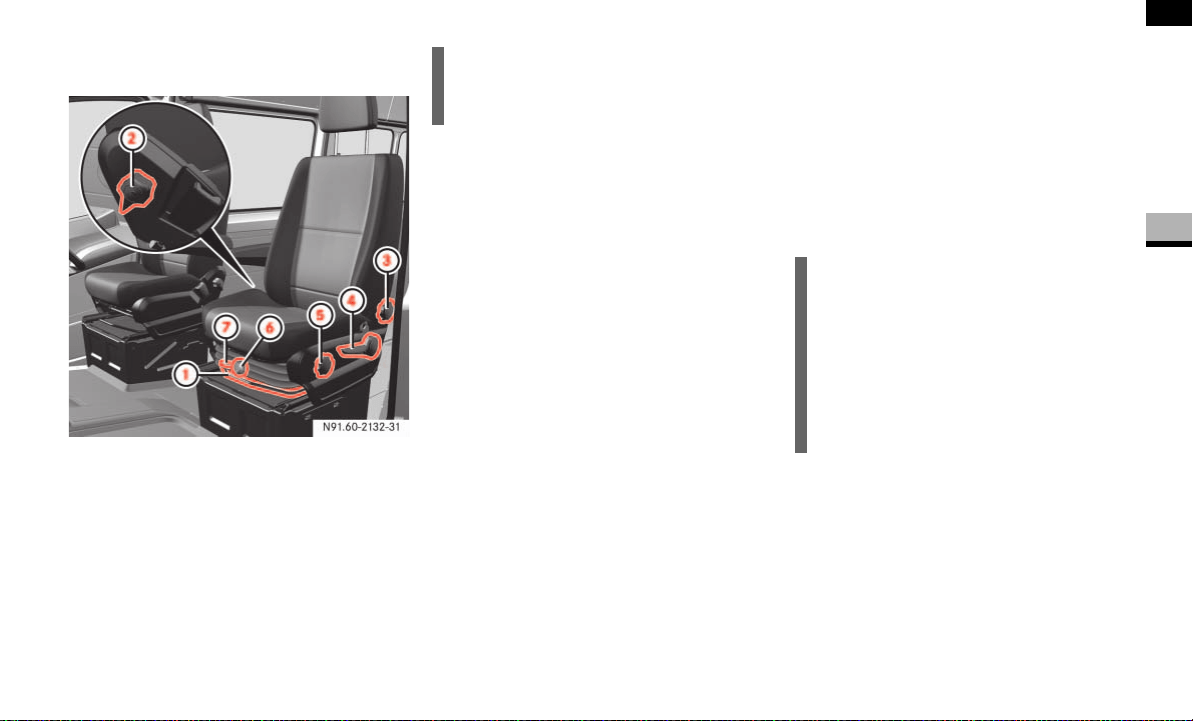
69
Controls in detail
Seats
3
Standard, comfort* and suspension
seats*
1 Seat fore-and-aft adjustment
2 Lumbar support adjustment
3 Backrest adjustment
4 Seat height adjustment
5 Seat angle adjustment
6 Seat suspension adjustment
7 Vertical lock lever
Seat fore-and-aft adjustment
Pull lever 1 up.
Slide the seat forwards or backwards
until you can reach the pedals and de-
press them.
Release lever 1.
Slide the seat forwards or backwards
slightly until it engages audibly.
Backrest adjustment
Turn thumbwheel 3 forward.
The backrest moves to an upright posi-
tion.
Turn thumbwheel 3 backward.
The backrest tilts towards the rear.
Seat height adjustment
Push or pull lever 4 repeatedly until
you have reached the desired seat
height.
Seat angle adjustment*
Turn thumbwheel 5 forward.
The front of the seat cushion tilts down.
Turn thumbwheel 5 backward.
The front of the seat cushion tilts up.
Lumbar support adjustment*
Turn thumbwheel 2 upward.
This increases the support provided to
your lumbar region.
Turn thumbwheel 2 downward.
This reduces the support provided to
your lumbar region.
i
Different settings are possible, depend-
ing on the seat version.
i
Using the lumbar support, you can in-
crease the level of support that the
backrest provides to your spinal col-
umn.
When the lumbar support is correctly
adjusted, it reduces strain on your back
while you are driving.

70
Controls in detail
Seats
3
Seat suspension adjustment*
The seat suspension must be adjusted to
your body weight.
Relieve the load on the seat.
Select your body weight 88 to 165 lbs
(40 to 120 kg) using thumbwheel 6
for optimal seat suspension.
The seat suspension becomes harder
as the load on the seat increases.
Vertical lock*
If the seat bounces up and down frequent-
ly, you can engage the seat in its lowest po-
sition.
Turn lever 7 downward.
The next time the seat bounces, it will
engage in its lowest position.
Turn lever 7 upward to release the
seat from the vertical lock.
The seat can now move up and down
again.
Swivelling front seats*
The driver’s and co-driver’s seat can be ro-
tated by 180° to be opposite of the direc-
tion of travel.
The seats engage in the direction of travel
or opposite the direction of travel as well
as at 50° pointing towards the exit.
!When rotating the seats, make sure the-
re is sufficient space. If necessary, move
the seat fore or aft to avoid colliding with
adjacent add-on parts.
Fold the handbrake lever down as far as it
will go. You could otherwise damage the
handbrake or the handbrake lever.
iMove the co-driver’s seat forward as far
as it will go before rotating it ( page 69).
Make sure the handbrake is applied
and the handbrake lever is folded down
as far as it will go ( page 115).
Set the steering wheel so that there is
sufficient clearance for turning and ad-
justing the driver’s seat ( page 76).
Warning G
Only adjust the seats when the vehicle is
stationary and the handbrake is applied. You
could otherwise lose control of the vehicle
as a result of the seat moving and cause an
accident.
Warning G
The driver’s and co-driver’s seat must be ad-
justed and properly engaged in the direction
of travel for driving. Otherwise you will not
be able to operate the vehicle safely.
The restraint systems in your vehicle will
only function as intended when the driver’s
and co-driver’s seat are engaged in the di-
rection of travel.
Warning G
Make sure nobody can become trapped
when unlocking and turning the seats. Never
hold your hands under the seat or near mo-
veable parts when turning the seats.
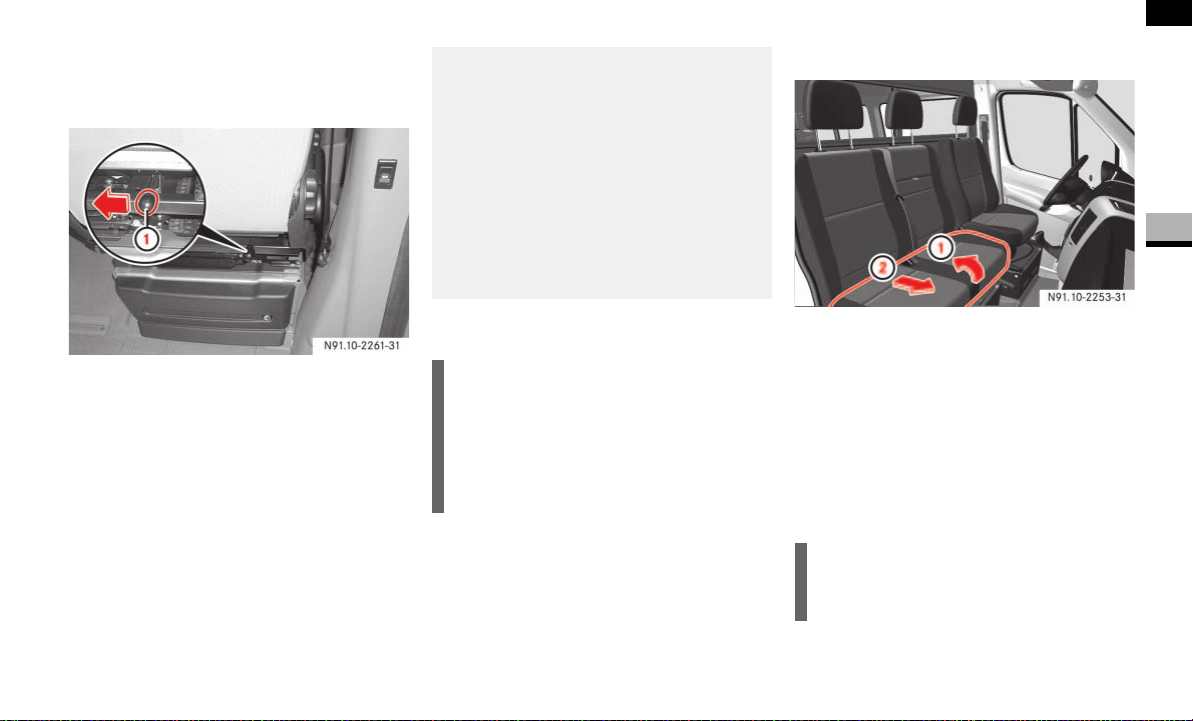
71
Controls in detail
Seats
3
The seat release lever is located behind the
seat between the seat backrest and the
seat base.
Co-driver’s seat
Press lever 1 on the back of the seat
to the middle and turn the seat slightly
inwards.
The turning device is unlocked.
Release lever 1 again.
Turn the seat inwards to the desired
position.
Twin co-driver's seat*
Folding the seat cushion forward
1 To release from the front anchorage
2 To release from the rear anchorage
Lift the seat cushion out of front
anchorage 1.
Pull the seat cushion towards the front
slightly and out of rear anchorage 2.
Fold the seat cushion up by the rear
edge.
1 Lever
Warning G
You could knock yourself against the unpro-
tected pivoting frame if the seat is opposite
of the direction of travel and pushed right
back in a longitudinal direction.
Therefore, center the seat above the seat
base whenever you leave it. Point out this
danger to passengers.
i
The twin co-driver’s seat does not pro-
vide the same level of comfort as the
driver’s and co-driver’s seats.
There is only restricted seat width and
legroom.
i
You can store various articles in the
space under the twin co-driver’s seat.
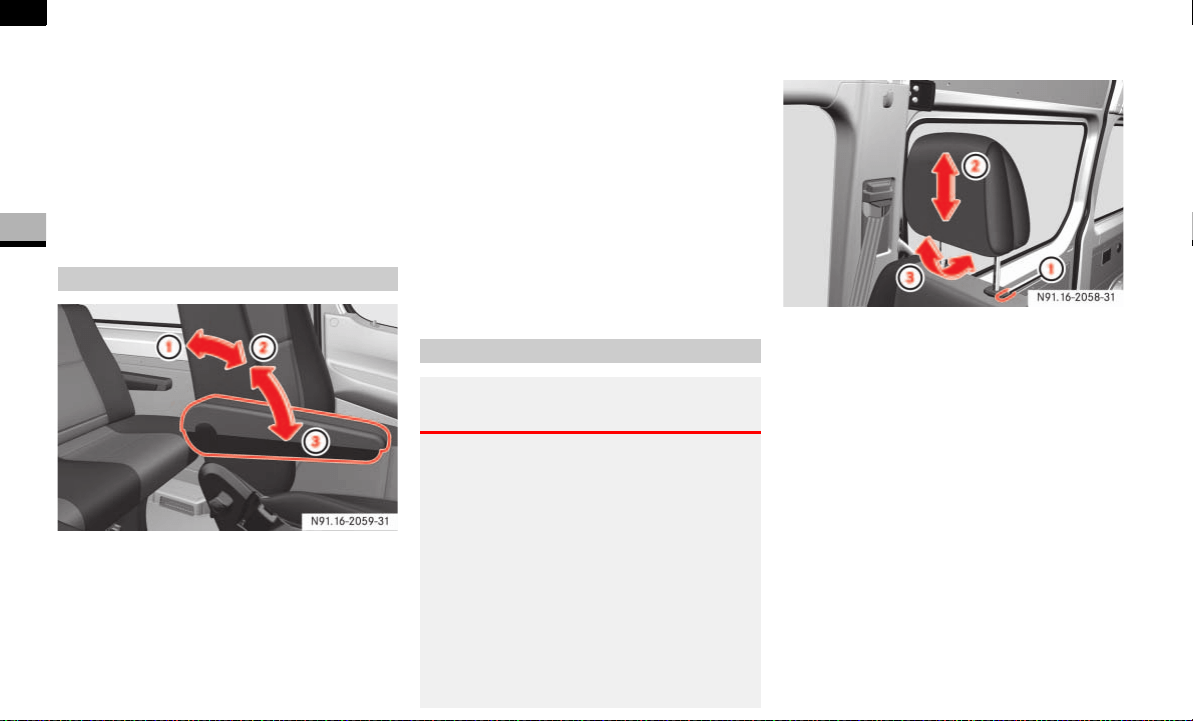
72
Controls in detail
Seats
3
Positioning the seat cushion
Fold the seat cushion back.
Slide the seat cushion under the back-
rest and into rear anchorage 2.
Fold the seat cushion down.
Press the front of the seat cushion
down until it engages in front
anchorage 1.
1 To fold up the armrest
2 To unlock the armrest
3 To move the armrest to the desired po-
sition
Adjusting the armrest angle
Fold the armrest up by an angle of
more than 45° to unlock it 2.
Fold the armrest forward to the
stop 3. There are six closely spaced
positions in which the armrest can en-
gage if you raise it.
Folding up the armrest
If you do not wish to use the armrest,
fold it up by an angle of more than
90° 1.
Adjusting the head restraint
1 Release button
2 Height adjustment
3 Angle adjustment (comfort head re-
straint)
To raise: pull the head restraint up to
the desired position.
To lower: press release button 1 and
slide the head restraint down to the de-
sired position.
To adjust the angle: hold the head re-
straint by the lower edge and fold it to
the desired position.
Armrests*
Head restraints
Warning G
Only drive with the head restraints installed. You
could otherwise suffer serious or fatal injuries in
the area of the upper spinal column.
Adjust the head restraint in such a way that the
upper edge of the head restraint is level with
your head.
Adjust your head restraint so that when your
head is relaxed the back of your head is as close
as possible to the head restraint. This will sup-
port your head effectively in an accident. The
head restraint must be engaged in a detent.
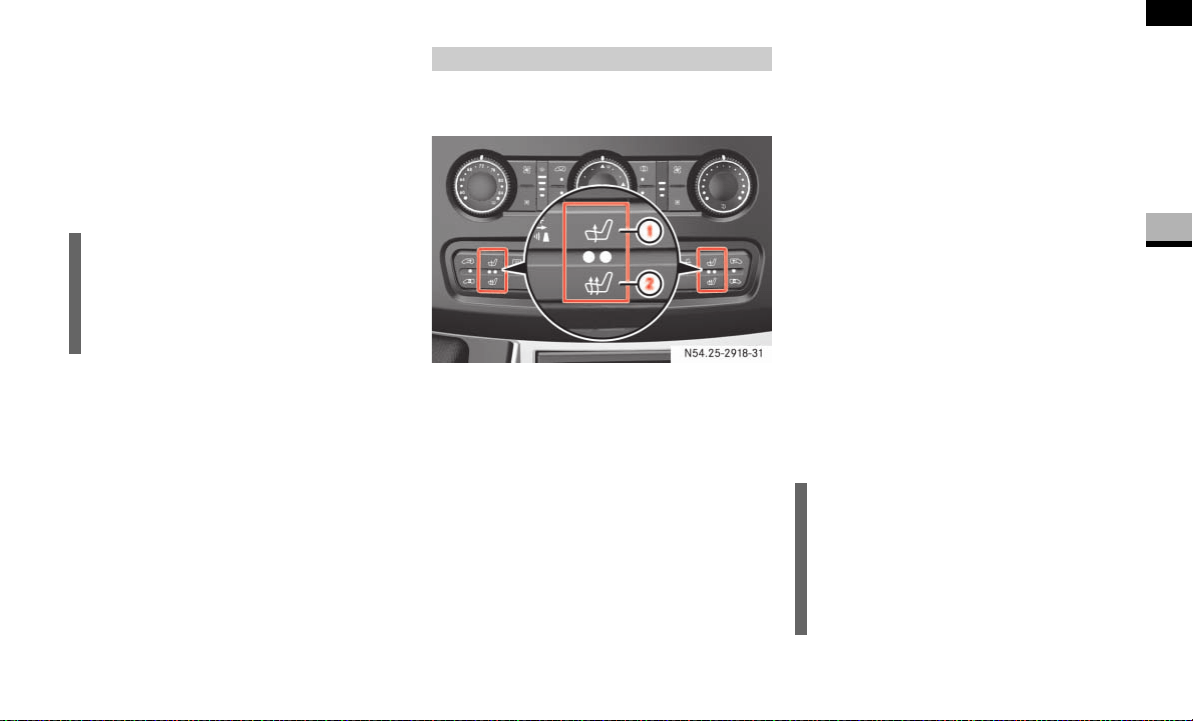
73
Controls in detail
Seats
3
Removing the head restraints
Pull the head restraint up as far as it
will go.
Press release button 1 and pull the
head restraint out.
Installing the head restraints
Insert the head restraint so that the rod
with the notches is in the direction of
travel on the left.
Push the head restraint down until it
engages.
The switches for the driver’s and co-
driver’s seat are on the center console.
1 Normal heating
2 Rapid heating
Switch on the ignition ( page 67).
Normal heating
To switch on: press upper part of the &
switch.
An indicator lamp in the switch comes
on.
To switch off: press upper part of the &
switch again.
The indicator lamp in the switch goes
out.
Rapid heating
To switch on: press lower part of the
switch.
Both indicator lamps in the switch
come on.
To switch off: press lower part of the
switch again.
The indicator lamps in the switch go
out.
To switch down to normal heating:
press upper part of the & switch.
!CAUTION
Make sure that the head restraint is re-
installed in such a way that its front fac-
es in the direction of travel (comfort
head restraint).
Seat heating*
N54.25-2918-31
i
The seat heating switches automatical-
ly to normal heating mode after approx-
imately 5 minutes.
Only one indicator lamp in the switch
remains lit.
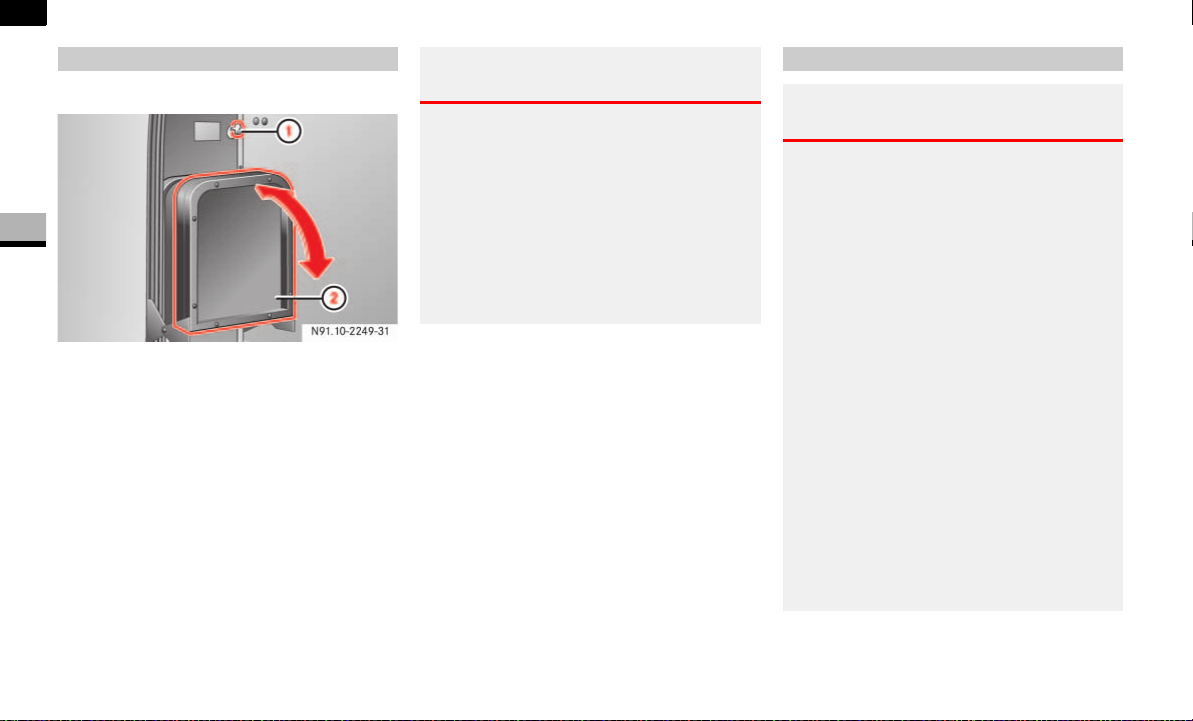
74
Controls in detail
Seats
3
The folding seat is on the co-driver’s side.
Folding seat next to the partition sliding
door
1 Key for partition sliding door
2 Seat cushion
Remove key 1 from partition sliding
door.
Fold seat cushion 2 down or up.
The seat cushion is held in the relevant
position.
Folding seat*
Warning G
When folding down the seat cushion, make
sure that nobody can become trapped.
The risk of injury to the co-driver is in-
creased in the event of sudden steering
movements or an accident if there is a key
inserted in the partition sliding door lock.
Remove the key from the partition sliding
door before using the folding seat.
Rear bench seat
Warning G
All release levers on the legs of the rear
bench seat must be parallel to the vehicle
floor. A rear bench seat with 2 seats may
only be installed left-sided.
You can obtain information from any autho-
rized Sprinter dealer.
The integrated seat belt can only offer the
degree of protection for which it is designed
if you install the specified rear bench seats
correctly.
Keep the seat bench mounting cups in the
vehicle floor free from dirt and foreign
objects. This is the only way to guarantee
that the locking mechanisms will engage se-
curely.
For reasons of safety, only have seat mount-
ing cups retrofitted at an authorized Sprinter
dealer.
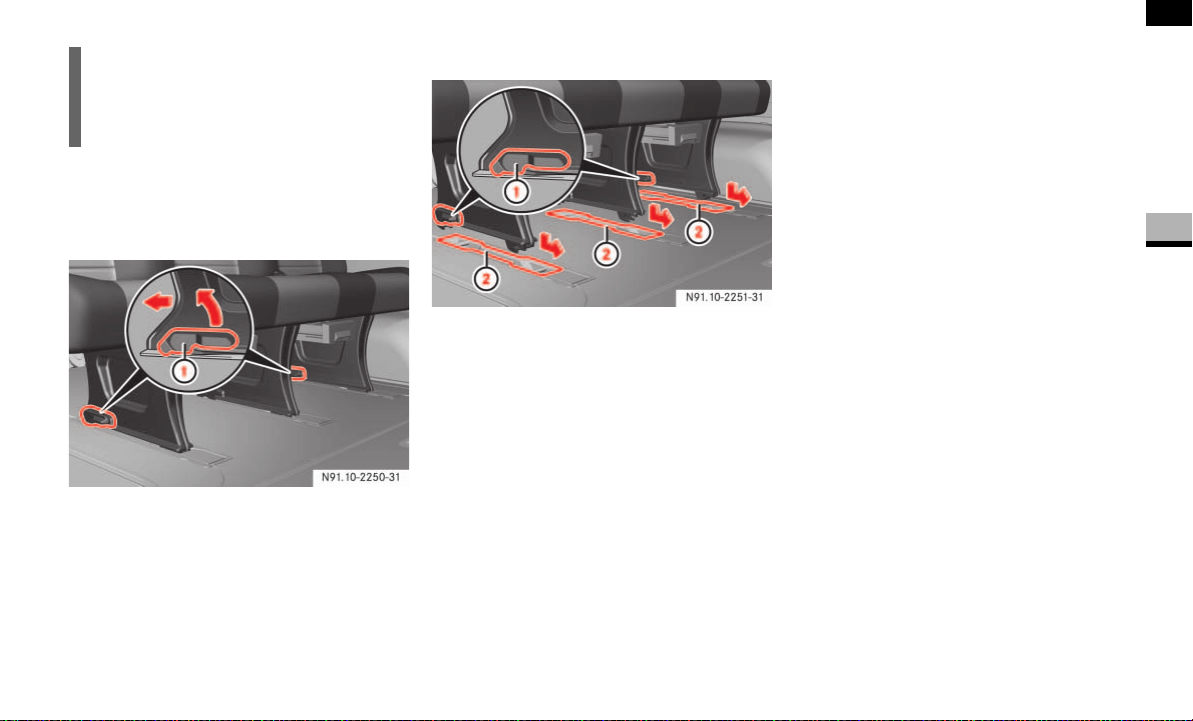
75
Controls in detail
Seats
3
Removing the rear bench seat
The locking lever is located underneath the
bench seat, on the feet of the bench seat.
1 Lever
Turn all levers 1 for the bench seat
fully upward.
The rear bench seat moves back into
the seat mounting cups on the vehicle
floor.
Lift the rear bench seat upward out of
the seat mounting cups.
Installing the rear bench seat
1 Lever
2 Seat mounting cups
Observe the specified installation loca-
tion for the rear bench seat.
A rear bench seat with 2 seats may
only be installed left-sided.
Check seat mounting cups 2 on the
vehicle floor.
Seat mounting cups 2 must be kept
free from dirt and foreign objects.
Position the rear bench seat in the di-
rection of travel in respective seat
mounting cups 2.
Slide the rear bench seat forward until
you hear the locking mechanisms en-
gage.
Check levers 1 on the bench seat
feet.
All levers 1 must be parallel to the ve-
hicle floor.
i
Do not exceed the maximum permissi-
ble number of seats for passenger
vans.
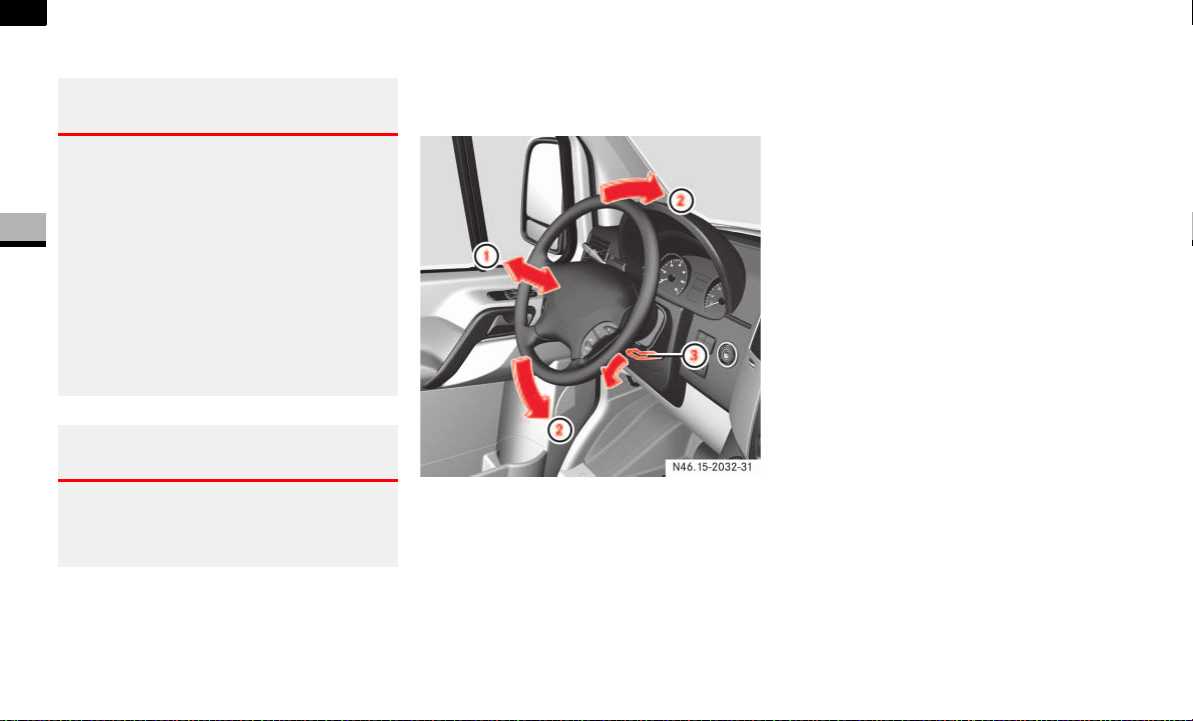
76
Controls in detail
Steering wheel adjustment
3
Steering wheel adjustment
The lever for adjusting the steering column
is under the steering wheel.
1 Steering column fore-and-aft adjust-
ment
2 Steering column height
3 Lever
Swing lever 3 down to the stop.
The steering wheel is unlocked.
Move the steering wheel to the desired
position.
Pull lever 3 up to the stop.
The steering wheel is locked again.
Warning G
Only adjust the steering wheel when the ve-
hicle is stationary. Only drive with the steer-
ing wheel locked in position.
An incorrectly secured steering wheel could
make it more difficult to steer the vehicle
safely, since the height and fore-and-aft ad-
justment could move out of position when
the steering wheel is turned. You could lose
control of the vehicle as a result, cause an
accident and injure yourself and others.
Warning G
Never leave children unsupervised in the ve-
hicle. They could become trapped if they try
to adjust the steering column.
N46.15-2032-31
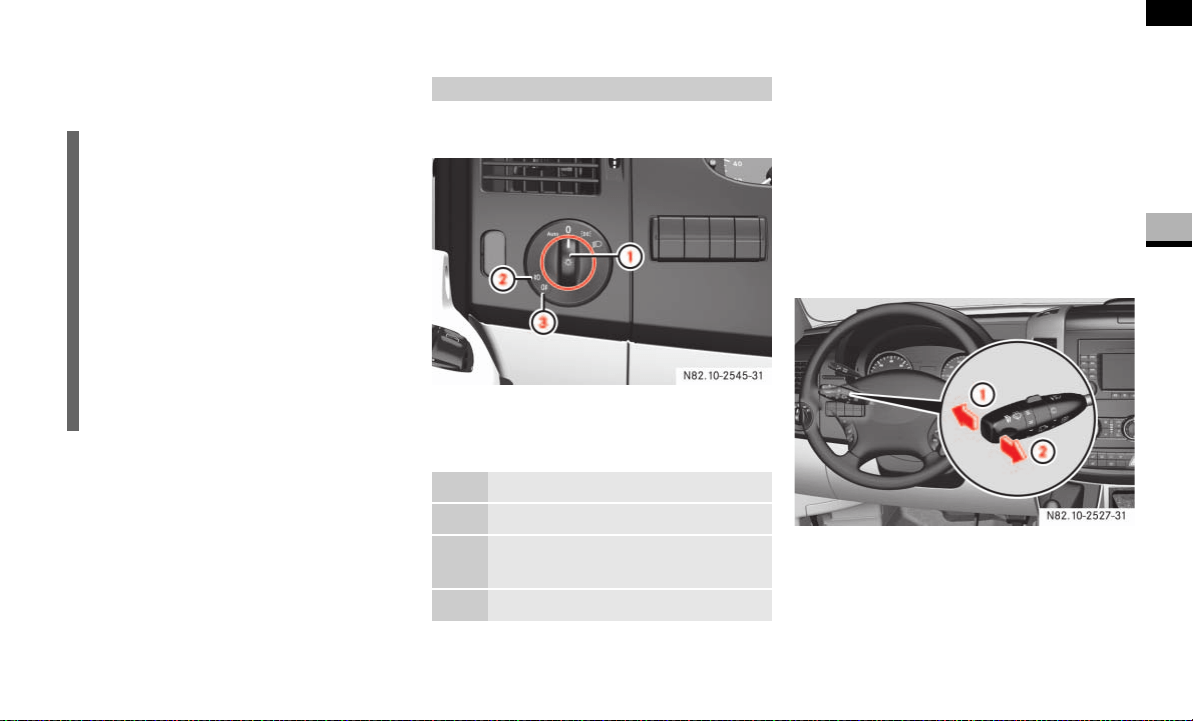
77
Controls in detail
Lighting
3
Legal requirements may impose variations
in certain countries.
The light switch is located between the
driver’s door and the steering wheel.
1 Light switch
2 Front foglamp* indicator lamp
3 Rear foglamp indicator lamp
Switching on the low-beam headlamps
Turn light switch to B.
The B indicator lamp in the instru-
ment cluster lights up.
Switching on the high-beam headlamps
The combination switch is located on the
left of the steering wheel.
1 High-beam headlamps
2 Headlamp flasher
i
If you are traveling in countries where
vehicles are driven on the opposite side
of the road to that in which the vehicle
is registered, you must have the head-
lamps:
partially masked (halogen head-
lamps)
switched over (bi-xenon head-
lamps)
You will find further information in the
“Operation” section ( page 180).
Light switch
U Automatic headlamp control*
M Lights off
C Parking lamps, license plate and
instrument lighting on
B Low-beam headlamps on
N82.10-2527-31

78
Controls in detail
Lighting
3
Turn key to position 1 in ignition lock
( page 67).
Turn light switch to B.
Press combination switch forward 1.
The indicator lamp A in the instru-
ment cluster lights up.
Headlamp flasher
Turn key to position 1 in ignition lock
( page 67).
Pull combination switch briefly in
direction 2.
Constant headlamp mode*
On vehicles with steering wheel buttons,
you can set constant headlamp mode
( page 102). This does not apply to coun-
tries in which there is a legal requirement
to use constant headlamp mode.
Turn light switch to M.
The low-beam headlamps, parking
lamps and license plate lamp are
switched on when the engine is
running.
The B indicator lamp in the instru-
ment cluster lights up.
Automatic headlamp control*
The parking lamps, low-beam headlamps
and license plate lamp are switched on au-
tomatically when the brightness of ambi-
ent light falls below a predetermined level.
Turn light switch to U.
The parking lamps are switched on/off
automatically when the key is in posi-
tion 1 ( page 67) in the ignition lock.
The parking lamps, low-beam head-
lamps and license plate lamp are
switched on/off automatically when
the engine is running, depending on the
ambient light conditions.
Only use manual headlamp mode when
you are driving in countries where driving
with the low-beam headlamps switched on
is required by law.
In this case, turn the light switch to
B.
Warning G
If the light switch is at U:
the headlamps could switch off tempo-
rarily due to extreme glare, e.g. from on-
coming traffic
the lights do not switch on automatically
in foggy conditions
Set the light switch to B. Otherwise you
are endangering yourself and others.
If it is dark, only turn the light switch from
U to B when the vehicle is stationary.
You could otherwise cause an accident if the
headlamps were to switch off briefly.
Automatic headlamp mode is only a driving
aid. You are responsible for the vehicle’s
lighting at all times.
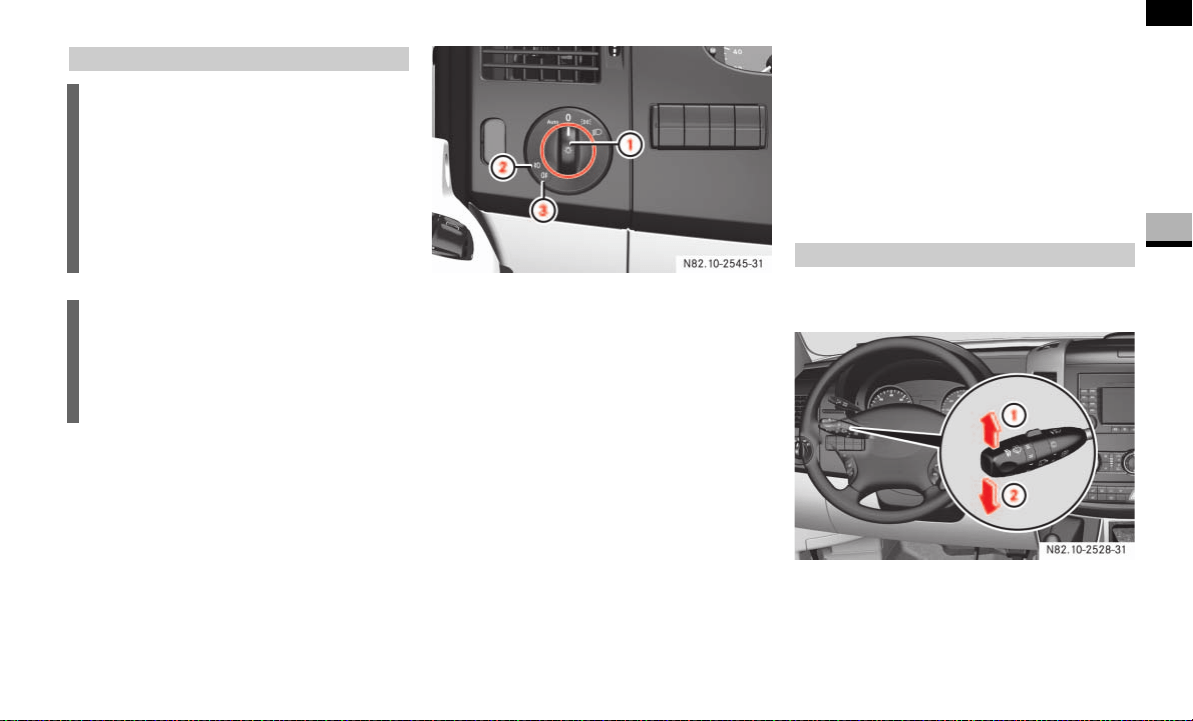
79
Controls in detail
Lighting
3
The light switch is located between the
driver’s door and the steering wheel.
1 Light switch
2 Front foglamp indicator lamp
3 Rear foglamp indicator lamp
Switching on the front foglamps
Make sure that the parking lamps or
low-beam headlamps are switched on.
Pull light switch 1 out to the first de-
tent.
The ‡ green indicator lamp next to
the light switch comes on.
Switching on the rear foglamp
Make sure that the parking lamps or
low-beam headlamps are switched on.
Pull light switch 1 out to the second
detent.
The † yellow indicator lamp next to
the light switch comes on.
The combination switch is located on the
left of the steering wheel.
1 Right-hand turn signal
2 Left-hand turn signal
Front foglamps*/rear foglamp
i
Foglamps will operate with the parking
lamps and/or the low beam headlamps
on. Foglamps should only be used in
conjunction with low beam headlamps.
Consult your State or Province Motor
Vehicle Regulations regarding permis-
sible lamp operation.
i
When the light switch is set to U,
you cannot switch on the front or rear
foglamps. In this case, turn the light
switch to B or C.
Turn signals
N82.10-2528-31
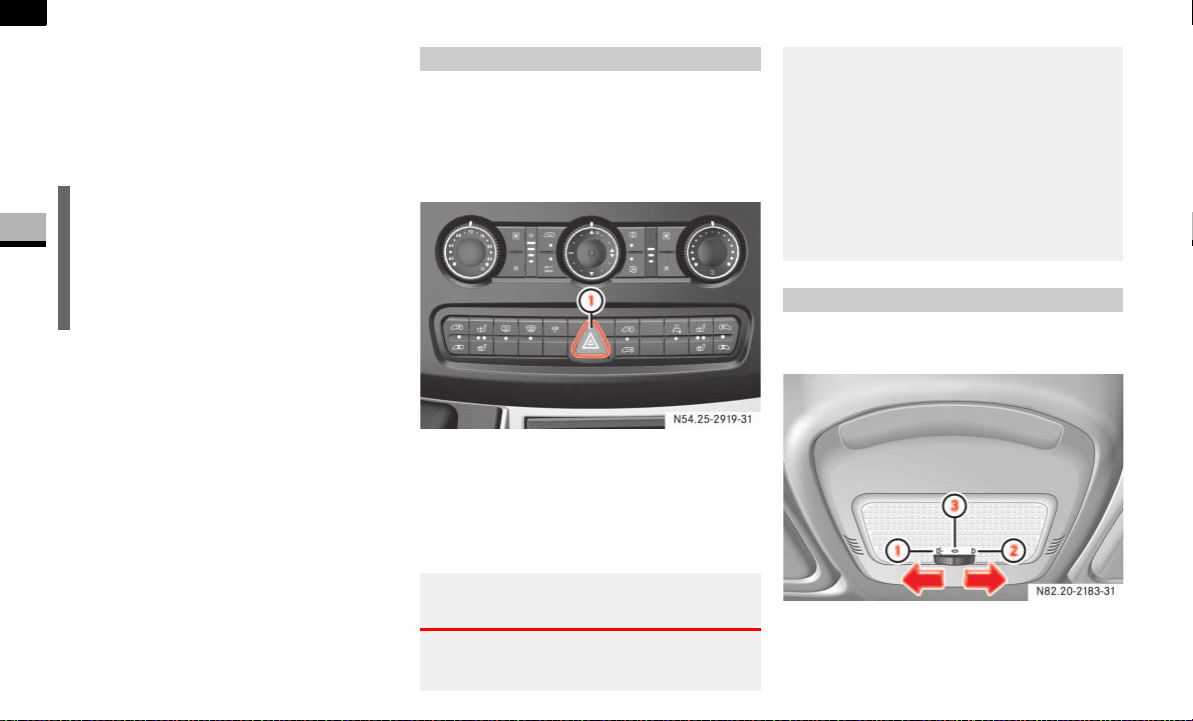
80
Controls in detail
Lighting
3
Push combination switch up 1 or
down 2 until it engages.
The combination switch moves back
automatically if the steering wheel is
turned sufficiently.
The hazard warning lamps still operate if
the ignition is switched off and the key is
removed.
The switch is located on the center con-
sole.
1 Hazard warning lamps switch
To switch on: press the switch.
All turn signals and the switch flash.
To switch off: press the switch again.
Standard front interior lighting
1 To switch on the interior lighting
2 Automatic control
3 To switch off the interior lighting
i
To indicate minor directional changes
such as changing lanes, press the com-
bination switch only to point of resis-
tance and release. The corresponding
turn signals will flash three times.
Hazard warning lamps
Warning G
The rear lamps are concealed when the rear
doors are opened 90° (detent position).
N54.25-2919-31
The vehicle is then not sufficiently safe-
guarded at the rear and may only be seen by
other road users when they are close to the
vehicle. This could lead to an accident.
Make sure, therefore, that the vehicle is
safeguarded at the rear in accordance with
national legal requirements, e.g. with a
warning triangle.
Front interior lighting
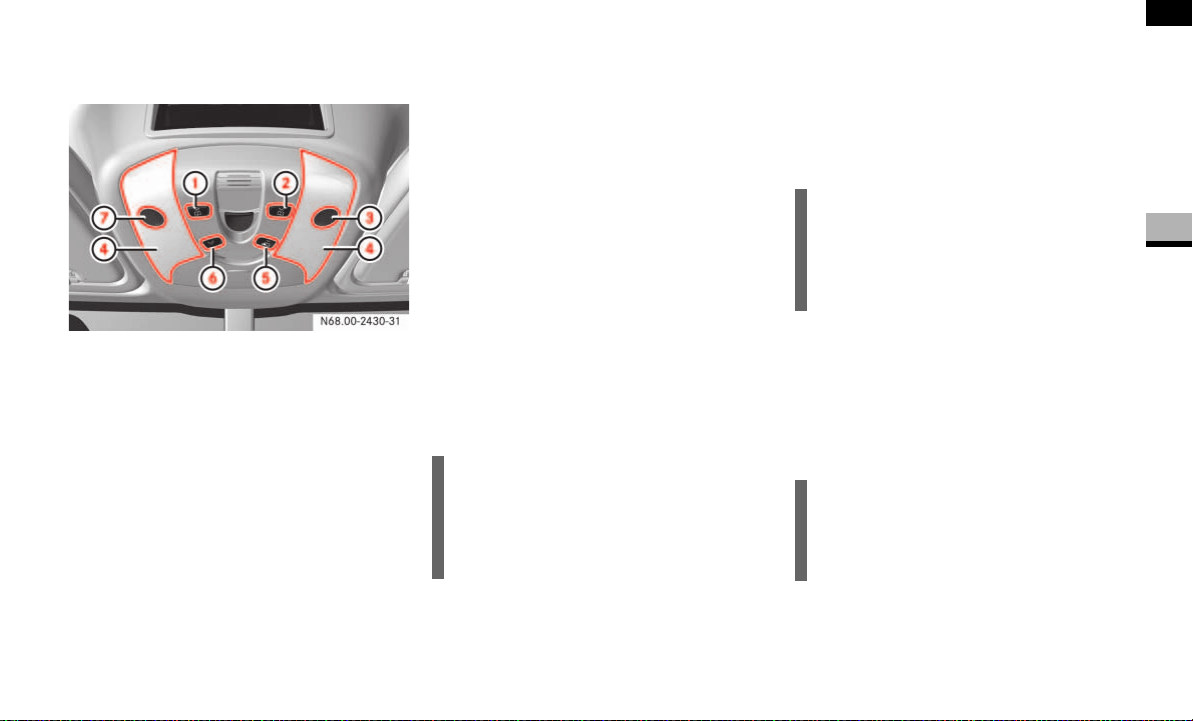
81
Controls in detail
Lighting
3
Front interior lighting with overhead
control panel*
1 To switch the left-hand reading lamp
on/off
2 To switch the right-hand reading lamp
on/off
3 Right-hand reading lamp
4 Interior lamp
5 To switch automatic control on/off
6 To switch the interior lighting on/off
7 Left-hand reading lamp
Automatic control
The front interior lighting (but not the rear
interior lamps) comes on if you:
unlock the vehicle
open a door
remove the key from the ignition lock
The front interior lighting switches off
again automatically.
To switch off: press button 5.
The interior lighting remains off even if
you open a door.
To switch on: press button 5.
The automatic function is activated. The in-
terior lighting switches on and off again au-
tomatically.
Manual control
Press button 6.
Front interior lamps 4 come on.
Press button 6 again.
Front interior lamps 4 switch off.
Switching the reading lamps on/off
Press button 1 or 2.
Reading lamp 3 or 7 comes on.
Press button 1 or 2.
Reading lamp 3 or 7 switches off.
i
The interior lighting switches off after
approximately 20 minutes if it is con-
trolled automatically and if a door re-
mains open.
i
If you switch a lamp on manually, it
switches off automatically after
20 minutes on vehicles with an over-
head control panel.
i
If you switch a reading lamp on manu-
ally, it switches off automatically after
approximately 20 minutes.
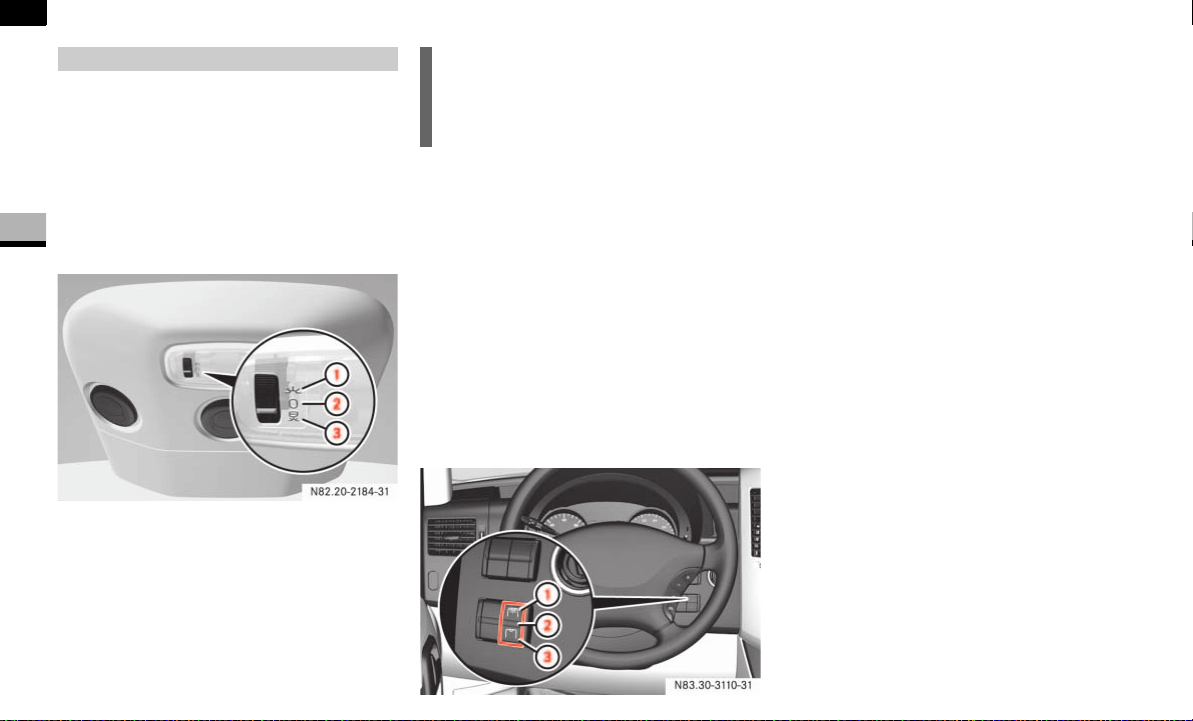
82
Controls in detail
Lighting
3
Switching the standard rear interior
lighting on/off
On panel vans/crewbuses equipped with
the standard rear interior lighting, the
switch for the rear interior lighting is on the
rear lamp in the load/passenger compart-
ment.
Rear interior lamp with switch
1 To switch on the rear interior lighting
2 To switch off the rear interior lighting
3 Automatic control
Switching the convenient rear interior
lighting* on/off
On panel vans/crewbuses equipped with
the convenient rear interior lighting, the
rear interior lighting master control switch
is between the steering wheel and the igni-
tion lock.
There is a switch on each rear interior
lamp, which can be used to switch the
lamp concerned on/off separately, re-
gardless of the position of the master con-
trol switch.
Rear interior lighting master control switch
1 To switch on the rear interior lighting
2 Automatic control
3 To switch off the rear interior lighting
To switch on: press upper part 1 of
the switch.
The rear interior lamps are switched on
when the switches on the rear interior
lamps ( page 82) are not in Off posi-
tion 2.
To switch off: press lower part 3 of
the switch.
All rear interior lamps are switched off
regardless of the position of the switch
on the rear interior lamp.
Automatic control
To switch on: set the rear interior
lighting master control switch to
position 2.
If the switch on the rear interior lamps
( page 82) is set to automatic control 3,
the rear interior lamps come on when you:
open a door
unlock the vehicle
Rear interior lighting i
The rear interior lamps switch off auto-
matically after 20 minutes if a sliding
door or rear door is open.
N83.30-3110-31

83
Controls in detail
Lighting
3
Load compartment motion detector*
On panel vans equipped with a motion de-
tector in the load compartment, the rear
interior lighting may also switch on if mo-
tion is detected.
The rear interior lighting can be switched
on by the motion detector with a delay of
no more than 4 seconds if:
the switch on the rear interior lamp
( page 82) is set to “automatic con-
trol”
the vehicle is stationary, the handbrake
is applied and the service brake is not
applied
or
the selector lever is in position P and
the service brake is not applied
the vehicle has not been locked from
the outside using the key
i
The rear interior lamps switch off auto-
matically after 20 minutes, even if the
switches on the rear interior lamps
( page 82) are in the On position 1.
If you wish to reactivate the rear interi-
or lamps, you must:
open a door
switch on the ignition again
set the rear interior lighting master
control switch to position 2 again.
Warning G
Motion detectors work with invisible infra-
red beams emitted by LEDs (Light Emitting
Diodes).
Do not view invisible infrared radiation, laser
class 1M, directly using optical instruments.
Your eyes could otherwise be injured.
i
If the motion detector detects move-
ment in the load compartment when
the vehicle is stationary, the rear interi-
or lighting switches on for approxi-
mately 2 minutes. If new movements
are detected, the duration resumes
from the beginning and the rear interior
lighting remains switched on.
i
The motion detector switches off auto-
matically if no change is detected in the
vehicle for several hours, e.g. door
opened, ignition key turned, etc.
This prevents the battery from dis-
charging.
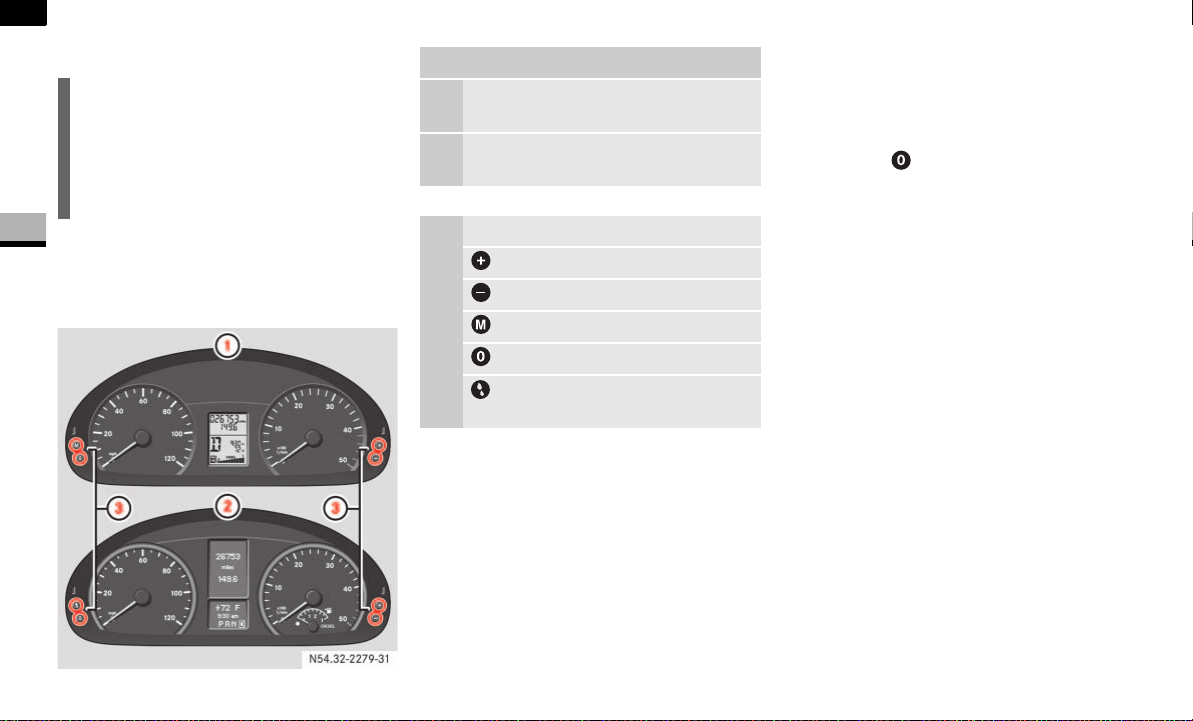
84
Controls in detail
Lighting
3
Instrument cluster
You will find a full overview of the instru-
ment cluster in the “At a glance” section
( page 14).
The display in the instrument cluster is ac-
tivated when you:
open the driver’s door
switch on the ignition
press the reset button
switch on the lights
The display switches off automatically af-
ter approximately 30 seconds if:
there is no vehicle lighting switched on
the key is in position 0 in the ignition
lock ( page 67)
i
Do not hang any objects (e.g. coats) in
the load compartment. This will help to
prevent the motion detector from inad-
vertently switching on the rear interior
lamps.
N54.32-2279-31
Instrument cluster
1 Vehicles without steering wheel
buttons
2 Vehicles with steering wheel but-
tons*
3 Adjustment buttons
button
button
Menu button
Reset button
To check the engine oil level
( page 187)

85
Controls in detail
Lighting
3
With the lights switched on, you can adjust
the brightness of the instrument lighting
using the and buttons.
Brighter: press the button.
Dimmer: press the button.
The red band in the tachometer indicates
the engine’s overrevving range.
To protect the engine, the fuel supply is in-
terrupted when the red band is reached.
Warning G
No messages can be displayed if the instru-
ment cluster and/or the display is malfunc-
tioning.
You will not then be able to see information
about the vehicle status, such as speed and
outside temperature, warning and indicator
lamps, malfunction and warning messages
or the malfunction of systems. Handling
characteristics may be affected.
Contact a qualified specialist workshop im-
mediately which has the necessary special-
ist knowledge and tools to carry out the
work required.
The manufacturer recommends that you use
an authorized Sprinter Dealer for this pur-
pose. In particular, work relevant to safety
or on safety-related systems must be car-
ried out at a qualified specialist workshop.
Only use adjustment buttons , , ,
or when traffic conditions permit.
You will otherwise be unable to observe road
and traffic conditions and could cause an ac-
cident.
Do not reach through the steering wheel to
press the adjustment buttons. This will
make the steering wheel much more difficult
to control. Your attention will also be divert-
ed from the road and traffic conditions. This
could cause you to lose control of the vehi-
cle and could lead to an accident.
Do not rest your head or chest on the steer-
ing wheel or dashboard when operating the
adjustment buttons. See the safety precau-
tions for airbags ( page 31).
Instrument lighting
i
Vehicles with automatic headlamp
mode*:
The instrument lighting also adjusts in
line with the automatic headlamp
mode.
Tachometer
!CAUTION
Do not drive in the overrevving range.
Doing so could damage the engine.
Environmental note H
Avoid high engine speeds. These could in-
crease your vehicle’s fuel consumption un-
necessarily and damage the environment
through increased pollutant emissions.
Speedometer
i
In some countries, a signal sounds
when the vehicle reaches the maximum
speed limit, e.g. at 75 mph
(120 km/h).
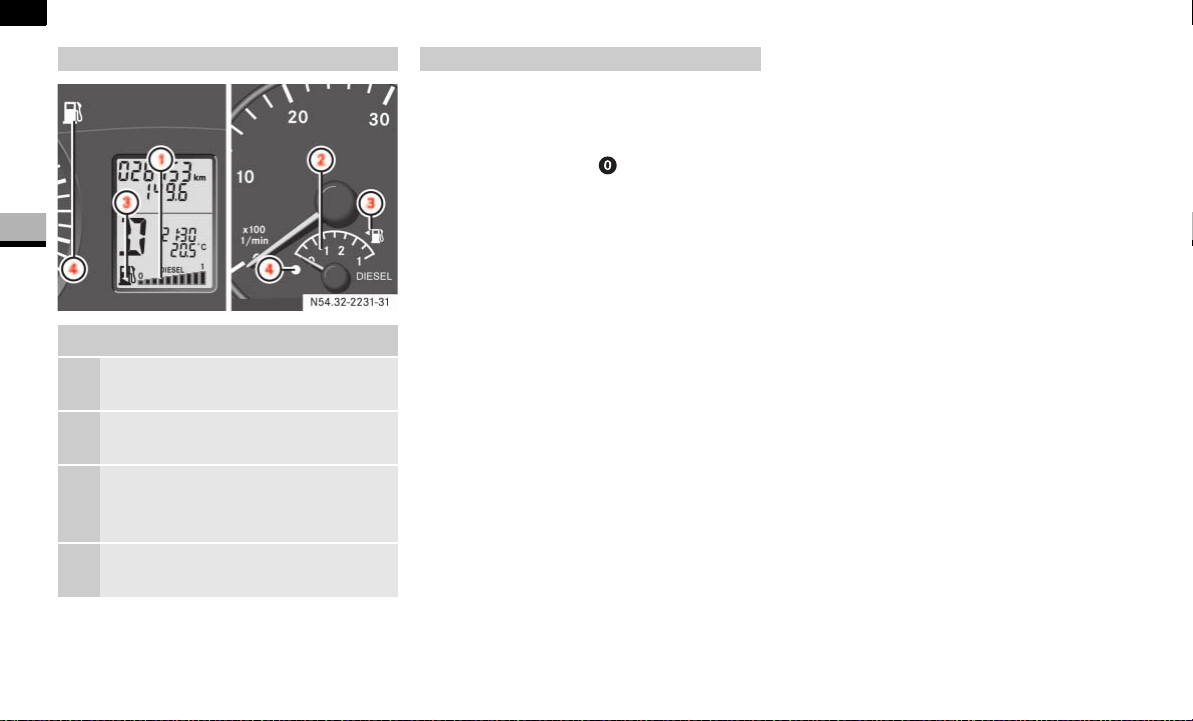
86
Controls in detail
Lighting
3
Vehicles with steering wheel buttons*:
Make sure that the display is showing
the trip meter ( page 93).
Keep reset button pressed until the
trip meter is set to
0.0
.
Fuel gauge
Fuel gauge
1 Vehicles without steering wheel
buttons
2 Vehicles with steering wheel but-
tons*
3 Fuel filler flap location indicator
Ö: The fuel filler cap is on the
left-hand side
4 Reserve fuel warning lamp
( page 276)
Resetting the trip meter
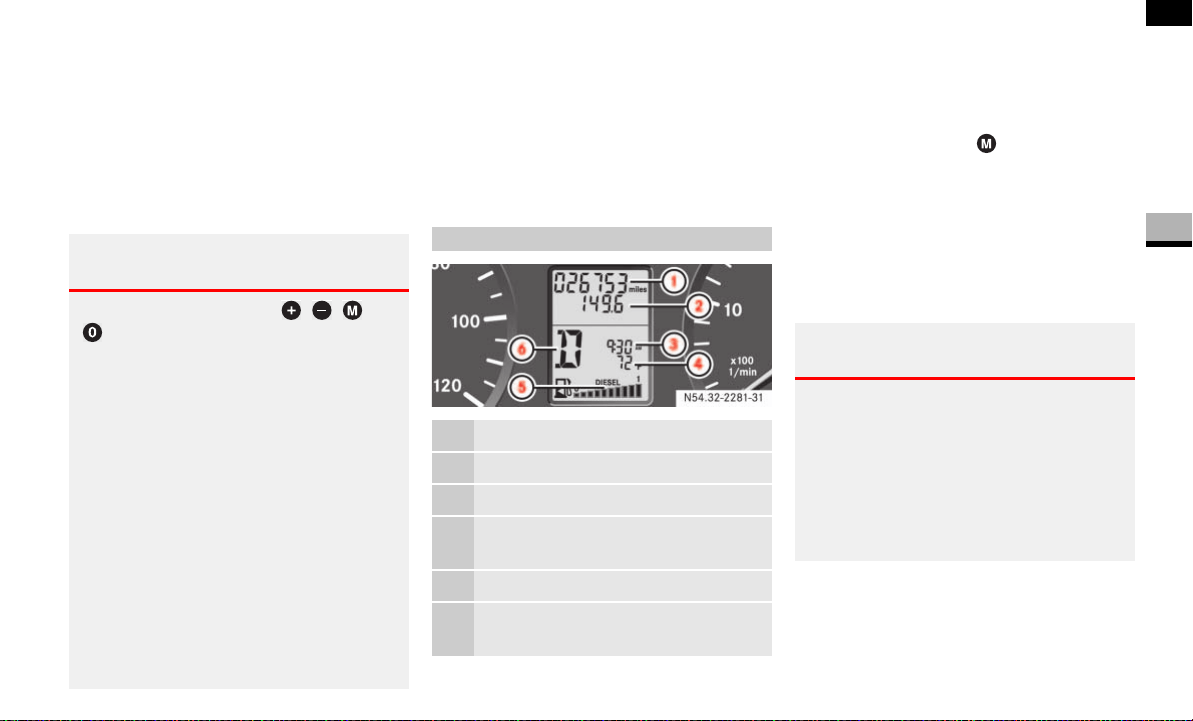
87
Controls in detail
Operating system without steering wheel buttons
3
Operating system without steering wheel buttons
The operating system is activated as soon
as you switch on the ignition. You may per-
form the following using the operating sys-
tem:
Call up vehicle information
Make settings
The operating system shows the informa-
tion in the display.
You can control the display and the set-
tings in the operating system using the
adjustment buttons on the instrument
cluster.
Changing the standard display
Switch on the ignition ( page 67).
Press and hold the menu button for
more than 1 second.
The information shown in the display
changes from the outside temperature
to the digital speedometer.
Outside temperature display*
Warning G
Only use adjustment buttons , ,
or
when traffic conditions permit. You will oth-
erwise be unable to observe road and traffic
conditions and could cause an accident.
Do not reach through the steering wheel to
press the adjustment buttons. This will
make the steering wheel much more difficult
to control. Your attention will also be divert-
ed from the road and traffic conditions. This
could cause you to lose control of the vehi-
cle and could lead to an accident.
Do not rest your head or chest on the steer-
ing wheel or dashboard when operating the
adjustment buttons.
See the safety precautions for airbags
( page 31).
Standard display
1 Odometer
2 Trip meter
3 Time
4 Outside temperature* or digital
speedometer
5 Fuel gauge ( page 86)
6 Selector lever position or current
shift range
N54.32-2281-31
Warning G
Even if the temperature displayed is just
above freezing point, the road surface may
still be icy, especially in wooded areas or on
bridges. You could skid if you do not adopt a
suitable driving style. You should therefore al-
ways adapt your driving style and speed to
suit the weather conditions.

88
Controls in detail
Operating system without steering wheel buttons
3
There may be a short delay before a lower
outside temperature is displayed, for ex-
ample after leaving a garage. There may
also be a short delay before a rise in the
outside temperature is displayed. This
prevents you from seeing a temperature
display influenced by heat from the engine
when the vehicle is stationary or moving
slowly.
Setting the time
Switch on the ignition ( page 67).
Press menu button repeatedly until
the hours figure flashes.
Set the hour using the or button.
Press the reset button .
The minute display flashes.
Set the minutes using the or
button.
Setting the date
Switch on the ignition ( page 67).
Press menu button repeatedly until
the day flashes.
Set the day using the or button.
Press reset button.
The month display flashes.
Set the month using the or but-
ton.
Press reset button.
The year display flashes.
Set the year using the or button.
Menus
Function Page
Calling up the service due date* 238
Checking the engine oil level 187
Selecting/setting the auxiliary
heating switch-on time*
142
Tire pressure monitor 213
Setting the time 88
Setting the date 88
i
To return to the standard display:
press and hold menu button for
more than 1 second
do not press a button for
10 seconds
The display accepts the changed set-
tings.
i
If you keep the button pressed, the val-
ues will change continuously.
i
If you keep the button pressed, the val-
ues will change continuously.
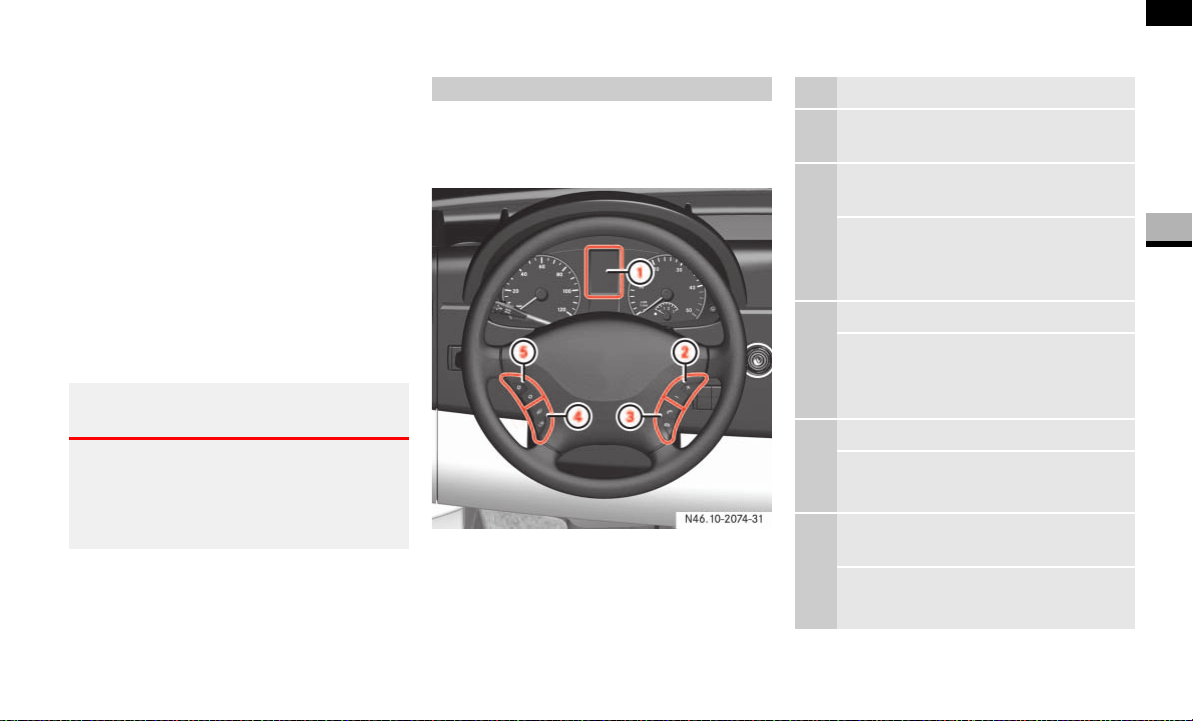
89
Controls in detail
Operating system with steering wheel buttons*
3
Operating system with steering wheel buttons*
The operating system is activated as soon
as you switch on the ignition. You may per-
form the following using the operating sys-
tem:
Call up vehicle information
Make settings
You can use this not only to find out when
the next service is due, but also to set the
language for messages in the instrument
cluster, for example, and much more.
The operating system shows the informa-
tion in the display.
You can control the display and the set-
tings in the operating system with the but-
tons on the steering wheel.
Warning G
Only use the operating system when road
and traffic conditions permit. You will other-
wise be unable to observe road and traffic
conditions and could cause an accident.
Steering wheel with buttons
N46.10-2074-31
1 Display
Controlling the operating
system
2 Selects a submenu or adjusts the
volume
+
-
Up/increases the volume
Down/decreases the
volume
3 Telephone* functions
s Accepts a call/starts dialing
t Ends a call/rejects an
incoming call
4 Jumps from one menu to another
è
·
Forward
Back
5 Jumps from one submenu to
another
j
k
Forward
Back

90
Controls in detail
Operating system with steering wheel buttons*
3
Several functions are combined themati-
cally in the menus.
The display changes when you press one of
the buttons on the steering wheel.
For example, the
AUDIO
menu contains
functions for controlling the radio* or CD
player*. You can use a function to call up
information or to change the settings for
the vehicle.
You can think of the order of the menus
and of the functions within a menu as a cir-
cle:
If you keep pressing the è or ÿ
button, each menu will appear one af-
ter the other.
If you keep pressing the j or k
button, each function in the same
menu will appear one after the other.
The
Settings
menu contains submenus in-
stead of functions with which you can call
up or change a setting. The way in which
you operate these submenus is described
in the “Settings menu” section
( page 96).
The number of menus depends on the op-
tional equipment installed in your vehicle.
The menus in vehicles with COMAND APS*
are described below.
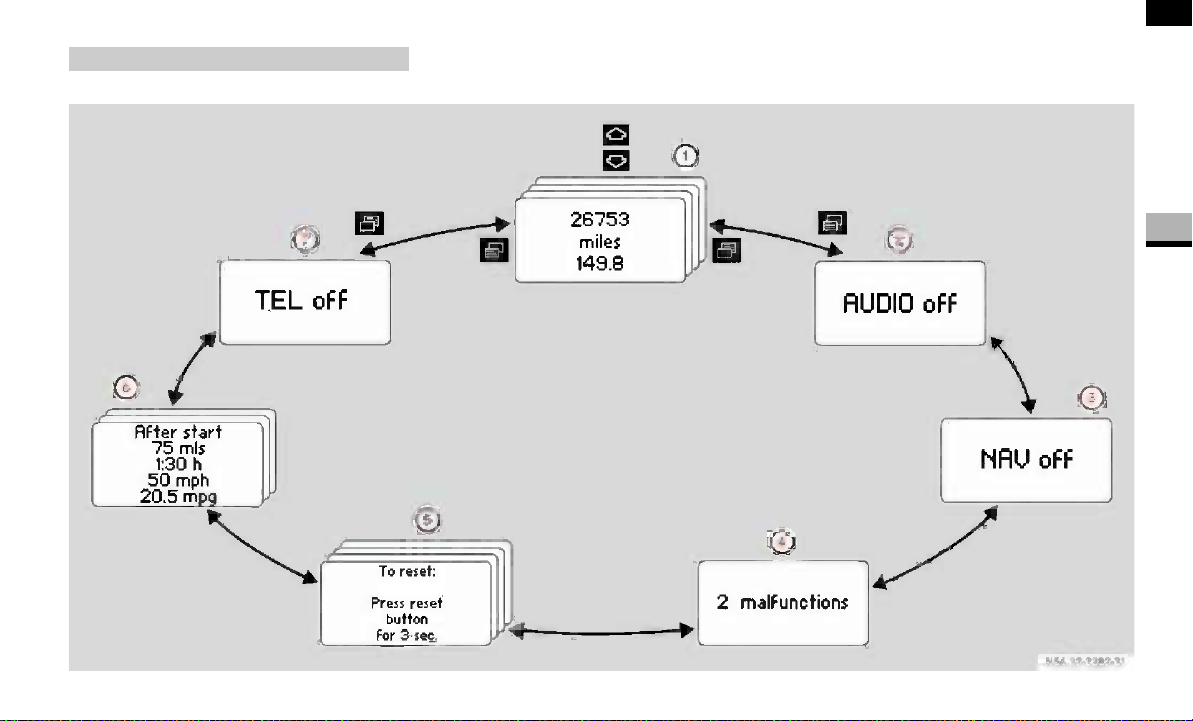
91
Controls in detail
Operating system with steering wheel buttons*
3
This is what the display looks like when you
scroll through the menus.
The explanations for the individual menus
are shown in the following table.
The illustration is an example of the menus on a vehicle with COMAND APS*.
Menu overview
N54.32-2282-31
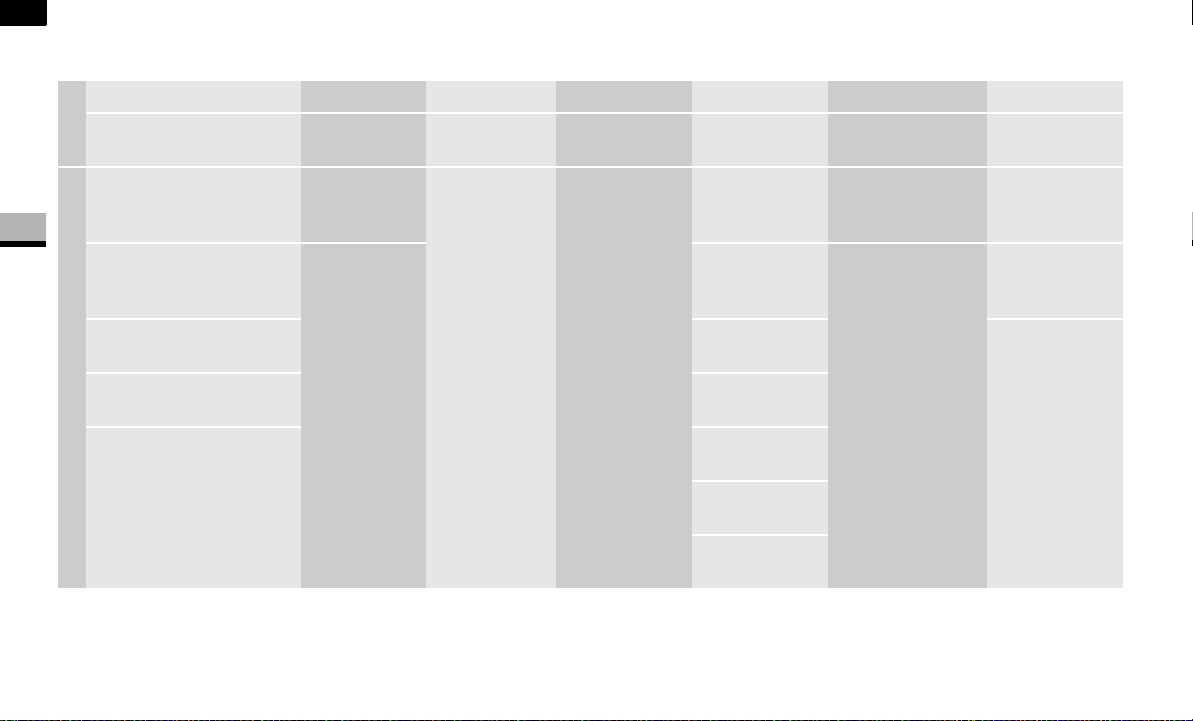
92
Controls in detail
Operating system with steering wheel buttons*
3
The table below shows the menus and the individual functions.
Menu 1 Menu 2 Menu 3 Menu 4 Menu 5 Menu 6 Menu 7
Operation Audio* Navigation* Malfunction
memory
Settings Trip computer Telephone*
Commands/submenus
Standard display with
trip meter and odometer
Select a radio
station
Activate route
guidance
Display
malfunctions
Reset to
factory
settings
Consumption sta-
tistics after start
Enter PIN
Display coolant tempera-
ture
Operate the
CD player/
CD changer
Instrument
cluster sub-
menu
Consumption sta-
tistics after reset
Look for a
name in the
phone book
Call up the service due
date
Clock/Date
submenu
Look for the
most recently
dialed phone
numbers
Tire pressure monitor Lighting sub-
menu
Check the engine oil
level (only on vehicles
with a diesel engine)
Vehicle
submenu
Auxiliary heat-
ing* submenu
Convenience*
submenu
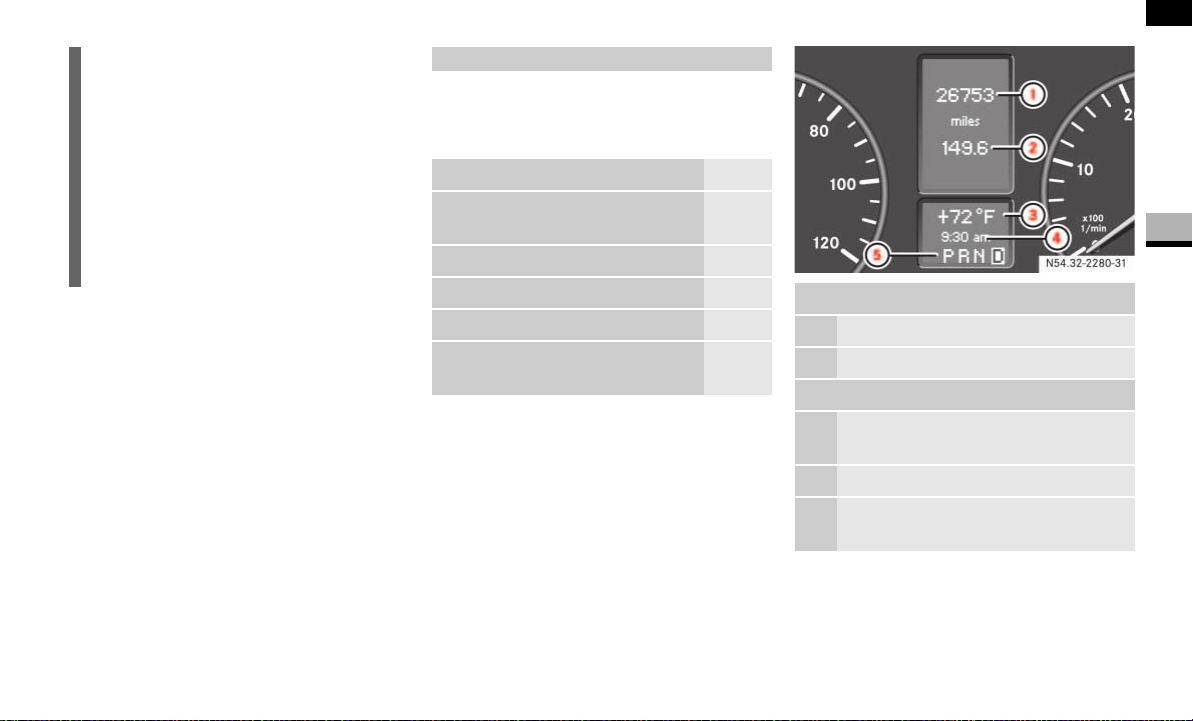
93
Controls in detail
Operating system with steering wheel buttons*
3
With Sound 5/Sound 20, the operating
system always shows the AUDIO and TEL
(telephone) menus in English.
In the Operation menu, you can select the
following functions using the j or k
button:
Standard display
In its basic setting, you will see the odom-
eter and the trip meter in the upper part of
the display. This is referred to as the stan-
dard display.
If you see a different display, press the
è or ÿ button repeatedly until
the standard display appears.
Displaying the coolant temperature Press the j or k button repeat-
edly until you see the coolant tempera-
ture in the display.
i
The tabluar overview of the menus con-
tains generic terms which are not al-
ways shown in the operating system.
The generic term concerned is intend-
ed simply to make it easier for you to
familiarize yourself with the menus.
The operating system displays the new
function range directly with the first
menu function.
Operation menu
Function Page
Standard display with trip meter
and odometer
93
Display coolant temperature 93
Call up the service due date* 238
Tire pressure monitor 213
Check the engine oil level (only
on vehicles with a diesel engine)
189
Upper part of the display
1 Trip meter
2 Odometer
Lower part of the display
3 Outside temperature* or digital
speedometer
4 Time
5 Selector lever position or current
shift range
N54.32-2280-31
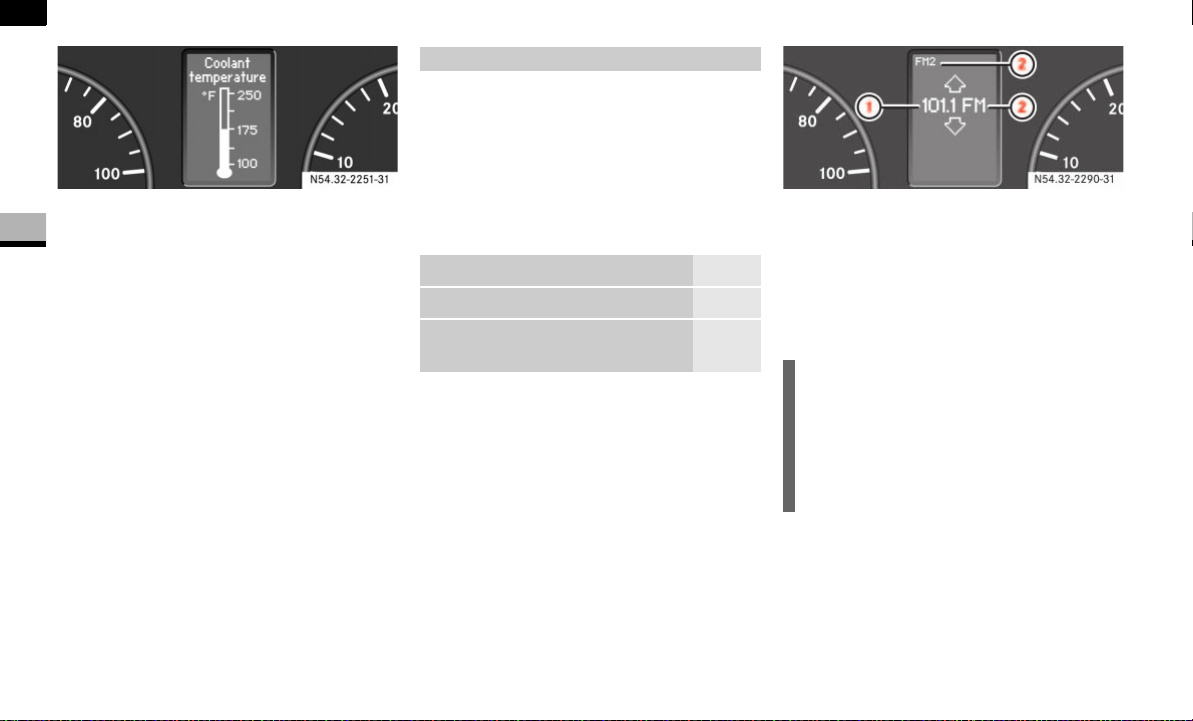
94
Controls in detail
Operating system with steering wheel buttons*
3
The temperature displayed may climb to
250 °F (120 °C) when the vehicle is being
driven in normal conditions and if the cool-
ant contains the correct concentration of
corrosion inhibitor and antifreeze. It is ac-
ceptable for the coolant temperature to
rise to the end of the scale at high outside
temperatures and when driving in moun-
tainous terrain.
You can use the functions in the
Audio
menu to control the audio equipment that
you have just switched on.
If no audio equipment is switched on, you
will see the
AUDIO off
message (Sound 5
or Sound 20) or
AUDIO off
(COMAND APS*).
Selecting a radio station
Switch on the radio.
See the separate operating instruc-
tions.
Press the è or ÿ button repeat-
edly until you see the station currently
selected.
1 Reception frequency
2 Waveband, with memory location num-
ber if set
Press the j or k button repeat-
edly until you have found the desired
station.
Operating the CD player
Switch on the radio and select the CD
player.
See the separate operating instruc-
tions.
N54.32-2251-31
Audio menu*
Function Page
Select a radio station 94
Operate the CD player/CD
changer
94
i
It is only possible to save new stations
using the radio itself. See the separate
operating instructions.
You can also operate the radio in the
same way as usual.
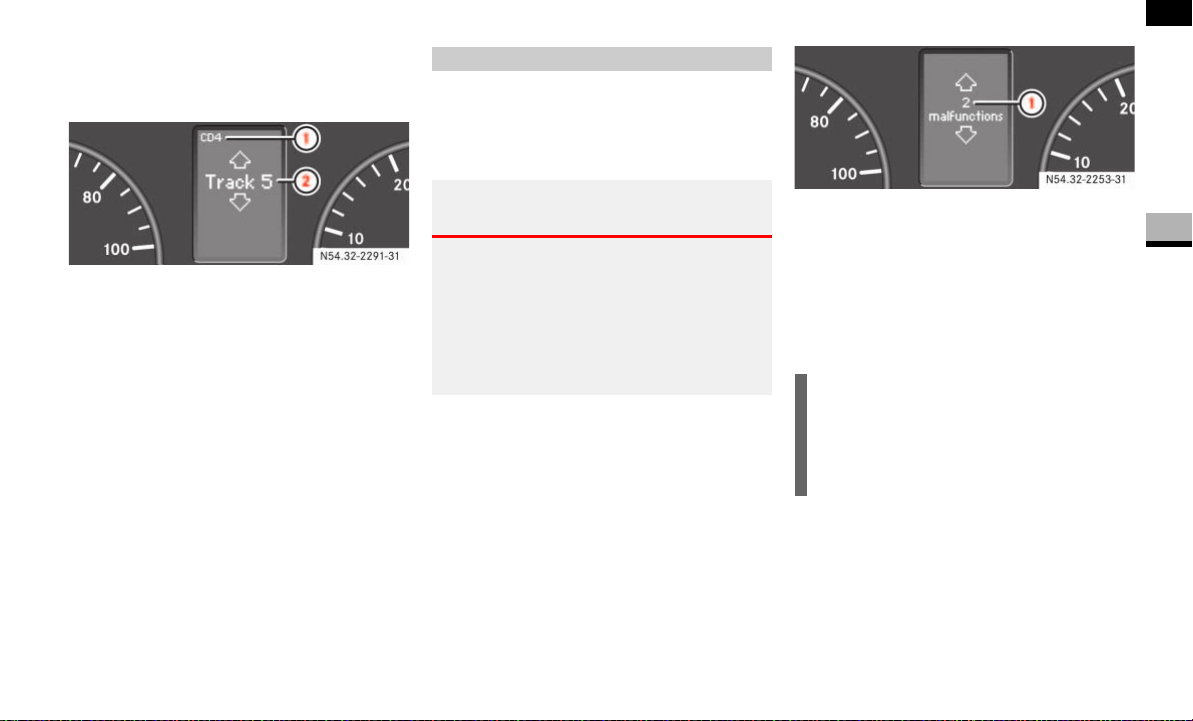
95
Controls in detail
Operating system with steering wheel buttons*
3
Press the è or ÿ button repeat-
edly until the settings for the CD being
played are displayed.
1 Current CD (with CD changer)
2 Current track
Press the j or k button repeat-
edly until you have set the desired
track.
The Malfunction memory menu displays
malfunctions that may have occurred. The
message in the display depends on wheth-
er malfunctions have occurred or not.
Press the è or ÿ button repeat-
edly until you see the corresponding
malfunction from the malfunction
memory in the display.
No malfunctions
The
No malfunctions
message appears if
no malfunctions have occurred.
Malfunctions occurred
If malfunctions have occurred, the number
of malfunctions will be displayed.
1 Number of malfunctions
Press j or k button.
You can scroll through the malfunc-
tions one by one. The possible malfunc-
tions are described in the “Practical
hints” section ( page 249).
Malfunction memory menu
Warning G
The operating system only records and
shows malfunctions and warnings from cer-
tain systems. Therefore, make sure that
your vehicle is safe to use. You could other-
wise cause an accident by driving an unsafe
vehicle.
i
The malfunction memory is cleared
when you switch off the ignition. If any
new malfunctions occur, they will be
displayed again.
N54.32-2253-31
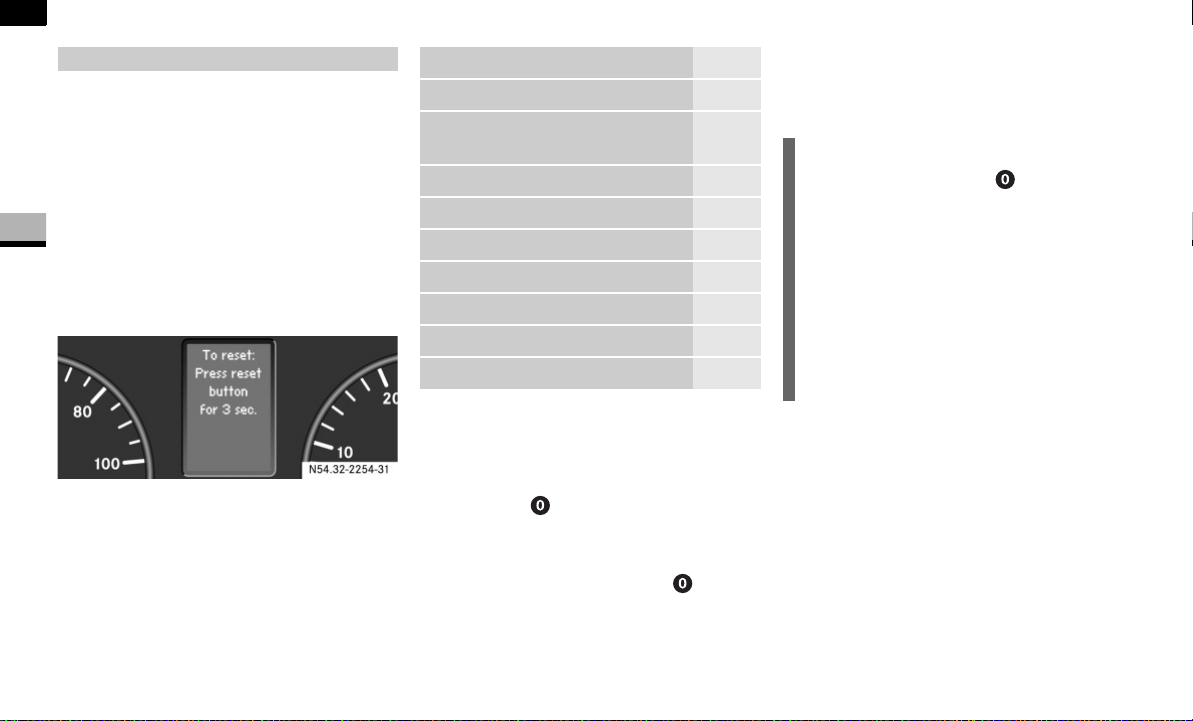
96
Controls in detail
Operating system with steering wheel buttons*
3
The
Settings
menu has two functions:
the
To reset: Press reset button for
3 sec.
function, with which you can re-
set all settings to the factory defaults
a collection of submenus which you
can use to make individual settings for
your vehicle
Press the è or ÿ button repeat-
edly until you see the
Settings
menu in
the display.
Settings menu
Resetting settings
You can reset the functions in all sub-
menus to the factory defaults.
Press the reset button for approxi-
mately 3 seconds.
You will see the message in the display
prompting you to press the reset
button once more to confirm.
Press 0 reset button again.
The functions in most submenus are re-
set to the factory defaults.
Settings menu
N54.32-2254-31
Function Page
Reset settings 96
Reset the functions of a sub-
menu
97
Submenus in the Settings menu 97
Instrument cluster submenu 99
Clock/Date submenu 101
Lighting submenu 102
Vehicle submenu 104
Auxiliary heating* submenu 142
Convenience* submenu 105
i
If you do not press the reset button
a second time to confirm, the changed
settings remain set. The
Settings
menu is displayed again after approxi-
mately 5 seconds.
For safety reasons, it is not possible to
reset all of the functions while the vehi-
cle is in motion. For example, the
Hdlmp. mode
function in the
Lighting
submenu remains unchanged.
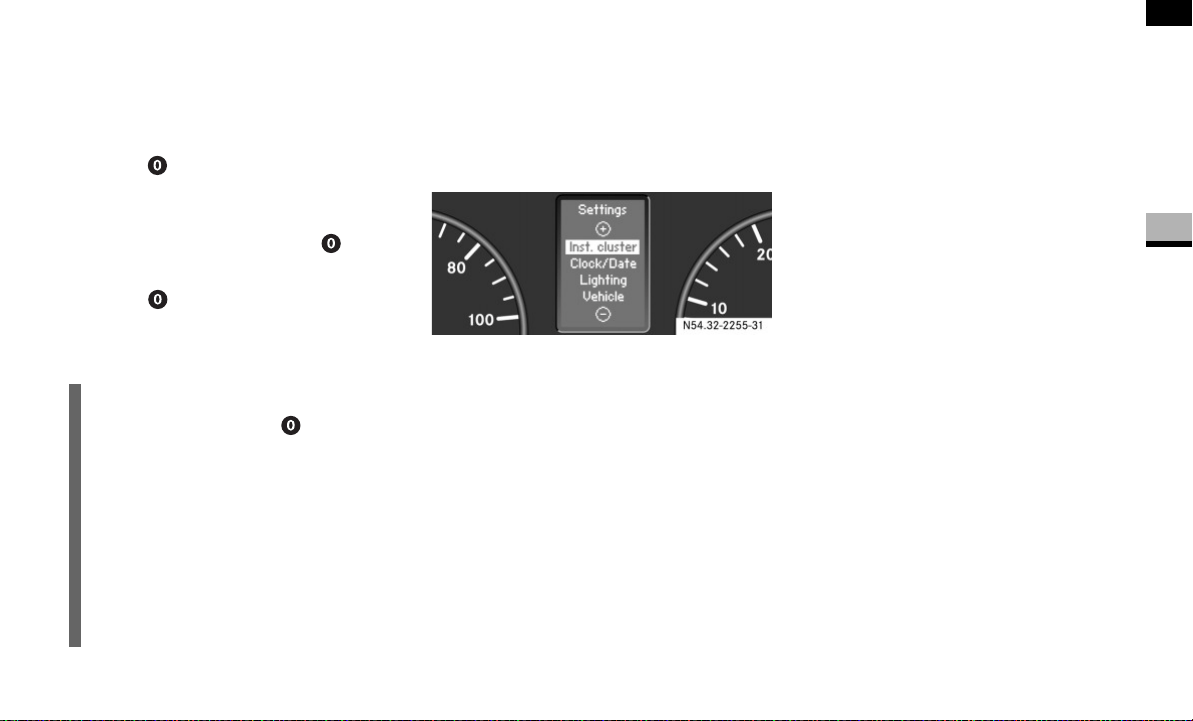
97
Controls in detail
Operating system with steering wheel buttons*
3
Resetting the functions of a submenu
You can reset the functions of an individual
submenu to the factory defaults.
Select a function in a submenu.
Press reset button for approximate-
ly 3 seconds.
You will see the message in the display
prompting you to press the reset
button once more to confirm.
Press reset button again.
Most functions in the submenu are re-
set to the factory defaults.
Submenus in the Settings menu
Press the j button.
You will see the collection of sub-
menus. There are more submenus than
can be displayed at the same time.
Press ç button.
The selection marker moves to the next
submenu.
The submenus are arranged in a hierarchy;
press the ç button to scroll down,
press the æ button to scroll up.
You can select a function within the sub-
menus by pressing the j button.
The settings themselves are changed by
pressing the æ or ç button again.
This table shows the settings you can
make in the individual submenus.
You will find additional information on the
following pages.
i
If you do not press the reset button
a second time to confirm, the changed
settings remain set. The
Settings
menu is displayed again after approxi-
mately 5 seconds.
For safety reasons, it is not possible to
reset all of the functions while the vehi-
cle is in motion. For example, the
Hdlmp. mode
function in the
Lighting
submenu remains unchanged.
N54.32-2255-31

98
Controls in detail
Operating system with steering wheel buttons*
3
Instrument cluster
( page 99)
Clock/Date
( page 101)
Lighting*
( page 102)
Vehicle
( page 104)
Auxiliary heat-
ing*
( page 139)
Conve-
nience*
( page 105)
Select the unit for the
temperature
Set the hours (clock) Set constant head-
lamp mode*
Set station selection Select a switch-
on time
Key-depen-
dent settings
Select the unit for the
speedometer
Set the minutes (clock) Switch the locator
lighting on or off*
Set the windshield
wiper sensitivity
Hours (set a
switch-on time)
Select the unit for the
odometer
Select the time format Switch the exterior
lighting delayed
switch-off
on or off*
Minutes (set a
switch-on time)
Select the language Set the day (date)
Select the display for
the status line
Set the month (date)
Select the unit for the
tire pressure
Set the year (date)
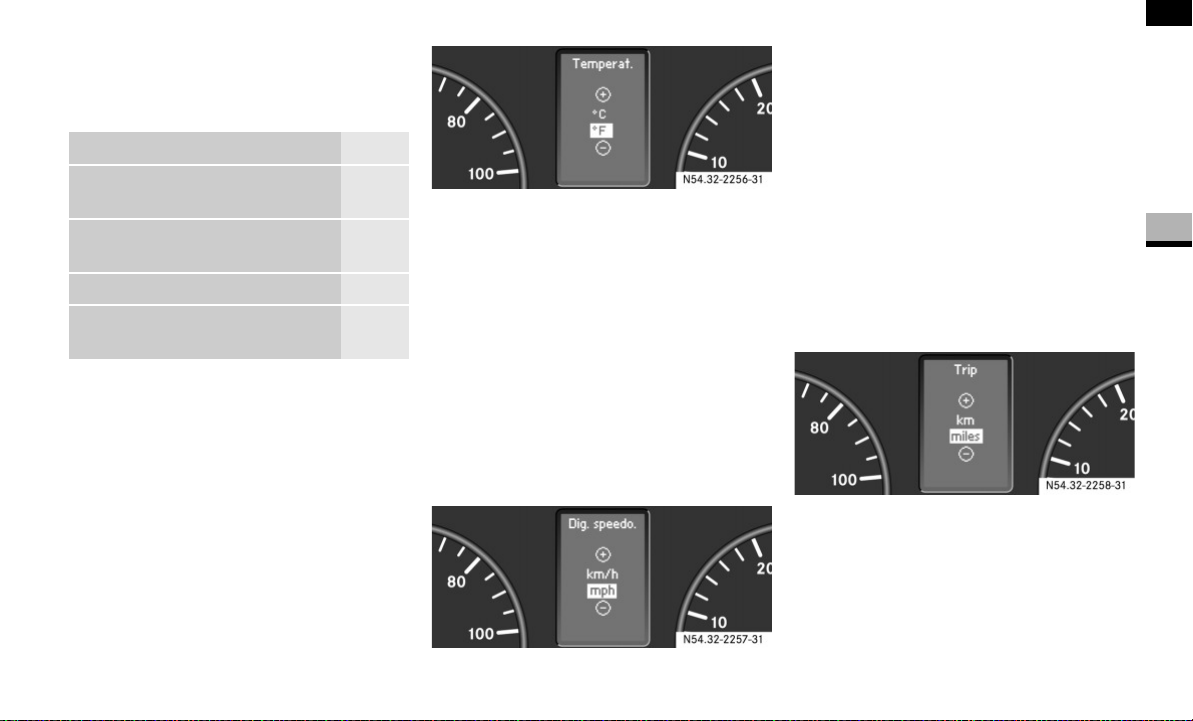
99
Controls in detail
Operating system with steering wheel buttons*
3
Instrument cluster submenu
You can reach the
Inst. cluster
submenu
via the
Settings
menu ( page 96).
Selecting the unit for the temperature
Select the
Inst. cluster
submenu
using the æ or ç
button.
Press the j or k button repeat-
edly until you see the
Temperat.
mes-
sage in the display.
The current setting is highlighted.
Press the æ or ç button to se-
lect the unit for all messages in the
display:
°C
(degrees Celsius) or °F
(degrees Fahrenheit).
Selecting the unit for the speedometer
Select the
Inst. cluster
submenu us-
ing the æ or ç
button.
Press the j or k button repeat-
edly until you see the
Dig. speedo.
message in the display.
The current setting is highlighted.
Press the æ or ç button to se-
lect the unit for all messages in the
display:
km/h
or
mph
(kilometers or
miles per hour).
Selecting the unit for the odometer
Select the
Inst. cluster
submenu us-
ing the æ or ç button.
Press the j or k button repeat-
edly until you see the
Trip
message in
the display.
The current setting is highlighted.
Press the æ or ç button to se-
lect the unit for all messages in the
display:
km
(kilometers) or
miles
.
Function Page
Select the unit for the tempera-
ture
99
Select the unit for the
speedometer and odometer
99
Select the language 100
Select the display for the status
line
100
N54.32-2256-31
N54.32-2257-31
N54.32-2258-31
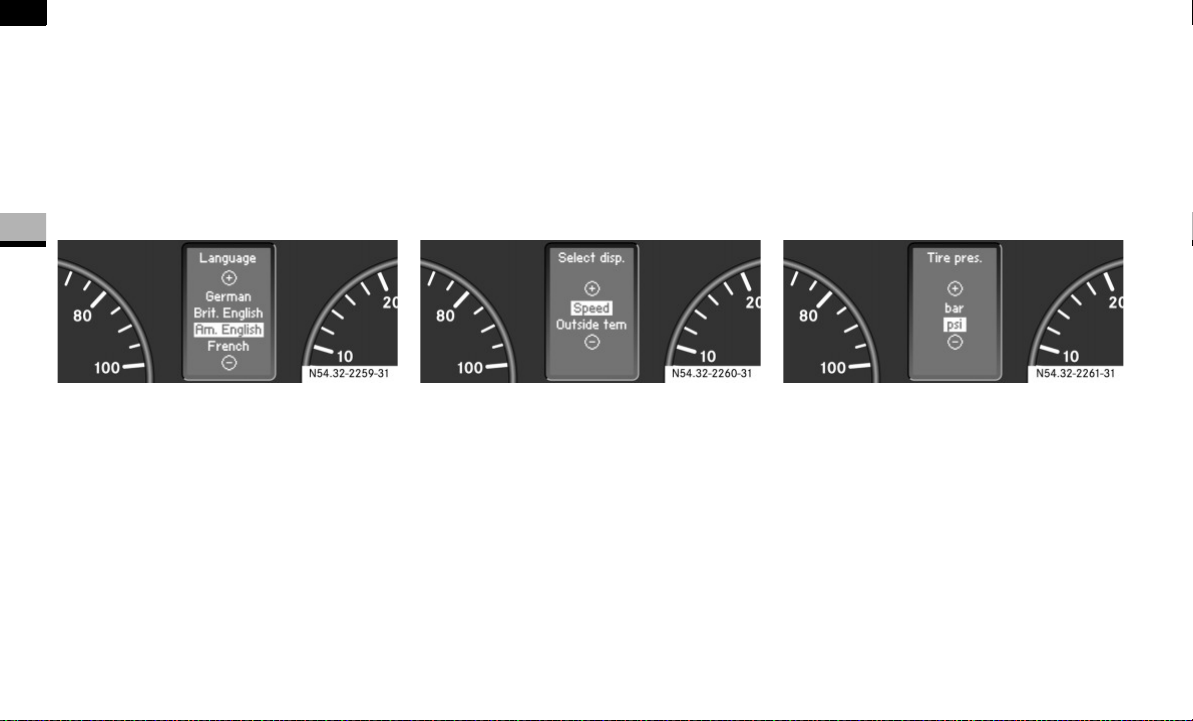
100
Controls in detail
Operating system with steering wheel buttons*
3
Selecting the language
Select the
Inst. cluster
submenu us-
ing the æ or ç button.
Press the j or k button repeat-
edly until you see the
Language
mes-
sage in the display.
The current setting is highlighted.
Use the æ or ç button to select
the language in which the operating
system messages are to be displayed.
You can select:
German (Deutsch)
British English
American English
French
Italian
Spanish
Selecting the display for the status line
Select the
Inst. cluster
submenu us-
ing the æ or ç button.
Press the j or k button repeat-
edly until you see the
Select displ.
message in the display.
The current setting is highlighted.
Press the æ or ç button to se-
lect whether to display the outside
temperature or the speed.
The selected display is then shown per-
manently in the bottom part of the dis-
play.
Selecting the unit for the tire pressure
Select the
Inst. cluster
submenu us-
ing the æ or ç button.
Press the j or k button repeat-
edly until you see the
Tire pres.
mes-
sage in the display.
The current setting is highlighted.
Press the æ or ç button to se-
lect the unit for the tire pressure:
bar
or
psi
.
N54.32-2259-31
N54.32-2260-31
N54.32-2261-31
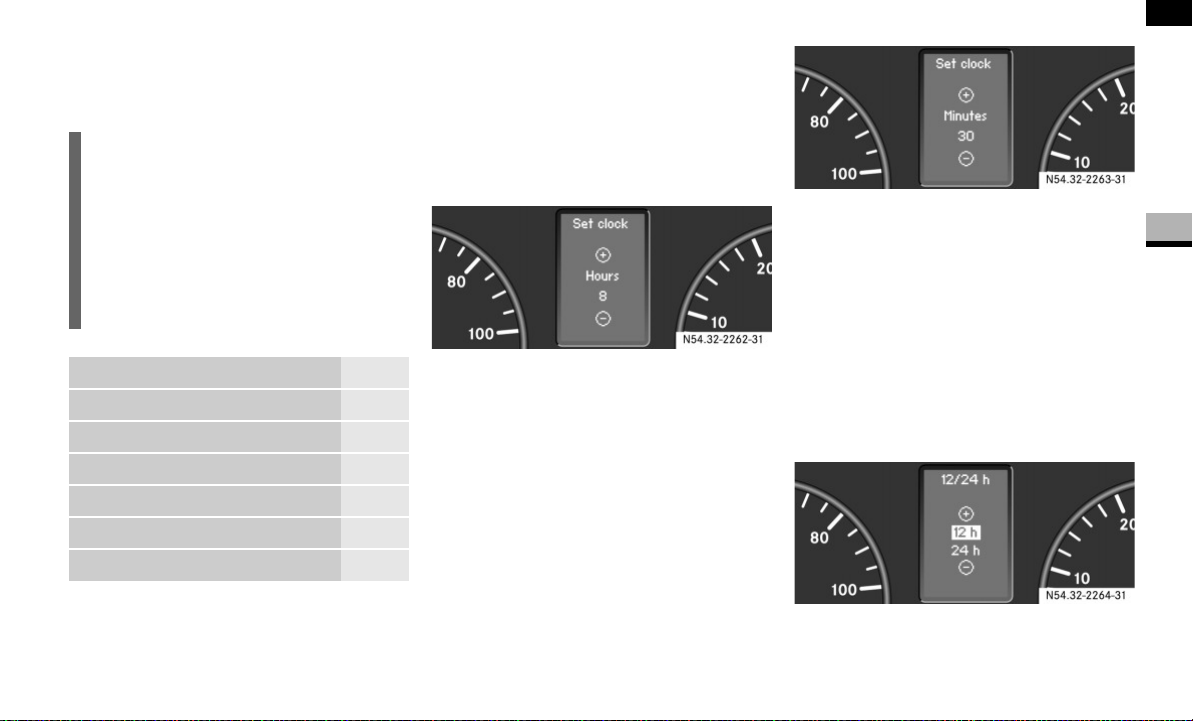
101
Controls in detail
Operating system with steering wheel buttons*
3
Clock/Date submenu
You can reach the
Clock/Date
submenu via
the
Settings
menu ( page 96).
Setting the hours
Select the
Clock/Date
submenu using
the æ or ç button.
Press the j or k button repeat-
edly until you see the
Set clock Hours
message in the display.
Set the hour by pressing the æ or
ç button.
Setting the minutes
Select the
Clock/Date
submenu using
the æ or ç button.
Press the j or k button repeat-
edly until you see the
Set clock Min-
utes
message in the display.
Set the minutes by pressing the æ
or ç button.
Selecting the time format
Select the
Clock/Date
submenu using
the æ or ç
button.
Press the j or k button repeat-
edly until you see the
12/24 h
message
in the display.
The current setting is highlighted.
Use the æ or ç button to select
the
12 h
or
24 h
clock format.
i
The
Clock/Date
submenu only appears
if you do not have COMAND APS* in-
stalled.
With COMAND APS*, it is only possible
to set the time using the audio system.
See the separate operating instruc-
tions.
Function Page
Set the hours (clock) 101
Set the minutes (clock) 101
Select the time format 101
Set the day (date) 102
Set the month (date) 102
Set the year (date) 102
N54.32-2262-31
N54.32-2263-31
N54.32-2264-31
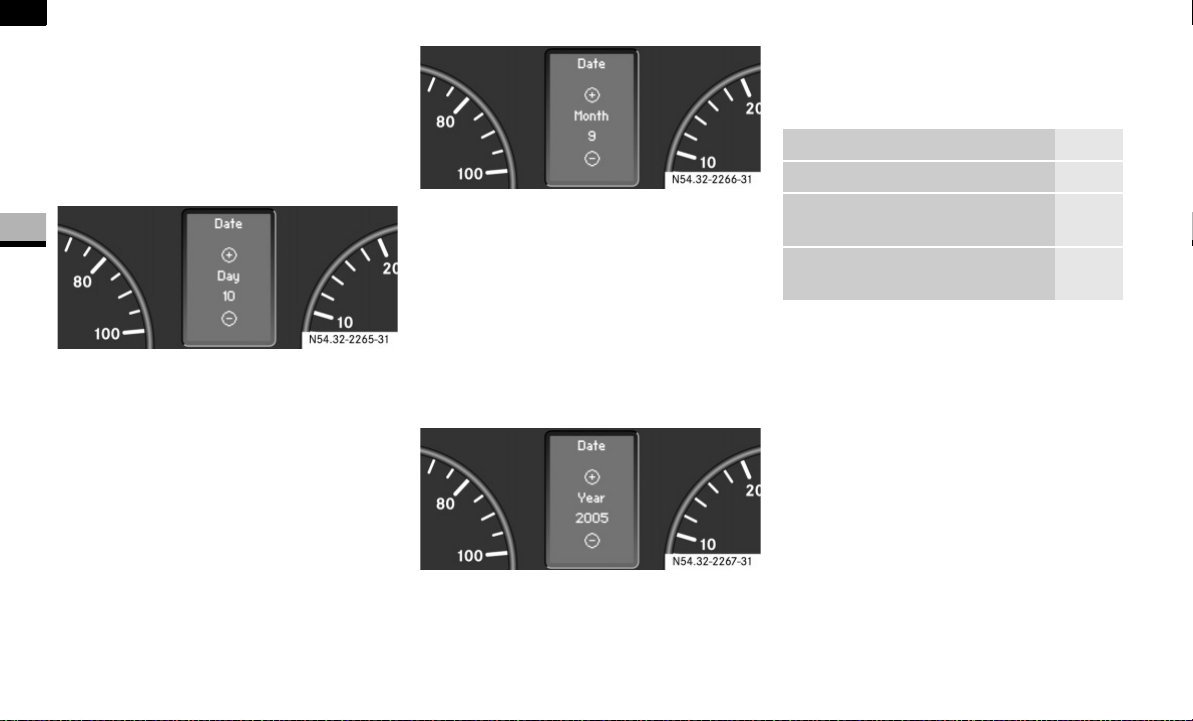
102
Controls in detail
Operating system with steering wheel buttons*
3
Setting the day
Select the
Clock/Date
submenu using
the æ or ç button.
Press the j or k button repeat-
edly until you see the
Date Day
mes-
sage in the display.
Set the day by pressing the æ or
ç button.
Setting the day
Select the
Clock/Date
submenu using
the æ or ç button.
Press the j or k button repeat-
edly until you see the
Date Month
mes-
sage in the display.
Set the month by pressing the æ or
ç button.
Setting the year
Select the
Clock/Date
submenu using
the æ or ç button.
Press the j or k button repeat-
edly until you see the
Date Year
mes-
sage in the display.
Set the year by pressing the æ or
ç button.
Lighting submenu
*
You can reach the
Lighting
submenu via
the
Settings
menu ( page 96).
Setting constant headlamp mode*
If you have set constant headlamp mode
and the light switch is at M, the follow-
ing light up automatically when the engine
is running:
The parking lamps and low-beam head-
lamps
The tail lamps
The license plate lamp
For safety reasons, it is only possible to
change this setting when the vehicle is sta-
tionary. The factory setting is
Constant
in
countries in which constant headlamp
mode is mandatory.
N54.32-2265-31
N54.32-2266-31
N54.32-2267-31
Function Page
Set constant headlamp mode* 102
Switch the locator lighting on or
off*
103
Switch the exterior lighting
delayed switch-off on or off*
104
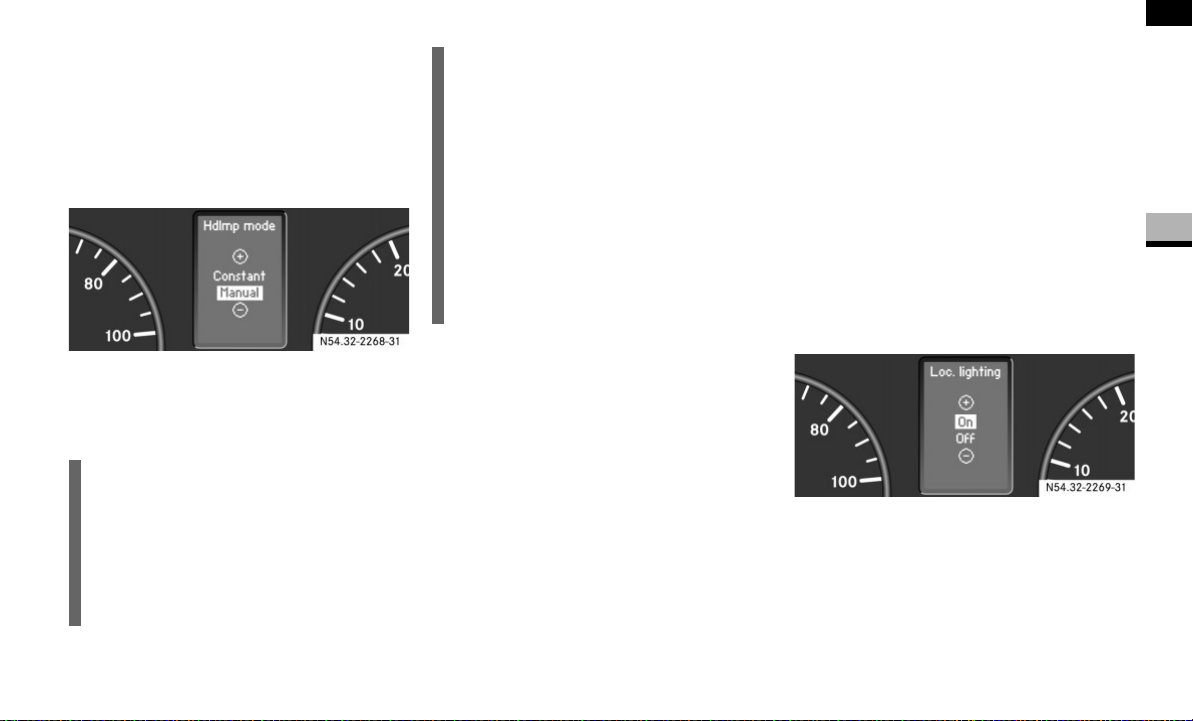
103
Controls in detail
Operating system with steering wheel buttons*
3
Press the æ or ç to select the
Lighting
submenu.
Press the j or k button repeat-
edly until you see the
Hdlmp. mode
mes-
sage in the display.
The current setting is highlighted.
Press the æ or ç button to se-
lect whether you wish to operate the
lighting manually or whether you wish
to set constant headlamp mode.
Switching the locator lighting on or off*
If you switch the locator lighting to
On
, the
following lamps light up in the dark after
you have unlocked the vehicle using the
key:
The parking lamps
The tail lamps
The license plate lamp
The front foglamps
The locator lighting automatically switches
off after 40 seconds or when you:
open the driver’s door
insert the key into the ignition lock
lock the vehicle with the key
Press the æ or ç to select the
Lighting
submenu.
Press the j or k button repeat-
edly until you see the
Loc. lighting
message in the display.
The current setting is highlighted.
Press the æ or ç button to
switch the locator lighting
On
or
Off
.
i
For safety reasons, it is not possible to
reset the
Hdlmp. mode
function to the
factory setting while the vehicle is in
motion. You will see the following mes-
sage in the display:
Setting only pos-
sible at standstill
N54.32-2268-31
USA only:
If you turn the light switch to C
or B, the corresponding light
switches on. Constant headlamp mode
remains activated if the light switch is
turned to U.
Canada only:
If you turn the light switch to B, the
low-beam headlamps are switched on.
Constant headlamp mode remains acti-
vated if the light switch is turned
to C or U.
N54.32-2269-31
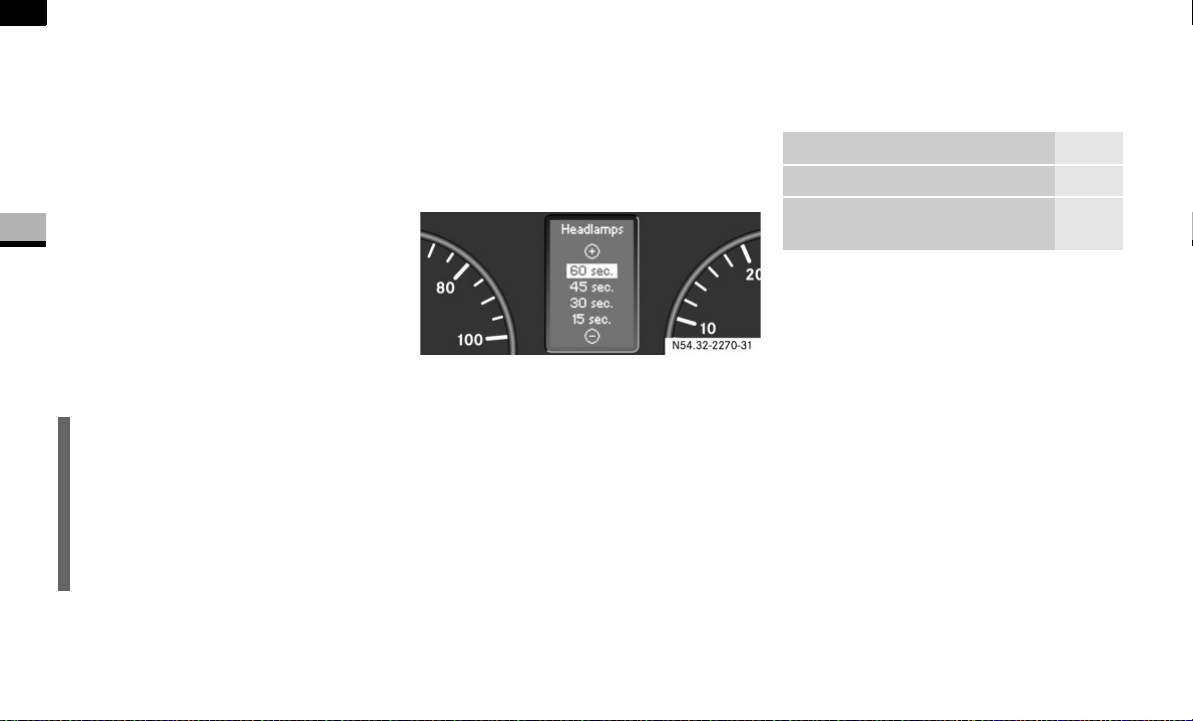
104
Controls in detail
Operating system with steering wheel buttons*
3
Setting the exterior lighting delayed
switch-off*
The
Headlamps
(headlamps delayed switch-
off) function enables you to set whether or
not the exterior lighting should remain on
in the dark after the doors have been
closed.
When you have set the delayed switch-off
and have switched off the engine, the fol-
lowing light up:
The parking lamps
The tail lamps
The license plate lamp
The front foglamps
Press the æ or ç to select the
Lighting
submenu.
Press the j or k button repeat-
edly until you see the
Headlamps
mes-
sage in the display.
The current setting is highlighted.
Press the æ or ç button to se-
lect whether and for how long the lights
should remain on.
Vehicle submenu
You can reach the
Vehicle
submenu via
the
Settings
menu ( page 96).
Setting station selection
The
Search
function enables you to deter-
mine whether the radio ( page 94)
should search for a new station or a previ-
ously stored station each time the radio is
switched on.
Press the è or ÿ button repeat-
edly until you see the
Vehicle
message
in the display.
Press the j or k button repeat-
edly until you see the
Search
message
in the display.
The current setting is highlighted.
i
You can reactivate this function by
opening a door within 10 minutes.
The lights are switched off after 60 sec-
onds if you do not open a door or if you
close an opened door after the engine
has been switched off.
N54.32-2270-31
Function Page
Set station selection 104
Set the windshield wiper sensi-
tivity
105
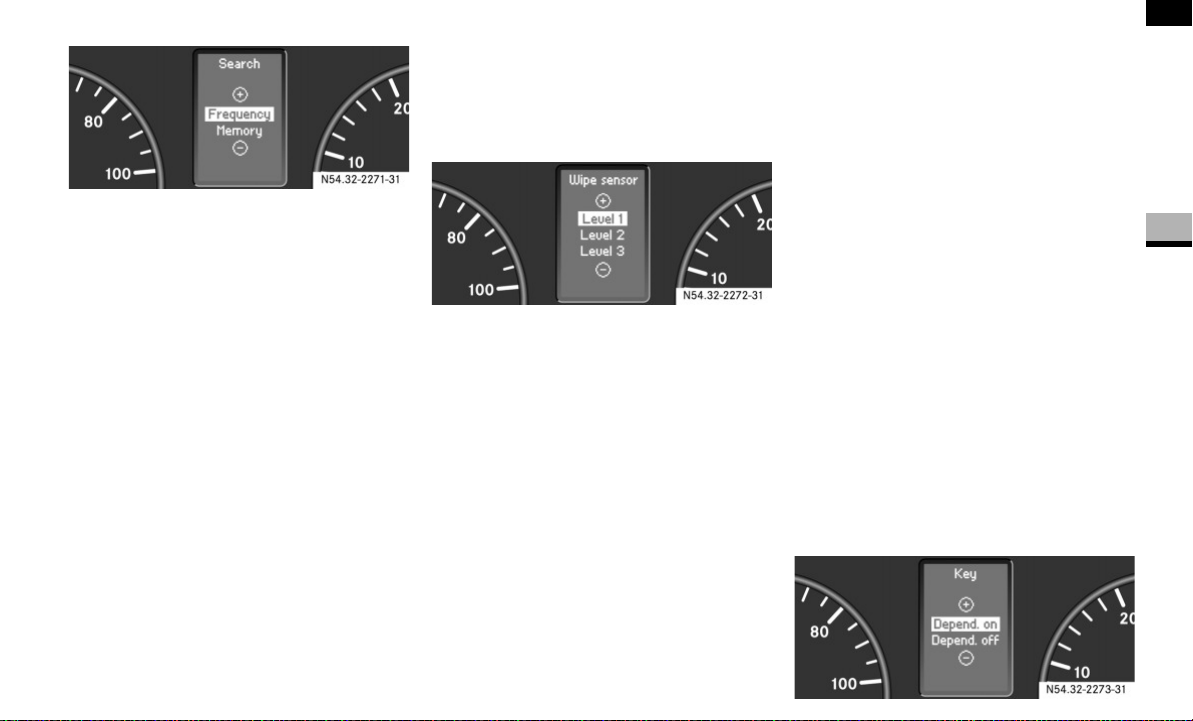
105
Controls in detail
Operating system with steering wheel buttons*
3
Press the æ or ç button to se-
lect how the radio should tune into a
station.
Frequency
: The nearest station on
the waveband is selected
Memory
: The nearest saved station is
selected
Setting the windshield wiper sensitivity
You can use the
Wipe sensor
function to
set the sensitivity of the rain sensor.
Press the è or ÿ button repeat-
edly until you see the
Vehicle
message
in the display.
Press the j or k button repeat-
edly until you see the
Wipe sensor
mes-
sage in the display.
The current setting is highlighted.
Press the æ or ç button to
select the level of sensitivity of the rain
sensor.
Level 1
: High sensitivity
Wiping beings in light rain
Level 2
: Moderate sensitivity
Level 3
: Low sensitivity
Wiping only begins in heavy rain
Convenience submenu
*
You can reach the
Convenience
submenu
via the
Settings
menu ( page 96).
Key-dependent settings
You can use the
Key
function to determine
whether the settings in the:
Instrument cluster
Lighting
Vehicle
submenus are stored as key-dependent
settings.
Press the è or ÿ button repeat-
edly until you see the
Convenience
mes-
sage in the display.
Press the j or k button repeat-
edly until you see the
Key
message in
the display.
The current setting is highlighted.
N54.32-2271-31
N54.32-2272-31
N54.32-2273-31
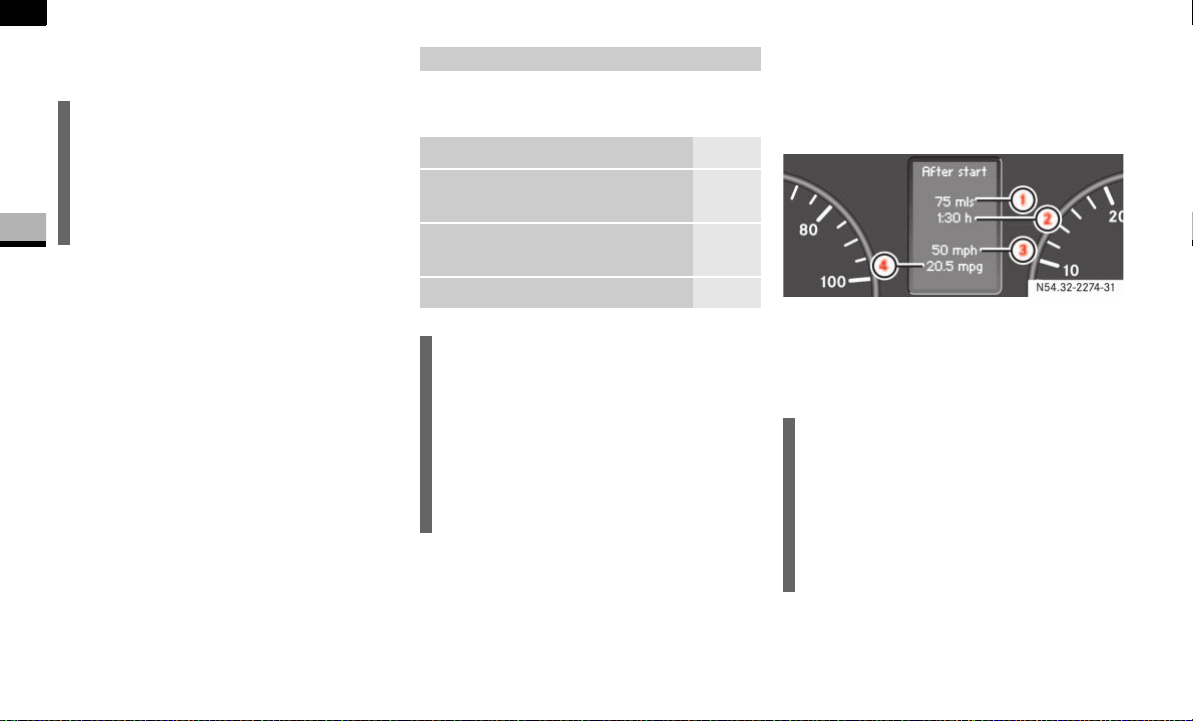
106
Controls in detail
Operating system with steering wheel buttons*
3
Press the æ or ç button to
switch key dependence
On
or
Off
.
The Trip computer menu displays statisti-
cal data for your vehicle.
Consumption statistics after start
Press the è or ÿ button repeat-
edly until you see the
After start
mes-
sage in the display.
1 Distance driven since start
2 Time elapsed since start
3 Average speed since start
4 Average fuel consumption since start
i
For safety reasons, it is not possible to
set the
Key
function while the vehicle is
in motion. You will see the following
message in the display:
Setting only
possible at standstill
.
Trip computer menu
Function Page
Consumption statistics after
start
106
Consumption statistics after re-
set
107
Reset consumption statistics 107
i
When you call up the trip computer
again, it always displays the consump-
tion statistics after start first.
The units of the trip computer are coun-
try-specific and depend on the setting
in the
Instrument
submenu of the
Set-
tings
menu.
i
If you turn the key to position 0 in the
ignition lock or remove it, all the values
are reset after approximately 4 hours.
The values will not be reset if you turn
the key back to position 1 or 2 during
this time.
N54.32-2274-31
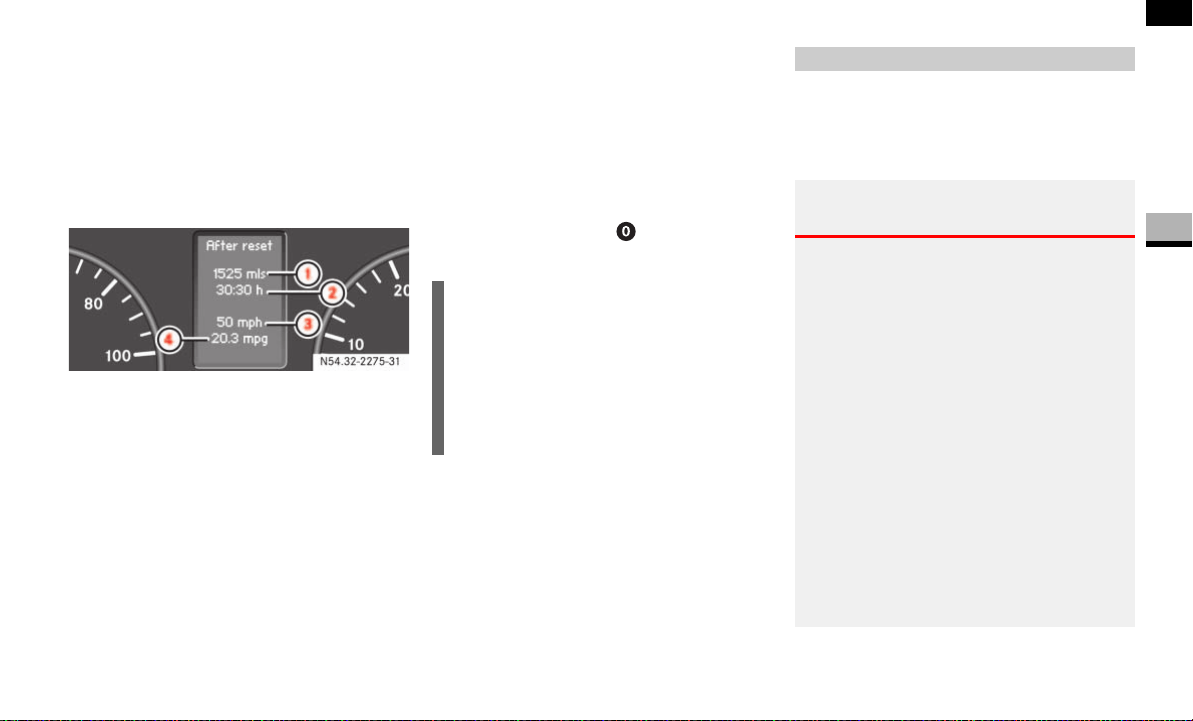
107
Controls in detail
Operating system with steering wheel buttons*
3
Consumption statistics after reset
Press the è or ÿ button repeat-
edly until you see the
After start
mes-
sage in the display.
Press the j or k button repeat-
edly until you see the
After reset
mes-
sage.
1 Distance driven since last reset
2 Time elapsed since last reset
3 Average speed since last reset
4 Average fuel consumption since last
reset
Resetting the consumption statistics
Press the è or ÿ button repeat-
edly until you see the
After start
mes-
sage in the display.
Press the j or k button repeat-
edly until you see the statistics that you
want to reset in the display.
Press and hold the reset button un-
til the values are reset to 0.
You can operate your cell phone using the
functions in the
TEL
menu, provided it is
connected to the manufacturer’s hands-
free system*.
N54.32-2275-31
i
The consumption statistics after start
are automatically reset after 999 hours
or 9,999 miles (kilometers).
The consumption statistics after reset
are automatically reset after 9,999
hours or 99,999 miles (kilometers).
Telephone menu*
Warning G
You must observe the legal requirements for
the country in which you are driving when
operating a cell phone in the vehicle.
If it is permitted to operate a cell phone
while the vehicle is in motion, you must only
operate it when road and traffic conditions
permit. You may otherwise be distracted
from the traffic conditions, cause an acci-
dent and injure yourself and others.
Cell phones without exterior antennas may
interfere with the vehicle electronics and
thereby jeopardize the operational safety of
the vehicle. You must therefore only use
these devices when they are connected to a
separate exterior antenna.
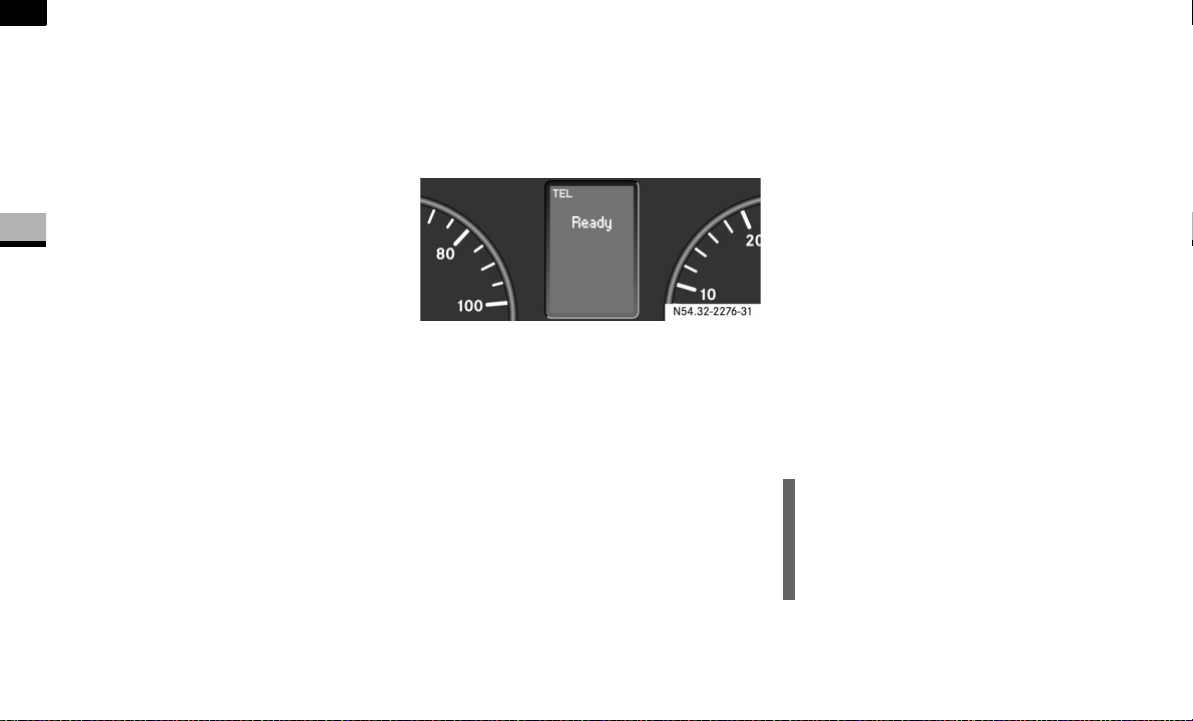
108
Controls in detail
Operating system with steering wheel buttons*
3
Switch on the cell phone and audio sys-
tem or COMAND APS*.
See the separate operating instruc-
tions.
Press the è or ÿ button repeat-
edly until you see the
TEL
menu in the
display.
You will see different messages in the
display, depending on the status of
your cell phone:
If the cell phone is switched off, you
will see the
TEL off
message
(Sound 20) or
Tel Turn on
message
(COMAND APS*) in the display.
If you have not yet entered a PIN,
you will see the
TEL PIN
message
(Sound 20) or
Enter PIN
message
(COMAND APS*).
Enter the PIN code using the cell
phone, audio system or
COMAND APS*.
The cell phone searches for a network. The
display remains blank during this time.
As soon as the cell phone has found a net-
work, you will see the
Ready
message in
the display.
Once it has shown its operational readi-
ness, you can operate the cell phone using
the operating system.
Rejecting a call
If you do not wish to speak to the person
who is calling, you can reject the call.
Press the t button.
The caller then hears the busy signal.
Accepting a call
You can accept a call at any time, provided
the cell phone is ready to receive calls.
Press the s button.
The call duration is shown in the dis-
play.
Ending a call
Press the t button.
The display now shows the operational
readiness symbol again.
Dialing a number from the phone book
You may select and dial a number from the
phone book at any time, provided the cell
phone is ready to receive calls.
Press the è or ÿ button repeat-
edly until you see the
TEL
menu with
the operational readiness symbol in the
display.
N54.32-2276-31
i
It is only possible to create new phone
number entries in the phone book us-
ing the cell phone itself. See the sepa-
rate operating instructions.

109
Controls in detail
Operating system with steering wheel buttons*
3
Press the j or k button.
The operating system reads the phone
book stored on the SIM card or in the
phone. This may take more than
1minute.
You will see the
Processing
message
(Sound 20) or
Wait...
message
(COMAND APS*) in the display.
Press the j or k button repeat-
edly until you see the name you are
looking for.
The stored names are displayed alpha-
betically from A to Z, or Z to A.
Press the s button.
The operating system dials the select-
ed phone number. You will see the
dialing
message (Sound 20) or
Dial-
ing...
message (COMAND APS*) in
the display.
The operating system stores the phone
numbers in the redial memory.
If a connection is made, you will see the
name of the person you are calling and
the call duration.
Redialing
The operating system stores the most re-
cently dialed phone numbers. This means
that you do not have to search through the
entire phone book.
Press the ÿ or è button repeat-
edly until you see the
TEL
menu with
the operational readiness symbol in the
display.
Press the s button.
The redial memory shows the most re-
cently dialed numbers or names.
Press the j or k button repeat-
edly until the number or the name you
are looking for is displayed.
Press the s button.
The operating system dials the select-
ed phone number.
If a connection is made, you will see the
call duration and name of the person
you are calling if stored in the phone
book. Otherwise, the number you are
dialing continues to be displayed.
i
The operating system scrolls through
the names rapidly if you press and hold
the j or k button for more than
one second. Releasing the button stops
the rapid scroll.
If you no longer wish to make a call,
press the t button.
i
If you no longer wish to make a call,
press the t button.

110
Controls in detail
Driving and parking
3
Driving and parking
Before each journey, check the vehicle
lighting and the general condition of
the vehicle.
Observe the general driving tips at the
end of this section ( page 116).
You will find information on:
regular checks ( page 181)
driving in winter ( page 235)
driving when towing a trailer
( page 175)
and other driving tips
in the “Operation” section ( page 173).
Warning G
The movement of the pedals must not be ob-
structed. The vehicle’s operating and road
safety are otherwise jeopardized.
Objects could fall and get caught between
the pedals if you accelerate or brake sud-
denly. You will no longer be able to brake or
accelerate. You could cause an accident,
which could result in injury to yourself and
others.
If floor mats and carpets are used, make
sure that these are secured correctly
and cannot slip and that there is suffi-
cient pedal clearance.
Do not place any objects in the driver’s
footwell.
Store and secure all loose objects so
they cannot get into the driver’s footwell
while the vehicle is in motion.
Warning G
The doors could open of their own accord
while the vehicle is in motion if they are not
fully closed. For this reason, please make
sure that all the doors are properly closed
and locked before driving off ( page 52).
Starting the engine
Warning G
Never run the engine in an enclosed space.
The exhaust fumes contain poisonous car-
bon monoxide. Breathing in exhaust fumes
constitutes a health hazard and can lead to
loss of consciousness and death.
Warning G
A seat belt that is worn incorrectly or not at
all, or that is not correctly engaged in the
seat belt buckle, cannot perform its intend-
ed protective function. In certain circum-
stances, you could then be seriously or even
fatally injured. Make sure, therefore, that all
occupants – in particular, expectant moth-
ers – wear their seat belt correctly at all
times.
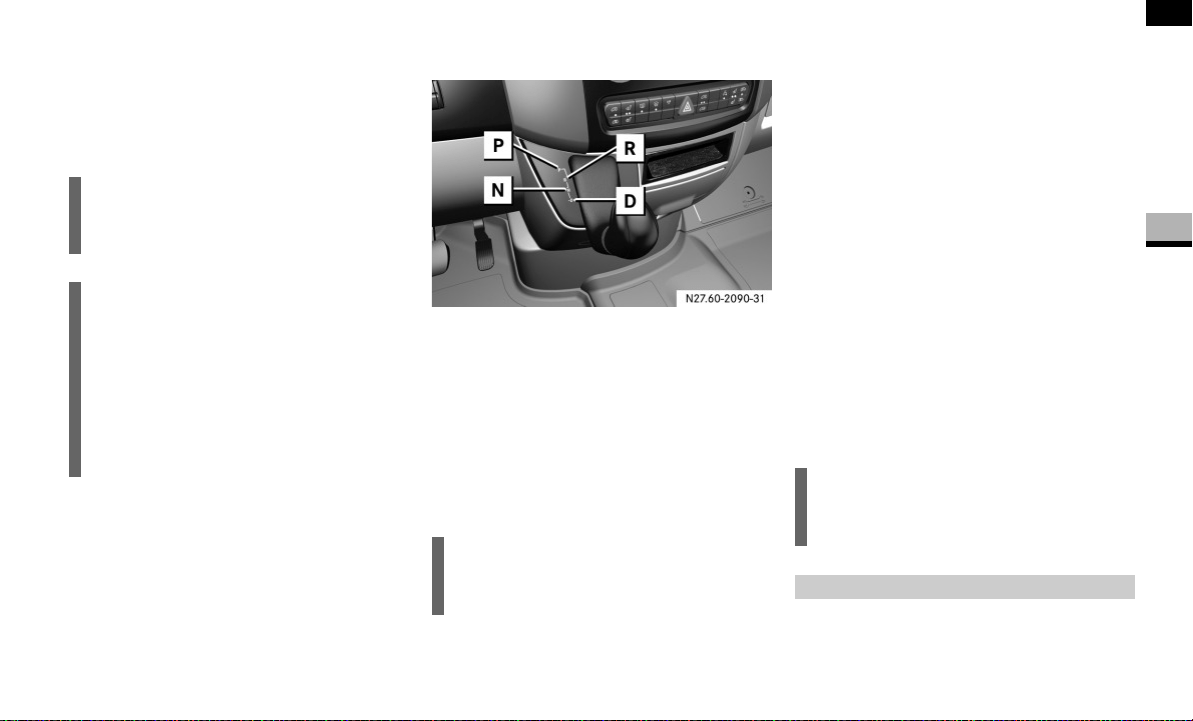
111
Controls in detail
Driving and parking
3
Before starting the engine, make sure
that all vehicle occupants are wearing
their seat belt correctly ( page 27)
and the handbrake ( page 115) is ap-
plied.
Automatic transmission
Gearshift pattern
P Parking position (selector lever lock)
R Reverse gear
N Neutral
D Drive position
Make sure that the automatic transmis-
sion is in parking position P before
starting the engine.
Starting the engine
Gasoline engine
Turn the key to position 3 in the igni-
tion lock ( page 67) and release it im-
mediately ("touch-start" function).
The engine starts automatically.
Diesel engine
Switch on the ignition ( page 67).
The q preglow indicator lamp in the
instrument cluster comes on.
As soon as the q preglow indicator
lamp goes out, turn the key to position
3 in the ignition lock and release it as
soon as the engine is running.
Warm the engine up quickly.
Do not run the engine at full speed until
it has reached operating temperature.
!CAUTION
Do not depress the accelerator pedal
when starting the engine.
i
If you depress the brake pedal when
starting the engine, pedal travel may be
short and the pedal resistance may be
high.
Pedal travel and resistance return to
normal when you depress the brake
pedal again while the engine is running.
i
It is also possible to start the engine in
neutral N.
i
You can start the engine without pre-
glow when the engine is warm.
After a cold start

112
Controls in detail
Driving and parking
3
Depress the brake pedal and keep it
depressed.
The selector lever lock is released.
Release the handbrake ( page 115).
The 7 indicator lamp in the instru-
ment cluster goes out.
Move the selector lever to position D or
R.
Release the brake pedal.
Carefully depress the accelerator ped-
al.
You will find more information about selec-
tor lever positions, shift ranges and driving
tips in the “Automatic transmission” sec-
tion ( page 121).
Pulling away
Warning G
Do not downshift for additional engine brak-
ing on a slippery surface. The drive wheels
may lose their grip and the vehicle could
skid.
!CAUTION
Only drive at high speeds once the en-
gine has warmed up. This protects the
engine.
When driving on slippery surfaces,
avoid spinning the drive wheels where
possible as this could damage the drive
train.
i
On vehicles with a reverse warning fea-
ture*, an audible warning sounds for
other road users when reverse gear is
engaged ( page 153).
i
Depending on the vehicle's settings,
the vehicle automatically locks itself
centrally after it has driven off, at the
latest ( page 64). The locking knobs
on the front doors and the sliding door
drop down.
You can open the doors from the inside
at any time.
You can also switch off the automatic
door lock ( page 64).
!CAUTION
Only select reverse gear when the vehi-
cle is stationary, otherwise you could
damage the automatic transmission.
i
Wait until the gear selection has com-
pleted before pulling away.
i
Automatic transmission upshifts are
made at higher engine speeds after a
cold start. This helps the catalytic con-
verter to reach its operating tempera-
ture more quickly.

113
Controls in detail
Driving and parking
3
Do not accelerate to prevent your vehicle
from rolling backwards on an uphill gradi-
ent. Instead, you should either use the
handbrake or depress the brake pedal.
This prevents excessive wear on the
clutch.
Select a lower gear (shift range 3, 2 or 1)
( page 123) in good time on long and
steep downhill gradients, especially if tow-
ing a trailer. This prevents the brakes from
overheating and wearing too rapidly.
It is best not to stop the vehicle immediate-
ly after the brakes have been subjected to
an extreme load; continue driving for a
short time instead. The brakes are cooled
down more quickly in the airflow.
The first time the brakes are applied after
a long period of driving in heavy rain with-
out braking, it is possible that:
there will be a delayed braking
response
you will need to depress the brake
pedal more firmly
You should therefore maintain a greater
distance from the vehicle in front.
Apply the brakes so that you can feel their
response after a journey on wet roads,
especially if the road has been salted. The
brake discs will be warmed, dry more
quickly and be protected against corro-
sion.
If you make only moderate use of the ser-
vice brake, check from time to time that it
is fully functional. To do this, brake more
sharply at a higher vehicle speed. The
brake will grip better as a result.
For safety reasons, the manufacturer rec-
ommends that you only have brake pads/
linings installed on your vehicle that have
been approved for the Sprinter.
Brake pads/linings that have not been ap-
proved for the Sprinter could affect your
vehicle’s operating safety.
Braking
Warning G
There is no power assistance for the service
brake when the engine is not running.
You will need to use significantly more force
to brake and could therefore lose control of
the vehicle and cause an accident.
Never switch off the engine while driving.
Warning G
Make sure that other road users are not put
at risk by your braking.
i
In exceptional cases, the handbrake
can be used for emergency braking if
the service brake fails ( page 115).

114
Controls in detail
Driving and parking
3
Parking
Warning G
Only remove the key from the ignition lock
when the vehicle is stationary, since it is not
possible to steer the vehicle with the key re-
moved.
Always apply the handbrake after parking
the vehicle.
Never leave children unsupervised in the ve-
hicle. They could release the handbrake.
This could lead to a serious or fatal accident.
Warning G
Always switch off the engine and apply the
handbrake before leaving the vehicle.
The vehicle could roll away if it is not
secured.
On uphill or downhill gradients steeper than
15%:
apply the handbrake
secure an unloaded vehicle by chocking
the front axle ( page 303)
secure a loaded vehicle by, for example,
chocking the rear axle ( page 303)
!CAUTION
Whenever you park the vehicle, always
remove the key to prevent the battery
from excessively discharging.
For vehicles which are out of use for ex-
tended periods and have a battery iso-
lating switch*, switch off the electrical
system ( page 197).
Warning G
Make sure that the exhaust system does not
come into contact with highly flammable
materials, e.g. dry grass or gasoline. The
flammable material could otherwise ignite
and set vehicle components on fire.
Warning G
Regulations in some countries require the
parking lamps to be switched on to illumi-
nate the vehicle for other road users if
parked on a public road at night. In built-up
areas, night reflectors can also be used.
Observe legal requirements.
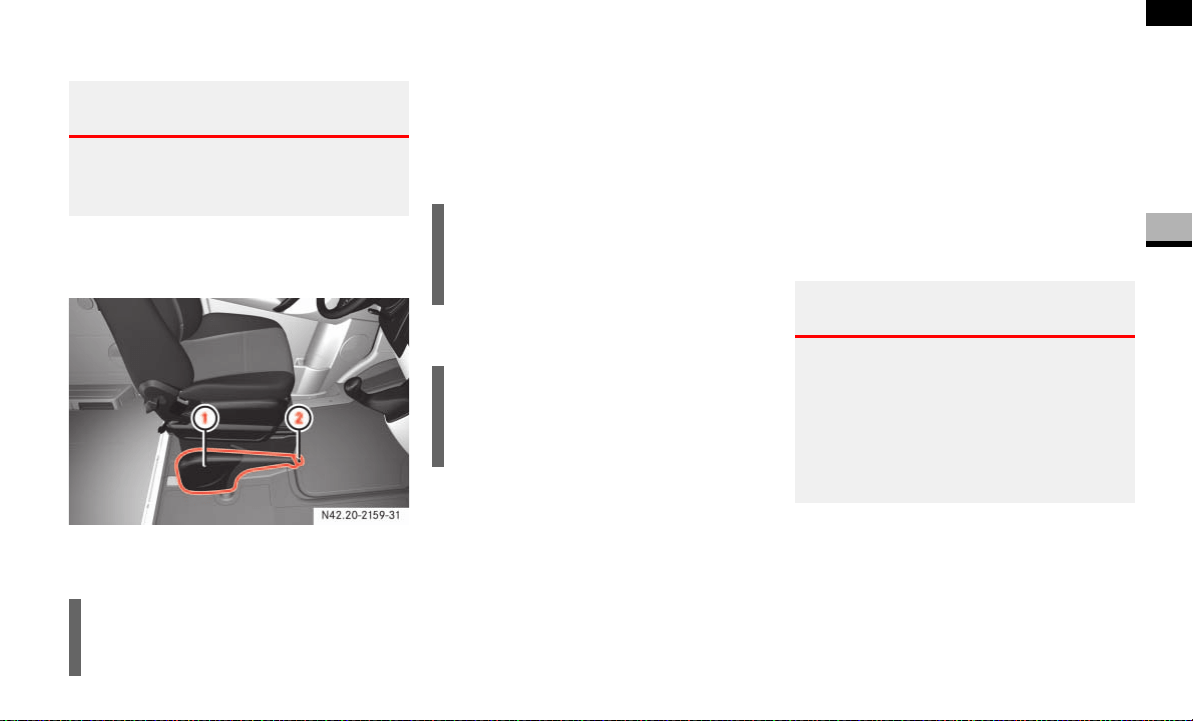
115
Controls in detail
Driving and parking
3
Handbrake
The handbrake is located between the driv-
er’s seat and the co-driver’s seat.
1 Lever
2 Release knob
Applying the handbrake
Pull lever 1 up as far as the last de-
tent.
The 7 indicator lamp in the instru-
ment cluster lights up while the engine
is running.
Releasing the handbrake
Raise lever 1 slightly and press re-
lease knob 2.
Guide lever 1 down to the stop.
The 7 indicator lamp in the instru-
ment cluster goes out.
Emergency braking
Normally, you are only permitted to apply
the handbrake when the vehicle is station-
ary.
In exceptional cases, the handbrake can
be used for emergency braking if the ser-
vice brake fails.
Keep release knob 2 pressed and
carefully apply lever 1.
Warning G
Never leave children unsupervised in the ve-
hicle. They could release the handbrake.
This could lead to a serious or fatal accident.
!CAUTION
You must only apply the handbrake
when the vehicle is stationary.
i
On vehicles with a folding handbrake
lever, you can then press lever 1
down to the stop.
i
On vehicles with a folding handbrake
lever, you must first pull lever 1 up to
the stop.
Warning G
The wheels on the rear axle could lock if the
handbrake lever is applied too abruptly. The
vehicle could then start to skid.
Make sure that you apply the handbrake le-
ver carefully to ensure that braking applica-
tion is moderated.

116
Controls in detail
Driving and parking
3
Stopping the engine
Apply handbrake ( page 115).
Move selector lever to P.
Turn key to position 0 ( page 67) in
the ignition lock and remove it.
The immobilizer is activated.
Secure the vehicle at the front axle if
unloaded and at the rear axle if loaded,
e.g. using a chock ( page 303).
Drinking and driving
Steering
!CAUTION
If the coolant temperature is raised,
e.g. following driving in mountainous
terrain, run the engine at idling speed
for a further 1 or 2 minutes before you
switch off the engine. This allows the
coolant temperature to return to nor-
mal again.
i
When parking on steep uphill or down-
hill gradients, turn the front wheels to-
wards the curb.
i
You can only remove the key from the
ignition lock when the selector lever is
in position P.
General driving tips
Warning G
Drinking and driving and/or taking drugs
and driving are very dangerous combina-
tions. Even a small amount of alcohol or
drugs can affect your reflexes, perceptions
and judgment. The possibility of a serious or
even fatal accident is sharply increased
when you drink or take drugs and drive.
Never drink or take drugs and drive or allow
anyone to drive after drinking or taking
drugs.
Warning G
There is no power-steering assistance when
the engine is not running.
You will need to use significantly more force
to steer and could therefore lose control of
the vehicle and cause an accident.
Never switch off the engine while driving.
!CAUTION
Do not hold the steering wheel in its
end positions for longer than neces-
sary (e.g. when turning or maneuver-
ing).
The hydraulic pump can be damaged
by the increased temperature of the
hydraulic fluid.

117
Controls in detail
Driving and parking
3
Overrun cut-off
The gasoline/diesel supply is cut off if the
driver's foot is completely removed from
the accelerator pedal when the engine is
overrunning at engine speeds outside of
the idling control range.
Driving in wet conditions
Driving on flooded roads
If you are forced to drive on stretches of
road on which water has collected, please
note that:
the water level must not reach above
the lower edge of the front bumper
the maximum speed at which you may
drive is walking speed
Tires
The tires are particularly important for the
operating and road safety of the vehicle.
You should therefore check the pressure,
tread and condition of the tires on a regular
basis.
A tire dealer, a qualified specialist work-
shop or any authorized Sprinter Dealer will
be able to provide further information re-
garding the:
list of recommended makes of tire
tire load-bearing capacity (LI Load
Index)
maximum tire speed (SI Speed Index)
tire age
causes and consequences of tire wear
measures to be taken in the event of
tire damage
tire types for certain regions, areas of
operation or conditions of vehicle use
interchangeability of tires, etc.
Modifications to the brake system or
wheels are not permissible, nor is the use
of spacer plates or brake dust shields. Any
such modifications will invalidate the vehi-
cle’s general operating permit.
Warning G
The vehicle may hydroplane despite having
adequate tire tread depth and being driven
at low speeds, depending on the depth of
water on the road surface.
For this reason, avoid tire ruts and brake
carefully.
!CAUTION
Note that vehicles in front or oncoming
vehicles create waves.
This may mean that the maximum per-
mitted water depth is exceeded.
These notes must be observed to avoid
the risk of engine damage.

118
Controls in detail
Driving and parking
3
Treadwear indicators (TWI) are required by
law. These indicators are located in six
places on the tread circumference and be-
come visible at a tread depth of approxi-
mately 1/16 in (1.6 mm), at which point
the tire is considered worn and should be
replaced.
The Treadwear Indicator appears as a solid
band across the tread.
Specified tire inflation pressures must be
maintained. This applies particularly if the
tires are subject to extreme operating con-
ditions (e.g. high speeds, heavy loads, high
ambient temperatures).
For detailed information on tires, see "Tires
and wheels" ( page 199).
Hydroplaning
Depending on the depth of the water layer
on the road, hydroplaning may occur, even
at low speeds and with new tires. Reduce
vehicle speed, avoid track grooves in the
road and apply brakes cautiously in the
rain.
Warning G
If you feel a sudden significant vibration or
ride disturbance, or you suspect that possi-
ble damage to your vehicle has occurred,
you should turn on the hazard warning flash-
ers, carefully slow down, and drive with cau-
tion to an area which is a safe distance from
the road.
Inspect the tires and the vehicle undercar-
riage for possible damage. If the vehicle or
tires appear unsafe, have the vehicle towed
to the nearest authorized Sprinter Dealer or
tire dealer for repairs.
Warning G
Although the applicable federal motor vehi-
cle safety laws consider a tire to be worn
when the Treadwear Indicators (TWI) be-
come visible at approximately 1/16 in
(1.6 mm), do not allow your tires to wear
down to that level. As tread depth approach-
es 1/8 in (3 mm) for summer tires or 1/6 in
(4 mm) for winter tires, the adhesion proper-
ties on a wet road are sharply reduced.
Depending upon the weather and/or road
surface (conditions), the tire traction varies
widely.
Warning G
Do not drive with a flat tire. A flat tire affects
the ability to steer or brake the vehicle. You
may lose control of the vehicle. Continued
driving with a flat tire or driving at high
speed with a flat tire will cause excessive
heat buildup and possibly a fire.

119
Controls in detail
Driving and parking
3
Tire traction
Tire grip is greatly reduced on a wet, snow
covered or icy road. Speed and driving
style must therefore be adapted to suit
road conditions. The safe speed on a wet,
snow covered or icy road is always lower
than on a dry road.
Below a tread depth of 1/8 in (3 mm), tire
grip begins to decrease rapidly on wet
roads.
Pay particular attention to the condition of
the road whenever the outside tempera-
tures is close to the freezing point.
In winter, install M+S radial tires with a
minimum tread depth of approximately 1/
6 in (4 mm) on all wheels to ensure normal
balanced handling characteristics. On
packed snow, they can reduce your stop-
ping distance compared to summer tires.
Stopping distance, however, is still consid-
erably greater than when the road is not
covered with snow or ice. Exercise appro-
priate caution.
For information on winter tires, see "Winter
tires" ( page 234).
Tire speed rating
Regardless of the tire speed rating, local
speed limits should be obeyed. Use pru-
dent driving speeds appropriate to prevail-
ing conditions.
The vehicles are factory equipped with "L"
(vehicles type 2500 only) or "N"-rated
tires, which have a speed rating of 74 mph
(120 km/h) or 87 mph (140 km/h) re-
spectively.
For information on speed ratings or for ad-
ditional general information on tire speed
markings on the tire side wall, see "Tire
speed rating" ( page 224).
Warning G
If ice has formed on the road, tire traction
will be substantially reduced. Under such
weather conditions, drive, steer and brake
with extreme caution.
!CAUTION
Avoid spinning a drive wheel. This may
cause serious damage to the drive train
which is not covered by the Sprinter
warranty.
Warning G
Even when permitted by law, never operate
a vehicle at speeds greater than the maxi-
mum speed rating of the tires.
Exceeding the maximum speed for which
tires are rated can lead to sudden tire fail-
ure, causing loss of vehicle control and pos-
sibly resulting in an accident and/or serious
injury and possible death, for you and for
others.

120
Controls in detail
Driving and parking
3
Alignment and balance
Poor suspension alignment may result in:
Fast tire wear
Uneven tire wear, such as feathering
and one-sided wear
Vehicle pulling to the left or right
Tires may also cause the vehicle to pull to
the left or right. Alignment will not correct
this condition. See an authorized Sprinter
Dealer for proper diagnosis.
Improper alignment will not cause vehicle
vibration. Vibration may be the result of a
tire and wheel imbalance. Proper balanc-
ing will reduce vibration and avoid tire cup-
ping and spotty wear.
Coolant temperature
During severe operating conditions and
stop-and-go city traffic, the coolant tem-
perature may rise close to approximately
250 °F (120 °C).
The engine should not be operated with
the coolant temperature over 250 °F
(120 °C). Doing so may cause serious en-
gine damage which is not covered by the
Sprinter warranty.
Warning G
Driving when your engine is overheated
can cause some fluids, which may have
leaked into the engine compartment, to
catch fire. You could be seriously
burned.
Steam from an overheated engine can
cause serious burns which can occur
just by opening the hood. Stay away
from the engine if you see or hear steam
coming from it.
Turn off the engine, get out of the vehicle
and do not stand near the vehicle until the
engine has cooled down.
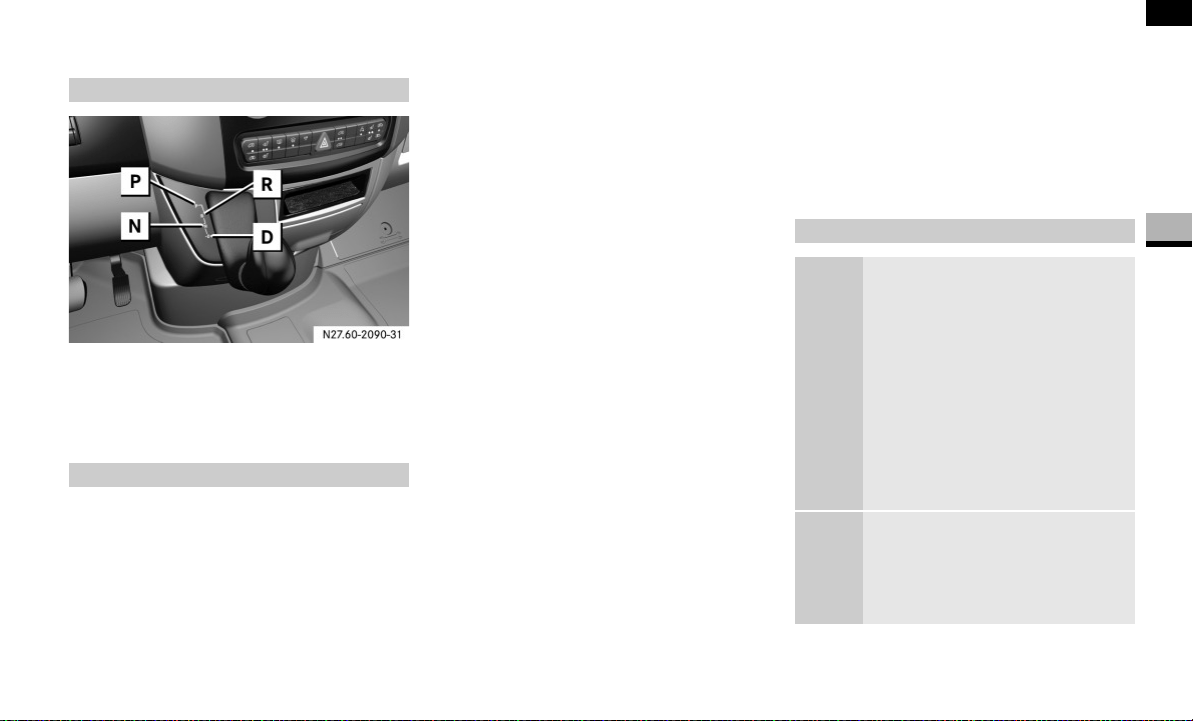
121
Controls in detail
Automatic transmission
3
Automatic transmission
P Parking position (selector lever lock)
R Reverse gear
N Neutral
D Drive position
The automatic transmission adapts to your
individual driving style by continuously ad-
justing its shift points. These shift point ad-
justments take into account the current
operating and driving conditions.
If the operating or driving conditions
change, the automatic transmission reacts
by adjusting the gearshift program.
The individual gears are selected automat-
ically. The gear selected depends on:
the selector lever position in shift rang-
es D, 4, 3, 2 and 1 ( page 123)
the position of the accelerator pedal
( page 123)
the road speed
resistance (load, uphill gradient, trailer
towing)
The selector lever position engaged or the
current shift range is shown in the display.
Display on vehicles with steering wheel
buttons* ( page 89) and on vehicles
without steering wheel buttons
( page 87).
When the selector lever is in position D,
you can influence the gearshifts made by
the automatic transmission by:
restricting the shift range
changing gear yourself
Gearshift pattern
Gearshift procedure
Selector lever positions
ì Parking lock
Prevents the parked vehicle
from rolling away. Only move
the selector lever to P when
the vehicle is stationary.
You can only remove the key
when the selector lever is in
position P. The selector lever is
locked in position P when the
key is removed.
í Reverse gear
Only move the selector lever to
R when the vehicle is station-
ary.

122
Controls in detail
Automatic transmission
3
When the selector lever is in position D,
you can perform gearshifts yourself, even
on vehicles with automatic transmission.
Downshifting
Press the selector lever to the left to-
wards D–.
The automatic transmission restricts
the shift range ( page 123) by one
gear. The automatic transmission shifts
to the next gear down, depending on
the gear currently engaged.
Upshifting
Press the selector lever to the right to-
wards D+.
The automatic transmission extends
the shift range by one gear. The auto-
matic transmission shifts to the next
gear up, depending on the current
gearshift program.
Derestricting the shift range
Press and hold the selector lever to-
wards D+ until
D
is shown once more in
the display.
The automatic transmission shifts from
the current shift range directly to D.
ë Neutral
No power is transmitted from
the engine to the drive wheels.
Releasing the brakes will allow
you to move the vehicle freely,
e.g. by pushing or towing.
Do not move the selector lever
to N while the vehicle is in mo-
tion. The automatic transmis-
sion could otherwise be
damaged.
If ASR is deactivated or ESP
®
has malfunctioned: only move
the selector lever to N if the ve-
hicle is in danger of skidding,
e.g. on icy roads.
ê Drive
The automatic transmission
changes gear automatically. All
5 forward gears are available.
One-touch gearshifting
Warning G
Do not downshift for additional engine brak-
ing on a slippery surface. The drive wheels
may lose their grip and the vehicle could
skid.
i
The automatic transmission does not
shift down if you press the selector le-
ver towards D– and the speed of the
vehicle is too high. The engine could
otherwise overrev.

123
Controls in detail
Automatic transmission
3
Selecting the ideal shift range
Press and hold the selector lever
towards D–.
The automatic transmission will shift to
a range which allows easy acceleration
and deceleration. To do this, the auto-
matic transmission will shift down one
or more gears.
When the selector lever is in position D you
can restrict or derestrict the shift range for
the automatic transmission.
Press the selector lever briefly towards
the right (D+) or left (D–).
The set shift range is shown in the dis-
play.
Accelerator pedal position
Your style of driving influences how the au-
tomatic transmission shifts gears:
Little throttle:
early upshifts
More throttle:
later upshifts
Kickdown
Use kickdown for maximum acceleration.
Depress the accelerator pedal beyond
the pressure point.
The automatic transmission shifts to
the next gear down, depending on the
engine speed.
Release the accelerator pedal as
soon as the desired speed has been
reached.
The automatic transmission shifts up
again.
Shift ranges
i
If the maximum engine speed for the
shift range is reached and you depress
the accelerator, the automatic trans-
mission will not upshift if the shift
range is restricted.
ê The transmission shifts
through all 5 gears.
é The automatic transmission
shifts only as far as fourth gear.
è The automatic transmission
shifts only as far as third gear.
This position allows you to use
the braking effect of the en-
gine.
ç The automatic transmission
shifts only as far as second
gear.
For braking on steep downhill
gradients and for driving:
on steep mountain roads
in mountainous terrain
in arduous conditions
æ The automatic transmission
only works in first gear.
For braking on extremely steep
downhill gradients and long
downhill gradients.
Driving tips

124
Controls in detail
Automatic transmission
3
Stopping
If you are only stopping briefly:
leave the selector lever in the drive po-
sition
secure the vehicle against rolling away
using the brake pedal
Maneuvering
Maneuvering in a tight space:
Control the speed by braking carefully.
Accelerate only slightly and avoid jolt-
ing.
Trailer towing
Run the engine in the moderate engine
speed range on steep uphill gradients.
Depending on the uphill or downhill
gradient, shift down to shift range 3 or
2 ( page 123), even if cruise control*
is switched on.
Working on the vehicle
i
For rapid maneuvering (e.g. to rock the
vehicle out of snow or slush), you can
shift back and forth between drive
position D and reverse gear R at low
speeds without applying the brakes.
Warning G
Apply the handbrake before working on the
vehicle and shift the automatic transmission
into parking position P.
The vehicle could otherwise roll away.
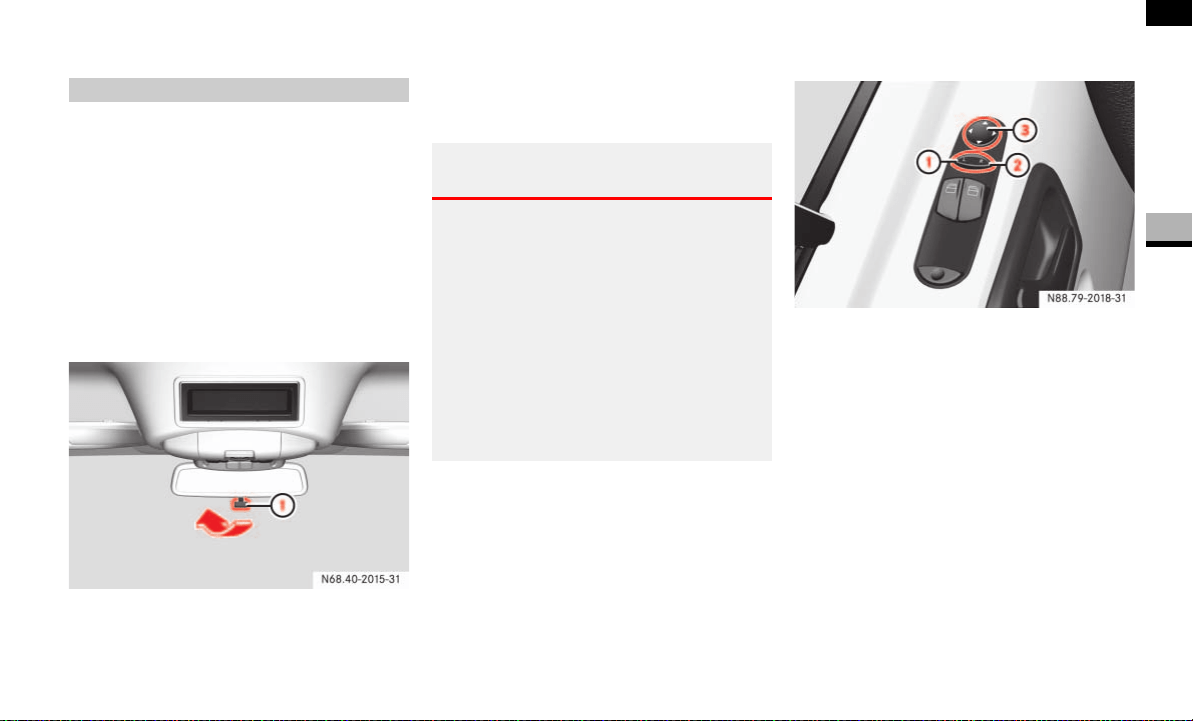
125
Controls in detail
Good visibility
3
Good visibility
Before starting off, adjust the rear-view
mirror and the exterior mirrors in such a
way that you can get a good overview of
road and traffic conditions.
Rear-view mirror*
Adjust the rear-view mirror manually.
Setting the rear-view mirror to anti-
dazzle mode
1 Anti-dazzle lever
Flick anti-dazzle lever 1 to the rear.
Exterior mirrors
Adjust the exterior mirrors manually.
Adjusting the exterior mirrors electrical-
ly*
The switch and button for adjusting the ex-
terior mirrors are located in the interior
trim of the driver’s door.
1 Exterior mirror on the left-hand side
2 Exterior mirror on the right-hand side
3 Sets the mirror position
Switch on the ignition ( page 67).
Press left-hand side 1 of the switch
for the left-hand mirror or press right-
hand side 2 of the switch for the right-
hand mirror.
Press button 3 at the top or bottom,
right or left until you have adjusted the
mirror to the correct position.
Mirrors
Warning G
The exterior mirrors reduce the size of the
image. Objects therefore appear further
away than they really are. You could there-
fore cause an accident if you only observe
traffic in the exterior mirrors.
For this reason, you should pay attention to
traffic behind you by also using the main ex-
terior mirror and, if necessary, the rear-view
mirror, especially while maneuvering or
overtaking.
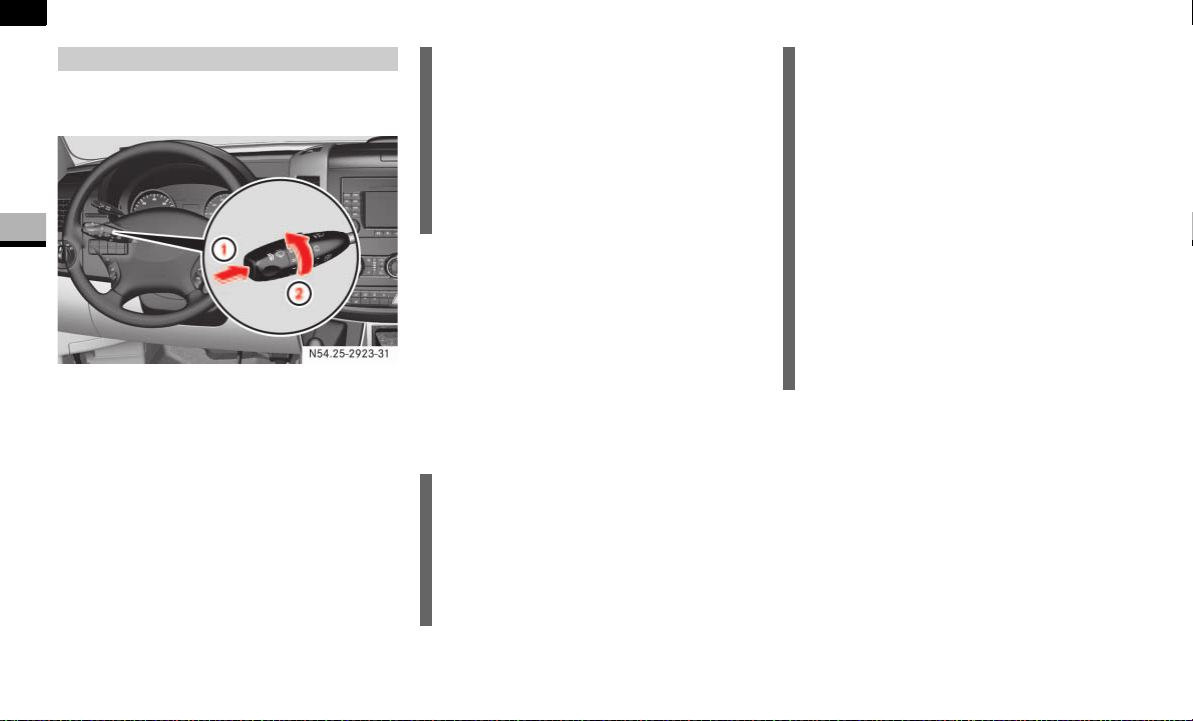
126
Controls in detail
Good visibility
3
The combination switch is located on the
left of the steering wheel.
1 Single wipe
2 To switch the windshield wipers on
Switching on the windshield wipers
Turn key to position 1 in the ignition
lock ( page 67).
Turn the combination switch to the re-
quired position in the direction of arrow
2 depending on how heavy the rain is:
0 Windshield wipers off
I Intermittent wipe
II Normal wipe
III Rapid wipe
Single wipe
Push the combination switch briefly to
the pressure point in the direction of
arrow 1.
The windshield wipers wipe once with-
out washer fluid.
Windshield wipers
N54.25-2923-31
!CAUTION
Vehicles with rain sensor*:
Switch off the windshield wipers in dry
weather conditions, otherwise dirt on
the surface of the rain sensor or optical
effects can cause inadvertent wiper
sweeps. This could damage the wiper
blades or scratch the windshield.
i
Canada only:
The speed of the windshield wipers is
automatically reduced if the vehicle
comes to a halt with the windshield
wipers switched on.
For example, if you have selected
speed II and stop the vehicle,the wipers
wipe at intermittent speed until you pull
away again. The wipe intervals are long-
er in intermittent mode.
Vehicles with rain sensor*:
You can use speed I as the universal
speed. The rain sensor adjusts the wip-
ing frequency according to how heavy
the rain is. If you stop the vehicle,
speeds III and II are automatically
switched down to speed I.
The original speed of the windshield
wipers is resumed when you drive fast-
er than 5 mph (8 km/h) again.
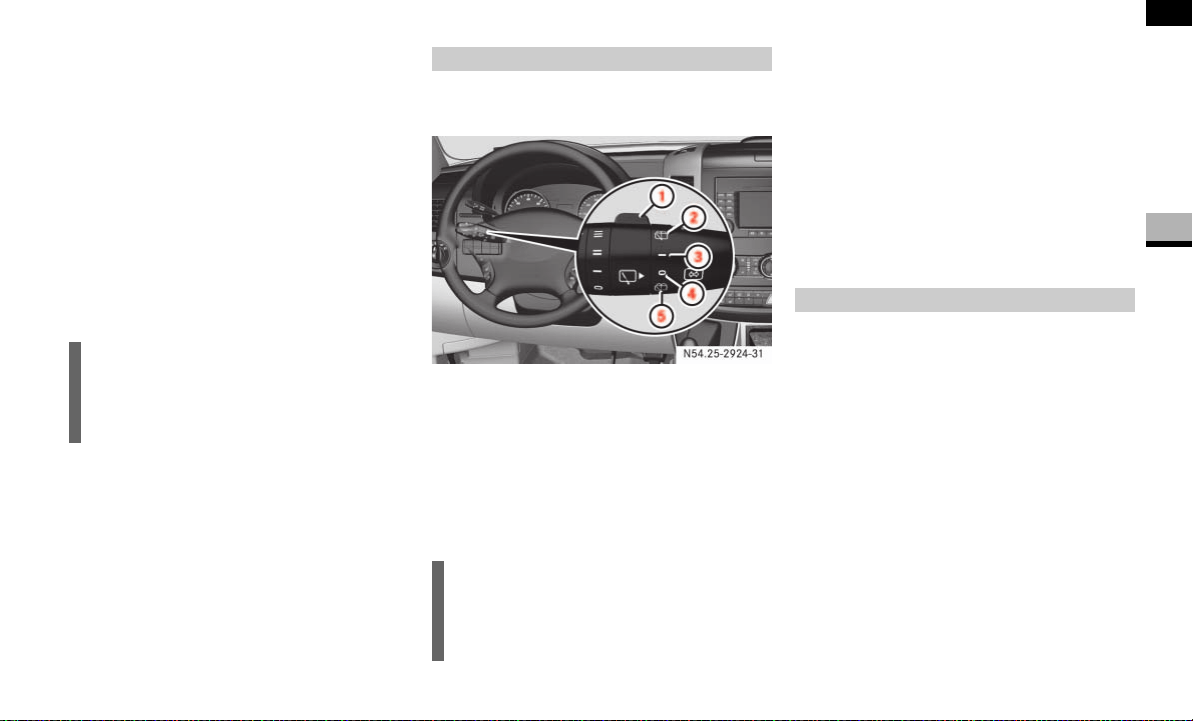
127
Controls in detail
Good visibility
3
Wiping with washer fluid
Press the combination switch beyond
the pressure point in the direction of
arrow 1.
The windshield wiper will wipe with
windshield washer fluid.
Vehicles with headlamp cleaning sys-
tem*:
If the low-beam headlamps have been
switched on, a high-pressure water jet
also cleans the headlamps.
Intermittent wipe
Only switch on intermittent wipe in damp
weather conditions or when it is raining.
Vehicles with rain sensor*:
The a rain sensor is activated when you
switch on intermittent wipe. The appropri-
ate wiping frequency is set automatically
according to the rain falling on the sensor.
The switch is in the combination switch on
the left of the steering wheel.
1 Switch
2 To wipe with windshield washer fluid
3 Intermittent wipe
4 To switch off the wiper
5 To wipe with windshield washer fluid
Turn key to position 1 in the ignition
lock ( page 67).
Switching on intermittent wipe
Turn switch 1 to 3.
Switching off intermittent wipe
Turn switch 1 to 4.
Wiping with washer fluid
Turn switch 1 to 5 or 2 and keep it
pressed until the window is clean.
The windshield heating is operational while
the engine is running.
The windshield heating consumes a lot of
energy. You should therefore switch the
heating off as soon as the windshield is
clear.
The heating switches off automatically af-
ter approximately 5 minutes.
i
Wipe with windshield washer fluid even
when it is raining. By doing so you can
prevent smears on the windshield.
Rear window wiper*
i
The rear window wiper switches on au-
tomatically if you engage reverse gear
and the windshield wipers are on.
N54.25-2924-31
Windshield heating*
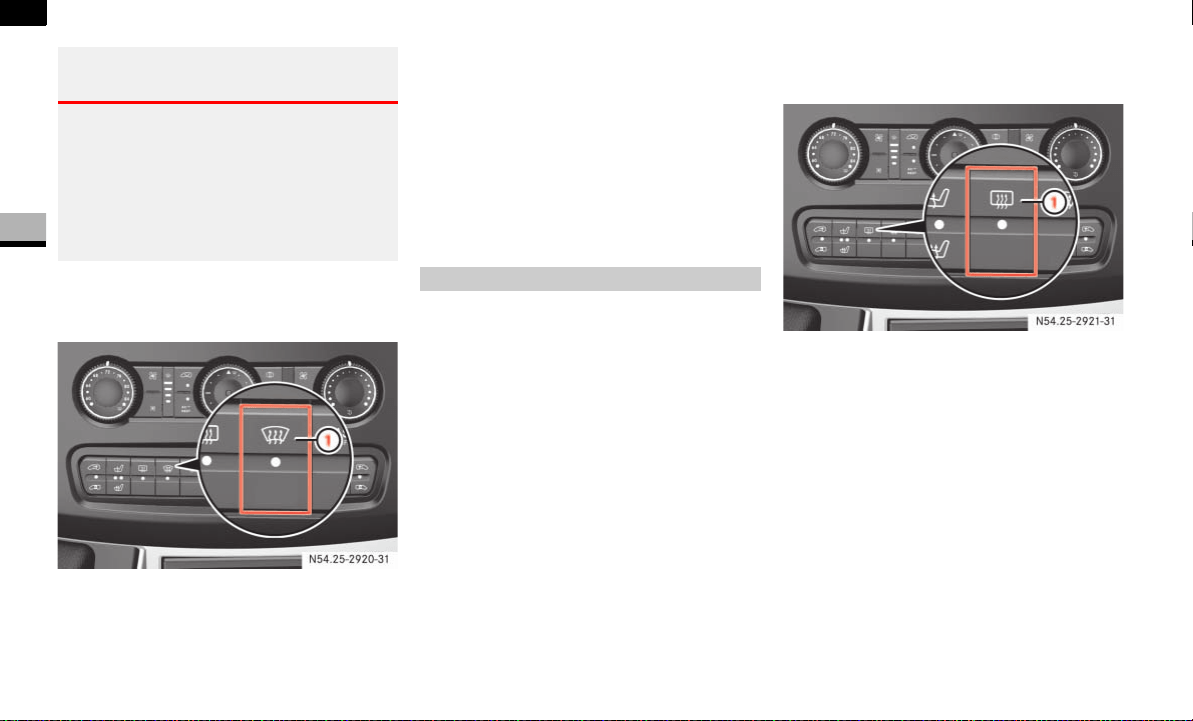
128
Controls in detail
Good visibility
3
The switch for the windshield heating is on
the center console.
1 To switch on/off
To switch on: press upper part of
the P switch.
The indicator lamp in the switch comes
on.
To switch off: press upper part of
the P switch again.
The indicator lamp in the switch goes
out.
The rear window heating is operational
while the engine is running.
The rear window heating consumes a lot of
energy. You should therefore switch the
rear window heating off as soon as the win-
dow is clear. The heating switches off auto-
matically after a maximum of 12 minutes.
The switch for the rear window heating is
on the center console.
1 To switch on/off
To switch on: press upper part of
the F switch.
The indicator lamp in the switch comes
on.
To switch off: press upper part of
the F switch again.
The indicator lamp in the switch goes
out.
Warning G
Clear ice or snow from the windshield before
commencing a journey. Iced-up windows re-
strict your view. You could cause an acci-
dent and endanger yourself and others. Do
not start the vehicle if the windows are iced
up, fogged up or covered in snow.
N54.25-2920-31
Rear window heating*
N54.25-2921-31
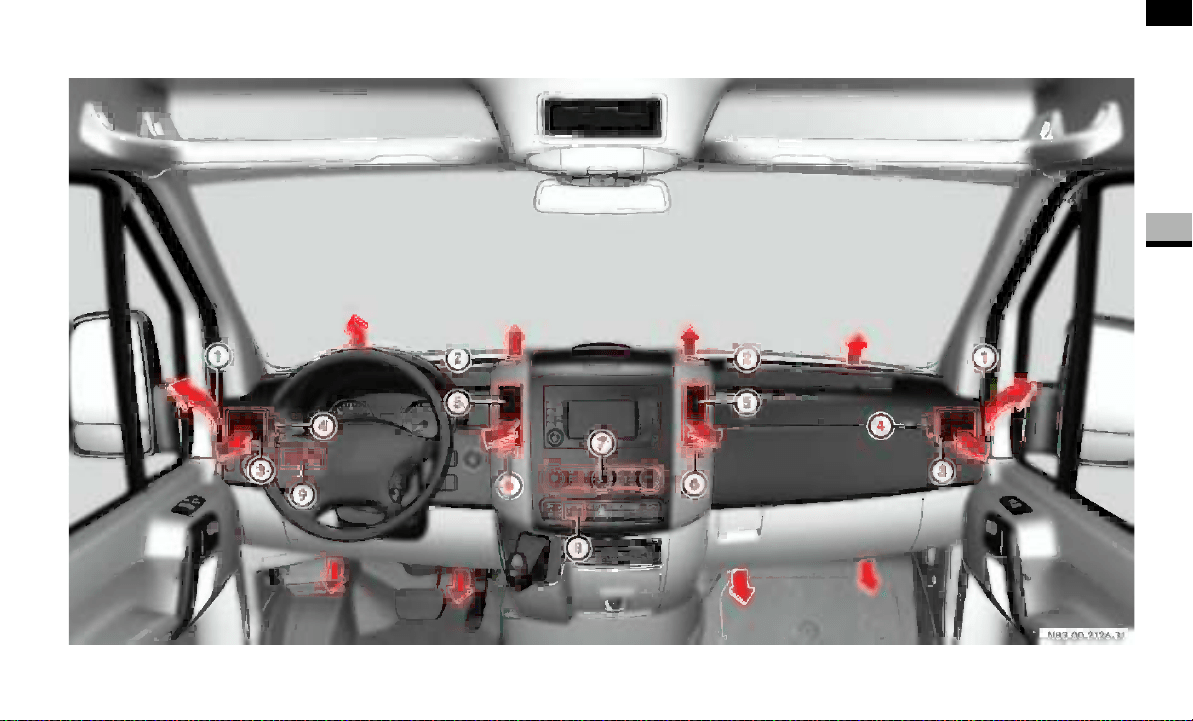
129
Controls in detail
Tempmatic
3
Tempmatic
N83.00-2126-31

130
Controls in detail
Tempmatic
3
Tempmatic is only operational while the
engine is running. You can use Tempmatic
to regulate or control the temperature au-
tomatically. The vehicle is either heated or
cooled, depending on the temperature se-
lected and the outside temperature.
The combination filter removes most dust
particles, pollen and unpleasant odors
from the outside air.
The interval for replacing the filter depends
on environmental factors, e.g. high air pol-
lution. The interval may be shorter than
that indicated in the Service Booklet.
Function Page
1 Side window defroster
vents
135
2 Thumbwheel for air vents
3 Side air vents
4 Thumbwheel for side air
vents and defroster vents
135
5 Swiveling center air vents
6 Thumbwheel for center air
vents
7 Control panel
Tempmatic
Rear heating/rear cool-
ing*
131
136
8 Switch
Rear window heating*
Windshield heating*
128
127
9 Auxiliary heating switch*
Heater booster switch*
140
137
i
Condensation may collect under the
vehicle while Tempmatic is in opera-
tion.
Warning G
Follow the settings recommended on the
following pages for heating or cooling. The
windows could otherwise fog up. As a result,
you could be distracted from road and traffic
conditions and cause an accident.
Warning G
Air flowing out of the air vents in the footwell
when Tempmatic is in operation may be very
hot or very cold. There is therefore a risk of
frostbite or burns to bare skin in the imme-
diate proximity of these outlets. Keep bare
skin away from these air outlets. If neces-
sary, direct the airflow into a different area
of the vehicle interior using the air distribu-
tion control.
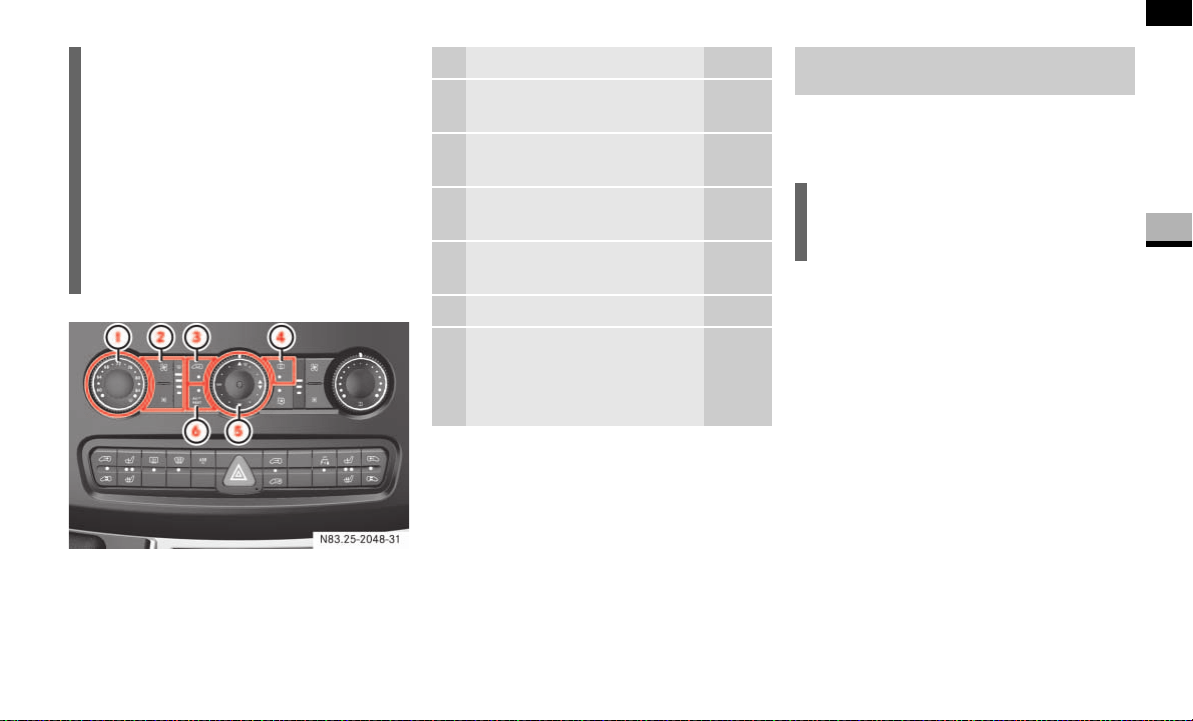
131
Controls in detail
Tempmatic
3
Control panel
The air in the vehicle is neither cooled nor
dehumidified when economy mode is se-
lected.
To activate: press the ° switch for
economy mode.
The indicator lamp in the switch comes
on.
To deactivate: press the ° switch
for normal mode.
The indicator lamp in the switch goes
out.
i
If the vehicle interior has been heated
up, ventilate the vehicle before starting
your journey or briefly switch to air-re-
circulation mode for faster cooling.
Keep the air inlet on the hood free from
ice and snow.
Position the sliders for the center air
vents in the central position to provide
practically draft-free ventilation.
N83.25-2048-31
Function Page
1 Temperature selector
control
132
2 Airflow control with
indicator
133
3 Switch for air-recirculation
mode
133
4 Switch for reheat function
(dehumidification)
134
5 Air distribution control 133
6 Switch for
Economy mode
Residual heat mode
131
134
Economy mode (air-conditioning
system off)
i
Only use this setting for a brief period.
The windows could otherwise fog up.
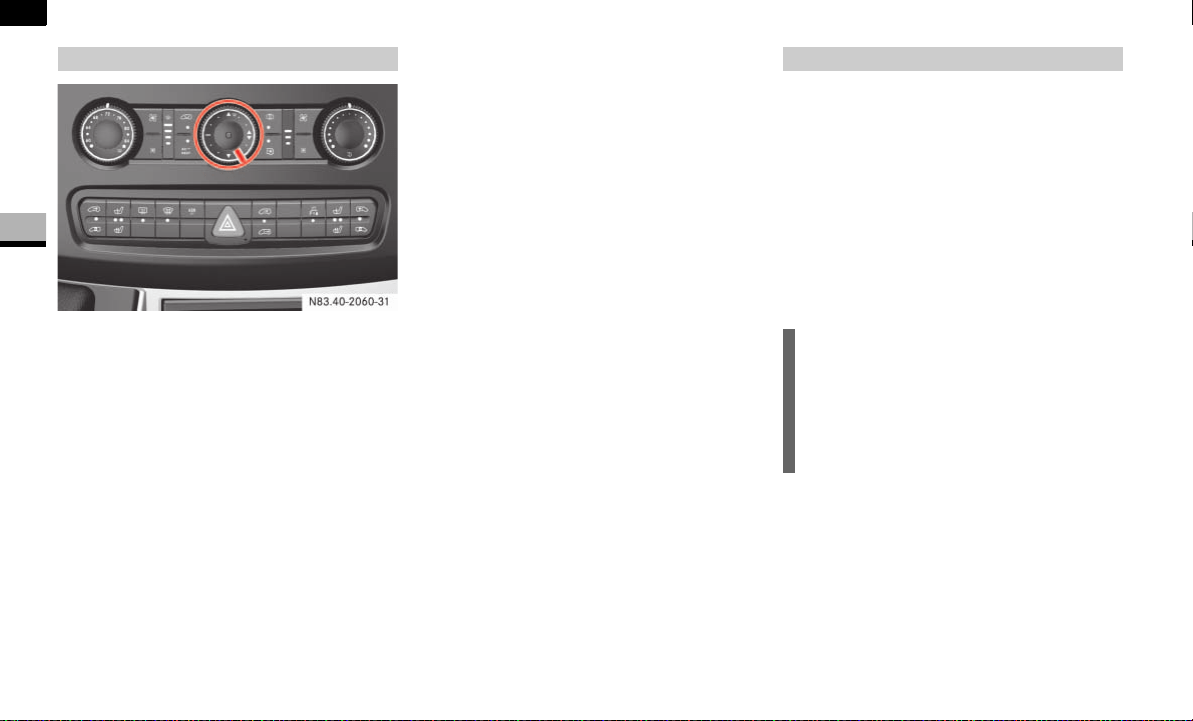
132
Controls in detail
Tempmatic
3
Heating
Set temperature selector control 1
( page 131) as required, but do not
turn the control below the middle posi-
tion.
Set airflow control 2 ( page 131) as
required, but do not turn the control
below the second speed.
Set the air distribution control as
shown.
Close the center air vents.
Close the air vents.
Open the side air vents half-way and di-
rect them at the side windows.
Ventilation
This setting rapidly ventilates the vehicle
interior.
Turn temperature selector control 1
( page 131) to the lowest setting
(maximum cooling).
Set airflow control 2 ( page 131) as
required, but do not turn the control
below the second speed.
Set air distribution control 5
( page 131) to h.
Open as required:
the center air vents
the side air vents
the ventilation vents
Press the ° switch.
The indicator lamp in the switch comes
on. The air-conditioning system is
switched off.
The temperature is set using temperature
selector control 1 in the control panel
( page 131).
The recommended setting for the target
temperature is 72.0 °F (22.2 °C) under
normal conditions, to which Tempmatic
adjusts as rapidly and as comfortably as
possible.
Only change the temperature in small in-
crements.
To increase: turn the temperature se-
lector control clockwise.
To reduce: turn the temperature selec-
tor control slightly counterclockwise.
Basic setting
N83.40-2060-31
Setting the temperature
i
If you use the basic settings for heating
or ventilating the vehicle, you will only
rarely need to adjust the temperature,
airflow and air distribution
( page 132).
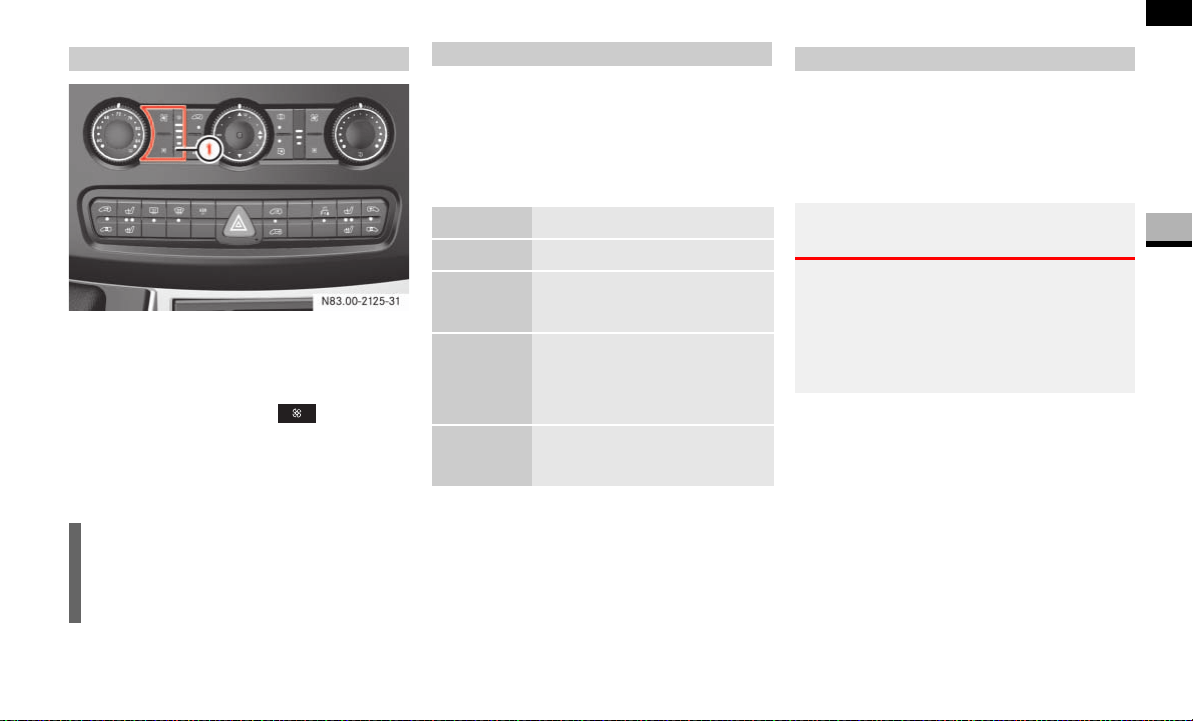
133
Controls in detail
Tempmatic
3
1 Airflow control
To increase: press the Q airflow
control.
To reduce: press the airflow
control.
The display next to the airflow controls
indicates the speed of the airflow.
The air distribution is set using the air dis-
tribution control in the control panel
( page 131).
The markings on the air distribution control
have the following meanings:
You can switch off the flow of outside air if
unpleasant odors are entering the vehicle
from outside, e.g. before driving through a
tunnel. No more outside air is taken in and
the air inside the vehicle is recirculated.
The switch for air-recirculation mode is in
the control panel ( page 131).
To switch on: press the Ä switch.
The indicator lamp in the switch comes
on.
Setting the airflow
i
The blower switches off if you press the
ß airflow control again after the slowest
speed has been reached.
N83.00-2125-31
Setting the air distribution
Mark Meaning
h Air from the air vents
ÔP Air to the windshield
Air from the air vents
Ò Air to the windshield
Air from the air vents
Air to the footwell
Ó Air from the air vents
Air to the footwell
Air-recirculation mode
Warning G
Only switch over to air-recirculation mode
briefly if outside temperatures are low. The
windows could otherwise fog up. As a result,
you could be distracted from road and traffic
conditions and cause an accident.

134
Controls in detail
Tempmatic
3
To switch off: press the Ä switch
again.
The indicator lamp in the switch goes
out.
The engine stores residual heat after long
periods of driving. You can use the residual
heat of the engine to heat the stationary
vehicle for a further 30 minutes.
To switch on: turn key to position 0 in
the ignition lock ( page 67) or re-
move it.
Set as required:
temperature ( page 132)
air distribution ( page 133)
the air vents ( page 129)
Press the ° switch ( page 131).
The indicator lamp in the switch comes
on.
To switch off: press ° switch
again ( page 131).
The indicator lamp in the switch goes
out.
The reheat function quickly ensures de-
frosted windows and dehumidification in
the vehicle interior.
To switch on: press the Å switch
( page 131).
The indicator lamp in the switch comes
on.
To switch on: press the Å switch
( page 131).
The indicator lamp in the switch goes
out.
Fogged-up windows
If necessary, switch off air-recirculation
mode by pressing the Ä switch
( page 131).
The indicator lamp in the switch goes
out. Fresh air is supplied to the interior.
Switch on the reheat function using
the Å switch ( page 131).
i
Air-recirculation mode is automatically
switched off after about 10 to 30 min-
utes, depending on the outside temper-
ature.
Residual heat mode
i
The heating period depends on:
the coolant temperature
the interior temperature selected
the on-board voltage
The blower runs at speed 1 regardless
of the position of the airflow control.
i
Residual heat switches off automati-
cally:
after about 30 minutes
when you switch on the ignition
if the battery’s voltage drops
Reheat function (dehumidification)
Special settings
i
Only use special settings briefly.
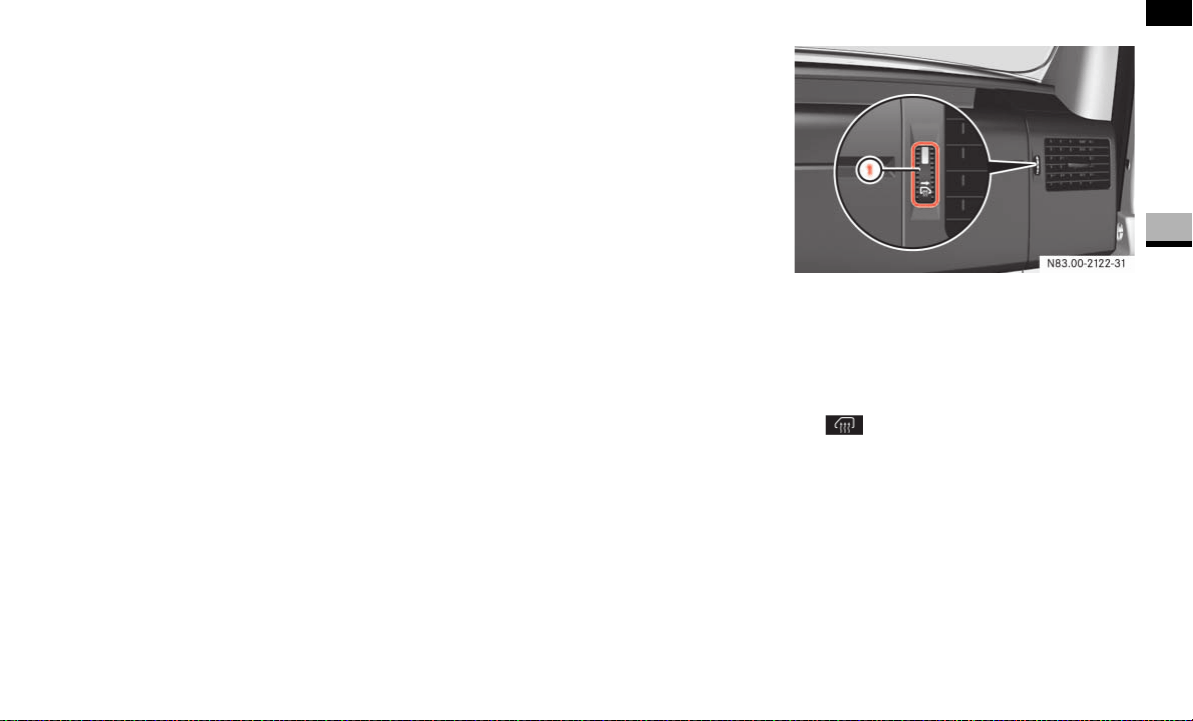
135
Controls in detail
Tempmatic
3
The indicator lamp in the switch comes
on.
Turn airflow control 2 ( page 131)
to a higher blower speed, but do not
turn the control below second speed.
Turn temperature selector control 1
( page 131) to a higher temperature.
Turn air distribution control 5
to ‚ P.
Close the center air vents and the air
outlets for the head area and the rear
compartment.
Open the side air vents and direct them
at the side windows.
If the windshield is fogged up on the
outside, switch on the windshield wip-
ers ( page 126).
Defrosting
The following settings can be used to clear
the windshield and the side windows, e.g.
if covered with frost.
Set temperature selector control 1 to
P.
Turn airflow control 2 to fourth speed.
Turn air distribution control 5
to ‚ P.
Close the center air vents and the air
vents for the head area and the rear
compartment.
Open the side air vents fully.
1 Side window defroster vent thumb-
wheel
Turn side window defroster vent
thumbwheel 1 all the way up.
The defroster vent is open if the
defroster vent is visible.
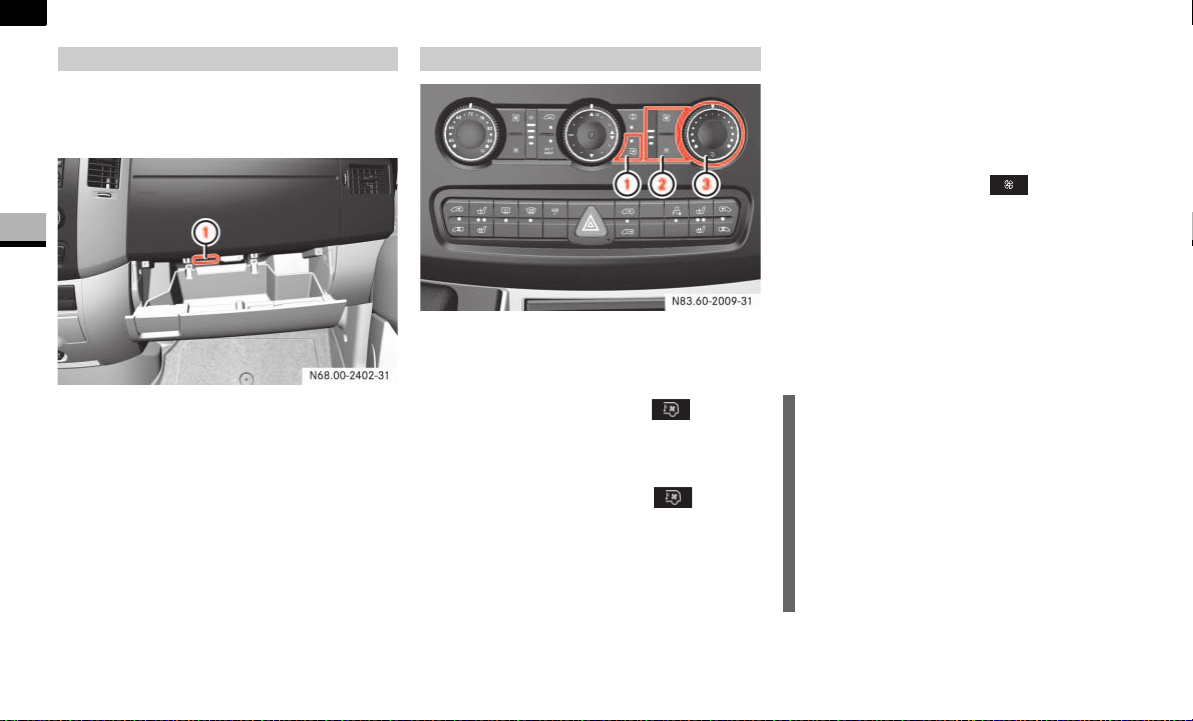
136
Controls in detail
Tempmatic
3
The glove box can be ventilated when
Tempmatic is switched on, e.g. to cool its
contents.
1 To switch the air supply on/off
To switch on: press switch 1 to the
left.
To switch off: press switch 1 to the
right.
1 Air conditioning in the rear
2 Airflow control
3 Temperature selector control
To switch on: press the switch.
The indicator lamp in the switch comes
on.
To switch off: press the switch.
The indicator lamp in the switch goes
out.
Setting the airflow
The airflow is set using the airflow control
for the rear compartment.
To increase: press the Q airflow
control.
To reduce: press the airflow
control.
The display next to the airflow controls
indicates the speed of the airflow.
Setting the temperature
Only change the temperature in small in-
crements.
To increase: turn the temperature se-
lector control clockwise.
Ventilated glove box* Air conditioning in the rear*
N83.60-2009-31
i
Your vehicle may be equipped with an
air-conditioning system in the rear
compartment and/or a rear heater.
If both systems are installed and the
temperature selector control is in the
middle position, only one of the sys-
tems operates and air-recirculation
mode is active.
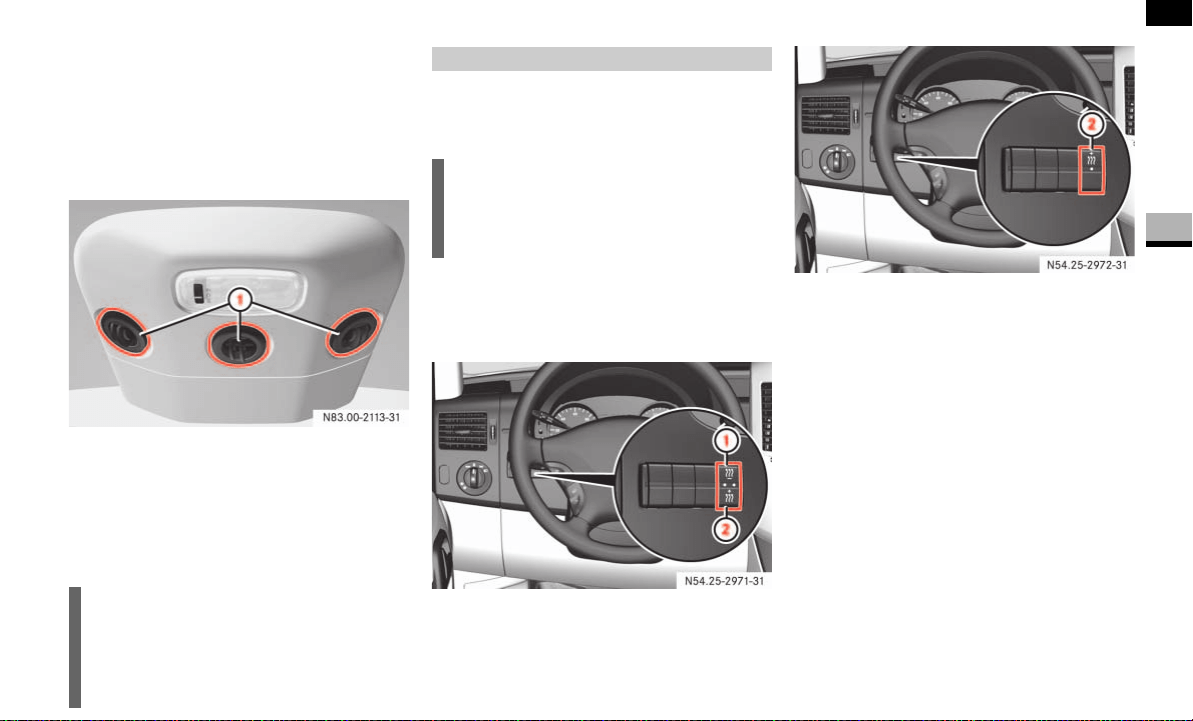
137
Controls in detail
Tempmatic
3
To reduce: turn the temperature selec-
tor control counterclockwise.
Air vents in the roof air duct
Adjustable air vents are integrated in the
roof air duct.
1 Air vents
Adjust the airflow by opening/closing
the air flaps.
Alter the air distribution by turning the
air vents.
The fuel-fired heater booster system heats
the vehicle interior as quickly as possible
while the engine is running.
The switch for the heater booster function
is between the light switch and the steer-
ing wheel.
Vehicles with auxiliary heating
Vehicles without auxiliary heating*
1 To switch the auxiliary heating on/off
( page 140)
2 To switch the heater booster function
on/off
!CAUTION
Never close all the air vents, otherwise
there is a risk of damage to the air-
conditioning system in the rear com-
partment.
Heater booster function*
i
The auxiliary heating automatically
switches to heater booster mode after
the engine is started.
N54.25-2926-31
N54.25-2927-31

138
Controls in detail
Tempmatic
3
To switch on: press the switch ³.
The indicator lamp in the switch comes
on.
To switch off: press the ³ switch
again.
The indicator lamp in the switch goes
out.
The heater booster function operates
for around a further 2 minutes and then
switches off automatically.
The vehicle is equipped with an electrically
powered heater booster system.
The heater booster system ensures that
the vehicle interior is heated up as quickly
as possible during the engine’s warm-up
phase.
i
If you switch off the engine without
switching off the heater booster func-
tion, the system will be switched on the
next time the engine is started (memo-
ry function).
Electrical heater booster system
i
The heater booster system switches on
automatically as required.

139
Controls in detail
Auxiliary heating/ventilation*
3
Auxiliary heating/ventilation*
The auxiliary heating heats or ventilates
the interior to a temperature that you have
set. The auxiliary heating can be operated
with the engine switched on or off.
The auxiliary heating is equipped with a
water heater.
The auxiliary heating heats the coolant and
the vehicle interior and is therefore more
favorable to the engine and consumes less
fuel. The fuel tank must be at least a quar-
ter full to ensure that the auxiliary heating/
ventilation operates correctly.
The maximum heating period is
60 minutes.
You can use the auxiliary heating/ ventila-
tion to:
ventilate or preheat the vehicle interior
and to de-ice the windows
start the engine better in cold weather
support the vehicle’s heating system
while the engine is running and outside
temperatures are low (heater booster
function) ( page 137)
You can use the operating system to define
up to three switch-on times, one of which
can be selected to switch on the auxiliary
heating/ventilation ( page 142).
Warning G
Exhaust fumes are produced while the auxilia-
ry heating is in operation. For this reason,
switch off the auxiliary heating in enclosed
spaces without an extraction system, e.g. a
garage.
Operation of the auxiliary heating system is
prohibited at gas stations or when refueling
your vehicle. The auxiliary heating must there-
fore be switched off at refueling stations.
Warning G
Observe the relevant safety regulations in the
case of vehicles used for the transport of haz-
ardous goods.
Aerosols, gas cartridges and other pressur-
ized containers transported in the vehicle may
be highly flammable and could explode when
heated.
Make sure that the containers described are
kept away from the flow of hot air from the
auxiliary heating.
Otherwise, you could endanger yourself and
others.
i
The auxiliary heating automatically
switches to heater booster mode after
the engine is started.
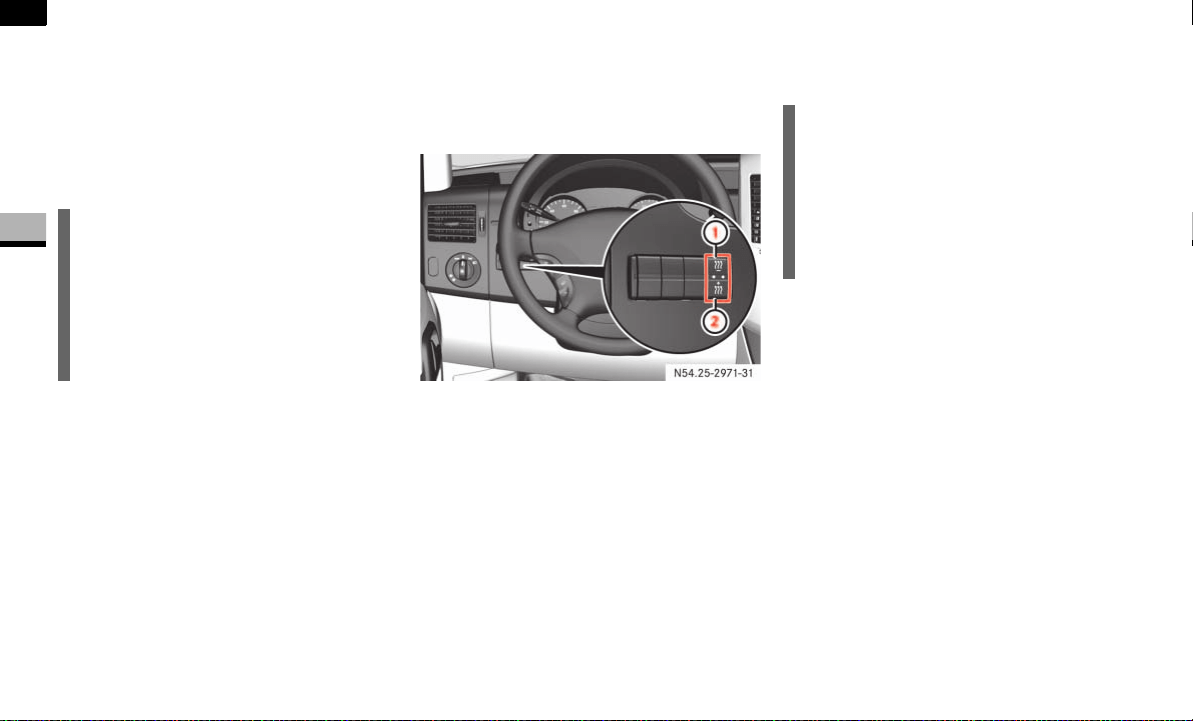
140
Controls in detail
Auxiliary heating/ventilation*
3
You can switch the auxiliary heating/ ven-
tilation on and off immediately using:
the auxiliary heating/heater booster
switch ( page 140)
the auxiliary heating remote control*
( page 141)
Before switching on
Adjust the heat output to the desired
temperature using the temperature
control ( page 131).
Set the air distribution as required.
Operation using the switch
The switch for the auxiliary heating/ venti-
lation is between the light switch and the
steering wheel.
1 To switch the auxiliary heating on/off
2 To switch the heater booster function
on/off ( page 137)
To switch the auxiliary heating on:
press and hold the ö switch for
more than 2 seconds:
The auxiliary heating/ventilation
heats or ventilates the interior to a
temperature that you have set.
The blower switches to the first
speed.
The red indicator lamp in the switch
comes on.
To switch the auxiliary heating off:
press the ö switch.
or
Turn the key to position 0 in the igni-
tion lock ( page 67).
The red indicator lamp in the switch
goes out.
The auxiliary heating operates for
around a further 2 minutes and then
switches off automatically.
!CAUTION
Switch on the auxiliary heating at regu-
lar intervals (at least once a month) for
approximately 10 minutes.
Make sure that the hot air flow is not
obstructed. The auxiliary heating would
otherwise overheat and switch off.
N54.25-2928-31
i
You cannot use the auxiliary ventilation
to cool the vehicle interior to a lower
temperature than the outside tempera-
ture.
The heating or ventilation period is lim-
ited to 60 minutes.
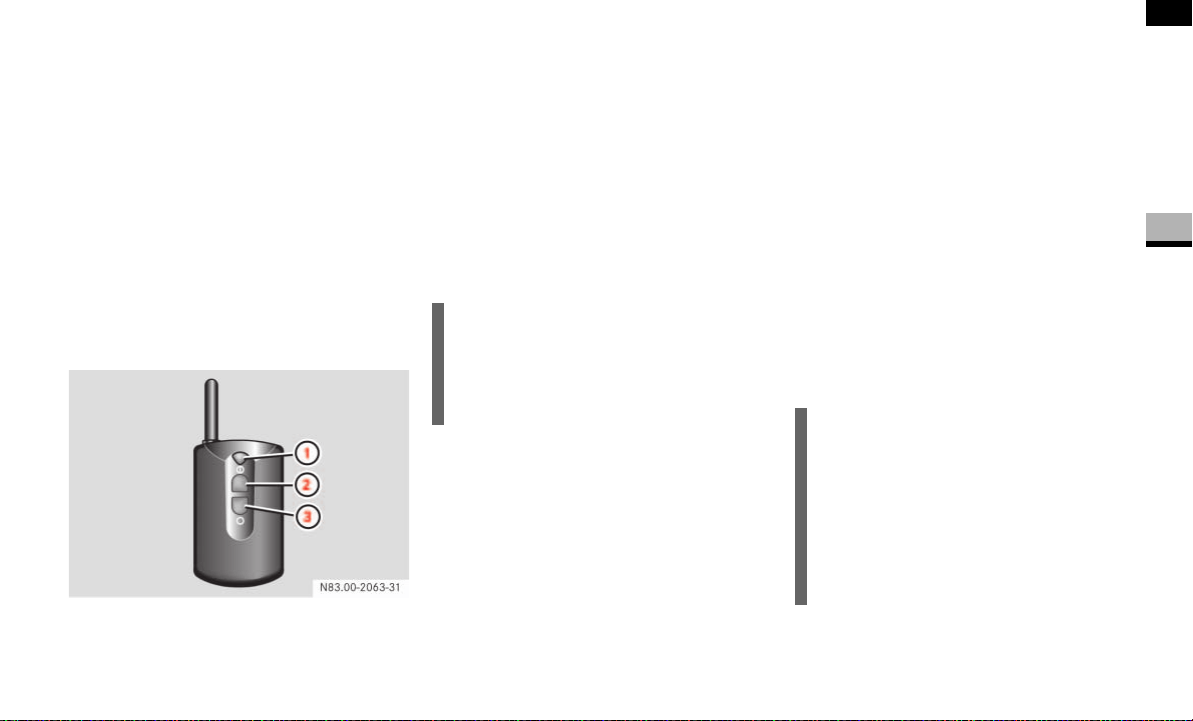
141
Controls in detail
Auxiliary heating/ventilation*
3
Operation using the remote control*
The remote control has a maximum range
of approximately 600 meters. The range
may be reduced by:
sources of interference
solid objects between the remote con-
trol and the vehicle
the remote control being in an unfavor-
able position
transmitting from an enclosed space
You can use up to 4 remote control units
on the vehicle.
1 Indicator lamp
2 To switch the auxiliary heating on
3 To switch the auxiliary heating off
To switch the auxiliary heating on:
press button 2.
Indicator lamp 1 lights up briefly.
To switch the auxiliary heating off:
press button 3.
Indicator lamp 1 lights up briefly.
The auxiliary heating operates for
around a further 2 minutes and then
switches off automatically.
Synchronizing the remote control
Press and hold the ö switch for
more than 10 seconds:
The red indicator lamp in the ö
switch remains lit until it is released.
Afterward, the red indicator lamp in
the ö switch flashes. The system is
activated for synchronizing.
Press button 2 on the remote control.
The indicator lamp in the ö switch
stops flashing and goes out. The re-
mote control and the control panel are
synchronized.
i
Change the batteries immediately if in-
dicator lamp 1 does not light up brief-
ly each time a button is pressed
( page 316).
i
If you press button 3 on the remote
control during the first 3 seconds of
synchronization process, only this re-
mote control will be synchronized with
the clock.
Any other remote control units that
were synchronized will be cleared.
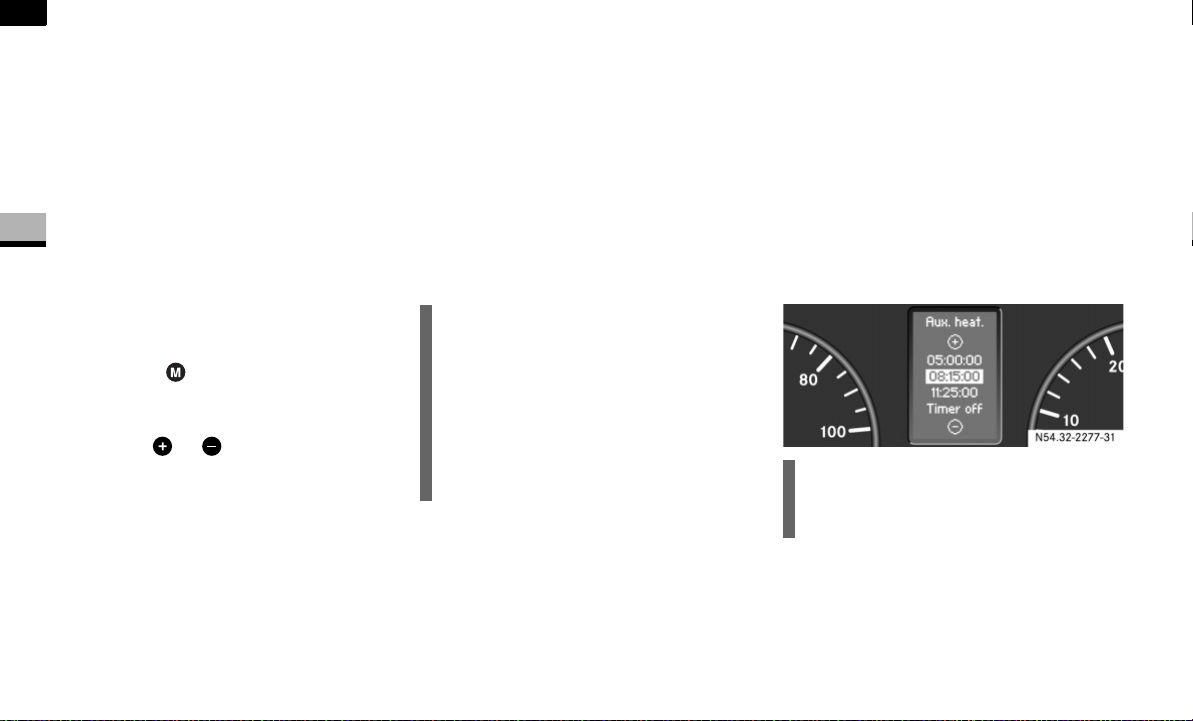
142
Controls in detail
Auxiliary heating/ventilation*
3
Selecting a switch-on time
You can use the operating system to define
up to 3 switch-on times, one of which can
be selected to switch on the auxiliary
heating/ventilation.
Operating system without steering
wheel buttons
Switch on the ignition ( page 67).
Press the ö switch.
The ö symbol in the display flashes.
or
Press the menu button on the in-
strument cluster repeatedly until the
ö symbol in the display flashes.
Use the or button on the instru-
ment cluster to select desired switch-
on time
1
to
3
.
The switch-on time selected is dis-
played.
Wait 10 seconds for the standard dis-
play to appear.
The switch-on time is selected.
The yellow indicator lamp in the ö
switch comes on.
If you have not selected a switch-on time
and
--:--
appears in the display, the auto-
matic switch-on is deactivated. The yellow
indicator lamp in the ö switch goes
out.
Operating system with steering wheel
buttons*
Switch on the ignition ( page 67).
Briefly press the ö switch.
The
Aux. heat.
submenu is shown in
the display.
The selected switch-on time is high-
lighted or
Timer off
is highlighted if no
switch-on time has been selected.
Press the æ or ç button to se-
lect the desired switch-on time. The au-
tomatic switch-on is deactivated if the
Timer off
setting is selected.
i
If you turn the key to position 0 in the
ignition lock, the yellow indicator lamp
in the ö switch goes out after
30 minutes.
The red indicator lamp in the ö
switch comes on when the auxiliary
heating switches on.
i
You can reach the
Aux. heat.
submenu
via the
Settings
menu ( page 96).
N54.32-2277-31

143
Controls in detail
Auxiliary heating/ventilation*
3
Press the è button.
The switch-on time is selected.
The yellow indicator lamp in the ö
switch comes on.
Setting the switch-on time
Operating system without steering
wheel buttons
Select a switch-on time as described
under “Selecting a switch-on time”
( page 142).
Press the reset button on the instru-
ment cluster to set the selected switch-
on time.
The hours figure flashes and the ”
symbol appears in the display.
Set the hours using the or am
button on the instrument cluster.
Press the reset button.
The minute display flashes.
Set the minutes using the or
button.
Operating system with steering wheel
buttons
Select a switch-on time as described
under “Selecting a switch-on time”
( page 142).
Press the j button.
The
Hours
menu appears in the display.
Set the hours using the æ or ç
button.
Press the j button.
The
Minutes
menu appears in the dis-
play.
Set the minutes using the æ
or ç button.
Press the è button.
The switch-on time is set and selected.
i
If you turn the key to position 0 in the
ignition lock, the yellow indicator lamp
in the ö switch goes out after
30 minutes.
The red indicator lamp in the ö
switch comes on when the auxiliary
heating switches on.
i
If you keep the button pressed, the val-
ues will change continuously.
To return to the standard display:
press and hold the button on
the instrument cluster for more
than 1 second
do not press a button for
10 seconds
i
To return to the standard display, press
the è or ÿ button repeatedly
until the standard display appears.
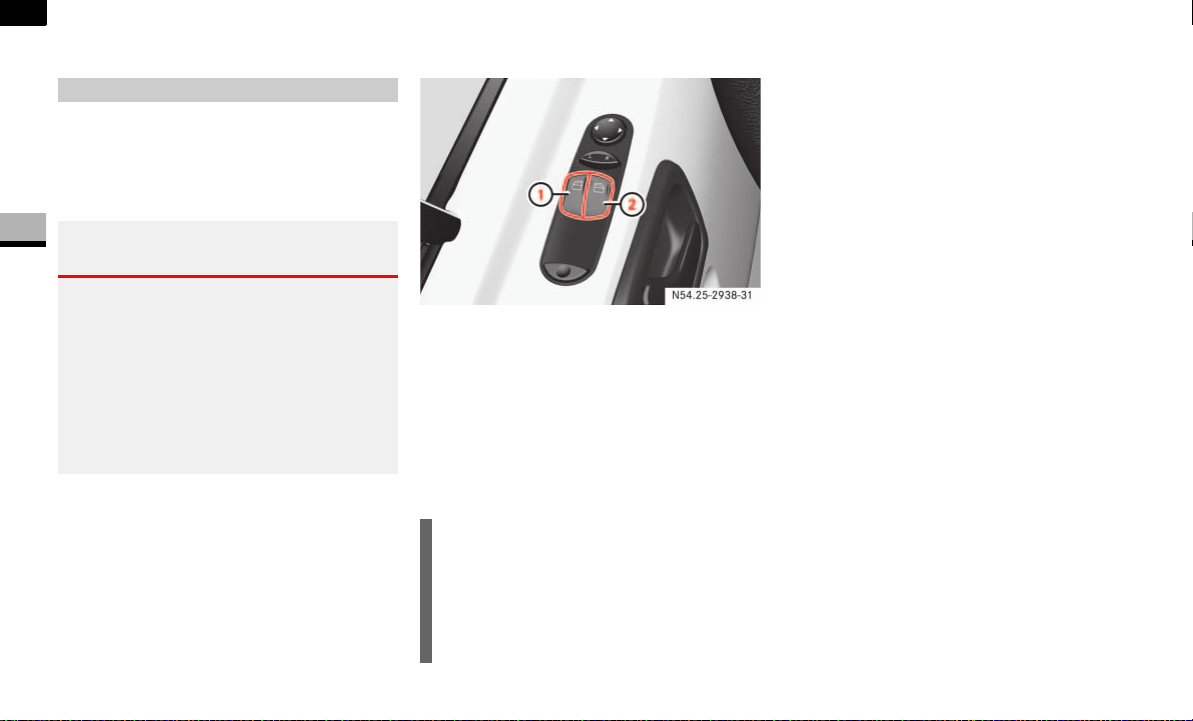
144
Controls in detail
Open air
3
Open air
You can open and close the side windows
electrically.
The switches for all side windows are locat-
ed on the door control panel.
Power window switches (driver’s side)
1 Power window, left
2 Power window, right
Switch on the ignition ( page 67).
To open: press and hold switch 1
or 2 until the window has reached the
desired position.
To close: pull and hold switch 1 or 2
until the window has reached the de-
sired position.
Resetting the side windows
The side windows must be reset if the bat-
tery has been disconnected:
Pull the two power window switches
until the side windows are closed.
Hold the switches in this position for
about 1 second.
The side windows are reset.
Side windows
Warning G
Make sure that nobody can become trapped
as you close a side window.
Remove the key from the ignition lock even
if you are only leaving the vehicle for a short
time.
Never leave children unsupervised in the ve-
hicle.
i
The window opens automatically when
you press the switch beyond the pres-
sure point and then release it.
To stop the window, pull or press the
switch again.
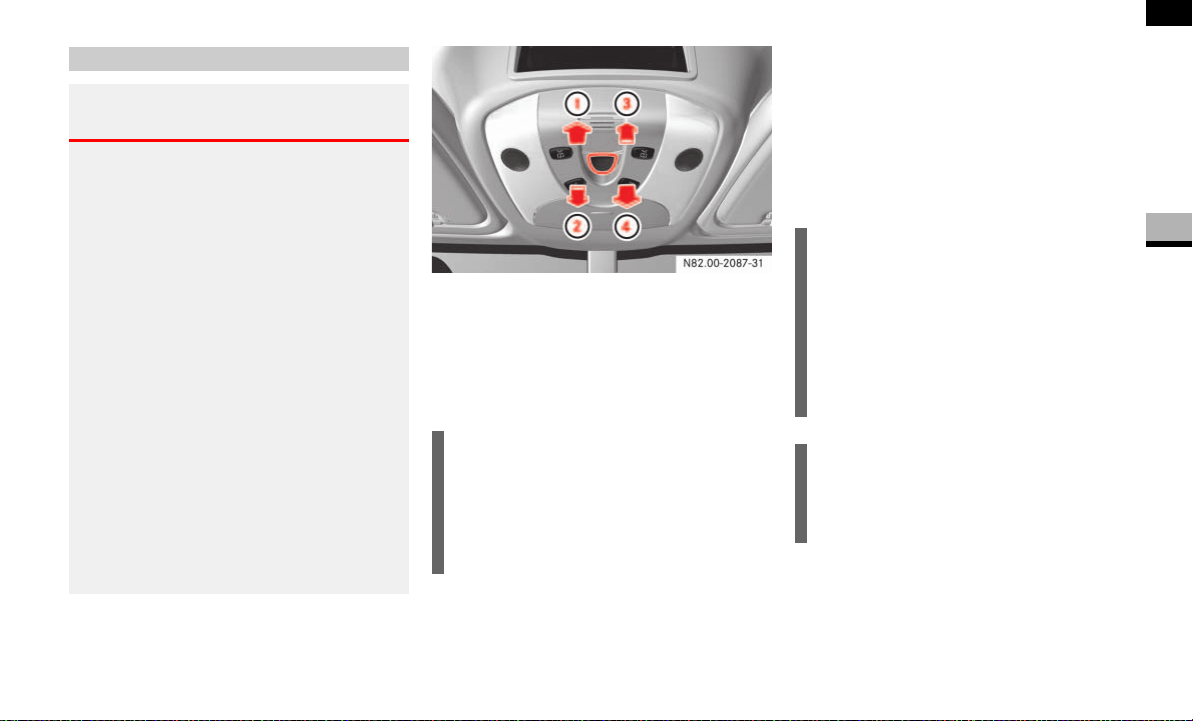
145
Controls in detail
Open air
3
Sliding sunroof switch
1 To open
2 To close
3 To raise
4 To lower
Switch on the ignition ( page 67).
Press the sliding sunroof switch in the
desired direction as far as the first
pressure point.
Release the sliding sunroof switch
when the desired position has been
reached.
Sliding sunroof*
Warning G
Make sure that nobody can become trapped
as you close the sliding sunroof.
The glass may shatter in the event of an ac-
cident.
If you or other occupants are not wearing
your seat belt, there is a risk of being thrown
out of the opening in the event of the vehicle
overturning. Therefore, always wear a seat
belt to reduce the risk of injuries.
In accidents in which the vehicle overturns,
there is an increased risk of injury even for
occupants who have fastened their seat
belts correctly, as their head or limbs could
be thrust through the opening.
Remove the key from the ignition lock even
if you are only leaving the vehicle for a short
time.
!CAUTION
Do not raise the sliding sunroof if you
have mounted a roof rack. It would oth-
erwise strike the roof rack.
You could thereby damage the sliding
sunroof and the roof rack.
i
The sliding sunroof opens automatical-
ly when you press the sliding sunroof
switch for opening beyond the pressure
point and then release it.
To stop the sliding sunroof, press the
sliding sunroof switch again in any di-
rection.
!CAUTION
Do not transport objects protruding
through the sliding sunroof. You could
otherwise damage the sliding sunroof.
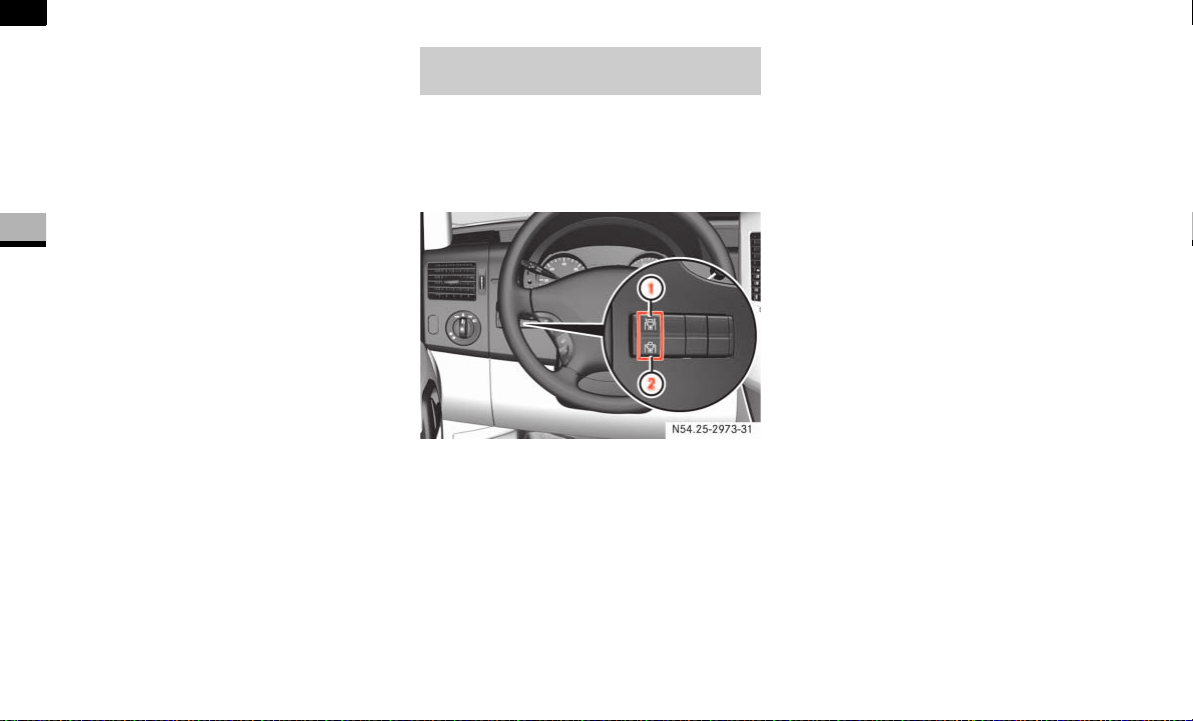
146
Controls in detail
Open air
3
Resetting the sliding sunroof
The sliding sunroof must be reset after:
the sunroof has been closed manually
using the emergency operation key
( page 304)
the sunroof has opened with a jerk
a malfunction
Switch on the ignition ( page 67).
Press the sliding sunroof switch in the
direction of arrow 2 ( page 145).
Wait until the sliding sunroof is closed
and then keep the sliding sunroof
switch pressed for approximately
3seconds.
The sliding sunroof is reset.
The roof ventilator can be used to ventilate
or remove air from the load compartment.
The switch is between the light switch and
the steering wheel.
1 To ventilate the load compartment
(air out)
2 To ventilate the load compartment
(air in)
Switch on the ignition ( page 67).
Air out: press upper part 1 of the
switch.
The roof ventilator removes used air
from the load compartment.
Air in: press lower part 2 of the
switch.
The roof ventilator feeds fresh air into
the load compartment.
To switch off: set the switch to the
center position.
Roof ventilator in the load compart-
ment*
N54.25-2929-31

147
Controls in detail
Driving systems
3
Driving systems
Driving systems which may form part of
your vehicle are described on the following
pages:
Cruise control* ( page 147), which
you can use to control the speed of
your vehicle
Parktronic system*, which is an aid for
parking and maneuvering
( page 150)
Reverse warning feature*, which helps
you ensure the safety of other road us-
ers ( page 153)
The ABS, BAS, ESP
®
, ASR and EBV driving
safety systems are described in the "Safe-
ty and Security" section ( page 23).
Cruise control maintains the speed of the
vehicle for you.
Use cruise control if road and traffic condi-
tions make it appropriate to maintain a
steady speed for a prolonged period. You
can store any road speed above 20 mph
(30 km/h).
Cruise control*
i
The increments for setting speed and
the threshold values for switching on or
automatically switching off cruise con-
trol depend on the digital speedometer
setting, mph or km/h ( page 99).
Warning G
The cruise control function cannot take ac-
count of road and traffic conditions.
Always pay attention to road and traffic
conditions, even when cruise control is acti-
vated.
Cruise control is only an aid designed to as-
sist driving. You are responsible for the vehi-
cle’s speed and for braking in good time.
If there is a change of drivers, advise the
new driver of the cruising speed that is
stored.
Warning G
Do not use cruise control:
if road and traffic conditions do not per-
mit a constant driving speed to be main-
tained (e.g. heavy traffic or winding
roads). You could otherwise cause an
accident.
on slippery roads. The drive wheels may
lose their grip when braking or acceler-
ating and the vehicle could skid
when visibility is poor, e.g. in fog, heavy
rain or snow
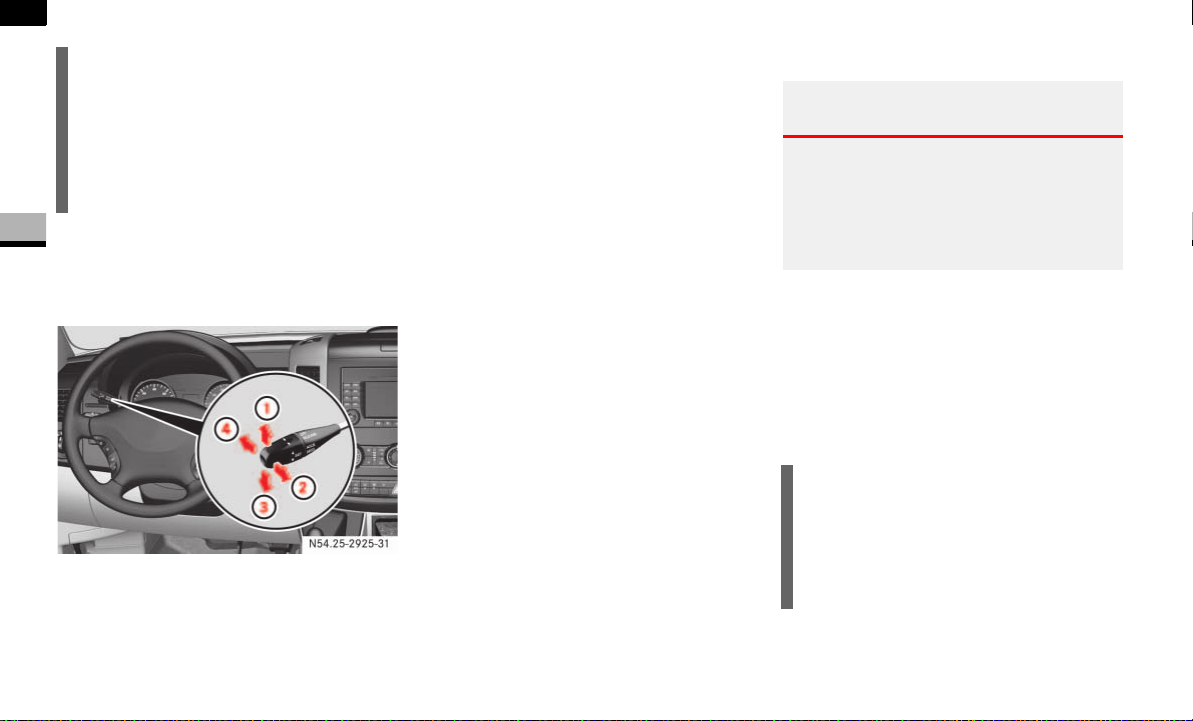
148
Controls in detail
Driving systems
3
Cruise control lever
The cruise control lever is the uppermost
lever on the left of the steering column.
1 To store the current or a higher speed
2 To resume the last speed stored
3 To store the current speed or a lower
speed
4 To deactivate cruise control
Storing the current speed
Accelerate/decelerate the vehicle to
the desired speed.
Move the cruise control lever briefly
upward 1 or downward 3.
Release the accelerator pedal.
Cruise control is activated.
The current speed is stored.
You cannot activate cruise control if:
you are driving under 20 mph
(30 km/h)
you are braking
you apply the handbrake and the 7
indicator lamp in the instrument cluster
is lit
ESP
®
or ASR is intervening and the yel-
low ASR/ESP
®
warning lamp flashes in
the instrument cluster
Resuming the stored speed
Pull the cruise control lever briefly in
the direction of arrow 2.
Release the accelerator pedal.
Cruise control is activated and adjusts
the vehicle’s speed to the last speed
stored.
i
Cruise control may be unable to main-
tain the stored speed on uphill or down-
hill gradients. The stored speed is
resumed if the gradient evens out and
the vehicle’s speed has not fallen below
20 mph (30 km/h).
N54.25-2925-31
Warning G
Only resume the stored speed if you know
what this speed is and the current situation
is appropriate to do so. Otherwise, sudden
acceleration or braking could endanger you
or others.
i
When you pull the cruise control lever in
direction of arrow 2 for the first time
after starting the engine, cruise control
is switched on and the speed at which
you are currently driving is stored.

149
Controls in detail
Driving systems
3
Setting the speed
Briefly press the cruise control lever
upward 1 to increase the speed or
downward 3 to reduce the speed.
The last speed stored is increased or
decreased in 1 mph increments
(1 km/h increments).
or
Press and hold the cruise control lever
up 1 or down 3 until the desired
speed has been reached.
Release the cruise control lever.
The current speed is stored.
Deactivating cruise control
There are various ways of deactivating
cruise control:
Briefly press cruise control lever
forward 4.
or
Apply the brakes.
The last speed set remains stored.
Warning G
The rate at which you increase the speed in
1 mph increments (1 km/h increments) may
be faster than your vehicle is able to accel-
erate. Your vehicle may then continue to ac-
celerate up to the newly set speed even
after you have released the cruise control le-
ver.
Only increase the speed if the current situa-
tion is appropriate to do so. Sudden acceler-
ation could otherwise endanger you and
others.
i
Cruise control is not deactivated if you
depress the accelerator pedal. If you ac-
celerate briefly to overtake, for exam-
ple, cruise control adjusts the vehicle’s
speed to the last speed stored after you
have finished overtaking.
i
The last speed stored is cleared when
you switch off the engine.
i
Cruise control is automatically deacti-
vated if:
you are braking
you apply the handbrake and
the 7 indicator lamp in the in-
strument cluster is lit
you are driving under 20 mph
(30 km/h)
ESP
®
or ASR is intervening and the
yellow ASR/ESP
®
warning lamp
flashes in the instrument cluster
you move the selector lever to posi-
tion N while driving
ESP
®
, ASR or ABS has malfunc-
tioned
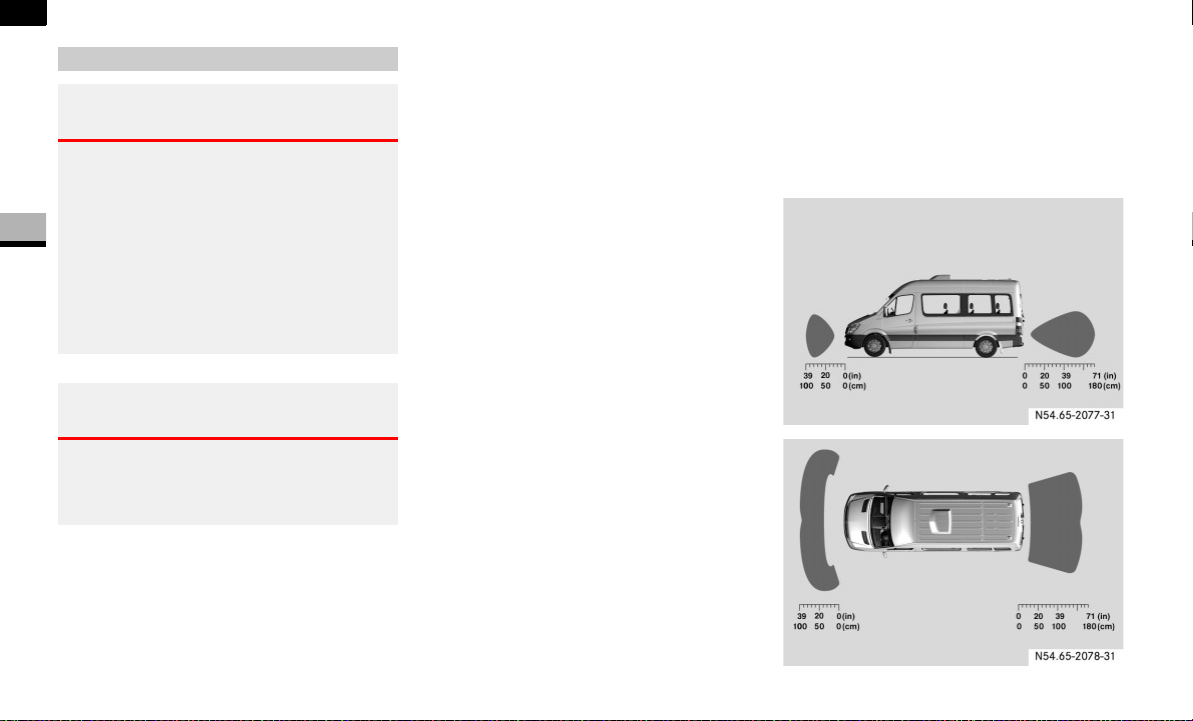
150
Controls in detail
Driving systems
3
Parktronic is an electronic parking aid and
informs you visually and audibly of the dis-
tance between the vehicle and an obsta-
cle.
Parktronic is automatically switched on
when you switch on the ignition and re-
lease the handbrake. You must also move
the selector lever to position D, N or R.
Parktronic switches off at speeds of over
11 mph (18 km/h). Parktronic switches on
again as soon as the vehicle’s speed falls
below this limit speed.
Parktronic is equipped with sensors in the
front and rear bumper to monitor the area
around your vehicle.
Range of the sensors
The sensors must be free from dirt, ice and
slush, otherwise they may not function cor-
rectly. Clean the sensors regularly, taking
care not to scratch or damage them
( page 244).
Parktronic system (PTS)*
Warning G
Parktronic is only an aid and may not detect
all obstacles. This system does not relieve
you of the need to pay attention.
You are always responsible for safety and
must continue to pay attention to your im-
mediate surroundings when parking and
maneuvering. Otherwise, you could endan-
ger yourself and others.
Warning G
Make sure that no persons or animals are in
the maneuvering range of the vehicle. They
could otherwise be injured.
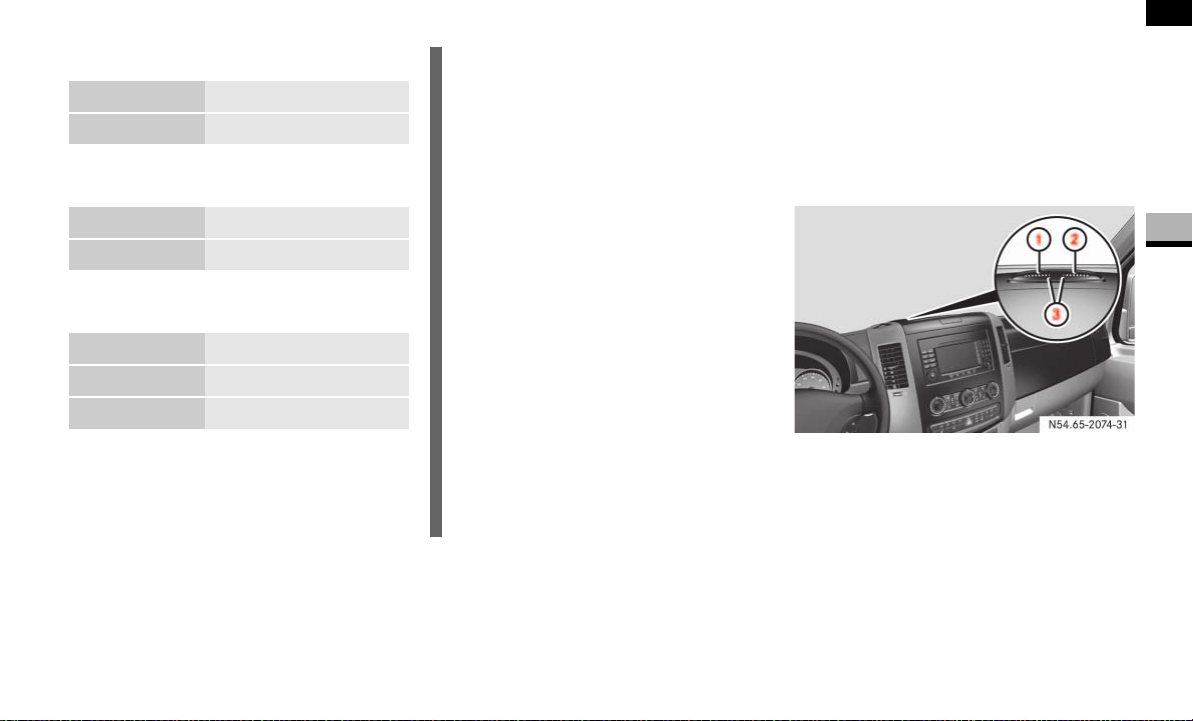
151
Controls in detail
Driving systems
3
Front sensors
Rear sensors
Minimum distance
If an obstacle is within this range, all seg-
ments of the warning displays light up and
you will hear an audible warning tone. The
distance may no longer be displayed if you
drive the vehicle closer to the obstacle
than the minimum distance.
Warning displays
The warning displays indicate the distance
between the sensor and the obstacle.
The warning display for the front area is
located on the middle of the dashboard
above the center console.
Front area warning display
1 Left-hand side of vehicle
2 Right-hand side of vehicle
3 Indicator segments
Center about 39 in (100 cm)
Corners about 26 in (65 cm)
Center about 71 in (180 cm)
Corners about 39 in (100 cm)
Center about 12 in (30 cm)
Corners, front about 10 in (25 cm)
Corners, rear about 12 in (30 cm)
!CAUTION
Pay particular attention to obstacles
above or below the sensors when park-
ing, such as flower pots or trailer tow-
bars.
Parktronic does not detect such ob-
jects in the immediate vicinity. You
could damage the vehicle or objects.
Parktronic can malfunction as a conse-
quence of:
ultrasonic sources such as a truck’s
compressed-air brakes, an auto-
matic car wash or a pneumatic drill
attachments to the vehicle, e.g.
load-bearing implements or trailer
couplings
number plates (vehicle license
plates) that are not affixed flat
against the bumper
dirty or icy sensors
N54.65-2074-31
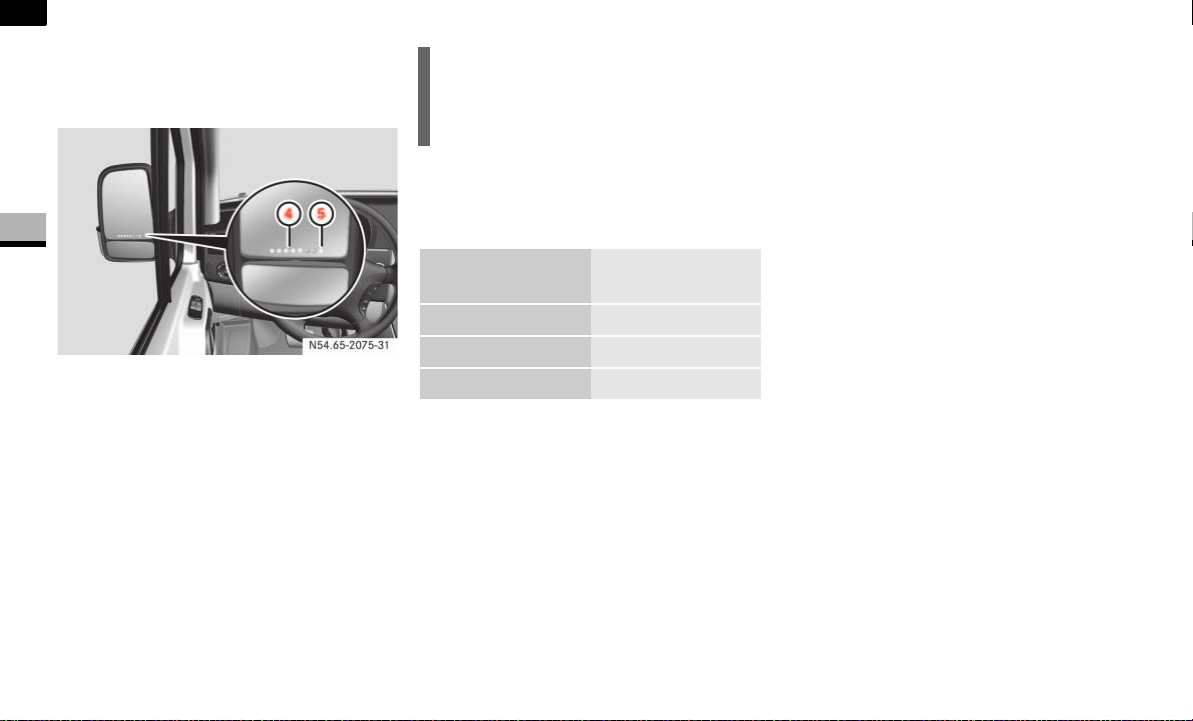
152
Controls in detail
Driving systems
3
The warning displays for the rear left and
right-hand sides are in the exterior mirror
concerned.
Warning display in the left-hand exterior
mirror for the area to the rear left-hand side
4 Left-hand side of vehicle
5 Indicator segments
The warning display is divided into 5 yellow
and 2 red segments for each side of the ve-
hicle. Parktronic is operational if yellow in-
dicator segments 3 and 5 light up.
The selector lever position determines
whether the front and/or rear area is mon-
itored.
One or more segments light up as the vehi-
cle approaches an obstacle, depending on
the vehicle’s distance from the obstacle.
From the:
sixth segment, an intermittent warning
tone sounds for approximately
2seconds
seventh segment, a continuous warn-
ing tone sounds. You have reached the
minimum distance.
Roll-back warning
Parktronic automatically begins to monitor
the area behind the vehicle if the vehicle
begins to roll backwards without reverse
gear engaged, e.g. after stopping on an up-
hill gradient.
If Parktronic detects an obstacle no more
than 31 in (80 cm) away,
all the segments of the warning dis-
plays light up
a continuous warning tone sounds as
the vehicle approaches the obstacle
and for a further 2 seconds after the ve-
hicle has come to a halt
N54.65-2075-31
!CAUTION
There is a malfunction if only the red
segments of the warning display light
up ( page 262).
Transmission
position
Monitoring
D Front area
R or N Front and rear area
P No areas activated
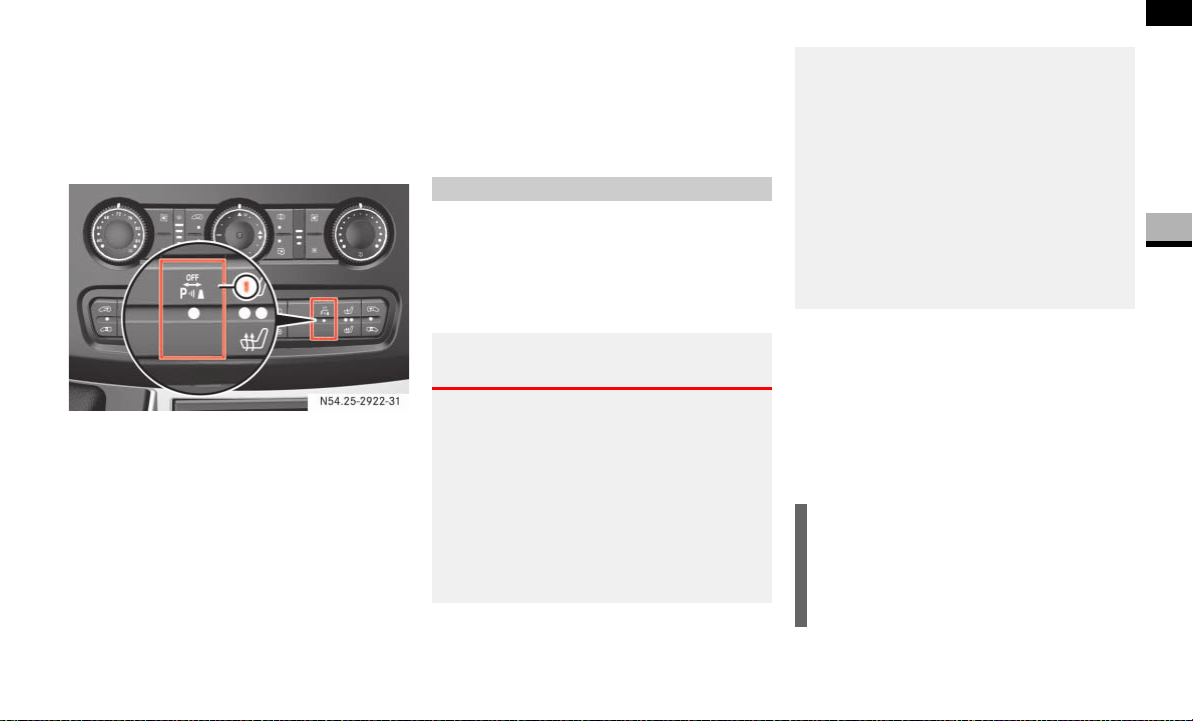
153
Controls in detail
Driving systems
3
Switching Parktronic on/off
You can switch Parktronic on and off man-
ually.
The switch is located on the center con-
sole.
1 To switch Parktronic on/off
To switch off: press upper part 1 of
the switch.
The indicator lamp in the switch comes
on.
To switch on: press upper part 1 of
the switch again.
The indicator lamp in the switch goes
out.
Trailer towing
If you attach a trailer, Parktronic is deacti-
vated for the rear area as soon as you
make the electrical connection between
your vehicle and the trailer.
On vehicles with a reverse warning feature,
a warning signal sounds when reverse gear
is engaged to alert other road users.
The volume of the warning signal can be
reduced for night-time operation.
Reducing the volume of the warning
signal
Select reverse gear twice in quick
succession.
The warning signal sounds more
quietly.
N54.25-2922-31
Reverse warning feature*
Warning G
The reverse warning feature signal could be
ignored by other road users. For this reason,
the reverse warning feature cannot guaran-
tee that there are no people or objects be-
hind your vehicle.
The reverse warning feature is a system
which helps you ensure the safety of other
road users. However, it does not relieve you
in any way from the responsibility of person-
ally ensuring that there are no people or ob-
jects behind your vehicle when reversing.
For this reason, always observe the road and
traffic conditions with due caution. Make
sure that there are no people or objects be-
hind your vehicle when reversing, in order to
avoid injuring people or damaging property.
If necessary, ask someone to direct you
when maneuvering.
i
The warning signal always sounds at
normal volume and must be turned
down again every time reverse gear
is engaged.
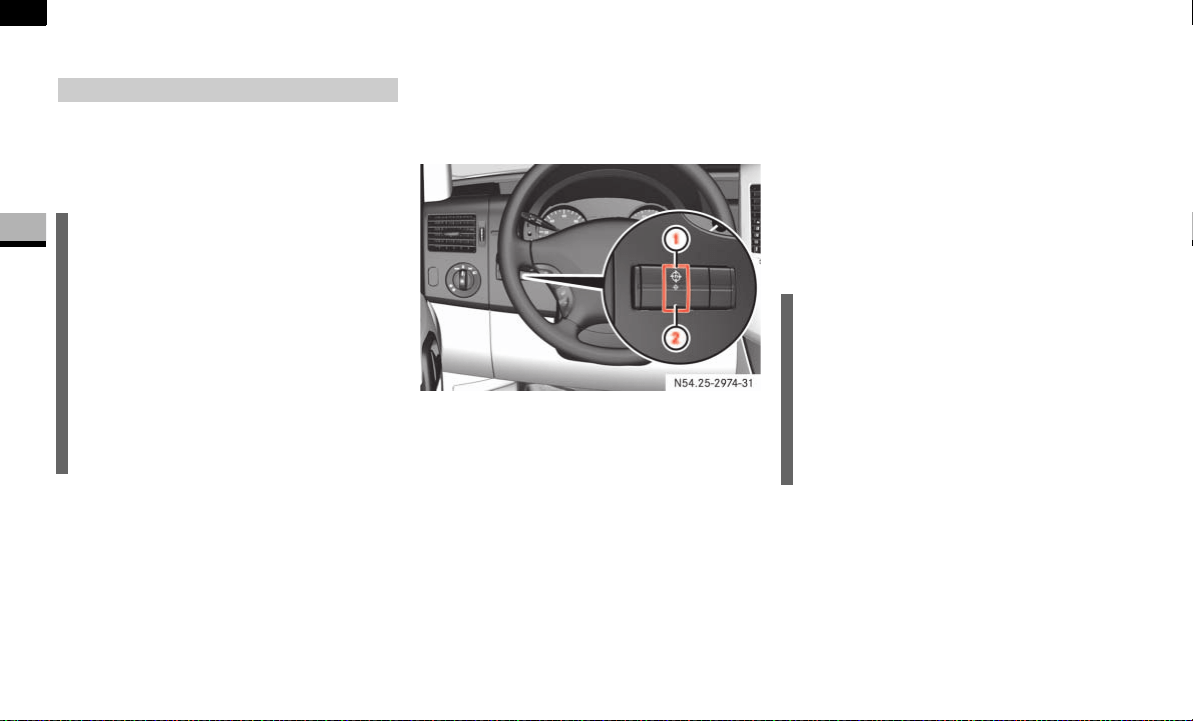
154
Controls in detail
Operating the vehicle
3
Operating the vehicle
When activated, the operating speed gov-
ernor (ADR) automatically increases the
engine speed to a preset or adjustable
operating speed ( page 155).
Activating/deactivating ADR
The switch is between the light switch and
the steering wheel.
1 To switch on
2 To switch off
To switch on: press upper part 1 of
the switch with the engine running.
The indicator lamp in the switch comes
on.
Vehicles without steering wheel but-
tons:
The ™ indicator lamp in the instru-
ment cluster comes on.
Vehicles with steering wheel buttons:
The
Operating speed governor active
message appears in the display.
To switch off: press lower part 2 of
the switch with the engine running.
The indicator lamp in the switch and
the ™ indicator lamp in the instru-
ment cluster go out.
Operating speed governor (ADR)*
i
The idle speed of the engine automati-
cally increases after a cold start. If the
set operating speed is lower than the
increased idle speed, the set operating
speed is attained only after the engine
has reached its operating temperature.
It is only possible to activate ADR with
the vehicle stationary and the hand-
brake applied. The selector lever must
be in position P.
N54.25-2932-31
i
ADR is automatically deactivated
when:
you release the handbrake
the vehicle moves
the control unit detects a malfunc-
tion
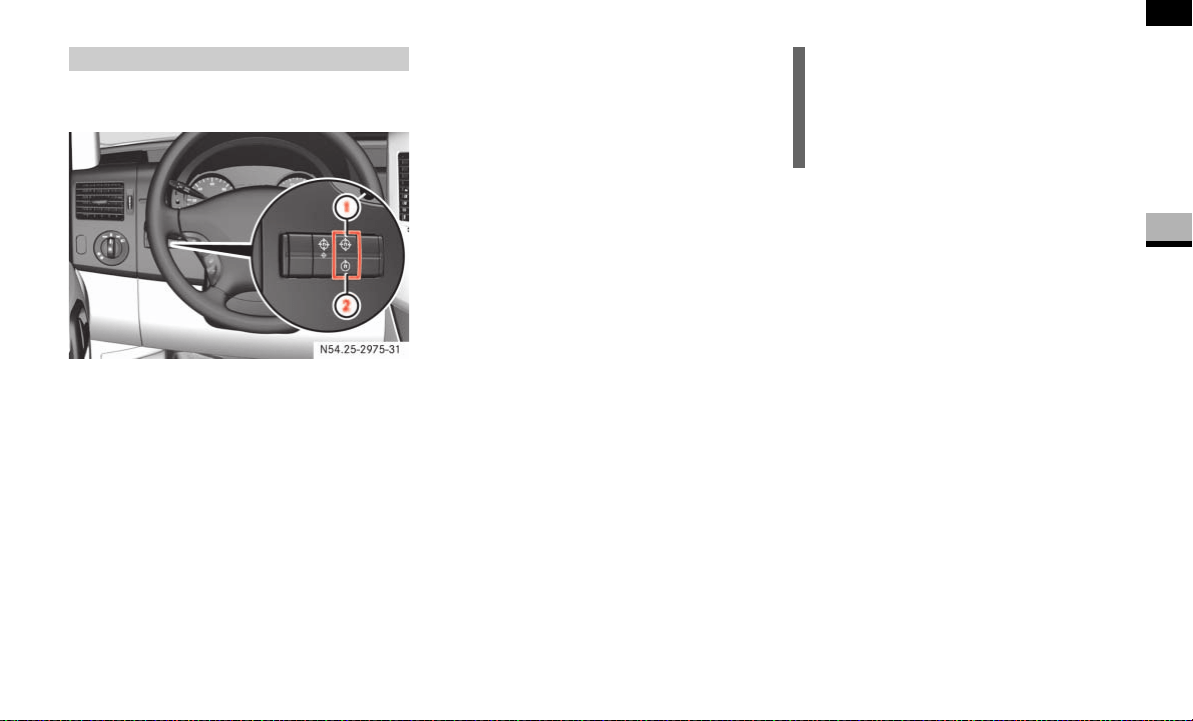
155
Controls in detail
Operating the vehicle
3
Adjusting the operating speed
1 To increase speed
2 To reduce speed
Switch on ADR ( page 154).
To increase: press upper part 1 of
the switch.
or
On vehicles with cruise control*, press
the cruise control lever* up
( page 148).
To reduce: press lower part 2 of the
switch.
or
On vehicles with cruise control*, press
the cruise control lever* down
( page 148).
Adjustable operating speed*
N54.25-2933-31
i
The idle speed of the engine automati-
cally increases after a cold start.
You can only reduce the operating
speed to the current idle speed.

156
Controls in detail
Transporting
3
Transporting
For more information about the maximum
roof load and roof carrier systems, please
refer to the "Technical data" section
( page 351).
Loading guidelines
Warning G
Secure and position a load as described in
the loading guidelines. Otherwise, the load
could slide or be thrown around in the event
of strong braking maneuvers, sudden chang-
es of direction or poor road conditions,
thereby injuring you or others. The same ap-
plies to dismantled seats if left inside the ve-
hicle.
Please note that loads increase the risk of
injury during an accident even if you comply
with all loading guidelines.
Observe the notes in the "Securing a load"
section ( page 158).
Warning G
Do not exceed the vehicle's permissible
gross weight or the permissible axle loads
when loading the vehicle or carrying addi-
tional passengers.
If you exceed the vehicle's permissible axle
loads or the maximum permissible gross
weight when transporting items or carrying
passengers, tire stability and driving safety
are reduced. The vehicle's driving and steer-
ing characteristics would be greatly altered.
Braking and stopping distances would
be significantly longer.
Your vehicle's driving, steering and braking
characteristics change as the vehicle's
gross weight increases or its center of grav-
ity is raised.
Always ensure that loads are distributed
correctly and adapt your driving style in ac-
cordance with the load.
Warning G
After an accident, have a damaged load
compartment floor or damaged load sur-
face, the lashing eyes and lashing materials
inspected by a specialist workshop having
the necessary technical expertise and tools
to carry out the required work.
The manufacturer recommends that you use
an authorized Sprinter Dealer for this pur-
pose. In particular, work relevant to safety
or on safety-related systems must be car-
ried out at a qualified specialist workshop.
!CAUTION
If you are using a roof carrier system,
observe the maximum roof load and
maximum load-bearing capacity of the
roof carrier system.

157
Controls in detail
Transporting
3
Before loading
Check the tire pressures and correct
them if necessary ( page 213).
Clean the load compartment floor.
The load compartment floor must be
dry, cleanly swept and free of oil and
dust to reduce the risk of the load slip-
ping.
If necessary, place anti-slip mats on the
load compartment floor.
During loading
Observe the maximum permissible axle
loads and permissible gross weight for
the vehicle.
Observe the notes on load distribution
( page 158).
Secure the load ( page 158). All
country-specific legal requirements
must be observed.
Checks after loading
Securing a load: before each journey
and at regular intervals during longer
journeys, check whether the load is
properly secured and take additional
securing measures, if necessary.
Doors: close the sliding doors and rear
doors.
Tire pressure: adjust the tire pressure
in accordance with the vehicle's load
( page 213).
Driving characteristics: adapt your
driving style to the load.
!CAUTION
As soon as the anti-slip mats start to
show signs of permanent deformation,
squashed areas or tears/holes, they
are unsuitable for securing loads and
must be replaced.
!CAUTION
In passenger vans with the maximum
number of seats, the maximum payload
would cause the permissible rear axle
load to be exceeded.
i
Bear in mind that your vehicle's unlad-
en weight is increased by the installa-
tion of optional equipment and
accessories.
Warning G
Make sure that the sliding doors and rear
doors are always closed when the engine is
running.
Otherwise, exhaust fumes could enter the
vehicle interior and poison you.

158
Controls in detail
Transporting
3
The load's overall center of gravity should
be as low and central as possible, between
the axles near the rear axle.
For crewbus models:
Always transport loads in the load com-
partment.
Always place loads flush against the
seat backrests of the rear bench seat.
Slide larger and heavier loads as far for-
ward as possible when looking in the
direction of travel. Stack items against
each other behind the rear bench seat.
Always secure loads with suitable
transport aids or lashing materials.
As the driver of the vehicle, you are respon-
sible for ensuring that the load is secured
against slipping, tipping over, rolling or fall-
ing down, whether driving in normal traffic
situations or on poor road surfaces or as a
result of having to swerve to avoid an ob-
stacle or applying the brakes fully.
Failing to secure the load in accordance
with relevant requirements and sound
practice may be a punishable offense, de-
pending on national legislation and the
consequences that arise.
For this reason, observe the legal require-
ments in all countries concerned.
Before each journey and at regular inter-
vals during longer journeys, check whether
the load is secure and take additional ac-
tion to improve any incorrect or inade-
quate safety measures.
Fill up any empty spaces between the
load and the load compartment walls
or wheel arches in a form-fitting man-
ner. For this purpose, use solid trans-
port aids, such as chocks, wooden
blocks or storage cushions.
Load distribution
!CAUTION
Excessive loads on individual points of
the load compartment floor or load sur-
face have a negative effect on handling
characteristics and could damage the
floor covering.
i
Observe the following notes:
Do not stack loads higher than the
upper edge of the backrests.
Transport loads behind seats that
are not occupied.
If the rear bench seat is not occu-
pied, insert the seat belts in a cross-
wise pattern into the opposite belt
buckles.
Securing a load
i
Information about how to secure a
load correctly can be obtained from the
manufacturers of transport aids or
lashing materials for securing loads.
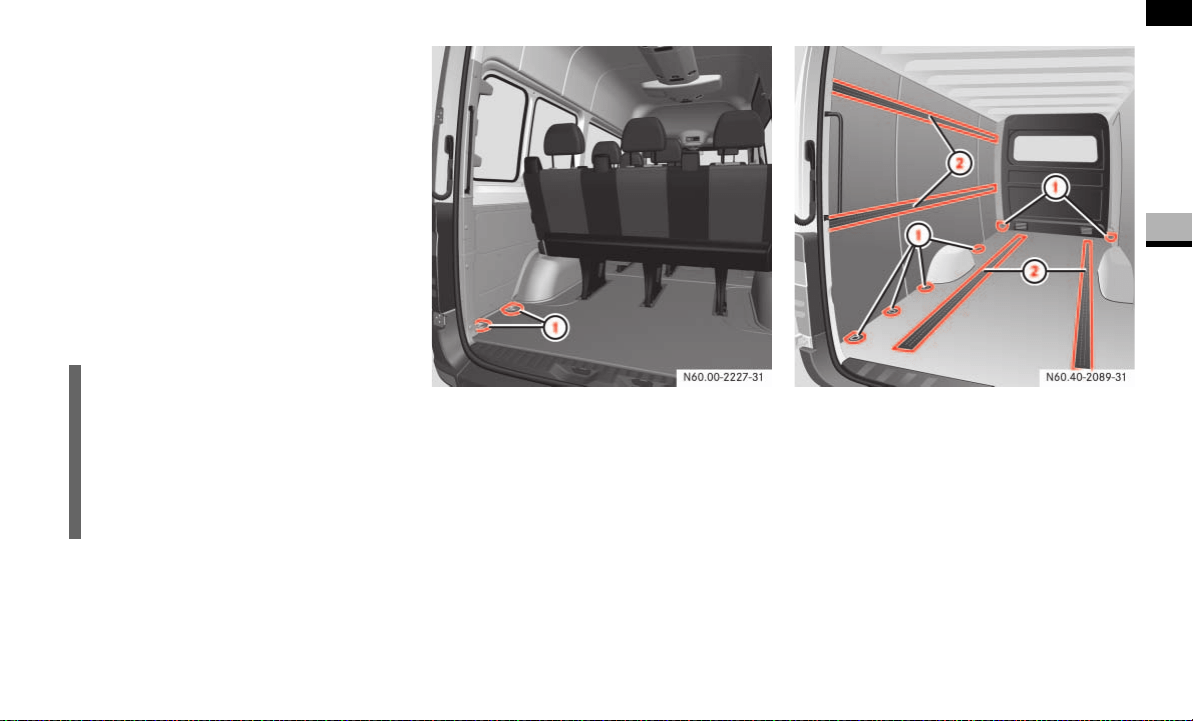
159
Controls in detail
Transporting
3
Secure tilt and tip-resistant loads in all
directions by using the lashing points
or lashing eyes and load rails in the
load compartment or on the load sur-
face, according to your vehicle's equip-
ment.
Only use lashing materials that have
been tested according to valid stan-
dards, such as lashing nets and straps.
Always use the lashing points closest
to the load for securing it in place and
place padding around sharp edges.
Example illustration of crewbus
1 Lashing eyes
Example illustration of panel van
1 Lashing eyes
2 Load rails*
i
Lashing materials that comply with val-
id standards can be obtained in any
specialist shop or from an authorized
Sprinter Dealer.
If possible, use the lashing eyes when
securing a load, especially if it is heavy.

160
Controls in detail
Transporting
3
Always attach the lashing net or tarps
to all available lashing points. While do-
ing so, make sure that the mounting
hooks cannot open unintentionally.
Warning G
Do not carry out any modifications or repairs
to the lashing points, the lashing eyes or the
lashing materials. The load or the lashing
points could accidentally come loose and
cause serious injury to you or others as well
as damage to property.
Distribute loads evenly between the lashing
points or lashing eyes.
Observe the loading guidelines.
i
Loose loads should be secured with an
approved lashing net or tarp.
!CAUTION
Observe the data on the maximum
load-bearing capacity of the individual
lashing points
( page 371).
During full-braking applications, for ex-
ample, forces can be involved that are
much greater than the weight force of
the load.
Always use several lashing points in or-
der to distribute force absorption, and
make sure that the lashing points have
an equal load.
i
If your vehicle has load rails in the floor,
you should position locking rods imme-
diately in front of and behind the load.
The locking rods absorb possible shift-
ing forces directly.
Warning G
If you tension the lashing straps between
the side walls or between a side wall and the
load compartment floor, the permissible
load for the lashing rails, lashing points or
lashing eyes could be exceeded in the event
of strong braking, sudden changes of direc-
tion or an accident.
The load would no longer be secured, which
could result in serious injuries caused by the
load slipping.
For this reason, do not tension a lashing
strap between the side walls or between a
side wall and the load compartment floor.
Only locking bars or rods may be installed
between the load rails near the side walls.
Observe the operating instructions issued
by the locking bar or locking rod manufac-
turer.
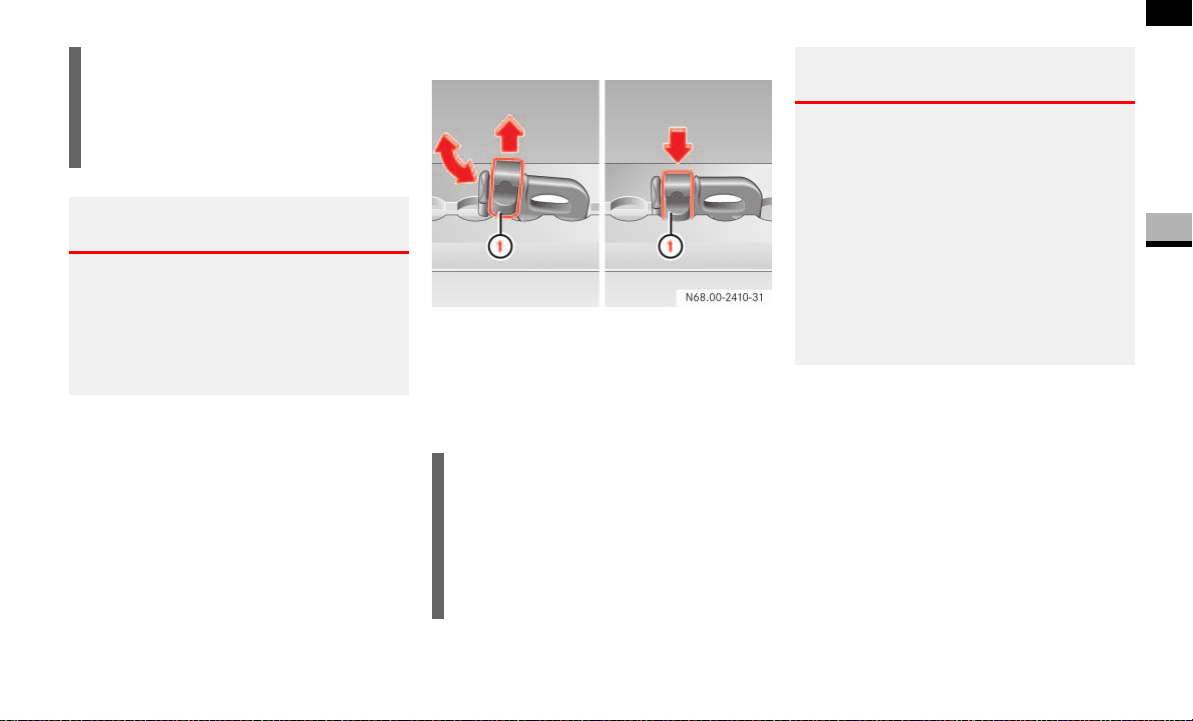
161
Controls in detail
Transporting
3
Mounting lashing points for load rails*
1 Locking mechanism
To install: slide the lashing eye
through a recess in the load rail close
to the load until locking mechanism 1
in the recess engages.
Check whether the lashing eye is firmly
in place.
To remove: pull locking mechanism 1
upward and pull the lashing eye
through a recess towards the locking
mechanism and out of the load rail.
i
Securing loads to the load compart-
ment floor is only recommended for
lightweight loads and should be rein-
forced by using anti-slip mats.
Warning G
Before releasing lashing straps, make sure
that the load is stable and would not tip over
even without being lashed down.
Otherwise, you or others could be injured by
a moving load.
i
When you pull locking mechanism 1
out of the recess, the lashing eye is
able to move within the lashing rail or
load rail. Make sure that locking
mechanism 1 is always engaged in a
recess.
Warning G
If the lashing eye is not firmly anchored in
the load rail, the lashing eye may slip or snap
out of the load rail in the event of sudden
braking or an accident.
The load would no longer be secured, which
could result in serious injuries caused by the
load slipping.
For this reason, always check that the lash-
ing eye is firmly in place whenever you in-
stall it.
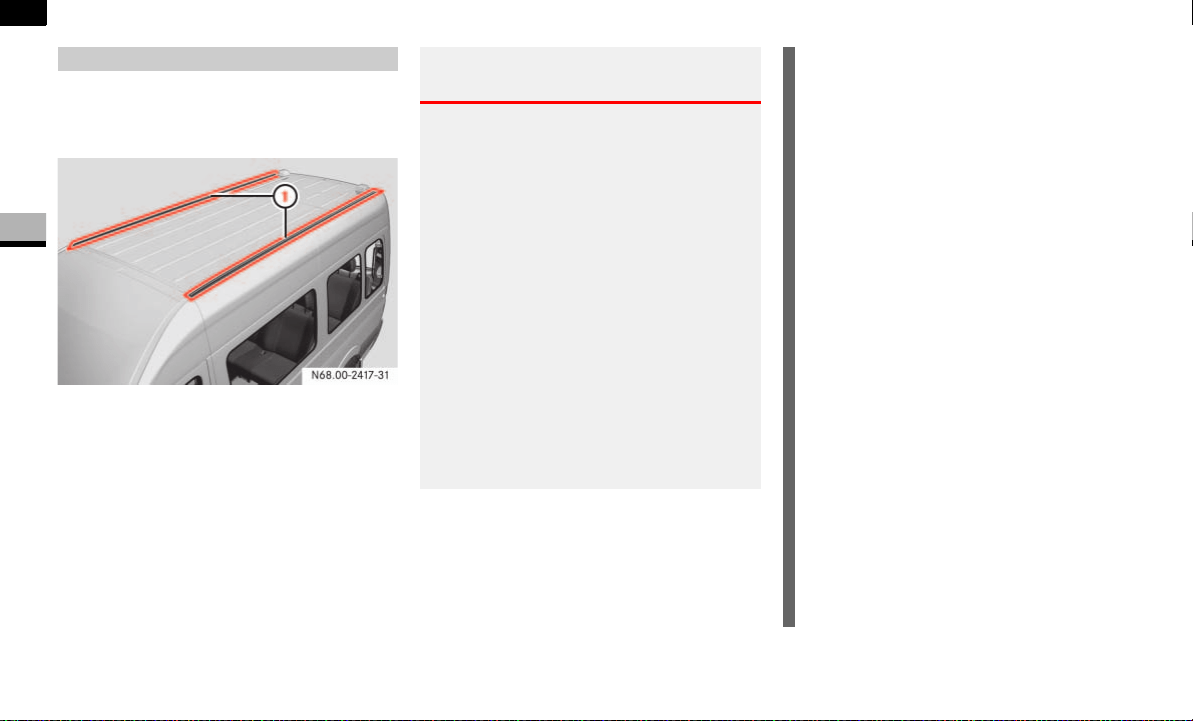
162
Controls in detail
Transporting
3
It is possible to mount a roof rack if your
vehicle is equipped with securing rails on
the roof.
1 Securing rails
Special mountings (sliding blocks) are
available as accessories. These are avail-
able from any authorized Sprinter Dealer.
Carrier systems
Warning G
Handling and braking characteristics may
change when you have mounted carrier sys-
tems on the vehicle. You could endanger
yourself and others.
Observe the manufacturer’s installation in-
structions. An incorrectly secured carrier
system or load could:
come loose
fall off
and thereby endanger yourself and others.
Observe the maximum roof loads
( page 372), the maximum axle load and
the maximum load-bearing capacity of the
roof rack.
!CAUTION
Make sure that:
the securing bolts for the roof
rack are tightened to a torque of
6.0 – 7.4 lb-ft (8 – 10 Nm) in the
sliding blocks provided
the bolts do not make contact with
the rails when tightened
the sliding blocks are not posi-
tioned near the plastic caps
the sliding blocks have the correct
cross-section
the securing rails are free of dirt on
the inside
the securing bolts are retightened
evenly after approximately
300 miles (500 km)
This will help to avoid damage to the ve-
hicle.
Only install roof racks that have been
approved or recommended for Sprinter
vehicles. These are available in any au-
thorized Sprinter Dealer.

163
Controls in detail
Transporting
3
Observe the instructions in the “Opera-
tion” section ( page 175).
!CAUTION
If you wish to retrofit securing rails,
have them installed at a qualified spe-
cialist workshop which has the neces-
sary specialist knowledge and tools to
carry out the work required. You could
otherwise damage the vehicle.
The manufacturer recommends that
you use an authorized Sprinter Dealer
for this purpose.
Trailer towing
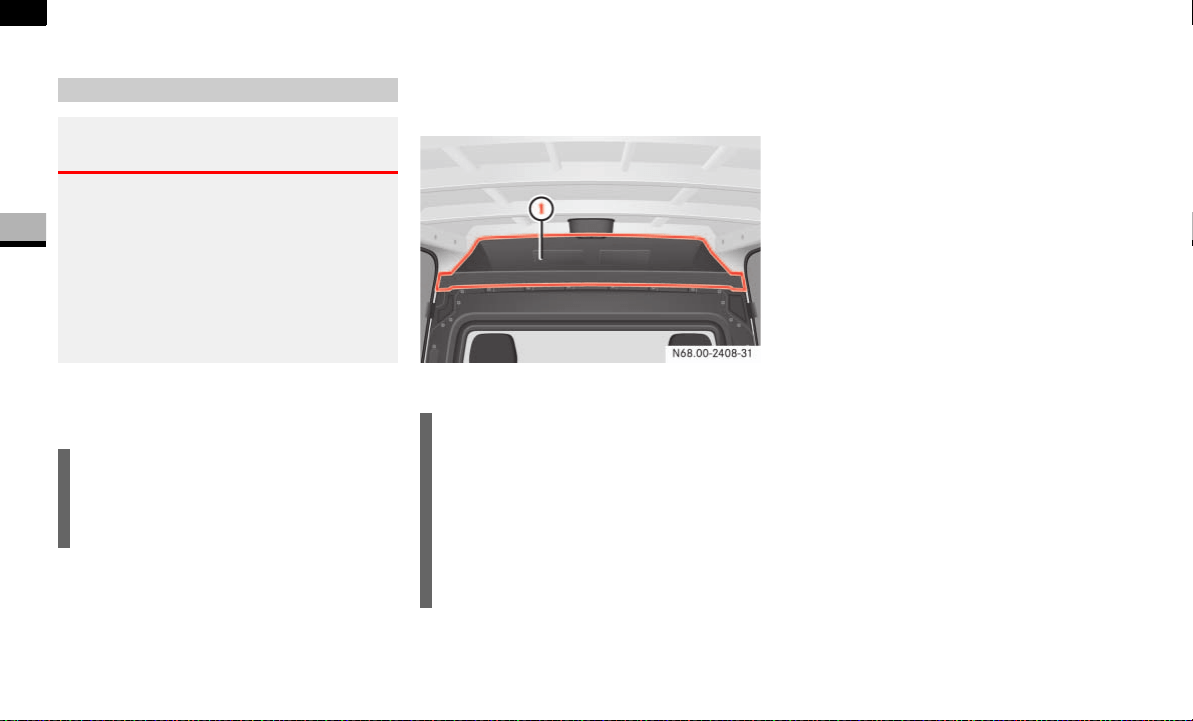
164
Controls in detail
Features
3
Features
Storage compartments above the wind-
shield
Storage compartment above the roof
trim*
1 Storage compartment
Storage compartments in the doors
You can use these storage compartments
for the safe storage of small and light
items.
Storage compartment under the twin
co-driver's seat*
On vehicles with a twin co-driver’s seat,
the storage compartment is under the seat
cushion ( page 71).
You can use the storage compartment for
the safekeeping of tools and other small
items.
Interior storage compartments
Warning G
Only load the storage compartments in such
a way that occupants cannot be injured
by their contents in the event of an accident,
braking or a sudden change in direction.
For this reason, do not transport heavy,
bulky, pointed or sharp-edged objects in the
storage spaces or compartments.
!CAUTION
It is permissible to load the right and
left-hand storage compartments up to
a maximum of 5.5 lbs (2.5 kg) each.
!CAUTION
The entire storage compartment is per-
mitted to hold a maximum load of
66 lbs (30 kg).
Do not store high, bulky loads in the
storage compartment. You could other-
wise damage the roof trim in the event
of sudden braking.
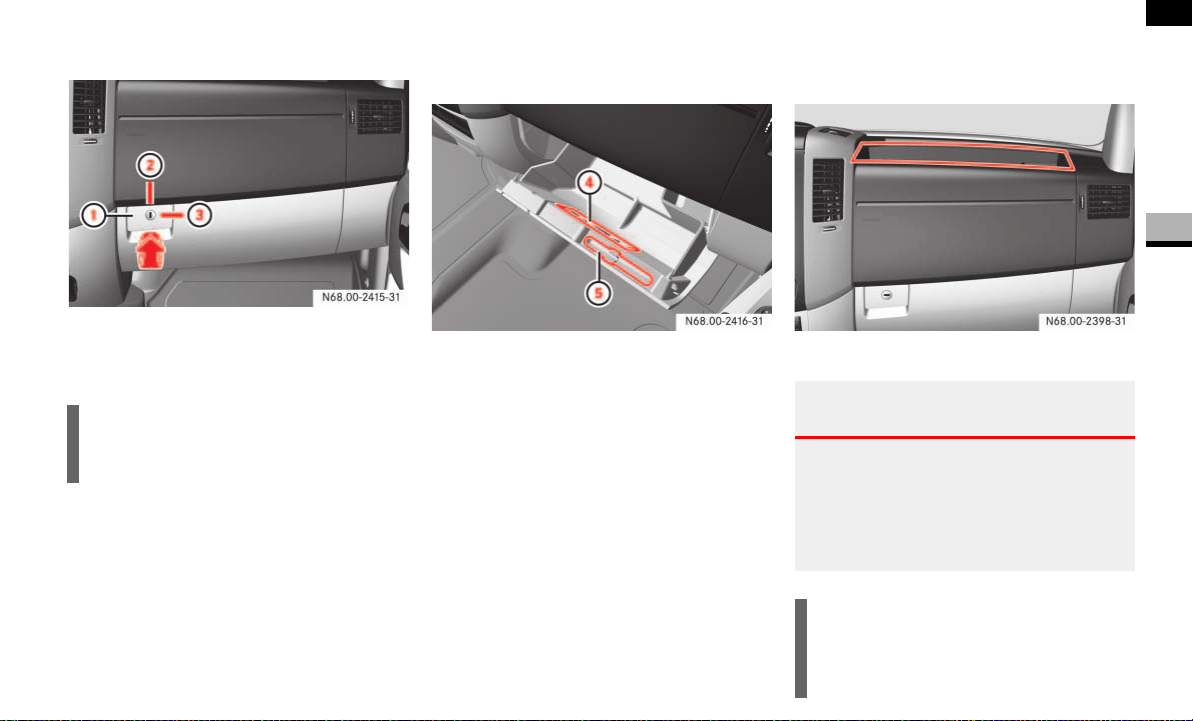
165
Controls in detail
Features
3
Glove box
1 Glove box handle
2 Locked*
3 Unlocked*
To open: pull glove box handle 1 in
the direction of the arrow.
4 Cards holder
5 Pen holder
To close: fold the cover upwards and
push against it until it engages in place.
Storage compartments on the dash-
board
Example on the right-hand side
i
You can lock and unlock the glove box
using the key*.
Warning G
Do not store any items in the storage com-
partment above the co-driver’s airbag if they
protrude from the compartment. The co-
driver’s airbag must be able to inflate unim-
peded.
!CAUTION
It is permissible to load the right and
left-hand storage compartments up to
a maximum of 11 lbs (5 kg) each.
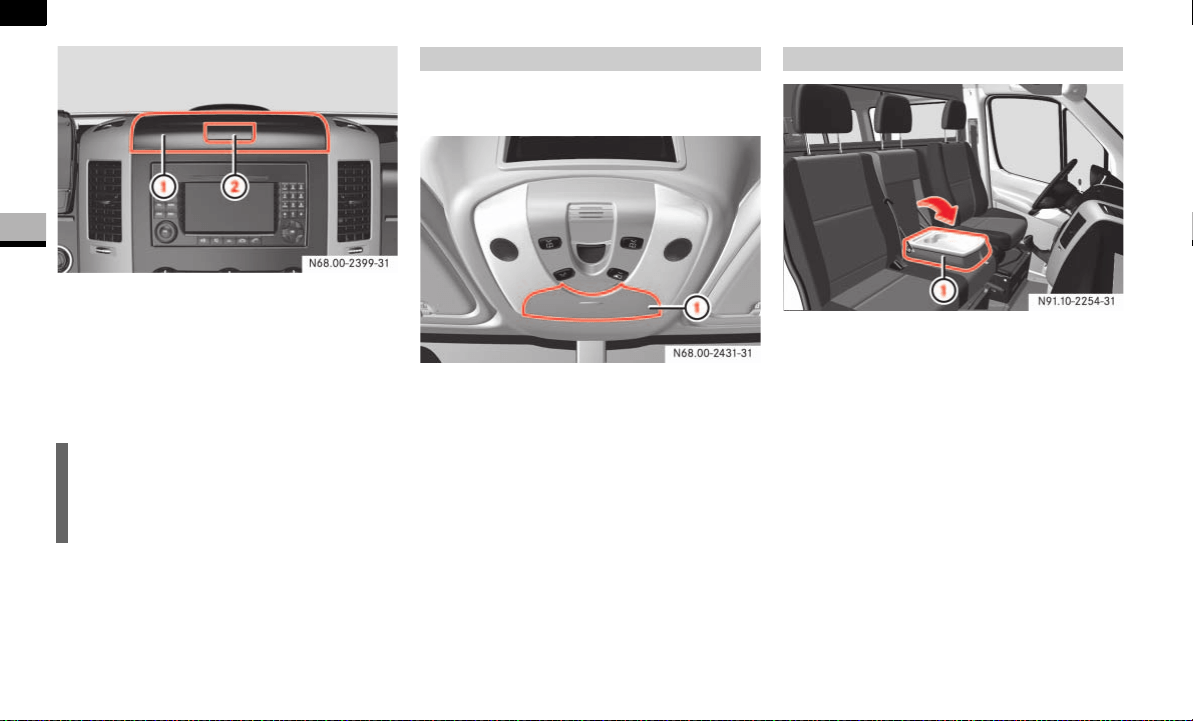
166
Controls in detail
Features
3
Covered storage compartment above the
center console*
1 Cover
2 Release handle
Pull release handle 2.
Cover 1 swings upwards.
Close cover 1 and engage it.
The eyeglasses compartment is located in
the overhead control panel.
1 Cover
To open: press cover 1 of the eye-
glasses compartment.
The eyeglasses compartment folds out.
To close: press cover 1 of the eye-
glasses compartment into the over-
head control panel until it engages.
1 Folding table
Pull folding table 1 forward by the tab.
Fold folding table down in the direction
of the arrow and onto the seat cushion.
i
The cover on the storage compartment
must remain closed while the vehicle is
in motion.
Eyeglasses compartment Folding table in the backrest*
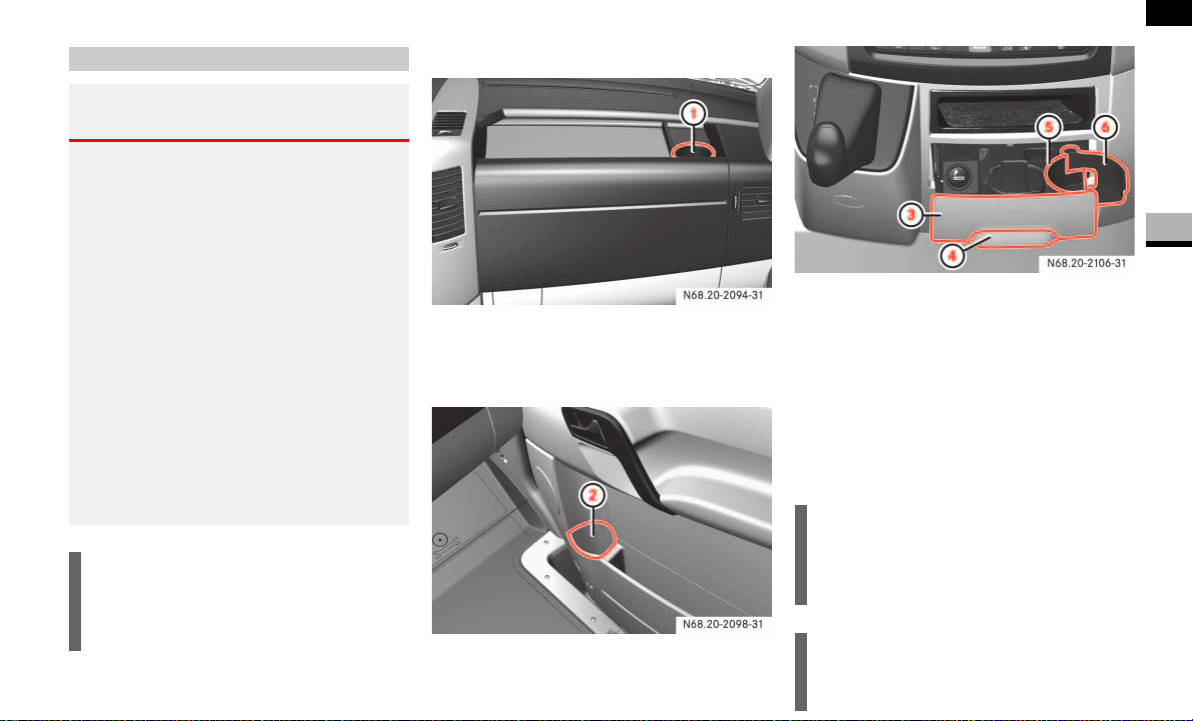
167
Controls in detail
Features
3
Cup holders in the front
Example on the right-hand side
1 Cup holder in the storage compartment
in the dashboard
Example on the right-hand side
2 Bottle holder in the front door
3 Cup holder compartment in the center
console
4 Recess
5 Cup holder
6 Clamping arm
Pull out cup holder compartment 3 by
recess 4.
Cup holder 5 opens fully.
Cup holders
Warning G
Keep the closeable cup holders closed while
the vehicle is in motion and do not leave
drinks in the cup holders. You or others
could otherwise be injured by objects in the
cup holder being thrown around in the event
of:
sharp braking
a sudden change of direction
an accident
Only place sealable drinking containers of
the correct size in the cup holders. The
drinks could otherwise overspill.
Avoid hot drinks. You could otherwise scald
yourself.
!CAUTION
Do not use the recesses of the cup
holders as an ashtray. You could other-
wise damage the cup holders.
i
Vehicles with the non-smoking pack-
age are equipped with an additional
cup holder in place of the ashtray.
i
You can change the diameter of the cup
holder.
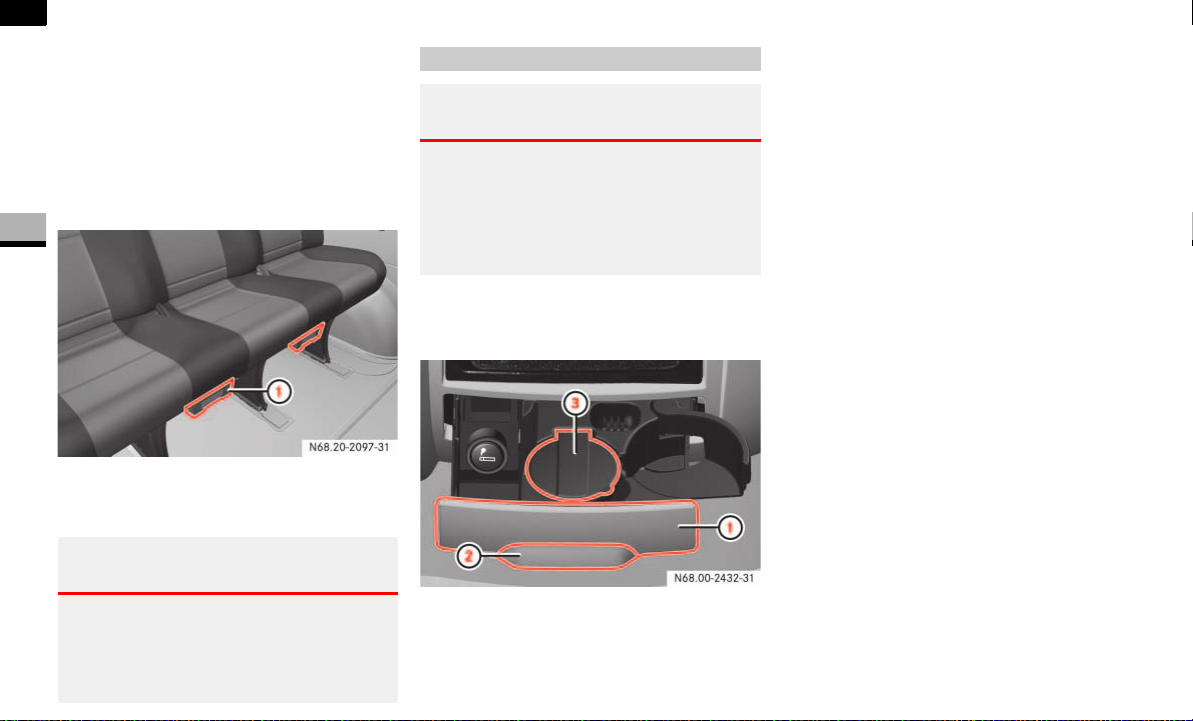
168
Controls in detail
Features
3
Place the container in cup holder 5.
Press clamping arm 6 onto the con-
tainer.
Cup holders in the rear
The cup holders in the rear are located un-
der the seats.
1 Cup holder
Pull out cup holder 1.
The ashtray is located in the ashtray com-
partment in the center console.
1 Ashtray compartment
2 Recess
3 Cover
Pull out ashtray compartment 1 by
recess 2.
To open: fold cover 3 upwards.
To remove the insert: reach into the
left and right-hand sides of the recess-
es on the ashtray and pull the insert out
to empty it.
To replace the insert: hold the insert
and press it down into the retainer.
Warning G
Slide the cup holders back underneath the
seat before leaving the vehicle. You could
otherwise be injured by the protruding cup
holders.
Ashtray
Warning G
Switch off the engine and apply the hand-
brake before removing the ashtray to empty
it.
Otherwise, you could accidentally put the
vehicle in gear.
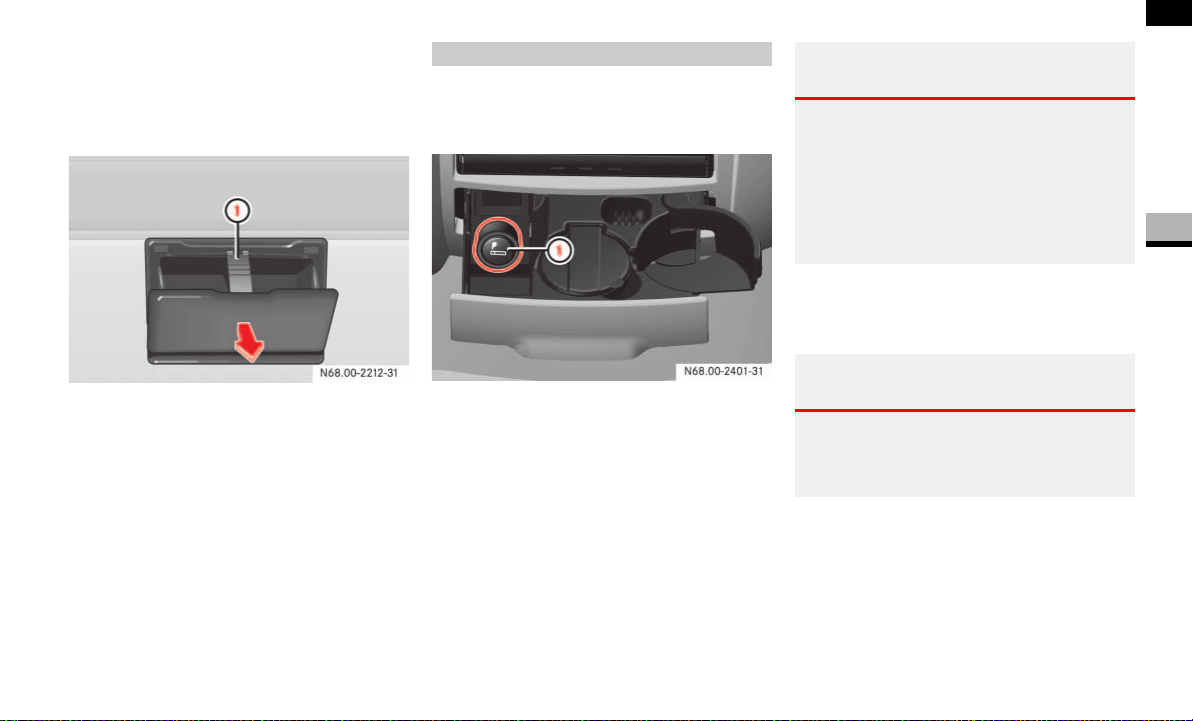
169
Controls in detail
Features
3
Ashtray in the passenger compart-
ment*
The ashtrays are located on the right-hand
and left-hand side in the side trims.
1 Retaining clip
To open: open the ashtray.
To remove the insert: press clip 1
down and remove the entire ashtray
from the trim.
To replace the insert: insert the ash-
tray at the bottom into the trim and fold
it closed.
The cigarette lighter is located next to the
ashtray in the ashtray compartment in the
center console.
1 Cigarette lighter
Switch on the ignition ( page 67).
Press in cigarette lighter 1.
The cigarette lighter will pop out automati-
cally when the heating element is red-hot.
Cigarette lighter
Warning G
Only hold the hot cigarette lighter by its
knob. Otherwise, you may burn yourself.
Remove the cigarette lighter if children are
traveling with you. They could injure them-
selves on a hot cigarette lighter or start a
fire.
Warning G
Do not press the cigarette lighter in with too
much force. The ashtray compartment could
otherwise close and trap your finger.
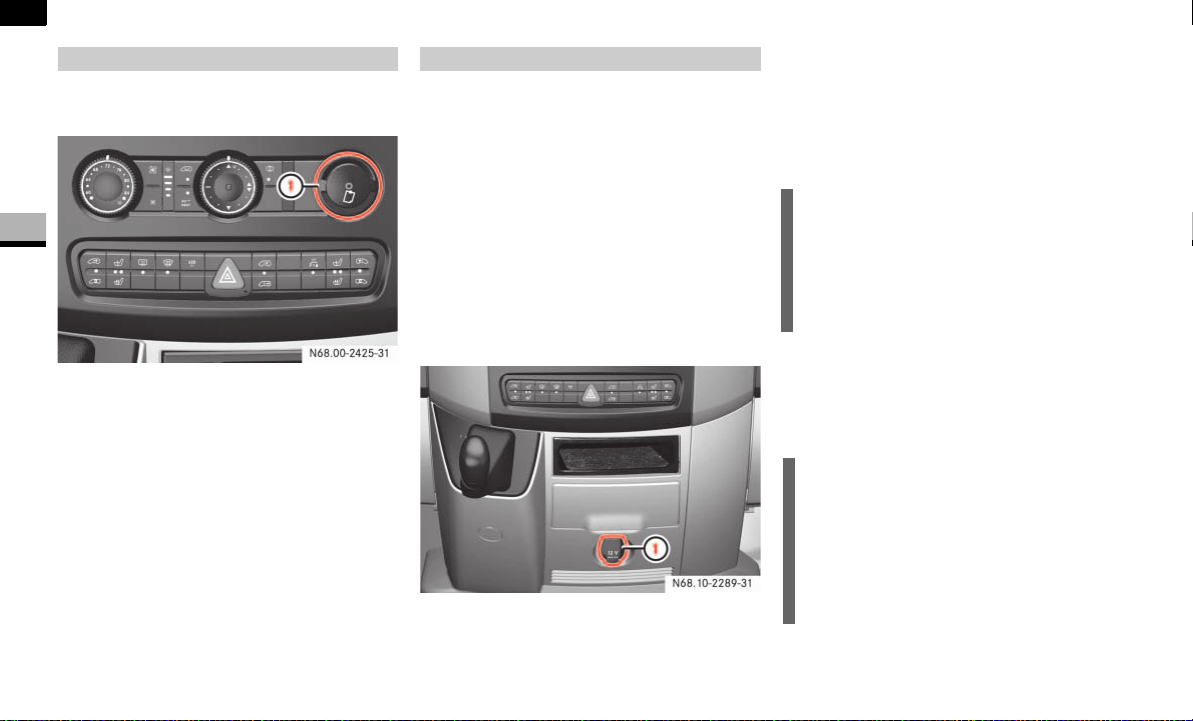
170
Controls in detail
Features
3
The paper holder is on the control panel for
the air-conditioning system.
1 Paper holder
Press top of paper holder 1.
The 12 V sockets for accessories are
on the bottom of the center console
(12 V, 25 A)
on the inside of the driver's seat base
(12 V, 15 A)
in the corner trim next to each rear
door in the passenger compartment
(12 V, 15 A)
in the load compartment next to the
rear door on the left-hand side (12 V,
15 A)*.
Socket at the bottom of the center console
1 12 V, 25 A socket
You can use the 12 V sockets (15 A) for ac-
cessories with a maximum power con-
sumption of 180 watts. You can connect
accessories with a maximum power con-
sumption of 300 watts to the 12 V socket
(25 A) at the bottom of the center console.
For more information about the electric air
pump* and the Premium tire sealant*,
please refer to the "Practical hints" section
( page 303).
Paper holder
N68.00-2425-31
12 V socket
!CAUTION
Only connect the electric air pump*
(Premium tire sealant*) to the 12 V
socket (25 A) on the bottom of the cen-
ter console. You could otherwise dam-
age the vehicle electrical system.
i
The sockets are supplied with power
even if the key is removed from the ig-
nition lock. Please note that the battery
may be discharged if you have connect-
ed an accessory, e.g. a coolbox, and
the engine is switched off.

171
Controls in detail
Features
3
Telephones may only be used inside the
vehicle if they are connected to a separate
exterior antenna of a type tested and ap-
proved by the manufacturer.
The installation of the antenna must be ap-
proved by a qualified specialist workshop.
Always have maintenance work carried out
at a qualified specialist workshop, e.g. an
authorized Sprinter Dealer.
Telephone*
Warning G
You must observe the legal requirements for
the country in which you are driving when
operating a cell phone in the vehicle.
If it is permitted to operate a cell phone
while the vehicle is in motion, you must only
operate it when road and traffic conditions
permit. You may otherwise be distracted
from the traffic conditions, cause an acci-
dent and injure yourself and others.
Cell phones without exterior antennas may
interfere with the vehicle electronics and
thereby jeopardize the operational safety of
the vehicle. You must therefore only use
these devices when they are connected to a
separate exterior antenna.
Warning G
Only use the telephone when road, weather
and traffic conditions permit you to do so.
You will otherwise be too distracted. If you
are not using the hands-free system, pull
over to make a phone call.
Bear in mind that at a speed of just 30 mph
(approx. 50 km/h), your vehicle is covering
a distance of 44 feet (approx. 14 m) every
second.
Telephones without exterior antennas may
interfere with the vehicle electronics and
thereby jeopardize the operational safety of
the vehicle.
i
Observe all legal requirements.
i
The cell phone battery will be charged
depending on the charge status and
the position of the key in the ignition
lock. The cell phone display indicates
the charging process.


173
4
Operation
The first 1000 miles (1,500 km) ......... 174
Driving tips ......... 175
Electronic equipment ......... 183
Refueling ......... 184
Engine ......... 185
Battery ......... 195
Battery isolating switch* ......... 197
Tires and wheels ......... 199
Winter driving ......... 234
Maintenance and servicing ......... 237
Cleaning and care of the vehicle ......... 241

174
Operation
The first 1000 miles (1,500 km)
4
You will find detailed information about op-
erating, maintaining and caring for your ve-
hicle in the “Operation” section.
If you treat the engine with sufficient care
from the very start, it will reward you with
excellent performance for a very long time
afterward.
You should therefore drive at varying
road and engine speeds for the first
1000 miles (1500 km).
Avoid heavy loads during this time, for
example driving at full throttle. Do not
exceed
2
/
3
of the maximum permissible
engine speed for each gear.
Avoid depressing the accelerator pedal
in vehicles beyond the pressure point
(kickdown).
Do not downshift manually in order to
brake.
Only use shift ranges 4, 3, 2 and 1 for
slow driving, for example in mountain-
ous terrain.
After 1000 miles (1500 km), you may
gradually bring the vehicle up to full road
and engine speeds.

175
Operation
Driving tips
4
Driving tips
Information is available about driving in
winter and with snow chains
( page 236).
Transporting your vehicle by rail may be
subject to certain restrictions or require
special measures to be taken in some
countries due to varying tunnel heights
and loading standards.
You can obtain information at any
authorized Sprinter Dealer.
Trailer hitches*
Only install a trailer hitch receiver ap-
proved for your vehicle. For information on
availability and installation, please see
your authorized Sprinter Dealer.
The bumpers on your vehicle are not de-
signed for use with clamp-type hitches. Do
not attach rental hitches or other bumper-
type hitches to them.
To reduce the possibility of damage, re-
move the hitch ball adaptor from the re-
ceiver when not in use.
Electrical connections*
The Sprinter is available with a variety of
pre-installed conditions (lines and turn sig-
nal indicator and brake module installed
and/or not installed). Make sure that the
correct trailer hitch receiver kit is used. For
further information, please see your autho-
rized Sprinter Dealer.
In order to prevent possible damage to the
vehicle’s electrical system by incorrectly
installing the trailer wiring plug, we recom-
mend having the harness connected at an
authorized Sprinter Dealer.
Rail transport
Trailer towing
Warning G
Failure to use proper equipment and driving
technique can result in a loss of vehicle con-
trol when towing a trailer.
Improper towing or failure to follow the in-
structions contained in this guide can result
in serious injury.
Follow the guidelines below carefully to as-
sure safe trailer operation.
Ask your authorized Sprinter Dealer if you
require an explanation of information con-
tained in this guide.

176
Operation
Driving tips
4
Vehicle and trailer weights and ratings
Gross Vehicle Weight Rating (GVWR) is the
maximum permissible vehicle weight:
8550 lbs (3880 kg) for vehicle model
type 2500
9990 lbs (4530 kg), or 11030 lbs
(5003 kg) for vehicle model type 3500
GVWR (G
ross Vehicle Weight Rating)
The total allowable weight of the vehicle.
All occupants, all cargo, and the trailer
tongue load must never exceed the GVWR.
GAWR (G
ross Axle Weight Rating)
The total allowable weight that can be
carried by a single axle (front (FA) or rear
(RA)).
GCWR (G
ross Combination Weight
R
ating)
The total allowable weight of vehicle and
trailer when weighed in combination inclu-
ding a 150 lbs (68 kg) allowance for the
presence of a driver.
GTW (G
ross Trailer Weight)
The maximum permissible trailer weight to
be towed.
TWR (T
railer Tongue Weight Rating)
The maximum permissible weight of the
trailer tongue (limit for Sprinter approved
hitch receiver).
For the permissible weights and ratings,
refer to the following table.
Trailer towing
!CAUTION
Cargo vans with a long wheelbase of
170.3 in (4325 mm) and an overall
vehicle length of 289.1 in (7344 mm)
have a reduced GTW and TWR.
i
The GVWR and the front/rear GAWR of
your vehicle are indicated on the
certification label.
!CAUTION
For vehicle model type 3500, the allow-
able GCWR is less than the combined
maximum weight of the GVWR and the
GTW. Exceeding the GCWR can cause
damage to the drive train, the transmis-
sion, or the trailer hitch*.
Thus, the permissible values for GVWR
and/or the GTW are reduced when
either the trailer or the vehicle is fully
laden. you may therefore only partly
load the vehicle and/or the trailer.

177
Operation
Driving tips
4
1
Cargo vans with a long wheelbase of 170.3in (4325 mm) and an overall vehicle length of 289.1 in (7344 mm) only.
*optional equipment
When loading the vehicle and/or a trailer,
you should observe that the GCWR of your
vehicle is not exceeded.
You must distribute total weight between
the vehicle and the trailer such that neither
the permissible GTW, nor the GVWR and
front/rear GAWR , nor the TWR are
exceeded.
The tongue weight at the hitch ball must be
added to the GVWR to prevent exceeding
your Sprinter tow vehicle’s rear GAWR.
Maximum permissible values are listed in
the table above and on the safety compli-
ance certification labels for the vehicle and
for the trailer to be towed. The lowest value
listed must be selected when determining
how the vehicle and trailer are loaded.
To assure that the vehicle and trailer are in
compliance with the maximum permissible
weight limits, and to know the actual
weights, have the loaded vehicle-trailer
combination (tow vehicle including driver,
passengers and cargo, trailer fully loaded)
weighed on a commercial scale.
Sprinter type GVWR GAWR (FA) GAWR (RA) GCWR GTW TWR
2500 8550 lbs (3878 kg) 3970 lbs (1801 kg) 5360 lbs (2431 kg) 13550 lbs (6146 kg) 5000 lbs (2268 kg) 500 lbs (227 kg)
3500 9990 lbs (4531 kg)
4080 lbs (1851 kg)
7060 lbs (3202 kg) 15250 lbs (6917 kg)
7500 lbs (3402 kg) or
5000 lbs (2268 kg)
1
750 lbs (340 kg) or
500 lbs (227 kg)
1
4410 lbs (2000 kg)*
3500 11030 lbs (5003 kg)
4080 lbs (1851 kg)
7720 lbs (3502 kg) 15250 lbs (6917 kg)
7500 lbs (3402 kg) or
5000 lbs (2268 kg)
1
750 lbs (340 kg) or
500 lbs (227 kg)
1
4410 lbs (2000 kg)*
Loading the vehicle and/or a trailer

178
Operation
Driving tips
4
Attaching a trailer
Please observe the maximum permitted
trailer dimensions (width and length).
Most states and all Canadian provinces re-
quire safety chains between your tow vehi-
cle and the trailer. The chains should be
crisscrossed under the trailer tongue. They
must be attached to the hitch receiver, and
not to the vehicle’s bumper or axle. Be sure
to leave enough slack in the chains to per-
mit turning corners.
Towing a trailer
There are many different laws, including
speed limit restrictions, having to do with
trailer towing. Make sure that your vehicle-
trailer combination will be legal, not only
for where you reside, but also for where
you will be driving. A good source for this
information can be the police or local au-
thorities.
Before you start driving with the trailer,
check the trailer hitch, break-away switch,
safety chains, electrical connections, light-
ing and tires. Also adjust the mirrors to
permit an unobstructed view beyond the
rear of the trailer.
If the trailer has electric brakes, start your
vehicle and trailer moving slowly, and then
apply only the trailer brake controller by
hand to be sure that the brakes are work-
ing properly.
When towing a trailer, check occasionally
to be sure that the load is secure, and that
lighting and trailer brakes (if so equipped)
are functioning properly.
i
Most states and all Canadian provinces
require a separate brake system at var-
ious trailer weights.
Warning G
Do not connect a trailer brake system (if
trailer is so equipped) directly to the vehi-
cle’s hydraulic brake system as your vehicle
is equipped with antilock brakes. If you do,
neither the vehicle’s brakes nor the trailer’s
brakes will function properly. This could
cause an accident resulting in property dam-
age, injury or death to you or others.
The provided vehicle electrical wiring har-
ness for trailer towing has a brake signal
wire for hook-up to a brake controller.
Most states and all Canadian provinces re-
quire a break-away switch on trailers with a
separate brake system. The switch activates
the trailer brakes in the possible event that
the trailer might separate from the tow vehi-
cle.
You should consider using a trailer sway
control system. For further information, see
your authorized Sprinter Dealer.

179
Operation
Driving tips
4
Always secure items in the trailer to pre-
vent load shifts while driving.
Take into consideration that when towing a
trailer, the handling characteristics are dif-
ferent and less stable from those when op-
erating the vehicle without a trailer. It is
important to avoid sudden maneuvers.
The vehicle and trailer combination is
heavier, and therefore is limited in acceler-
ation and climbing ability, and requires
longer stopping distances. It is more prone
to reacting to side wind gusts, and requires
more sensitive steering input.
In order to gain skill and an understanding
of the vehicle’s behavior, you should prac-
tice turning, stopping and backing up in an
area which is free from traffic.
If possible, do not brake abruptly, but rath-
er engage the brake slightly at first to per-
mit the trailer to activate its brake. Then
increase the braking force.
Warning G
Take into consideration that when towing a
trailer, the handling characteristics are dif-
ferent and less stable from those when op-
erating the vehicle without a trailer.
It is important to avoid sudden maneuvers.
Sudden maneuvers may lead to loss of con-
trol over the vehicle-trailer combination.
This could cause an accident resulting in
property damage or injury to you or others.
!CAUTION
If the transmission hunts between
gears on inclines, manually shift to a
lower gear (select
"4", "3", "2" or "1").
A lower gear and reduction of speed re-
duces the chance of the engine over-
loading and/or overheating.
When going down a long hill, shift into
a lower gear and use the engine’s brak-
ing effect. Avoid riding the brakes, thus
overheating the vehicle and trailer
brakes.
If the engine coolant rises to an ex-
tremely high temperature (coolant tem-
perature needle approaching the red
zone) when the air conditioner is on,
turn off the air conditioner. Engine
coolant heat can be additionally vented
by opening the windows, switching the
climate control fan speed to high and
setting the temperature control to the
maximum hot position.
Extreme care must be exercised since
your vehicle with a trailer will require
additional passing distance ahead than
when driving without a trailer. Because
your vehicle and trailer is longer than
your vehicle alone, you will also need to
go much farther ahead of the passed
vehicle before you can return to your
lane.

180
Operation
Driving tips
4
If you plan to operate your vehicle in for-
eign countries, please be aware that:
service facilities or replacement parts
may not be readily available,
unleaded gasoline for vehicles with cat-
alytic converters may not be available;
the use of leaded fuels will damage the
catalysts,
gasoline may have a considerably low-
er octane rating, and improper fuel can
cause engine damage.
You will find information about gasoline/
diesel in the “Technical data” section
( page 358).
You can permanently limit the maximum
speed of your vehicle to 75 mph
(120 km/h).
The manufacturer recommends that you
have the maximum speed programmed at
an authorized Sprinter Dealer. This has the
necessary specialist knowledge and tools
to carry out the required work.
Operating the vehicle outside the
USA or Canada
i
If you are traveling in countries where
vehicles are driven on the opposite side
of the road to that in which the vehicle
is registered, you must have the head-
lamps:
partially masked (halogen head-
lamps)
switched over (bi-xenon head-
lamps)
Relevant information can be obtained
at an authorized Sprinter Dealer.
Programmed maximum speed
Warning G
Exceeding the permissible maximum speed
can cause tire damage, which could lead to
loss of control of the vehicle.
As the driver, you must find out about the
maximum speed of the vehicle and the re-
sulting permissible maximum speed of the
tires (tire and tire pressure).
Never exceed the speed limit for your tires
under any circumstances ( page 222).

181
Operation
Driving tips
4
Check regularly, e.g. weekly or when refu-
eling:
the vehicle lighting
the condition of the tires ( page 201)
and the tire pressures ( page 210)
the engine oil level ( page 187)
the brake fluid level ( page 192)
the fluid level in the windshield washer
system/headlamp cleaning system
reservoir ( page 193)
the contamination level of the rear air-
conditioning air cleaner ( page 240)
Your vehicle is equipped with monolithic-
type catalytic converters, an important el-
ement in conjunction with the oxygen sen-
sors to achieve substantial control of the
pollutants in the exhaust emissions. Keep
your vehicle in proper operating condition
by following our recommended mainte-
nance instructions as outlined in your Ser-
vice Booklet.
Your vehicle is equipped with an oxidation
catalyst, an important element in conjunc-
tion with the oxygen sensors to achieve
substantial control of the pollutants in the
exhaust emissions. Keep your vehicle in
proper operating condition by following
our recommended maintenance instruc-
tions as outlined in your Service Booklet.
Regular checks
Catalytic converter (gasoline engine)
!CAUTION
To prevent damage to the catalytic con-
verters, only use premium unleaded
gasoline in this vehicle.
Any noticeable irregularities in engine
operation should be repaired promptly.
Otherwise, excessive unburned fuel
may reach the catalytic converter,
causing it to overheat and potentially
start a fire.
Warning G
As with any vehicle, do not idle, park or op-
erate this vehicle in areas where combusti-
ble materials such as grass, hay, or leaves
can come into contact with the hot exhaust
system, as these materials could be ignited
and cause a vehicle fire.
Oxidation catalyst (diesel engine)
Warning G
As with any vehicle, do not idle, park or op-
erate this vehicle in areas where combusti-
ble materials such as grass, hay, or leaves
can come into contact with the hot exhaust
system, as these materials could be ignited
and cause a vehicle fire.

182
Operation
Driving tips
4
Certain systems of the engine serve to
keep the toxic components of the exhaust
gases within permissible limits required by
law.
These systems, of course, will function
properly only when maintained strictly ac-
cording to factory specifications. Any ad-
justments to the engine should therefore
be carried out only by an authorized Sprint-
er Dealer.
Engine adjustments should not be altered
in any way. Moreover, the specified service
jobs must be carried out regularly accord-
ing to the manufacturer’s servicing re-
quirements. For details refer to the Service
Booklet.
Emission control
Warning G
Inhalation of exhaust gas is hazardous to
your health. All exhaust gas contains carbon
monoxide (CO), and inhaling it can cause un-
consciousness and lead to death.
Do not run the engine in confined areas
(such as a garage) which are not properly
ventilated. If you think that exhaust gas
fumes are entering the vehicle while driving,
have the cause determined and corrected
immediately. If you must drive under these
conditions, drive with at least one window
fully open at all times.

183
Operation
Electronic equipment
4
Electronic equipment
The vehicle’s general operating permit may
be invalidated if you do not observe the
manufacturer’s installation specifications .
You will find information about retrofitting
electrical/electronic equipment in the
“Technical data” section ( page 354).
Radio, telephone, two-way radio,
fax machine and navigation system
Warning G
Please do not forget that your primary respon-
sibility is to drive the vehicle safely.
Only operate the electronic equipment when
road and traffic conditions permit. Keep in
mind that at a speed of just 30 mph (about
50 km/h), your vehicle travels 44 feet (about
14 m) per second.
A navigation system does not provide infor-
mation about bridge load-bearing capacities
or headroom clearances.
You are responsible for safety at all times.
Observe legal requirements.
Telephones, two-way radios and fax machines
without an exterior antenna may interfere
with the vehicle’s electronics, thereby jeopar-
dizing the vehicle’s operating safety. The risk
of an accident increases.
Do not use this equipment while the vehicle is
in motion.
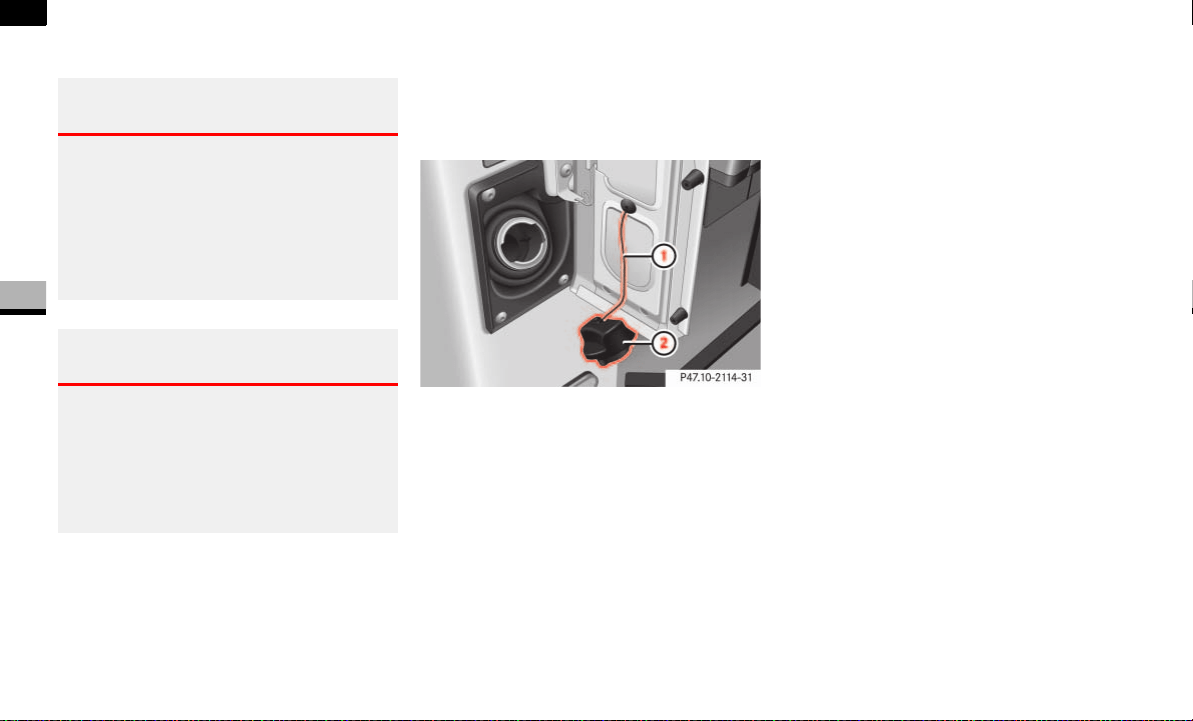
184
Operation
Refueling
4
Refueling
The fuel filler flap is next to the driver’s
door. You can only open the fuel filler flap
when the driver’s door is open.
1 Retaining strap
2 Fuel filler cap
Remove the key from the ignition lock.
Switch off the auxiliary heating.
Open the driver’s door.
Open the fuel filler flap.
Close all the vehicle’s doors, so that no
fuel vapors can enter the vehicle.
Turn fuel filler cap 2 counterclock-
wise and let it hang by retaining
strap 1.
Only fill the tank until the pump nozzle
switches off.
Replace fuel filler cap 2 and turn it
clockwise.
A clicking sound indicates that the fuel
filler cap is fully closed.
Open the driver’s door and close the
fuel filler flap.
You will find information about fuel in the
“Technical data” section ( page 358).
Warning G
Fuel is highly flammable. Fire, naked flames
and smoking as well as the use of auxiliary
heaters (sparks) are therefore prohibited
when handling fuel.
For this reason, switch off the auxiliary heat-
ing when refueling.
Warning G
Do not allow fuel to come into contact with
your skin or clothing. Your health may be
damaged if:
you spill fuel onto your bare skin
you inhale fuel vapors
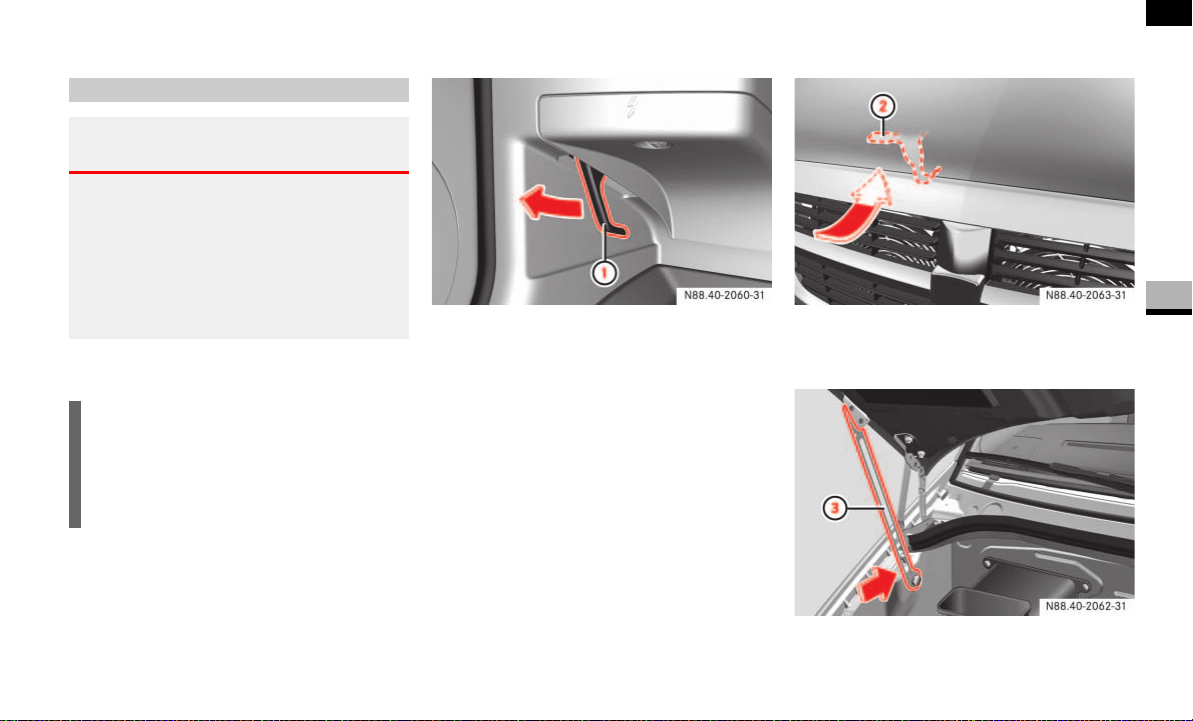
185
Operation
Engine
4
Engine
Opening
1 Release lever
Pull release lever 1 under the instru-
ment panel on the left-hand side in the
driver’s footwell.
The hood is released.
2 Securing hook
Push up securing hook lever 2.
3 Support strut
Hood
Warning G
Do not pull the release lever while the vehi-
cle is in motion. The hood could otherwise
open, thereby impairing visibility and leading
to loss of control of the vehicle.
For this reason, only open the hood when
the vehicle is parked.
!CAUTION
Make sure that the windshield wipers
are not folded away from the wind-
shield. The windshield wipers or the
hood may otherwise be damaged.
N88.40-2060-31 N88.40-2063-31
N88.40-2062-31

186
Operation
Engine
4
Swing the hood upward until support
strut 3 engages and the hood is sup-
ported.
Closing
Lift the hood gently.
Push back support strut 3
( page 185).
Let the hood drop from a height of ap-
proximately 05. ft (30 cm).
The hood engages audibly.
Check to make sure the hood is fully
closed.
Warning G
If the hood support strut is not engaged, the
hood can fall shut. You could be injured.
After opening the hood, you should there-
fore check whether the support strut is en-
gaged.
Warning G
Engine parts may be hot and can rotate.
There is a risk of injury if the hood is open
and the engine is running.
Only open the hood when the engine has
stopped and cooled down.
Warning G
The engine has an electronic ignition system
which carries a high voltage. For this reason,
you must never touch the ignition system
components (ignition coil, test socket)
while:
the engine is running
the engine is being started
the key is in position 2 in the ignition
lock and the engine is being cranked by
hand
Warning G
Make sure that nobody can become trapped
as you close the hood.
Warning G
Make sure that the hood is securely en-
gaged before driving off. Do no continue
driving if the hood can no longer engage af-
ter an accident, for example.
The hood could otherwise come loose while
the vehicle is in motion and endanger you
and/or others.
!CAUTION
When you press the support strut back,
make sure that you do not press it
against the detent position and cause it
to bend.

187
Operation
Engine
4
If the hood can be raised slightly, it
is not properly engaged.
Open it again and allow it to drop from
a slightly greater height.
Mechanical elements and the lubricants
used for them must be carefully matched.
For this reason, only brands tested and ap-
proved by the manufacturer should be
used. Please contact your Sprinter Dealer
to obtain the necessary information. No lu-
bricant additives should be used.
The use of such additives could affect your
warranty rights. Information is available
from any authorized Sprinter Dealer.
For specifications of engine oils, coolant
and brake fluid, see "Service products and
capacities" ( page 355) and contact your
authorized Sprinter Dealer.
The vehicle consumes a maximum of
1 US qt (1.0 l) oil per 620 miles (1000 km),
depending on your driving style.
Engine oil consumption may even be high-
er if:
the vehicle is new
you mainly operate the vehicle under
arduous operating conditions
you often drive at high engine speeds
The engine oil consumption can only be
judged after a lengthy distance has been
covered.
Check the engine oil level on a regular ba-
sis, for example weekly or each time you
refuel.
!CAUTION
Do not use your hands to push the
hood down. Doing so could damage it.
Service products
Warning G
If handled incorrectly, service products can
constitute a health risk for people and an en-
vironmental hazard.
Always observe relevant guidelines for han-
dling, storing and disposing of service prod-
ucts.
Engine oil
i
If the oil level exceeds the maximum
level several times during operation,
have the malfunction rectified immedi-
ately at an authorized Sprinter Dealer.

188
Operation
Engine
4
Checking the engine oil level in the dis-
play
In vehicles with diesel engines, you can
view the engine oil level in the display.
When the oil is being checked, the vehicle
must
be standing level
be at normal operating temperature
have been standing with the engine
switched off for at least five minutes
Switch on the ignition ( page 67).
The display is activated.
Vehicles without steering wheel buttons
Press the menu button on the in-
strument cluster repeatedly until you
see the P symbol in the display.
The
--:--
display flashes during the
measurement process.
The following messages may be displayed:
Check the engine oil level again after a
few minutes.
Vehicles with steering wheel buttons*
Press the button on the instrument
cluster ( page 84).
i
If no oil level reading is shown again,
check the engine oil level with the dip-
stick.
Have the engine oil level display
checked at an authorized Sprinter
Dealer.
!CAUTION
Have any excess oil drained or si-
phoned off at an authorized Sprinter
Dealer. Otherwise, the engine or cata-
lytic converter could be damaged.
i
If at extremely low temperatures no en-
gine oil level is displayed after 5 min-
utes, wait a further 5 minutes before
repeating the engine oil level check.
P
OK
Do not add oil.
-1.0 qt
Add the amount of oil
shown ( page 190).
-1.5 qts
-2.0 qts
HI
The engine oil level is
too high. Have the oil
siphoned off.
i
Engine oil level display:
qt
in USA only
l
in Canada only
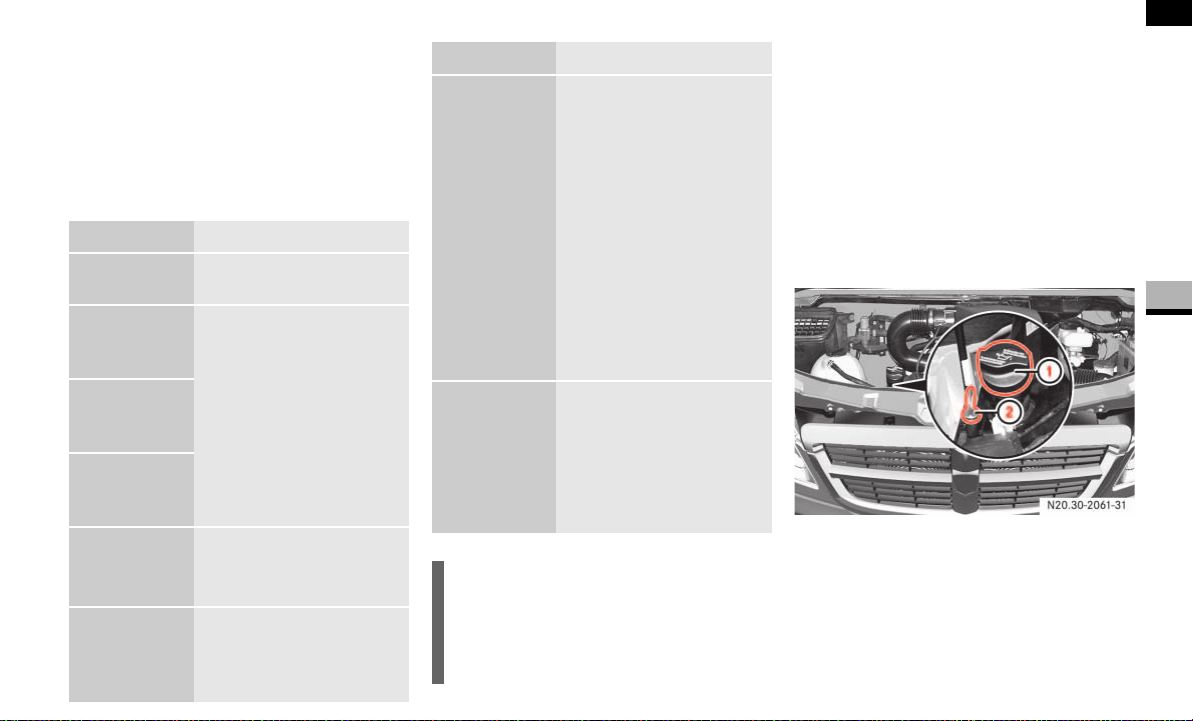
189
Operation
Engine
4
The following message is displayed for
the duration of the measurement pro-
cess:
N
Engine oil level Measuring in
progress
The following messages may be displayed:
Checking the engine oil level with the
dipstick
When the oil is being checked, the vehicle
must
be at normal operating temperature
be standing level
have been standing with the engine
switched off for at least five minutes
Diesel engine
1 Engine oil filler neck
2 Engine oil dipstick
N
Engine oil
level OK
Do not add oil.
Engine oil
Add
1.0 quart
Add the amount of oil
shown ( page 190).
Check the engine oil
level again after a few
minutes.
Engine oil
Add
1.5 quarts
Engine oil
Add
2.0 quarts
Engine oil
level Reduce
oil level
The engine oil level is
too high. Have the oil
siphoned off.
Eng. oil
lev. Turn
ignition on
for level
Switch on the ignition
( page 67).
Observe
wait. period
Carry out another
measurement after
approximately 5 min-
utes when the engine
is at normal operat-
ing temperature.
Carry out another
measurement after
approximately
30 minutes when the
engine has cooled
down.
Engine oil
level Not
when eng.
running
Switch off the engine
and wait for approxi-
mately 5 minutes if
the engine is at nor-
mal operating tem-
perature.
i
Engine oil level display:
quart(s)
in USA only
liter(s)
in Canada only
N
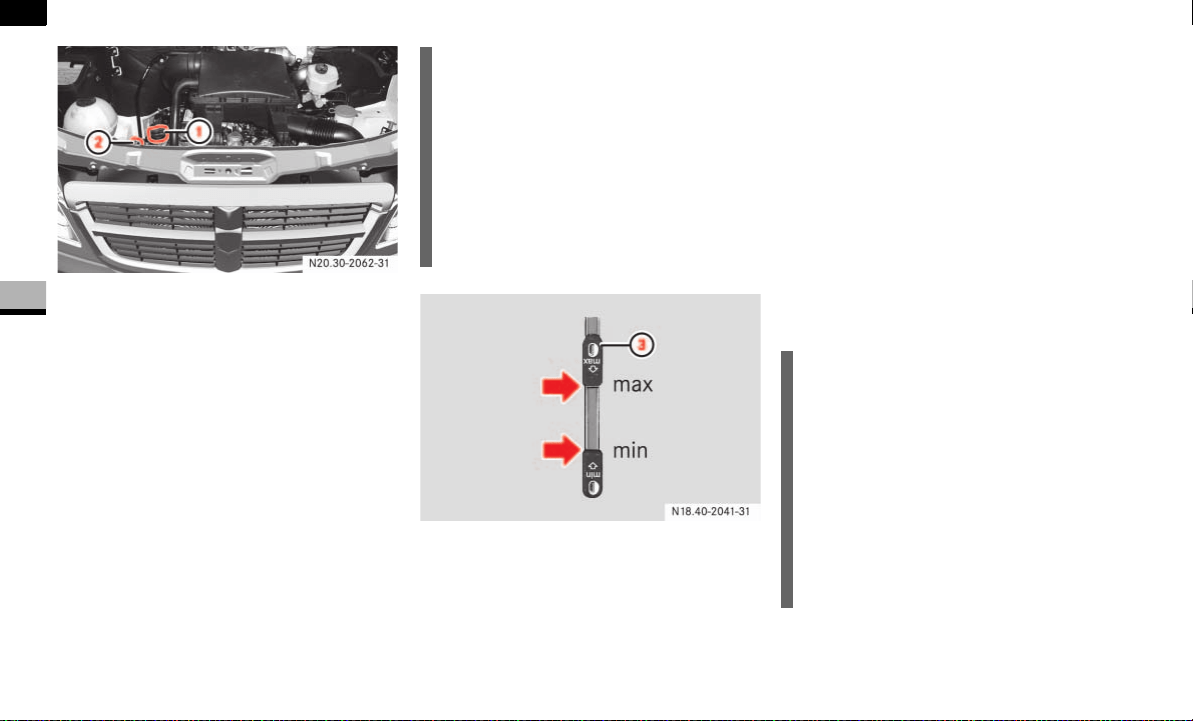
190
Operation
Engine
4
Gasoline engine
1 Engine oil filler neck
2 Engine oil dipstick
Pull out dipstick 2.
Wipe it clean with a lint-free cloth.
Insert it into the dipstick tube as far as
the stop and pull it back out.
3 Engine oil dipstick
Check the engine oil level.
The oil level is correct if the oil is be-
tween the lower min and upper max
marks on the dipstick.
Add engine oil if necessary
( page 190).
Adding engine oil
For specifications of engine oils see "Ser-
vice products and capacities"
( page 355).
Unscrew the cap on engine oil filler
neck 1.
Make sure that you only fill the engine
oil as far as the upper max mark.
Unscrew the cap on filler neck 1.
i
The difference in the quantity of oil be-
tween the upper and lower marks on
the dipstick is approx.
2 US qts (2 l) in vehicles with diesel
engines
3 US qts (3 l) in vehicles with gaso-
line engines
N18.00-2041-31
!CAUTION
Have any excess engine oil drained or
siphoned off at an authorized Sprinter
Dealer. Otherwise, the engine or cata-
lytic converter could be damaged.
The alternator is underneath the en-
gine oil filler neck. For this reason, add
the engine oil carefully. There is a risk
of damage to the alternator from en-
gine oil dripping down.
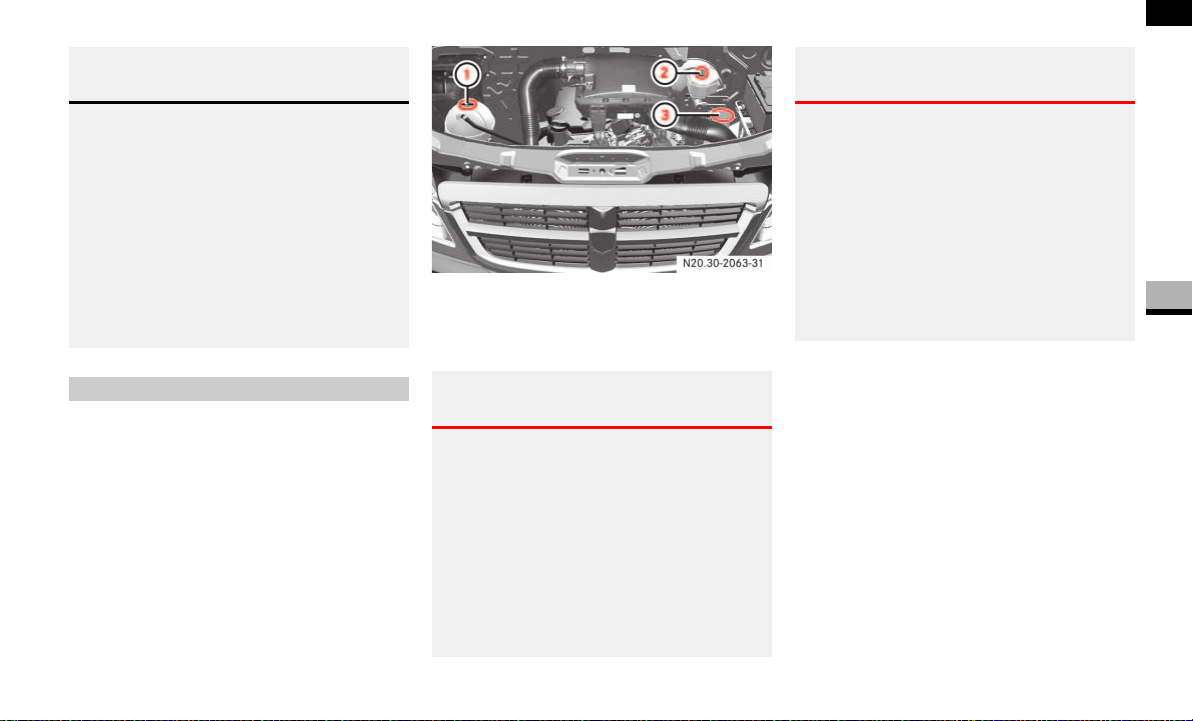
191
Operation
Engine
4
The expansion tank is in the engine com-
partment. Only add coolant with the vehi-
cle standing on a level surface and with the
engine switched off. The coolant tempera-
ture must have dropped below 122 °F
(50 °C).
1 Coolant tank cap
2 Brake fluid reservoir cap
3 Windshield washer reservoir cap
Slowly unscrew cap 1 counterclock-
wise to reduce excess pressure.
Continue turning the cap and remove
it.
Add coolant as far as the MAX mark.
Twist cap 1 back on.
For coolant specifications, see "Service
products and capacities" ( page 355).
Environmental note H
When adding oil, take care not to spill any.
No engine oil must be allowed to enter sew-
age systems, surface water, ground water or
soil.
You would otherwise be damaging the envi-
ronment.
Dispose of engine oil in an environmentally
responsible manner. Comply with the manu-
facturer’s instructions.
Coolant
Warning G
When opening the coolant expansion tank
there is a risk of scalding from hot coolant
spraying out. The cooling system and the
coolant expansion tank are pressurized
when the engine is at normal operating tem-
perature.
Wear gloves and eye protection. Only open
the coolant expansion tank when the cool-
ant temperature is less than 122 °F (50 °C).
N20.30-2063-31
Warning G
Coolant contains glycol and is therefore tox-
ic. Do not swallow coolant. Consult a doctor
immediately if any coolant is swallowed.
Do not allow coolant to come into contact
with your skin, eyes or clothing. In the event
of contact with the eyes, rinse them thor-
oughly with clean water. Clean skin and
clothes immediately with soap and water.
Change out of soiled clothing without delay.
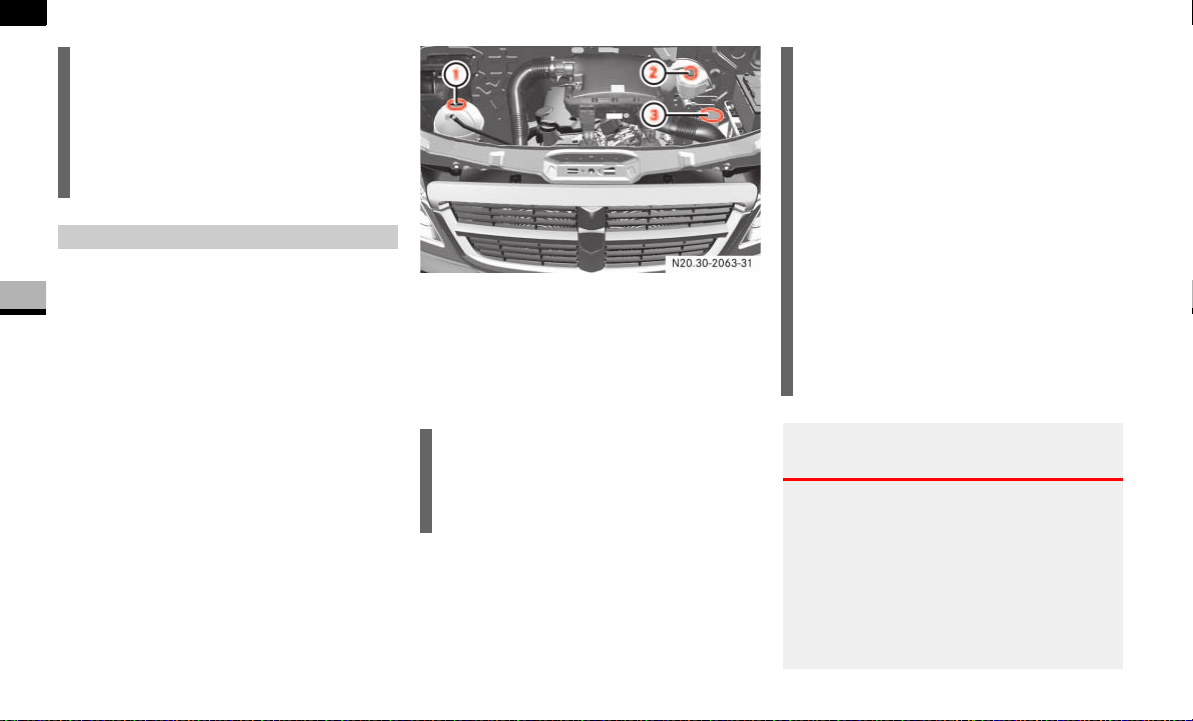
192
Operation
Engine
4
The reservoir is in the engine compart-
ment. Check the brake fluid level:
regularly, e.g. weekly or when refueling
only with the vehicle standing on a level
surface and with the engine switched
off
1 Coolant tank cap
2 Brake fluid reservoir cap
3 Windshield washer reservoir cap
The brake fluid level must be between the
MIN and MAX marks.
!CAUTION
Check the cooling and heating systems
regularly for leaks. If a large quantity of
coolant is lost, have the cause traced
and rectified at an authorized Sprinter
Dealer.
Brake fluid
i
There is usually a notice in the engine
compartment to remind you when the
next brake fluid change is due.
N20.30-2063-31
!CAUTION
Brake fluid corrodes paintwork. If
brake fluid comes into contact with the
paintwork, immediately rinse with wa-
ter.
If the brake fluid does not reach the
MIN mark, the vehicle’s hydraulic sys-
tem could be malfunctioning. Do not
add brake fluid under any circumstanc-
es. This will not solve the problem.
Do not drive any further.
Have the system checked immediately
at an authorized Sprinter Dealer.
Warning G
Brake fluid is hazardous to health. Do not
swallow brake fluid. Consult a doctor imme-
diately if any brake fluid is swallowed.
Brake fluid must not come into contact with
the skin, eyes or clothing. Wash affected ar-
eas with plenty of clean water and consult a
doctor immediately if necessary.
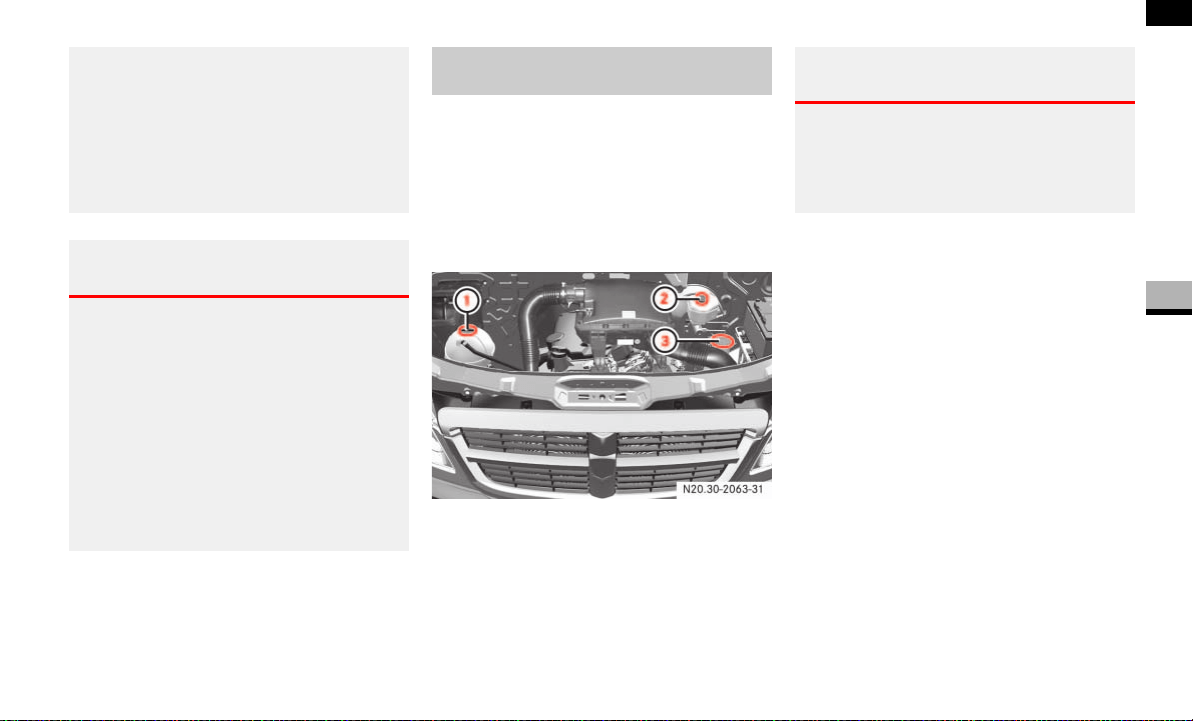
193
Operation
Engine
4
For specifications of brake fluid, see
"Service products and capacities"
( page 362).
The windshield washer reservoir is in the
engine compartment. It holds approx.
7.4 US qt (7.0 l).
On vehicles with a headlamp cleaning sys-
tem, this is also supplied from the wind-
shield washer reservoir.
1 Coolant tank cap
2 Brake fluid reservoir cap
3 Windshield washer reservoir cap
Add windshield washer fluid concentrate
to the water all year round.
Adapt the mixing ratio to the outside tem-
perature. Use:
Summerwash to protect against
smearing at temperatures above freez-
ing.
Winterwash when there is a risk of frost
so that the water does not freeze onto
the windshield.
Mix the windshield washer fluid in a
container and in the specified propor-
tions.
Remove cap 3.
Fill up the windshield washer fluid.
Press cap 3 back on.
You should always wear eye protection and
gloves when you are adding brake fluid.
Only store brake fluid in its closed original
container and keep out of the reach of chil-
dren. Comply with safety regulations when
handling brake fluid.
Warning G
If the boiling point of the brake fluid is too
low, vapor pockets may form in the brake
system when the brakes are applied hard
(e.g. when driving on long downhill stretch-
es). This has a detrimental effect on braking
efficiency, which could increase the stop-
ping distance. This increases the risk of an
accident.
Have the brake fluid replaced every
two years.
Windshield washer system/head-
lamp cleaning system*
N20.30-2063-31
Warning G
Windshield washer concentrate is highly
flammable. Fire, open flames and smoking
are prohibited when you are handling wind-
shield washer concentrate.

194
Operation
Engine
4
Check assemblies regularly for leaks. In
the event of fluid loss (e.g. spots of oil un-
der the vehicle when it has been parked),
have the cause traced and rectified imme-
diately at an authorized Sprinter Dealer
which has the necessary specialist knowl-
edge and tools to carry out the work re-
quired.
The manufacturer recommends that you
use an authorized Sprinter Dealer for this
purpose. All work relevant to safety or on
safety-related systems must be carried out
at an authorized Sprinter Dealer.
Vehicle assemblies

195
Operation
Battery
4
Battery
Your vehicle may be equipped with two
batteries, depending on the equipment
version:
Starter battery in the battery recess in
the driver’s footwell
Auxiliary battery in the engine compart-
ment*
Warning G
A
Risk of explosion
When batteries are being charged,
explosive detonating gas is emit-
ted. Only charge batteries in well-
ventilated areas.
D
Risk of explosion
Because of the risk of explosion,
avoid creating sparks from fire,
open flames and smoking.
B
Battery acid is caustic.
Wear acid-proof protective gloves.
Neutralize splashes of acid on skin
or clothing immediately with soapy
water or acid neutralizer and clean
with water.
C
Keep out of the reach of children.
Children cannot appreciate the
dangers involved in handling bat-
teries and acid.
E
Wear eye protection.
When mixing water and acid, the
liquid can splash in your eyes.
Rinse out your eyes immediately
after acid splashes with clean wa-
ter, and consult a doctor immedi-
ately.
F
When handling batteries, observe
the safety precautions and special
protective measures contained in
these operating instructions.
Environmental note H
Á
Batteries contain pollutants. Do
not dispose of old batteries with
the household garbage.
À
Dispose of batteries in an environ-
mentally responsible manner.
Take batteries to an authorized
Sprinter Dealer or a special collec-
tion point for old batteries.
Transport and store full batteries
in an upright position. When trans-
porting batteries, secure them so
that they do not tip over. Battery
acid can spill from the cell cap
vents and cause damage to the en-
vironment.

196
Operation
Battery
4
The batteries must always be sufficiently
charged so that they achieve their intend-
ed service life.
Have the battery charge status checked
more frequently if you use the vehicle
mainly for short trips or if you leave it
parked up for a long period.
If you intend to leave your vehicle parked
up for a long period, seek advice from an
authorized Sprinter Dealer and switch off
the electrical system at the battery isolat-
ing switch ( page 197).
You will find further information in the
“Practical hints” section ( page 335).
!CAUTION
Switch off the engine and wait for
approximately 20 seconds before you
loosen or disconnect the terminal
clamps. You could otherwise damage
electrical system components.
Care of batteries
!CAUTION
Dirty terminal clamps and battery sur-
faces cause leakage current, leading to
battery discharge. Always keep the ter-
minal clamps and battery surfaces
clean and dry. Lightly grease the termi-
nal clamps, particularly the undersides,
with acid-proof grease.
Cleaning agents containing fuel can
corrode the battery casing. Only clean
with commercially available cleaning
agents and clean the battery casing
with the cell caps screwed in.
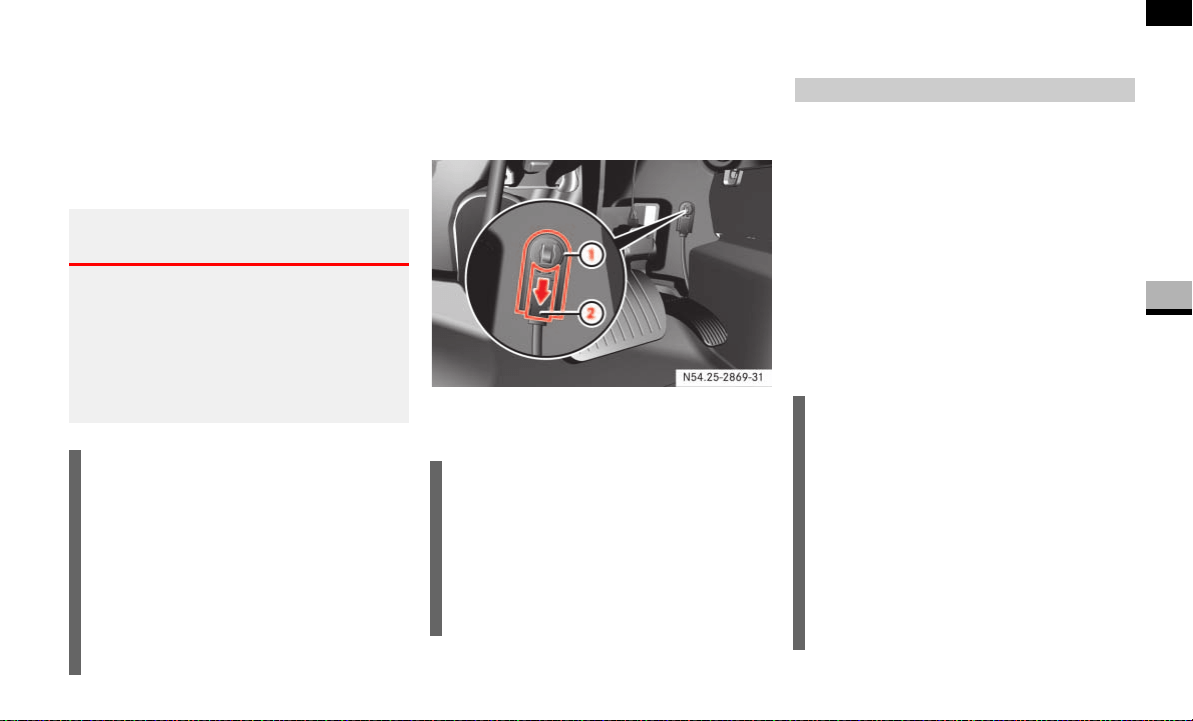
197
Operation
Battery isolating switch*
4
You can disconnect the current to all your
vehicle’s consumers using the battery
isolating switch. This will prevent uncon-
trolled battery discharge caused by quies-
cent current consumption.
The battery isolating switch is to the right
of the accelerator pedal in the driver’s foot-
well.
1 Connector
2 Slide
Take the key out of the ignition lock
and wait for approx. 20 seconds.
Move red slide 2 down in the direc-
tion of the arrow and disconnect
connector 1 from the ground pin.
Clamp connector 1 under the acceler-
ator pedal so that it cannot make con-
tact with the ground pin.
The consumers of the vehicle battery
are cut off from the electrical circuit.
Warning G
If the vehicle is equipped with an auxiliary
battery in the engine compartment, it is nec-
essary to disconnect both batteries when
working on the vehicle electrical system.
Only then is the electrical system fully dis-
connected from the power supply.
i
Only disconnect the vehicle electrical
system from the power supply using
the battery isolating switch if the vehi-
cle is to be parked up for a long period
or when this is absolutely necessary.
After the power supply is switched on,
you must reset the electric sliding door
( page 57).
!CAUTION
Make sure that the key is in position 0
in the ignition lock and wait at least
20 seconds before disconnecting or
connecting the battery isolating
switch. You could otherwise damage
electrical system components.
Switching off the electrical system
!CAUTION
When you clamp the connector under
the accelerator pedal, make sure that
the connector does not become:
dirty
damaged
It may otherwise not be possible to re-
store the electrical connection when
the parts are reassembled.
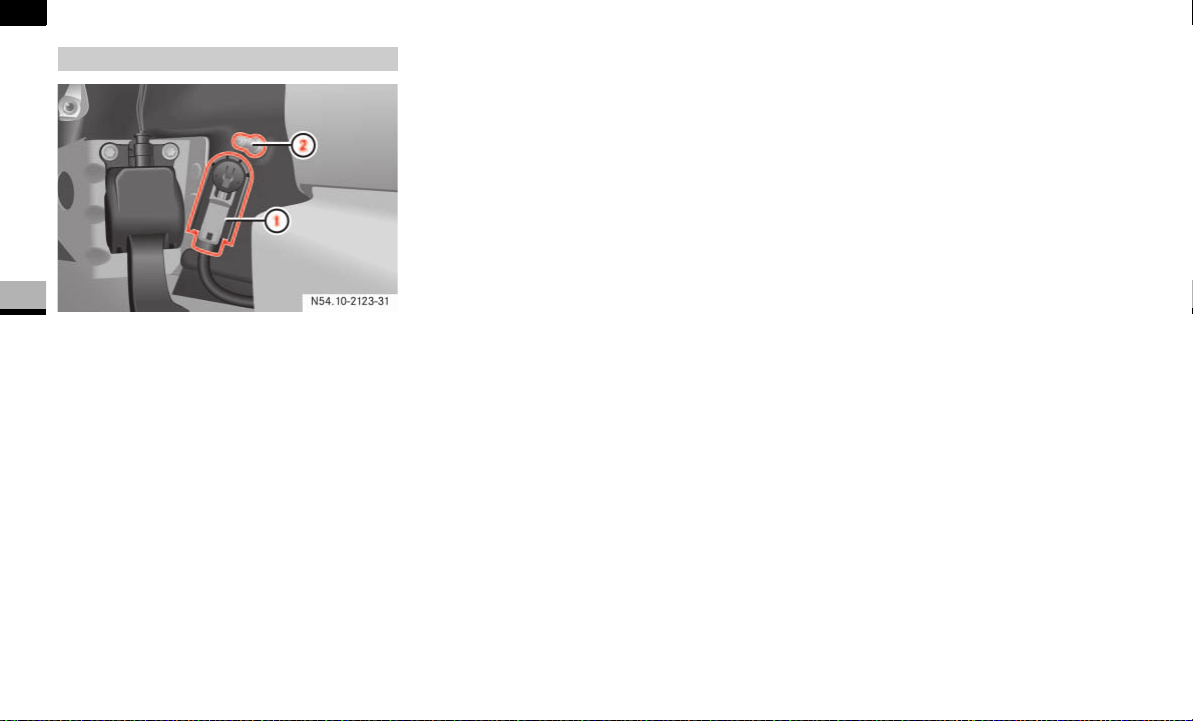
198
Operation
Battery isolating switch*
4
1 Connector
2 Ground pin
Insert the key into the ignition lock.
Press connector 1 onto ground
pin 2 until you feel it engage and the
lock inhibitor is released.
The connector must be in full contact
with ground pin 2.
Move the red slide up until it engages.
All consumers are reconnected to the
power supply circuit.
Switching on the electrical system

199
Operation
Tires and wheels
4
Tires and wheels
The tires on a new vehicle provide a bal-
ance of many characteristics. They should
be inspected regularly for wear and correct
cold tire inflation pressure. The vehicle
manufacturer strongly recommends using
tires equivalent to the originals in size,
quality and performance when a replace-
ment becomes necessary.
Refer to the tire and loading information
placard on the driver’s door B-pillar
( page 373) for the size designation of
your tire.
The service description and load identifica-
tion will be found on the original equip-
ment tire. Failure to use equivalent
replacement tires may adversely affect the
safety, handling, and ride of your Sprinter
vehicle.
Contact an authorized Sprinter Dealer or
an authorized tire dealer with any ques-
tions you may have on tire specifications
or capability.
For more information on tire size designa-
tion, load and speed rating, see "Tire label-
ing" ( page 222).
See an authorized Sprinter Dealer for infor-
mation on tested and recommended rims
and tires for summer and winter operation.
They can also offer advice concerning tire
service and purchase.
!CAUTION
Only use tires which have been tested
and approved for your Sprinter vehicle
by the vehicle manufacturer. Tires ap-
proved by the vehicle manufacturer are
developed to provide the best possible
performance in conjunction with the
driving safety systems on your Sprinter
vehicle such as ABS, BAS, ASR or
ESP
®
.
Using tires other than those approved
by the vehicle manufacturer may result
in damage that is not covered by the
Sprinter warranty.
!CAUTION
Using tires other than those approved
by the vehicle manufacturer can have
detrimental effects, such as
poor handling characteristics
increased noise
increased fuel consumption
Tires and rims not approved by the ve-
hicle manufacturer may, under load,
exhibit dimensional variations and dif-
ferent tire deformation characteristics
that could cause them to come into
contact with the vehicle body or axle
parts. Damage to the tires or the vehi-
cle may be the result.

200
Operation
Tires and wheels
4
Only use wheels and tires which have been
tested and approved by the vehicle manu-
facturer.
Warning G
Do not use a tire, wheel size or rating other
than that specified for your Sprinter vehicle.
Some combinations of unapproved tires and
wheels may change suspension dimensions
and performance characteristics, resulting
in changes to steering, handling, and brak-
ing of your Sprinter vehicle. This can cause
unpredictable handling and stress to steer-
ing and suspension components. You could
lose control and have an accident resulting
in serious injury or death. Only use the tire
and wheel sizes with load ratings approved
for your Sprinter vehicle, refer to "Tire and
loading information".
Never use a tire with a smaller load index or
speed index or capacity other than what was
originally equipped on your Sprinter vehicle.
Using a tire with a smaller load index could
result in tire overloading and failure. You
could lose control and have an accident.
Failure to equip the vehicle with tires having
adequate speed capability can result in sud-
den tire failure and loss of vehicle control.
!CAUTION
Replacing original tires with tires of a
different size may result in false speed-
ometer and odometer readings.
Warning G
Worn, old tires can cause accidents. If the
tire tread is badly worn, or if the tires have
sustained damage, replace them.
When replacing rims, only use genuine
wheel bolts approved by the vehicle manu-
facturer and specified for the particular rim
type. Failure to do so can result in the bolts
loosening and possibly an accident.
Do not use retreaded/remolded tires. This
process does not always permit previous
damage to be detected. Therefore vehicle
safety cannot be guaranteed if retreaded/
remolded tires are fitted.
Warning G
Fitting other wheel sizes to the vehicle will
change the vehicle’s handling characteris-
tics and may lead to an accident resulting in
death, severe personal injuries and property
damage.
Only certain tires meeting the tire size/
load/speed rating specifications are certi-
fied to conform to FMVSS 110 for the
Sprinter vehicle at this time. Please check
your side walls of your originally equipped
tires for specific makes/sizes, and speed
load ratings when you need to replace your
tires.
To prevent accidents resulting in possible
death, severe injury or property damage,
use only the tire and wheel sizes with load
ratings approved for your Sprinter vehicle
for your tire replacement.
Refer to "Tire and loading information"
( page 205).

201
Operation
Tires and wheels
4
Cuts and punctures in radial tires are re-
pairable only in the tread area because of
side wall flexing. Consult an authorized tire
dealer for radial tire repairs.
Only use sets of tires and rims of the
same type and make.
Tires must be of the correct size for the
rim.
Break in new tires for approximately
65 miles (100 km) at moderate
speeds.
Regularly check the tires and rims for
damage. Dented or bent rims can
cause tire inflation pressure loss or
damage to the tire beads.
If the vehicle is heavily loaded, check
tire inflation pressure and correct as
required.
Do not allow your tires to wear down
too far. Adhesion properties on wet
roads are sharply reduced at tread
depths under
1
/
8
in (3 mm) for sum-
mer tires and
1
/
6
in (4 mm) for winter
tires.
Radial-ply tires
Warning G
Combining radial ply tires with other types
of tires on your Sprinter vehicle will change
the vehicle’s handling characteristics and
may lead to an accident resulting in death,
severe personal injuries and property dam-
age. Always use radial ply tires in sets of 4
(or 6, in case of vehicles with dual rear
wheels).
Never combine them with other types of
tires.
Tire valves (snap-in valves)
Warning G
Sprinter tire valves are tested and approved
under rough operating conditions.
The installation of additional hub caps or
other wheel simulators could cause damage
to the tire valve and lead to a loss of tire
pressure at the valve stem.
Do not install any of these parts on your
Sprinter vehicle. To help ensure safe and re-
liable operation of your Sprinter vehicle,
only use parts and accessories tested and
approved by the vehicle manufacturer for
your Sprinter vehicle.
!CAUTION
For safety reasons, the following tire
valves from the Schrader company
must be used on the vehicles:
TR 600 for vehicle model type 2500
TR 418 for vehicle model type 3500
Other tire valves could be damaged by
the specified tire pressures.
Important guidelines

202
Operation
Tires and wheels
4
When replacing individual tires, you
should mount new tires on the front
wheels first.
The tire inflation pressure should be
checked regularly, i.e. at least each time
you refuel the vehicle. The preferred inter-
val for checking the tire inflation pressure,
however, is before each trip.
For more information on checking tire in-
flation pressure, refer to "Recommended
tire inflation pressure" ( page 210).
Tire inspection
Every time when checking the tire inflation
pressure, the tires should also be inspect-
ed for the following:
excessive treadwear, refer to "Tread
depth". the condition of the tread
depths, i.e. uneven tread wear or ex-
cessive treadwear on one side. Turn
the front wheels to full lock if neces-
sary to enable you to check the inner
edge of the front tires more easily. You
must also always check the inside of
the tire tread on the rear wheels.
cord or fabric showing through the
tire’s rubber
bumps, bulges, cuts, cracks or splits in
the tread or side of the tire
foreign objects between the tires
(on vehicles with twin tires)
Replace the tire if any of the above condi-
tions is found.
Also inspect the spare tire periodically for
condition and inflation. Spare tires will age
and become worn over time even if never
used, and thus should be inspected and re-
placed when necessary.
Tire damage
Tire damage can be caused
by:
the vehicle’s operating conditions
tire aging
curbs
foreign objects
insufficient or excessive tire pressures
weather and environmental influences
contact with oil, grease, fuel, etc.
Tire care and maintenance
Warning G
Regularly check the tires for damage. Dam-
aged tires can cause tire inflation pressure
loss. As a result, you could lose control of
your vehicle.
Worn, old tires can cause accidents. If the
tire tread is badly worn, or if the tires have
sustained damage, replace them.
Warning G
Driving over curbs or sharp-edged objects
can cause damage to the tire substructure
which is not visible from the outside.
Damage to the tire substructure cannot be
detected until later and can cause the tire to
burst.

203
Operation
Tires and wheels
4
Life of tire
The service life of a tire depends on varying
factors including but not limited to:
Driving style
Tire inflation pressure
Distance driven
Tread depth
Do not allow your tires to wear down too
far. Adhesion properties on wet roads are
sharply reduced at tread depths under
1
/
8
in (3 mm) for summer tires and
1
/
6
in
(4 mm) for winter tires.
Treadwear indicators (TWI) are required by
law. These indicators are located in six
places on the tread circumference and be-
come visible at a tread depth of approxi-
mately
1
/
16
in (1.6 mm), at which point
the tire is considered worn and should be
replaced.
Recommended minimum tire tread depth:
Summer tires
1
/
8
in (3 mm)
Winter tires
1
/
6
in (4 mm)
You could lose control of the vehicle as a re-
sult, cause an accident and injure yourself
or others.
Avoid driving up against curbs or parking the
vehicle with part of the tire tread surface on
the curb.
Warning G
Tires and spare tire should be replaced after
6 years, regardless of the remaining tread.
Warning G
Although the applicable federal motor safety
laws consider a tire to be worn when the
Treadwear Indicators (TWI) become visible
at approximately
1
/
16
in (1.6 mm), we rec-
ommend that you do not allow your tires to
wear down to that level. As tread depth ap-
proaches
1
/
8
in (3 mm) for summer tires or
1
/
6
in (4 mm) for winter tires, the adhesion
properties on a wet road are sharply re-
duced.
Depending upon the weather and/or road
surface (conditions), the tire traction varies
widely.
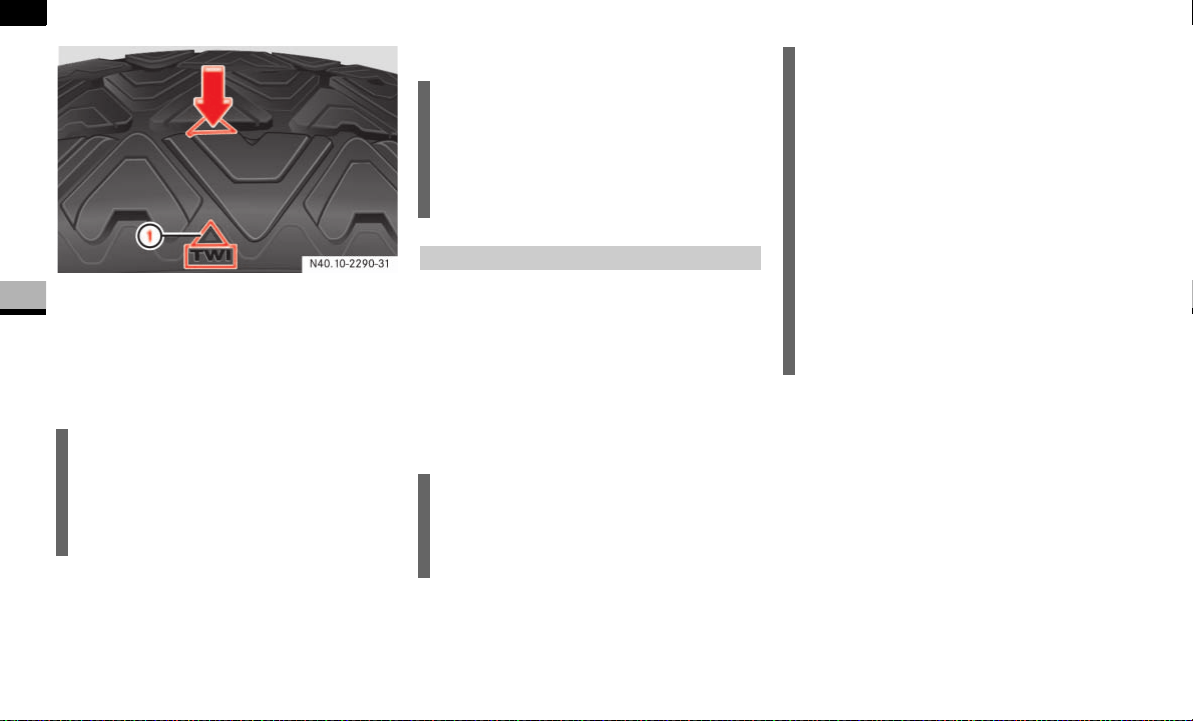
204
Operation
Tires and wheels
4
1 Treadwear Indicator (TWI)
The Treadwear Indicator appears as a solid
band across the tread.
Storing tires
Cleaning tires
An arrow on the side wall indicates the in-
tended direction of rotation (spinning) of
the tire which means the wheel must be
mounted in the direction of rotation.
If a tire does not have an arrow on the side
wall indicating the direction of rotation, the
wheel can be mounted either way.
!CAUTION
Keep unmounted tires in a cool, dry
place with as little exposure to light as
possible. Protect tires from contact
with oil, grease and gasoline/diesel.
!CAUTION
Never use a round nozzle to power
wash tires. The intense jet of water can
result in damage to the tire.
Always replace a damaged tire.
Direction of rotation
i
The Tire Identification Number (TIN)
must always be visible on the outboard
side of the tire.
!CAUTION
Spare wheels may be mounted against
the direction of rotation (spinning) even
with a unidirectional tire for temporary
use only until the regular drive wheel
has been repaired or replaced. Always
observe and follow applicable tempo-
rary use restrictions and speed limita-
tions indicated on the spare wheel.
Have a spare wheel that was mounted
against the direction of rotation re-
placed with a regular road wheel as
soon as possible.
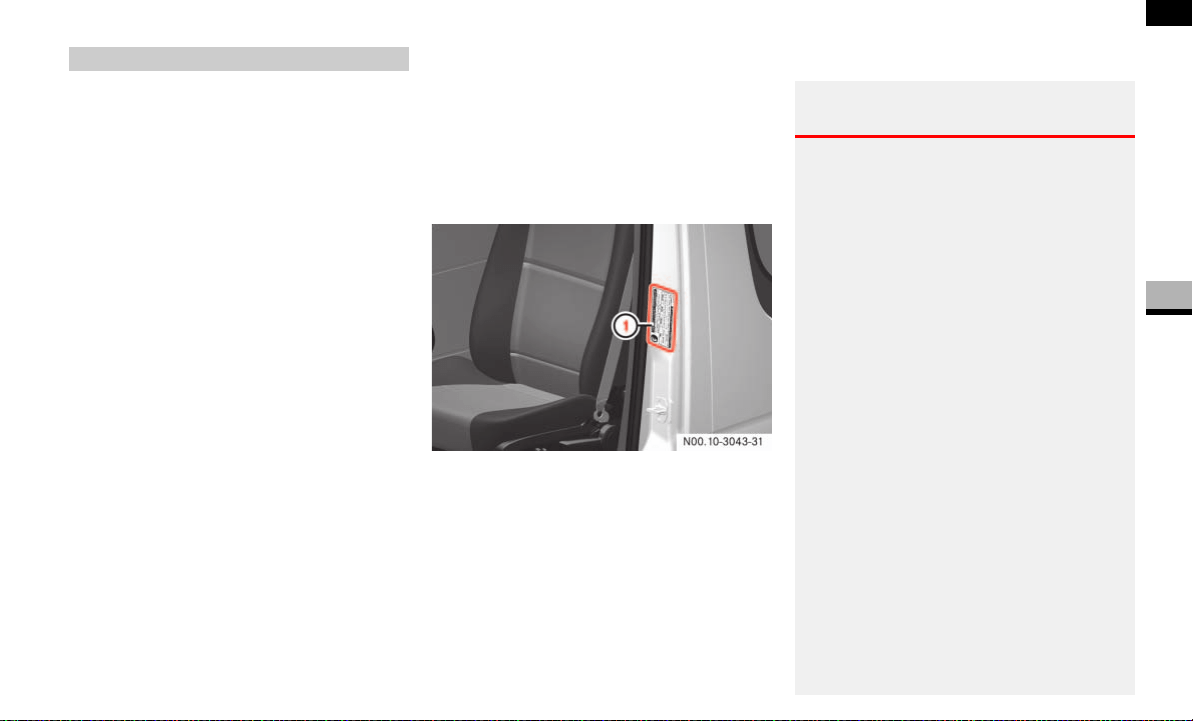
205
Operation
Tires and wheels
4
The following labels on the vehicle show
how much weight it may properly carry.
Only vehicles with a gross weight ca-
pacity less than 10,000 lbs (4500 kg)
The tire and loading information plac-
ard can be found on the driver’s door B-
pillar. This placard tells you important
information about the number of peo-
ple that can be in the vehicle and the
total weight that can be carried in the
vehicle.
It also contains information on the
proper size and recommended tire in-
flation pressures for the original equip-
ment tires on your vehicle.
The certification label can be found be-
low the driver’s seat on an outward fac-
ing position of the mounting pillar
( page 373). This label tells you about
the gross weight capacity of your vehi-
cle, called the Gross Vehicle Weight
Rating (GVWR). The GVWR includes the
weight of the vehicle, all occupants,
fuel and cargo. The certification label
also tells you about the front and rear
axle weight capacity, called the Gross
Axle Weight Rating (GAWR). The GAWR
is the total allowable weight that can be
carried by a single axle (front or rear).
Never exceed the GVWR or GAWR for
either the front axle or rear axle.
1 Tire and loading information placard on
driver’s door B-pillar
The information below explains how to
work with the information contained on the
placard with regards to loading your vehi-
cle.
Tire and loading information
Loading the vehicle
Warning G
Do not overload the tires by exceeding the
specified load limit as indicated on the tire
and loading information placard on the driv-
er’s door B-pillar or on the certification label
below the driver’s seat on the mounting pil-
lar. Overloading the tires can overheat them,
possibly causing a blowout. Overloading the
tires can also result in handling or steering
problems, or brake failure.
Overloading of tires is dangerous. Overload-
ing can cause tire failure, affect vehicle han-
dling, and increase the stopping distance.
Use tires of the recommended load capacity
for the vehicle. Never overload them.
The vehicle maximum load on the tire must
not exceed the load carrying capacity of the
tire on your vehicle. You will not exceed the
tire’s load carrying capacity if you adhere to
the loading conditions, tire size and cold tire
inflation pressures specified on the tire and
loading information placard, tire pressure la-
bel and this section.
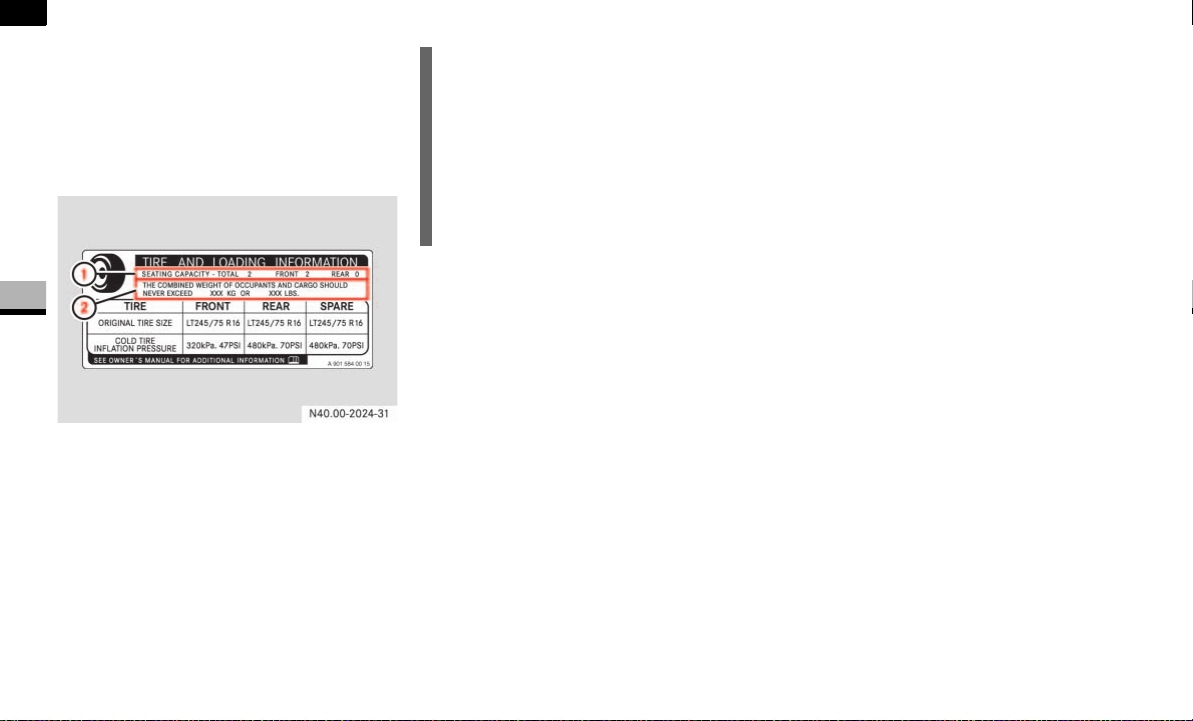
206
Operation
Tires and wheels
4
Placard
For vehicles with a gross weight capacity
less than 10,000 lbs (4500 kg) only.
The tire and loading information placard is
located on the driver’s door B-pillar.
Tire and loading information placard
1 Seating capacity
2 Load limit information
Seating capacity
The seating capacity 1 gives you impor-
tant information on the number of occu-
pants that can be in the vehicle. Observe
front and rear seating capacity.
Never let more people ride in the vehicle
than there are designated seating posi-
tions and seat belts available. Make sure
that everyone riding in the vehicle is cor-
rectly restrained with a separate seat belt.
Load limit information
Locate the statement “The combined
weight of occupants and cargo should nev-
er exceed XXX kilograms or XXX lbs.” 2
on the tire and loading information plac-
ard. The combined weight of all occupants,
cargo/luggage and trailer tongue load (if
applicable) should never exceed the
weight referenced in that statement.
Steps for determining correct load limit
For vehicles with a gross weight capacity
less than 10,000 lbs (4500 kg) only.
The following steps have been developed
as required of all manufacturers under Title
49, Code of U.S. Federal Regulations, Part
575 pursuant to the “National Traffic and
Motor Vehicle Safety Act of 1966”.
i
The data shown on this placard is for il-
lustrative purposes only. The load limit
data and seating data are specific to
each vehicle and may vary from the
data shown in the illustration below.
Refer to the placard on your vehicle for
actual data specific to your vehicle.

207
Operation
Tires and wheels
4
Step 1
Locate the statement “The combined
weight of occupants and cargo should
never exceed XXX kg or XXX lbs.” on
your vehicle’s placard.
Step 2
Determine the combined weight of the
driver and passengers that will be
riding in your vehicle.
Step 3
Subtract the combined weight of the
driver and passengers from
XXX kilograms or XXX lbs.
Step 4
The resulting figure equals the avail-
able amount of cargo and luggage load
capacity. For example, if the “XXX”
amount equals 1400 lbs and there will
be five 150 lbs passengers in your vehi-
cle, the amount of available cargo and
luggage load capacity is 650 lbs (1400-
750 (5 x150) = 650 lbs).
Step 5
Determine the combined weight of lug-
gage and cargo being loaded on the ve-
hicle. That weight may not safely
exceed the available cargo and luggage
load capacity calculated in step 4.
Step 6 (if applicable)
If your vehicle will be towing a trailer,
load from your trailer will be trans-
ferred to your vehicle. Consult this
manual to determine how this reduces
the available cargo and luggage load
capacity of your vehicle.
The following table shows examples on
how to calculate total load, cargo load and
towing capacities with varying seating con-
figurations and number and size of occu-
pants. The following examples use a load
limit of 1500 lbs. This is for illustrative
purposes only. Make sure you are using
the actual load limit for your vehicle stated
on the vehicle’s tire and loading informa-
tion placard ( page 206).
The higher the weight of all occupants, the
less cargo and luggage load capacity is
available.

208
Operation
Tires and wheels
4
Example Combined
weight limit
of occu-
pants and
cargo from
placard
Number of
occupants
(driver and
passengers)
Seating
configura-
tion
Occupants' weight Combined
weight of all
occupants
Available cargo/luggage and trailer
tongue weight (total load limit or
vehicle capacity weight from plac-
ard minus combined weight of all
occupants)
1 1500 lbs 5 Front: 2
Rear: 3
Occupant 1: 150 lbs
Occupant 2: 180 lbs
Occupant 3: 160 lbs
Occupant 4: 140 lbs
Occupant 5: 120 lbs
750 lbs 1500 lbs - 750 lbs = 750 lbs
2 1500 lbs 3 Front: 1
Rear: 2
Occupant 1: 200 lbs
Occupant 2: 190 lbs
Occupant 3: 150 lbs
540 lbs 1500 lbs - 540 lbs = 960 lbs
3 1500 lbs 1 Front:1 Occupant 1: 150 lbs 150 lbs 1500 lbs - 150 lbs = 1350 lbs

209
Operation
Tires and wheels
4
Certification label
Even after careful determination of the
combined weight of all occupants, cargo
and the trailer tongue load (if applicable)
as to not exceed the permissible load limit,
you must make sure that your vehicle nev-
er exceeds the Gross Vehicle Weight Rat-
ing (GVWR) and the Gross Axle Weight
Rating (GAWR) for either the front or rear
axle and the Gross Combination Weights
Rating (GCWR) (if applicable).
Under a maximum loaded vehicle condi-
tion, gross axle weight ratings (GAWR’s) for
the front and rear axles must not be ex-
ceeded.
USA only - for vehicles with a gross weight
capacity less than 10,000 lbs (4500 kg)
only:
To determine the maximum loading condi-
tions of your vehicle, locate the statement
"The combined weight of occupants and
cargo should never exceed XXX kg or
XXX lbs." on the tire and loading informa-
tion placard. The combined weight of occu-
pants, cargo/luggage and trailer tongue
weight (if applicable) should never exceed
the weight referenced here.
You can obtain the GVWR, the front/rear-
GAWR and the GCWR from the certification
label. The certification label can be found
below the driver’s seat on an outward fac-
ing position of the mounting pillar
( page 373).
For more information on the trailer tongue
load, refer to "Trailer tongue load".
Gross Vehicle Weight Rating (GVWR):
The total weight of the vehicle, all occu-
pants, all cargo, and the trailer tongue load
must never exceed the GVWR.
Gross Axle Weight Rating (GAWR):
The total allowable weight that can be car-
ried by a single axle (front (FA) or rear (RA)).
Gross Combination Weight Rating (GCWR):
The total allowable weight of vehicle and
trailer when weighed in cominbation in-
cluding a 150 lbs (68 kg) allowance for the
presence of a driver.
Vehicle Model type GVWR GAWR (FA) GAWR (RA) GCWR
2500 8550 lbs (3878 kg) 3970 lbs (1801 kg) 5360 lbs (2431 kg) 13550 lbs (6146 kg)
3500 9990 lbs (4531 kg)
11030 lbs (5003 kg)
4080 lbs (1851 kg)
4410 lbs (2000 kg)*
4080 lbs (1851 kg)
4410 lbs (2000 kg)
7060 lbs (3202 kg)
7720 lbs (3502 kg)
15250 lbs (6917 kg)
15250 lbs (6917 kg)
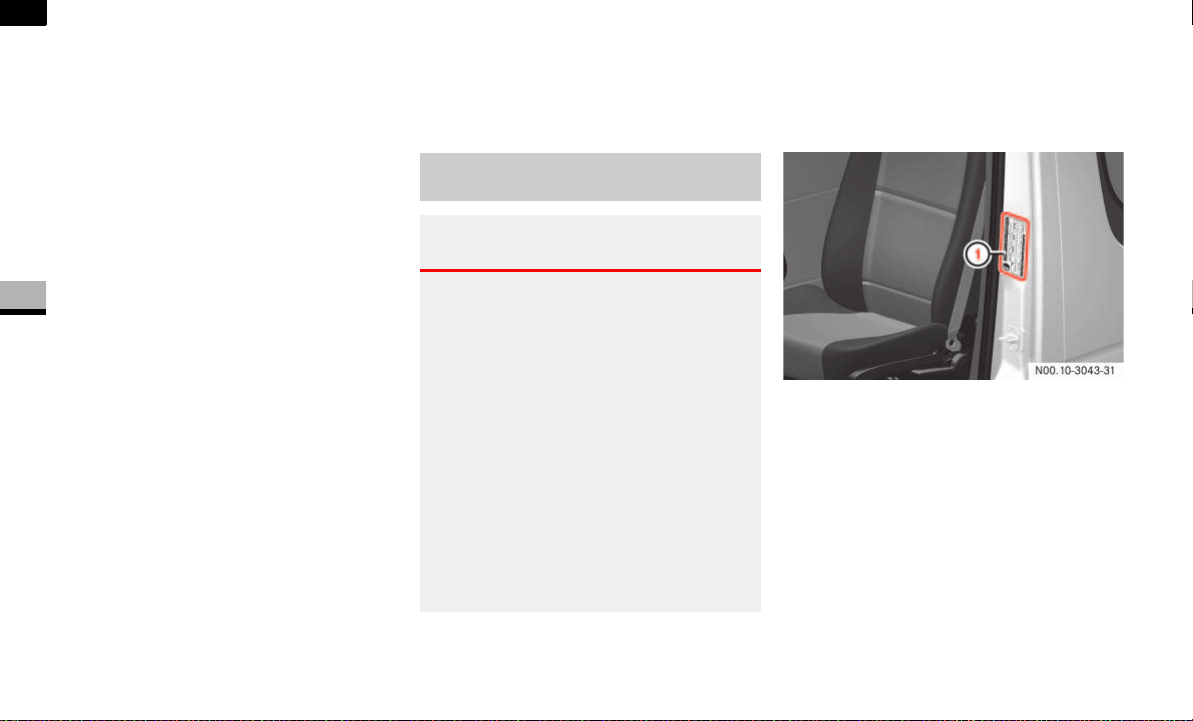
210
Operation
Tires and wheels
4
To assure that your vehicle does not ex-
ceed the maximum permissible weight lim-
its (GVWR and GAWR for front and rear
axle), have the loaded vehicle (including
driver, passengers and all cargo and, if ap-
plicable, trailer fully loaded) weighed on a
suitable commercial scale.
Trailer tongue load
The tongue load (tongue weight at the
hitch ball) of any trailer is an important
weight to measure because it affects the
load you can carry in your vehicle. If a trail-
er is towed, the tongue load must be added
to the weight of all occupants riding and
any cargo you are carrying in the vehicle to
prevent exceeding your Sprinter tow vehi-
cle’s rear GAWR. The tongue load typically
is between 10% and 15% of the trailer
weight and everything loaded in it.
For example, if the trailer tongue load
equals 140 lbs and the determined avail-
able cargo/luggage and trailer tongue
weight equals 750 lbs, the amount of avail-
able cargo and luggage load capacity is
610 lbs. (750 – 140 = 610 lbs.)
For further information on vehicle and trail-
er weights and ratings, loading a trailer and
trailer towing, see “Trailer towing”
( page 175).
Your vehicle is equipped with either the
tire and loading information placard
1
or
with the tire inflation pressure placard lo-
cated on the driver’s door B-pillar.
The tire inflation pressure (including the
spare wheel) should be checked regularly
and adjusted as well as inspected for signs
of tire wear or visible damage. Use a good
quality pocket-type gauge to check tire in-
flation pressure.
Recommended tire inflation pres-
sure
Warning G
Follow recommended tire inflation pres-
sures.
Do not underinflate tires. Underinflated tires
wear excessively and/or unevenly, adverse-
ly affect handling and fuel economy, and are
more likely to fail from being overheated.
Do not overinflate tires. Overinflated tires
can adversely affect handling and ride com-
fort, wear unevenly, increase stopping dis-
tance, and result in sudden deflation
(blowout) because they are more likely to
become punctured or damaged by road de-
bris, potholes etc.
1. For vehicles with a gross weight capacity less than
10 000 lbs (4 536 kg) (USA only).
1 Tire and loading information placard or
tire inflation pressure placard on dri-
ver’s door B-pillar
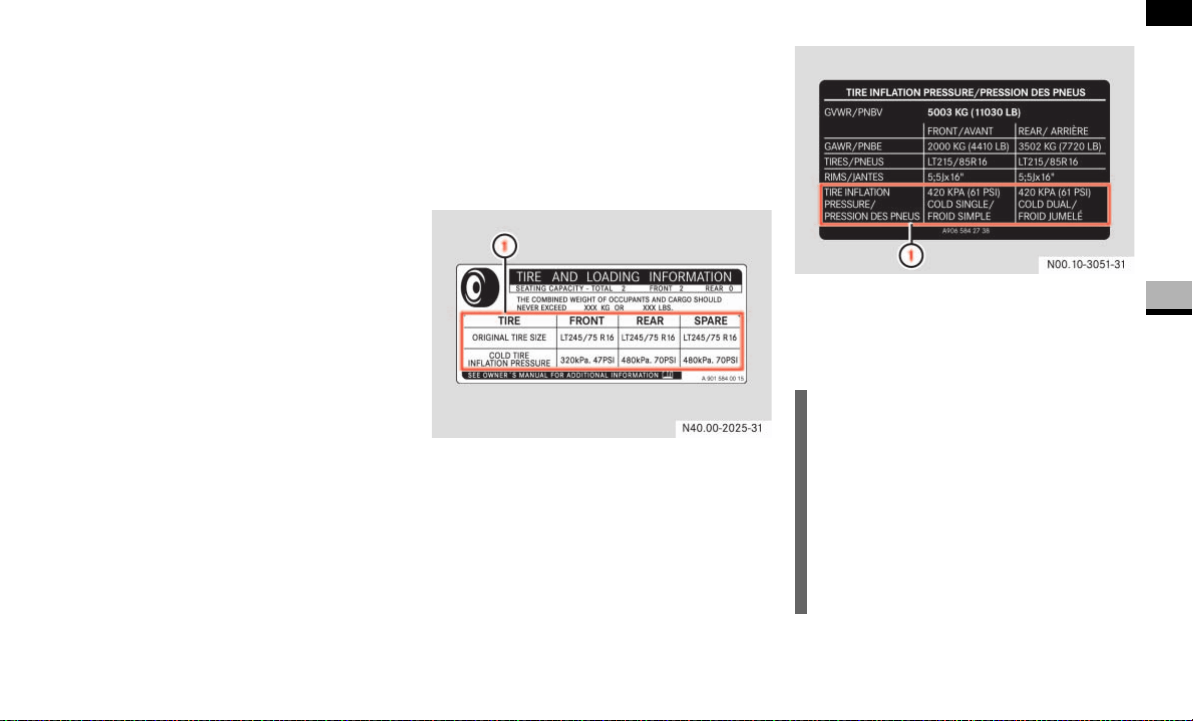
211
Operation
Tires and wheels
4
Do not make a visual judgment when de-
termining proper inflation. Radial tires may
look properly inflated even when they are
underinflated.
The tire inflation pressure should be
checked regularly, i.e. at least each time
you refuel the vehicle, and should only be
adjusted on cold tires. The preferred inter-
val for checking the tire inflation pressure,
however, is before each trip.
The tires can be considered cold if the ve-
hicle has been parked for at least 3 hours
or driven less than 1 mile (1.6 km) at an
ambient temperature of approximately
68 °F (20 °C).
Follow recommended cold tire inflation
pressures listed on vehicle placard.
Keeping the tires properly inflated provi-
des the best handling, tread life and riding
comfort.
The pressure difference between the tires
on a single axle should not exceed 1.5 psi
(10 kPa).
In addition to the placard, also consult the
tire inflation pressure table ( page 370).
For more information, refer to “Important
notes on tire inflation pressure”.
Placard
The placard is located on the driver’s door
B-pillar.
Tire and loading information placard
Tire inflation pressure placard
1 Recommended cold tire inflation pres-
sure
i
The data shown on the tire and loading
information placard
1
and on the tire in-
flation pressure placard is for illustrati-
ve purposes only. Tire data is specific
to each vehicle and may vary from the
data shown in the illustration below.
Refer to your vehicle’s placard for actu-
al data specific to your vehicle.
1 For vehicles with a gross weight capacity less
than 10 000 lbs (4 536 kg) (USA only).

212
Operation
Tires and wheels
4
The placard lists the recommended cold
tire inflation pressures for all load conditi-
ons up to the maximum permissible weight
limits (GAWR). The tire inflation pressures
listed apply to the tires installed as original
equipment.
Important notes on tire inflation pres-
sure
Tire temperature and tire inflation pressure
are also increased while driving, depending
on the driving speed and the tire load.
Tire inflation pressure changes by approxi-
mately 1.5 psi (0.1 bar) per 18 °F (10 °C)
of air temperature change. Keep this in
mind when checking tire inflation pressure
where the temperature is different from
the outside temperature.
For example:
If the inside temperature is 68 °F (20 °C)
and the outside temperature is 32 °F
(0 °C) then the cold tire inflation pressure
should be increased by 3 psi (0.2 bar),
which equals 1.5 psi (0.1 bar) for every
18 °F (10 °C) for this outside temperature
condition.
Check tire pressures more often if subject
to a wide range of outdoor temperatures,
as tire pressures vary with temperature
changes.
Warning G
If the tire inflation pressure repeatedly
drops:
Check the tires for punctures from for-
eign objects.
Check to see whether air is leaking from
the valves or from around the rim.
Warning G
Tire pressure may increase during opera-
tion.
Never reduce this normal pressure build up
or your tire pressure will be too low.
Underinflated tires wear excessively and/or
unevenly, adversely affect handling and fuel
economy, and are more likely to fail from be-
ing overheated.

213
Operation
Tires and wheels
4
The tire inflation pressure should be
checked regularly, i.e. at least each time
you refuel the vehicle. The preferred inter-
val for checking the tire inflation pressure,
however, is before each trip.
The inflation pressures specified either on
the tire and loading information placard on
the driver’s door B-pillar or on tire pressure
label below the driver’s seat on an outward
facing position of the mounting pillar are
always cold tire inflation pressures. Check
and adjust the tire inflation pressure when
the tires are cold. Cold tire inflation pres-
sure is defined as the tire pressure after
the vehicle has been parked for at least
3 hours or driven less than 1 mile (1.6 km)
at an ambient temperature of approxi-
mately 68 °F (20 °C).
The cold tire inflation pressure must not
exceed the maximum tire inflation pres-
sure molded into the tire side wall, see
"Tire labeling" ( page 222).
If you check the tire inflation pressure
when the tires are warm (the vehicle has
been driven for several miles or sitting less
than 3 hours), the reading will be higher
than the cold reading. This is normal. Do
not let air out to match the specified cold
tire inflation pressure. Otherwise, the tire
will be underinflated.
Checking tire inflation pressure manu-
ally
Follow the steps below to achieve correct
tire inflation pressure:
Remove the cap from the valve on one
tire.
Firmly press a tire gauge onto the
valve.
Read the tire inflation pressure on the
tire gauge and compare it with the rec-
ommended tire inflation pressure on
the placard on the driver’s door B-pillar
or on the tire pressure label below the
driver’s seat. If necessary, add air to
achieve the recommended tire inflation
pressure.
Reattach the valve cap.
Checking tire inflation pressure
Warning G
Observe the recommended tire inflation
pressures.
Do not underinflate tires. Underinflated tires
wear excessively and/or unevenly, adverse-
ly affect handling and fuel economy, and are
more likely to fail from being overheated.
Do not overinflate tires. Overinflated tires
can adversely affect handling and ride com-
fort, wear unevenly, increase stopping dis-
tance, and result in sudden deflation
(blowout) because they are more likely to
become punctured or damaged by road de-
bris, potholes etc.
Do not overload the tires by exceeding the
specified load limit as indicated on the tire
and loading information placard on the driv-
er’s door B-pillar. Overloading the tires can
overheat them, possibly causing a blowout.
i
If you have overfilled the tire, release
tire inflation pressure by pushing the
metal stem of the valve with for exam-
ple a tip of a pen. Then recheck the tire
inflation pressure with the tire gauge.

214
Operation
Tires and wheels
4
Repeat this procedure for each tire.
Checking tire pressure electronically
with the Tire Pressure Monitoring Sys-
tem (TPMS)* (vehicles without steering
wheel buttons)
Vehicles without steering wheel buttons
are equipped with the Tire Pressure Moni-
toring System.
The TPMS only functions on wheels that
are equipped with the proper electronic
sensors. It monitors the tire inflation pres-
sure, as selected by the driver, in all four
tires. A warning is issued to alert you to a
decrease in pressure in one or more of the
tires.
!CAUTION
After inspecting or adjusting the tire in-
flation pressure, always reattach the
valve cap if equipped.
This will prevent moisture and dirt from
entering the valve stem, which could
damage the valve stem.
i
USA only:
The Tire Pressure Monitoring System
(TPMS) is equipped with a combination
low tire pressure/TPMS malfunction
telltale in the instrument cluster
( page 14). Depending on how the
telltale illuminates, it indicates a low
tire pressure condition or a malfunction
in the TPMS system itself:
If the telltale illuminates continu-
ously, one or more of your tires is
significantly underinflated. There is
no malfunction in the TPMS.
If the telltale flashes for 60 seconds
and then stays illuminated, the
TPMS system itself is not operating
properly.
i
Canada only:
The Tire Pressure Monitoring System
(TPMS) is equipped with a low tire pres-
sure telltale in the instrument cluster
( page 14). If the telltale illuminates,
one or more of your tires is significantly
underinflated.
Warning G
The TPMS does not warn you against incor-
rectly selected tire inflation pressure and
does not warn you when the tire pressure is
not properly selected for the respective ve-
hicle load. It warns you only when the pres-
sure of one or more tires decreases
significantly below the reference inflation

215
Operation
Tires and wheels
4
pressure which was stored at the time of
calibration of the TPMS after you inflated the
tires.
Always ensure that you re-calibrate the
TPMS after you inflated the tires to the rec-
ommended cold inflation pressure.
Always adjust tire inflation pressure accord-
ing to the tire and loading information plac-
ard on the driver’s door B-pillar.
Underinflated tires wear excessively and/or
unevenly, adversely affect handling and fuel
economy, and are more likely to fail from be-
ing overheated.
Overinflated tires can adversely affect han-
dling and ride comfort, wear unevenly, in-
crease stopping distance, and result in
sudden deflation (blowout) because they are
more likely to become punctured or dam-
aged by road debris, potholes etc.
The TPMS is not able to issue a warning due
to a sudden dramatic loss of pressure (e.g.
tire blowout caused by a foreign object). In
this case bring the vehicle to a halt by care-
fully applying the brakes and avoiding
abrupt steering maneuvers.
Warning G
Each tire, including the spare (if provided),
should be checked monthly when cold and
inflated to the inflation pressure recom-
mended by the vehicle manufacturer on the
tire and loading information placard. (If your
vehicle has tires of a different size than the
size indicated on the vehicle placard or the
tire inflation pressure label, you should de-
termine the proper tire inflation pressure for
those tires).
As an added safety feature, your vehicle has
been equipped with a Tire Pressure Monitor-
ing System (TPMS) that illuminates a low tire
pressure telltale when one or more of your
tires is significantly underinflated. Accord-
ingly, when the low tire pressure telltale illu-
minates, you should stop and check your
tires as soon as possible, and inflate them to
the proper pressure. Driving on a significant-
ly underinflated tire causes the tire to over-
heat and can lead to tire failure.
Underinflation also reduces fuel efficiency
and tire tread life, and may affect the vehi-
cle’s handling and stopping ability. Please
note that the TPMS is not a substitute for
proper tire maintenance, and it is the driv-
er’s responsibility to maintain correct tire
pressure, even if underinflation has not
reached the level to trigger illumination of
the TPMS low tire pressure telltale.
USA only:
Your vehicle has also been equipped with a
TPMS malfunction indicator to indicate
when the system is not operating properly.
The TPMS malfunction indicator is com-
bined with the low tire pressure telltale.
When the system detects a malfunction, the
telltale will flash for approximately 1 minute
and then remain continuously illuminated.
This sequence will continue upon subse-
quent vehicle start-ups as long as the mal-
function exists. When the malfunction
indicator is illuminated, the system may not
be able to detect or signal low tire pressure
as intended.

216
Operation
Tires and wheels
4
Reactivating the TPMS
The TPMS must be reactivated when you
have adjusted the tire inflation pressure to
a new level (e.g. because of different load
or driving conditions). The TPMS is then
recalibrated to the current tire inflation
pressures.
Using the tire and loading information
placard on the driver’s door B-pillar
( page 206), make sure the tire infla-
tion pressure of all four tires is correct.
Switch on the ignition ( page 67).
Press the 5 menu button on the instru-
ment cluster until you see the
+CAL TPMS
message in the display.
TPMS malfunctions may occur for a variety
of reasons, including the installation of in-
compatible replacement or alternate tires or
wheels on the vehicle that prevent the TPMS
from functioning properly. Always check the
TPMS malfunction telltale after replacing
one or more tires or wheels on your vehicle
to ensure that the replacement or alternate
tires and wheels allow the TPMS to continue
to function properly.
i
If a condition causing the TPMS to mal-
function develops, it may take up to 10
minutes for the system to signal a mal-
function using the TPMS telltale flash-
ing and illumination sequence.
The telltale extinguishes after driving a
few minutes if the malfunction has
been corrected.
i
Operating radio transmission equip-
ment (e.g. wireless headsets, two-way
radios) in or near the vehicle could
cause the TPMS to malfunction
Warning G
It is the driver’s responsibility to calibrate
the TPMS on the recommended cold infla-
tion pressure. Underinflated tires affect the
ability to steer or brake the vehicle. You
might lose control over the vehicle.
i
Reactivate the TPMS after adjusting
the tire inflation pressure to the infla-
tion pressure recommended for the ve-
hicle operating condition. Tire pressure
should only be adjusted on cold tires.
Observe the recommended tire infla-
tion pressure on the tire and loading in-
formation placard on the driver’s door
B-pillar ( page 206).

217
Operation
Tires and wheels
4
Press the , menu button on the instru-
ment cluster.
The following message is displayed:
OK TPMS
The tire pressure monitor activation
process has begun.
The tire pressures of the individual
wheels are stored as the new reference
values if they are determined to be
plausible for the tire pressure monitor.
If you wish to cancel the activation pro-
cess:
Press the . button or the 5 menu button
on the instrument cluster.
The activation process is canceled au-
tomatically if 30 seconds elapse with
no input.
Checking tire pressure electronically
with the Tire Pressure Monitoring Sys-
tem (TPMS)* (vehicles with steering
wheel buttons)
Vehicles with steering wheel buttons are
equipped with the Advanced Tire Pressure
Monitoring System.
The TPMS only functions on wheels that
are equipped with the proper electronic
sensors. It monitors the tire inflation pres-
sure, as selected by the driver, in all four
tires. A warning is issued to alert you to a
decrease in pressure in one or more of the
tires.
Tire pressure inquiries are made using the
multifunction display. The present inflation
pressures are displayed only after a few
minutes’ travel time.
i
USA only:
The Tire Pressure Monitoring System
(TPMS) is equipped with a combination
low tire pressure/TPMS malfunction
telltale in the instrument cluster
( page 14). Depending on how the
telltale illuminates, it indicates a low
tire pressure condition or a malfunction
in the TPMS system itself:
If the telltale illuminates continu-
ously, one or more of your tires is
significantly underinflated. There is
no malfunction in the TPMS.
If the telltale flashes for 60 seconds
and then stays illuminated, the
TPMS system itself is not operating
properly.
i
Canada only:
The Tire Pressure Monitoring System
(TPMS) is equipped with a low tire pres-
sure telltale in the instrument cluster
( page 14). If the telltale illuminates,
one or more of your tires is significantly
underinflated.
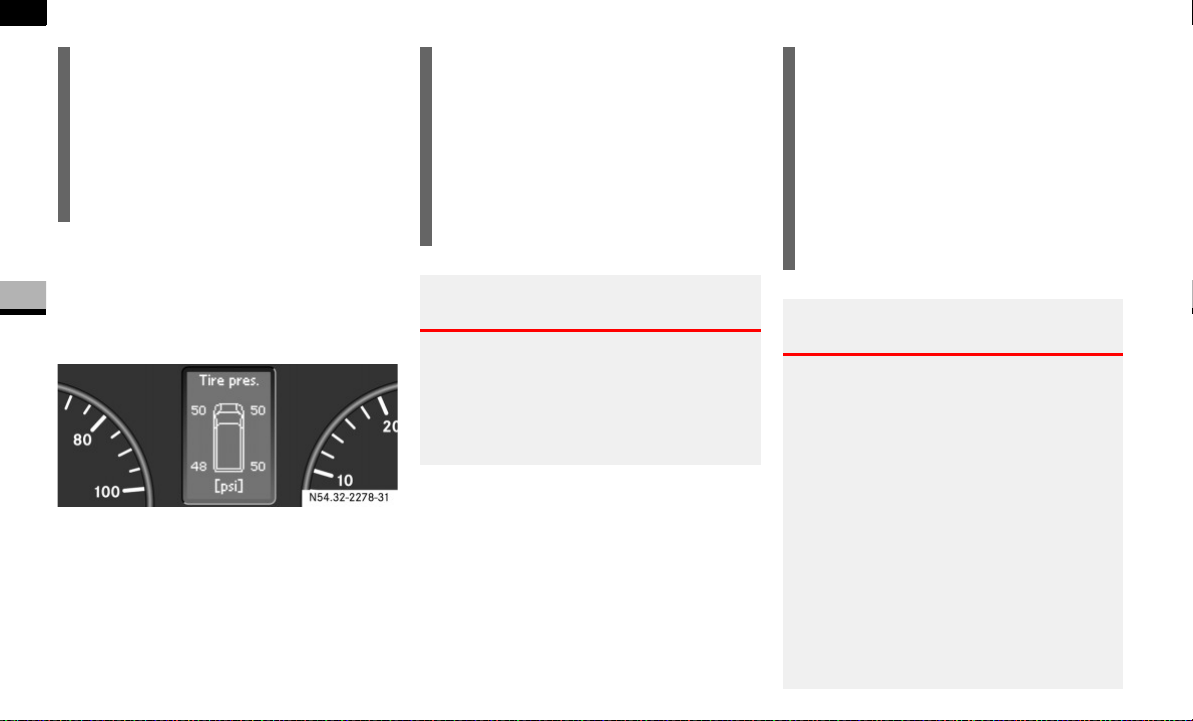
218
Operation
Tires and wheels
4
Switch on the ignition ( page 67).
Press the j or k button until
the current inflation pressures for each
tire appear in the multifunction display.
i
Possible differences between the read-
ings of a tire pressure gauge of an air
hose, e.g. gas station equipment, and
the vehicle’s control system can occur.
Usually the readings issued by the con-
trol system are more precise.
54.32-2278-31
i
When the message
Tire pres. dis-
played after driving for several
minutes
appears in the multifunction
display, the individual inflation pres-
sure values are matched with the tires.
The individual values are displayed af-
ter a few minutes' driving.
Warning G
It is the driver’s responsibility to calibrate
the TPMS on the recommended cold infla-
tion pressure. Underinflated tires affect the
ability to steer or brake the vehicle. You
might lose control over the vehicle.
i
If a spare wheel without wheel sensors
is mounted, the system may still indi-
cate the tire inflation pressure of the
removed wheel for some minutes. If
this happens, keep in mind that the in-
dicated value where the spare wheel is
mounted does not reflect the actual
spare tire inflation pressure.
Warning G
The TPMS does not warn you against incor-
rectly selected tire inflation pressure and
does not warn you when the tire pressure is
not properly selected for the respective ve-
hicle load. It warns you only when the pres-
sure of one or more tires decreases
significantly below the reference inflation
pressure which was stored at the time of
calibration of the TPMS after you inflated the
tires.
Always ensure that you recalibrate the
TPMS after you have inflated the tires to the
recommended cold inflation pressure.

219
Operation
Tires and wheels
4
Always adjust the tire inflation pressure ac-
cording to the tire and loading information
placard on the driver’s door B-pillar.
Underinflated tires wear excessively and/or
unevenly, adversely affect handling and fuel
economy, and are more likely to fail from be-
ing overheated.
Overinflated tires can adversely affect han-
dling and ride comfort, wear unevenly, in-
crease stopping distance, and result in
sudden deflation (blowout) because they are
more likely to become punctured or dam-
aged by road debris, potholes etc.
The TPMS is not able to issue a warning due
to a sudden dramatic loss of pressure (e.g.
tire blowout caused by a foreign object). In
this case bring the vehicle to a halt by care-
fully applying the brakes and avoiding
abrupt steering maneuvers.
Warning G
Each tire, including the spare (if provided),
should be checked monthly when cold and
inflated to the inflation pressure recom-
mended by the vehicle manufacturer on the
vehicle placard or the tire inflation pressure
label. (If your vehicle has tires of a different
size than the size indicated on the vehicle
placard or the tire inflation pressure label,
you should determine the proper tire infla-
tion pressure for those tires).
As an added safety feature, your vehicle has
been equipped with a Tire Pressure Monitor-
ing System (TPMS) that illuminates a low tire
pressure telltale when one or more of your
tires is significantly underinflated. Accord-
ingly, when the low tire pressure telltale illu-
minates, you should stop and check your
tires as soon as possible, and inflate them to
the proper pressure. Driving on a significant-
ly underinflated tire causes the tire to over-
heat and can lead to tire failure.
Underinflation also reduces fuel efficiency
and tire tread life, and may affect the vehi-
cle’s handling and stopping ability. Please
note that the TPMS is not a substitute for
proper tire maintenance, and it is the driv-
er’s responsibility to maintain correct tire
pressure, even if underinflation has not
reached the level to trigger illumination of
the TPMS low tire pressure telltale.
USA only:
Your vehicle has also been equipped with a
TPMS malfunction indicator to indicate
when the system is not operating properly.
The TPMS malfunction indicator is com-
bined with the low tire pressure telltale.
When the system detects a malfunction, the
telltale will flash for approximately 1 minute
and then remain continuously illuminated.
This sequence will continue upon subse-
quent vehicle start-ups as long as the mal-
function exists. When the malfunction
indicator is illuminated, the system may not
be able to detect or signal low tire pressure
as intended.

220
Operation
Tires and wheels
4
Reactivating Advanced TPMS
The TPMS must be reactivated when you
have adjusted the tire inflation pressure to
a new level (e.g. because of different load
or driving conditions). The TPMS is then
recalibrated to the current tire inflation
pressures.
Using the tire and loading information
placard on the driver’s door B-pillar
( page 206), make sure the tire infla-
tion pressure of all four tires is correct.
Press button è or ÿ on the mul-
tifunction steering wheel repeatedly
until the standard display menu ap-
pears in the multifunction display
( page 93).
TPMS malfunctions may occur for a variety
of reasons, including the installation of in-
compatible replacement or alternate tires or
wheels on the vehicle that prevent the TPMS
from functioning properly. Always check the
TPMS malfunction telltale after replacing
one or more tires or wheels on your vehicle
to ensure that the replacement or alternate
tires and wheels allow the TPMS to continue
to function properly.
i
If a condition causing the TPMS to mal-
function develops, it may take up to 10
minutes for the system to signal a mal-
function using the TPMS telltale flash-
ing and illumination sequence.
The telltale extinguishes after driving a
few minutes if the malfunction has
been corrected.
i
Operating radio transmission equip-
ment (e.g. wireless headsets, two-way
radios) in or near the vehicle could
cause the TPMS to malfunction
Warning! G
It is the driver’s responsibility to calibrate
the TPMS on the recommended cold infla-
tion pressure. Underinflated tires affect the
ability to steer or brake the vehicle. You
might lose control over the vehicle.
i
Reactivate the TPMS after adjusting
the tire inflation pressure to the infla-
tion pressure recommended for the ve-
hicle operating condition. Tire pressure
should only be adjusted on cold tires.
Observe the recommended tire infla-
tion pressure on the tire and loading in-
formation placard on the driver’s door
B-pillar ( page 206).

221
Operation
Tires and wheels
4
Press the j or k button repeat-
edly until you see the current inflation
pressures for each tire appear in the
display or the following message ap-
pears in the display
Tire pres. displayed
after driving
for several minutes
Press reset button 0 on the instrument
cluster ( page 14).
The following message will appear in
the multifunction display:
Tire pres.
Adjust pres.
Press æ button.
The following message will appear in
the multifunction display:
Tire pres. monitor
reactivated
After a few minutes' driving, the cur-
rent tire inflation pressure values are
accepted as reference values and then
monitored.
If you wish to cancel activation:
Press ç button.
Potential problems associated with un-
derinflated and overinflated tires
Proper tire inflation pressure is essential to
the safe and satisfactory operation of your
vehicle. Three primary areas are affected
by improper tire inflation pressure:
1. Safety
2. Economy
Improper inflation pressures can cause un-
even wear patterns to develop across the
tire tread. These abnormal wear patterns
will reduce tread life resulting in a need for
earlier tire replacement. Underinflation
also increases tire rolling resistance and
results in higher fuel consumption.
Warning G
Follow recommended tire inflation pres-
sures.
Do not underinflate tires. Underinflated tires
wear excessively and/or unevenly, adverse-
ly affect handling and fuel economy, and are
more likely to fail from being overheated.
Do not overinflate tires. Overinflated tires
can adversely affect handling and ride com-
fort, wear unevenly, increase stopping dis-
tance, and result in sudden deflation
(blowout) because they are more likely to
become punctured or damaged by road de-
bris, potholes etc.
Warning G
Improperly inflated tires are dangerous and
can cause accidents.
Unequal tire inflation pressures can cause
steering problems. You could lose control of
your vehicle.
Unequal tire inflation pressures from one
side of the vehicle to the other can cause
the vehicle to drift to the right or left. Always
drive with each tire inflated to the recom-
mended cold tire inflation pressure.
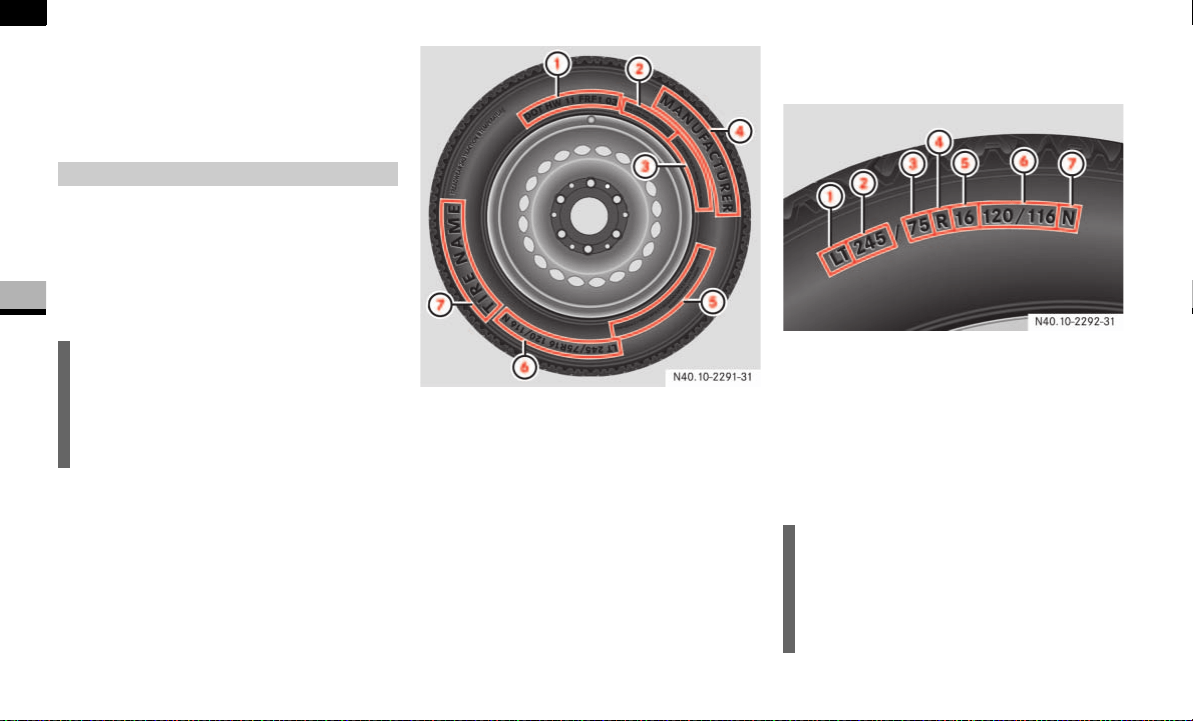
222
Operation
Tires and wheels
4
3. Ride comfort and vehicle stability
Proper tire inflation contributes to a com-
fortable ride. Overinflation produces a jar-
ring and uncomfortable ride.
Besides the tire name (sales designation)
and manufacturer's name, a number of
markings can be found on a tire.
Below are some explanations regarding
the markings on your vehicle’s tires:
1 DOT, Tire Identification Number (TIN)
( page 230)
2 Maximum tire load ( page 226)
3 Maximum tire inflation pressure
( page 229)
4 Manufacturer
5 Tire ply material ( page 228)
6 Tire size designation, load and speed
rating ( page 222)
7 Tire name
Tire size designation, load and speed
rating
1 Design standard
2 Tire width
3 Aspect ratio in %
4 Radial tire code
5 Rim diameter
6 Tire load rating
7 Tire speed rating
Tire labeling
i
For illustrative purposes only. The actu-
al data on tires is specific to each vehi-
cle and may vary from the data shown
in the above illustration.
i
For illustrative purposes only. The actu-
al data on tires is specific to each vehi-
cle and may vary from the data shown
in the above illustration.

223
Operation
Tires and wheels
4
Tire sizes for Sprinter vehicles
Design standard
Depending on the design standards used,
the tire size molded into the side wall may
have no letter or a letter 1 preceding the
tire width or the tire load rating designa-
tion.
Letter “LT” preceding the size designation:
Light Truck tire based on U.S. design stan-
dards.
Letter “C” preceding the tire load designa-
tion:
Commercial vehicle tire based on Europe-
an design standards.
Tire width
The tire width 2 indicates the nominal tire
width in mm.
Aspect ratio
The aspect ratio 3 is the dimensional re-
lationship between tire section height and
section width and is expressed in percent-
age. The aspect ratio is arrived at by divid-
ing section height by section width.
Tire code
The tire code 4 indicates the tire con-
struction type. The “R” stands for radial
tire type. Letter “D” means diagonal or bias
ply construction; letter “B” means belted-
bias ply construction.
Rim diameter
The rim diameter 5 is the diameter of the
bead seat, not the diameter of the rim
edge. Rim diameter is indicated in
inches (in).
Tire load rating
The tire load rating 6 is a numerical code
associated with the maximum load a tire
can support.
For example, a load rating of 120 corre-
sponds to a maximum load of 3042 lbs
(1380 kg) the tire is designed to support.
If two values are given (as illustrated), the
first value, preceding the slash "/", applies
to single tires (rear axle). The second val-
ue, succeeding the slash "/", applies to
twin tires (dual wheel rear axle).
The commercial vehicle tires based on Eu-
ropean standards may have an additional
value in the parentheses (as illustrated). In
such cases, the value preceding the paren-
theses is valid for European countries and
the parenthesized for the USA and Canada.
Refer also to "Maximum tire load"
( page 226) where the maximum load as-
sociated with the load index is indicated in
kilograms and lbs.
Sprinter type
2500 LT 245/75 R 16 120/116 L
LT 245/75 R 16 120/116 N
3500 LT 215/85 R 16 115/112 N
LT 215/85 R 16 115/112 Q

224
Operation
Tires and wheels
4
Tire speed rating
The tire speed rating 6 indicates the ap-
proved maximum speed for the tire.
The commercial vehicle tires based on Eu-
ropean standards may have an additional
index in the parentheses. In such cases,
the index preceding the parentheses is val-
id for European countries and the paren-
thesized for the USA and Canada.
Warning G
The tire load rating must always be at least
half of the GAWR of your vehicle. Otherwise,
tire failure may be the result which may
cause an accident and/or serious personal
injury to you or others.
Always replace rims and tires with the same
designation, manufacturer and type as
shown on the original part.
Warning G
Do not overload the tires by exceeding the
specified load limit as indicated on the plac-
ard located on the driver’s door B-pillar.
Overloading the tires can overheat them,
possibly causing a blowout. Overloading the
tires can also result in handling or steering
problems, or brake failure.
i
Tire load rating 6 and tire speed
rating 7 are also referred to as “ser-
vice description”.
Warning G
Even when permitted by law, never operate
a vehicle at speeds greater than the maxi-
mum speed rating of the tires.
Exceeding the maximum speed for which
tires are rated can lead to sudden tire fail-
ure, causing loss of vehicle control and pos-
sibly resulting in an accident and/or
personal injury and possible death, for you
and for others.
i
Always observe the speed rating of the
winter tires installed on your Sprinter
vehicle. If the maximum speed for
which your tires are rated is below the
speed rating of your Sprinter vehicle,
you must place a notice to this effect
where it will be seen by the driver.
Such notices are available at your tire
dealer or any authorized Sprinter Deal-
er.
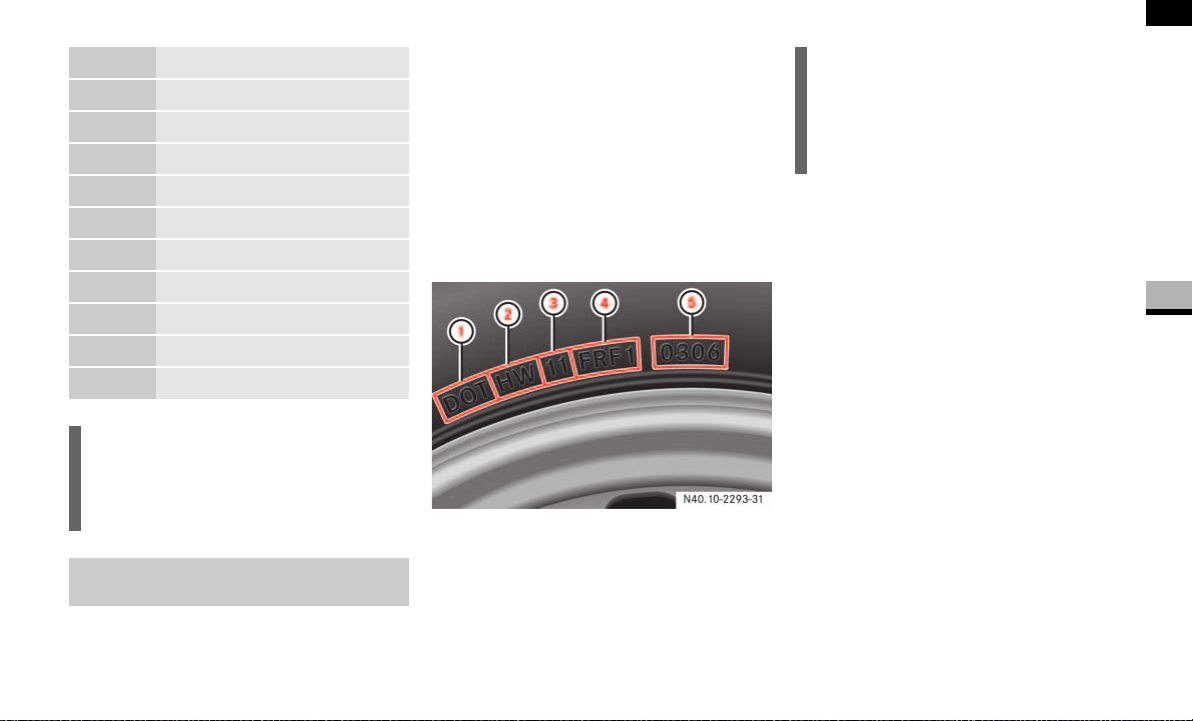
225
Operation
Tires and wheels
4
U.S. tire regulations require each new tire
manufacturer or tire retreader to mold a
TIN into or onto a side wall of each tire pro-
duced.
The TIN is a unique identifier which facili-
tates efforts by tire manufactures to notify
purchasers in recall situations or other
safety matters concerning tires and gives
purchasers the means to easily identify
such tires.
The TIN is comprised of the “manufactur-
er’s identification mark”, “tire size”, “tire
type code” and “date of manufacture”.
1 DOT
2 Manufacturer’s identification mark
3 Tire size
4 Tire type code (tire manufacturer's op-
tion)
5 Date of manufacture
The TIN may be found on one or both sides
of the tire; however, the date code may
only be on one side. Tires with white side
walls will have the full TIN including date
code located on the white side wall side of
the tire. Look for the TIN on the outboard
side of black side wall tires as mounted on
the vehicle.
If the TIN is not found on the outboard side
then you will find it on the inboard side of
the tire. In this case, the tire must be re-
mounted. Make sure the TIN is visible on
the outboard side of the tire and if applica-
ble that the direction of rotation is correct
when remounting the tire.
Rotation (spinning) direction, see "Direc-
tion of Rotation" ( page 204).
Index Speed rating
F up to 50 mph (80 km/h)
G up to 56 mph (90 km/h)
J up to 62 mph (100 km/h)
K up to 68 mph (110 km/h)
L up to 74 mph (120 km/h)
M up to 80 mph (130 km/h)
N up to 87 mph (140 km/h)
P up to 93 mph (150 km/h)
Q up to 100 mph (160 km/h)
R up to 106 mph (170 km/h)
i
Tire load rating 5 and tire speed
rating 6 are also referred to as “ser-
vice description”.
DOT, Tire Identification Number
(TIN)
i
For illustrative purposes only. The actu-
al data on tires is specific to each vehi-
cle and may vary from the data shown
in the above illustration.
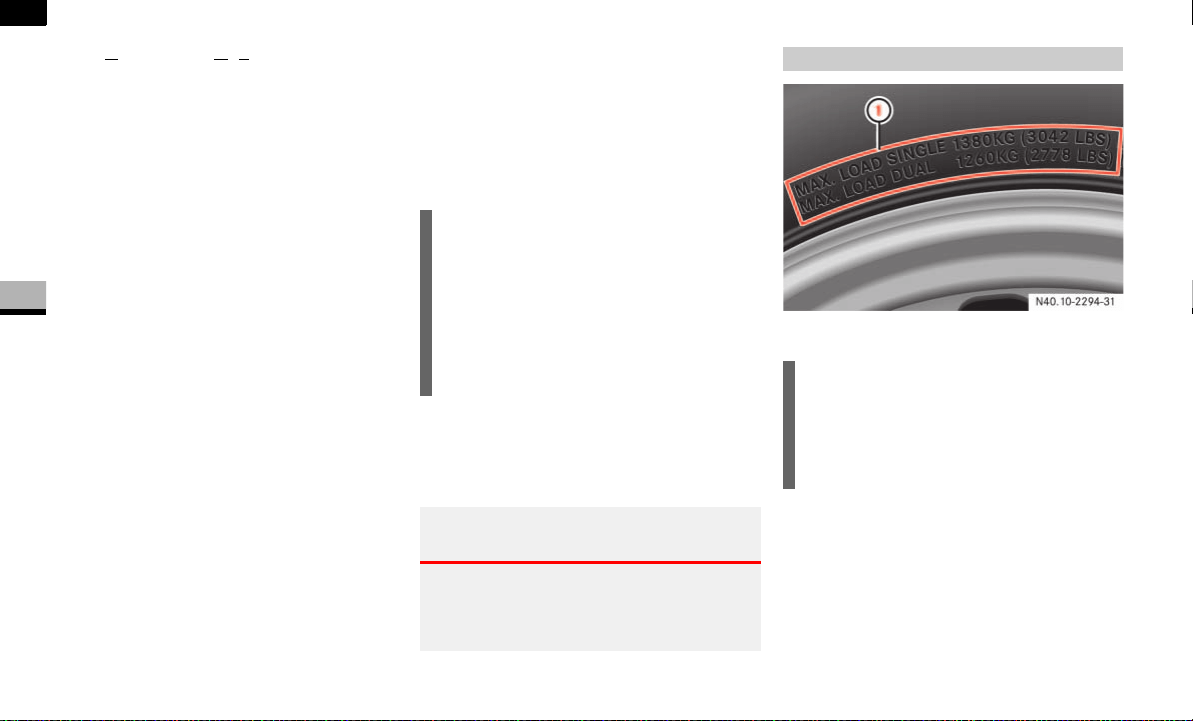
226
Operation
Tires and wheels
4
DOT (Department Of Transportation)
A tire branding symbol 1 which denotes
the tire meets requirements of the
U.S. Department of Transportation.
Manufacturer’s identification mark
The manufacturer’s identification mark 2
denotes the tire manufacturer.
New tires have a mark with two symbols.
Retreaded tires have a mark with four sym-
bols. For more information on retreaded
tires, see ( page 199).
Tire size
The code 3 indicates the tire size.
Tire type code
The code 4 may, as the manufacturer's
option, be used as a descriptive code for
identifying significant characteristics of
the tire.
Date of manufacture
The date of manufacture 5 identifies the
week and year of manufacture.
The first two figures identify the week,
starting with “01” to represent the first full
week of the calendar year. The second two
figures represent the year.
For example, "0301" represents the 3rd
week of 2001.
If the date of manufacture code indicated
on the tire is less than 4 figures, do not use
it.
1 Maximum tire load rating
The maximum tire load is the maximum
weight the tires are designed to support.
i
Prior to July 2000, tire manufacturers
were only required to have 1 number to
represent the year in which the tire was
manufactured.
For example, "031" could represent the
3rd week of 1981 or 1991.
Warning G
Tires and spare tire should be replaced
after 6 years, regardless of the remain-
ing tread.
Maximum tire load
i
For illustrative purposes only. The actu-
al data on tires is specific to each vehi-
cle and may vary from the data shown
in the above illustration.
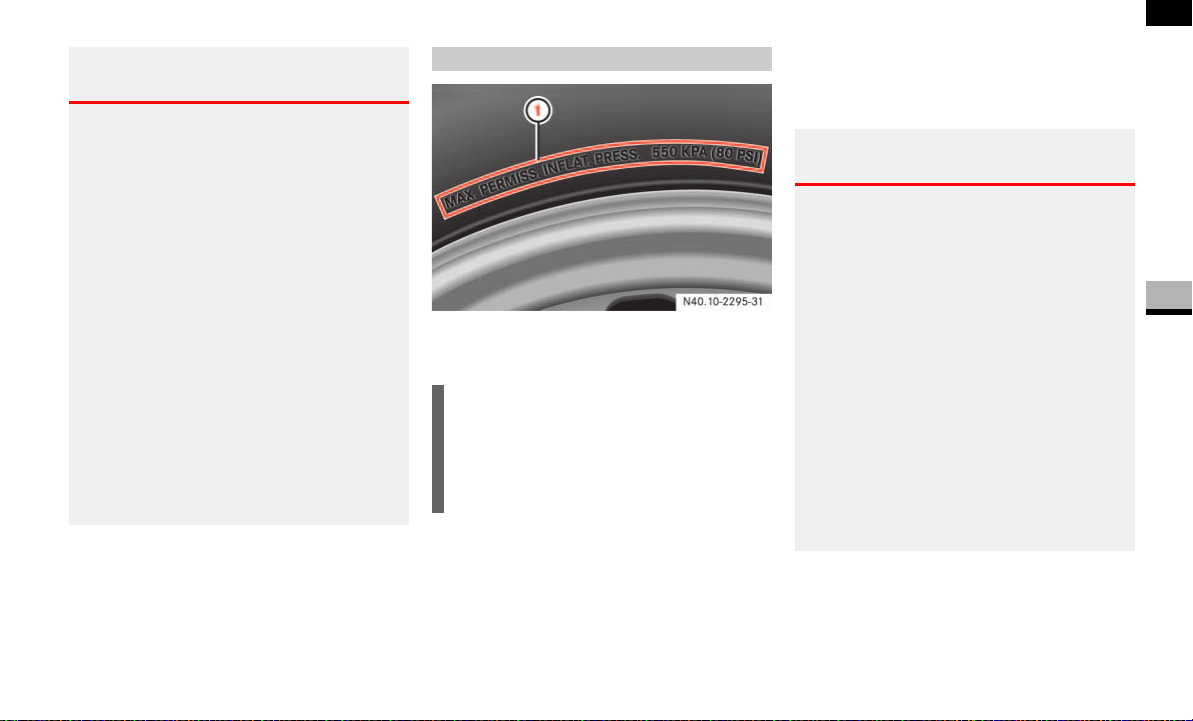
227
Operation
Tires and wheels
4
For more information on tire load rating,
refer to "Tire size designation, load and
speed rating" ( page 222).
For information on calculating total and
cargo load capacities, refer to "Tire and
loading information" ( page 205).
1 Maximum permissible tire inflation
pressure
This is the maximum permissible tire infla-
tion pressure for the tire.
Always follow the recommended tire infla-
tion pressure ( page 210) for proper tire
inflation.
Warning G
Do not overload the tires by exceeding the
specified load limit as indicated on the tire
and loading information placard on the driv-
er’s door B-pillar. Overloading the tires can
overheat them, possibly causing a blowout.
Overloading the tires can also result in han-
dling or steering problems, or brake failure.
Never overload them.
The vehicle maximum load on the tire must
not exceed the load carrying capacity of the
tire on your vehicle.
You will not exceed the tire’s load carrying
capacity if you adhere to the loading condi-
tions, tire size and cold tire inflation pres-
sures specified on the tire and loading
information placard.
Maximum tire inflation pressure
i
For illustrative purposes only. The actu-
al data on tires is specific to each vehi-
cle and may vary from the data shown
in the above illustration.
Warning G
Never exceed the maximum tire inflation
pressure. Follow recommended tire inflation
pressures.
Do not underinflate tires. Underinflated tires
wear excessively and/or unevenly, adverse-
ly affect handling and fuel economy, and are
more likely to fail from being overheated.
Do not overinflate tires. Overinflated tires
can adversely affect handling and ride com-
fort, wear unevenly, increase stopping dis-
tance, and result in sudden deflation
(blowout) because they are more likely to
become punctured or damaged by road de-
bris, potholes etc.
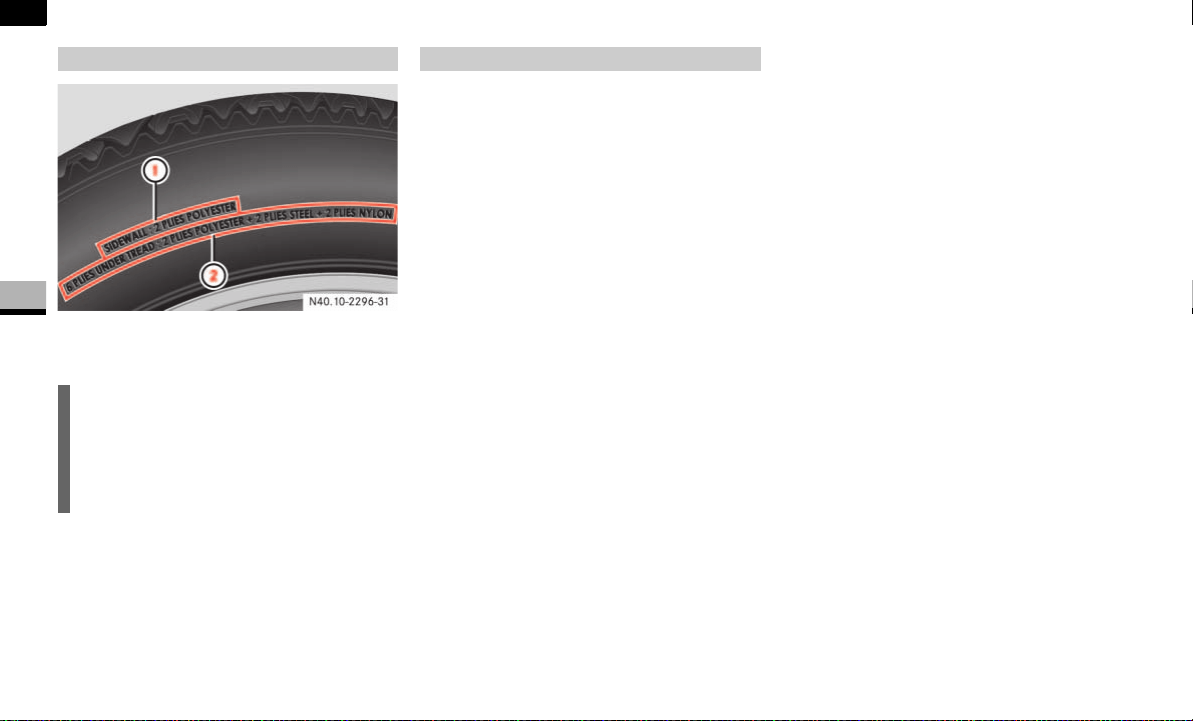
228
Operation
Tires and wheels
4
1 Plies in side wall
2 Plies under tread
This marking tells you about the type of
cord and number of plies in the side wall
and under the tread.
Accessory weight
The combined weight (in excess of those
standard items which may be replaced) of
automatic transmission, power steering,
power brakes, power windows, power
seats, radio, and heater, to the extent that
these items are available as factory-in-
stalled equipment (whether installed or
not).
Air pressure
The amount of air inside the tire pressing
outward on each square inch of the tire.
Air pressure is expressed in pounds per
square inch (psi), or kilopascal (kPa) or
bars.
Aspect ratio
Dimensional relationship between the tire
section height and the section width ex-
pressed in percentage.
Bar
Another metric unit for air pressure. There
are 14.5038 pounds per square inch (psi)
to 1 bar; there are 100 kilopascals (kPa)
to 1 bar.
Bead
The tire bead contains steel wires wrapped
by steel cords that hold the tire onto the
rim.
Cold tire inflation pressure
Tire inflation pressure when your vehicle
has been sitting for at least 3 hours or driv-
en no more than 1 mile (1.6 km).
Curb weight
The weight of a motor vehicle with stan-
dard equipment including the maximum
capacity of fuel, oil, and coolant, and, if so
equipped, air conditioning and additional
optional equipment, but without passen-
gers and cargo.
Tire ply material
i
For illustrative purposes only. The actu-
al data on tires is specific to each vehi-
cle and may vary from the data shown
in the above illustration.
Tire and loading terminology

229
Operation
Tires and wheels
4
DOT (Department Of Transportation)
A tire branding symbol which denotes that
the tire meets the requirements of the
U.S. Department of Transportation.
GAWR (G
ross Axle Weight Rating)
The GAWR is the maximum permissible
axle weight. The gross vehicle weight on
each axle must never exceed the GAWR for
the front and rear axle indicated on the
certification label located on the driver’s
door B-pillar.
GTW (G
ross Trailer Weight)
The GTW is the weight of the trailer plus
the weight of all cargo, equipment, luggage
etc. loaded on the trailer.
GVW (G
ross Vehicle Weight)
The GVW comprises the weight of the vehi-
cle including fuel, tools, spare wheel, in-
stalled accessories, passengers and cargo
and, if applicable, trailer tongue load. The
GVW must never exceed the GVWR indicat-
ed on the certification label located on the
driver’s door B-pillar.
GVWR (G
ross Vehicle Weight Rating)
This is the maximum permissible vehicle
weight of the fully loaded vehicle (weight of
the vehicle including all options, passen-
gers, fuel, and cargo and, if applicable,
trailer tongue load). It is indicated on the
certification label located on the driver’s
door B-pillar.
Kilopascal (kPa)
The metric unit for air pressure. There are
6.9kPa to 1psi; another metric unit for air
pressure is bars. there are 100 kilopascals
(kPa) to 1 bar.
Maximum load rating
The maximum load in kilograms and
pounds that can be carried by the tire.
Maximum loaded vehicle weight
The sum of curb weight, accessory weight,
vehicle capacity weight and production op-
tions weight.
Maximum tire inflation pressure
This number is the greatest amount of air
pressure that should ever be put in the tire
under normal driving conditions.
Normal occupant weight
The number of occupants the vehicle is de-
signed to seat, multiplied by 68 kilograms
(150 lbs).
Occupant distribution
The distribution of occupants in a vehicle
at their designated seating positions.

230
Operation
Tires and wheels
4
Production options weight
The combined weight of those installed
regular production options weighing over
5 lbs (2.3 kilograms) in excess of those
standard items which they replace, not
previously considered in curb weight or ac-
cessory weight, including heavy duty
brakes, ride levelers, roof rack, heavy duty
battery, and special trim.
PSI (P
ounds per Square Inch)
A standard unit of measure for air pres-
sure. Another metric unit for air pressure is
bar or kilopascal (kPa).
Recommended tire inflation pressure
Recommended tire inflation pressure list-
ed on the placard located on driver’s door
B-pillar for normal driving conditions. Pro-
vides best handling, tread life and riding
comfort.
Rim
A metal support for a tire or a tire and tube
assembly upon which the tire beads are
seated.
Side wall
The portion of a tire between the tread and
the bead.
TIN (T
ire Identification Number)
Unique identifier which facilitates efforts
by tire manufacturers to notify purchasers
in recall situations or other safety matters
concerning tires and gives purchases the
means to easily identify such tires. The TIN
is comprised of the “manufacturer’s identi-
fication mark”, “tire size”, “tire type code”
and “date of manufacture”.
Tire load rating
Numerical code associated with the maxi-
mum load a tire can support.
Tire ply composition and material used
This indicates the number of plies or the
number of layers of rubber-coated fabric in
the tire tread and side wall. Tire manufac-
turers also must indicate the ply materials
in the tire and side wall, which include
steel, nylon, polyester, and others.
Tire speed rating
Part of tire designation; indicates the
speed range for which a tire is approved.
Traction
Force exerted by the vehicle on the road
via the tires. The amount of grip provided.
Tread
The portion of a tire that comes into con-
tact with the road.
Treadwear Indicators
Narrow bands, sometimes called
“wear bars” that show across the tread of
a tire when only
1
/
16
in (1.6 mm) of tread
remains.

231
Operation
Tires and wheels
4
TWR (Tongue Weight Rating)
Maximum permissible weight on the trailer
tongue.
Uniform tire quality grading standards
A tire information system that provides
consumers with ratings for a tire’s traction,
temperature and treadwear. Ratings are
determined by tire manufacturers using
government testing procedures. The rat-
ings are molded into the side wall of the
tire.
Vehicle capacity weight
Rated cargo and luggage load plus
68 kilograms (150 lbs) times the vehicle’s
designated seating capacity.
Vehicle maximum load on the tire
Load on an individual tire that is deter-
mined by distributing to each axle its share
of the maximum loaded vehicle weight and
dividing it by two.
Tires on the front and rear axles of vehicles
operate at different loads and perform dif-
ferent steering, driving and braking func-
tions. For these reasons, they wear at
unequal rates, and develop irregular wear
patterns. These effects can be reduced by
timely rotation of tires.
The benefits of rotation are especially
worthwhile with aggressive tread designs
such as those on On/Off Road type tires.
Rotation will increase tread life, help to
maintain mud, snow, and wet traction lev-
els, and contribute to a smooth ride.
If applicable to your vehicle’s tire configu-
ration, tires can be rotated according to
the tire manufacturer’s recommended in-
tervals in the tire manufacturer’s warranty
pamphlet located in your vehicle literature
portfolio. If none is available, tires should
be rotated every 10,000 miles
(16,000 km), or sooner if necessary, ac-
cording to the degree of tire wear.
The same rotation (spinning) direction
must be maintained when mounted, see
"Direction of rotation" ( page 204).
Rotate tires before the characteristic tire
wear pattern becomes visible (shoulder
wear on front tires and tread center wear
on rear tires).
Rotating tires
Warning G
Rotate front and rear wheels only if they are
of the same dimension.
Changing the tire dimension for an axle
could cause the tire to come into con-
tact with the vehicle body or axle parts.
Damage to the tire or the vehicle may be
the result.
could result in changes to steering, han-
dling, and braking of your Sprinter vehi-
cle. This can cause unpredictable
handling and stress to steering and sus-
pension components. You could lose
control and have an accident resulting in
serious injury or death.
could result in tire overloading and fail-
ure, if the tires' load index are not iden-
tical. You could lose control and have an
accident.
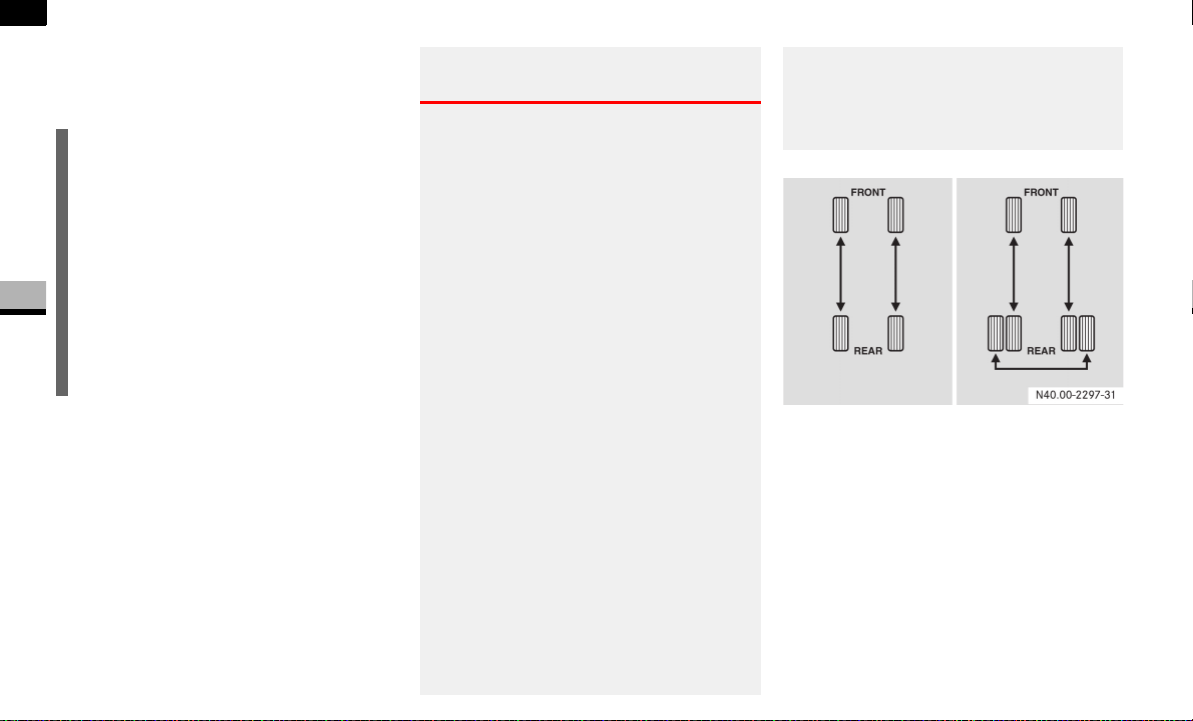
232
Operation
Tires and wheels
4
The reasons for any rapid or unusual wear
should be corrected prior to rotation being
performed.
Thoroughly clean the mounting face of
wheels and brake disks, i.e. the inner side
of the wheels/tires, during each rotation.
Check for and ensure proper tire inflation
pressure, refer to "Recommended tire in-
flation pressure" ( page 210).
Rotation pattern for single and dual rear
wheels
Single rear wheels:
Rotate the tires by axle. Never change
the direction of rotation of your tires.
Make sure that on one axle just one
type of tire (same size, type construc-
tion, load and speed rating) is used.
!CAUTION
If your vehicle is equipped with the tire
pressure monitor*, each wheel has an
electronic component.
Tire mounting tools should not be ap-
plied in the area of the valve, as this
could damage the electronic compo-
nents.
Have the tires changed only at an
authorized Sprinter Dealer.
Warning G
In order to avoid loosing a wheel and in or-
der to reduce the risk of fatal or serious in-
juries or vehicle damage, please follow
these safety instructions:
Always replace wheel bolts that are
damaged or rusted.
Never apply oil or grease to wheel bolts.
If a wheel hub thread is damaged, you
must not drive the vehicle. Consult an
authorized Sprinter Dealer.
Only use genuine wheel bolts approved
by the vehicle manufacturer and speci-
fied for your vehicle’s rims. Check tight-
ness of wheel bolts or nuts regularly and
retighten with a torque wrench, if neces-
sary. Tighten wheel bolts or nuts in a
crisscross pattern. For information on
mounting bolts and tightening torques,
refer to "Installing a wheel"
( page 320).
After changing a wheel, the wheel bolts
or nuts must be retightened after the ve-
hicle has been driven for about 30 miles
(50 km).
If new or repainted rims are fitted, the
wheel bolts or nuts must be retightened
again after about 600 to 3000 miles
(about 1000 to 5000 km).

233
Operation
Tires and wheels
4
Dual rear wheels:
Rotate front tires by axle and the outer
rear tire side to side if there is no ap-
proved direction of rotation.
The tires used on dual wheel assem-
blies should be matched for wear to
prevent overloading one tire in a set.
To check if tires are even, lay a straight
edge across all four tires.
The straight edge should touch all the
tires.
For information on wheel change, see the
“Practical hints” section ( page 320).
!CAUTION
3500 dual rear tires have only one ap-
proved direction of rotation. This is to
accommodate the asymmetrical de-
sign (tread pattern) of the ON/OFF
road tire and the use of Outline White
Letter (OWL) tires.
When replacing a flat tire, the spare tire
may have to be remounted on the rim
or installed at a different location to
maintain the correct placement of the
tire on the wheel relative to the tire/
wheel position on the vehicle. For ex-
ample, if the spare is used to replace an
outer rear tire it will have to remounted
on the rim so that the wheel is dished
inward.
That way the tread design of asymmet-
rical tires and the white writing of the
OWL tires will maintain proper position.

234
Operation
Winter driving
4
Winter driving
Have your vehicle winterproofed at the
onset of winter at an authorized Sprinter
Dealer. This service includes the following:
Oil change, if the current engine oil
used has not been approved for winter
use
The antifreeze/anti-corrosion concen-
tration in the coolant is checked
The addition of a concentrated clean-
ing agent to the water in the windshield
washer system
Battery check
A tire change
You will find information about diesel fuel
for use at low outside temperatures in the
“Technical data” section ( page 360).
Please also observe the information about
winter driving ( page 235).
Always use winter tires at temperatures
below 45°F (7°C) and whenever wintry
road conditions prevail. Winter tires should
be of the same size and type construction
as the summer tires.
Winter tires should also be operated as
printed on the tire and loading information
placard, refer to "Tires and wheels"
( page 199). Not all M+S rated radial-ply
tires provide special winter performance.
Make sure the tires you use show M+S and
the mountain/snowflake marking.on
the tire side wall. These tires meet specific
snow traction performance requirements
of the Rubber Manufacturers Association
(RMA) and the Rubber Association of Can-
ada (RAC) and have been designed specif-
ically for use in snow conditions. Use of
winter tires is the only way to achieve the
maximum effectiveness of the ABS, BAS,
ASR and ESP
®
in winter operation.
For safe handling, make sure all winter
tires mounted are of the same make and
have the same tread design.
Always observe the speed rating of the
winter tires installed on your vehicle. If the
maximum speed for which your tires are
rated is below the speed rating of your ve-
hicle, you must place a notice to this effect
where it will be seen by the driver. Such no-
tices are available at your tire dealer or any
authorized Sprinter Dealer.
Reactivate the tire pressure monitor.
While studded tires improve performance
on ice, skid and traction capability on wet
or dry surfaces may be poorer than that of
non-studded tires. Some states prohibit
studded tires; therefore, local laws should
be checked before using these tire types.
Winter tires
Warning G
Winter tires with a tread depth under 1/6 in
(4 mm) must be replaced. They are no long-
er suitable for winter operation.

235
Operation
Winter driving
4
Drive with particular care on icy roads.
Avoid sudden acceleration, steering move-
ments and braking.
If it seems likely that the vehicle is about to
enter a skid or cannot be stopped at a low
speed:
Move the selector lever to position N.
Try to maintain control of the vehicle
using light corrective steering.
Road salt may adversely affect braking ef-
ficiency. It may therefore be necessary to
apply the brakes more forcefully in order to
achieve the same braking force as normal.
Apply the brakes regularly when making
longer journeys on gritted or salted roads.
This will have the effect of restoring the
brakes to their normal level of perfor-
mance.
When stopping the vehicle after traveling
on roads that have been salted, check that
the brakes are fully functional before pro-
ceeding further.
Warning G
If you use your spare tire when winter tires
are fitted on the other wheels, be aware that
the difference in tire characteristics may im-
pair turning stability and overall driving sta-
bility may be reduced. Adapt your driving
style accordingly.
Have the spare tire replaced with a winter
tire at the nearest authorized Sprinter Deal-
er.
i
When they have been removed, store
wheels and tires in a cool, dry, and if
possible dark place. Protect the tires
from oil, grease, and gasoline/diesel.
Driving in winter
Warning G
Downshifting to brake could cause the drive
wheels to lose grip on a slippery surface due
to the increased difference in speed be-
tween the engine and the drive wheels at
this time.
Do not downshift for additional engine brak-
ing on a slippery surface. Use the service
brake in accordance with road conditions.
Only downshift to a lower gear when travel-
ing at a low engine speed.

236
Operation
Winter driving
4
Use "Class U" chains, or other traction aids
that meet SAE Type "U" specifications.
Snow chains must be the proper size for
the vehicle, as recommended by the chain
manufacturer. They should only be driven
on snow-covered roads at speeds not to
exceed 30 mph (50 km/h). Remove
chains as soon as possible when driving on
roads without snow.
Please observe the following guidelines
when using snow chains:
Snow chains should only be used on
rear wheels. In vehicles with dual rear
wheels, they should be mounted on the
exterior wheels. Follow the manufac-
turer’s mounting instructions.
Only use snow chains that are ap-
proved by the vehicle manufacturer.
For approved snow chains, please con-
tact your authorized Sprinter Dealer.
Use of snow chains may be prohibited
depending on location. Always check
local and state laws before mounting
snow chains.
To avoid damage to your vehicle, tires or
chains, observe the following precautions:
Because of limited chain clearance be-
tween tires and other suspension com-
ponents, it is important that only
chains in good condition are used. Bro-
ken chains can cause serious vehicle
damage. Stop the vehicle immediately
if noise occurs that could suggest chain
breakage. Remove the damaged parts
of the chain before further use.
Install chains as tightly as possible and
then retighten after driving about 1/2
mile (0.8 km).
Do not exceed 30 mph (50 km/h).
Drive cautiously and avoid severe turns
and large bumps, especially with a
loaded vehicle.
Do not install tire chains on front
wheels.
Do not drive for a prolonged period on
dry pavement.
Observe the tire chain manufacturer’s
instructions on method of installation,
operating speed, and conditions for us-
age. Always use the lower suggested
operating speed of the chain manufac-
turer if different than the speed recom-
mended by the manufacturer.
Snow chains
!CAUTION
Use snow chains on rear wheels only.
Some tire sizes do not leave adequate
clearance for snow chains. To help
avoid serious damage to your vehicle or
tires, use of snow chains is not permis-
sible with the spare wheel.
i
When driving with snow chains, you
may wish to deactivate the ASR
( page 44) before setting the vehicle
in motion. This will improve the vehi-
cle’s traction.

237
Operation
Maintenance and servicing
4
Maintenance and servicing
Mechanical elements and the lubricants
used for them must be carefully matched.
For this reason, only brands tested and ap-
proved by the manufacturer should be
used. Please contact your Sprinter Dealer
to obtain the necessary information. No lu-
bricant additives should be used.
The use of such additives could affect your
warranty rights. Information is available
from any authorized Sprinter Dealer.
For specifications of engine oils, coolant
and brake fluid, see "Service products and
capacities" ( page 355) and contact your
authorized Sprinter Dealer.
Observe the information on spare parts in
the “Technical data” section
( page 352).
Warning G
Before carrying out maintenance operations
and repairs, please make sure that you read
the relevant sections of the technical docu-
mentation, such as:
Operating instructions and workshop in-
formation
Familiarize yourself in advance in particular
with legal requirements, such as:
Safety at work and accident prevention
regulations.
You may otherwise fail to recognize dangers
and could injure yourself or others.
When working underneath the vehicle, you
must place the vehicle on stands with suffi-
cient load-bearing capacity.
Never use the vehicle jack instead. There is
a risk that the vehicle jack could give way
and the vehicle could drop, seriously injuring
yourself or others, or causing damage to
property.
The jack is only designed to raise the vehicle
for a short time.
Always have the maintenance work carried
out and checked at an authorized Sprinter
Dealer which has the necessary specialist
knowledge and tools to carry out the work
required.
The manufacturer recommends that you use
an authorized Sprinter Dealer for this pur-
pose. In particular, work relevant to safety
or on safety-related systems must be car-
ried out at an authorized Sprinter Dealer.
Service products

238
Operation
Maintenance and servicing
4
ASSYST, the Active Service System, in-
forms you when the next service is due.
A service that is due is displayed about a
month or 1900 miles (3000 km) in ad-
vance. A message is then displayed while
the vehicle is in motion or the ignition is
switched on.
Service due date display
Vehicles with steering wheel buttons
The following messages may be displayed:
9
Service A in .. days
9
Service A in .. miles
(
km
)
9
Service A due now
The letters
A
or
B
indicate the type of ser-
vice that is due.
Warning G
If handled incorrectly, service products can
constitute a health risk for people and an en-
vironmental hazard.
Always observe relevant guidelines for han-
dling, storing and disposing of service prod-
ucts.
Active Service System (ASSYST)*
!CAUTION
Periods when the battery is disconnect-
ed will not be recorded by ASSYST. To
make sure that you have the vehicle
serviced at the correct time, you should
therefore subtract periods when the
battery is disconnected from the days
shown.
The service indicator does not provide
information about the engine oil level.
The service indicator should not, there-
fore, be confused with the P engine
oil level display.
i
The service due date is displayed in
days or kilometers, depending on the
total distance driven.
The time between the individual service
due dates depends on your style of
driving. You can increase this by:
driving with care and at a moderate
engine speed
avoiding short journeys where the
engine does not reach the operat-
ing temperature

239
Operation
Maintenance and servicing
4
Vehicles without steering wheel buttons
The following messages may be displayed:
9 for service A
´ for service B
The following are also shown, depending
on the style of driving:
the remaining distance in kilometers,
e.g.
1900 miles
(
3000 km
)
the remaining time in days, e.g.
30 days
.
Missing the service due date
An authorized Sprinter Dealer, can reset
the service indicator when the service has
been carried out.
Vehicles with steering wheel buttons*
If you have missed the service due date,
one of the following messages appears in
the display:
9
Service A overdue by .. days
9
Service A overdue by .. miles
(
km
)
A signal also sounds.
Vehicles without steering wheel buttons
If you have missed the service due date,
the following symbol flashes in the display
for 10 seconds after the ignition is
switched on:
9 for service A
´ for service B
You will also see a minus sign before the
service due date.
Calling up the service due date
Switch on the ignition ( page 67).
The display is activated.
Vehicles with steering wheel buttons*
Press the è or ÿ button on the
steering wheel repeatedly until you see
the standard display ( page 89) .
Press the j or k button on the
steering wheel repeatedly until you see
the following in the display, for exam-
ple:
9
Service A in .. days
9
Service A in .. miles
(
km
)
The letters
A
or
B
indicate the type of
service that is due.
!CAUTION
If you fail to have the specified service
carried out, you could be in breach of
relevant regulations and warranty and
goodwill settlements could be invali-
dated.
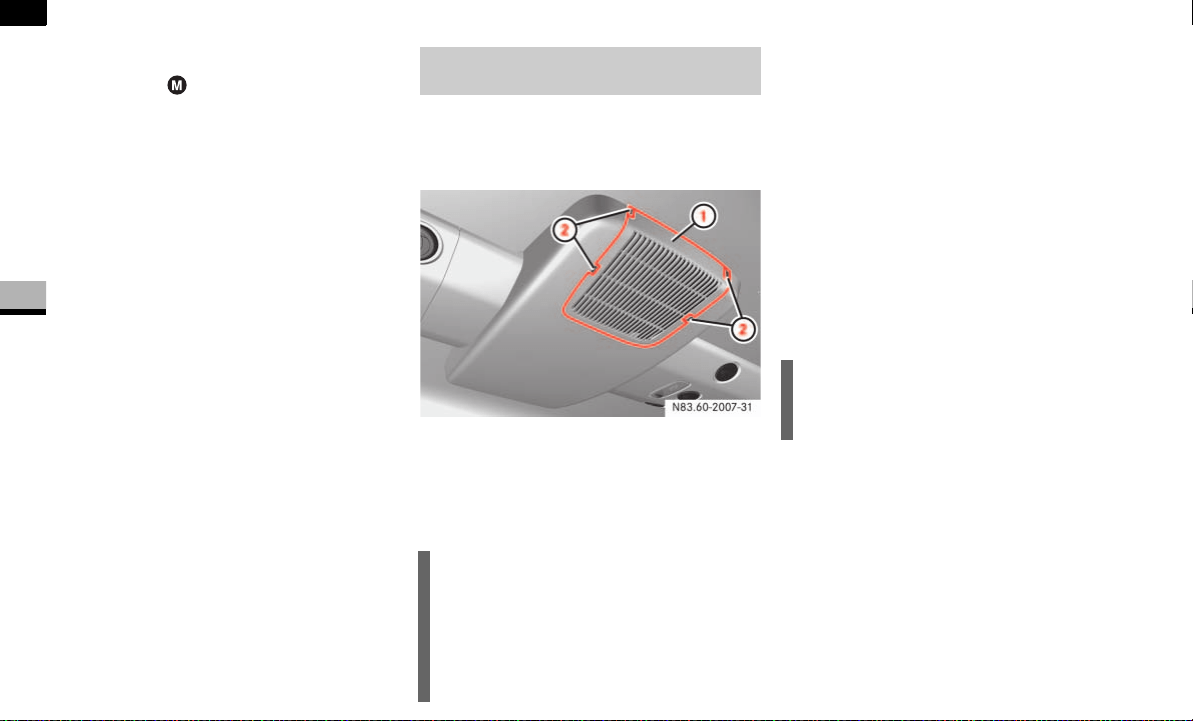
240
Operation
Maintenance and servicing
4
Vehicles without steering wheel buttons
Press the menu button on the in-
strument cluster repeatedly until you
see the following in the display:
9 for service A
´ for service B
The following are also shown, depend-
ing on the style of driving:
the remaining distance in miles (kilo-
meters)
the remaining time in days
An increased amount of sand or dust may
collect in the air cleaner when you drive on
dusty or sandy roads.
Air cleaner in the roof in the rear compart-
ment
1 Cover
2 Recesses
For this reason, check the air cleaner reg-
ularly for visible damage.
Removing the air cleaner element
Carefully pry cover 1 out of
recesses 2 and remove it.
Remove the filter mat.
Cleaning the filter mat
Wash the filter mat with clean water.
Leave the filter mat to dry.
Installing the air cleaner element
Insert the filter mat.
Attach cover 1.
Air cleaner for the air-conditioning
system in the rear compartment*
!CAUTION
You must clean visible dirt from the air
cleaner or replace it if necessary. The
dirt can otherwise damage the air con-
ditioning, which is not covered by war-
ranty.
!CAUTION
The filter mat must not be cleaned or
dried in a machine.

241
Operation
Cleaning and care of the vehicle
4
Cleaning and care of the vehicle
Regular and proper care will help to main-
tain the value of your vehicle. The best way
to protect your vehicle from harmful envi-
ronmental influences is to wash it and use
protective treatments regularly.
Scratches, corrosive deposits, areas af-
fected by corrosion and damage caused by
neglect or inadequate care cannot always
be completely remedied. In such cases,
visit an authorized Sprinter Dealer.
Repair damage caused by loose chippings
and remove the following substances im-
mediately:
Insect remains
Bird droppings
Tree resin
Oils and grease
Fuel
Tar stains
Wash the vehicle more frequently in winter
to remove salt residue.
i
It is recommended that you use Mopar
care products. These have been spe-
cially adapted to Sprinter vehicles and
are state of the art. Mopar care prod-
ucts are available from any authorized
Sprinter Dealer.
Warning G
Always follow the instructions for using the
care products.
Always keep care products sealed and out
of the reach of children.
Do not use fuel as a cleaning agent. Fuel is
flammable and constitutes a health hazard.
Environmental note H
Only clean the vehicle in a suitable place for
washing vehicles. Dispose of empty contain-
ers and used cleaning materials in an envi-
ronmentally responsible manner.
i
If you need to clean the areas towards
the top of the vehicle, always use
suitable ladders
secure steps
!CAUTION
Under no circumstances should you af-
fix unsuitable stickers, films, magnets
or similar to painted surfaces. You
could otherwise damage the paint-
work.

242
Operation
Cleaning and care of the vehicle
4
Automatic car wash
You can clean the vehicle in an automatic
car wash from the very start. It is prefera-
ble to use a car wash that does not have
brushes.
If the vehicle is very dirty, prewash it be-
fore you drive into the car wash.
Remove the radio/telephone antenna
and fold the exterior mirrors in before
driving into the automatic car wash.
After using an automatic car wash, wipe off
wax from the windshield and the wiper
blades. This prevents smears and reduces
wiping noises which can be caused by res-
idue on the windshield.
High-pressure cleaners
The minimum distance that must be
maintained between the vehicle and
the nozzle of the high-pressure cleaner
is:
approximately 2.2 ft (70 cm) for
round-spray jets
approximately 1 ft (30 cm) for 25°
flat-spray jets and concentrated-
power jets
Move the high-pressure cleaner nozzle
around when cleaning your vehicle.
Care of the vehicle
!CAUTION
After cleaning your vehicle, especially
the wheel rims with rim cleaner, do not
simply park the vehicle and leave it.
Rim cleaners can promote corrosion of
the brake discs and the brake pads/
linings. Before parking and leaving the
vehicle after cleaning, always warm the
vehicle up to normal operating temper-
ature first.
!CAUTION
Make sure that the automatic car wash
is suitable for the size of the vehicle.
If you do not remove the radio/ tele-
phone antenna and fold in the exterior
mirrors, there is a possibility that the
antenna, the exterior mirrors or the ve-
hicle could be damaged by the auto-
matic car wash.
!CAUTION
Make sure that the windshield wiper
switch is set to 0 ( page 126), other-
wise the rain sensor could be activated,
for example, and the windshield wipers
could be triggered unintentionally. This
could cause damage to the vehicle.
!CAUTION
Do not use high-pressure cleaners with
round-spray jets for cleaning the tires.
You could otherwise damage the tires.
Have damaged tires replaced.
!CAUTION
To avoid damage, do not aim directly at
the door joints, brake hoses, electrical
components, connectors or seals.

243
Operation
Cleaning and care of the vehicle
4
Steps
Engine cleaning
Light-alloy wheels*
Clean light-alloy wheels on a regular basis.
Outside of windshield and wiper blades
Turn key to position 1 in ignition lock
( page 67).
Switch on windshield wipers
( page 126).
When the wiper arms are vertical, turn
key to position 0 in the ignition lock or
remove the key.
Fold the wiper arms away from the
windshield until you feel them engage
in place.
You can now clean the windshield and
the wiper blades.
Fold the windshield wipers back again
before you switch on the ignition.
Warning G
Dirty or iced-up steps and entrances create
a risk of slipping or falling.
Keep steps, entrances and footwear free
from dirt (e.g. mud, clay, snow and ice).
!CAUTION
Do not allow water to enter the intake
and ventilation openings.
When cleaning with high-pressure wa-
ter or steam cleaners, the spray must
not be aimed directly at electrical com-
ponents or at the end of electrical
lines.
Treat the engine with preservative
agents after cleaning. Protect the belt
drive system from the preservative
when you do so.
!CAUTION
Do not use any acidic or alkaline clean-
ing agents. They can cause corrosion of
the wheel bolts (wheel nuts) or the bal-
ancing weight retainers.
!CAUTION
Do not fold the windshield wipers away
from the windshield unless the hood is
closed. You will otherwise damage the
hood.
Warning G
Switch off the ignition before cleaning the
windshield or the wiper blades. The wind-
shield wipers could otherwise move and in-
jure you.
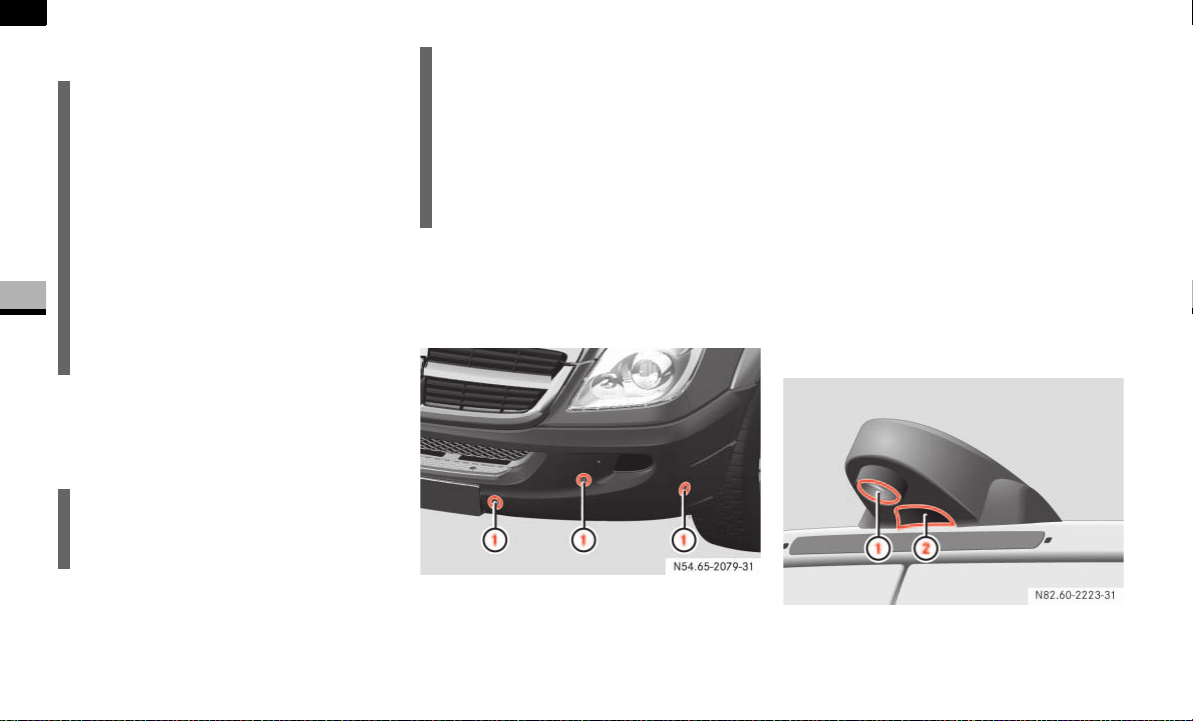
244
Operation
Cleaning and care of the vehicle
4
Windows
Headlamps
Wipe the headlamp lenses with a damp
sponge.
Parktronic sensors*
The sensors are located in the front and
rear bumpers.
Clean the sensors in the bumpers using
water, shampoo and a soft cloth.
!Do not use dry, coarse or hard cloths
and do not scrub. You will otherwise
scratch or damage the sensors.
If you clean the sensors with a high-pressu-
re cleaner or steam cleaner, observe the
information provided by the manufacturer
regarding the distance to be maintained
between the vehicle and the nozzle of the
high-pressure cleaner.
Rear view camera lens*
The rear view camera is located in the cen-
ter of the roof above the third brake lamp.
Rear view camera
!CAUTION
Do not use a dry cloth, abrasive materi-
al, solvent or solvent-based cleaning
agent to clean the inside of the win-
dows. Clean the inside of the windows
with a damp cloth or a commercially
available glass cleaner. Do not touch
the inside of the rear and side windows
with hard objects, such as an ice scrap-
er or a ring. You could otherwise dam-
age the windows or the rear window
heating.
!CAUTION
Only use washer fluid which is suitable
for plastic lamp lenses.
Unsuitable washer fluid may damage
the plastic headlamp lenses.
For this reason, do not use a dry cloth,
abrasive material, solvent or solvent-
based cleaning agent. You could other-
wise scratch or damage the lens sur-
face.
1 Parktronic sensors
1 Camera lens
2 Microphone openings

245
Operation
Cleaning and care of the vehicle
4
Clean the camera lens 1 using water
and a soft cloth only.
Be careful not to apply wax to the camera
lens 1 when waxing the vehicle. If neces-
sary, remove the wax using shampoo with
plenty of water.
!Do not use dry, coarse or hard cloths
and aggressive cleaning agents. Do not
scrub or use high pressure. You will other-
wise scratch or damage the lens or the ca-
mera.
If you clean the vehicle with a high-pressu-
re cleaner or steam cleaner, maintain a mi-
nimum distance of 1.6 ft (50 cm) to the
rear view camera. To prevent damage, do
not aim directly at the rear view camera or
at the microphone openings on the under-
side of the rear view camera.
Plastic trims
Light soiling
Wipe plastic parts with a damp, lint-
free cloth (e.g. a micro-fiber cloth).
Heavy soiling
Wipe plastic parts with a damp, lint-
free cloth (e.g. a micro-fiber cloth).
Dashboard and padded boss of the
steering wheel
Moisten a clean and lint-free cloth with
water and clean the plastic parts and
the dashboard.
Use a mild soap solution for particularly
stubborn dirt.
!CAUTION
Do not use dry, coarse or hard cloths
and do not scrub. You will otherwise
scratch or damage the surfaces.
!CAUTION
Use a low-foaming grease solvent (e.g.
washing-up liquid) diluted in water as a
cleaning agent.
The surface color may temporarily
change shade during cleaning. Simply
wait for the surface to dry.
!CAUTION
Use a solvent-free and non-caustic
cleaning agent. The manufacturer
recommends that you use a
Mercedes-Benz product.
The surface color may temporarily
change shade during cleaning. Simply
wait for the surface to dry.
Warning G
Do not use cleaners or cockpit care sprays
containing solvents to clean the dashboard
or the padded boss of the steering wheel.
Cleaners containing solvents can make the
surface porous, which could lead to serious
injuries if plastic parts were to come loose
when an airbag is triggered.

246
Operation
Cleaning and care of the vehicle
4
Seat belts
Remove stains or dirt immediately to pre-
vent damage or the build-up of residues.
!CAUTION
Clean the seat belts with a mild wash-
ing solution. Do not dry the seat belts in
direct sunlight or at temperatures
above 176 °F (80 °C).
Do not bleach or dye the seat belts.
This could impair the function of the
seat belts.
After driving off-road or on construc-
tion sites
Warning G
Dirt on the vehicle can affect road and oper-
ating safety.
In particular, the following dangers can arise:
Stone chippings
Stones trapped between the tires can be
thrown out while the vehicle is in motion and
injure other road users or damage their ve-
hicles (in particular the windshield).
Risk of skidding
Dirt and mud on the tires/road surface re-
duce wheel grip. This is especially so if the
road surface is wet. The vehicle could then
start to skid.
Risk of slipping
Dirt and mud on the steps and entrances
make the steps less safe. As a result you
could slip from the steps and injure yourself.
For this reason, always clean your vehicle
carefully after driving off-road and on con-
struction sites before using public roads.
If you use a high-pressure cleaner or auto-
matic car wash for this purpose, you must
follow the relevant safety instructions in this
section.

247
Operation
Cleaning and care of the vehicle
4
Clean the vehicle, particularly the light-
ing equipment, windows, exterior mir-
rors, steps, entrances, grab handles,
wheels, tires, wheel housings and li-
cense plates. Observe the notes in this
section.
Remove any trapped foreign objects,
e.g. stones.
After driving in mud, sand, water or similar
conditions:
Check the brake system for operating
safety.
Clean the wheels, chassis and brake
system.
Check them for damage and have any
damage repaired by an authorized
Sprinter Dealer if necessary.
Warning G
Dirty brake discs and brake pads/linings
can impair braking power (to the point of to-
tal failure).
You could thereby cause an accident.
Check the brake system for operating safety
by testing the brakes before driving the ve-
hicle onto public roads.
If braking power is impaired, stop the ve-
hicle as soon as it is safe to do so and con-
sult an authorized Sprinter Dealer which has
the necessary specialist knowledge and
tools to carry out the work required.
The manufacturer recommends that you use
an authorized Sprinter Dealer for this pur-
pose. In particular, work relevant to safety
or on safety-related systems must be car-
ried out at an authorized Sprinter Dealer.


249
5
Practical hints
What to do if ... ......... 250
Display messages ......... 281
Where will I find...? ......... 299
Changing bulbs ......... 306
Changing the batteries ......... 315
Fuel system ......... 317
Replacing the wiper blades ......... 319
Flat tire ......... 320
Battery ......... 335
Jump-starting ......... 340
Towing ......... 342
Fuses ......... 345

250
Practical hints
What to do if ...
5
Audible warning signals
Warning G
Always have maintenance work carried out
at an authorized Sprinter Dealer which has
the necessary specialist knowledge and
tools to carry out the work required.
The manufacturer recommends that you use
an authorized Sprinter Dealer for this pur-
pose.
In particular, work relevant to safety or on
safety-related systems must be carried out
at an authorized Sprinter Dealer. There is a
risk of an accident and injury if this work is
carried out incorrectly.
Problem Possible cause/result Suggested solutions
The anti-theft alarm system is suddenly
triggered.
You have opened the vehicle using the key
while the anti-theft alarm system was still
primed.
Key:
Press the Πbutton.
or
Insert the key into the ignition lock.
The anti-theft alarm system is deacti-
vated.
You hear a warning signal. A message appears in the display. Observe the instructions on
( page 281).
You are driving with the handbrake applied. Release the handbrake
( page 115).
You opened the driver’s door and forgot to
switch off the lights.
Turn the light switch to 0.
Warning G
You are not wearing your seat belt.
Fasten your seat belt ( page 25).

251
Practical hints
What to do if ...
5
Accident
Warning G
Always have maintenance work carried out
at an authorized Sprinter Dealer which has
the necessary specialist knowledge and
tools to carry out the work required.
The manufacturer recommends that you use
an authorized Sprinter Dealer for this pur-
pose.
In particular, work relevant to safety or on
safety-related systems must be carried out
at an authorized Sprinter Dealer. There is a
risk of an accident and injury if this work is
carried out incorrectly.
Problem Possible cause/result Suggested solutions
Fuel is leaking from the vehicle.
Risk of fire and explosion G
The fuel line or fuel tank is malfunctioning.
There is a risk of fire and explosion from leak-
ing fuel.
Switch off the ignition immediately.
Remove the key.
Do not restart the engine under any
circumstances.
Consult
an authorized Sprinter Dealer.
You are unable to determine the extent of
the damage.
Consult an authorized Sprinter Dealer.
You are unable to determine any damage
to:
the major components
the fuel system
the engine support
Start the engine as usual.

252
Practical hints
What to do if ...
5
Fuel and fuel tank
Warning G
Always have maintenance work carried out
at an authorized Sprinter Dealer which has
the necessary specialist knowledge and
tools to carry out the work required.
The manufacturer recommends that you use
an authorized Sprinter Dealer for this pur-
pose.
In particular, work relevant to safety or on
safety-related systems must be carried out
at an authorized Sprinter Dealer. There is a
risk of an accident and injury if this work is
carried out incorrectly.
Problem Possible cause/result Suggested solutions
The fuel tank has been run dry and the vehi-
cle has a diesel engine.
There is air in the fuel system. Bleed the fuel system ( page 318).
Fuel is leaking from the vehicle.
Risk of fire and explosion G
The fuel line or fuel tank is malfunctioning.
There is a risk of fire and explosion from leak-
ing fuel.
Switch off the ignition immediately.
Remove the key.
Do not restart the engine under any
circumstances.
Consult
an authorized Sprinter Dealer.

253
Practical hints
What to do if ...
5
Engine
Warning G
Always have maintenance work carried out
at an authorized Sprinter Dealer which has
the necessary specialist knowledge and
tools to carry out the work required.
The manufacturer recommends that you use
an authorized Sprinter Dealer for this pur-
pose.
In particular, work relevant to safety or on
safety-related systems must be carried out
at an authorized Sprinter Dealer. There is a
risk of an accident and injury if this work is
carried out incorrectly.
Problem Possible cause/result Suggested solutions
The engine does not start.
You can hear the starter motor working.
There may be a malfunction in the fuel
supply.
Turn the key back to position 0 in the
ignition lock before the next starting
attempt.
Start the engine again.
Note that excessively long attempts
to start the engine may drain the bat-
tery.
If the engine still will not start after sever-
al starting attempts:
Consult
an authorized Sprinter Dealer.
Vehicles with a diesel engine:
The engine does not start.
You can hear the starter motor working. The
reserve fuel warning lamp is lit and the fuel
gauge is at 0.
The fuel tank has been run dry. Refuel the vehicle.
Bleed the fuel system ( page 318).

254
Practical hints
What to do if ...
5
The engine does not start.
You cannot hear the starter motor working.
The on-board voltage is too low (the battery
has too little charge or is discharged).
The selector lever is not in position P or N.
The engine may be jump-started
( page 340).
If the engine does not start despite jump-
starting:
Consult
an authorized Sprinter Dealer.
The battery isolating switch is disconnected. Switch on the electrical system
( page 197).
Vehicles with a gasoline engine:
The engine is not running smoothly and it is
misfiring.
The engine electronics or a mechanical com-
ponent of the engine control has malfunc-
tioned.
Do not use too much throttle.
Have the cause rectified immediately
at
an authorized Sprinter Dealer.
Otherwise, unburned fuel may get into
the catalytic converter and damage it.
Problem Possible cause/result Suggested solutions

255
Practical hints
What to do if ...
5
The coolant temperature gauge is above
250 °F (+120 °C).
The coolant is too hot and the engine is not
being sufficiently cooled.
Park your vehicle in a safe location as
quickly as possible and let the engine
continue to run at idle speed for about
1 to 2 minutes before switching it off.
This allows the coolant temperature
to return to normal again.
If the coolant temperature is still too high:
Switch off the engine and let it as well
as the coolant cool down.
Check the coolant level and observe
the warning notes as you do so
( page 191).
Add coolant as necessary.
Problem Possible cause/result Suggested solutions

256
Practical hints
What to do if ...
5
Automatic transmission
Warning G
Always have maintenance work carried out
at an authorized Sprinter Dealer which has
the necessary specialist knowledge and
tools to carry out the work required.
The manufacturer recommends that you use
an authorized Sprinter Dealer for this pur-
pose.
In particular, work relevant to safety or on
safety-related systems must be carried out
at an authorized Sprinter Dealer. There is a
risk of an accident and injury if this work is
carried out incorrectly.
Problem Possible cause/result Suggested solutions
The transmission no longer changes gear
correctly.
The transmission is losing oil. Have the transmission checked im-
mediately at
an authorized Sprinter Deal-
er.
The acceleration ability is deteriorating.
The transmission does not shift.
The transmission is in emergency mode.
It is only possible to shift into second gear or
reverse gear.
Stop the vehicle.
Move the selector lever to position P.
Switch off the engine.
Wait at least 10 seconds before re-
starting the engine.
Move the selector lever to position D
or R.
In position D, the transmission shifts
into second gear; in position R, the
transmission shifts into the reverse
gear.
Have the transmission checked im-
mediately at
an authorized Sprinter Deal-
er.

257
Practical hints
What to do if ...
5
Headlamps and turn signals
Warning G
Always have maintenance work carried out
at an authorized Sprinter Dealer which has
the necessary specialist knowledge and
tools to carry out the work required.
The manufacturer recommends that you use
an authorized Sprinter Dealer for this pur-
pose.
In particular, work relevant to safety or on
safety-related systems must be carried out
at an authorized Sprinter Dealer. There is a
risk of an accident and injury if this work is
carried out incorrectly.
Problem Possible cause/result Suggested solutions
The headlamps are fogged up on the inside. Air humidity is very high. Drive with the lights on.
The headlamps will defrost after the
vehicle has been driven a short dis-
tance.
Moisture has penetrated the headlamp hous-
ing since it is not water-tight.
Have the headlamps checked at an au-
thorized Sprinter Dealer.

258
Practical hints
What to do if ...
5
Windshield wipers
Warning G
Always have maintenance work carried out
at an authorized Sprinter Dealer which has
the necessary specialist knowledge and
tools to carry out the work required.
The manufacturer recommends that you use
an authorized Sprinter Dealer for this pur-
pose.
In particular, work relevant to safety or on
safety-related systems must be carried out
at an authorized Sprinter Dealer. There is a
risk of an accident and injury if this work is
carried out incorrectly.
Problem Possible cause/result Suggested solutions
The windshield wipers are jammed. Leaves or snow, for example, are hindering
the movement of the windshield wipers.
The wiper motor has switched off.
Stop the vehicle as soon as possible
and, for safety reasons, remove the
key from the ignition lock.
Remove the cause of the obstruction.
Switch on the windshield wipers
again.
The windshield wipers have stopped work-
ing completely.
The windshield wiper drive has malfunc-
tioned.
Select a different wiper speed on the
combination switch.
Have the windshield wipers checked
at
an authorized Sprinter Dealer.

259
Practical hints
What to do if ...
5
Remote control
Warning G
Always have maintenance work carried out
at an authorized Sprinter Dealer which has
the necessary specialist knowledge and
tools to carry out the work required.
The manufacturer recommends that you use
an authorized Sprinter Dealer for this pur-
pose.
In particular, work relevant to safety or on
safety-related systems must be carried out
at an authorized Sprinter Dealer. There is a
risk of an accident and injury if this work is
carried out incorrectly.
Problem Possible cause/result Suggested solutions
It is no longer possible to lock the vehicle
using the remote control.
The turn signals do not flash when the vehi-
cle is locked.
The doors are not closed properly. Close the doors properly and lock the
vehicle again.
The central locking system has malfunc-
tioned.
Lock the vehicle using the key
( page 54).
Have the central locking system
checked as soon as possible at an au-
thorized Sprinter Dealer.

260
Practical hints
What to do if ...
5
It is no longer possible to lock or unlock the
vehicle using the remote control.
The remote control batteries are weak or dis-
charged.
Point the remote control towards the
driver’s door handle at close range
and try again.
If this does not work:
Lock or unlock the vehicle using the
key ( page 54).
Check the batteries of the remote
control ( page 53). Change the
batteries if necessary ( page 315).
The remote control is malfunctioning. Lock or unlock the vehicle using the
key ( page 54).
Have the remote control checked at
an authorized Sprinter Dealer.
The battery check lamp on the remote con-
trol does not light up briefly when a button
is pressed.
The remote control batteries are discharged. Change the batteries ( page 315).
You have lost a remote control. Have the remote control canceled at
an authorized Sprinter Dealer.
Report the loss immediately to the
vehicle insurers.
Your authorized Sprinter Dealer will be
happy to obtain a replacement for you.
Problem Possible cause/result Suggested solutions

261
Practical hints
What to do if ...
5
The key can no longer be turned in the igni-
tion lock.
The on-board voltage is too low. Remove the key and re-insert it into
the ignition lock.
Switch off all non-essential consum-
ers, for example the seat heating, in-
terior lighting, and try to turn the key
again.
If this does not work:
Check the starter battery and charge
it if necessary.
or
The engine may be jump-started
( page 340).
or
Consult an authorized Sprinter
Dealer.
Problem Possible cause/result Suggested solutions

262
Practical hints
What to do if ...
5
Driving systems
Warning G
Always have maintenance work carried out
at an authorized Sprinter Dealer which has
the necessary specialist knowledge and
tools to carry out the work required.
The manufacturer recommends that you use
an authorized Sprinter Dealer for this pur-
pose.
In particular, work relevant to safety or on
safety-related systems must be carried out
at an authorized Sprinter Dealer. There is a
risk of an accident and injury if this work is
carried out incorrectly.
Problem Possible cause/result Suggested solutions
Only the red segments in the Parktronic*
warning displays are lit.
A warning tone also sounds for approxi-
mately 2 seconds.
Parktronic* switches off after approxi-
mately 20 seconds.
The indicator lamp on the Parktronic
switch comes on and the red segments in
the warning display go out.
Parktronic* has malfunctioned and has
switched off.
When you press the Parktronic switch, the
red segments in the Parktronic warning dis-
plays light up again and the warning tone
sounds for approximately 2 seconds.
Have Parktronic* checked as soon as
possible at an authorized Sprinter
Dealer.
The Parktronic* warning displays indicate
implausible distances.
For example, all the segments may be lit
even though there is no obstacle present.
The Parktronic* sensors are dirty or iced up. Clean the Parktronic* sensors
( page 244).
Switch on the ignition again.
An external radio or ultrasonic source may
be causing interference.
Check whether Parktronic* works at
another location.
The license plate or other attachment parts
near the sensors may not be secured cor-
rectly.
Check the number plate and attach-
ment parts near the sensors to see if
they are securely in place.

263
Practical hints
What to do if ...
5
The speed cannot be set with cruise con-
trol* activated
1
.
The display is showing a message of high pri-
ority and cannot therefore show a change in
speed.
Proceed as instructed by the mes-
sage in the display.
Deactivate cruise control* if neces-
sary.
1Only on vehicles with steering wheel buttons.
Problem Possible cause/result Suggested solutions

264
Practical hints
What to do if ...
5
Auxiliary heating*
Warning G
Always have maintenance work carried out
at an authorized Sprinter Dealer which has
the necessary specialist knowledge and
tools to carry out the work required.
The manufacturer recommends that you use
an authorized Sprinter Dealer for this pur-
pose. In particular, work relevant to safety
or on safety-related systems must be
carried out at an authorized Sprinter Dealer.
If this work is carried out incorrectly, the op-
erating safety of the heater can no longer be
guaranteed and there is a risk of accident
and injury.
Problem Possible cause/result Suggested solutions
The battery check lamp on the remote con-
trol for the auxiliary heating does not light
up briefly when a button is pressed.
The remote control batteries are discharged. Change the remote control batteries
( page 316).
The auxiliary heating does not switch on or
the engine does not start.
Lack of fuel.
The fuel tank is less than a quarter full. The
auxiliary heating switches off automatically.
Refuel at the nearest refueling sta-
tion.
Then start the auxiliary heating re-
peatedly until the fuel lines are full.
The undervoltage protection circuit integrat-
ed in the control unit switches off the auxilia-
ry heating because the on-board voltage is
less than 10 V.
If necessary, have the alternator and
the battery checked.
The fuse has blown. Replace the fuse ( page 345).
Have the cause of the blown fuse
checked at an authorized Sprinter
Dealer.

265
Practical hints
What to do if ...
5
The auxiliary heating does not switch on or
the engine does not start
WARNING G
The auxiliary heating has overheated about
ten times in succession.
The engine or heater is malfunctioning.
Have the auxiliary heating checked at
an authorized Sprinter Dealer.
The heater has overheated. The coolant level is too low. Check the coolant level and add cool-
ant if necessary ( page 191).
Problem Possible cause/result Suggested solutions
Leaving the vehicle in storage
Warning G
Always have maintenance work carried out
at an authorized Sprinter Dealer which has
the necessary specialist knowledge and
tools to carry out the work required.
The manufacturer recommends that you use
an authorized Sprinter Dealer for this pur-
pose.
In particular, work relevant to safety or on
safety-related systems must be carried out
at an authorized Sprinter Dealer. There is a
risk of an accident and injury if this work is
carried out incorrectly.
Problem Possible cause/result Suggested solutions
You wish to leave your vehicle in storage for
a long period of time (longer than
six weeks).
Obtain advice from an authorized
Sprinter Dealer.
Disconnect the starter battery
( page 335).

266
Practical hints
What to do if ...
5
Indicator and warning lamps in
switches
Warning G
Always have maintenance work carried out
at an authorized Sprinter Dealer which has
the necessary specialist knowledge and
tools to carry out the work required.
The manufacturer recommends that you use
an authorized Sprinter Dealer for this pur-
pose.
In particular, work relevant to safety or on
safety-related systems must be carried out
at an authorized Sprinter Dealer. There is a
risk of an accident and injury if this work is
carried out incorrectly.
Problem Possible cause/result Suggested solutions
One or both of the indicator lamps in the
switch for the seat heating * are flash-
ing.
There is insufficient voltage available as too
many consumers are switched on.
The seat heating has been switched off auto-
matically.
Switch off all non-essential consum-
ers, for example the reading lamps,
interior lighting, etc.
The seat heating will switch back on
automatically as soon as there is suf-
ficient voltage again.
The indicator lamps in the switches for the
windshield heating P* and/or rear win-
dow heating F* are flashing.
There is insufficient voltage available as too
many consumers are switched on.
The windshield heating and/or rear window
heating have switched off automatically.
Switch off all non-essential consum-
ers, for example the reading lamps,
interior lighting, etc.
If sufficient voltage is available again
within 30 seconds, the windshield
heating and/or rear window heating
switch on again automatically, they
remain switched off.

267
Practical hints
What to do if ...
5
The residual engine heat utilization func-
tion switches off too soon or cannot be
switched on. The indicator lamp in the °
switch does not light up.
There is insufficient voltage available as too
many consumers are switched on.
Switch off all non-essential consum-
ers, for example the reading lamps,
interior lighting, etc.
The residual engine heat utilization
function will switch back on automat-
ically as soon as there is sufficient
voltage again.
Problem Possible cause/result Suggested solutions

268
Practical hints
What to do if ...
5
Indicator and warning lamps in the
instrument cluster
Warning G
Always have maintenance work carried out
at an authorized Sprinter Dealer which has
the necessary specialist knowledge and
tools to carry out the work required.
The manufacturer recommends that you use
an authorized Sprinter Dealer for this pur-
pose.
In particular, work relevant to safety or on
safety-related systems must be carried out
at an authorized Sprinter Dealer. There is a
risk of an accident and injury if this work is
carried out incorrectly.
Problem Possible cause/result Suggested solutions
v
The yellow ASR/ESP
®
warning
lamp flashes while the vehicle is
in motion.
WARNING G
ESP
®
or ASR is intervening because at least
one of the wheels has reached its tire grip
limit.
Adapt your driving style to suit the
road and traffic conditions. Do not
use too much throttle.
Drive slowly.
The yellow ASR/ESP
®
warning
lamp is lit while the engine is run-
ning.
WARNING G
ASR is deactivated.
Reactivate ASR.
Exceptions ( page 45).
#
-
k
6
The yellow ESP
®
, ABS-, ASR/
BAS indicator lamps and the red
brake system indicator lamp are
lit while the engine is running.
WARNING G
EBV has malfunctioned.
The rear wheels could lock up sooner than
expected when you apply the brakes.
Also observe the messages in the dis-
play on vehicles with steering wheel
buttons ( page 284).
Continue driving, but with even great-
er care.
Have the system checked at an autho-
rized Sprinter Dealer as soon as pos-
sible.

269
Practical hints
What to do if ...
5
#
-
k
6
The yellow ESP
®
, ABS, ASR/BAS
indicator lamps and the red
brake system indicator lamp are
lit while the engine is running.
WARNING G
EBV has been deactivated due to undervolt-
age.
The battery may not be being charged.
The rear wheels could lock up sooner than
expected when you apply the brakes.
Also observe the messages in the dis-
play on vehicles with steering wheel
buttons ( page 284).
Stop your vehicle as soon as it is safe
to do so.
Do not drive any further.
Consult an authorized Sprinter Dealer.
6
The red brake system indicator
lamp is lit while the engine is run-
ning.
A signal also sounds.
WARNING G
There is insufficient brake fluid in the fluid
reservoir.
Also observe the messages in the dis-
play on vehicles with steering wheel
buttons ( page 284).
Do not add brake fluid under any cir-
cumstances. This will not solve the
problem.
Do not drive any further.
Consult an authorized Sprinter Dealer.
6
When towing a trailer:
The red brake system indicator
lamp is lit while the engine is run-
ning.
A signal also sounds.
WARNING G
The trailer's brake booster is malfunctioning.
The vehicle's driving and braking characteris-
tics may change. There is a risk of the trailer
overbraking.
Also observe the messages in the dis-
play on vehicles with steering wheel
buttons ( page 284).
Stop your vehicle as soon as it is safe
to do so.
Do not drive any further.
Consult an authorized Sprinter Dealer.
Problem Possible cause/result Suggested solutions

270
Practical hints
What to do if ...
5
Problem Possible cause/result Suggested solutions
k The yellow ASR/BAS indicator
lamp is lit while the engine is run-
ning.
WARNING G
ASR has been deactivated due to a malfunc-
tion.
The engine power output may then be low-
er.
Continue driving, but with even great-
er care.
Have the system checked at an autho-
rized Sprinter Dealer as soon as pos-
sible.
WARNING G
BAS has been deactivated due to a malfunc-
tion.
The brake system continues to function
with the normal braking effect but with no
electronic support.
Continue driving, but with even great-
er care.
Have the system checked at an autho-
rized Sprinter Dealer as soon as pos-
sible.
ASR and BAS have been switched off due to
undervoltage.
The battery may not be being charged.
The brake system is still available with the
normal braking effect.
Continue driving, but with even great-
er care.
Have the system checked at an autho-
rized Sprinter Dealer as soon as pos-
sible.

271
Practical hints
What to do if ...
5
- The yellow ABS indicator lamp is
lit while the engine is running.
WARNING G
ABS has been deactivated due to a malfunc-
tion. ESP
®
, ASR and BAS as well as cruise
control have also been deactivated as a re-
sult.
The brake system continues to function
with the normal braking effect but with no
electronic support. The wheels could there-
fore lock up, for example if the brakes are
applied with maximum force.
Also observe the messages in the dis-
play on vehicles with steering wheel
buttons ( page 284).
Continue driving, but with even great-
er care.
Have the system checked at an autho-
rized Sprinter Dealer as soon as pos-
sible.
WARNING G
ABS is temporarily unavailable.
Self diagnosis may not have been complet-
ed yet.
The brake system is still available with the
normal braking effect.
Drive on for a distance of more than
13 mph (20 km/h).
ABS is available again if the message
goes out.
ABS has been deactivated due to undervolt-
age.
The battery may not be being charged.
The brake system continues to function
with the normal braking effect but with no
electronic support. The wheels could there-
fore lock up, for example if the brakes are
applied with maximum force.
Continue driving, but with even great-
er care.
Have the system checked at an autho-
rized Sprinter Dealer as soon as pos-
sible.
Problem Possible cause/result Suggested solutions

272
Practical hints
What to do if ...
5
# The yellow ESP
®
indicator lamp is
lit while the engine is running.
WARNING G
ESP
®
has been deactivated due to a mal-
function. Cruise control is also switched off
as a result.
Vehicle stability is no longer automatically
controlled in good time.
Engine power output may be reduced.
Also observe the messages in the dis-
play on vehicles with steering wheel
buttons ( page 284).
Continue driving, but with even great-
er care.
Have the system checked at an autho-
rized Sprinter Dealer as soon as pos-
sible.
ESP
®
has been deactivated due to under-
voltage.
The battery may not be being charged.
Vehicle stability is no longer automatically
controlled in good time.
Engine power output may be reduced.
Continue driving, but with even great-
er care.
Have the system checked at an autho-
rized Sprinter Dealer as soon as pos-
sible.
1 The red SRS warning lamp does
not go out after approximately 4
seconds after the ignition system
is switched on or lights up again.
WARNING G
The restraint systems have malfunctioned.
The airbags or emergency tensioning re-
tractors could be triggered unintentionally,
or not at all in the event of an accident.
Drive on with even greater care to an
authorized Sprinter Dealer.
Problem Possible cause/result Suggested solutions

273
Practical hints
What to do if ...
5
# The red battery charge warning
lamp lights up while the engine is
running.
WARNING G
The battery is not being charged. Possible
causes:
malfunctioning alternator
torn poly-V-belt
Stop immediately and check the poly-
V-belt.
If it is torn:
Do not drive any further. Consult
the nearest authorized Sprinter
Dealer.
If it is not damaged:
Have your vehicle checked at an
authorized Sprinter Dealer.
The battery is malfunctioning. Stop your vehicle as soon as it is safe
to do so.
Do not drive any further.
Contact a breakdown service, an au-
thorized Sprinter Dealer.
2 The yellow brake pad wear indica-
tor lamp lights up after the engine
is started or while the vehicle is in
motion.
WARNING G
The brake pads/linings have reached their
wear limit.
Have the brake pads/linings replaced
as soon as possible at an authorized
Sprinter Dealer.
Problem Possible cause/result Suggested solutions

274
Practical hints
What to do if ...
5
: The yellow engine oil level warning
lamp flashes after the engine is
started or while the vehicle is in
motion.
The engine oil level has dropped to the min-
imum level. If the engine oil level falls any
further, the indicator lamp will light up con-
tinuously.
Check the engine oil level and add en-
gine oil at the nearest refueling sta-
tion ( page 190).
If there is visible oil loss from the
engine, have the fault rectified imme-
diately at an authorized Sprinter Deal-
er.
: The yellow engine oil level warning
lamp lights up, the
-2.0 l
engine
oil level message appears in the
display and the warning buzzer
sounds after the engine is started
or while the vehicle is in motion.
There is insufficient or no oil in the engine.
There is a risk of engine damage.
Stop your vehicle as soon as it is safe
to do so.
Switch off the engine.
Check the engine oil level using the
dipstick ( page 190).
If the oil level is correct, have the mal-
function rectified immediately at an
authorized Sprinter Dealer.
If there is insufficient or no oil in the
engine, have the vehicle towed to an
authorized Sprinter Dealer.
Problem Possible cause/result Suggested solutions

275
Practical hints
What to do if ...
5
: The yellow engine oil level warning
lamp lights up, the
HI
engine oil
level message appears in the dis-
play and the warning buzzer
sounds after the engine is started
or while the vehicle is in motion.
The engine oil level has exceeded the maxi-
mum level.
Check the engine oil level and have
any excess oil siphoned off at the
nearest refueling station
( page 190).
The engine or the catalytic converter
could be damaged.
If the oil level is correct, have the mal-
function rectified as soon as possible
at an authorized Sprinter Dealer.
: The yellow engine oil level warning
lamp lights up repeatedly while
the vehicle is in motion.
The engine oil level indicator is malfunction-
ing.
Have the vehicle checked immediate-
ly at an authorized Sprinter Dealer.
/ The yellow coolant level warning
lamp lights up while the engine is
running.
The coolant level is too low.
Never run the engine if the coolant level is
too low.
The engine could overheat and be dam-
aged.
Stop at the earliest opportunity.
Switch off the engine to cool down.
Check the coolant level and add cool-
ant as necessary ( page 191).
If you are having to add coolant fre-
quently, have the cooling system
checked at an authorized Sprinter
Dealer.
Problem Possible cause/result Suggested solutions

276
Practical hints
What to do if ...
5
• The red coolant warning lamp
lights up while the engine is run-
ning.
The coolant temperature is too high. Do not drive any further.
Consult an authorized Sprinter Dealer.
If the vehicle is switched off after being
subjected to extreme loads (for example
driving in mountainous terrain, trailer
towing, etc.), the coolant warning lamp
may light up when the ignition is switched
on or the engine is restarted. Run the en-
gine for approximately 1 minute at idling
speed.
Consult an authorized Sprinter Dealer if
the coolant warning lamp remains lit.
A The yellow reserve fuel warning
lamp lights up while the vehicle is
in motion.
The fuel level has fallen into the reserve
range.
Refuel at the nearest refueling station
( page 184).
A The yellow reserve fuel warning
lamp lights up while the engine is
running and the gauge for the fuel
tank shows zero although there is
still fuel in the tank.
The fuel filler cap is not closed. Close the fuel filler cap. A clicking
sound indicates that the fuel filler cap
is closed.
If the malfunction continues to be in-
dicated, have it rectified immediately
at an authorized Sprinter Dealer.
q The yellow preglow indicator lamp
lights up while the engine is running.
There is a malfunction in the preglow sys-
tem.
Consult an authorized Sprinter Dealer.
Problem Possible cause/result Suggested solutions

277
Practical hints
What to do if ...
5
Problem Possible cause/result Suggested solutions
± The yellow engine diagnostic in-
dicator lamp lights up or flashes
while the engine is running.
The fuel tank has run dry.
The engine may be running in emergency
mode.
Refuel at the nearest refueling sta-
tion.
On vehicles with a diesel engine:
Bleed the fuel system ( page 318).
Start the engine three to four times af-
ter refueling. Emergency mode will be
canceled. You do not need to have
your vehicle checked.
There is a malfunction:
in the fuel injection system
in the ignition system
1
in the exhaust system.
The emission limit values may be exceeded
and the engine may be running in emergency
mode.
Engine power output may be reduced.
Have the vehicle checked immediate-
ly at an authorized Sprinter Dealer.
1 Only vehicles with a gasoline engine.

278
Practical hints
What to do if ...
5
Problem Possible cause/result Suggested solutions
X USA only:
Combination low tire pressure/
TPMS malfunction telltale for
TPMS lights up continuously.
Canada only:
Low tire pressure telltale for
TPMS lights up continuously.
WARNING G
The TPMS detects a loss of pressure in at
least one tire.
Carefully bring the vehicle to a halt,
avoiding abrupt steering and braking
maneuvers. Observe the traffic situa-
tion around you.
Read and observe messages in the
multifunction display.
If the tire inflation pressure in the respec-
tive tire(s) has (have) been corrected, the
combination low tire pressure/TPMS
malfunction telltale goes out after a few
minutes of driving.
X USA only:
Combination low tire pressure/
TPMS malfunction telltale for
TPMS flashes 60 seconds and
then stays illuminated.
There is a malfunction in the TPMS. Read and observe messages in the
multifunction display.
Have the TPMS checked at an autho-
rized Sprinter Dealer as soon as pos-
sible.
After the malfunction has been remedied,
the combination low tire pressure/TPMS
malfunction telltale goes out after a few
minutes of driving.

279
Practical hints
What to do if ...
5
Warning! G
Each tire, including the spare (if provided),
should be checked monthly when cold and
inflated to the inflation pressure recom-
mended by the vehicle manufacturer on the
vehicle placard or the tire inflation pressure
label. (If your vehicle has tires of a different
size than the size indicated on the vehicle
placard or the tire inflation pressure label,
you should determine the proper tire infla-
tion pressure for those tires).
As an added safety feature, your vehicle has
been equipped with a Tire Pressure Monitor-
ing System (TPMS) that illuminates a low tire
pressure telltale when one or more of your
tires is significantly underinflated. Accord-
ingly, when the low tire pressure telltale illu-
minates, you should stop and check your
tires as soon as possible, and inflate them to
the proper pressure. Driving on a significant-
ly underinflated tire causes the tire to over-
heat and can lead to tire failure.
Underinflation also reduces fuel efficiency
and tire tread life, and may affect the vehi-
cle’s handling and stopping ability. Please
note that the TPMS is not a substitute for
proper tire maintenance, and it is the driv-
er’s responsibility to maintain correct tire
pressure, even if underinflation has not
reached the level to trigger illumination of
the TPMS low tire pressure telltale.
USA only:
Your vehicle has also been equipped with a
TPMS malfunction indicator to indicate
when the system is not operating properly.
The TPMS malfunction indicator is com-
bined with the low tire pressure telltale.
When the system detects a malfunction, the
telltale will flash for approximately 1 minute
and then remain continuously illuminated.
This sequence will continue upon subse-
quent vehicle start-ups as long as the mal-
function exists. When the malfunction
indicator is illuminated, the system may not
be able to detect or signal low tire pressure
as intended.
TPMS malfunctions may occur for a variety
of reasons, including the installation of in-
compatible replacement or alternate tires or
wheels on the vehicle that prevent the TPMS
from functioning properly. Always check the
TPMS malfunction telltale after replacing
one or more tires or wheels on your vehicle
to ensure that the replacement or alternate
tires and wheels allow the TPMS to continue
to function properly.

280
Practical hints
What to do if ...
5
Problem Possible cause/result Suggested solutions
/ The yellow water separator indi-
cator lamp
1
lights up while the
ignition is on.
1 Only vehicles with a diesel engine.
The water that has collected in the water sep-
arator has reached the maximum level.
Drain the water separator
( page 317).
Have the water separator drained at
an authorized Sprinter Dealer.
W The yellow washer fluid level in-
dicator lamp for the windshield
washer/headlamp cleaning sys-
tem lights up after the engine is
started or while the vehicle is in
motion.
The windshield washer fluid level is too low. Check the fluid level in the reservoir
and add windshield washer fluid if
necessary ( page 193).
< The red seat belt telltale lights up
for approximately 6 seconds
when the ignition is switched on.
A signal also sounds.
The telltale reminds you to fasten your seat
belt.
Fasten your seat belt.
. The yellow bulb indicator lamp
lights up while the ignition is on.
One of the bulbs of the exterior lighting or on
the trailer is malfunctioning.
Have the malfunction rectified as
soon as possible at an authorized
Sprinter Dealer.
9 The yellow “door open” indicator
lamp lights up while the vehicle
is in motion.
You are already driving at walking pace, even
though not all the doors or the hood are
closed.
Close the doors or the hood.

281
Practical hints
Display messages
5
Warnings, malfunctions or additional infor-
mation may also be shown in the display.
The following table shows messages which
could appear in the display.
Certain messages are accompanied by a
warning signal or a permanent tone.
i
All warning/indicator lamps (except
the turn signal indicator lamps) and the
display are activated when the ignition
is switched on.
Please check that they are working
properly before commencing a journey.
Display messages on vehicles with-
out steering wheel buttons
Warning G
No messages can be displayed if there is a
failure of the instrument cluster and/or the
display. You will not then be able to see in-
formation about the vehicle status, such as
speed and outside temperature, warning
and indicator lamps, malfunction and warn-
ing messages or the failure of systems. Han-
dling characteristics may be affected.
Contact an authorized Sprinter Dealer im-
mediately which has the necessary special-
ist knowledge and tools to carry out the
work required.
The manufacturer recommends that you use
an authorized Sprinter Dealer for this pur-
pose. In particular, work relevant to safety
or on safety-related systems must be car-
ried out at an authorized Sprinter Dealer.
Warning G
Always have maintenance work carried out
at an authorized Sprinter Dealer which has
the necessary specialist knowledge and
tools to carry out the work required.
The manufacturer recommends that you use
an authorized Sprinter Dealer for this pur-
pose. In particular, work relevant to safety
or on safety-related systems must be car-
ried out at an authorized Sprinter Dealer.
There is a risk of an accident and injury if
this work is carried out incorrectly.

282
Practical hints
Display messages
5
Display messages Possible cause/result Possible solution
N There is insufficient or no oil in the engine.
There is a risk of engine damage.
Stop your vehicle as soon as it is safe
to do so.
Switch off the engine.
Check the engine oil level using the
dipstick ( page 189).
If the oil level is correct, have the
malfunction rectified immediately at
an authorized Sprinter Dealer.
If there is insufficient or no oil in the
engine, have the vehicle towed to an
authorized Sprinter Dealer.
NO
The message is displayed for 30 seconds.
TPMS
The message is also displayed after
30 seconds.
The TPMS is malfunctioning. Have the TPMS checked at an autho-
rized Sprinter Dealer as soon as pos-
sible.
The tire pressure monitor is not receiving
signals from one or more wheels because:
a wheel was replaced with the spare
wheel, which is not equipped with a
wheel electronics unit
the maximum temperature in one of the
wheel electronics units has been ex-
ceeded
one of the wheel electronics units is mal-
functioning
Have wheels with wheel electronics
units mounted at an authorized
Sprinter Dealer.

283
Practical hints
Display messages
5
— —
The message is displayed for 30 seconds.
TPMS
The message is also displayed after
30 seconds.
The tire pressure monitor detects a moder-
ate loss of pressure in at least one of the
tires, or the difference in pressure on one
axle is too great.
Check the tire pressure at the earli-
est opportunity and correct it if nec-
essary.
Display messages Possible cause/result Possible solution

284
Practical hints
Display messages
5
The operating system shows warnings,
malfunctions or additional information in
the display.
Certain messages are accompanied by a
warning signal or a permanent tone.
High-priority messages are highlighted in
red in the display.
Please respond in accordance with the
messages and follow the additional notes
in these Operating instructions.
Low-priority messages can be acknowl-
edged using the è, ·, j
or k buttons on the steering wheel
or using the reset button on the in-
strument cluster ( page 84). They are
then stored in the malfunction memo-
ry.
Highest-priority messages cannot be
acknowledged and are automatically
stored in the malfunction memory.
If you select the Malfunction memory
menu in the operating system
( page 95), the acknowledged and
unacknowledged messages will appear.
The following table shows messages which
could appear in the display. The messages
are divided into two types to make it easier
for you to find the relevant message:
Text messages are shown in alphabeti-
cal order from ( page 285) onwards
Symbol messages ( page 289)
Display messages on vehicles with
steering wheel buttons
Warning G
No messages can be displayed if there is a
failure of the instrument cluster and/or the
display. You will not then be able to see in-
formation about the vehicle status, such as
speed and outside temperature, warning
and indicator lamps, malfunction and warn-
ing messages or the failure of systems. Han-
dling characteristics may be affected.
Contact an authorized Sprinter Dealer im-
mediately which has the necessary special-
ist knowledge and tools to carry out the
work required.
The manufacturer recommends that you use
an authorized Sprinter Dealer for this pur-
pose. In particular, work relevant to safety
or on safety-related systems must be car-
ried out at an authorized Sprinter Dealer.
Warning G
Always have maintenance work carried out
at an authorized Sprinter Dealer which has
the necessary specialist knowledge and
tools to carry out the work required.
The manufacturer recommends that you use
an authorized Sprinter Dealer for this pur-
pose. In particular, work relevant to safety
or on safety-related systems must be car-
ried out at an authorized Sprinter Dealer.
There is a risk of an accident and injury if
this work is carried out incorrectly.

285
Practical hints
Display messages
5
Text messages
Display messages Possible cause/result Possible solution
ABS Visit workshop
WARNING G
ABS has been deactivated due to a malfunc-
tion. ESP
®
, ASR and BAS as well as cruise
control have also been deactivated as a re-
sult.
The brake system is still available with the
full brake boosting effect but without ABS.
Continue driving, but with even greater
care.
Have the system checked at an autho-
rized Sprinter Dealer as soon as possi-
ble.
unavailable
WARNING G
ABS is temporarily unavailable.
Self diagnosis may not have been complet-
ed yet.
The brake system is still available with the
normal braking effect.
Drive on for a distance of more than
13 mph (20 km/h).
ABS is available again if the message
goes out.
ABS has been deactivated due to undervolt-
age.
The battery may not be being charged.
The brake system is still available with the
normal braking effect.
Continue driving, but with even greater
care.
Visit an authorized Sprinter Dealer im-
mediately.

286
Practical hints
Display messages
5
ESP Visit workshop
WARNING G
ESP
®
has been deactivated due to a mal-
function. Cruise control is also switched off
as a result.
Vehicle stability is no longer automatically
controlled in good time.
Engine power output may be reduced.
Continue driving, but with even greater
care.
Have the system checked at an autho-
rized Sprinter Dealer as soon as possi-
ble.
unavailable
ESP
®
has been deactivated due to under-
voltage. Cruise control is also switched off
as a result.
The battery may not be being charged.
Vehicle stability is no longer automatically
controlled in good time.
Engine power output may be reduced.
Continue driving, but with even greater
care.
Have the system checked at an autho-
rized Sprinter Dealer as soon as possi-
ble.
Tire pres.
Adjust pres.
The pressure is too low in one or more tires. Check and correct tire inflation pressure
as required.
Tire pres.
monitor
inoperative
The TPMS is malfunctioning. Have the TPMS checked at an autho-
rized Sprinter Dealer.
Tire pres. displayed
after driving
several minutes
The tire inflation pressure is being checked. Drive the vehicle for a few minutes.
Display messages Possible cause/result Possible solution

287
Practical hints
Display messages
5
Tire pres.
monitor
currently
unavailable
The TPMS or Advanced TPMS* is unable to
monitor the tire pressure due to
a nearby radio interference source.
excessive wheel sensor temperatures.
As soon as the causes of the malfunc-
tion have been removed, the TPMS au-
tomatically becomes active again after a
few minutes of driving.
Tire pres.
monitor
inoperative
No wheel
sensors
There are wheels without appropriate wheel
sensors mounted (for example winter tires).
Have the TPMS checked at an autho-
rized Sprinter Dealer.
Have the wheel sensors installed by an
authorized Sprinter Dealer.
Wheel sens.
missing
One ore more sensors are malfunctioning
(for example battery discharged).
One or more wheels without appropriate
wheel sensors mounted (for example spare
tire)
Have the TPMS checked by an autho-
rized Sprinter Dealer.
Have the wheel sensors installed by an
authorized Sprinter Dealer.
The tire pressure for the respective tire is
shown in the multifunction display.
Slid. sunroof
open
You have the removed the key from the ig-
nition lock and the sliding sunroof is still
open.
If necessary, close the sliding sunroof
using the switch in the overhead control
panel ( page 145).
Cruise cont.
Visit workshop
Cruise control is malfunctioning. Have cruise control checked at an au-
thorized Sprinter Dealer.
Display messages Possible cause/result Possible solution

288
Practical hints
Display messages
5
SRS Restraint system
Visit workshop
WARNING G
The restraint systems have malfunctioned.
The airbags or emergency tensioning re-
tractors could be triggered unintentionally,
or not at all in the event of an accident.
Continue driving, but with even greater
care.
Visit an authorized Sprinter Dealer as
soon as possible.
Display messages Possible cause/result Possible solution

289
Practical hints
Display messages
5
Symbol messages
Display symbol Display message Possible cause/result Possible solution
#
Battery/
Alternator
Visit workshop
The battery is not being charged. Possible
causes:
malfunctioning alternator
torn poly-V-belt
Stop immediately and check the poly-V-
belt.
If it is torn:
Do not drive any further.
Consult an authorized Sprinter Deal-
er.
If it is not damaged:
Drive to the nearest authorized
Sprinter Dealer immediately.
2
Brake wear
Visit workshop
WARNING G
The brake pads/linings have reached
their wear limit.
Have the brake pads/linings replaced as
soon as possible at an authorized Sprint-
er Dealer.
6
Brake force
distribution
WARNING G
EBV has been deactivated due to under-
voltage.
The battery may not be being charged.
The rear wheels could lock up sooner
than expected when you apply the
brakes.
Stop your vehicle as soon as it is safe to
do so.
Do not drive any further.
Consult an authorized Sprinter Dealer.

290
Practical hints
Display messages
5
6
Brake fluid
Visit
workshop
WARNING G
There is insufficient brake fluid in the fluid
reservoir.
Stop your vehicle as soon as it is safe to
do so.
Do not add brake fluid under any circum-
stances. This will not solve the problem.
Do not drive any further.
Consult an authorized Sprinter Dealer. .
6
Brake force
distribution
Visit
workshop
WARNING G
EBV has malfunctioned.
The rear wheels could lock up sooner
than expected when you apply the
brakes.
Stop your vehicle as soon as it is safe to
do so.
Do not drive any further.
Consult an authorized Sprinter Dealer.
7
Parking brake
Release brake
A signal also sounds.
You are driving with the handbrake
applied.
Release the handbrake ( page 115).
Display symbol Display message Possible cause/result Possible solution

291
Practical hints
Display messages
5
k
Visit
workshop
WARNING G
ASR has been deactivated due to a mal-
function. Cruise control is also switched
off as a result.
The engine power output may then be
lower.
Continue driving, but with even greater
care.
Have the system checked at an autho-
rized Sprinter Dealer as soon as possi-
ble.
WARNING G
BAS has been deactivated due to a mal-
function.
The brake system continues to function
with the normal braking effect but with no
electronic support.
Continue driving, but with even greater
care.
Have the system checked at an autho-
rized Sprinter Dealer as soon as possi-
ble.
k
unavailable
ASR as well as BAS have been switched
off due to undervoltage.
The battery may not be being charged.
The brake system is still available with
the normal braking effect.
Continue driving, but with even greater
care.
Have the system checked at an autho-
rized Sprinter Dealer as soon as possi-
ble.
ì
Please enter PIN:
You have not yet entered your details in
the telephone.
Enter the PIN for your SIM card.
<
Seatbelt sys.
Visit
workshop
WARNING G
The belt system has malfunctioned.
Have the system checked at an autho-
rized Sprinter Dealer as soon as possi-
ble.
Display symbol Display message Possible cause/result Possible solution

292
Practical hints
Display messages
5
Z
Coolant
Stop, turn engine
off
The coolant temperature is too high. Do not drive any further.
Consult an authorized Sprinter Dealer.
If the vehicle is switched off after being
subjected to extreme loads (for example
driving in mountainous terrain, trailer tow-
ing, etc.), this message may be displayed
when the ignition is switched on or the en-
gine is restarted. Run the engine for approx-
imately 1 minute at idling speed.
Consult an authorized Sprinter Dealer if the
message remains displayed.
H
Coolant
Check level
The coolant level is too low.
Never run the engine if the coolant level
is too low. The engine could overheat and
be damaged.
Add coolant ( page 191).
If you are having to add coolant frequent-
ly, have the cooling system checked at
an authorized Sprinter Dealer.
.
Low beam left
The left-hand low-beam headlamp is mal-
functioning.
Change the bulb as soon as possible.
Low beam right
The right-hand low-beam headlamp is
malfunctioning.
Change the bulb as soon as possible.
Turn signal left
The left-hand turn signal is malfunctioning. Change the bulb as soon as possible.
Turn signal right
The right-hand turn signal is malfunction-
ing.
Change the bulb as soon as possible.
Brake lamp left
The left-hand brake lamp is malfunction-
ing.
Change the bulb as soon as possible.
Display symbol Display message Possible cause/result Possible solution

293
Practical hints
Display messages
5
.
Brake lamp right
The right-hand brake lamp is malfunctioning.
Change the bulb as soon as possible.
Third brake lamp
The third brake lamp is malfunctioning.
This message will only appear if all LEDs
have failed.
Visit an authorized Sprinter Dealer as
soon as possible.
High beam left
The left-hand high-beam headlamp is
malfunctioning.
Change the bulb as soon as possible.
High beam right
The right-hand high-beam headlamp is
malfunctioning.
Change the bulb as soon as possible.
License plate lamp
A license plate lamp is malfunctioning. Change the bulb as soon as possible.
Foglamp front left
The left-hand front foglamp is malfunc-
tioning.
Change the bulb as soon as possible.
Foglamp front right
The right-hand front foglamp is malfunc-
tioning.
Change the bulb as soon as possible.
Rear foglamp
The rear foglamp is malfunctioning. Change the bulb as soon as possible.
Parking lamp front
left
The front left-hand standing lamp/side
marker lamp is malfunctioning.
Change the bulb as soon as possible.
Parking lamp front
right
The front right-hand standing lamp/side
marker lamp is malfunctioning.
Change the bulb as soon as possible.
Reverse lamp
A reverse lamp is malfunctioning. Change the bulb as soon as possible.
Tail lamp left
The left-hand tail lamp is malfunctioning. Change the bulb as soon as possible.
Tail lamp right
The right-hand tail lamp is malfunctioning. Change the bulb as soon as possible.
Perim. lamps
A perimeter lamp is malfunctioning. Change the bulb as soon as possible.
Display symbol Display message Possible cause/result Possible solution

294
Practical hints
Display messages
5
.
Additional ind.
lamps
An additional turn signal is malfunction-
ing.
Visit an authorized Sprinter Dealer as
soon as possible.
Cornering lamp left
The left-hand cornering lamp* is malfunc-
tioning.
Visit an authorized Sprinter Dealer as
soon as possible.
Cornering lamp right
The right-hand cornering lamp* is mal-
functioning.
Visit an authorized Sprinter Dealer as
soon as possible.
Trailer turn signal
left
The left-hand turn signal on the trailer is
malfunctioning.
Change the bulb as soon as possible.
Trailer turn signal
right
The right-hand turn signal on the trailer is
malfunctioning.
Change the bulb as soon as possible.
Trailer tail lamp
A trailer tail lamp or license plate lamp is
malfunctioning.
Change the bulb as soon as possible.
Switch off lights
You have forgotten to switch off the lights
when leaving the vehicle.
Switch off the lights.
Lights on automatic.
Remove key
Automatic headlamp mode is active
( page 78). The key is in the ignition
lock and the driver’s door is open.
Remove the key.
I
Replace key
Visit
workshop
The authorization to drive must be
checked.
Visit an authorized Sprinter Dealer.
Display symbol Display message Possible cause/result Possible solution

295
Practical hints
Display messages
5
C
Warning
Tire defect
One or more tires are deflating.
The respective tire is shown in the multi-
function display.
Carefully bring the vehicle to a halt,
avoiding abrupt steering and braking ma-
neuvers.
If necessary, change the wheel.
Check
tire(s)
The tire pressure in one or more tires is
already below the minimum value.
The respective tire is shown in the multi-
function display.
Carefully bring the vehicle to a halt,
avoiding abrupt steering and braking ma-
neuvers.
Check and adjust tire pressure as re-
quired.
If necessary, change the wheel.
The telltale extinguishes after a few minutes
of driving if the malfunction has been cor-
rected.
Display symbol Display message Possible cause/result Possible solution

296
Practical hints
Display messages
5
N
Engine oil level
Stop, turn engine
off
There is insufficient or no oil in the en-
gine. There is a risk of engine damage.
Stop your vehicle as soon as it is safe to
do so.
Switch off the engine.
Check the engine oil level using the dip-
stick ( page 189).
If the oil level is correct, have the mal-
function rectified immediately at an au-
thorized Sprinter Dealer.
If there is insufficient or no oil in the en-
gine, have the vehicle towed to an autho-
rized Sprinter Dealer.
Engine oil level
Check
oil level
The engine oil level has dropped to a crit-
ical level.
Check the engine oil level ( page 188)
and add oil as necessary.
Have the engine checked for possible
leaks if you are having to add engine oil
more frequently than normal.
Engine oil
Add
1.0 quart
(Canada:
liter
)
The engine oil level is too low. Check the engine oil level ( page 189)
the next time you refuel and add oil if
necessary.
Display symbol Display message Possible cause/result Possible solution

297
Practical hints
Display messages
5
N
Engine oil level
Reduce
oil level
You have added too much engine oil.
There is a risk of damage to the engine or
the catalytic converter.
Check the engine oil level and have any
excess oil siphoned off at the nearest re-
fueling station ( page 190).
The engine or the catalytic converter could
be damaged.
If the oil level is correct, have the mal-
function rectified as soon as possible at
an authorized Sprinter Dealer.
Oil sensor
Visit
workshop
The measuring system is malfunctioning. Have the measuring system checked at
an authorized Sprinter Dealer.
Engine oil level
Not when eng. run-
ning
You are attempting to check the engine
oil level even though the engine is run-
ning.
Switch off the engine.
Check the engine oil level ( page 187).
W
Reserve fuel
Drive to a
gas station
The fuel level has fallen into the reserve
range.
Refuel at the nearest gas station
( page 184).
Tank open
Check
filler cap
The fuel filler cap is not closed. Close the fuel filler cap. A clicking sound
indicates that the fuel filler cap is closed.
If the malfunction continues to be indi-
cated, have it rectified immediately at an
authorized Sprinter Dealer.
Display symbol Display message Possible cause/result Possible solution

298
Practical hints
Display messages
5
9
Doors open
You are already driving at walking pace,
even though not all the doors are closed.
Close the doors.
Hood open
You are already driving at walking pace,
even though the hood is not closed.
Close the hood.
/
Water in
Fuel
Visit
workshop
The water that has collected in the water
separator has reached the maximum lev-
el.
Drain the water separator ( page 317).
or
Have the water separator drained at an
authorized Sprinter Dealer.
W
Washer fluid
Check level
The washer fluid level has dropped to ap-
proximately
1
/
3
of the reservoir capacity.
Add windshield washer fluid
( page 193).
Display symbol Display message Possible cause/result Possible solution
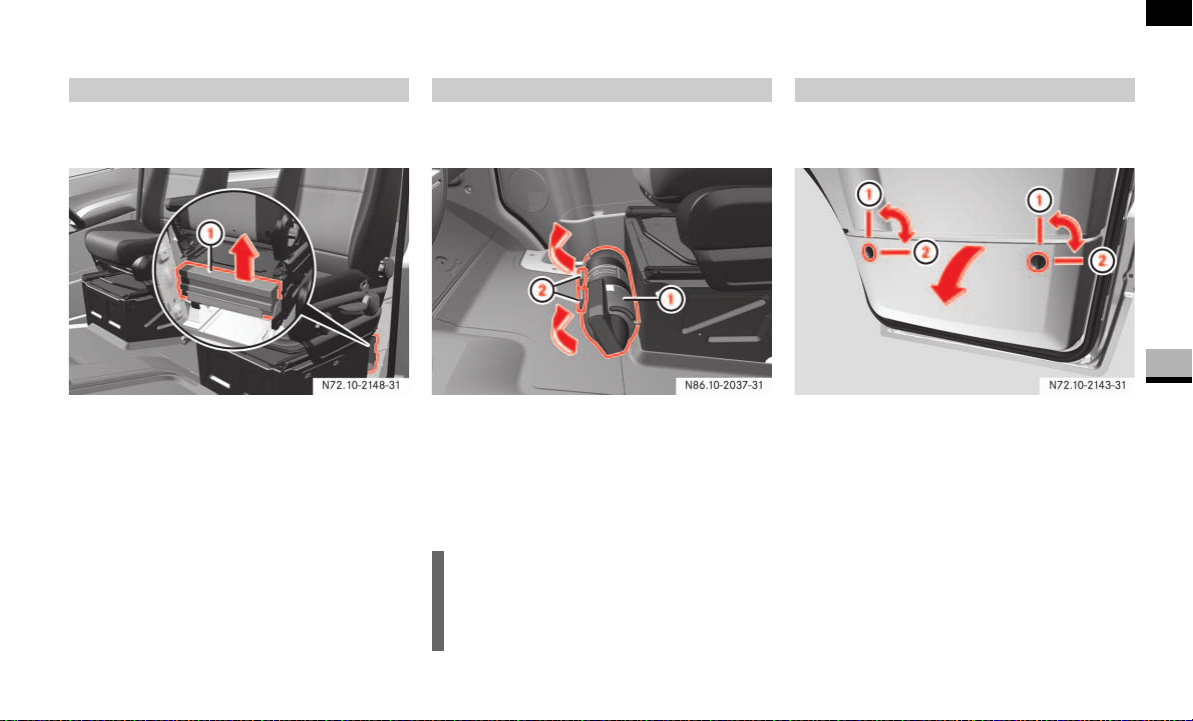
299
Practical hints
Where will I find...?
5
The warning triangles are behind the driv-
er's seat.
1 Warning triangles
Remove warning triangles 1 from the
brackets upward.
The fire extinguisher is secured to the front
of the co-driver’s seat base.
1 Fire extinguisher
2 Tabs
Pull tabs 2 upward.
Take fire extinguisher 1 out of the
bracket.
The first-aid kit is located in the storage
compartment in the co-driver’s door.
1 Locked
2 Unlocked
Turn the two quick-release locks clockwise
to unlock 2 and fold out the cover.
Warning triangle and warning lamp
N72.10-2148-31
Fire extinguisher
i
Read the instructions on the fire extin-
guisher carefully and familiarize your-
self with its operation.
First-aid kit
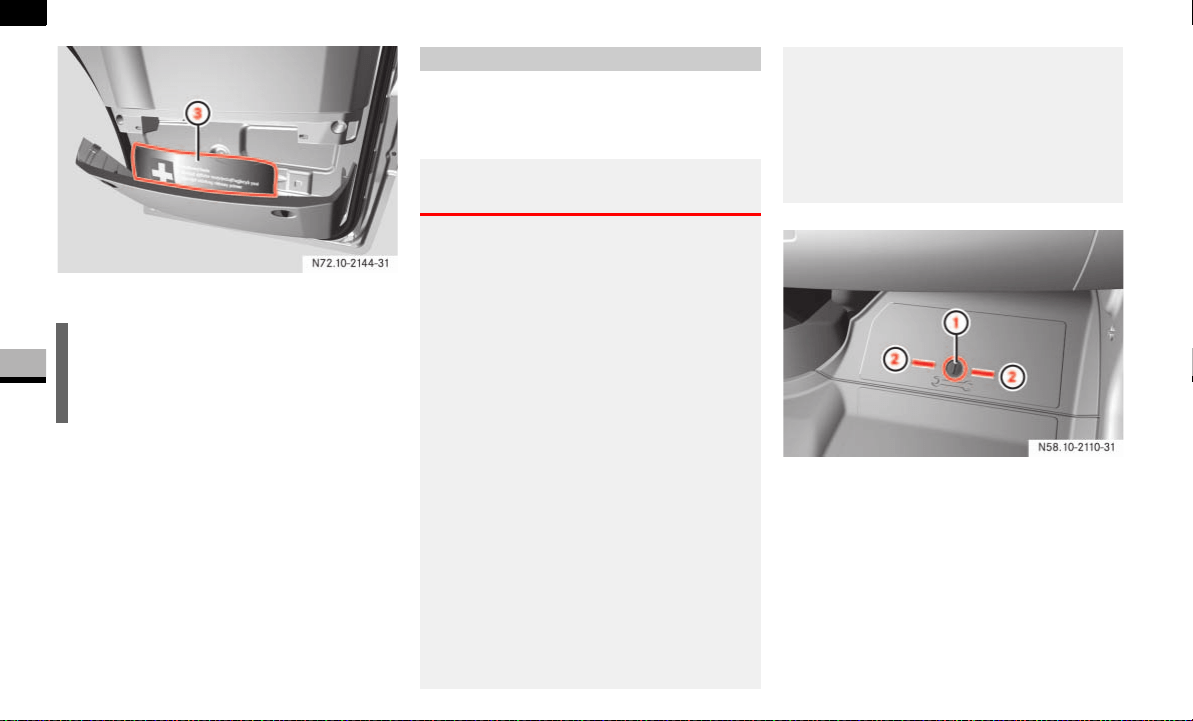
300
Practical hints
Where will I find...?
5
3 First-aid kit
The jack and the vehicle tool kit are locat-
ed under the hatch in the co-driver’s foot-
well.
1 Quick-release lock
2 Unlocked
To unlock: turn quick-release lock 1
counterclockwise or clockwise.
Remove the cover.
To lock: press quick-release lock 1
down until it engages.
i
Check the expiry dates of the first-aid
kit materials every year, and replace
them if necessary.
Jack and vehicle tool kit
Warning G
To avoid the risk of causing serious or fatal
injury, or damage to the vehicle, please bear
the following points in mind:
The jack is designed only to raise the ve-
hicle for a short time, for example while
a wheel is being changed.
It is not designed to enable work to be
carried out underneath the vehicle.
The jack must be placed on a firm, flat
surface only.
Do not change wheels on uphill or down-
hill gradients under any circumstances.
Do not crawl under the vehicle if it is
only supported by the jack.
Make sure that no persons are present
in the vehicle when raising the vehicle.
Do not start the engine while the vehicle
is raised.
Make sure that the distance between
the underside of the tires and the
ground does not exceed 30 mm.
If work is to be carried out under the
vehicle, the vehicle must be placed on
stands.
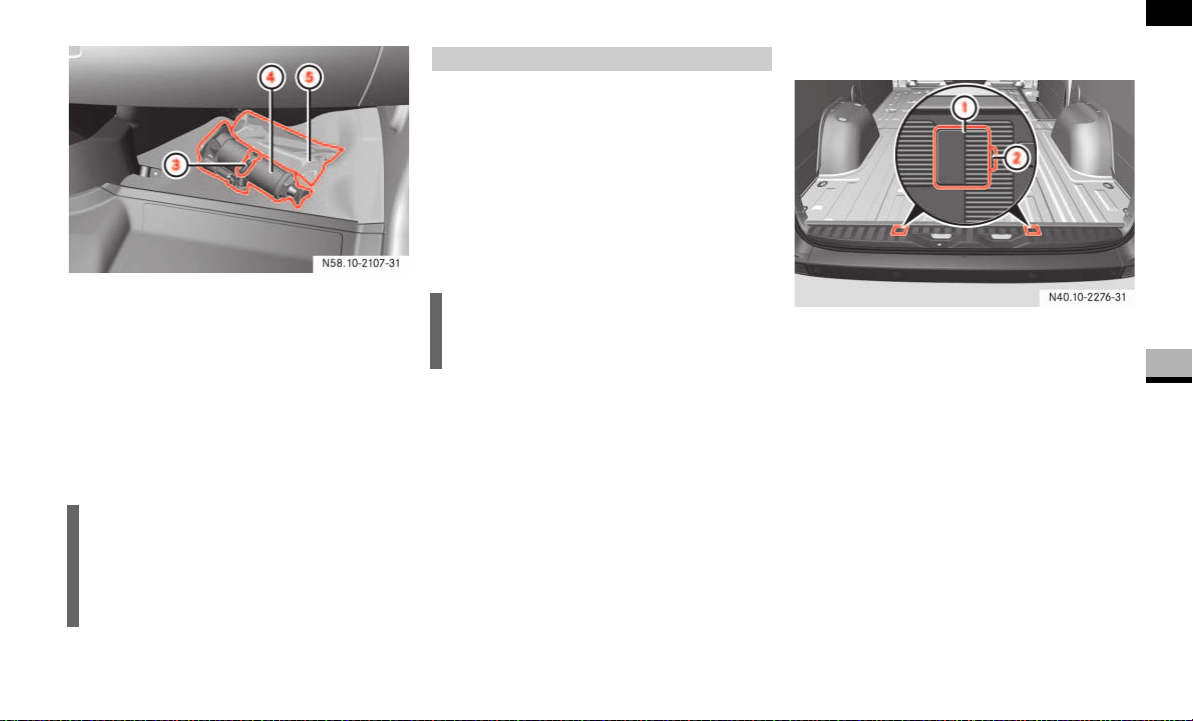
301
Practical hints
Where will I find...?
5
3 Tensioning lever
4 Jack
5 Vehicle tool kit
Remove the vehicle tool kit.
Pull tensioning lever 3 upward and
unhook the retaining strap of jack 4.
Remove jack 4 upward out of the re-
tainer.
If you are replacing the tires on the vehicle,
you may use the spare wheel as a road
wheel provided that:
the tires are no more than 6 years old
the wheel and tire have the same spec-
ified design as the road wheels
The spare wheel is located in a spare wheel
bracket under the rear of the vehicle.
More information about tire inflation pres-
sures can be found in the "Operation" sec-
tion ( page 213).
Panel van/crewbus
1 Cover
2 Recess
Open the rear doors ( page 61).
Insert a screwdriver into recesses 2
and pry off covers 1.
Using the wheel wrench from the vehi-
cle tool kit ( page 300), now unscrew
the visible bolts approximately
20 turns counterclockwise.
i
Place the jack into the retainer as
shown when storing it back into place.
Make sure that the jack’s retaining
strap is hooked in and tensioned.
Spare wheel
!CAUTION
Check regularly that the spare wheel is
secured correctly.
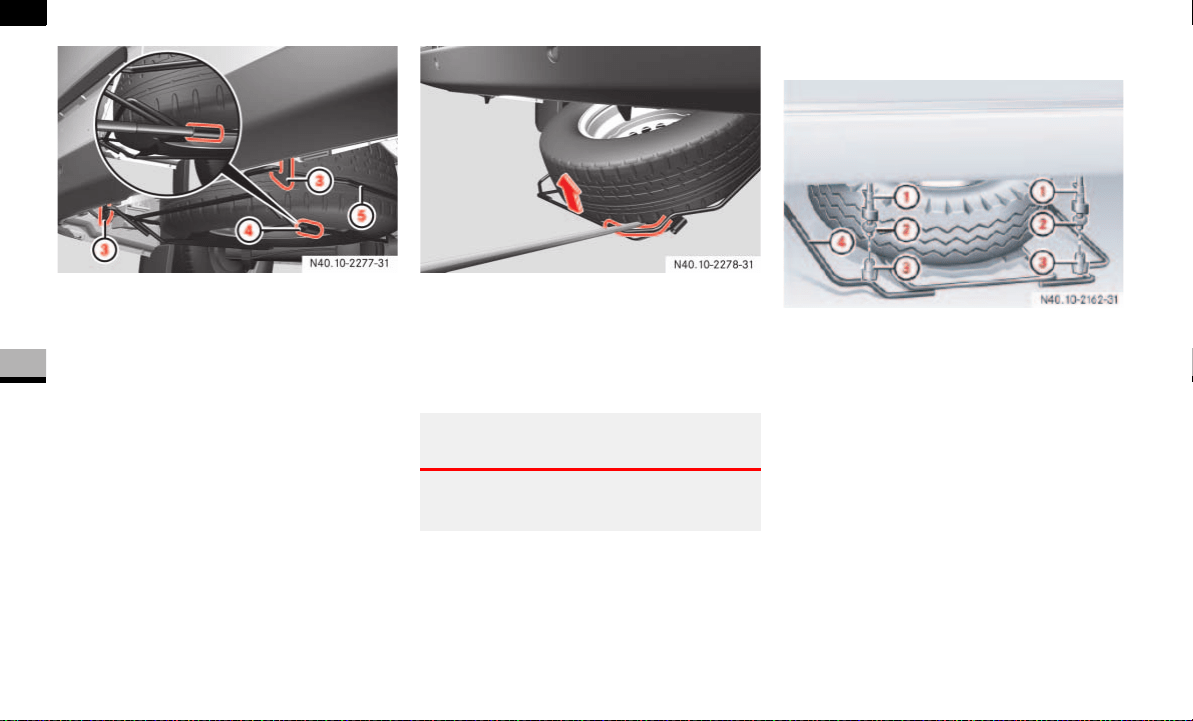
302
Practical hints
Where will I find...?
5
3 Securing hook
4 Sleeve
5 Spare wheel bracket
Raise spare wheel bracket 5 slightly
and release left securing hook 3.
Slide the pump lever for the jack into
sleeve 4 on spare wheel bracket 5.
Raise spare wheel bracket 5 using the
pump lever and release right securing
hook 3.
Slowly lower spare wheel bracket 5 to
the ground.
Raise spare wheel bracket 5 slightly
and pull the pump lever out of sleeve
4.
Use the pump lever to raise the spare
wheel beyond the rear end of the spare
wheel bracket.
Carefully remove the spare wheel from
the bracket.
Chassis
Example illustration of chassis
1 Securing hook
2 Fixing nuts
3 Thumb nuts
4 Spare wheel bracket
Loosen thumb nuts 3 by hand and re-
move.
Loosen fixing nuts 2 to the thread
end.
Raise spare wheel bracket 4 slightly
and release left securing hook 1.
Slide th pump lever for the jack into
sleeve on the right-hand side of the
spare wheel bracket 4.
Warning G
Take care not to trap your fingers when you
lift out the spare wheel.
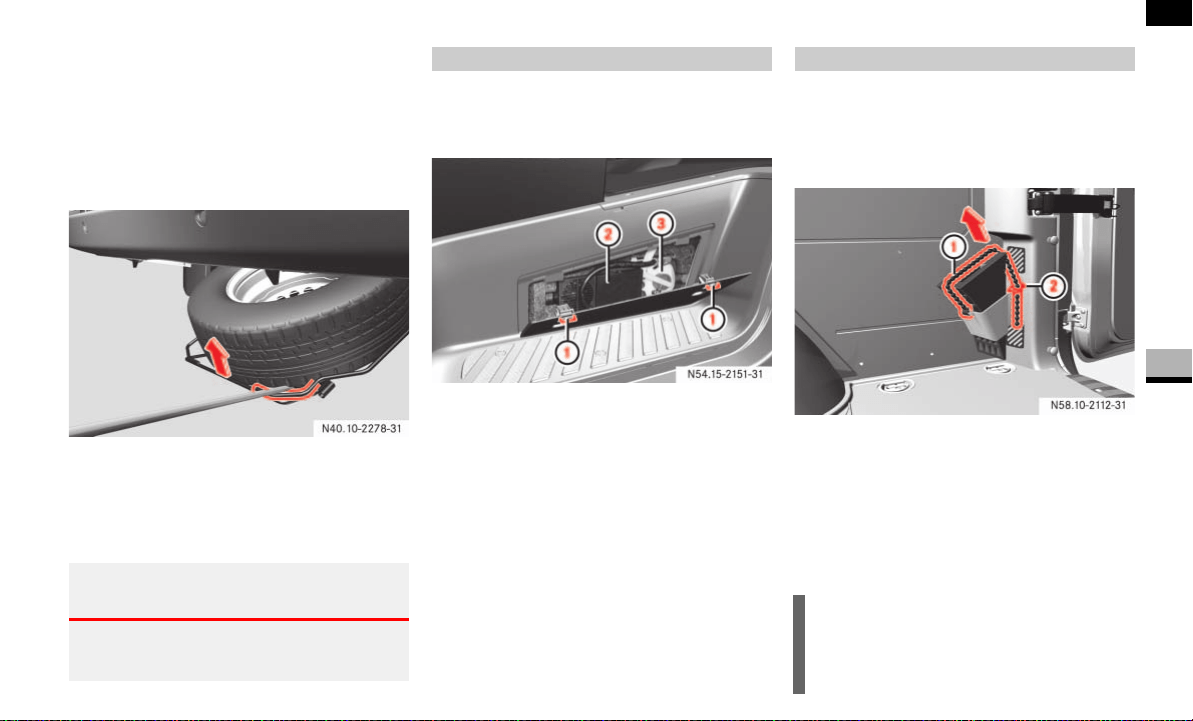
303
Practical hints
Where will I find...?
5
Raise spare wheel bracket 4 using
the pump lever and release right secur-
ing hook 1.
Slowly lower spare wheel bracket 4
to the ground.
Raise spare wheel bracket 4 slightly
and pull the pump lever out of sleeve.
Use the pump lever to raise the spare
wheel beyond the rear end of the spare
wheel bracket.
Carefully remove the spare wheel from
the bracket.
The Premium tire sealant is located in the
storage compartment in the right-hand
doorway.
1 Latching springs
2 Electric air pump
3 Premium tire sealant
To open: press both latching
springs 1 down and remove the cov-
er.
To close: attach the cover at the bot-
tom and fold it closed.
Press both latching springs 1 up until
they engage.
Panel Van
The wheel chock (optional for model vehi-
cle type 2500) is on the right-hand side of
the load compartment.
Panel van
1 Retaining band
2 Retainer
Pull support cable 1 slightly down-
ward and pull it out of retainer 2.
Pull out the wheel chock.
Warning G
Take care not to trap your fingers when you
lift out the spare wheel.
Premium tire sealant* Chock
!CAUTION
When storing it away, make sure that
the chock is secured in the retainer by
the retaining band.
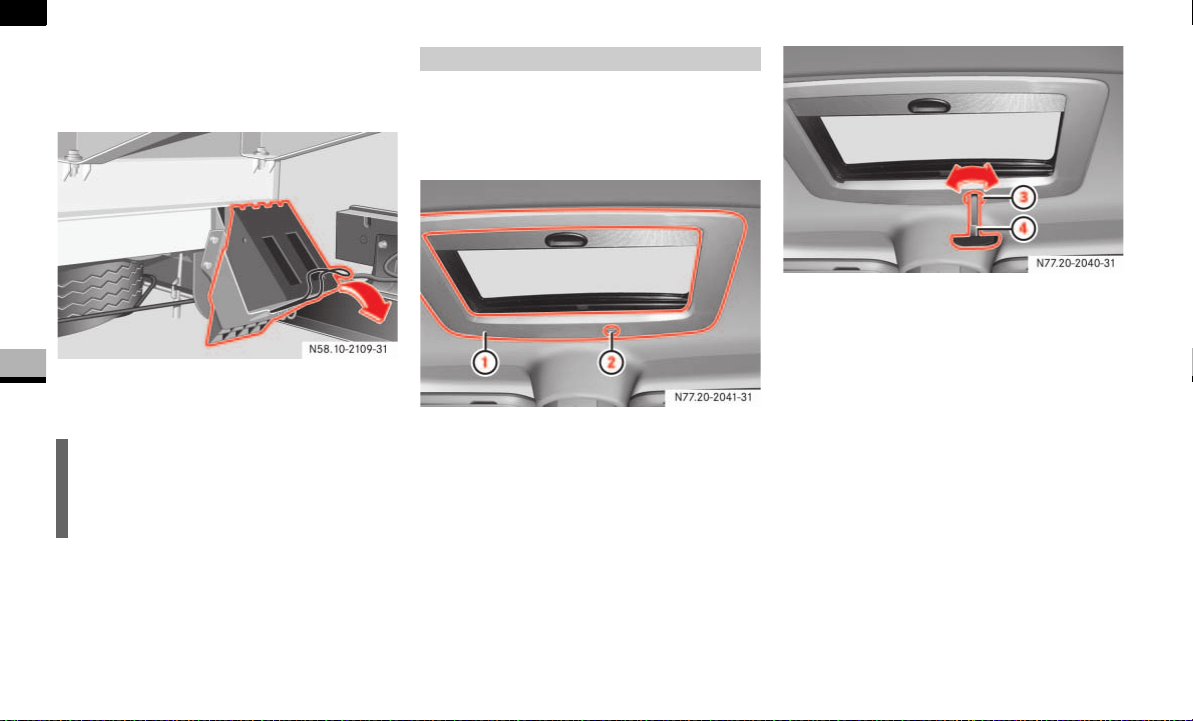
304
Practical hints
Where will I find...?
5
Chassis
The wheel chock is on the left-hand side
behind the rear axle.
Example illustration of chassis
Pull the retainer springs down and re-
move the chock.
If it is no longer possible to close the slid-
ing sunroof, you can close it manually by
operating the drive located behind the trim
at the front of the sliding sunroof.
1 Trim
2 Cover cap
Remove cover cap 2 from trim 1.
3 Opening
4 Emergency operation key
Take emergency operation key 4 from
the vehicle document wallet in the
glove box.
Insert emergency operation key 4 into
opening 3 of the drive.
Open or close the sliding sunroof by
turning it in the appropriate direction.
Pull out emergency operation key 4
and place it in the vehicle document
wallet.
Clip cover cap 2 back on.
!CAUTION
When storing it away, make sure that
the chock is secured in the retainer by
the retainer springs.
Sliding sunroof*
N77.20-2041-31
N77.20-2040-31
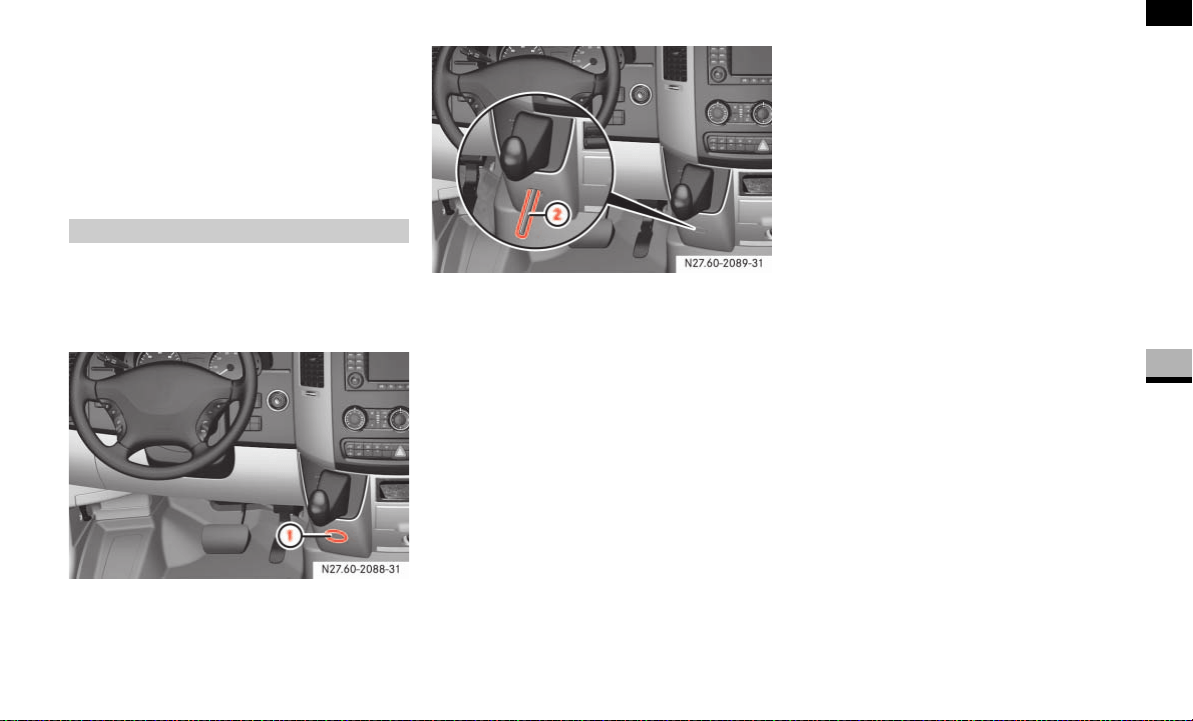
305
Practical hints
Where will I find...?
5
With the ignition switched on
( page 67), press and hold the sliding
sunroof switch ( page 145) forward
or backward for 45 seconds to reset
the electronics.
Reset the sliding sunroof
( page 146).
In the event of a malfunction, it is possible
to manually release the selector lever from
the lock in parking position P, for example
to have the vehicle towed away.
1 Cover cap
Remove cover cap 1.
2 Pencil
Insert a pencil 2 or similar implement
into the opening.
Press pencil 2 in and at the same time
move the selector lever out of position
P.
Pull out pencil 2.
Clip cover cap 1 back on.
Releasing the parking lock manually
N27.60-2088-31
N27.60-2089-31

306
Practical hints
Changing bulbs
5
Changing bulbs
Bulbs and lights are an important aspect of
vehicle safety. For this reason, make sure
that all bulbs are in working order at all
times.
Switch off the lights to avoid a short cir-
cuit.
Only touch new bulbs with a clean lint-
free cloth or something similar. Do not
work with wet or greasy fingers.
Only fit 12 V bulbs of the same type as
before and of the correct wattage.
Have the headlamp setting checked
regularly.
If the newly installed bulb does not light
up either, visit an authorized Sprinter
Dealer.
Have the following LEDs and bulbs
changed at an authorized Sprinter
Dealer:
The additional turn signals in the
exterior mirrors
The third brake lamp (cargo and
passenger vans only)*
The bi-xenon headlamps*
The foglamps*
Before changing bulbs
Warning G
Bulbs and bulb holders can become very
hot. For this reason, allow the light to cool
down before changing the bulb.
Keep bulbs out of the reach of children.
Never use a bulb which has been dropped.
Such a bulb may explode and injure you.
H7 bulbs are pressurized and may explode
when changed. You should therefore wear
eye protection and gloves when you are
changing them.
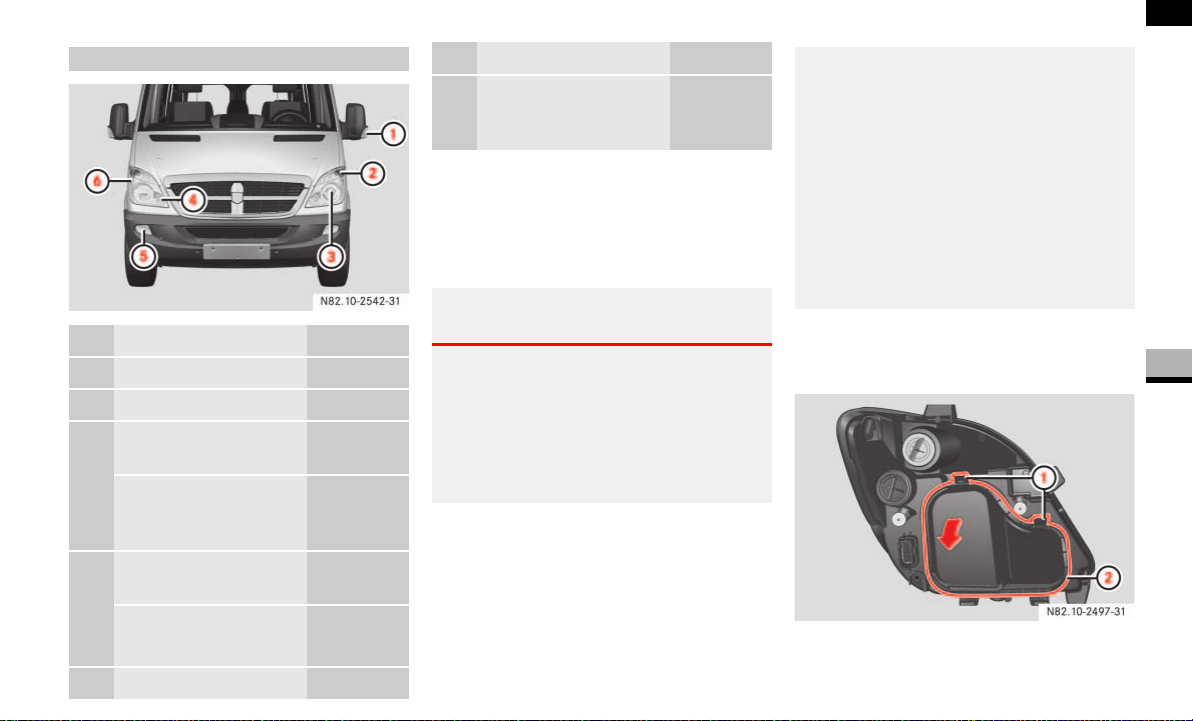
307
Practical hints
Changing bulbs
5
Switch off the lighting.
Open the hood ( page 185).
Bi-xenon headlamps*
High-beam headlamps, low-beam head-
lamps
1 Catches
2 Housing cover
Front bulbs
Bulb Model
1 Additional turn signal PY 16 W
2 Turn signal PY 21 W
3 Halogen headlamp:
low-beam headlamp
H7 55 W
Bi-xenon headlamp*:
low-beam headlamp/
high-beam headlamp
D1S-35 W
4 Halogen headlamp:
high-beam headlamp
H7 55 W
Cornering lamp*
(Canada only)
H7 55 W
5 Foglamp* H11 55 W
6 Parking lamp/side
marker/standing
lamp (Canada only)
WY 5 W
Warning G
Xenon bulbs carry a high voltage. You could
receive a serious or fatal electric shock if
you touch the electrical contacts on the xe-
non bulbs. Do not remove housing cover 2
( page 307) if the headlamps are xenon
headlamps.
Bulb Model
Do not change xenon bulbs yourself.
Instead, always have them changed at an
authorized Sprinter Dealer which has the
necessary specialist knowledge and tools to
carry out the work required.
The manufacturer recommends that you use
an authorized Sprinter Dealer for this pur-
pose. In particular, work relevant to safety
or on safety-related systems must be car-
ried out at an authorized Sprinter Dealer.
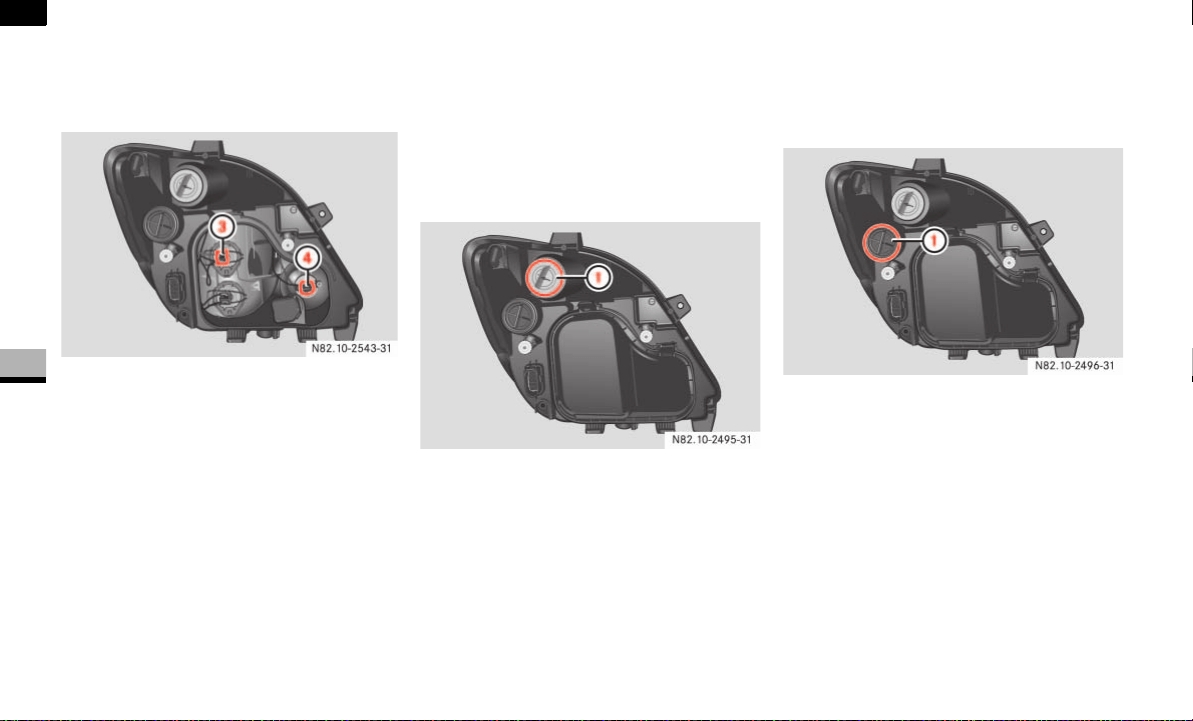
308
Practical hints
Changing bulbs
5
Press catches 1 down.
Swing housing cover 2 in the direc-
tion of the arrow and remove it.
3 Low-beam headlamps
4 Halogen high-beam headlamps/xenon
headlamp cornering lamp*
Pull the connector off the bulb holder.
Unclip the retainer spring and remove
the bulb.
Insert the new bulb such that the base
locates in the recess of the bulb holder.
Clip on the retainer spring and plug the
connector onto the bulb.
Insert housing cover 2 into lower
brackets.
Swing housing cover 2 toward head-
lamp casing.
Pull first the inner and then the outer
catch 1 upward until it audibly engag-
es in place.
Turn signals
1 Bulb holder
Turn bulb holder 1 and the bulb coun-
terclockwise and remove the holder.
Press down on the bulb, turn it counter-
clockwise and remove it from bulb
holder 1.
Press the new bulb into bulb holder 1
and screw it in clockwise.
Place bulb holder 1 into the lamp and
turn it clockwise.
Parking lamps/side marker
1 Cap
Turn cap 1 counterclockwise and re-
move it.
Remove the bulb holder together with
the bulb.
Pull the bulb out of the bulb holder.
Press the new bulb into the bulb holder.
Insert the bulb holder with bulb into the
reflector.
Replace cap 1 and turn it clockwise to
the stop.
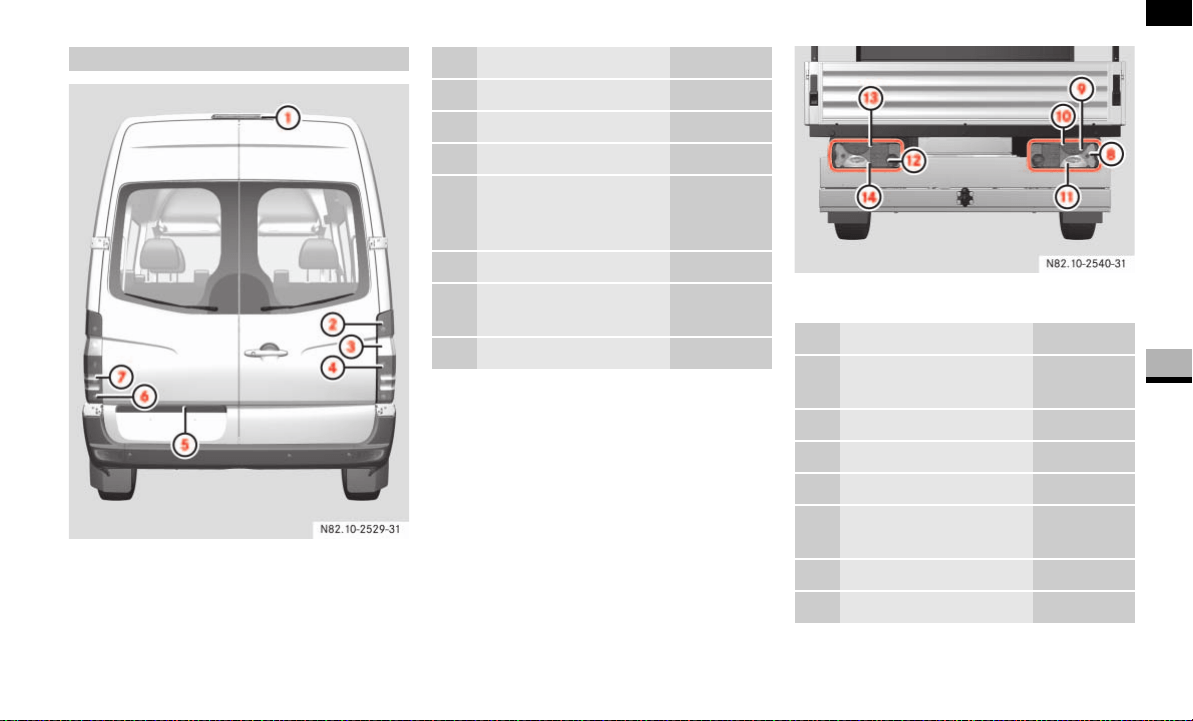
309
Practical hints
Changing bulbs
5
Panel van/crewbus
Example illustration of chassis
Rear bulbs
N82.10-2529-31
Bulb Model
1 Third brake lamp LED
2 Brake lamp P21W
3 Turn signal PY 21 W
4 Tail lamp/
side marker/Standing
lamp (Canada only)
R5W
5 License plate lamp W5W
6 Rear foglamp (driver’s
side)
P 21 W
7 Reverse lamp P 21 W
Bulb Model
8 Perimeter lamp/side
marker
R5W
9 Turn signal PY 21 W
a Brake lamp P21W
b Reverse lamp P21W
c Rear foglamp
(driver’s side)
P 21 W
d Tail lamp R5W
e License plate lamp R5W
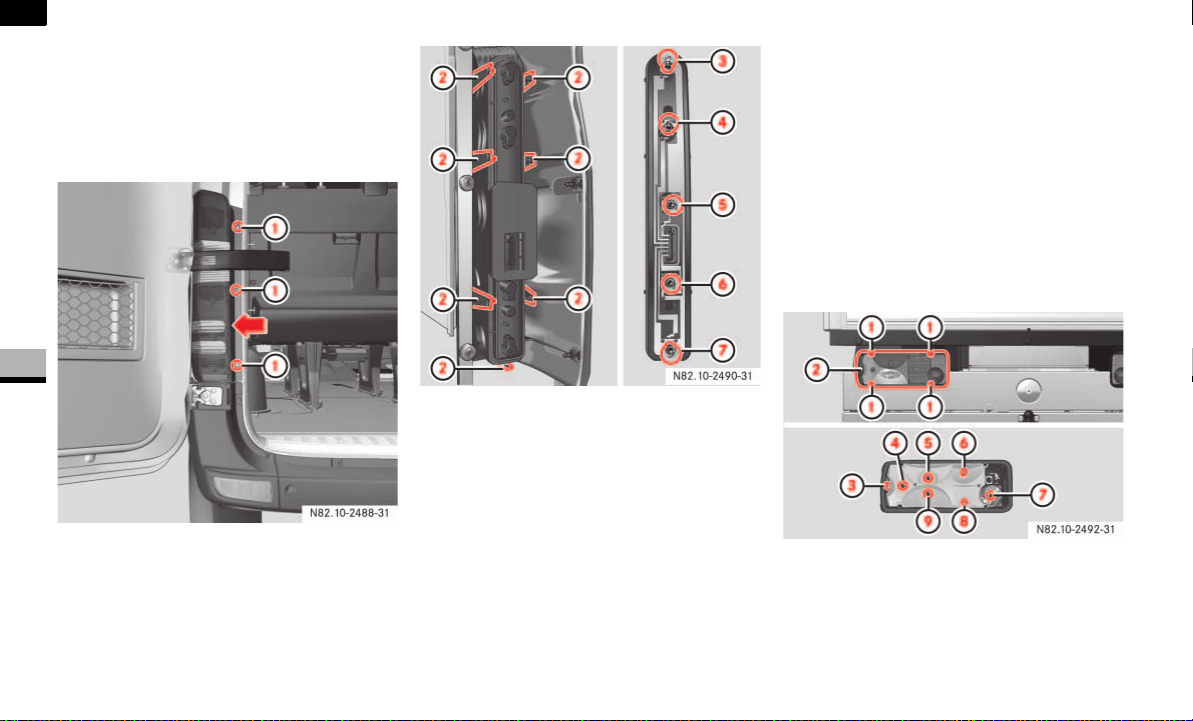
310
Practical hints
Changing bulbs
5
Changing the rear bulbs
(van/crewbus)
Switch off the lighting.
Rear lamp units
1 Securing screws
Undo screws 1 and remove the rear
lamp unit in the direction of the arrow.
Remove the connector.
2 Retaining lugs
3 Brake lamp
4 Side marker, Standing lamp (Canada
only), tail lamp
5 Reverse lamp
6 Turn signal lamp
7 Rear foglamp (driver’s side)
Release retaining lugs 2 and remove
the bulb holder from the rear lamp unit.
Press down on the bulb, turn it counter-
clockwise and remove it from the
holder.
Press the new bulb into the bulb holder
and screw it in clockwise.
Plug the connectors into the bulb
holder.
Fit the rear lamp unit.
To do this, clip the bulb holder into the
three holes provided on the side and
tighten screws 1.
Changing the rear bulbs (chassis)
Example illustration of chassis
1 Securing screws
2 Lens
3 Perimeter lamp, side marker
4 Turn signal lamp
5 Brake lamp
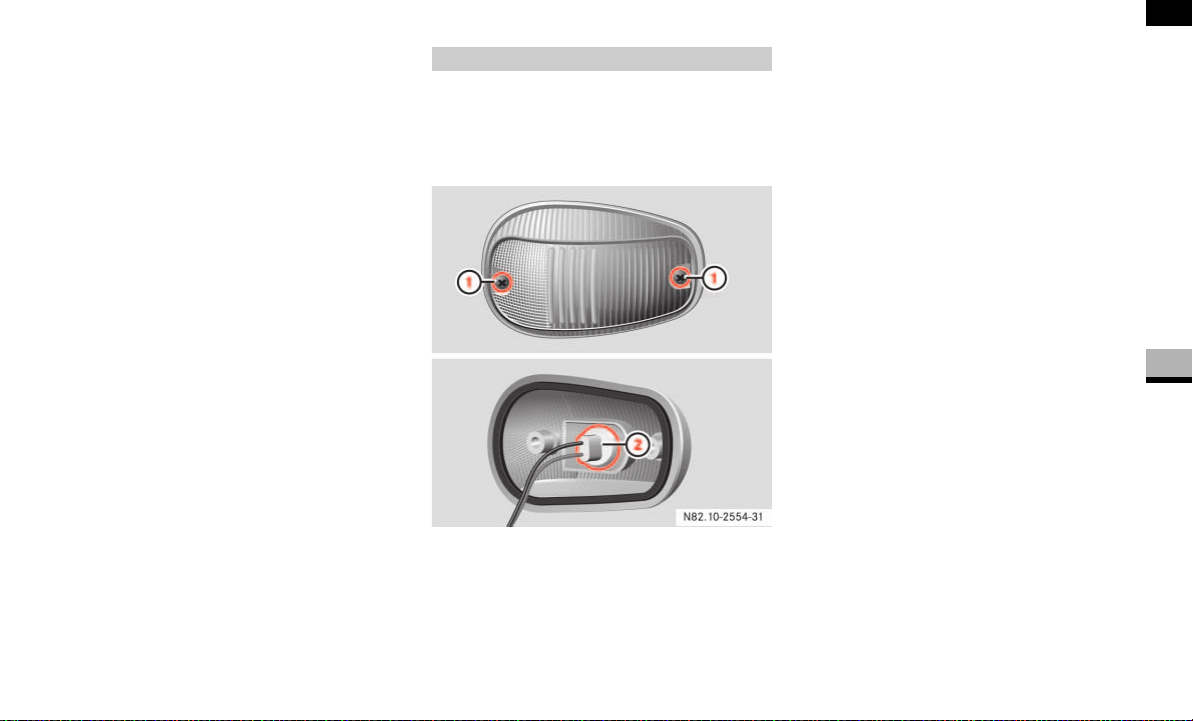
311
Practical hints
Changing bulbs
5
6 Tail lamp
7 Rear foglamp (driver’s side)
8 License plate lamp
9 Reverse lamp
Switch off the lighting.
Undo screws 1 and remove lens 2.
Press the bulb into the bulb holder and
screw it out in a counterclockwise di-
rection.
Press the new bulb into the bulb holder
and screw it in clockwise.
Replace lens 2 and retighten
screws 1.
Switch off the lighting.
Identification lamps W 5 W (cab chas-
sis only)
Switch off the lighting.
Undo screws 1 and remove lamp hou-
sing.
Turn the bulb holder 2and remove it
together with the bulb.
Pull the bulb out of the bulb holder 2.
Press the new bulb into the bulb holder
2.
Screw the bulb holder 2 containing
the bulb into the lamp housing.
Carefully reattach the lamp housing
and retighten screws 1.
Changing additional bulbs
1 Securing screws
2 Bulb holder
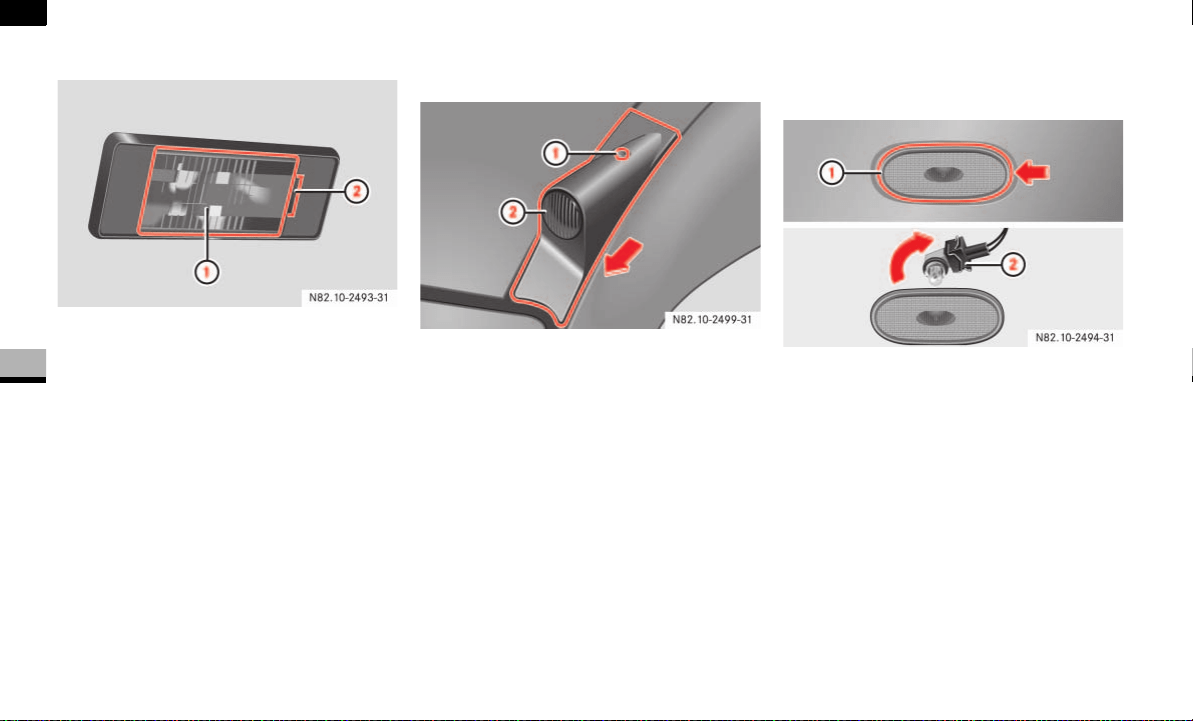
312
Practical hints
Changing bulbs
5
License plate lamp W5W
1 Bulb holder with lens
2 Recess
Insert a screwdriver or similar imple-
ment into recess 2 and carefully pry
off lens 1.
Pull the bulb out of the bulb holder.
Insert the new bulb.
Align lens 1 and clip it in, making sure
that it engages.
Clearance lamp* W5W
(cargo and passenger vans only)
1 Securing screw
2 Lamp housing
Undo screw 1 and remove lamp
housing 2 in the direction of the
arrow.
Turn the bulb holder and remove it
together with the bulb.
Pull the bulb out of the bulb holder.
Press the new bulb into the bulb holder.
Screw the bulb holder containing the
bulb into the lens.
Replace lamp housing 2 in the oppo-
site direction to the arrow and retight-
en screw 1.
Side marker lamps* W5W
The lamps are mounted on the side of the
vehicle.
1 Lens
2 Bulb holder
Insert a screwdriver or similar imple-
ment at the side and carefully pry off
lens 1 in the direction of the arrow.
Turn bulb holder 2 in the direction of
the arrow and remove it together with
the bulb.
Remove bulb 2 from the bulb holder.
Press the new bulb into bulb holder 2.
Screw bulb holder 2 together with the
bulb into the lens.
On vans and crewbuses, reattach the
lens together with bulb holder 2.
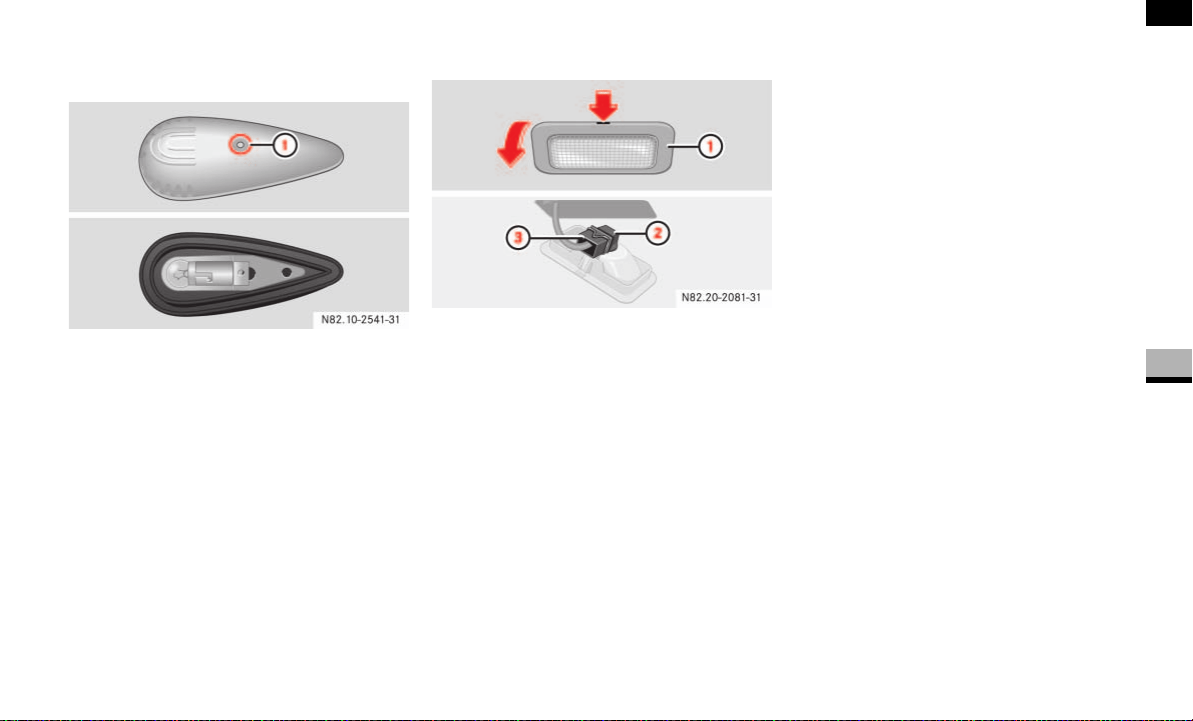
313
Practical hints
Changing bulbs
5
Identification lamps 12V 4CP
(cargo vans only)
1 Securing screw
Remove screw 1 and remove the lamp
housing.
Press the bulb into the socket, turn it
counterclockwise and remove it from
the holder.
Press the new bulb into the bulb holder
and screw it in clockwise.
Carefully reattach the lamp housing
and retighten screw 1.
Entry lamp* W5W
1 Lamp housing
2 Bulb holder
3 Cable connector
Press in the latching springs of lamp
housing 1 using a suitable tool, for ex-
ample a screwdriver.
Pry off lamp housing 1.
Remove cable connector 3.
Turn bulb holder 2 in the direction of
the arrow and remove it together with
the bulb.
Remove bulb 2 from the bulb holder.
Press the new bulb into bulb holder 2.
Screw bulb holder 2 together with the
bulb into lamp housing 1.
Connect cable connector 3. The con-
nector’s locking spring must engage.
Align lamp housing 1 and engage it.
N82.20-2081-31
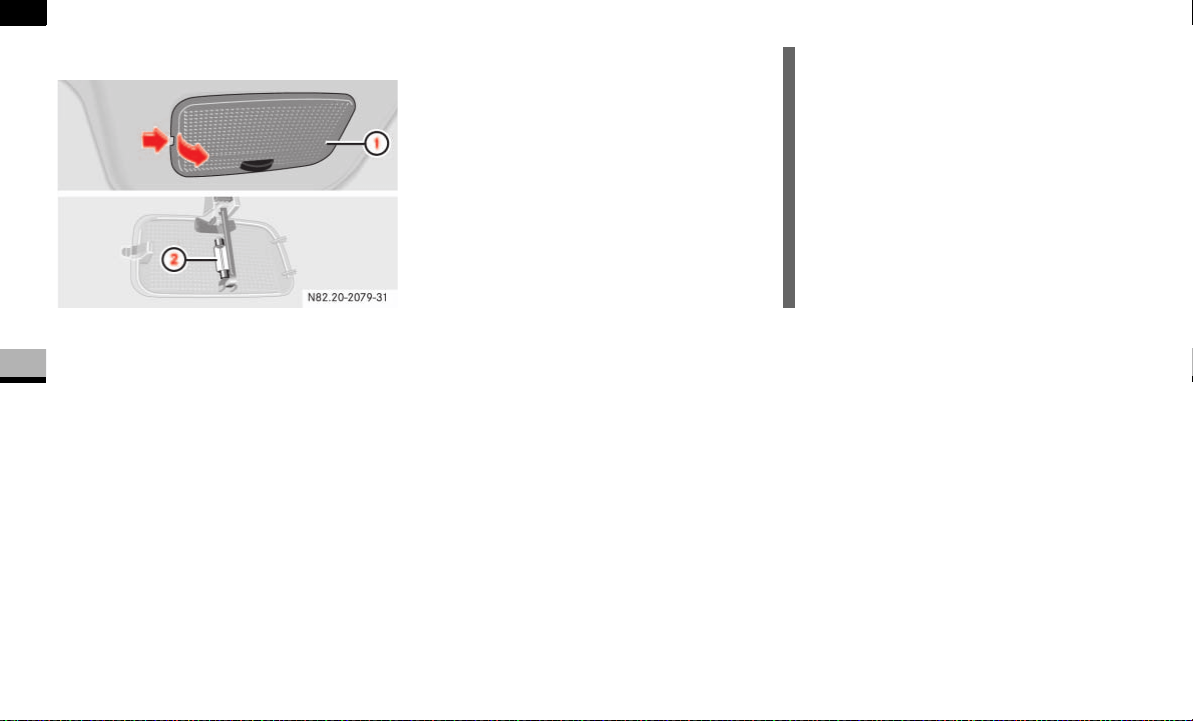
314
Practical hints
Changing bulbs
5
Interior lamp K18W
Interior lamp
1 Lamp housing
2 Festoon lamp
Switch off the lighting.
Press in the latching springs of lamp
housing 1 using a suitable tool, for ex-
ample a screwdriver.
Pry off lamp housing 1.
Remove bulb 2 from the bulb holder.
Insert new bulb 2.
Align lamp housing 1 on the right and
engage it.
N82.20-2079-31
!CAUTION
Have the interior lamps in the overhead
control panel changed at an authorized
Sprinter Dealer which has the neces-
sary specialist knowledge and tools to
carry out the work required.
The manufacturer recommends that
you use an authorized Sprinter Dealer
for this purpose.
You could damage the overhead con-
trol panel.

315
Practical hints
Changing the batteries
5
Changing the batteries
If the remote control batteries (remote
keyless entry) are discharged, you will only
be able to lock and unlock the vehicle man-
ually using the key.
If the batteries in the auxiliary heating re-
mote control are discharged, you will only
be able to switch the auxiliary heating on
or off using the auxiliary heating/heater
booster switch inside the vehicle
( page 140).
It is advisable to have the batteries
changed at an authorized Sprinter Dealer.
You need two CR 2025 3 V cell batteries or
equivalent.
Do not touch the battery contact surfaces.
Warning G
Keep batteries away from children.
Consult a doctor immediately if a battery is
swallowed.
Dispose of used batteries in an environmen-
tally responsible manner.
Danger of explosion if the battery is not cor-
rectly replaced.
Replacements should always be either of
the same type or one which has been rec-
ommended by the manufacturer.
Environmental note H
Batteries contain materials that can harm
the environment if disposed of improperly.
Recycling of batteries is the preferred meth-
od of disposal. Many states require sellers
of batteries to accept old batteries for recy-
cling.
i
Always replace all the batteries at the
same time. Suitable batteries are avail-
able from an authorized Sprinter Deal-
er. You can also have the batteries
changed there and return used batter-
ies.
Remote control
(remote keyless entry)
i
When inserting the batteries, make
sure that they are clean and lint-free.
!CAUTION
Do not operate the remote control
while the battery is being replaced.
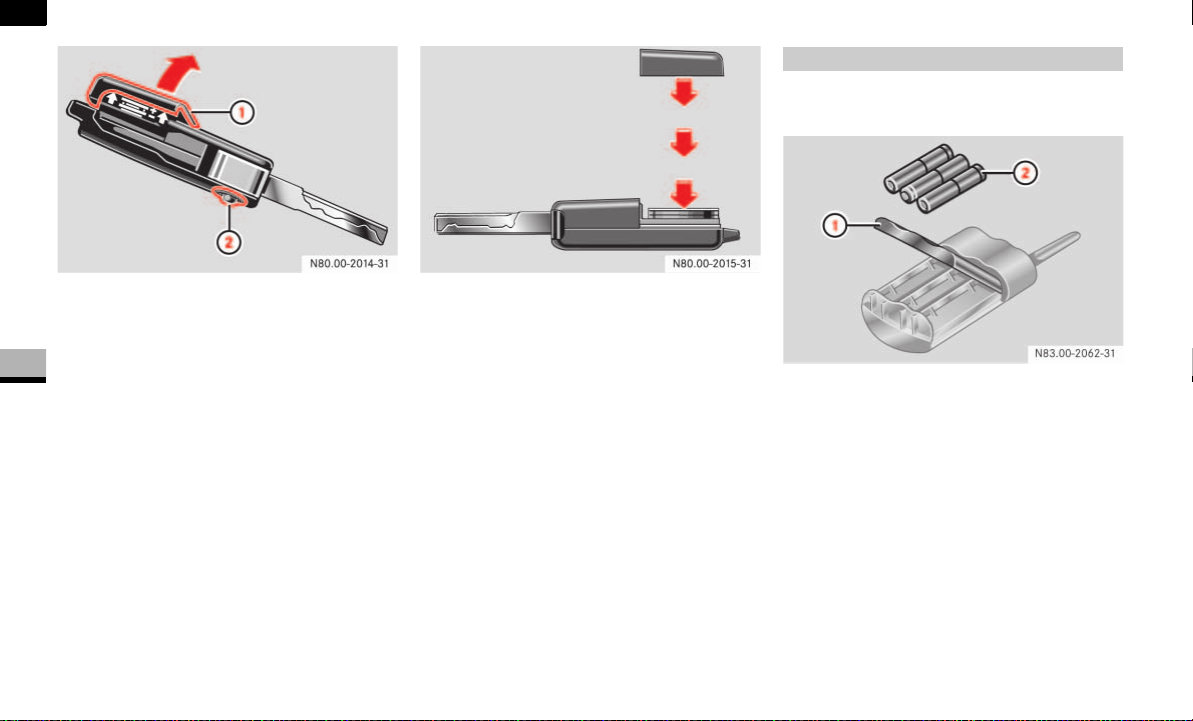
316
Practical hints
Changing the batteries
5
1 Battery cover
2 Release button for mechaniocal key
Release the mechanical key by press-
ing the release button 2.
Remove the battery cover 1.
Remove the battery and install a new
one (note correct polarity; positive ter-
minal up).
Press battery cover 1 until it snaps
into place.
Check the function of all remote con-
trol buttons on vehicle.
You need three Micro/AAA/LR03 batter-
ies or equivalent.
1 Battery cover
2 Batteries
Remove battery cover 1 using a suit-
able implement, for example a key, and
put it to one side.
Remove old batteries 2.
Insert three new batteries 2. Observe
the plus and minus signs in the remote
control.
Slide battery cover 1 onto the remote
control as illustrated.
Check the auxiliary heating functions on
the vehicle using the remote control.
Auxiliary heating remote control*
N83.00-2062-31
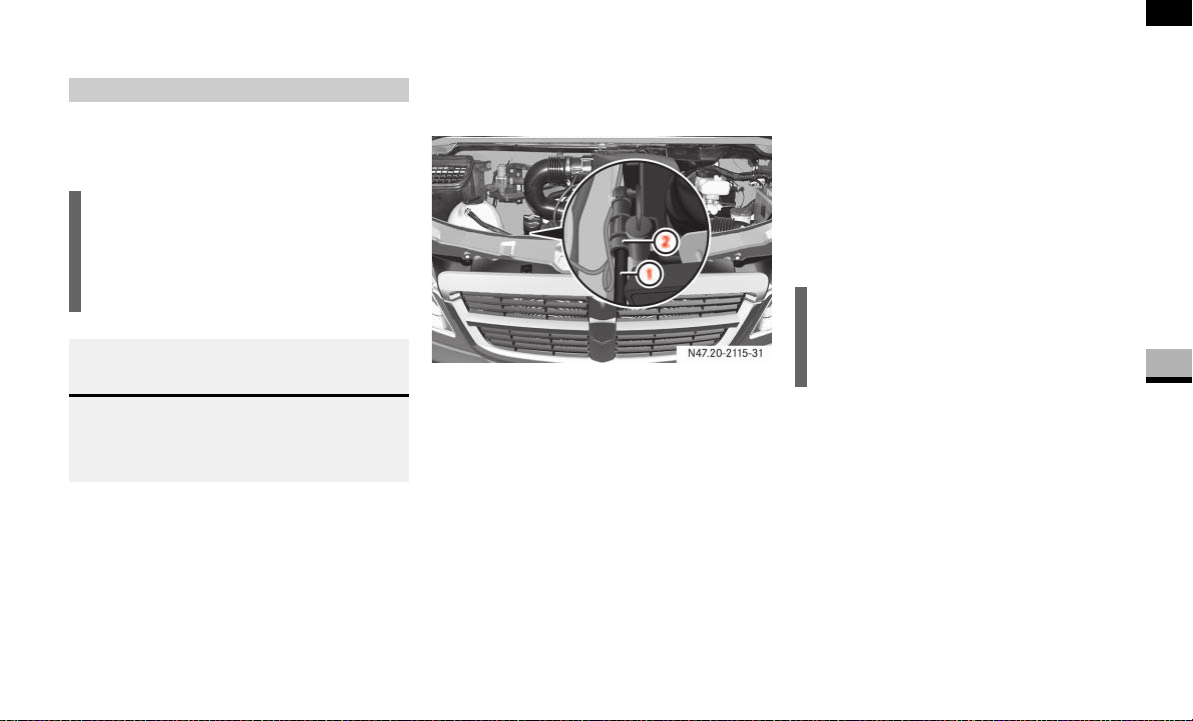
317
Practical hints
Fuel system
5
Fuel system
On vehicles with a diesel engine, it is nec-
essary to drain the fuel filter if the / in-
dicator lamp lights up.
To this end, have the fuel filter with water
separator drained at an authorized Sprint-
er Dealer which has the necessary special-
ist knowledge and tools to carry out the
work required.
The fuel filter with water separator is in the
engine compartment.
1 Drain hose
2 Drain plug
Apply the handbrake and move the se-
lector lever to position P.
Switch off the engine and open the
hood ( page 185).
Place a suitable container under drain
hose 1.
Switch on the ignition ( page 67).
Unscrew drain plug 2 immediately
one turn or until liquid flows out of
drain hose 1.
Make sure that the liquid flows into the
container under drain hose 1.
Close drain plug 2 as soon as approx-
imately 0.2 US qt (0.2 l) of liquid has
been collected.
When you have drained the fuel filter
with water separator, turn the key back
to position 0 in the ignition lock
( page 67).
Dispose of the collected liquid in an en-
vironmentally responsible manner.
Draining the fuel filter
!CAUTION
Drain the fuel filter with water separa-
tor immediately if the / indicator
lamp lights up. The engine could be
damaged.
Environmental note H
When handling, storing and disposing of die-
sel and diesel mixtures, please observe the
relevant regulations.
i
The electric fuel delivery pump stops
the flow of liquid automatically after
30 seconds.

318
Practical hints
Fuel system
5
Drain the fuel filter again if the / in-
dicator lamp remains lit.
If the fuel tank on a vehicle with diesel en-
gine has been run dry, there is a possibility
that the engine may not start immediately
after refueling because air may remain in
the fuel system.
After refueling:
Switch on the ignition for approximate-
ly 10 seconds.
Start the engine repeatedly for no more
than 60 seconds until it runs smoothly.
If the engine does not start:
Wait approximately 2 minutes.
Then start the engine repeatedly again
for no more than 60 seconds until it
runs smoothly.
If this attempt also fails, do not continue to
start the engine. Consult an authorized
Sprinter Dealer.
Environmental note H
Have the drained liquid disposed of at an
authorized Sprinter Dealer.
!CAUTION
If the / indicator lamp remains lit
even after draining for the second time,
have the cause checked immediately at
an authorized Sprinter Dealer.
Bleeding the fuel system
i
Too many attempts to start the engine
could drain the battery.
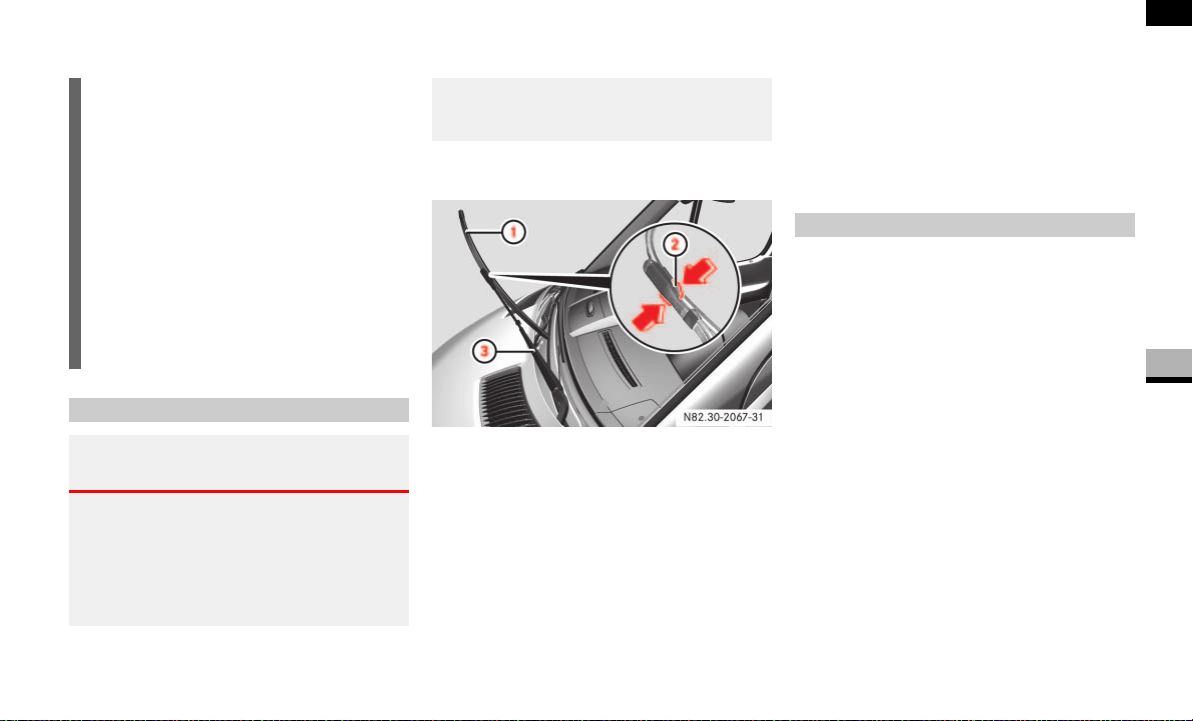
319
Practical hints
Replacing the wiper blades
5
Replacing the wiper blades
Apply the handbrake ( page 115).
1 Wiper blade
2 Retaining clips
3 Wiper arm
Fold the wiper arms away from the
windshield.
Press two retaining clips 2 together in
the direction of the arrow and fold wip-
er blade 1 away from wiper arm 3.
Pull wiper blade 1 up and out of the
retainer.
Slide wiper blade 1 into the retainer
on the wiper arm.
Press wiper blade 1 onto wiper
arm 3 until you hear retaining clips 2
engage.
Fold wiper arm 3 onto the windshield
again.
!CAUTION
Do not open the hood while the wiper
arms are folded away from the wind-
shield. You would damage the hood
and the wiper arms.
Do not fold the wiper arms onto the
windshield without wiper blades being
attached. You could scratch the wind-
shield.
For your own convenience, have this
work carried out at an authorized
Sprinter Dealer.
Removing the wiper blades
Warning G
When the windshield wipers are set to inter-
mittent wipe or the rain sensor is active, the
windshield wipers could move at any time
and injure yourself or others upon contact
with them.
Always remove the key from the ignition
lock before replacing the wiper blades.
Installing the wiper blades

320
Practical hints
Flat tire
5
Flat tire
The vehicle is either equipped with a spare
wheel or the Premium tire sealant*.
The spare wheel is located under the rear
end of the vehicle if the vehicle is not
equipped with Premium tire sealant*
( page 301).
When you replace a tire, the manufacturer
also recommends that you replace the tire
valve.
Park the vehicle as far away as possible
from traffic and on a level, firm, and
non-slip surface.
Switch on the hazard warning lamps.
Apply the handbrake.
Engage first gear or reverse gear or
move the selector lever to position P.
Any passengers should leave the vehi-
cle, ensuring that they are not endan-
gered as they do so.
Place the warning triangle or hazard
warning lamps at a suitable distance.
Observe legal requirements.
Warning G
Defective or worn tires, and tire pressures
that are either too high or too low, can cause
significant changes in the vehicle’s handling
and braking characteristics. There is an in-
creased risk of an accident.
Replace the tires, including the spare tire, at
least every 6 years, regardless of the degree
of treadwear. Check the tire pressure on the
spare wheel at regular intervals.
!CAUTION
For safety reasons, the following tire
valves from the company Schrader
must be used on the vehicles:
TR 600 for vehicle model type 2500
TR 418 for vehicle model type 3500
Preparing the vehicle
Changing a wheel
Warning G
To avoid the risk of causing serious or fatal
injury, or damage to the vehicle, please bear
the following points in mind:
The jack is only designed to raise the ve-
hicle for a short time when changing a
wheel.
Position the jack under the appropriate
jacking point only ( page 322). Check
that the jack is correctly seated under
the jacking point before raising the vehi-
cle.
The jack must be placed on a firm, flat
surface only.
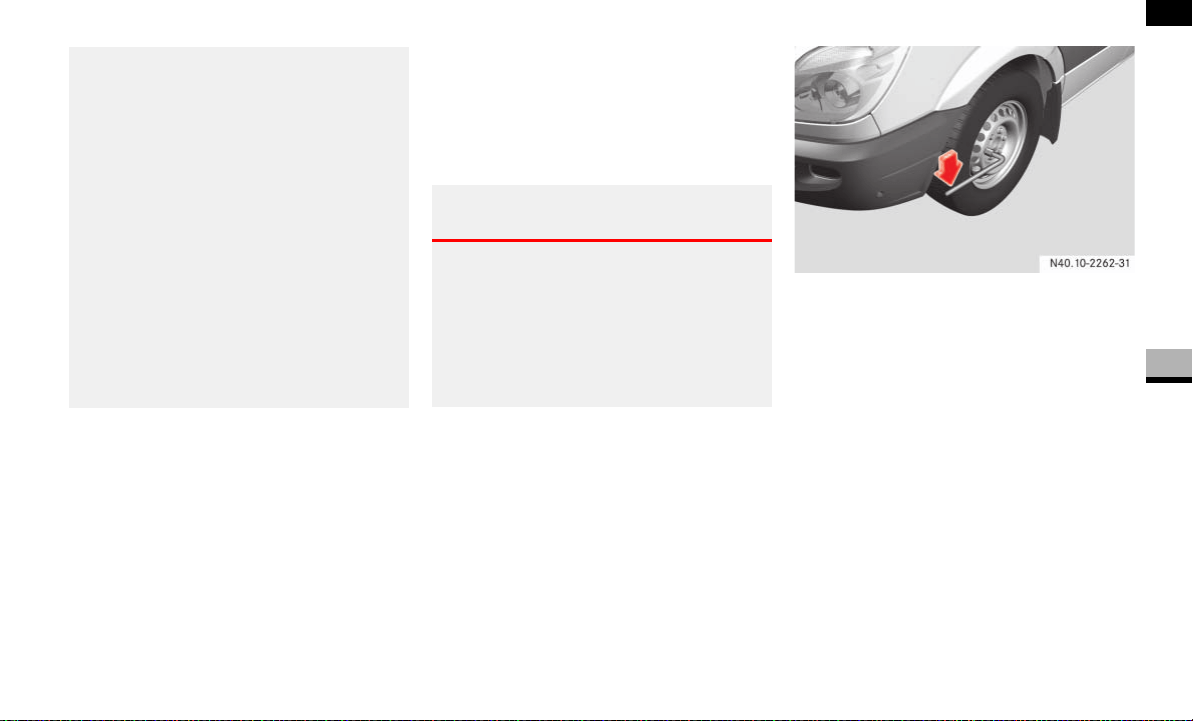
321
Practical hints
Flat tire
5
Preparing the vehicle
Prepare the vehicle as described
( page 320).
Prevent the vehicle from rolling away
using chocks or similar.
On a level road:
Place the chocks in front of and behind
the wheel diagonally opposite to the
wheel that is to be changed.
Take the vehicle tool kit and the jack
from the footwell on the co-driver’s
side ( page 300).
Remove the spare wheel from the
spare wheel bracket ( page 301).
For wheels with wheel bolts remove the
wheel cover.
Wheel with wheel bolts
Loosen the wheel bolts and nuts on the
wheel you wish to change about one
turn. Do not remove them.
As an extension for the wheel wrench,
use the shaft from the jack’s 3-part
pump lever that has the largest diame-
ter.
Before raising the vehicle, also secure it
against rolling away, for example using
chocks or similar. Never release the
handbrake while the vehicle is raised.
Make sure that the distance between
the underside of the tires and the
ground does not exceed 1.2 in (3 cm).
The vehicle could slip or topple off the
jack.
Do not reach under the raised vehicle
with your hands or feet.
Do not start the engine and avoid creat-
ing other vibrations while the vehicle is
jacked up. The vehicle could slip off the
jack.
Warning G
The vehicle could slip off the jack on uphill
and downhill gradients.
To avoid the risk of causing serious or fatal
injury, or damage to the vehicle, do not
change wheels on uphill and downhill gradi-
ents.
N40.10-2162-31
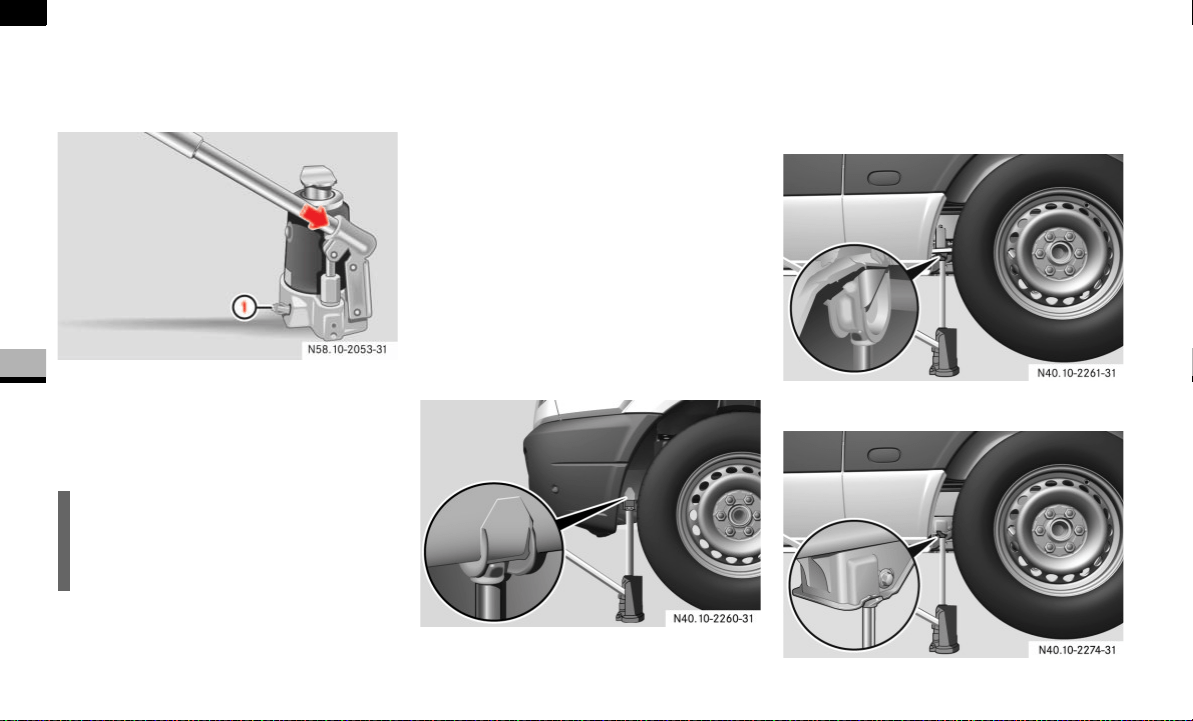
322
Practical hints
Flat tire
5
Hydraulic jack
Assemble the three-part pump lever for
the jack.
1 Pressure release screw
Close pressure release screw 1.
To do this, turn the flattened section on
the pump lever clockwise to the stop.
Insert the pump lever into the recess
on the jack and secure it by turning it
clockwise.
Make sure that the jack is positioned
vertically under the jacking points de-
scribed below.
Raise the vehicle by pumping the lever
until the wheel is raised clear of the
ground.
Make sure that the distance between
the underside of the tires and the
ground does not exceed 1.2 in (3 cm).
Jacking point at the front axle
The vehicle jacking point is located under
the longitudinal member in front of the
front axle.
Jacking points at the rear axle
The vehicle jacking point is located under
the longitudinal member in front of the rear
axle.
Vehicle model type 2500
Vehicle model type 3500
i
Never turn pressure release screw 1
more than 1 or 2 full turns. Hydraulic
fluid could otherwise escape.
P58.10-2053-31
N40.10-2260-31
N40.10-2161-31

323
Practical hints
Flat tire
5
Removing a wheel
Unscrew the wheel bolts or wheel nuts.
For wheels with wheel nuts remove the
wheel nut cover.
Remove the wheel.
Mounting the new wheel Clean the wheel and wheel hub contact
surfaces.
Push the wheel onto the wheel hub and
press it on.
!CAUTION
Do not apply the jack to the leaf spring
or the differential housing.
!CAUTION
Do not place the wheel bolts or the
wheel nuts in sand or dirt. The bolt and
wheel hub threads could otherwise be
damaged.
Warning G
Replace the wheel bolts and wheel nuts if
they are damaged or have become rusty.
Never oil or grease wheel bolts or wheel
nuts.
If a wheel hub thread is damaged, you must
not drive the vehicle.
Consult an authorized Sprinter Dealer which
has the necessary specialist knowledge and
tools to carry out the work required.
The manufacturer recommends that you use
an authorized Sprinter Dealer for this pur-
pose. In particular, work relevant to safety
or on safety-related systems must be car-
ried out at an authorized Sprinter Dealer.
For safety reasons, the manufacturer rec-
ommends that you only use wheel bolts and
wheel nuts which have been approved for
Sprinter vehicles. Other wheel bolts or
wheel nuts could work loose.
!CAUTION
If your vehicle is equipped with the tire
pressure monitor, each wheel has an
electronic component.
Tire mounting tools should not be ap-
plied in the area of the valve, as this
could damage the electronic compo-
nents.
Have the tires changed only at an
authorized Sprinter Dealer.
Warning G
Do not tighten the wheel bolts and wheel
nuts completely while the vehicle is still
jacked up. The vehicle could tip.
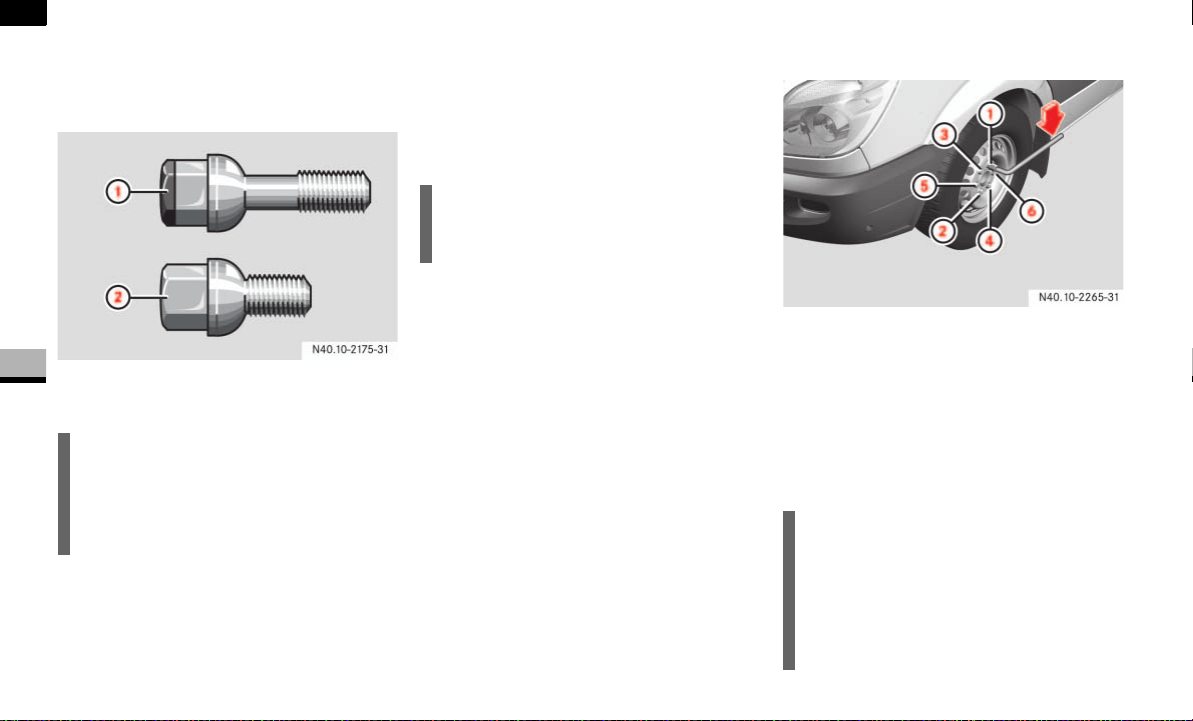
324
Practical hints
Flat tire
5
Wheels with centering by wheel bolts:
Screw in the wheel bolts and tighten
them finger-tight.
1 Wheel bolt for light-alloy wheel
2 Wheel bolt for steel wheel
or wheels with wheel nuts:
For wheels with wheel nuts:
Center the wheel nut cover over the
wheel and push it onto the wheel.
Screw on the wheel nuts and tighten
them finger tight.
Lowering the vehicle
Slowly open the jack’s pressure release
screw one turn using the pump lever
( page 322) and lower the vehicle
slowly.
Put the jack to one side.
Tightening torque pattern
1 – 6 Wheel bolts
Tighten all the wheel bolts and wheel
nuts evenly in the sequence indicated.
As an extension for the wheel wrench,
use the shaft from the jack’s 3-part
pump lever that has the largest diame-
ter.
i
On vehicles with light-alloy wheels, you
will find short wheel bolts suitable for
the steel spare wheel in the vehicle tool
kit.
N40.10-2175-31
i
Screw on the three wheel nuts that
hold the wheel nut cover first.
!CAUTION
The tightening torque is:
for wheel bolts 177 lb-ft (240 Nm)
(steel wheel)/133 lb-ft (180 Nm)
(light-alloy wheel).
for wheel nuts 133 lb-ft (180 Nm)

325
Practical hints
Flat tire
5
For wheels with wheel bolts attach the
wheel cover.
Vehicles with wheel caps:
Make sure that the opening in the
wheel cap is positioned over the tire
vent.
Vehicles with center caps:
Make sure that the retaining lugs of the
hub cap are positioned over the bolts.
Compress the piston of the hydraulic
jack and close the pressure release
screw.
Store the jack and the remaining vehi-
cle tools.
Place the defective wheel in the spare
wheel bracket after changing the wheel
( page 301).
Check the tire pressure ( page 210).
Retighten the wheel bolts and wheel
nuts to the specified tightening torque
once the vehicle has been driven for 30
miles (50 km).
i
Give the middle of the center cap a
knock to engage it on the wheel.
Warning G
For safety reasons, you must observe the
following after changing a wheel:
Have the tightening torque checked:
for wheel bolts 177 lb-ft (240 Nm)
(steel wheel)/133 lb-ft (180 Nm)
(light-alloy wheel) or
for wheel nuts
133 lb-ft (180 Nm).
The wheels could otherwise come loose.
Check the tire pressure and correct it if
necessary
Have the wheel bolts or wheel nuts re-
tightened after 30 miles (50 km) to a
torque of:
177 lb-ft (240 Nm) (steel wheel)/
133 lb-ft (180 Nm) (light-alloy
wheel) for wheel bolts or
133 lb-ft (180 Nm) for wheel nuts.
Have the direction of tire rotation cor-
rected, if reversed, as soon as possible
at an authorized Sprinter Dealer. The ve-
hicle handling characteristics could oth-
erwise be affected.
Warning G
Loose wheel nuts or bolts could cause the
vehicle to lose a wheel while it is in motion.
This would jeopardize the operating and
road safety of the vehicle. You could lose
control of the vehicle as a result, cause an
accident and injure yourself or others.
If new or repainted wheels are mounted, the
wheel bolts or wheel nuts must be retight-
ened again after approximately 600 to 3000
miles (about 1000 to 5000 km).

326
Practical hints
Flat tire
5
You can use the Premium tire sealant to
seal small punctures, particularly those in
the tire tread. Tire sealants can be used at
outside temperatures down to –22 °F
(–30 °C).
Prepare the vehicle as described
( page 320).
Try to park the vehicle in such a way
that the tire puncture is close to the
ground. If the tire puncture cannot be
seen, park the vehicle in such a way
that the tire valve of the flat tire is in
horizontal alignment with the axle.
It is beneficial to the sealing process if
you remove the foreign body that has
pierced the tire, for example the screw
or nail.
Remove the Premium tire sealant, the
accompanying "max. 50 mph
(80 km/h)" sticker and the electric air
pump from the storage compartment in
the right-hand doorway ( page 303).
Affix the sticker within the driver’s field
of vision.
Using Premium tire sealant*
Warning G
Smoking, fire and naked flames are prohibit-
ed when handling Premium tire sealant.
Avoid creating sparks.
Warning G
Your safety is at particular risk and the tire
sealant is unable to repair a tire in the fol-
lowing situations:
if there are cuts or punctures in the tire
greater than 0.23 in (6 mm)
if the rim is damaged
if you have driven with very low tire pres-
sures or with flat tires
Do not drive any further. Consult an autho-
rized Sprinter Dealer which has the neces-
sary specialist knowledge and tools to carry
out the work required.
The manufacturer recommends that you use
an authorized Sprinter Dealer for this pur-
pose. In particular, work relevant to safety
or on safety-related systems must be car-
ried out at an authorized Sprinter Dealer.
!CAUTION
Only connect the electric air pump to
the 12 V socket ( page 170) on the
center console (12 V, 25 A, 300 watts).
You could otherwise damage the vehi-
cle electrical system.
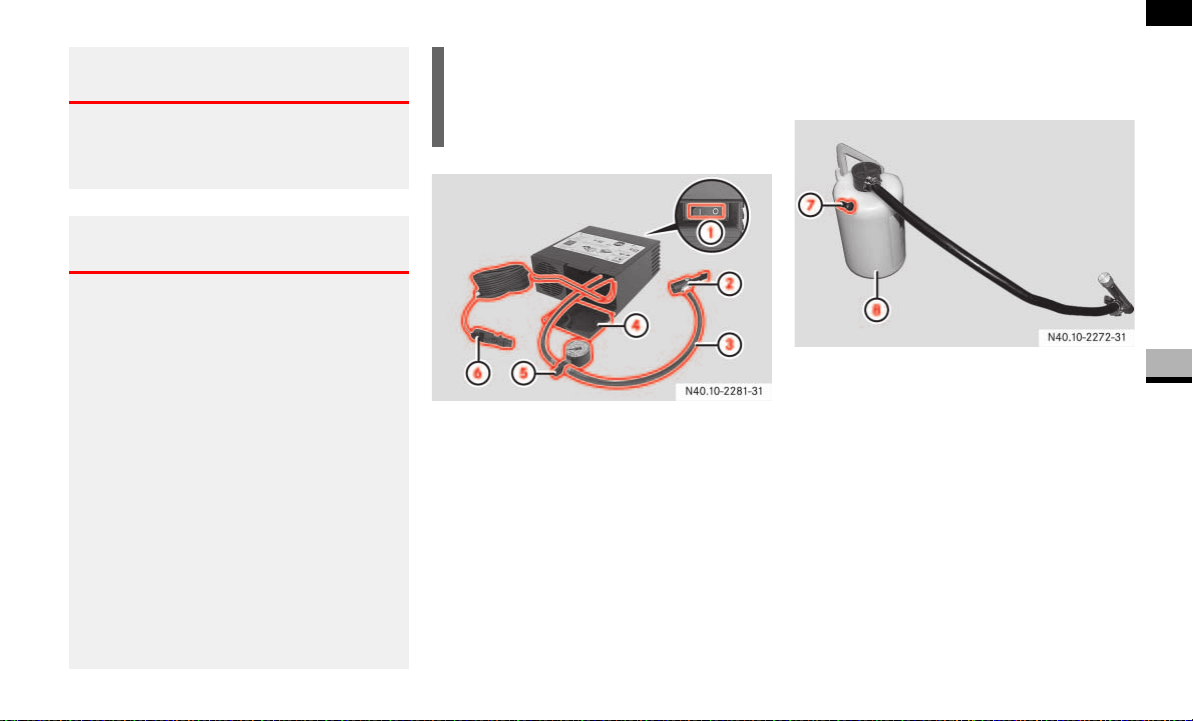
327
Practical hints
Flat tire
5
Electric air pump
1 Switch
2 Angle bracket
3 Electric air pump hose
4 Flap
5 Pressure gauge with pressure release
screw
6 Connector with cable
Open flap 4 on the electric air pump.
Pull connector 6 and hose 3 out
of housing together with pressure
gauge 5.
Tire sealant bottle for single tires
7 Valve
8 Tire sealant bottle with hook, hose and
valve core extractor
Warning G
Comply with the manufacturer’s safety in-
structions as seen on the sticker on the
electric air pump and the tire sealant bottle.
Warning G
Tire sealant must not come into contact with
your skin, eyes or clothing.
If tire sealant comes into contact with
your eyes or skin, immediately rinse
thoroughly with clean water.
Immediately change out of clothing that
has been in contact with tire sealant.
If an allergic reaction occurs, consult a
doctor immediately.
Keep tire sealant away from children.
If tire sealant is swallowed, immediately
rinse your mouth out thoroughly and
drink plenty of water.
Do not induce vomiting. Consult a doc-
tor immediately.
Do not inhale tire sealant fumes.
i
The tire sealant is water soluble. If tire
sealant escapes, you can wash it away
with water.
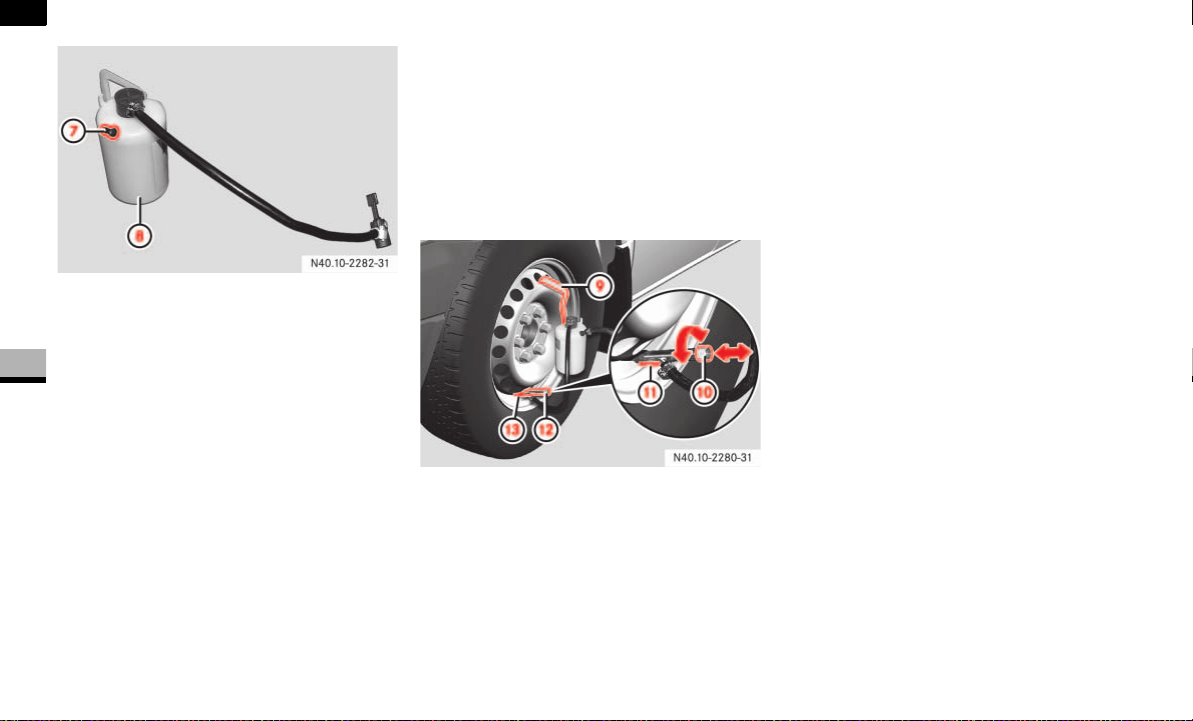
328
Practical hints
Flat tire
5
Tire sealant bottle for twin tires
7 Valve
8 Tire sealant bottle with hook, hose and
angle brackets
Shake tire sealant bottle 8.
Unscrew and remove the cap from
valve 7 on tire sealant bottle 8.
Press angle bracket 2 ( page 327)
on hose 3 of the electric air pump all
the way onto valve 7 of tire sealant
bottle 8 and clamp it in place.
The following steps may vary depending on
vehicle tires.
Single tires ( page 328).
Twin tires, inner wheel ( page 329)
Twin tires, outer wheel ( page 331)
Single tire
9 Hook
a Knob
b Lever
c Valve core extractor
d Tire valve
Pull knob a out of valve core extractor
c as far as the stop.
Unscrew and remove the valve cap
from tire valve d on the flat tire.
Hook the tire sealant bottle into the up-
per vent hole in the wheel using
hook 9.
Keep lever b pressed, connect valve
core extractor c firmly to tire valve d
and release lever b.
Press knob a into the valve core of
tire valve d, turning it gently as you do
so, until the shaft of valve core
extractor c engages.
Turn knob a counterclockwise until
the valve core is unscrewed.
Pull knob a out of valve core extractor
c as far as the stop.
This pulls the valve core into the valve
core extractor and seals it against the
valve core extractor stop.
Make sure that the pressure release
screw on pressure gauge 5 is closed.
Connect connector 6 to the 12 V
socket (12 V, 25 A, 300 watts) on the
center console ( page 170).

329
Practical hints
Flat tire
5
Start the engine ( page 111).
Press I on electric air pump switch 1.
The electric air pump is switched on.
The tire sealant is then pumped into
the tire and the tire pressure is in-
creased. Allow the electric air pump to
run for at least 10 minutes until tire
sealant bottle 8 is completely empty
and a minimum tire pressure of
43.5 psi (3.0 bar) is achieved.
Inflate the tire using the electric air
pump until the recommended tire pres-
sure ( page 210) is achieved.
Then press 0 on electric air pump
switch 1.
The electric air pump is switched off.
Slide knob a quickly to the stop in
valve core extractor c.
Turn knob a clockwise until the valve
core is firmly screwed into tire
valve d.
Press lever b and remove valve core
extractor c from tire valve d.
Screw the valve cap onto tire valve d.
After filling with tire sealant ( page 333).
Twin tires, inner wheel
9 Valve extension
a Valve core extractor
Unscrew and remove the valve cap
from valve extension 9 on the flat tire.
Screw valve core extractor a clock-
wise all the way onto valve
extension 9.
Continue to screw valve core
extractor a about half a rotation to
loosen the valve extension.
Unscrew and remove the valve exten-
sion and valve core extractor counter-
clockwise from tire valve.
Unscrew and remove the valve exten-
sion from the valve core extractor.
!CAUTION
Do not connect the electric air pump
connector to the cigarette lighter sock-
et or another 12 V socket. These are
not designed for operating the electric
air pump.
!CAUTION
Do not run the electric air pump for
more than 20 minutes without a break,
otherwise it may overheat.
The air pump can be used again once it
has cooled down.
i
Do not pull the valve core extractor
from the tire valve while the valve core
is unscrewed from the tire valve. Tire
sealant could otherwise escape onto
your hands.
The tire sealant is water soluble. If tire
sealant escapes, you can wash it away
with water.
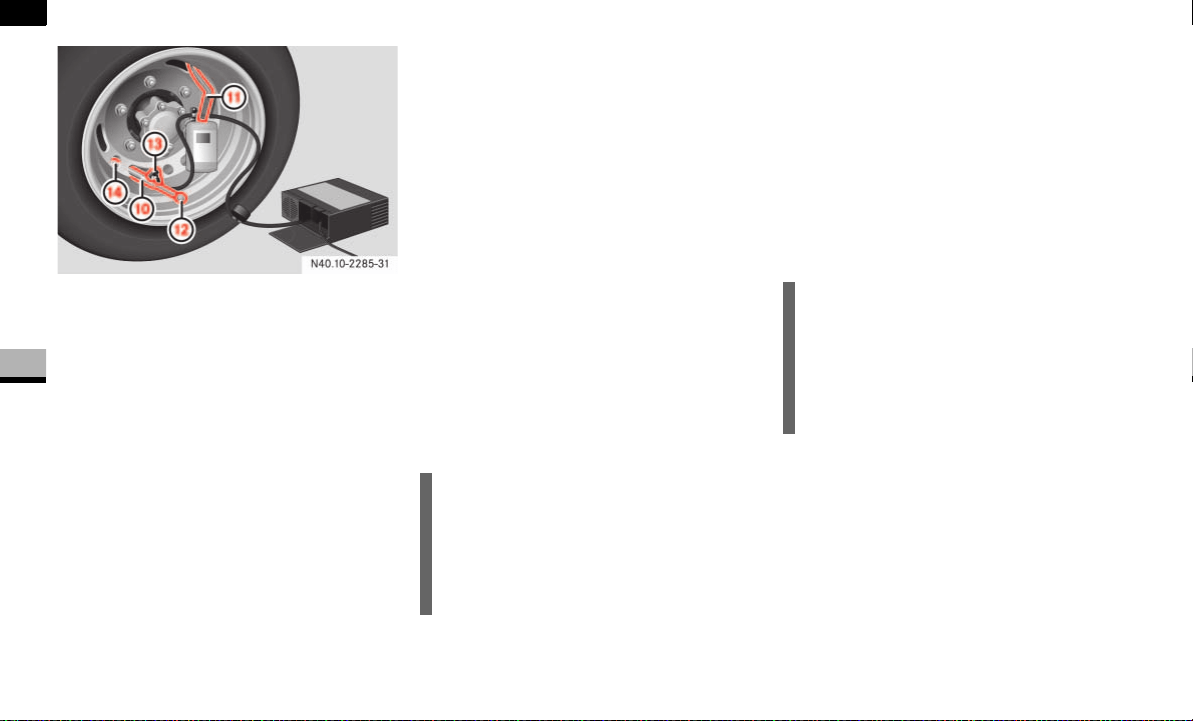
330
Practical hints
Flat tire
5
a Valve core extractor
b Hook
c Knob
d Angle bracket
e Tire valve
Pull knob c out of valve core
extractor a as far as the stop.
Screw valve core extractor a clock-
wise onto tire valve e.
Press knob c into the valve core of
tire valve e, turning it gently as you do
so, until the shaft of valve core
extractor a engages.
Turn knob c counterclockwise until
the valve core is unscrewed.
Pull knob c out of valve core
extractor a as far as the stop.
This pulls the valve core into the valve
core extractor and seals it against the
valve core extractor stop.
Hook tire sealant bottle 8 into the up-
per vent hole in the wheel using hook
b.
Press angle bracket d on hose of tire
sealant bottle 8 to the stop on the
flange of valve extractor a and clamp
it in place.
Make sure that the pressure release
screw on pressure gauge 5 is closed.
Connect connector 6 to the 12 V
socket (12 V, 25 A, 300 watts) on the
center console ( page 170).
Start the engine ( page 111).
Press I on electric air pump switch 1.
The electric air pump is switched on.
The tire sealant is then pumped into
the tire and the tire pressure is in-
creased. Allow the electric air pump to
run for at least 10 minutes until tire
sealant bottle 8 is completely empty
and a minimum tire pressure of
43.5 psi (3.0 bar) is achieved.
Inflate the tire using the electric air
pump until the recommended tire pres-
sure ( page 210) is achieved.
Then press 0 on electric air pump
switch 1.
The electric air pump is switched off.
Slide knob c quickly to the stop in
valve core extractor a.
!CAUTION
Do not connect the electric air pump
connector to the cigarette lighter sock-
et or another 12 V socket. These are
not designed for operating the electric
air pump.
!CAUTION
Do not run the electric air pump for
more than 20 minutes without a break,
otherwise it may overheat.
The air pump can be used again once it
has cooled down.
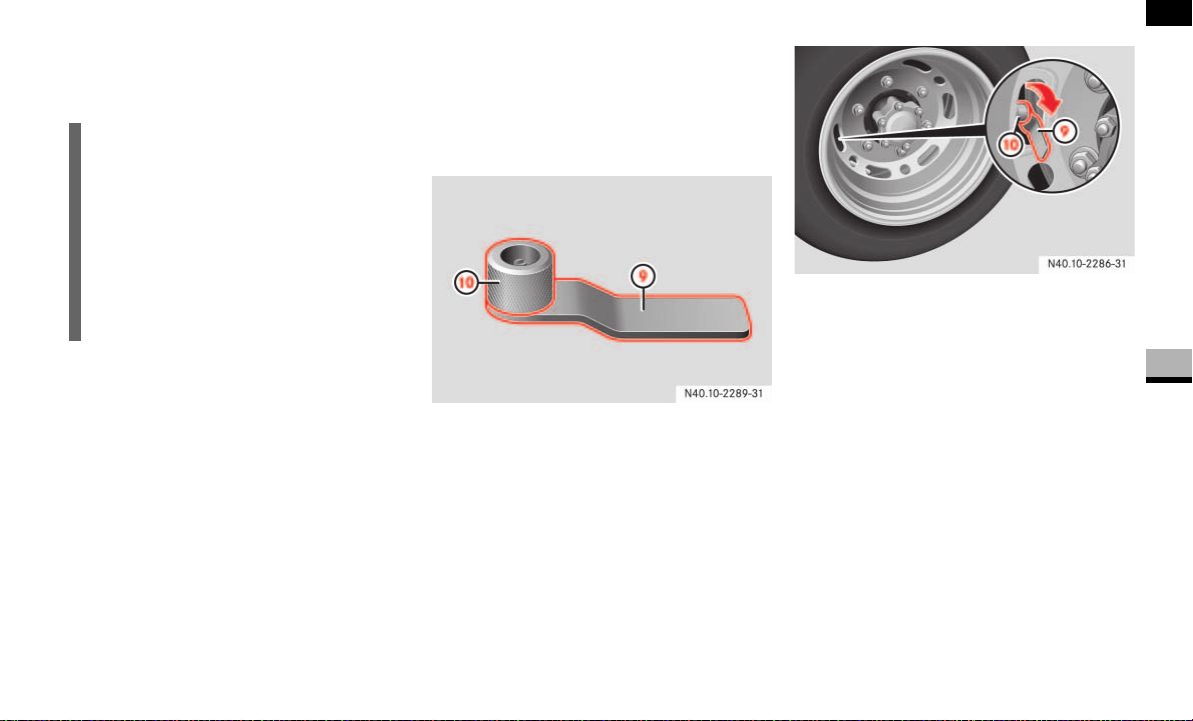
331
Practical hints
Flat tire
5
Turn knob c clockwise until the valve
core is firmly screwed into tire
valve e.
Pull knob c out of valve core
extractor a as far as the stop.
Unscrew valve core extractor a coun-
terclockwise and remove it from tire
valve e .
Screw valve extension 9 onto tire
valve e and tighten.
Screw the valve cap onto valve
extension 9.
After filling with tire sealant ( page 333).
Twin tires, outer wheel
The tire valve is on the inside of the outer
wheel and should be horizontal on the left-
hand side of the vehicle for the repair pro-
cedure.
Valve tool with handle and turning work-
piece
9 Handle
a Turning workpiece
Unscrew and remove the valve cap
from tire valve d on the flat tire.
Guide valve tool through the opening in
the wheel and press it onto tire
valve b.
Use one hand to hold handle 9 on
valve tool firmly and use the other hand
to unscrew and remove the valve core
from the valve tool using turning work-
piece a.
Remove the valve tool carefully
through the opening in such a way that
the valve core remains engaged in the
valve tool.
i
Do not unscrew the valve core extrac-
tor from the tire valve while the valve
core is unscrewed from the tire valve.
Tire sealant could otherwise escape
onto your hands.
The tire sealant is water soluble. If tire
sealant escapes, you can wash it away
with water.
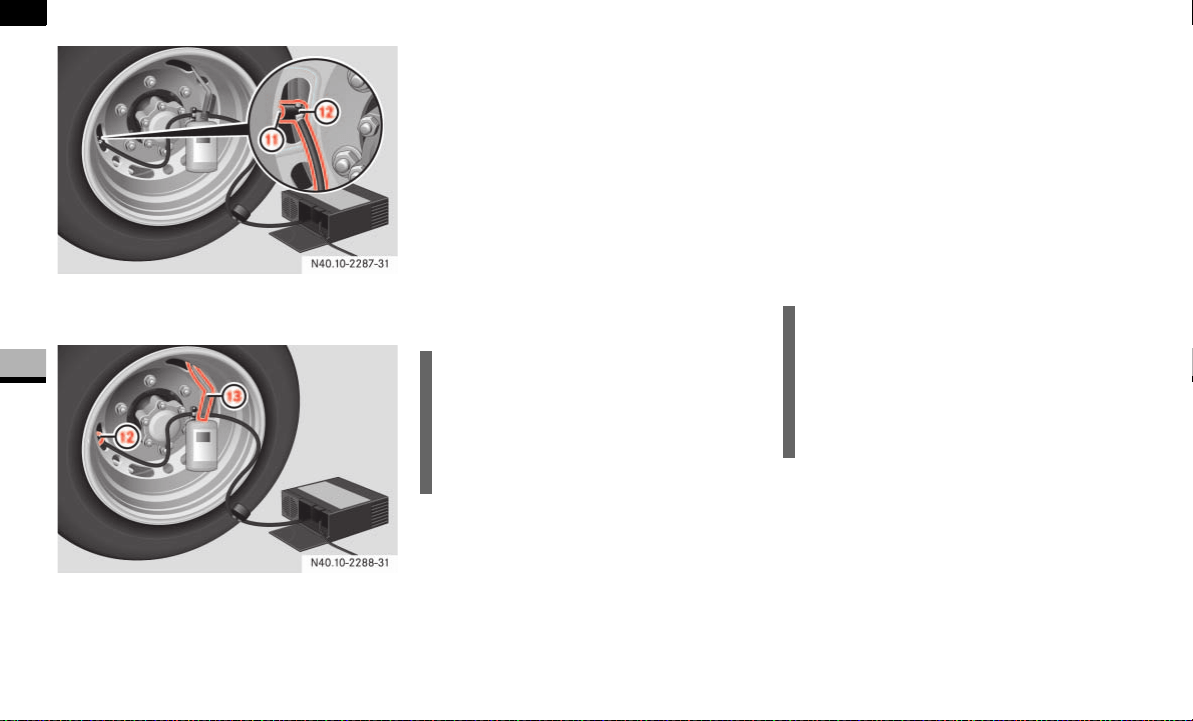
332
Practical hints
Flat tire
5
b Tire valve
c Angle bracket
c Angle bracket
d Hook
Hook tire sealant valve 8 into the up-
per vent hole in the wheel using hook
d.
Press angle bracket c on hose of tire
sealant bottle 8 ( page 327) to the
stop on tire valve b and clamp it into
place.
Make sure that the pressure release
screw on pressure gauge 5 is closed.
Connect connector 6 to the 12 V
socket (12 V, 25 A, 300 watts) on the
center console ( page 170).
Start the engine ( page 111).
Press I on electric air pump switch 1.
The electric air pump is switched on.
The tire sealant is then pumped into
the tire and the tire pressure is in-
creased.
Allow the electric air pump to run until
tire sealant bottle 8 is completely
empty.
Press 0 on electric air pump switch 1
after about 15 seconds.
Unscrew angle bracket c from tire
valve b and remove it.
Screw in the valve core with the valve
tool again and take out the valve tool
through the opening.
Press angle bracket 2 ( page 327)
on hose 3 of the electric air pump to
the stop on tire valve b and clamp it
into place.
Press switch 1 on the electric air
pump to I and pump up the tire until the
recommended tire pressure
( page 210) is achieved.
!CAUTION
Do not connect the electric air pump
connector to the cigarette lighter sock-
et or another 12 V socket. These are
not designed for operating the electric
air pump.
!CAUTION
Do not run the electric air pump for
more than 20 minutes without a break,
otherwise it may overheat.
The air pump can be used again once it
has cooled down.

333
Practical hints
Flat tire
5
Then press 0 on electric air pump
switch 1.
The electric air pump is switched off.
Screw the valve cap onto tire valve b.
After filling with tire sealant
( page 333).
After filling with tire sealant
Turn the pressure release screw on
pressure gauge 5 counterclockwise
and bleed the system.
Turn the key to position 0 in the igni-
tion lock ( page 67).
Pull the electric air pump connector out
of the 12 V socket.
Store the electric air pump, tire sealant
bottle 8 with valve core extractor c
and, if used, the warning triangle and
hazard warning lamps inside the vehi-
cle.
Unscrew and remove angle bracket 2
from valve 7 on tire sealant bottle 8
and screw the valve cap onto the valve.
Pull away immediately.
This enables the tire sealant to distrib-
ute inside the tire and create a more ef-
fective seal.
Stop after about 3 minutes and check
the tire pressure using the electric air
pump, for example.
Correct the tire pressure accordingly if
it does not correspond to the recom-
mended tire pressure ( page 210).
Increasing the tire pressure
Switch on the electric air pump.
Reducing the tire pressure
Open the pressure release screw
on pressure gauge 5.
Drive to the nearest workshop and
have the tire repaired or replaced.
Clean the valve core extractor using
clean water.
Have tire sealant bottle 8 replaced as
soon as possible at an authorized
Sprinter Dealer.
i
The tire sealant is water soluble. If tire
sealant escapes, you can wash it away
with water.
Warning G
Do not exceed the maximum speed of
50 mph (80 km/h).
The "max. 50 mph (80 km/h)" sticker must
be affixed within the driver's field of vision.
The vehicle’s handling characteristics may
be affected.
i
You must connect the angle bracket on
hose 3 of the electric air pump direct-
ly to the tire valve on the tire.

334
Practical hints
Flat tire
5
Warning G
If the minimum tire pressure of 43.5 psi
(3.0 bar) still cannot be achieved, the tire is
too badly damaged.
Do not drive any further. Consult an autho-
rized Sprinter Dealer which has the neces-
sary specialist knowledge and tools to carry
out the work required.
The manufacturer recommends that you use
an authorized Sprinter Dealer for this pur-
pose. In particular, work relevant to safety
or on safety-related systems must be car-
ried out at an authorized Sprinter Dealer.
Environmental note H
Have the used Premium tire sealant dis-
posed of at an authorized Sprinter Dealer.
!CAUTION
Have the tire sealant bottle replaced
every 8 years at an authorized Sprinter
Dealer.

335
Practical hints
Battery
5
Battery
Your vehicle may be equipped with two
batteries, depending on the equipment
version:
Starter battery in the battery recess in
the driver’s footwell
Auxiliary battery* in the engine com-
partment
Have the batteries removed at an autho-
rized Sprinter Dealer which has the neces-
sary specialist knowledge and tools to
carry out the work required.
The manufacturer recommends that you
use an authorized Sprinter Dealer for this
purpose.
Switch off all electrical consumers.
i
The auxiliary battery* in the engine
compartment is not suitable for jump-
starting operations. Only use the jump-
starting connection in the engine com-
partment if you require jump-starting
assistance or wish to provide jump-
starting assistance ( page 340).
Warning G
Observe the safety notes in the “Operation”
section ( page 195).
Do not place any metal objects on the bat-
tery. Doing so can cause a short circuit.
Use only impact-resistant batteries with a
central gas release cover to prevent corro-
sion damage and to protect occupants from
caustic burns in the event of an accident.
Disconnecting the battery
Warning G
There is a risk of a short circuit if the positive
terminal of the connected battery comes
into contact with vehicle parts. The highly
explosive gas mixture could ignite as a re-
sult. You and others could be seriously in-
jured as a result.
Do not place any metal objects or tools
on the batteries.
When disconnecting the batteries, al-
ways disconnect the negative terminals
first and then the positive terminals.
When reconnecting the batteries, al-
ways reconnect the positive terminals
first and then the negative terminals.
Do not loosen or disconnect the termi-
nal clamps on the batteries while the en-
gine is running.
!CAUTION
Switch off the engine and take the key
out of the ignition lock before you loos-
en or disconnect the terminal clamps.
You may otherwise destroy electronic
components such as the alternator.
Always disconnect the starter battery
in the battery recess in the driver’s
footwell first.
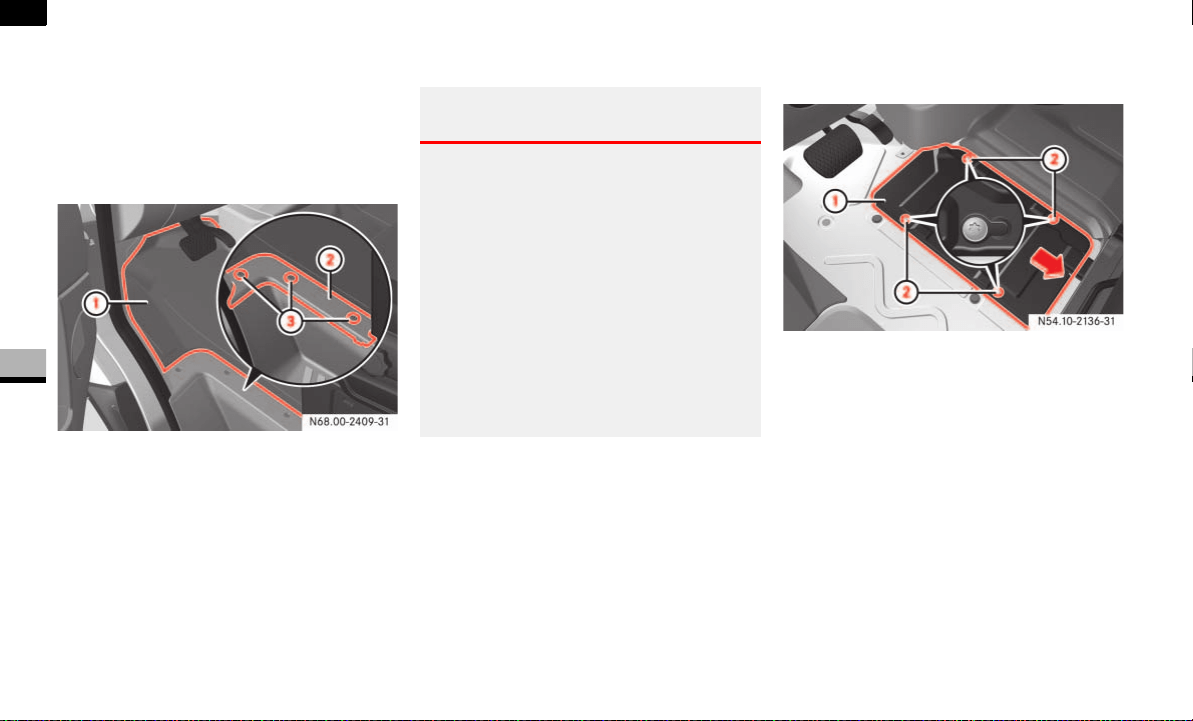
336
Practical hints
Battery
5
Disconnecting the starter battery
The starter battery is in the battery recess
in the driver’s footwell.
Removing/installing the floor covering
in the driver's footwell
1 Floor covering
2 Trim
3 Securing screws
To remove: undo screws 3 and re-
move trim 2.
Remove floor covering 1.
To install: place floor covering 1 into
the driver’s footwell.
Push floor covering 1 under the plate
metal bracket of the accelerator pedal
and align it with the driver’s seat base
and the doorway
Make sure the floor covering does not
obstruct the accelerator’s range of
movement.
Position trim 2 and screw screws 3
back in.
Removing the battery cover in the
driver’s footwell
1 Cover
2 Securing screws
Undo screws 2 and slide cover 1 in
the direction of the arrow.
The screws must protrude beyond the
recesses.
Warning G
The movement of the pedals must not be ob-
structed. The vehicle’s operating and road
safety are otherwise jeopardized.
Make sure to push the floor covering under
the plate metal bracket of the accelerator
pedal. The floor covering may not slip bet-
ween the bracket and the accelerator pedal.
Otherwise, you may not be able to fully
depress the accelerator pedal, which will
restrict the vehicle’s acceleration capability,
for example when passing another vehicle.
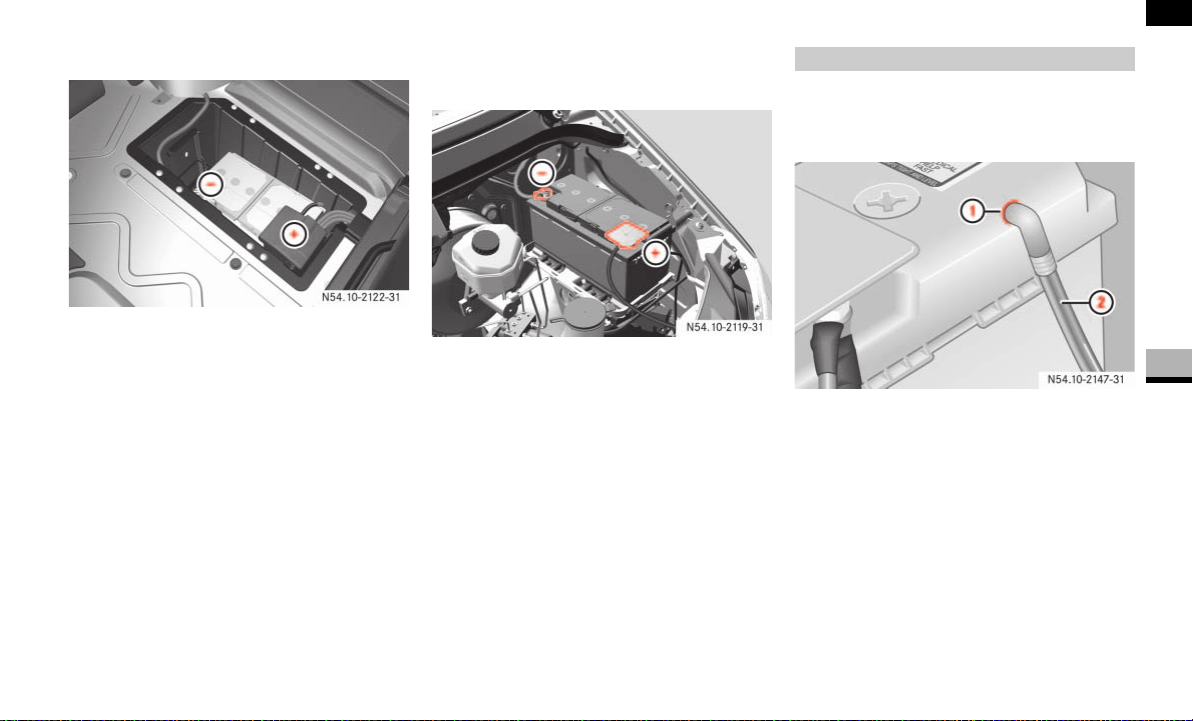
337
Practical hints
Battery
5
Remove cover 1 upward.
Starter battery in the driver’s footwell
Loosen the negative terminal of the
battery first and remove it so that the
negative terminal cannot come into
contact with the pole terminal.
Remove the cover from the positive ter-
minal.
Loosen the positive terminal and fold
the positive terminal and the prefuse
box up to the side.
Disconnecting the auxiliary battery*
Open the hood ( page 185).
Auxiliary battery in the engine compart-
ment
Loosen the negative terminal of the
battery first and remove it so that the
negative terminal cannot come into
contact with the pole terminal.
Remove the cover from the positive ter-
minal.
Loosen the positive terminal and re-
move it.
Starter battery
Disconnect the battery ( page 337).
1 Central gas release cover connection
2 Vent hose with connection angle
Pull vent hose with connection angle
2 from connection 1 of the gas re-
lease cover.
Removing the battery
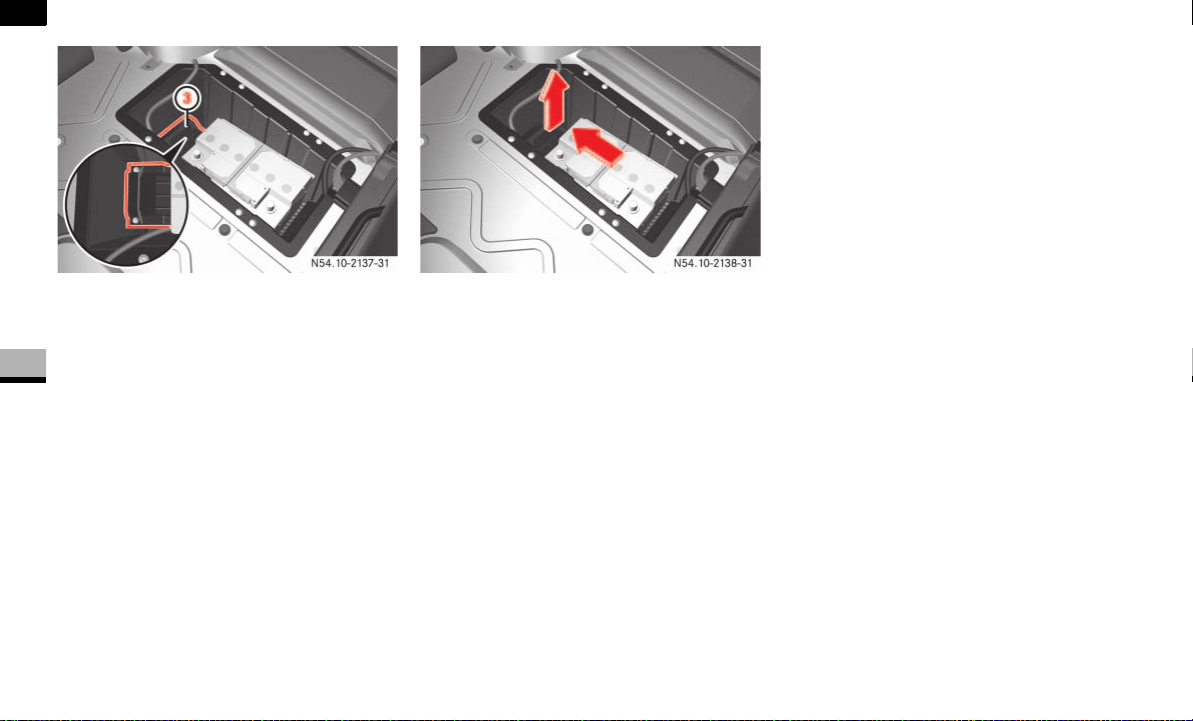
338
Practical hints
Battery
5
3 Retainer
Loosen the bolts of retainer 3 pre-
venting the battery from moving
around.
Pull retainer 3 upward and slide the
battery out of its anchorage in the di-
rection of travel.
Fold the clip upward and remove the
battery from the battery recess.
Auxiliary battery* in the engine com-
partment
Disconnect the battery ( page 337).
Unscrew the bolts preventing the bat-
tery from moving around in the engine
compartment.
Remove the battery retainer and take
out the battery.

339
Practical hints
Battery
5
Recharge the removed battery. Ob-
serve the notes in the operating in-
structions for your battery charger.
Reinstall the battery in the reverse or-
der.
Switch off all electrical consumers.
Connect the positive terminal and se-
cure the cover.
Connect the negative terminal.
Recharging the battery
!CAUTION
Only charge the installed battery using
a battery charger tested and approved
by the manufacturer. These devices al-
low you to charge the battery while it is
installed. The vehicle’s electronics sys-
tem may otherwise be damaged.
Warning G
Only charge the battery in well-ventilated ar-
eas. As the battery is being charged, gases
can escape and generate minor explosions,
which can injure you and others and may
cause damage to the paintwork or permit
acid corrosion on the vehicle.
During the charge procedure, there is a risk
of acid burns due to gases escaping from
the battery. Do not, therefore, lean over the
battery while it is being recharged.
i
It is also possible to charge the starter
battery using the jump-starting connec-
tion point in the engine compartment
( page 340).
Reconnecting the battery
!CAUTION
Never swap the terminal clamps. Other-
wise, the vehicle’s electronics system
may be damaged. After reconnecting
the battery, you must reset the electric
sliding door* ( page 57).
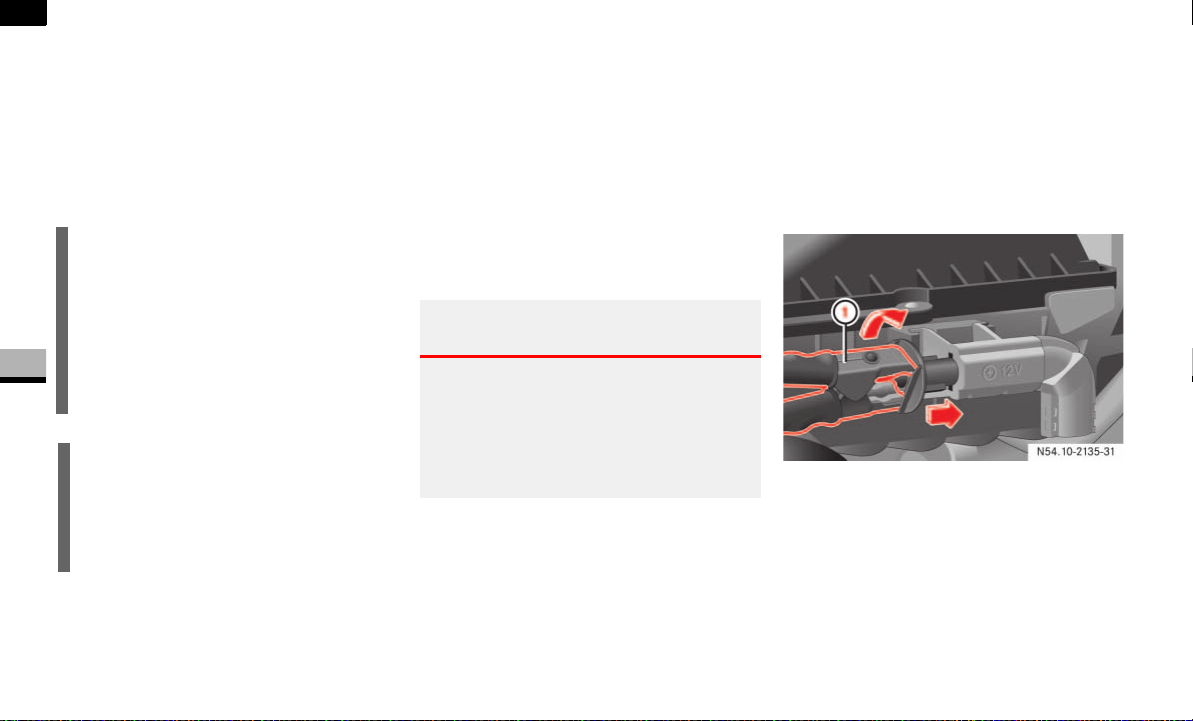
340
Practical hints
Jump-starting
5
Jump-starting
If the starter battery in the battery recess
in the driver’s footwell is discharged, the
engine can be jump-started from another
vehicle using jump leads.
For this purpose, the vehicle is equipped
with a jump-starting connection point.
Please note:
Jump-starting must only be performed
when the engine and catalytic convert-
er are cold.
Do not start the engine if the battery
has frozen. Let the battery thaw out
first.
Only use a battery of the same rated
voltage and of approximately the same
capacity for jump-starting.
Only use jumper cables of adequate
cross-section with insulated battery
terminal clamps.
Make sure that the two vehicles do not
touch.
Apply the handbrake or move the se-
lector lever to position P.
Switch off all electrical consumers.
Switch on the battery isolating switch*
if necessary ( page 197).
Remove the key from the ignition lock.
Open the hood ( page 185).
The jump-starting connection point is on
the left-hand side of the air cleaner in the
engine compartment when looking in the
direction of travel.
Jump-starting connection point
1 Positive terminal clamp of jumper ca-
ble
Remove the positive terminal cover
from the donor battery.
Connect positive terminal of donor bat-
tery 2 to jump-starting connection
point 1 with the jumper cable. Start
with the donor battery.
i
The auxiliary battery* in the engine
compartment is not suitable for jump-
starting operations. Only use the jump-
starting connection in the engine com-
partment if you require jump-starting
assistance or wish to provide jump-
starting assistance.
!CAUTION
Avoid repeated and lengthy starting at-
tempts.
Never start the vehicle using a rapid
battery charger.
Warning G
Avoid creating sparks. Keep naked flames
away from the battery, and do not smoke.
Comply with safety precautions and special
protective measures when handling batter-
ies ( page 195).
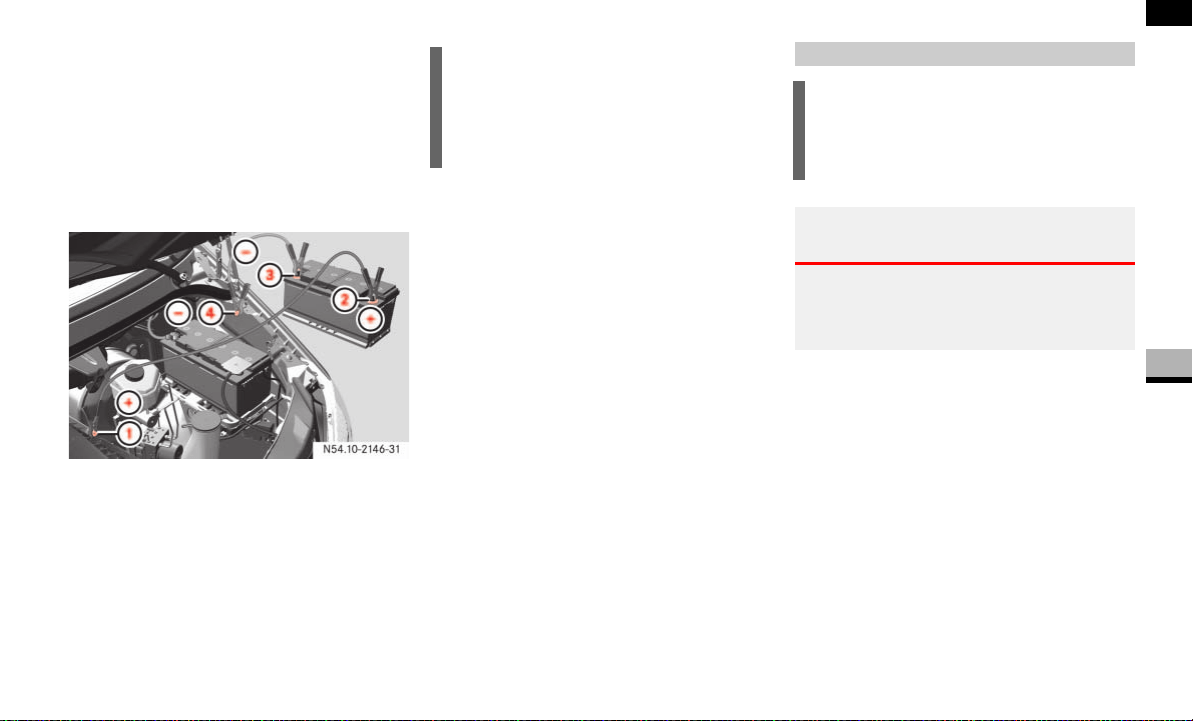
341
Practical hints
Jump-starting
5
Using red positive terminal clamp 1 of
the jumper cable, slide the red protec-
tive cap of the jump-starting connec-
tion point back with a clockwise turn
and connect the positive terminal
clamp of the jumper cable to the posi-
tive terminal of the jump-starting con-
nection point.
1 Positive terminal of jump-starting con-
nection point (under cover)
2 Positive terminal of donor battery
3 Negative terminal of donor battery
4 Ground contact of own vehicle
(negative terminal of your own battery)
Run the other vehicle’s engine at idling
speed.
Connect negative terminal 3 of the
donor battery to ground contact 4 of
your own vehicle.
Start with the donor battery.
Start the engine.
Disconnect the jumper cable from neg-
ative terminal 3 of the battery and
ground contact 4 first, then from pos-
itive terminal 2 of the battery and
jump-starting connection point 1.
The red protective cap springs back to
its initial position when the terminal
clamp is removed from the jump-start-
ing connection point.
Have the battery checked at an
authorized Sprinter Dealer.
Use a rigid towing bar and secure this only
to the front towing eye ( page 342).
i
Do not connect the jumper cable to the
auxiliary battery* in the engine com-
partment. This is not suitable for jump-
starting operations.
Tow-starting
!CAUTION
Your vehicle is equipped with an auto-
matic transmission. Do not tow-start
your vehicle.
Warning G
When tow-starting another vehicle, its
weight should not be greater than the per-
missible gross weight of your vehicle.
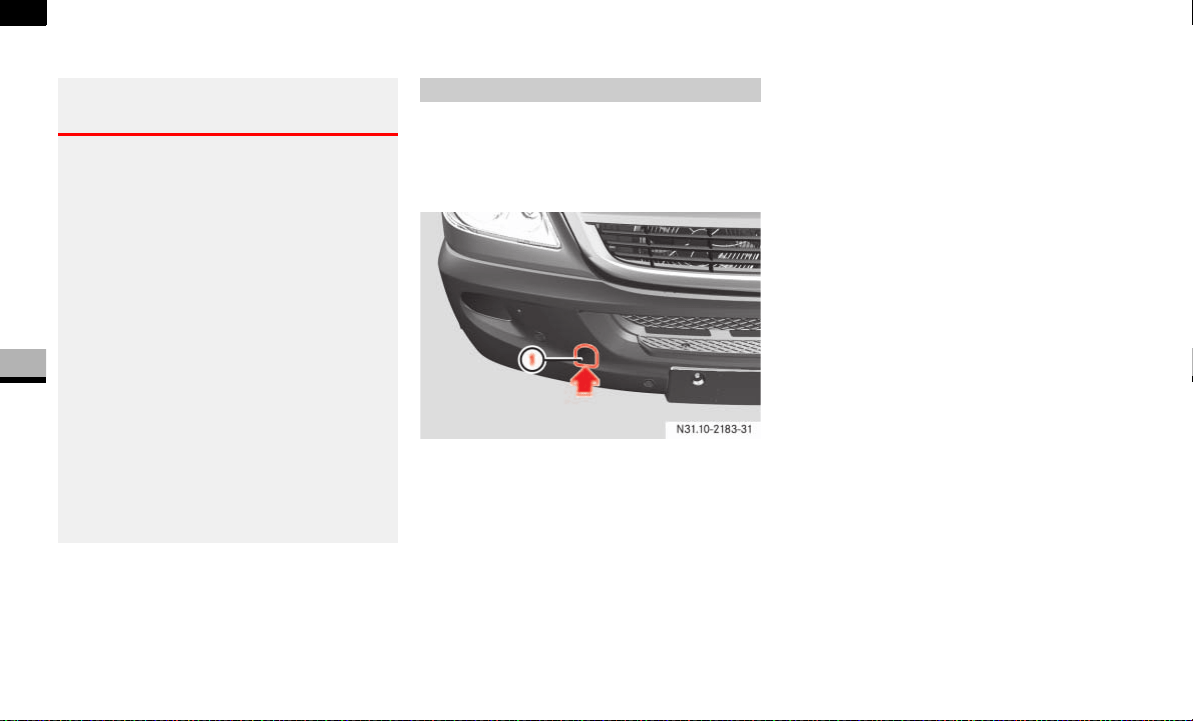
342
Practical hints
Towing
5
Towing
Comply with legal regulations when tow-
ing.
Having the vehicle carried away on a trans-
porter or trailer is preferable to towing it
away. We recommend the use of a rigid
towing bar if towing is necessary.
The fixture for the front towing eye is locat-
ed behind the cover in the bumper on the
right-hand side when viewed in the direc-
tion of travel.
1 Cover
Installing the towing eye
Press bottom of cover 1 in the direc-
tion of the arrow and remove it.
You will see the fixture for the towing
eye.
Take the towing eye and the wheel
wrench from the vehicle tool kit
( page 300).
Screw in the towing eye clockwise to
the stop.
Insert the wheel wrench handle into the
towing eye and tighten.
Removing the towing eye
Remove the wheel wrench from the ve-
hicle tool kit.
Insert the wheel wrench handle into the
towing eye and turn the wrench coun-
terclockwise.
Unscrew the towing eye.
Insert bottom of cover 1 using the lug
and press it in at the top until it engag-
es.
Warning G
Tow the vehicle using a rigid towing bar if:
the engine is not running,
there is a malfunction in the power sup-
ply or the vehicle’s electrical system.
There is no power assistance for the steer-
ing and braking when the engine is not run-
ning. You must then use significantly greater
force to steer the vehicle and brake.
Do not tow the vehicle if the key cannot
be turned in the ignition lock. The steering
is then locked and it will not be possible to
steer the vehicle.
When towing another vehicle, its weight
should not be greater than the permissible
gross weight of your vehicle.
Installing /removing the towing eye

343
Practical hints
Towing
5
Return the towing eye and the wheel
wrench to the vehicle tool kit.
Switch on the ignition ( page 67).
For a distance of up to 30 miles
(50 km), move the selector lever to po-
sition N.
For a distance greater than 30 miles
(50 km), remove the propeller shafts to
the driven axles.
Take great care when attempting to tow
the vehicle free if its drive wheels have be-
come embedded in loose earth or mud,
particularly if the vehicle is loaded.
Tow the vehicle smoothly and straight-
ahead. The chassis could otherwise be
damaged.
Do not attempt to tow out the vehicle if a
trailer is coupled up.
Where possible, tow the vehicle out back-
wards along the track made by the vehicle
previously.
With transmission damage
Always remove the propeller shafts to
the driven axles.
With front axle damage
Turn the key to position 1 in the ignition
lock( page 67).
i
Deactivate the automatic locking while
driving function when towing
( page 64). You could otherwise
become locked out when pushing or
towing the vehicle.
!CAUTION
Do not exceed a towing speed of
50 km/h, otherwise the transmission
could be damaged.
Towing out a vehicle that is stuck Towing the vehicle in the event of
particular malfunctions
!CAUTION
Use new self-securing nuts when in-
stalling the propeller shafts.
!CAUTION
The vehicle must not be towed with its
front wheels raised and with the key in
position 2 in the ignition lock.
Active brake intervention by ESP
®
or
ASR could otherwise lock the wheels
and damage the brake system.

344
Practical hints
Towing
5
In the event of a malfunction in the
electrical system
If the battery is malfunctioning, the auto-
matic transmission will be locked in
position P. To shift the automatic trans-
mission to position N, you must provide
power to the vehicle’s electrical system in
the same way as jump-starting
( page 340).
Have the vehicle transported on a trans-
porter or trailer.
The towing eye can be used to pull the ve-
hicle onto a special transporter or trailer
for transportation.
Shift the transmission to neutral or
move the selector lever to position N.
Transporting the vehicle
!CAUTION
Only secure the vehicle at the wheels/
rims. Your vehicle could otherwise be
damaged.
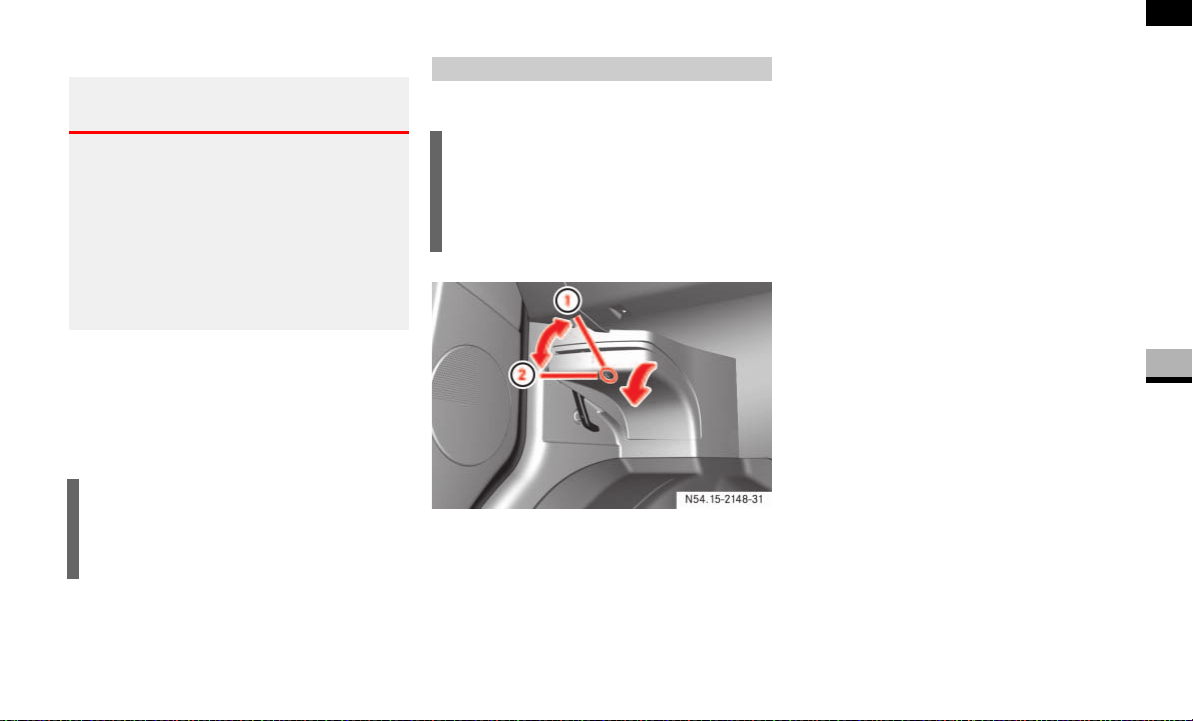
345
Practical hints
Fuses
5
Fuses
The fuses and relays for the standard
equipment are in the main fuse box in the
footwell on the left-hand side of the vehi-
cle.
Switch off the ignition and electrical
consumers before replacing fuses.
The fuse box is in the footwell on the left-
hand side of the vehicle.
1 Unlocked
2 Locked
To open: release 1 the quick-release
lock and remove the cover.
To close: attach the cover at the bot-
tom and fold it closed.
The cover must engage.
Lock 2 the quick-release lock.
Warning G
Only use fuses of the amperage recommend-
ed by the manufacturer. Any authorized
Sprinter Dealer will be happy to advise you.
Do not attempt to repair or bridge blown fuses.
Have the cause determined and rectified at
a qualified specialist workshop, e.g. an au-
thorized Sprinter Dealer.
i
Additional fuses and relays for the op-
tional equipment are in the fuse box in
the driver’s seat.
Main fuse box
i
The fuse allocation chart for the fuse
boxes is in the vehicle document wallet
in the glove box and names all the num-
bered fuses.
N54.15-2148-31
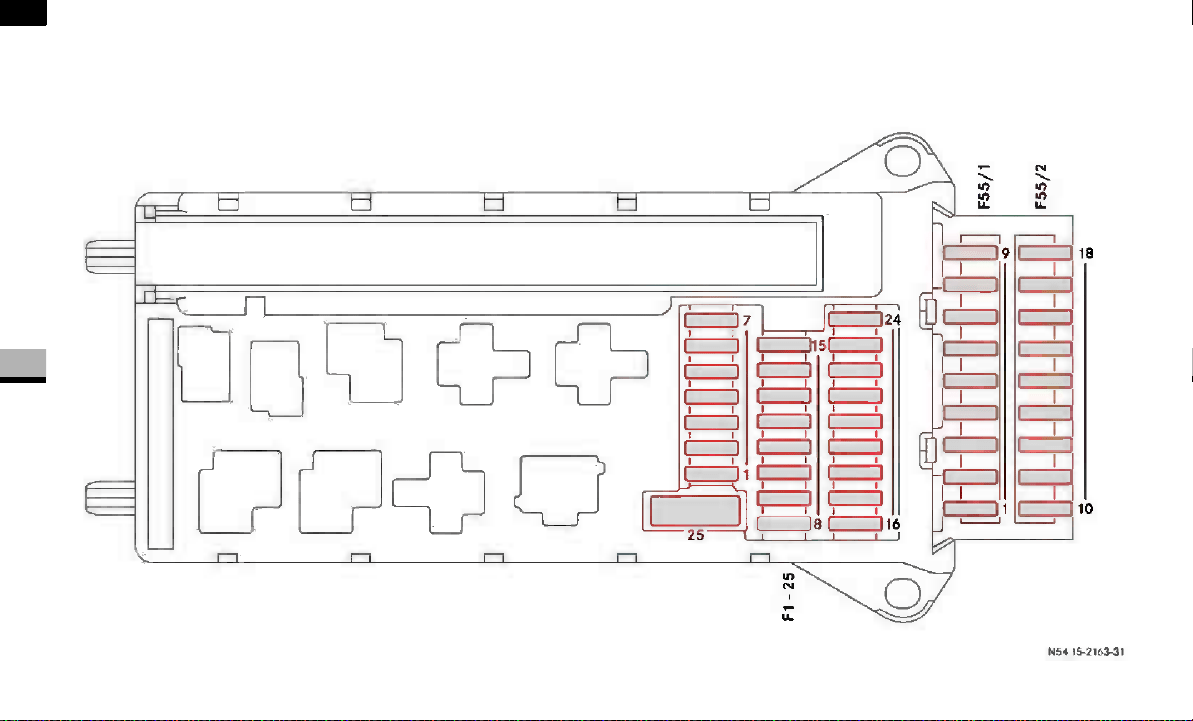
346
Practical hints
Fuses
5

347
Practical hints
Fuses
5
Fuse block F55/1
Fuse block F55/2
No. Consumer Amp.
1 Horn 15 A
2 Electric steering lock ESTL
(electronic ignition switch
EIS)
25 A
3 Terminal 30 Z, vehicles with
gasoline engine/electronic
ignition switch EIS/instru-
ment cluster
10 A
4 Light switch/center
console switch unit
5A
5 Windshield wipers 30 A
6 Fuel pump 15 A
7 MRM (jacket tube module) 5A
8 Terminal 87 (2) 20 A
9 Terminal 87 (3) 20 A
10 Terminal 87 (4) 10 A
11 Terminal 15 R vehicle 15 A
12 Airbag control unit 10 A
13 Cigarette lighter/glove box
lighting/radio*
15 A
14 Diagnostic socket/light
switch/instrument cluster
5A
No. Consumer Amp.
15 Front heating system 5A
16 Terminal 87 (1) 10 A
17 Airbag control unit 10 A
18 Terminal 15 vehicle, brake
lamp switch
7.5 A
19 Interior lights 7.5 A
20 Power window co-driver’s
side/terminal 30/2 signal
acquisition and actuation
module SAM
25 A
21 Engine control unit 5A
22 Antilock Brake System
(ABS)
5A
23 Starter motor 25 A
24 Diesel engine components 10 A
25 12V socket on the bottom
of the center console
25 A
No. Consumer Amp.
1 Control panel, left door 25 A
2 Diagnostic socket 10 A
No. Consumer Amp.
3 Brake system (valves) 25 A
4 Brake system (delivery
pump)
40 A
5 Terminal 87 (5), vehicles
with gasoline engine
7.5 A
6 Terminal 87 (6), vehicles
with gasoline engine
7.5 A
7 Headlamp cleaning system* 30 A
8 Anti-theft alarm system
(ATA)
15 A
9 Unassigned –
No. Consumer Amp.
10 Radio* 15 A
11 Telephone* 7.5 A
12 Front blowers 30 A
13 Unassigned –
14 Seat heating*/center
console switch unit
30 A
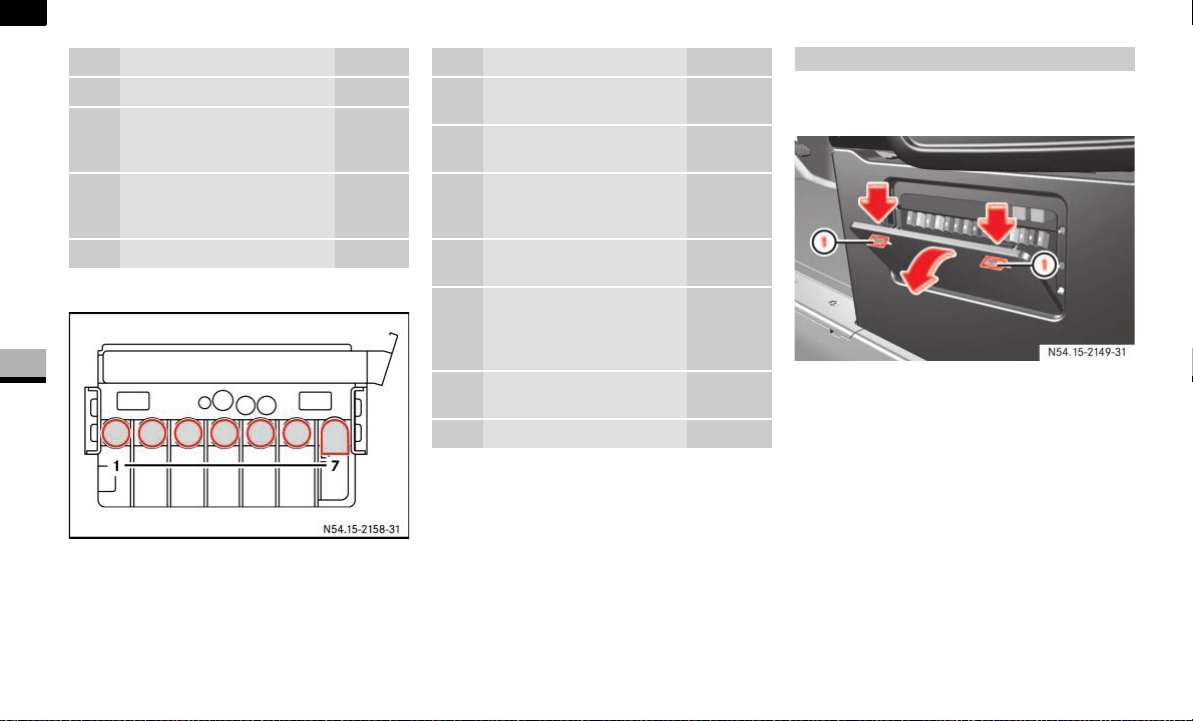
348
Practical hints
Fuses
5
Preliminary fuse box in the battery recess in
the driver’s footwell F59
The fuse box is located in the base of the
driver’s seat on the outboard side.
1 Latching springs
To open: adjust the seat to its highest
position ( page 69).
Press both latching springs 1 down
and remove the cover.
To close: attach the cover at the bot-
tom and fold it closed.
The cover must engage.
No. Consumer Amp.
15 Non MB-body electrics 10 A
16 Heating, rear heating/
Tempmatic (air-conditioning
system), front/CD-player*
10 A
17 Motion detector*/con-
venience interior lighting*/
satellite radio*
10 A
18 Air conditioning in the rear* 7.5 A
No. Consumer Amp.
1 Pre-glow relay/secondary
air pump
80/40 A
2 Engine fan air-conditio-
ning system
80 A
3 Signal acquisition and ac-
tuation module SAM/fuse
and relay block SRB
80 A
4 Auxiliary battery* in the
engine compartment
150 A
5 Terminal 30 fuse boxes, si-
gnal acquisition and actu-
ation module SAM/fuse
and relay block SRB
150 A
6 Connecting point in
driver’s seat base
Brücke
7 Heater booster (PTC) 150 A
Fuse box in the driver’s seat
N54.15-2149-31
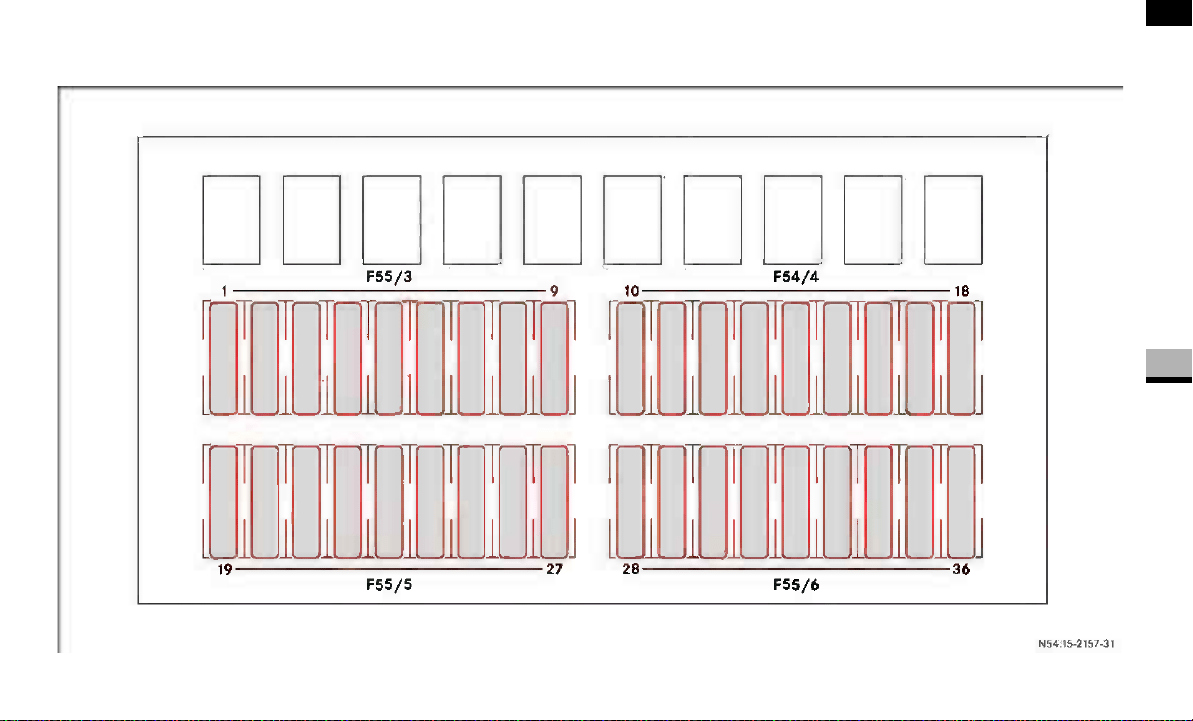
349
Practical hints
5
Fuses

350
Practical hints
5
No. Consumer Amp.
1 Mirror adjustment* 5A
2 Rear window wiper* 30 A
3 Reversing camera*/
telephone*
5A
4 Operating speed governor
(ADR)/PTO/trailer
connection unit AAG
7.5 A
5 Terminal 87 electronic
transmission control ETC,
control unit
10 A
6 Unassigned –
7 Electronic selector level
module ESM
7.5/15 A
8 Terminal 15 body builder,
drop side/3-way tipper
10 A
9 Roof ventilator*/audio
signal equipment*
15 A
10 Terminal 30, tapping wire
body builder
25 A
11 Terminal 15, tapping wire
body builder
15 A
12 D+, tapping wire body
builder
10 A
No. Consumer Amp.
13 Auxiliary indication
modul 1
10 A
14 Trailer socket* 20 A
15 Trailer recognition device* 25 A
16 Tir pressure monitoring
system (TPMS)*/
Parktronic system (PTS)*
7.5 A
17 PSM control unit* 25 A
18 PSM control unit* 25 A
19 Overhead control panel*/
sliding sunroof*
5/25 A
20 Clearance lamps* 7.5 A
21 Rear window heating* 30/15 A
22 Rear window heating* 2 15 A
23 12V socket* rear left,
load/passenger compart-
ment
15 A
24 12V socket driver’s seat
base
15 A
25 12V socket rear right,
load/passenger compart-
ment/Auxiliary heating*
blower speed 1
15 A
No. Consumer Amp.
26 Auxiliary heating* 25 A
27 Heater booster* 25/20 A
28 Air conditioning
in the rear*
30 A
29 Unassigned –
30 Unassigned –
31 Blower unit, rear heating* 30 A
32 Unassigned –
33 Electric sliding door*,
right
30 A
34 Electric sliding door*, left 30 A
35 Brake booster* 30 A
36 Unassigned –
Fuses


352
*Technical data
Genuine Sprinter parts
6
Genuine Sprinter parts
The “Technical data” section contains im-
portant technical data regarding your vehi-
cle.
You will find other vehicle-specific and
equipment-dependent technical data, such
as:
engine power output data
speeds
vehicle dimensions
vehicle weights
in your vehicle documents.
Make sure that spare parts are suitable for
your vehicle. Parts that constitute a modi-
fication to the vehicle by:
changing the type of vehicle approved
in the general operating permit,
creating a risk to road users or
having an adverse effect on the vehi-
cle’s emissions and noise levels,
will in many countries invalidate the gen-
eral operating permit. The use of non-
approved parts could have a detrimental
effect on road safety.
Every authorized Sprinter Dealer maintains
a stock of genuine sprinter parts for main-
tenance and repair work.
Over 6000 retailers around the world guar-
antee that you can be supplied with genu-
ine sprinter parts wherever you are. Over
300,000 different parts and assemblies,
including parts for older vehicle models,
are distributed from a central parts ware-
house using an optimally tuned logistics
concept.

353
*Technical data
Genuine Sprinter parts
6
Genuine sprinter parts are subjected to the
most stringent quality inspections and will
ensure that the vehicle is maintained at a
high level of operating efficiency and safe-
ty, and that it maintains its value. Each part
has been specifically designed and manu-
factured or selected and approved for use
in Sprinter vehicles.
It is therefore best to use only genuine
sprinter parts.
For cost-effective repairs in accordance
with sound recycling principles, the use of
non-genuine parts and accessories not au-
thorized by the manufacturer could dam-
age the vehicle or compromise its
durability or safety.
You can obtain further information about
approved conversion parts and accesso-
ries and permitted technical modifications
from your authorized Sprinter Dealer.
Always quote the vehicle identification
number and the engine number when or-
dering genuine parts. You will find these
numbers on your vehicle’s identification la-
bels ( page 373) and also on the vehicle
data card for certain vehicles.
Environmental note H
The manufacturer also supplies recondi-
tioned assemblies and parts for cost-effec-
tive repairs in accordance with recycling
principles. These parts have the same quali-
ty and warranty as new parts.

354
*Technical data
Vehicle electronics
6
Vehicle electronics
Electrical and electronic equipment can
jeopardize the operational safety of your
vehicle. If equipment of this kind is retrofit-
ted, it must be type-approved and must
bear the e mark.
If you wish to install telephones or two-way
radios in the vehicle, you must obtain for-
mal approval.
The manufacturer recommends that you
consult an authorized Sprinter Dealer.
You may retrofit telephones and two-way
radios provided that the maximum trans-
mission outputs listed below are not
exceeded. Always have this type of equip-
ment professionally installed with an exte-
rior antenna which has been installed in
such a way as to be reflection-free.
.
Tampering with the engine electron-
ics
!
Work on the engine electronics and all
associated parts such as control units,
sensors and connector leads should
only be performed at an authorized
Sprinter Dealer. Vehicle parts could
otherwise wear more quickly and the
vehicle’s warranty or general operating
permit could be invalidated.
Warning G
For safety reasons and to avoid invalidating
the general operating permit, always have
work on the engine electronics and associ-
ated parts performed at an authorized
Sprinter Dealer which has the necessary
specialist knowledge and tools to carry out
the work required.
The manufacturer recommends that you use
an authorized Sprinter Dealer for this pur-
pose. In particular, work relevant to safety
or on safety-related systems must be car-
ried out at an authorized Sprinter Dealer.
Retrofitting electrical/electronic
equipment
Frequency range Maximum trans-
mission output
Short wave
(< 50 MHz)
100 W
4m waveband 20 W
2m waveband 50 W
70 cm waveband 35 W
25 cm waveband 10 W
!
If electrical or electronic equipment
which does not fulfill these conditions
is retrofitted, the vehicle’s general
operating permit may be invalidated.

355
*Technical data
Service products and capacities
6
Service products and capacities
Service products are:
fuels
lubricants (e.g. engine oils, transmis-
sion oils, hydraulic fluids, greases)
antifreeze additives, coolant
brake fluid
Service products are tested for suitability
in our assemblies. Approved service prod-
ucts meet the highest quality standards.
For this reason, only use service products
that have been approved for your vehicle.
This is an important condition for warranty
claims to be upheld. Information about ap-
proved service products is available from
all authorized Sprinter Dealers.
You will find details about windshield
washer fluid in the “Operation” section
( page 193).
It is neither necessary nor permissible to
mix special additives with approved ser-
vice products (except for approved fuel ad-
ditives). Therefore, special additives must
not be mixed with fuels or lubricants. The
properties of the service products could be
adversely affected by special additives and
result in damage to the assemblies.
The vehicle operator is responsible at all
times for any use of special additives. The
use of special additives may result in a lim-
itation or an invalidation of your warranty
entitlement.
Warning G
Failure to use fluids and lubricants which
meet the standards and specifications de-
scribed in this booklet or failure to adhere to
the specified replacement intervals may re-
sult in damage to safety/ and/or emissions-
related systems of your vehicle, such as the
brake system, which could cause an acci-
dent and/or serious injury to you and oth-
ers.
Use only fluids and lubricants meeting the
standards and specifications and adhere to
specified replacement intervals.
!CAUTION
Damage caused by the use of non-ap-
proved service products is not covered
by the Sprinter warranty.
Warning G
Service products constitute a health hazard.
They contain toxic and highly corrosive con-
stituents.
For this reason, bear the following points in
mind to avoid injury to yourself and others:
Do not inhale fumes. Make sure that en-
closed spaces are adequately ventilated
to prevent poisoning.
Service products must not come into
contact with the skin, eyes or clothing. If
contact is made with a service product,
clean the affected areas of skin with wa-
ter and soap to prevent burns and other
injuries.
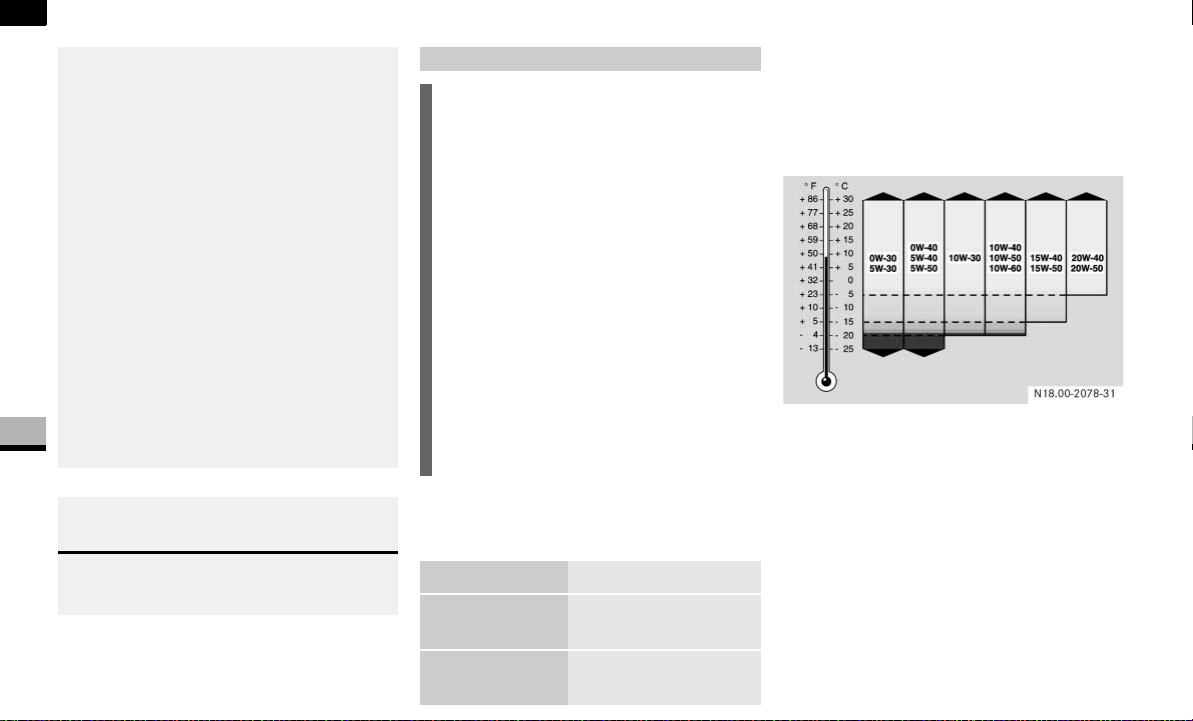
356
*Technical data
Service products and capacities
6
Valid Mercedes-Benz oil specification
sheets:
Always refer to the following viscosity
chart for the proper viscosity grade based
on ambient temperature. Select oil viscos-
ity according to the lowest air temperature
expected before the next oil change.
This chart supersedes ALL previously pub-
lished viscosity charts.
For further information contact your autho-
rized Sprinter Dealer.
Rinse thoroughly with plenty of water in
case of contact with eyes. Consult a
doctor immediately if a service product
is swallowed.
Change out of clothing soiled with ser-
vice products immediately to avoid the
risk of fire and other injuries.
Fire, naked flames and smoking are
therefore prohibited when handling ser-
vice products due to their highly flam-
mable nature.
Keep service products out of the reach
of children.
You must observe the notes on danger
concerning the risk of poisoning, acid
burns and fire on the service product
containers.
Environmental note H
Dispose of service products in an environ-
mentally responsible manner.
Engine oils
!CAUTION
Engine oils are labeled on the container
with various ACEA (Association des
Constructeurs Européens d’Automo-
biles) and/or API (American Petroleum
Institute) designations of quality.
DaimlerChrysler Vans LLC recom-
mends the use of MB approved engine
oils listed in the Mercedes-Benz oil
specification sheets MB 229.3, 229.5
and 229.51 which also meet ACEA
and/or API classifications listed on the
following chart. Only engine oils (in-
cluding synthetic) with any of the fol-
lowing classification grades, or
combinations thereof, are approved.
Engine MB sheet
Gasoline
M272
229.3, 229.31
229.5, 229.51
Diesel
OM642
228.51, 229.31,
229.51

357
*Technical data
Service products and capacities
6
The following oils have been
determined to meet the DaimlerChrysler
requirements as shown below:
MB approved engine
oil
SAE MB sheet
Castrol Syntec 5W-40 5W-40 229.3
Castrol Syntec 0W-30
European Formula
0W-30 229.5
Chevron Supreme
Synthetic Motor Oil
SAE 5W-40
5W-40 229.31
Fuchs Titan Cargo
Maxx SAE 10W-40
10W-40 228.51
Fuchs Titan GT1 SAE
5W-30
5W-30 229.51
Fuchs Titan Supersyn
Longlife SAE 5W-30
5W-30 229.3
229.5
Havoline Ultra S 5W-
30
5W-30 229.31
Havoline Ultra S 5W-
40
5W-40 229.31
High Star 5W-30 229.3
Lotos Economic SL/
CF
5W-30 229.3
Lotos Syntetic Auto
Diesel CF
5W-40 229.3
Lotos Syntetic SL/SJ/
CF/CD
5W-40 229.3
Mobil 1 0W-40 0W-40 229.3
229.5
Mobil 1 5W-50 5W-50 229.3
Mobil 1 ESP Formula
MB
5W-40 229.51
Mopar Part No
68001334AA
5W-30 229.51
Pennzoil Platinum
Synthetic Ultra
Diesel
5W-30 229.51
Pennzoil European
Formula Ultra
5W-30 229.5
Pennzoil Platinum Eu-
ropean Formula
5W-40 229.3
Pento High Perfor-
mance 5W-30 LA
5W-30 229.31
Pento High Perfor-
mance 5W-40
5W-40 229.3
Pento High Perfor-
mance 5W-40 LA
5W-40 229.31
The following oils have been
determined to meet the DaimlerChrysler
requirements as shown below:
MB approved engine
oil
SAE MB sheet
Pentosin Diesel 10W-
40 LA
10W-40 228.51
Pentospeed 0W-30 229.3
Pentospeed 0W-30
VS*
0W-30 229.3
229.5
Q Diesel Plus 5W-30 229.51
Q European Engine 5W-40 229.3
Q European Engine Ul-
tra
5W-30 229.5
Quaker State Euro
Synthetic Ultra
Diesel
5W-30 229.51
Shell Helix Ultra AX 5W-30 229.51
Shell Rimula Signia 10W-40 228.51
Texaco Havoline Syn-
thetic Motor Oil SAE
5W-40
5W-40 229.31
Valvoline SynPower
MST
5W-30 229.51
The following oils have been
determined to meet the DaimlerChrysler
requirements as shown below:
MB approved engine
oil
SAE MB sheet

358
*Technical data
Service products and capacities
6
Adding engine oil Fuels for gasoline engines
Premium unleaded gasoline
!CAUTION
Diesel engine:
Never use any amount of engine oil for
the diesel engine that does not con-
form to MB 229.51 or MB 229.31 spec-
ifications. Otherwise the diesel particle
filter (DPF) could be damaged.
If the above specified engine oils are
not available, you may also use engine
oils conforming to MB 228.5, 229.3
and 229.5 specifications. You should
add no more than 1 qt (1 l) of these en-
gine oils, however.
Fuels
Warning G
Gasoline is highly flammable and poisonous.
It burns violently and can cause serious inju-
ry. Whenever you are around gasoline, avoid
inhaling fumes and skin contact, extinguish
all smoking materials. Never allow sparks,
flame or smoking materials near gasoline!
Direct skin contact with fuels and the inha-
lation of fuel vapors are damaging to health.
Switch off the engine before refueling.
!CAUTION
If you are refueling the vehicle from
drums or canisters, you should filter
the fuel before adding it to the tank.
This will prevent malfunctions in the
fuel system caused by contaminated
fuel.
!CAUTION
To maintain the engine’s durability and
performance, premium unleaded gaso-
line must be used. If premium unleaded
is not available and low octane fuel is
used, follow these precautions:
Have the fuel tank only partially
filled with unleaded regular and fill
up with premium unleaded as soon
as possible.
Avoid full throttle driving and abrupt
acceleration.
Do not exceed an engine speed
of 3000 rpm if the vehicle is loaded
with a light load, such as two per-
sons and no cargo.
Do not exceed
2
/
3
of maximum ac-
celerator pedal position if the vehi-
cle is fully loaded or operating in
mountainous terrain.

359
*Technical data
Service products and capacities
6
Fuel requirements
Only use premium unleaded fuel:
The octane number (posted at the
pump) must be 91 min. It is an average
of both the Research (R) octane num-
ber and the Motor (M) octane number:
(R+M)/2). This is also known as the
ANTI-KNOCK INDEX.
Unleaded gasoline containing oxygenates
such as ethanol, IPA, IBA and TBA can be
used provided the ratio of any one of these
oxygenates to gasoline does not
exceed 10%; MTBE not to exceed 15%.
The ratio of methanol to gasoline must not
exceed 3% plus additional cosolvents.
Using mixtures of ethanol and methanol is
not allowed. Gasohol, which contains 10%
ethanol and 90% unleaded gasoline, can be
used.
These blends must also meet all other fuel
requirements, such as resistance to spark
knock, boiling range, vapor pressure, etc.
Fuels for diesel engines
Fuel requirements
Only use commercially available vehicular
ULTRA-LOW SULFUR HIGHWAY DIESEL
FUEL (15 ppm SULFUR MAXIMUM).
DaimlerChrysler USA now approves the
use of B5 bio diesel (standard diesel with a
maximum of up to 5% Bio diesel content)
in the Sprinter CRD diesel engine.
Information on diesel quality can normally
be found on the fuel pump.
!CAUTION
The following may lead to increased
wear or engine damage:
Using gasoline that does not meet
the specifications mentioned above
The use of non-approved special
additives
!CAUTION
Marine diesel fuel, bio diesel fuel, heat-
ing oil or the like must not be used.
Do not blend diesel fuel with marine
diesel fuel, bio diesel fuel or heating oil.
The use of such non-approved fuels or
blending diesel fuel may result in mal-
function or cause engine damage.
Damage or malfunctions resulting from
poor fuel quality or from blending spe-
cific fuel additives are not covered by
the Sprinter warranty.
!CAUTION
As bio diesel can be refined from a vari-
ety of raw materials resulting in widely
varying properties, the only approved
bio diesel content is one that meets
ASTM D6751 specification. It must also
have the necessary oxidation stability
(min. 6h, proved with EN 14112 meth-
od) to prevent damages to the system
from deposits and/or corrosion.
If the B5 Bio diesel blend is not suffi-
ciently labeled to clearly indicate that it
meets the above standards, do not use
it.

360
*Technical data
Service products and capacities
6
Diesel fuels containing a higher percenta-
ge of Bio diesel content will cause damage
to your engine and are not approved.
Damage or malfunctions resulting from
poor fuel quality are not covered by the
Sprinter Warranty.
For more information on diesel fuels con-
tact your authorized Sprinter Dealer.
DaimlerChrysler USA now approves the
use of B5 bio diesel (standard diesel with a
maximum of up to 5% bio diesel content)
in all Common Rail Injection Diesel
“CDI-engines.” Diesel fuels containing a
higher percentage of bio diesel content will
cause damage to your engine and are not
approved.
As bio diesel can be refined from a variety of
raw materials resulting in widely varying
properties, the only approved bio diesel
content is one that meets ASTM D6751
specification. It must also have the neces-
sary oxidation stability (min. 6h, proved with
EN 14112 method) to prevent damages to
the system from deposits and/or corrosion.
Please ask your service station for further
information. If the B5 bio diesel blend is
not sufficiently labeled to clearly indicate
that it meets the above standards, please
do not use it. The DaimlerChrysler limited
warranty does not cover
damage caused
by the use of fuels not meeting
DaimlerChrysler approved fuel standards.
For more information on diesel fuels con-
tact your authorized Sprinter Dealer.
Diesel fuels for use at very low tempera-
tures
Only use commercially available vehicular
ULTRA-LOW SULFUR DIESEL FUEL
(15 ppm SULFUR MAXIMUM).
To prevent malfunctions, diesel fuel with
improved cold flow characteristics is offe-
red in the winter months. Check with your
fuel retailer.
At very low temperatures the fluidity of
No. 2 diesel fuel may become insufficient
due to paraffin separation. For this reason
the vehicle comes equipped with a fuel
preheater. It permits trouble-free engine
operation to a temperature of approxi-
mately 14 °F (–10 °C).
!CAUTION
The exhaust aftertreatment device
(DPF) will be seriously damaged if you
use
LOW SULFUR HIGHWAY DIESEL
FUEL (500 ppm SULFUR MAXI-
MUM)
any other diesel fuel with a sulfur
content of above 15 ppm
any other diesel fuel with a Bio die-
sel content of above 5%
any other diesel fuel with a Bio die-
sel content up to 5%, which does
not meet the above mentioned
standards
i
Commercially available vehicular
ULTRA-LOW SULFUR HIGHWAY DIE-
SEL FUEL may contain up to 5% bio die-
sel. This proportion will not have an
effect on performance and wear.

361
*Technical data
Service products and capacities
6
At temperatures below 14 °F (–10 °C) a
certain quantity of fuel flow improver may
be added. These substances may only be
mixed within the vehicle’s fuel tank.
Engine power may drop according to the
proportion of fuel flow improver. For this
reason, keep the percentage of fuel flow
improver to the minimum necessitated by
the ambient temperature.
Adding kerosene to diesel fuel is not rec-
ommended even at low temperatures.
Do not blend other specific fuel additives
with diesel fuel except for fuel flow improv-
er. They only result in unnecessary cost,
and may be harmful to the engine opera-
tion.
Flow improvers
The effectiveness of flow improvers cannot
be guaranteed with all fuels. Observe the
mixing ratio and comply with the handling
instructions given from the manufacturer.
!CAUTION
Do not fill the tank with gasoline.
Do not mix diesel fuel with gasoline or
kerosene. The fuel system and engine
will otherwise be damaged, which is
not covered by the Sprinter warranty.
Warning G
Under no circumstances should gasoline be
mixed with diesel fuel.
Due to the high pressure and high tempera-
ture in the injection system, there is a risk of
fire and explosion.
In addition, there is a risk of engine damage.
Always follow basic safety rules when work-
ing with any combustible material.

362
*Technical data
Service products and capacities
6
Coolants, lubricants, etc.
Service
interval
Product name/product number MB
sheet
MS-
No.
1
Air conditioning
The air conditioning system of your vehicle contains R-134a, a refrigerant that does not deplete the ozone layer in the upper atmo-
sphere.
Refrigerant R-134a — Refrigerant R-134a 361.0
Automatic transmission
Automatic transmission fluid 10 years
60,000 mi
(96,000 km)
MOPAR
®
05127382AB
Shell ATF 3403
Shell ATF 3353
236.10
236.12
Brakes
Use brake fluid approved for DaimlerChrysler standard MB 331.0 and/or DaimlerChrysler material standard MS-9971, brake fluid certified
to DOT 4 Plus standards, that also maintains a minimum dry boiling point (ERBP) of 500 °F (260 °C), a minimum wet boiling point (WERBP)
of 356 °F (180 °C) and a maximum viscosity of 1500 mm
2
/s, conforming to FMVSS 116 and ISO 4925.
Brake fluid 2 years
2
Intac B026E Dry boiling point: 500°F (260°C)
Wet boiling point: 356°F (180°C)
MOPAR
®
MS-9971 Part No. 04549625AC or equivalent
331.0 9971
1 DaimlerChrysler Material Standard-No.
2 Over the course of a brake fluid’s service life, its boiling point falls due to the continuous absorption of moisture from the atmosphere. If the boiling point of the
brake fluid is too low, vapor pockets may form in the brake system when the brakes are applied hard (e.g. when driving on long downhill stretches). This has a det-
rimental effect on braking efficiency, which could increase the stopping distance. This increases the risk of an accident. Have the brake fluid renewed every 2 years.

363
*Technical data
Service products and capacities
6
Service interval Product name/product number MB
sheet
MS-
No.
1
Engine cooling system
The use of aluminum components in Sprinter engines requires that anticorrosive/antifreeze specifically formulated to protect aluminum
parts be used. The factory-approved service products are suitable for Sprinter engines and can be mixed with the original anticorrosion/
antifreeze filled at factory.
The cooling system design and anticorrosion/antifreeze agent used stipulate the replacement interval for the coolant solution in your ve-
hicle. Please observe the replacement interval specified in the Service Booklet for your vehicle.
Failure to use MB 325.0 anticorrosion/antifreeze and/or equivalent to DaimlerChrysler material standard MS-9769 and/or failure to ad-
here to the specified replacement interval may result in a significantly shortened service life.
For coolant composition and water quality, contact your authorized Sprinter Dealer.
Coolant, anticorrosion/antifreeze
fluid
1st interval:
15 years or
180,000 mi
(288,000 km)
2
Sub-
sequent intervals: 5
years or 100,000
mi (160,000 km)
EURO Peak Coolant/Antifreeze
OLD WORLD INDUSTRIES
325.0
Zerex G05, The Valvoline Company 325.0
Zerex G48, The Valvoline Company 325.0
Glysantin G05, BASF AG
MOPAR
®
Part No. 05066386AA, or equivalent
325.0
Engine
Engine oil for gasoline engine M272 1 year or 10,000 mi
(16,000 km)
see “Engine oils” (page 350) 229.31, 229.3
229.51, 229.5
Engine oil for diesel engine OM642 2 years or 10,000
mi (16,000 km)
See “Engine oils” (page 350) 228.51
229.31
229.51
1 DaimlerChrysler Material Standard-No.
2 Follow the interval, time or mileage, that occurs first.

364
*Technical data
Service products and capacities
6
Service interval Product name/product number MB
sheet
MS-
No.
1
Power steering
Power steering, no fluid service required.
Power steering fluid — Mobil ATF+4, Exxon Mobil Corporation, or equiva-
lent
236.3 9602
MOPAR
®
Part No. 05013457AA, or equivalent –
Rear axle
Gear oil 10 years or
180,000 mi
(288,000 km)
2
BP Energear Hyep DC 80W-90
Mobil Delvac Synthetic Gear Oil 75W-90
235.20
235.8
8985
MOPAR
®
Part No. 04874469
3
–
1 DaimlerChrysler Material Standard-No.
2 Follow the interval, time or mileage, that occurs first.
3 Synthetic automotive gear lubricant without fricition modifier.

365
*Technical data
Service products and capacities
6
Capacities
Vehicle Engine with
oil filter
Tank Cooling
system
Windshield washer/
headlamp cleaning
system
Engine oil Capacity Including
reserve fuel
Coolant
1
1 Do not exceed a proportion of 55% by volume (antifreeze protection down to about -45°C) as the heat dissipation properties deteriorate at higher concentrations.
Observe the Mercedes-Benz Specifications for Service Products, Sheet 310.
Water with MB windshield
washer fluid
2500 CRD, 3500 CRD 13.21 US qt.
(12.5 l)
25.0 US gal
(100 l)
5.3 US gal
(20 l)
10.75 US qt.
(10.0 l)
approx. 7.40 US qt. (7.0 l)
2500, 3500 10.04 US qt.
(9.5 l)
25.0 US gal
(100 l)
5.3 US gal
(20 l)
7.40 US qt.
(7.0 l)
approx. 7.40 US qt. (7.0 l)

366
*Technical data
Service products and capacities
6
The vehicle will use more fuel than usual in
the following conditions:
at very low temperatures
in urban traffic
on short trips
when towing a trailer
when driving with a heavy load
in mountainous terrain
Fuel consumption
Environmental note H
A vehicle’s CO
2
emissions and fuel con-
sumption depend on:
efficient use of fuel by the engine
the style of driving adopted
other non-technical factors such as en-
vironmental influences or road condi-
tions

367
*Technical data
Rims and tires
6
Rims and tires
!
CAUTION
Only use tires which have been tested
and approved for your Sprinter vehicle
by the vehicle manufacturer. Tires ap-
proved by the vehicle manufacturer are
developed to provide the best possible
performance in conjunction with the
driving safety systems on your Sprinter
vehicle such as ABS, BAS, ASR or ESP
®
.
Using tires other than those approved
by the vehicle manufacturer may result
in damage that is not covered by the
Sprinter warranty.
Using tires other than those approved
by the vehicle manufacturer can have
detrimental effects, such as
poor handling characteristics
increased noise
increased fuel consumption
Moreover, tires and rims not approved
by the vehicle manufacturer may, un-
der load, exhibit dimensional variations
and different tire deformation charac-
teristics that could cause them to come
into contact with the vehicle body or
axle parts. Damage to the tires or the
vehicle may be the result.
Warning G
Loose wheel nuts or bolts could cause the
vehicle to lose a wheel while it is in motion.
This would jeopardize the operating and
road safety of the vehicle. You could lose
control of the vehicle as a result, cause an
accident an injure yourself or others.
If a wheel was replaced or new wheel nuts
are used, the wheel bolts or wheel nuts must
be retightened to the specified tightening
torque after 30 miles (50 km).
If new or repainted wheels are mounted, the
wheel bolts or wheel nuts must be retight-
ened again to the specified tightening
torque after approximately 600 to 3000
miles (about 1000 to 5000 km).
i
Further information on tires and rims is
available at any authorized Sprinter
Dealer. A placard with the recommend-
ed tire inflation pressures is located on
the driver’s door B-pillar for vehi-
cles with a gross weight capacity
less than 10,000 lbs (4500 kg)
( page 375)
on a label below the driver’s seat on
an outward facing position of the
mounting pillar for vehicles with a
gross weight capacity above
10,000 lbs (4500 kg) ( page 375)
The tire inflation pressure should be
checked regularly and should only be
adjusted on cold tires.
368
*Technical data
Rims and tires
6
Vehicle Model Type 2500 3500
Rims (steel) 6.5 J x 16 5.5 J x 16
Rims (light alloy) 6.5 J x 16 –
Wheel offset 2.13 in (54 mm) –
Half dual spacing 4.82 in (122.5 mm)
Wheel fixture Wheel bolts Wheel nuts
Tightening torque (steel wheel) 177 lb-ft (240 Nm) 133 lb-ft (180 Nm)
Tightening torque (light-alloy wheel) 133 lb-ft (180 Nm) -
Summer tires – –
All-season tires
1
1 Radial-ply tires
LT 245/75 R16 120/116L LT 215/85 R16 115/112N
LT 215/85 R16 115/112Q
LT 245/75 R16 120/116N
Winter tires
2
2 Radial-ply tires
LT 245/75 R16 120/116L M+S . LT 215/85 R16 115/112N M+S .
LT 245/75 R16 120/116N M+S .

369
*Technical data
Tire inflation pressure
6
Tire inflation pressure
For vehicles with a gross weight capacity
above 10,000 lbs (4500 kg) only.
For vehicles with a gross weight capacity
less than 10,000 lbs (4500 kg) observe the
recommended cold tire inflation pressures
listed on the tire and loading information
placard on the driver’s door B-pillar
( page 210).
Observe the information on recommended
tyre inflation pressure in the “Operation”
section ( page 210).
The following table lists the recommended
cold tire inflation pressures for all load
conditions up to the maximum permissible
weight limits (GAWR). The tire inflation
pressures listed apply to the tires installed
as original equipment.
Set the correct tyre pressure before load-
ing the vehicle. If the vehicle has been
loaded, check the tyre pressures and cor-
rect them if necessary.
The tires can be considered cold if the ve-
hicle has been parked for at least 3 hours
or driven less than 1 mile (1.6 km) at an
ambient temperature of approximately
68 °F (20 °C).
Keeping the tires properly inflated pro-
vides the best handling, tread life and
riding comfort.
Tire temperature and tire inflation pressure
are also increased while driving, depending
on the driving speed and the tire load.
Tire inflation pressure changes by approxi-
mately 1.5 psi (0.1 bar) per 18 °F (10 °C)
of air temperature change. Keep this in
mind when checking tire inflation pressure
where the temperature is different from
the outside temperature.
i
In addition to the following table the
recommended cold tire inflation pres-
sures are listed on a label below the
driver’s seat on an outward facing posi-
tion of the mounting pillar.
Warning G
Follow recommended tire inflation pres-
sures.
Do not underinflate tires. Underinflated tires
wear excessively and/or unevenly, adverse-
ly affect handling and fuel economy, and are
more likely to fail from being overheated.
Do not overinflate tires. Overinflated tires
can adversely affect handling and ride com-
fort, wear unevenly, increase stopping dis-
tance, and result in sudden deflation
(blowout) because they are more likely to
become punctured or damaged by road de-
bris, potholes etc.

370
*Technical data
Tire inflation pressure
6
For example:
If the inside temperature is 68 °F (20 °C)
and the outside temperature is 32 °F
(0 °C) then the cold tire inflation pressure
should be increased by 3 psi (0.2 bar),
which equals 1.5 psi (0.1 bar) for every
18 °F (10 °C) for this outside temperature
condition.
Check tire pressures more often if subject
to a wide range of outdoor temperatures,
as tire pressures vary with temperature
changes.
!CAUTION
The pressure difference between the
tires on a single axle should not exceed
1.5psi (10kPa).
Tire Permissible axle loads (see certification label)
Front axle Rear axle
3970 lbs
(1801 kg)
4080 lbs
(1851 kg)
4410 lbs
(2000 kg)*
5360 lbs
(2431 kg)
7060 lbs
(3202 kg)
7720 lbs
(3502 kg)
LT 215/85 R 16
115/112 N
— 55 psi (3.8 bar) 61 psi (4.2 bar) — 55 psi (3.8 bar) 61 psi (4.2 bar)
LT 215/85 R 16
115/112 Q
— 55 psi (3.8 bar) 61 psi (4.2 bar) — 55 psi (3.8 bar) 61 psi (4.2 bar=)
LT 245/75 R 16
120/116 L
47 psi (3.2 bar) — — 70 psi (4.8 bar) — —
LT 245/75 R 16
120/116 N
47 psi (3.2 bar) — — 70 psi (4.8 bar) — —

371
*Technical data
Lashing points and carrier systems
6
Lashing points and carrier systems
You will find further information on the
lashing eyes in the "Operation" section
( page 158).
Lashing eyes
The maximum tensile load of the lashing
eyes is:
Load rails*
The maximum tensile load of the lashing
points in the load compartment is:
The specified values only apply to loads on
the load compartment floor if:
the load is secured to 2 lashing points
on the rail and
the distance to the next lashing point
used on the same rail is about 3 ft
(1 m).
Lashing points
!CAUTION
Observe the data on the maximum
load-bearing capacity of the individual
lashing points.
During full-braking applications, for ex-
ample, forces can be involved that are
much greater than the weight force of
the load.
Always use several lashing points in or-
der to distribute force absorption, and
make sure that the lashing points have
an equal load.
Lashing eyes Permissible nom-
inal tensile force
Crewbus 3500 N
Panel van 5000 N
Lashing point Permissible nom-
inal tensile force
Load rails in the
load compartment
floor
5000 N
Lower load rail on
the side wall
2500 N
Upper load rail on
the side wall
1500 N

372
*Technical data
Lashing points and carrier systems
6
Maximum roof load and minimum number
of pairs of roof rack supports on vehicles
with:
The data is valid when the load is distribut-
ed evenly over the entire roof area.
When using a shorter roof rack, reduce the
load proportionately.
The maximum load is 110 lbs (50 kg) per
pair of roof rack supports.
Roof carrier systems
Maxi-
mum roof
load
Minimum
number of
pairs of
supports
Standard roof 660 lbs
(300 kg)
6
Raised roof 330 lbs
(150 kg)
3
!CAUTION
The weight of any load carried on the
roof, including the roof rack, must not
exceed the maximum permissible roof
load.
The roof rack supports must be ar-
ranged at equal distances.
The manufacturer recommends that
you have an anti-roll bar installed on
the front axle.
Warning G
High roof loads may cause a significant de-
terioration in handling, steering and braking
characteristics even if the maximum permis-
sible gross vehicle weight or axle loads have
not been exceeded.
Always ensure that loads are distributed
correctly and adapt your driving style in ac-
cordance with the load.
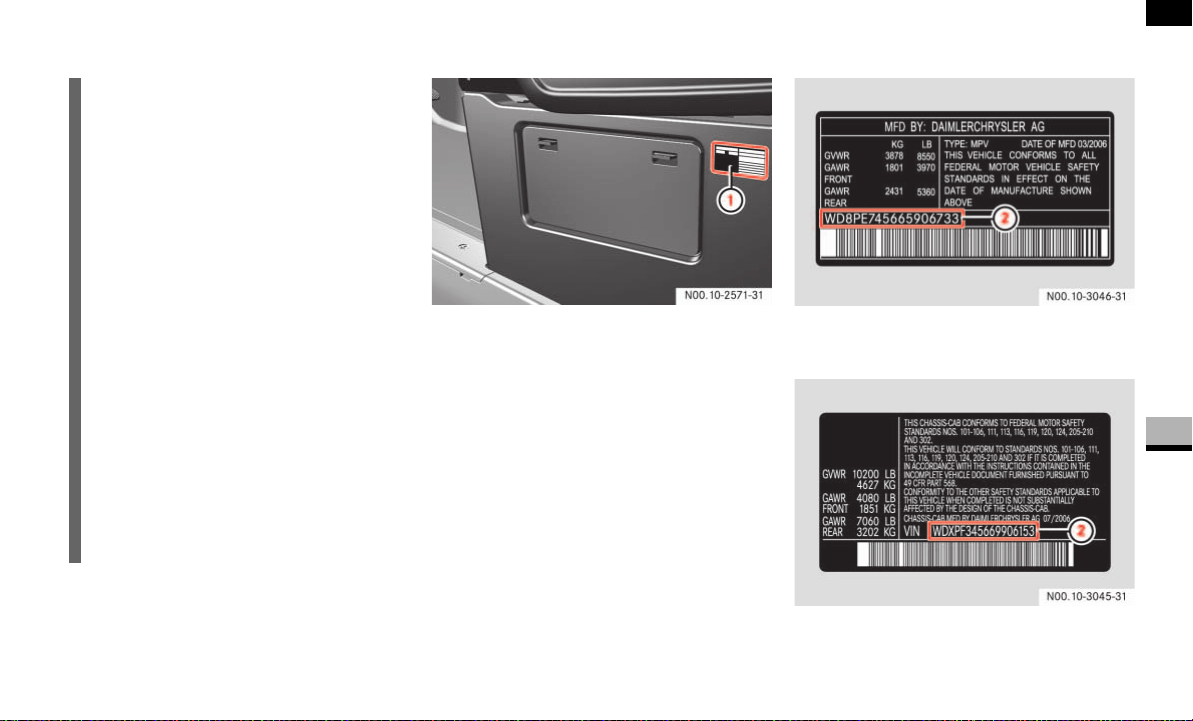
373
*Technical data
Vehicle identification labels
6
Vehicle identification labels
Base of the driver’s seat
1 Vehicle safety certification label
or
Incomplete vehicle safety certification
label
The Vehicle Identification Number (VIN)
can be found:
on the vehicle or incomplete vehicle
safety certification label
embossed on the engine compartment
rear bulk ( page 379)
Example vehicle safety certification label
(U.S. vehicles)
Example incomplete vehicle safety certifi-
cation label (U.S. vehicles)
2 VIN
i
For certain vehicles, vehicle data cards
are delivered with the vehicle. These
vehicle data cards contain all the im-
portant details of your vehicle, e.g. ve-
hicle identification number, engine
number and subassembly numbers to-
gether with the model and optional
equipment codes.
This data is required when ordering
parts and for questions of a technical
nature.
For reasons of security, card 1 must
not be kept in the vehicle. It contains
the key number required for obtaining
replacement keys.
Handing cards 2 and 3 to an authorized
Sprinter Dealer will simplify order pro-
cessing.
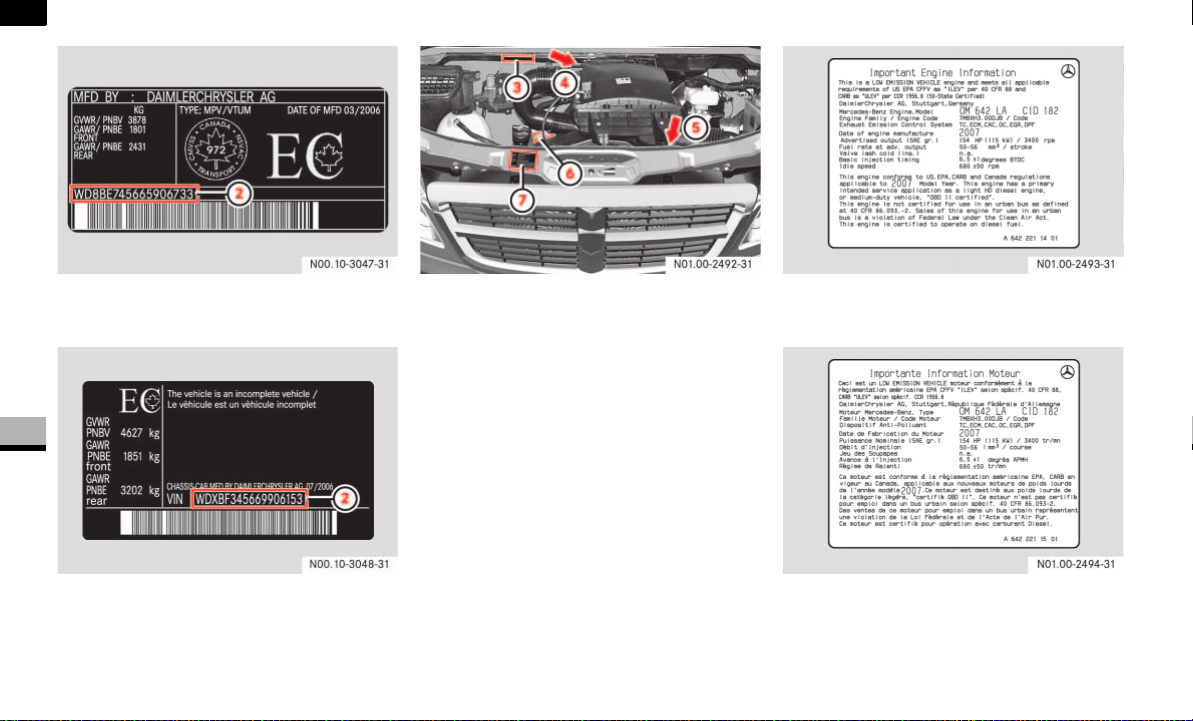
374
*Technical data
Vehicle identification labels
6
Example vehicle safety certification label
(Canada vehicles)
Example incomplete vehicle safety certifi-
cation label (Canada vehicles)
2 VIN
Example Engine Compartment
3 VIN (embossed on the engine compart-
ment rear bulk)
4 Engine number (engraved on gasoline
engine)
5 Engine number (engraved on diesel en-
gine)
6 Emission control information label and
engine oil warning label
1
7 Emission control information label
(gasoline engine) ( page 380)
1. Read and observe the diesel engine oil information
( page 362).
Example emission control information label
for diesel engines (U.S. vehicles)
Example emission control information label
for diesel engines (Canada vehicles)
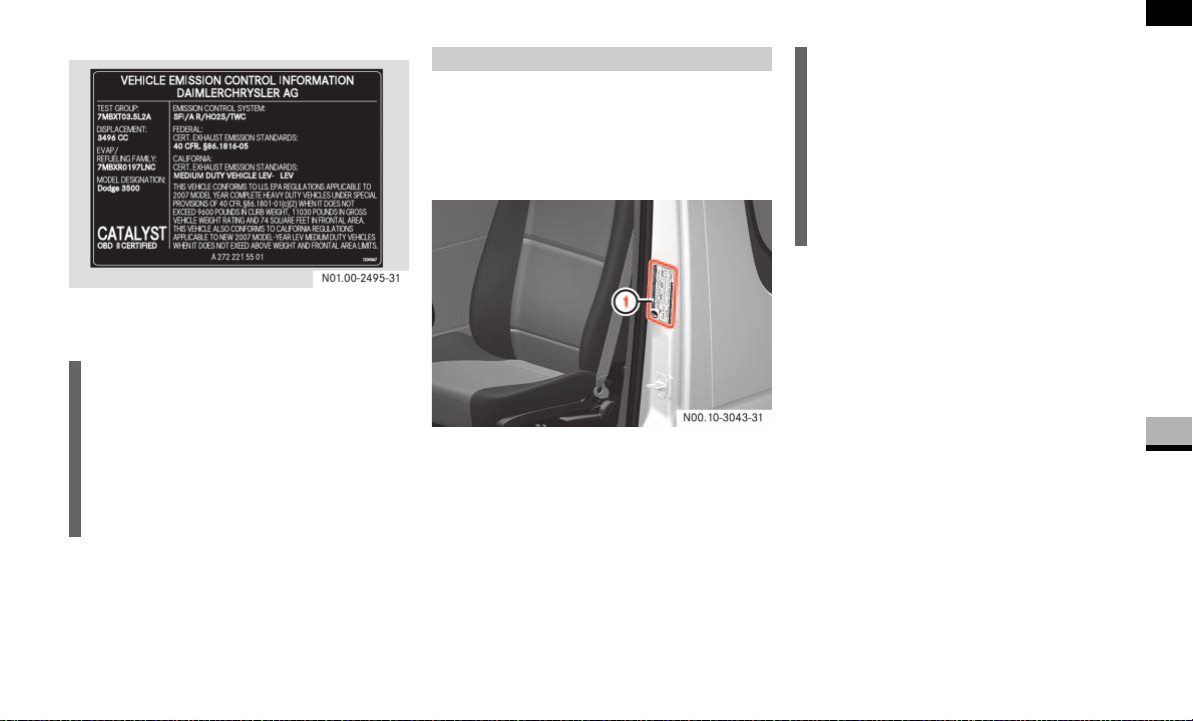
375
*Technical data
Vehicle identification labels
6
Example emission control information label
for gasoline engines
For vehicles with a gross weight capacity
less than 10,000 lbs (4500 kg) only.
The tire and loading information placard is
located on the driver’s door B-pillar.
1 Tire and loading information placard
For tire and loading information, see
"Loading the vehicle" ( page 205).
i
The data shown on the labels is for il-
lustrative purposes only. The data is
specific to each vehicle and may vary
from the data shown in the illustration.
Refer to the label on your vehicle for
data specific to your vehicle.
Tire and loading information placard i
The data shown on the placard is for il-
lustrative purposes only. The load limit
data and seating data is specific to
each vehicle and may vary from the
data shown in the illustration.
Refer to the placard on your vehicle for
data specific to your vehicle.


377
Numerics
12 V socket
. . . . . . . . . . . . . . . . . . . 170
A
ABS
see Antilock Brake System
Acceleration skid control (ASR)
. . . 44
activating/deactivating
. . . . . . . . . . 45
display message
. . . . . . . . . . . . . . 291
indicator lamp
. . . . . . . . . . . . 268–270
malfunction
. . . . . . . . . . . . . . . . . . 270
warning lamp
. . . . . . . . . . . . . . 44, 268
Accessory weight
. . . . . . . . . . . . . . 228
Accident
. . . . . . . . . . . . . . . . . . . . . . 251
Additional turn signal lamp
. . . . . . 307
ADR
see Operating speed governor
Air conditioning in the rear
. . . . . . 136
Air conditioning, regulated
refrigerant
. . . . . . . . . . . . . . . . . . . 362
Air pressure
see Tire inflation pressure
Air vents
air distribution
. . . . . . . . . . . . . . . . 133
in the rear
. . . . . . . . . . . . . . . . . . . 137
Airbag
co-driver's
. . . . . . . . . . . . . . . . . . . . 33
driver's
. . . . . . . . . . . . . . . . . . . . . . . 33
safety notes
. . . . . . . . . . . . . . . . . . . 31
thorax sidebag
. . . . . . . . . . . . . . . . . 34
windowbag
. . . . . . . . . . . . . . . . . . . . 35
Air-conditioning system
see Tempmatic
Air-conditioning system in the rear
compartment
air cleaner
. . . . . . . . . . . . . . . . . . . 240
Air-recirculation mode
air conditioning in the rear
. . . . . . . 136
rear heating
. . . . . . . . . . . . . . . . . . 136
Tempmatic
. . . . . . . . . . . . . . . . . . . 133
Alarm
audible
. . . . . . . . . . . . . . . . . . . . . . 250
Anticorrosion/antifreeze fluid
. . . 363
Antilock Brake System (ABS)
. . . . . 42
display message
. . . . . . . . . . . . . . 285
indicator lamp
. . . . . . . 268, 269, 271
malfunction
. . . . . . . . . . . . . . . . . . 271
Anti-theft alarm system (ATA)
. . . . . 47
malfunction
. . . . . . . . . . . . . . . . . . 250
switching off the alarm
. . . . . . . . . . 47
Anti-theft system
immobilizer
. . . . . . . . . . . . . . . . . . . 47
see Anti-theft alarm
system (ATA)
Aquaplaning
see Hydroplaning
Armrest
. . . . . . . . . . . . . . . . . . . . . . . 72
Ashtray
. . . . . . . . . . . . . . . . . . . . . . . 168
Aspect ratio
. . . . . . . . . . . . . . . . . . . 228
ASR
see Acceleration skid control
ASSYST
. . . . . . . . . . . . . . . . . . . . . . . 238
calling up the due date
vehicles with steering wheel
buttons
. . . . . . . . . . . . . . . . . . . . 239
vehicles without steering wheel but-
tons
. . . . . . . . . . . . . . . . . . . . . . 240
Attaching lashing straps
. . . . . . . . 158
Attaching locking rods
. . . . . . . . . . 158
Audible alarm
. . . . . . . . . . . . . . . . . 250
Automatic car wash
. . . . . . . . . . . . 242
headlamps
. . . . . . . . . . . . . . . . . . . 193
windshield
. . . . . . . . . . . . . . . . . . . 193
Automatic headlamp control
. . . . . . 78
Automatic locking
. . . . . . . . . . . . . . . 64
entire vehicle
. . . . . . . . . . . . . . . . . . 65
rear doors
. . . . . . . . . . . . . . . . . . . . 65
Automatic transmission
. . . . . . . . . 121
accelerator pedal position
. . . . . . . 123
changing gear yourself
. . . . . . . . . . 122
driving tips
. . . . . . . . . . . . . . . . . . . 123
fluid
. . . . . . . . . . . . . . . . . . . . . . . . 362
gearshift pattern
. . . . . . . . . . . . . . 121
kickdown
. . . . . . . . . . . . . . . . . . . . 123
malfunctions
. . . . . . . . . . . . . . . . . 256
Index
A

378
Index
maneuvering . . . . . . . . . . . . . . . . . 124
one-touch gearshifting
. . . . . . . . . . 122
releasing the parking lock manually
305
selector lever positions
. . . . . . . . . 121
shift ranges
. . . . . . . . . . . . . . . . . . 123
stopping
. . . . . . . . . . . . . . . . . . . . . 124
towing
. . . . . . . . . . . . . . . . . . . . . . 343
trailer towing
. . . . . . . . . . . . . . . . . 124
working on the vehicle
. . . . . . . . . . 124
Auxiliary heating
. . . . . . . . . . . . . . . 139
heater booster function
. . . . . . . . . 137
malfunctions
. . . . . . . . . . . . . . . . . 264
with water heater
changing the remote control
batteries
. . . . . . . . . . . . . . . . . . . 316
remote control
. . . . . . . . . . . . . . 141
selecting a switch-on time
. . . . . 142
setting the switch-on time
. . . . . 143
B
Bar
. . . . . . . . . . . . . . . . . . . . . . . . . . 228
BAS
see Brake Assist
Battery
auxiliary
. . . . . . . . . . . . . . . . . . . . . 337
charge indicator lamp
. . . . . . . . . . 273
check lamp (auxiliary heating remote
control)
. . . . . . . . . . . . . . . . . . . . . 141
display message
. . . . . . . . . . . . . . . 289
in the auxiliary heating remote
control
. . . . . . . . . . . . . . . . . . . . . . 316
in the engine compartment
. . . . . . 337
in the key
. . . . . . . . . . . . . . . . . . . . 315
indicator lamp (key)
. . . . . . . . . . . . . 53
isolating switch
. . . . . . . . . . . . . . . 197
recharging
. . . . . . . . . . . . . . . . . . . 339
reconnecting
. . . . . . . . . . . . . . . . . 339
removing
. . . . . . . . . . . . . . . . . . . . 337
safety notes
. . . . . . . . . . . . . . . . . . 195
starter battery
disconnecting
. . . . . . . . . . . . . . . 336
Bead
. . . . . . . . . . . . . . . . . . . . . . . . . 228
Belt force limiters
. . . . . . . . . . . . . . . 30
Bi-xenon headlamps
. . . . . . . . . . . . 307
driving abroad
. . . . . . . . . . . . . . . . 180
Body builder guideline
. . . . . . . . . . . . 6
Bottle holder
see Cup holders
Brake Assist (BAS)
. . . . . . . . . . . . . . 43
display message
. . . . . . . . . . . . . . . 291
indicator lamp
. . . . . . . 268, 269, 270
malfunction
. . . . . . . . . . . . . . . . . . 270
Brake fluid
. . . . . . . . . . . . . . . . . . . . 362
checking the brake fluid level
. . . . 192
display message
. . . . . . . . . . . . . . . 290
Brake lamp
. . . . . . . . . . . . . . . . . . . . 309
changing bulbs
. . . . . . . . . . . . . . . . 310
high-mounted third brake lamp
. . . 309
Brake pads/linings
display message
. . . . . . . . . . . . . . . 289
wear indicator
. . . . . . . . . . . . . . . . 273
Brake system
brake pad/lining wear
indicator
. . . . . . . . . . . . . . . . .273, 289
indicator lamp
. . . . . . . . . . . .268–269
malfunction
. . . . . . . . . 270, 271, 291
Braking
driving tips
. . . . . . . . . . . . . . . . . . . 113
Breaking in
. . . . . . . . . . . . . . . . . . . . 174
Bulbs
changing
see Changing bulbs
display message
. . . . . . . . . . .292, 293
C
Capacities
. . . . . . . . . . . . . . . . . . . . 365
Cards holder
. . . . . . . . . . . . . . . . . . 165
Care
. . . . . . . . . . . . . . . . . . . . . . . . . 241
automatic car wash
. . . . . . . . . . . . 242
B
C

379
Index
Care of batteries . . . . . . . . . . . . . . . 196
Care of the vehicle
. . . . . . . . . . . . . 241
after driving off-road or on
construction sites
. . . . . . . . . . . . . 246
Carrier systems
. . . . . . . . . . . 162, 372
Catalytic converter
. . . . . . . . . . . . . 181
CD player/CD changer
. . . . . . . . . . . 94
Cell phone
. . . . . . . . . . . . . . . . . . . . 171
Center console
. . . . . . . . . . . . . . . . . 18
switch unit
. . . . . . . . . . . . . . . . . . . . 20
Central locking
locking/unlocking
. . . . . . . . . . . . . . 52
(from the inside)
. . . . . . . . . . . . . . . 63
Central locking system
malfunctions
. . . . . . . . . . . . . . . . . 259
Certification label
. . . . . . . . . . . . . . 209
Changing bulbs
. . . . . . . . . . . . . . . . 306
clearance lamp
. . . . . . . . . . . . . . . 312
headlamps
. . . . . . . . . . . . . . . . . . . 308
identification lamps
. . . . . . . . 311, 313
interior lamp
. . . . . . . . . . . . . . . . . 314
license plate lamp
. . . . . . . . . . . . . 312
rear lamp units
chassis
. . . . . . . . . . . . . . . . . . . . 310
panel van/crewbus
. . . . . . . . . . 310
side marker lamps
. . . . . . . . . . . . . 312
Checking tire pressure electronically
with the Advanced Tire Pressure
Monitoring System
(Advanced TPMS)
. . . . . . . . . . . . . . 217
Checking tire pressure electronically
with the Tire Pressure Monitoring
System (TPMS)
. . . . . . . . . . . . . . . . 214
Checks, regular
. . . . . . . . . . . . . . . . 181
Children
in the vehicle
. . . . . . . . . . . . . . . . . . 36
ISOFIX seat securing system
. . . . . . 39
LATCH type child restraint system
. 39
restraint systems
. . . . . . . . . . . . . . . 37
Chock
. . . . . . . . . . . . . . . . . . . . . . . . 303
Cigarette lighter
. . . . . . . . . . . . . . . 169
Cleaning
. . . . . . . . . . . . . . . . . . . . . . 241
after driving off-road or
on construction sites
. . . . . . . . . . . 246
air cleaner element
. . . . . . . . . . . . 240
cockpit
. . . . . . . . . . . . . . . . . . . . . . 245
headlamps
. . . . . . . . . . . . . . . . . . . 244
padded boss of the steering wheel
245
rear view camera lens
. . . . . . . . . . 244
rear window
. . . . . . . . . . . . . . . . . . 244
side windows
. . . . . . . . . . . . . . . . . 244
vehicle
. . . . . . . . . . . . . . . . . . . . . . 242
windshield
. . . . . . . . . . . . . . . . . . . 243
windshield wipers
. . . . . . . . . . . . . 243
Clearance lamp
changing bulbs
. . . . . . . . . . . . . . . . 312
see identification lamp
. . . . . . . . . . 311
Clock
setting
vehicles with steering wheel
buttons
. . . . . . . . . . . . . . . . . . . . 101
vehicles without steering wheel
buttons
. . . . . . . . . . . . . . . . . . . . . 88
Cockpit
. . . . . . . . . . . . . . . . . . . . . . . . 12
Co-driver's seat
foldable
. . . . . . . . . . . . . . . . . . . . . . 74
Cold tire inflation pressure
. . . . . . 228
COMAND
see the separate Operating Instructions
Comfort seat
. . . . . . . . . . . . . . . . . . . 69
Constant headlamp mode
. . . . . . . 102
Consumption statistics
(vehicles with steering wheel
buttons)
. . . . . . . . . . . . . . . . . . . . . . 106
Coolant
. . . . . . . . . . . . . . . . . . . . . . . 363
adding
. . . . . . . . . . . . . . . . . . . . . . 191
anticorrosion/antifreeze fluid
. . . . 363
display message
. . . . . . . . . . . . . . 292
temperature
. . . . . . . . . . . . . . . . . . 120
temperature display
(vehicle with steering wheel
buttons)
. . . . . . . . . . . . . . . . . . . . . . 93

380
Index
temperature gauge
(vehicle with steering wheel
buttons)
. . . . . . . . . . . . . . . . . . . . . 255
Cornering lamps
changing bulbs
. . . . . . . . . . . . . . . . 307
Correct use
. . . . . . . . . . . . . . . . . . . . . 7
Cruise control
. . . . . . . . . . . . . . . . . 147
deactivating
. . . . . . . . . . . . . . . . . . 149
display message
. . . . . . . . . . . . . . 287
downhill gradients
. . . . . . . . . . . . . 148
lever
. . . . . . . . . . . . . . . . . . . . . . . . 148
malfunction
. . . . . . . . . . . . . . . . . . 287
problems
. . . . . . . . . . . . . . . . . . . . 263
setting the speed
. . . . . . . . . . . . . . 149
uphill gradients
. . . . . . . . . . . . . . . 148
Cup holders
. . . . . . . . . . . . . . . . . . . 167
Curb weight
. . . . . . . . . . . . . . . . . . . 228
D
Dashboard lighting
see Instrument lighting
Data cards, vehicle
. . . . . . . . . . . . . 373
Dehumidification
. . . . . . . . . . . . . . 134
Delayed switch-off
exterior lighting
(vehicles with steering wheel
buttons)
. . . . . . . . . . . . . . . . . . . . . 104
Department of Transportation
see DOT
Diesel
. . . . . . . . . . . . . . . . . . . . . . . . 359
consumption
. . . . . . . . . . . . . . . . . 366
low outside temperatures
. . . . . . . 360
reserve fuel warning lamp
. . . . . . . 276
tank capacity
. . . . . . . . . . . . . . . . . 365
Diesel engine
preglow indicator lamp
. . . . . 111, 276
winter driving
. . . . . . . . . . . . . . . . . 360
Digital speedometer
. . . . . . . . . . . . . . 6
Digital total distance recorder
. . . . . 6
Direction of rotation (tires)
. . . . . . 204
Disconnecting the battery
. . . . . . . 335
Display
vehicles with steering wheel buttons
display messages
. . . . . . . . . . . . 284
outside temperature
. . . . . . . . . . . 93
standard display
. . . . . . . . . . . . . . 93
vehicles without steering wheel buttons
display messages
. . . . . . . . . . . . 281
outside temperature
. . . . . . . . . . . 87
Door control panel
. . . . . . . . . . . . . . 22
opening the door
. . . . . . . . . . . . . . . 55
power windows
. . . . . . . . . . . . . . . 144
Doors
display message
. . . . . . . . . . . . . . . 298
locking and unlocking
. . . . . . . . . . . 52
opening/closing
. . . . . . . . . . . . . . . . 55
DOT
. . . . . . . . . . . . . . . . . . . . . .225, 229
Downhill gradients
cruise control
. . . . . . . . . . . . . . . . . 148
parking
. . . . . . . . . . . . . . . . . .114, 116
Drinking alcohol or taking drugs and
driving
. . . . . . . . . . . . . . . . . . . . . . . 116
Drinks holder
see Cup holders
Driving abroad
. . . . . . . . . . . . . . . . . 180
Driving on flooded roads
(fording)
. . . . . . . . . . . . . . . . . . . . . . 117
Driving safety system
. . . . . . . . . . . . 42
see Antilock Brake System (ABS)
see Acceleration Skid Control (ASR)
see Brake Assist (BAS)
see Electronic brake force distribution
(EBV)
see Electronic Stability Program (ESP
®
)
Driving system
. . . . . . . . . . . .147–153
cruise control
. . . . . . . . . . . . . . . . . 147
malfunctions
. . . . . . . . . . . . . . . . . 262
Parktronic
. . . . . . . . . . . . . . . . . . . . 150
reverse warning feature
. . . . . . . . . 153
Driving tips
. . . . . . . . . . . . . . . . . . . 175
automatic transmission
. . . . . . . . . 123
braking
. . . . . . . . . . . . . . . . . . . . . . 113
driving abroad
. . . . . . . . . . . . . . . . 180
D

381
Index
driving in wet conditions . . . . . . . . 117
driving on flooded roads
. . . . . . . . 117
in winter
. . . . . . . . . . . . . . . . . . . . . 235
overrun cut-off
. . . . . . . . . . . . . . . . 117
programmed maximum speed
. . . . 180
pulling away
. . . . . . . . . . . . . . . . . . 112
steering
. . . . . . . . . . . . . . . . . . . . . 116
E
EBV
see Electronic brake force distribution
Electric sliding door
. . . . . . . . . . . . . 57
programming the key
. . . . . . . . . . . . 59
Electrical heater booster system
. 138
Electrical system
fuses
. . . . . . . . . . . . . . . . . . . . . . . 345
switching on/off
. . . . . . . . . . . . . . 197
Electrical/electronic equipment
. . 183
retrofitting
. . . . . . . . . . . . . . . . . . . 354
Electronic brake force distribution
(EBV)
. . . . . . . . . . . . . . . . . . . . . . . . . . 46
malfunction
. . . . . . . . . . . . . . . . . . 269
Electronic
brake force distribution (EBV)
indicator lamps
. . . . . . . . . . . . . . . . 46
Electronic Stability Program (ESP
®
)
display message
. . . . . . . . . . . . . . 286
warning lamp
. . . . . . . . . . . . . . . . . 268
Electronic Stability
Program (ESP
®
)
indicator lamp
. . . . . . . . . . . . 268, 269
Electronic Stability
Program (ESP
®
) . . . . . . . . . . . . . . . . . 43
Electronic Stability
Program (ESP
®
)
display message
. . . . . . . . . . . 286–??
indicator lamp . . . . . . . . . . . . . . . . 272
malfunction
. . . . . . . . . . . . . . . . . . 272
Electronic
brake force distribution (EBV)
display message
. . . . . . . . . . 289–290
malfunction
. . . . . . . . . . . . . . . . . . 268
Emergency mode
automatic transmission
. . . . . . . . . 256
Emergency tensioning retractors
. . 30
Emission control
. . . . . . . . . . . . . . . 182
Engine
diagnostic, indicator lamp
. . . . . . . 277
engine power output, modifying
. . . . 6
malfunctions
. . . . . . . . . . . . . . . . . 253
not running smoothly
. . . . . . . . . . . 254
number
. . . . . . . . . . . . . . . . . . . . . 373
operating safety
. . . . . . . . . . . . . . . . . 6
starting
. . . . . . . . . . . . . . . . . . . . . . 67
starting problems
. . . . . . . . . . . . . . 253
switching off
. . . . . . . . . . . . . . . . . 116
Engine cleaning
. . . . . . . . . . . . . . . . 243
Engine electronics
tampering with
. . . . . . . . . . . . . . . . 354
Engine oil
. . . . . . . . . . . . . . . . . 187, 356
adding
. . . . . . . . . . . . . . . . . . . . . . 190
checking the level
. . . . . . . . . . . . . 188
display message
. . . . . . . . . . 296–297
warning lamp
. . . . . . . . . . . . . . . . . 274
Environmental protection
. . . . . . . . . 3
ESP
®
/ASR warning lamp . .16, 44, 268
Exterior lighting
additional bulbs
. . . . . . . . . . . . . . . 311
Constant headlamp mode
(vehicles with steering wheel
buttons)
. . . . . . . . . . . . . . . . . . . . . 102
delayed switch-off
(vehicles with steering wheel
buttons)
. . . . . . . . . . . . . . . . . . . . . 104
front bulbs
. . . . . . . . . . . . . . . . . . . 307
locator lighting
(vehicles with steering wheel
buttons)
. . . . . . . . . . . . . . . . . . . . . 103
rear bulbs
. . . . . . . . . . . . . . . . . . . . 309
Exterior mirrors
. . . . . . . . . . . . . . . 125
Eyeglasses compartment
. . . . . . . . 166
E

382
Index
F
Fastening seat belts
see Wearing seat belts
Fault memory
see Malfunction memory
Fax machine
. . . . . . . . . . . . . . . . . . 183
Fire extinguisher
. . . . . . . . . . . . . . . 299
First-aid kit
. . . . . . . . . . . . . . . . . . . 299
Flat tire
changing a wheel
. . . . . . . . . . . . . . 320
Premium tire sealant
. . . . . . . . . . . 326
Flow improvers
. . . . . . . . . . . . . . . . 361
Folding seat
. . . . . . . . . . . . . . . . . . . . 74
Folding table in the backrest
. . . . . 166
Front foglamps
. . . . . . . . . .77, 79, 307
changing bulbs
. . . . . . . . . . . . . . . . 307
Fuel
gauge
. . . . . . . . . . . . . . . . . . . . . . . . 86
line
. . . . . . . . . . . . . . . . . . . . . 251, 252
loss
. . . . . . . . . . . . . . . . . . . . 251, 252
malfunctions
. . . . . . . . . . . . . . . . . 252
see Gasoline or Diesel
Fuel filter with
water separator
draining
. . . . . . . . . . . . . . . . . . . . . 317
Fuel requirements
diesel engine
. . . . . . . . . . . . . . . . . 359
gasoline engine
. . . . . . . . . . . . . . . 359
Fuse box
in the driver's seat
. . . . . . . . . . . . . 348
main
. . . . . . . . . . . . . . . . . . . . . . . . 345
Fuse chart
. . . . . . . . . . . . . . . . . . . . 345
fuses in the driver’s seat base
. . . . 349
Fuses
. . . . . . . . . . . . . . . . . . . . . . . . 345
G
Gasoline
. . . . . . . . . . . . . . . . . . . . . . 358
consumption
. . . . . . . . . . . . . . . . . 366
reserve fuel warning lamp
. . . . . . . 276
tank capacity
. . . . . . . . . . . . . . . . . 365
Gauge
vehicles without steering wheel buttons
standard display
. . . . . . . . . . . . . . 87
GAWR
. . . . . . . . . . . . . . . . . . . . . . . . 229
Gear oil
. . . . . . . . . . . . . . . . . . . . . . . 364
Glove box
. . . . . . . . . . . . . . . . . . . . . 165
ventilated
. . . . . . . . . . . . . . . . . . . . 136
Gross Axle Weight Rating
see GAWR
Gross Trailer Weight
see GTW
Gross Vehicle Weight
see GVW
Gross Vehicle Weight Rating
see GVWR
GTW
. . . . . . . . . . . . . . . . . . . . . . . . . 229
GVW
. . . . . . . . . . . . . . . . . . . . . . . . . 229
GVWR
. . . . . . . . . . . . . . . . . . . . . . . . 229
H
Handbrake
. . . . . . . . . . . . . . . . . . . . 115
applying
. . . . . . . . . . . . . . . . . . . . . 114
display message
. . . . . . . . . . . . . . . 290
emergency braking
. . . . . . . . . . . . 115
indicator lamp
. . . . . . . . . . . . . . . . 114
releasing
. . . . . . . . . . . . . . . . . . . . . 115
Hazard warning lamps
. . . . . . . . . . . 80
switching on
. . . . . . . . . . . . . . . . . . . 80
Head restraints
. . . . . . . . . . . . . . . . . 72
removing
. . . . . . . . . . . . . . . . . . . . . 73
Headlamp flasher
. . . . . . . . . . . . 77, 78
Headlamps
bulbs
. . . . . . . . . . . . . . . . . . . . . . . 307
cleaning
. . . . . . . . . . . . . . . . . . . . . 244
cleaning system
. . . . . . . . . . .127, 193
indicator lamp
. . . . . . . . . . . . . . . 280
fogged-up
. . . . . . . . . . . . . . . . . . . . 257
malfunctions
. . . . . . . . . . . . . . . . . 257
Heated
rear window
. . . . . . . . . . . . . . . . . . 128
G
H
F

383
Index
seats . . . . . . . . . . . . . . . . . . . . . . . . 73
windshield
. . . . . . . . . . . . . . . . . . . 127
Heater booster function
. . . . . . . . 137
Heater booster system
. . . . . . . . . 138
Heating
rear window
. . . . . . . . . . . . . . . . . . 128
seat
. . . . . . . . . . . . . . . . . . . . . . . . . 73
windshield
. . . . . . . . . . . . . . . 127, 134
High-beam headlamps
. . . . . . . 77, 307
changing bulbs
. . . . . . . . . . . . . . . 307
High-pressure cleaners
. . . . . . . . . 242
Hood
. . . . . . . . . . . . . . . . . . . . . . . . . 185
Horn
. . . . . . . . . . . . . . . . . . . . . . . . . . 13
Hydroplaning
. . . . . . . . . . . . . . . . . . 118
I
Identification lamps
. . . . . . . . . . . . 311
changing bulbs
. . . . . . . . . . . 311, 313
Ignition lock
. . . . . . . . . . . . . . . . . . . 67
Immobilizer
. . . . . . . . . . . . . . . . . . . . 47
Indicator
vehicles with steering wheel buttons
Service due date
. . . . . . . . . . . . 238
vehicles without steering wheel buttons
service due date
. . . . . . . . . . . . . 239
Indicator and warning lamps
brake system
. . . . . . . . . . . . . . . . . 269
braking
. . . . . . . . . . . . . . . . . . . 268–??
engine oil level . . . . . . . . . . . . . . . . 274
seat belt
. . . . . . . . . . . . . . . . . . . . . 280
seat belt reminder
. . . . . . . . . . . . . 280
SRS
. . . . . . . . . . . . . . . . . . . . . . . . 272
water separator
. . . . . . . . . . . . . . . 280
Indicator lamp
ABS
. . . . . . . . . . . . . . . . . . . . . . . . 271
ASR
. . . . . . . . . . . . . . . 268, 269, 270
BAS
. . . . . . . . . . . . . . . 268, 269, 270
battery charge
. . . . . . . . . . . . . . . . 273
brake pad/lining wear
. . . . . . . . . . 273
coolant
. . . . . . . . . . . . . . . . . . . . . . 275
engine diagnostic
. . . . . . . . . . . . . . 277
ESP
®
. . . . . . . . . . . . . . 268, 269, 272
handbrake
. . . . . . . . . . . . . . . . . . . 114
operating speed governor (ADR)
. . 154
poly-V-belt
. . . . . . . . . . . . . . . . . . . 273
preglow
. . . . . . . . . . . . . . . . . 111, 276
reserve warning indicator (fuel)
. . . 276
windshield washer/headlamp cleaning
system washer fluid level
. . . . . . . . 280
Inflation pressure
see Tires, Inflation pressures
Information regarding electronic
recording devices
. . . . . . . . . . . . . . . 10
Instrument cluster
. . . . . . . . . . . 14, 84
lighting
. . . . . . . . . . . . . . . . . . . . . . . 85
speedometer
. . . . . . . . . . . . . . . . . . 85
tachometer
. . . . . . . . . . . . . . . . . . . 85
vehicles with steering wheel buttons
selecting the language
. . . . . . . . 100
setting the status line
. . . . . . . . . 100
Instrument lighting
. . . . . . . . . . . . . . 85
Interior lighting
changing bulbs
. . . . . . . . . . . . . . . . 314
front
. . . . . . . . . . . . . . . . . . . . . . . . . 80
rear
. . . . . . . . . . . . . . . . . . . . . . . . . 82
Interior lighting, rear
. . . . . . . . . . . . 82
Interior motion sensor
. . . . . . . . . . . 49
Intermittent wipe
. . . . . . . . . . . . . . 126
ISOFIX child seat securing system
. 39
TopTether
. . . . . . . . . . . . . . . . . . . . . 41
J
Jack
jacking points
. . . . . . . . . . . . . . . . 322
preparing
. . . . . . . . . . . . . . . . . . . . 322
storage location
. . . . . . . . . . . . . . . 300
Jump-starting
. . . . . . . . . . . . . . . . . 340
connection point
. . . . . . . . . . . . . . 340
Jump-starting connection point
. . 340
I
J

384
Index
K
Key
battery check lamp
. . . . . . . . . . . . . 53
buttons
. . . . . . . . . . . . . . . . . . . . . . . 53
changing the batteries
. . . . . . . . . . 315
lost
. . . . . . . . . . . . . . . . . . . . . . . . . 260
malfunction
. . . . . . . . . . . . . . 259–261
problems
. . . . . . . . . . . . . . . . . . . . 259
Key no.
. . . . . . . . . . . . . . . . . . . . . . . 373
Key positions
Kickdown
. . . . . . . . . . . . . . . . . . . . . 123
Kilopascal
. . . . . . . . . . . . . . . . . . . . 229
L
Language
display
(vehicles with steering wheel
buttons)
. . . . . . . . . . . . . . . . . . . . . 100
Lashing eyes
. . . . . . . . . . . . . . . . . . 158
mounting
. . . . . . . . . . . . . . . . . . . . 161
permissible tensile load
. . . . . . . . . 371
Lashing eyes/rails
. . . . . . . . . . . . . 158
Lashing points
maximum load-bearing capacity
. . 371
Lashing points and aids
. . . . . . . . . 158
permissible tensile load
. . . . . . . . . 371
LATCH type child restraint system
. 39
License plate lamp
. . . . . . . . . . . . . 309
changing bulbs
. . . . . . . . . . . . . . . . 312
Light-alloy wheels
. . . . . . . . . . . . . . 243
Lighting
changing bulbs
. . . . . . . . . . . . . . . . 306
exterior – see Exterior lighting
instrument
. . . . . . . . . . . . . . . . . . . . 85
interior, front
. . . . . . . . . . . . . . . . . . 80
interior, rear
. . . . . . . . . . . . . . . . . . . 82
Lights
automatic headlamp control
. . . . . . 78
front foglamp indicator lamp
. . . . . . 77
headlamp flasher
. . . . . . . . . . . . . . . 77
low-beam headlamps
. . . . . . . . . . . . 77
reading lamp
. . . . . . . . . . . . . . . . . . 81
rear foglamp indicator lamp
. . . . . . . 77
Limit speed
flat tire
. . . . . . . . . . . . . . . . . . . . . . 333
Load distribution
. . . . . . . . . . . . . . . 158
Loading guidelines
. . . . . . . . . . . . . 156
Locator lighting
setting (vehicles with steering wheel
buttons)
. . . . . . . . . . . . . . . . . . . . . 103
Locking button (key)
. . . . . . . . . . . . . 53
Locking knob
. . . . . . . . . . . . . . . . . . . 55
Low-beam headlamps
. . . . . . . . 77, 307
automatic headlamp control
. . . . . . 78
changing bulbs
. . . . . . . . . . . . . . . . 307
constant headlamp mode
(vehicles with steering wheel
buttons)
. . . . . . . . . . . . . . . . . . . . . 102
driving abroad
. . . . . . . . . . . . . . . . 180
M
Magnetic door retainer
. . . . . . . . . . . 61
Malfunction memory
(vehicles with steering wheel
buttons)
. . . . . . . . . . . . . . . . . . . . . . . 95
Maximum engine speed
. . . . . . . . . . 85
Maximum load rating, tires
. . . . . . 229
Maximum loaded vehicle weight,
tires
. . . . . . . . . . . . . . . . . . . . . . . . . 229
Maximum roof load
. . . . . . . . . . . . . 372
Maximum speed
programmed
. . . . . . . . . . . . . . . . . . 180
Menu (vehicles with steering wheel
buttons)
audio
. . . . . . . . . . . . . . . . . . . . . . . . 94
malfunction memory
. . . . . . . . . . . . 95
operation
. . . . . . . . . . . . . . . . . . . . . 93
overview
. . . . . . . . . . . . . . . . . . . . . . 91
settings
. . . . . . . . . . . . . . . . . . . . . . 96
telephone
. . . . . . . . . . . . . . . . . . . . 107
trip computer
. . . . . . . . . . . . . . . . . 106
L
M
K

385
Index
Messages
bulbs
. . . . . . . . . . . . . . . . . . . 292, 293
coolant
. . . . . . . . . . . . . . . . . . . . . . 292
doors
. . . . . . . . . . . . . . . . . . . . . . . 298
engine oil level
. . . . . . . . . . . . 296–297
reserve fuel
. . . . . . . . . . . . . . . . . . 297
telephone
. . . . . . . . . . . . . . . . . . . . 291
washer fluid
. . . . . . . . . . . . . . 287, 298
Mirrors
exterior mirrors
. . . . . . . . . . . . . . . 125
rear-view mirror
. . . . . . . . . . . . . . . 125
N
Navigation system
. . . . . . . . . . . . . 183
NHTSA reporting procedure
. . . . . . . 9
Night reflectors
securing
. . . . . . . . . . . . . . . . . . . . . 114
Normal occupant weight
. . . . . . . . 229
Notes on operation
. . . . . . . . . . . . . 116
O
Occupant distribution
. . . . . . . . . . 229
Odometer
. . . . . . . . . . . . . . . . . . . . . . 87
setting the unit
(vehicle with steering wheel
buttons)
. . . . . . . . . . . . . . . . . . . . . . 99
trip meter
. . . . . . . . . . . . . . . . . . 86, 87
Oil
see Engine oil
On-board voltage
. . . . . . . . . . . . . . 261
One-touch gearshifting
. . . . . . . . . 122
Opening and closing
. . . . . . . . . . . . . 52
Operating safety
. . . . . . . . . . . . . . . . . 4
Operating speed governor (ADR)
. 154
adjusting
. . . . . . . . . . . . . . . . . . . . 155
indicator lamp
. . . . . . . . . . . . . . . . 154
Operating system
vehicles with steering wheel buttons
audio menu
. . . . . . . . . . . . . . . . . . 94
clock/date submenu
. . . . . . . . . 101
convenience submenu
. . . . . . . . 105
display messages
. . . . . . . . . . . . 284
instrument cluster submenu
. . . . 99
lighting submenu
. . . . . . . . . . . . 102
malfunction memory menu
. . . . . 95
menu overview
. . . . . . . . . . . . . . . 91
operation menu
. . . . . . . . . . . . . . 93
settings menu
. . . . . . . . . . . . . . . . 96
standard display
. . . . . . . . . . . . . . 93
telephone menu
. . . . . . . . . . . . . 107
trip computer menu
. . . . . . . . . . 106
vehicle submenu
. . . . . . . . . . . . 104
vehicles without steering wheel buttons
display messages
. . . . . . . . . . . . 281
standard display
. . . . . . . . . . . . . . 87
vehicles without steering wheel
buttons
. . . . . . . . . . . . . . . . . . . . . . . 87
Outside temperature display
vehicles with steering wheel buttons
93
vehicles without steering wheel
buttons
. . . . . . . . . . . . . . . . . . . . . . . 87
Overhead control panel
. . . . . . . . . . 19
hands-free microphone
. . . . . . . . . . 19
interior lighting
. . . . . . . . . . . . . . . . . 81
Overrun cut-off
. . . . . . . . . . . . . . . . 117
Overview
indicator and warning lamps
. . . . . . 16
menus
(vehicles with steering wheel
buttons)
. . . . . . . . . . . . . . . . . . . . . . 91
switch
. . . . . . . . . . . . . . . . . . . . . . . 20
Oxidation catalyst
. . . . . . . . . . . . . . 181
P
Paper holder
. . . . . . . . . . . . . . . . . . 170
Parking
. . . . . . . . . . . . . . . . . . . . . . . 116
on uphill or downhill gradients
. . . . 114
Parking aid
see Parktronic
Parking brake
see Handbrake
N
O
P

386
Index
Parking lamps . . . . . . . . . . . . . . . . . . 77
changing bulbs
. . . . . . . . . . . . . . . . 308
Parking lock
see Automatic transmission
Parktronic
. . . . . . . . . . . . . . . . 150, 244
cleaning the sensors
. . . . . . . . . . . 244
indicator lamp
. . . . . . . . . . . . . . . . 262
malfunction
. . . . . . . . . . . . . . . . . . 262
range of the sensors
. . . . . . . . . . . 150
roll-back warning
. . . . . . . . . . . . . . 152
switching on/off
. . . . . . . . . . . . . . 153
trailer towing
. . . . . . . . . . . . . . . . . 153
warning display
. . . . . . . . . . . 151, 262
Partition sliding door
. . . . . . . . . . . . 66
Parts
. . . . . . . . . . . . . . . . . . . . . . . . . 352
Pen holder
. . . . . . . . . . . . . . . . . . . . 165
Perimeter lamp
. . . . . . . . . . . . . . . . 309
Plastic trims
. . . . . . . . . . . . . . . . . . 245
Poly-V-belt
malfunction
. . . . . . . . . . . . . . . . . . 273
Pounds per square inch
see PSI
Power steering fluid
. . . . . . . . . . . . 364
Premium tire sealant
storage location
. . . . . . . . . . . . . . . 303
using
. . . . . . . . . . . . . . . . . . . . . . . 326
Premium unleaded gasoline
. . . . . 358
Production options weight
. . . . . . 230
Programmed maximum speed
. . . 180
PSI
. . . . . . . . . . . . . . . . . . . . . . . . . . . 230
PTS
see Parktronic
Pulling away
. . . . . . . . . . . . . . . . . . 112
on a slippery surface
. . . . . . . . . . . 112
R
Radial-ply tires
. . . . . . . . . . . . . . . . 201
Radio
. . . . . . . . . . . . . . . . . . . . . . . . . 183
changing stations
(vehicles with steering wheel
buttons)
. . . . . . . . . . . . . . . . . . . . . . 94
Rail transport
. . . . . . . . . . . . . . . . . . 175
Rain sensor
. . . . . . . . . . . . . . . 126, 127
setting the sensitivity
(vehicles with steering wheel
buttons)
. . . . . . . . . . . . . . . . . . . . . 105
Reading lamp
. . . . . . . . . . . . . . . . . . . 81
Rear bench seat
removing/installing
. . . . . . . . . . . . . 75
Rear door
locking/unlocking
from the inside
. . . . . . . . . . . . 62, 64
with remote control
. . . . . . . . . . . 54
with the key
. . . . . . . . . . . . . . . . . 54
opening/closing
from the inside
. . . . . . . . . . . . . . . 62
from the outside
. . . . . . . . . . . . . . 60
Rear foglamp
. . . . . . . . . . . . . . . . . . 309
changing bulbs
. . . . . . . . . . . . . . . . 310
switching on
. . . . . . . . . . . . . . . . . . . 79
Rear view camera
. . . . . . . . . . . . . . 244
cleaning the lens
. . . . . . . . . . . . . . 244
Rear window
cleaning
. . . . . . . . . . . . . . . . . . . . . 244
Rear window heating
. . . . . . . . . . . 128
malfunction
. . . . . . . . . . . . . . . . . . 266
Rear window wiper
. . . . . . . . . . . . . 127
Rear-view mirror
. . . . . . . . . . . . . . . 125
Recommended tire inflation
pressure
. . . . . . . . . . . . . . . . . . . . . . 230
Refueling
. . . . . . . . . . . . . . . . . . . . . 184
Remote control
auxiliary heating
. . . . . . . . . . . . . . . 141
battery check lamp
. . . . . . . . . . . 141
changing the batteries
. . . . . . . . 316
central locking
. . . . . . . . . . . . . . . . . 54
changing the batteries
. . . . . . . . . . 315
key
. . . . . . . . . . . . . . . . . . . . . . . . . . 53
lost
. . . . . . . . . . . . . . . . . . . . . . . . . 260
opening the vehicle
. . . . . . . . . . . . . 52
problems
. . . . . . . . . . . . . . . . . . . . 259
Removing the battery cover in the
driver’s footwell
. . . . . . . . . . . . . . . 336
R

387
Index
Removing/installing the floor covering
in the driver’s footwell
. . . . . . . . . . 336
Reserve warning indicator (fuel)
. . 276
Residual heat mode
. . . . . . . . . . . . 134
problems
. . . . . . . . . . . . . . . . . . . . 267
Restraint system
. . . . . . . . . . . . . . . 24
airbags
. . . . . . . . . . . . . . . . . . . . . . . 25
belt force limiters
. . . . . . . . . . . . . . 30
child restraint systems
. . . . . . . . . . 37
display message
. . . . . . . . . . . . . . 288
emergency tensioning retractor
. . . 30
front airbags
. . . . . . . . . . . . . . . . . . 33
malfunction
. . . . . . . . . . . . . . . . . . 272
seat belt
. . . . . . . . . . . . . . . . . . . . . . 25
thorax sidebag
. . . . . . . . . . . . . . . . . 34
windowbags
. . . . . . . . . . . . . . . . . . . 35
Reverse lamp
. . . . . . . . . . . . . . . . . 309
changing bulbs
. . . . . . . . . . . . . . . 310
Reverse warning feature
. . . . . . . . 153
Rims
. . . . . . . . . . . . . . . . . . . . . . . . . 230
Roll-back warning
see Parktronic
Roof load
. . . . . . . . . . . . . . . . . . . . . 372
Roof rack
. . . . . . . . . . . . . . . . . . . . . 162
Roof ventilator
. . . . . . . . . . . . . . . . 146
S
Seat
adjusting
. . . . . . . . . . . . . . . . . . . . . 68
folding rear bench seat
. . . . . . . . . . 74
folding seat
. . . . . . . . . . . . . . . . . . . 74
fore-and-aft adjustment
. . . . . . . . . . 69
heating
. . . . . . . . . . . . . . . . . . . . . . . 73
malfunction
. . . . . . . . . . . . . . . . 266
height
. . . . . . . . . . . . . . . . . . . . . . . . 69
suspension
. . . . . . . . . . . . . . . . . . . . 70
swivelling
. . . . . . . . . . . . . . . . . . . . . 70
vertical lock
. . . . . . . . . . . . . . . . . . . 70
Seat belt
. . . . . . . . . . . . . . . . . . . . . . . 25
adjusting height
. . . . . . . . . . . . . . . . 27
cleaning
. . . . . . . . . . . . . . . . . . . . . 246
telltale
. . . . . . . . . . . . . . . . . . . . . . 280
wearing
. . . . . . . . . . . . . . . . . . . . . . 27
Seat heating
switching on
. . . . . . . . . . . . . . . . . . . 73
Seating capacity
. . . . . . . . . . . . . . . 206
Securing a load
. . . . . . . . . . . . . . . . 158
Securing tensioning straps
. . . . . . 158
Selector lever
lock
. . . . . . . . . . . . . . . . . . . . 111, 121
Service
calling up the due date
vehicles with steering wheel
buttons
. . . . . . . . . . . . . . . . . . . . 239
vehicles without steering wheel but-
tons
. . . . . . . . . . . . . . . . . . . . . . 240
indicator
. . . . . . . . . . . . . . . . . . . . . 238
Service information
. . . . . . . . . . . . . . 5
Service life
tires
. . . . . . . . . . . . . . . . . . . . . . . . 203
Service products
. . . . . . . . . . . 187, 237
capacities
. . . . . . . . . . . . . . . . . . . . 365
coolants, lubricants, etc.
. . . . . . . . 362
diesel
. . . . . . . . . . . . . . . . . . . . . . . 359
engine oils
. . . . . . . . . . . . . . . . . . . 356
fuels
. . . . . . . . . . . . . . . . . . . . . . . . 358
gasoline
. . . . . . . . . . . . . . . . . . . . . 358
notes
. . . . . . . . . . . . . . . . . . . . . . . 355
windshield washer fluid
. . . . . . . . . 193
Setting the blower speed
. . . . . . . . 133
Setting the date
vehicles with steering wheel
buttons
. . . . . . . . . . . . . . . . . . . . . . 102
vehicles without steering wheel
buttons
. . . . . . . . . . . . . . . . . . . . . . . 88
Settings
resetting all (vehicles with steering
wheel buttons)
. . . . . . . . . . . . . . . . . 96
Shift range
automatic transmission
. . . . . . . . . 123
display
. . . . . . . . . . . . . . . . . . . . . . 121
S

388
Index
Side lamps . . . . . . . . . . . . . . . . . . . . 307
Side marker lamps
. . . . . . . . . . . . . 307
changing bulbs
. . . . . . . . . . . . . . . . 312
Side wall
. . . . . . . . . . . . . . . . . . . . . . 230
Side windows
cleaning
. . . . . . . . . . . . . . . . . . . . . 244
operating
. . . . . . . . . . . . . . . . . . . . 144
Sliding door
closing aid
. . . . . . . . . . . . . . . . . . . . 57
electric
. . . . . . . . . . . . . . . . . . . . . . . 57
locking/unlocking
from the inside
. . . . . . . . . . . . . . . 56
opening/closing
. . . . . . . . . . . . . . . . 56
Sliding sunroof
. . . . . . . . . . . . . . . . 145
opening/closing manually
. . . . . . . 304
resetting
. . . . . . . . . . . . . . . . . . . . . 146
Sliding sunroof emergency
operation
. . . . . . . . . . . . . . . . . . . . . 304
Sliding/tilting sunroof
see Sliding sunroof
Snow chains
. . . . . . . . . . . . . . . . . . 236
Spare wheel
. . . . . . . . . . . . . . . . . . 301
Speed
adjusting
see Cruise control
Speedometer
. . . . . . . . . . . . . . . . . . . 85
setting the unit (vehicles with steering
wheel buttons)
. . . . . . . . . . . . . . . . . 99
Spinning
see Tires, Direction of rotation
SRS (Supplemental
Restraint System)
. . . . . . . . . . . . . . . 28
display message
. . . . . . . . . . . . . . . 288
SRS (Supplemental
Restraint System)
warning lamp
. . . . . . . . . . . . . . . . . 272
Standard seat
. . . . . . . . . . . . . . . . . . 69
Standing lamps
changing bulbs
. . . . . . . . . . . . . . . . 308
rear
. . . . . . . . . . . . . . . . . . . . . . . . 309
Steering
. . . . . . . . . . . . . . . . . . . . . . 116
unlocking
. . . . . . . . . . . . . . . . . . . . . 67
Steering column adjustment
. . . . . . 76
Steering lock
see Ignition lock
Steering wheel
adjusting
. . . . . . . . . . . . . . . . . . . . . 76
buttons (vehicle with steering wheel
buttons)
. . . . . . . . . . . . . . . . . . . 17, 89
releasing the lock
. . . . . . . . . . . . . . . 67
Steps
. . . . . . . . . . . . . . . . . . . . . . . . 243
Stickers
. . . . . . . . . . . . . . . . . . . . . . . . 8
Storage compartment under the
co-driver's seat
. . . . . . . . . . . . . . . . 164
Storage compartments
. . . . . . . . . .13,
18, 164–166
co-driver door
. . . . . . . . . . . . . . . . . 299
cup holder
. . . . . . . . . . . . . . . . . . . 167
driver's door
. . . . . . . . . . . . . . . . . . 299
glove box
. . . . . . . . . . . . . . . . . . . . 165
holder for bottled drinks
. . . . . . . . 167
storage compartment above the roof
trim
. . . . . . . . . . . . . . . . . . . . . . . . 164
storage compartment under the co-
driver's seat
. . . . . . . . . . . . . . . . . . 164
storage compartments above the
windshield
. . . . . . . . . . . . . . . . . . . 164
storage compartments in the doors
164
Storing tires
. . . . . . . . . . . . . . . . . . . 204
Submenu
clock/date
. . . . . . . . . . . . . . . . . . . 101
convenience
. . . . . . . . . . . . . . . . . . 105
instrument cluster
. . . . . . . . . . . . . . 99
lighting
. . . . . . . . . . . . . . . . . . . . . . 102
overview of settings
. . . . . . . . . . . . . 97
selecting
. . . . . . . . . . . . . . . . . . . . . . 97
vehicle
. . . . . . . . . . . . . . . . . . . . . . 104
Surround lighting
see Locator lighting
Suspension seat
. . . . . . . . . . . . . . . . 69
Switch unit
. . . . . . . . . . . . . . . . . . . . . 20
Swivel seat
. . . . . . . . . . . . . . . . . . . . . 70

389
Index
T
Tachometer
. . . . . . . . . . . . . . . . . . . . 85
Tail lamps
. . . . . . . . . . . . . . . . . . . . 309
changing bulbs
. . . . . . . . . . . . . . . 310
perimeter lamp
. . . . . . . . . . . . . . . 309
Tank
flap
. . . . . . . . . . . . . . . . . . . . . . 86, 184
malfunction
. . . . . . . . . . . . . . 251–252
reserve fuel, display message
. . . . 297
Technical Data
Tire inflation pressure
. . . . . . . . . . 369
Telephone
. . . . . . . . . . . . . . . . 171, 183
display message
. . . . . . . . . . . . . . 291
hands-free microphone
. . . . . . . . . . 19
operating
(vehicles with steering wheel
buttons)
. . . . . . . . . . . . . . . . . . . . . 107
retrofitting
. . . . . . . . . . . . . . . . . . . 354
Temperature
setting the unit
(vehicles with steering wheel
buttons)
. . . . . . . . . . . . . . . . . . . . . . 99
Tempmatic
. . . . . . . . . . . . . . . . . . . . 129
air distribution
. . . . . . . . . . . . 129, 133
air vents
in the dashboard
. . . . . . . . . . . . 129
airflow
. . . . . . . . . . . . . . . . . . . . . . 133
air-recirculation mode
. . . . . . . . . . 133
control panel
. . . . . . . . . . . . . . . . . 131
defrosting
. . . . . . . . . . . . . . . . . . . 135
economy mode
. . . . . . . . . . . . . . . 131
fogged-up windows
. . . . . . . . . . . . 134
reheat function (dehumidification)
. 134
residual heat
. . . . . . . . . . . . . . . . . 134
special settings
. . . . . . . . . . . . . . . 134
ventilation/cooling
. . . . . . . . . . . . 132
The first 1,500 km
. . . . . . . . . . . . . 174
Thorax sidebag
. . . . . . . . . . . . . . . . . 34
Tightening torque
wheel nuts/wheel bolts
. . . . . . . . . 324
TIN
. . . . . . . . . . . . . . . . . . . . . . 225, 230
Tire and loading information
placard
. . . . . . . . . . . . . . . . . . . . . . 205
terminology
. . . . . . . . . . . . . . . . . . 228
Tire and loading information
placard
. . . . . . . . . . . . . . . . . . . . . . . 375
Tire Identification Number
see TIN
Tire inflation pressure
. . . . . . . . . . 369
checking manually
. . . . . . . . . . . . . 213
Checking tire pressure electronically
with the Advanced Tire Pressure Monito-
ring System (Advanced TPMS)*,
(Canada only)
. . . . . . . . . . . . . . . . . 217
Checking tire pressure electronically
with the Tire Pressure Monitoring
System (TPMS)
. . . . . . . . . . . . . . . 214
recommended tire inflation
pressure
. . . . . . . . . . . . . . . . . . . . . 210
setting the unit
(vehicles with steering wheel
buttons)
. . . . . . . . . . . . . . . . . . . . . 100
table
. . . . . . . . . . . . . . . . . . . . . . . . 370
Tire valves
. . . . . . . . . . . . . . . . . . . . 201
Tires
. . . . . . . . . . . . . . . . . . . . . 199, 212
Advanced Tire Pressure Monitoring
System (Advanced TPMS)*,
(Canada only)
. . . . . . . . . . . . . . . . . 217
air pressure
. . . . . . . . . . . . . . . . . . 228
alignment and balance
. . . . . . . . . . 120
care and maintenance
. . . . . . . . . . 202
damage
. . . . . . . . . . . . . . . . . . . . . 202
direction of rotation, spinning
. . . . 204
driving instructions
. . . . . . . . . . . . 117
important guidelines
. . . . . . . . . . . 201
inflation pressure
. . . . . . . . . . 210, 213
information placard
. . . . . . . . . . . . 205
inspection
. . . . . . . . . . . . . . . . . . . 202
load limit information
. . . . . . . . . . . 206
load rating
. . . . . . . . . . 222, 223, 230
loading Information
. . . . . . . . . . . . 205
loading terminology
. . . . . . . . . . . . 228
T

390
Index
loading the vehicle . . . . . . . . . . . . . 205
low tire pressure indicator
. . . . . . . 278
maximum load
. . . . . . . . . . . . . . . . 231
messages in the multifunction
display
. . . . . . . . . . . . . . . . . . . . . . 278
ply composition and material used
. . . 230
problems under/overinflation 221, 222
radial-ply tires
. . . . . . . . . . . . . . . . 201
retreads
. . . . . . . . . . . . . . . . . . . . . 200
rotating
. . . . . . . . . . . . . . . . . 204, 231
seating capacity
. . . . . . . . . . . . . . . 206
service life
. . . . . . . . . . . . . . . . . . . 203
sizes
. . . . . . . . . . . . . . . . . . . . . . . . 222
speed rating
. . . . . . . . . 119, 224, 230
storing
. . . . . . . . . . . . . . . . . . . . . . 204
temperature
. . . . . . . . . . . . . . 212, 369
terminology
. . . . . . . . . . . . . . . . . . 228
TIN
. . . . . . . . . . . . . . . . . . . . . 225, 230
Tire Identification Number see TIN
Tire Pressure Monitoring System
(TPMS), (USA only)
. . . . . . . . . . . . . 214
TPMS malfunction indicator
. . . . . . 278
traction
. . . . . . . . . . . . . . . . . 119, 230
tread
. . . . . . . . . . . . . . . . . . . . . . . 230
tread depth
. . . . . . . . . . . . . . 203, 234
Treadwear Indicator (TWI)
. . . . . . . 118
Treadwear Indicators
. . . . . . . . . . . 230
valves
. . . . . . . . . . . . . . . . . . . . . . . 201
vehicle maximum load on
. . . . . . . 231
wear pattern
. . . . . . . . . . . . . . . . . . 231
winter tires
. . . . . . . . . . . . . . . . . . . 234
Tongue Weight Rating
see TWR
TopTether
. . . . . . . . . . . . . . . . . . . . . . 41
Tow-away protection
. . . . . . . . . . . . 48
Towing
. . . . . . . . . . . . . . . . . . . . . . . 342
in the event of a malfunction in the
electrical system
. . . . . . . . . . . . . . 344
in the event of particular
malfunctions
. . . . . . . . . . . . . . . . . 343
vehicle that is stuck
. . . . . . . . . . . . 343
Towing eye
installing/removing
. . . . . . . . . . . . 342
Tow-starting
. . . . . . . . . . . . . . . . . . . 341
Traction
. . . . . . . . . . . . . . . . . . . . . . 230
Trailer
safety notes
. . . . . . . . . . . . . . 175, 176
towing
. . . . . . . . . . . . . 163, 175, 176
towing with Parktronic
. . . . . . . . . . 153
Tread
. . . . . . . . . . . . . . . . . . . . . . . . 230
Tread depth
. . . . . . . . . . . . . . . . . . . 203
Tread depth (tires)
. . . . . . . . . . . . . 234
Treadwear Indicator (TWI)
. . . . . . . 118
Treadwear Indicators
. . . . . . . . . . . 230
Trip computer
menu (vehicles with steering wheel
buttons)
. . . . . . . . . . . . . . . . . . . . . 106
Trip meter
. . . . . . . . . . . . . . . . . . . . . 87
resetting
. . . . . . . . . . . . . . . . . . . . . . 86
Turn signals
. . . . . . . . . . . . . . . . . . . . 79
front
. . . . . . . . . . . . . . . . . . . . . . . . 307
changing bulbs
. . . . . . . . . . . . . . 308
malfunctions
. . . . . . . . . . . . . . . . . 257
rear
. . . . . . . . . . . . . . . . . . . . . . . . . 309
changing bulbs
. . . . . . . . . . . . . . 310
side-mounted
. . . . . . . . . . . . . . . . . 307
Twin co-driver’s seat
. . . . . . . . . . . . . 71
Two-way radio
. . . . . . . . . . . . . . . . . 183
retrofitting
. . . . . . . . . . . . . . . . . . . 354
TWR (Tongue Weight Rating)
. . . . . 231
U
Uniform tire quality grading
standards
. . . . . . . . . . . . . . . . . . . . . 231
Uphill gradients
cruise control
. . . . . . . . . . . . . . . . . 148
parking
. . . . . . . . . . . . . . . . . .114, 116
V
Vehicle
assemblies
. . . . . . . . . . . . . . . . . . . 194
automatic locking when driving
. . . . 64
cleaning
. . . . . . . . . . . . . . . . . . . . . 242
U
V

391
Index
closing . . . . . . . . . . . . . . . . . . . . . . . 52
correct use
. . . . . . . . . . . . . . . . . . . . 7
data cards
. . . . . . . . . . . . . . . . . . . 373
identification number
. . . . . . . . . . 373
leaving in storage
. . . . . . . . . . . . . 265
locking with key
. . . . . . . . . . . . . . . . 55
locking/unlocking centrally
. . . . . . . 64
opening
. . . . . . . . . . . . . . . . . . . . . . 52
with remote control
. . . . . . . . . . . 54
with the key
. . . . . . . . . . . . . . . . . 54
registering
. . . . . . . . . . . . . . . . . . . . . 5
towing
. . . . . . . . . . . . . . . . . . . . . . 342
towing out
. . . . . . . . . . . . . . . . . . . 343
tow-starting
. . . . . . . . . . . . . . . . . . 341
transporting
. . . . . . . . . . . . . . . . . . 344
Vehicle alteration
. . . . . . . . . . . . . . . . 6
Vehicle capacity weight
. . . . . . . . . 231
Vehicle identification plates
. . . . . 373
Vehicle loading
load limit
. . . . . . . . . . . . . . . . . . . . 206
loading terminology
. . . . . . . . . . . . 228
terminology
. . . . . . . . . . . . . . . . . . 228
Vehicle maximum load
on the tire
. . . . . . . . . . . . . . . . . . . . 231
Vehicle safety certification label
. 373
Vehicle tool kit
. . . . . . . . . . . . . . . . 300
Vehicle/engine emission label
. . . 375
W
Warning labels
. . . . . . . . . . . . . . . . . . 8
Warning lamp
ESP
®
/ASR . . . . . . . . . . . . .43, 44, 268
warning lamp
. . . . . . . . . . . . . . . . . 299
Warning triangle
. . . . . . . . . . . . . . . 299
Warranty information
. . . . . . . . . . . . . 5
Washer fluid
. . . . . . . . . . . . . . . . . . 127
adding
. . . . . . . . . . . . . . . . . . . . . . 193
Water separator
draining the fuel filter
. . . . . . . . . . 317
Wheel
. . . . . . . . . . . . . . . . . . . . . . . . 117
changing
. . . . . . . . . . . . . . . . . . . . 320
Wheel nuts/wheel bolts
retightening
. . . . . . . . . . . . . . . . . . 324
tightening torque
. . . . . . . . . . . . . . 324
Wheel, tires and
. . . . . . . . . . . . . . . 199
Windows
cleaning the rear window
. . . . . . . . 244
cleaning the side windows
. . . . . . . 244
cleaning the windshield
. . . . . . . . . 243
fogged-up
. . . . . . . . . . . . . . . . . . . . 134
power windows
. . . . . . . . . . . . . . . 144
washer fluid
. . . . . . . . . . . . . . . . . . 127
Windshield
cleaning
. . . . . . . . . . . . . . . . . . . . . 243
heating
. . . . . . . . . . . . . . . . . . 127, 134
malfunction
. . . . . . . . . . . . . . . . 266
Windshield heating
. . . . . . . . . . . . . 127
Windshield washer fluid
display message
. . . . . . . . . . 287, 298
wiping with
. . . . . . . . . . . . . . . . . . . 127
Windshield washer system
. . . . . . 193
indicator lamp
. . . . . . . . . . . . . . . . 280
rain sensor
. . . . . . . . . . . . . . . . . . . 126
Windshield wipers
. . . . . . . . . . . . . 126
cleaning
. . . . . . . . . . . . . . . . . . . . . 243
intermittent wipe
. . . . . . . . . . . . . . 126
malfunctions
. . . . . . . . . . . . . . . . . 258
rain sensor
. . . . . . . . . . . . . . . 126, 127
setting the sensitivity (vehicles with
steering wheel buttons)
. . . . . . . 105
rear window wiper
. . . . . . . . . . . . . 127
replacing the wiper blades
. . . . . . . 319
windshield washer fluid
. . . . . . . . . 127
Winter driving
. . . . . . . . . . . . . 234, 235
snow chains
. . . . . . . . . . . . . . . . . . 236
Winter operation
tires
. . . . . . . . . . . . . . . . . . . . . . . . 234
Wiper blades
. . . . . . . . . . . . . . . . . . 319
Working on the vehicle
. . . . . . . . . 124
W
2007 OWNER’ S MANUAL
2007 SPRINTER
81-326-0799 Second Edition Printed in U.S.A.